


 Скачать презентацию PHP Modules LDAP and My SQL External
a4683adfd4af395af02a6b11a782a2cf.ppt
- Количество слайдов: 47
 PHP Modules LDAP and My. SQL
 External Functions • In addition to the usual programming functions (arrays, date and time, typing, mathematical, etc), PHP supports a large number of functions linking it to other software (although many of these require special installation): • • • My. SQL. MS SQL, Oracle 8 Shockwave Flash PDF IMAP, POP 3, NNTP XML Many others… • In particular, we'll look at the My. SQL and LDAP function sets
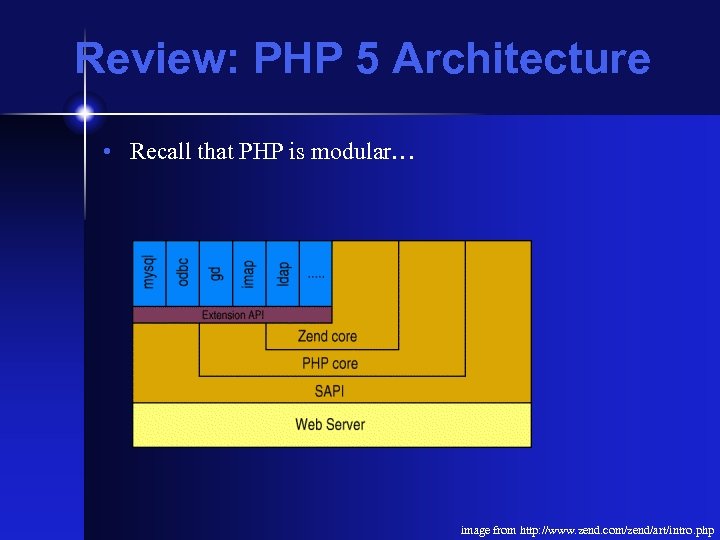 Review: PHP 5 Architecture • Recall that PHP is modular… image from http: //www. zend. com/zend/art/intro. php
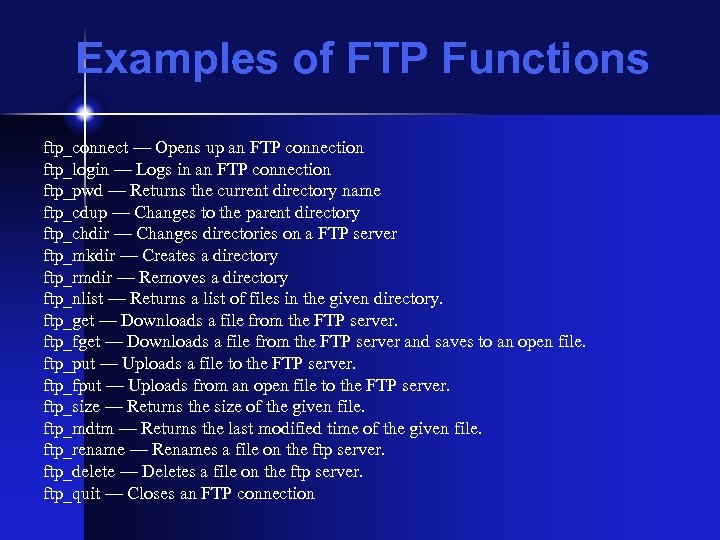 Examples of FTP Functions ftp_connect — Opens up an FTP connection ftp_login — Logs in an FTP connection ftp_pwd — Returns the current directory name ftp_cdup — Changes to the parent directory ftp_chdir — Changes directories on a FTP server ftp_mkdir — Creates a directory ftp_rmdir — Removes a directory ftp_nlist — Returns a list of files in the given directory. ftp_get — Downloads a file from the FTP server. ftp_fget — Downloads a file from the FTP server and saves to an open file. ftp_put — Uploads a file to the FTP server. ftp_fput — Uploads from an open file to the FTP server. ftp_size — Returns the size of the given file. ftp_mdtm — Returns the last modified time of the given file. ftp_rename — Renames a file on the ftp server. ftp_delete — Deletes a file on the ftp server. ftp_quit — Closes an FTP connection
 LDAP • Lightweight Directory Access Protocol • Like many "light" services, it's gained weight over time--LDAP is just like XML in this regard • Used to store user data on systems (eg. Active Directory, Open Directory) • Very commonly used for email addressbooks • Also can be used for authentication services
 LDAP Terms • • A directory is a collection of entries Each entry contains a set of attributes Attributes have a name, and contain a value A schema governs the form of attributes, much like a DTD or XML Schema governs an XML document
 Distinguished Names • Each directory has a root name, the distinguished name • These days that is usually parallel to the IP domain name or the server's IP name, eg: dc=cs, dc=unc, dc=edu (dc stands for domain component--the older system used geographical components) • Entries in the tree also have a distinguished name, but that's relative (RDN), eg: cn=hays, ou=affiliates, dc=cs, dc=unc, dc=edu • This domain based structure allows multiple servers to interact in a hierarchy, much like DNS
 Data? • ldap/abhi_ldap. php • This will show you a dump of my data from ldap. unc. edu (this isn't the only thing up there, but it shows you the kinds of things that are there) • Same basic data, shown a different way: ldap/person_super. php
 LDAP Structure • LDAP uses a tree structure • Leaves can be asymmetrical--that is to say, not all leaves have to be populated, and leaves can contain various numbers of subleaves • This in contrast to the standard table structures-really tho, LDAP sits on top of a DB (usually Berkeley DB) and itself acts as middleware layer • LDAP has a text file format for import/export called ldif (this stuff is all based on the old X 500 stuff, so it predates XML)
 LDAP Trees image from http: //www. twistedmatrix. com/users/tv/ldap-intro. html
 An Aside • X. 500 is the old school directory system developed by the ITU • This was never adopted in a widespread manner, just to complicated • Developed by telco as a universal directory • There are implementation similarities to • ANS. 1 and SNMP • SGML and XML • ATM • The lesson: Prototype early and often and plan on throwing the first one away
 Import and Export • LDAP uses a standard text file format for import and export (YAS!) • This is called LDIF, and you'll see it pretty often in conjunction with supporting email clients
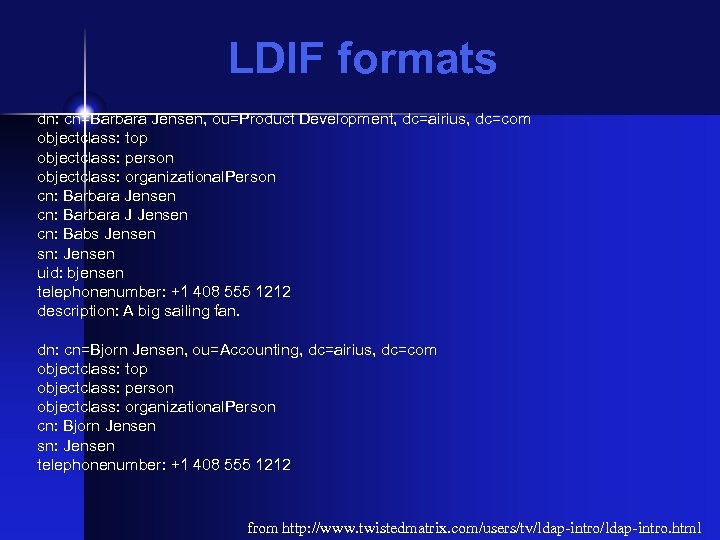 LDIF formats dn: cn=Barbara Jensen, ou=Product Development, dc=airius, dc=com objectclass: top objectclass: person objectclass: organizational. Person cn: Barbara Jensen cn: Barbara J Jensen cn: Babs Jensen sn: Jensen uid: bjensen telephonenumber: +1 408 555 1212 description: A big sailing fan. dn: cn=Bjorn Jensen, ou=Accounting, dc=airius, dc=com objectclass: top objectclass: person objectclass: organizational. Person cn: Bjorn Jensen sn: Jensen telephonenumber: +1 408 555 1212 from http: //www. twistedmatrix. com/users/tv/ldap-intro. html
 Administration • LDAP has a collection of command line tools for unixes, and a host of browsers for all platforms • There's also a project, phpldapadmin, that is handy for doing ldap administration (and yes, virginia, one could do an ldap and phpldapadmin installation as a project) • There's an analogous product, phpmysqladmin, for My. SQL
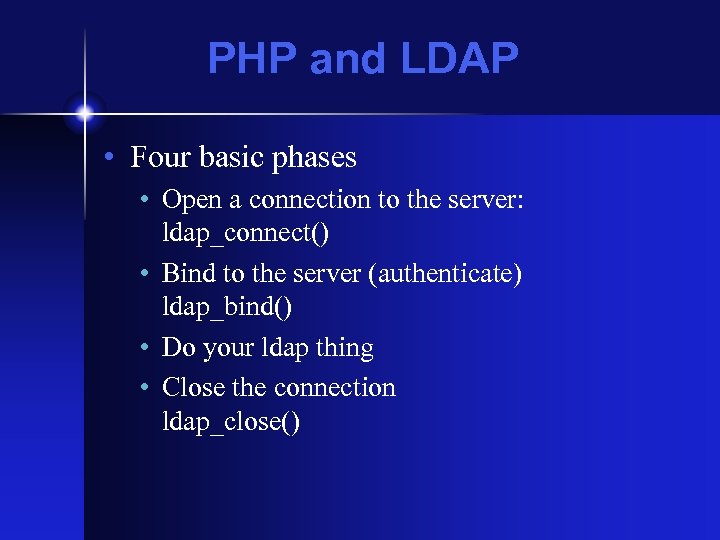 PHP and LDAP • Four basic phases • Open a connection to the server: ldap_connect() • Bind to the server (authenticate) ldap_bind() • Do your ldap thing • Close the connection ldap_close()
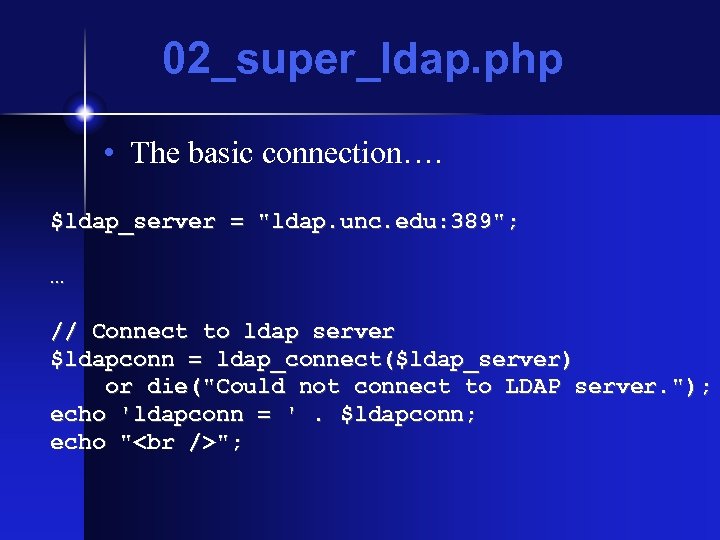 02_super_ldap. php • The basic connection…. $ldap_server = "ldap. unc. edu: 389"; … // Connect to ldap server $ldapconn = ldap_connect($ldap_server) or die("Could not connect to LDAP server. "); echo 'ldapconn = '. $ldapconn; echo " ";
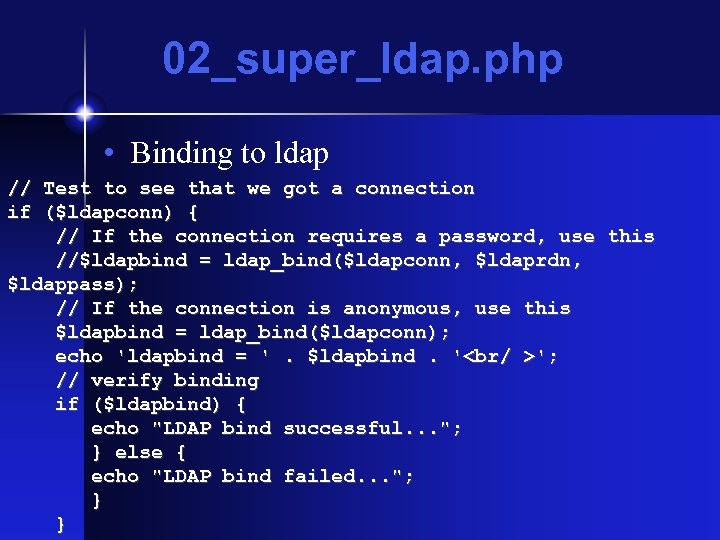 02_super_ldap. php • Binding to ldap // Test to see that we got a connection if ($ldapconn) { // If the connection requires a password, use this //$ldapbind = ldap_bind($ldapconn, $ldaprdn, $ldappass); // If the connection is anonymous, use this $ldapbind = ldap_bind($ldapconn); echo 'ldapbind = '. $ldapbind. '
'; // verify binding if ($ldapbind) { echo "LDAP bind successful. . . "; } else { echo "LDAP bind failed. . . "; } }
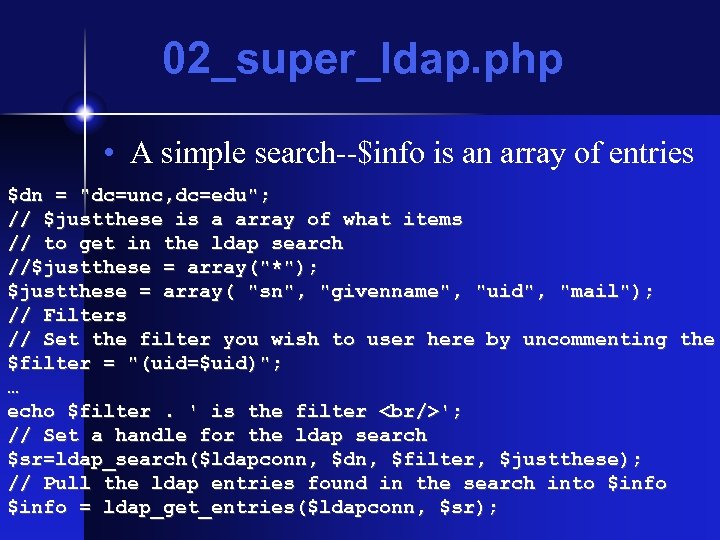 02_super_ldap. php • A simple search--$info is an array of entries $dn = "dc=unc, dc=edu"; // $justthese is a array of what items // to get in the ldap search //$justthese = array("*"); $justthese = array( "sn", "givenname", "uid", "mail"); // Filters // Set the filter you wish to user here by uncommenting the $filter = "(uid=$uid)"; … echo $filter. ' is the filter
'; // Set a handle for the ldap search $sr=ldap_search($ldapconn, $dn, $filter, $justthese); // Pull the ldap entries found in the search into $info = ldap_get_entries($ldapconn, $sr);
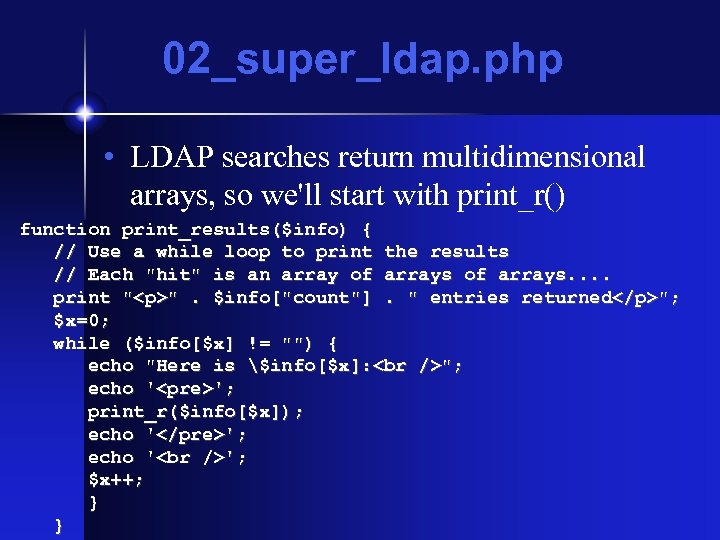 02_super_ldap. php • LDAP searches return multidimensional arrays, so we'll start with print_r() function print_results($info) { // Use a while loop to print the results // Each "hit" is an array of arrays. . print "
". $info["count"]. " entries returned
"; $x=0; while ($info[$x] != "") { echo "Here is $info[$x]: "; echo ''; print_r($info[$x]); echo ''; echo ' '; $x++; } }
 02_super_ldap. php through 06_super_ldap. php • This is ok, but the arrays are complicated and print_r() is ugly • So what I want is to be able to control the output--I have to traverse the arrays, find the elements I need, and extract those • To do this, I'll put loops in loops • I also want a form to control what I'm submitting--a user won't modify the source
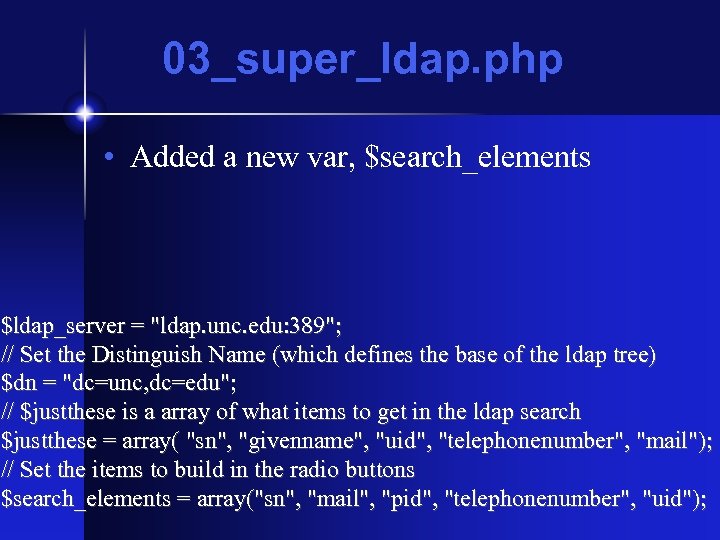 03_super_ldap. php • Added a new var, $search_elements $ldap_server = "ldap. unc. edu: 389"; // Set the Distinguish Name (which defines the base of the ldap tree) $dn = "dc=unc, dc=edu"; // $justthese is a array of what items to get in the ldap search $justthese = array( "sn", "givenname", "uid", "telephonenumber", "mail"); // Set the items to build in the radio buttons $search_elements = array("sn", "mail", "pid", "telephonenumber", "uid");
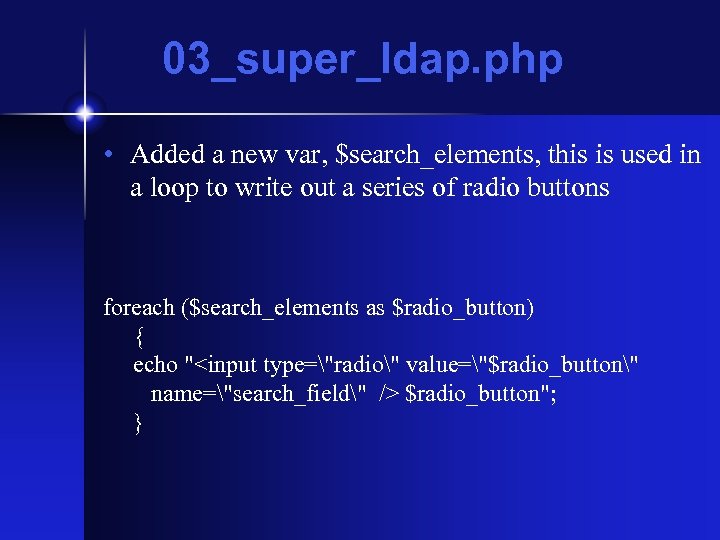 03_super_ldap. php • Added a new var, $search_elements, this is used in a loop to write out a series of radio buttons foreach ($search_elements as $radio_button) { echo " $radio_button"; }
". $info["count"]. "" src="https://present5.com/presentation/a4683adfd4af395af02a6b11a782a2cf/image-23.jpg" alt="03_super_ldap. php • And a function. . function print_results($info) { print "
". $info["count"]. "" /> 03_super_ldap. php • And a function. . function print_results($info) { print "
". $info["count"]. " entries returned
"; $x=0; while ($info[$x]) { echo "Here is $info[$x]: "; echo ''; print_r($info[$x]); echo ''; echo ' '; $x++; } }
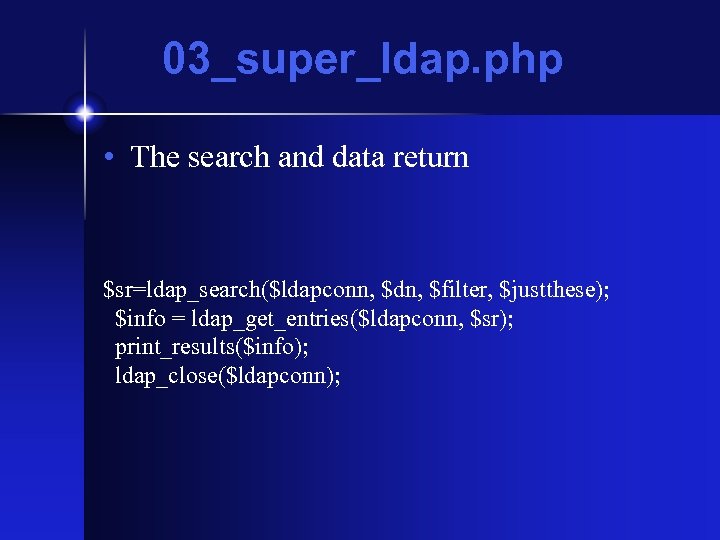 03_super_ldap. php • The search and data return $sr=ldap_search($ldapconn, $dn, $filter, $justthese); $info = ldap_get_entries($ldapconn, $sr); print_results($info); ldap_close($ldapconn);
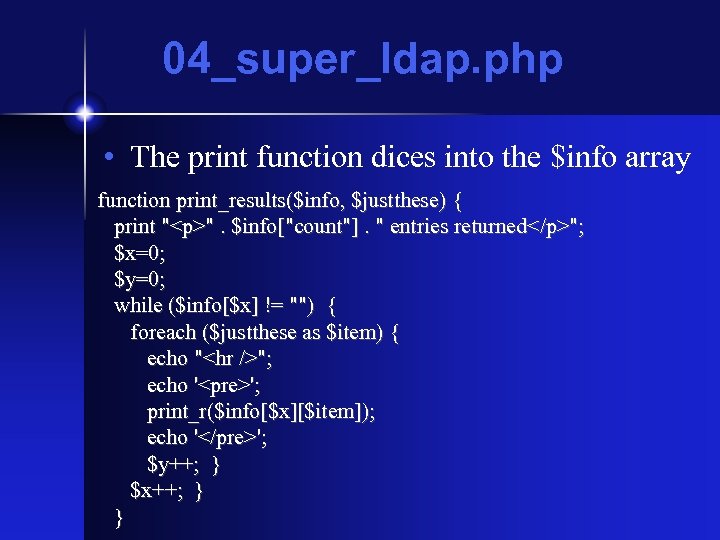 04_super_ldap. php • The print function dices into the $info array function print_results($info, $justthese) { print "
". $info["count"]. " entries returned
"; $x=0; $y=0; while ($info[$x] != "") { foreach ($justthese as $item) { echo ""; echo '
'; print_r($info[$x][$item]); echo ''; $y++; } $x++; } }
![05_super_ldap. php • Chucked the print function $x=0; while ($info[$x] !=](https://present5.com/presentation/a4683adfd4af395af02a6b11a782a2cf/image-26.jpg "05_super_ldap. php • Chucked the print function $x=0; while ($info[$x] !=") 05_super_ldap. php • Chucked the print function $x=0; while ($info[$x] != "") { echo "
05_super_ldap. php • Chucked the print function $x=0; while ($info[$x] != "") { echo "
"; foreach ($justthese as $item) { $y=0; while ($info[$x][$item][$y] != "") { print_r($info[$x][$item][$y]); echo ' '; $y++; } } echo "
"; $x++; }
 06_super_ldap. php • A more complicated loop
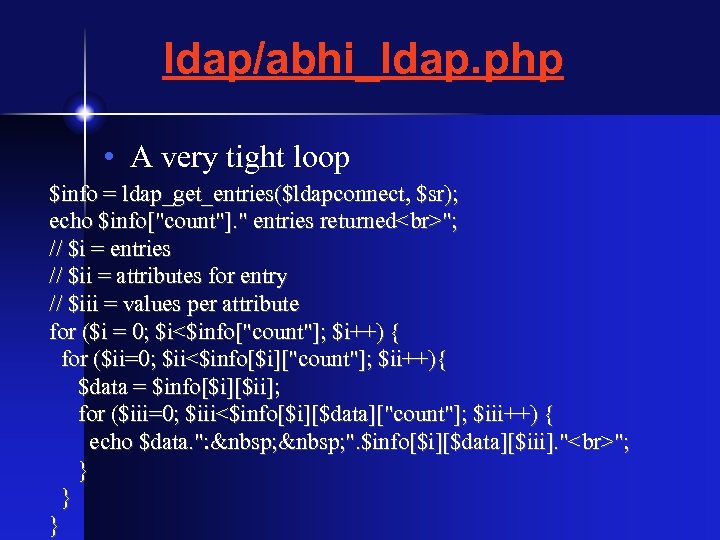 ldap/abhi_ldap. php • A very tight loop $info = ldap_get_entries($ldapconnect, $sr); echo $info["count"]. " entries returned "; // $i = entries // $ii = attributes for entry // $iii = values per attribute for ($i = 0; $i<$info["count"]; $i++) { for ($ii=0; $ii<$info[$i]["count"]; $ii++){ $data = $info[$i][$ii]; for ($iii=0; $iii<$info[$i][$data]["count"]; $iii++) { echo $data. ": ". $info[$i][$data][$iii]. " "; } } }
 Other Uses • ldap/listcs_super. php • Takes a list of pids from a text file and pulls sn and displaynames, could pull any other data….
![$pid_list_raw = file('. /pids_list. txt'); $pid_list = array_unique($pid_list_raw); $x=0; while ($pid_list[$x] != '') {](https://present5.com/presentation/a4683adfd4af395af02a6b11a782a2cf/image-30.jpg "$pid_list_raw = file('. /pids_list. txt'); $pid_list = array_unique($pid_list_raw); $x=0; while ($pid_list[$x] != '') {") $pid_list_raw = file('. /pids_list. txt'); $pid_list = array_unique($pid_list_raw); $x=0; while ($pid_list[$x] != '') { // using ldap bind $ldaprdn = 'pid=700554021, dc=unc, dc=edu'; // ldap rdn or dn // connect to ldap server $ldapconn = ldap_connect("ldap. unc. edu: 389") or die("Could not connect to LDAP server. "); if ($ldapconn) { $ldapbind = ldap_bind($ldapconn); // verify binding if ($ldapbind) { //echo "LDAP bind successful. . .
$pid_list_raw = file('. /pids_list. txt'); $pid_list = array_unique($pid_list_raw); $x=0; while ($pid_list[$x] != '') { // using ldap bind $ldaprdn = 'pid=700554021, dc=unc, dc=edu'; // ldap rdn or dn // connect to ldap server $ldapconn = ldap_connect("ldap. unc. edu: 389") or die("Could not connect to LDAP server. "); if ($ldapconn) { $ldapbind = ldap_bind($ldapconn); // verify binding if ($ldapbind) { //echo "LDAP bind successful. . .
"; } else { echo "LDAP bind failed. . . "; } }
Hi!'. $filter. '" src="https://present5.com/presentation/a4683adfd4af395af02a6b11a782a2cf/image-31.jpg" alt="$pid_list[$x] = trim($pid_list[$x]); $filter = "(pid=$pid_list[$x])"; $dn = "dc=unc, dc=edu"; //echo '
Hi!'. $filter. '" /> $pid_list[$x] = trim($pid_list[$x]); $filter = "(pid=$pid_list[$x])"; $dn = "dc=unc, dc=edu"; //echo '
Hi!'. $filter. ' is the filter
'; $justthese = array("*"); $result = ldap_search($ldapconn, $dn, $filter); $sr=ldap_search($ldapconn, $dn, $filter, $justthese); $info = ldap_get_entries($ldapconn, $sr); if ($info[0]["sn"][0]) { echo $info[0]["sn"][0]. ", ". $info[0]["pid"][0]. ', '. $info[0]["displayname"][0]; echo ' '; } $x++; } Local Advantages to LDAP • The campus directory is maintained in ldap, so you can get a lot of data from it • All of the data you can get is public data--if a user has told ITS they do not want their phone number published, it's not there • That means you don't have to worry about violating privacy, and you're not responsible for the data…. • You can use this to get a user's home dir, public email address, etc.
 My. SQL Keep in mind, I'm not a sql programmer….
 What it is • A multithreaded multi user database system • It has it's own syntax, consistent with SQL • Developed as an answer to heavy weight commercial dbs such as Oracle and Sybase • Dual licensed by My. SQL AB, which makes the source available under GPL, but also licenses closed versions • Recently there's been a controversy since the distribution of the source has been slightly restricted
 Why use it? • It's free • It's fast, and suits most purposes nicely • It's relatively easy to understand (oracle and sybase have steeper learning curves) • If you grow into something that needs additional support, you can buy it later (much as is the case with PHP/Zend)
 Everything in a table • My. SQL stores user information, access controls, passwords, all of it's data, in a database (named mysql), so you need to guard that pretty carefully • You can allow access to it directly over the network, but consider the need carefully • I recommend that you only allow access via the local host, and use php for user access--you can always ssh to the server if you need direct access • If you want to run php code on another server, then only allow that server to connect--but know that all other users on that server can try to connect…
 Administration • Via the command line, use mysql and mysqladmin • mysql is use to create and access databases and tables • mysqladmin is used to manage the service • For more info, see dev. mysql. com/doc/refman/5. 1/en/index. html • There's also a nice package, phpmyadmin, you can use to manage databases--installing this and using is could be a project….
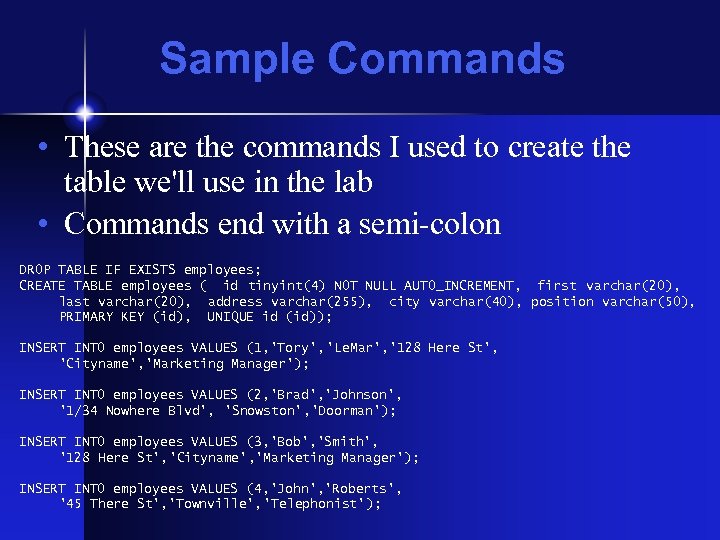 Sample Commands • These are the commands I used to create the table we'll use in the lab • Commands end with a semi-colon DROP TABLE IF EXISTS employees; CREATE TABLE employees ( id tinyint(4) NOT NULL AUTO_INCREMENT, first varchar(20), last varchar(20), address varchar(255), city varchar(40), position varchar(50), PRIMARY KEY (id), UNIQUE id (id)); INSERT INTO employees VALUES (1, 'Tory', 'Le. Mar', '128 Here St', 'Cityname', 'Marketing Manager'); INSERT INTO employees VALUES (2, 'Brad', 'Johnson', '1/34 Nowhere Blvd', 'Snowston', 'Doorman'); INSERT INTO employees VALUES (3, 'Bob', 'Smith', '128 Here St', 'Cityname', 'Marketing Manager'); INSERT INTO employees VALUES (4, 'John', 'Roberts', '45 There St', 'Townville', 'Telephonist');
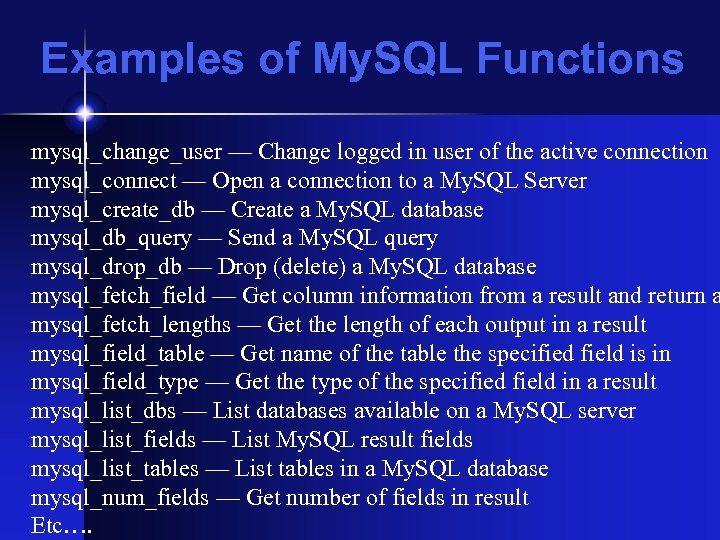 Examples of My. SQL Functions mysql_change_user — Change logged in user of the active connection mysql_connect — Open a connection to a My. SQL Server mysql_create_db — Create a My. SQL database mysql_db_query — Send a My. SQL query mysql_drop_db — Drop (delete) a My. SQL database mysql_fetch_field — Get column information from a result and return a mysql_fetch_lengths — Get the length of each output in a result mysql_field_table — Get name of the table the specified field is in mysql_field_type — Get the type of the specified field in a result mysql_list_dbs — List databases available on a My. SQL server mysql_list_fields — List My. SQL result fields mysql_list_tables — List tables in a My. SQL database mysql_num_fields — Get number of fields in result Etc….
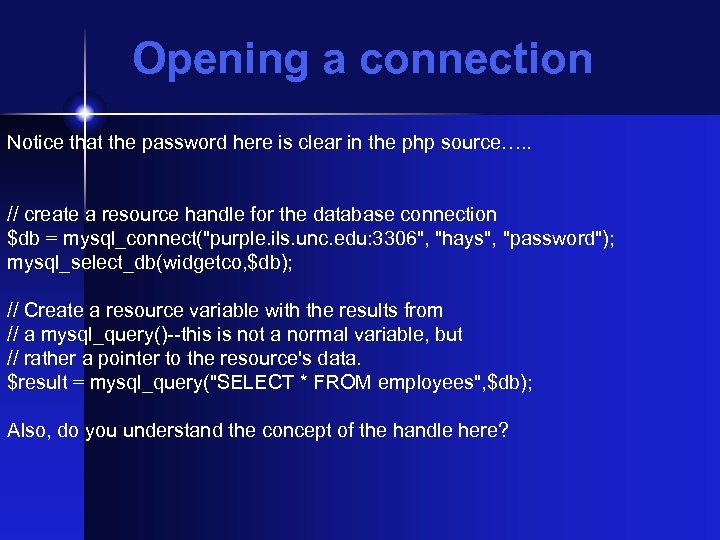 Opening a connection Notice that the password here is clear in the php source…. . // create a resource handle for the database connection $db = mysql_connect("purple. ils. unc. edu: 3306", "hays", "password"); mysql_select_db(widgetco, $db); // Create a resource variable with the results from // a mysql_query()--this is not a normal variable, but // rather a pointer to the resource's data. $result = mysql_query("SELECT * FROM employees", $db); Also, do you understand the concept of the handle here?
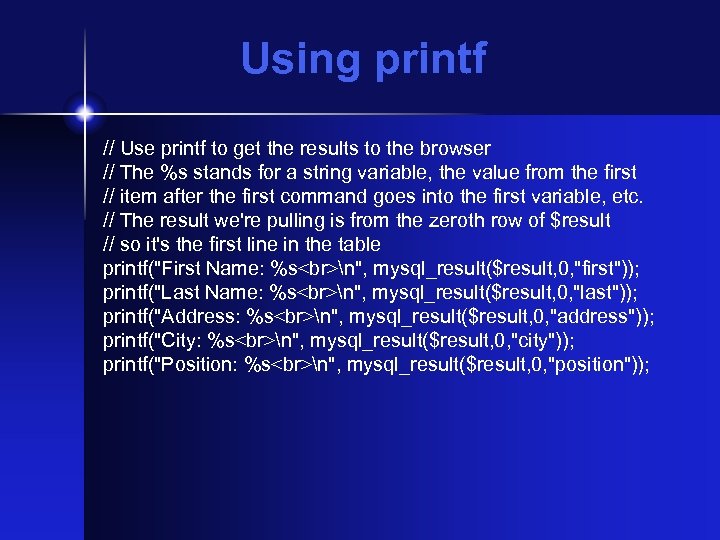 Using printf // Use printf to get the results to the browser // The %s stands for a string variable, the value from the first // item after the first command goes into the first variable, etc. // The result we're pulling is from the zeroth row of $result // so it's the first line in the table printf("First Name: %s n", mysql_result($result, 0, "first")); printf("Last Name: %s n", mysql_result($result, 0, "last")); printf("Address: %s n", mysql_result($result, 0, "address")); printf("City: %s n", mysql_result($result, 0, "city")); printf("Position: %s n", mysql_result($result, 0, "position"));
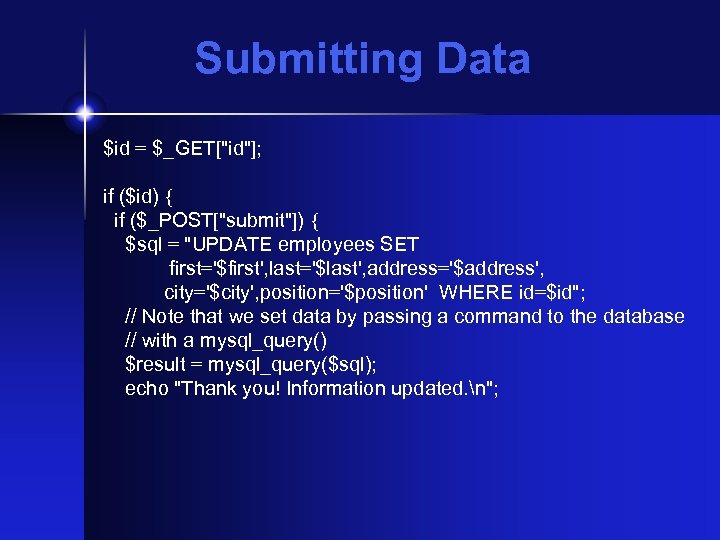 Submitting Data $id = $_GET["id"]; if ($id) { if ($_POST["submit"]) { $sql = "UPDATE employees SET first='$first', last='$last', address='$address', city='$city', position='$position' WHERE id=$id"; // Note that we set data by passing a command to the database // with a mysql_query() $result = mysql_query($sql); echo "Thank you! Information updated. n";
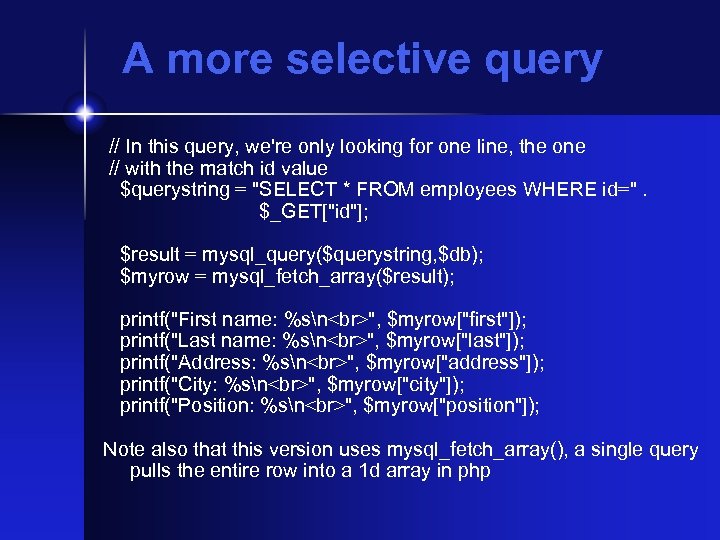 A more selective query // In this query, we're only looking for one line, the one // with the match id value $querystring = "SELECT * FROM employees WHERE id=". $_GET["id"]; $result = mysql_query($querystring, $db); $myrow = mysql_fetch_array($result); printf("First name: %sn ", $myrow["first"]); printf("Last name: %sn ", $myrow["last"]); printf("Address: %sn ", $myrow["address"]); printf("City: %sn ", $myrow["city"]); printf("Position: %sn ", $myrow["position"]); Note also that this version uses mysql_fetch_array(), a single query pulls the entire row into a 1 d array in php
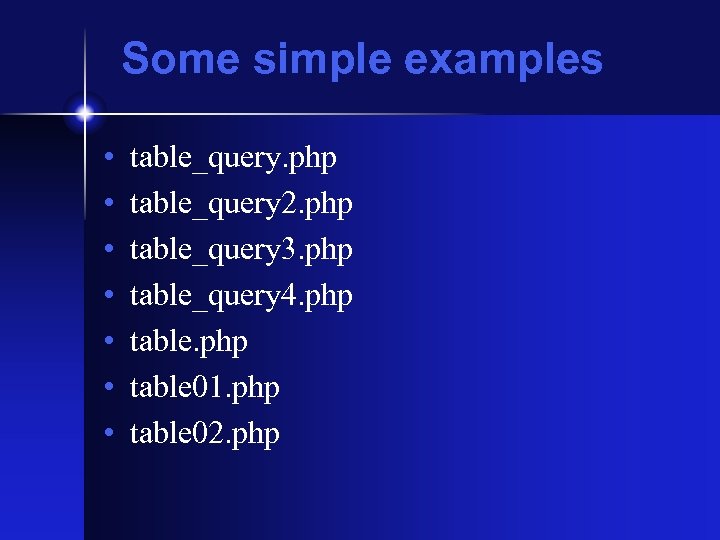 Some simple examples • • table_query. php table_query 2. php table_query 3. php table_query 4. php table 01. php table 02. php
 Material from the Lab
 Optional Lab • I've set up a db on purple. ils. unc. edu, you can play with it if you like with this lab: /labs/php_and_mysql. html
 More Info • Wikipedia on LDAP • Dev. Shed on PHP and My. SQL