


 Скачать презентацию Perl in a Day Peeking Inside the Oyster
674906fab4cd43cfc77779660946e064.ppt
- Количество слайдов: 112
 Perl in a Day Peeking Inside the Oyster Biology-Flavored Perl Overview Amir Karger - akarger@cgr. harvard. edu Life Sciences Research Computing, FAS IT software. rc. fas. harvard. edu/training
 Perl in a Day Class Overview · Introduction – Why learn Perl? · Scripting – Reproducible Science · Variables – Making Programs Reusable · Control Structures – Doing Things Lots of Times (Or Not) · Data Munging – Perl for Bioinformatics · Arrays and Hashes – Groups of Things · Subroutines & Modules – Making Programs Really Reusable · Objects – Complex Data, Complex Workflow · Bio. Perl – Doing (More) Bio With Perl 3/15/2018 Perl in a Day - Introduction 2
 Perl in a Day The Bad News ·You can't learn programming in such a short time · Too 3/15/2018 much syntax many functions many concepts many special cases (especially in Perl) Perl in a Day - Introduction 3
 Perl in a Day The Good News ·You can do a lot knowing just a little Perl ·Perl is good at bioinformatics ·Perl is fun! 3/15/2018 Perl in a Day - Introduction 4
 Perl in a Day Objectives ·Understand the basics of Perl · Focus on what kinds of things Perl can do · Don't worry too much about syntax ·Learn to read, modify, and run Perl scripts ·Learn some mistakes to avoid ·Answer your questions (maybe after class) ·Special focus on data munging · Data what? 3/15/2018 Perl in a Day - Introduction 5
 Perl in a Day Data Munging ·Doing stuff with data · Getting data from many sources · Keyboard, local files, databases, ftp, web, … · Reading (and understanding) data · Binary, Text, HTML, XML, zip, Graphics, … · BIG files, many files · Combining data · Analyzing data (e. g. , mathematically) · Filtering data · Outputting data ·Lots of bioinformatics is just data munging ·Perl is very (very) good at data munging 3/15/2018 Perl in a Day - Introduction 6
 Perl in a Day Why Perl? ·Easy to learn and quick to write · Rapid prototyping · But scalable to large programs ·Kitchen sink language · Combines parts of many other tools (C, sed, awk, sh, …) · Call other programs ·Cross-Platform: Windows, Mac, UNIX ·Open Source – lots of code already available ·TMTOWTDI - “There’s more than one way to do it” ·Very popular in Bioinformatics 3/15/2018 Perl in a Day - Introduction 7
 Perl in a Day What Makes Perl Different? ·More like English, less like Math ·(Pluses or minuses…) ·More messy (writing vs. reading) ·Less orthogonal (TMTOWTDI vs. inelegance) ·Huge set of libraries available (which is best? ) ·Regular expressions (power vs. complexity) ·Interpreted, not compiled (fast writing vs. running) ·DWIM – "Do what I mean" (convenience vs. confusion) 3/15/2018 Perl in a Day - Introduction 8
 Perl in a Day Why Not Perl? (A Biased View) ·Perl is not the fastest-running language · Not good for doing huge amounts of very complex math · But you often save time by developing code quickly ·Perl allows you to write messy code · "Write-only language" · But messy is fine in certain contexts · Perl can help you write clean code ·Not originally designed for huge programs · Older versions of Perl made it hard · But plenty of huge programs have been written in Perl · This class isn't for people writing huge programs 3/15/2018 Perl in a Day - Introduction 9
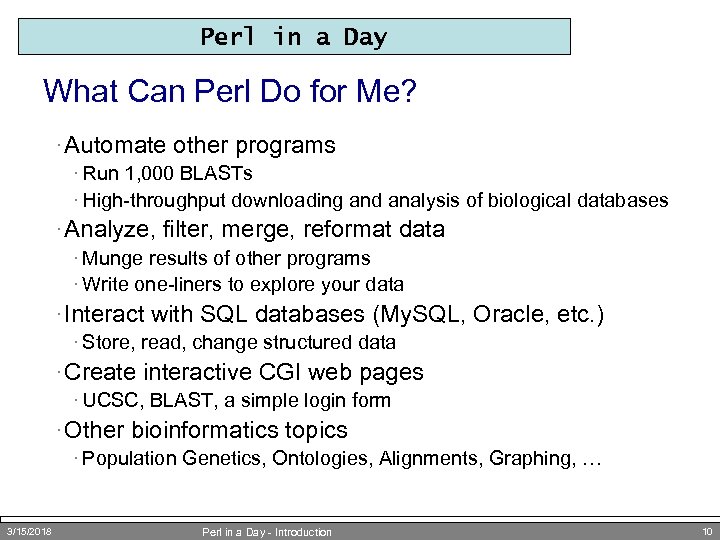 Perl in a Day What Can Perl Do for Me? · Automate other programs · Run 1, 000 BLASTs · High-throughput downloading and analysis of biological databases · Analyze, filter, merge, reformat data · Munge results of other programs · Write one-liners to explore your data · Interact with SQL databases (My. SQL, Oracle, etc. ) · Store, read, change structured data · Create interactive CGI web pages · UCSC, BLAST, a simple login form · Other bioinformatics topics · Population Genetics, Ontologies, Alignments, Graphing, … 3/15/2018 Perl in a Day - Introduction 10
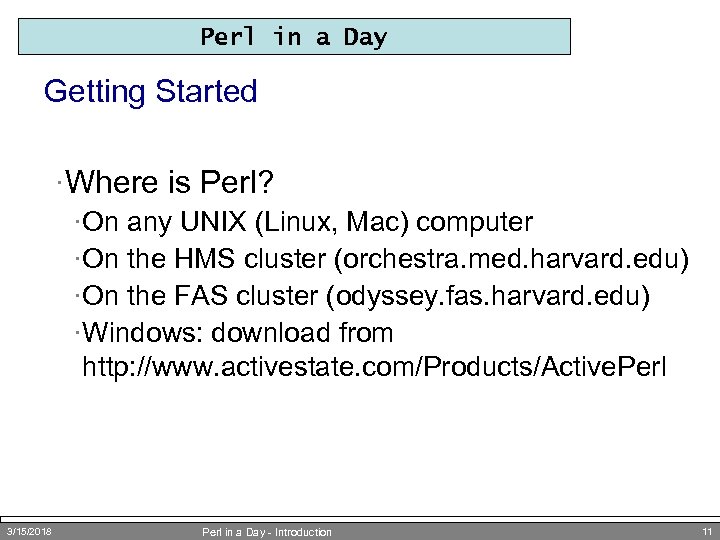 Perl in a Day Getting Started ·Where is Perl? ·On any UNIX (Linux, Mac) computer ·On the HMS cluster (orchestra. med. harvard. edu) ·On the FAS cluster (odyssey. fas. harvard. edu) ·Windows: download from http: //www. activestate. com/Products/Active. Perl 3/15/2018 Perl in a Day - Introduction 11
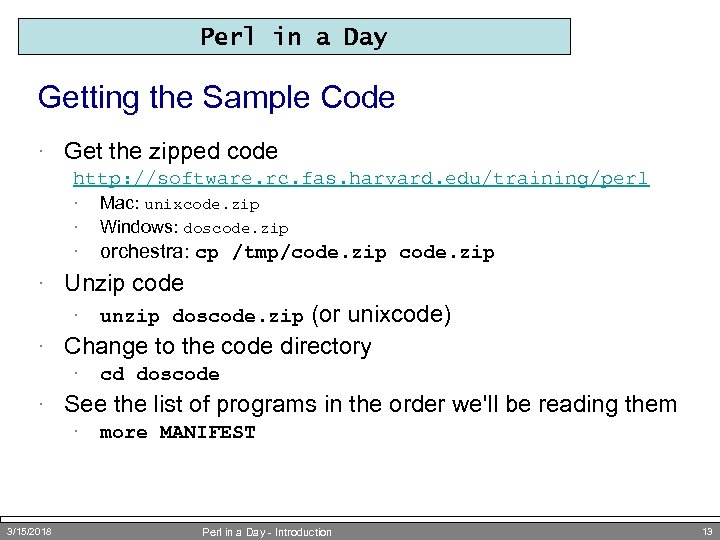 Perl in a Day Getting the Sample Code · Get the zipped code http: //software. rc. fas. harvard. edu/training/perl · · Mac: unixcode. zip Windows: doscode. zip · orchestra: cp /tmp/code. zip · Unzip code (or unixcode) · Change to the code directory · unzip doscode. zip · cd doscode · See the list of programs in the order we'll be reading them · 3/15/2018 more MANIFEST Perl in a Day - Introduction 13
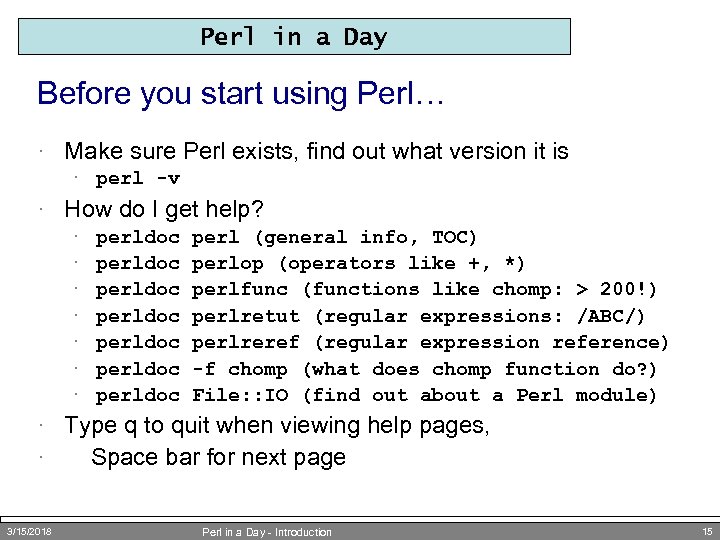 Perl in a Day Before you start using Perl… · Make sure Perl exists, find out what version it is · perl -v · How do I get help? · · · · perldoc perldoc perl (general info, TOC) perlop (operators like +, *) perlfunc (functions like chomp: > 200!) perlretut (regular expressions: /ABC/) perlreref (regular expression reference) -f chomp (what does chomp function do? ) File: : IO (find out about a Perl module) · Type q to quit when viewing help pages, · Space bar for next page 3/15/2018 Perl in a Day - Introduction 15
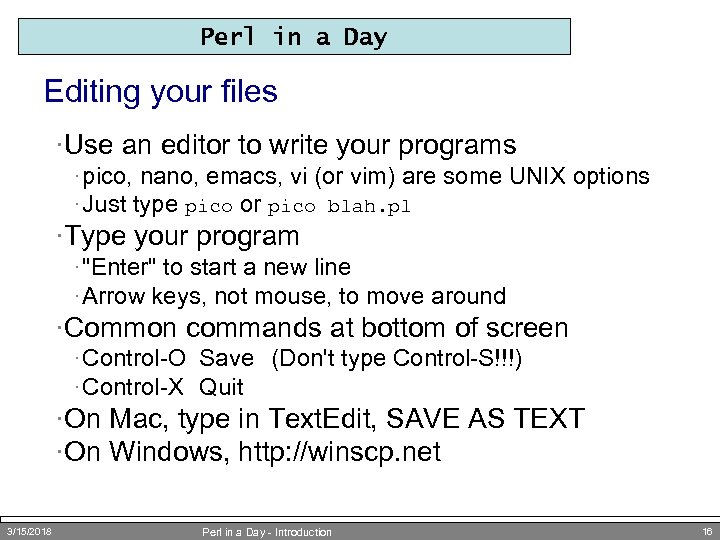 Perl in a Day Editing your files ·Use an editor to write your programs · pico, nano, emacs, vi (or vim) are some UNIX options · Just type pico or pico blah. pl ·Type your program · "Enter" to start a new line · Arrow keys, not mouse, to move around ·Common commands at bottom of screen · Control-O Save (Don't type Control-S!!!) · Control-X Quit ·On Mac, type in Text. Edit, SAVE AS TEXT ·On Windows, http: //winscp. net 3/15/2018 Perl in a Day - Introduction 16
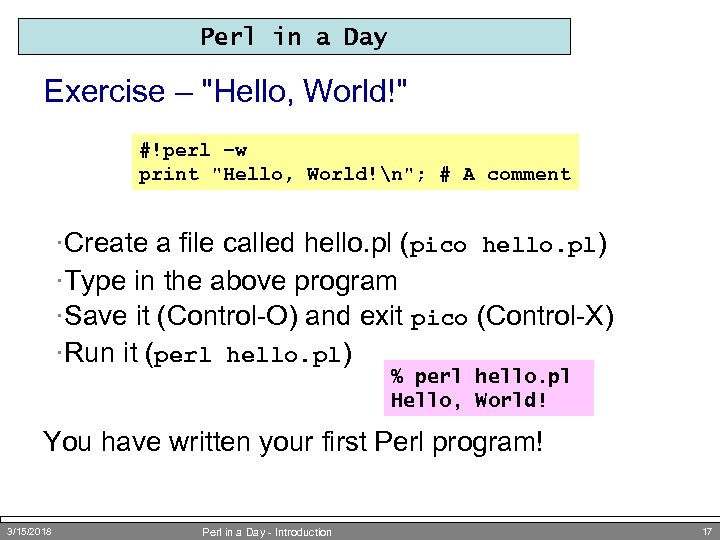 Perl in a Day Exercise – "Hello, World!" #!perl –w print "Hello, World!n"; # A comment ·Create a file called hello. pl (pico hello. pl) ·Type in the above program ·Save it (Control-O) and exit pico (Control-X) ·Run it (perl hello. pl) % perl hello. pl Hello, World! You have written your first Perl program! 3/15/2018 Perl in a Day - Introduction 17
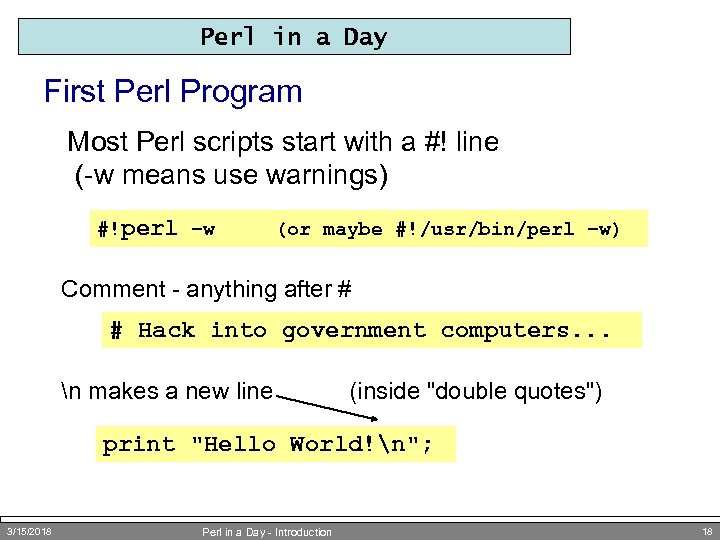 Perl in a Day First Perl Program Most Perl scripts start with a #! line (-w means use warnings) #!perl –w (or maybe #!/usr/bin/perl –w) Comment - anything after # # Hack into government computers. . . n makes a new line (inside "double quotes") print "Hello World!n"; 3/15/2018 Perl in a Day - Introduction 18
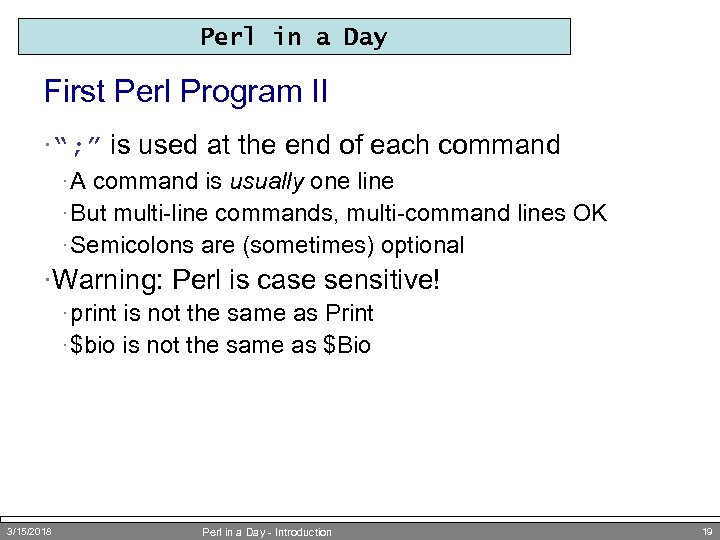 Perl in a Day First Perl Program II ·“; ” is used at the end of each command · A command is usually one line · But multi-line commands, multi-command lines OK · Semicolons are (sometimes) optional ·Warning: Perl is case sensitive! · print is not the same as Print · $bio is not the same as $Bio 3/15/2018 Perl in a Day - Introduction 19
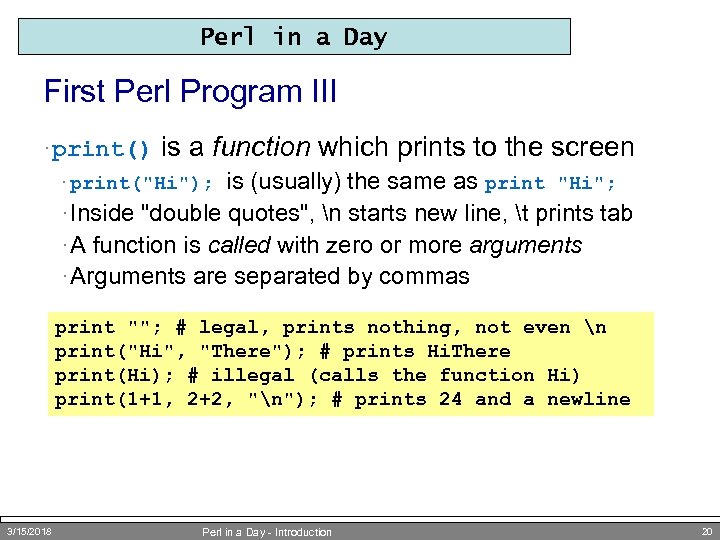 Perl in a Day First Perl Program III · print() is a function which prints to the screen is (usually) the same as print "Hi"; · Inside "double quotes", n starts new line, t prints tab · A function is called with zero or more arguments · Arguments are separated by commas · print("Hi"); print ""; # legal, prints nothing, not even n print("Hi", "There"); # prints Hi. There print(Hi); # illegal (calls the function Hi) print(1+1, 2+2, "n"); # prints 24 and a newline 3/15/2018 Perl in a Day - Introduction 20
 Scripting Reproducible Science via Scripting command-line calls
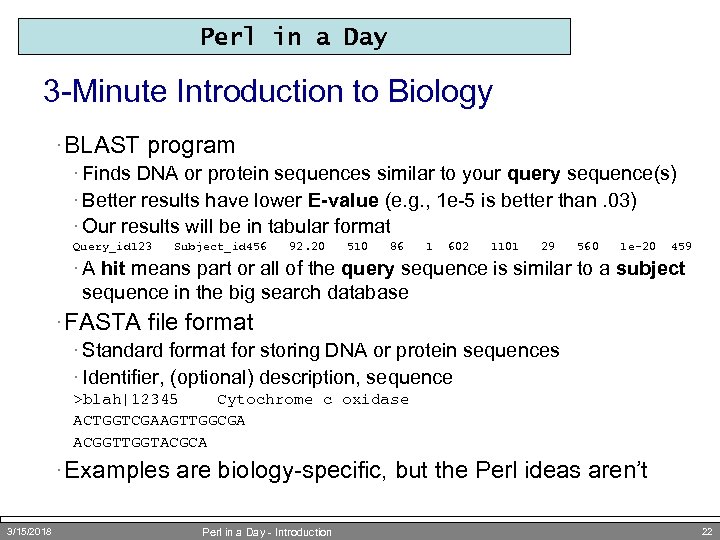 Perl in a Day 3 -Minute Introduction to Biology · BLAST program · Finds DNA or protein sequences similar to your query sequence(s) · Better results have lower E-value (e. g. , 1 e-5 is better than. 03) · Our results will be in tabular format Query_id 123 Subject_id 456 92. 20 510 86 1 602 1101 29 560 1 e-20 459 · A hit means part or all of the query sequence is similar to a subject sequence in the big search database · FASTA file format · Standard format for storing DNA or protein sequences · Identifier, (optional) description, sequence >blah|12345 Cytochrome c oxidase ACTGGTCGAAGTTGGCGA ACGGTTGGTACGCA · Examples are biology-specific, but the Perl ideas aren’t 3/15/2018 Perl in a Day - Introduction 22
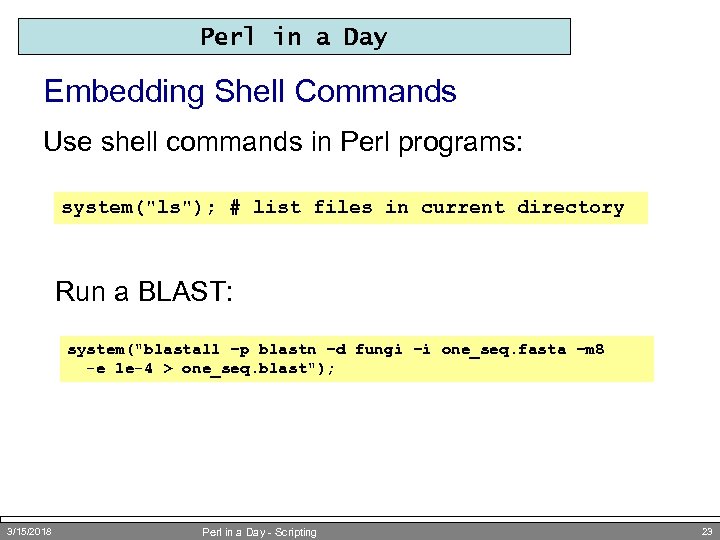 Perl in a Day Embedding Shell Commands Use shell commands in Perl programs: system("ls"); # list files in current directory Run a BLAST: system("blastall –p blastn –d fungi –i one_seq. fasta –m 8 -e 1 e-4 > one_seq. blast"); 3/15/2018 Perl in a Day - Scripting 23
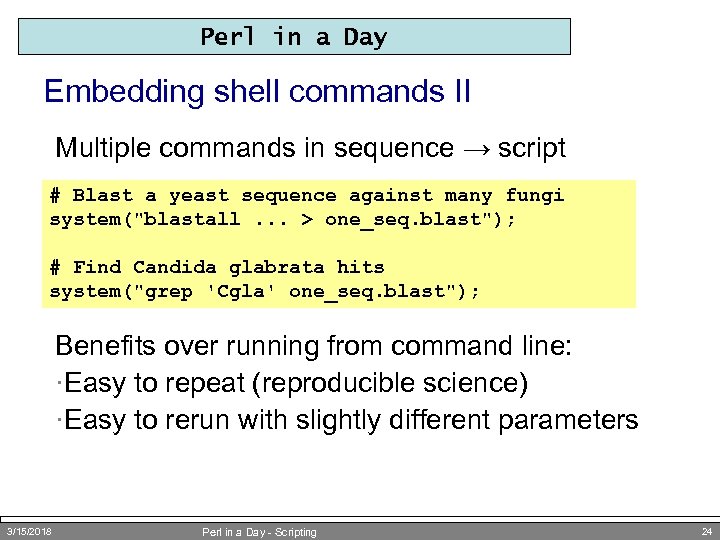 Perl in a Day Embedding shell commands II Multiple commands in sequence → script # Blast a yeast sequence against many fungi system("blastall. . . > one_seq. blast"); # Find Candida glabrata hits system("grep 'Cgla' one_seq. blast"); Benefits over running from command line: ·Easy to repeat (reproducible science) ·Easy to rerun with slightly different parameters 3/15/2018 Perl in a Day - Scripting 24
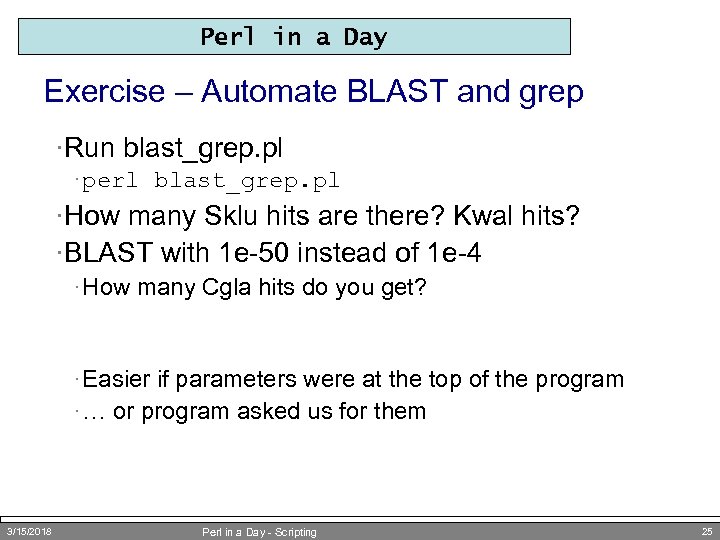 Perl in a Day Exercise – Automate BLAST and grep ·Run blast_grep. pl · perl blast_grep. pl ·How many Sklu hits are there? Kwal hits? ·BLAST with 1 e-50 instead of 1 e-4 · How many Cgla hits do you get? · Easier if parameters were at the top of the program · … or program asked us for them 3/15/2018 Perl in a Day - Scripting 25
 Variables Making Programs Reusable by Storing and Manipulating Data
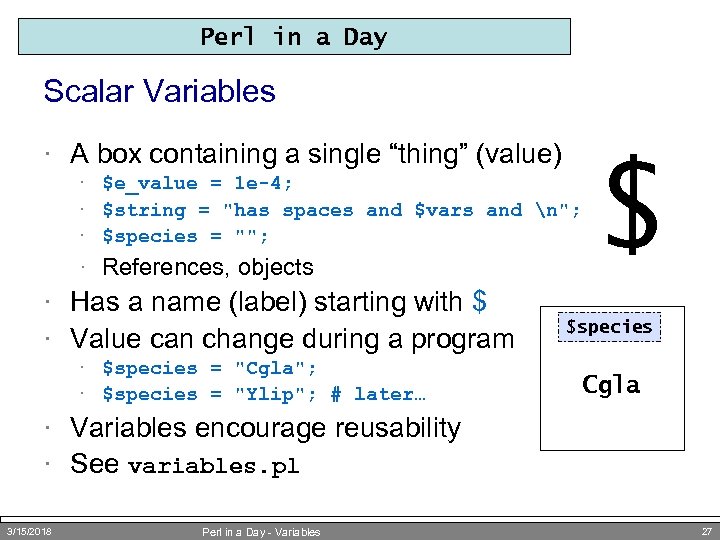 Perl in a Day Scalar Variables · A box containing a single “thing” (value) · $e_value = 1 e-4; · $string = "has spaces and $vars and n"; · $species = ""; · References, objects · Has a name (label) starting with $ · Value can change during a program · $species = "Cgla"; · $species = "Ylip"; # later… $ $species Cgla · Variables encourage reusability · See variables. pl 3/15/2018 Perl in a Day - Variables 27
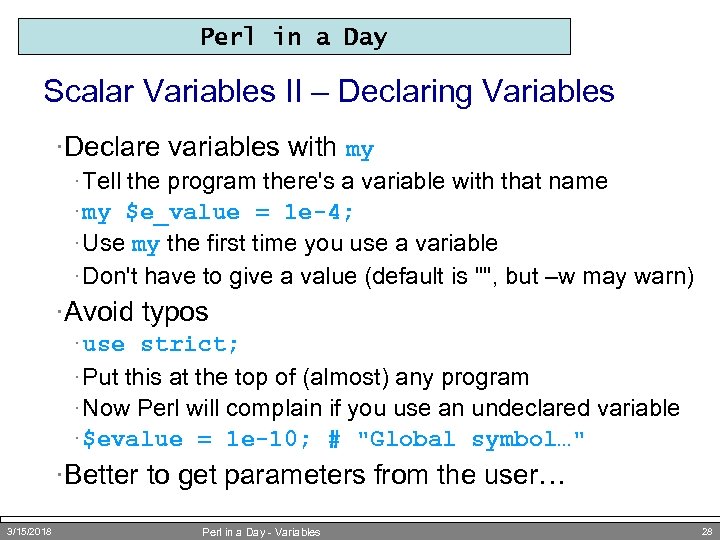 Perl in a Day Scalar Variables II – Declaring Variables ·Declare variables with my · Tell the program there's a variable with that name · my $e_value = 1 e-4; · Use my the first time you use a variable · Don't have to give a value (default is "", but –w may warn) ·Avoid typos · use strict; · Put this at the top of (almost) any program · Now Perl will complain if you use an undeclared variable · $evalue = 1 e-10; # "Global symbol…" ·Better to get parameters from the user… 3/15/2018 Perl in a Day - Variables 28
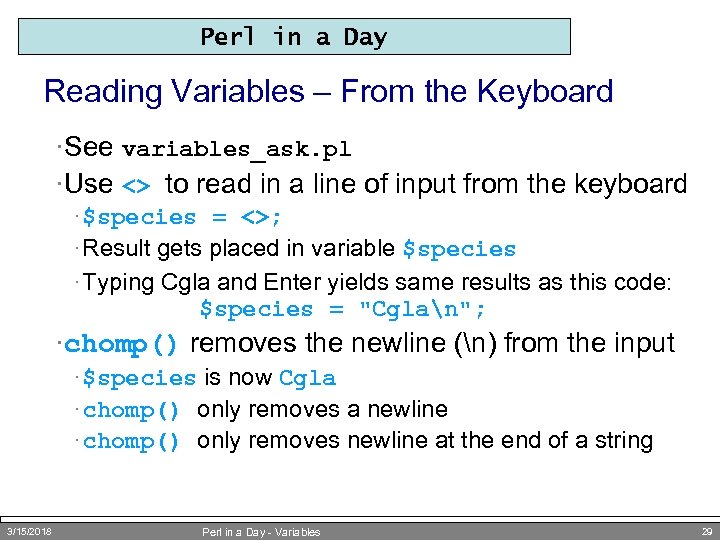 Perl in a Day Reading Variables – From the Keyboard ·See variables_ask. pl ·Use <> to read in a line of input from the keyboard · $species = <>; · Result gets placed in variable $species · Typing Cgla and Enter yields same results as this code: $species = "Cglan"; ·chomp() removes the newline (n) from the input · $species is now Cgla · chomp() only removes a newline · chomp() only removes newline at the end of a string 3/15/2018 Perl in a Day - Variables 29
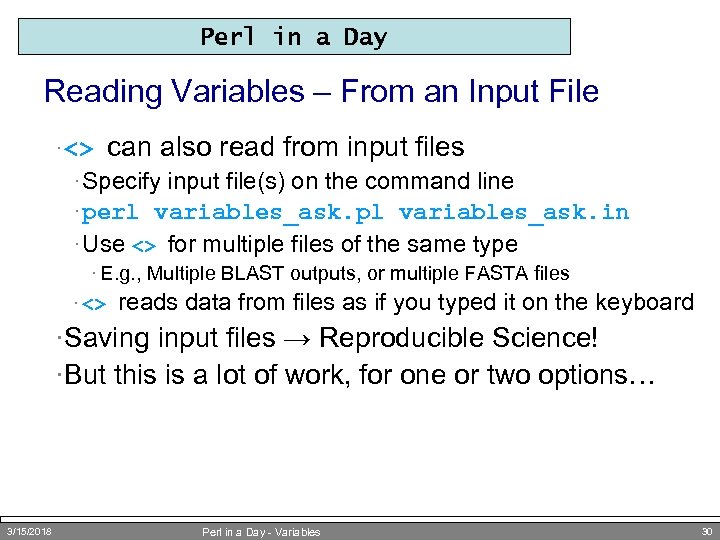 Perl in a Day Reading Variables – From an Input File · <> can also read from input files · Specify input file(s) on the command line · perl variables_ask. pl variables_ask. in · Use <> for multiple files of the same type · E. g. , Multiple BLAST outputs, or multiple FASTA files · <> reads data from files as if you typed it on the keyboard ·Saving input files → Reproducible Science! ·But this is a lot of work, for one or two options… 3/15/2018 Perl in a Day - Variables 30
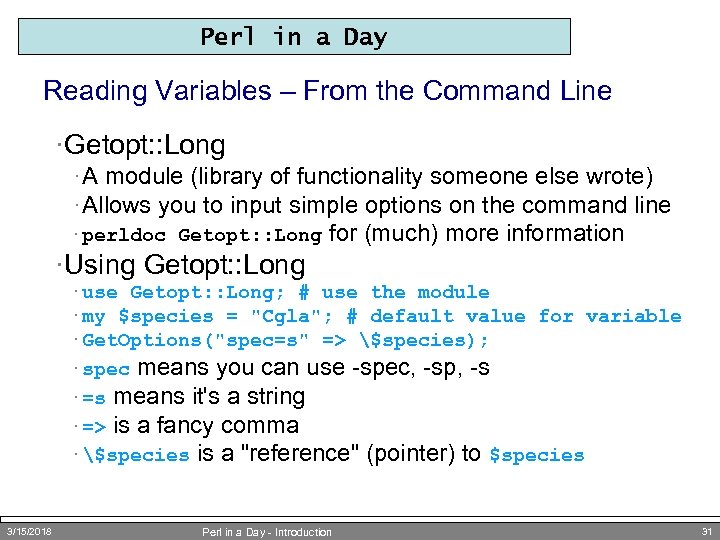 Perl in a Day Reading Variables – From the Command Line ·Getopt: : Long · A module (library of functionality someone else wrote) · Allows you to input simple options on the command line · perldoc Getopt: : Long for (much) more information ·Using Getopt: : Long · use Getopt: : Long; # use the module · my $species = "Cgla"; # default value for variable · Get. Options("spec=s" => $species); means you can use -spec, -sp, -s · =s means it's a string · => is a fancy comma · $species is a "reference" (pointer) to $species · spec 3/15/2018 Perl in a Day - Introduction 31
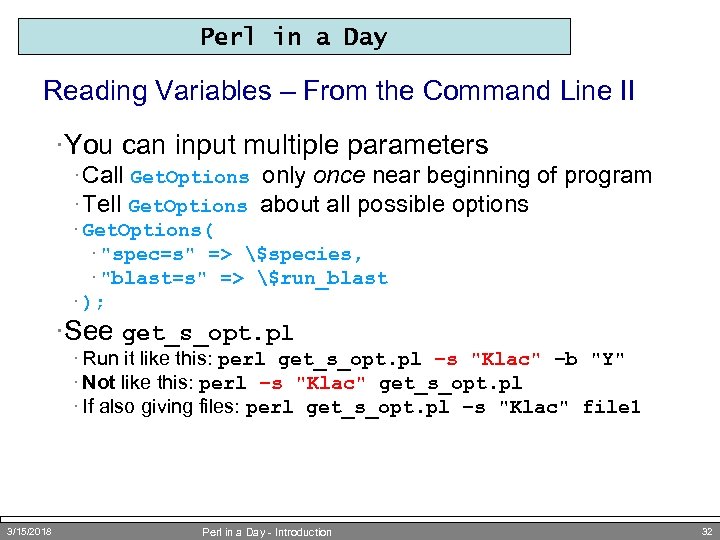 Perl in a Day Reading Variables – From the Command Line II ·You can input multiple parameters · Call Get. Options only once near beginning of program · Tell Get. Options about all possible options · Get. Options( · "spec=s" => $species, · "blast=s" => $run_blast · ); ·See get_s_opt. pl · Run it like this: perl get_s_opt. pl –s "Klac" –b "Y" · Not like this: perl –s "Klac" get_s_opt. pl · If also giving files: perl get_s_opt. pl –s "Klac" file 1 3/15/2018 Perl in a Day - Introduction 32
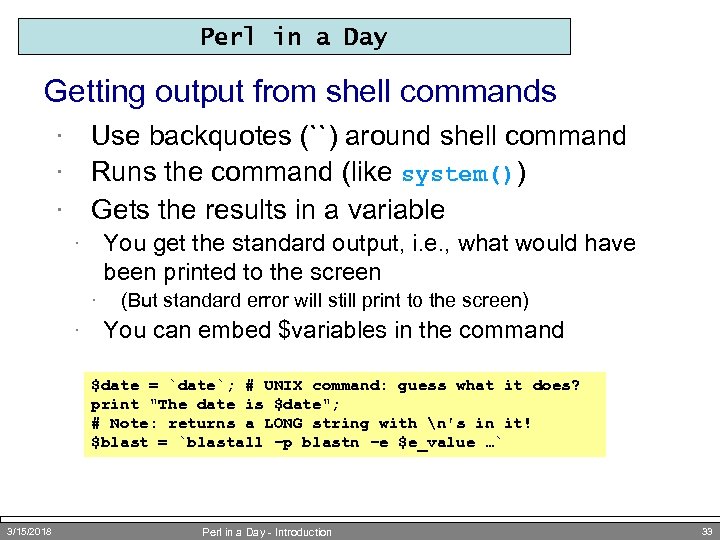 Perl in a Day Getting output from shell commands Use backquotes (``) around shell command Runs the command (like system()) Gets the results in a variable · · · You get the standard output, i. e. , what would have been printed to the screen · · · (But standard error will still print to the screen) You can embed $variables in the command $date = `date`; # UNIX command: guess what it does? print "The date is $date"; # Note: returns a LONG string with n's in it! $blast = `blastall –p blastn –e $e_value …` 3/15/2018 Perl in a Day - Introduction 33
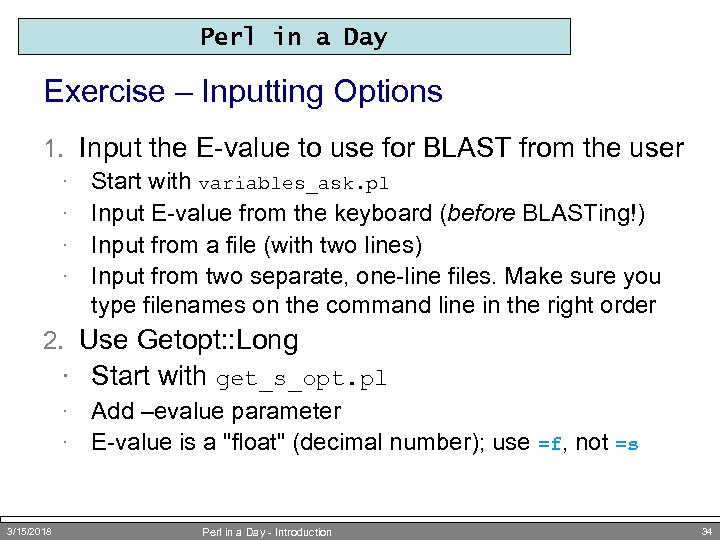 Perl in a Day Exercise – Inputting Options 1. Input the E-value to use for BLAST from the user · · Start with variables_ask. pl Input E-value from the keyboard (before BLASTing!) Input from a file (with two lines) Input from two separate, one-line files. Make sure you type filenames on the command line in the right order 2. Use Getopt: : Long · Start with get_s_opt. pl · · 3/15/2018 Add –evalue parameter E-value is a "float" (decimal number); use =f, not =s Perl in a Day - Introduction 34
 Control Structures Doing Things Lots of Times (Or Not) using Loops and Conditions
 Perl in a Day Loops and Conditions – Why? ·So far we have seen only linear programs ·Flowcharts are more interesting (and realistic) · Loops - do something more than once · Conditions - do something sometimes, but not other times ·Combining loops and conditions correctly is a major part of programming 3/15/2018 Perl in a Day - Introduction 36
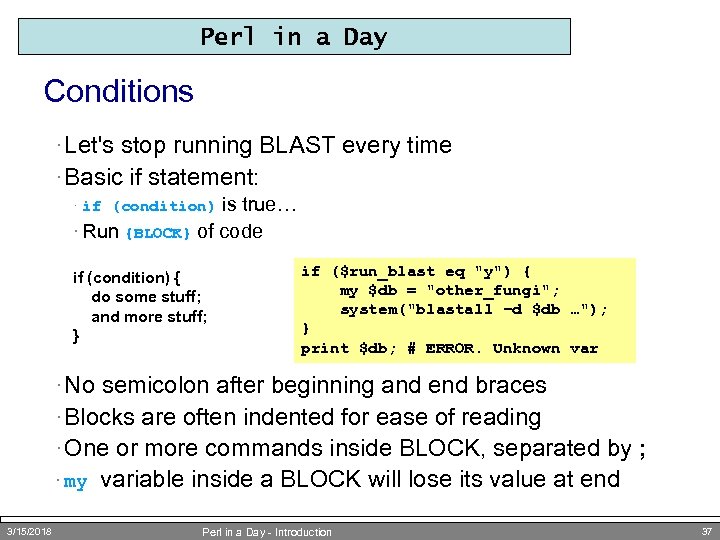 Perl in a Day Conditions · Let's stop running BLAST every time · Basic if statement: is true… · Run {BLOCK} of code · if (condition) { do some stuff; and more stuff; } if ($run_blast eq "y") { my $db = "other_fungi"; system("blastall –d $db …"); } print $db; # ERROR. Unknown var · No semicolon after beginning and end braces · Blocks are often indented for ease of reading · One or more commands inside BLOCK, separated by ; · my 3/15/2018 variable inside a BLOCK will lose its value at end Perl in a Day - Introduction 37
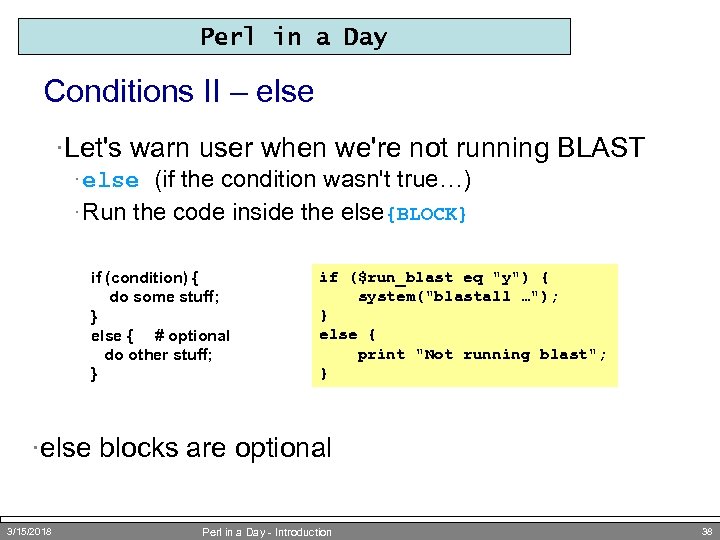 Perl in a Day Conditions II – else ·Let's warn user when we're not running BLAST · else (if the condition wasn't true…) · Run the code inside the else{BLOCK} if (condition) { do some stuff; } else { # optional do other stuff; } if ($run_blast eq "y") { system("blastall …"); } else { print "Not running blast"; } ·else blocks are optional 3/15/2018 Perl in a Day - Introduction 38
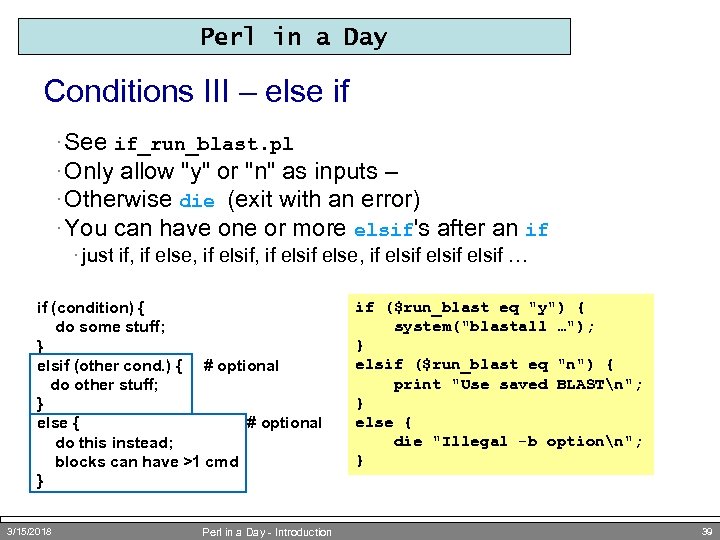 Perl in a Day Conditions III – else if · See if_run_blast. pl · Only allow "y" or "n" as inputs – · Otherwise die (exit with an error) · You can have one or more elsif's after an if · just if, if else, if elsif elsif … if (condition) { do some stuff; } elsif (other cond. ) { # optional do other stuff; } else { # optional do this instead; blocks can have >1 cmd } 3/15/2018 Perl in a Day - Introduction if ($run_blast eq "y") { system("blastall …"); } elsif ($run_blast eq "n") { print "Use saved BLASTn"; } else { die "Illegal -b optionn"; } 39
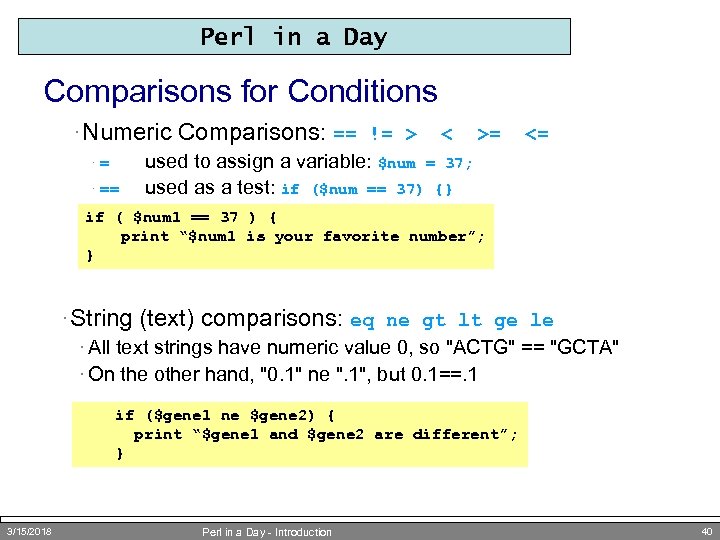 Perl in a Day Comparisons for Conditions · Numeric Comparisons: == != > ·= · == < >= <= used to assign a variable: $num = 37; used as a test: if ($num == 37) {} if ( $num 1 == 37 ) { print “$num 1 is your favorite number”; } · String (text) comparisons: eq ne gt lt ge le · All text strings have numeric value 0, so "ACTG" == "GCTA" · On the other hand, "0. 1" ne ". 1", but 0. 1==. 1 if ($gene 1 ne $gene 2) { print “$gene 1 and $gene 2 are different”; } 3/15/2018 Perl in a Day - Introduction 40
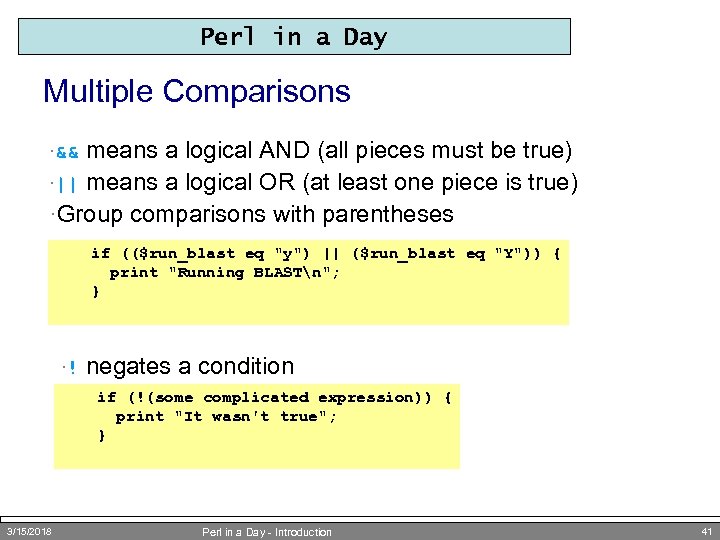 Perl in a Day Multiple Comparisons means a logical AND (all pieces must be true) ·|| means a logical OR (at least one piece is true) ·Group comparisons with parentheses ·&& if (($run_blast eq "y") || ($run_blast eq "Y")) { print "Running BLASTn"; } ·! negates a condition if (!(some complicated expression)) { print "It wasn't true"; } 3/15/2018 Perl in a Day - Introduction 41
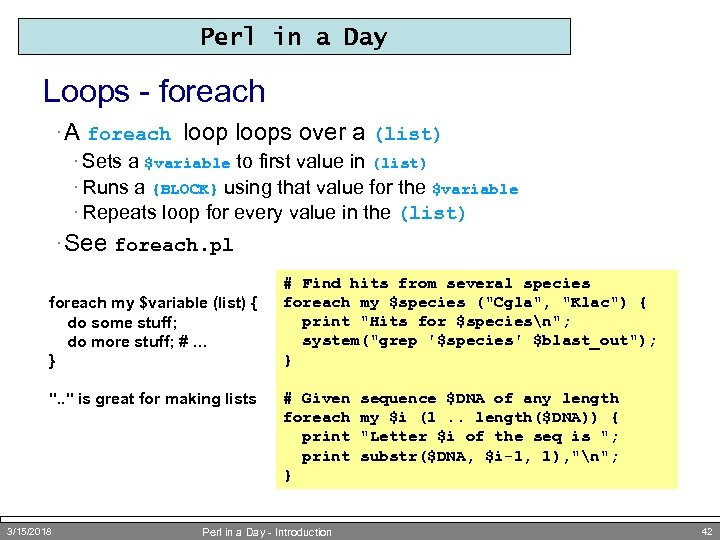 Perl in a Day Loops - foreach · A foreach loops over a (list) · Sets a $variable to first value in (list) · Runs a {BLOCK} using that value for the $variable · Repeats loop for every value in the (list) · See foreach. pl foreach my $variable (list) { do some stuff; do more stuff; # … } ". . " is great for making lists 3/15/2018 # Find hits from several species foreach my $species ("Cgla", "Klac") { print "Hits for $speciesn"; system("grep '$species' $blast_out"); } # Given foreach print } Perl in a Day - Introduction sequence $DNA of any length my $i (1. . length($DNA)) { "Letter $i of the seq is "; substr($DNA, $i-1, 1), "n"; 42
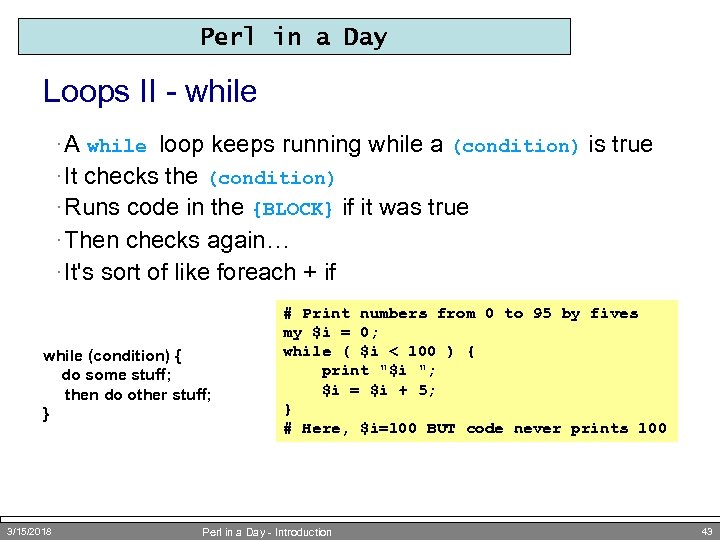 Perl in a Day Loops II - while · A while loop keeps running while a (condition) is true · It checks the (condition) · Runs code in the {BLOCK} if it was true · Then checks again… · It's sort of like foreach + if while (condition) { do some stuff; then do other stuff; } 3/15/2018 # Print numbers from 0 to 95 by fives my $i = 0; while ( $i < 100 ) { print "$i "; $i = $i + 5; } # Here, $i=100 BUT code never prints 100 Perl in a Day - Introduction 43
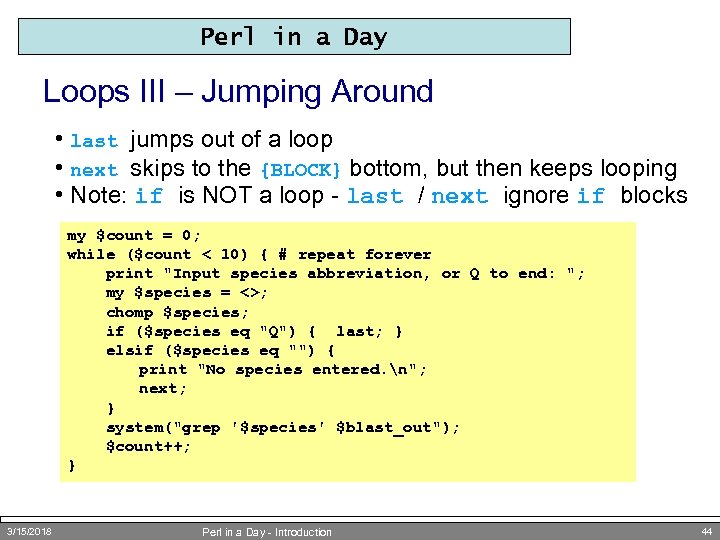 Perl in a Day Loops III – Jumping Around • last jumps out of a loop • next skips to the {BLOCK} bottom, but then keeps looping • Note: if is NOT a loop - last / next ignore if blocks my $count = 0; while ($count < 10) { # repeat forever print "Input species abbreviation, or Q to end: "; my $species = <>; chomp $species; if ($species eq "Q") { last; } elsif ($species eq "") { print "No species entered. n"; next; } system("grep '$species' $blast_out"); $count++; } 3/15/2018 Perl in a Day - Introduction 44
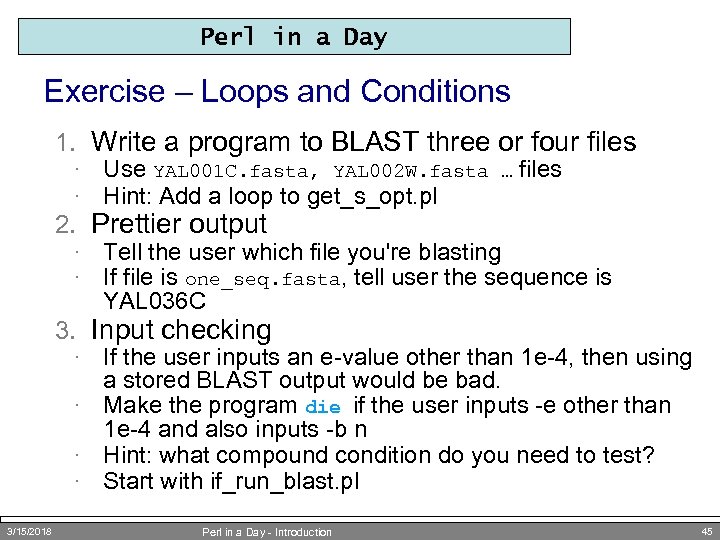 Perl in a Day Exercise – Loops and Conditions 1. Write a program to BLAST three or four files · · Use YAL 001 C. fasta, YAL 002 W. fasta … files Hint: Add a loop to get_s_opt. pl · · Tell the user which file you're blasting If file is one_seq. fasta, tell user the sequence is YAL 036 C 2. Prettier output 3. Input checking If the user inputs an e-value other than 1 e-4, then using a stored BLAST output would be bad. · Make the program die if the user inputs -e other than 1 e-4 and also inputs -b n · Hint: what compound condition do you need to test? · Start with if_run_blast. pl · 3/15/2018 Perl in a Day - Introduction 45
 Data Munging Perl for Bioinformatics: or Reading, Filtering, Merging, Changing, and Writing Data
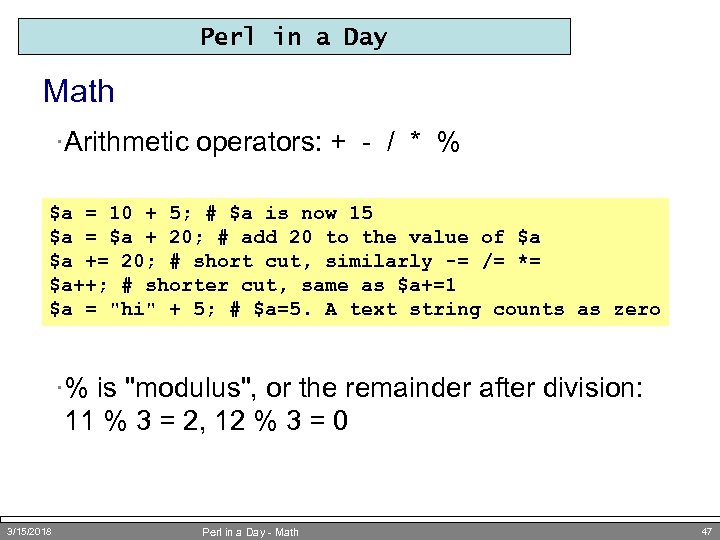 Perl in a Day Math ·Arithmetic operators: + - / * % $a = 10 + 5; # $a is now 15 $a = $a + 20; # add 20 to the value of $a $a += 20; # short cut, similarly -= /= *= $a++; # shorter cut, same as $a+=1 $a = "hi" + 5; # $a=5. A text string counts as zero ·% is "modulus", or the remainder after division: 11 % 3 = 2, 12 % 3 = 0 3/15/2018 Perl in a Day - Math 47
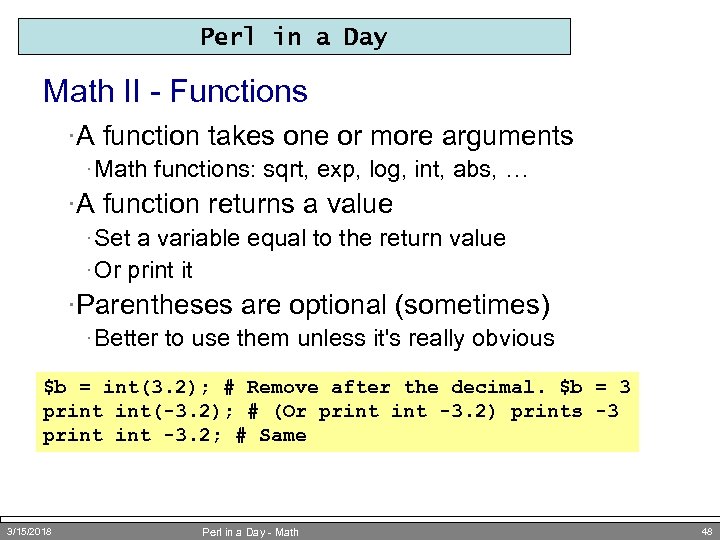 Perl in a Day Math II - Functions ·A function takes one or more arguments · Math functions: sqrt, exp, log, int, abs, … ·A function returns a value · Set a variable equal to the return value · Or print it ·Parentheses are optional (sometimes) · Better to use them unless it's really obvious $b = int(3. 2); # Remove after the decimal. $b = 3 print int(-3. 2); # (Or print -3. 2) prints -3 print -3. 2; # Same 3/15/2018 Perl in a Day - Math 48
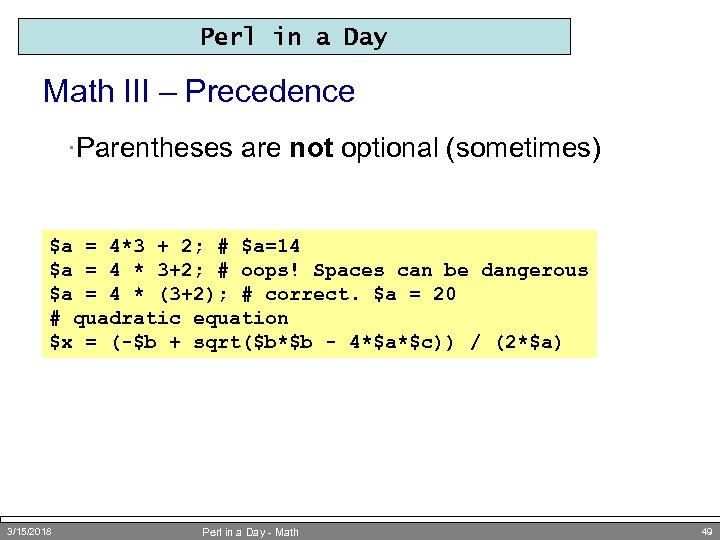 Perl in a Day Math III – Precedence ·Parentheses are not optional (sometimes) $a = 4*3 + 2; # $a=14 $a = 4 * 3+2; # oops! Spaces can be dangerous $a = 4 * (3+2); # correct. $a = 20 # quadratic equation $x = (-$b + sqrt($b*$b - 4*$a*$c)) / (2*$a) 3/15/2018 Perl in a Day - Math 49
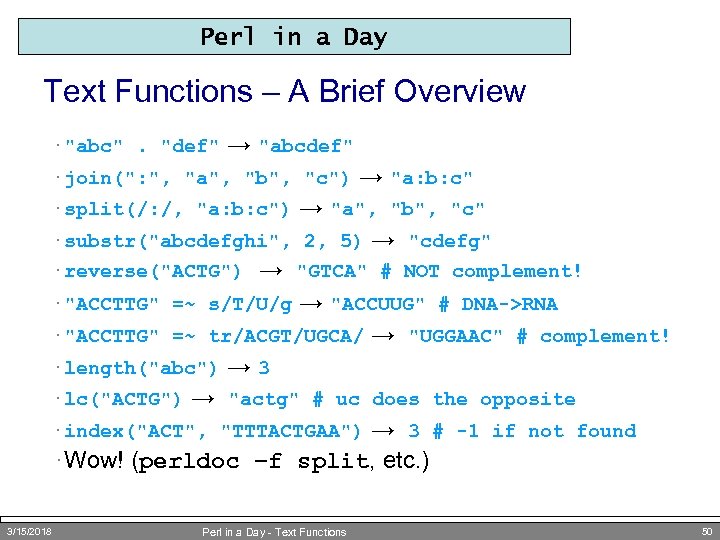 Perl in a Day Text Functions – A Brief Overview · "abc". "def" → "abcdef" · join(": ", "a", "b", "c") → "a: b: c" → "a", "b", "c" · substr("abcdefghi", 2, 5) → "cdefg" · reverse("ACTG") → "GTCA" # NOT complement! · "ACCTTG" =~ s/T/U/g → "ACCUUG" # DNA->RNA · "ACCTTG" =~ tr/ACGT/UGCA/ → "UGGAAC" # complement! · length("abc") → 3 · lc("ACTG") → "actg" # uc does the opposite · index("ACT", "TTTACTGAA") → 3 # -1 if not found · Wow! (perldoc –f split, etc. ) · split(/: /, "a: b: c") 3/15/2018 Perl in a Day - Text Functions 50
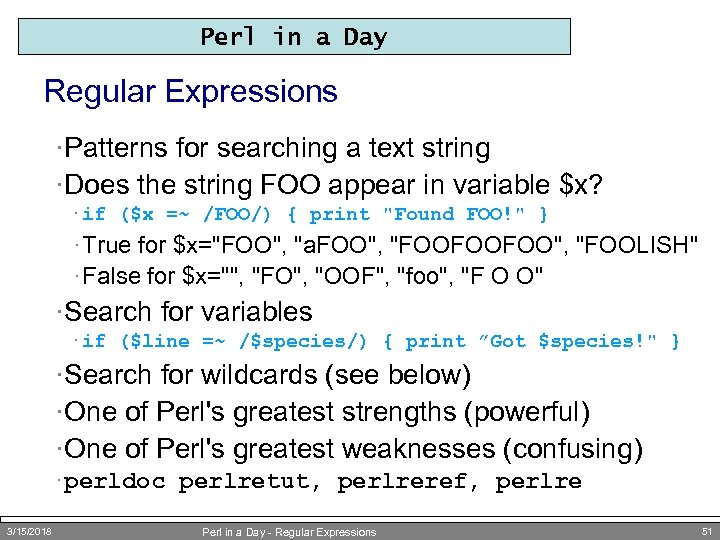 Perl in a Day Regular Expressions ·Patterns for searching a text string ·Does the string FOO appear in variable $x? · if ($x =~ /FOO/) { print "Found FOO!" } · True for $x="FOO", "a. FOO", "FOOFOOFOO", "FOOLISH" · False for $x="", "FO", "OOF", "foo", "F O O" ·Search for variables · if ($line =~ /$species/) { print ”Got $species!" } ·Search for wildcards (see below) ·One of Perl's greatest strengths (powerful) ·One of Perl's greatest weaknesses (confusing) · perldoc perlretut, perlreref, perlre 3/15/2018 Perl in a Day - Regular Expressions 51
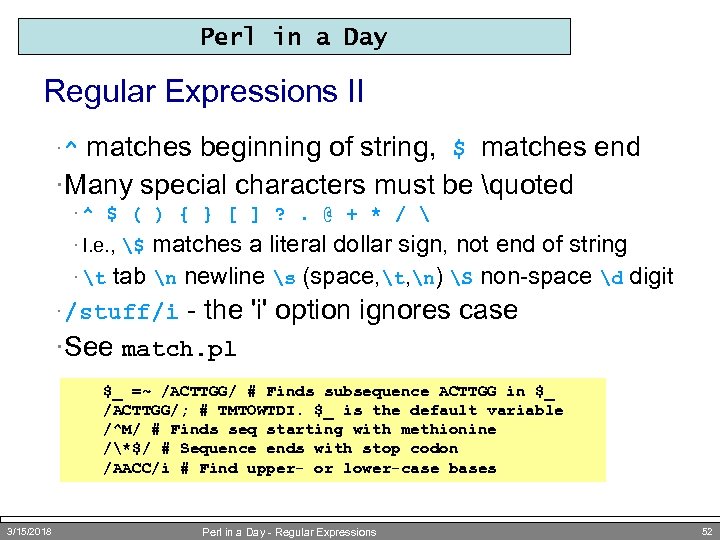 Perl in a Day Regular Expressions II matches beginning of string, $ matches end ·Many special characters must be quoted ·^ ·^ $ ( ) { } [ ] ? . @ + * / matches a literal dollar sign, not end of string · t tab n newline s (space, t, n) S non-space d digit · /stuff/i - the 'i' option ignores case · I. e. , $ ·See match. pl $_ =~ /ACTTGG/ # Finds subsequence ACTTGG in $_ /ACTTGG/; # TMTOWTDI. $_ is the default variable /^M/ # Finds seq starting with methionine /*$/ # Sequence ends with stop codon /AACC/i # Find upper- or lower-case bases 3/15/2018 Perl in a Day - Regular Expressions 52
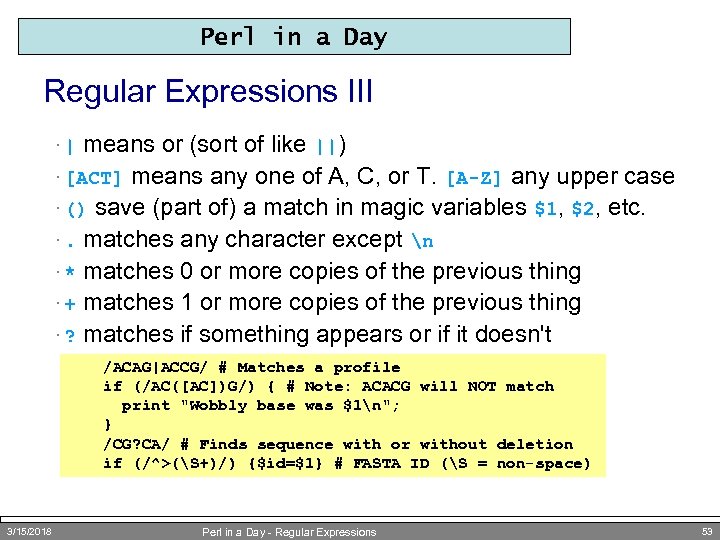 Perl in a Day Regular Expressions III means or (sort of like ||) · [ACT] means any one of A, C, or T. [A-Z] any upper case · () save (part of) a match in magic variables $1, $2, etc. ·. matches any character except n · * matches 0 or more copies of the previous thing · + matches 1 or more copies of the previous thing · ? matches if something appears or if it doesn't ·| /ACAG|ACCG/ # Matches a profile if (/AC([AC])G/) { # Note: ACACG will NOT match print "Wobbly base was $1n"; } /CG? CA/ # Finds sequence with or without deletion if (/^>(S+)/) {$id=$1} # FASTA ID (S = non-space) 3/15/2018 Perl in a Day - Regular Expressions 53
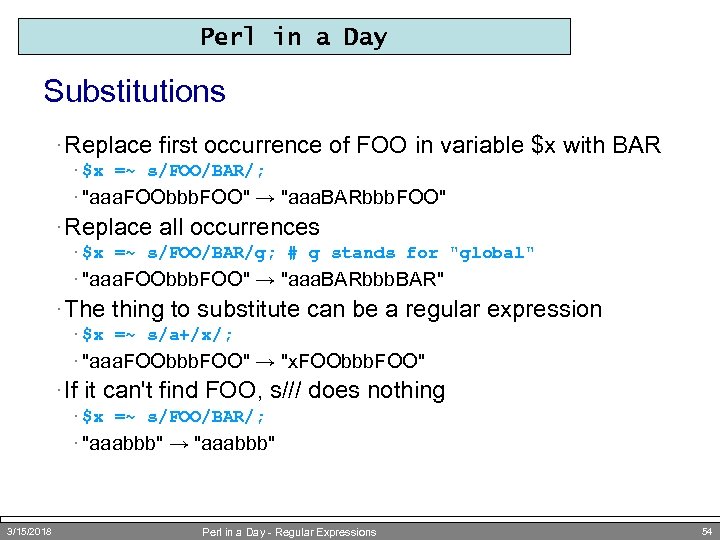 Perl in a Day Substitutions · Replace first occurrence of FOO in variable $x with BAR · $x =~ s/FOO/BAR/; · "aaa. FOObbb. FOO" → "aaa. BARbbb. FOO" · Replace all occurrences · $x =~ s/FOO/BAR/g; # g stands for "global" · "aaa. FOObbb. FOO" → "aaa. BARbbb. BAR" · The thing to substitute can be a regular expression · $x =~ s/a+/x/; · "aaa. FOObbb. FOO" → "x. FOObbb. FOO" · If it can't find FOO, s/// does nothing · $x =~ s/FOO/BAR/; · "aaabbb" → "aaabbb" 3/15/2018 Perl in a Day - Regular Expressions 54
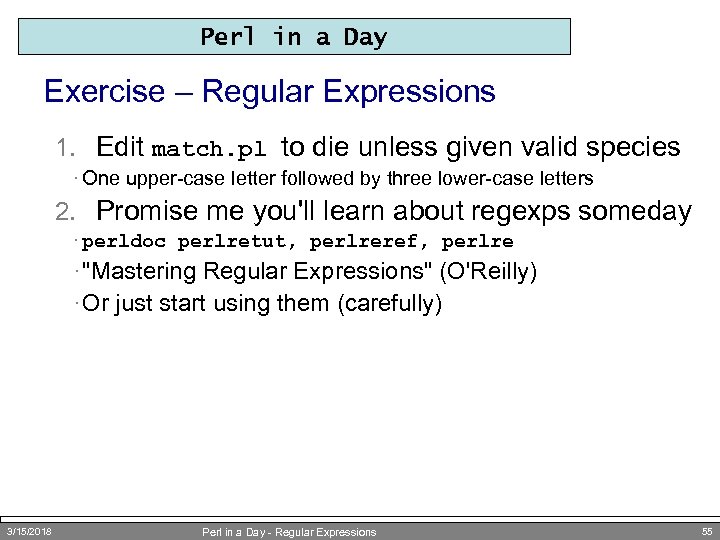 Perl in a Day Exercise – Regular Expressions 1. Edit match. pl to die unless given valid species · One upper-case letter followed by three lower-case letters 2. Promise me you'll learn about regexps someday · perldoc perlretut, perlreref, perlre · "Mastering Regular Expressions" (O'Reilly) · Or just start using them (carefully) 3/15/2018 Perl in a Day - Regular Expressions 55
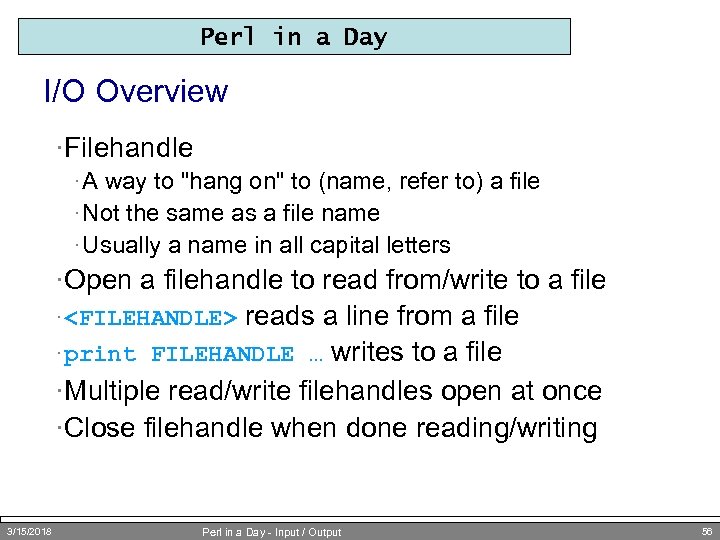 Perl in a Day I/O Overview ·Filehandle · A way to "hang on" to (name, refer to) a file · Not the same as a file name · Usually a name in all capital letters ·Open a filehandle to read from/write to a file reads a line from a file · print FILEHANDLE … writes to a file ·Multiple read/write filehandles open at once ·Close filehandle when done reading/writing ·
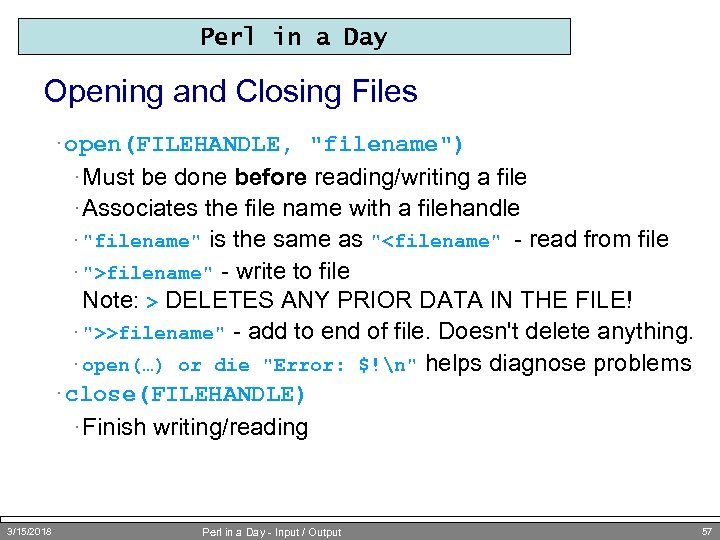 Perl in a Day Opening and Closing Files · open(FILEHANDLE, "filename") · Must be done before reading/writing a file · Associates the file name with a filehandle is the same as "
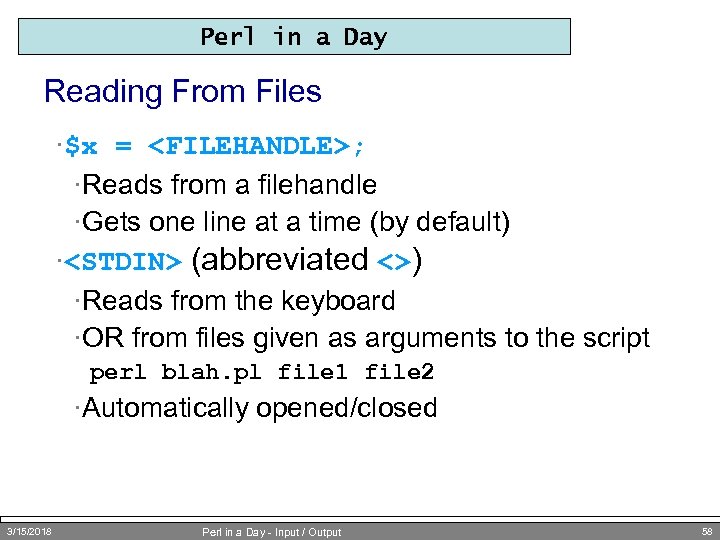 Perl in a Day Reading From Files ·$x =
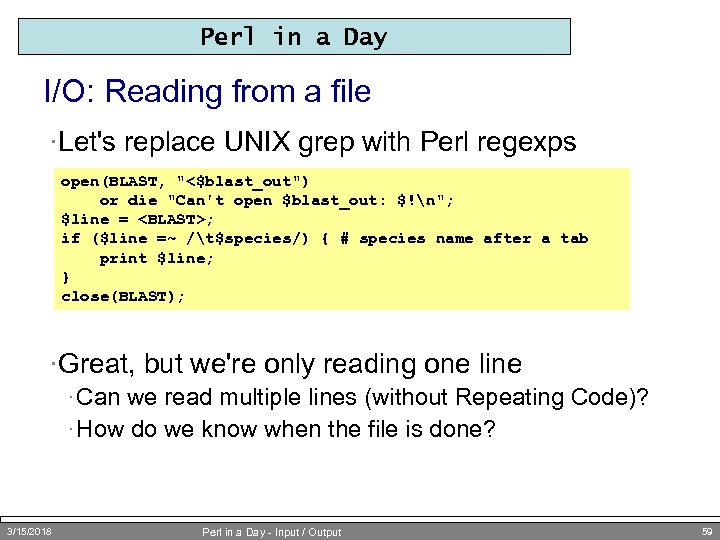 Perl in a Day I/O: Reading from a file ·Let's replace UNIX grep with Perl regexps open(BLAST, "<$blast_out") or die "Can't open $blast_out: $!n"; $line =
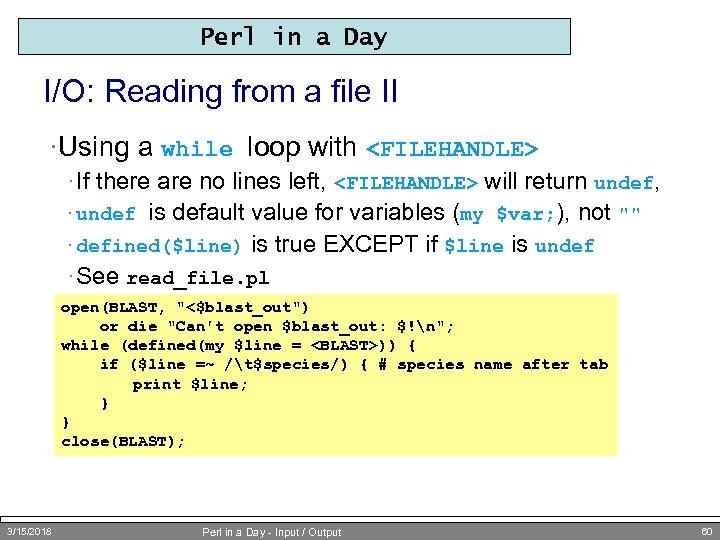 Perl in a Day I/O: Reading from a file II ·Using a while loop with
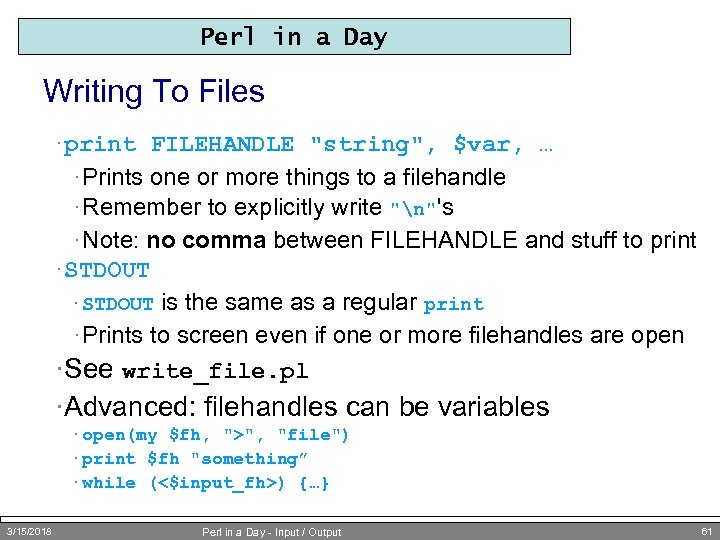 Perl in a Day Writing To Files · print FILEHANDLE "string", $var, … · Prints one or more things to a filehandle · Remember to explicitly write "n"'s · Note: no comma between FILEHANDLE and stuff to print · STDOUT is the same as a regular print · Prints to screen even if one or more filehandles are open ·See write_file. pl · STDOUT ·Advanced: filehandles can be variables · open(my $fh, ">", "file") · print $fh "something” · while (<$input_fh>) {…} 3/15/2018 Perl in a Day - Input / Output 61
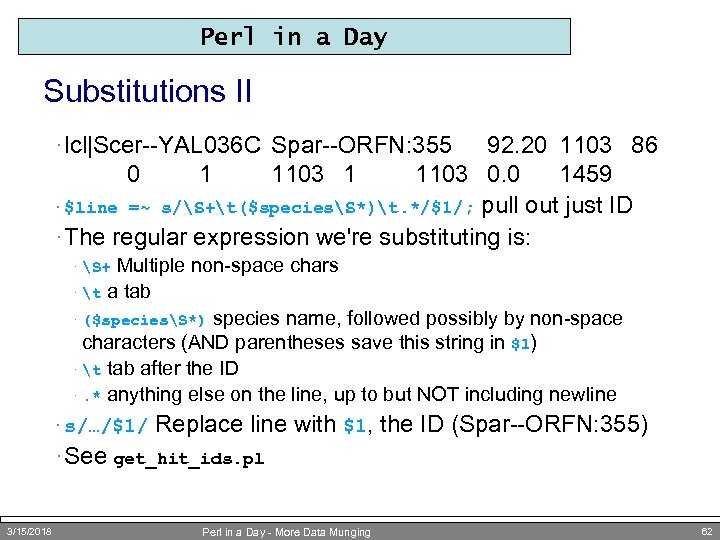 Perl in a Day Substitutions II · lcl|Scer--YAL 036 C Spar--ORFN: 355 92. 20 1103 86 0 1 1103 0. 0 1459 · $line =~ s/S+t($speciesS*)t. */$1/; pull out just ID · The regular expression we're substituting is: Multiple non-space chars · t a tab · ($speciesS*) species name, followed possibly by non-space characters (AND parentheses save this string in $1) · t tab after the ID ·. * anything else on the line, up to but NOT including newline · S+ · s/…/$1/ Replace line with $1, the ID (Spar--ORFN: 355) · See get_hit_ids. pl 3/15/2018 Perl in a Day - More Data Munging 62
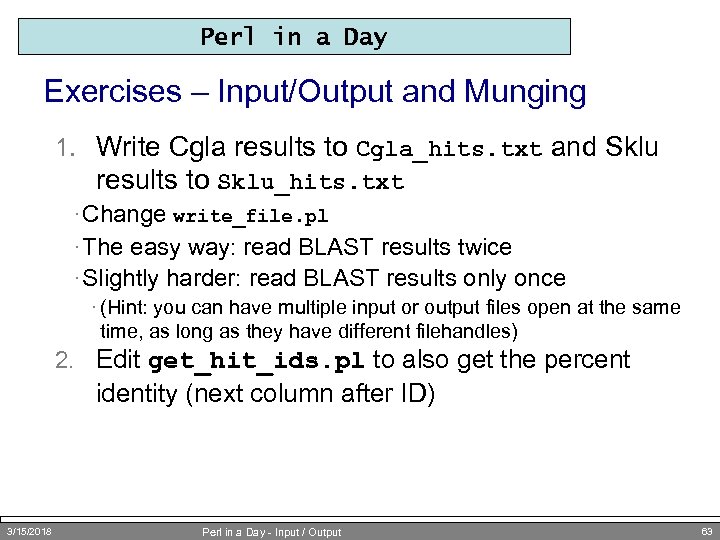 Perl in a Day Exercises – Input/Output and Munging 1. Write Cgla results to Cgla_hits. txt and Sklu results to Sklu_hits. txt · Change write_file. pl · The easy way: read BLAST results twice · Slightly harder: read BLAST results only once · (Hint: you can have multiple input or output files open at the same time, as long as they have different filehandles) 2. Edit get_hit_ids. pl to also get the percent identity (next column after ID) 3/15/2018 Perl in a Day - Input / Output 63
 The Scriptome Advanced Data Munging for Beginners or Perl for Wimps Busy Biologists
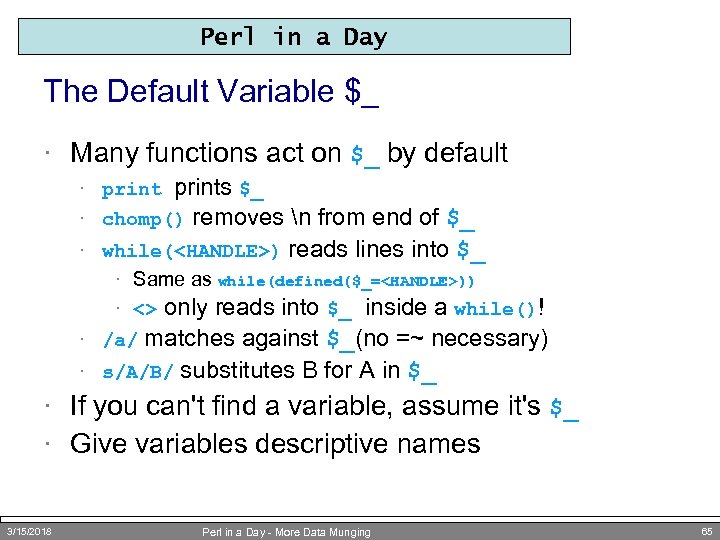 Perl in a Day The Default Variable $_ · Many functions act on $_ by default prints $_ chomp() removes n from end of $_ while(
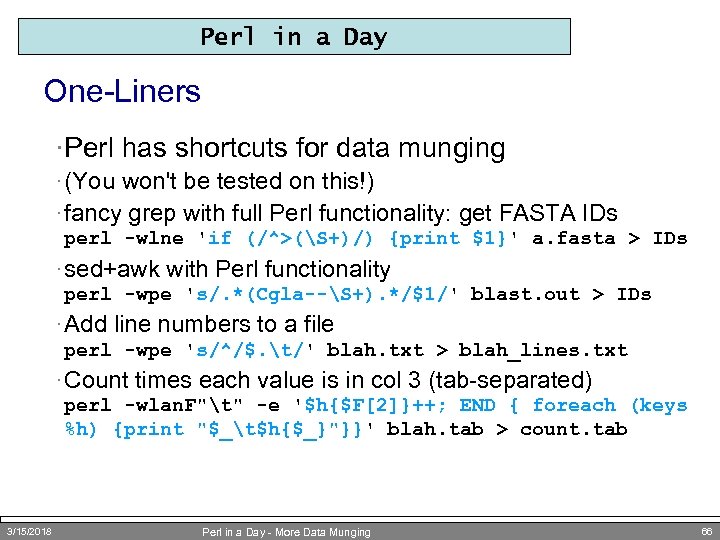 Perl in a Day One-Liners ·Perl has shortcuts for data munging · (You won't be tested on this!) · fancy grep with full Perl functionality: get FASTA IDs perl -wlne 'if (/^>(S+)/) {print $1}' a. fasta > IDs · sed+awk with Perl functionality perl -wpe 's/. *(Cgla--S+). */$1/' blast. out > IDs · Add line numbers to a file perl -wpe 's/^/$. t/' blah. txt > blah_lines. txt · Count times each value is in col 3 (tab-separated) perl -wlan. F"t" -e '$h{$F[2]}++; END { foreach (keys %h) {print "$_t$h{$_}"}}' blah. tab > count. tab 3/15/2018 Perl in a Day - More Data Munging 66
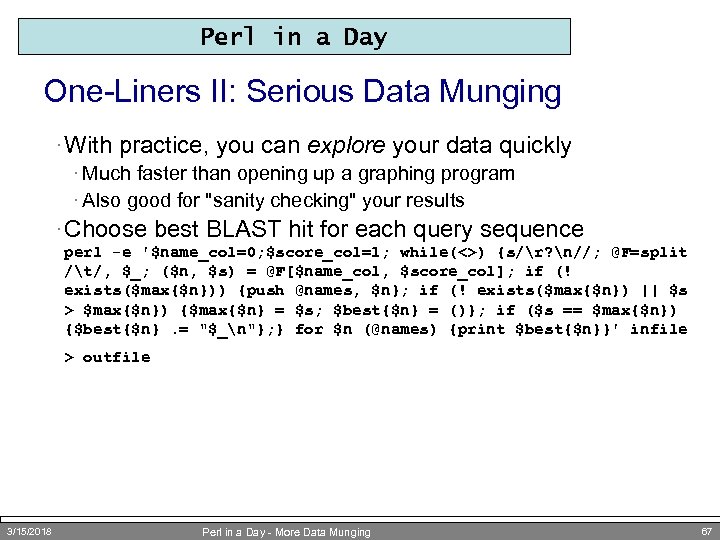 Perl in a Day One-Liners II: Serious Data Munging · With practice, you can explore your data quickly · Much faster than opening up a graphing program · Also good for "sanity checking" your results · Choose best BLAST hit for each query sequence perl -e '$name_col=0; $score_col=1; while(<>) {s/r? n//; @F=split /t/, $_; ($n, $s) = @F[$name_col, $score_col]; if (! exists($max{$n})) {push @names, $n}; if (! exists($max{$n}) || $s > $max{$n}) {$max{$n} = $s; $best{$n} = ()}; if ($s == $max{$n}) {$best{$n}. = "$_n"}; } for $n (@names) {print $best{$n}}' infile > outfile 3/15/2018 Perl in a Day - More Data Munging 67
 Perl in a Day Scriptome Motivation ·"You can't possibly learn Perl in a day " ·"But I need to get work done!" ·"If only someone would do all the work for me…" 3/15/2018 Perl in a Day - Input / Output 68
 Perl in a Day The Scriptome In One Slide ·Scriptome: cookbook of Perl one-liners ·No programming needed ·No install needed (if you have Perl) ·No memorization needed · sysbio. harvard. edu/csb/resources/computational/scriptome ·Read the instructions ·Find BLAST results with > 80% identity (3 rd col. =2) ·Expand code to see how it's done ·Build a protocol 3/15/2018 Perl in a Day - Input / Output 69
 Perl in a Day Sample Scriptome Manipulations ·Manipulate FASTAs ·Filter large BLAST result sets ·Merge gene lists from different experiments ·Translate IDs between different databases ·Calculate 9000 orthologs between two species of Drosophila ·Please (please!) contact me about using Scriptome 3/15/2018 Perl in a Day - Introduction 70
 Perl in a Day Exercise – Scriptome 1. Print BLAST hits from one_seq. blast with 80 – 85% identity 2. cat Y*. fasta > all. Y. fasta Now use the Scriptome to change all. Y. fasta to tabular format. Now you could edit the resulting file in Excel, use "choose" tools based on certain columns, etc. 3/15/2018 Perl in a Day - Hashes 71
 Arrays and Hashes Groups of Things for High Throughput Munging
 Perl in a Day Why Arrays? ·What if we want to store the hit IDs? · Further analysis · Different kinds of filtering · Printing out ·We don't want to read the file multiple times! ·Store the IDs in an array 3/15/2018 Perl in a Day - Arrays 73
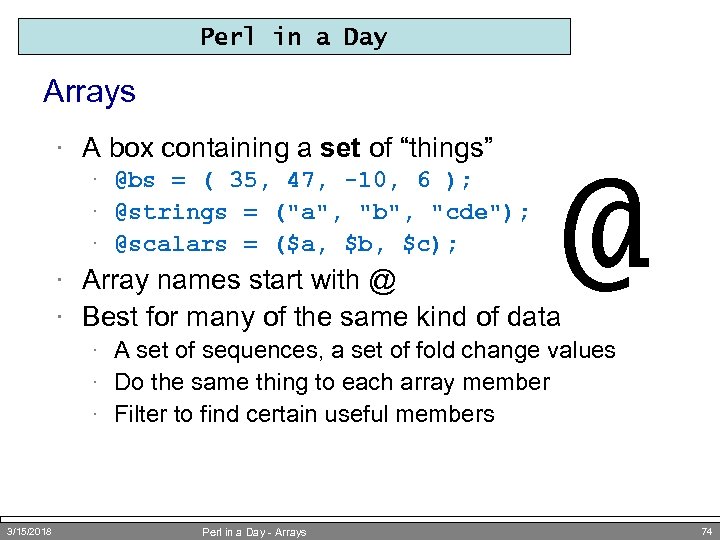 Perl in a Day Arrays · A box containing a set of “things” · @bs = ( 35, 47, -10, 6 ); · @strings = ("a", "b", "cde"); · @scalars = ($a, $b, $c); @ · Array names start with @ · Best for many of the same kind of data · A set of sequences, a set of fold change values · Do the same thing to each array member · Filter to find certain useful members 3/15/2018 Perl in a Day - Arrays 74
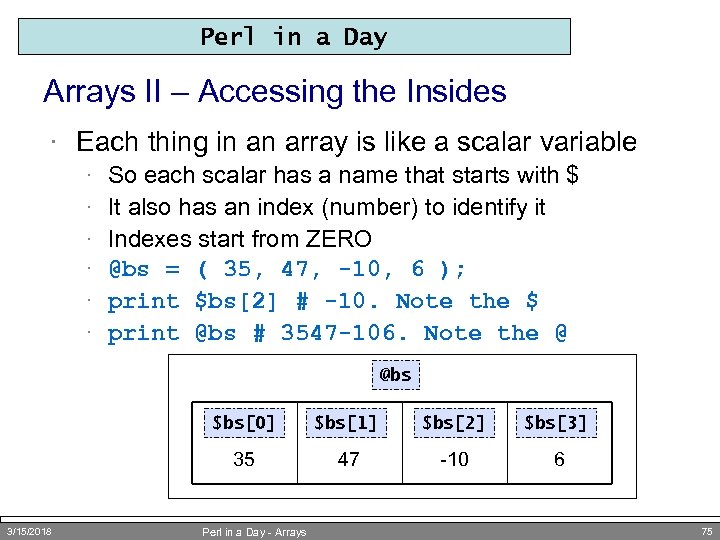 Perl in a Day Arrays II – Accessing the Insides · Each thing in an array is like a scalar variable · · · So each scalar has a name that starts with $ It also has an index (number) to identify it Indexes start from ZERO @bs = ( 35, 47, -10, 6 ); print $bs[2] # -10. Note the $ print @bs # 3547 -106. Note the @ @bs $bs[0] $bs[2] $bs[3] 35 3/15/2018 $bs[1] 47 -10 6 Perl in a Day - Arrays 75
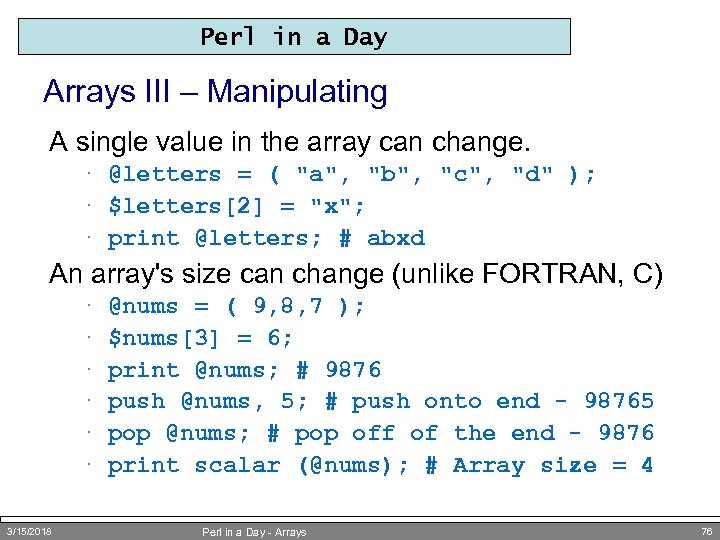 Perl in a Day Arrays III – Manipulating A single value in the array can change. · @letters = ( "a", "b", "c", "d" ); · $letters[2] = "x"; · print @letters; # abxd An array's size can change (unlike FORTRAN, C) · · · 3/15/2018 @nums = ( 9, 8, 7 ); $nums[3] = 6; print @nums; # 9876 push @nums, 5; # push onto end - 98765 pop @nums; # pop off of the end - 9876 print scalar (@nums); # Array size = 4 Perl in a Day - Arrays 76
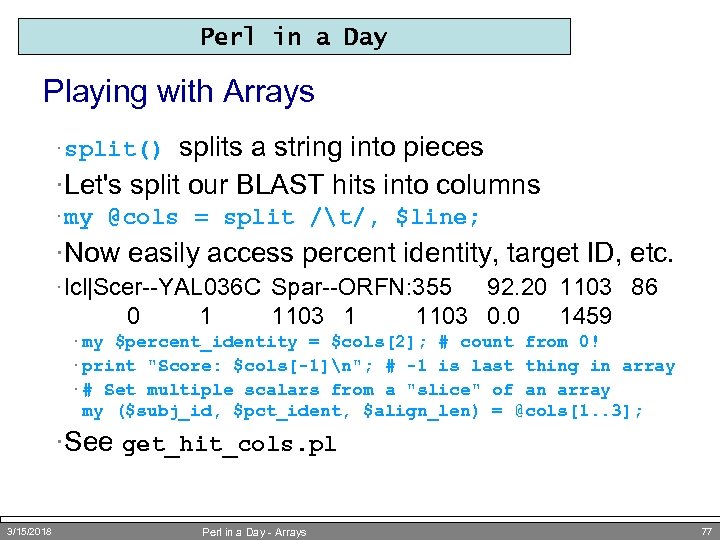 Perl in a Day Playing with Arrays splits a string into pieces ·Let's split our BLAST hits into columns · split() · my @cols = split /t/, $line; ·Now easily access percent identity, target ID, etc. · lcl|Scer--YAL 036 C Spar--ORFN: 355 0 1 1103 1 92. 20 1103 86 1103 0. 0 1459 · my $percent_identity = $cols[2]; # count from 0! · print "Score: $cols[-1]n"; # -1 is last thing in array · # Set multiple scalars from a "slice" of an array my ($subj_id, $pct_ident, $align_len) = @cols[1. . 3]; ·See get_hit_cols. pl 3/15/2018 Perl in a Day - Arrays 77
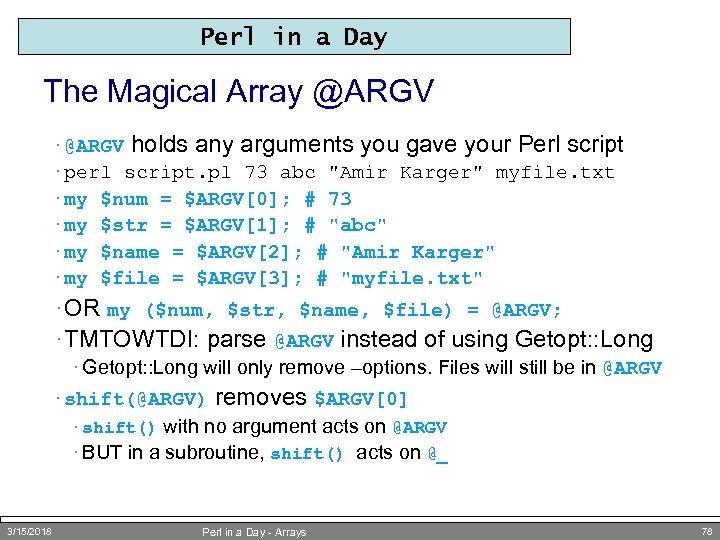 Perl in a Day The Magical Array @ARGV · @ARGV holds any arguments you gave your Perl script · perl script. pl 73 abc "Amir Karger" myfile. txt · my $num = $ARGV[0]; # 73 · my $str = $ARGV[1]; # "abc" · my $name = $ARGV[2]; # "Amir Karger" · my $file = $ARGV[3]; # "myfile. txt" · OR my ($num, $str, $name, $file) = @ARGV; · TMTOWTDI: parse @ARGV instead of using Getopt: : Long · Getopt: : Long will only remove –options. Files will still be in @ARGV · shift(@ARGV) removes $ARGV[0] · shift() with no argument acts on @ARGV · BUT in a subroutine, shift() acts on @_ 3/15/2018 Perl in a Day - Arrays 78
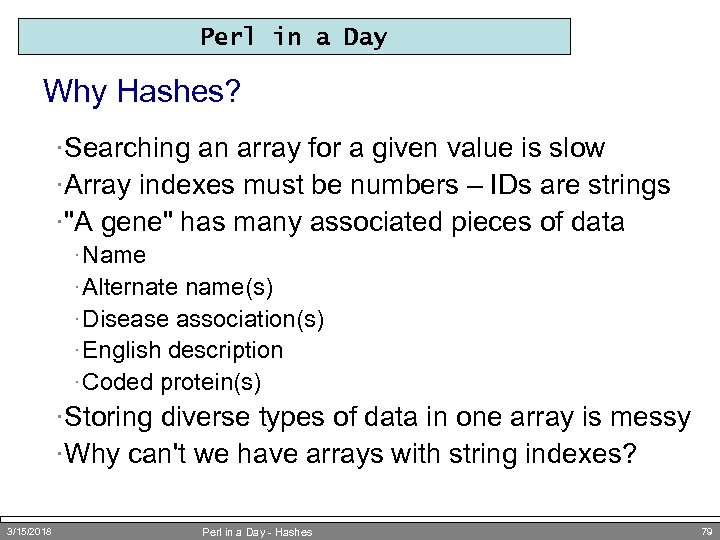 Perl in a Day Why Hashes? ·Searching an array for a given value is slow ·Array indexes must be numbers – IDs are strings ·"A gene" has many associated pieces of data · Name · Alternate name(s) · Disease association(s) · English description · Coded protein(s) ·Storing diverse types of data in one array is messy ·Why can't we have arrays with string indexes? 3/15/2018 Perl in a Day - Hashes 79
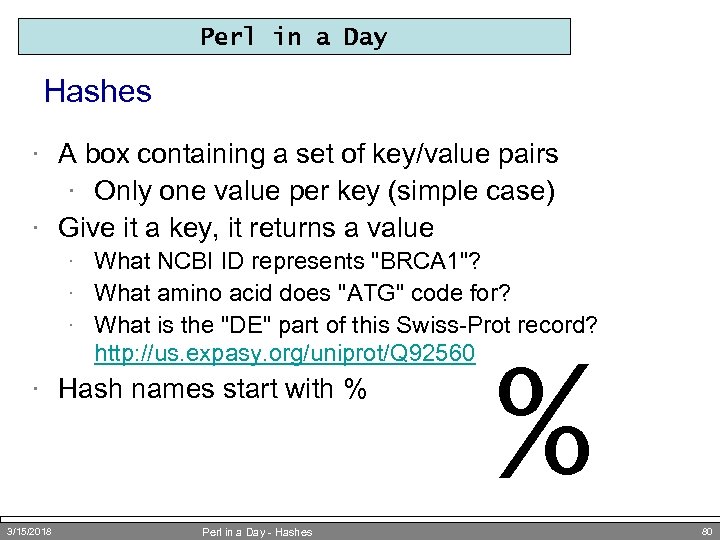 Perl in a Day Hashes · A box containing a set of key/value pairs · Only one value per key (simple case) · Give it a key, it returns a value · What NCBI ID represents "BRCA 1"? · What amino acid does "ATG" code for? · What is the "DE" part of this Swiss-Prot record? http: //us. expasy. org/uniprot/Q 92560 · Hash names start with % 3/15/2018 Perl in a Day - Hashes % 80
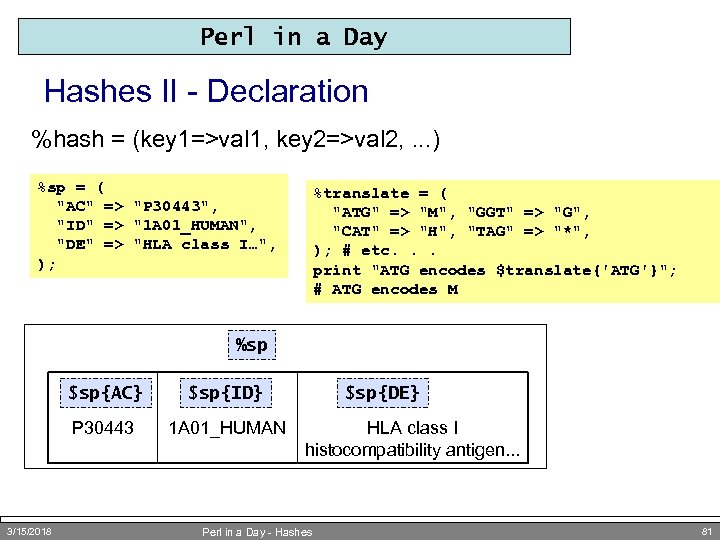 Perl in a Day Hashes II - Declaration %hash = (key 1=>val 1, key 2=>val 2, . . . ) %sp = ( "AC" => "P 30443", "ID" => "1 A 01_HUMAN", "DE" => "HLA class I…", ); %translate = ( "ATG" => "M", "GGT" => "G", "CAT" => "H", "TAG" => "*", ); # etc. . . print "ATG encodes $translate{'ATG'}"; # ATG encodes M %sp $sp{AC} P 30443 3/15/2018 $sp{ID} 1 A 01_HUMAN $sp{DE} HLA class I histocompatibility antigen. . . Perl in a Day - Hashes 81
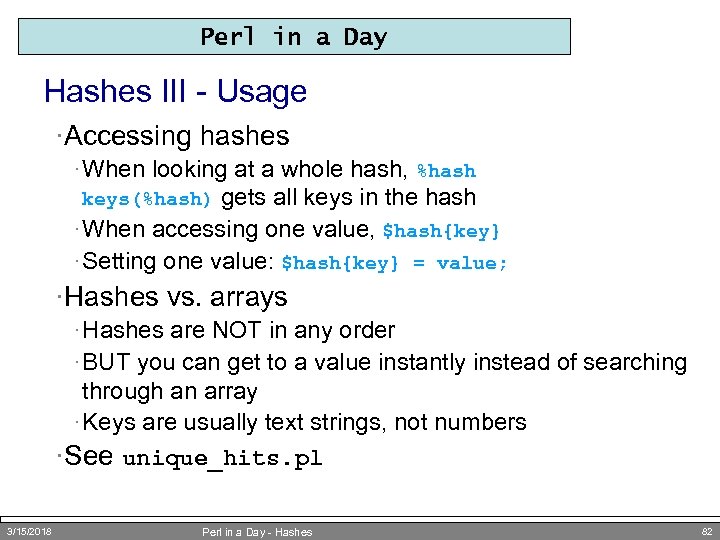 Perl in a Day Hashes III - Usage ·Accessing hashes · When looking at a whole hash, %hash gets all keys in the hash · When accessing one value, $hash{key} · Setting one value: $hash{key} = value; keys(%hash) ·Hashes vs. arrays · Hashes are NOT in any order · BUT you can get to a value instantly instead of searching through an array · Keys are usually text strings, not numbers ·See unique_hits. pl 3/15/2018 Perl in a Day - Hashes 82
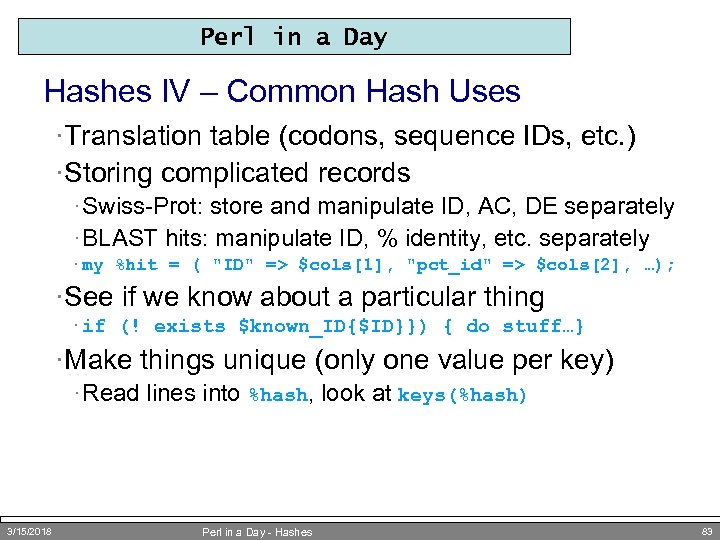 Perl in a Day Hashes IV – Common Hash Uses ·Translation table (codons, sequence IDs, etc. ) ·Storing complicated records · Swiss-Prot: store and manipulate ID, AC, DE separately · BLAST hits: manipulate ID, % identity, etc. separately · my %hit = ( "ID" => $cols[1], "pct_id" => $cols[2], …); ·See if we know about a particular thing · if (! exists $known_ID{$ID}}) { do stuff…} ·Make things unique (only one value per key) · Read lines into %hash, look at keys(%hash) 3/15/2018 Perl in a Day - Hashes 83
 Perl in a Day Exercises – Arrays and Hashes 1. Rewrite get_hit_cols. pl to print hits of any species where percent identity (third column) is between 80 and 85 2. Now put columns into a hash (see "Hashes IV" above) 3/15/2018 Perl in a Day - Hashes 84
 Perl in a Day Class Overview · Introduction – Why learn Perl? · Scripting – Reproducible Science · Variables – Making Programs Reusable · Control Structures – Doing Things Lots of Times (Or Not) · Data Munging – Perl for Bioinformatics · Arrays and Hashes – Groups of Things · The Scriptome –Data Munging for Perl Beginners · Subroutines & Modules – Making Programs Really Reusable · Objects – Complex Data, Complex Workflow · Bio. Perl – Doing (More) Bio With Perl 3/15/2018 Perl in a Day - Introduction 85
 Subroutines and Modules Making Programs Really Reusable by Creating New Functions
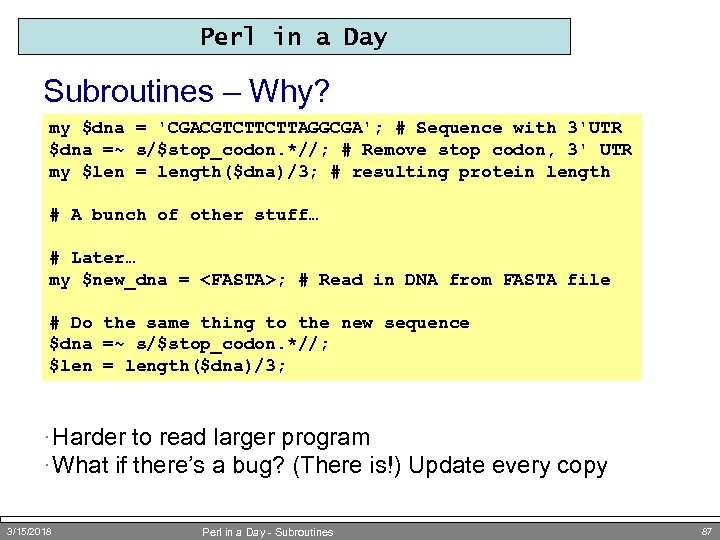 Perl in a Day Subroutines – Why? my $dna = 'CGACGTCTTCTTAGGCGA'; # Sequence with 3'UTR $dna =~ s/$stop_codon. *//; # Remove stop codon, 3' UTR my $len = length($dna)/3; # resulting protein length # A bunch of other stuff… # Later… my $new_dna =
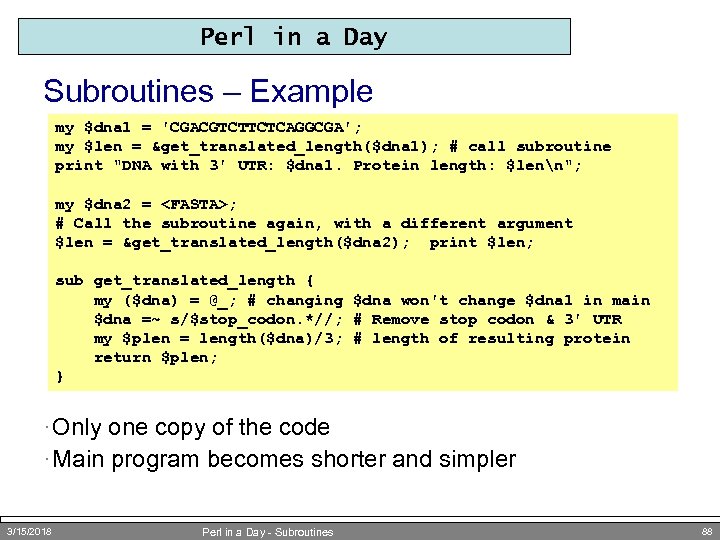 Perl in a Day Subroutines – Example my $dna 1 = 'CGACGTCTTCTCAGGCGA'; my $len = &get_translated_length($dna 1); # call subroutine print "DNA with 3' UTR: $dna 1. Protein length: $lenn"; my $dna 2 =
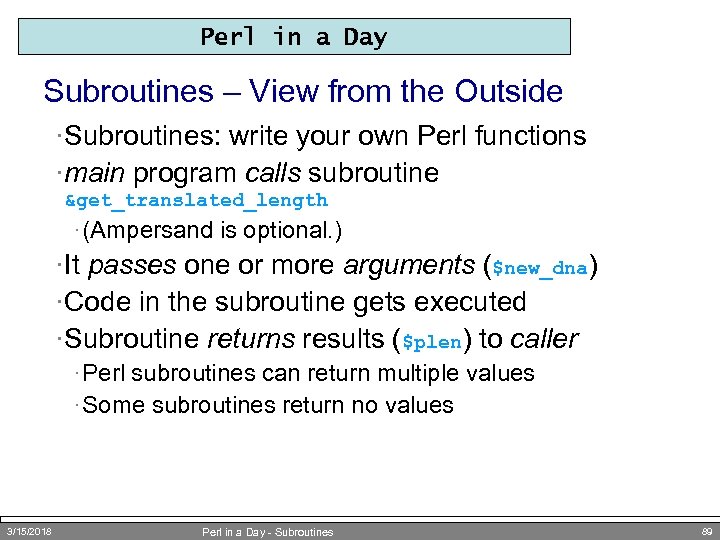 Perl in a Day Subroutines – View from the Outside ·Subroutines: write your own Perl functions ·main program calls subroutine &get_translated_length · (Ampersand is optional. ) ·It passes one or more arguments ($new_dna) ·Code in the subroutine gets executed ·Subroutine returns results ($plen) to caller · Perl subroutines can return multiple values · Some subroutines return no values 3/15/2018 Perl in a Day - Subroutines 89
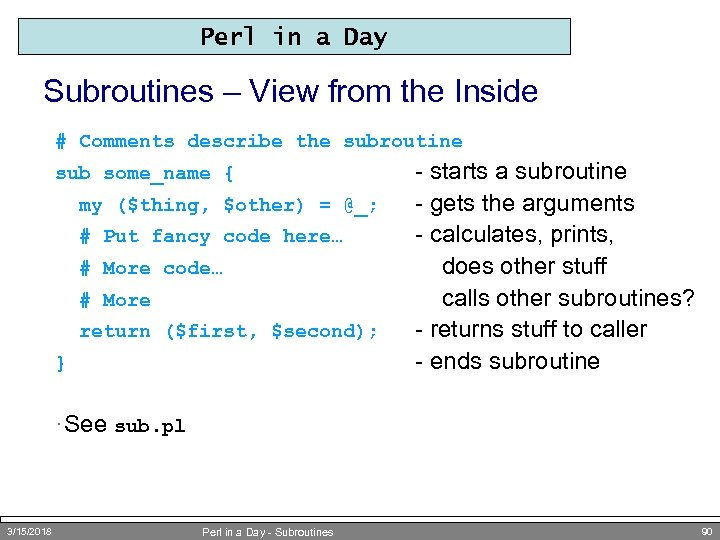 Perl in a Day Subroutines – View from the Inside # Comments describe the subroutine sub some_name { my ($thing, $other) = @_; # Put fancy code here… # More code… # More return ($first, $second); } - starts a subroutine - gets the arguments - calculates, prints, does other stuff calls other subroutines? - returns stuff to caller - ends subroutine · See sub. pl 3/15/2018 Perl in a Day - Subroutines 90
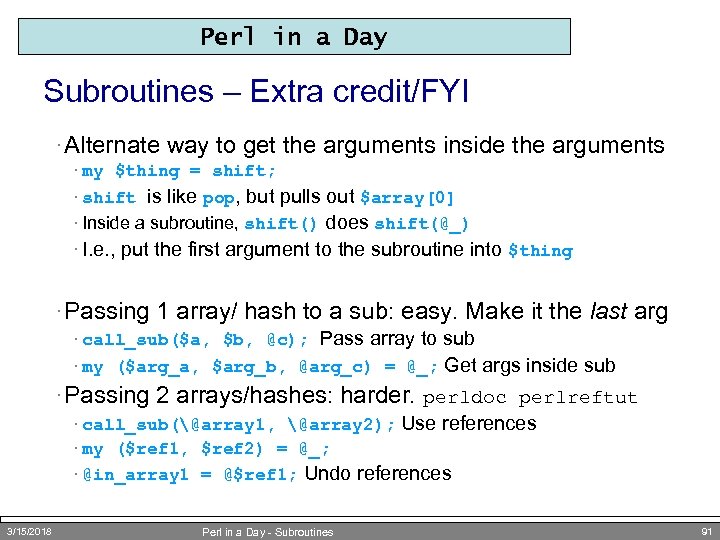 Perl in a Day Subroutines – Extra credit/FYI · Alternate way to get the arguments inside the arguments · my $thing = shift; · shift is like pop, but pulls out $array[0] · Inside a subroutine, shift() does shift(@_) · I. e. , put the first argument to the subroutine into $thing · Passing 1 array/ hash to a sub: easy. Make it the last arg · call_sub($a, $b, @c); Pass array to sub · my ($arg_a, $arg_b, @arg_c) = @_; Get args inside sub · Passing 2 arrays/hashes: harder. perldoc perlreftut · call_sub(@array 1, @array 2); Use references · my ($ref 1, $ref 2) = @_; · @in_array 1 = @$ref 1; Undo references 3/15/2018 Perl in a Day - Subroutines 91
 Perl in a Day Subroutines – Organizing Code By Function ·Code reuse · Call same subroutine from different parts of your program · More general: $len = &get_protein_length($dna, $remove); ·Organization · E. g. , separate messy math from main program flow · Each subroutine can only mess up its own variables ·Easier testing · Test subroutine code separately ·Increased efficiency · Write code just once, optimize just one sub ·Coder's Creed: Never write the same code twice 3/15/2018 Perl in a Day - Subroutines 92
 Perl in a Day Modules ·A set of related subroutines · Placed in a separate file · Included in the original file with the use command ·We've been using modules all day · use Getopt: : Long; · Reads in the file /usr/…/perl 5/…/Getopt/Long. pm · Now &Get. Options() acts like a regular Perl function · perldoc Getopt: : Long gets module documentation · Documentation is stored inside the module · POD, a very simple HTML-ish language · strict 3/15/2018 is a special module called a "pragma" Perl in a Day - Modules 93
 Perl in a Day Modules II ·Getting new modules · Thousands of modules available at www. cpan. org · search. cpan. org (E. g. , search for "transcription factor") · Usually simple to install · Basically, installation places. pm file(s) in /usr/… · Or a different directory Perl knows to look in ·Benefits (like subroutine benefits, but more so) · Organization: separate a set of functionality · Code reuse: don't have to re-write code for every program · "Good composers borrow; great composers steal. " -Stravinsky? · Modules also give you access to new classes… 3/15/2018 Perl in a Day - Modules 94
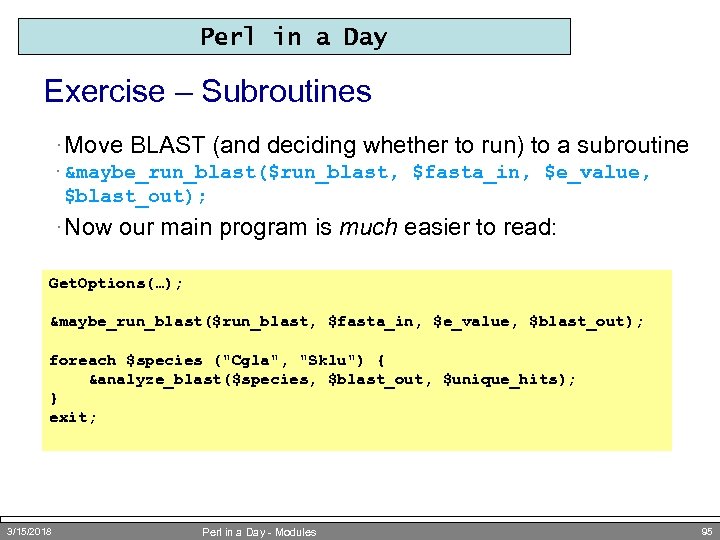 Perl in a Day Exercise – Subroutines · Move BLAST (and deciding whether to run) to a subroutine · &maybe_run_blast($run_blast, $fasta_in, $e_value, $blast_out); · Now our main program is much easier to read: Get. Options(…); &maybe_run_blast($run_blast, $fasta_in, $e_value, $blast_out); foreach $species ("Cgla", "Sklu") { &analyze_blast($species, $blast_out, $unique_hits); } exit; 3/15/2018 Perl in a Day - Modules 95
 Objects and Classes Complex Data, Complex Workflow or How to Write Big Perl Programs Without Going Crazy
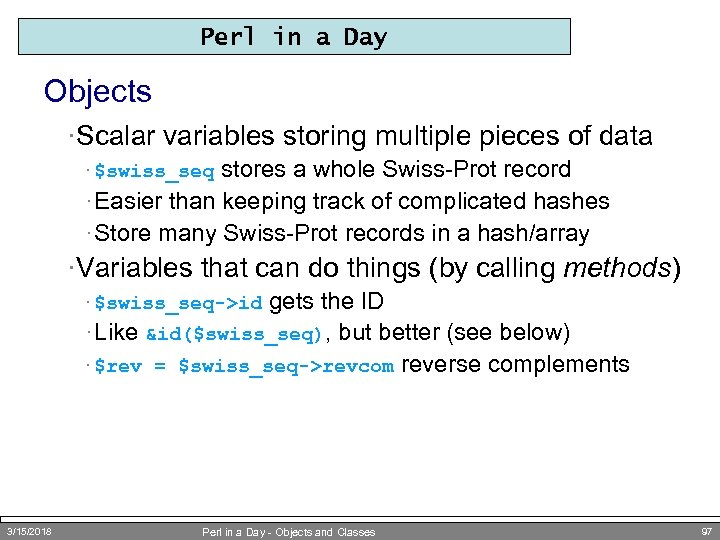 Perl in a Day Objects ·Scalar variables storing multiple pieces of data stores a whole Swiss-Prot record · Easier than keeping track of complicated hashes · Store many Swiss-Prot records in a hash/array · $swiss_seq ·Variables that can do things (by calling methods) gets the ID · Like &id($swiss_seq), but better (see below) · $rev = $swiss_seq->revcom reverse complements · $swiss_seq->id 3/15/2018 Perl in a Day - Objects and Classes 97
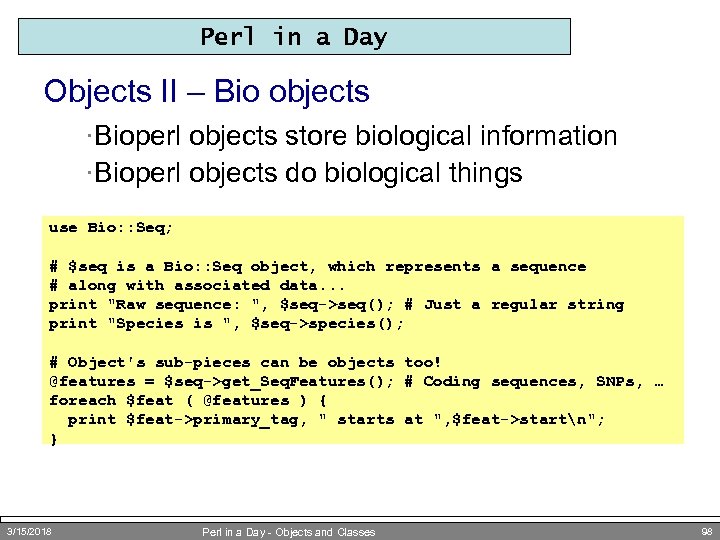 Perl in a Day Objects II – Bio objects ·Bioperl objects store biological information ·Bioperl objects do biological things use Bio: : Seq; # $seq is a Bio: : Seq object, which represents a sequence # along with associated data. . . print "Raw sequence: ", $seq->seq(); # Just a regular string print "Species is ", $seq->species(); # Object's sub-pieces can be objects too! @features = $seq->get_Seq. Features(); # Coding sequences, SNPs, … foreach $feat ( @features ) { print $feat->primary_tag, " starts at ", $feat->startn"; } 3/15/2018 Perl in a Day - Objects and Classes 98
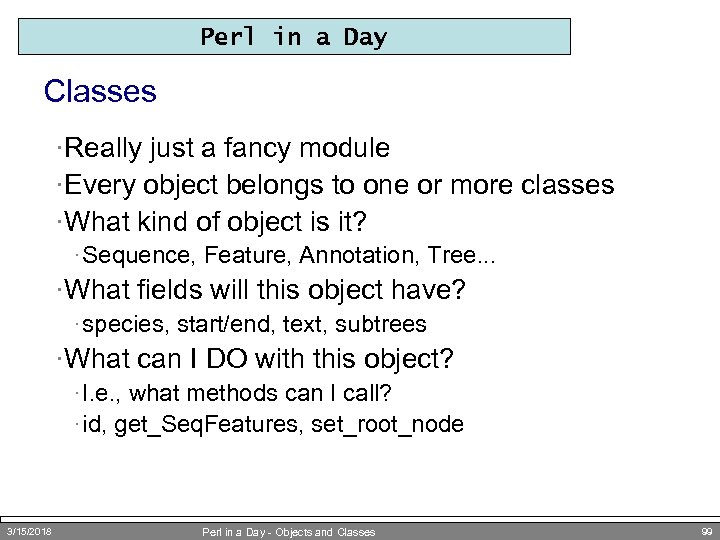 Perl in a Day Classes ·Really just a fancy module ·Every object belongs to one or more classes ·What kind of object is it? · Sequence, Feature, Annotation, Tree. . . ·What fields will this object have? · species, start/end, text, subtrees ·What can I DO with this object? · I. e. , what methods can I call? · id, get_Seq. Features, set_root_node 3/15/2018 Perl in a Day - Objects and Classes 99
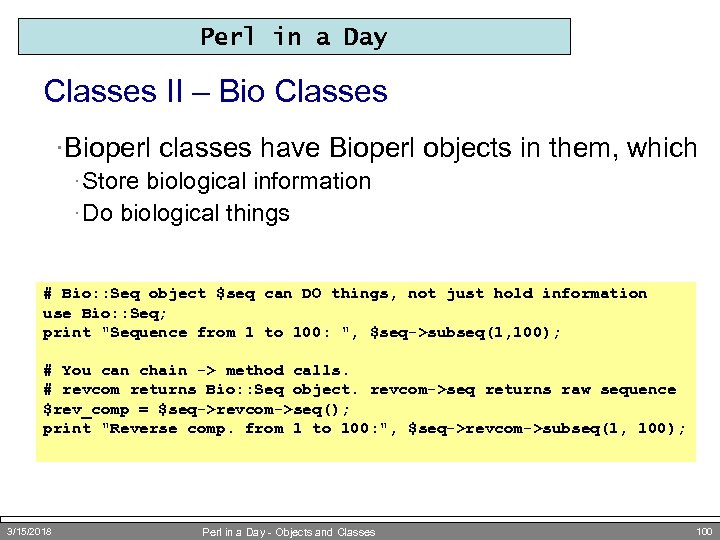 Perl in a Day Classes II – Bio Classes ·Bioperl classes have Bioperl objects in them, which · Store biological information · Do biological things # Bio: : Seq object $seq can DO things, not just hold information use Bio: : Seq; print "Sequence from 1 to 100: ", $seq->subseq(1, 100); # You can chain -> method calls. # revcom returns Bio: : Seq object. revcom->seq returns raw sequence $rev_comp = $seq->revcom->seq(); print "Reverse comp. from 1 to 100: ", $seq->revcom->subseq(1, 100); 3/15/2018 Perl in a Day - Objects and Classes 100
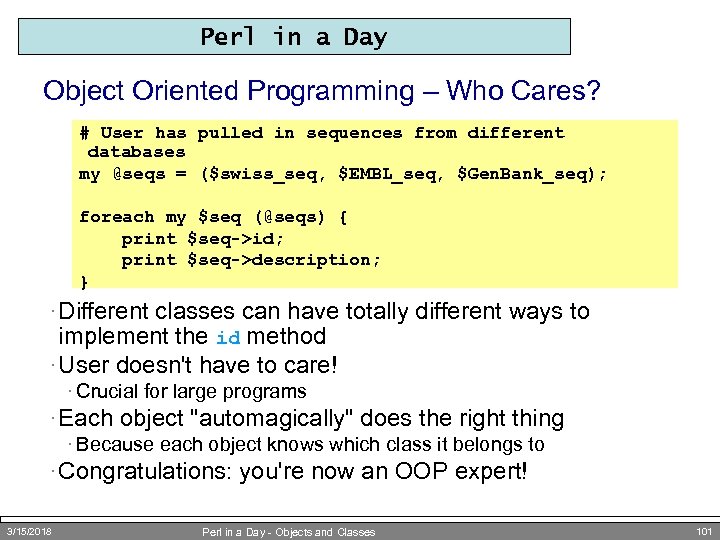 Perl in a Day Object Oriented Programming – Who Cares? # User has pulled in sequences from different databases my @seqs = ($swiss_seq, $EMBL_seq, $Gen. Bank_seq); foreach my $seq (@seqs) { print $seq->id; print $seq->description; } · Different classes can have totally different ways to implement the id method · User doesn't have to care! · Crucial for large programs · Each object "automagically" does the right thing · Because each object knows which class it belongs to · Congratulations: you're now an OOP expert! 3/15/2018 Perl in a Day - Objects and Classes 101
 Bioperl Doing (More) Bio with Perl by Stealing Using Collected Wisdom
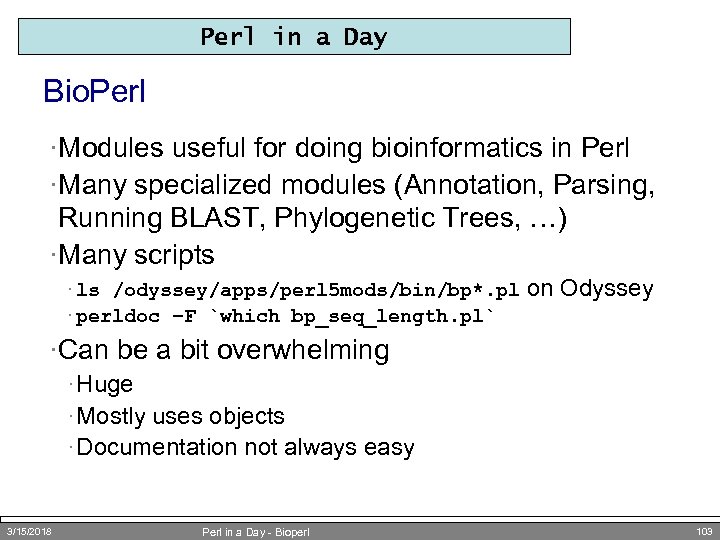 Perl in a Day Bio. Perl ·Modules useful for doing bioinformatics in Perl ·Many specialized modules (Annotation, Parsing, Running BLAST, Phylogenetic Trees, …) ·Many scripts · ls /odyssey/apps/perl 5 mods/bin/bp*. pl · perldoc –F `which bp_seq_length. pl` on Odyssey ·Can be a bit overwhelming · Huge · Mostly uses objects · Documentation not always easy 3/15/2018 Perl in a Day - Bioperl 103
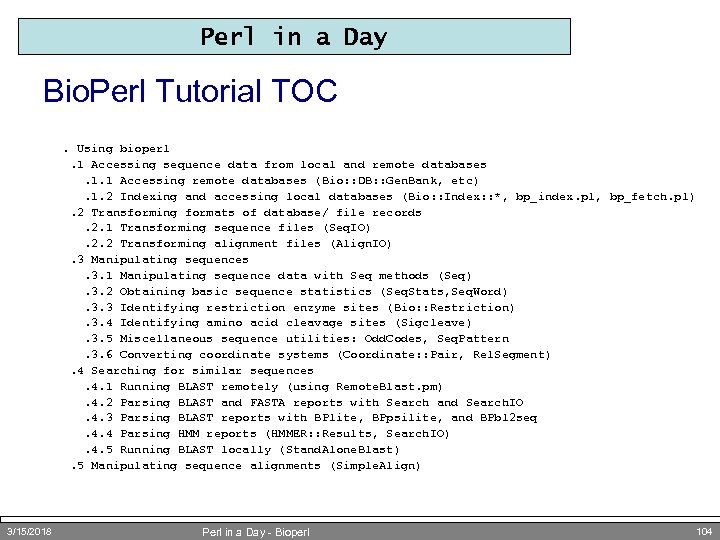 Perl in a Day Bio. Perl Tutorial TOC. Using bioperl. 1 Accessing sequence data from local and remote databases. 1. 1 Accessing remote databases (Bio: : DB: : Gen. Bank, etc). 1. 2 Indexing and accessing local databases (Bio: : Index: : *, bp_index. pl, bp_fetch. pl). 2 Transforming formats of database/ file records. 2. 1 Transforming sequence files (Seq. IO). 2. 2 Transforming alignment files (Align. IO). 3 Manipulating sequences. 3. 1 Manipulating sequence data with Seq methods (Seq). 3. 2 Obtaining basic sequence statistics (Seq. Stats, Seq. Word). 3. 3 Identifying restriction enzyme sites (Bio: : Restriction). 3. 4 Identifying amino acid cleavage sites (Sigcleave). 3. 5 Miscellaneous sequence utilities: Odd. Codes, Seq. Pattern. 3. 6 Converting coordinate systems (Coordinate: : Pair, Rel. Segment). 4 Searching for similar sequences. 4. 1 Running BLAST remotely (using Remote. Blast. pm). 4. 2 Parsing BLAST and FASTA reports with Search and Search. IO. 4. 3 Parsing BLAST reports with BPlite, BPpsilite, and BPbl 2 seq. 4. 4 Parsing HMM reports (HMMER: : Results, Search. IO). 4. 5 Running BLAST locally (Stand. Alone. Blast). 5 Manipulating sequence alignments (Simple. Align) 3/15/2018 Perl in a Day - Bioperl 104
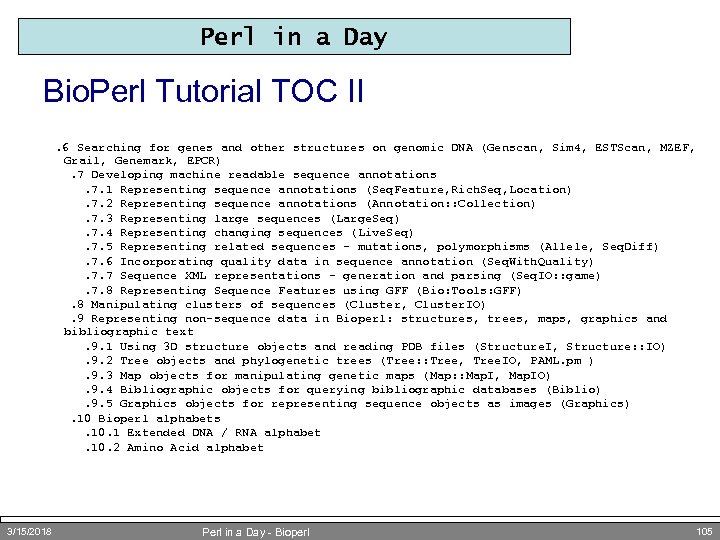 Perl in a Day Bio. Perl Tutorial TOC II. 6 Searching for genes and other structures on genomic DNA (Genscan, Sim 4, ESTScan, MZEF, Grail, Genemark, EPCR). 7 Developing machine readable sequence annotations. 7. 1 Representing sequence annotations (Seq. Feature, Rich. Seq, Location). 7. 2 Representing sequence annotations (Annotation: : Collection). 7. 3 Representing large sequences (Large. Seq). 7. 4 Representing changing sequences (Live. Seq). 7. 5 Representing related sequences - mutations, polymorphisms (Allele, Seq. Diff). 7. 6 Incorporating quality data in sequence annotation (Seq. With. Quality). 7. 7 Sequence XML representations - generation and parsing (Seq. IO: : game). 7. 8 Representing Sequence Features using GFF (Bio: Tools: GFF). 8 Manipulating clusters of sequences (Cluster, Cluster. IO). 9 Representing non-sequence data in Bioperl: structures, trees, maps, graphics and bibliographic text. 9. 1 Using 3 D structure objects and reading PDB files (Structure. I, Structure: : IO). 9. 2 Tree objects and phylogenetic trees (Tree: : Tree, Tree. IO, PAML. pm ). 9. 3 Map objects for manipulating genetic maps (Map: : Map. I, Map. IO). 9. 4 Bibliographic objects for querying bibliographic databases (Biblio). 9. 5 Graphics objects for representing sequence objects as images (Graphics). 10 Bioperl alphabets. 10. 1 Extended DNA / RNA alphabet. 10. 2 Amino Acid alphabet 3/15/2018 Perl in a Day - Bioperl 105
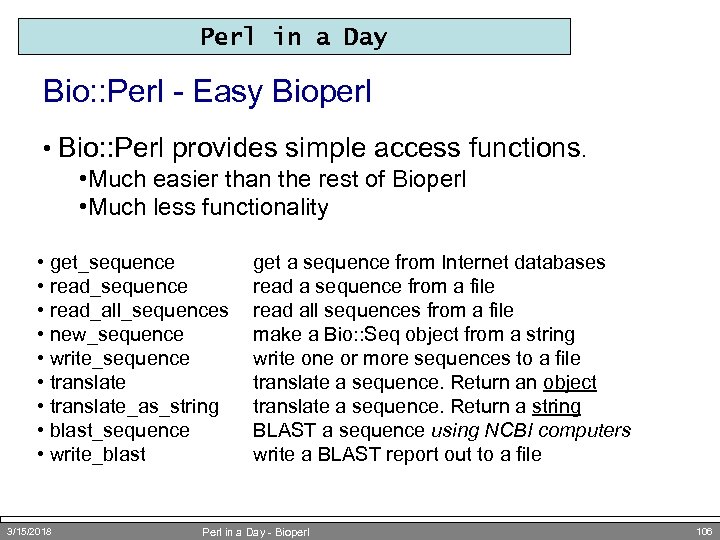 Perl in a Day Bio: : Perl - Easy Bioperl • Bio: : Perl provides simple access functions. • Much easier than the rest of Bioperl • Much less functionality • get_sequence • read_all_sequences • new_sequence • write_sequence • translate_as_string • blast_sequence • write_blast 3/15/2018 get a sequence from Internet databases read a sequence from a file read all sequences from a file make a Bio: : Seq object from a string write one or more sequences to a file translate a sequence. Return an object translate a sequence. Return a string BLAST a sequence using NCBI computers write a BLAST report out to a file Perl in a Day - Bioperl 106
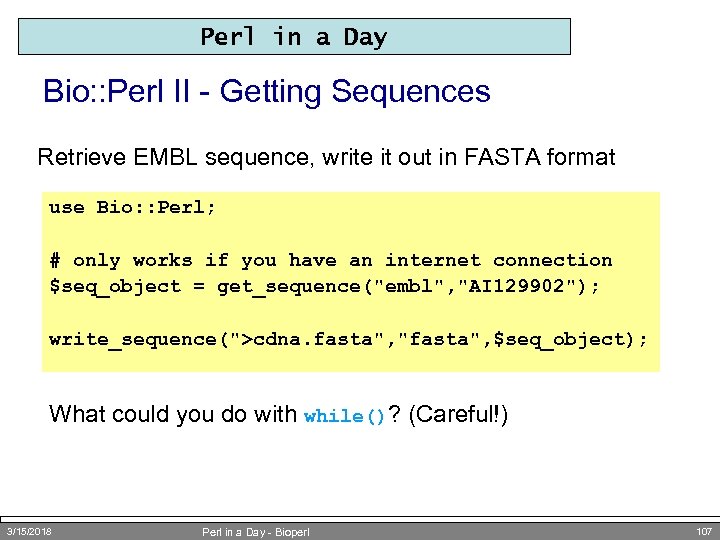 Perl in a Day Bio: : Perl II - Getting Sequences Retrieve EMBL sequence, write it out in FASTA format use Bio: : Perl; # only works if you have an internet connection $seq_object = get_sequence("embl", "AI 129902"); write_sequence(">cdna. fasta", "fasta", $seq_object); What could you do with while()? (Careful!) 3/15/2018 Perl in a Day - Bioperl 107
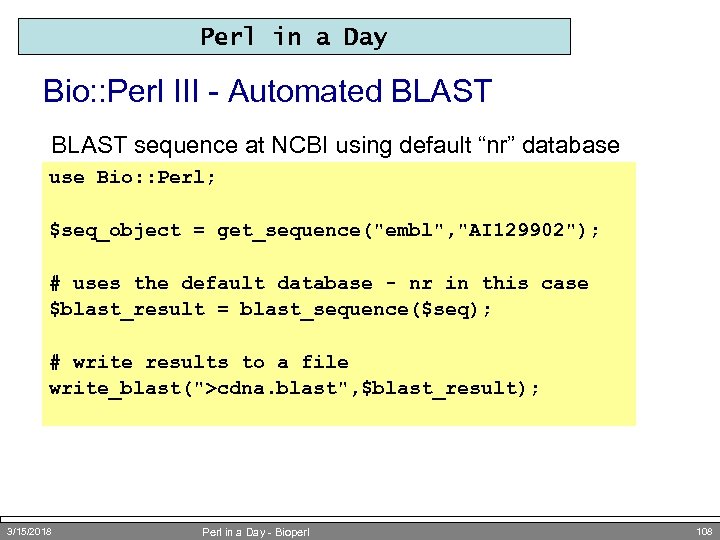 Perl in a Day Bio: : Perl III - Automated BLAST sequence at NCBI using default “nr” database use Bio: : Perl; $seq_object = get_sequence("embl", "AI 129902"); # uses the default database - nr in this case $blast_result = blast_sequence($seq); # write results to a file write_blast(">cdna. blast", $blast_result); 3/15/2018 Perl in a Day - Bioperl 108
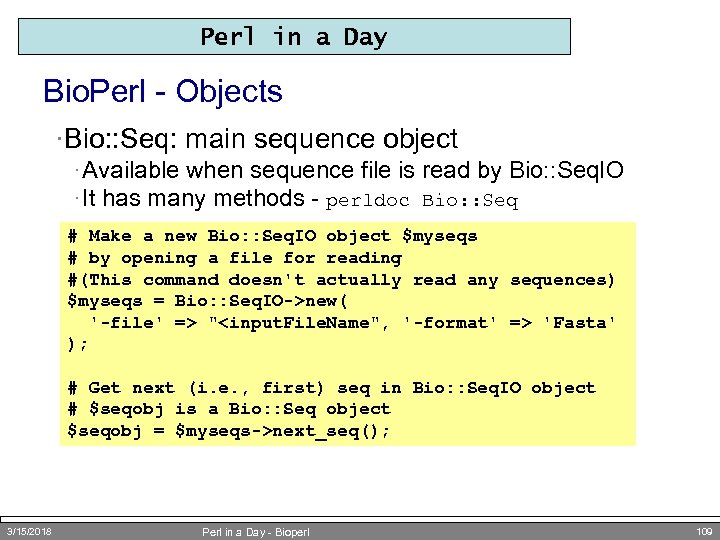 Perl in a Day Bio. Perl - Objects ·Bio: : Seq: main sequence object · Available when sequence file is read by Bio: : Seq. IO · It has many methods - perldoc Bio: : Seq # Make a new Bio: : Seq. IO object $myseqs # by opening a file for reading #(This command doesn't actually read any sequences) $myseqs = Bio: : Seq. IO->new( '-file' => "
 Perl in a Day Bio. Perl - Seq. IO and Seq ·Bio: : Seq. IO: Sequence input/output · Formats: Fasta, EMBL, Gen. Bank, swiss, PIR, GCG, … · Parse Gen. Bank sequence features: CDS, SNPs, Region · Uses Bio. Perl: : Seq objects instead of storing only sequence bp in scalar text strings ·Bio: : Seq: sequence manipulation · subsequence · translation · reverse complement, and much more · See gb 2 fastas. pl 3/15/2018 Perl in a Day - Bioperl 110
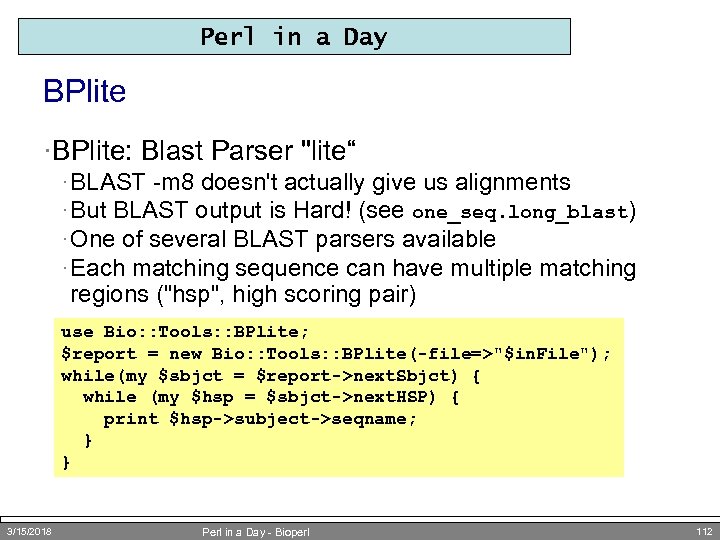 Perl in a Day BPlite ·BPlite: Blast Parser "lite“ · BLAST -m 8 doesn't actually give us alignments · But BLAST output is Hard! (see one_seq. long_blast) · One of several BLAST parsers available · Each matching sequence can have multiple matching regions ("hsp", high scoring pair) use Bio: : Tools: : BPlite; $report = new Bio: : Tools: : BPlite(-file=>"$in. File"); while(my $sbjct = $report->next. Sbjct) { while (my $hsp = $sbjct->next. HSP) { print $hsp->subject->seqname; } } 3/15/2018 Perl in a Day - Bioperl 112
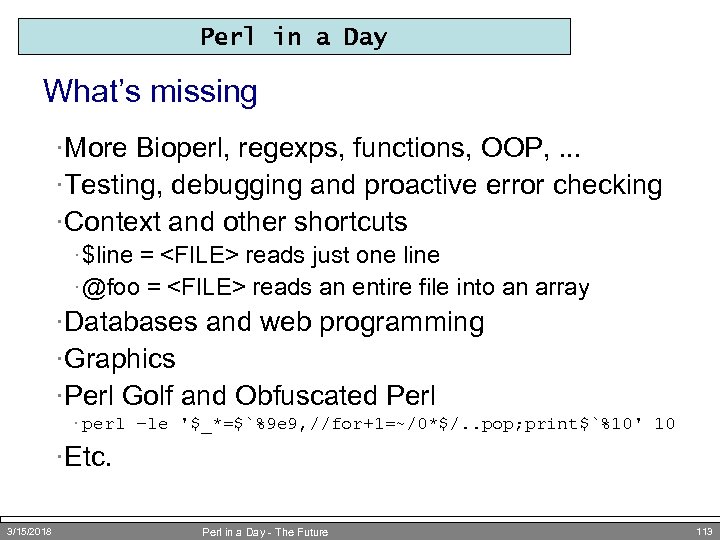 Perl in a Day What’s missing ·More Bioperl, regexps, functions, OOP, . . . ·Testing, debugging and proactive error checking ·Context and other shortcuts · $line =
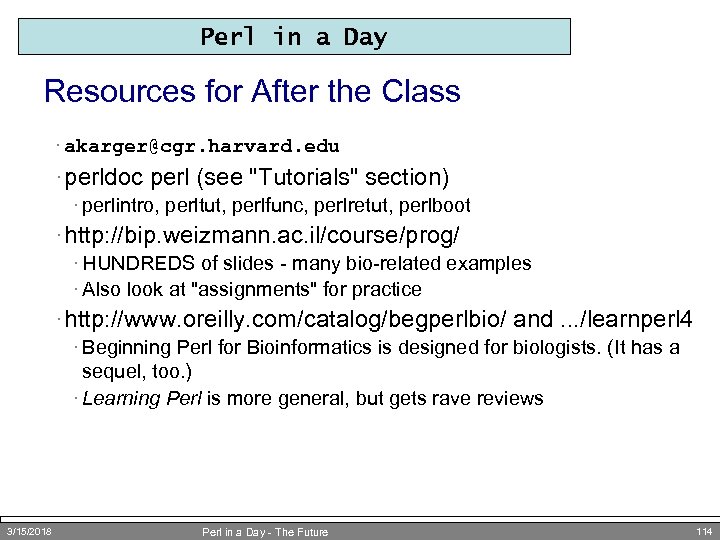 Perl in a Day Resources for After the Class · akarger@cgr. harvard. edu · perldoc perl (see "Tutorials" section) · perlintro, perltut, perlfunc, perlretut, perlboot · http: //bip. weizmann. ac. il/course/prog/ · HUNDREDS of slides - many bio-related examples · Also look at "assignments" for practice · http: //www. oreilly. com/catalog/begperlbio/ and. . . /learnperl 4 · Beginning Perl for Bioinformatics is designed for biologists. (It has a sequel, too. ) · Learning Perl is more general, but gets rave reviews 3/15/2018 Perl in a Day - The Future 114
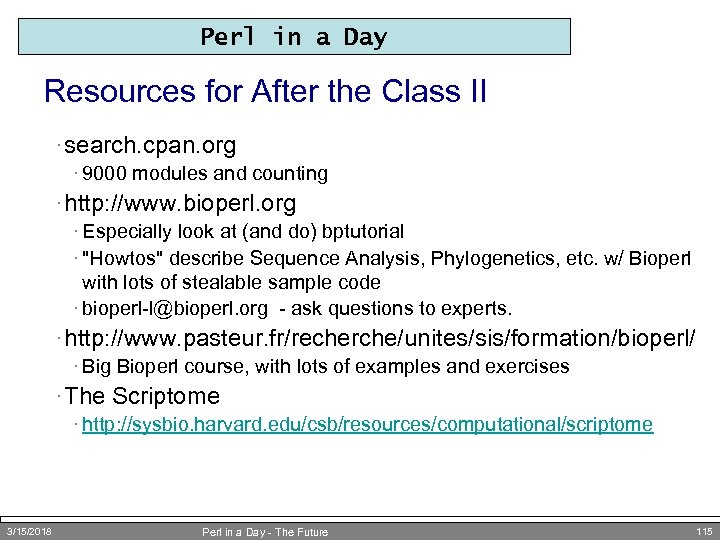 Perl in a Day Resources for After the Class II · search. cpan. org · 9000 modules and counting · http: //www. bioperl. org · Especially look at (and do) bptutorial · "Howtos" describe Sequence Analysis, Phylogenetics, etc. w/ Bioperl with lots of stealable sample code · bioperl-l@bioperl. org - ask questions to experts. · http: //www. pasteur. fr/recherche/unites/sis/formation/bioperl/ · Big Bioperl course, with lots of examples and exercises · The Scriptome · http: //sysbio. harvard. edu/csb/resources/computational/scriptome 3/15/2018 Perl in a Day - The Future 115