 Скачать презентацию People Soft Financials Basic Query Training Financial Information
ce3c7a2beb39ff435d2645988e191532.ppt
- Количество слайдов: 26




People. Soft Financials Basic Query Training Financial Information Systems and Reporting Finance Division /Controller’s
Agenda • • What is a Query? Query Viewer Query Manager Good Practices for Running Queries
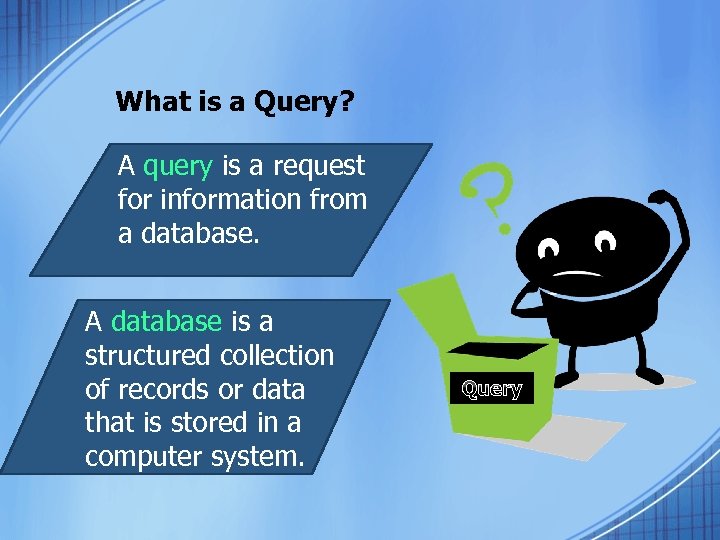
What is a Query? A query is a request for information from a database. A database is a structured collection of records or data that is stored in a computer system. Query
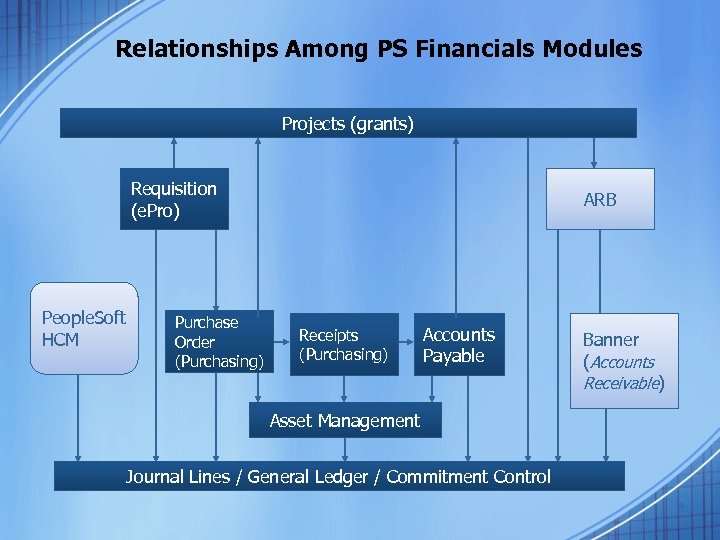
Relationships Among PS Financials Modules Projects (grants) Requisition (e. Pro) People. Soft HCM Purchase Order (Purchasing) ARB Receipts (Purchasing) Accounts Payable Banner (Accounts Receivable) Asset Management Journal Lines / General Ledger / Commitment Control 4
PS Financials Key Records Document • Available on Augusta University People. Soft Website > People. Soft Documentation > Query Documentation > Key Records in People. Soft Financials 8. 9 – Lists key records for each module – Lists key (indexed) fields for each record – Lists exceptions and rules when using the record to make a query
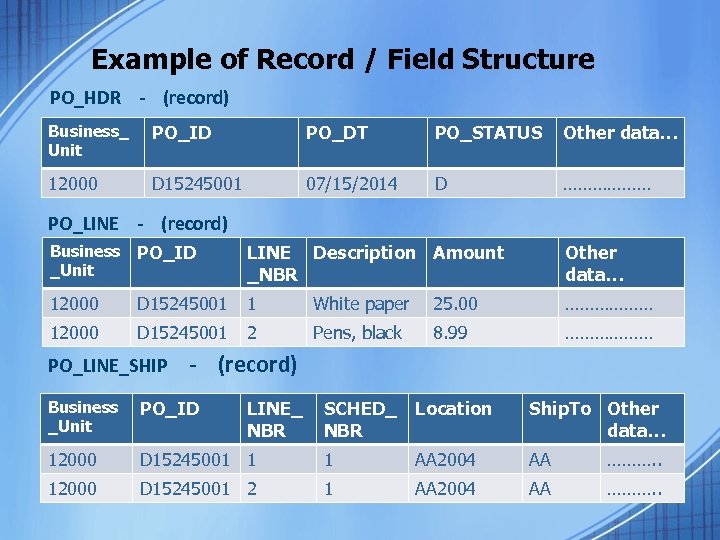
Example of Record / Field Structure PO_HDR - (record) Business_ Unit PO_ID PO_DT PO_STATUS Other data… 12000 D 15245001 07/15/2014 D ……………… PO_LINE - (record) Business _Unit PO_ID LINE Description Amount _NBR Other data… 12000 D 15245001 1 White paper 25. 00 ……………… 12000 D 15245001 2 Pens, black 8. 99 ……………… SCHED_ NBR Location Ship. To Other data… PO_LINE_SHIP - (record) Business _Unit PO_ID LINE_ NBR 12000 D 15245001 1 1 AA 2004 AA ………. . 12000 D 15245001 2 1 AA 2004 AA ………. .

Query Viewer for Basic Query
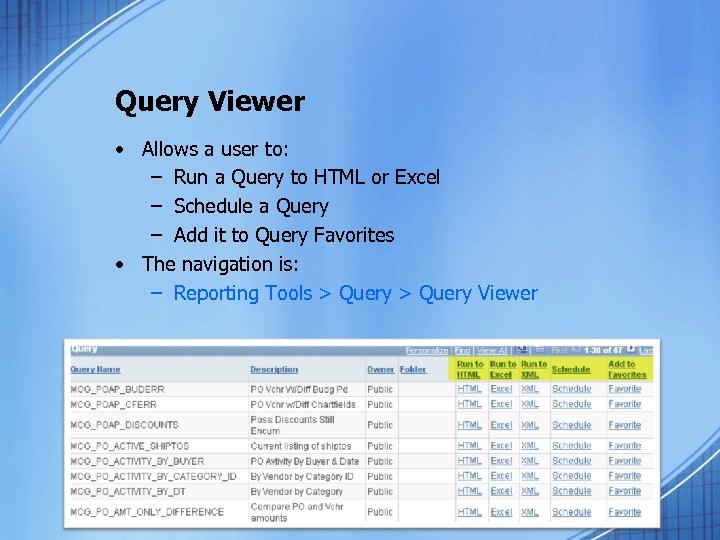
Query Viewer • Allows a user to: – Run a Query to HTML or Excel – Schedule a Query – Add it to Query Favorites • The navigation is: – Reporting Tools > Query Viewer
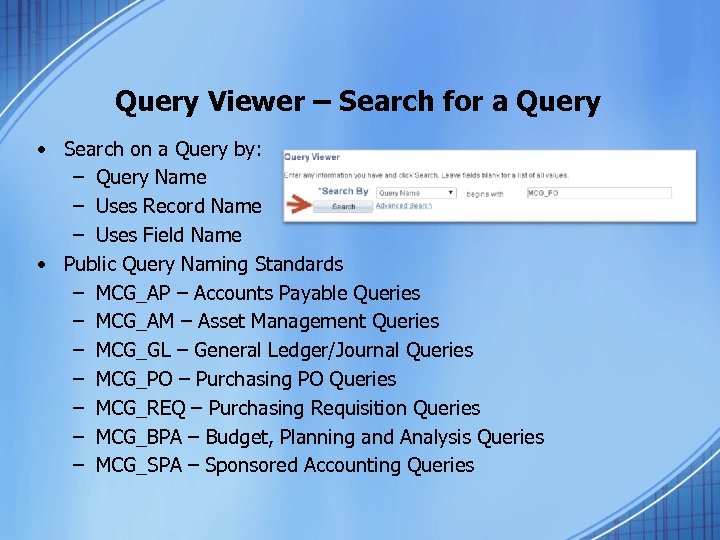
Query Viewer – Search for a Query • Search on a Query by: – Query Name – Uses Record Name – Uses Field Name • Public Query Naming Standards – MCG_AP – Accounts Payable Queries – MCG_AM – Asset Management Queries – MCG_GL – General Ledger/Journal Queries – MCG_PO – Purchasing PO Queries – MCG_REQ – Purchasing Requisition Queries – MCG_BPA – Budget, Planning and Analysis Queries – MCG_SPA – Sponsored Accounting Queries
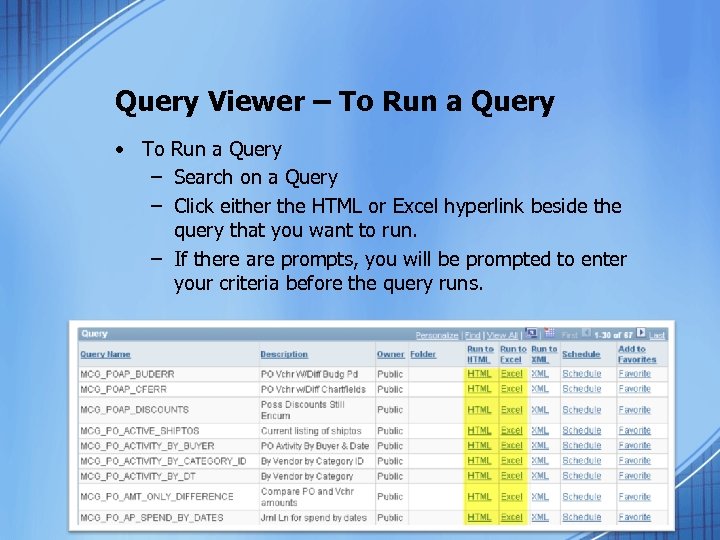
Query Viewer – To Run a Query • To Run a Query – Search on a Query – Click either the HTML or Excel hyperlink beside the query that you want to run. – If there are prompts, you will be prompted to enter your criteria before the query runs.
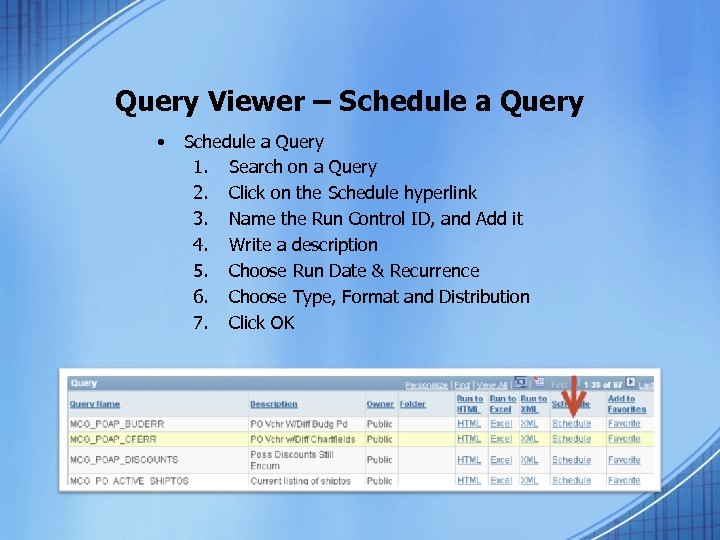
Query Viewer – Schedule a Query • Schedule a Query 1. Search on a Query 2. Click on the Schedule hyperlink 3. Name the Run Control ID, and Add it 4. Write a description 5. Choose Run Date & Recurrence 6. Choose Type, Format and Distribution 7. Click OK
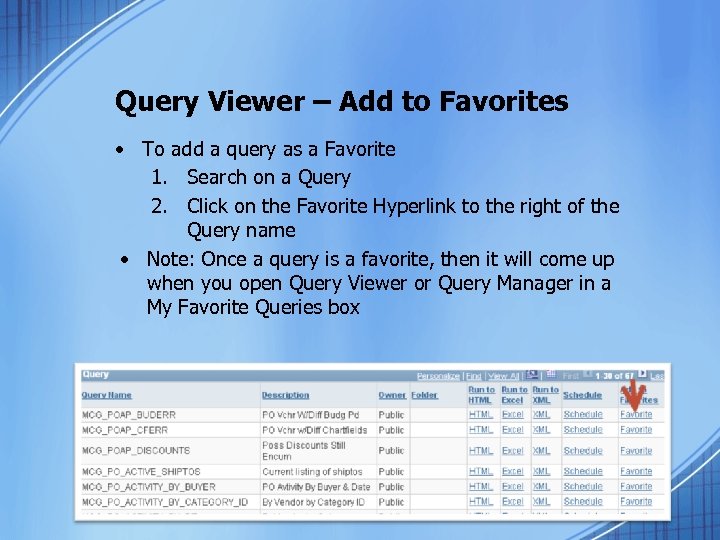
Query Viewer – Add to Favorites • To add a query as a Favorite 1. Search on a Query 2. Click on the Favorite Hyperlink to the right of the Query name • Note: Once a query is a favorite, then it will come up when you open Query Viewer or Query Manager in a My Favorite Queries box
Query Manager for Basic Query Ad da Fields Re co rd a Cr eri it Prompts a ave as S y te Quer Priva
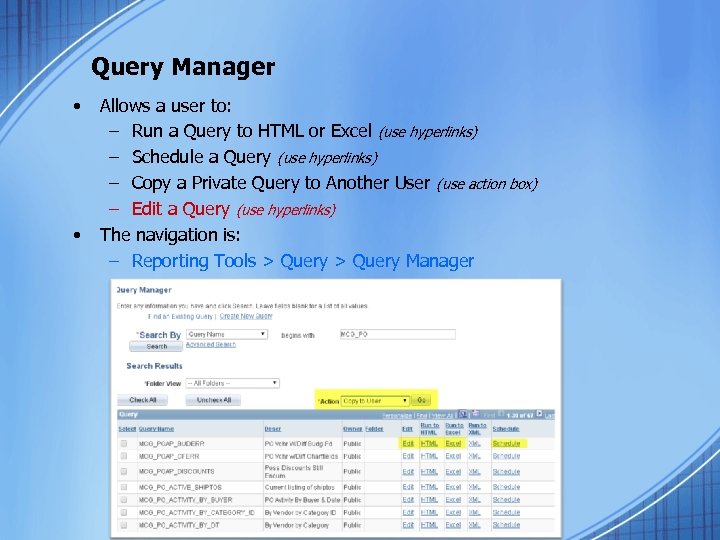
Query Manager • • Allows a user to: – Run a Query to HTML or Excel (use hyperlinks) – Schedule a Query (use hyperlinks) – Copy a Private Query to Another User (use action box) – Edit a Query (use hyperlinks) The navigation is: – Reporting Tools > Query Manager
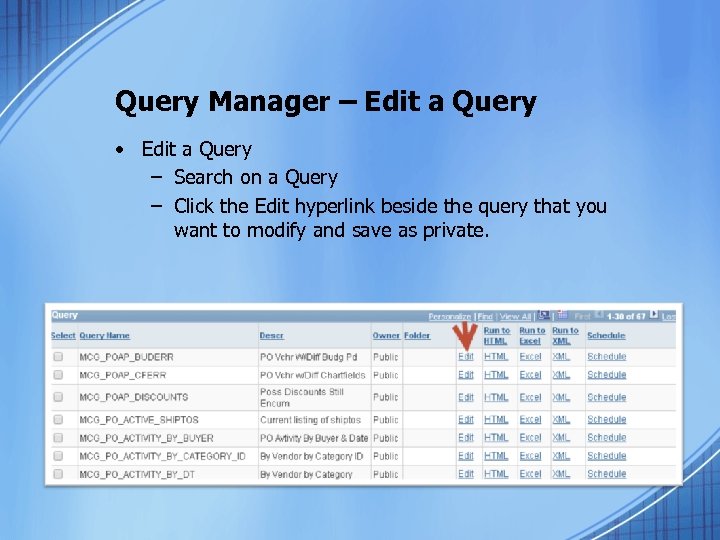
Query Manager – Edit a Query • Edit a Query – Search on a Query – Click the Edit hyperlink beside the query that you want to modify and save as private.
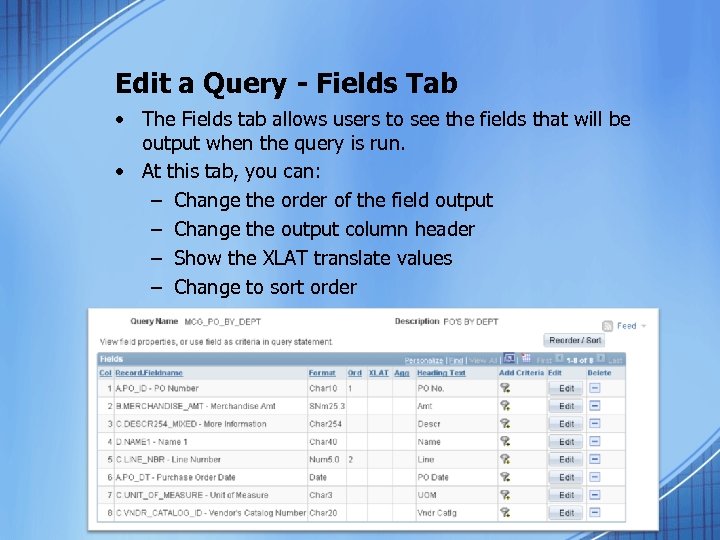
Edit a Query - Fields Tab • The Fields tab allows users to see the fields that will be output when the query is run. • At this tab, you can: – Change the order of the field output – Change the output column header – Show the XLAT translate values – Change to sort order
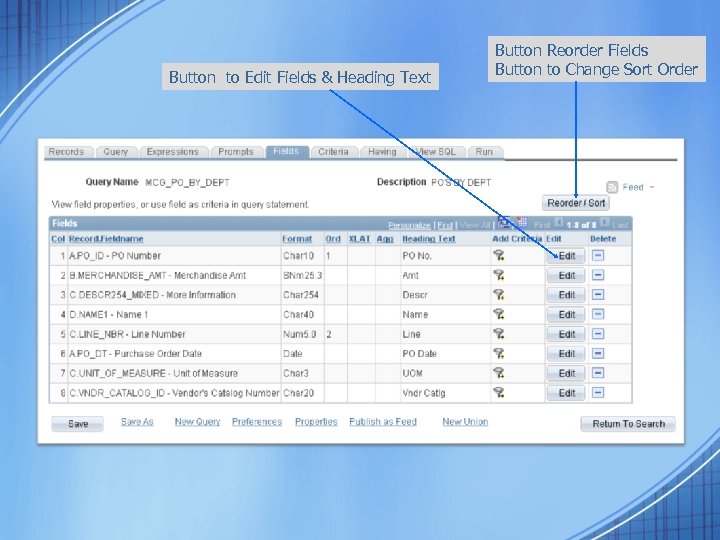
Button to Edit Fields & Heading Text Button Reorder Fields Button to Change Sort Order
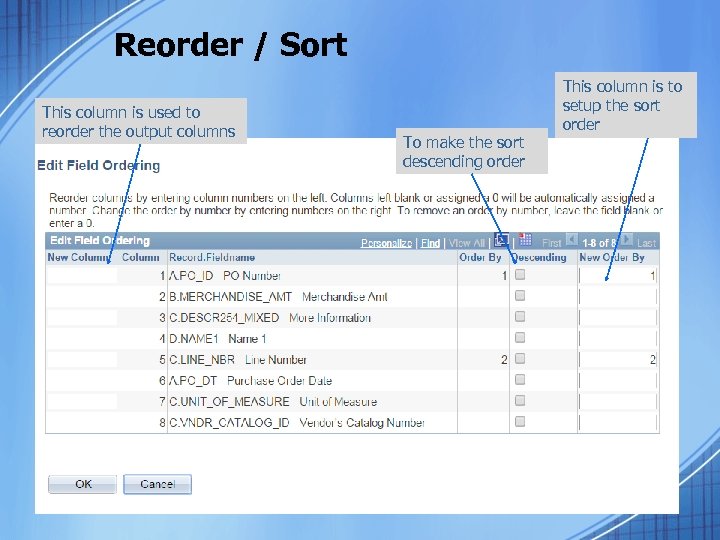
Reorder / Sort This column is used to reorder the output columns To make the sort descending order This column is to setup the sort order
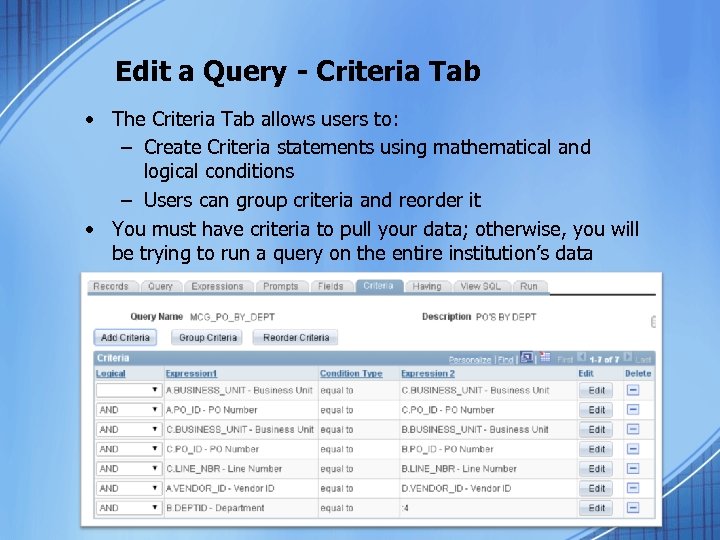
Edit a Query - Criteria Tab • The Criteria Tab allows users to: – Create Criteria statements using mathematical and logical conditions – Users can group criteria and reorder it • You must have criteria to pull your data; otherwise, you will be trying to run a query on the entire institution’s data
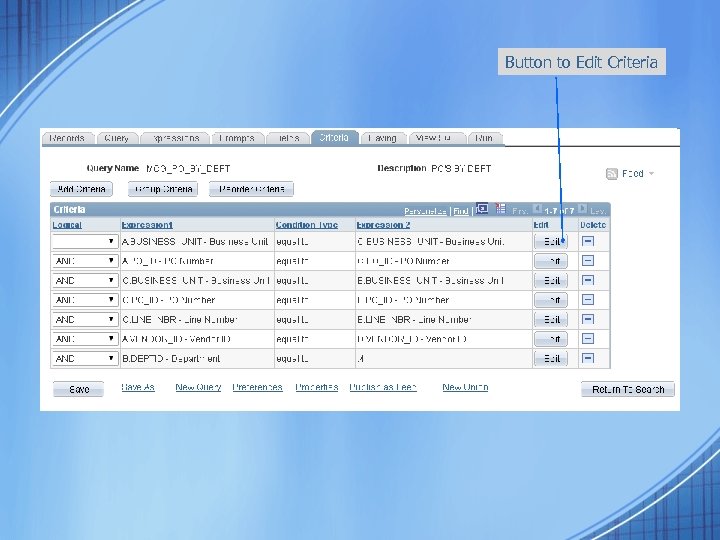
Button to Edit Criteria
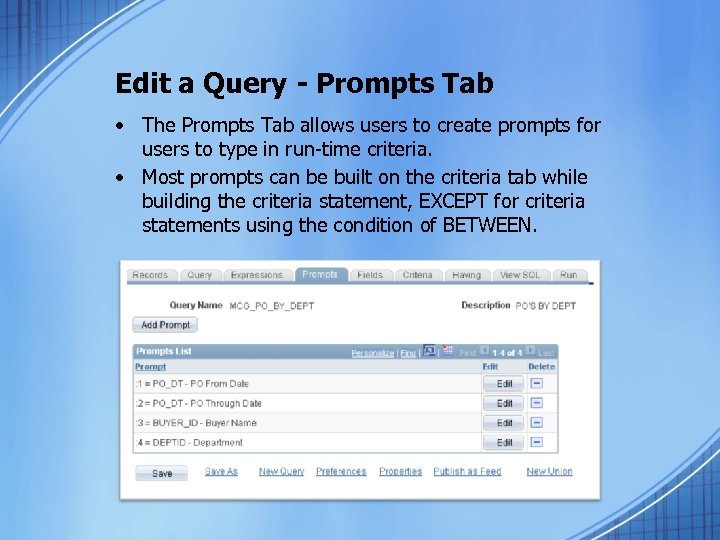
Edit a Query - Prompts Tab • The Prompts Tab allows users to create prompts for users to type in run-time criteria. • Most prompts can be built on the criteria tab while building the criteria statement, EXCEPT for criteria statements using the condition of BETWEEN.
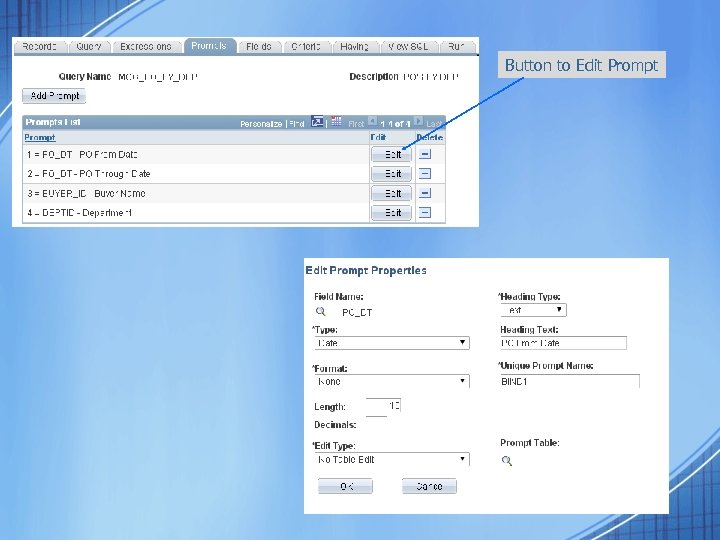
Button to Edit Prompt
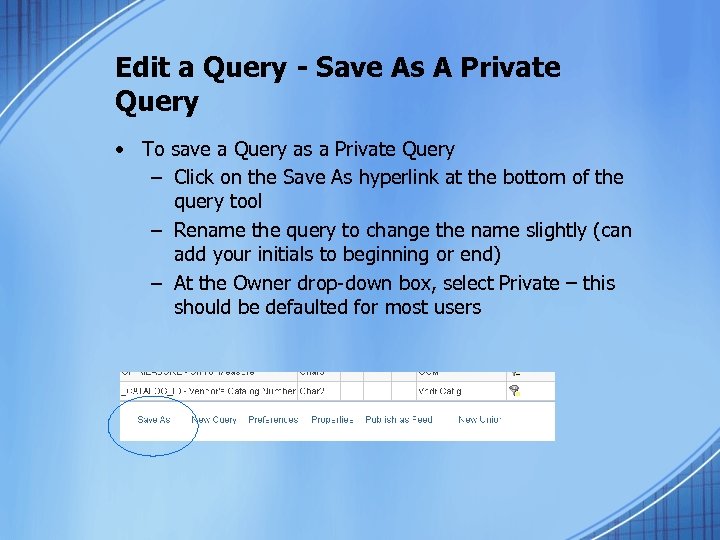
Edit a Query - Save As A Private Query • To save a Query as a Private Query – Click on the Save As hyperlink at the bottom of the query tool – Rename the query to change the name slightly (can add your initials to beginning or end) – At the Owner drop-down box, select Private – this should be defaulted for most users
Good Business Practices for Running Queries • If your query runs and times-out, by exiting you from PS Financials, then your query could still be running on the database, and taking up most of the processor of the database server. • Contact PS_FINANCIALS@augusta. edu, so that we can have IT cancel your query that is still running.
Good Business Practices for Running Queries – Cont’d • Start with a public query, and modify it to make a private query. Do not start from scratch. • DO NOT run query for an entire year or more of data on the entire institution’s data. – Use department specific criteria – Test running on one month’s worth of data, before many months.

QUESTIONS
Скачать презентацию People Soft Financials Basic Query Training Financial Information
ce3c7a2beb39ff435d2645988e191532.ppt