


 Скачать презентацию Pengantar Teknologi Informasi Input and Output Computer Devices
5adc8e4006e15f899736ec16e55ada90.ppt
- Количество слайдов: 28
 Pengantar Teknologi Informasi Input and Output Computer Devices
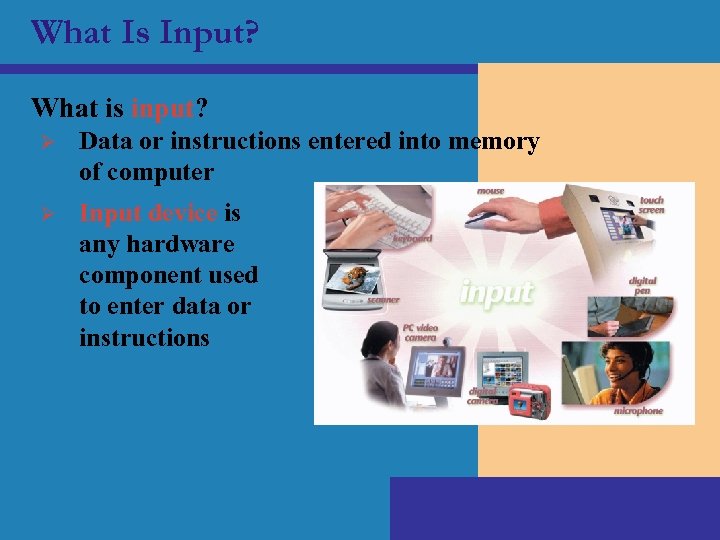 What Is Input? What is input? Ø Data or instructions entered into memory of computer Ø Input device is any hardware component used to enter data or instructions
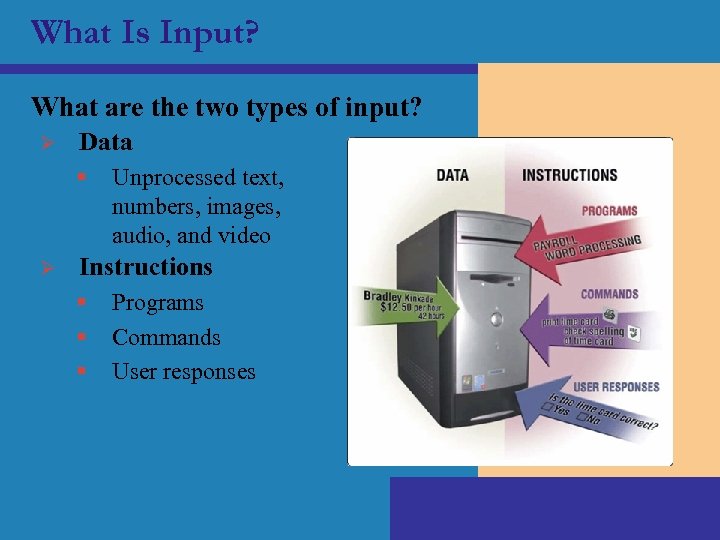 What Is Input? What are the two types of input? Ø Data § Ø Unprocessed text, numbers, images, audio, and video Instructions § § § Programs Commands User responses
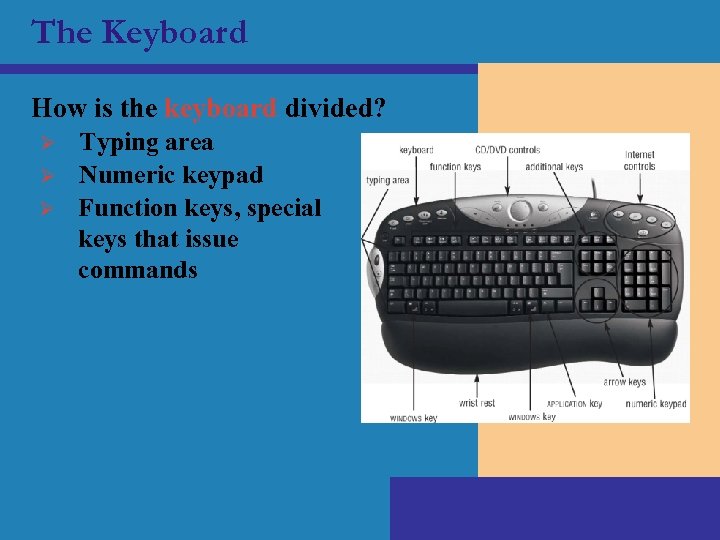 The Keyboard How is the keyboard divided? Ø Ø Ø Typing area Numeric keypad Function keys, special keys that issue commands
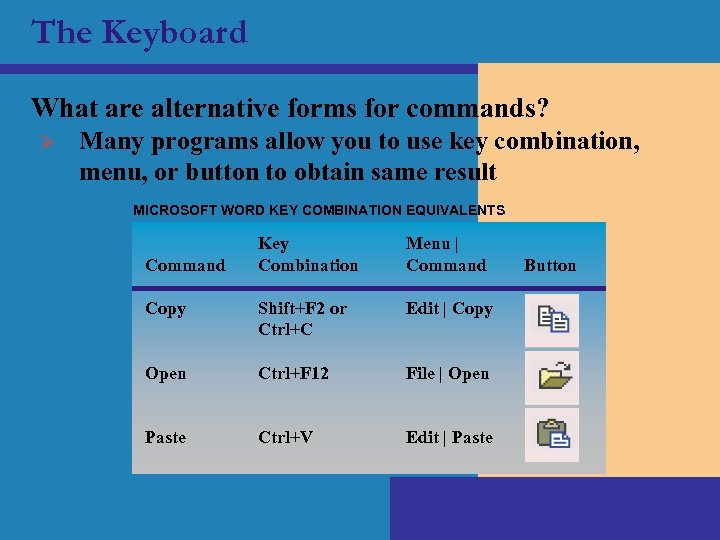 The Keyboard What are alternative forms for commands? Ø Many programs allow you to use key combination, menu, or button to obtain same result MICROSOFT WORD KEY COMBINATION EQUIVALENTS Key Combination Menu | Command Copy Shift+F 2 or Ctrl+C Edit | Copy Open Ctrl+F 12 File | Open Paste Ctrl+V Edit | Paste Command Button
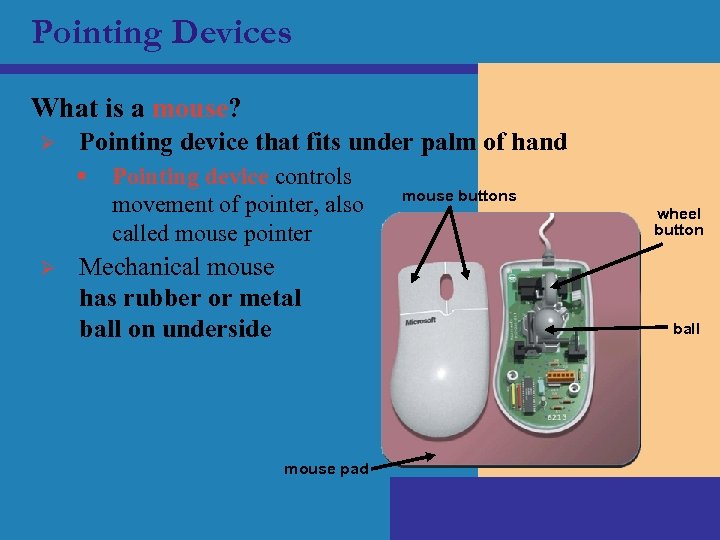 Pointing Devices What is a mouse? Ø Pointing device that fits under palm of hand § Ø Pointing device controls movement of pointer, also called mouse pointer Mechanical mouse has rubber or metal ball on underside mouse pad mouse buttons wheel button ball
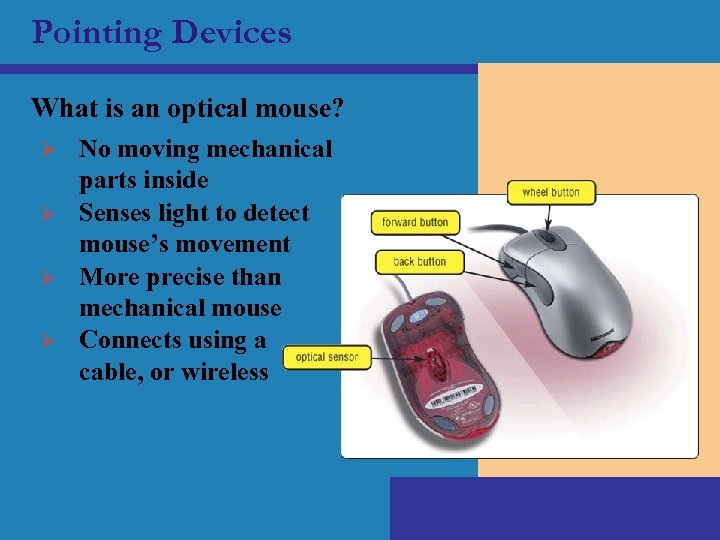 Pointing Devices What is an optical mouse? Ø Ø No moving mechanical parts inside Senses light to detect mouse’s movement More precise than mechanical mouse Connects using a cable, or wireless
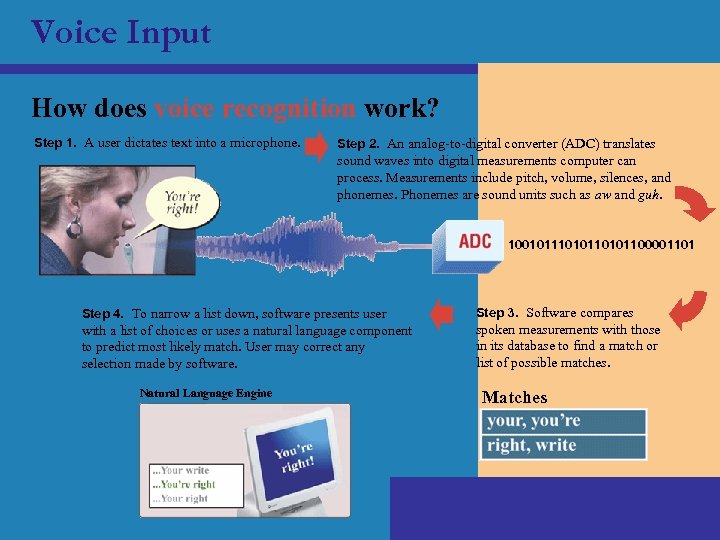 Voice Input How does voice recognition work? Step 1. A user dictates text into a microphone. Step 2. An analog-to-digital converter (ADC) translates sound waves into digital measurements computer can process. Measurements include pitch, volume, silences, and phonemes. Phonemes are sound units such as aw and guh. 100101110101100001101 Step 4. To narrow a list down, software presents user Step 3. Software compares with a list of choices or uses a natural language component to predict most likely match. User may correct any selection made by software. spoken measurements with those in its database to find a match or list of possible matches. Natural Language Engine Matches
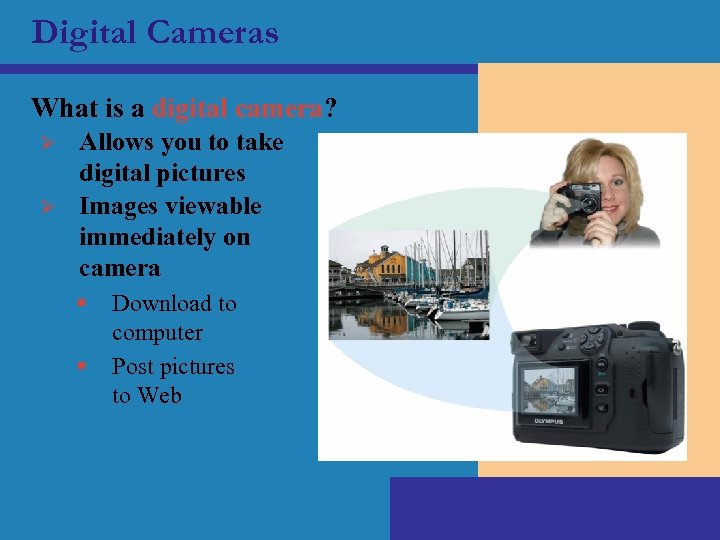 Digital Cameras What is a digital camera? Ø Ø Allows you to take digital pictures Images viewable immediately on camera § § Download to computer Post pictures to Web
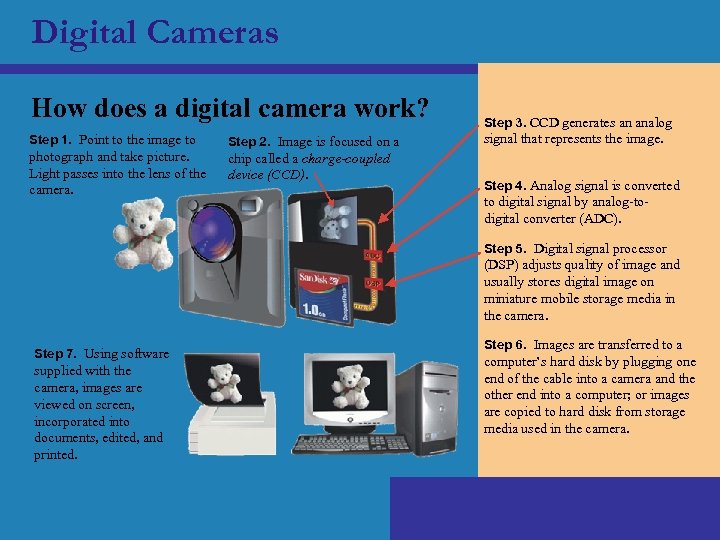 Digital Cameras How does a digital camera work? Step 1. Point to the image to photograph and take picture. Light passes into the lens of the camera. Step 2. Image is focused on a chip called a charge-coupled device (CCD). Step 3. CCD generates an analog signal that represents the image. Step 4. Analog signal is converted to digital signal by analog-todigital converter (ADC). Step 5. Digital signal processor (DSP) adjusts quality of image and usually stores digital image on miniature mobile storage media in the camera. Step 7. Using software supplied with the camera, images are viewed on screen, incorporated into documents, edited, and printed. Step 6. Images are transferred to a computer’s hard disk by plugging one end of the cable into a camera and the other end into a computer; or images are copied to hard disk from storage media used in the camera.
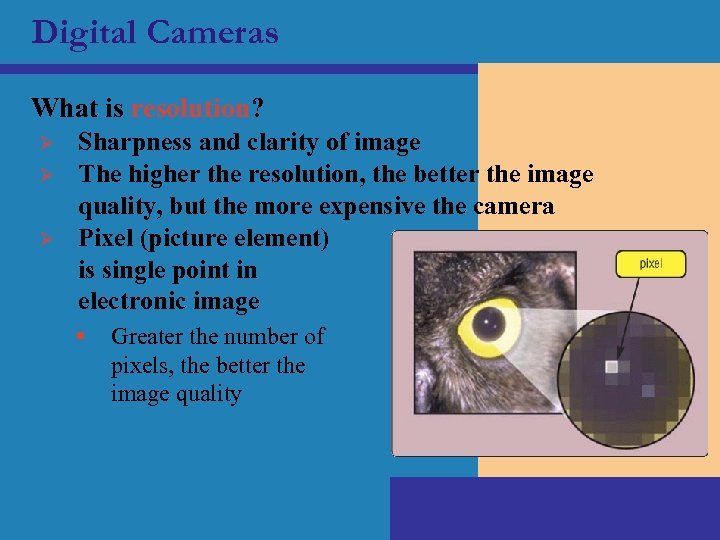 Digital Cameras What is resolution? Ø Ø Ø Sharpness and clarity of image The higher the resolution, the better the image quality, but the more expensive the camera Pixel (picture element) is single point in electronic image § Greater the number of pixels, the better the image quality
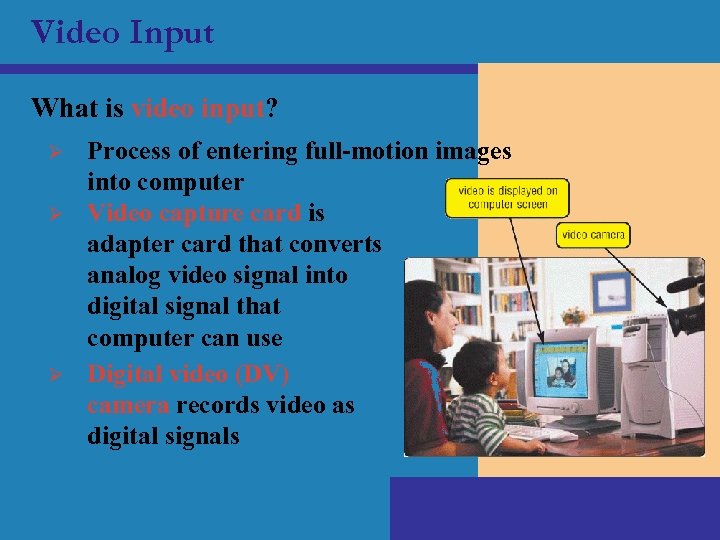 Video Input What is video input? Ø Ø Ø Process of entering full-motion images into computer Video capture card is adapter card that converts analog video signal into digital signal that computer can use Digital video (DV) camera records video as digital signals
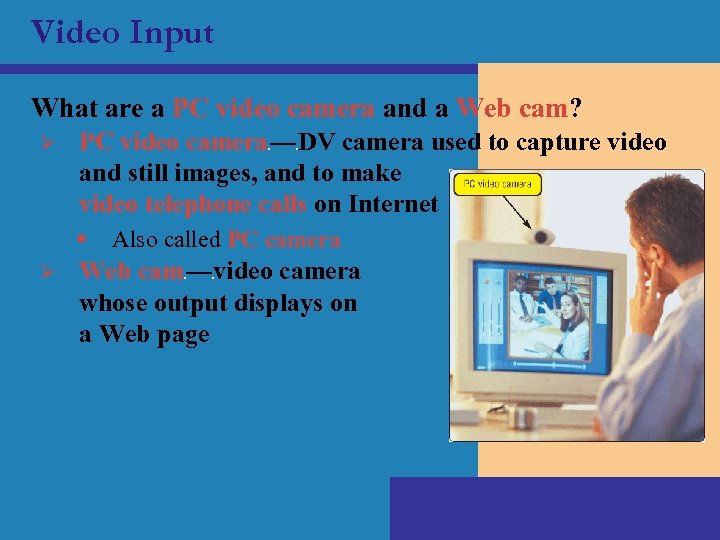 Video Input What are a PC video camera and a Web cam? Ø PC video camera — DV camera used to capture video and still images, and to make video telephone calls on Internet c § Ø c Also called PC camera Web cam — video camera whose output displays on a Web page c c
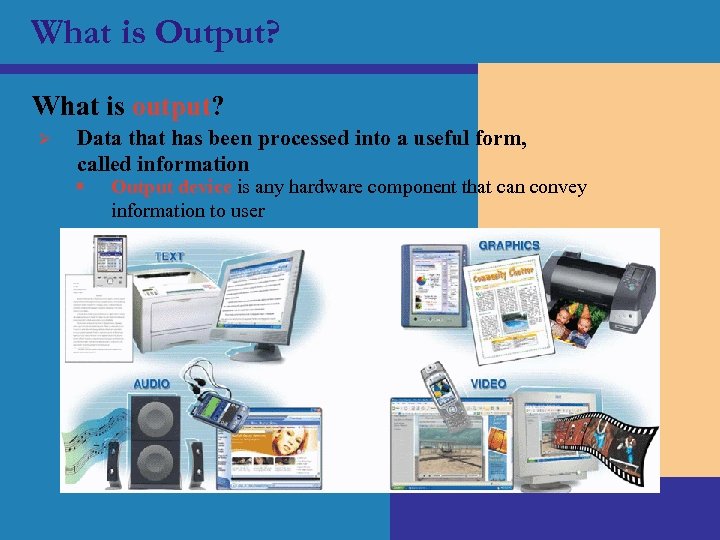 What is Output? What is output? Ø Data that has been processed into a useful form, called information § Output device is any hardware component that can convey information to user
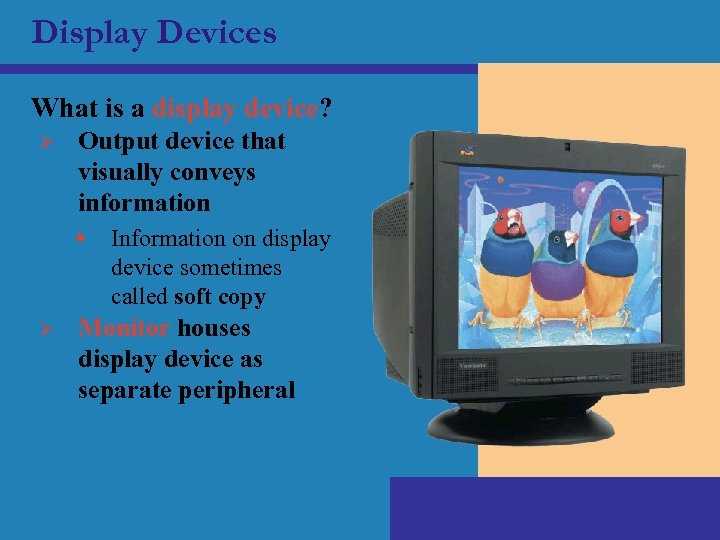 Display Devices What is a display device? Ø Output device that visually conveys information § Ø Information on display device sometimes called soft copy Monitor houses display device as separate peripheral
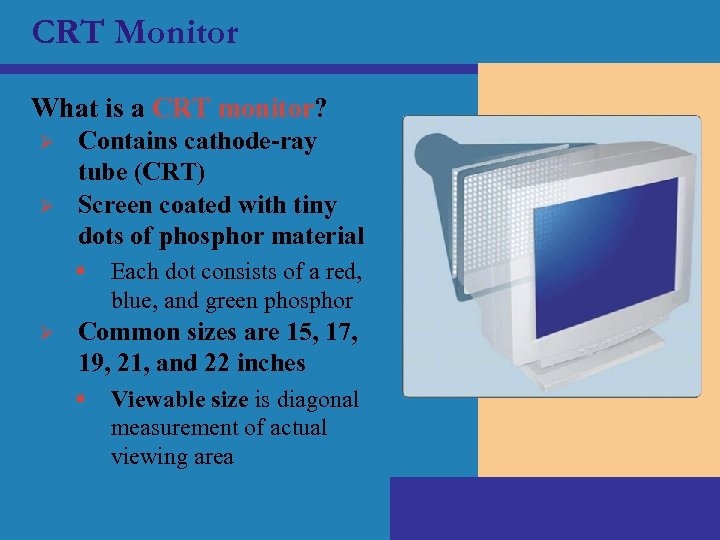 CRT Monitor What is a CRT monitor? Ø Ø Contains cathode-ray tube (CRT) Screen coated with tiny dots of phosphor material § Ø Each dot consists of a red, blue, and green phosphor Common sizes are 15, 17, 19, 21, and 22 inches § Viewable size is diagonal measurement of actual viewing area
 CRT Monitor What is the ENERGY STAR program? Ø Ø Encourages manufacturers to create energy-efficient devices that require little power when not in use Monitors and devices meeting guidelines display ENERGY STAR label
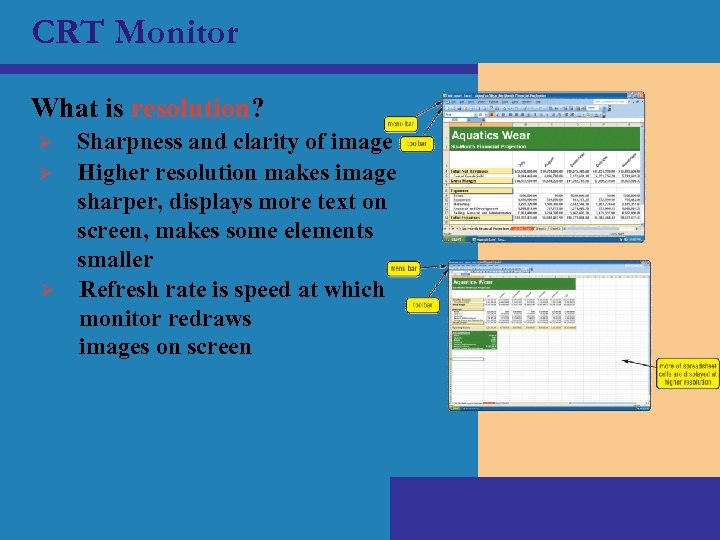 CRT Monitor What is resolution? Ø Ø Ø Sharpness and clarity of image Higher resolution makes image sharper, displays more text on screen, makes some elements smaller Refresh rate is speed at which monitor redraws images on screen
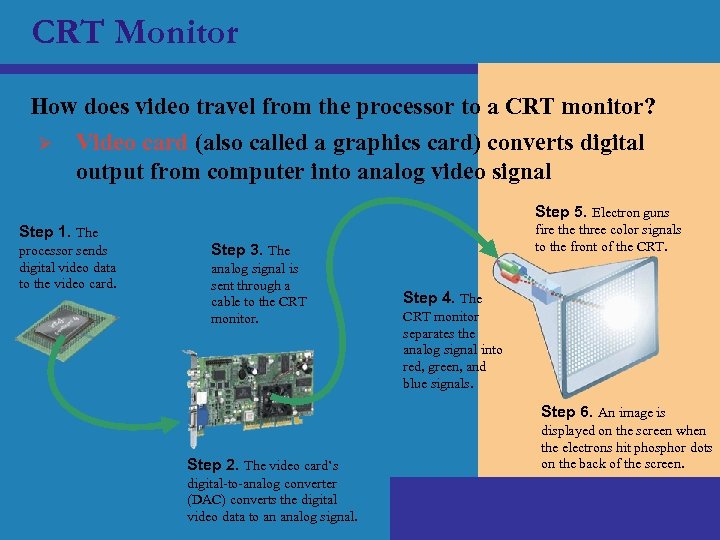 CRT Monitor How does video travel from the processor to a CRT monitor? Ø Video card (also called a graphics card) converts digital output from computer into analog video signal Step 5. Electron guns fire three color signals to the front of the CRT. Step 1. The processor sends digital video data to the video card. Step 3. The analog signal is sent through a cable to the CRT monitor. Step 4. The CRT monitor separates the analog signal into red, green, and blue signals. Step 6. An image is Step 2. The video card’s digital-to-analog converter (DAC) converts the digital video data to an analog signal. displayed on the screen when the electrons hit phosphor dots on the back of the screen.
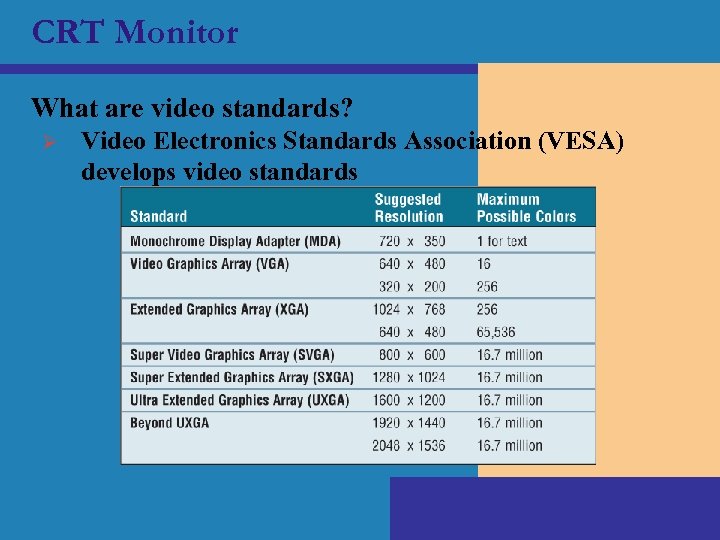 CRT Monitor What are video standards? Ø Video Electronics Standards Association (VESA) develops video standards
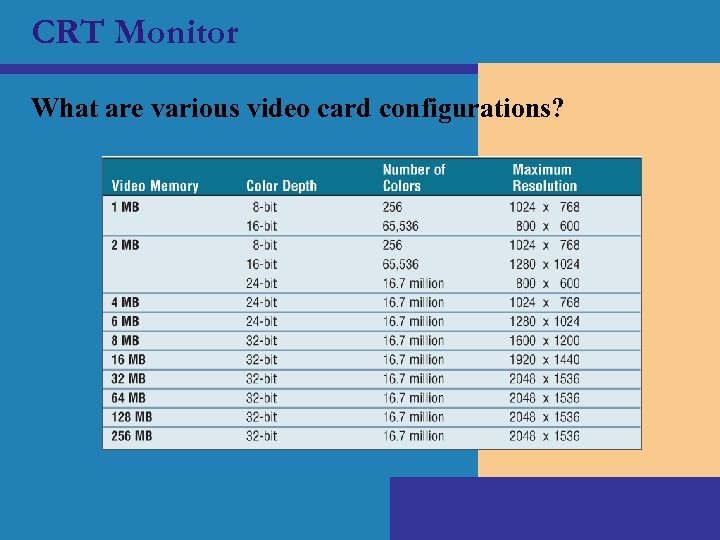 CRT Monitor What are various video card configurations?
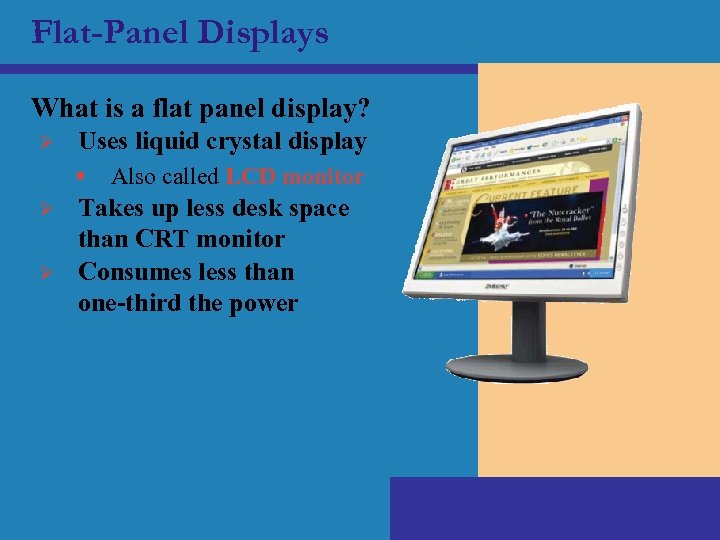 Flat-Panel Displays What is a flat panel display? Ø Uses liquid crystal display § Ø Ø Also called LCD monitor Takes up less desk space than CRT monitor Consumes less than one-third the power
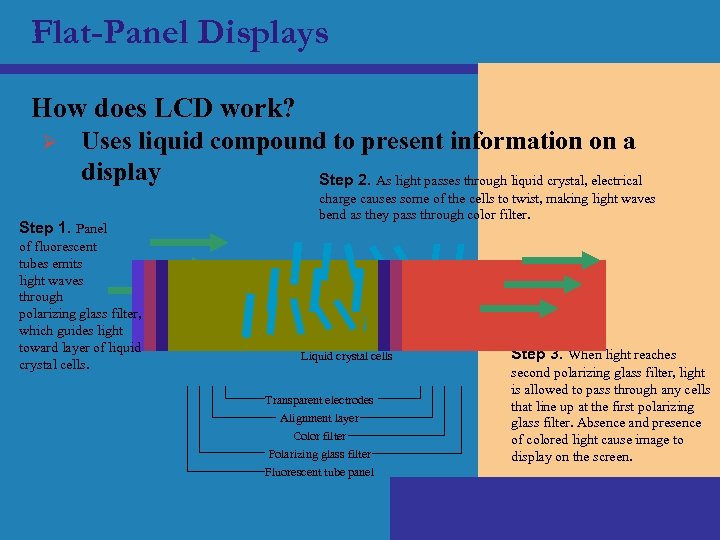 Flat-Panel Displays How does LCD work? Ø Uses liquid compound to present information on a display Step 2. As light passes through liquid crystal, electrical Step 1. Panel of fluorescent tubes emits light waves through polarizing glass filter, which guides light toward layer of liquid crystal cells. charge causes some of the cells to twist, making light waves bend as they pass through color filter. Liquid crystal cells Transparent electrodes Alignment layer Color filter Polarizing glass filter Fluorescent tube panel Step 3. When light reaches second polarizing glass filter, light is allowed to pass through any cells that line up at the first polarizing glass filter. Absence and presence of colored light cause image to display on the screen.
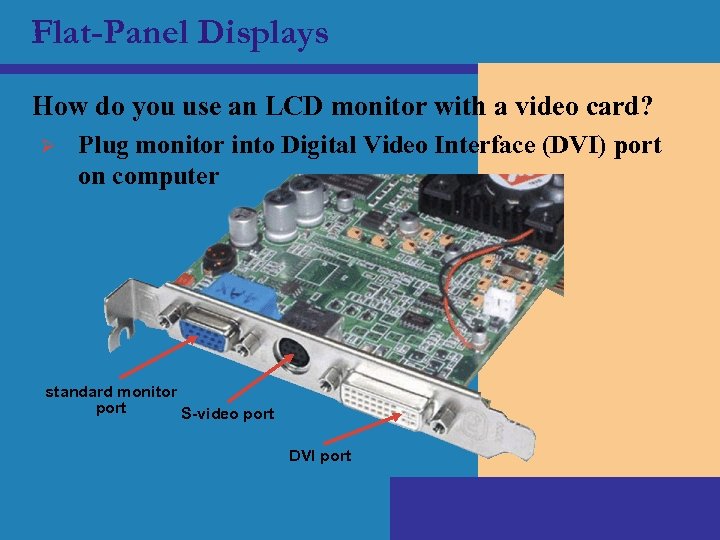 Flat-Panel Displays How do you use an LCD monitor with a video card? Ø Plug monitor into Digital Video Interface (DVI) port on computer standard monitor port S-video port DVI port
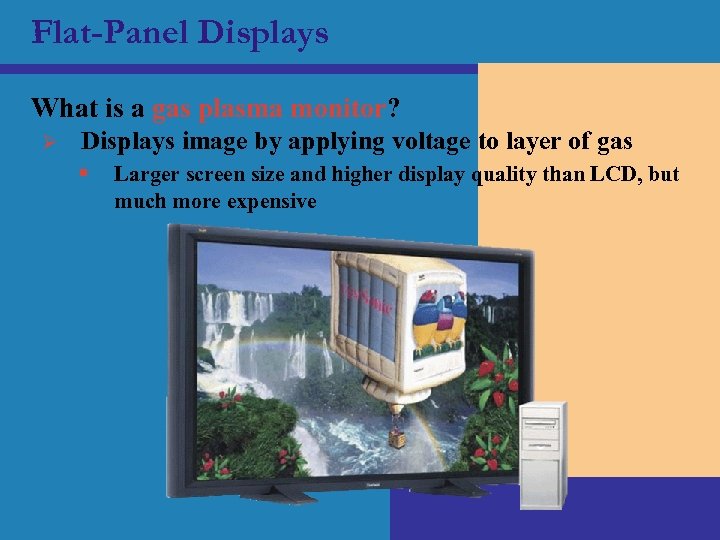 Flat-Panel Displays What is a gas plasma monitor? Ø Displays image by applying voltage to layer of gas § Larger screen size and higher display quality than LCD, but much more expensive
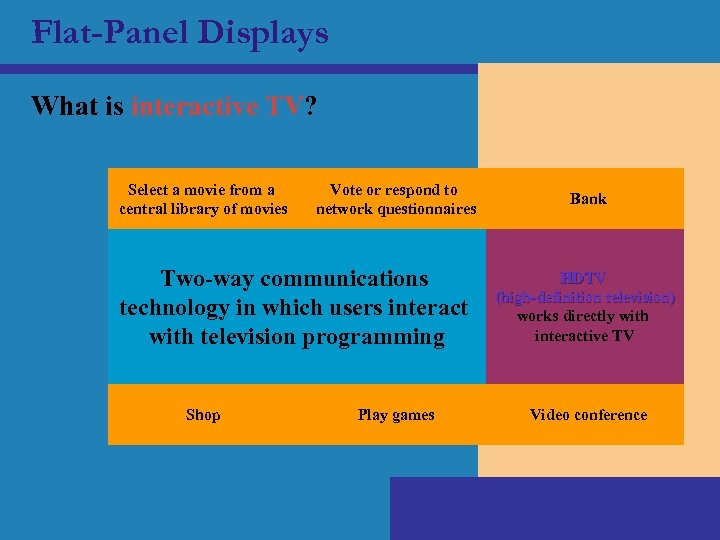 Flat-Panel Displays What is interactive TV? Select a movie from a central library of movies Vote or respond to network questionnaires Two-way communications technology in which users interact with television programming Shop Play games Bank HDTV (high-definition television) works directly with interactive TV Video conference
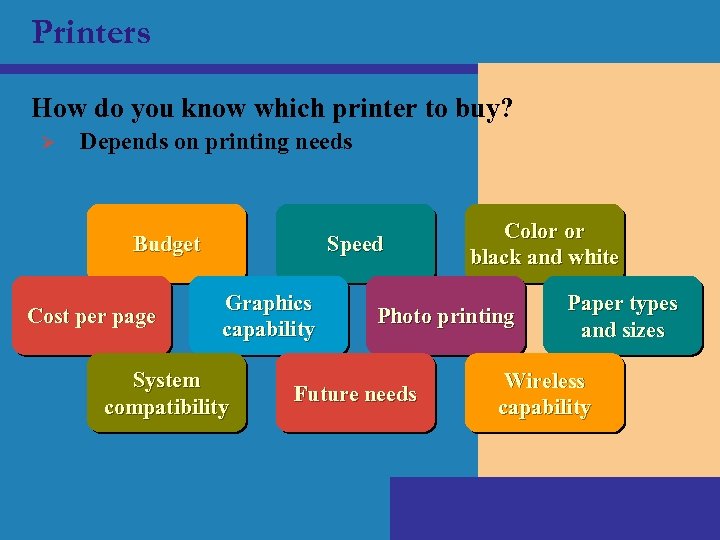 Printers How do you know which printer to buy? Ø Depends on printing needs Speed Budget Cost per page Graphics capability System compatibility Color or black and white Photo printing Future needs Paper types and sizes Wireless capability
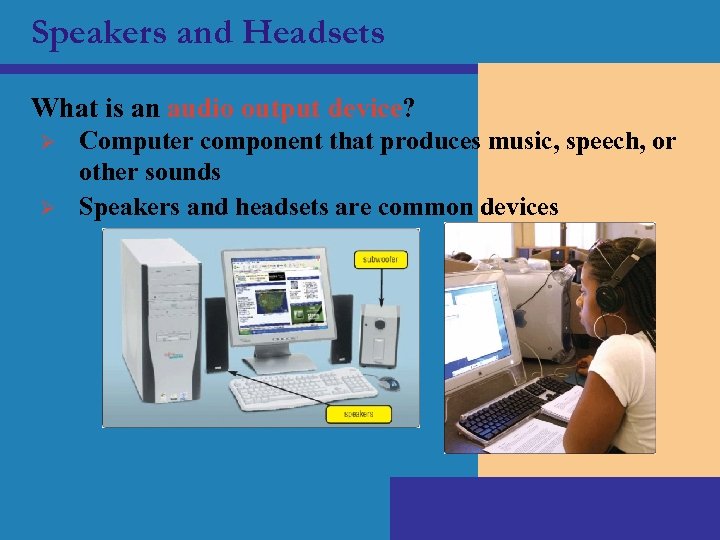 Speakers and Headsets What is an audio output device? Ø Ø Computer component that produces music, speech, or other sounds Speakers and headsets are common devices