


 Скачать презентацию Pegasus WMS Leveraging Condor for Workflow Management Ewa
f3aa2a9d669ad120f0ae3ce738148f7c.ppt
- Количество слайдов: 20
 Pegasus WMS: Leveraging Condor for Workflow Management Ewa Deelman, Gaurang Mehta, Karan Vahi, Gideon Juve, Mats Rynge, Prasanth Thomas, Jens Voeckler USC Information Sciences Institute Miron Livny, Kent Wenger, and others University of Wisconsin Madison Funded by the NSF OCI SDCI project http: //pegasus. isi. edu
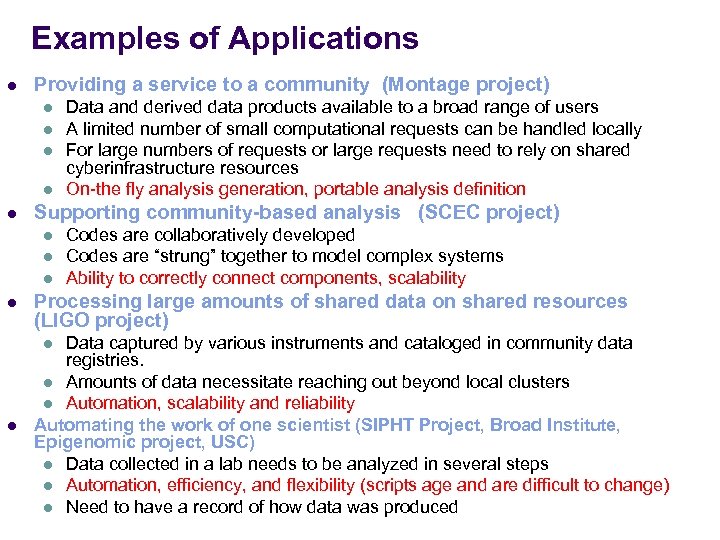 Examples of Applications l Providing a service to a community (Montage project) l l l Supporting community-based analysis (SCEC project) l l Codes are collaboratively developed Codes are “strung” together to model complex systems Ability to correctly connect components, scalability Processing large amounts of shared data on shared resources (LIGO project) Data captured by various instruments and cataloged in community data registries. l Amounts of data necessitate reaching out beyond local clusters l Automation, scalability and reliability Automating the work of one scientist (SIPHT Project, Broad Institute, Epigenomic project, USC) l Data collected in a lab needs to be analyzed in several steps l Automation, efficiency, and flexibility (scripts age and are difficult to change) l Need to have a record of how data was produced l l Data and derived data products available to a broad range of users A limited number of small computational requests can be handled locally For large numbers of requests or large requests need to rely on shared cyberinfrastructure resources On-the fly analysis generation, portable analysis definition
 Reasons to use scripts to represent analysis l l l You can script something in an afternoon You can submit a job directly to a pbs queue or Condor pool You can look at stderr to see what went wrong You can add calls to measure performance You don’t need to learn another language or system
 Why Scientific Workflows? l l l Workflows can be portable across platforms and scalable Workflows are easy to reuse Can be shared with others l l Gives a leg-up to new staff, GRAs, Post. Docs, etc Workflow Management Systems (WMS) can help recover from failures and optimize overall application performance WMS can capture provenance and performance information WMS can leverage debugging and monitoring tools
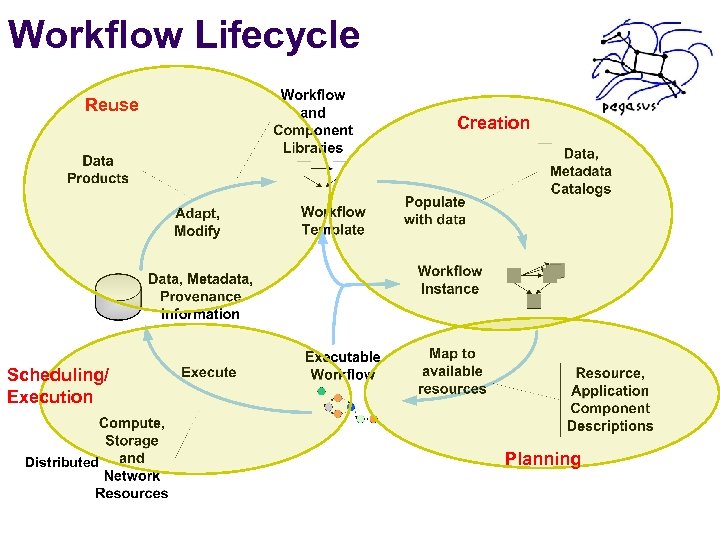 Workflow Lifecycle Reuse Creation Scheduling/ Execution Distributed Planning
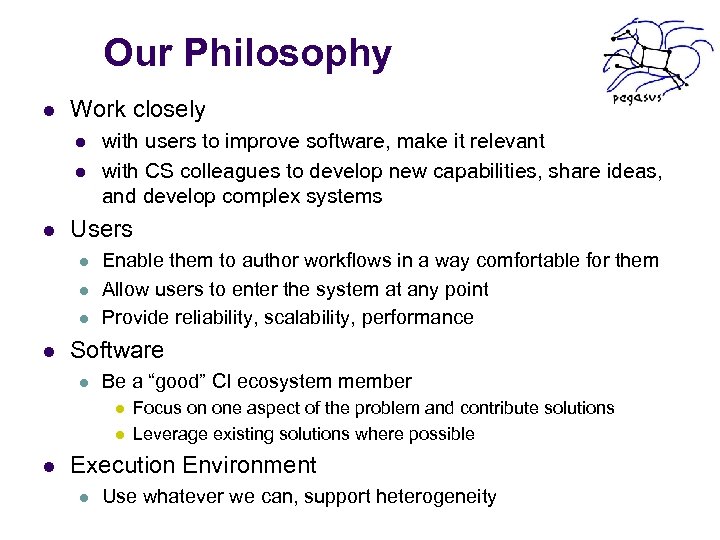 Our Philosophy l Work closely l l l Users l l with users to improve software, make it relevant with CS colleagues to develop new capabilities, share ideas, and develop complex systems Enable them to author workflows in a way comfortable for them Allow users to enter the system at any point Provide reliability, scalability, performance Software l Be a “good” CI ecosystem member l l l Focus on one aspect of the problem and contribute solutions Leverage existing solutions where possible Execution Environment l Use whatever we can, support heterogeneity
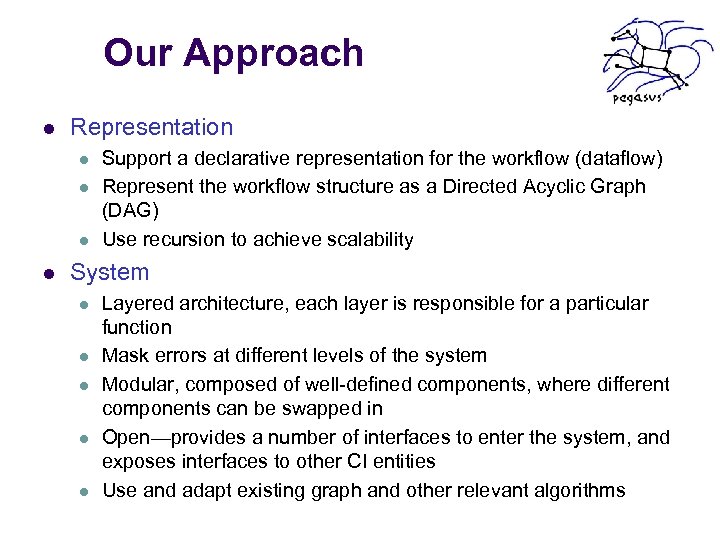 Our Approach l Representation l l Support a declarative representation for the workflow (dataflow) Represent the workflow structure as a Directed Acyclic Graph (DAG) Use recursion to achieve scalability System l l l Layered architecture, each layer is responsible for a particular function Mask errors at different levels of the system Modular, composed of well-defined components, where different components can be swapped in Open—provides a number of interfaces to enter the system, and exposes interfaces to other CI entities Use and adapt existing graph and other relevant algorithms
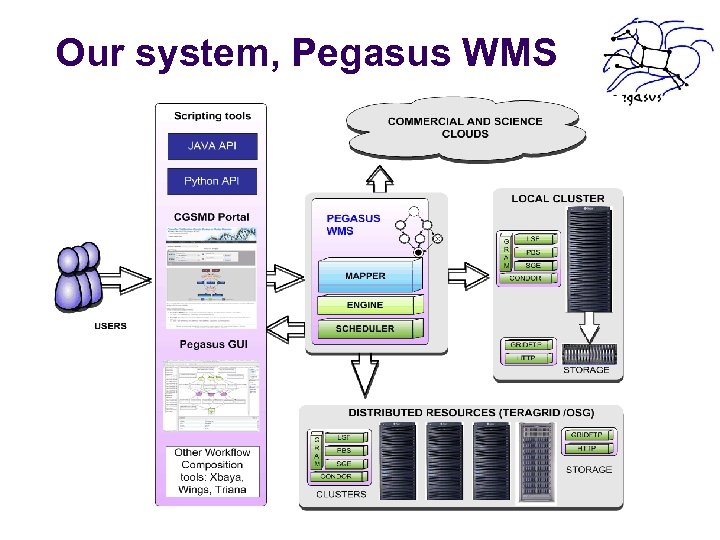 Our system, Pegasus WMS
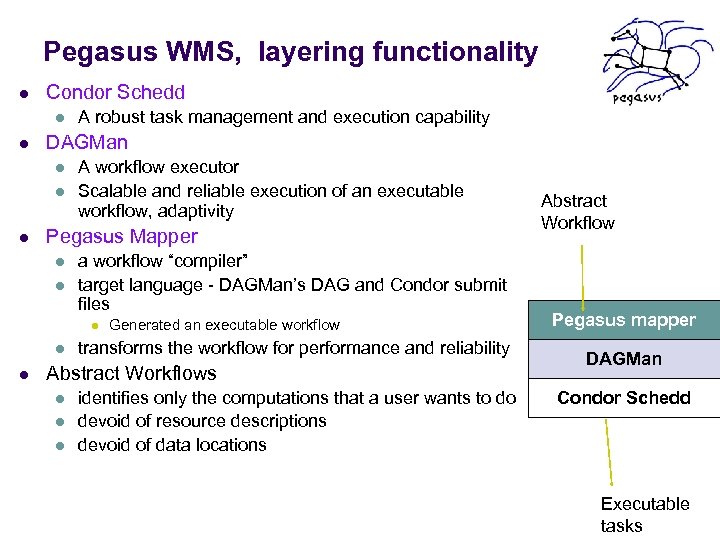 Pegasus WMS, layering functionality l Condor Schedd l l DAGMan l l l A robust task management and execution capability A workflow executor Scalable and reliable execution of an executable workflow, adaptivity Pegasus Mapper l l a workflow “compiler” target language - DAGMan’s DAG and Condor submit files l l l Generated an executable workflow transforms the workflow for performance and reliability Abstract Workflows l l l identifies only the computations that a user wants to do devoid of resource descriptions devoid of data locations Abstract Workflow Pegasus mapper DAGMan Condor Schedd Executable tasks
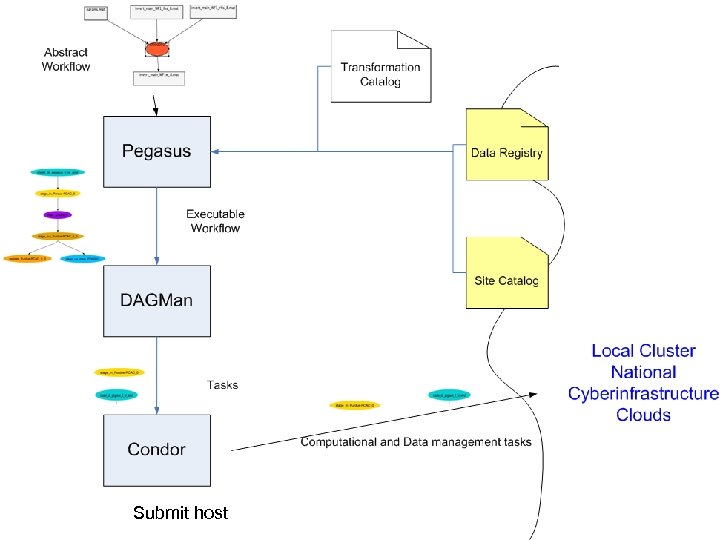 Submit host Ewa Deelman, deelman@isi. edu
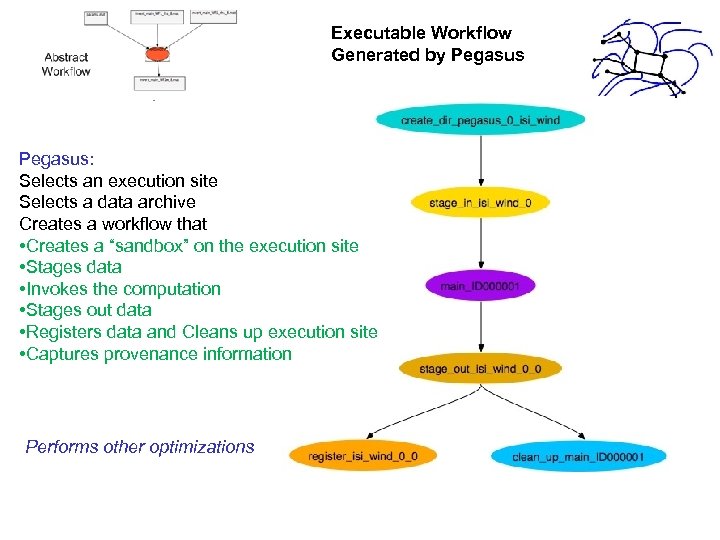 Executable Workflow Generated by Pegasus: Selects an execution site Selects a data archive Creates a workflow that • Creates a “sandbox” on the execution site • Stages data • Invokes the computation • Stages out data • Registers data and Cleans up execution site • Captures provenance information Performs other optimizations
 The LIGO example, migrating up the software stack l l l l LIGO has been using DAGMan for its scientific analysis Issue 1: LIGO users log onto to a particular cluster and launch computations there (no load balance) Issue 2: Sometimes part of input data is “vetoed” and needs to be eliminated from the analysis, so potentially large amounts of redundant work need to be redone Issue 3: Some tasks are very short running and incur large overheads Issue 4: Want to be able to run the same workflow on other Grids (OSG), and share analyses with EU colleagues Issue 5: Want to be able to keep parts of a pipeline as a DAG—for legacy visualization pipelines Issue 6: For large workflows, it is difficult to analyze the DAGMan/Condor logs to pinpoint problems
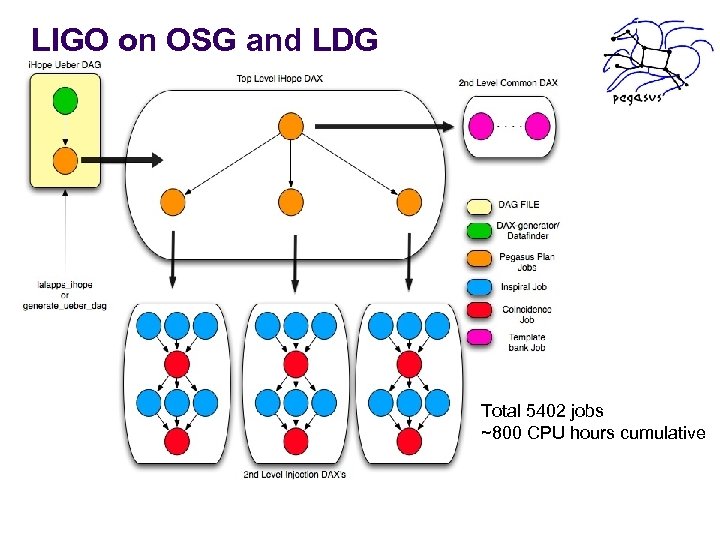 LIGO on OSG and LDG Total 5402 jobs ~800 CPU hours cumulative
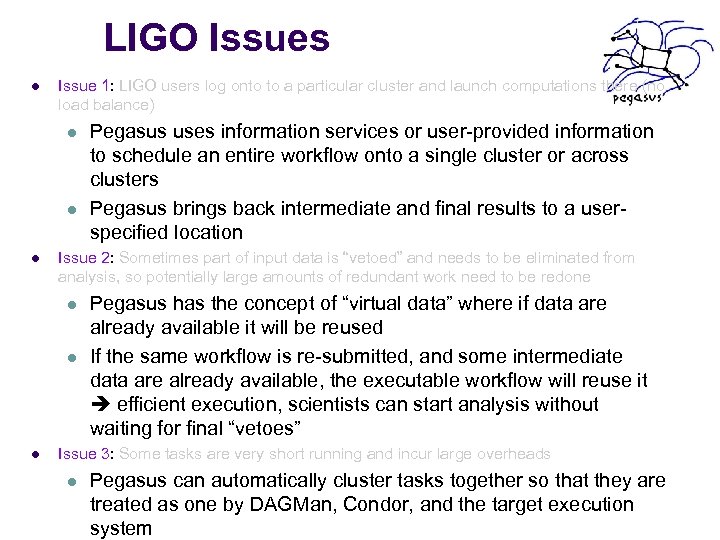 LIGO Issues l Issue 1: LIGO users log onto to a particular cluster and launch computations there (no load balance) l l l Issue 2: Sometimes part of input data is “vetoed” and needs to be eliminated from analysis, so potentially large amounts of redundant work need to be redone l l l Pegasus uses information services or user-provided information to schedule an entire workflow onto a single cluster or across clusters Pegasus brings back intermediate and final results to a userspecified location Pegasus has the concept of “virtual data” where if data are already available it will be reused If the same workflow is re-submitted, and some intermediate data are already available, the executable workflow will reuse it efficient execution, scientists can start analysis without waiting for final “vetoes” Issue 3: Some tasks are very short running and incur large overheads l Pegasus can automatically cluster tasks together so that they are treated as one by DAGMan, Condor, and the target execution system
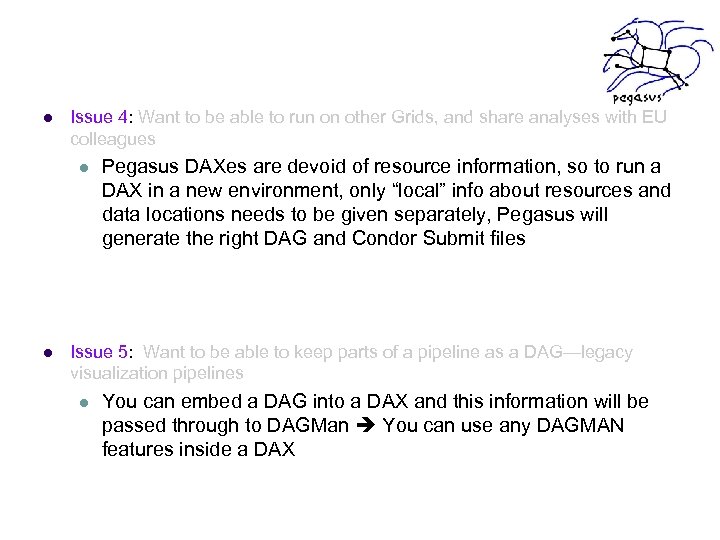 l Issue 4: Want to be able to run on other Grids, and share analyses with EU colleagues l l Pegasus DAXes are devoid of resource information, so to run a DAX in a new environment, only “local” info about resources and data locations needs to be given separately, Pegasus will generate the right DAG and Condor Submit files Issue 5: Want to be able to keep parts of a pipeline as a DAG—legacy visualization pipelines l You can embed a DAG into a DAX and this information will be passed through to DAGMan You can use any DAGMAN features inside a DAX
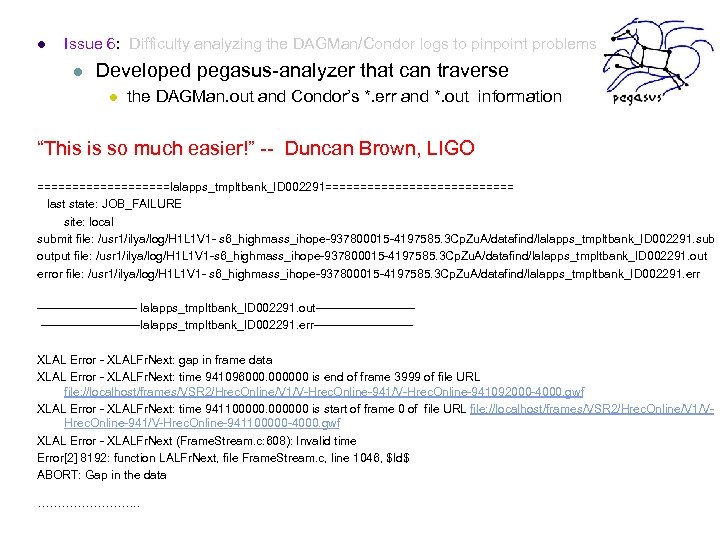 l Issue 6: Difficulty analyzing the DAGMan/Condor logs to pinpoint problems l Developed pegasus-analyzer that can traverse l the DAGMan. out and Condor’s *. err and *. out information “This is so much easier!” -- Duncan Brown, LIGO ==========lalapps_tmpltbank_ID 002291============== last state: JOB_FAILURE site: local submit file: /usr 1/ilya/log/H 1 L 1 V 1 - s 6_highmass_ihope-937800015 -4197585. 3 Cp. Zu. A/datafind/lalapps_tmpltbank_ID 002291. sub output file: /usr 1/ilya/log/H 1 L 1 V 1 -s 6_highmass_ihope-937800015 -4197585. 3 Cp. Zu. A/datafind/lalapps_tmpltbank_ID 002291. out error file: /usr 1/ilya/log/H 1 L 1 V 1 - s 6_highmass_ihope-937800015 -4197585. 3 Cp. Zu. A/datafind/lalapps_tmpltbank_ID 002291. err ------------- lalapps_tmpltbank_ID 002291. out-------------lalapps_tmpltbank_ID 002291. err------------ XLAL Error - XLALFr. Next: gap in frame data XLAL Error - XLALFr. Next: time 941096000. 000000 is end of frame 3999 of file URL file: //localhost/frames/VSR 2/Hrec. Online/V 1/V-Hrec. Online-941092000 -4000. gwf XLAL Error - XLALFr. Next: time 9411000000 is start of frame 0 of file URL file: //localhost/frames/VSR 2/Hrec. Online/V 1/VHrec. Online-941/V-Hrec. Online-941100000 -4000. gwf XLAL Error - XLALFr. Next (Frame. Stream. c: 608): Invalid time Error[2] 8192: function LALFr. Next, file Frame. Stream. c, line 1046, $Id$ ABORT: Gap in the data …………. .
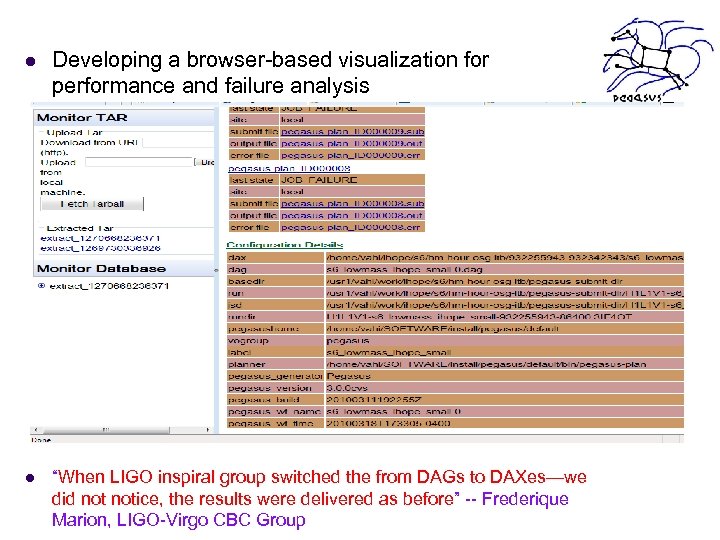 l Developing a browser-based visualization for performance and failure analysis l “When LIGO inspiral group switched the from DAGs to DAXes—we did notice, the results were delivered as before” -- Frederique Marion, LIGO-Virgo CBC Group
 Challenges in workflow reliability leveraging the software layers l Resources fail l l Services fail (data movement, data registration) l l Retry the action, choose a different service Computations fail within a workflow l l Provide a retry mechanism Checkpoint the workflow Storage gets filled up l Analyze the workflow and clean up unneeded data as the workflow execution progresses
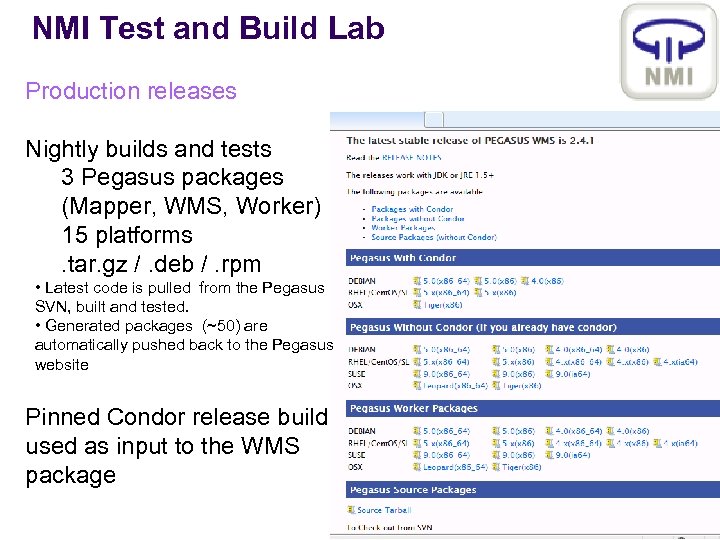 NMI Test and Build Lab Production releases Nightly builds and tests 3 Pegasus packages (Mapper, WMS, Worker) 15 platforms. tar. gz /. deb /. rpm • Latest code is pulled from the Pegasus SVN, built and tested. • Generated packages (~50) are automatically pushed back to the Pegasus website Pinned Condor release build used as input to the WMS package
 Want to try? pegasus@isi. edu l Hands-on help http: //pegasus. isi. edu l Tutorial materials Related Technologies: Corral-WMS Th. pm by Mats Rynge