


 Скачать презентацию Paul Green President and Founder
a43b1cb89b46967dac2f9236cfc256fa.ppt
- Количество слайдов: 28
 • Paul Green – President and Founder of G 2, Inc – We are trusted security advisors to the Federal Government and Fortune 500. – We are recognized as having subject matter expertise in the implementation security compliance monitoring software.
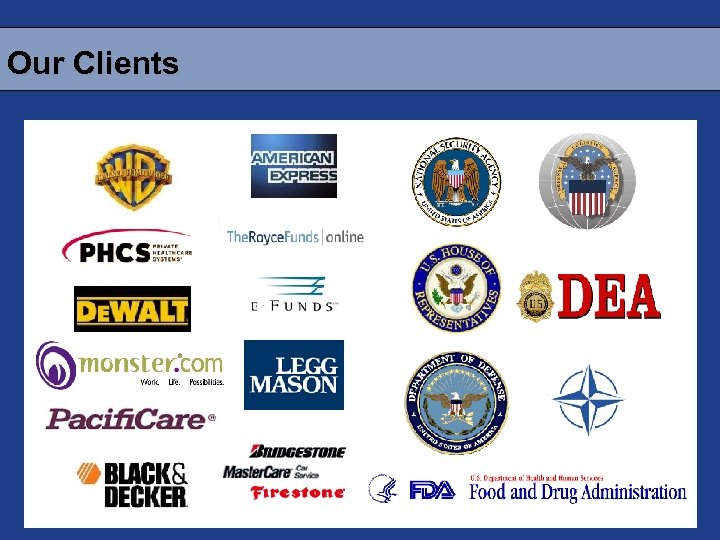 Our Clients
 Still True in 2006 “Through 2005, 90 percent of cyber attacks will continue to exploit known security flaws for which a patch is available or a preventive measure known. ” Gartner Group, May 6, 2002
 Let’s Address Two Questions. 1. What is Security Automation (XCCDF/OVAL)? 2. How can security automation improve the system security configuration lifecycle?
 What is Security Automation?
 Conceptual Analogy
 Conceptual Analogy Outsource In-House
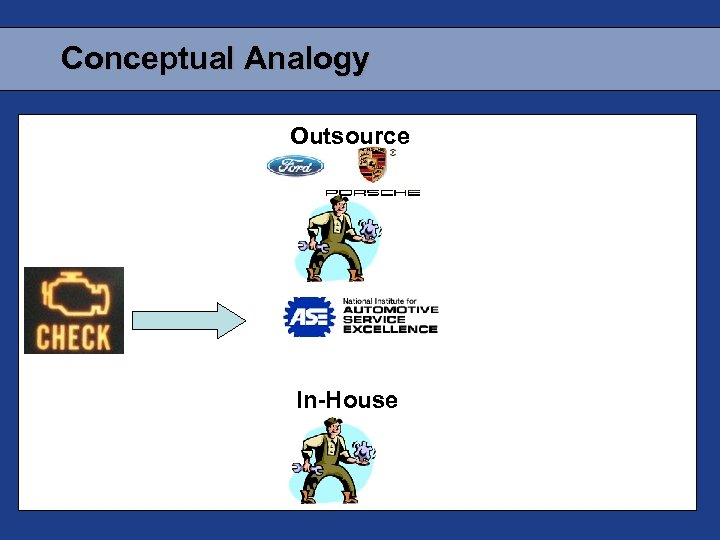
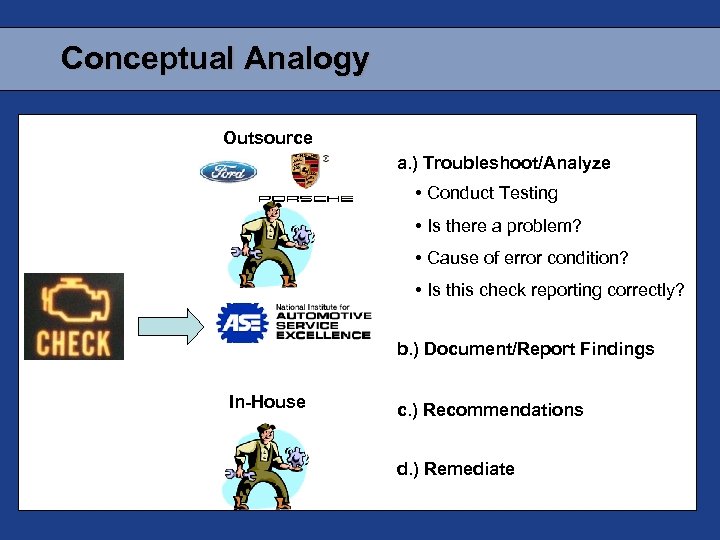 Conceptual Analogy Outsource a. ) Troubleshoot/Analyze • Conduct Testing • Is there a problem? • Cause of error condition? • Is this check reporting correctly? b. ) Document/Report Findings In-House c. ) Recommendations d. ) Remediate
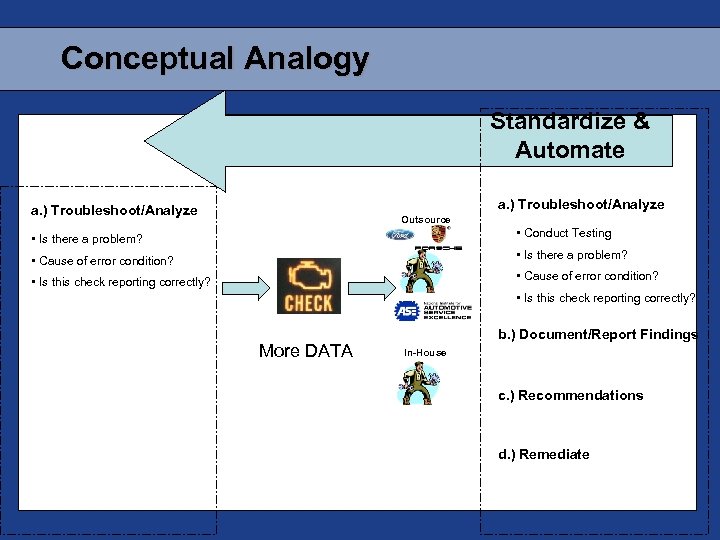 Conceptual Analogy Standardize & Automate a. ) Troubleshoot/Analyze Outsource • Is there a problem? • Conduct Testing • Cause of error condition? • Is there a problem? • Is this check reporting correctly? • Cause of error condition? • Is this check reporting correctly? More DATA b. ) Document/Report Findings In-House c. ) Recommendations d. ) Remediate
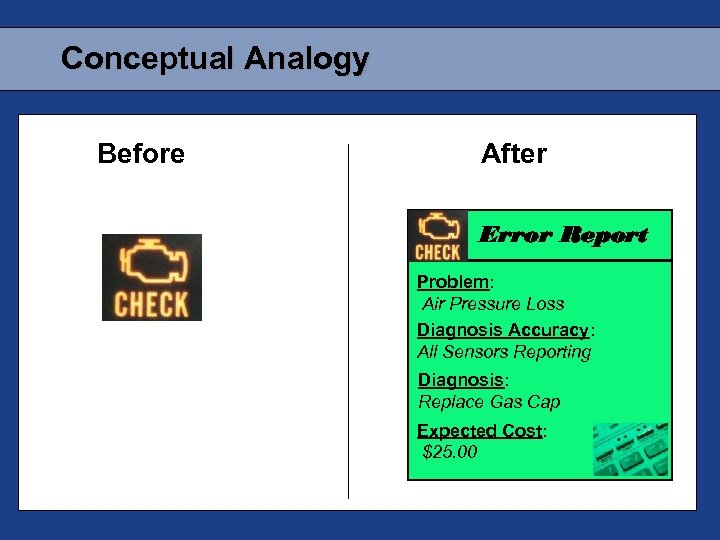 Conceptual Analogy Before After Error Report Problem: Air Pressure Loss Diagnosis Accuracy: All Sensors Reporting Diagnosis: Replace Gas Cap Expected Cost: $25. 00
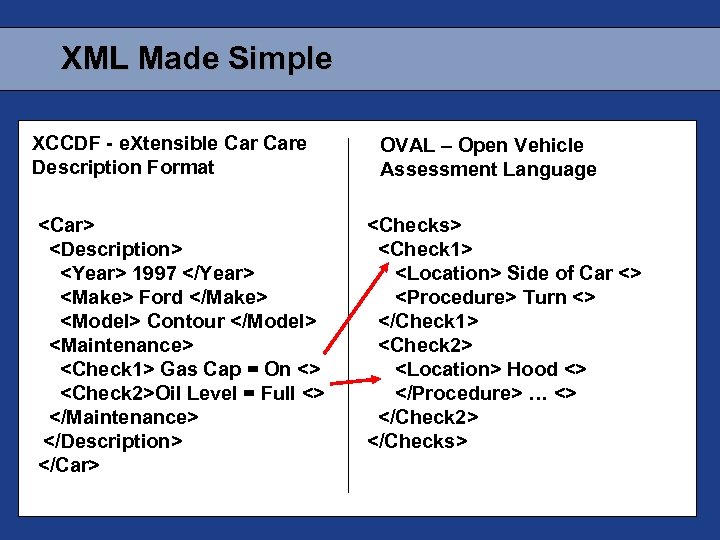 XML Made Simple XCCDF - e. Xtensible Care Description Format
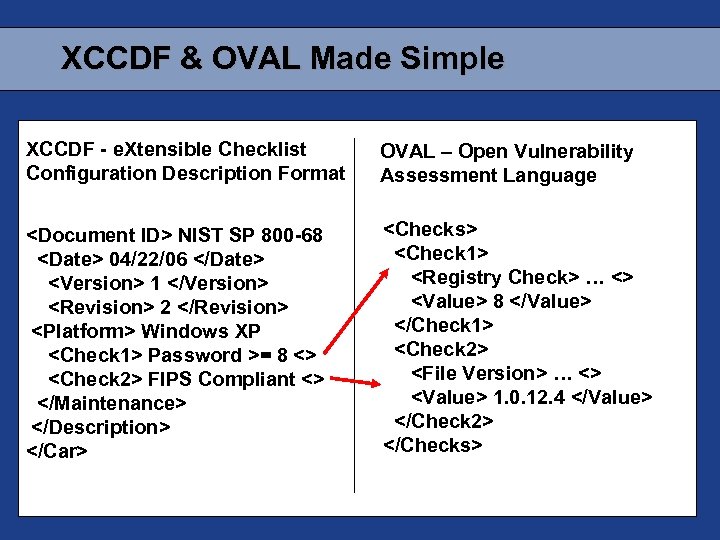 XCCDF & OVAL Made Simple XCCDF - e. Xtensible Checklist Configuration Description Format OVAL – Open Vulnerability Assessment Language
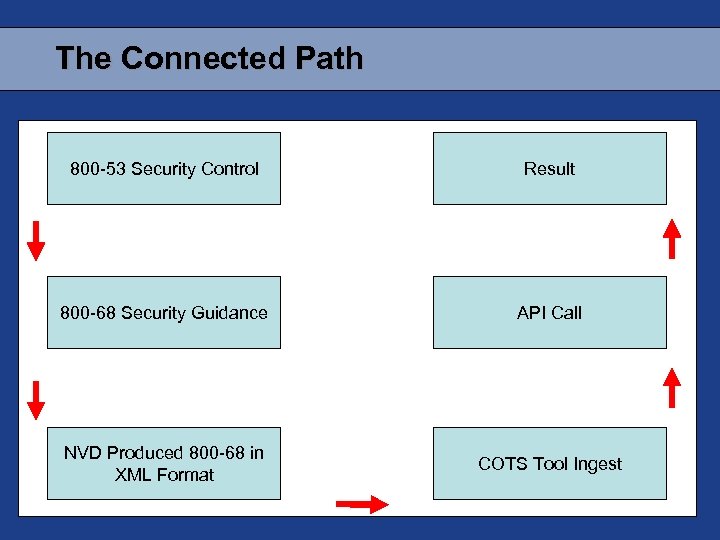 The Connected Path 800 -53 Security Control Result 800 -68 Security Guidance API Call NVD Produced 800 -68 in XML Format COTS Tool Ingest
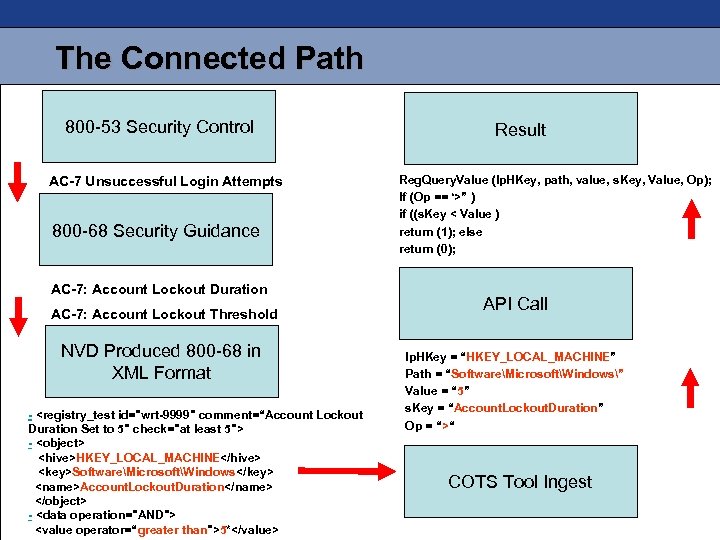 The Connected Path 800 -53 Security Control AC-7 Unsuccessful Login Attempts 800 -68 Security Guidance AC-7: Account Lockout Duration AC-7: Account Lockout Threshold NVD Produced 800 -68 in XML Format -
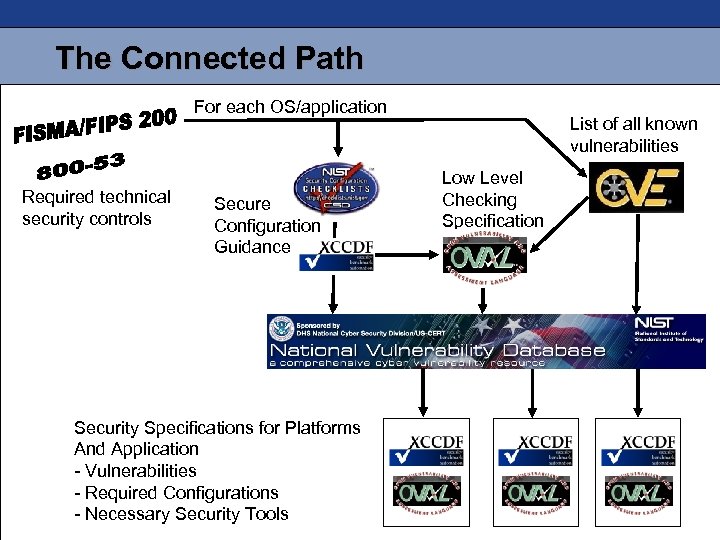 The Connected Path For each OS/application Required technical security controls Secure Configuration Guidance Security Specifications for Platforms And Application - Vulnerabilities - Required Configurations - Necessary Security Tools List of all known vulnerabilities Low Level Checking Specification
 How Does This Change the Lifecycle?
 What Are My SSCL Goals? • To facilitate easy-to-manage, consistent server compliance monitoring • Evolve server security strategy from reactive to proactive • Reduce attack surface and minimize operational risk • Near-real-time, verifiable server compliance documentation • These products will automate and change the way we validate and test our high-level requirements
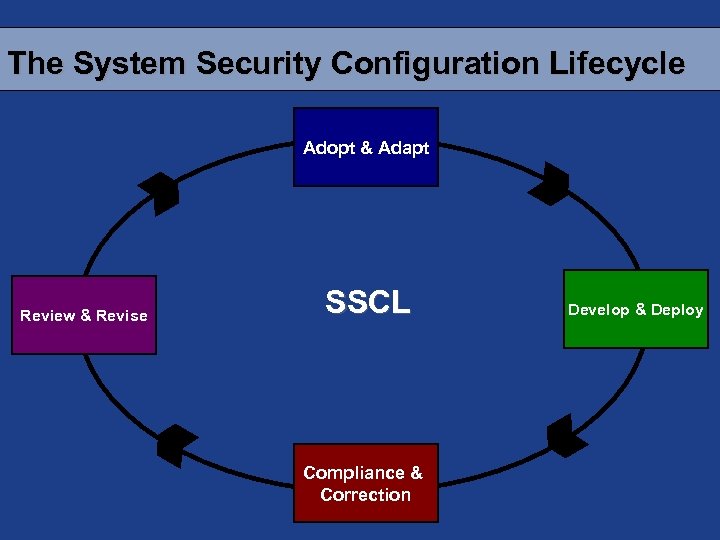 The System Security Configuration Lifecycle Adopt & Adapt Review & Revise SSCL Compliance & Correction Develop & Deploy
 Adopt & Adapt • Review existing industry and government configuration checklists and standards (CIS, NIST, NSA, Vendors, etc. ) – Checklists are often prose documents or spreadsheets and are not machine readable • Difficult to manage these files, • AND, nearly impossible to compare “side-to-side”
 Adopt & Adapt • Customize standard/checklist based on compatibility and risk assessment – These are often conglomerations of various checklists creating N number of “custom” baselines • When we account for operational issues we end up with NN variations. • In the end, how does your “custom” implementation compare to the original standards?
 Adopt & Adapt NSAP • Educate our clients that a machine readable format for checklists allows us to spend less time on document management and more time focused on other activities in the lifecycle. • We now have a framework that provides traceability between our customized checklists and high level requirements. (e. g. 800. 53, 8500)
 Develop & Deploy • Customize standard/checklist based on compatibility and risk assessment • Develop configuration scripts (address all standard OS’s and builds) based on standards/checklists from A&A • Incorporate standards/checklists into automated auditing toolset
 Develop & Deploy • We can now convert the current organization’s custom checklists into standardized XML format. (XCCDF/OVAL) Develop & Deploy NSAP • A larger number of man hours can now be saved by using tools that accept the machine readable XCCDF format by directly importing the policies into the security tools • We want to create build scripts that interpret standardized XML inputs and configure build scripts • Learn how to express “customer specific checks” that are may not be included in CCE
 Compliance & Correction • Analyze output from each of the scanning tools, in certain cases this includes manual cross referencing of findings • Report and communicate results – In many cases this process is still paper-based, are the results produce 1000’s of pages of information. • Remediate (initial cycles will produce large amounts of remediation)
 Compliance & Correction • We can develop scripts to compare the standardized XML output from each of the scanning tools. Compliance & Correction NSAP • A machine readable format can support a seamless integration with XCCDF compatible tools. • Using CCE, we now also have a common reference that allows us to map the configuration results between different security tools. • Now we begin the decision process of determining and implementing the appropriate remediation path. • This can include the analysis of compensating controls.
 What’s Available Today? • NIST Windows XP Configuration Guide (SP 800 -68) • http: //csrc. nist. gov/itsec/download_Win. XP. html • Policy statement represented in XCCDF • Configuration checks represented in OVAL • Covers: registry settings, file permission checks, password policies, account lockout policies, audit policies • Download at: http: //checklists. nist. gov/NIST-800 -68 -Win. XPPro-XMLAlpha-rev 1. zip
 So Why Should You Care? • The adoption of this process will provide the first ever hard linkage between a highlevel guidance document and specific security configuration settings. • This could be the beginning of a process of connecting the dots between regulations and security settings.