 Скачать презентацию PATHWORKS and Advanced Server Technical Update Brad Mc
346cae6d50af44430c3d041d99271303.ppt
- Количество слайдов: 79



PATHWORKS and Advanced Server Technical Update Brad Mc. Cusker Compaq Computer Corporation Compaq Enterprise Technical Symposium 2001
Agenda § Current and future product overview § Tech overview of new features § Future directions § Wrap-up Compaq Enterprise Technical Symposium 2001 2
Agenda èCurrent and future product overview § Tech overview of new features § Future directions § Wrap-up Compaq Enterprise Technical Symposium 2001 3
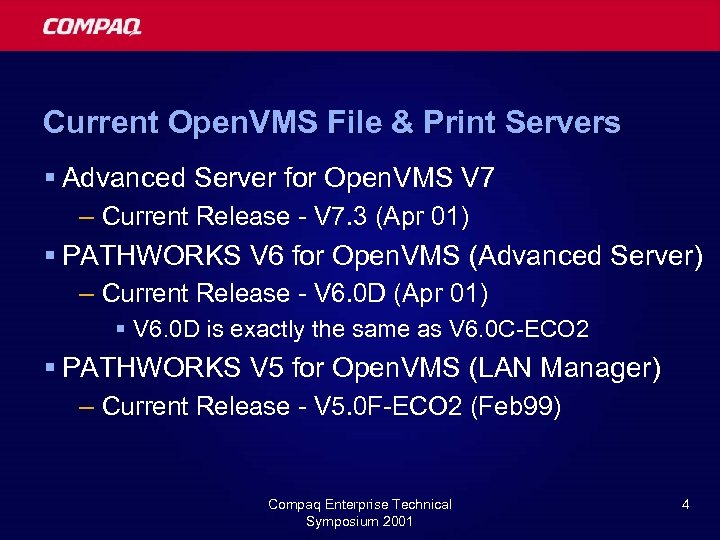
Current Open. VMS File & Print Servers § Advanced Server for Open. VMS V 7 – Current Release - V 7. 3 (Apr 01) § PATHWORKS V 6 for Open. VMS (Advanced Server) – Current Release - V 6. 0 D (Apr 01) § V 6. 0 D is exactly the same as V 6. 0 C-ECO 2 § PATHWORKS V 5 for Open. VMS (LAN Manager) – Current Release - V 5. 0 F-ECO 2 (Feb 99) Compaq Enterprise Technical Symposium 2001 4
V 7. 2 A-ECO 4 – Important! § V 7. 2 A-ECO 4 breaks Com for Open. VMS – Com for Open. VMS applications will not work with ECO 4 § NTA$LOGON doesn’t work § Possible server crash when running Com § Patch available from Customer Support Center – PWRK$LMSRV ident: V 7. 2 -140 A-00001 or -00002 – Patch is only necessary if you run Com for Open. VMS § Or, upgrade to Advanced Server V 7. 3 Compaq Enterprise Technical Symposium 2001 5
Advanced Server for Open. VMS V 7. 3 – Our newest release § Advanced Server V 7. 3 (Alpha Only) – Release: April 2001 § Also ships with Open. VMS V 7. 3 § Q 2 -2001 Software Product Library – – – – Open. VMS V 7. 3 support (V 7. 2 -1, V 7. 2 -2 also) Member server role Extended character set Alias file names NT print management (Spool. SS) support DNS load balancing capabilities PCSI support Compaq Enterprise Technical Symposium 2001 6
Advanced Server for Open. VMS Future Releases § Advanced Server V 7. 3 -ECO 1 – Estimated availability: Late Sep 01 § In final qualification now. – Numerous bug fixes (20+) – Customers should install this ECO when they can Compaq Enterprise Technical Symposium 2001 7

Advanced Server for Open. VMS Future Releases § Advanced Server V 7. 3 A – Internal code name: “Shelby” – Estimated release: H 12002 – More Windows 2000 Interoperability – Performance improvements – Opportunistic locking support § More on these later Compaq Enterprise Technical Symposium 2001 8
Advanced Server for Open. VMS Future Releases (2) § Internal code name: “Cobra” § Follow on release to V 7. 3 A § Active Directory Support (EAK) § Kerberos § Support for Open. VMS V 6. 2/V 7. * VAX and Alpha § Scalability – Multiple PWRK$LMSRV processes § Robustness § Support Open. VMS Security Enhancements Compaq Enterprise Technical Symposium 2001 9
Advanced Server for Open. VMS Future Releases (2) § Advanced Server V 7. 4 – Active Directory – Unicode Compaq Enterprise Technical Symposium 2001 10
PATHWORKS for Open. VMS Future Releases § PATHWORKS V 6. 1 for Open. VMS – Q 3 -2001 – Member Server – Alias file names § PATHWORKS V 5 for Open. VMS – Maintenance updates only Compaq Enterprise Technical Symposium 2001 11
What about Itanium™ Processor Family? § Advanced Server will be ported as soon as required Open. VMS infrastructure is in place – When Open. VMS is ready, we’ll be ready! – Current estimate for AS port: H 2 CY 03 § Advanced Server porting effort is minimal – Less than 5% of code modules affected § Cluster configuration support in line with Open. VMS cluster support Compaq Enterprise Technical Symposium 2001 12
What about PATHWORKS and Itanium™ Processor Family? § No plans to port PATHWORKS to Itanium ™ Processor Family § Will need to upgrade to Advanced Server to get Itanium™ Processor Family support – Plan to modify Advanced Server to support platforms that PATHWORKS supports § Open. VMS VAX and Alpha V 6. 2, V 7. 3…. § PATHWORKS to Advanced Server migration is a simple Install/Config/Run… Compaq Enterprise Technical Symposium 2001 13
PATHWORKS 32 Client SW Update § PATHWORKS 32 V 7. 2 – Available June, 2000 – Supports Windows 2000, Windows NT 4. 0, Windows 95, Windows 98 – http: //www. Open. VMS. Compaq. com/pathworks 32/ § Contact Information – Product Manager: – Barbara. Karten@Compaq. com Compaq Enterprise Technical Symposium 2001 14
Agenda § Current and future product overview èTechnical details of new features § Future directions § Wrap-up Compaq Enterprise Technical Symposium 2001 15
New Features Technical Discussion § DNS name resolution § NT print management (Spool. SS) § Member server § Licensing § Potpourri Compaq Enterprise Technical Symposium 2001 16
DNS Support § DNS name resolution by clients supported as of PW V 6. 0 C and AS V 7. 3 § Client DNS name resolution required for dynamic cluster load balancing – See Advanced Server Administrators Guide for more information on dynamic balancing Compaq Enterprise Technical Symposium 2001 17
Tech Tips: NETBIOS Name Resolution § If Enabling Dynamic Alias Resolution… – Remove static entries for cluster alias! – NETBIOS names are resolved with LMHOSTS or WINS before DNS § Added ability for Advanced Server to use DNS for name resolution – Enabled via PWRK$CONFIG/Transports – V 6. 1, V 7. 3 – DNS used as last resort § After LMHOSTS, broadcast, WINS Compaq Enterprise Technical Symposium 2001 18
NT Print Management Support (V 7. 3) § New optional functionality in V 7. 3 § NT style management of printer resources – Specifically, added the SPOOLSS pipe § Use NT Print Manager to manage Open. VMS printer resources – ADMIN CLI will have minimal print management support § Allows print drivers to be stored on Advanced Server for downloading to the client Compaq Enterprise Technical Symposium 2001 19
Upgrading Existing Printers § Existing Printers = Printer Shares defined on AS at time NT Style Printing is enabled § Automatically upgraded when choosing “Enable NT Style Printing” § Upgraded printers will have restricted manageability & functionality – Print Manager won’t work – No drivers § Upgraded printers will need to be deleted and re-added via NT Print Manager to gain full management functionality Compaq Enterprise Technical Symposium 2001 20
Adding New Printers § “Add Printer” in Printers Folder on AS system § Select Port will show available Execution Queues on Open. VMS § Specify Printer Name § Provide Printer Driver – From CD-ROM, or other location – Stored on Advanced Server for downloading to clients Compaq Enterprise Technical Symposium 2001 21
What about generic queues? § Open. VMS generic queues point to multiple execution queues (one to many relationship) § Prior to NT Style Printing, it was possible to share generic queues to the network § NT Print Manager will display Execution Queues as Printer Ports – Generic Queues will not show up as a ‘port’ – In other words, they can’t be shared with NT Style management as they were previously Compaq Enterprise Technical Symposium 2001 22
Printer Pooling § Problem: How do I retain the one-to-many functionality of generic queues? § Solution: Printer Pooling – Enable “Printer Pooling” in the Add Printer applet – Select the Printers to be shared – Let Advanced Server handle the one-to-many relationship!!! Compaq Enterprise Technical Symposium 2001 23
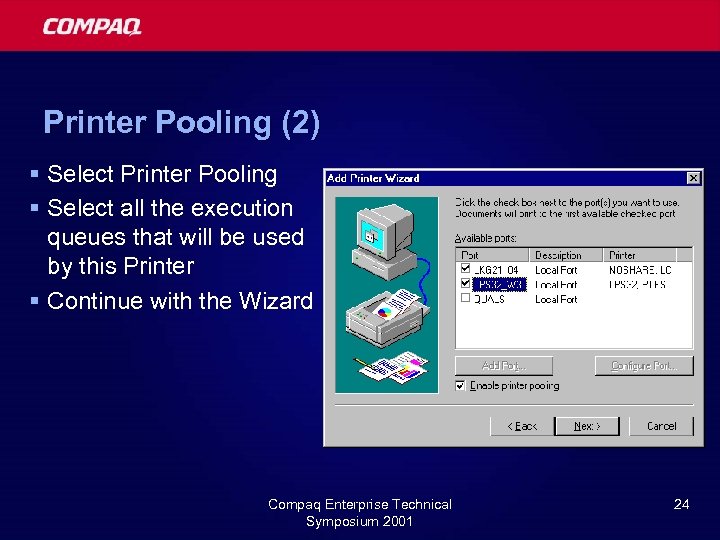
Printer Pooling (2) § Select Printer Pooling § Select all the execution queues that will be used by this Printer § Continue with the Wizard Compaq Enterprise Technical Symposium 2001 24
Restrictions § Upgraded Printers don’t have full capabilities § Once you choose NT Style Printing, it is difficult to go back – Will require restore from backup § Limited support from the ADMIN CLI Compaq Enterprise Technical Symposium 2001 25
CAUTION! § Performance Issue with NT Print Management § More than 100 printers – not recommended at this time – Larger systems can support more – No firm benchmarks available § Improvements, to be delivered in a future release: – TBD Compaq Enterprise Technical Symposium 2001 26
Member Server Role (V 7. 3, V 6. 1) § Adding support for the member server role – Previously, PW/AS servers only supported PDC & BDC roles § Behavior when using member server role: – Server does not participate in SAM replication – Domain NETLogon requests not processed – User authentication for connecting clients passed through to a domain controller § Allows PW/AS to participate in a pure Windows 2000 domain Compaq Enterprise Technical Symposium 2001 27
Member Server Local vs Global SAM Databases § Member Servers have a SAM!!! – But, its not the domain SAM, it is a local SAM – Known only to that member server § Local SAM: – Represented by user or group name § Administrator, Administrators – Local groups only, global groups have no meaning § Global SAM: – Represented by user or group name, but, qualified with domain name § \DOMAIN 1Domain Admins § Reference KB article: Q 126436 Technical Compaq Enterprise Symposium 2001 28
More local vs global SAM § Access to resources: Local SAM checked first – Be careful of same names in Local and Global SAMs § Recommend not using Local SAM database – Or, be sure you know why you are using Local SAM and why. Compaq Enterprise Technical Symposium 2001 29
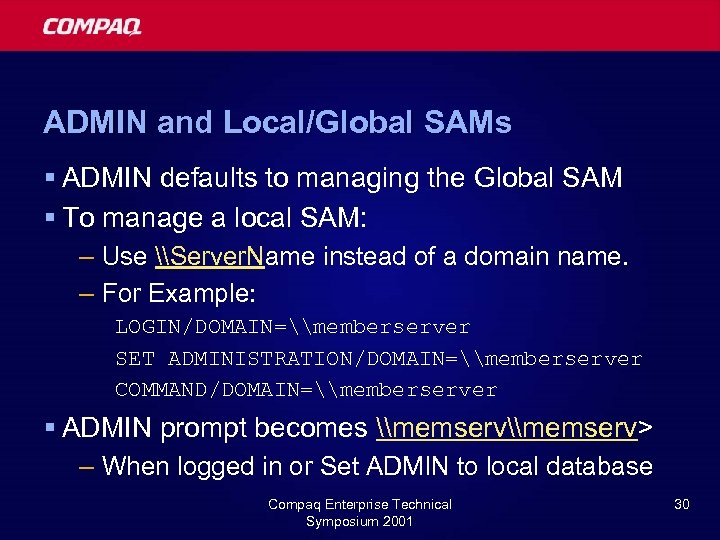
ADMIN and Local/Global SAMs § ADMIN defaults to managing the Global SAM § To manage a local SAM: – Use \Server. Name instead of a domain name. – For Example: LOGIN/DOMAIN=\memberserver SET ADMINISTRATION/DOMAIN=\memberserver COMMAND/DOMAIN=\memberserver § ADMIN prompt becomes \memserv> – When logged in or Set ADMIN to local database Compaq Enterprise Technical Symposium 2001 30
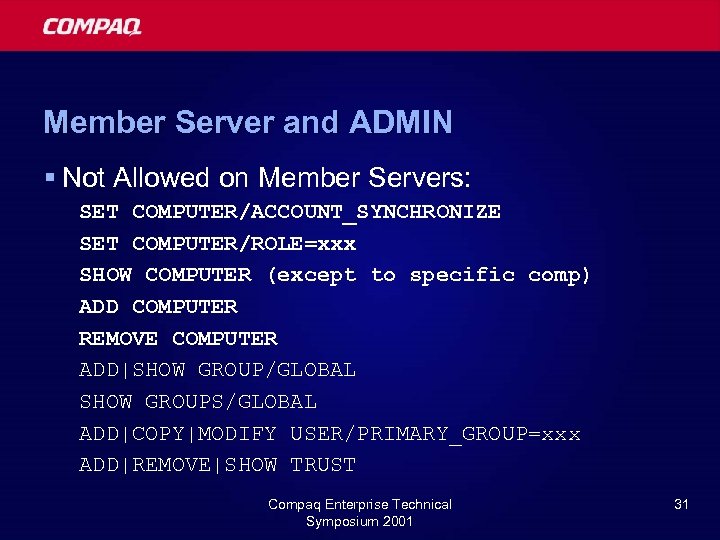
Member Server and ADMIN § Not Allowed on Member Servers: SET COMPUTER/ACCOUNT_SYNCHRONIZE SET COMPUTER/ROLE=xxx SHOW COMPUTER (except to specific comp) ADD COMPUTER REMOVE COMPUTER ADD|SHOW GROUP/GLOBAL SHOW GROUPS/GLOBAL ADD|COPY|MODIFY USER/PRIMARY_GROUP=xxx ADD|REMOVE|SHOW TRUST Compaq Enterprise Technical Symposium 2001 31
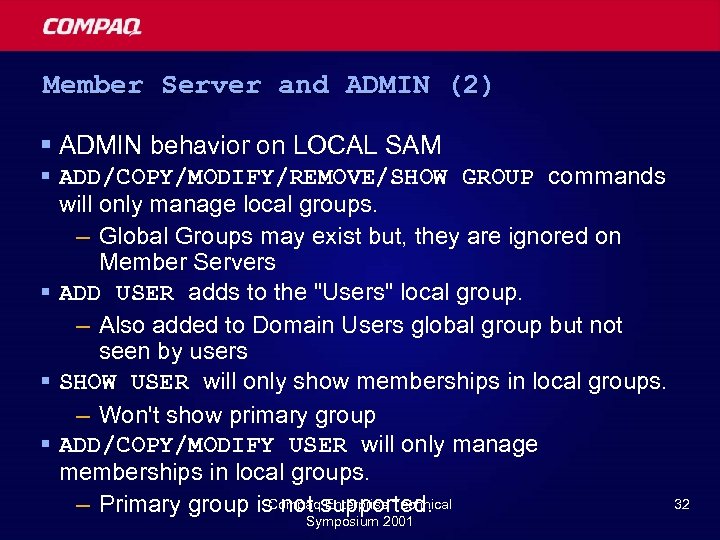
Member Server and ADMIN (2) § ADMIN behavior on LOCAL SAM § ADD/COPY/MODIFY/REMOVE/SHOW GROUP commands will only manage local groups. – Global Groups may exist but, they are ignored on Member Servers § ADD USER adds to the "Users" local group. – Also added to Domain Users global group but not seen by users § SHOW USER will only show memberships in local groups. – Won't show primary group § ADD/COPY/MODIFY USER will only manage memberships in local groups. Compaq Enterprise Technical 32 – Primary group is not supported. Symposium 2001
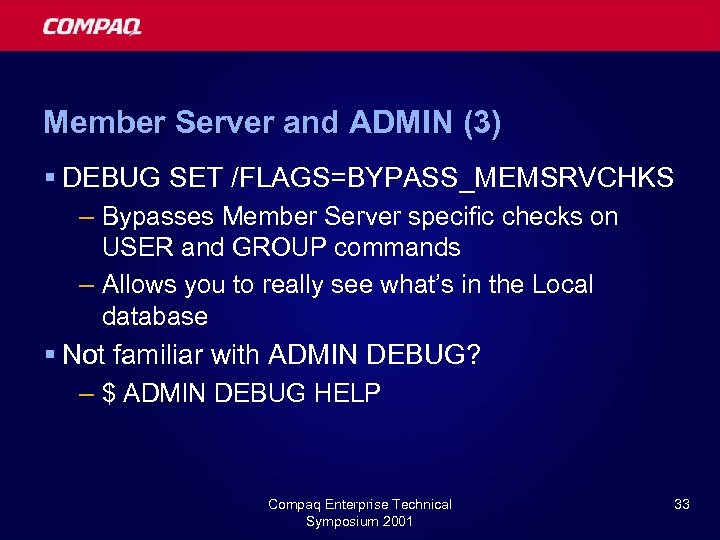
Member Server and ADMIN (3) § DEBUG SET /FLAGS=BYPASS_MEMSRVCHKS – Bypasses Member Server specific checks on USER and GROUP commands – Allows you to really see what’s in the Local database § Not familiar with ADMIN DEBUG? – $ ADMIN DEBUG HELP Compaq Enterprise Technical Symposium 2001 33
Member Server Tech Tip #1 (V 7. 3 only) § Recommend joining a domain by specifying username/password of administrator account – Alternative is to add server to domain prior to running config – Some sites may not have access to administrator account § If you don’t join domain via specifing username/password, only local accounts can manage the local server § Not a problem in V 6. 1 Compaq Enterprise Technical Symposium 2001 34
Member Server Tech Tip #2 § Problem: – Same username in global domain and local member server user database – Attempt to connect to member server resources from global account – Member Server attempts to validate access against local account – Access fails § Solution: – If local accounts match global accounts, user “Connect As” and specify domain with user name: § \domainuser Compaq Enterprise Technical Symposium 2001 35
Member Server Tech Tip #3 § Explicit Hostmaps are lost on role change to/from member server § When changing roles, the hostmap database (LSA) is recreated. – Previously existing hostmaps lost § Recommend using ADMIN SHO HOSTMAP before role change and ADMIN ADD HOSTMAP after role change to restore. – Do not attempt to use old LSA database – Old LSA has old Server. Object – Not good for new config Compaq Enterprise Technical Symposium 2001 36
Member Server Role: Upgrading from PATHWORKS V 5 § Issue: – How do I upgrade from V 5 to V 6 Member Server? – V 5 to V 6 Upgrade Utility only allows upgrade to Backup Domain controller § Solution: – Upgrade to Backup Domain Controller, and then use PWRK$CONFIG to change role to Member Server Compaq Enterprise Technical Symposium 2001 37
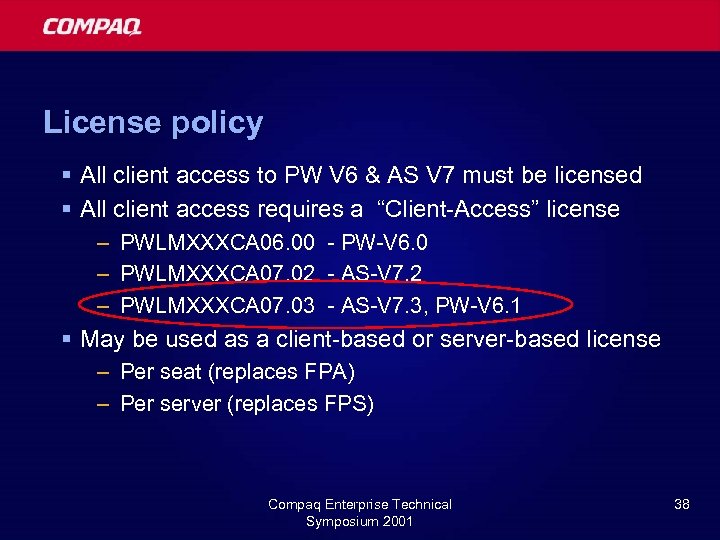
License policy § All client access to PW V 6 & AS V 7 must be licensed § All client access requires a “Client-Access” license – PWLMXXXCA 06. 00 - PW-V 6. 0 – PWLMXXXCA 07. 02 - AS-V 7. 2 – PWLMXXXCA 07. 03 - AS-V 7. 3, PW-V 6. 1 § May be used as a client-based or server-based license – Per seat (replaces FPA) – Per server (replaces FPS) Compaq Enterprise Technical Symposium 2001 38
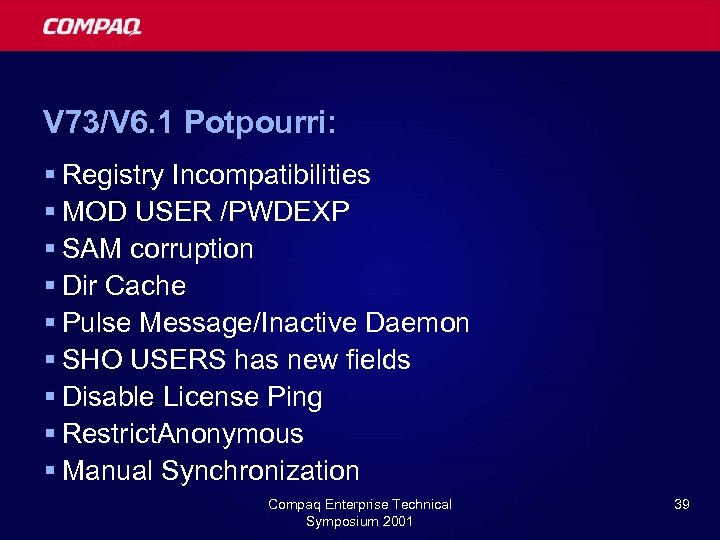
V 73/V 6. 1 Potpourri: § Registry Incompatibilities § MOD USER /PWDEXP § SAM corruption § Dir Cache § Pulse Message/Inactive Daemon § SHO USERS has new fields § Disable License Ping § Restrict. Anonymous § Manual Synchronization Compaq Enterprise Technical Symposium 2001 39
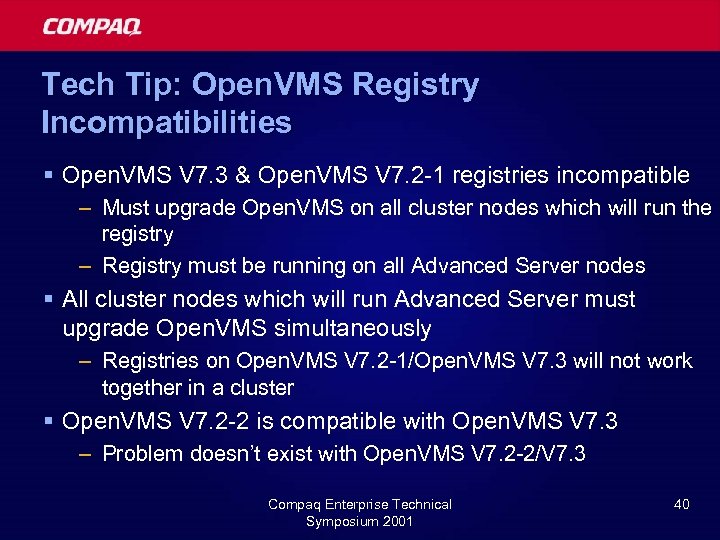
Tech Tip: Open. VMS Registry Incompatibilities § Open. VMS V 7. 3 & Open. VMS V 7. 2 -1 registries incompatible – Must upgrade Open. VMS on all cluster nodes which will run the registry – Registry must be running on all Advanced Server nodes § All cluster nodes which will run Advanced Server must upgrade Open. VMS simultaneously – Registries on Open. VMS V 7. 2 -1/Open. VMS V 7. 3 will not work together in a cluster § Open. VMS V 7. 2 -2 is compatible with Open. VMS V 7. 3 – Problem doesn’t exist with Open. VMS V 7. 2 -2/V 7. 3 Compaq Enterprise Technical Symposium 2001 40
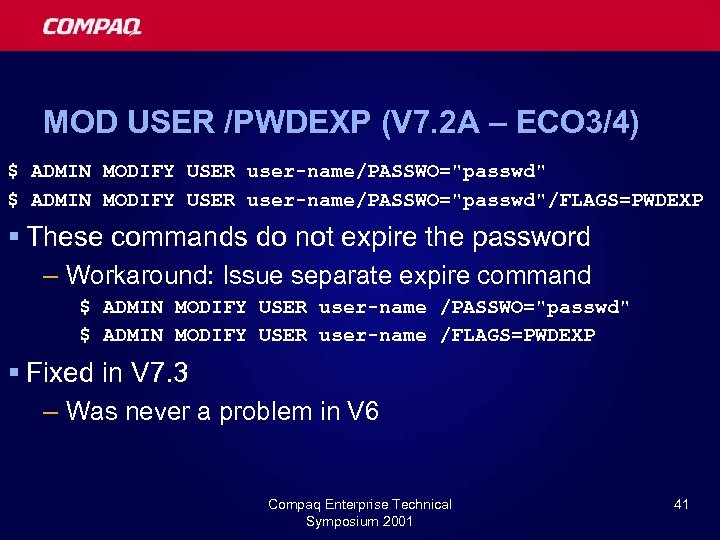
MOD USER /PWDEXP (V 7. 2 A – ECO 3/4) $ ADMIN MODIFY USER user-name/PASSWO="passwd"/FLAGS=PWDEXP § These commands do not expire the password – Workaround: Issue separate expire command $ ADMIN MODIFY USER user-name /PASSWO="passwd" $ ADMIN MODIFY USER user-name /FLAGS=PWDEXP § Fixed in V 7. 3 – Was never a problem in V 6 Compaq Enterprise Technical Symposium 2001 41
SAM Corruption § V 7. 3, V 7. 2 A-ECO 4, V 6. 0 C-ECO 2 fix SAM corruption § No need for modified PWRK$SHUTDOWN – The “interlock shutdown with Net. Logon” fix – Only use PWRK$SHUTDOWN provided with kit § Uncontrolled shutdowns can cause corruption § Report reproducible SAM corruption to Customer Support Center Compaq Enterprise Technical Symposium 2001 42
Directory Cache § Clients sees empty or partial directories § Fixed in V 7. 3, V 7. 2 A-ECO 4, V 6. 0 C-ECO 2 § Make sure XQP patches are current – Should always do this § If you still see this – update to latest ECO, notify Customer Support Compaq Enterprise Technical Symposium 2001 43
SAM Replication Pulse Message Inactive Daemon § Problem: PW/AS cluster is BDC, PDC needed to resolve alias to “active” daemon node of cluster – If alias resolved to “inactive” daemon node, replication pulse messages would go to wrong node. – Partial synchs of SAM didn’t occur – WAN only (LAN uses broadcasts) § Resolution: If “inactive” daemon gets a pulse, it passes it on to the “active daemon” – Active Daemon will respond to Pulse Message – In V 6. 0 C-ECO 2, V 6. 1, V 7. 3 Compaq Enterprise Technical Symposium 2001 44
SHOW USER – new fields § ADMIN SHOW USER /FULL, /ACCOUNTS or /PROFILE now includes: – Last Log On: 08/23/00 05: 07 PM – Password Last Set: 06/30/00 11: 03 AM – Password Changeable: 06/30/00 11: 03 AM – Password Expires: 09/11/00 11: 03 AM § In V 7. 3, V 6. 1 Compaq Enterprise Technical Symposium 2001 45
Disable Client License Ping § If using only server based licensing, define PWRK$LR_DISABLE_CLIENT_PING, to bypass client license check on client request – When clients connect, PW/AS first attempts to validate a license on the client – If not using any client based licenses, you might as well skip that step. § See Advanced Server for Open. VMS Guide to Configuring Licenses for more information § V 7. 3 & V 6. 1 Compaq Enterprise Technical Symposium 2001 46
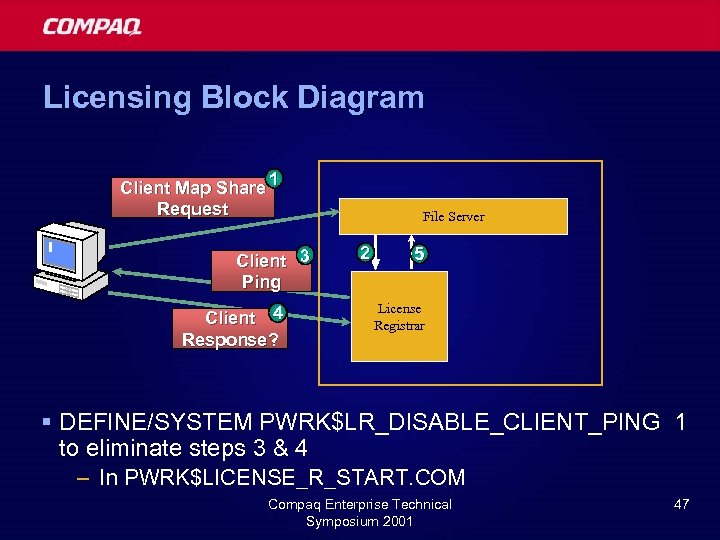
Licensing Block Diagram Client Map Share 1 Request Client 3 Ping Client 4 Response? File Server 2 5 License Registrar § DEFINE/SYSTEM PWRK$LR_DISABLE_CLIENT_PING 1 to eliminate steps 3 & 4 – In PWRK$LICENSE_R_START. COM Compaq Enterprise Technical Symposium 2001 47
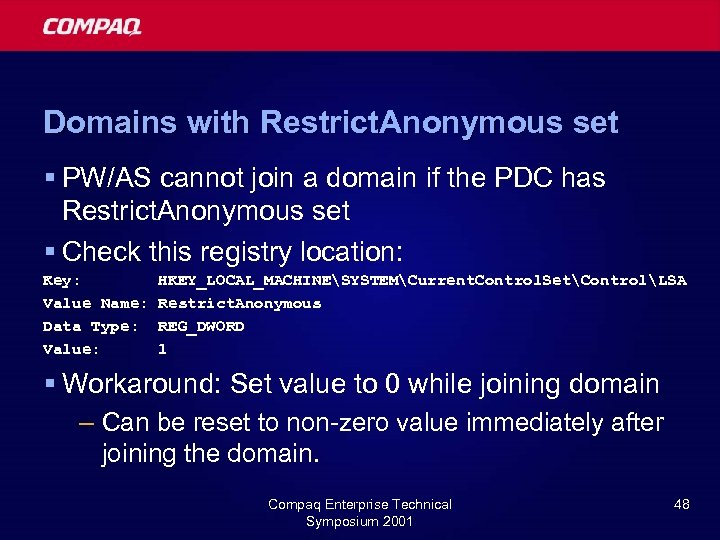
Domains with Restrict. Anonymous set § PW/AS cannot join a domain if the PDC has Restrict. Anonymous set § Check this registry location: Key: Value Name: Data Type: Value: HKEY_LOCAL_MACHINESYSTEMCurrent. Control. SetControlLSA Restrict. Anonymous REG_DWORD 1 § Workaround: Set value to 0 while joining domain – Can be reset to non-zero value immediately after joining the domain. Compaq Enterprise Technical Symposium 2001 48
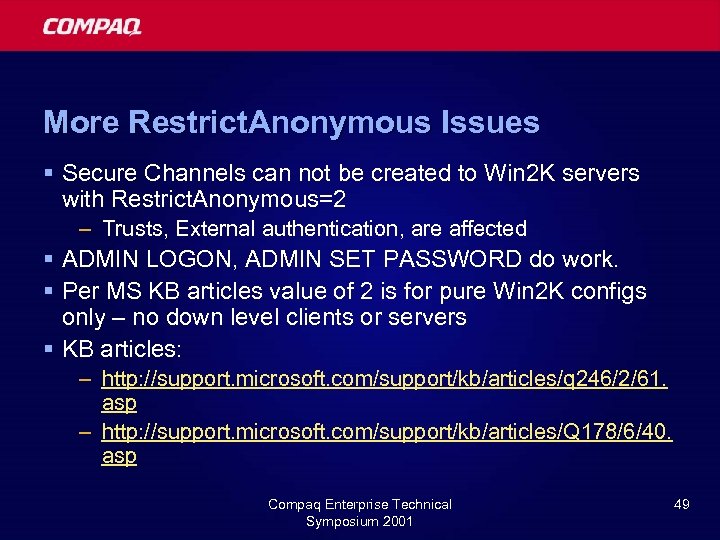
More Restrict. Anonymous Issues § Secure Channels can not be created to Win 2 K servers with Restrict. Anonymous=2 – Trusts, External authentication, are affected § ADMIN LOGON, ADMIN SET PASSWORD do work. § Per MS KB articles value of 2 is for pure Win 2 K configs only – no down level clients or servers § KB articles: – http: //support. microsoft. com/support/kb/articles/q 246/2/61. asp – http: //support. microsoft. com/support/kb/articles/Q 178/6/40. asp Compaq Enterprise Technical Symposium 2001 49
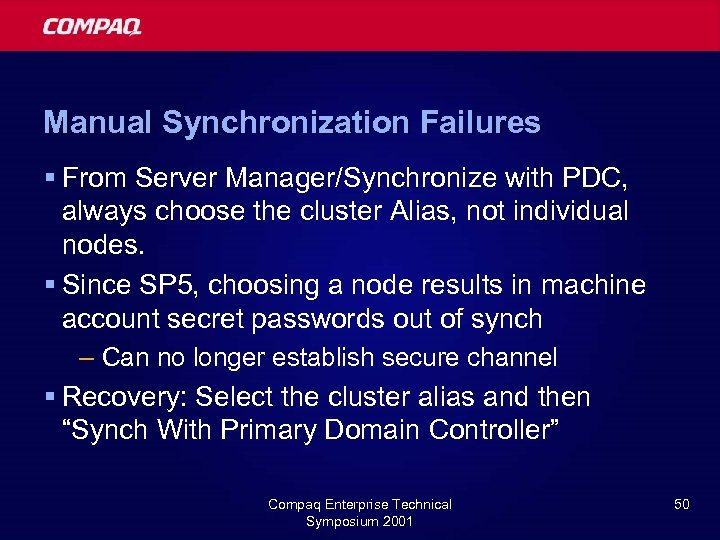
Manual Synchronization Failures § From Server Manager/Synchronize with PDC, always choose the cluster Alias, not individual nodes. § Since SP 5, choosing a node results in machine account secret passwords out of synch – Can no longer establish secure channel § Recovery: Select the cluster alias and then “Synch With Primary Domain Controller” Compaq Enterprise Technical Symposium 2001 50
Agenda § Current and future product overview § Technical details of new features èFuture Directions § Wrap-up Compaq Enterprise Technical Symposium 2001 51
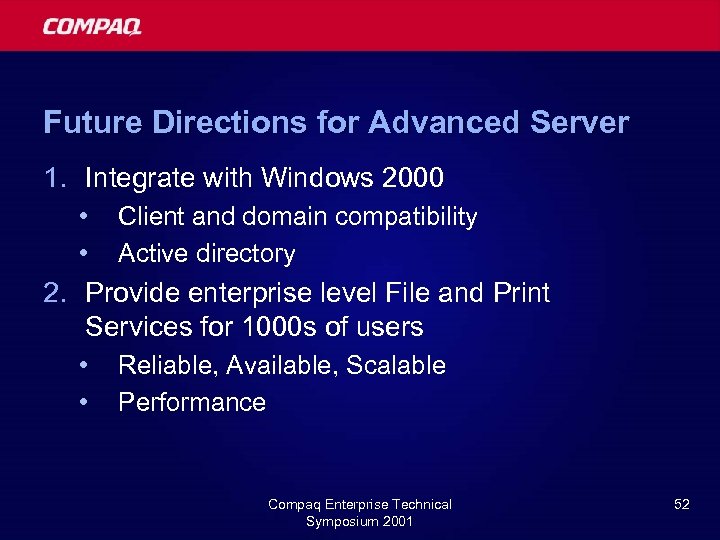
Future Directions for Advanced Server 1. Integrate with Windows 2000 • • Client and domain compatibility Active directory 2. Provide enterprise level File and Print Services for 1000 s of users • • Reliable, Available, Scalable Performance Compaq Enterprise Technical Symposium 2001 52
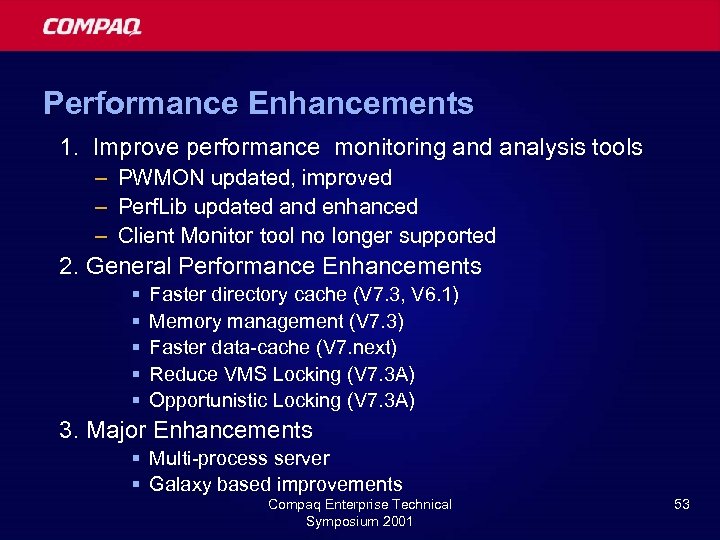
Performance Enhancements 1. Improve performance monitoring and analysis tools – PWMON updated, improved – Perf. Lib updated and enhanced – Client Monitor tool no longer supported 2. General Performance Enhancements § § § Faster directory cache (V 7. 3, V 6. 1) Memory management (V 7. 3) Faster data-cache (V 7. next) Reduce VMS Locking (V 7. 3 A) Opportunistic Locking (V 7. 3 A) 3. Major Enhancements § Multi-process server § Galaxy based improvements Compaq Enterprise Technical Symposium 2001 53
Performance Enhancements Reduce Open VMS locking 1. Reviewed a few lock mechanisms § Share lock used a parent/child mechanism, will be simple locking 2. Threadlocks instead of VMS Locks § Threadlocks are 12 times faster § Use threadlocks for non-shared resources § When a resource becomes shared, promote to VMS lock Compaq Enterprise Technical Symposium 2001 54
Performance Improvements Examples § Focus on reducing BUFIO – Improve FID and directory cache hit rates – Improve file lookup algorithms § Directory cache is now write through § Fix cross-cluster invalidation of the directory cache – Improved local node too! § Increase FID cache capacity from 8 K to 16 K files – Increases hit rate Compaq Enterprise Technical Symposium 2001 55
File Lookup description § File Lookup: Any attempt to access a file header – Optimized thru the FID cache § Lookups can be by name or by FID (File ID) § The flow is as follows: – First try to ‘hit’ the fid cache – If alias (short) name, convert to FID, try to hit again. – Do a wildcard lookup against the XQP to get the FID. – Do a XQP lookup to get the file header contents, and store the results in the FID cache. Compaq Enterprise Technical Symposium 2001 56
File Lookup optimizations in V 7. 3 A § If we have a filename but not a FID, lookup in the directory cache to get the FID. – Very likely to succeed, unless its a short name. § Alias short name processing improved. § Fixed several problems which could result in unnecessary ‘misses’ in the FID cache § Results: 20 -25% higher hit-rates in the FID cache, much less Buffered I/O’s against the XQP Compaq Enterprise Technical Symposium 2001 57
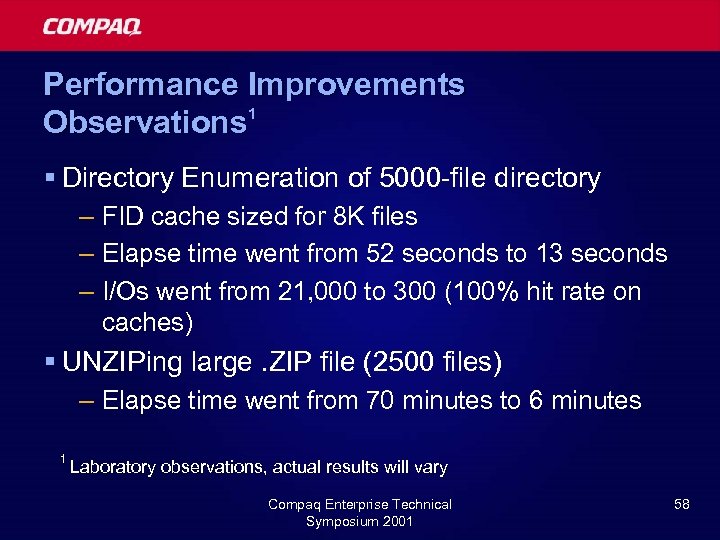
Performance Improvements 1 Observations § Directory Enumeration of 5000 -file directory – FID cache sized for 8 K files – Elapse time went from 52 seconds to 13 seconds – I/Os went from 21, 000 to 300 (100% hit rate on caches) § UNZIPing large. ZIP file (2500 files) – Elapse time went from 70 minutes to 6 minutes 1 Laboratory observations, actual results will vary Compaq Enterprise Technical Symposium 2001 58
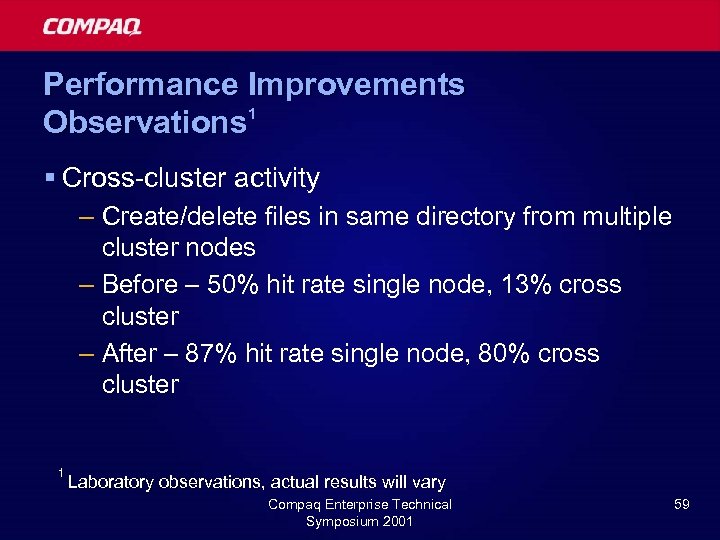
Performance Improvements 1 Observations § Cross-cluster activity – Create/delete files in same directory from multiple cluster nodes – Before – 50% hit rate single node, 13% cross cluster – After – 87% hit rate single node, 80% cross cluster 1 Laboratory observations, actual results will vary Compaq Enterprise Technical Symposium 2001 59
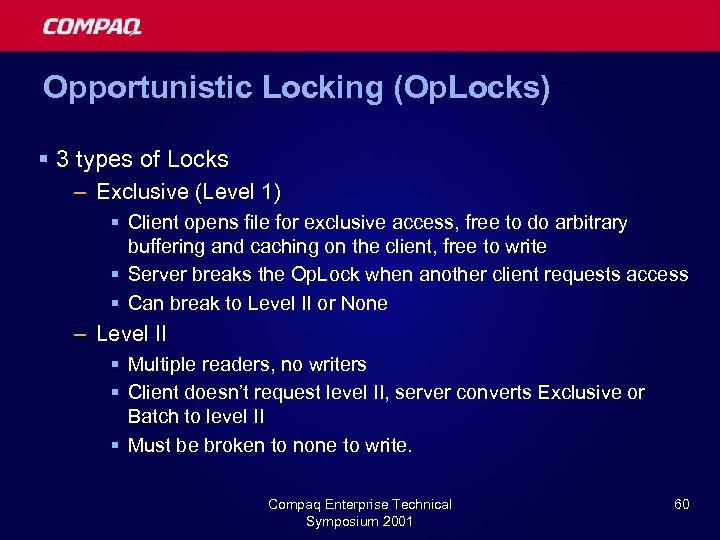
Opportunistic Locking (Op. Locks) § 3 types of Locks – Exclusive (Level 1) § Client opens file for exclusive access, free to do arbitrary buffering and caching on the client, free to write § Server breaks the Op. Lock when another client requests access § Can break to Level II or None – Level II § Multiple readers, no writers § Client doesn’t request level II, server converts Exclusive or Batch to level II § Must be broken to none to write. Compaq Enterprise Technical Symposium 2001 60
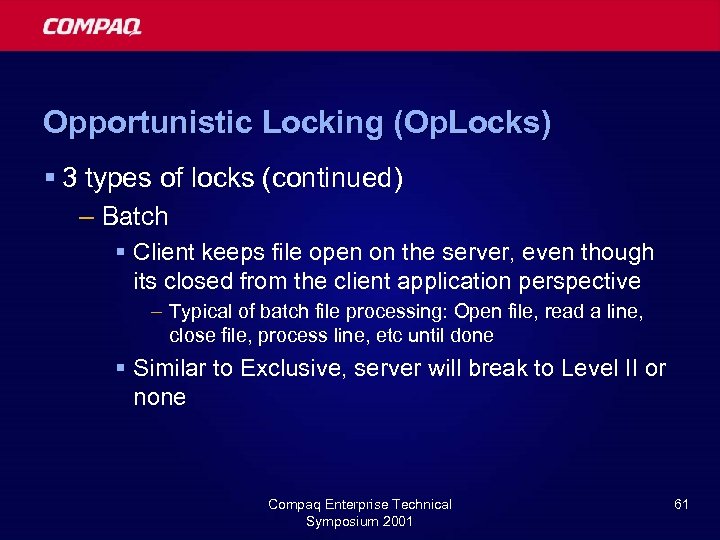
Opportunistic Locking (Op. Locks) § 3 types of locks (continued) – Batch § Client keeps file open on the server, even though its closed from the client application perspective – Typical of batch file processing: Open file, read a line, close file, process line, etc until done § Similar to Exclusive, server will break to Level II or none Compaq Enterprise Technical Symposium 2001 61
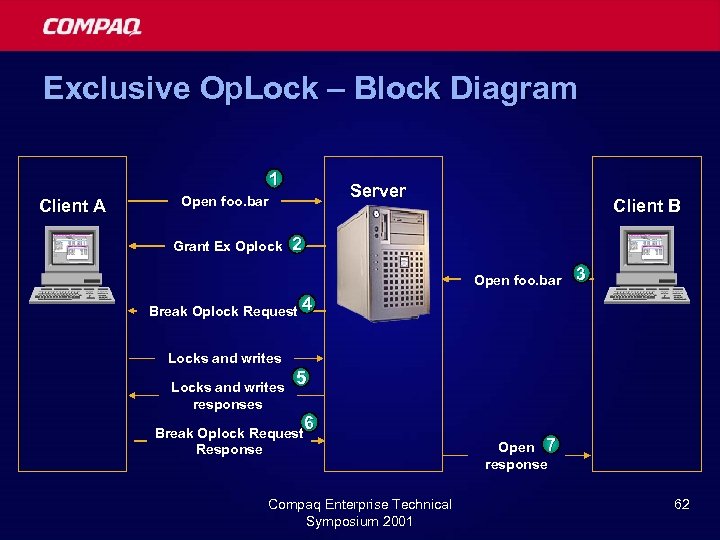
Exclusive Op. Lock – Block Diagram 1 Client A Server Open foo. bar Grant Ex Oplock Client B 2 Open foo. bar 3 Break Oplock Request 4 Locks and writes responses 5 Break Oplock Request Response 6 Compaq Enterprise Technical Symposium 2001 Open 7 response 62
Op. Lock Deliverables § Advanced Server V 7. 3 A will provide Exclusive and Batch Op. Locks § Level II comes later – No requirement to support Level II – When breaking Op. Locks, break to Level II or none Compaq Enterprise Technical Symposium 2001 63
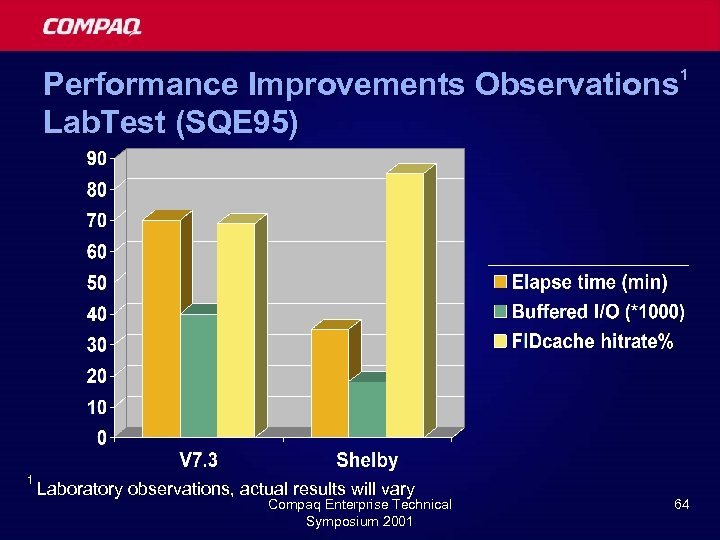
Performance Improvements Observations 1 Lab. Test (SQE 95) 1 Laboratory observations, actual results will vary Compaq Enterprise Technical Symposium 2001 64
High Availability § Availability/Stability – Always the top priority – SAM replication issues resolved – Directory cache problems resolved § Reliability (Non. Stop) is the goal § Minimize reboots (V 7. 3) § Rolling upgrades § Scalability – Multi-process Server § See next slide Compaq Enterprise Technical Symposium 2001 65
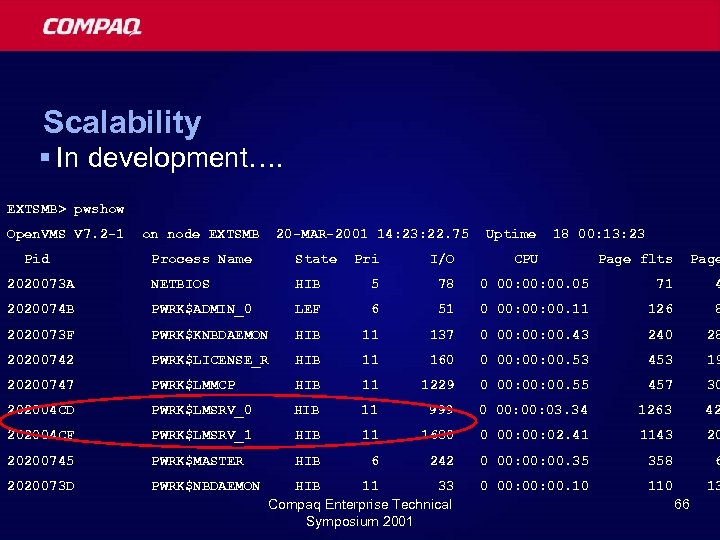
Scalability § In development…. EXTSMB> pwshow Open. VMS V 7. 2 -1 Pid on node EXTSMB 20 -MAR-2001 14: 23: 22. 75 Process Name State Pri I/O 2020073 A NETBIOS HIB 5 78 2020074 B PWRK$ADMIN_0 LEF 6 2020073 F PWRK$KNBDAEMON HIB 20200742 PWRK$LICENSE_R 20200747 Uptime 18 00: 13: 23 CPU Page flts Page 0 00: 00. 05 71 4 51 0 00: 00. 11 126 8 11 137 0 00: 00. 43 240 28 HIB 11 160 0 00: 00. 53 453 19 PWRK$LMMCP HIB 11 1229 0 00: 00. 55 457 30 202004 CD PWRK$LMSRV_0 HIB 11 999 0 00: 03. 34 1263 42 202004 CF PWRK$LMSRV_1 HIB 11 1680 0 00: 02. 41 1143 20 20200745 PWRK$MASTER HIB 6 242 0 00: 00. 35 358 6 2020073 D PWRK$NBDAEMON HIB 11 33 Compaq Enterprise Technical Symposium 2001 0 00: 00. 10 13 66
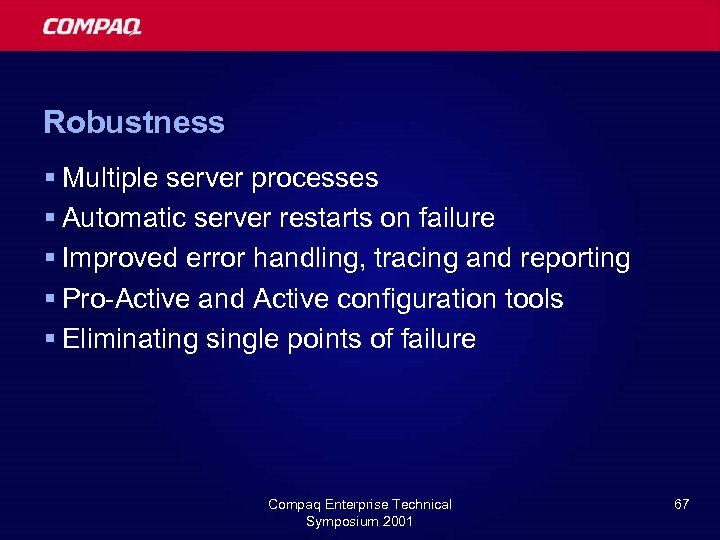
Robustness § Multiple server processes § Automatic server restarts on failure § Improved error handling, tracing and reporting § Pro-Active and Active configuration tools § Eliminating single points of failure Compaq Enterprise Technical Symposium 2001 67
Windows 2000 Compaq Enterprise Technical Symposium 2001
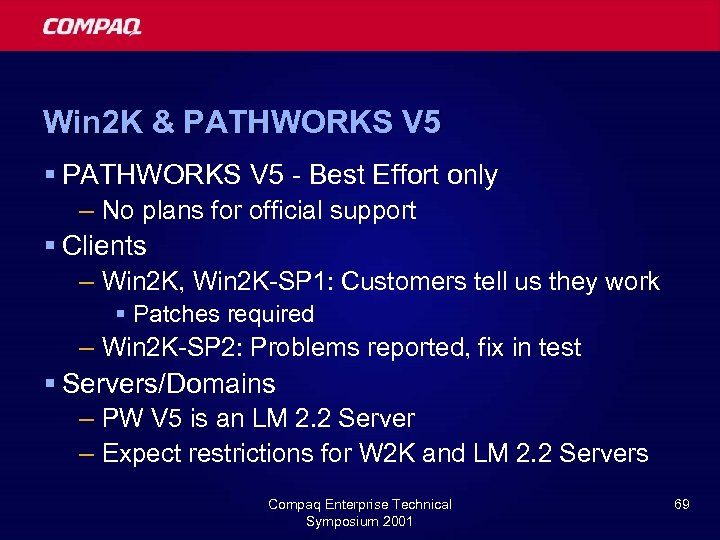
Win 2 K & PATHWORKS V 5 § PATHWORKS V 5 - Best Effort only – No plans for official support § Clients – Win 2 K, Win 2 K-SP 1: Customers tell us they work § Patches required – Win 2 K-SP 2: Problems reported, fix in test § Servers/Domains – PW V 5 is an LM 2. 2 Server – Expect restrictions for W 2 K and LM 2. 2 Servers Compaq Enterprise Technical Symposium 2001 69
Win 2 K and Prior Releases § Advanced Server V 7. 2 A & PATHWORKS V 6. 0 C/D § Officially, not in the SPD § Clients – Patches required – Intend to support W 2 K client – Engineering accepts escalations § Servers/Domains – PW & AS have same restrictions as NT 4. 0 – Must be BDC to Win 2 K PDC Compaq Enterprise Technical Symposium 2001 70
Windows 2000 Integration Plans § Current: – Advanced Server V 7. 3 and PATHWORKS V 6. 1 – Window 2000 Native Mode: PW/AS is member server – Windows 2000 Mixed Mode: PW/AS is member server or BDC § Future - Advanced Server V 7. 4 – Active Directory Integration § Make Open. VMS resources available in AD – Unicode Compaq Enterprise Technical Symposium 2001 71
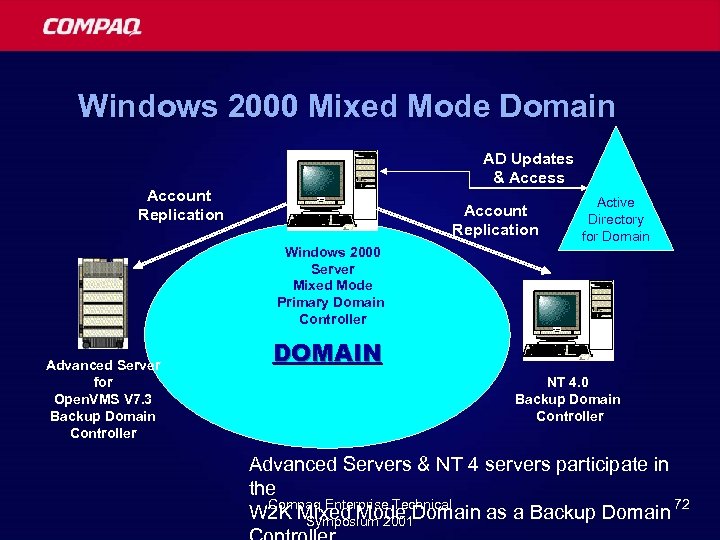
Windows 2000 Mixed Mode Domain AD Updates & Access Account Replication Active Directory for Domain Windows 2000 Server Mixed Mode Primary Domain Controller Advanced Server for Open. VMS V 7. 3 Backup Domain Controller DOMAIN NT 4. 0 Backup Domain Controller Advanced Servers & NT 4 servers participate in the Compaq Enterprise Technical W 2 K Mixed Mode Domain as a Backup Domain 72 Symposium 2001
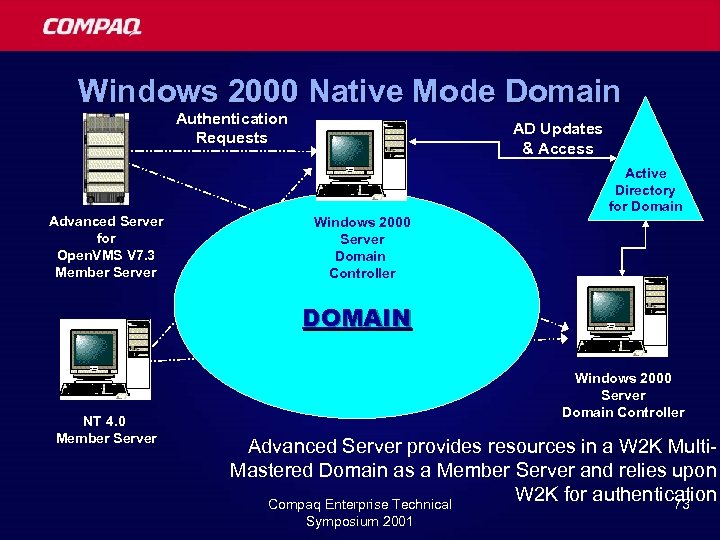
Windows 2000 Native Mode Domain Authentication Requests Advanced Server for Open. VMS V 7. 3 Member Server AD Updates & Access Active Directory for Domain Windows 2000 Server Domain Controller DOMAIN NT 4. 0 Member Server Windows 2000 Server Domain Controller Advanced Server provides resources in a W 2 K Multi. Mastered Domain as a Member Server and relies upon W 2 K for authentication Compaq Enterprise Technical 73 Symposium 2001
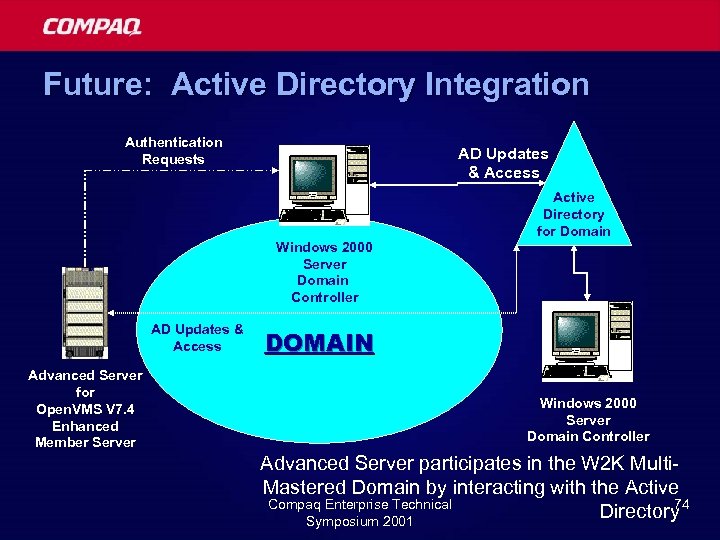
Future: Active Directory Integration Authentication Requests AD Updates & Access Active Directory for Domain Windows 2000 Server Domain Controller AD Updates & Access Advanced Server for Open. VMS V 7. 4 Enhanced Member Server DOMAIN Windows 2000 Server Domain Controller Advanced Server participates in the W 2 K Multi. Mastered Domain by interacting with the Active Compaq Enterprise Technical 74 Directory Symposium 2001
Agenda § Current and future product overview § Technical details of new features § Future directions èWrap-up Compaq Enterprise Technical Symposium 2001 75
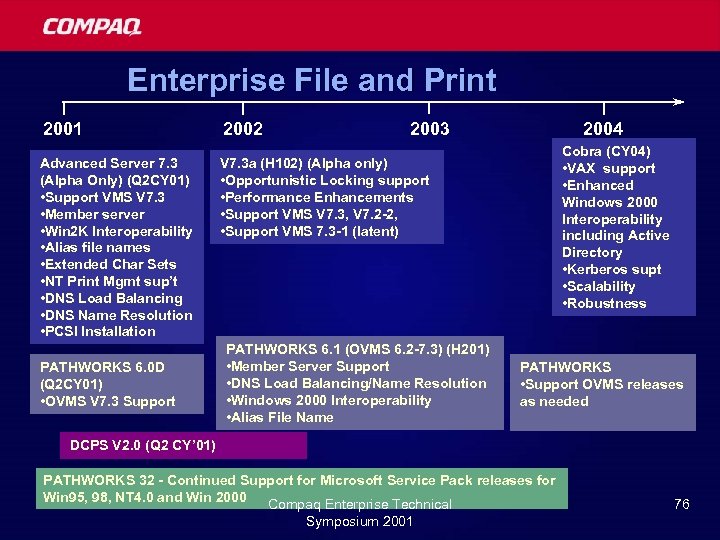
Enterprise File and Print 2001 2002 Advanced Server 7. 3 (Alpha Only) (Q 2 CY 01) • Support VMS V 7. 3 • Member server • Win 2 K Interoperability • Alias file names • Extended Char Sets • NT Print Mgmt sup’t • DNS Load Balancing • DNS Name Resolution • PCSI Installation V 7. 3 a (H 102) (Alpha only) • Opportunistic Locking support • Performance Enhancements • Support VMS V 7. 3, V 7. 2 -2, • Support VMS 7. 3 -1 (latent) PATHWORKS 6. 0 D (Q 2 CY 01) • OVMS V 7. 3 Support 2004 2003 PATHWORKS 6. 1 (OVMS 6. 2 -7. 3) (H 201) • Member Server Support • DNS Load Balancing/Name Resolution • Windows 2000 Interoperability • Alias File Name Cobra (CY 04) • VAX support • Enhanced Windows 2000 Interoperability including Active Directory • Kerberos supt • Scalability • Robustness PATHWORKS • Support OVMS releases as needed DCPS V 2. 0 (Q 2 CY’ 01) PATHWORKS 32 - Continued Support for Microsoft Service Pack releases for Win 95, 98, NT 4. 0 and Win 2000 Compaq Enterprise Technical Symposium 2001 76
Contacts and web sites Key Contacts § Product Manager: – Barbara. Karten@Compaq. com § Engineering Project Manager: – Brad. Mc. Cusker@Compaq. com Web Sites http: //www. Open. VMS. Compaq. com/PATHWORKS/ http: //www. Open. VMS. Compaq. com/Advanced. Server/ Compaq Enterprise Technical Symposium 2001 77
Thank you for attending QA & Compaq Enterprise Technical Symposium 2001 78
Compaq Enterprise Technical Symposium 2001 79
Скачать презентацию PATHWORKS and Advanced Server Technical Update Brad Mc
346cae6d50af44430c3d041d99271303.ppt