


 Скачать презентацию Parts of the Computer Three Components of
cd122ee2d0238eaaf62df9085b24e719.ppt
- Количество слайдов: 23
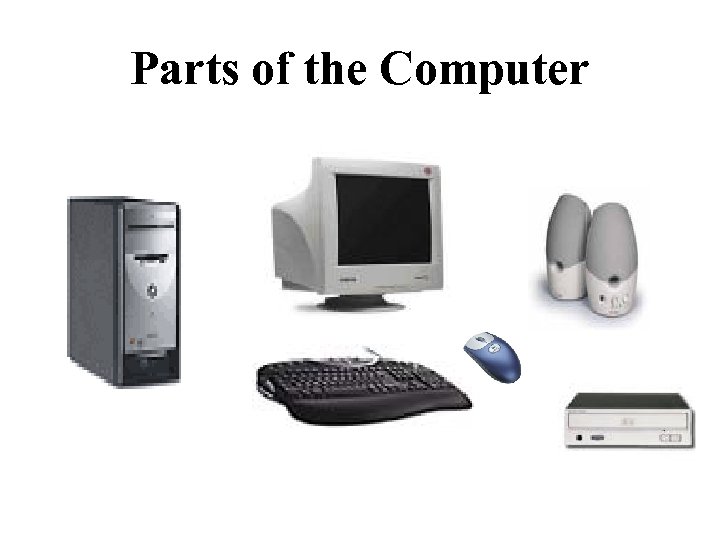 Parts of the Computer
 Three Components of an Information System 1. Hardware • • The physical components that make up the computer and other devices connected to the computer. Includes monitor, disk drives, cables, printers, keyboards, etc.
 The Four (4) Main Types of Hardware • Input Device – used to enter information into the computer (most common is keyboard) (others include mouse, joystick, scanner, microphone, light pen, stylus, modem) • Output Device – displays or prints information produced by a computer. (printer, speakers, monitor)
 Four (4) Main Types of Hardware • Processor – the device that processes data into information you can use (Central Processing Unit or CPU) • Storage – the device that saves data so it can be used again. (disk drives, hard drives, flash drives)
 Three Components of an Information System 2. Application software • Computer programs designed to perform specific tasks such as calculating total fundraising sales for FBLA. – Word processing software (Microsoft Word) – Database software (Microsoft Access) – Spreadsheet software (Microsoft Excel) – Speech Recognition software (Dragon Naturally Speaking) – Presentation software (Microsoft Power. Point)
 What is Word Processing Software? • An application that allows you to write and format memos, letters, reports, and tables – Microsoft Word – Microsoft Works – word processing – Word. Perfect
 What is Spreadsheet Software? • An application software that allows you to prepare financial statements, and other accounting documents and functions – Microsoft Excel – Lotus 1 -2 -3 – Corel Quattro Pro – Microsoft Money – Microsoft Works - spreadsheet
 What is Database Management or Database Software? • An application software that allows you to organize, manage, sort, search and store data – Microsoft Access – Microsoft Works – database – Corel Paradox
 What is Presentation Software? • An application software that allows you to create slideshows for speeches and other presentations – Microsoft Power. Point – Hyperstudio
 What is Graphics Software? • An application software that allows you to create, revise, edit and produce drawings – Page. Maker – Firewords – Adobe Photoshop
 What is Communications Software? • An application software that allows you to send and receive e-mail over the Internet – Eudora – Microsoft Outlook Express
 What is Speech Recognition Software? • An application software that allows you to use your voice to input and create letters, memos, tables, report, surf the Internet, create presentations. • This software works in addition to other application software packages. – – Dragon Naturally Speaking 7. 0 IBM Via Voice MS Office XP/2003 Speech Recognition Voice Express
 Three Components of An Information System 3. System Software • • • Computer programs designed to manage basic operations such as starting and shutting down the computer and saving and printing files Divided into three (3) parts: – Operating software – Utility programs – Language translators Examples of system software Windows XP, Windows 98, Windows 95, MS-DOS (Microsoft Disk Operating System), et al.
 Vocabulary • CPU (Central Processing Unit) – the “brains” of the computer where the work is done. • Command-line interface – type of use interface in which the user types commands or presses special keys on the keyboard to enter data and instructions.
 Vocabulary continued. . . • Electronic spreadsheet – software packages used to create financial statements using mathematical calculations (add, subtract, multiply, and divide) • Graphical-user interface – a menu based interface known as icons (pictures that appear on the desktop environment).
 Vocabulary continued. . . • Hardcopy – a printed page of text or graphics (output). • Hardware – components that make up a computer system; the physical components (monitor, keyboard, disk drive, mouse, cables, scanner) • Impact printers – a printer that strikes the paper in order to form images. Example: Dot Matrix Printer
 Vocabulary continued. . . • Input – information that is put into the computer • Input device – hardware that is used to enter data into a computer • Keyboard – an input device that enters data with letters, numbers, symbols, and special function keys. • Modem – computer hardware that allows information to be passed through the telephone lines. • Monitor – the video screen of the computer.
 Vocabulary continued. . . • Mouse - a pointing device used primarily with graphical interfaces. • Non-Impact Printer – a printer that forms images without striking the paper. Example: Laser or Inkjet Printers. (Laser printers are considered to be the Cadillac of all printers) • Output – the information that leaves the computer • Random Access Memory (RAM) – a type of memory that can be read from and written to by the processor and other devices. RAM is volatile (can be changed)
 Vocabulary continued. . . • Read Only Memory (ROM) – a type of memory that is used to store permanent data and instructions because it is nonvolatile (cannot be changed) • Scanner – used like a copy machine to allow information to be input into the computer (flatbed, handheld, bar code) • Softcopy – data that appears on the monitor
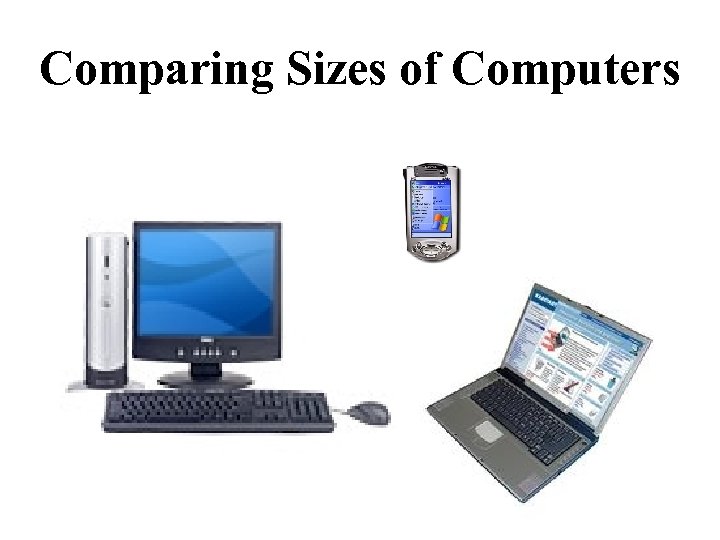 Comparing Sizes of Computers
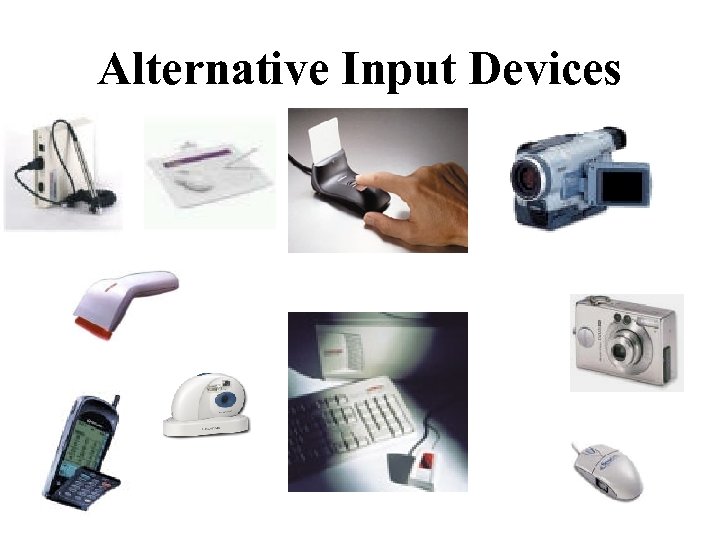 Alternative Input Devices
 Computer Care Tips • Keep food and drinks away from the computer and keyboard. • Avoid dusty locations • Avoid bright, sunny locations • Do not move the computer while it is on. • Always exit programs per user manual instructions.
 Diskette Care Tips • Avoid contact with magnets and electromagnetic fields. • Keep disks stored in a clean, cool and dry place with a protective cover. • Keep protective metal slider in place. • Use a virus check program on a regular basis. • Avoid heat and sunny locations • Make a back-up copy of your programs and files.