


 Скачать презентацию Part II MINIMALIST DESIGN EXAMPLES HANDS-ON TUTORIAL
686a543baa757968a0e60b98c235e707.ppt
- Количество слайдов: 55
 Part II. MINIMALIST: DESIGN EXAMPLES + HANDS-ON TUTORIAL Steven M. Nowick Columbia University (nowick@cs. columbia. edu) July 16 -17, 2002 1
 MINIMALIST: Download Site Accessible on the Web from: http: //www. cs. columbia. edu/async Currently, two versions: SPARC-solaris, Linux Includes: complete tutorial (text + PDF slides) benchmark examples other documentation 2
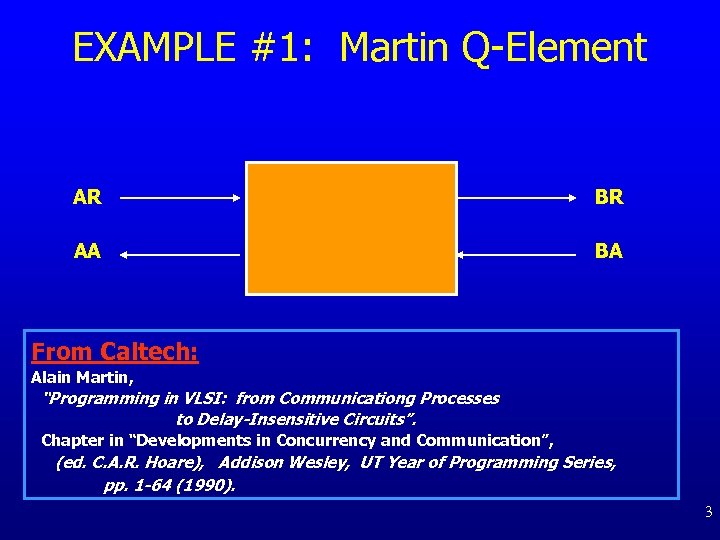 EXAMPLE #1: Martin Q-Element AR BR AA BA From Caltech: Alain Martin, “Programming in VLSI: from Communicationg Processes to Delay-Insensitive Circuits”. Chapter in “Developments in Concurrency and Communication”, (ed. C. A. R. Hoare), Addison Wesley, UT Year of Programming Series, pp. 1 -64 (1990). 3
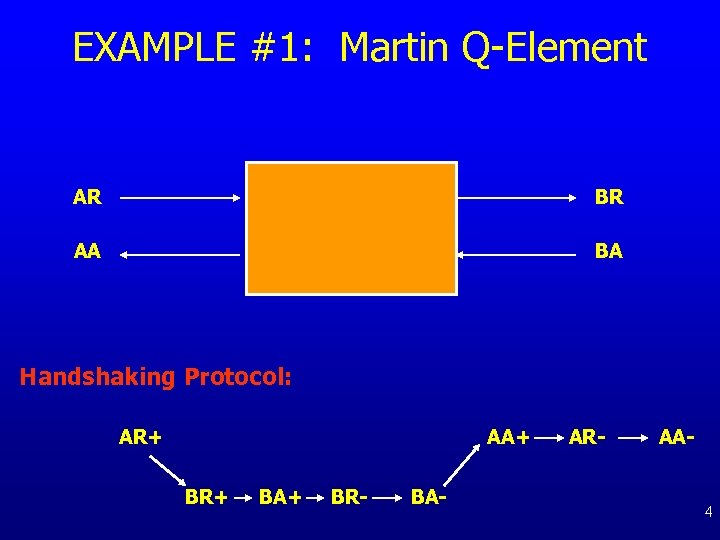 EXAMPLE #1: Martin Q-Element AR BR AA BA Handshaking Protocol: AR+ AA+ BR+ BA+ BR- BA- AR- AA- 4
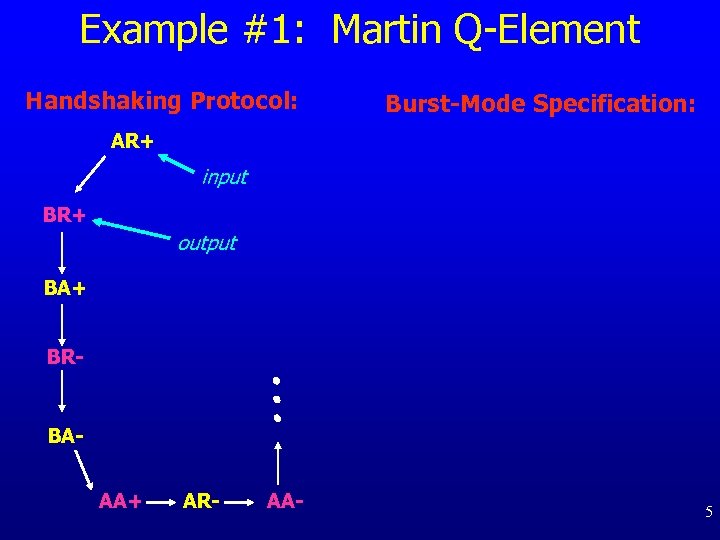 Example #1: Martin Q-Element Handshaking Protocol: Burst-Mode Specification: AR+ input BR+ output BA+ BR- BAAA+ AR- AA- 5
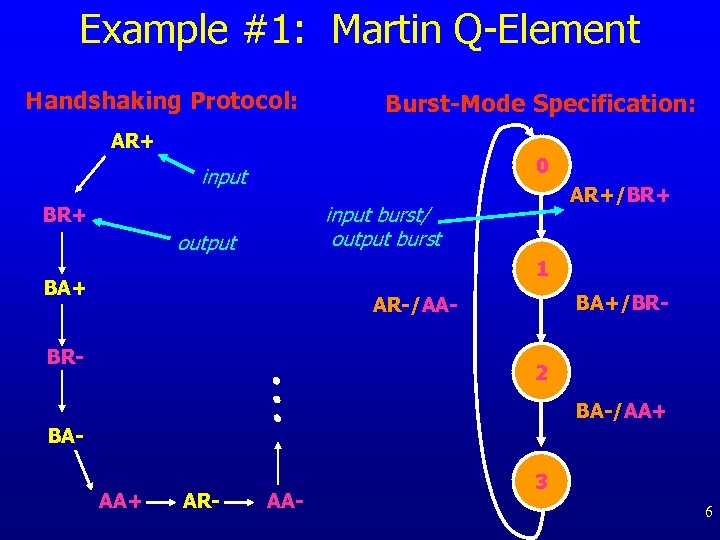 Example #1: Martin Q-Element Handshaking Protocol: Burst-Mode Specification: AR+ 0 input AR+/BR+ input burst/ output burst BR+ output 1 BA+/BR- AR-/AA- BR- 2 BA-/AA+ BAAA+ AR- AA- 3 6
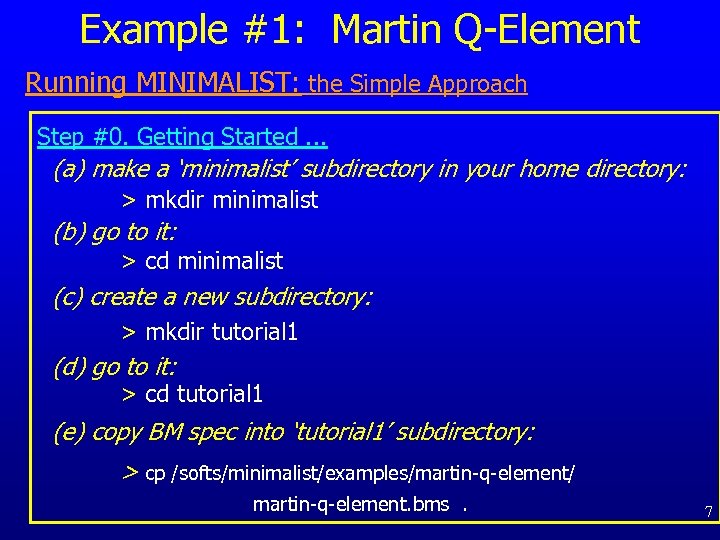 Example #1: Martin Q-Element Running MINIMALIST: the Simple Approach Step #0. Getting Started. . . (a) make a ‘minimalist’ subdirectory in your home directory: > mkdir minimalist (b) go to it: > cd minimalist (c) create a new subdirectory: > mkdir tutorial 1 (d) go to it: > cd tutorial 1 (e) copy BM spec into ‘tutorial 1’ subdirectory: > cp /softs/minimalist/examples/martin-q-element/ martin-q-element. bms. 7
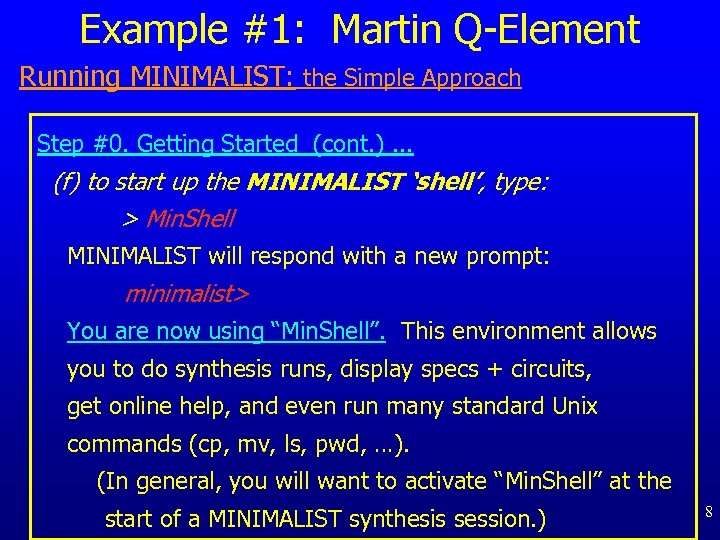 Example #1: Martin Q-Element Running MINIMALIST: the Simple Approach Step #0. Getting Started (cont. ). . . (f) to start up the MINIMALIST ‘shell’, type: > Min. Shell MINIMALIST will respond with a new prompt: minimalist> You are now using “Min. Shell”. This environment allows you to do synthesis runs, display specs + circuits, get online help, and even run many standard Unix commands (cp, mv, ls, pwd, …). (In general, you will want to activate “Min. Shell” at the start of a MINIMALIST synthesis session. ) 8
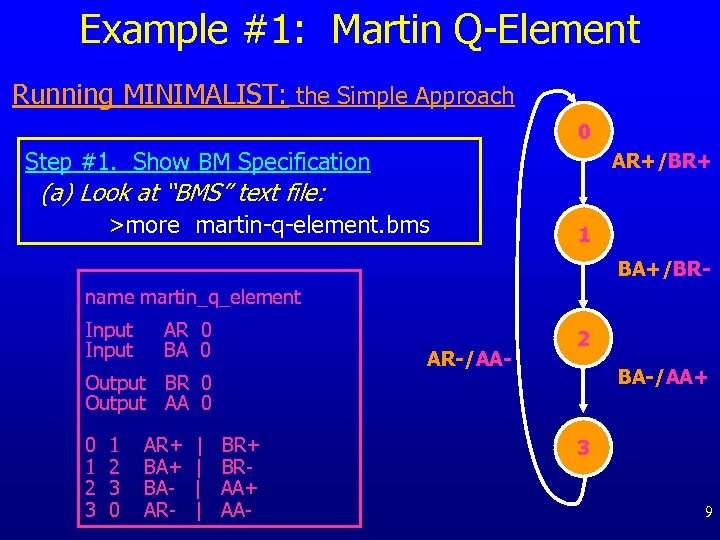 Example #1: Martin Q-Element Running MINIMALIST: the Simple Approach 0 Step #1. Show BM Specification AR+/BR+ (a) Look at “BMS” text file: >more martin-q-element. bms 1 BA+/BR- name martin_q_element Input AR 0 BA 0 AR-/AA- Output BR 0 Output AA 0 0 1 2 3 0 AR+ BAAR- | | BR+ BRAA+ AA- 2 BA-/AA+ 3 9
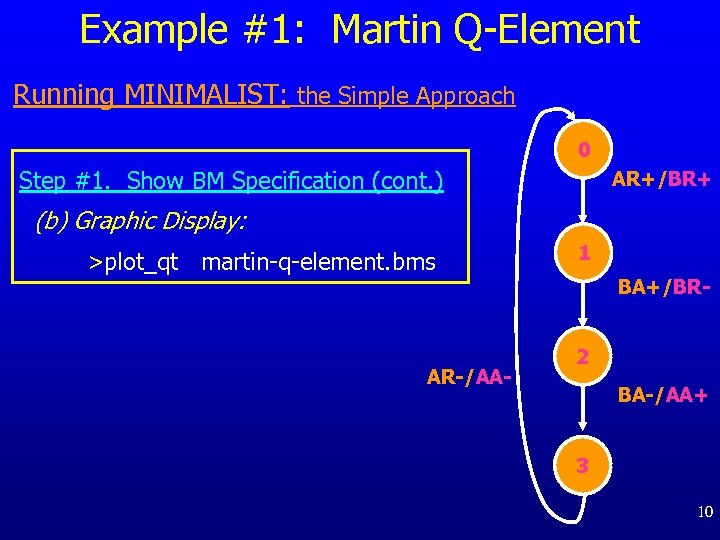 Example #1: Martin Q-Element Running MINIMALIST: the Simple Approach 0 Step #1. Show BM Specification (cont. ) AR+/BR+ (b) Graphic Display: >plot_qt martin-q-element. bms AR-/AA- 1 BA+/BR 2 BA-/AA+ 3 10
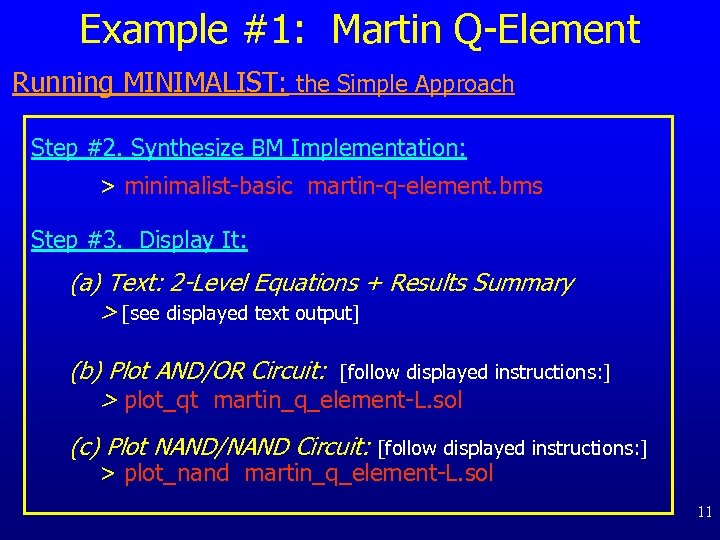 Example #1: Martin Q-Element Running MINIMALIST: the Simple Approach Step #2. Synthesize BM Implementation: > minimalist-basic martin-q-element. bms Step #3. Display It: (a) Text: 2 -Level Equations + Results Summary > [see displayed text output] (b) Plot AND/OR Circuit: [follow displayed instructions: ] > plot_qt martin_q_element-L. sol (c) Plot NAND/NAND Circuit: [follow displayed instructions: ] > plot_nand martin_q_element-L. sol 11
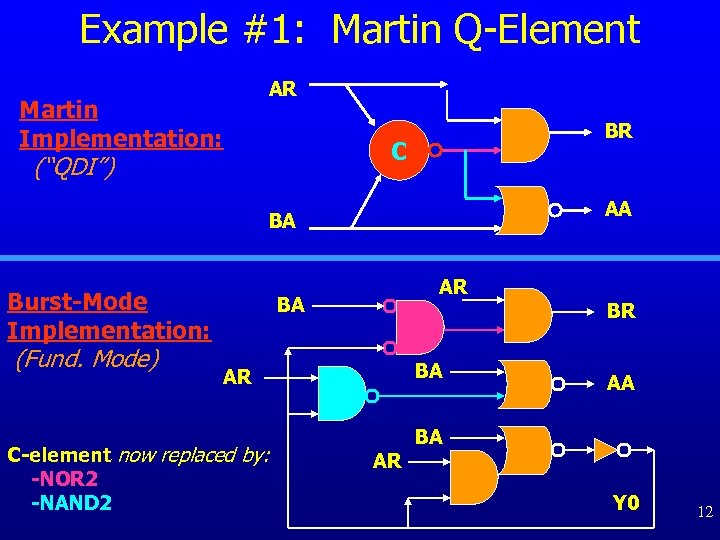 Example #1: Martin Q-Element AR Martin Implementation: BR C (“QDI”) AA BA Burst-Mode Implementation: (Fund. Mode) AR BA BA AR C-element now replaced by: -NOR 2 -NAND 2 AR BR AA BA Y 0 12
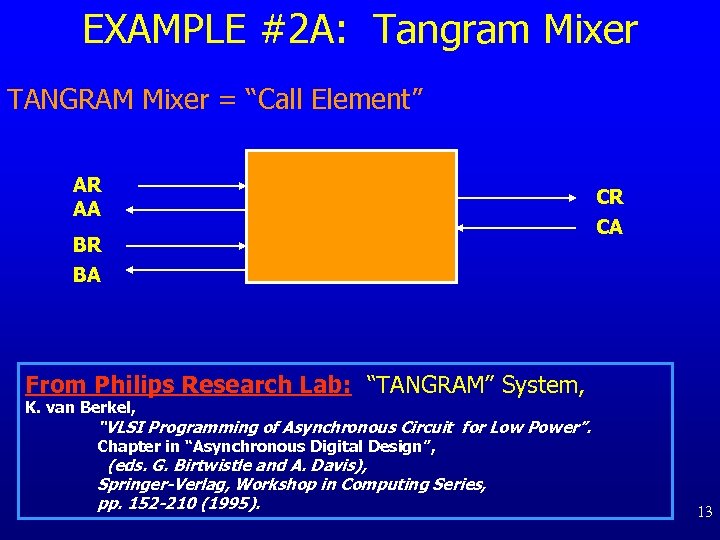 EXAMPLE #2 A: Tangram Mixer TANGRAM Mixer = “Call Element” AR AA BR CR CA BA From Philips Research Lab: “TANGRAM” System, K. van Berkel, “VLSI Programming of Asynchronous Circuit for Low Power”. Chapter in “Asynchronous Digital Design”, (eds. G. Birtwistle and A. Davis), Springer-Verlag, Workshop in Computing Series, pp. 152 -210 (1995). 13
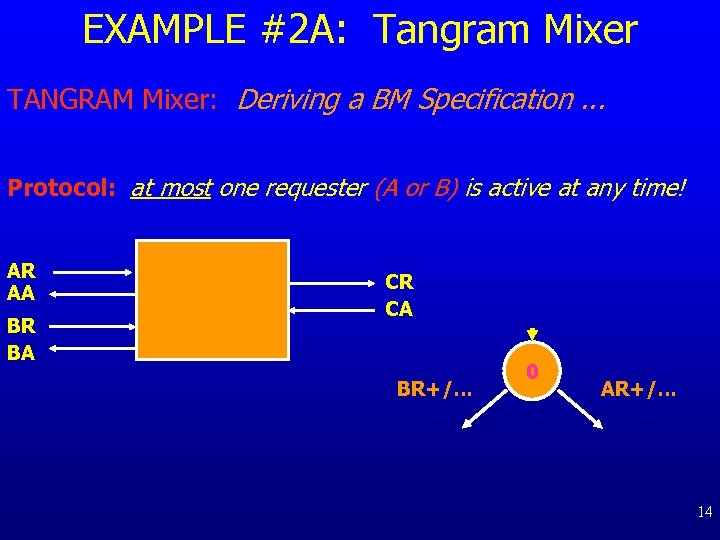 EXAMPLE #2 A: Tangram Mixer TANGRAM Mixer: Deriving a BM Specification. . . Protocol: at most one requester (A or B) is active at any time! AR AA BR BA CR CA BR+/. . . 0 AR+/. . . 14
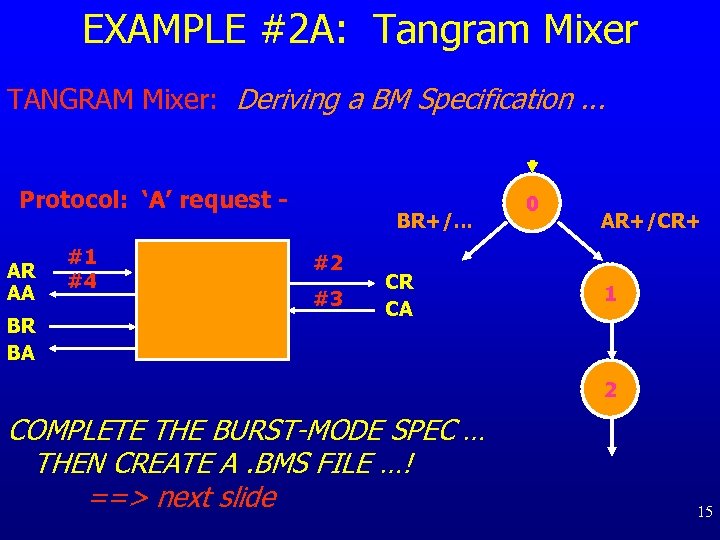 EXAMPLE #2 A: Tangram Mixer TANGRAM Mixer: Deriving a BM Specification. . . Protocol: ‘A’ request AR AA BR BA #1 #4 BR+/. . . #2 #3 CR CA 0 AR+/CR+ 1 2 COMPLETE THE BURST-MODE SPEC … THEN CREATE A. BMS FILE …! ==> next slide 15
 Example #2 A: Tangram Mixer [… waiting while you create your BM spec; when done, go to next slide. ] 16
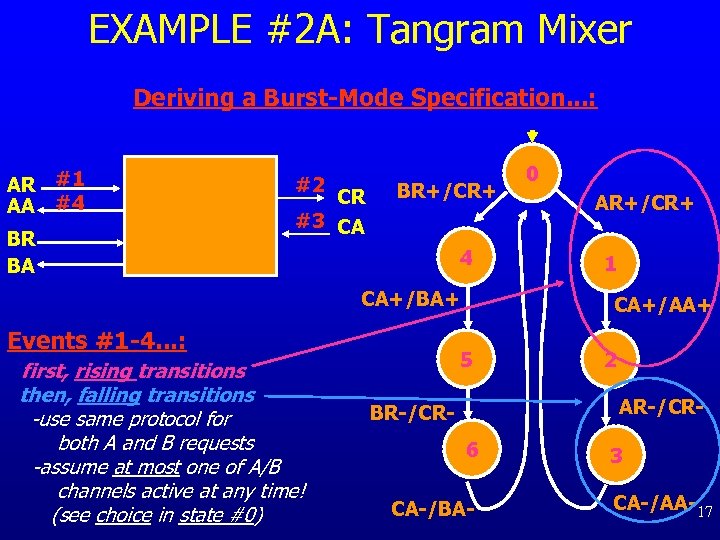 EXAMPLE #2 A: Tangram Mixer Deriving a Burst-Mode Specification. . . : AR #1 AA #4 BR BA #2 CR #3 CA BR+/CR+ 4 CA+/BA+ Events #1 -4. . . : first, rising transitions then, falling transitions -use same protocol for both A and B requests -assume at most one of A/B channels active at any time! (see choice in state #0) 0 AR+/CR+ 1 CA+/AA+ 5 2 AR-/CR- BR-/CR 6 CA-/BA- 3 CA-/AA-17
 Example #2 A: Tangram Mixer Running MINIMALIST: the Simple Approach Step #0. Getting Started. . . (a) go back into “examples” directory: > cd. . (b) create a new subdirectory: > mkdir tutorial 2 A (c) go to it: > cd tutorial 2 A (d) edit/create file for your BM spec: > emacs (or vi) my-tangram-mixer. bms When done: compare your own BMS spec with … /softs/minimalist/examples/tangram-mixer. bms 18
 Example #2 A: Tangram Mixer Step #1. Show BM Specification: Graphic Display: >plot_qt my-tangram-mixer. bms Step #2. Synthesize BM Implementation: >minimalist-basic my-tangram-mixer. bms Step #3. Display It: (a) 2 -Level Equations + Results Summary: > [see displayed output] (b) Plot AND/OR Circuit: > [follow instructions] (c) Plot NAND/NAND Circuit: > [follow instructions] 19
 Example #2 A: Tangram Mixer Now, do another synthesis run, and compare: using an “area-oriented” script, with fedback outputs Step #2. Synthesize BM Implementation: >minimalist-area my-tangram-mixer. bms Step #3. Display It: (a) 2 -Level Equations + Results Summary: > [see displayed output] (b) Plot AND/OR Circuit: > [follow instructions] (c) Plot NAND/NAND Circuit: > [follow instructions] 20
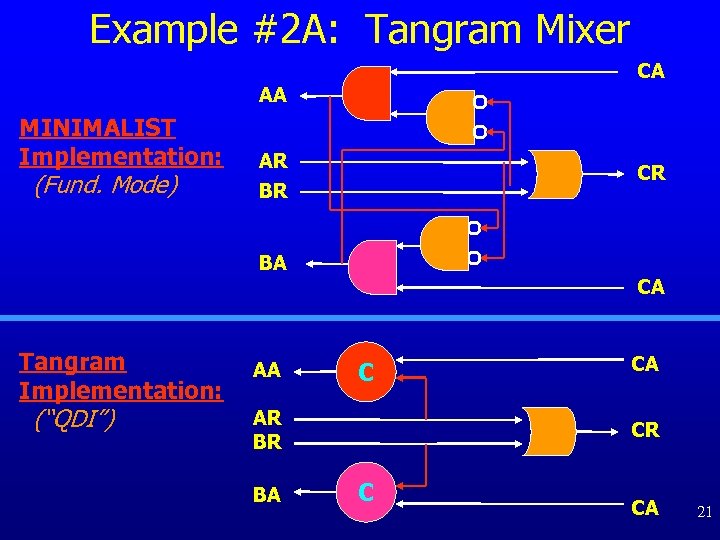 Example #2 A: Tangram Mixer CA AA MINIMALIST Implementation: (Fund. Mode) AR BR CR BA Tangram Implementation: (“QDI”) AA CA C AR BR BA CA CR C CA 21
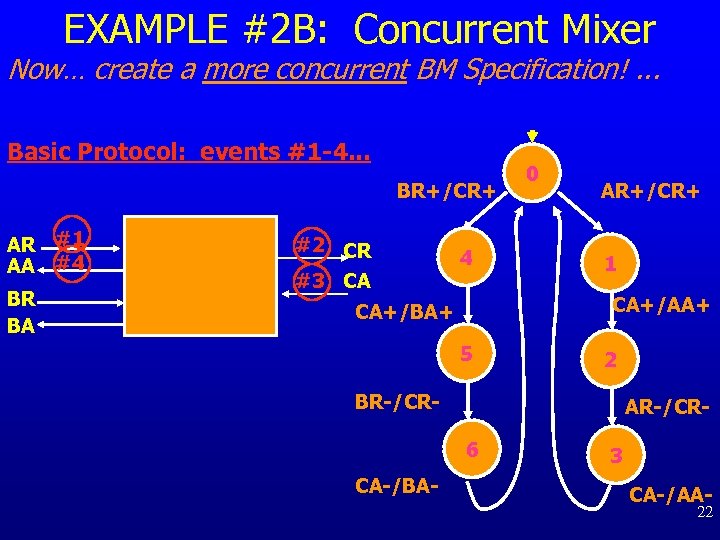 EXAMPLE #2 B: Concurrent Mixer Now… create a more concurrent BM Specification!. . . Basic Protocol: events #1 -4. . . BR+/CR+ AR #1 AA #4 BR BA #2 CR #3 CA 4 0 AR+/CR+ 1 CA+/AA+ CA+/BA+ 5 2 BR-/CR- AR-/CR 6 CA-/BA- 3 CA-/AA- 22
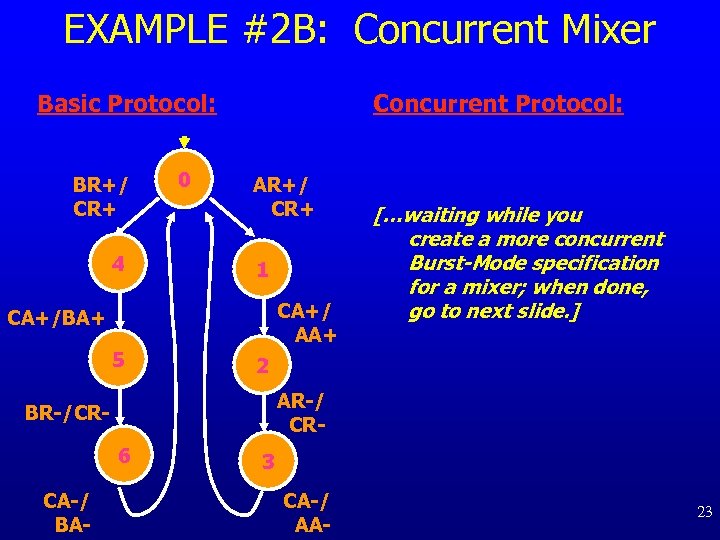 EXAMPLE #2 B: Concurrent Mixer Basic Protocol: BR+/ CR+ 4 0 Concurrent Protocol: AR+/ CR+ 1 CA+/ AA+ CA+/BA+ 5 2 AR-/ CR- BR-/CR 6 CA-/ BA- […waiting while you create a more concurrent Burst-Mode specification for a mixer; when done, go to next slide. ] 3 CA-/ AA- 23
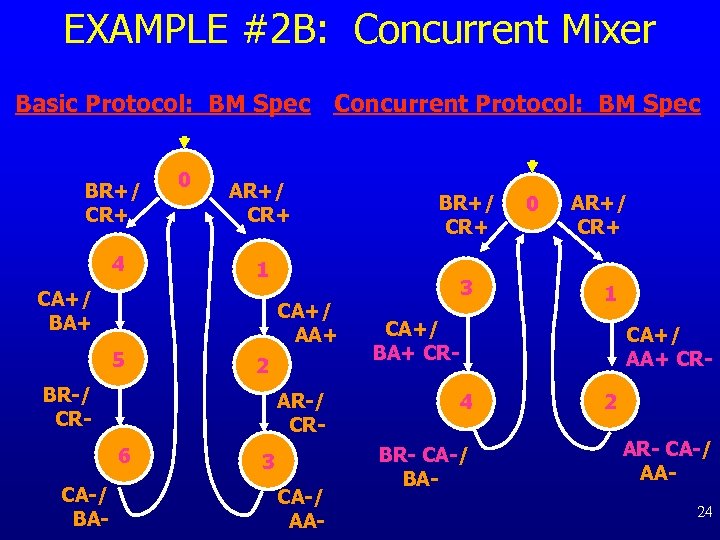 EXAMPLE #2 B: Concurrent Mixer Basic Protocol: BM Spec Concurrent Protocol: BM Spec BR+/ CR+ 4 0 AR+/ CR+ 1 CA+/ BA+ CA+/ AA+ 5 2 BR-/ CR- AR-/ CR 6 CA-/ BA- BR+/ CR+ 3 CA-/ AA- 3 0 AR+/ CR+ 1 CA+/ BA+ CR- CA+/ AA+ CR 4 BR- CA-/ BA- 2 AR- CA-/ AA 24
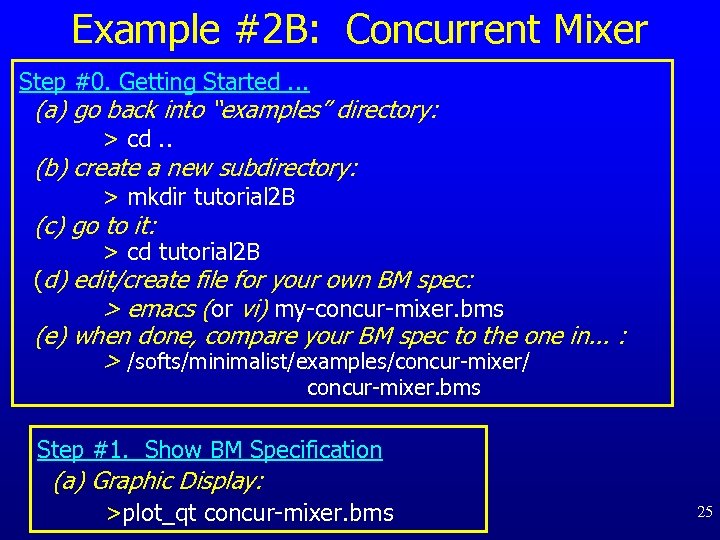 Example #2 B: Concurrent Mixer Step #0. Getting Started. . . (a) go back into “examples” directory: > cd. . (b) create a new subdirectory: > mkdir tutorial 2 B (c) go to it: > cd tutorial 2 B (d) edit/create file for your own BM spec: > emacs (or vi) my-concur-mixer. bms (e) when done, compare your BM spec to the one in. . . : > /softs/minimalist/examples/concur-mixer/ concur-mixer. bms Step #1. Show BM Specification (a) Graphic Display: >plot_qt concur-mixer. bms 25
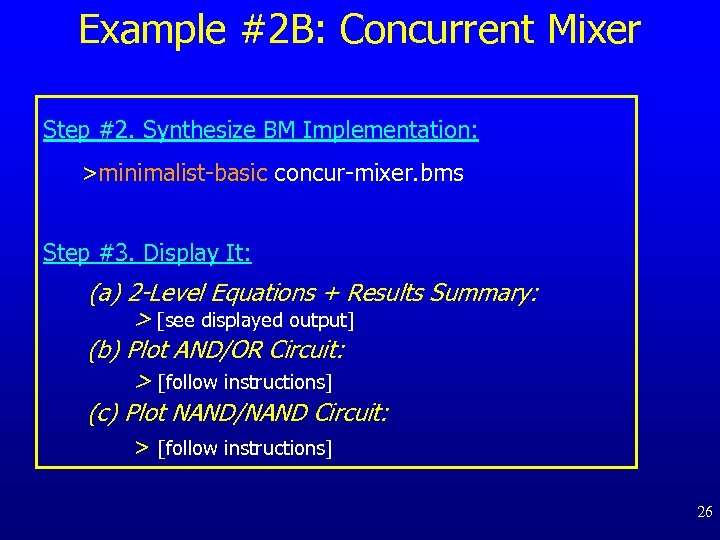 Example #2 B: Concurrent Mixer Step #2. Synthesize BM Implementation: >minimalist-basic concur-mixer. bms Step #3. Display It: (a) 2 -Level Equations + Results Summary: > [see displayed output] (b) Plot AND/OR Circuit: > [follow instructions] (c) Plot NAND/NAND Circuit: > [follow instructions] 26
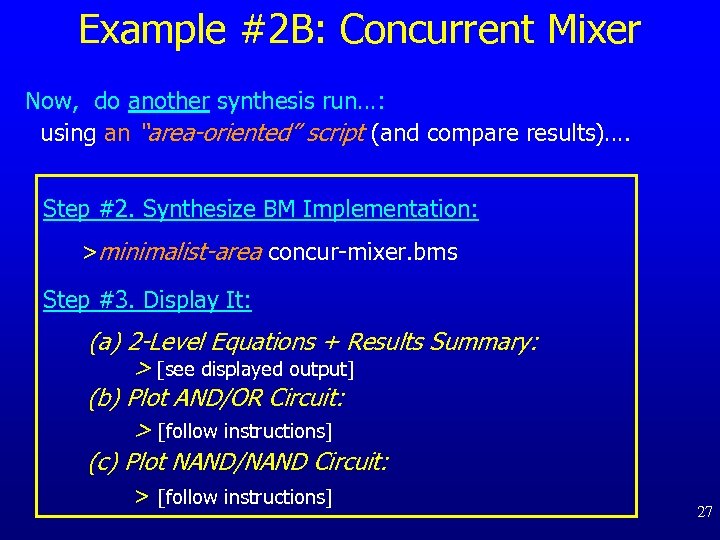 Example #2 B: Concurrent Mixer Now, do another synthesis run…: using an “area-oriented” script (and compare results)…. Step #2. Synthesize BM Implementation: >minimalist-area concur-mixer. bms Step #3. Display It: (a) 2 -Level Equations + Results Summary: > [see displayed output] (b) Plot AND/OR Circuit: > [follow instructions] (c) Plot NAND/NAND Circuit: > [follow instructions] 27
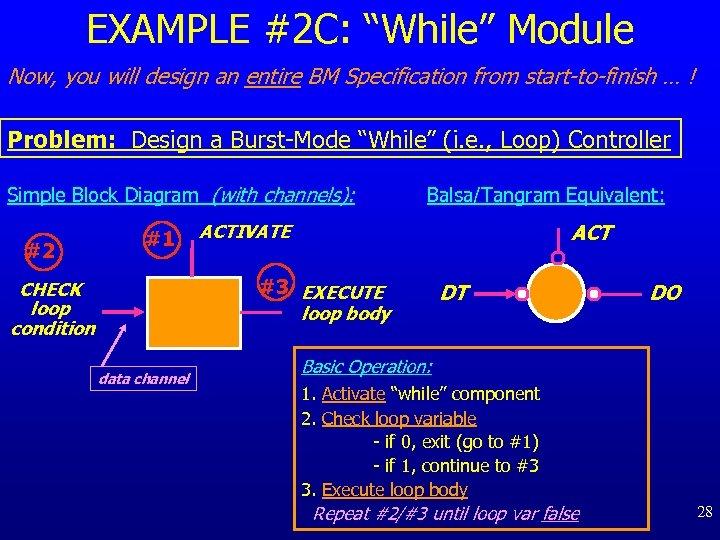 EXAMPLE #2 C: “While” Module Now, you will design an entire BM Specification from start-to-finish … ! Problem: Design a Burst-Mode “While” (i. e. , Loop) Controller Simple Block Diagram (with channels): #2 #1 Balsa/Tangram Equivalent: ACTIVATE #3 EXECUTE loop body CHECK loop condition data channel DT DO Basic Operation: 1. Activate “while” component 2. Check loop variable - if 0, exit (go to #1) - if 1, continue to #3 3. Execute loop body Repeat #2/#3 until loop var false 28
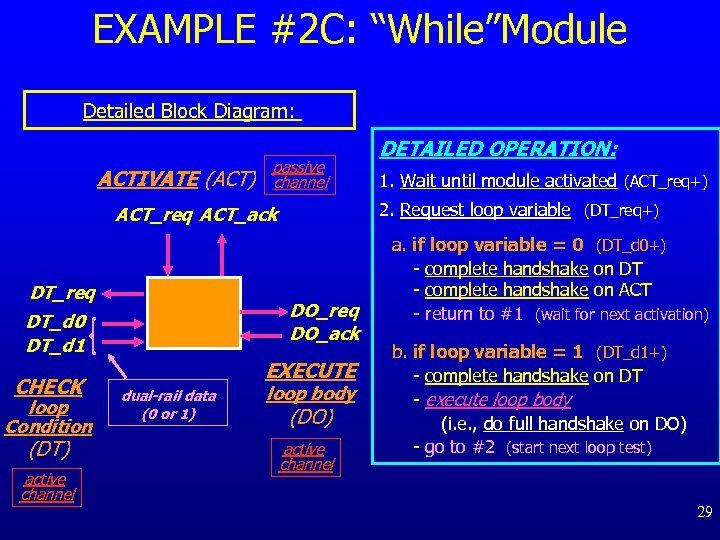 EXAMPLE #2 C: “While”Module Detailed Block Diagram: ACTIVATE (ACT) passive channel DO_req DO_ack DT_d 0 DT_d 1 CHECK loop Condition (DT) active channel EXECUTE dual-rail data (0 or 1) 1. Wait until module activated (ACT_req+) 2. Request loop variable (DT_req+) ACT_req ACT_ack DT_req DETAILED OPERATION: loop body (DO) active channel a. if loop variable = 0 (DT_d 0+) - complete handshake on DT - complete handshake on ACT - return to #1 (wait for next activation) b. if loop variable = 1 (DT_d 1+) - complete handshake on DT - execute loop body (i. e. , do full handshake on DO) - go to #2 (start next loop test) 29
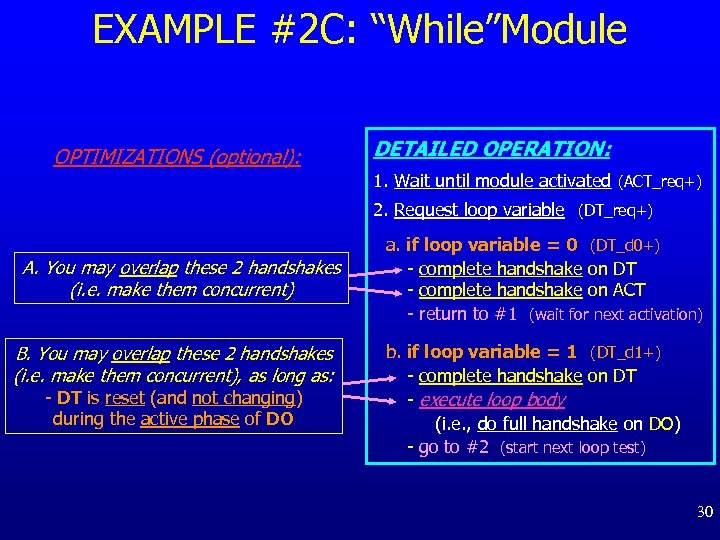 EXAMPLE #2 C: “While”Module OPTIMIZATIONS (optional): DETAILED OPERATION: 1. Wait until module activated (ACT_req+) 2. Request loop variable (DT_req+) A. You may overlap these 2 handshakes (i. e. make them concurrent) B. You may overlap these 2 handshakes (i. e. make them concurrent), as long as: - DT is reset (and not changing) during the active phase of DO a. if loop variable = 0 (DT_d 0+) - complete handshake on DT - complete handshake on ACT - return to #1 (wait for next activation) b. if loop variable = 1 (DT_d 1+) - complete handshake on DT - execute loop body (i. e. , do full handshake on DO) - go to #2 (start next loop test) 30
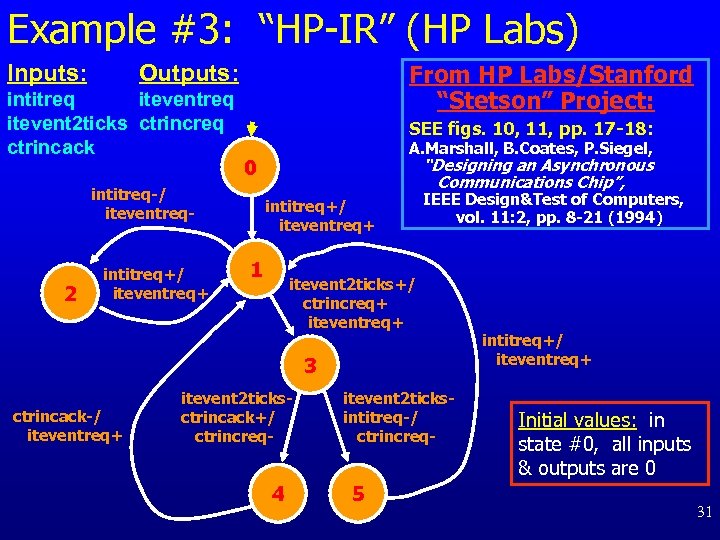 Example #3: “HP-IR” (HP Labs) Inputs: From HP Labs/Stanford “Stetson” Project: Outputs: intitreq itevent 2 ticks ctrincreq ctrincack SEE figs. 10, 11, pp. 17 -18: 2 “Designing an Asynchronous Communications Chip”, 0 intitreq-/ iteventreq- intitreq+/ iteventreq+ A. Marshall, B. Coates, P. Siegel, intitreq+/ iteventreq+ 1 IEEE Design&Test of Computers, vol. 11: 2, pp. 8 -21 (1994) itevent 2 ticks+/ ctrincreq+ iteventreq+ 3 ctrincack-/ iteventreq+ itevent 2 ticksctrincack+/ ctrincreq- 4 itevent 2 ticksintitreq-/ ctrincreq- 5 intitreq+/ iteventreq+ Initial values: in state #0, all inputs & outputs are 0 31
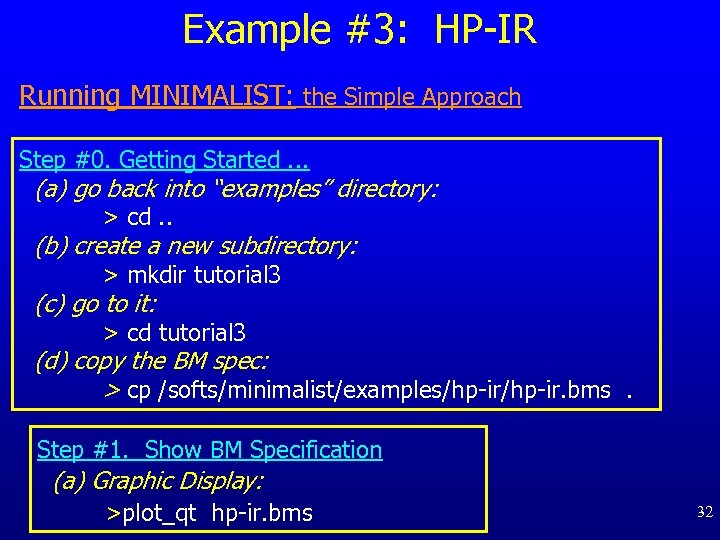 Example #3: HP-IR Running MINIMALIST: the Simple Approach Step #0. Getting Started. . . (a) go back into “examples” directory: > cd. . (b) create a new subdirectory: > mkdir tutorial 3 (c) go to it: > cd tutorial 3 (d) copy the BM spec: > cp /softs/minimalist/examples/hp-ir. bms. Step #1. Show BM Specification (a) Graphic Display: >plot_qt hp-ir. bms 32
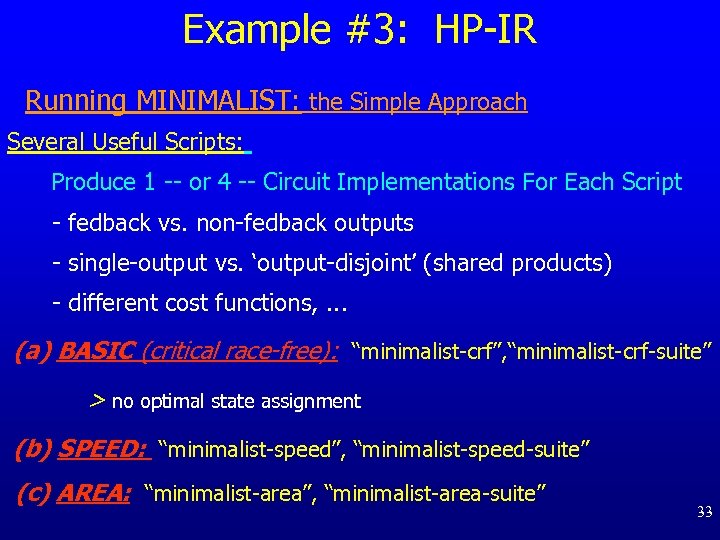 Example #3: HP-IR Running MINIMALIST: the Simple Approach Several Useful Scripts: Produce 1 -- or 4 -- Circuit Implementations For Each Script - fedback vs. non-fedback outputs - single-output vs. ‘output-disjoint’ (shared products) - different cost functions, . . . (a) BASIC (critical race-free): “minimalist-crf”, “minimalist-crf-suite” > no optimal state assignment (b) SPEED: “minimalist-speed”, “minimalist-speed-suite” (c) AREA: “minimalist-area”, “minimalist-area-suite” 33
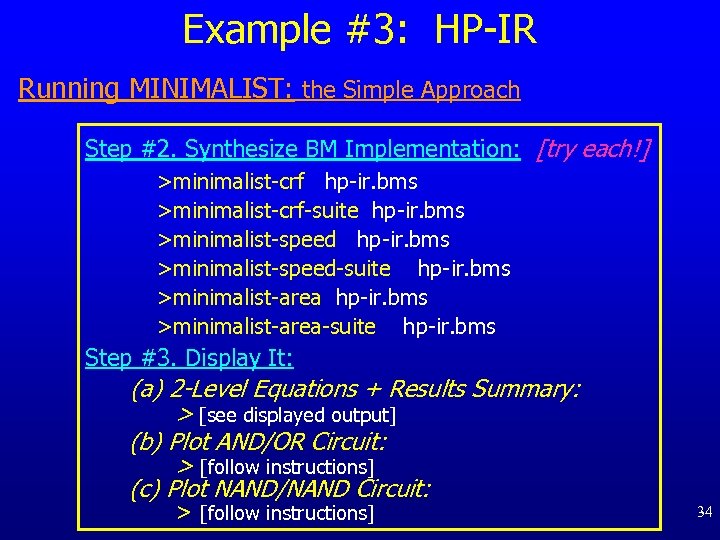 Example #3: HP-IR Running MINIMALIST: the Simple Approach Step #2. Synthesize BM Implementation: [try each!] >minimalist-crf hp-ir. bms >minimalist-crf-suite hp-ir. bms >minimalist-speed-suite hp-ir. bms >minimalist-area-suite hp-ir. bms Step #3. Display It: (a) 2 -Level Equations + Results Summary: > [see displayed output] (b) Plot AND/OR Circuit: > [follow instructions] (c) Plot NAND/NAND Circuit: > [follow instructions] 34
 Example #3: HP-IR Running MINIMALIST: the Simple Approach Step #4. Convert to Verilog Output: [optional] >pla 2 verilog. tcl
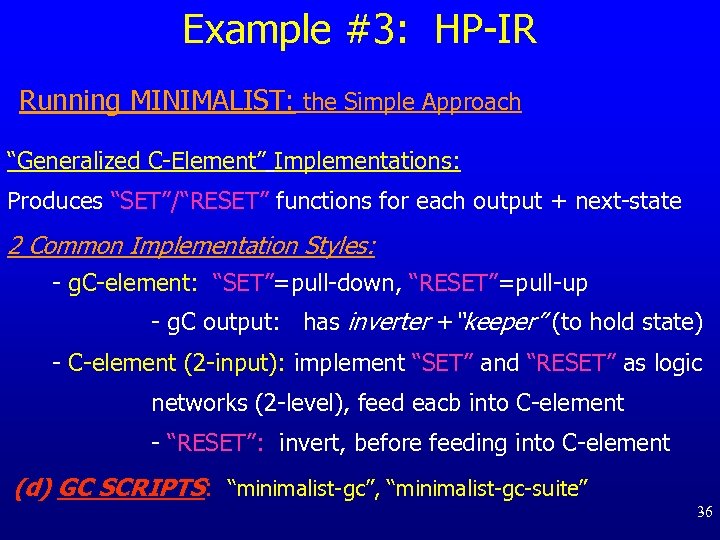 Example #3: HP-IR Running MINIMALIST: the Simple Approach “Generalized C-Element” Implementations: Produces “SET”/“RESET” functions for each output + next-state 2 Common Implementation Styles: - g. C-element: “SET”=pull-down, “RESET”=pull-up - g. C output: has inverter +“keeper” (to hold state) - C-element (2 -input): implement “SET” and “RESET” as logic networks (2 -level), feed eacb into C-element - “RESET”: invert, before feeding into C-element (d) GC SCRIPTS: “minimalist-gc”, “minimalist-gc-suite” 36
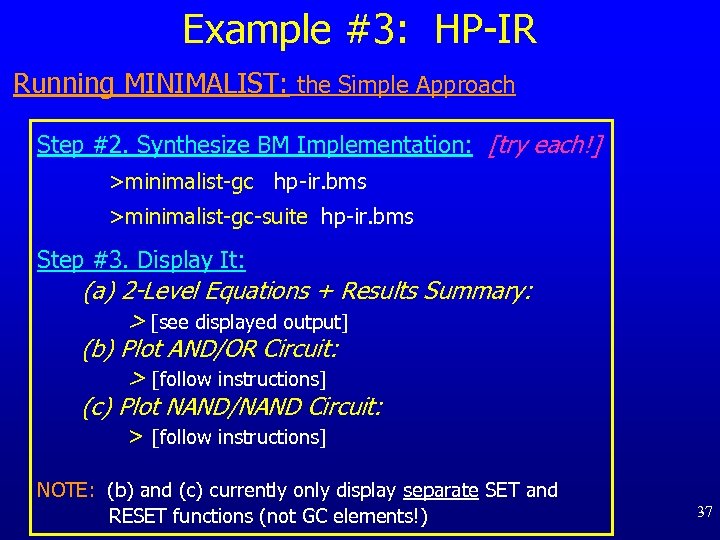 Example #3: HP-IR Running MINIMALIST: the Simple Approach Step #2. Synthesize BM Implementation: [try each!] >minimalist-gc hp-ir. bms >minimalist-gc-suite hp-ir. bms Step #3. Display It: (a) 2 -Level Equations + Results Summary: > [see displayed output] (b) Plot AND/OR Circuit: > [follow instructions] (c) Plot NAND/NAND Circuit: > [follow instructions] NOTE: (b) and (c) currently only display separate SET and RESET functions (not GC elements!) 37
 Example #4: RF-Control Running MINIMALIST: Using the MINIMALIST “Shell” From HP Labs/Stanford “Stetson” Project A. Marshall, B. Coates, P. Siegel, “Designing an Asynchronous Communications Chip”, IEEE Design&Test of Computers, vol. 11: 2, pp. 8 -21 (1994) 38
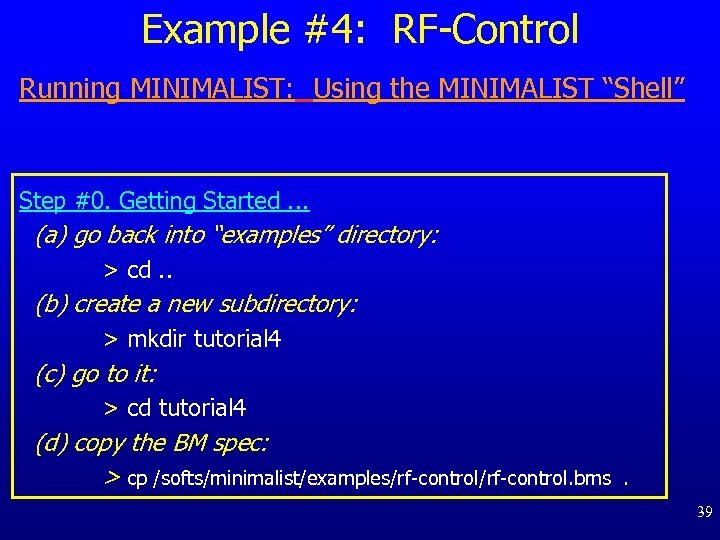 Example #4: RF-Control Running MINIMALIST: Using the MINIMALIST “Shell” Step #0. Getting Started. . . (a) go back into “examples” directory: > cd. . (b) create a new subdirectory: > mkdir tutorial 4 (c) go to it: > cd tutorial 4 (d) copy the BM spec: > cp /softs/minimalist/examples/rf-control. bms . 39
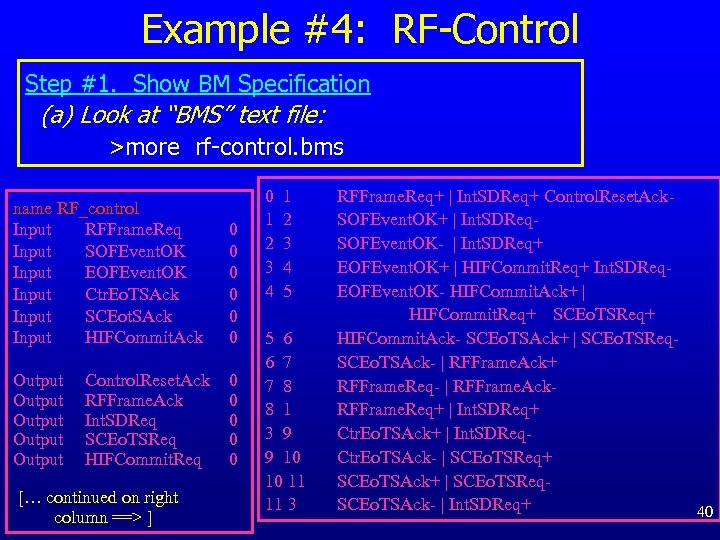 Example #4: RF-Control Step #1. Show BM Specification (a) Look at “BMS” text file: >more rf-control. bms name RF_control Input RFFrame. Req Input SOFEvent. OK Input EOFEvent. OK Input Ctr. Eo. TSAck Input SCEot. SAck Input HIFCommit. Ack 0 0 0 Output Output 0 0 0 Control. Reset. Ack RFFrame. Ack Int. SDReq SCEo. TSReq HIFCommit. Req [… continued on right column ==> ] 0 1 2 3 4 5 5 6 6 7 7 8 8 1 3 9 9 10 10 11 11 3 RFFrame. Req+ | Int. SDReq+ Control. Reset. Ack. SOFEvent. OK+ | Int. SDReq. SOFEvent. OK- | Int. SDReq+ EOFEvent. OK+ | HIFCommit. Req+ Int. SDReq. EOFEvent. OK- HIFCommit. Ack+ | HIFCommit. Req+ SCEo. TSReq+ HIFCommit. Ack- SCEo. TSAck+ | SCEo. TSReq. SCEo. TSAck- | RFFrame. Ack+ RFFrame. Req- | RFFrame. Ack. RFFrame. Req+ | Int. SDReq+ Ctr. Eo. TSAck+ | Int. SDReq. Ctr. Eo. TSAck- | SCEo. TSReq+ SCEo. TSAck+ | SCEo. TSReq. SCEo. TSAck- | Int. SDReq+ 40
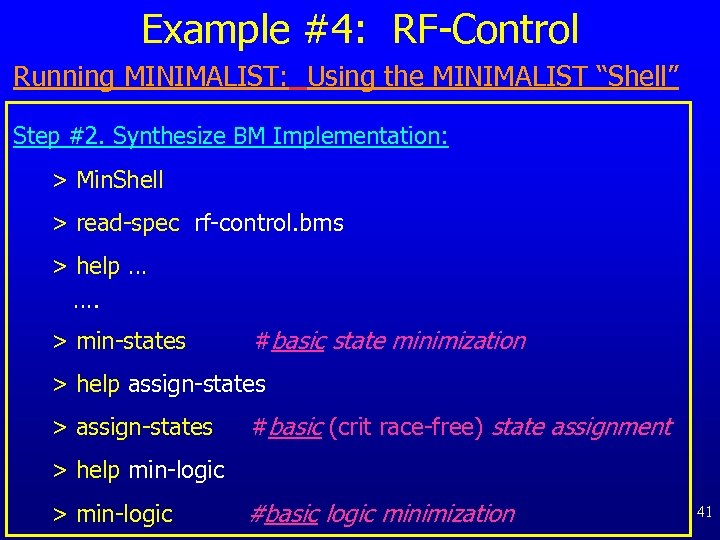 Example #4: RF-Control Running MINIMALIST: Using the MINIMALIST “Shell” Step #2. Synthesize BM Implementation: > Min. Shell > read-spec rf-control. bms > help … …. > min-states #basic state minimization > help assign-states > assign-states #basic (crit race-free) state assignment > help min-logic > min-logic #basic logic minimization 41
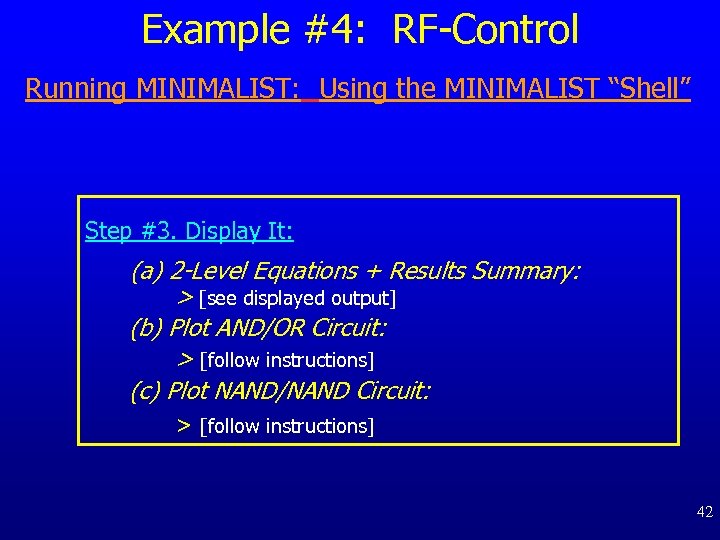 Example #4: RF-Control Running MINIMALIST: Using the MINIMALIST “Shell” Step #3. Display It: (a) 2 -Level Equations + Results Summary: > [see displayed output] (b) Plot AND/OR Circuit: > [follow instructions] (c) Plot NAND/NAND Circuit: > [follow instructions] 42
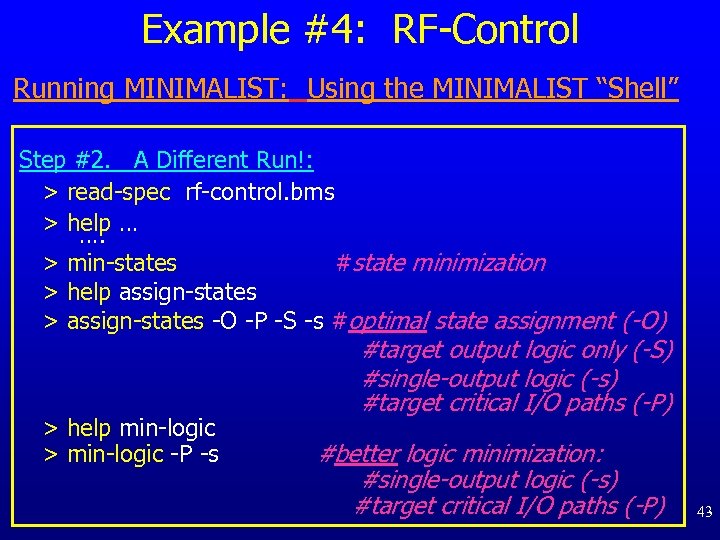 Example #4: RF-Control Running MINIMALIST: Using the MINIMALIST “Shell” Step #2. A Different Run!: > read-spec rf-control. bms > help … …. > min-states #state minimization > help assign-states > assign-states -O -P -S -s #optimal state assignment (-O) > help min-logic > min-logic -P -s #target output logic only (-S) #single-output logic (-s) #target critical I/O paths (-P) #better logic minimization: #single-output logic (-s) #target critical I/O paths (-P) 43
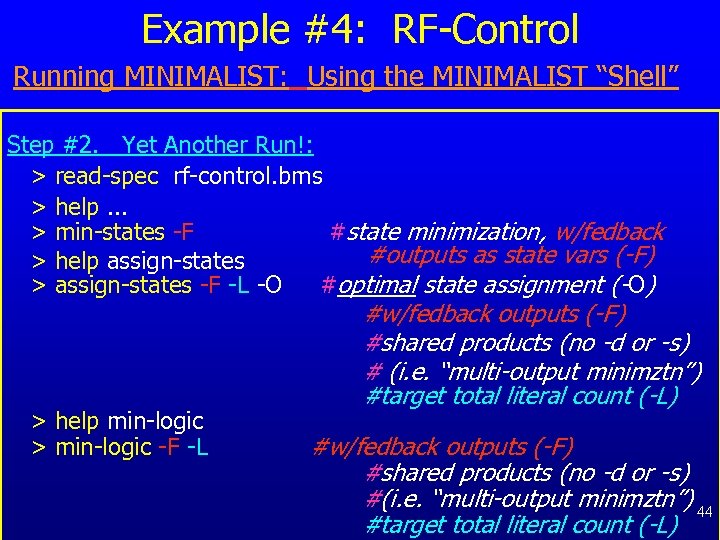 Example #4: RF-Control Running MINIMALIST: Using the MINIMALIST “Shell” Step #2. Yet Another Run!: > read-spec rf-control. bms > help. . . > min-states -F #state minimization, w/fedback #outputs as state vars (-F) > help assign-states > assign-states -F -L -O #optimal state assignment (-O) > help min-logic > min-logic -F -L #w/fedback outputs (-F) #shared products (no -d or -s) # (i. e. “multi-output minimztn”) #target total literal count (-L) #w/fedback outputs (-F) #shared products (no -d or -s) #(i. e. “multi-output minimztn”) 44 #target total literal count (-L)
 Example #4: RF-Control Running MINIMALIST: Using the MINIMALIST “Shell” Step #3. Display It: (a) 2 -Level Equations + Results Summary: > [see displayed output] (b) Plot AND/OR Circuit: > [follow instructions] (c) Plot NAND/NAND Circuit: > [follow instructions] 45
 Example #5: Handling Large Examples (“P 1 Controller”) From HP Labs/Stanford “Stetson”Project A. Marshall, B. Coates, P. Siegel, “Designing an Asynchronous Communications Chip”, IEEE Design&Test of Computers, vol. 11: 2, pp. 8 -21 (1994) Step #0. Getting Started. . . (a) go back into “examples” directory: > cd. . (b) create a new subdirectory: > mkdir tutorial 5 (c) go to it: > cd tutorial 5 (d) copy the BM spec: > cp /softs/minimalist/examples/stetson/p 1. bms . 46
 Example #5: Handling Large Examples (“P 1 Controller”) Step #1. Show BM Specification (a) Look at “BMS” text file: >more p 1. bms Summary: a large async controller 13 inputs 14 outputs 33 (burst-mode) states Step #1. Show BM Specification (cont. ) (b) Graphic Display: >plot_qt p 1. bms 47
 Example #5: Handling Large Examples (“P 1 Controller”) Our Synthesis Strategy: for faster runtime, avoid using “optimal” state assignment (… instead, just use simple “non-optimal” critical race-free assignment) Initial Synthesis Run: Using SCRIPTS Step #2. Synthesize BM Implementation: >minimalist-crf p 1. bms Step #3. Display It: (a) 2 -Level Equations + Results Summary: > [see displayed output] (b) Plot AND/OR Circuit: > [follow instructions] (c) Plot NAND/NAND Circuit: > [follow instructions] 48
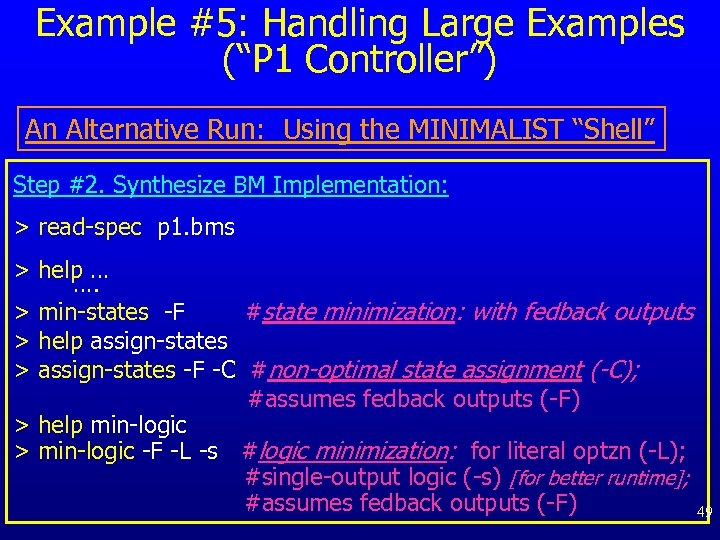 Example #5: Handling Large Examples (“P 1 Controller”) An Alternative Run: Using the MINIMALIST “Shell” Step #2. Synthesize BM Implementation: > read-spec p 1. bms > help … …. > min-states -F #state minimization: with fedback outputs > help assign-states > assign-states -F -C #non-optimal state assignment (-C); #assumes fedback outputs (-F) > help min-logic > min-logic -F -L -s #logic minimization: for literal optzn (-L); #single-output logic (-s) [for better runtime]; #assumes fedback outputs (-F) 49
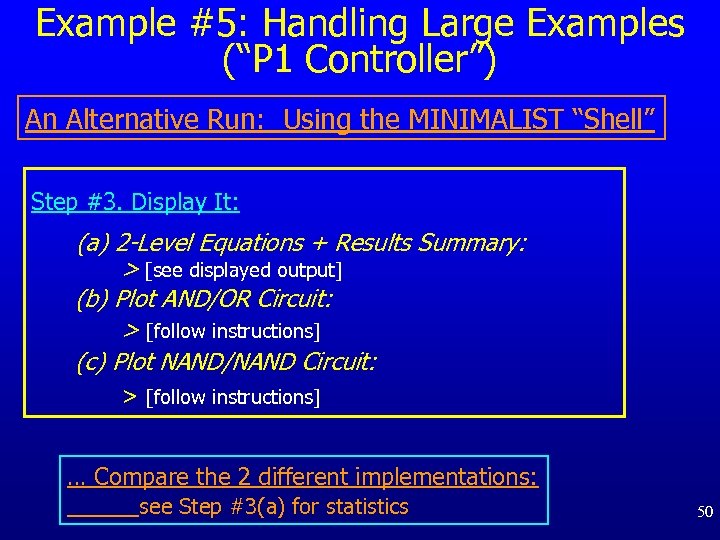 Example #5: Handling Large Examples (“P 1 Controller”) An Alternative Run: Using the MINIMALIST “Shell” Step #3. Display It: (a) 2 -Level Equations + Results Summary: > [see displayed output] (b) Plot AND/OR Circuit: > [follow instructions] (c) Plot NAND/NAND Circuit: > [follow instructions] … Compare the 2 different implementations: see Step #3(a) for statistics 50
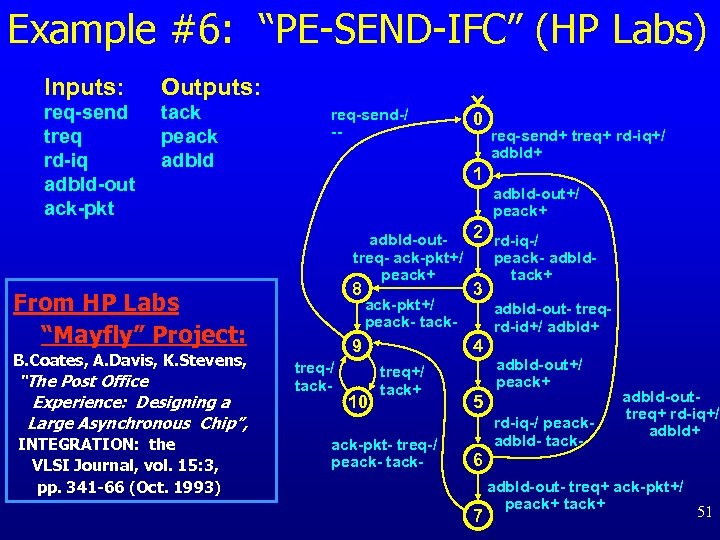 Example #6: “PE-SEND-IFC” (HP Labs) Inputs: Outputs: req-send treq rd-iq adbld-out ack-pkt tack peack adbld req-send-/ -- 0 req-send+ treq+ rd-iq+/ adbld+ 1 adbld-out+/ peack+ 2 rd-iq-/ adbld-outtreq- ack-pkt+/ peack- adbldpeack+ tack+ 8 From HP Labs “Mayfly” Project: B. Coates, A. Davis, K. Stevens, “The Post Office Experience: Designing a Large Asynchronous Chip”, INTEGRATION: the VLSI Journal, vol. 15: 3, pp. 341 -66 (Oct. 1993) ack-pkt+/ peack- tack- 9 treq-/ tack- 10 3 adbld-out- treqrd-id+/ adbld+ 4 treq+/ tack+ ack-pkt- treq-/ peack- tack- adbld-out+/ peack+ 5 rd-iq-/ peackadbld- tack- adbld-outtreq+ rd-iq+/ adbld+ 6 adbld-out- treq+ ack-pkt+/ peack+ tack+ 51 7
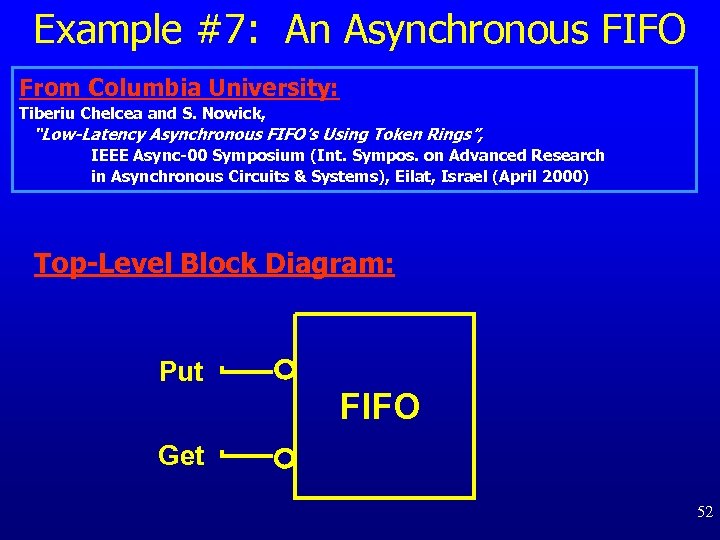 Example #7: An Asynchronous FIFO From Columbia University: Tiberiu Chelcea and S. Nowick, “Low-Latency Asynchronous FIFO’s Using Token Rings”, IEEE Async-00 Symposium (Int. Sympos. on Advanced Research in Asynchronous Circuits & Systems), Eilat, Israel (April 2000) Top-Level Block Diagram: Put FIFO Get 52
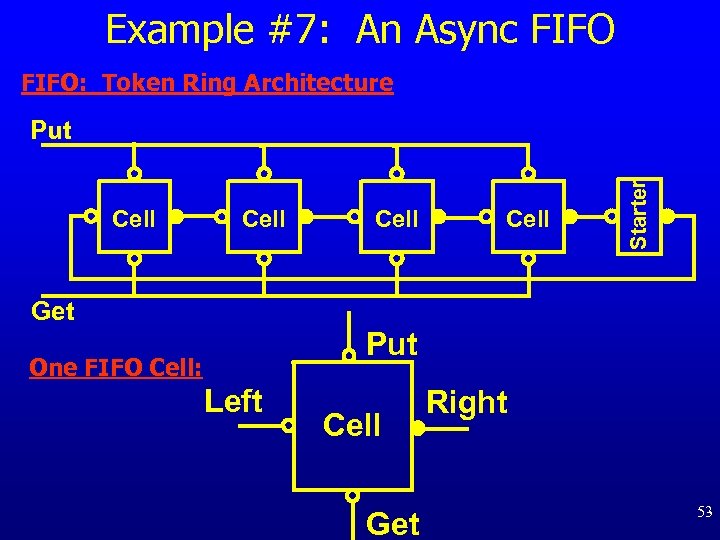 Example #7: An Async FIFO: Token Ring Architecture Cell Starter Put Get Put One FIFO Cell: Left Cell Get Right 53
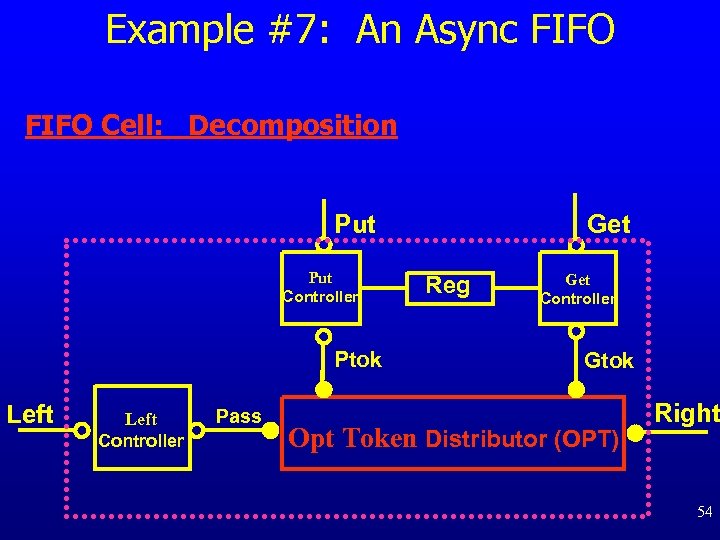 Example #7: An Async FIFO Cell: Decomposition Put Controller Ptok Left Controller Pass Get Reg Get Controller Gtok Opt Token Distributor (OPT) Right 54
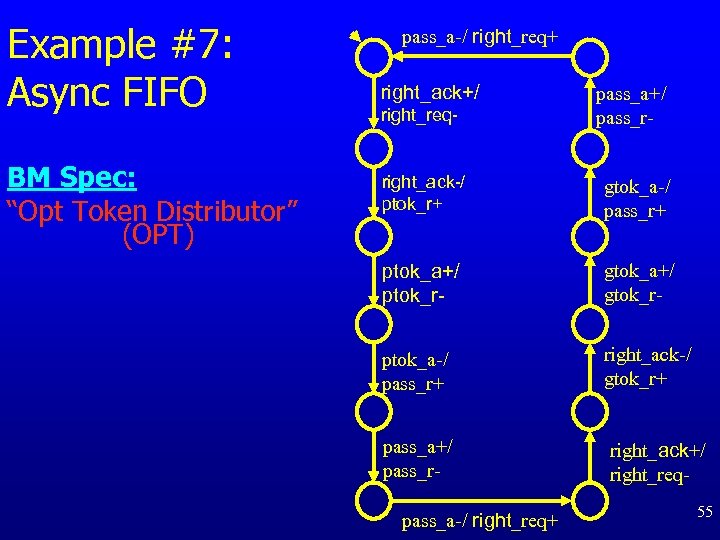 Example #7: Async FIFO BM Spec: “Opt Token Distributor” (OPT) pass_a-/ right_req+ right_ack+/ right_req- pass_a+/ pass_r- right_ack-/ ptok_r+ gtok_a-/ pass_r+ ptok_a+/ ptok_r- gtok_a+/ gtok_r- ptok_a-/ pass_r+ right_ack-/ gtok_r+ pass_a+/ pass_r- right_ack+/ right_req- pass_a-/ right_req+ 55