


 Скачать презентацию Panda Malware Radar Discovering hidden threats Technical Product
767dcaff90be587ca8e402bd22752277.ppt
- Количество слайдов: 40
 Panda Malware Radar Discovering hidden threats Technical Product Presentation Name Date 1
 Table of Contents Ø Security Concerns Ø What is Malware Radar? Ø Collective Intelligence Ø Features Ø Functionalities Ø Architecture Ø How Does it Work? Ø Scanning Technologies Ø Minimum Requirements Ø Technical Benefits 2
 Panda Malware Radar Security Concerns 3
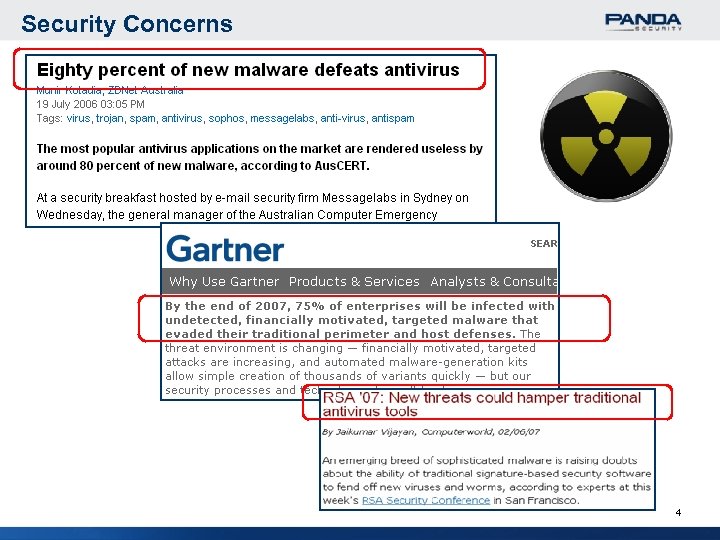 Security Concerns 4
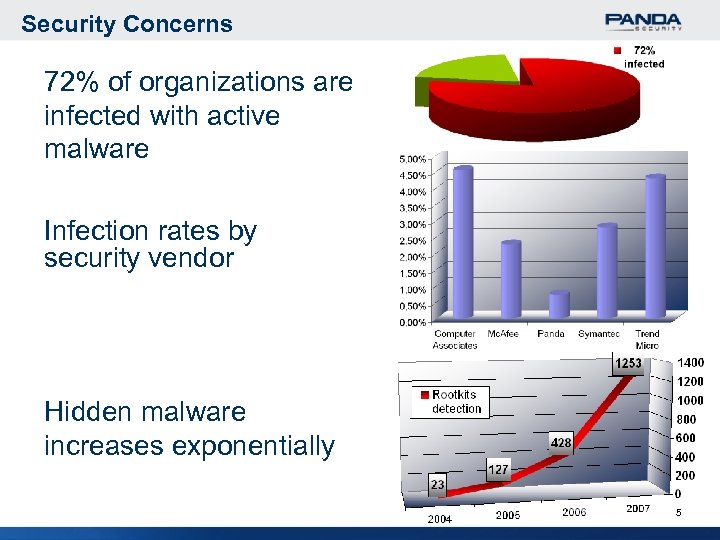 Security Concerns 72% of organizations are infected with active malware Infection rates by security vendor Hidden malware increases exponentially 5
 Panda Malware Radar What is Malware Radar? 6
 What is Malware Radar? Malware Radar is the only automated audit which locates infection points that traditional security solutions fail to detect. Based on our Collective Intelligence approach, it transparently complements and helps maximize your protection against hidden threats, without additional installation or infrastructure requirements. 7
 Panda Malware Radar Collective Intelligence 8
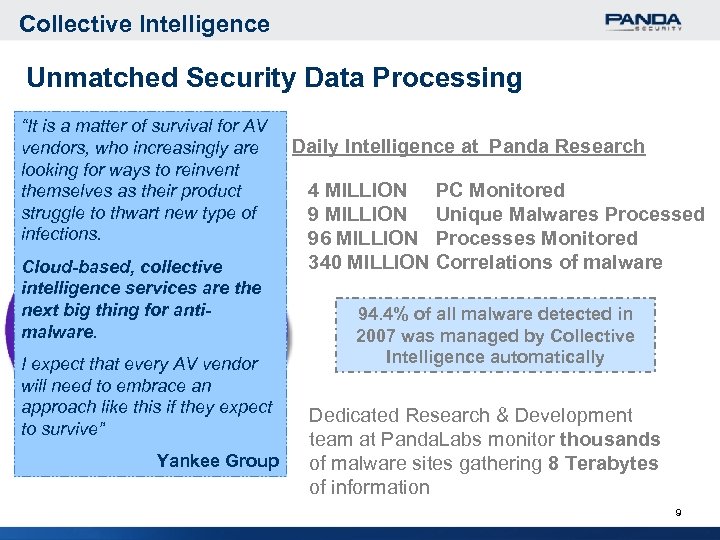 Collective Intelligence Unmatched Security Data Processing “It is a matter of survival for AV vendors, who increasingly are looking for ways to reinvent themselves as their product struggle to thwart new type of infections. Cloud-based, collective intelligence services are the next big thing for antimalware. I expect that every AV vendor will need to embrace an approach like this if they expect to survive” Yankee Group Daily Intelligence at Panda Research 4 MILLION 96 MILLION 340 MILLION PC Monitored Unique Malwares Processed Processes Monitored Correlations of malware 94. 4% of all malware detected in 2007 was managed by Collective Intelligence automatically Dedicated Research & Development team at Panda. Labs monitor thousands of malware sites gathering 8 Terabytes of information 9
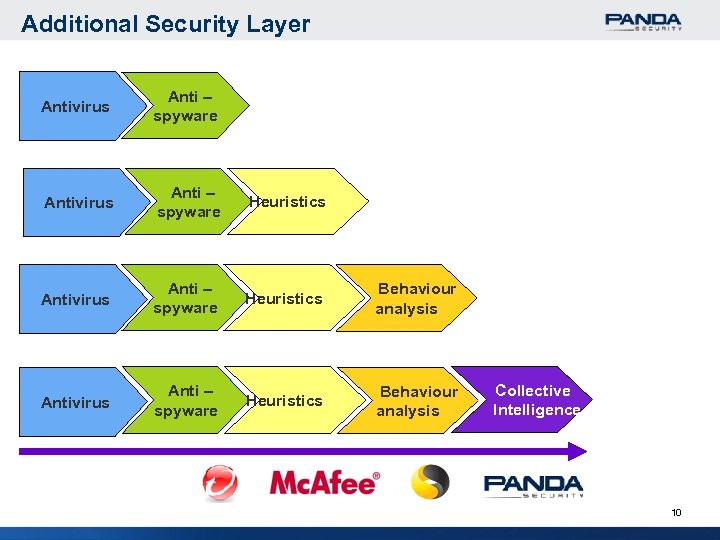 Additional Security Layer Antivirus Anti – spyware Heuristics Behaviour analysis Collective Intelligence 10
 Panda Malware Radar Features & Functionalities 11
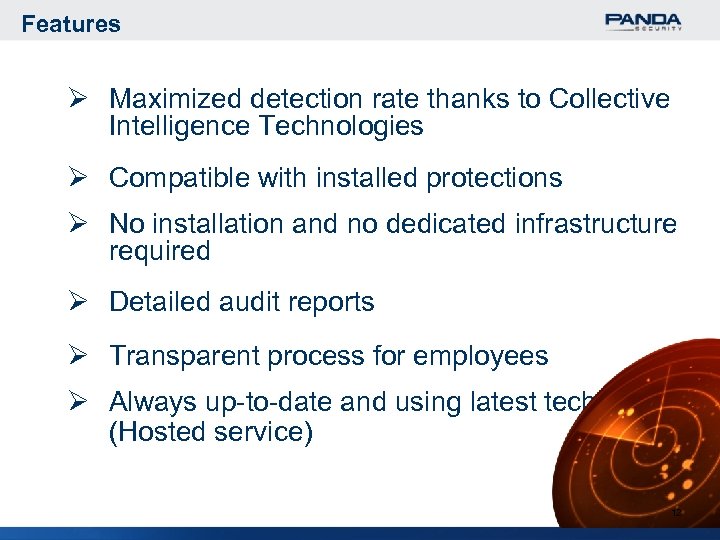 Features Ø Maximized detection rate thanks to Collective Intelligence Technologies Ø Compatible with installed protections Ø No installation and no dedicated infrastructure required Ø Detailed audit reports Ø Transparent process for employees Ø Always up-to-date and using latest technologies (Hosted service) 12
 Functionalities Ø Optional automated disinfection Ø Standardized distribution capability (Tivoli, SMS, etc) or Malware Radar Distribution Tool Ø Scan Quick (active malware) or Full (active and latent malware) Ø System vulnerabilities scanner features Ø Validates existing security software status 13
 Panda Malware Radar Architecture 14
 Architecture 15
 Panda Malware Radar How Does it Work? 16
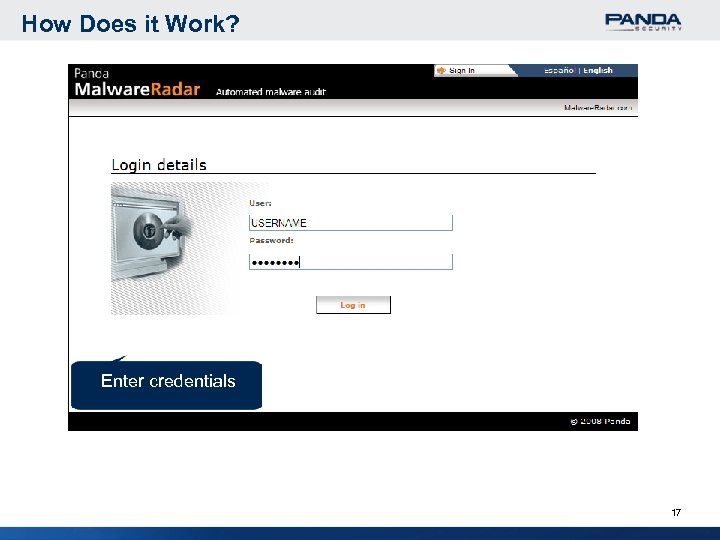 How Does it Work? Enter credentials 17
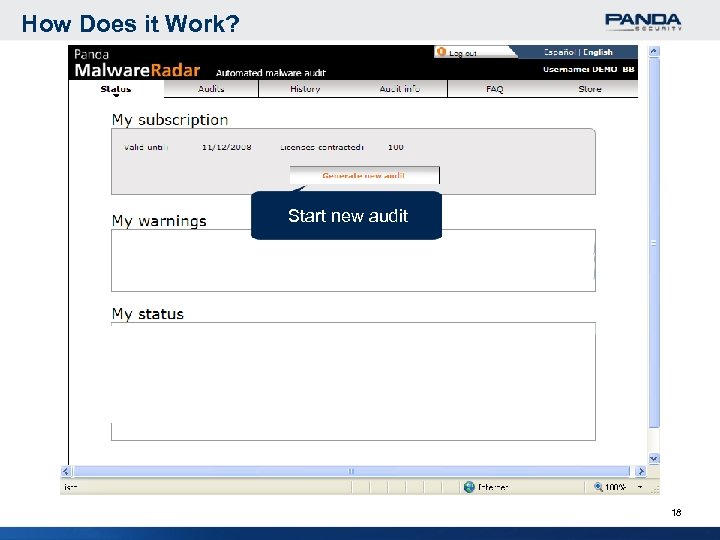 How Does it Work? Start new audit 18
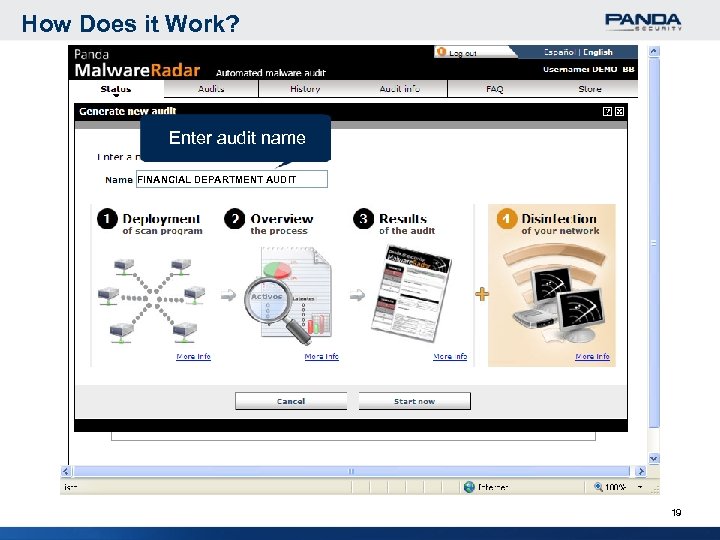 How Does it Work? Enter audit name FINANCIAL DEPARTMENT AUDIT 19
 How Does it Work? FINANCIAL DEPARTMENT AUDIT Select distribution method to deploy the analysis 20
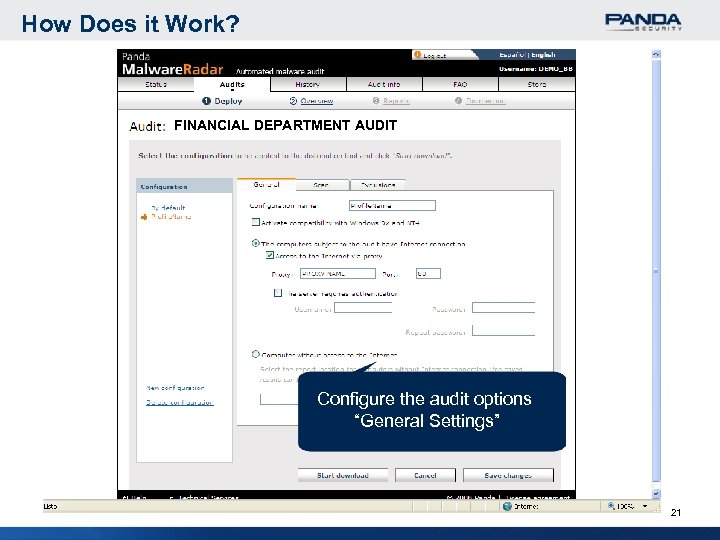 How Does it Work? FINANCIAL DEPARTMENT AUDIT Configure the audit options “General Settings” 21
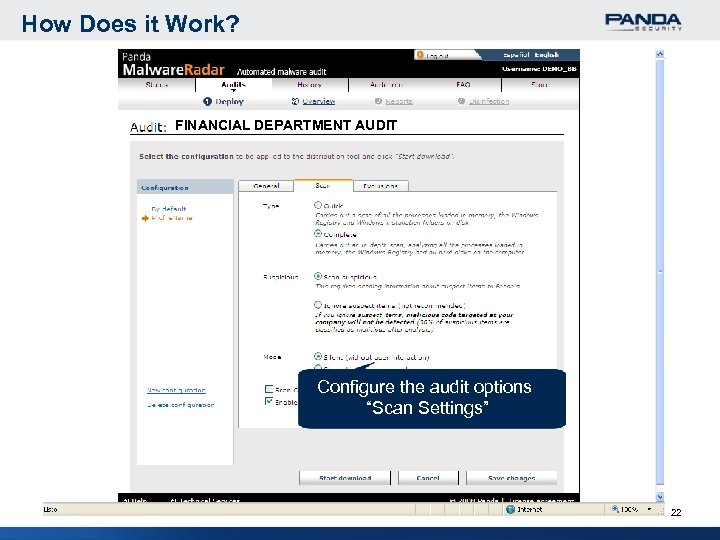 How Does it Work? FINANCIAL DEPARTMENT AUDIT Configure the audit options “Scan Settings” 22
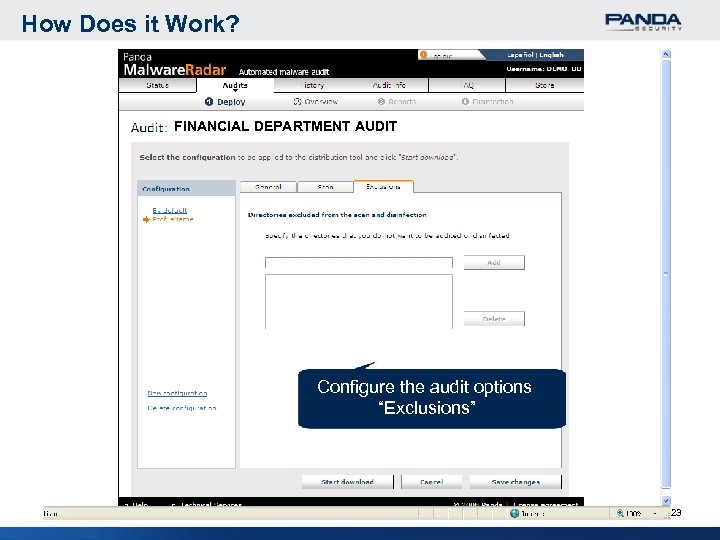 How Does it Work? FINANCIAL DEPARTMENT AUDIT Configure the audit options “Exclusions” 23
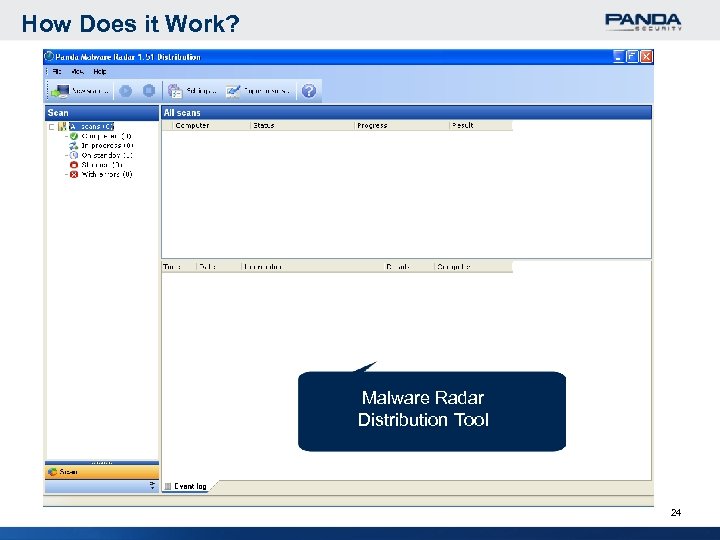 How Does it Work? Malware Radar Distribution Tool 24
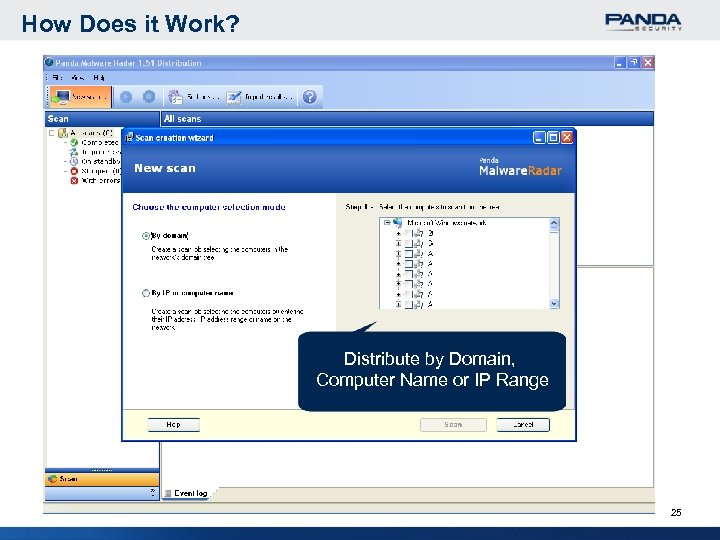 How Does it Work? Distribute by Domain, Computer Name or IP Range 25
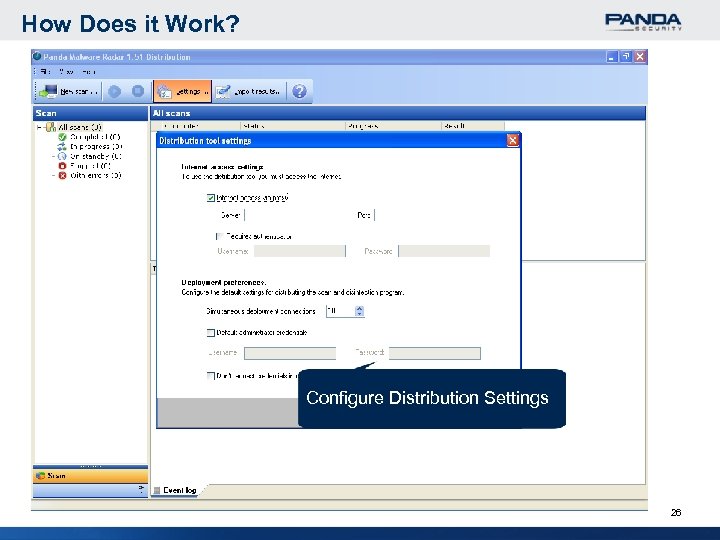 How Does it Work? Configure Distribution Settings 26
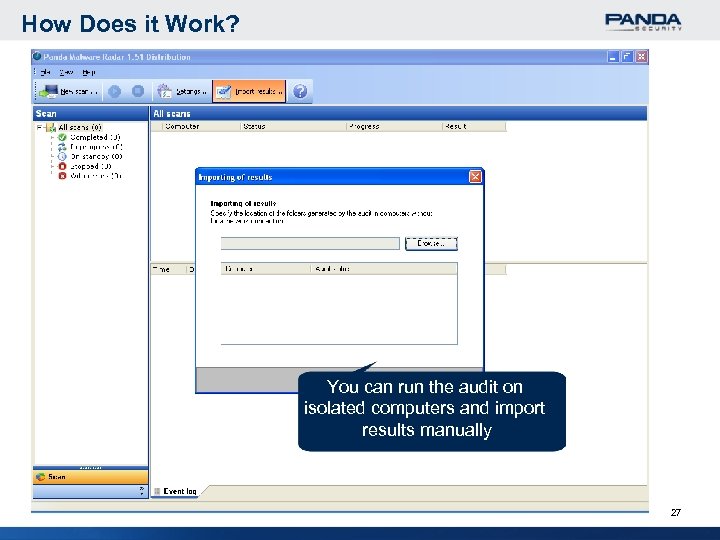 How Does it Work? You can run the audit on isolated computers and import results manually 27
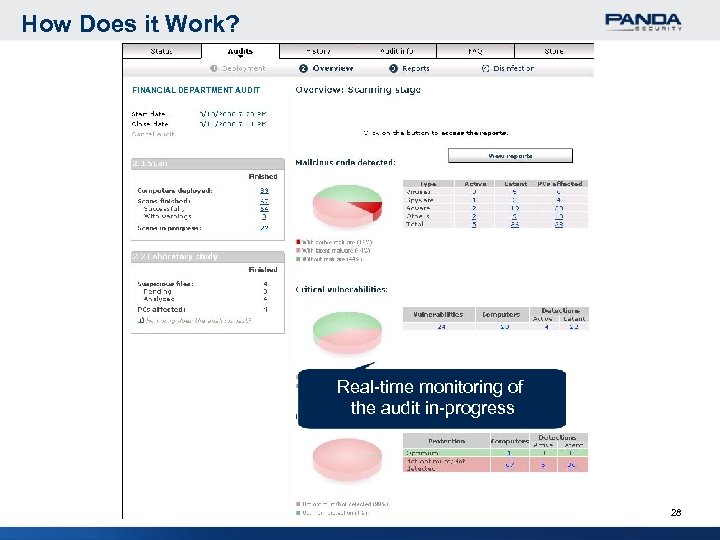 How Does it Work? FINANCIAL DEPARTMENT AUDIT Real-time monitoring of the audit in-progress 28
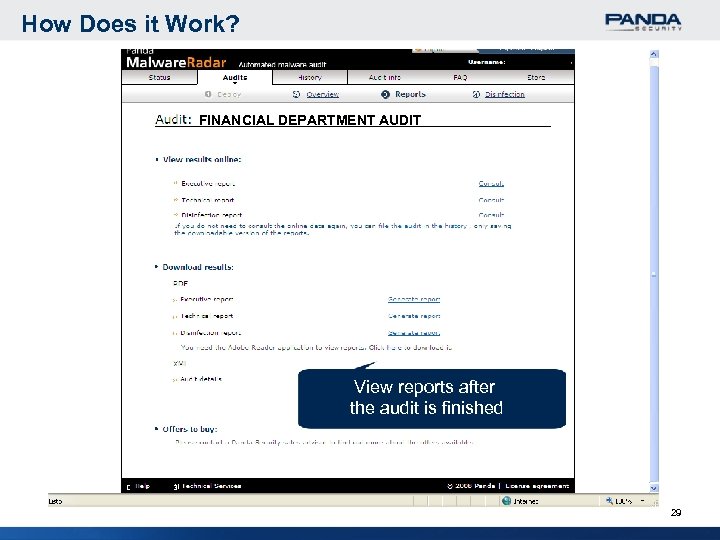 How Does it Work? FINANCIAL DEPARTMENT AUDIT View reports after the audit is finished 29
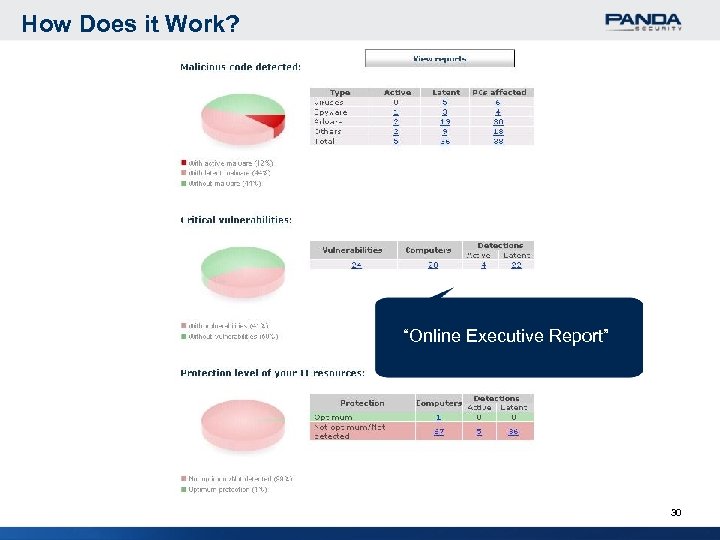 How Does it Work? “Online Executive Report” 30
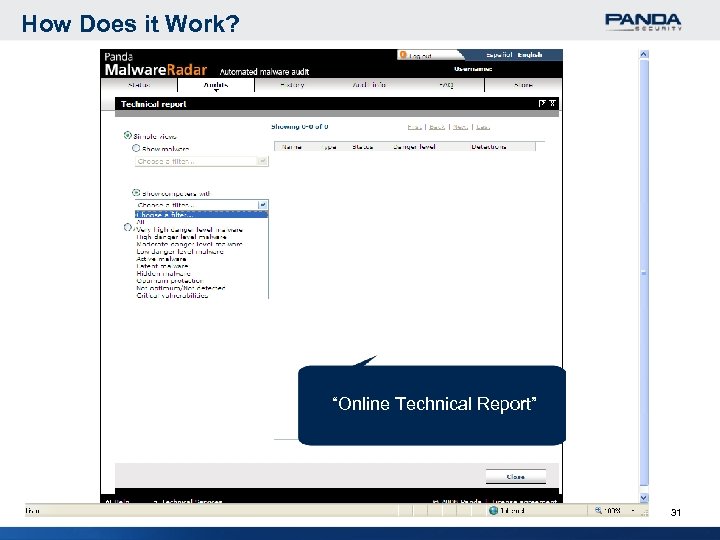 How Does it Work? “Online Technical Report” 31
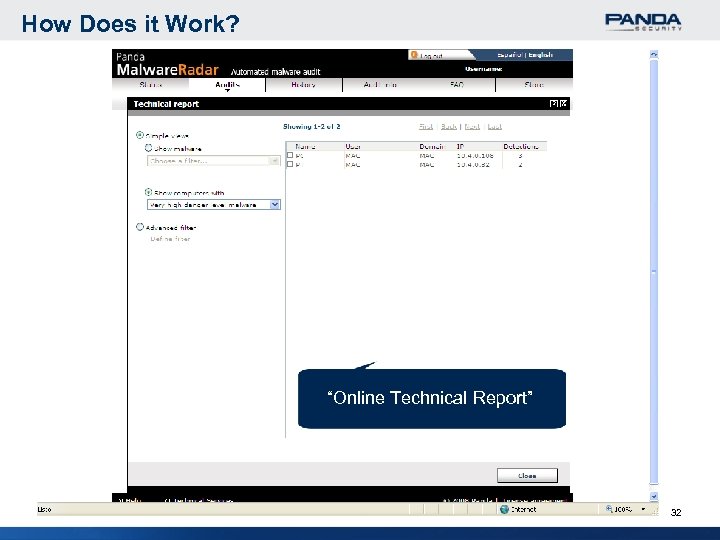 How Does it Work? “Online Technical Report” 32
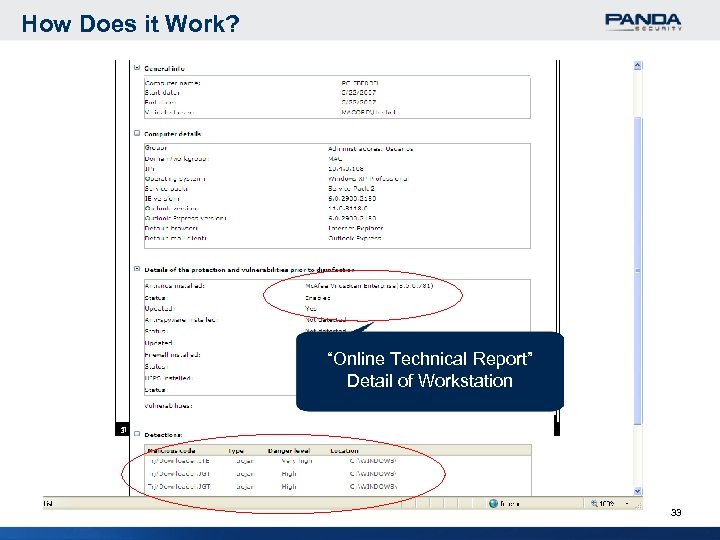 How Does it Work? “Online Technical Report” Detail of Workstation 33
 Panda Malware Radar Scanning Technologies 34
 Scanning Technologies Ø Collective Intelligence Ø Genetic heuristic technologies Ø System’s heuristic technologies Ø Rootkit detection technologies Ø Signature detection of known malware Ø System vulnerability detection Ø Security protection status (installed, enabled, up-to-date) 35
 Panda Malware Radar Minimum Requirements 36
 Minimum Requirements Endpoints Ø Ø Windows 95/98/Me/NT 4 SP 6/2000/XP/2003/Vista RAM: 512 MB. Hard disk free space: 100 MB. Internet Explorer 5. 5 or above. Distribution Tool Ø Ø Windows 2000/XP/2003/Vista RAM: 512 MB. Hard disk free space: 100 MB. Internet Explorer 5. 5 or above. 37
 Panda Malware Radar Technical Benefits 38
 Technical Benefits Ø Executive report of the network audit Ø Technical report on each computer audited Ø Real-time monitoring of the audit progress Ø No impact on employees PC usage thanks to CPU throttle Ø No need to install & uninstall anything on the endpoints Ø Identifies hidden malware undetected by your installed protection Ø Control the effectiveness of security software installed Ø Automatic cleanup of all malware detected Ø Always up-to-date without upgrades / updates Ø No additional hardware requirements 39
 Revision 1. 01 2008 40