


 Скачать презентацию Palantír Raising Awareness Among Configuration Management Workspaces Anita
628d2634cefa3339fa7d831a675ff9ca.ppt
- Количество слайдов: 27
 Palantír: Raising Awareness Among Configuration Management Workspaces Anita Sarma, Zahra Noroozi, André van der Hoek Department of Informatics & Institute for Software Research University of California, Irvine asarma@ics. uci. edu, znoroozi@yahoo. com, andre@ics. uci. edu
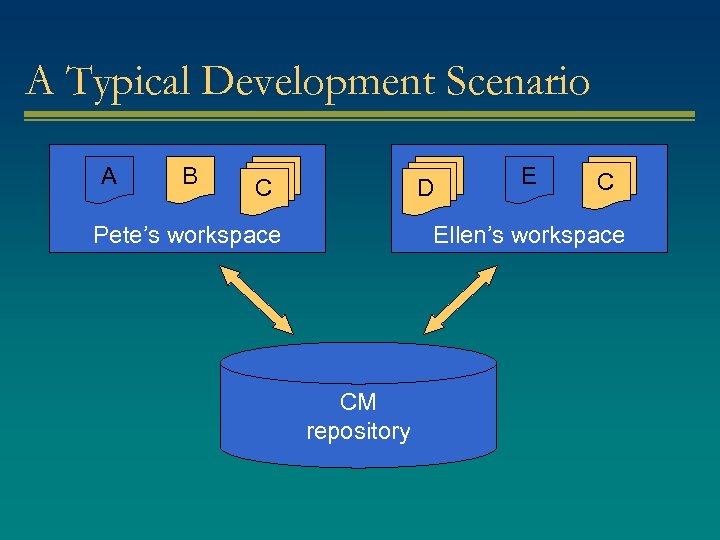 A Typical Development Scenario A B C C C D DD Pete’s workspace E C C Ellen’s workspace CM repository
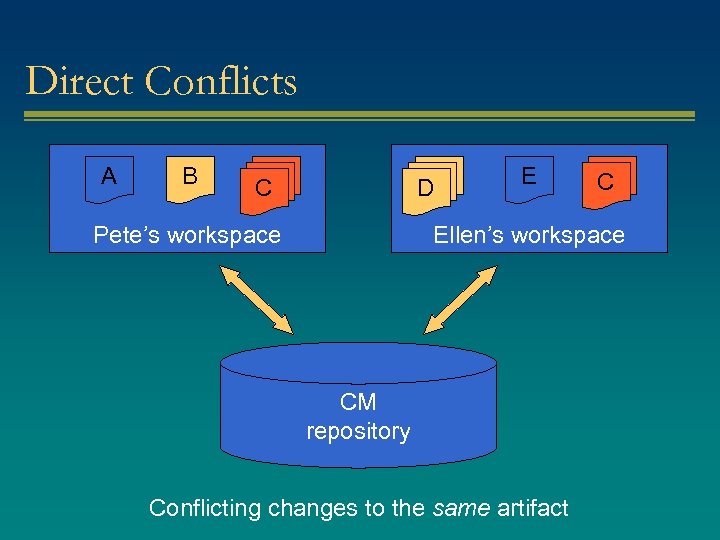 Direct Conflicts A B C C C D DD Pete’s workspace E C C Ellen’s workspace CM repository Conflicting changes to the same artifact
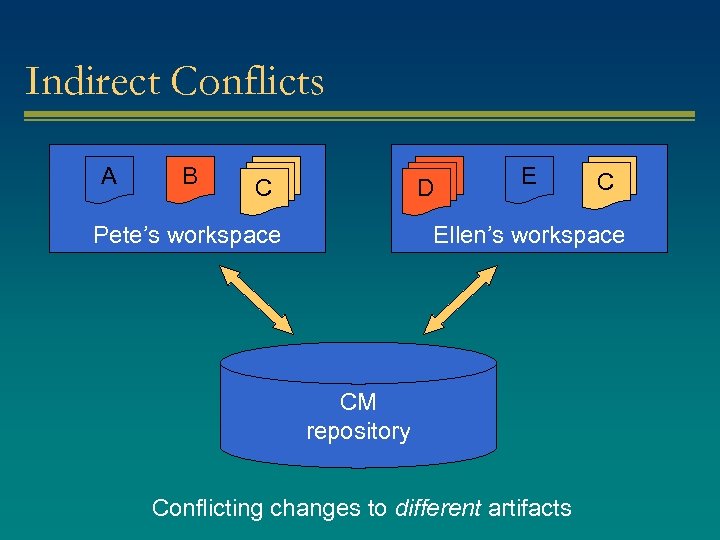 Indirect Conflicts A B C C C D DD Pete’s workspace E C C Ellen’s workspace CM repository Conflicting changes to different artifacts
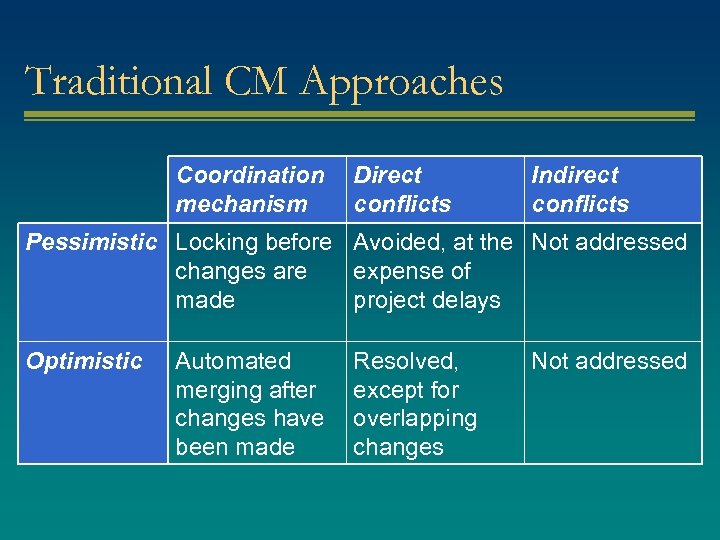 Traditional CM Approaches Coordination mechanism Direct conflicts Indirect conflicts Pessimistic Locking before Avoided, at the Not addressed changes are expense of made project delays Optimistic Automated merging after changes have been made Resolved, except for overlapping changes Not addressed
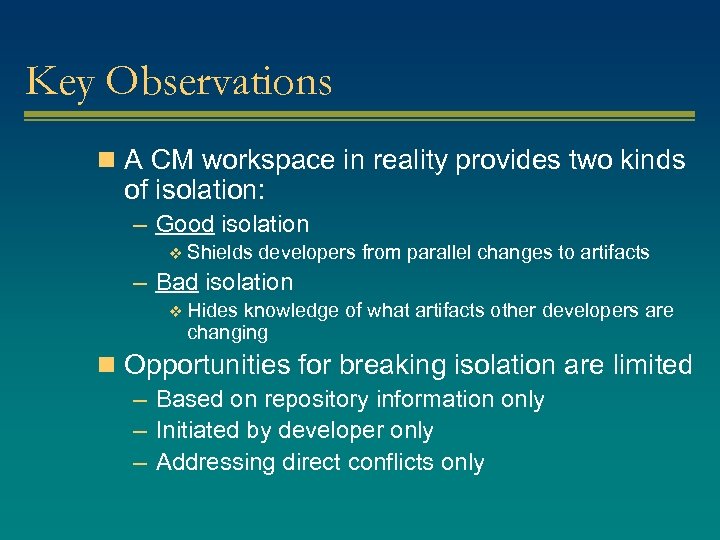 Key Observations n A CM workspace in reality provides two kinds of isolation: – Good isolation v Shields developers from parallel changes to artifacts – Bad isolation v Hides knowledge of what artifacts other developers are changing n Opportunities for breaking isolation are limited – Based on repository information only – Initiated by developer only – Addressing direct conflicts only
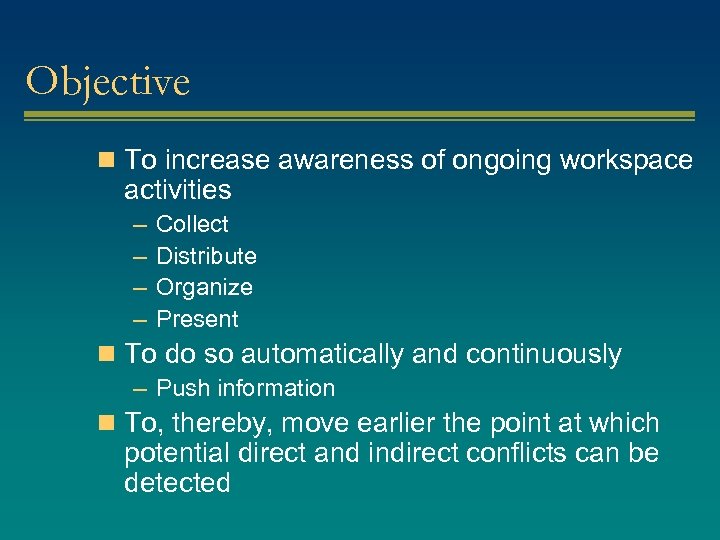 Objective n To increase awareness of ongoing workspace activities – – Collect Distribute Organize Present n To do so automatically and continuously – Push information n To, thereby, move earlier the point at which potential direct and indirect conflicts can be detected
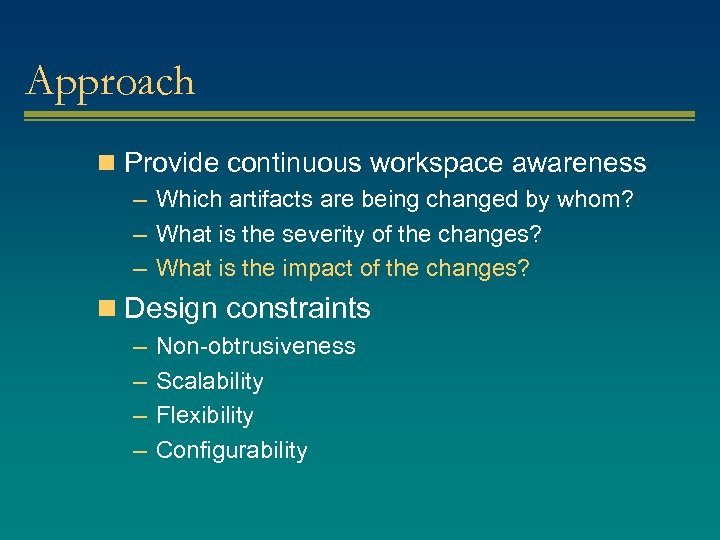 Approach n Provide continuous workspace awareness – Which artifacts are being changed by whom? – What is the severity of the changes? – What is the impact of the changes? n Design constraints – – Non-obtrusiveness Scalability Flexibility Configurability
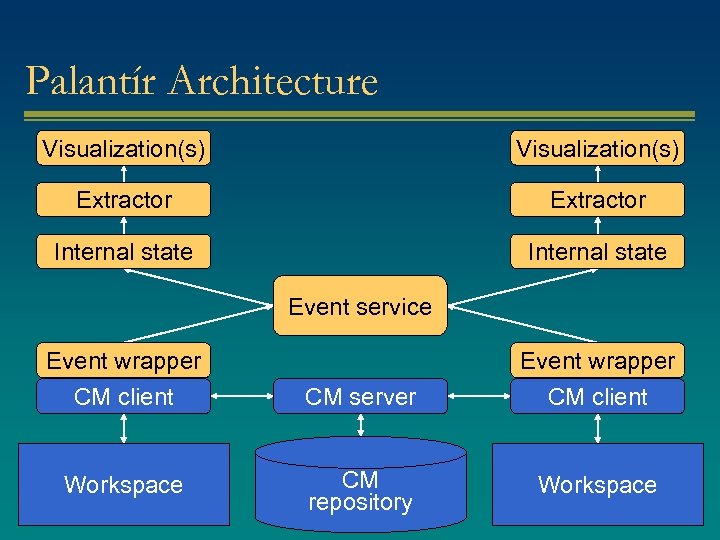 Palantír Architecture Visualization(s) Extractor Internal state Event service Event wrapper CM client Workspace CM server CM repository Event wrapper CM client Workspace
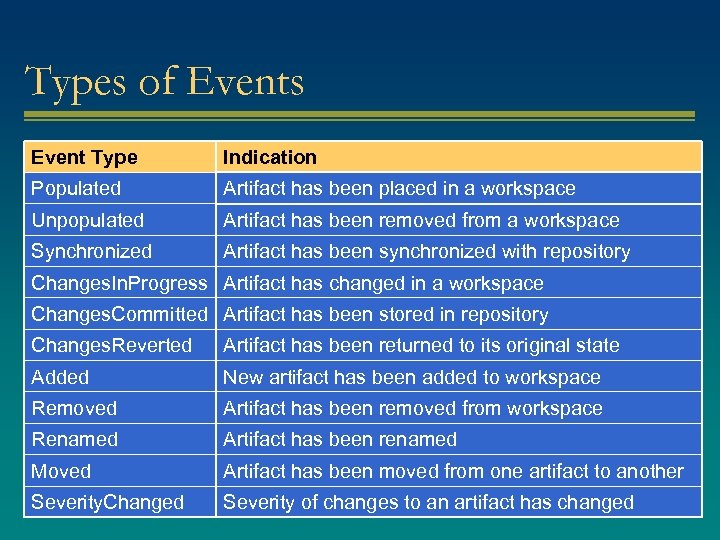 Types of Events Event Type Indication Populated Artifact has been placed in a workspace Unpopulated Artifact has been removed from a workspace Synchronized Artifact has been synchronized with repository Changes. In. Progress Artifact has changed in a workspace Changes. Committed Artifact has been stored in repository Changes. Reverted Artifact has been returned to its original state Added New artifact has been added to workspace Removed Artifact has been removed from workspace Renamed Artifact has been renamed Moved Artifact has been moved from one artifact to another Severity. Changed Severity of changes to an artifact has changed
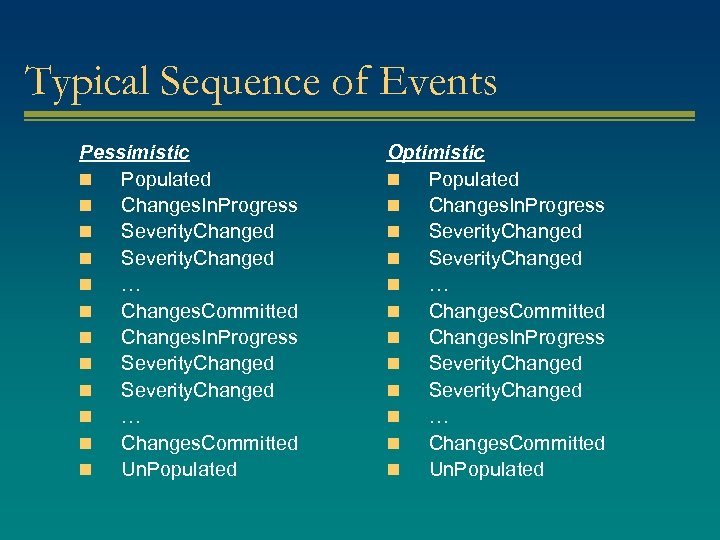 Typical Sequence of Events Pessimistic n Populated n Changes. In. Progress n Severity. Changed n … n Changes. Committed n Un. Populated Optimistic n Populated n Changes. In. Progress n Severity. Changed n … n Changes. Committed n Un. Populated
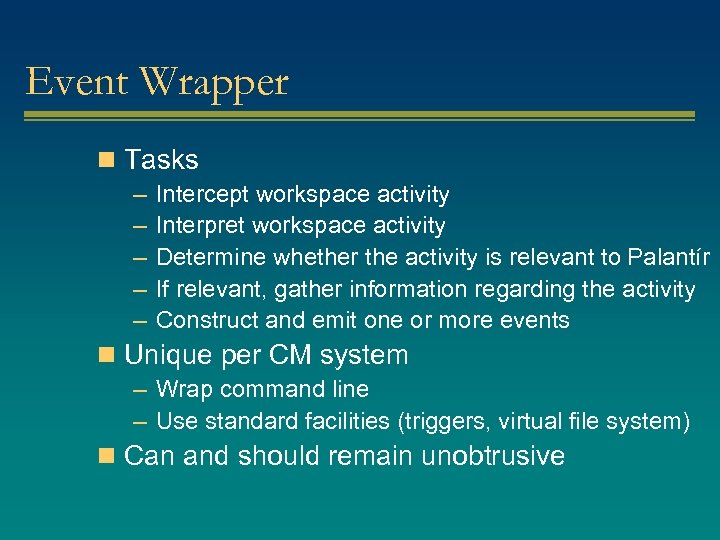 Event Wrapper n Tasks – Intercept workspace activity – Interpret workspace activity – Determine whether the activity is relevant to Palantír – If relevant, gather information regarding the activity – Construct and emit one or more events n Unique per CM system – Wrap command line – Use standard facilities (triggers, virtual file system) n Can and should remain unobtrusive
 Internal State n Tasks – Maintain overview of activities in both the local and remote workspaces – Subscribe to relevant workspace activities v Those pertaining to the artifacts in the local workspace but occurring in other workspaces v Siena-based event routing – Bootstrap new workspaces with information on existing workspaces n Same for every CM system n Always remains unobtrusive
 Extractor n Tasks – Further narrow down the events to be viewed v Set of workspaces v Set of authors v Set of artifacts v… n Same for every CM system n One-time obtrusive
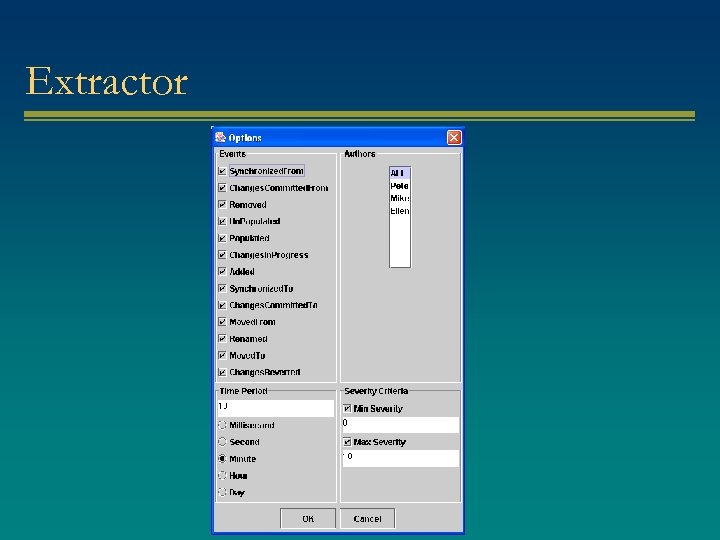 Extractor
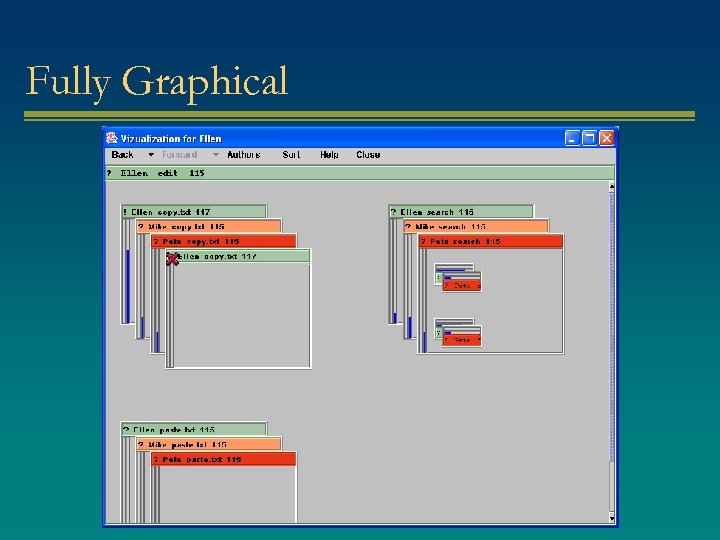
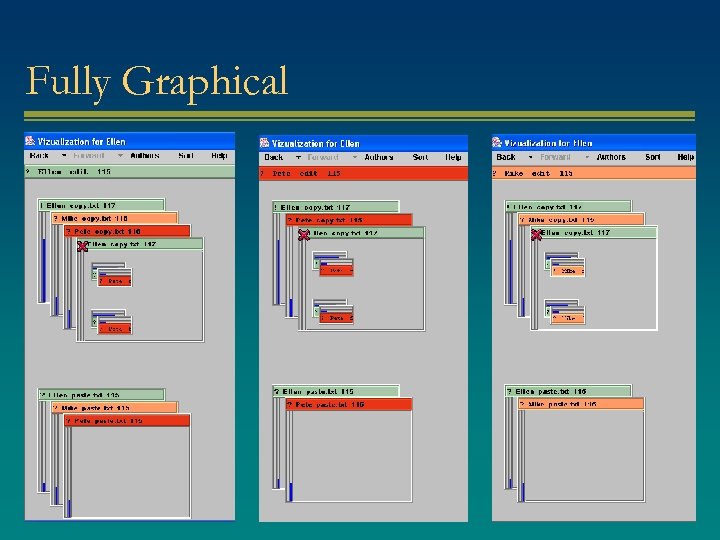
 Visualization n Tasks – Organize and display events n Same for every CM system n Varying degrees of obtrusiveness – Ticker tape – Tabular – Explorer – Fully graphical
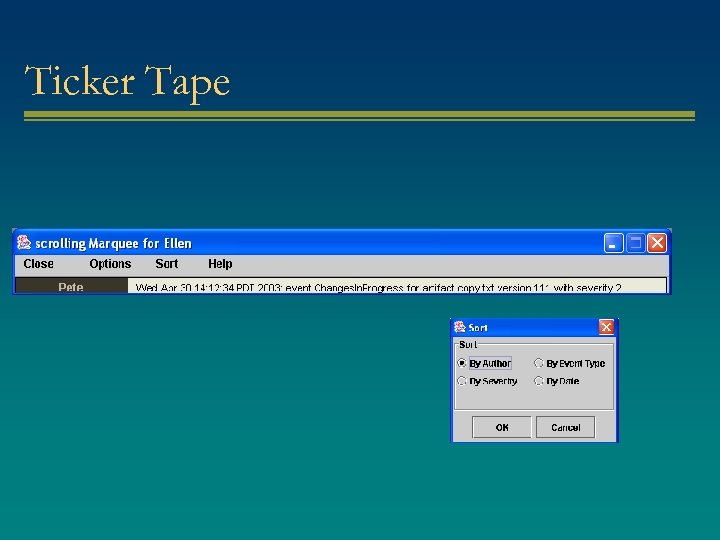 Ticker Tape
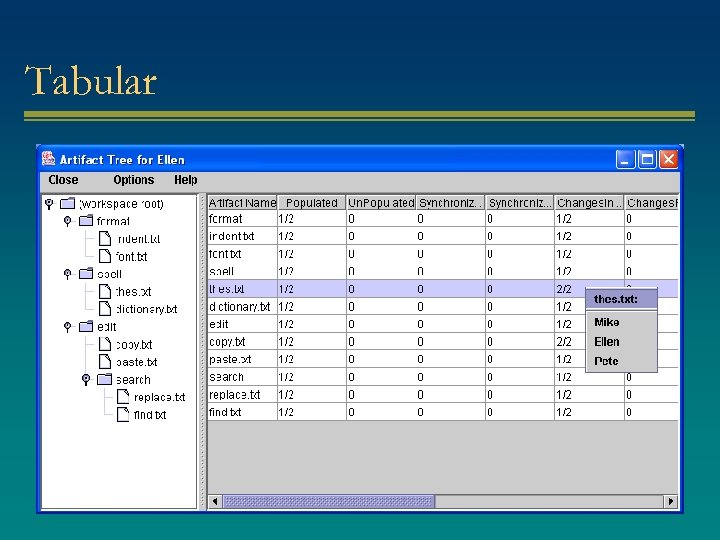 Tabular
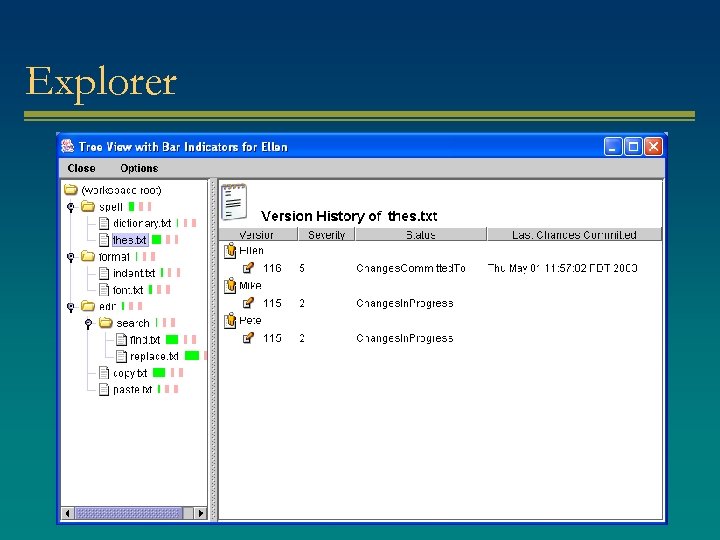 Explorer
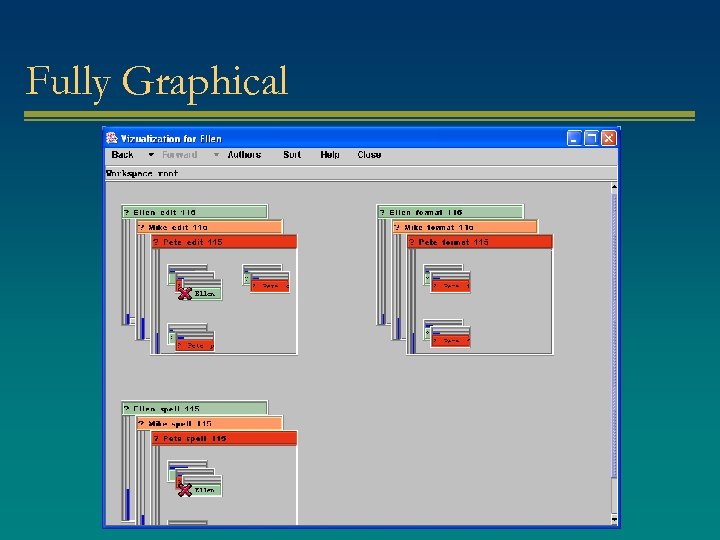 Fully Graphical
 Fully Graphical
 Fully Graphical
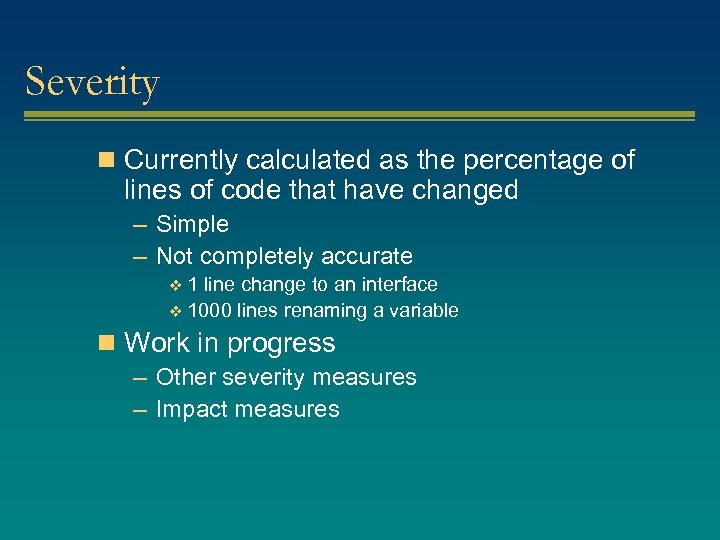 Severity n Currently calculated as the percentage of lines of code that have changed – Simple – Not completely accurate v 1 line change to an interface v 1000 lines renaming a variable n Work in progress – Other severity measures – Impact measures
 Integration Experience n RCS – Pessimistic CM system – 500 lines of Java code – Single day n CVS – Optimistic CM system – 500 lines of Java code – Single day n JSVN – Optimistic CM system – 500 lines of Java code – Few days
 Related Work n CVS and many other CM systems – Only e-mail notifications n Coven – Developers do not know in advance what they will change n BSCW, TUKAN, COOP/Orm – No pair-wise comparisons, no severity measure n State Treemap – No pair-wise comparisons
 Conclusions n Palantír is a novel prototype that brings awareness to CM workspaces – – Which artifacts are being changed by whom? What is the severity of the changes? Push instead of pull Automated instead of manual n Palantír is independent of the type of CM system used n Palantír was successfully integrated with RCS, CVS, and JSVN
 Future Work n Case study to determine the effectiveness of Palantír – Does it reduce the number of conflicts? – Does it improve coordination? – Does it speed up development time? n Further support for indirect conflicts – Impact analysis – Dependencies n Develop additional visualizations