


 Скачать презентацию Pacific Northwest Chapter Meeting SPS Presents Lync-ing your
b5e0a57e19ecc6b83507f7b02af15d20.ppt
- Количество слайдов: 24
 Pacific Northwest Chapter Meeting SPS Presents: “Lync-ing” your Avaya environment 1
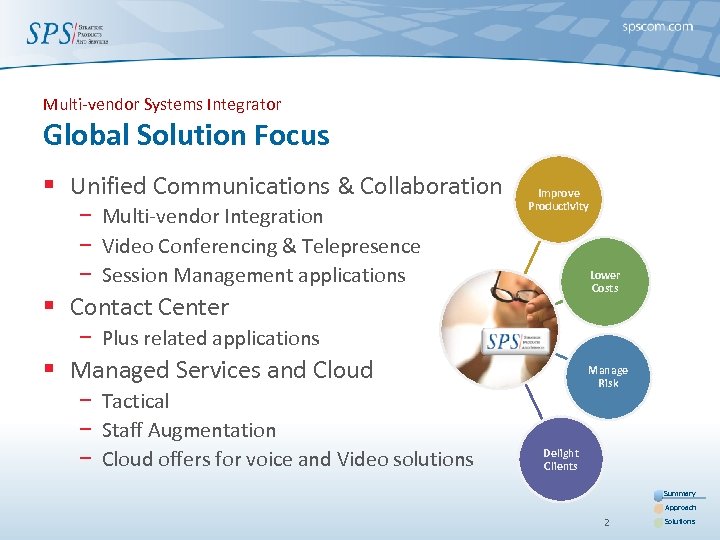 Multi-vendor Systems Integrator Global Solution Focus § Unified Communications & Collaboration − Multi-vendor Integration − Video Conferencing & Telepresence − Session Management applications Improve Productivity Lower Costs § Contact Center − Plus related applications § Managed Services and Cloud − Tactical − Staff Augmentation − Cloud offers for voice and Video solutions Manage Risk Delight Clients Summary Approach 2 Solutions
 History § Over 24 years of profitable growth − − Stable management team Highly skilled employee base Established partnerships Commercial & public long-standing customers § Court Square Capital Partners – 2011 − Accelerate growth curve § § System & process alignment Continued investments Significant repeat revenue Service reliability Summary Approach 3 Solutions
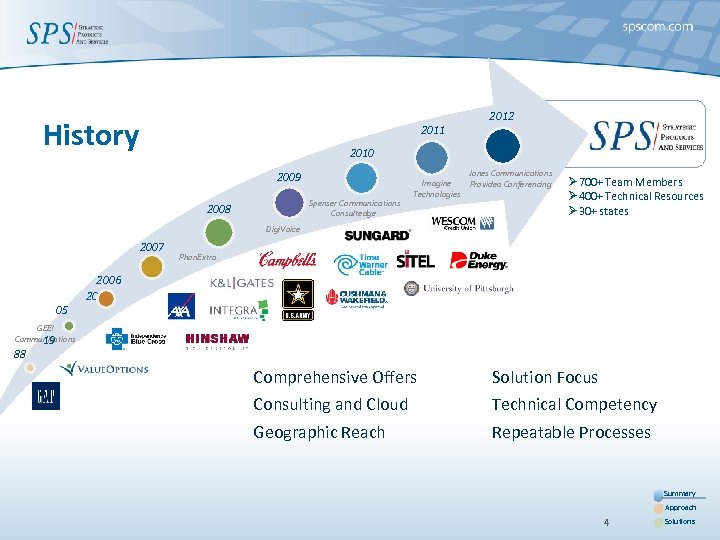 History 2011 2012 2010 2009 Spenser Communications Consultedge 2008 Jones Communications Imagine Providea Conferencing Technologies Ø 700+ Team Members Ø 400+ Technical Resources Ø 30+ states Digi. Voice 2007 05 Phon. Extra 2006 20 GEE! Communications 19 88 Comprehensive Offers Solution Focus Consulting and Cloud Technical Competency Geographic Reach Repeatable Processes Summary Approach 4 Solutions
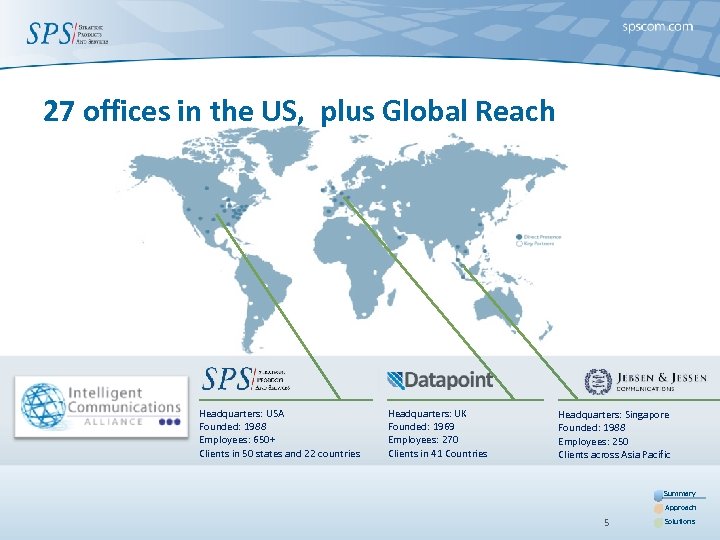 27 offices in the US, plus Global Reach Headquarters: USA Founded: 1988 Employees: 650+ Clients in 50 states and 22 countries Headquarters: UK Founded: 1969 Employees: 270 Clients in 41 Countries Headquarters: Singapore Founded: 1988 Employees: 250 Clients across Asia Pacific Summary Approach 5 Solutions
 Key Market Drivers § Systems Integration § BYOD (Bring Your Own Device) § Mobility § Desktop Video § Ease of use
 Integration of Avaya and Microsoft…. § Click-to-Communicate – OCS, Lync, Smart Tags − Click to Call, Click to Conference, Click to Video § Presence Integration and Federation § Voice Messaging – TUIs, GUIs, VUIs and MWI − Outlook, Internet Explorer, Exchange, PDA, Voice Rec, Speech to Text § Audio / Web Conferencing − Scheduling in Outlook*, Integration into Live Meeting § “Video as an extension of a Phone Call” – Room and Personal − With CAC, Bandwidth Management, Coverage Paths § Mobility – Single Number, Single Mailbox, Corporate Directory, VIP List, Simul. Ring, Graphical Mobile Client 7
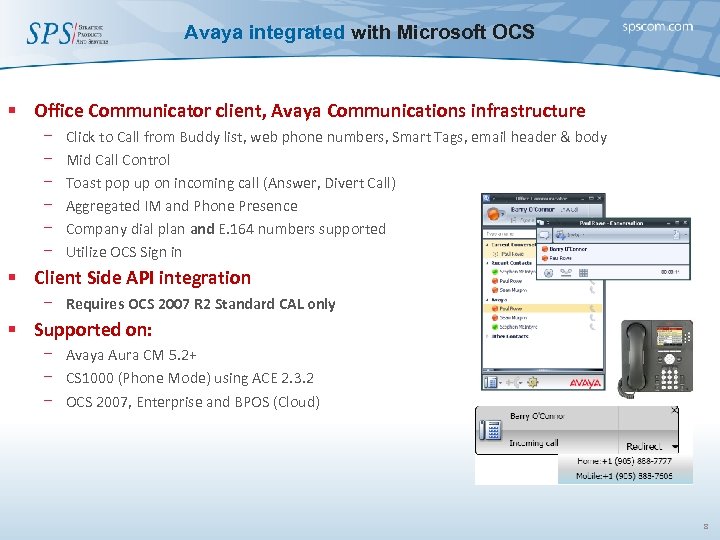 Avaya integrated with Microsoft OCS § Office Communicator client, Avaya Communications infrastructure − − − Click to Call from Buddy list, web phone numbers, Smart Tags, email header & body Mid Call Control Toast pop up on incoming call (Answer, Divert Call) Aggregated IM and Phone Presence Company dial plan and E. 164 numbers supported Utilize OCS Sign in § Client Side API integration − Requires OCS 2007 R 2 Standard CAL only § Supported on: − Avaya Aura CM 5. 2+ − CS 1000 (Phone Mode) using ACE 2. 3. 2 − OCS 2007, Enterprise and BPOS (Cloud) 8
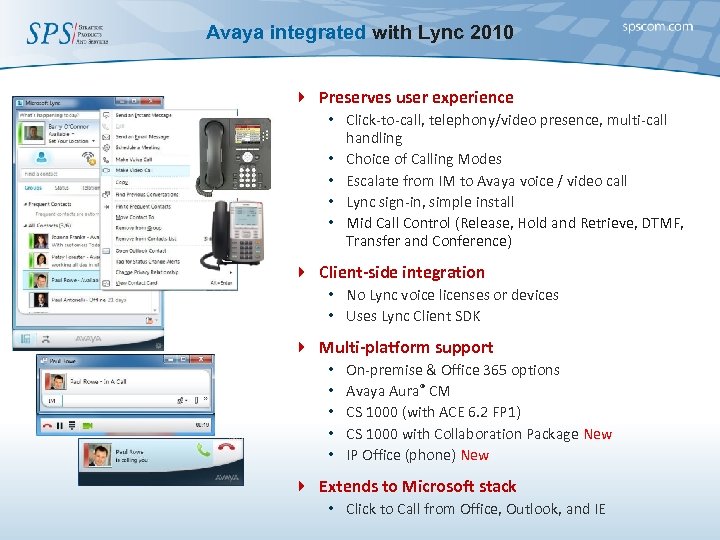 Avaya integrated with Lync 2010 4 Preserves user experience • Click-to-call, telephony/video presence, multi-call handling • Choice of Calling Modes • Escalate from IM to Avaya voice / video call • Lync sign-in, simple install • Mid Call Control (Release, Hold and Retrieve, DTMF, Transfer and Conference) 4 Client-side integration • No Lync voice licenses or devices • Uses Lync Client SDK 4 Multi-platform support • • • On-premise & Office 365 options Avaya Aura® CM CS 1000 (with ACE 6. 2 FP 1) CS 1000 with Collaboration Package New IP Office (phone) New 4 Extends to Microsoft stack • Click to Call from Office, Outlook, and IE
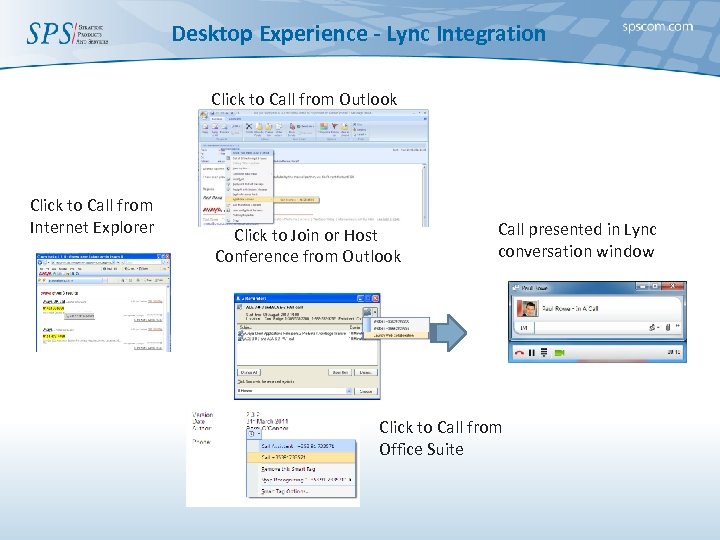 Desktop Experience - Lync Integration Click to Call from Outlook Click to Call from Internet Explorer Click to Join or Host Conference from Outlook Call presented in Lync conversation window Click to Call from Office Suite
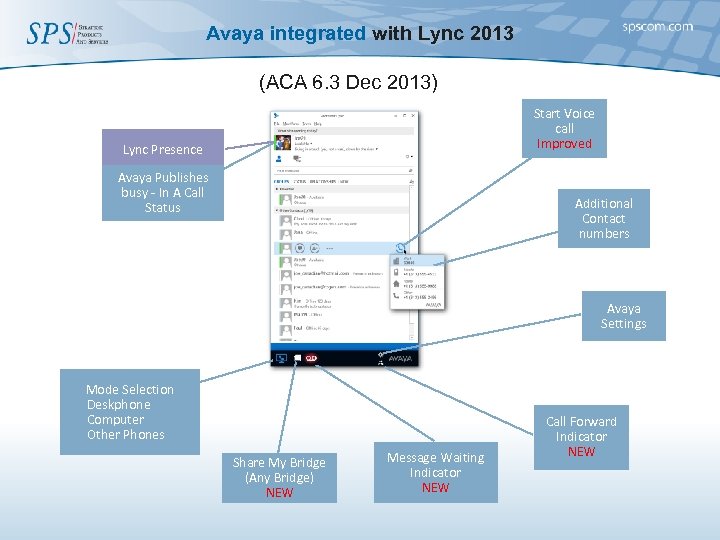 Avaya integrated with Lync 2013 (ACA 6. 3 Dec 2013) Start Voice call Improved Lync Presence Avaya Publishes busy - In A Call Status Additional Contact numbers Avaya Settings Mode Selection Deskphone Computer Other Phones Share My Bridge (Any Bridge) NEW Message Waiting Indicator NEW Call Forward Indicator NEW
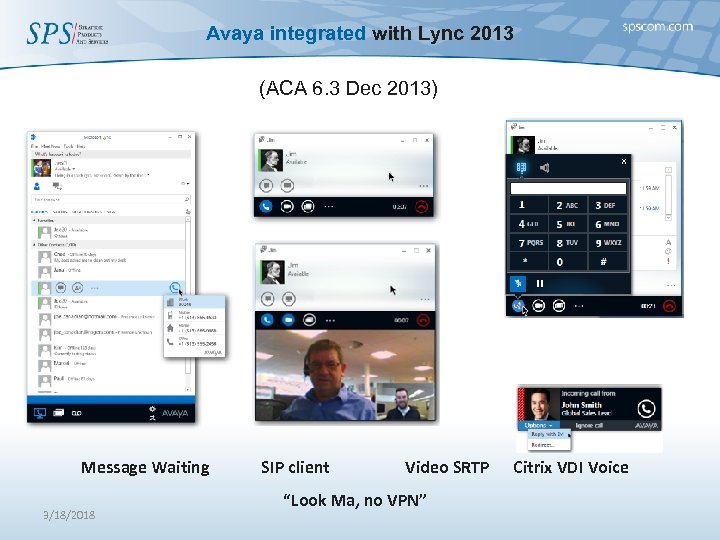 Avaya integrated with Lync 2013 (ACA 6. 3 Dec 2013) Message Waiting 3/18/2018 SIP client Video SRTP “Look Ma, no VPN” Citrix VDI Voice
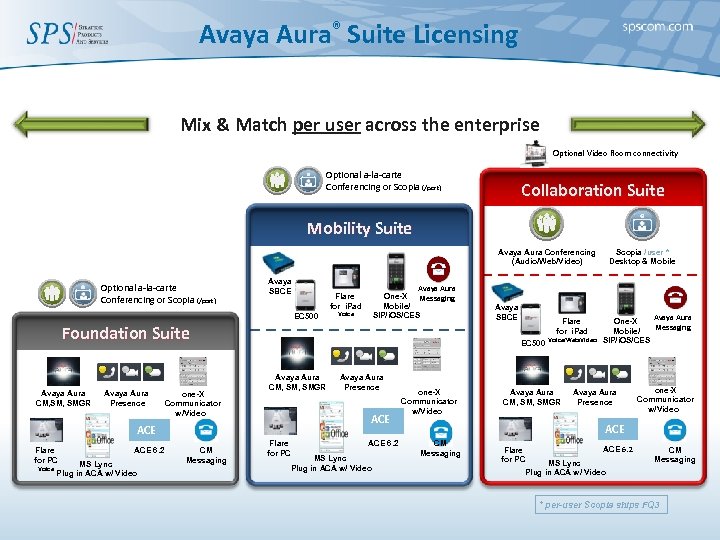 Avaya Aura® Suite Licensing Mix & Match per user across the enterprise Optional Video Room connectivity Optional a-la-carte Conferencing or Scopia (/port) Collaboration Suite Mobility Suite Avaya Aura Conferencing (Audio/Web/Video) Optional a-la-carte Conferencing or Scopia (/port) Avaya SBCE Avaya Aura One-X Messaging Mobile/ SIP/i. OS/CES Flare for i. Pad EC 500 Voice Foundation Suite Avaya Aura CM, SMGR Avaya Aura Presence one-X Communicator w/Video Voice ACE 6. 2 MS Lync Plug in ACA w/ Video CM Messaging Flare for i. Pad EC 500 Avaya Aura CM, SMGR Avaya Aura Presence ACE Flare for PC Avaya SBCE Flare for PC ACE 6. 2 MS Lync Plug in ACA w/ Video one-X Communicator w/Video Voice/Web/Video Avaya Aura CM, SMGR Scopia /user * Desktop & Mobile Avaya Aura One-X Messaging Mobile/ SIP/i. OS/CES Avaya Aura Presence one-X Communicator w/Video ACE CM Messaging Flare for PC ACE 6. 2 MS Lync Plug in ACA w/ Video CM Messaging * per-user Scopia ships FQ 3
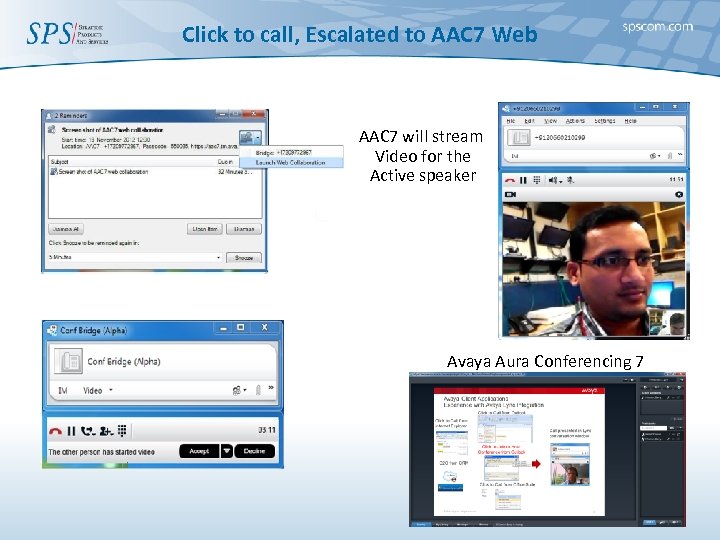 Click to call, Escalated to AAC 7 Web AAC 7 will stream Video for the Active speaker Avaya Aura Conferencing 7
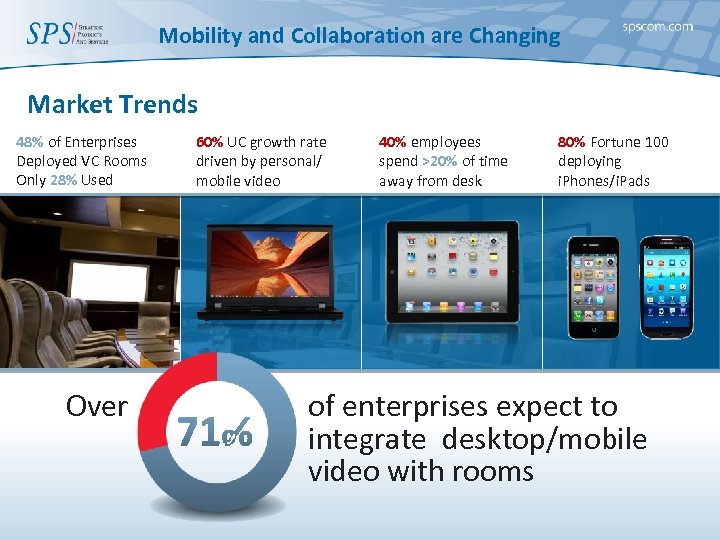 Mobility and Collaboration are Changing Market Trends 48% of Enterprises Deployed VC Rooms Only 28% Used Over 60% UC growth rate driven by personal/ mobile video 40% employees spend >20% of time away from desk 80% Fortune 100 deploying i. Phones/i. Pads of enterprises expect to integrate desktop/mobile video with rooms
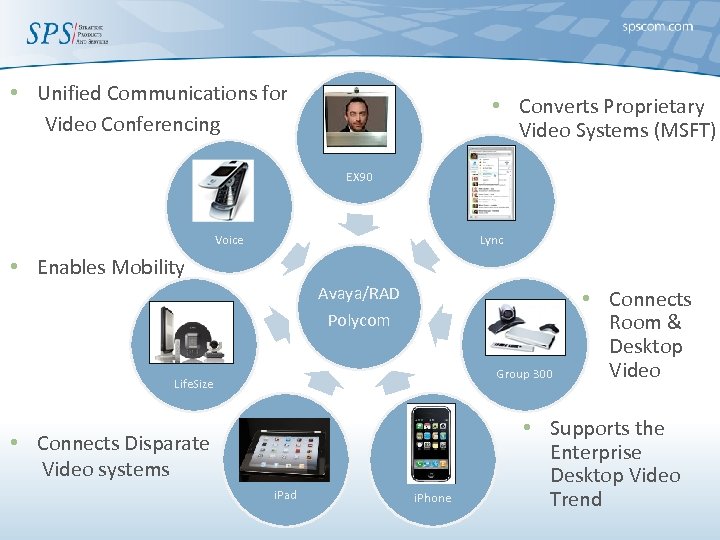 • Unified Communications for Video Conferencing • Converts Proprietary Video Systems (MSFT) EX 90 Voice Lync • Enables Mobility Avaya/RAD Polycom Group 300 Life. Size • Connects Disparate Video systems i. Pad i. Phone • Connects Room & Desktop Video • Supports the Enterprise Desktop Video Trend
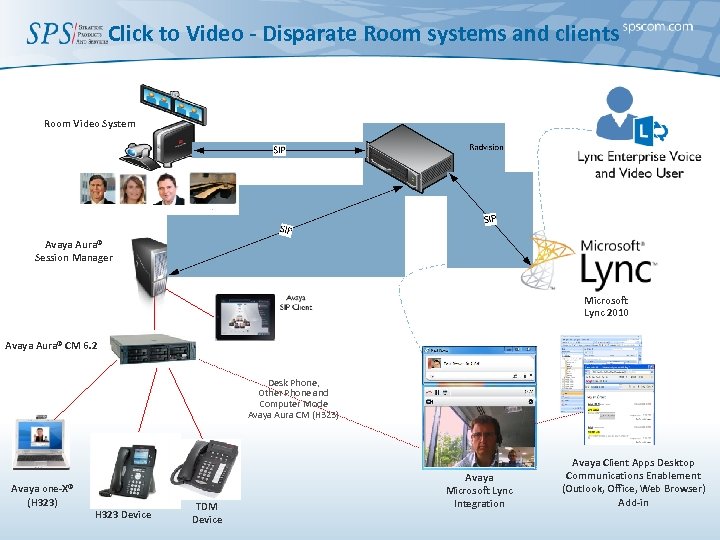 Click to Video - Disparate Room systems and clients Room Video System Avaya Aura® Session Manager Microsoft Lync 2010 Avaya Aura® CM 6. 2 Desk Phone, Other Phone and Computer Mode Avaya Aura CM (H 323) Avaya one-X® (H 323) H 323 Device TDM Device Avaya Microsoft Lync Integration Avaya Client Apps Desktop Communications Enablement (Outlook, Office, Web Browser) Add-in
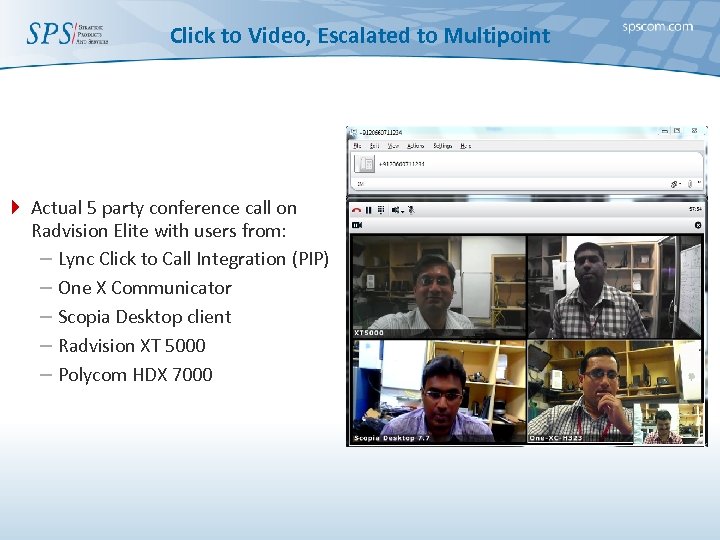 Click to Video, Escalated to Multipoint 4 Actual 5 party conference call on Radvision Elite with users from: – Lync Click to Call Integration (PIP) – One X Communicator – Scopia Desktop client – Radvision XT 5000 – Polycom HDX 7000
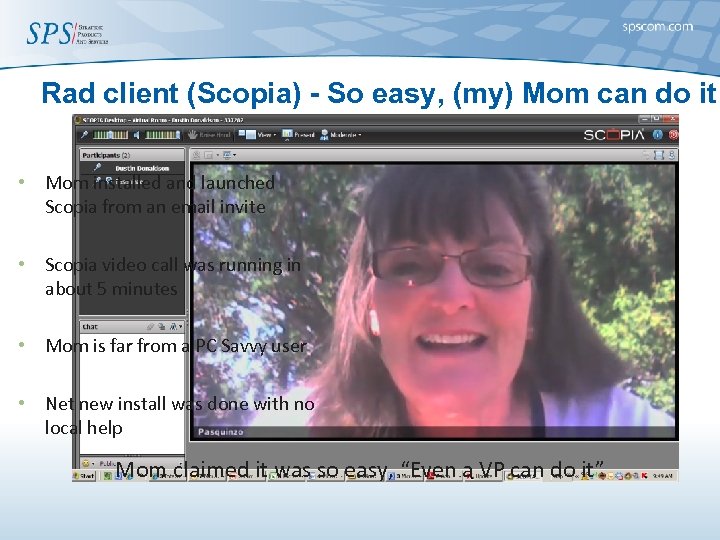 Rad client (Scopia) - So easy, (my) Mom can do it • Mom installed and launched Scopia from an email invite • Scopia video call was running in about 5 minutes • Mom is far from a PC Savvy user • Net new install was done with no local help Mom claimed it was so easy, “Even a VP can do it”
 SPS Advantages § 181 Video Specialists − Who know multi-vendor video § Solutions to include premise based, hybrid & true cloud − Hosted Equipment and Data connections § 24 X 7 Support for Total Solution − Specialized 24 X 7 Video NOC − For Every Customer - 5 minute Rule! § Multivendor Video Certifications − Pre & Post Sale
 Success Stories § Immersive Telepresence − SPS is deploying the first Immersive RADVISION § Desktop Video Conferencing − Thousands of customers § Infrastructure – MCU & Gatekeeper § HD Conference Rooms with Control systems − SPS has deployed 10, 000+ Video rooms (and counting) § International Deployments
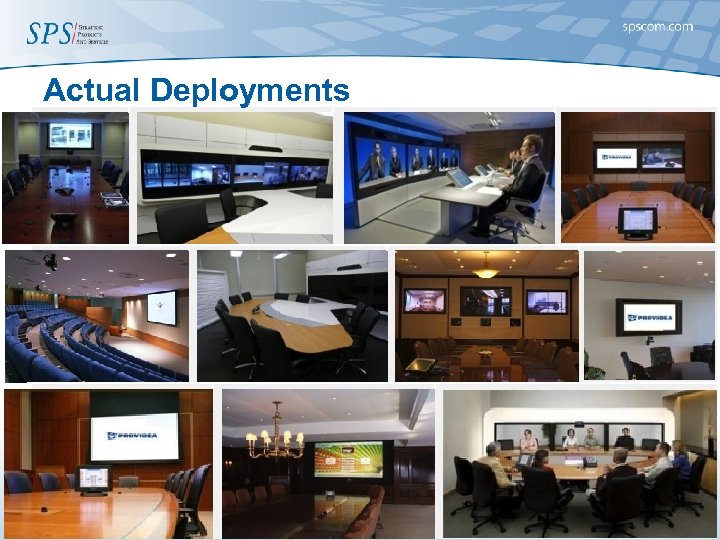 Actual Deployments
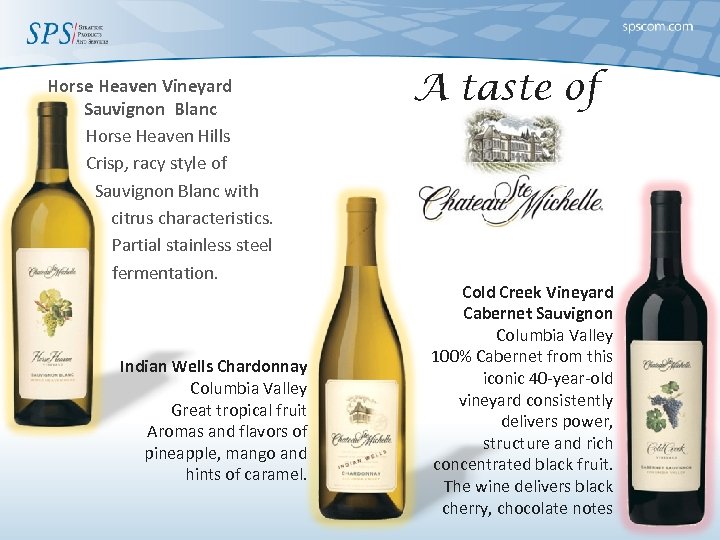 Horse Heaven Vineyard Sauvignon Blanc Horse Heaven Hills Crisp, racy style of Sauvignon Blanc with c citrus characteristics. Partial stainless steel fermentation. Indian Wells Chardonnay Columbia Valley Great tropical fruit Aromas and flavors of pineapple, mango and hints of caramel. A taste of Cold Creek Vineyard Cabernet Sauvignon Columbia Valley 100% Cabernet from this iconic 40 -year-old vineyard consistently delivers power, structure and rich concentrated black fruit. The wine delivers black cherry, chocolate notes
 THANK YOU! 300 Littleton Road, Parsippany, NJ 07054 www. spscom. com 888. 777. 7280