 Скачать презентацию Oxford University Particle Physics Unix Overview Pete Gronbech
82fcb8eb48e78c826a90adb715da9aac.ppt
- Количество слайдов: 36



Oxford University Particle Physics Unix Overview Pete Gronbech Particle Physics Senior Systems Manager & Grid. PP Project Manager Graduate Lectures 1 9 th October 2017
Strategy Connecting (RDP) and accessing storage Local Cluster Overview Computer Rooms Grid Cluster Connecting with ssh Other resources How to get help More on the Grid & getting a Grid certificate Graduate Lectures 2 9 th October 2017
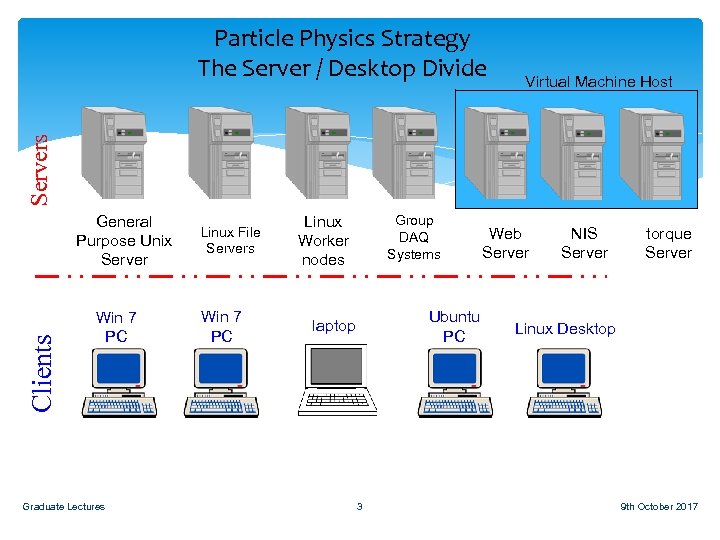
Virtual Machine Host Servers Particle Physics Strategy The Server / Desktop Divide Clients General Purpose Unix Server Win 7 PC Graduate Lectures Linux File Servers Win 7 PC Linux Worker nodes Group DAQ Systems Ubuntu PC laptop 3 Web Server NIS Server torque Server Linux Desktop 9 th October 2017
Distributed Model Files are not stored on the machine you are using, but on remote locations You can run a different operating system by making a remote connection to it Graduate Lectures 4 9 th October 2017
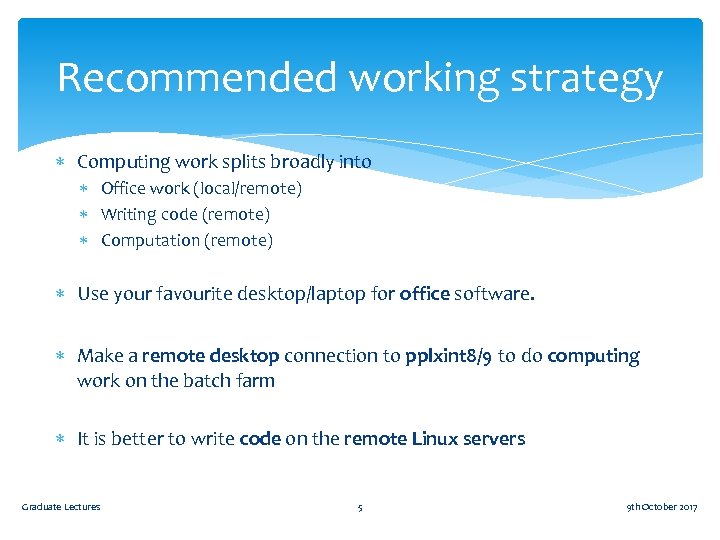
Recommended working strategy Computing work splits broadly into Office work (local/remote) Writing code (remote) Computation (remote) Use your favourite desktop/laptop for office software. Make a remote desktop connection to pplxint 8/9 to do computing work on the batch farm It is better to write code on the remote Linux servers Graduate Lectures 5 9 th October 2017
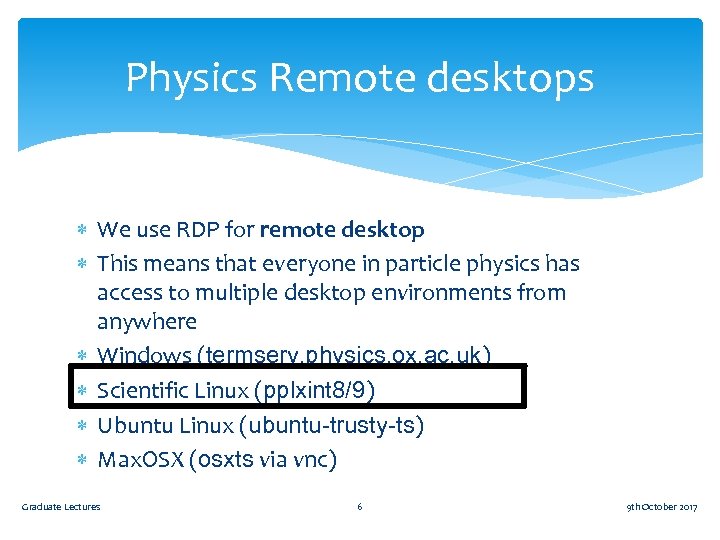
Physics Remote desktops We use RDP for remote desktop This means that everyone in particle physics has access to multiple desktop environments from anywhere Windows (termserv. physics. ox. ac. uk) Scientific Linux (pplxint 8/9) Ubuntu Linux (ubuntu-trusty-ts) Max. OSX (osxts via vnc) Graduate Lectures 6 9 th October 2017
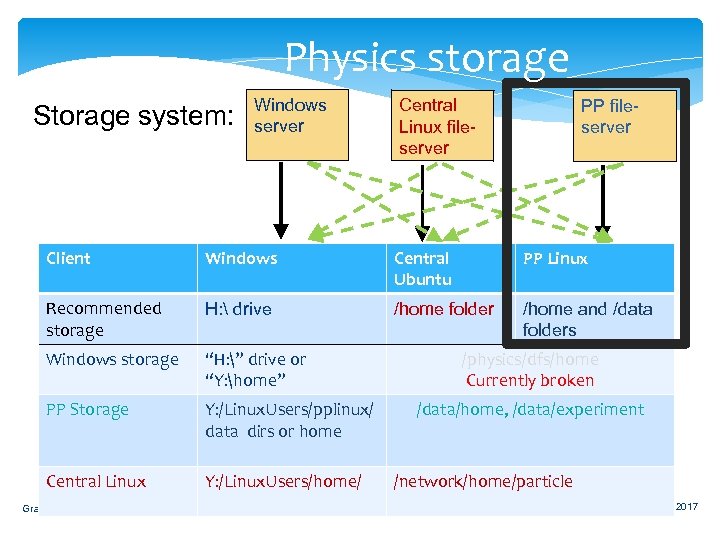
Physics storage Storage system: Windows server Central Linux fileserver PP fileserver Client Windows Central Ubuntu PP Linux Recommended storage H: drive /home folder /home and /data folders Windows storage “H: ” drive or “Y: home” PP Storage Y: /Linux. Users/pplinux/ data dirs or home Central Linux Y: /Linux. Users/home/ Graduate Lectures /physics/dfs/home Currently broken 7 /data/home, /data/experiment /network/home/particle 9 th October 2017
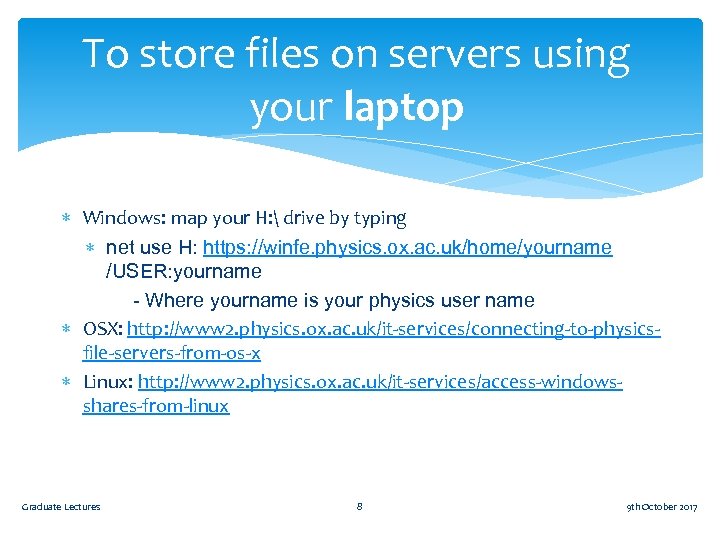
To store files on servers using your laptop Windows: map your H: drive by typing net use H: https: //winfe. physics. ox. ac. uk/home/yourname /USER: yourname - Where yourname is your physics user name OSX: http: //www 2. physics. ox. ac. uk/it-services/connecting-to-physicsfile-servers-from-os-x Linux: http: //www 2. physics. ox. ac. uk/it-services/access-windowsshares-from-linux Graduate Lectures 8 9 th October 2017
RDP and storage demo H: drive on windows Connecting to Linux on pplxint 8 from windows /home and /data on Linux Graduate Lectures 9 9 th October 2017
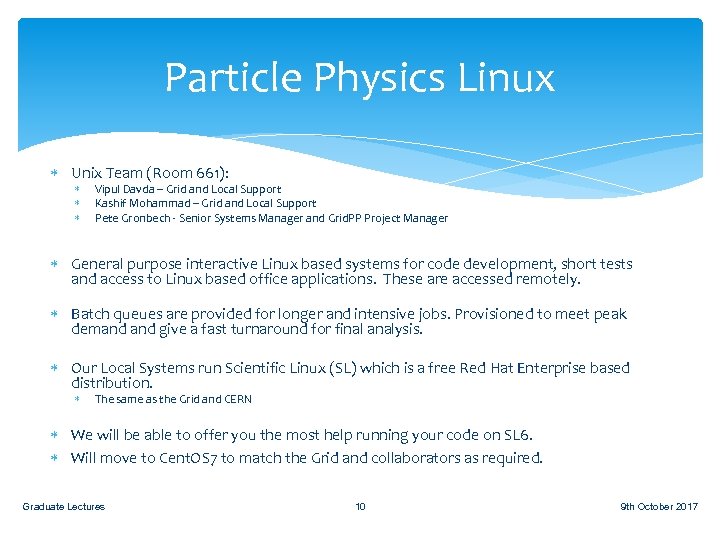
Particle Physics Linux Unix Team (Room 661): Vipul Davda – Grid and Local Support Kashif Mohammad – Grid and Local Support Pete Gronbech - Senior Systems Manager and Grid. PP Project Manager General purpose interactive Linux based systems for code development, short tests and access to Linux based office applications. These are accessed remotely. Batch queues are provided for longer and intensive jobs. Provisioned to meet peak demand give a fast turnaround for final analysis. Our Local Systems run Scientific Linux (SL) which is a free Red Hat Enterprise based distribution. The same as the Grid and CERN We will be able to offer you the most help running your code on SL 6. Will move to Cent. OS 7 to match the Grid and collaborators as required. Graduate Lectures 10 9 th October 2017
Current Clusters Particle Physics Local Batch cluster Oxford’s Tier 2 Grid cluster Graduate Lectures 11 9 th October 2017
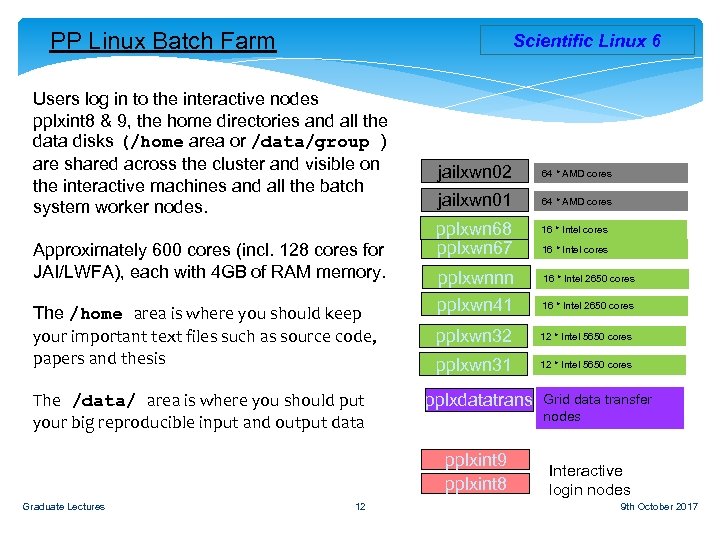
PP Linux Batch Farm Scientific Linux 6 Users log in to the interactive nodes pplxint 8 & 9, the home directories and all the data disks (/home area or /data/group ) are shared across the cluster and visible on the interactive machines and all the batch system worker nodes. Approximately 600 cores (incl. 128 cores for JAI/LWFA), each with 4 GB of RAM memory. The /home area is where you should keep your important text files such as source code, papers and thesis The /data/ area is where you should put your big reproducible input and output data jailxwn 02 64 * AMD cores jailxwn 01 64 * AMD cores pplxwn 68 pplxwn 67 12 16 * Intel cores pplxwnnn pplxwn 41 16 * Intel 2650 cores pplxwn 32 12 * Intel 5650 cores pplxwn 31 12 * Intel 5650 cores pplxdatatrans pplxint 9 pplxint 8 Graduate Lectures 16 * Intel cores 16 * Intel 2650 cores Grid data transfer nodes Interactive login nodes 9 th October 2017
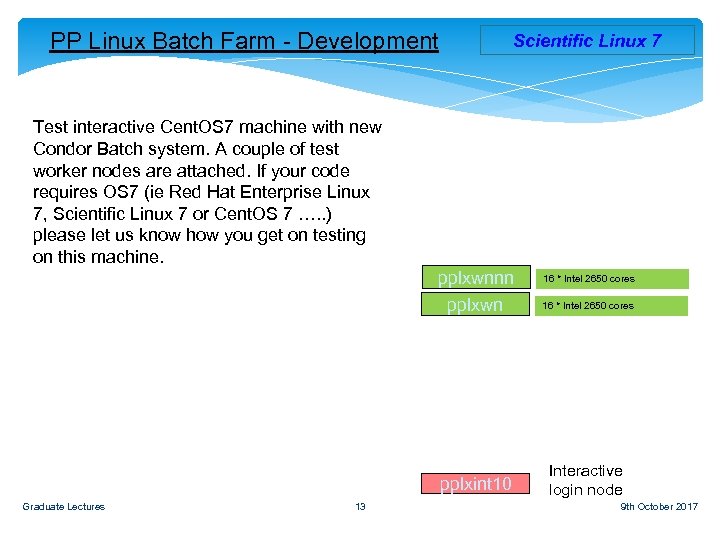
PP Linux Batch Farm - Development Scientific Linux 7 Test interactive Cent. OS 7 machine with new Condor Batch system. A couple of test worker nodes are attached. If your code requires OS 7 (ie Red Hat Enterprise Linux 7, Scientific Linux 7 or Cent. OS 7 …. . ) please let us know how you get on testing on this machine. pplxwnnn pplxwn pplxint 10 Graduate Lectures 13 16 * Intel 2650 cores Interactive login node 16 * Intel 2650 cores 9 th October 2017
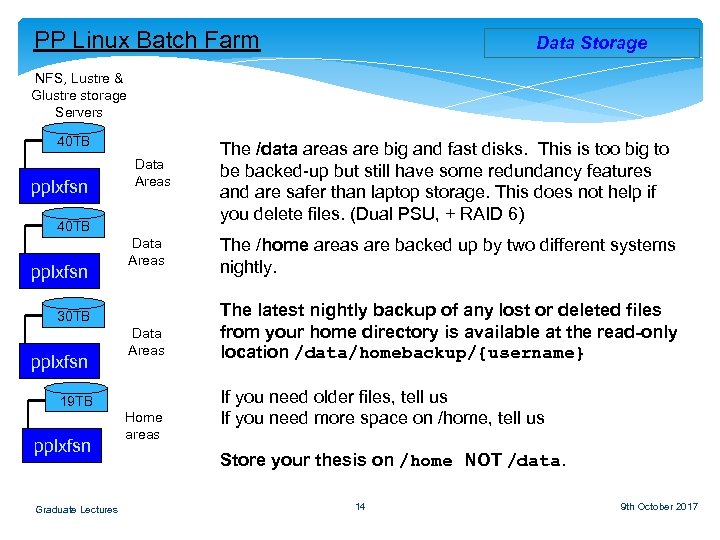
PP Linux Batch Farm Data Storage NFS, Lustre & Glustre storage Servers 40 TB pplxfsn Data Areas 30 TB pplxfsn Data Areas 19 TB pplxfsn Graduate Lectures Home areas The /data areas are big and fast disks. This is too big to be backed-up but still have some redundancy features and are safer than laptop storage. This does not help if you delete files. (Dual PSU, + RAID 6) The /home areas are backed up by two different systems nightly. The latest nightly backup of any lost or deleted files from your home directory is available at the read-only location /data/homebackup/{username} If you need older files, tell us If you need more space on /home, tell us Store your thesis on /home NOT /data. 14 9 th October 2017
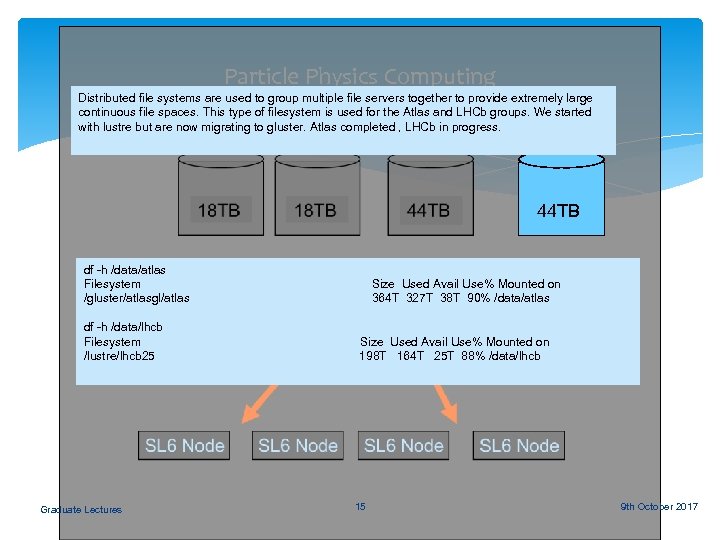
Particle Physics Computing Distributed file systems are used to group multiple file servers together to provide extremely large continuous file spaces. This type of filesystem is used for the Atlas and LHCb groups. We started Lustre OSS 04 with lustre but are now migrating to gluster. Atlas completed , LHCb in progress. 44 TB df -h /data/atlas Filesystem /gluster/atlasgl/atlas df -h /data/lhcb Filesystem /lustre/lhcb 25 Graduate Lectures Size Used Avail Use% Mounted on 364 T 327 T 38 T 90% /data/atlas Size Used Avail Use% Mounted on 198 T 164 T 25 T 88% /data/lhcb 15 9 th October 2017
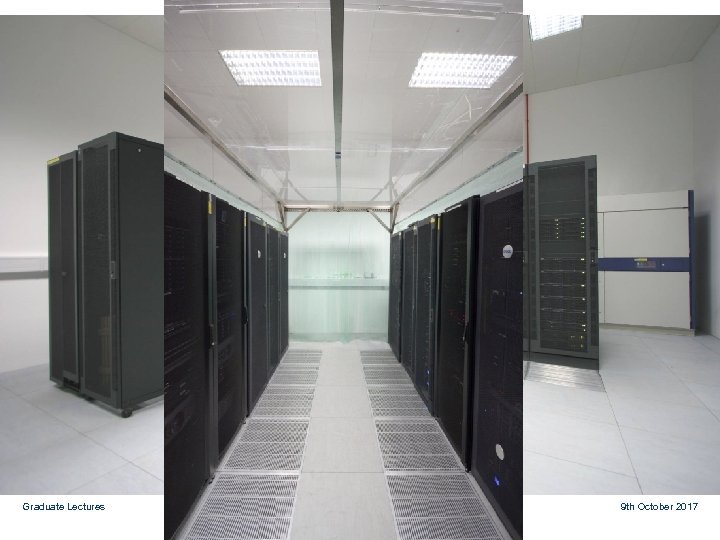
Local Oxford DWB Physics Infrastructure Computer Room The computer room on Level 1 of DWB has 100 KW cooling and >200 KW power has been built. Local Physics department Infrastructure computer room. Completed September 2007. This allowed local computer rooms to be refurbished as offices again and racks that were in unsuitable locations to be re housed. Graduate Lectures 16 9 th October 2017
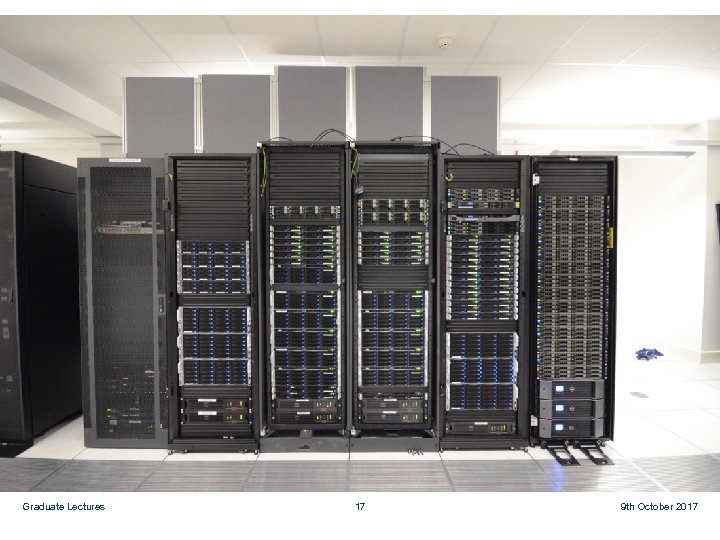
Begbroke Computer Room The Computer room built at Begbroke Science Park jointly for the Oxford Super Computer (Advanced Research Computing) and the Physics department, provides space for 55 (11 KW) computer racks. 22 of which will be for Physics. Up to a third of these can be used for the Tier 2 centre. This £ 1. 5 M project was funded by SRIF. The room was ready in December 2007. Oxford Tier 2 Grid cluster was moved there during spring 2008. All new Physics High Performance Clusters will be installed here. Graduate Lectures 17 9 th October 2017
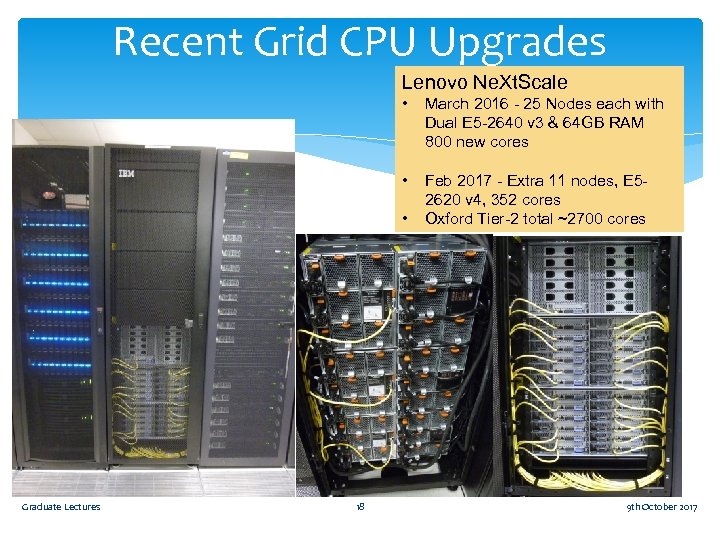
Recent Grid CPU Upgrades Lenovo Ne. Xt. Scale • March 2016 - 25 Nodes each with Dual E 5 -2640 v 3 & 64 GB RAM 800 new cores • Feb 2017 - Extra 11 nodes, E 52620 v 4, 352 cores Oxford Tier-2 total ~2700 cores • Graduate Lectures 18 9 th October 2017
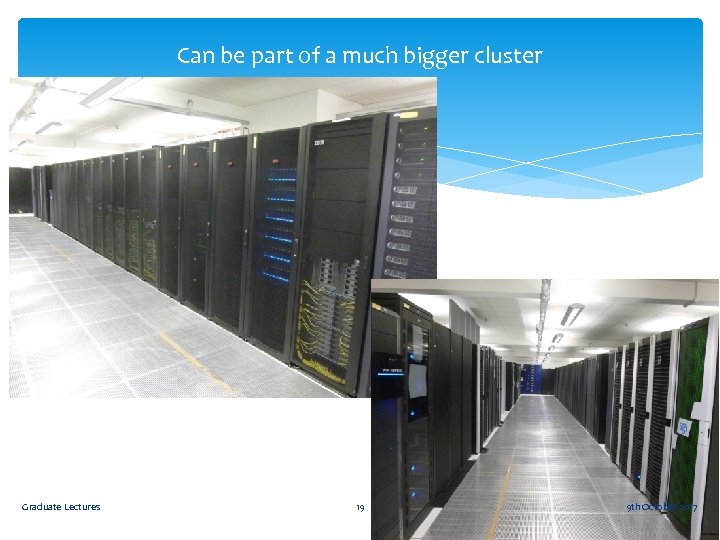
Can be part of a much bigger cluster Graduate Lectures 19 9 th October 2017
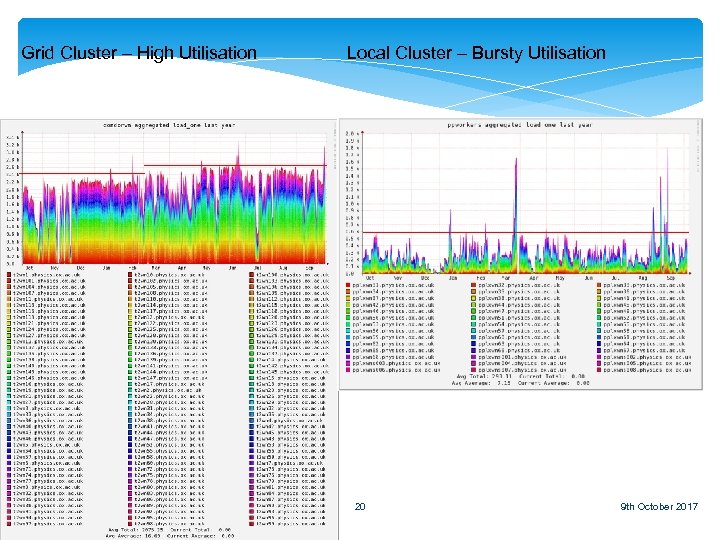
Grid Cluster – High Utilisation Graduate Lectures Local Cluster – Bursty Utilisation 20 9 th October 2017
Strong Passwords etc Use a strong password not open to dictionary attack! fred 123 – No good Uaspnotda!09 – Much better More convenient to use ssh with a passphrased key stored on your desktop. Once set up Graduate Lectures 21 9 th October 2017
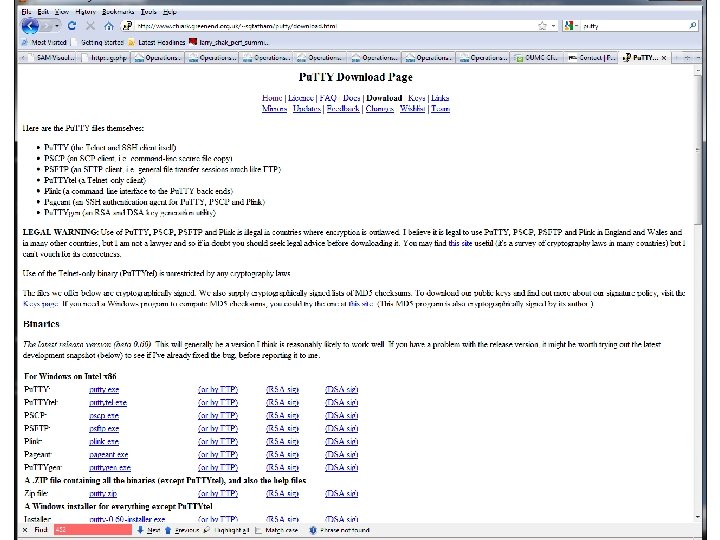
Connecting with Pu. TTY to Linux Demo 1. Plain ssh terminal connection 1. 2. From ‘outside of physics’ From Office (no password) 2. ssh with X windows tunnelled to passive exceed. Single apps. 3. Password-less access from ‘outside physics’ http: //www 2. physics. ox. ac. uk/it-services/ppunix-cluster http: //www. howtoforge. com/ssh_key_based_logins_putty Graduate Lectures 22 9 th October 2017
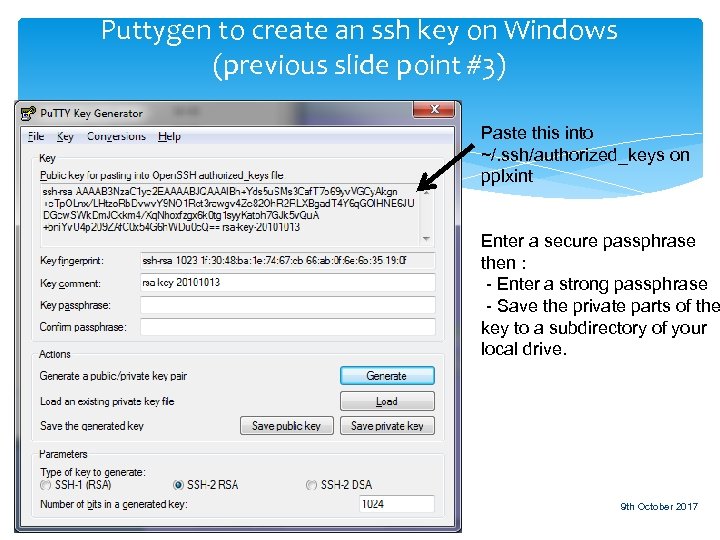
Puttygen to create an ssh key on Windows (previous slide point #3) Paste this into ~/. ssh/authorized_keys on pplxint Enter a secure passphrase then : - Enter a strong passphrase - Save the private parts of the key to a subdirectory of your local drive. Graduate Lectures 23 9 th October 2017
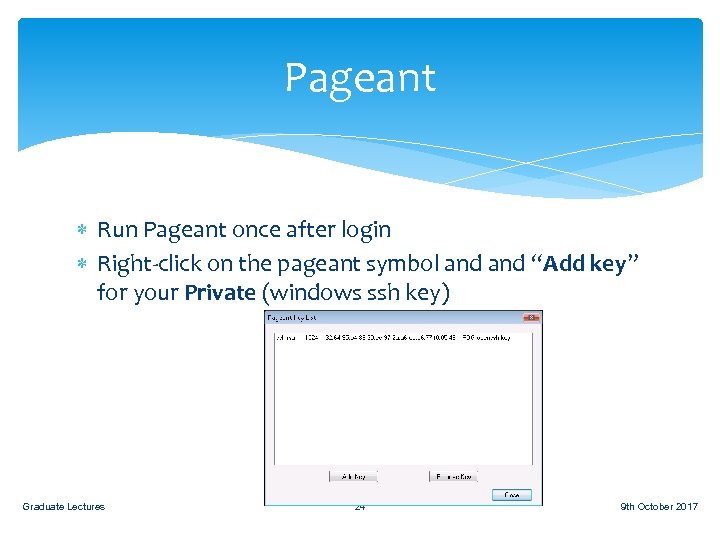
Pageant Run Pageant once after login Right-click on the pageant symbol and “Add key” for your Private (windows ssh key) Graduate Lectures 24 9 th October 2017
Graduate Lectures 25 9 th October 2017
Other resources (for free) Oxford Advanced Research Computing A shared cluster of CPU nodes, “just” like the local cluster here GPU nodes Faster for ‘fitting’, toy studies and MC generation *IFF* code is written in a way that supports them Moderate disk space allowance per experiment (<5 TB) http: //www. arc. ox. ac. uk/content/getting-started The Grid Massive globally connected computer farm For big computing projects Atlas, LHCb, t 2 k and SNO already make use of the Grid. Come talk to us in Room 661 Graduate Lectures 26 9 th October 2017
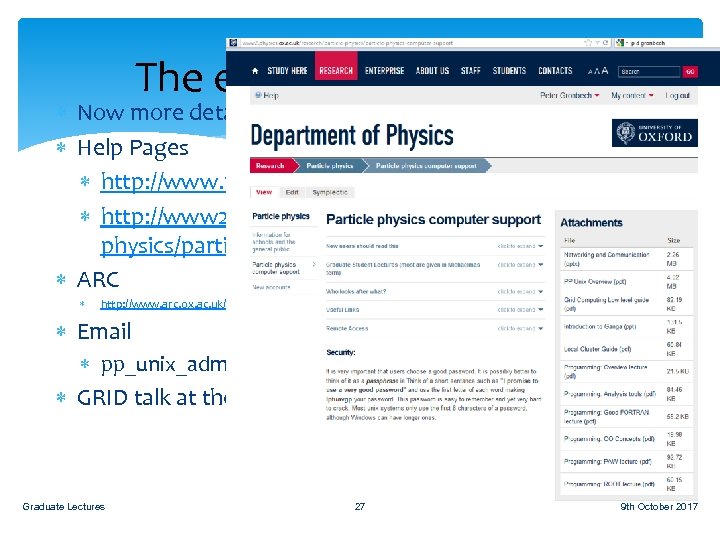
The end of the overview Now more details of use of the clusters Help Pages http: //www. physics. ox. ac. uk/it-services/unix-systems http: //www 2. physics. ox. ac. uk/research/particlephysics/particle-physics-computer-support ARC http: //www. arc. ox. ac. uk/content/getting-started Email pp_unix_admin@physics. ox. ac. uk GRID talk at the end Graduate Lectures 27 9 th October 2017
GRID certificates Atlas, Sno, LHCb and t 2 k in particular Graduate Lectures 28 9 th October 2017
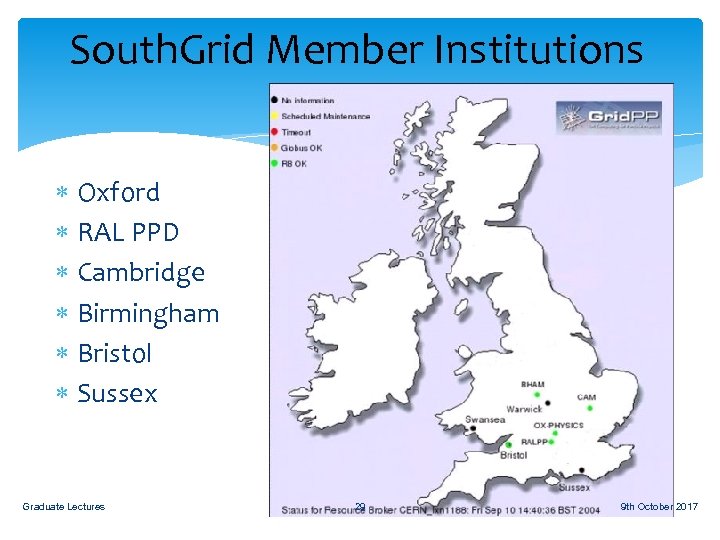
South. Grid Member Institutions Oxford RAL PPD Cambridge Birmingham Bristol Sussex Graduate Lectures 29 9 th October 2017
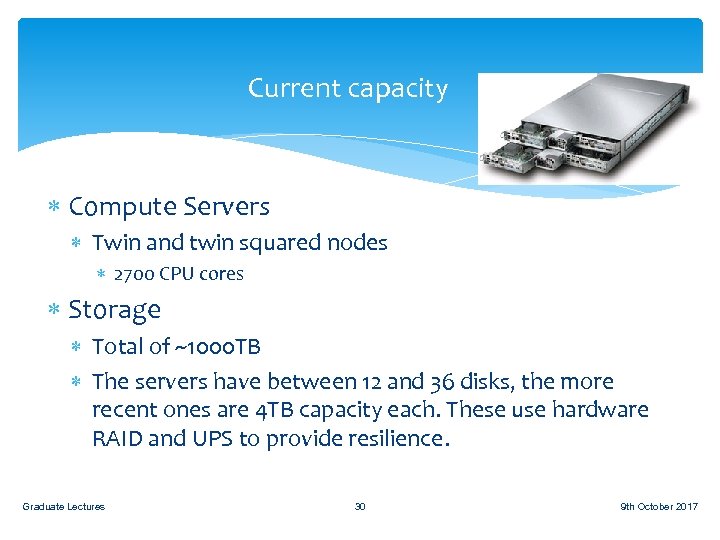
Current capacity Compute Servers Twin and twin squared nodes 2700 CPU cores Storage Total of ~1000 TB The servers have between 12 and 36 disks, the more recent ones are 4 TB capacity each. These use hardware RAID and UPS to provide resilience. Graduate Lectures 30 9 th October 2017
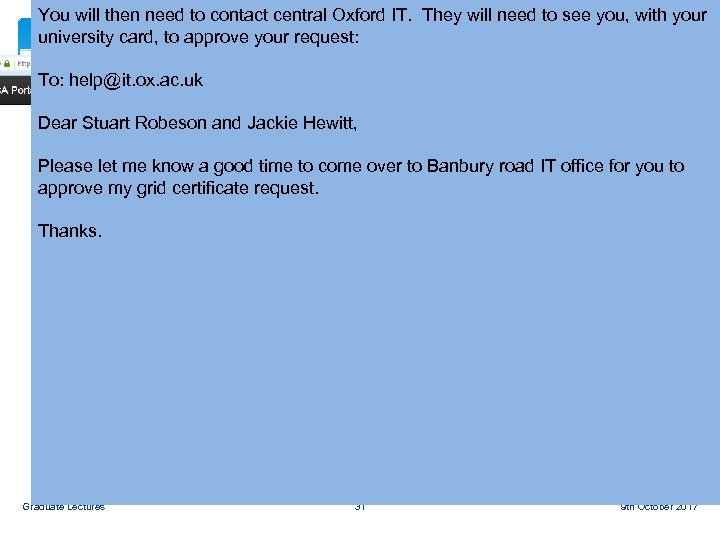
You will then need to contact central Oxford IT. They will need to see you, with your university card, to approve your request: Get a Grid Certificate To: help@it. ox. ac. uk Dear Stuart Robeson and Jackie Hewitt, Please let me know a good time to come over to Banbury road IT office for you to approve my grid certificate request. Must remember to use the same PC to request and retrieve the Grid Certificate. Thanks. The new UKCA page http: //www. ngs. ac. uk/ukca Graduate Lectures 31 9 th October 2017
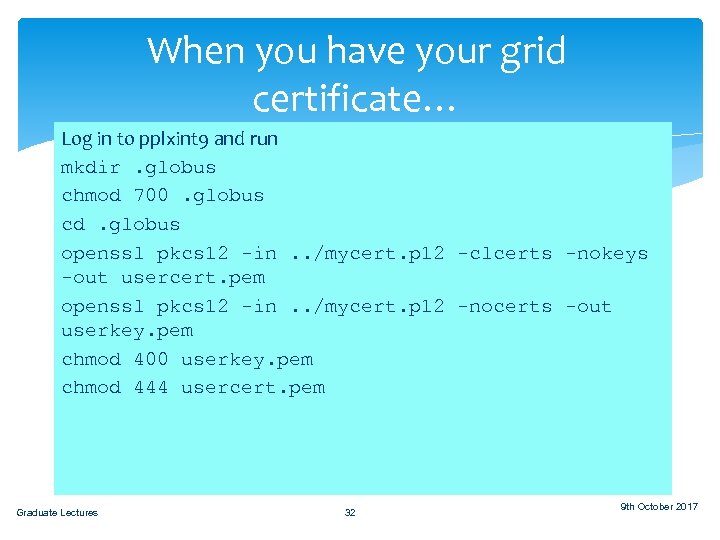
When you have your grid certificate… Save to a filename in run Log in to pplxint 9 and your home directory on the Linux systems, eg: mkdir. globus Y: Linuxusersparticlehome{username}mycert. p 12 chmod 700. globus cd. globus openssl pkcs 12 -in. . /mycert. p 12 -clcerts -nokeys -out usercert. pem openssl pkcs 12 -in. . /mycert. p 12 -nocerts -out userkey. pem chmod 400 userkey. pem chmod 444 usercert. pem Graduate Lectures 32 9 th October 2017
Now Join a VO This is the Virtual Organisation such as “Atlas”, so: You are allowed to submit jobs using the infrastructure of the experiment Access data for the experiment Speak to your colleagues on the experiment about this. It is a different process for every experiment! Graduate Lectures 33 9 th October 2017
Joining a VO Your grid certificate identifies you to the grid as an individual user, but it's not enough on its own to allow you to run jobs; you also need to join a Virtual Organisation (VO). These are essentially just user groups, typically one per experiment, and individual grid sites can choose to support (or not) work by users of a particular VO. Most sites support the four LHC VOs, fewer support the smaller experiments. The sign-up procedures vary from VO to VO, UK ones typically require a manual approval step, LHC ones require an active CERN account. For anyone that's interested in using the grid, but is not working on an experiment with an existing VO, we have a local VO we can use to get you started. Graduate Lectures 34 9 th October 2017
When that’s done Test your grid certificate: > voms-proxy-init –voms lhcb. cern. ch Enter GRID pass phrase: Your identity: /C=UK/O=e. Science/OU=Oxford/L=Oe. SC/CN=j bloggs Creating temporary proxy. . . . . Done Consult the documentation provided by your experiment for ‘their’ way to submit and manage grid jobs Graduate Lectures 35 9 th October 2017
Questions? Graduate Lectures 36 9 th October 2017
Скачать презентацию Oxford University Particle Physics Unix Overview Pete Gronbech
82fcb8eb48e78c826a90adb715da9aac.ppt