 Скачать презентацию OWASP Education The OWASP Foundation Computer based training
ecedac12300e86d98641c5c170684615.ppt
- Количество слайдов: 47



OWASP Education The OWASP Foundation Computer based training http: //www. owasp. org OWASP Top 10 for 2010 Keith Turpin Nishi Kumar IT Architect Specialist, FIS Chair, Software Security Forum FIS OWASP CBT Project Lead OWASP Global Industry Committee The Boeing Company Application Security Assessments Lead OWASP Secure Coding Practices Lead OWASP Global Projects Committee Nishi. Kumar@owasp. org keith. turpin@owasp. org Content Provided by Dave Wichers
Objectives Understand OWASP Top 10 Understand methodology used to choose OWASP Top 10 for 2010 Understand how OWASP Top 10 relates to CWE/SANS Top 25 Identify and Remediate vulnerabilities from OWASP Top 10 2
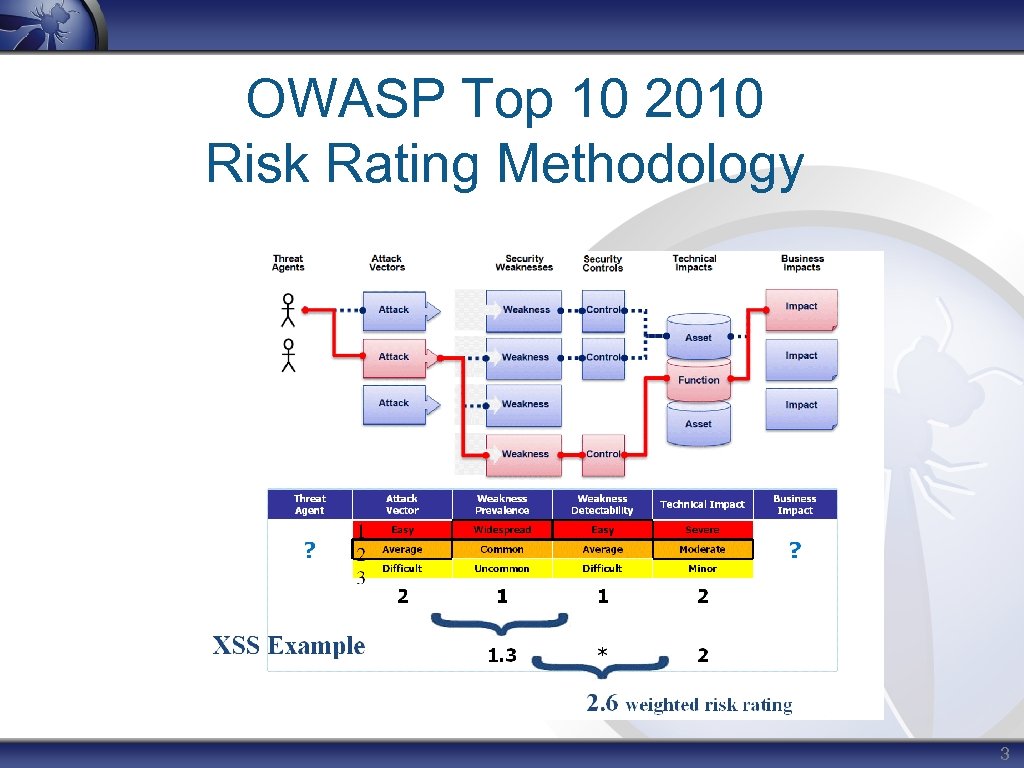
OWASP Top 10 2010 Risk Rating Methodology 3
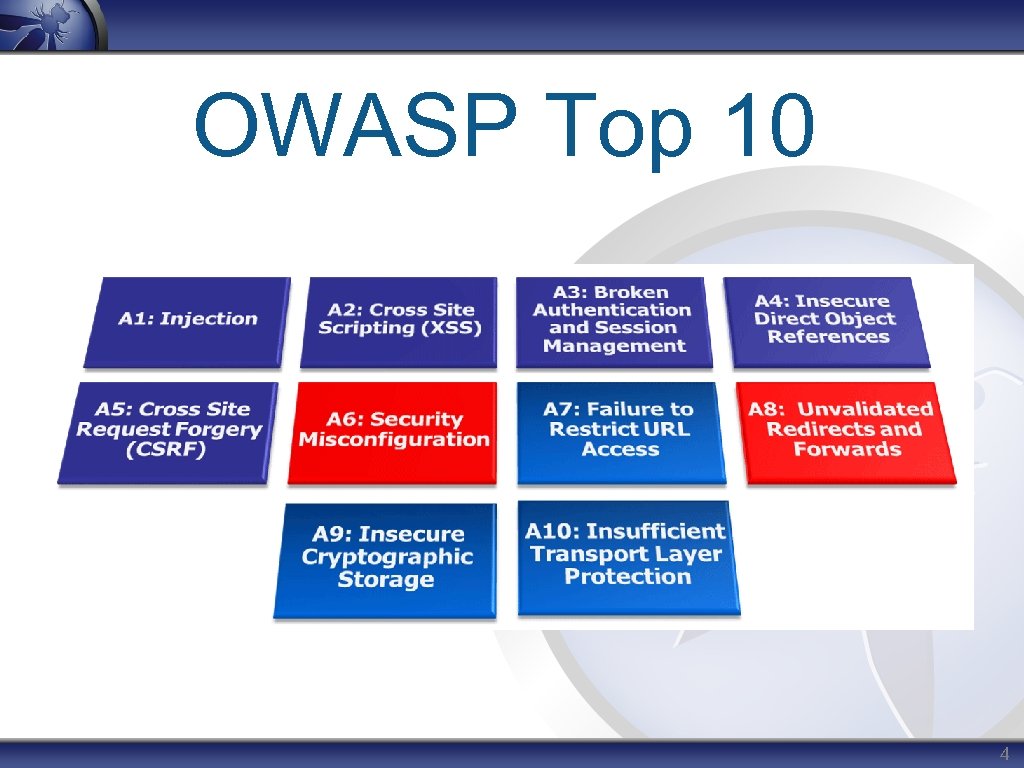
OWASP Top 10 4
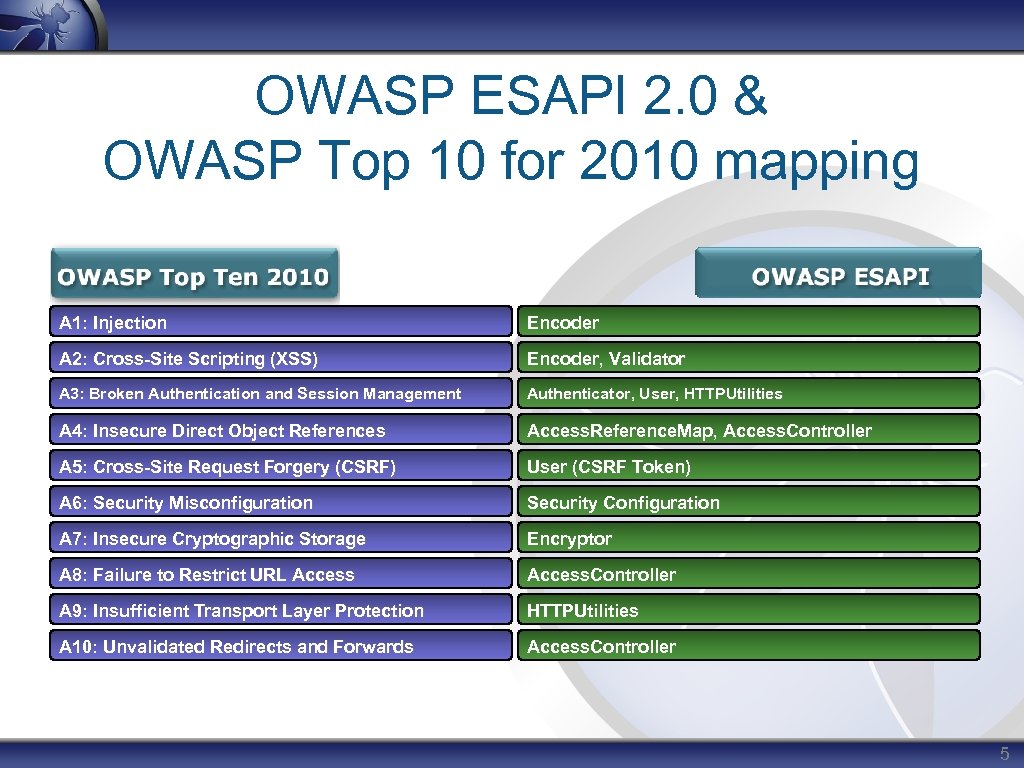
OWASP ESAPI 2. 0 & OWASP Top 10 for 2010 mapping A 1: Injection Encoder A 2: Cross-Site Scripting (XSS) Encoder, Validator A 3: Broken Authentication and Session Management Authenticator, User, HTTPUtilities A 4: Insecure Direct Object References Access. Reference. Map, Access. Controller A 5: Cross-Site Request Forgery (CSRF) User (CSRF Token) A 6: Security Misconfiguration Security Configuration A 7: Insecure Cryptographic Storage Encryptor A 8: Failure to Restrict URL Access. Controller A 9: Insufficient Transport Layer Protection HTTPUtilities A 10: Unvalidated Redirects and Forwards Access. Controller 5
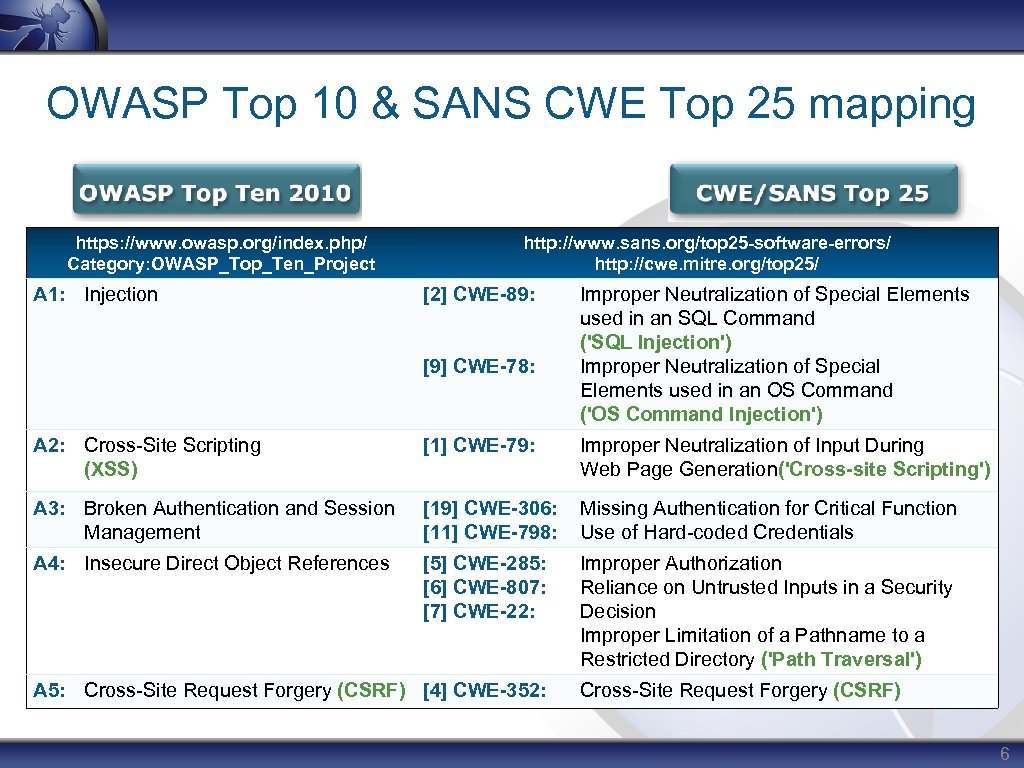
OWASP Top 10 & SANS CWE Top 25 mapping https: //www. owasp. org/index. php/ Category: OWASP_Top_Ten_Project A 1: Injection http: //www. sans. org/top 25 -software-errors/ http: //cwe. mitre. org/top 25/ [2] CWE-89: [9] CWE-78: Improper Neutralization of Special Elements used in an SQL Command ('SQL Injection') Improper Neutralization of Special Elements used in an OS Command ('OS Command Injection') A 2: Cross-Site Scripting (XSS) [1] CWE-79: Improper Neutralization of Input During Web Page Generation('Cross-site Scripting') A 3: Broken Authentication and Session Management [19] CWE-306: [11] CWE-798: Missing Authentication for Critical Function Use of Hard-coded Credentials A 4: Insecure Direct Object References [5] CWE-285: [6] CWE-807: [7] CWE-22: Improper Authorization Reliance on Untrusted Inputs in a Security Decision Improper Limitation of a Pathname to a Restricted Directory ('Path Traversal') A 5: Cross-Site Request Forgery (CSRF) [4] CWE-352: Cross-Site Request Forgery (CSRF) 6
![OWASP Top 10 & SANS CWE Top 25 mapping A 6: Security Misconfiguration [16]](https://present5.com/presentation/ecedac12300e86d98641c5c170684615/image-7.jpg "OWASP Top 10 & SANS CWE Top 25 mapping A 6: Security Misconfiguration [16]")
OWASP Top 10 & SANS CWE Top 25 mapping A 6: Security Misconfiguration [16] CWE-209: Information Exposure Through an Error Message (Only partially covers OWASP Risk) A 7: Insecure Cryptographic Storage [10] CWE-311: [24] CWE-327: Missing Encryption of Sensitive Data Use of a Broken or Risky Cryptographic Algorithm A 8: Failure to Restrict URL Access [5] CWE-285: Improper Authorization (Also listed with OWASP A-4) Incorrect Permission Assignment for Critical Resource (CWE-732 covers a broader scope than OWASP A 8) [21] CWE-732: A 9: Insufficient Transport Layer Protection [10] CWE-311: [24] CWE-327: A 10: Unvalidated Redirects and Forwards [23] CWE-601: Missing Encryption of Sensitive Data (Also listed with OWASP A-7) Use of a Broken or Risky Cryptographic Algorithm (Also listed with OWASP A-7) URL Redirection to Untrusted Site ('Open Redirect') 7
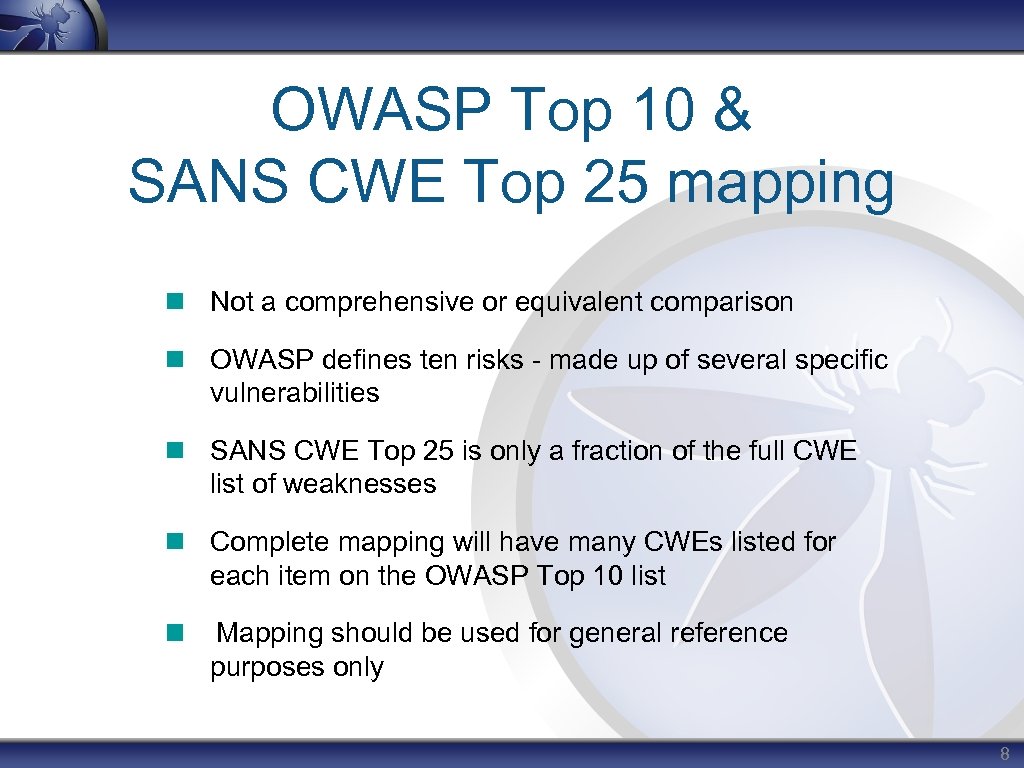
OWASP Top 10 & SANS CWE Top 25 mapping Not a comprehensive or equivalent comparison OWASP defines ten risks - made up of several specific vulnerabilities SANS CWE Top 25 is only a fraction of the full CWE list of weaknesses Complete mapping will have many CWEs listed for each item on the OWASP Top 10 list Mapping should be used for general reference purposes only 8
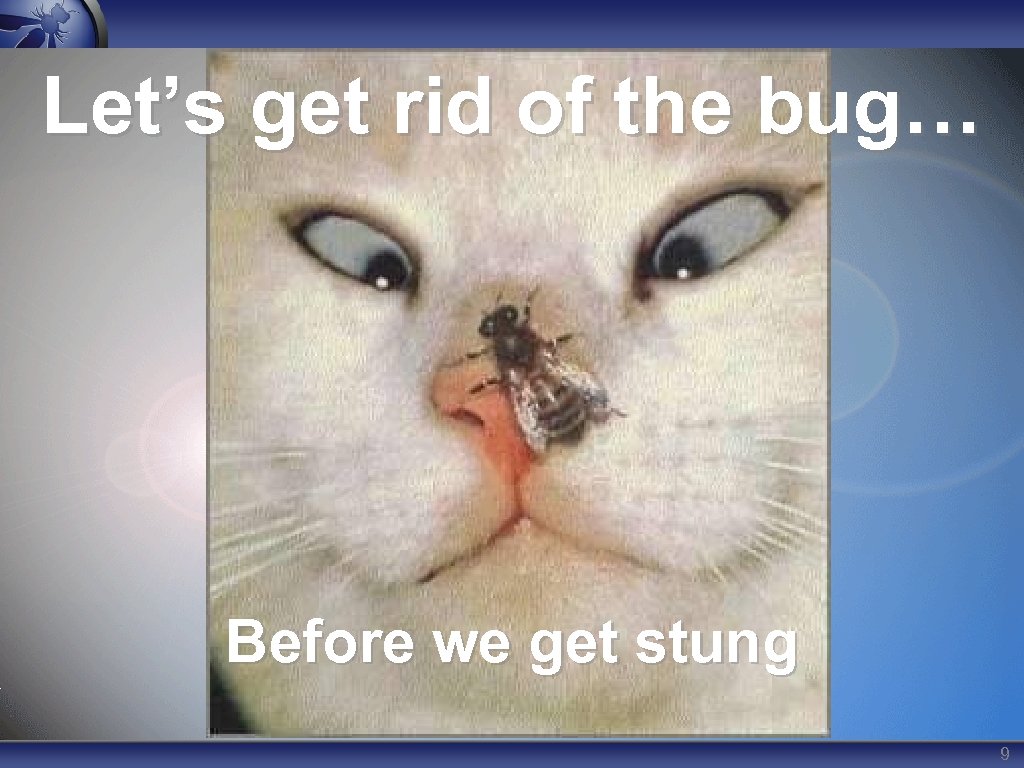
Let’s get rid of the bug… Before we get stung 9
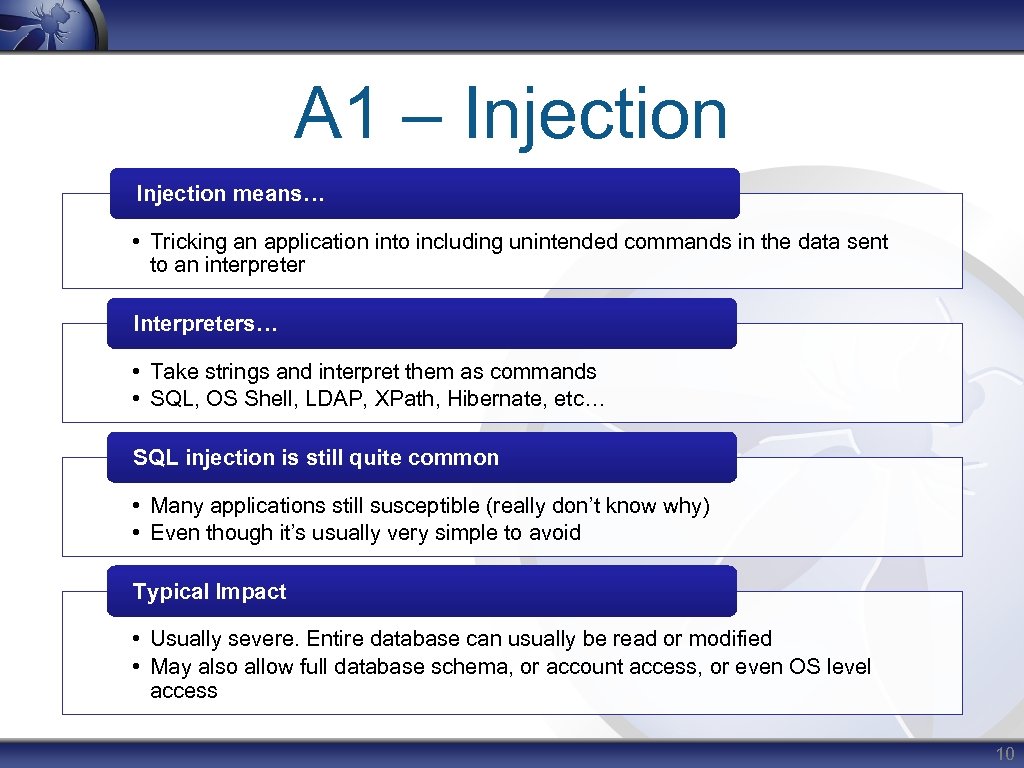
A 1 – Injection means… • Tricking an application into including unintended commands in the data sent to an interpreter Interpreters… • Take strings and interpret them as commands • SQL, OS Shell, LDAP, XPath, Hibernate, etc… SQL injection is still quite common • Many applications still susceptible (really don’t know why) • Even though it’s usually very simple to avoid Typical Impact • Usually severe. Entire database can usually be read or modified • May also allow full database schema, or account access, or even OS level access 10
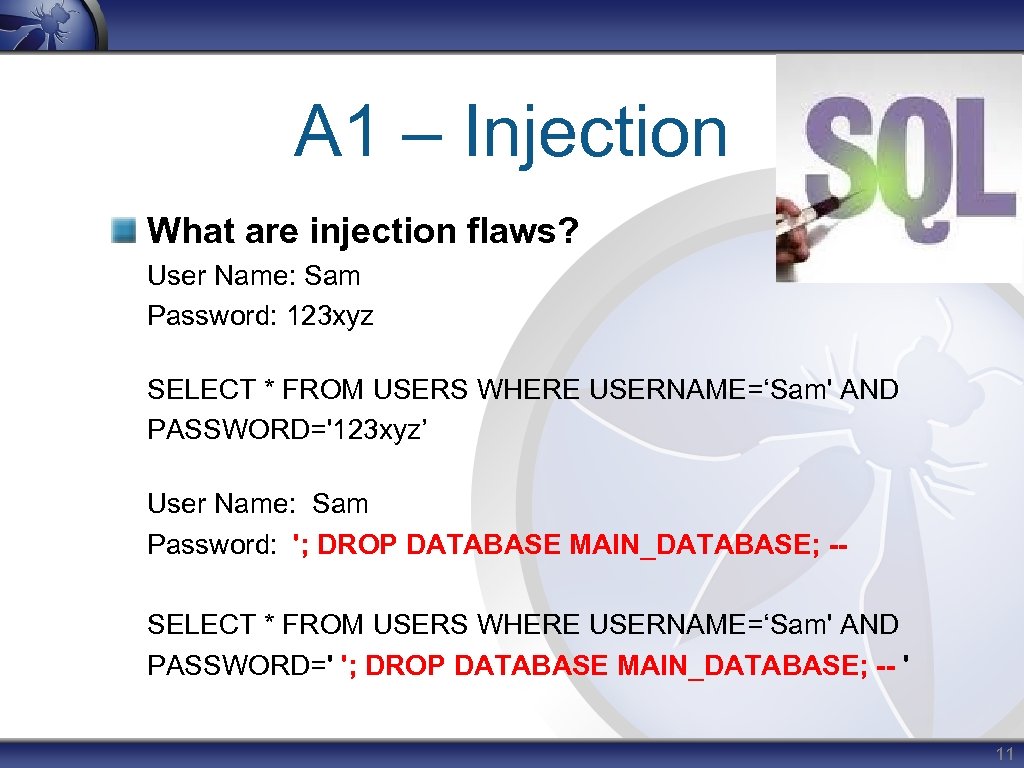
A 1 – Injection What are injection flaws? User Name: Sam Password: 123 xyz SELECT * FROM USERS WHERE USERNAME=‘Sam' AND PASSWORD='123 xyz’ User Name: Sam Password: '; DROP DATABASE MAIN_DATABASE; - SELECT * FROM USERS WHERE USERNAME=‘Sam' AND PASSWORD=' '; DROP DATABASE MAIN_DATABASE; -- ' 11
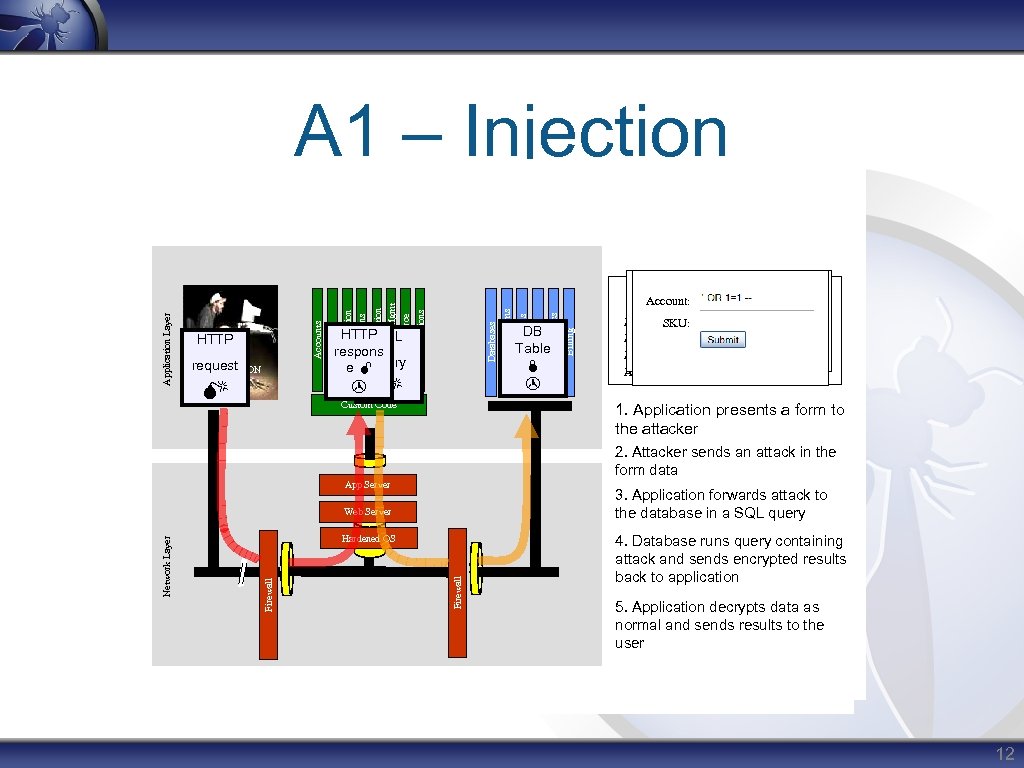
ATTACK Custom Code DB Table Billing Human Resrcs Directories request APPLICATION Web Services HTTP SQL respons e query HTTP Legacy Systems Databases Communication Knowledge Mgmt E-Commerce Bus. Functions Administration Transactions Accounts Finance Application Layer A 1 – Injection "SELECTSummary Account * FROM Account: accounts WHERE SKU: Acct: 5424 -6066 -2134 -4334 acct=‘’ OR 1=1 -Acct: 4128 -7574 -3921 -0192 ’" Acct: 5424 -9383 -2039 -4029 Acct: 4128 -0004 -1234 -0293 1. Application presents a form to the attacker 2. Attacker sends an attack in the form data App Server 3. Application forwards attack to the database in a SQL query Firewall Hardened OS Firewall Network Layer Web Server 4. Database runs query containing attack and sends encrypted results back to application 5. Application decrypts data as normal and sends results to the user 12
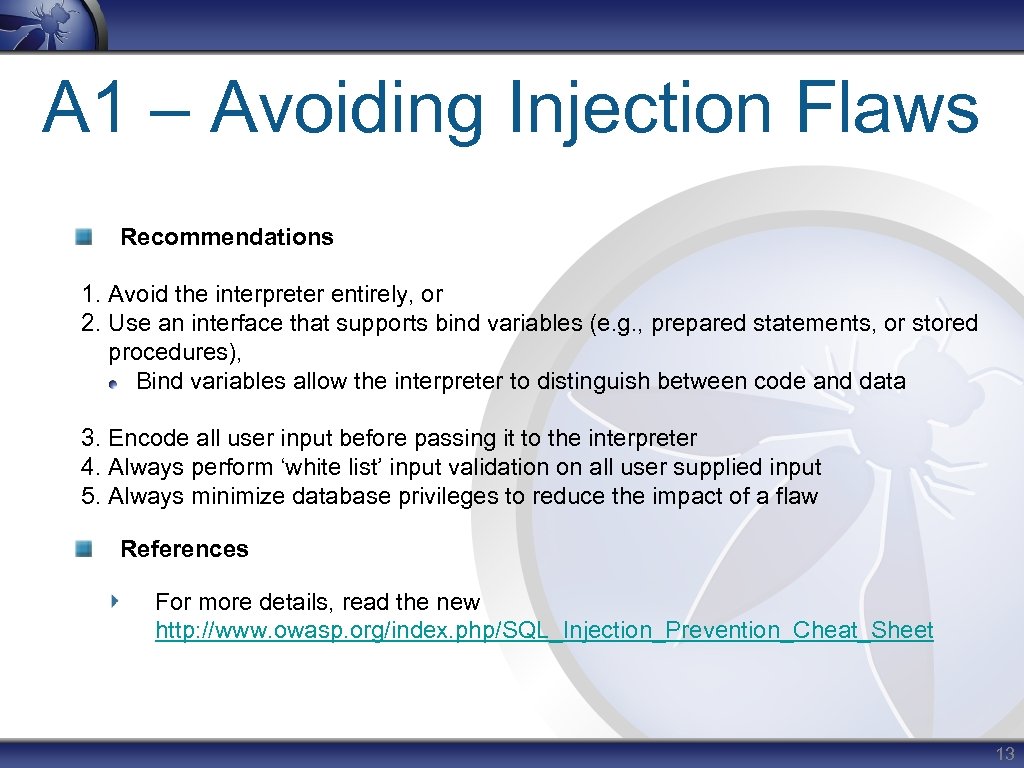
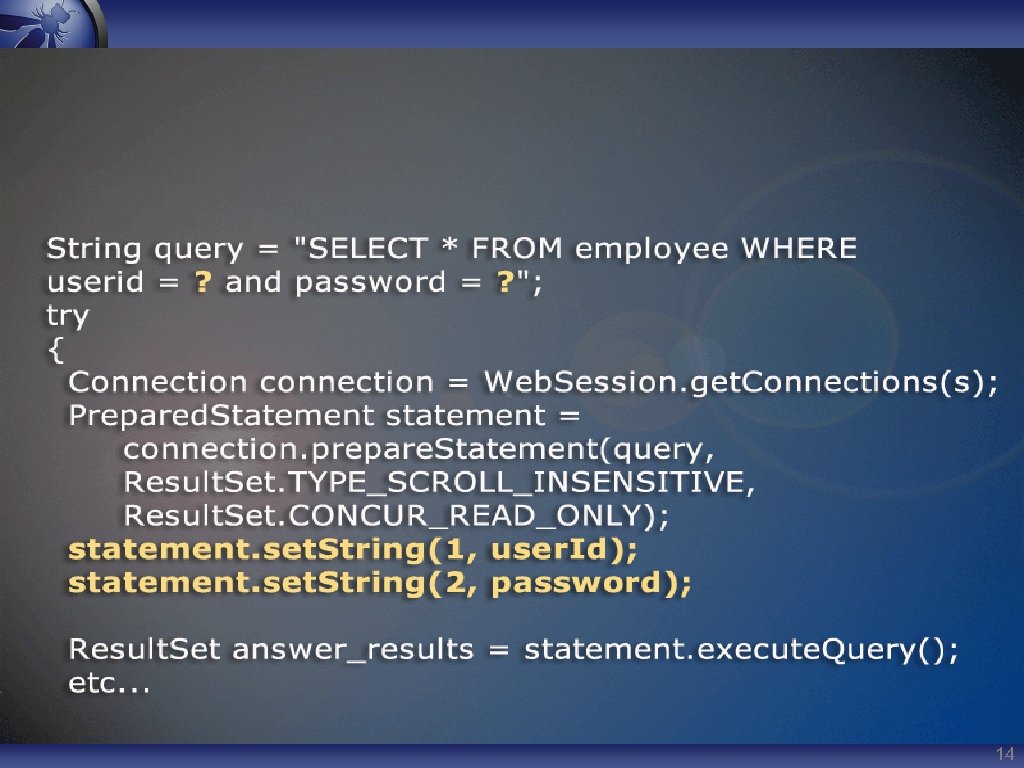
A 1 – Avoiding Injection Flaws Recommendations 1. Avoid the interpreter entirely, or 2. Use an interface that supports bind variables (e. g. , prepared statements, or stored procedures), Bind variables allow the interpreter to distinguish between code and data 3. Encode all user input before passing it to the interpreter 4. Always perform ‘white list’ input validation on all user supplied input 5. Always minimize database privileges to reduce the impact of a flaw References For more details, read the new http: //www. owasp. org/index. php/SQL_Injection_Prevention_Cheat_Sheet 13
14
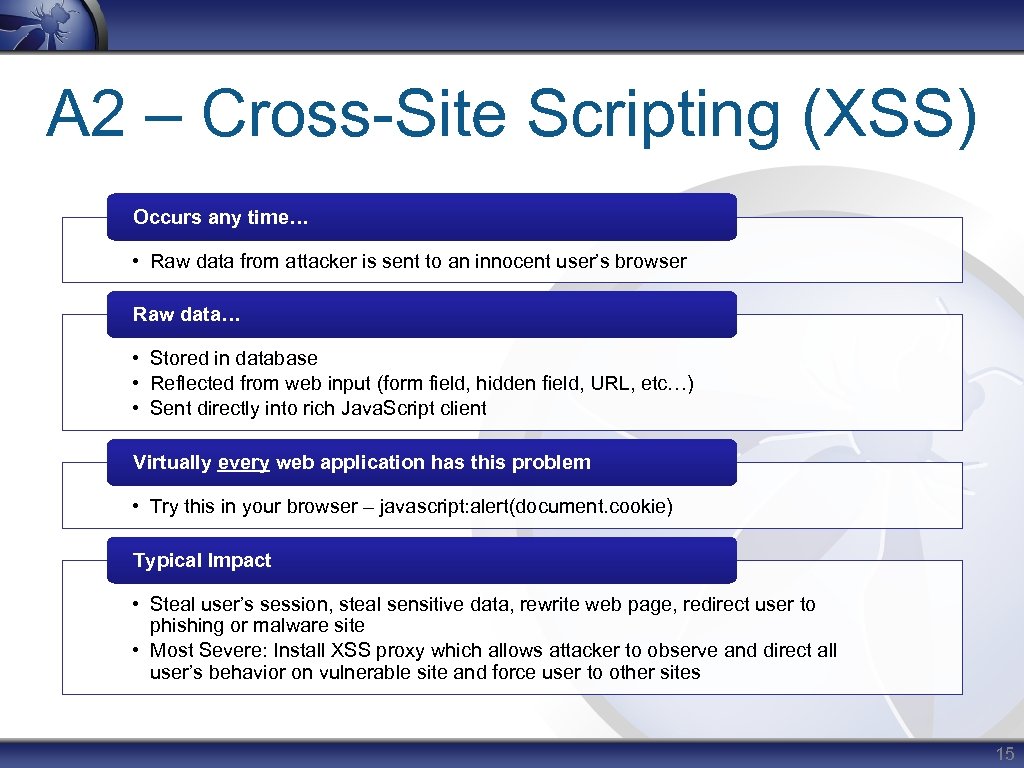
A 2 – Cross-Site Scripting (XSS) Occurs any time… • Raw data from attacker is sent to an innocent user’s browser Raw data… • Stored in database • Reflected from web input (form field, hidden field, URL, etc…) • Sent directly into rich Java. Script client Virtually every web application has this problem • Try this in your browser – javascript: alert(document. cookie) Typical Impact • Steal user’s session, steal sensitive data, rewrite web page, redirect user to phishing or malware site • Most Severe: Install XSS proxy which allows attacker to observe and direct all user’s behavior on vulnerable site and force user to other sites 15
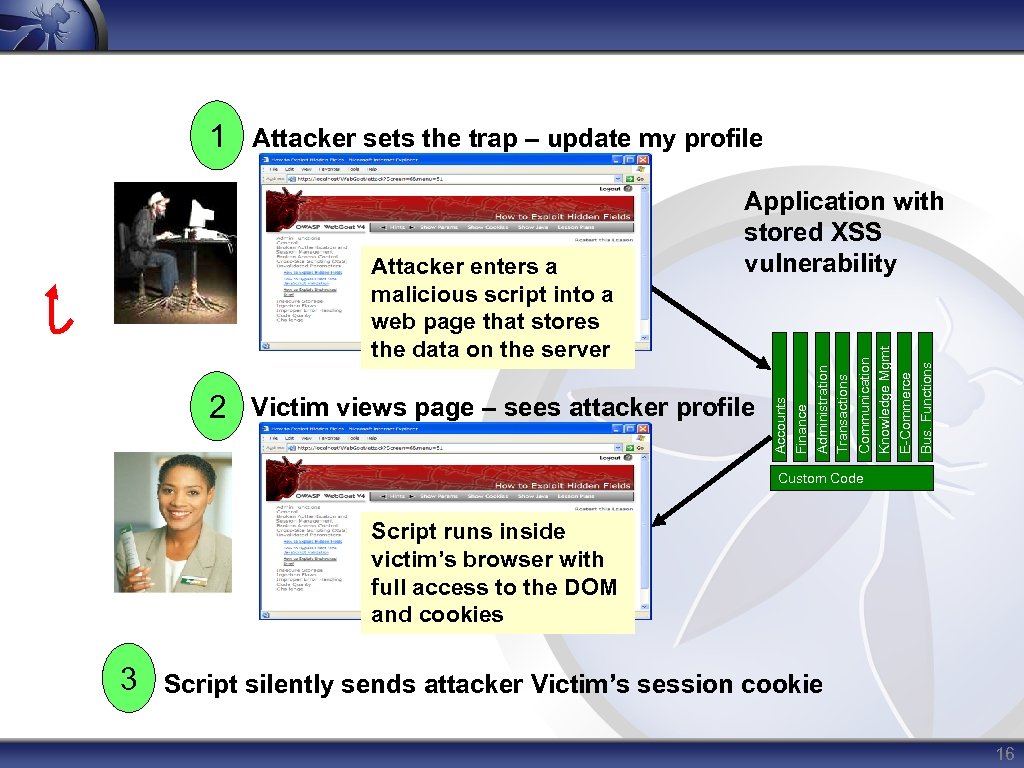
1 Attacker sets the trap – update my profile Communication Knowledge Mgmt E-Commerce Bus. Functions Administration Transactions 2 Victim views page – sees attacker profile Accounts Finance Attacker enters a malicious script into a web page that stores the data on the server Application with stored XSS vulnerability Custom Code Script runs inside victim’s browser with full access to the DOM and cookies 3 Script silently sends attacker Victim’s session cookie 16
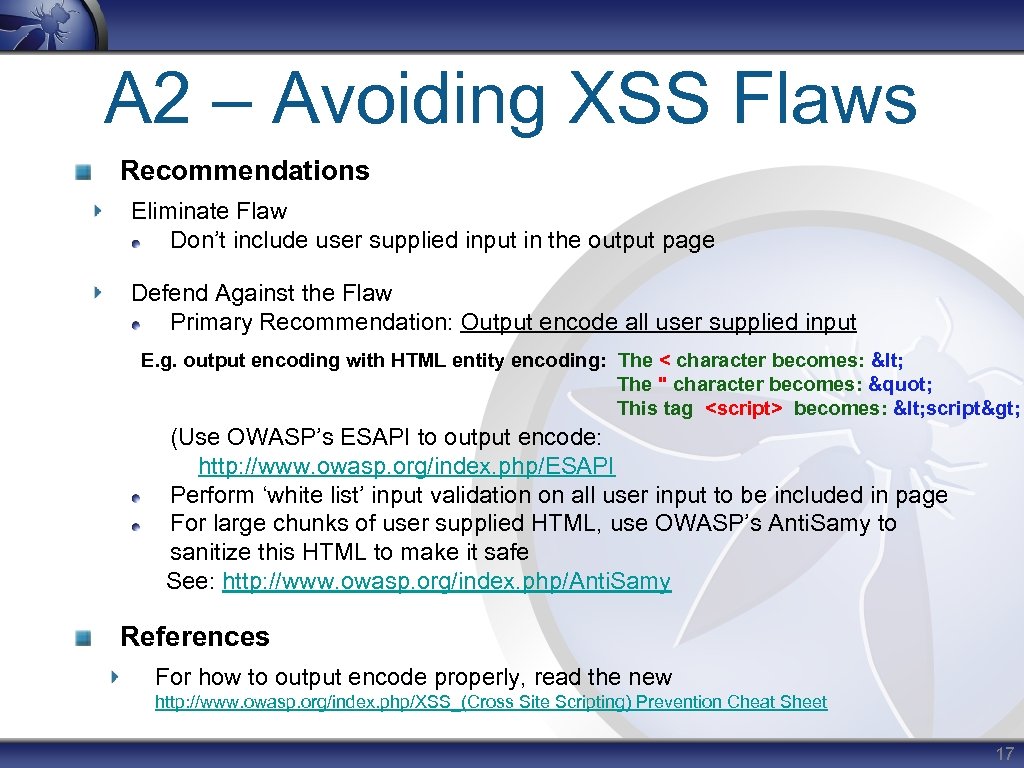
A 2 – Avoiding XSS Flaws Recommendations Eliminate Flaw Don’t include user supplied input in the output page Defend Against the Flaw Primary Recommendation: Output encode all user supplied input E. g. output encoding with HTML entity encoding: The < character becomes: < The " character becomes: " This tag <script> becomes: < script> (Use OWASP’s ESAPI to output encode: http: //www. owasp. org/index. php/ESAPI Perform ‘white list’ input validation on all user input to be included in page For large chunks of user supplied HTML, use OWASP’s Anti. Samy to sanitize this HTML to make it safe See: http: //www. owasp. org/index. php/Anti. Samy References For how to output encode properly, read the new http: //www. owasp. org/index. php/XSS_(Cross Site Scripting) Prevention Cheat Sheet 17
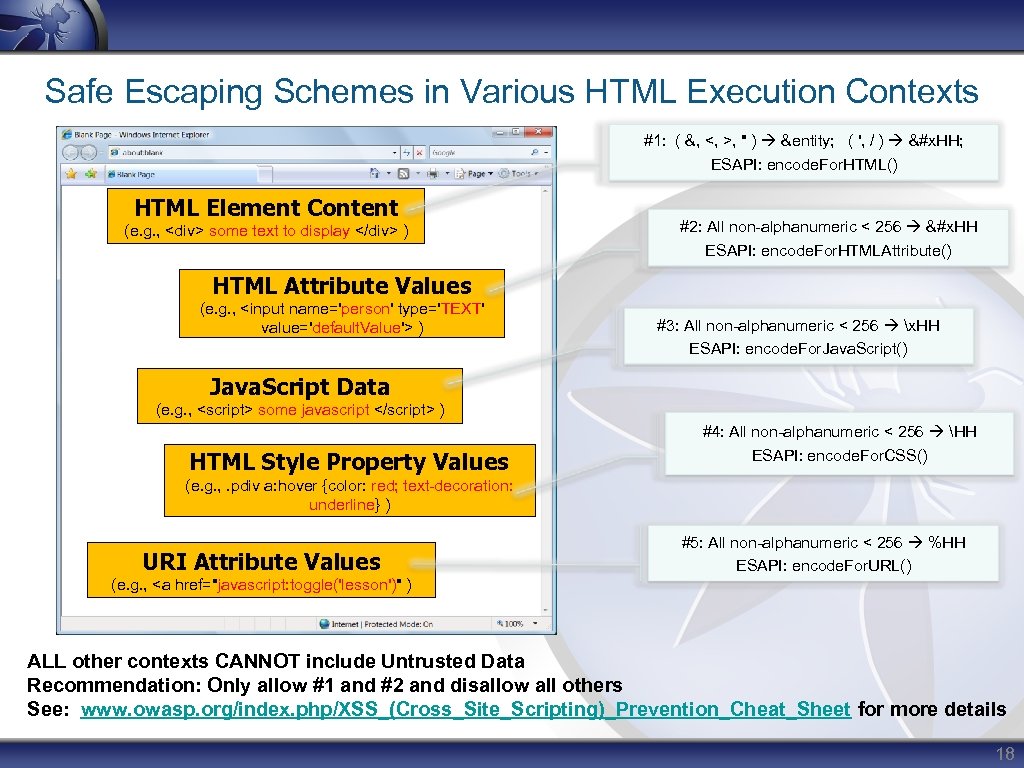
Safe Escaping Schemes in Various HTML Execution Contexts #1: ( &, <, >, " ) &entity; ( ', / ) &#x. HH; ESAPI: encode. For. HTML() HTML Element Content (e. g. , <div> some text to display </div> ) #2: All non-alphanumeric < 256 &#x. HH ESAPI: encode. For. HTMLAttribute() HTML Attribute Values (e. g. , <input name='person' type='TEXT' value='default. Value'> ) #3: All non-alphanumeric < 256 x. HH ESAPI: encode. For. Java. Script() Java. Script Data (e. g. , <script> some javascript </script> ) HTML Style Property Values #4: All non-alphanumeric < 256 HH ESAPI: encode. For. CSS() (e. g. , . pdiv a: hover {color: red; text-decoration: underline} ) URI Attribute Values #5: All non-alphanumeric < 256 %HH ESAPI: encode. For. URL() (e. g. , <a href="javascript: toggle('lesson')" ) ALL other contexts CANNOT include Untrusted Data Recommendation: Only allow #1 and #2 and disallow all others See: www. owasp. org/index. php/XSS_(Cross_Site_Scripting)_Prevention_Cheat_Sheet for more details 18
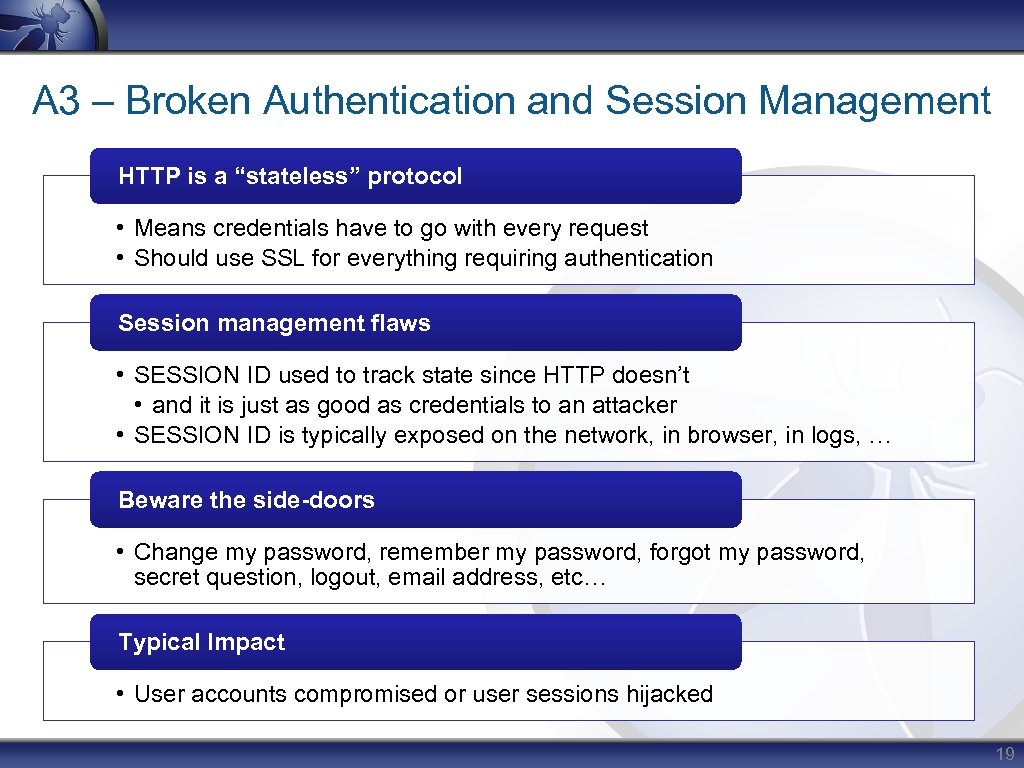
A 3 – Broken Authentication and Session Management HTTP is a “stateless” protocol • Means credentials have to go with every request • Should use SSL for everything requiring authentication Session management flaws • SESSION ID used to track state since HTTP doesn’t • and it is just as good as credentials to an attacker • SESSION ID is typically exposed on the network, in browser, in logs, … Beware the side-doors • Change my password, remember my password, forgot my password, secret question, logout, email address, etc… Typical Impact • User accounts compromised or user sessions hijacked 19
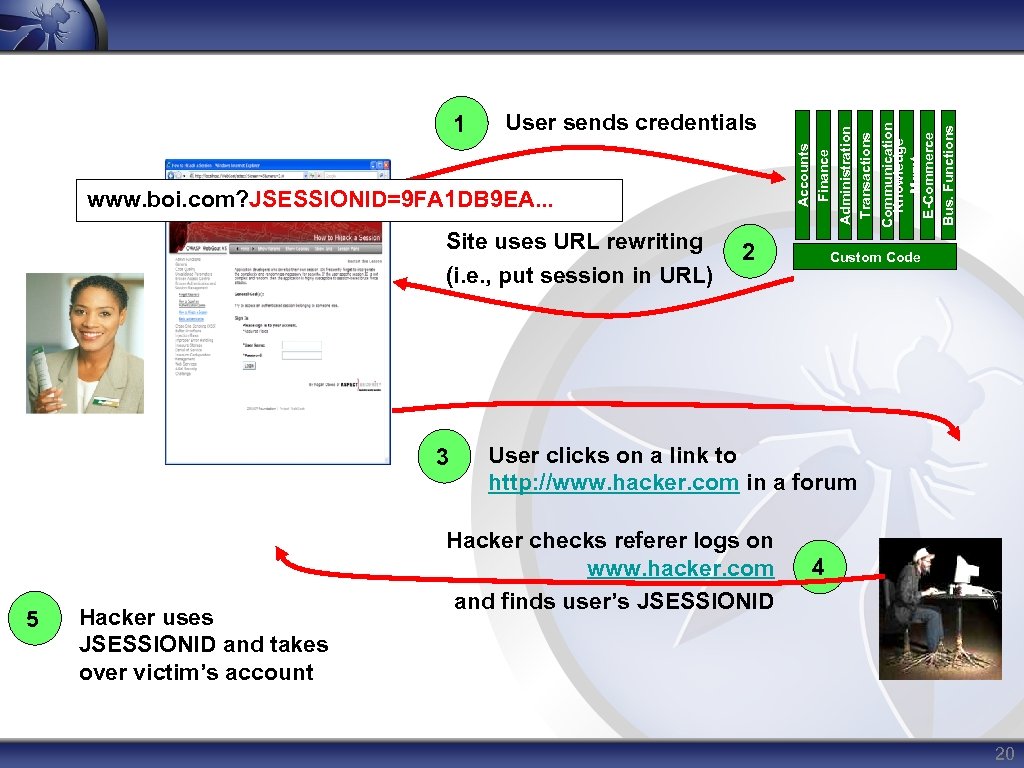
Site uses URL rewriting (i. e. , put session in URL) 3 5 Hacker uses JSESSIONID and takes over victim’s account 2 Communication Knowledge Mgmt E-Commerce Bus. Functions www. boi. com? JSESSIONID=9 FA 1 DB 9 EA. . . Administration Transactions User sends credentials Accounts Finance 1 Custom Code User clicks on a link to http: //www. hacker. com in a forum Hacker checks referer logs on www. hacker. com and finds user’s JSESSIONID 4 20
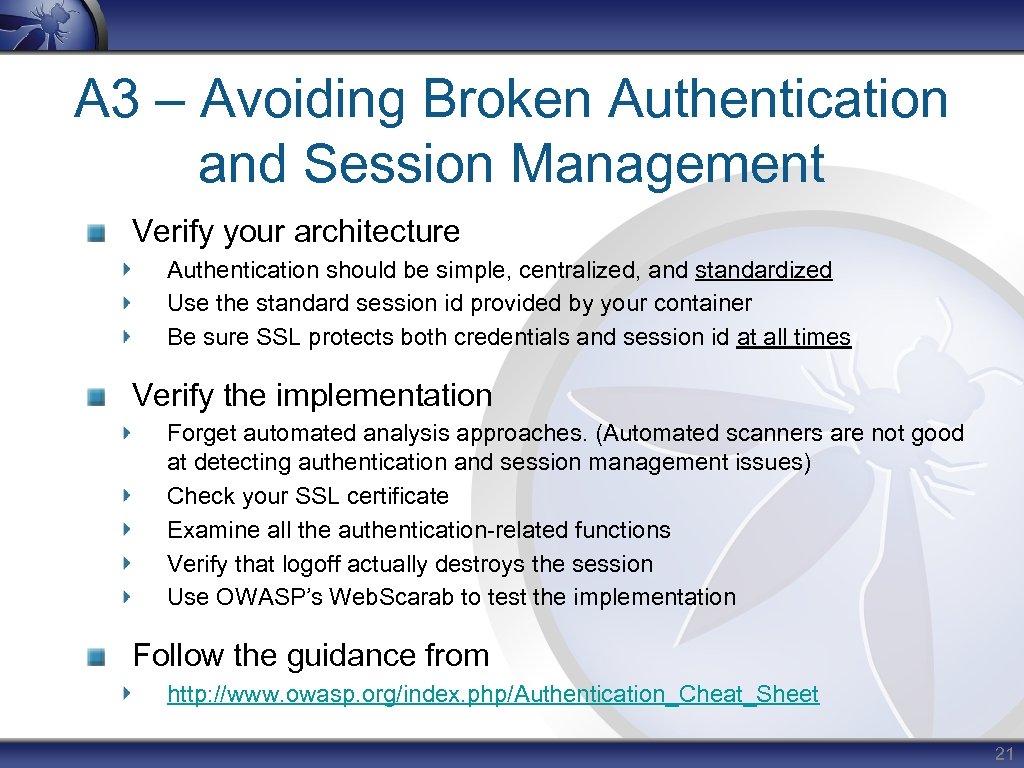
A 3 – Avoiding Broken Authentication and Session Management Verify your architecture Authentication should be simple, centralized, and standardized Use the standard session id provided by your container Be sure SSL protects both credentials and session id at all times Verify the implementation Forget automated analysis approaches. (Automated scanners are not good at detecting authentication and session management issues) Check your SSL certificate Examine all the authentication-related functions Verify that logoff actually destroys the session Use OWASP’s Web. Scarab to test the implementation Follow the guidance from http: //www. owasp. org/index. php/Authentication_Cheat_Sheet 21
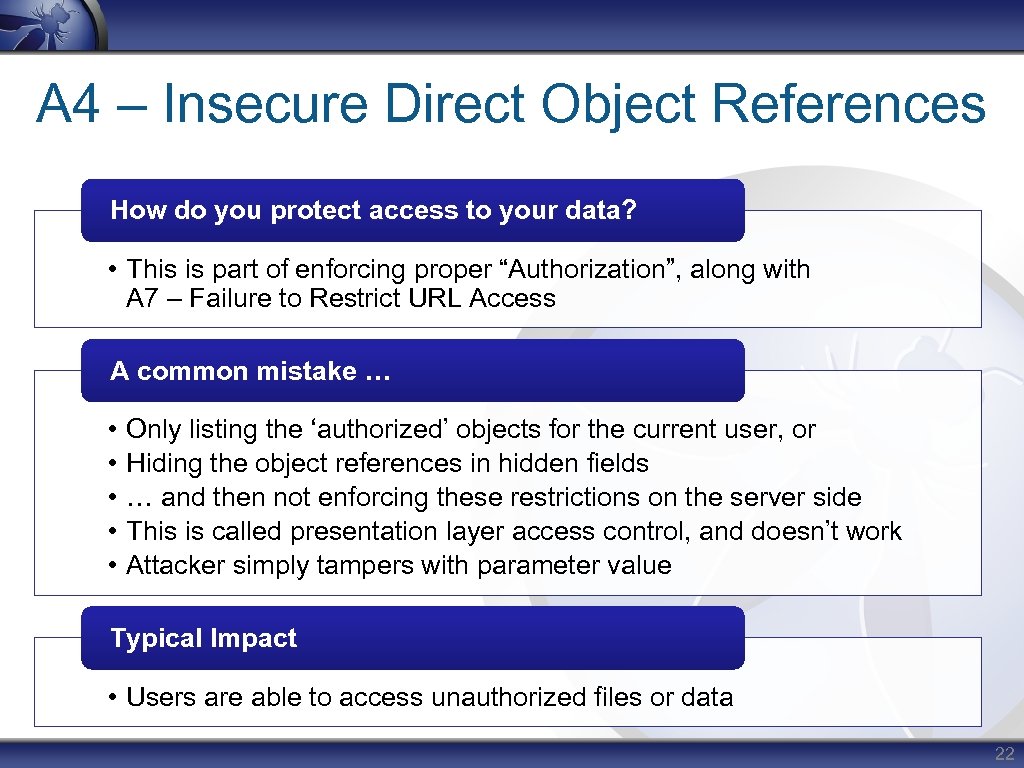
A 4 – Insecure Direct Object References How do you protect access to your data? • This is part of enforcing proper “Authorization”, along with A 7 – Failure to Restrict URL Access A common mistake … • • • Only listing the ‘authorized’ objects for the current user, or Hiding the object references in hidden fields … and then not enforcing these restrictions on the server side This is called presentation layer access control, and doesn’t work Attacker simply tampers with parameter value Typical Impact • Users are able to access unauthorized files or data 22
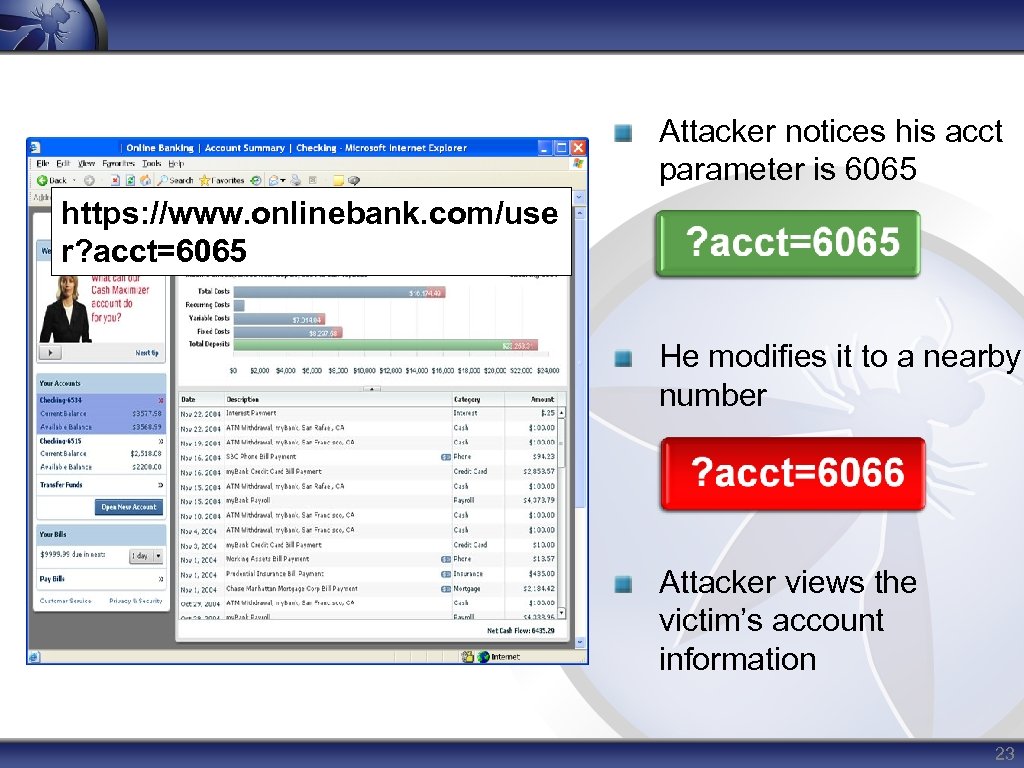
Attacker notices his acct parameter is 6065 https: //www. onlinebank. com/use r? acct=6065 He modifies it to a nearby number Attacker views the victim’s account information 23
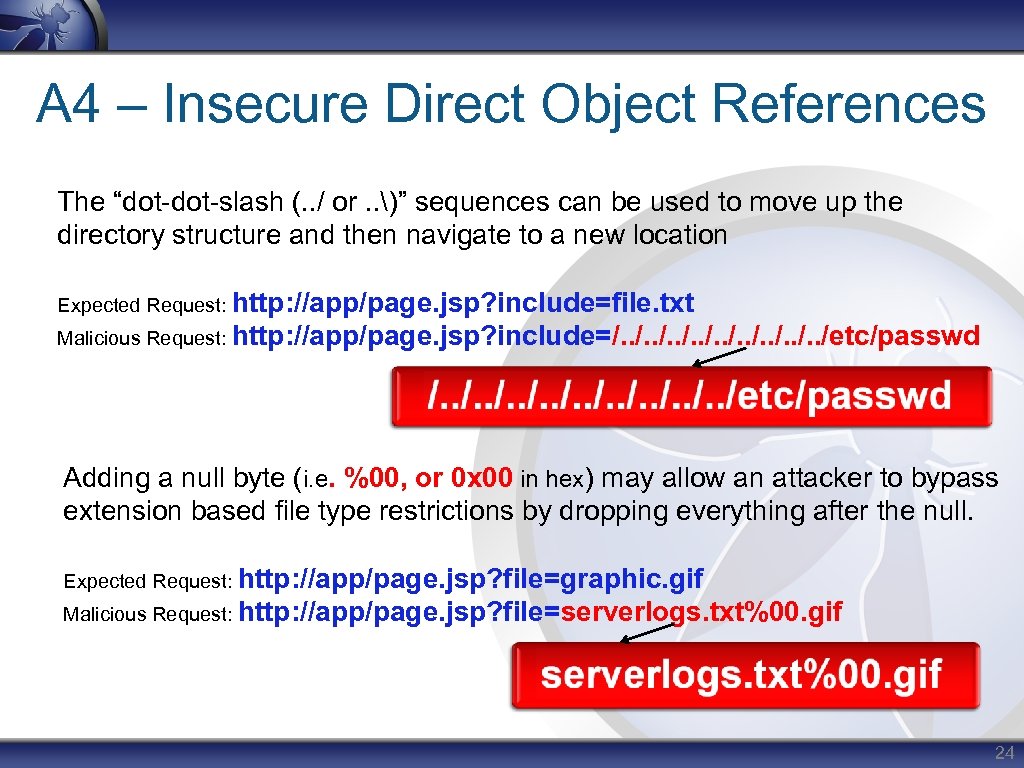
A 4 – Insecure Direct Object References The “dot-slash (. . / or. . )” sequences can be used to move up the directory structure and then navigate to a new location Expected Request: http: //app/page. jsp? include=file. txt Malicious Request: http: //app/page. jsp? include=/. . /etc/passwd Adding a null byte (i. e. %00, or 0 x 00 in hex) may allow an attacker to bypass extension based file type restrictions by dropping everything after the null. Expected Request: http: //app/page. jsp? file=graphic. gif Malicious Request: http: //app/page. jsp? file=serverlogs. txt%00. gif 24
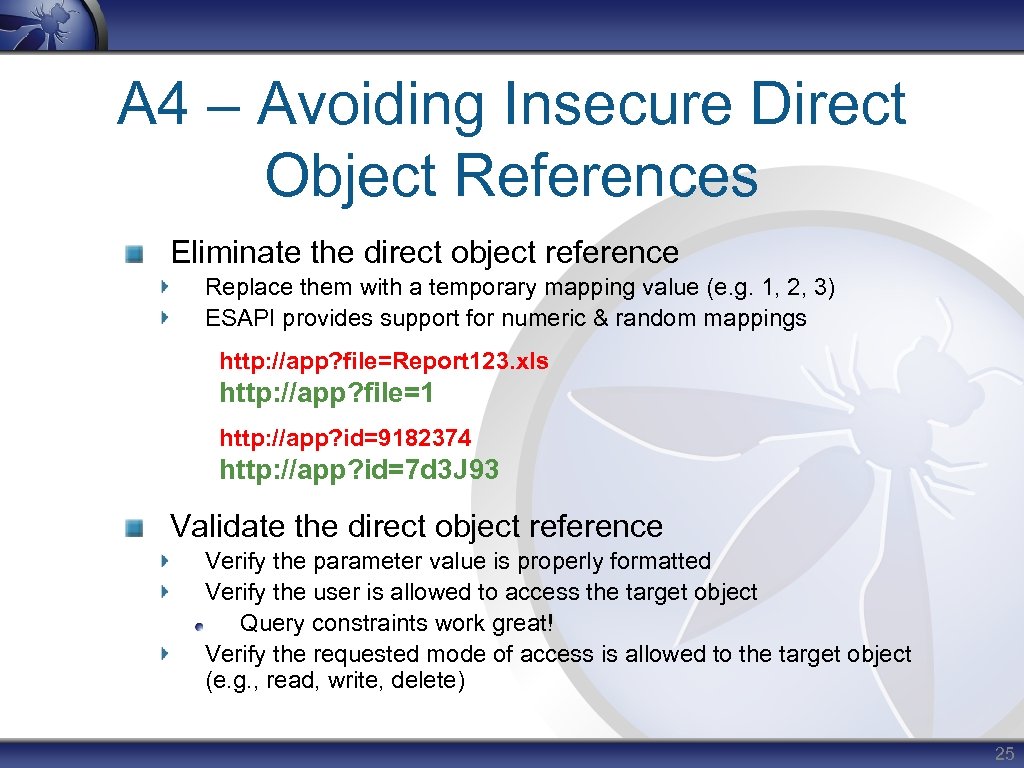
A 4 – Avoiding Insecure Direct Object References Eliminate the direct object reference Replace them with a temporary mapping value (e. g. 1, 2, 3) ESAPI provides support for numeric & random mappings http: //app? file=Report 123. xls http: //app? file=1 http: //app? id=9182374 http: //app? id=7 d 3 J 93 Validate the direct object reference Verify the parameter value is properly formatted Verify the user is allowed to access the target object Query constraints work great! Verify the requested mode of access is allowed to the target object (e. g. , read, write, delete) 25
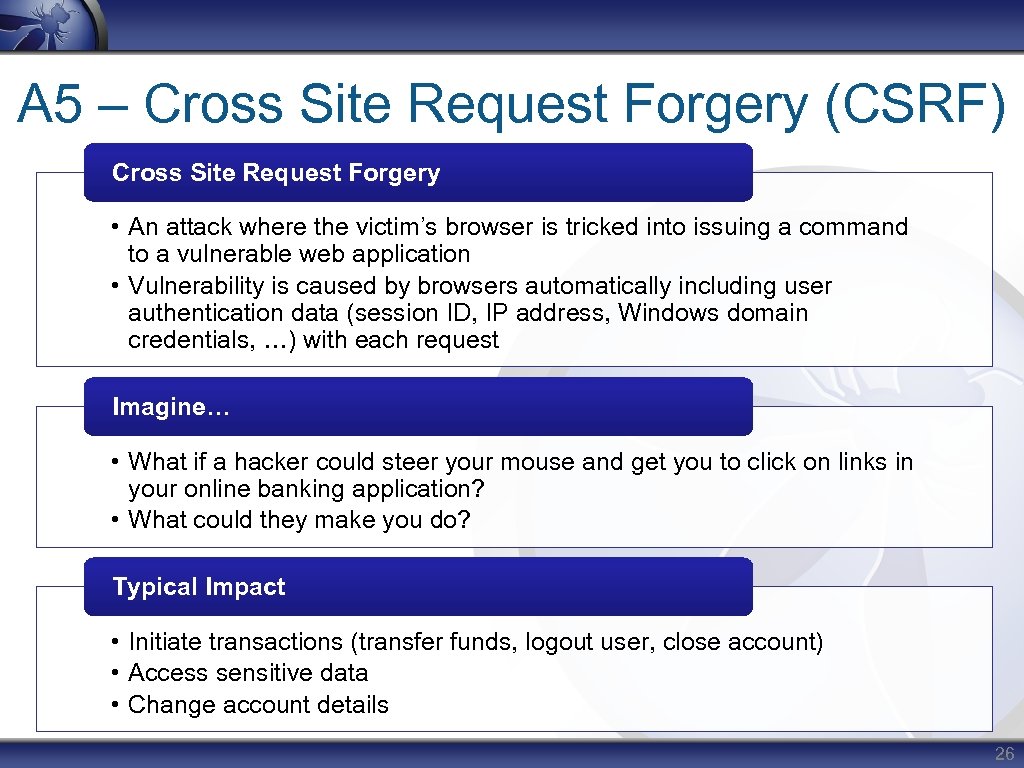
A 5 – Cross Site Request Forgery (CSRF) Cross Site Request Forgery • An attack where the victim’s browser is tricked into issuing a command to a vulnerable web application • Vulnerability is caused by browsers automatically including user authentication data (session ID, IP address, Windows domain credentials, …) with each request Imagine… • What if a hacker could steer your mouse and get you to click on links in your online banking application? • What could they make you do? Typical Impact • Initiate transactions (transfer funds, logout user, close account) • Access sensitive data • Change account details 26
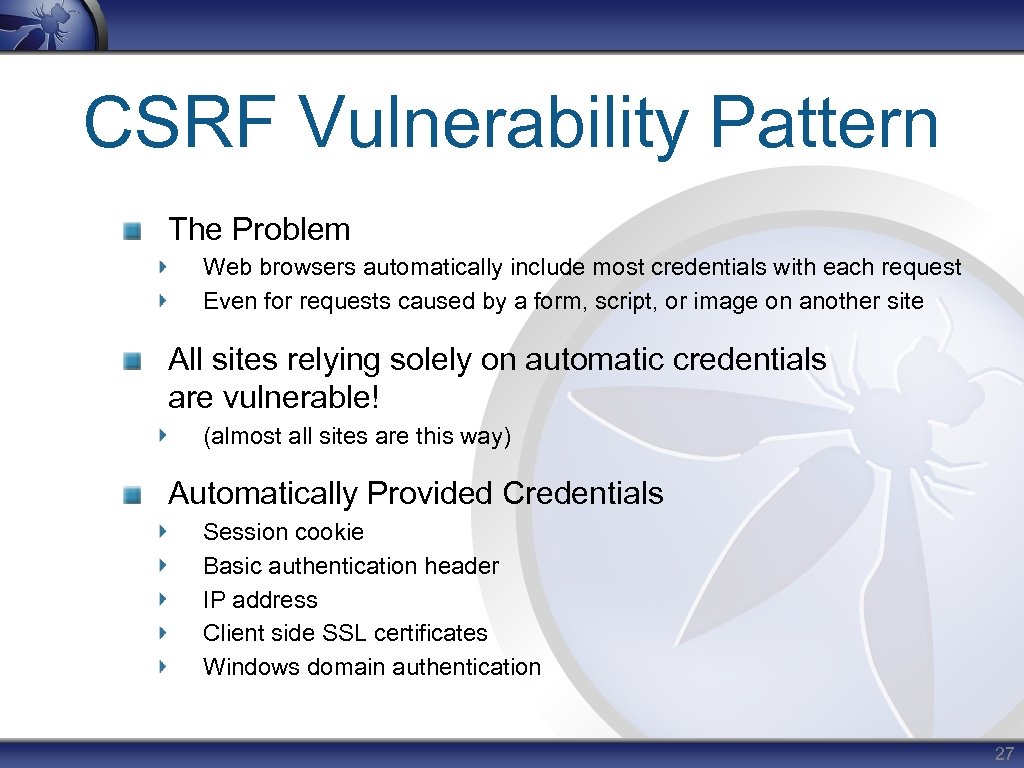
CSRF Vulnerability Pattern The Problem Web browsers automatically include most credentials with each request Even for requests caused by a form, script, or image on another site All sites relying solely on automatic credentials are vulnerable! (almost all sites are this way) Automatically Provided Credentials Session cookie Basic authentication header IP address Client side SSL certificates Windows domain authentication 27
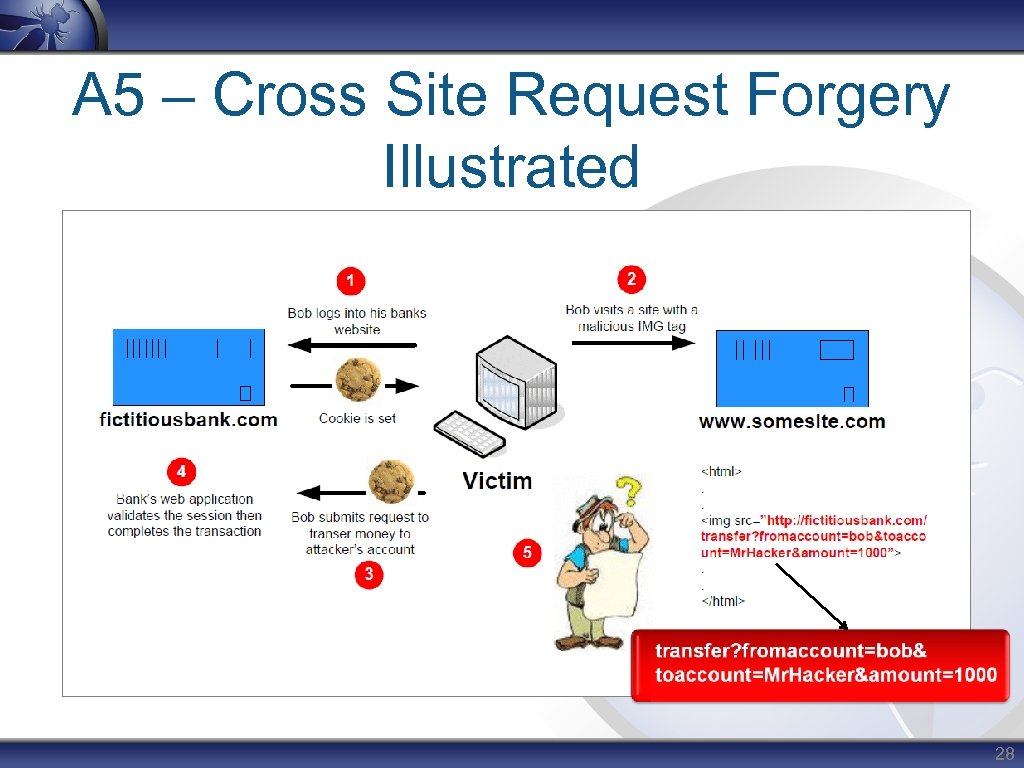
A 5 – Cross Site Request Forgery Illustrated 28
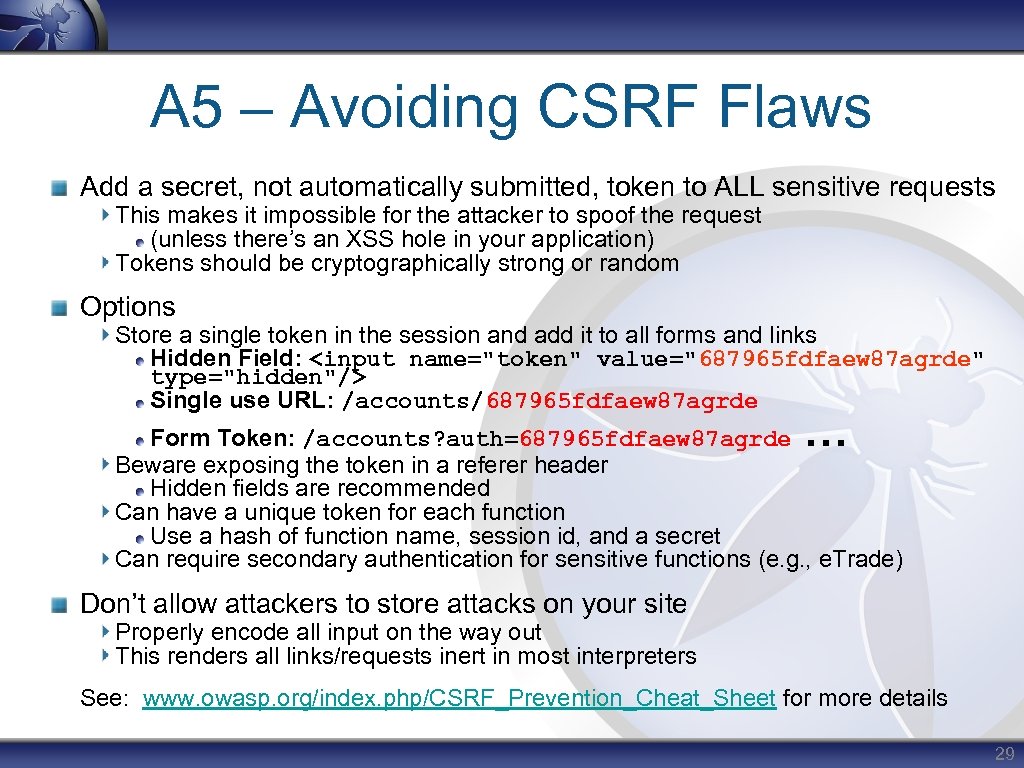
A 5 – Avoiding CSRF Flaws Add a secret, not automatically submitted, token to ALL sensitive requests This makes it impossible for the attacker to spoof the request (unless there’s an XSS hole in your application) Tokens should be cryptographically strong or random Options Store a single token in the session and add it to all forms and links Hidden Field: <input name="token" value="687965 fdfaew 87 agrde" type="hidden"/> Single use URL: /accounts/687965 fdfaew 87 agrde … Form Token: /accounts? auth=687965 fdfaew 87 agrde Beware exposing the token in a referer header Hidden fields are recommended Can have a unique token for each function Use a hash of function name, session id, and a secret Can require secondary authentication for sensitive functions (e. g. , e. Trade) Don’t allow attackers to store attacks on your site Properly encode all input on the way out This renders all links/requests inert in most interpreters See: www. owasp. org/index. php/CSRF_Prevention_Cheat_Sheet for more details 29
A 6 – Security Misconfiguration Web applications rely on a secure foundation • Everywhere from the OS up through the App Server • Don’t forget all the libraries you are using!! Is your source code a secret? • Think of all the places your source code goes • Security should not require secret source code CM must extend to all parts of the application • All credentials should change in production Typical Impact • Install backdoor through missing OS or server patch • XSS flaw exploits due to missing application framework patches • Unauthorized access to default accounts, application functionality or data, or unused but accessible functionality due to poor server configuration 30
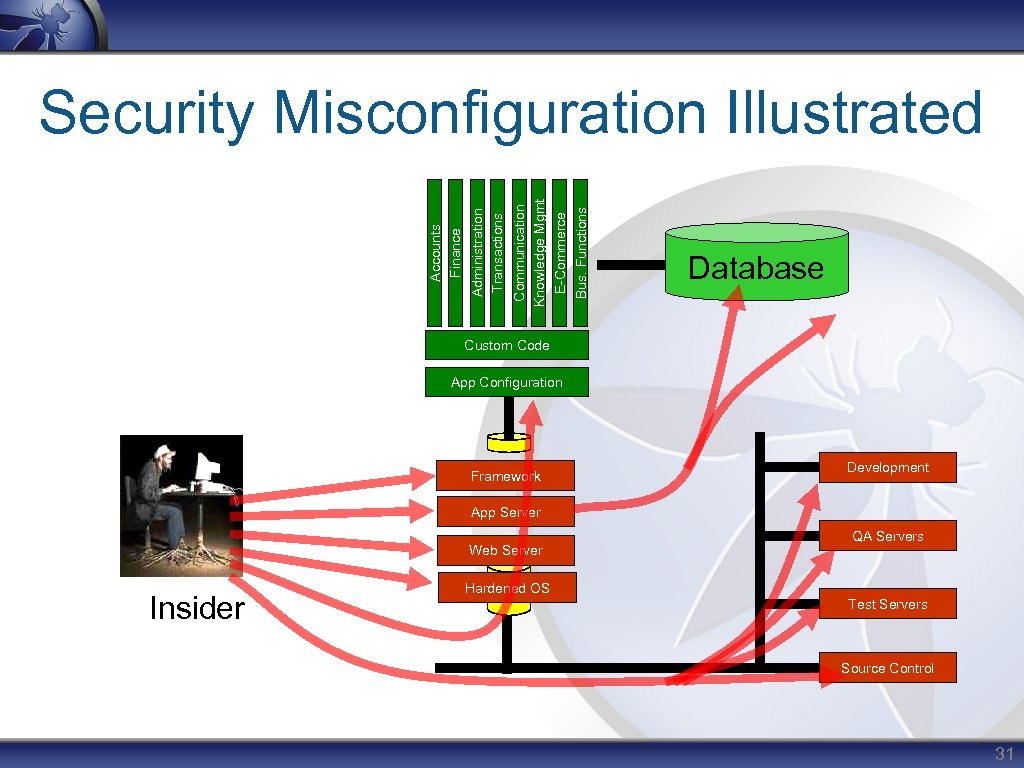
Communication Knowledge Mgmt E-Commerce Bus. Functions Administration Transactions Accounts Finance Security Misconfiguration Illustrated Database Custom Code App Configuration Framework Development App Server Web Server Insider QA Servers Hardened OS Test Servers Source Control 31
A 6 – Avoiding Security Misconfiguration Verify your system’s configuration management Secure configuration “hardening” guideline Automation is REALLY USEFUL here Must cover entire platform and application Keep up with patches for ALL components This includes software libraries, not just OS and Server applications Analyze security effects of changes Can you “dump” the application configuration Build reporting into your process If you can’t verify it, it isn’t secure Verify the implementation Scanning finds generic configuration and missing patch problems 32
A 7 – Insecure Cryptographic Storage Storing sensitive data insecurely • Failure to identify all sensitive data • Failure to identify all the places that this sensitive data gets stored • Databases, files, directories, log files, backups, etc. • Failure to properly protect this data in every location Typical Impact • Attackers access or modify confidential or private information • e. g. , credit cards, health care records, financial data (yours or your customers) • Attackers extract secrets to use in additional attacks • Company embarrassment, customer dissatisfaction, and loss of trust • Expense of cleaning up the incident, such as forensics, sending apology letters, reissuing thousands of credit cards, providing identity theft insurance • Business gets sued and/or fined 33
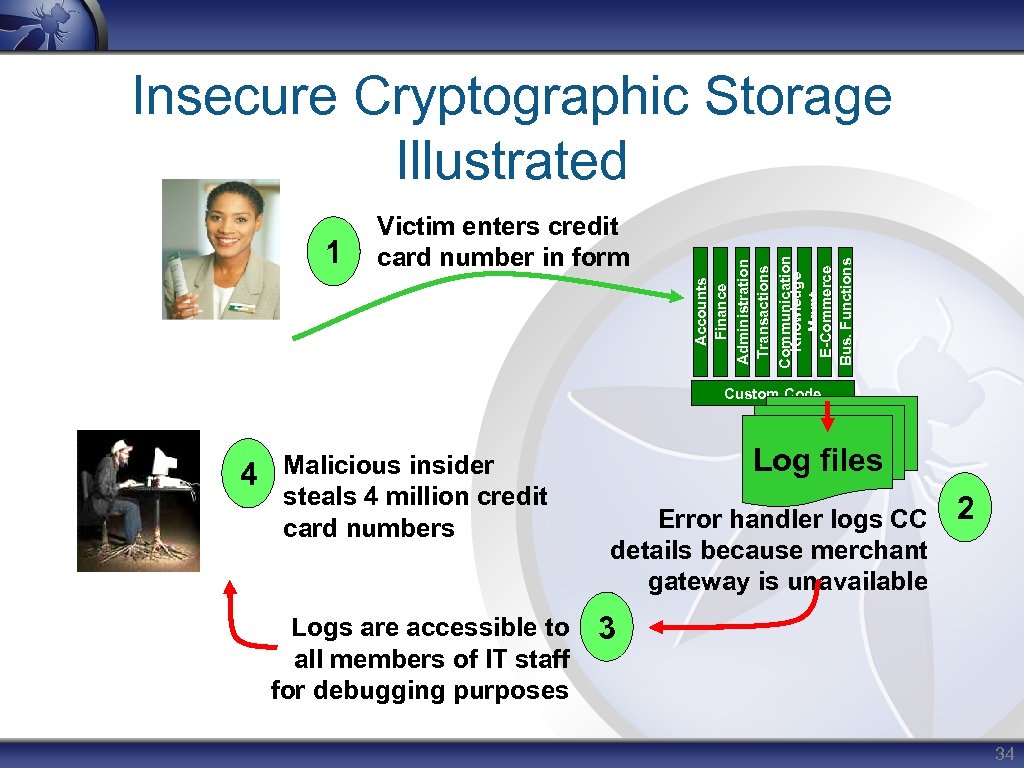
1 Victim enters credit card number in form Accounts Finance Administration Transactions Communication Knowledge Mgmt E-Commerce Bus. Functions Insecure Cryptographic Storage Illustrated Custom Code 4 Malicious insider steals 4 million credit card numbers Logs are accessible to all members of IT staff for debugging purposes Log files Error handler logs CC details because merchant gateway is unavailable 2 3 34
A 7 – Avoiding Insecure Cryptographic Storage Verify your architecture Identify all sensitive data Identify all the places that data is stored Ensure threat model accounts for possible attacks Use encryption to counter the threats, don’t just ‘encrypt’ the data Protect with appropriate mechanisms File encryption, database encryption, data element encryption Use the mechanisms correctly Use standard strong algorithms – such as FIPS 140 -2 (i. e. Triple-DES, AES, RSA) or an equivalent standard Generate, distribute, and protect keys properly Be prepared for key change Verify the implementation A standard strong algorithm is used, and it’s the proper algorithm for this situation All keys, certificates, and passwords are properly stored and protected Safe key distribution and an effective plan for key change are in place Analyze encryption code for common flaws
A 8 – Failure to Restrict URL Access How do you protect access to URLs (pages)? • This is part of enforcing proper “authorization”, along with A 4 – Insecure Direct Object References A common mistake … • Displaying only authorized links and menu choices • This is called presentation layer access control, and doesn’t work • Attacker simply forges direct access to ‘unauthorized’ pages Typical Impact • Attackers invoke functions and services they’re not authorized for • Access other user’s accounts and data • Perform privileged actions 36
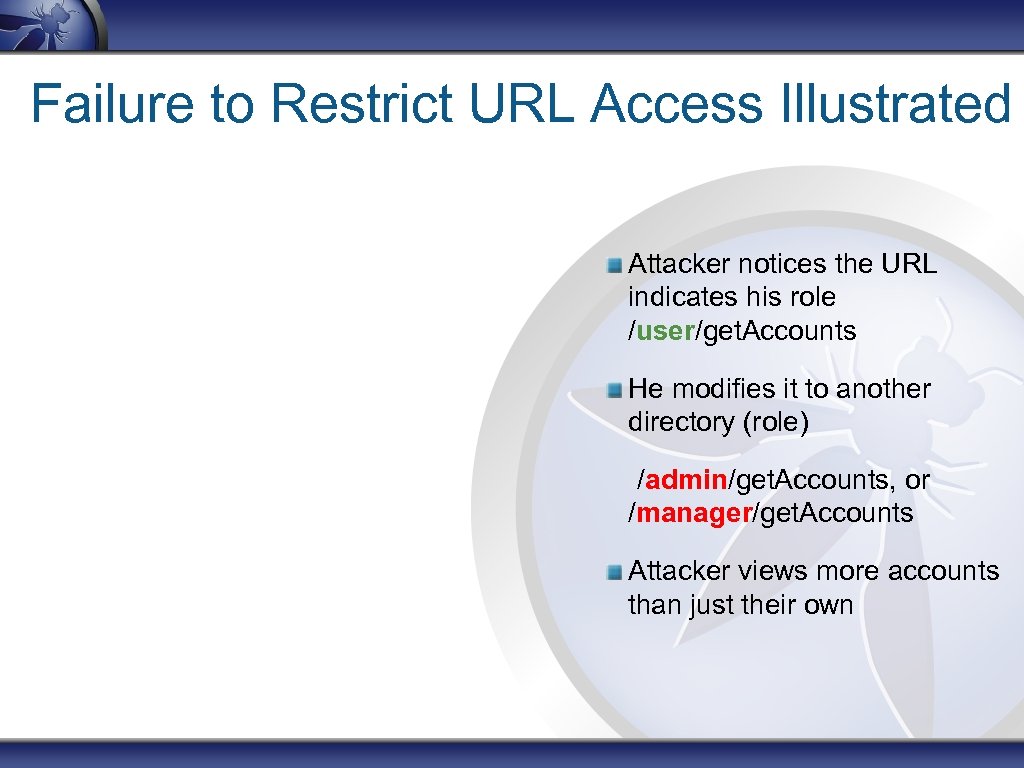
Failure to Restrict URL Access Illustrated Attacker notices the URL indicates his role /user/get. Accounts He modifies it to another directory (role) /admin/get. Accounts, or /manager/get. Accounts Attacker views more accounts than just their own
A 8 – Avoiding URL Access Control Flaws For each URL, a site needs to do 3 things Restrict access to authenticated users (if not public) Enforce any user or role based permissions (if private) Completely disallow requests to unauthorized page types (e. g. , config files, log files, source files, etc. ) Verify your architecture Use a simple, positive model at every layer Be sure you actually have a mechanism at every layer Verify the implementation Forget automated analysis approaches Verify that each URL in your application is protected by either An external filter, like Java EE web. xml or a commercial product Or internal checks in YOUR code – Use ESAPI’s is. Authorized. For. URL() method Verify the server configuration disallows requests to unauthorized file types Use Web. Scarab or your browser to forge unauthorized requests
A 9 – Insufficient Transport Layer Protection Transmitting sensitive data insecurely • Failure to identify all sensitive data • Failure to identify all the places that this sensitive data is sent • On the web, to backend databases, to business partners, internal communications • Failure to properly protect this data in every location Typical Impact • Attackers access or modify confidential or private information • e. g. , credit cards, health care records, financial data (yours or your customers) • Attackers extract secrets to use in additional attacks • Company embarrassment, customer dissatisfaction, and loss of trust • Expense of cleaning up the incident • Business gets sued and/or fined
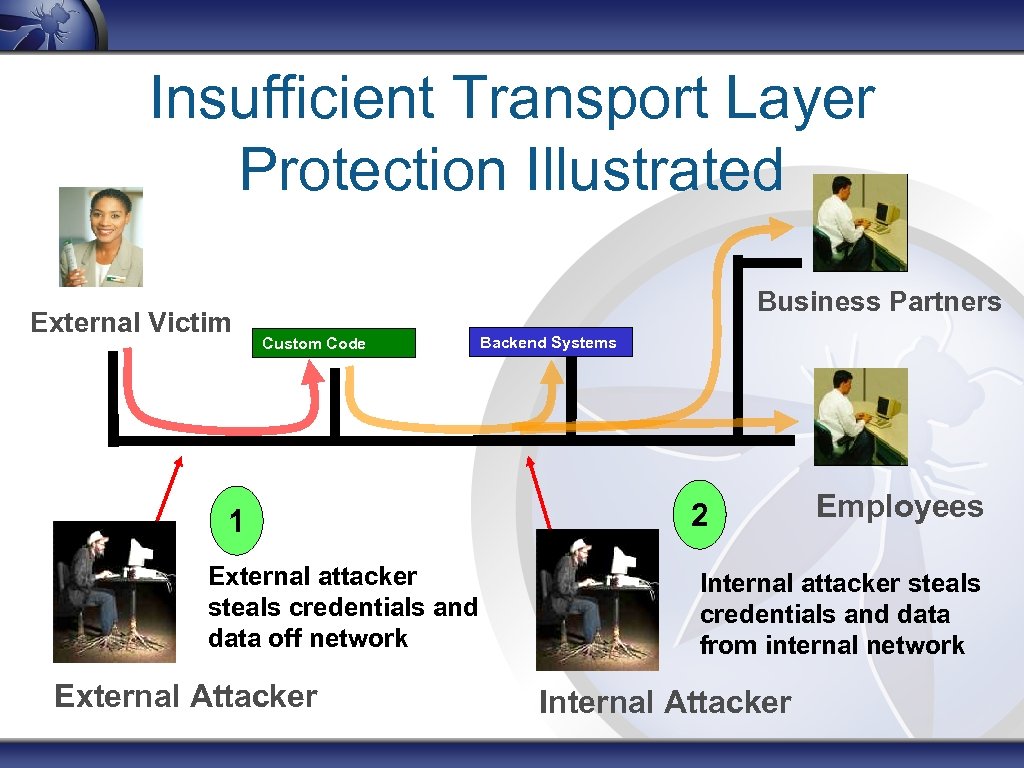
Insufficient Transport Layer Protection Illustrated External Victim Business Partners Custom Code 1 External attacker steals credentials and data off network External Attacker Backend Systems 2 Employees Internal attacker steals credentials and data from internal network Internal Attacker
A 9 – Avoiding Insufficient Transport Layer Protection Protect with appropriate mechanisms Encrypt the connection (i. e. , TLS/SSL) Encrypt the data first and then transmit it. (i. e. If the data itself is encrypted, this mitigates the risk of sending it over an unencrypted connection) Use the mechanisms correctly Use standard strong algorithms (disable old SSL algorithms) Manage keys/certificates properly Verify SSL certificates before using them See: http: //www. owasp. org/index. php/Transport_Layer_Protection_Cheat Sheet for more details
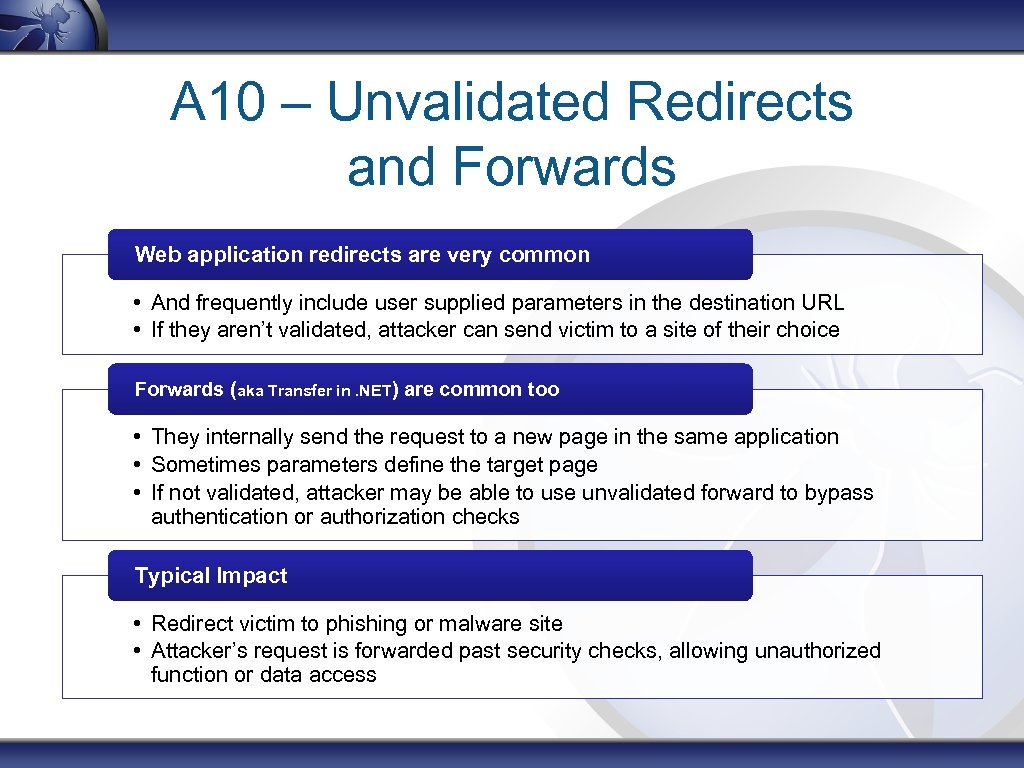
A 10 – Unvalidated Redirects and Forwards Web application redirects are very common • And frequently include user supplied parameters in the destination URL • If they aren’t validated, attacker can send victim to a site of their choice Forwards (aka Transfer in. NET) are common too • They internally send the request to a new page in the same application • Sometimes parameters define the target page • If not validated, attacker may be able to use unvalidated forward to bypass authentication or authorization checks Typical Impact • Redirect victim to phishing or malware site • Attacker’s request is forwarded past security checks, allowing unauthorized function or data access
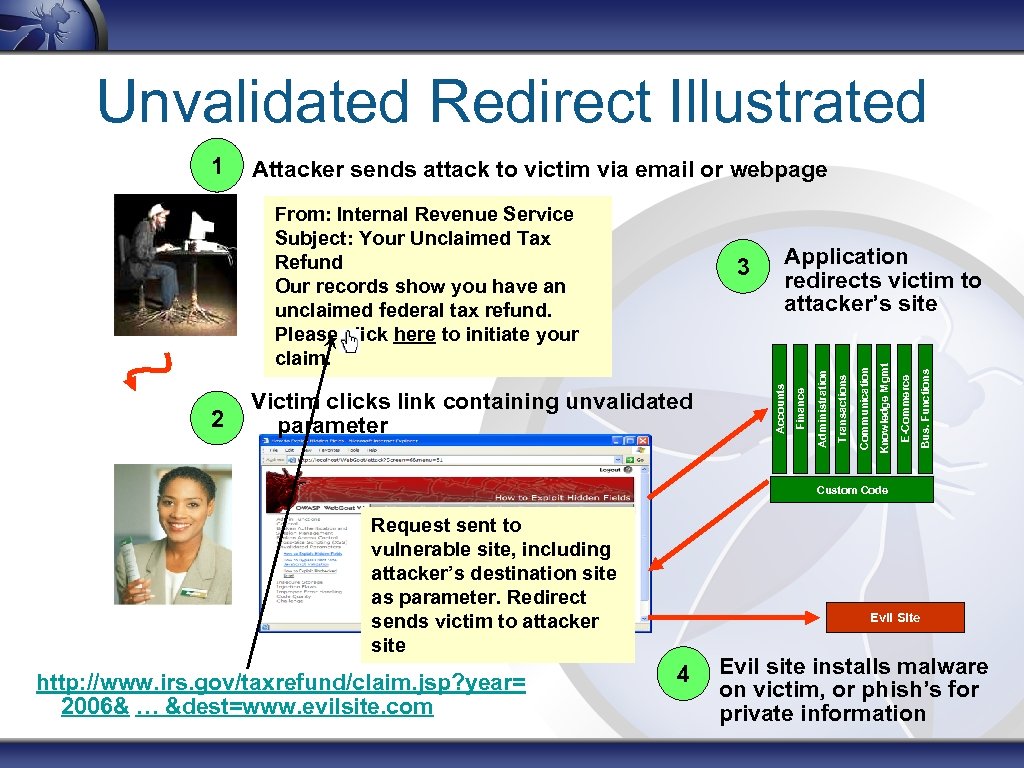
Unvalidated Redirect Illustrated Attacker sends attack to victim via email or webpage Bus. Functions E-Commerce Knowledge Mgmt Communication Transactions Victim clicks link containing unvalidated parameter Application redirects victim to attacker’s site Administration 2 3 Finance From: Internal Revenue Service Subject: Your Unclaimed Tax Refund Our records show you have an unclaimed federal tax refund. Please click here to initiate your claim. Accounts 1 Custom Code Request sent to vulnerable site, including attacker’s destination site as parameter. Redirect sends victim to attacker site http: //www. irs. gov/taxrefund/claim. jsp? year= 2006& … &dest=www. evilsite. com Evil Site 4 Evil site installs malware on victim, or phish’s for private information
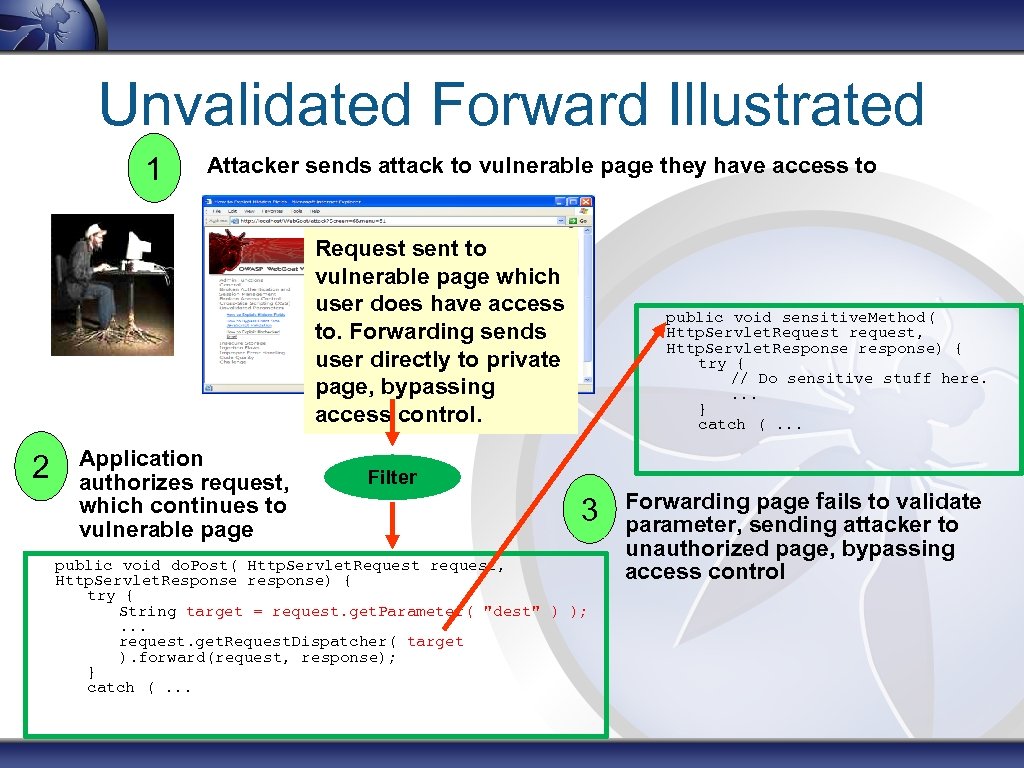
Unvalidated Forward Illustrated 1 Attacker sends attack to vulnerable page they have access to Request sent to vulnerable page which user does have access to. Forwarding sends user directly to private page, bypassing access control. 2 Application authorizes request, which continues to vulnerable page public void sensitive. Method( Http. Servlet. Request request, Http. Servlet. Response response) { try { // Do sensitive stuff here. . } catch (. . . Filter 3 public void do. Post( Http. Servlet. Request request, Http. Servlet. Response response) { try { String target = request. get. Parameter( "dest" ) ); . . . request. get. Request. Dispatcher( target ). forward(request, response); } catch (. . . Forwarding page fails to validate parameter, sending attacker to unauthorized page, bypassing access control
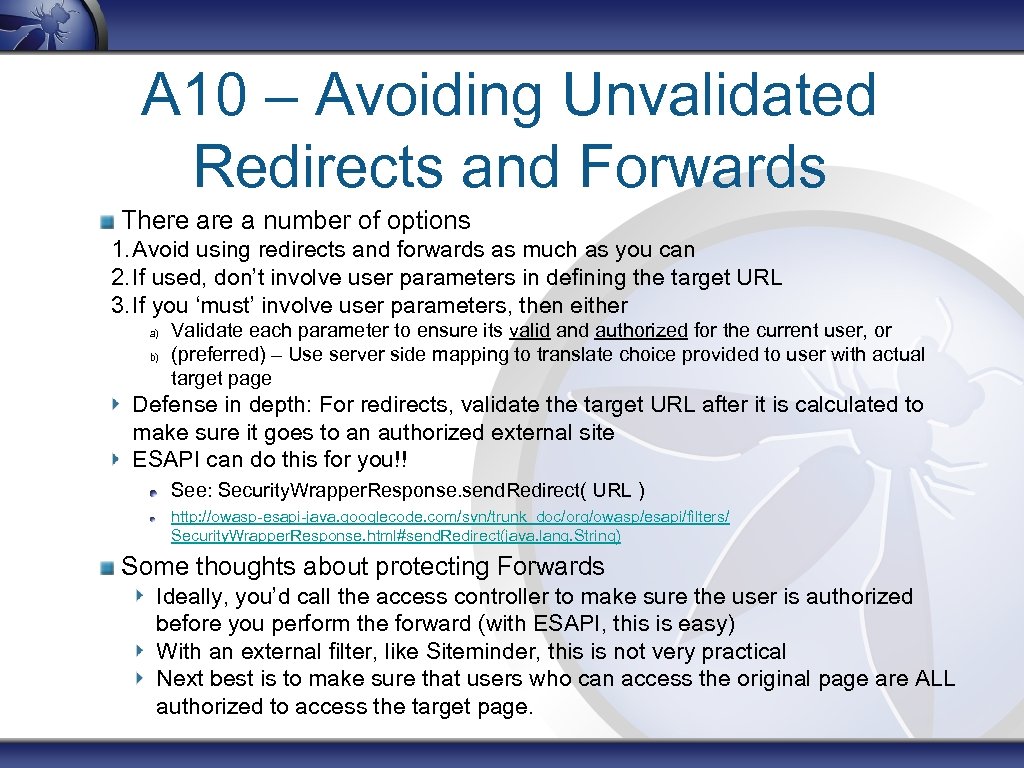
A 10 – Avoiding Unvalidated Redirects and Forwards There a number of options 1. Avoid using redirects and forwards as much as you can 2. If used, don’t involve user parameters in defining the target URL 3. If you ‘must’ involve user parameters, then either a) b) Validate each parameter to ensure its valid and authorized for the current user, or (preferred) – Use server side mapping to translate choice provided to user with actual target page Defense in depth: For redirects, validate the target URL after it is calculated to make sure it goes to an authorized external site ESAPI can do this for you!! See: Security. Wrapper. Response. send. Redirect( URL ) http: //owasp-esapi-java. googlecode. com/svn/trunk_doc/org/owasp/esapi/filters/ Security. Wrapper. Response. html#send. Redirect(java. lang. String) Some thoughts about protecting Forwards Ideally, you’d call the access controller to make sure the user is authorized before you perform the forward (with ESAPI, this is easy) With an external filter, like Siteminder, this is not very practical Next best is to make sure that users who can access the original page are ALL authorized to access the target page.
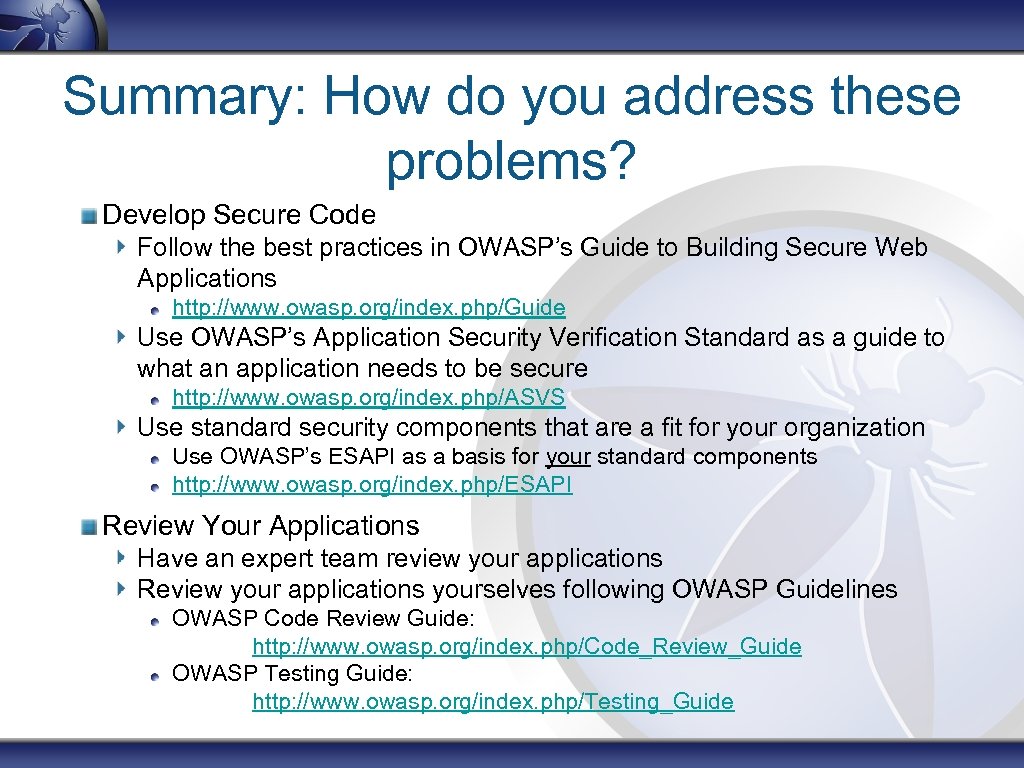
Summary: How do you address these problems? Develop Secure Code Follow the best practices in OWASP’s Guide to Building Secure Web Applications http: //www. owasp. org/index. php/Guide Use OWASP’s Application Security Verification Standard as a guide to what an application needs to be secure http: //www. owasp. org/index. php/ASVS Use standard security components that are a fit for your organization Use OWASP’s ESAPI as a basis for your standard components http: //www. owasp. org/index. php/ESAPI Review Your Applications Have an expert team review your applications Review your applications yourselves following OWASP Guidelines OWASP Code Review Guide: http: //www. owasp. org/index. php/Code_Review_Guide OWASP Testing Guide: http: //www. owasp. org/index. php/Testing_Guide

47
Скачать презентацию OWASP Education The OWASP Foundation Computer based training
ecedac12300e86d98641c5c170684615.ppt