


 Скачать презентацию Overview of today s lecture n n n Re-view
f860dcbabe834b31ad93719d2f28e1bd.ppt
- Количество слайдов: 31
 Overview of today’s lecture n n n Re-view of the previous lecture Process management models and state machines (cont’d from the previous lecture) What is in a process control block Operating system calls for process management in UNIX family of systems Example programs invoking OS services for process management Re-cap of lecture
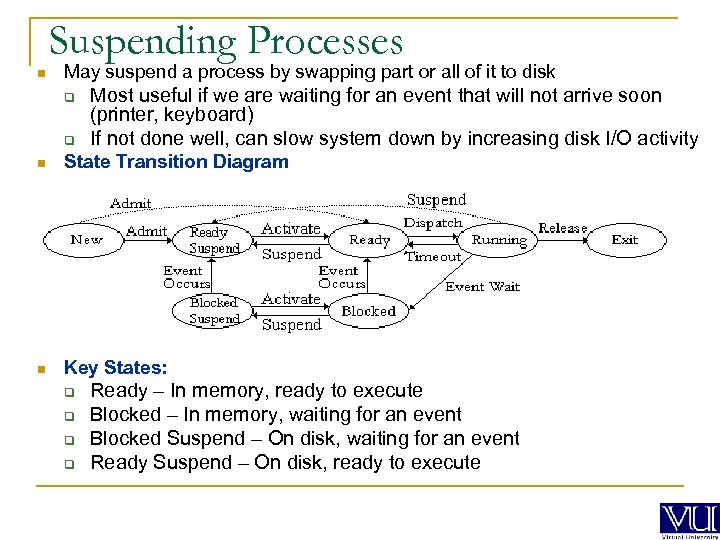 Suspending Processes n May suspend a process by swapping part or all of it to disk q q Most useful if we are waiting for an event that will not arrive soon (printer, keyboard) If not done well, can slow system down by increasing disk I/O activity n State Transition Diagram n Key States: q q Ready – In memory, ready to execute Blocked – In memory, waiting for an event Blocked Suspend – On disk, waiting for an event Ready Suspend – On disk, ready to execute
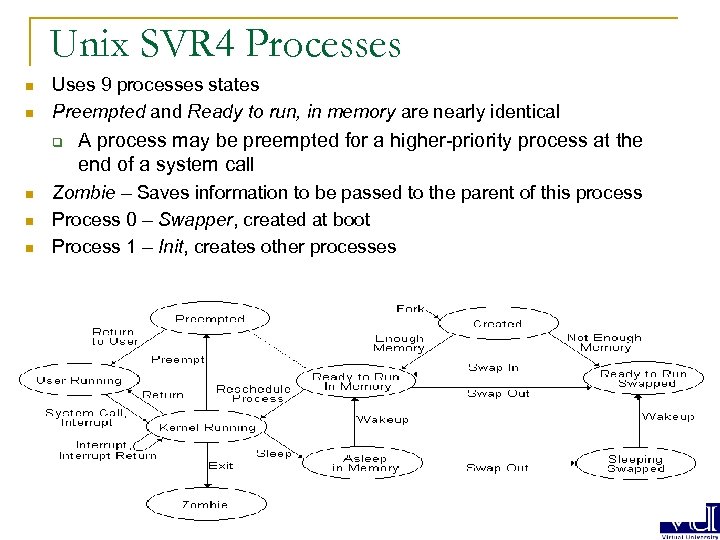 Unix SVR 4 Processes n n Uses 9 processes states Preempted and Ready to run, in memory are nearly identical q n n n A process may be preempted for a higher-priority process at the end of a system call Zombie – Saves information to be passed to the parent of this process Process 0 – Swapper, created at boot Process 1 – Init, creates other processes
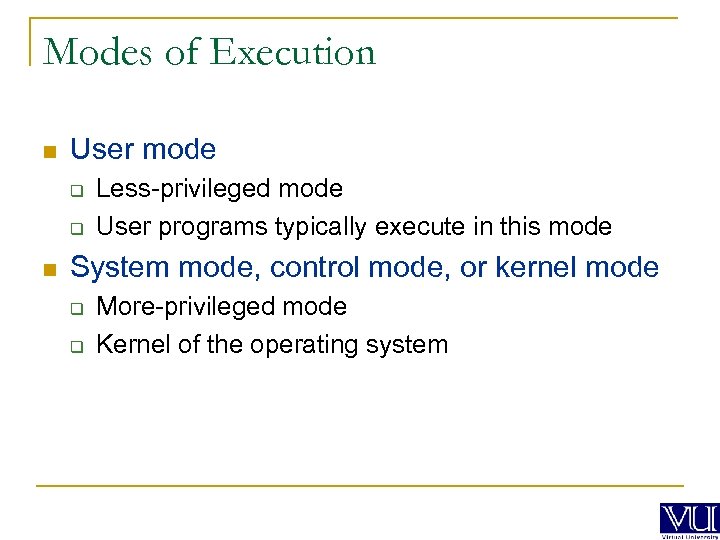 Modes of Execution n User mode q q n Less-privileged mode User programs typically execute in this mode System mode, control mode, or kernel mode q q More-privileged mode Kernel of the operating system
 Operating System Control Structures n Information about the current status of each process and resource n Tables are constructed for each entity the operating system manages
 Memory Tables n Allocation of main memory to processes n Allocation of secondary memory to processes n Protection attributes for access to shared memory regions n Information needed to manage virtual memory
 I/O Tables n n n I/O device is available or assigned Status of I/O operation Location in main memory being used as the source or destination of the I/O transfer
 File Tables n n n Existence of files Location on secondary memory Current Status Attributes Sometimes this information is maintained by a file management system
 Process Control Block n Process identification q Identifiers n Numeric identifiers that may be stored with the process control block include q q q Identifier of this process Identifier of the process that created this process (parent process) User identifier
 Process Control Block n Processor State Information q User-Visible Registers n A user-visible register is one that may be referenced by means of the machine language that the processor executes while in user mode. Typically, there are from 8 to 32 of these registers, although some RISC implementations have over 100.
 Process Control Block n Processor State Information q Control and Status Registers n n n These are a variety of processor registers that are employed to control the operation of the processor. These include Program counter: Contains the address of the next instruction to be fetched Condition codes: Result of the most recent arithmetic or logical operation (e. g. , sign, zero, carry, equal, overflow) Status information: Includes interrupt enabled/disabled flags, execution mode
 Process Control Block n Processor State Information q Stack Pointers n Each process has one or more last-in-first-out (LIFO) system stacks associated with it. A stack is used to store parameters and calling addresses for procedure and system calls. The stack pointer points to the top of the stack.
 Process Control Block n Process Control Information q Scheduling and State Information This is information that is needed by the operating system to perform its scheduling function. Typical items of information: n. Process state: defines the readiness of the process to be scheduled for execution (e. g. , running, ready, waiting, halted). n. Priority: One or more fields may be used to describe the scheduling priority of the process. In some systems, several values are required (e. g. , default, current, highest-allowable) n. Scheduling-related information: This will depend on the scheduling algorithm used. Examples are the amount of time that the process has been waiting and the amount of time that the process executed the last time it was running. n. Event: Identity of event the process is awaiting before it can be resumed
 Process Control Block n Process Control Information q Data Structuring n A process may be linked to other process in a queue, ring, or some other structure. For example, all processes in a waiting state for a particular priority level may be linked in a queue. A process may exhibit a parent-child (creator-created) relationship with another process. The process control block may contain pointers to other processes to support these structures.
 Process Control Block n Process Control Information q Inter-process Communication n q Various flags, signals, and messages may be associated with communication between two independent processes. Some or all of this information may be maintained in the process control block. Process Privileges n Processes are granted privileges in terms of the memory that may be accessed and the types of instructions that may be executed. In addition, privileges may apply to the use of system utilities and services.
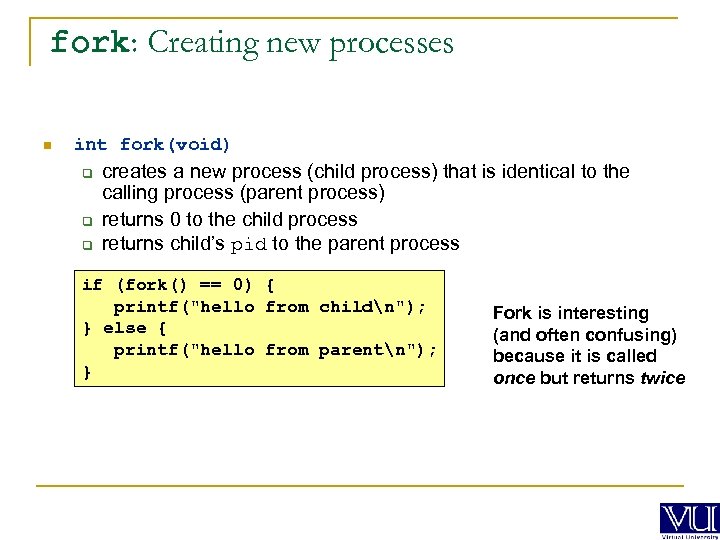 fork: Creating new processes n int fork(void) q q q creates a new process (child process) that is identical to the calling process (parent process) returns 0 to the child process returns child’s pid to the parent process if (fork() == 0) { printf("hello from childn"); } else { printf("hello from parentn"); } Fork is interesting (and often confusing) because it is called once but returns twice
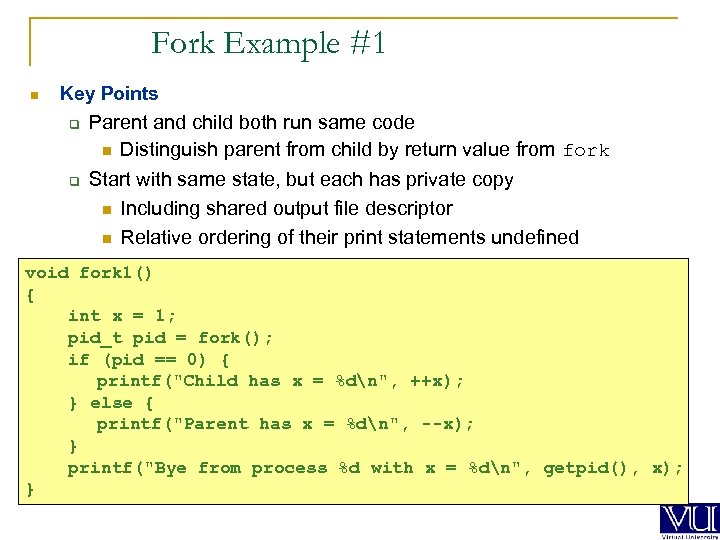 Fork Example #1 n Key Points q q Parent and child both run same code n Distinguish parent from child by return value from fork Start with same state, but each has private copy n Including shared output file descriptor n Relative ordering of their print statements undefined void fork 1() { int x = 1; pid_t pid = fork(); if (pid == 0) { printf("Child has x = %dn", ++x); } else { printf("Parent has x = %dn", --x); } printf("Bye from process %d with x = %dn", getpid(), x); }
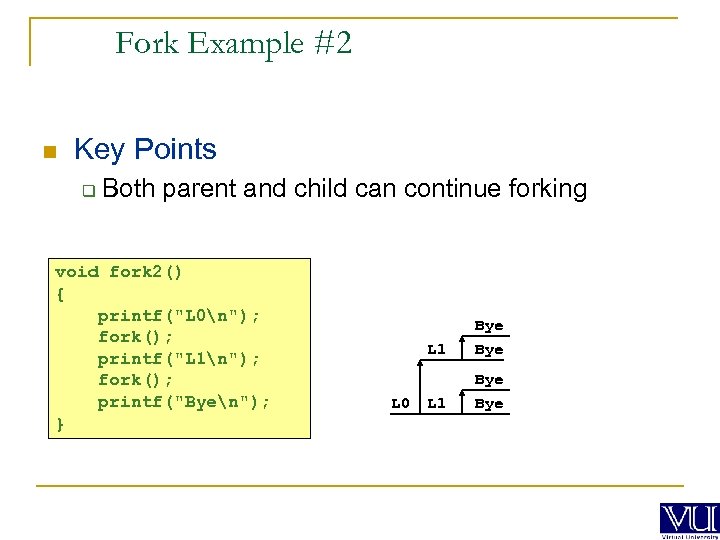 Fork Example #2 n Key Points q Both parent and child can continue forking void fork 2() { printf("L 0n"); fork(); printf("L 1n"); fork(); printf("Byen"); } L 1 L 0 Bye L 1 Bye
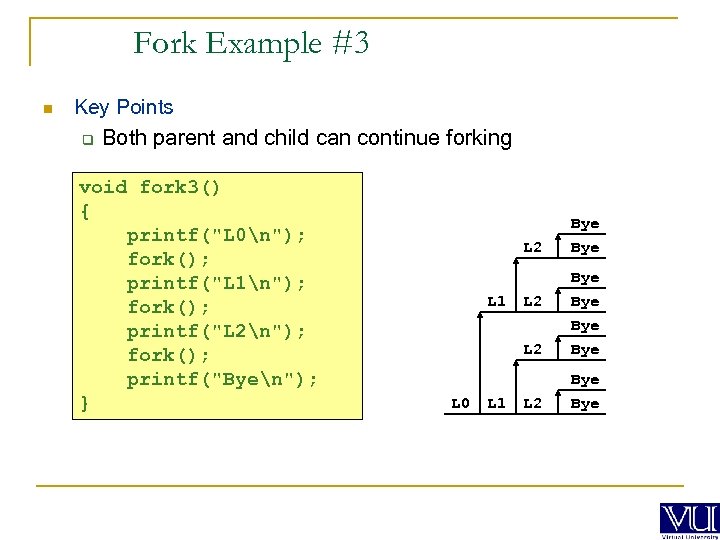 Fork Example #3 n Key Points q Both parent and child can continue forking void fork 3() { printf("L 0n"); fork(); printf("L 1n"); fork(); printf("L 2n"); fork(); printf("Byen"); } L 2 L 0 L 1 L 2 Bye L 2 L 1 Bye Bye L 2 Bye
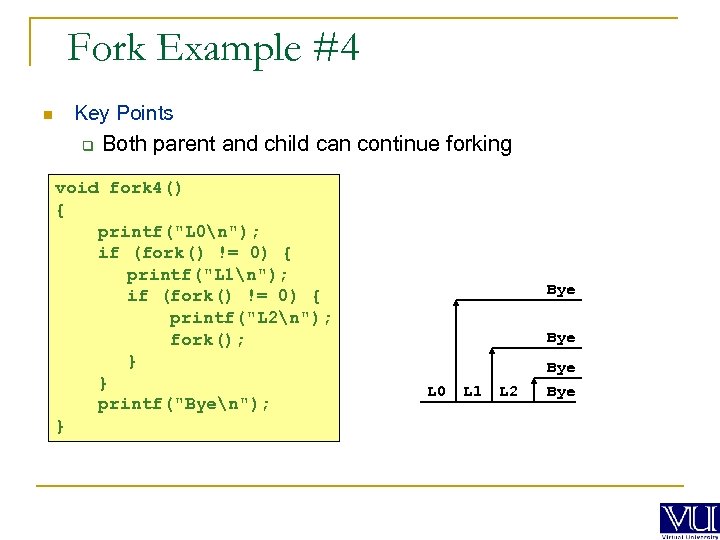 Fork Example #4 n Key Points q Both parent and child can continue forking void fork 4() { printf("L 0n"); if (fork() != 0) { printf("L 1n"); if (fork() != 0) { printf("L 2n"); fork(); } } printf("Byen"); } Bye L 0 L 1 L 2 Bye
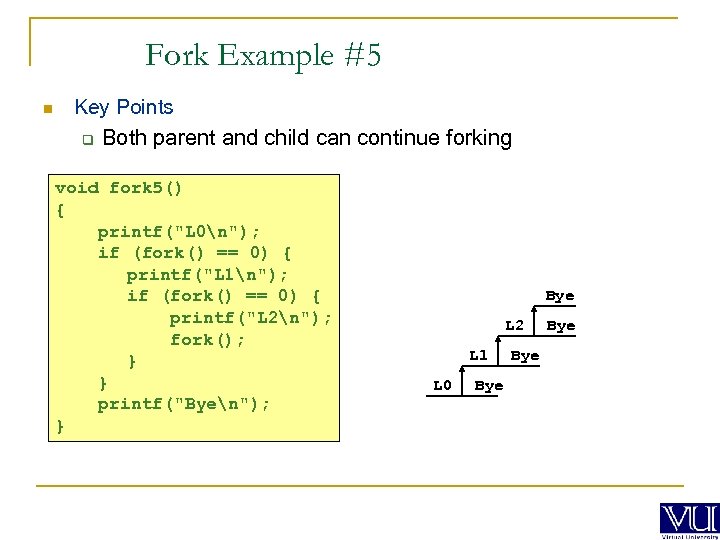 Fork Example #5 n Key Points q Both parent and child can continue forking void fork 5() { printf("L 0n"); if (fork() == 0) { printf("L 1n"); if (fork() == 0) { printf("L 2n"); fork(); } } printf("Byen"); } Bye L 2 L 1 L 0 Bye Bye
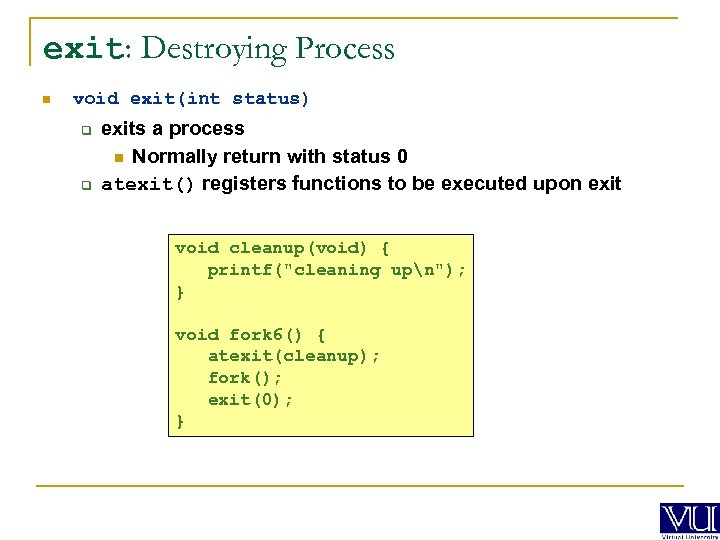 exit: Destroying Process n void exit(int status) q q exits a process n Normally return with status 0 atexit() registers functions to be executed upon exit void cleanup(void) { printf("cleaning upn"); } void fork 6() { atexit(cleanup); fork(); exit(0); }
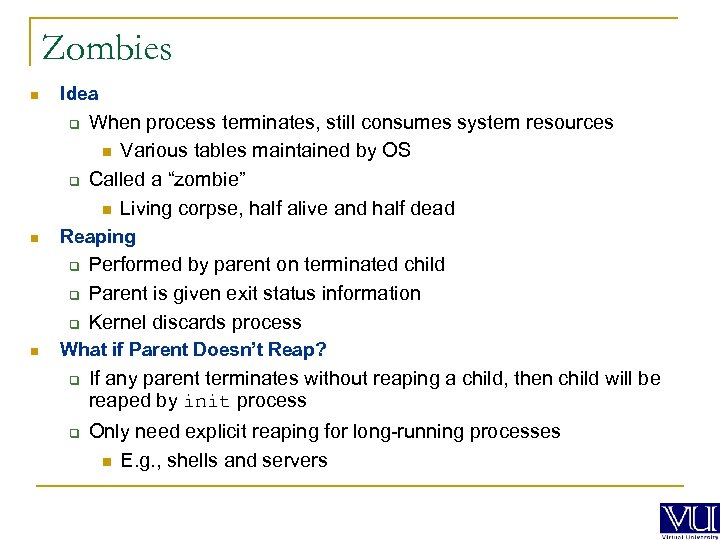 Zombies n Idea q q n Reaping q q q n When process terminates, still consumes system resources n Various tables maintained by OS Called a “zombie” n Living corpse, half alive and half dead Performed by parent on terminated child Parent is given exit status information Kernel discards process What if Parent Doesn’t Reap? q q If any parent terminates without reaping a child, then child will be reaped by init process Only need explicit reaping for long-running processes n E. g. , shells and servers
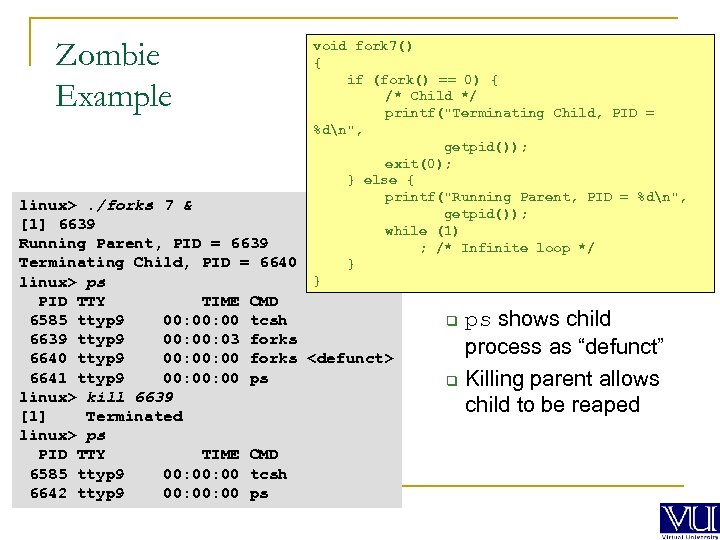 Zombie Example void fork 7() { if (fork() == 0) { /* Child */ printf("Terminating Child, PID = %dn", getpid()); exit(0); } else { printf("Running Parent, PID = %dn", getpid()); while (1) ; /* Infinite loop */ } } linux>. /forks 7 & [1] 6639 Running Parent, PID = 6639 Terminating Child, PID = 6640 linux> ps PID TTY TIME CMD 6585 ttyp 9 00: 00 tcsh 6639 ttyp 9 00: 03 forks 6640 ttyp 9 00: 00 forks
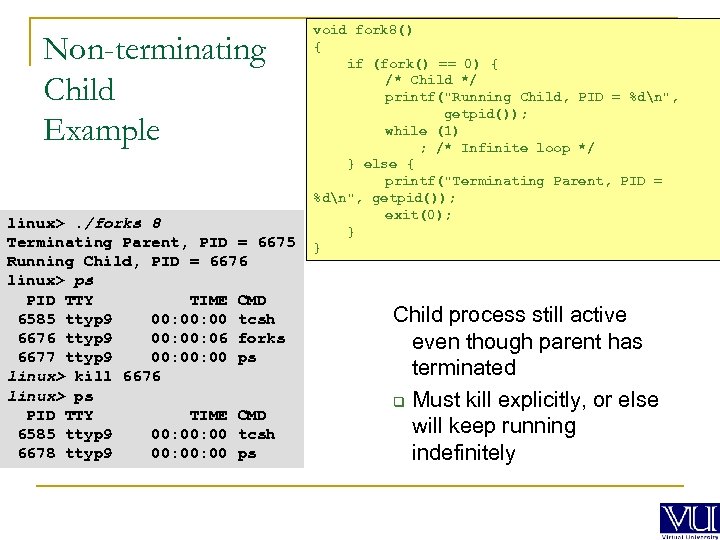 Non-terminating Child Example linux>. /forks 8 Terminating Parent, PID = 6675 Running Child, PID = 6676 linux> ps PID TTY TIME CMD 6585 ttyp 9 00: 00 tcsh 6676 ttyp 9 00: 06 forks 6677 ttyp 9 00: 00 ps linux> kill 6676 linux> ps PID TTY TIME CMD 6585 ttyp 9 00: 00 tcsh 6678 ttyp 9 00: 00 ps void fork 8() { if (fork() == 0) { /* Child */ printf("Running Child, PID = %dn", getpid()); while (1) ; /* Infinite loop */ } else { printf("Terminating Parent, PID = %dn", getpid()); exit(0); } } Child process still active even though parent has terminated q Must kill explicitly, or else will keep running indefinitely
 wait: Synchronizing with children n int wait(int *child_status) suspends current process until one of its children terminates q return value is the pid of the child process that terminated q if child_status != NULL, then the object it points to will be set to a status indicating why the child process terminated q
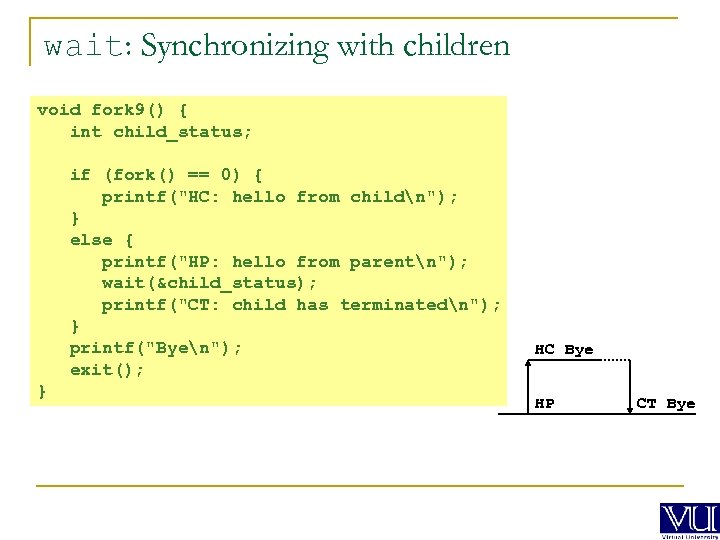 wait: Synchronizing with children void fork 9() { int child_status; if (fork() == 0) { printf("HC: hello from childn"); } else { printf("HP: hello from parentn"); wait(&child_status); printf("CT: child has terminatedn"); } printf("Byen"); exit(); } HC Bye HP CT Bye
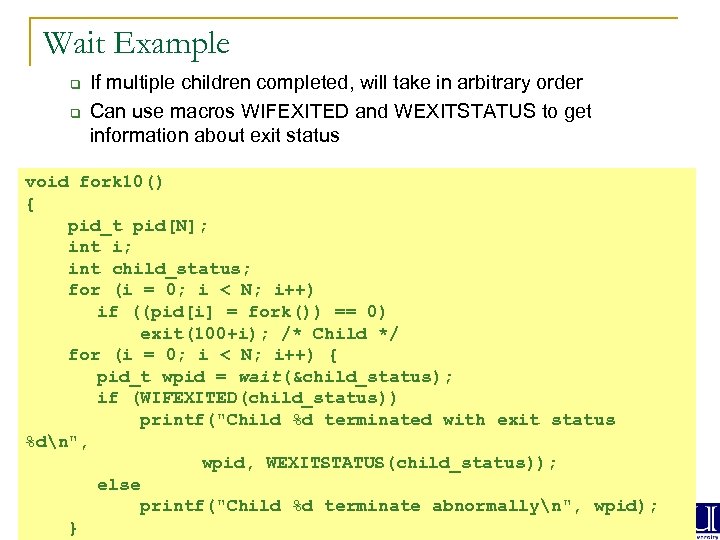 Wait Example q q If multiple children completed, will take in arbitrary order Can use macros WIFEXITED and WEXITSTATUS to get information about exit status void fork 10() { pid_t pid[N]; int i; int child_status; for (i = 0; i < N; i++) if ((pid[i] = fork()) == 0) exit(100+i); /* Child */ for (i = 0; i < N; i++) { pid_t wpid = wait(&child_status); if (WIFEXITED(child_status)) printf("Child %d terminated with exit status %dn", wpid, WEXITSTATUS(child_status)); else printf("Child %d terminate abnormallyn", wpid); }
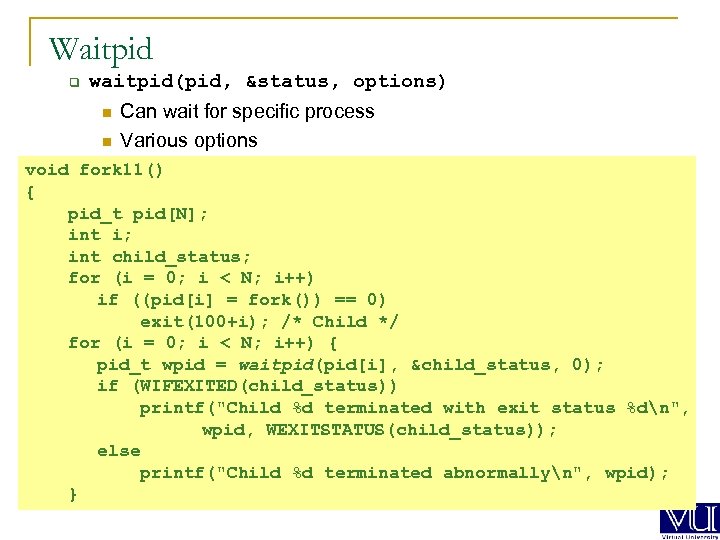 Waitpid q waitpid(pid, &status, options) n n Can wait for specific process Various options void fork 11() { pid_t pid[N]; int i; int child_status; for (i = 0; i < N; i++) if ((pid[i] = fork()) == 0) exit(100+i); /* Child */ for (i = 0; i < N; i++) { pid_t wpid = waitpid(pid[i], &child_status, 0); if (WIFEXITED(child_status)) printf("Child %d terminated with exit status %dn", wpid, WEXITSTATUS(child_status)); else printf("Child %d terminated abnormallyn", wpid); }
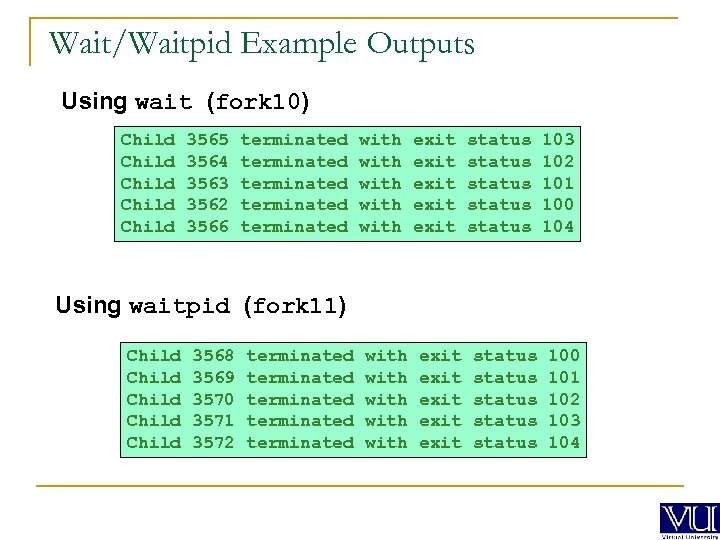 Wait/Waitpid Example Outputs Using wait (fork 10) Child Child 3565 3564 3563 3562 3566 terminated terminated with with exit exit status status 103 102 101 100 104 Using waitpid (fork 11) Child Child 3568 3569 3570 3571 3572 terminated terminated with with exit exit status status 100 101 102 103 104
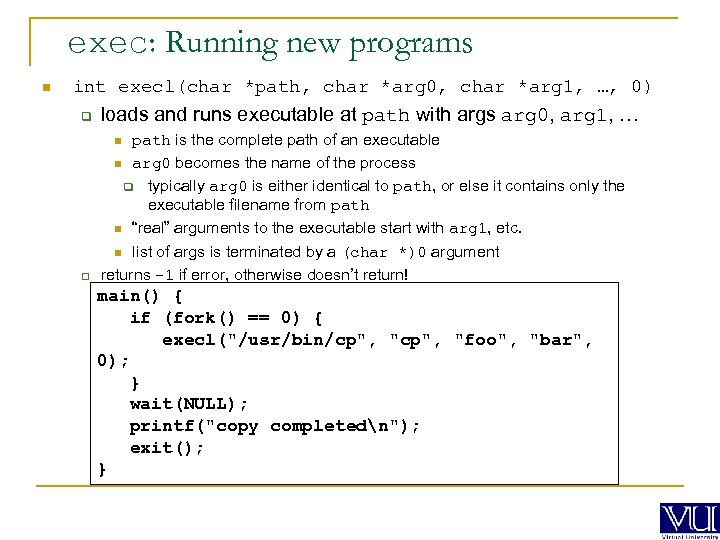 exec: Running new programs n int execl(char *path, char *arg 0, char *arg 1, …, 0) q loads and runs executable at path with args arg 0, arg 1, … q path is the complete path of an executable n arg 0 becomes the name of the process q typically arg 0 is either identical to path, or else it contains only the executable filename from path n “real” arguments to the executable start with arg 1, etc. n list of args is terminated by a (char *)0 argument returns -1 if error, otherwise doesn’t return! n main() { if (fork() == 0) { execl("/usr/bin/cp", "foo", "bar", 0); } wait(NULL); printf("copy completedn"); exit(); }