


 Скачать презентацию Overview of the VHA Corporate Data Warehouse CDW
15b06510187dc4aa2f0fe8310d1c7eef.ppt
- Количество слайдов: 51
 Overview of the VHA Corporate Data Warehouse (CDW), the VSSC Portal and Importance of Accurate Data Sara Temlitz Jack Bates Pat Gadbaw 1
 VHA Data as a Business Asset • Master Data Management – Multiple data sources – Data is not linear or unidirectional • Single Version of the Truth • Data Issues – – – Completeness Latency Accuracy Data management Data stewardship 2
 The Importance of Data Quality • The role of Data Quality in: – Data Governance – Data Management • Data Quality as it relates to other programs within and outside VHA – Data Standardization – Data Stewardship – Other VA Administrations – Other Business Partners 3
 Administrative Data Quality Council • Mission - to enhance the delivery of Veterans health care benefits by improving the management of administrative data • Membership – made up of representatives from: – – Chief Business Office Health Informatics and Information Resources Field HIM, Registration, Enrollment and other Staff Ad Hoc members from Data Warehousing, Data Standardization, Compliance, Training and others 4
 Data Quality in VHA Data Stores • • Understanding Data Definitions Understanding Data Use Reporting inaccurate data Being diligent in using good Data Quality practices 5
 VHA Corporate Data Warehouse Overview Jack Bates, MS Director, VHA Corporate Data Warehouse 6
 Corporate Data Warehouse (CDW) • What is the Corporate Data Warehouse? – The CDW is a central collection of standardized databases integrating key enterprise wide clinical, administrative, and financial data to provide a unified view of VHA. • CDW Strategy is a result of three primary factors: 1. Standard Information: Business needs to have ready access to data to support management decision making. 2. Standard Architectures: Recognized value in standard platform, architecture, database structure and maintenance of CDW opposed to independent disparate Data Warehouse (DW) and Data Mart (DM) development by each business entity. 3. Standard Tools: The need to have modern, proven, robust access tools for reporting and analyzing data at the enterprise level. 7
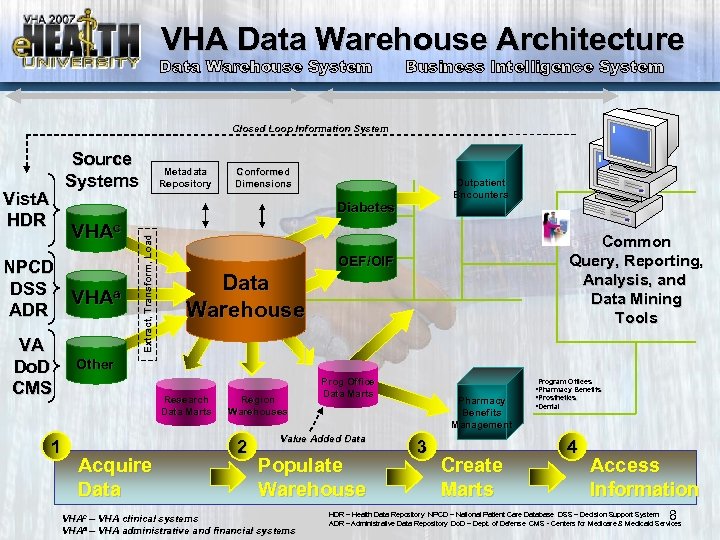 VHA Data Warehouse Architecture Data Warehouse System Business Intelligence System Closed Loop Information System Source Systems Vist. A HDR Metadata Repository Conformed Dimensions Outpatient Encounters VHAc NPCD DSS VHAa ADR VA Do. D CMS 1 Extract, Transform, Load Diabetes Common Query, Reporting, Analysis, and Data Mining Tools OEF/OIF Data Warehouse Other Research Data Marts Acquire Data Region Warehouses 2 Prog Office Data Marts Value Added Data Populate Warehouse VHAc – VHA clinical systems VHAa – VHA administrative and financial systems Program Offices Pharmacy Benefits Management 3 Create Marts • Pharmacy Benefits • Prosthetics • Dental 4 Access Information 8 HDR – Health Data Repository NPCD – National Patient Care Database DSS – Decision Support System ADR – Administrative Data Repository Do. D – Dept. of Defense CMS - Centers for Medicare & Medicaid Services
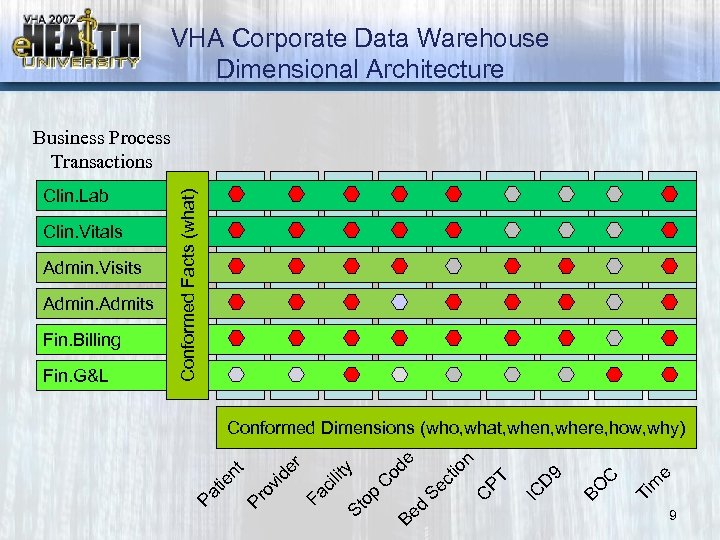 VHA Corporate Data Warehouse Dimensional Architecture e m Ti BO C 9 IC D C PT n tio Se c Be d op St Fa ci lit y C od e Conformed Dimensions (who, what, when, where, how, why) de r Fin. G&L vi Fin. Billing Pr o Admin. Admits nt Admin. Visits ie Clin. Vitals Pa t Clin. Lab Conformed Facts (what) Business Process Transactions 9
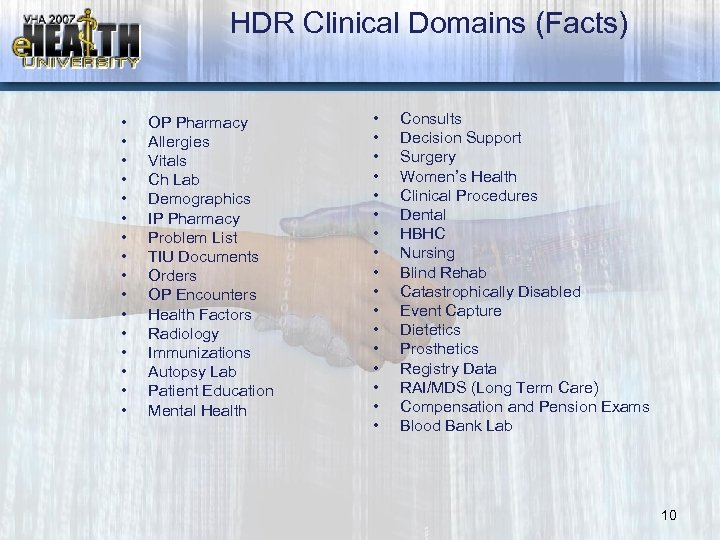 HDR Clinical Domains (Facts) • • • • OP Pharmacy Allergies Vitals Ch Lab Demographics IP Pharmacy Problem List TIU Documents Orders OP Encounters Health Factors Radiology Immunizations Autopsy Lab Patient Education Mental Health • • • • • Consults Decision Support Surgery Women’s Health Clinical Procedures Dental HBHC Nursing Blind Rehab Catastrophically Disabled Event Capture Dietetics Prosthetics Registry Data RAI/MDS (Long Term Care) Compensation and Pension Exams Blood Bank Lab 10
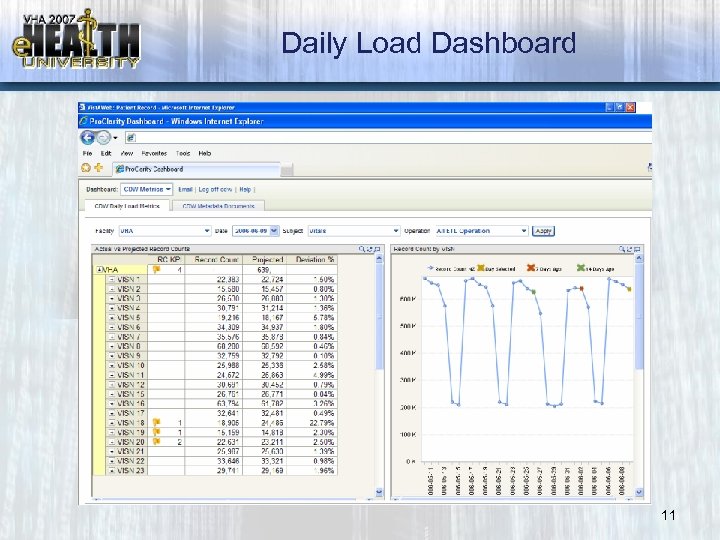 Daily Load Dashboard 11
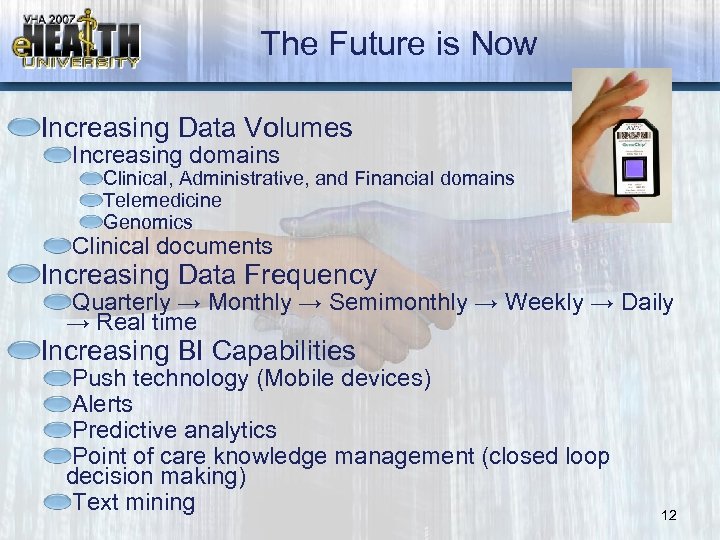 The Future is Now Increasing Data Volumes Increasing domains Clinical, Administrative, and Financial domains Telemedicine Genomics Clinical documents Increasing Data Frequency Quarterly → Monthly → Semimonthly → Weekly → Daily → Real time Increasing BI Capabilities Push technology (Mobile devices) Alerts Predictive analytics Point of care knowledge management (closed loop decision making) Text mining 12
 VHA Support Service Center Overview VSSC Portal Pat Gadbaw 13
 Course Objectives • Provide Basic Understanding of VSSC – Portal Layout & Utilization – Tools – Support – Access 14
 Link to VSSC Home Page http: //vssc. med. va. gov// 15
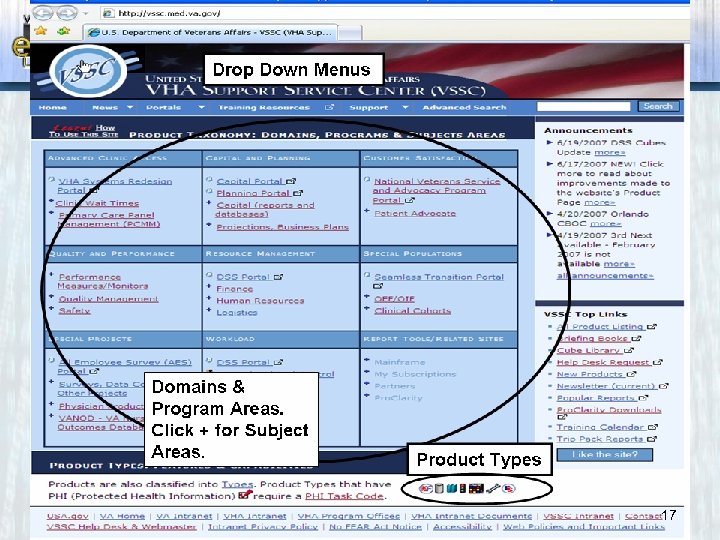
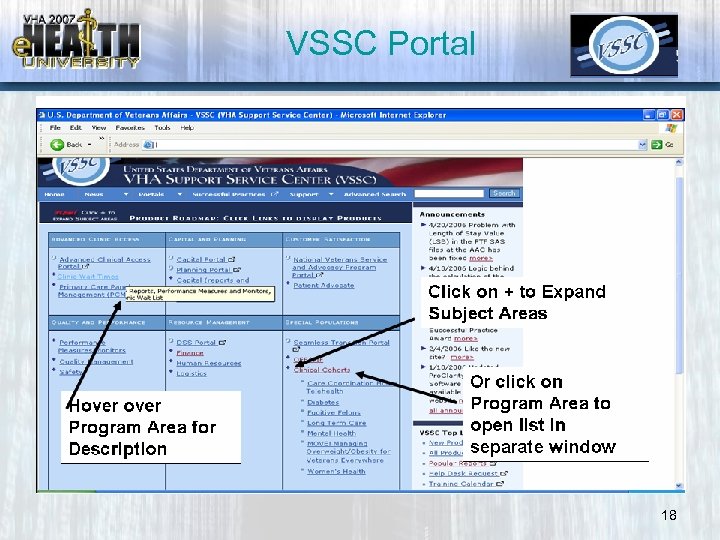
 VSSC Portal Overview • VSSC Portal – Domains – Program Areas – Subject Areas – Tools – Drop Down Menus 16
 17
17
 VSSC Portal 18
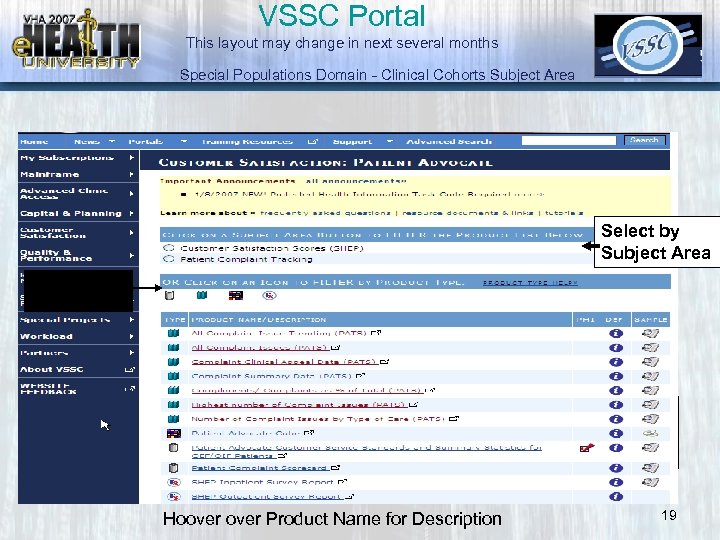 VSSC Portal This layout may change in next several months Special Populations Domain - Clinical Cohorts Subject Area Select by Product Type Select by subject area Select by Subject Area Select by Product Type Hoover Product Name for Description 19
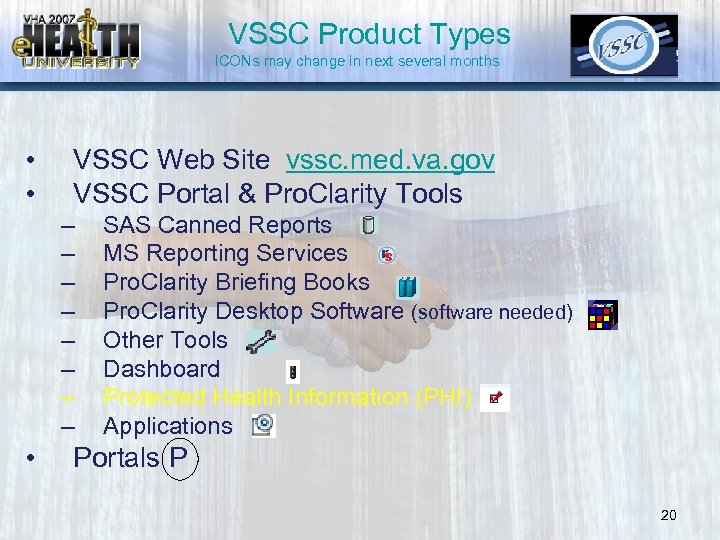 VSSC Product Types ICONs may change in next several months • • VSSC Web Site vssc. med. va. gov VSSC Portal & Pro. Clarity Tools – – – – • SAS Canned Reports MS Reporting Services Pro. Clarity Briefing Books Pro. Clarity Desktop Software (software needed) Other Tools Dashboard Protected Health Information (PHI) Applications Portals P 20
 Protected Health Information (PHI) • A Protected Health Information (PHI) task code, implemented in January 2007, is required to access products with PHI icons on the VSSC web site or Pro. Clarity Analytics Server. This task code is a lower level access code than real ssn; therefore, if you already have station, visn or national level real ssn, you do not need to apply. To access PHI, including provider-specific information, the PHI – 110 NN 07 task code must be added to VA Form 9957 to allow a user to see all variables that were previously removed to de-identify the PHI such as dates, scrambled social security number, zip codes, names, and any other unique identifying number, characteristics or codes. The approval process for this task code is as follows: Requesting Individual signs VA Form 9957, first approval official is the Supervisor and second approval official is the Director. The point of contact will either be the ACRS Point of Contact or the Information Security Officer. When signatures are completed, the ACRS POC will enter the information in the National Security SSN Database (NSSD). 21
 Domain areas of Clinical Interest • ACA – – Clinic Wait Times – PCMM • Quality & Performance – Performance Measures & Monitors – Quality • Special Populations – Clinical Cohorts • Special Projects – Physician Productivity – VANOD • Workload – Workload 22
 Examples of Product Type reports 23
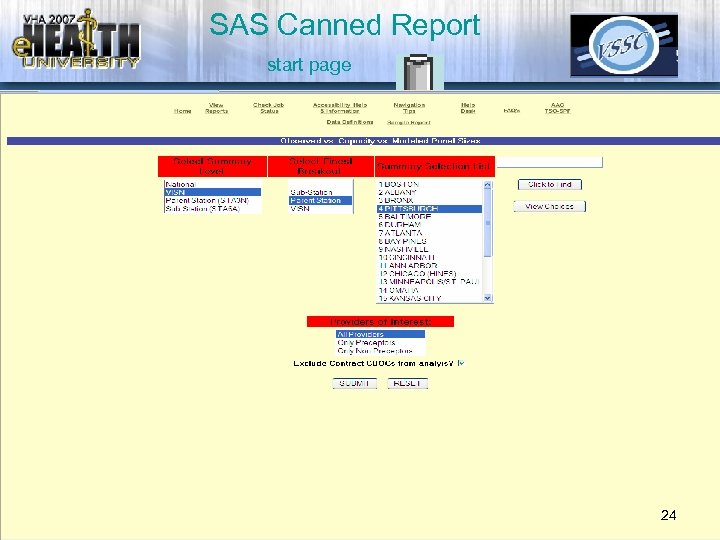 SAS Canned Report start page 24
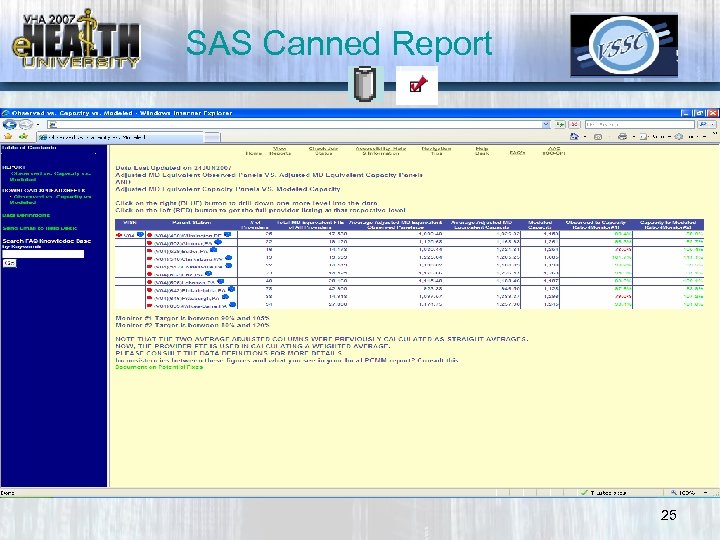 SAS Canned Report 25
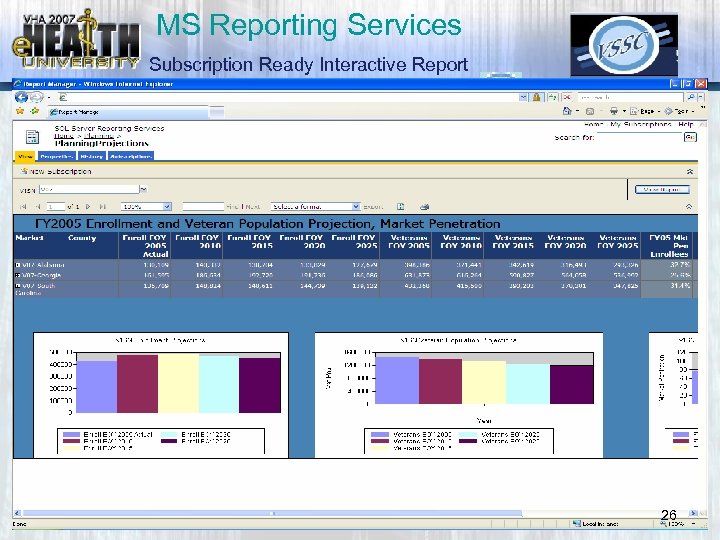 MS Reporting Services Subscription Ready Interactive Report 26
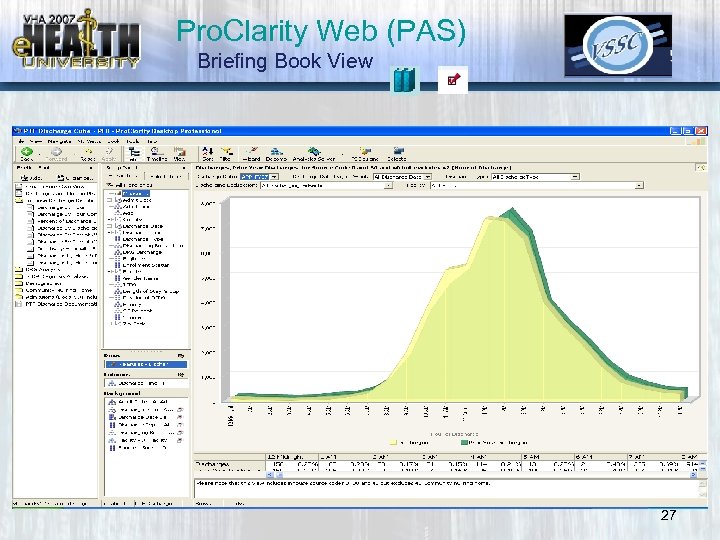 Pro. Clarity Web (PAS) Briefing Book View 27
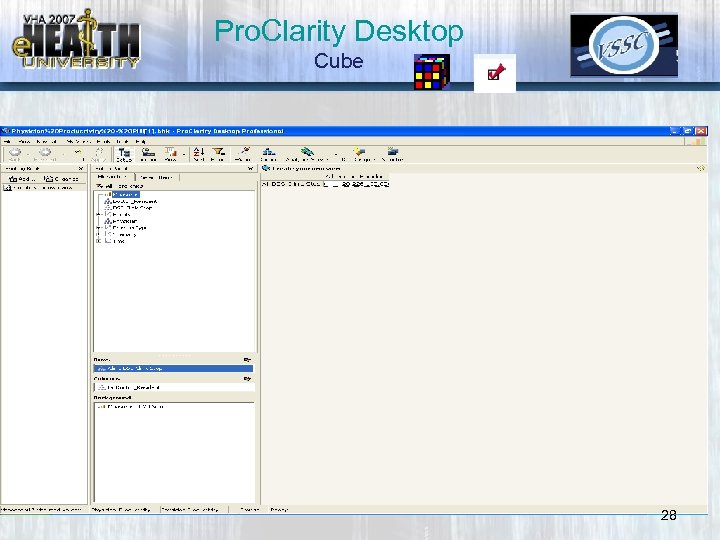 Pro. Clarity Desktop Cube 28
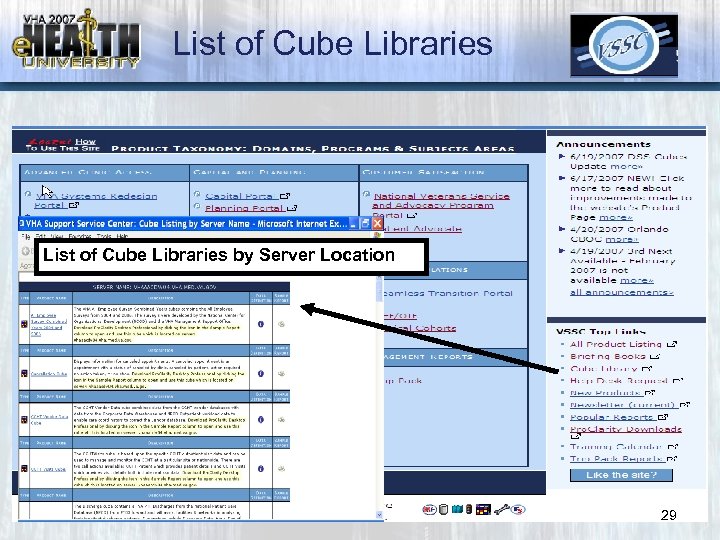 List of Cube Libraries by Server Location 29
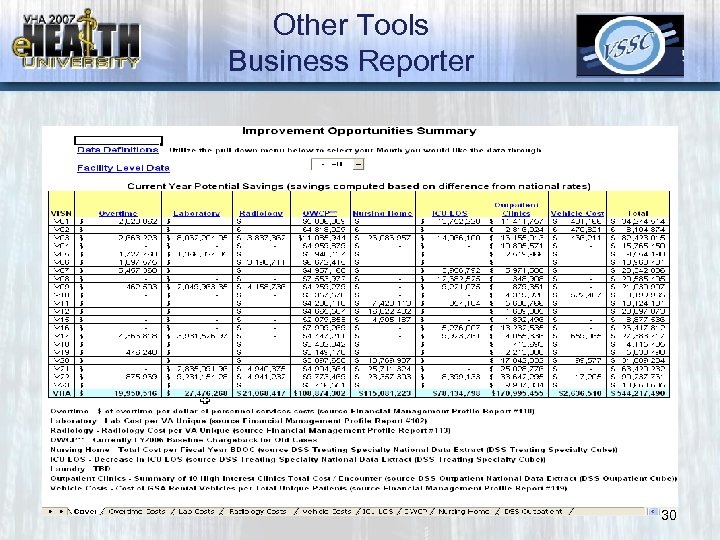 Other Tools Business Reporter 30
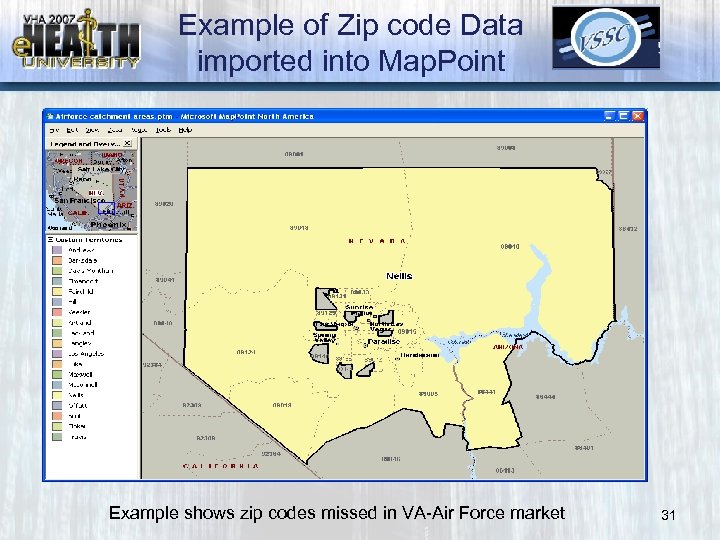 Example of Zip code Data imported into Map. Point Example shows zip codes missed in VA-Air Force market 31
 VSSC Drop Down Menu’s • • • News Portals Training Support Search & Advanced Search 32
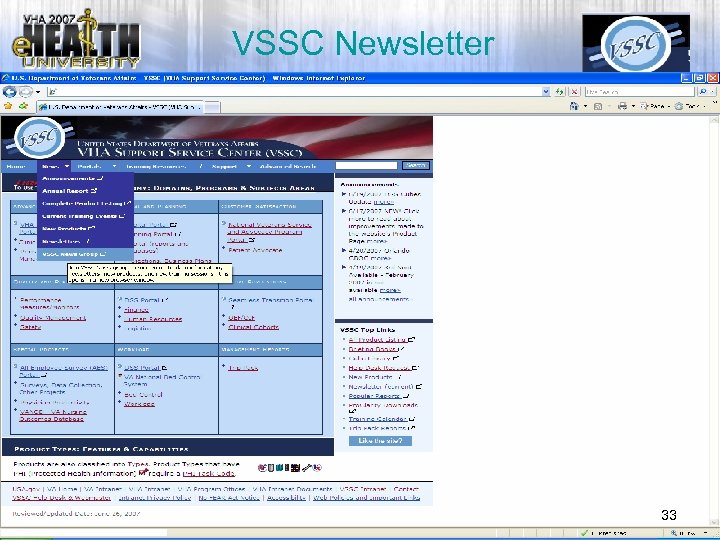 VSSC Newsletter 33
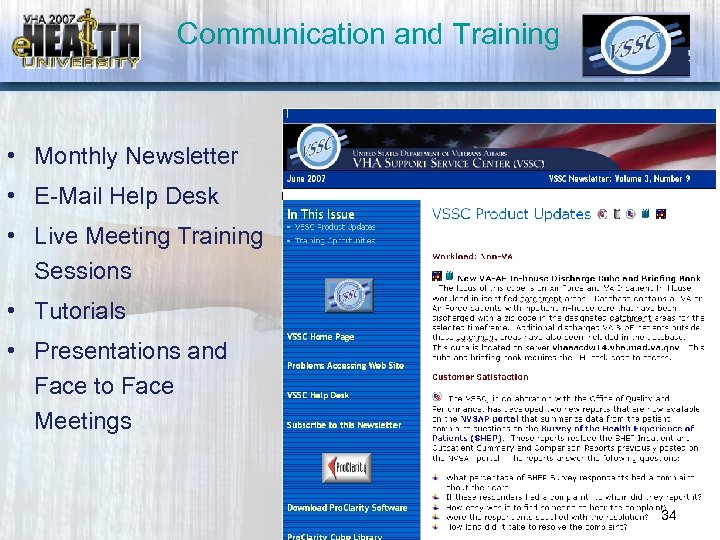 Communication and Training • Monthly Newsletter • E-Mail Help Desk • Live Meeting Training Sessions • Tutorials • Presentations and Face to Face Meetings 34
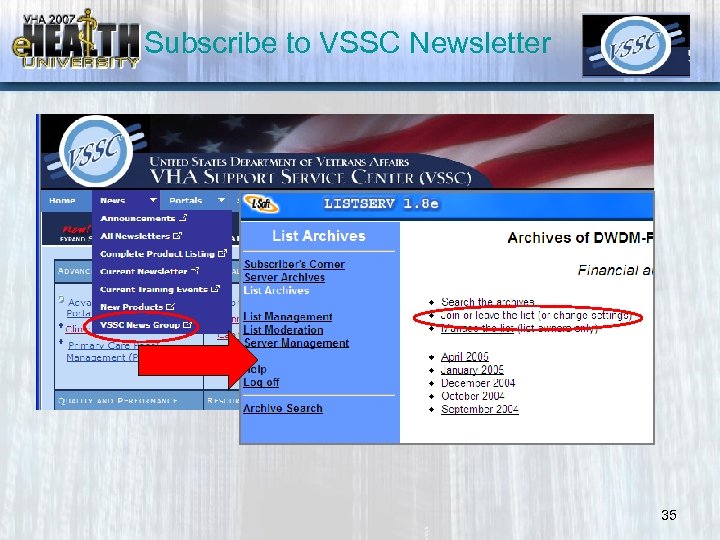 Subscribe to VSSC Newsletter 35
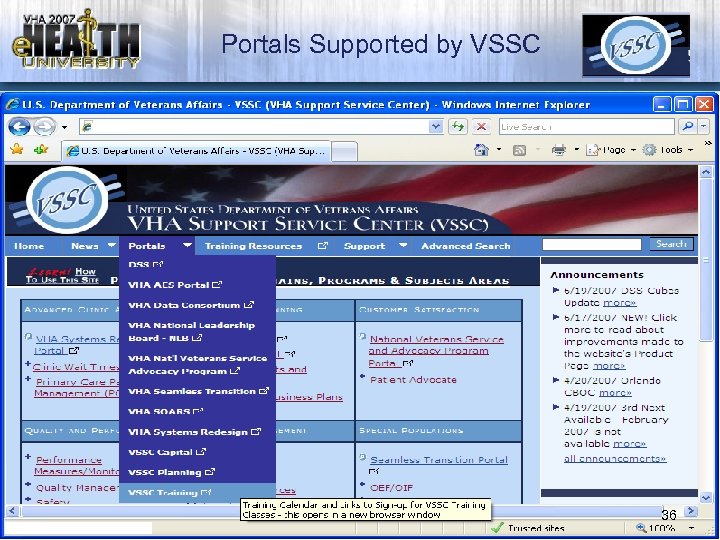 Portals Supported by VSSC 36
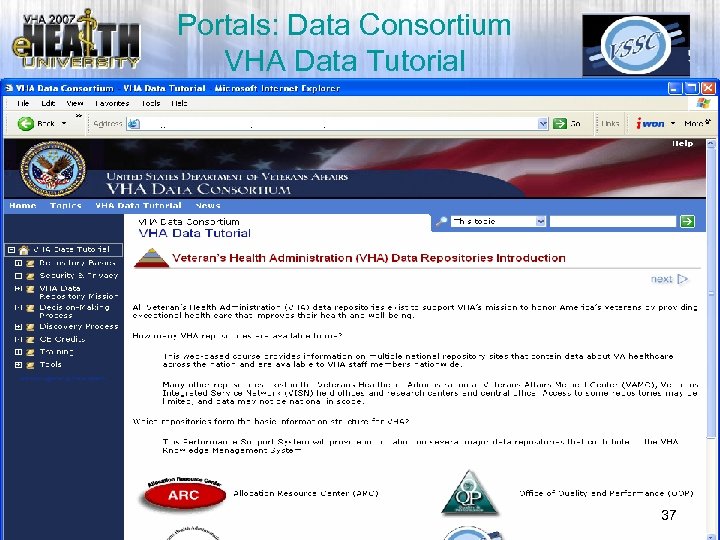 Portals: Data Consortium VHA Data Tutorial 37
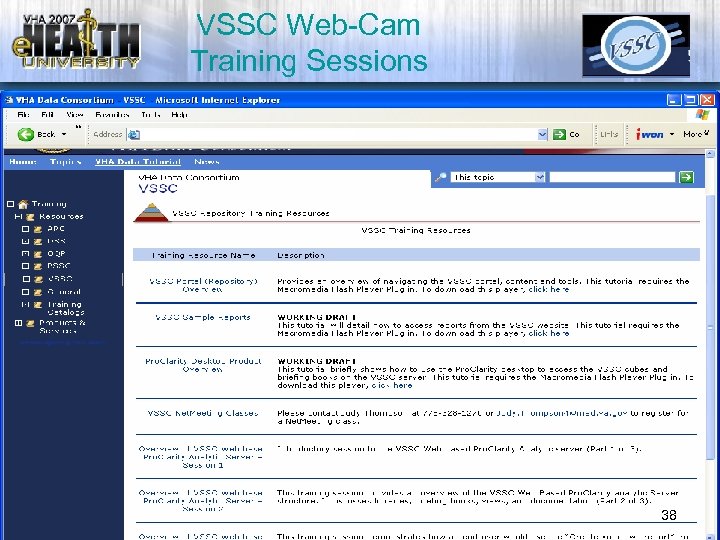 VSSC Web-Cam Training Sessions 38
 VSSC Web-Cam • Overview of VSSC Portal Part 1 & 2 • Overview of Pro. Clarity Web (PAS) Parts 1, 2&3 – Briefing Book Libraries, Books & Views – Customizing Pre-Built views – Create Your own View • Overview of accessing VSSC cubes & Briefing Books via Pro. Clarity Desktop 39
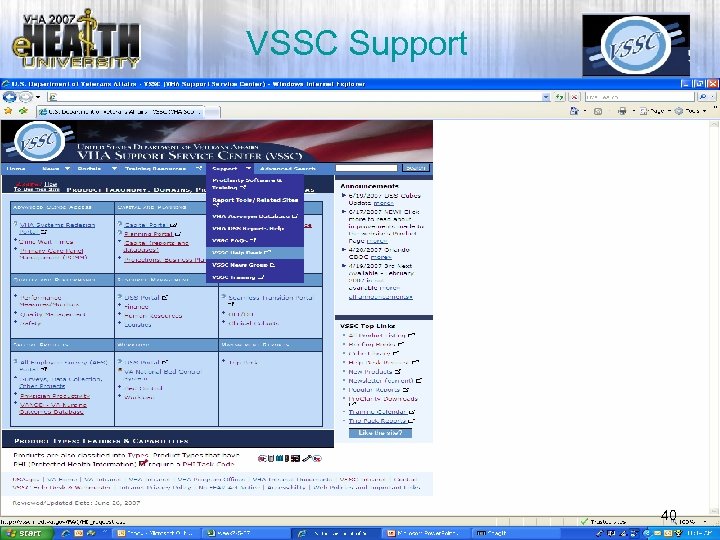 VSSC Support 40
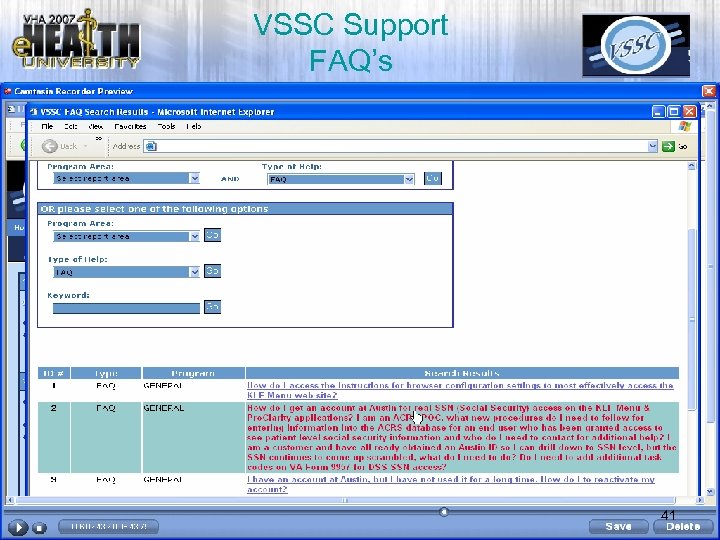 VSSC Support FAQ’s 41
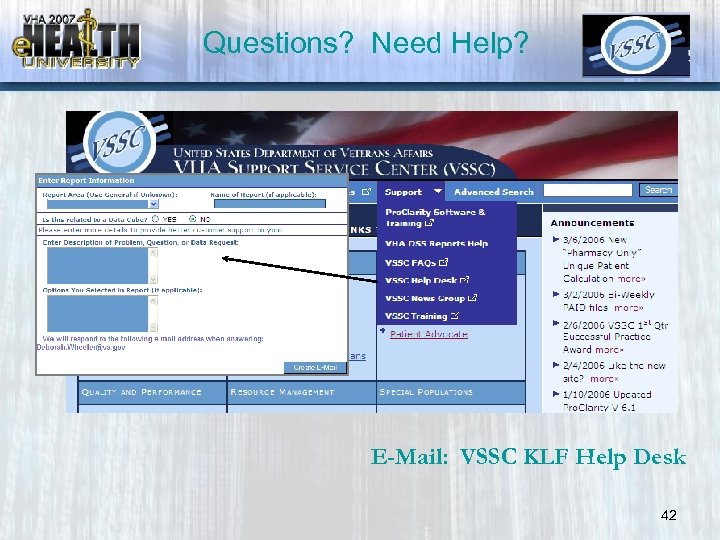 Questions? Need Help? E-Mail: VSSC KLF Help Desk 42
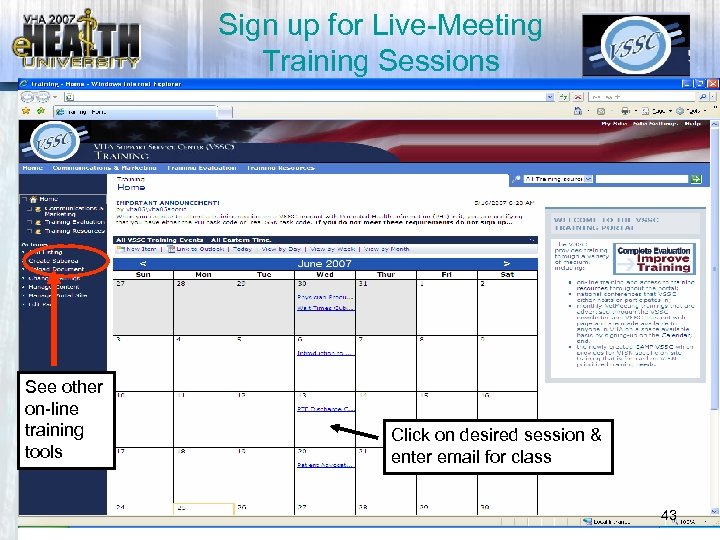 Sign up for Live-Meeting Training Sessions See other on-line training tools Click on desired session & enter email for class 43
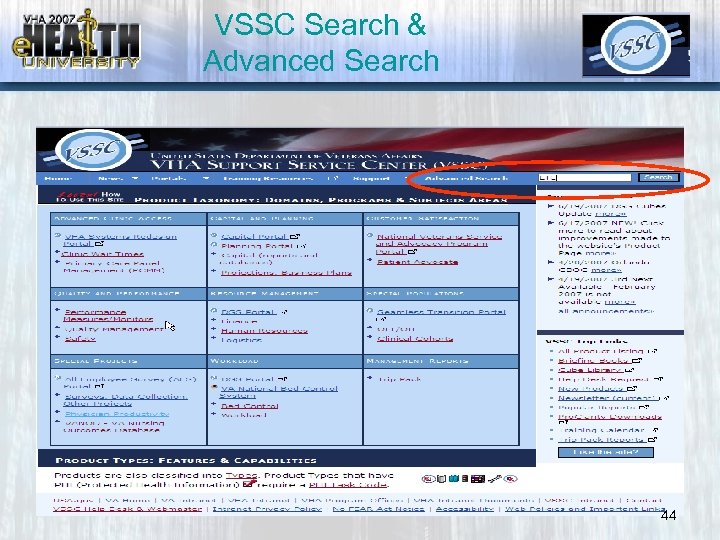 VSSC Search & Advanced Search 44
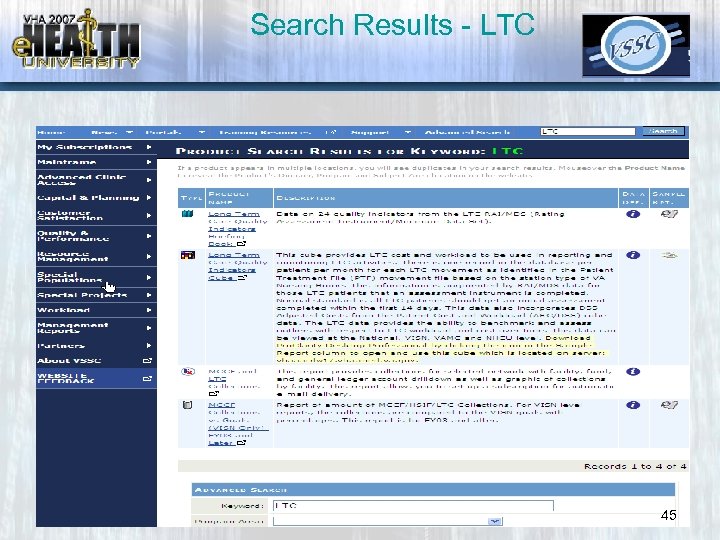 Search Results - LTC 45
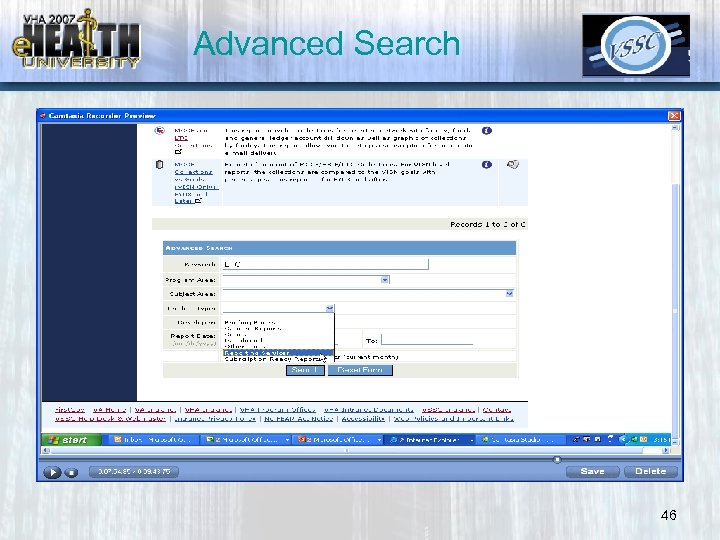 Advanced Search 46
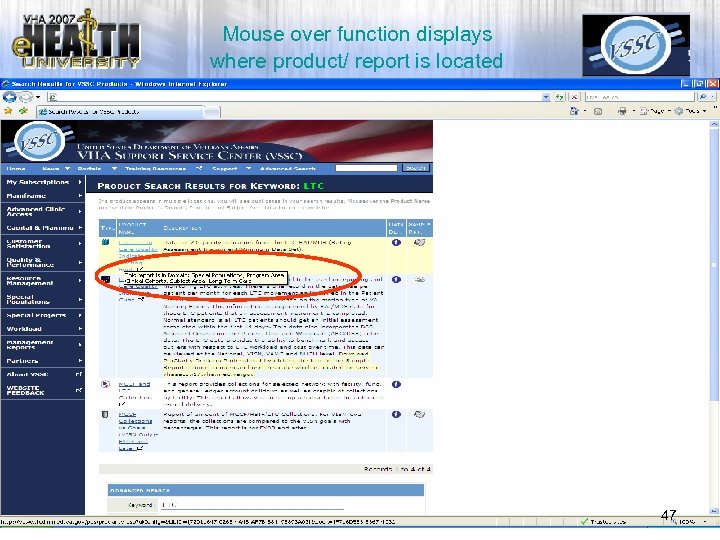 Mouse over function displays where product/ report is located 47
 Pro. Clarity Software Downloads • We recommend for all Data Analysts: – Pro. Clarity Desktop Professional and Business Reporter – Pro. Clarity KPI Designer 48
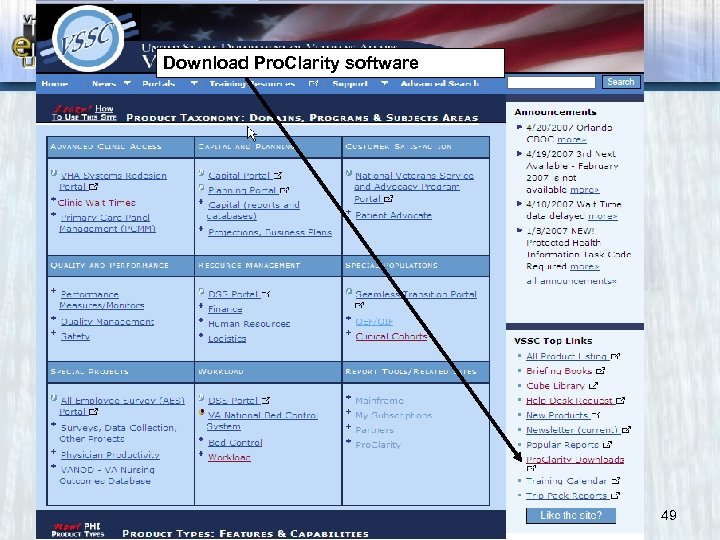 Download Pro. Clarity software 49
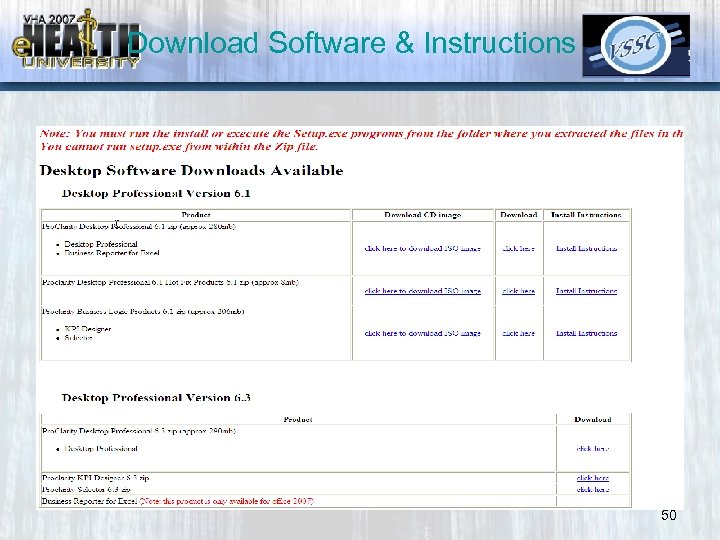 Download Software & Instructions 50
 Discussion What can we do to Enhance our Products to meet Your Needs? Please Complete Evaluation Form 51