


 Скачать презентацию Overview of the g Lite Middleware Security and
c3dc3b3965ad63e822c2dbb9d9c85d03.ppt
- Количество слайдов: 43
 Overview of the g. Lite Middleware, Security and Presentation Title Site Architecture Speaker Muhammad Farhan Sjaugi, UPM Institution farhansj@biruni. upm. my. KLACGRID 2009 Event Name November 2 -14 2009, UM Malaysia 1
 Outline • • • Introduction g. Lite Middleware g. Lite Security Site Architecture: Deployment Considerations BIRUNI Grid Center 2
 Outline • • Introduction g. Lite Middleware g. Lite Security Site Architecture: Deployment Considerations 3
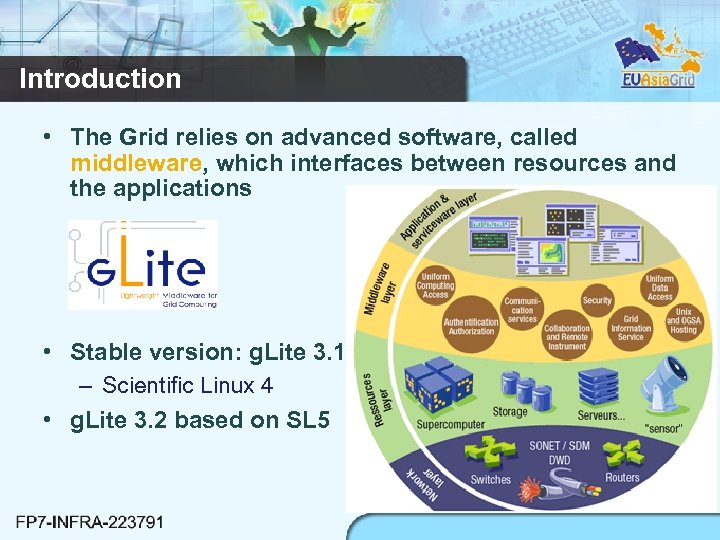 Introduction • The Grid relies on advanced software, called middleware, which interfaces between resources and the applications • Stable version: g. Lite 3. 1 – Scientific Linux 4 • g. Lite 3. 2 based on SL 5 4
 Outline • • Introduction g. Lite Middleware g. Lite Security Site Architecture: Deployment Considerations 5
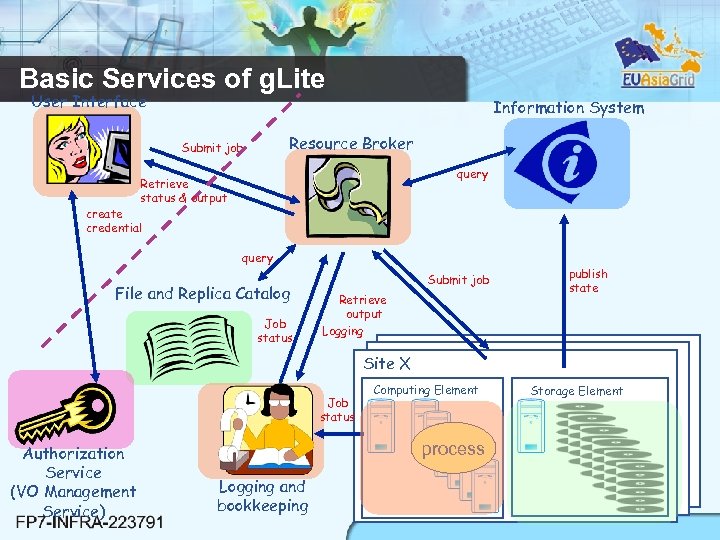 Basic Services of g. Lite User Interface Information System Resource Broker Submit job query Retrieve status & output create credential query File and Replica Catalog Job status Submit job Retrieve output Logging publish state Site X Job status Authorization Service (VO Management Service) Computing Element Storage Element process Logging and bookkeeping 6
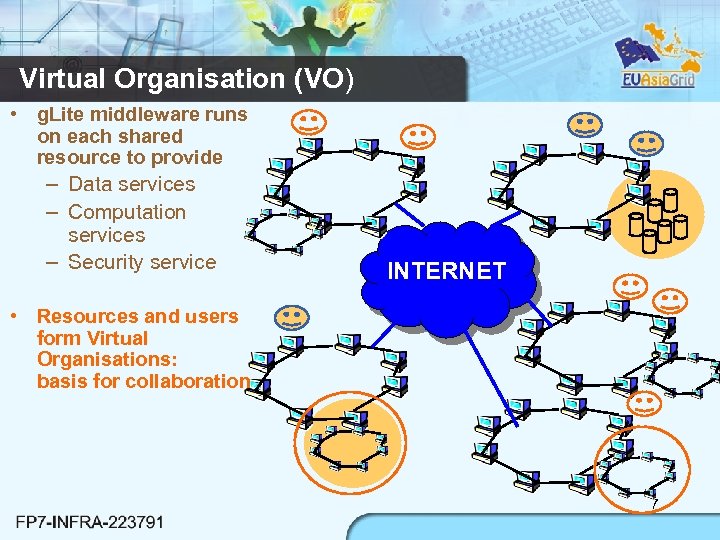 Virtual Organisation (VO) • g. Lite middleware runs on each shared resource to provide – Data services – Computation services – Security service INTERNET • Resources and users form Virtual Organisations: basis for collaboration 7
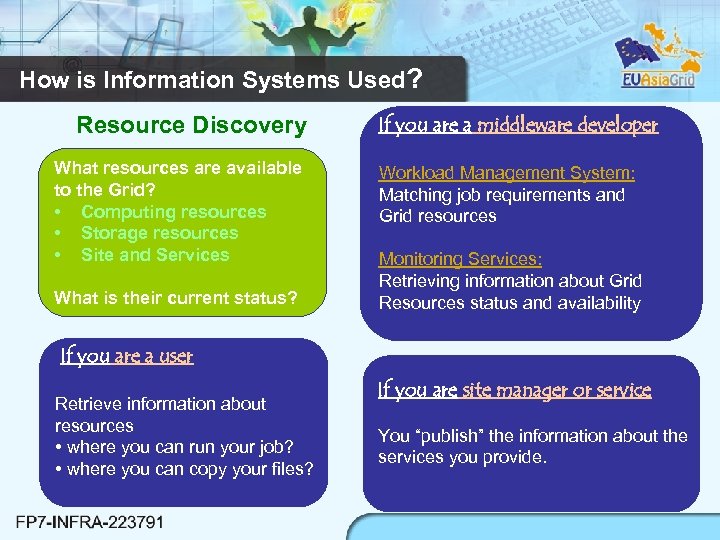 How is Information Systems Used? Resource Discovery What resources are available to the Grid? • Computing resources • Storage resources • Site and Services What is their current status? If you are a middleware developer Workload Management System: Matching job requirements and Grid resources Monitoring Services: Retrieving information about Grid Resources status and availability If you are a user Retrieve information about resources • where you can run your job? • where you can copy your files? If you are site manager or service You “publish” the information about the services you provide. 8
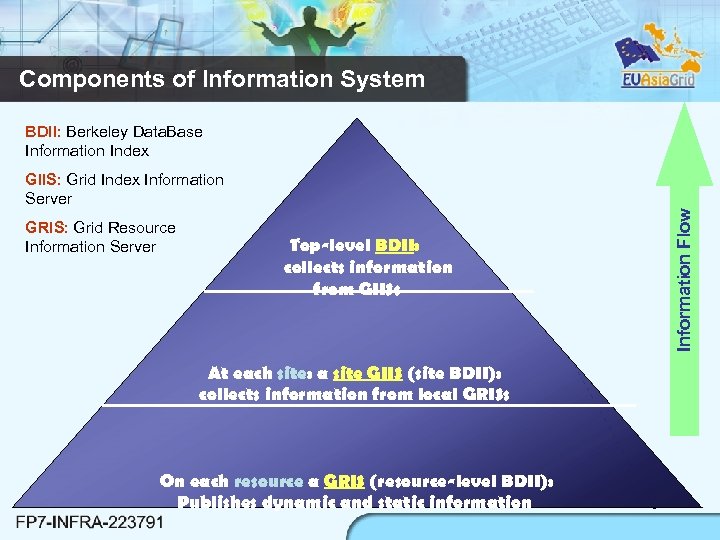 Components of Information System BDII: Berkeley Data. Base Information Index GRIS: Grid Resource Information Server Information Flow GIIS: Grid Index Information Server Top-level BDII: collects information from GIISs At each site: a site GIIS (site BDII): collects information from local GRISs On each resource a GRIS (resource-level BDII): Publishes dynamic and static information 9
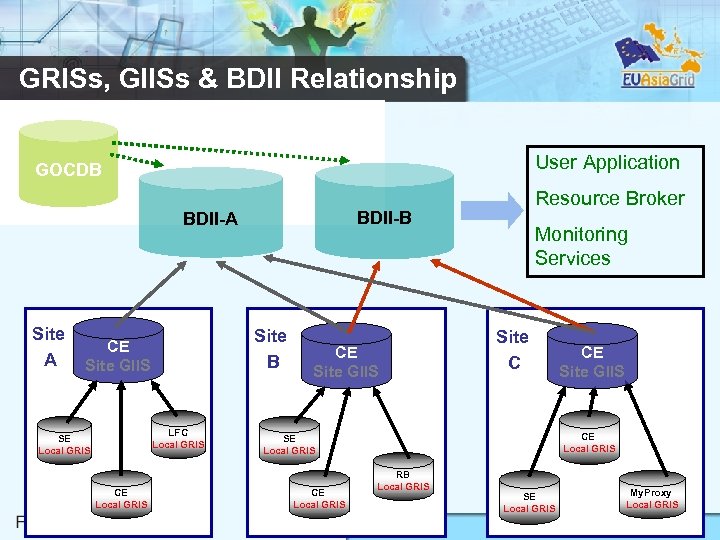 GRISs, GIISs & BDII Relationship User Application GOCDB BDII-A Site B CE Site GIIS LFC Local GRIS SE Local GRIS CE Local GRIS Resource Broker CE Site GIIS Monitoring Services Site C CE Local GRIS SE Local GRIS CE Site GIIS RB Local GRIS SE Local GRIS My. Proxy Local GRIS 10
 Workload Management System • The purpose of the Workload Management System (WMS): - To accept user jobs - To assign them to the most appropriate Computing Element - To record their status - To retrieve their output.
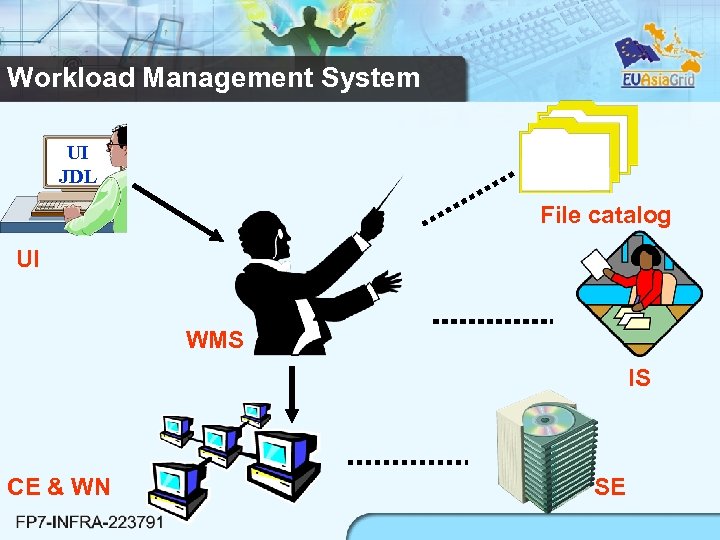 Workload Management System UI JDL File catalog UI WMS IS CE & WN SE
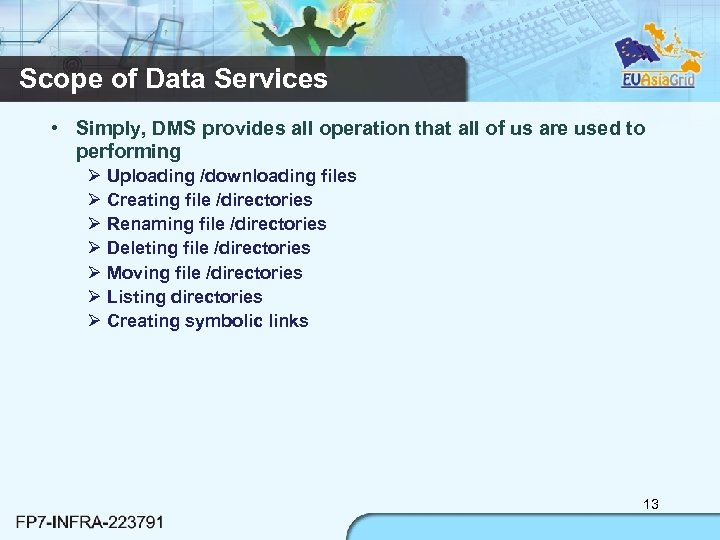 Scope of Data Services • Simply, DMS provides all operation that all of us are used to performing Uploading /downloading files Creating file /directories Renaming file /directories Deleting file /directories Moving file /directories Listing directories Creating symbolic links 13
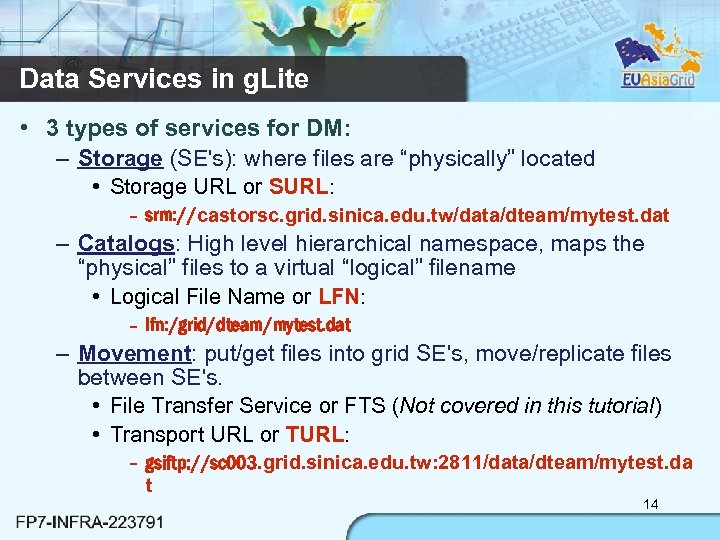 Data Services in g. Lite • 3 types of services for DM: – Storage (SE's): where files are “physically” located • Storage URL or SURL: – srm: //castorsc. grid. sinica. edu. tw/data/dteam/mytest. dat – Catalogs: High level hierarchical namespace, maps the “physical” files to a virtual “logical” filename • Logical File Name or LFN: – lfn: /grid/dteam/mytest. dat – Movement: put/get files into grid SE's, move/replicate files between SE's. • File Transfer Service or FTS (Not covered in this tutorial) • Transport URL or TURL: – gsiftp: //sc 003. grid. sinica. edu. tw: 2811/data/dteam/mytest. da t 14
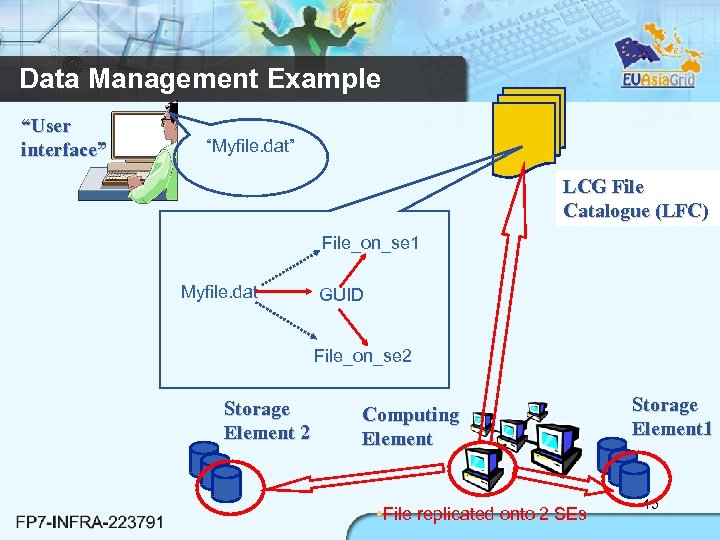 Data Management Example “User interface” “Myfile. dat” LCG File Catalogue (LFC) File_on_se 1 Myfile. dat GUID File_on_se 2 Storage Element 2 Computing Element • File replicated onto 2 SEs Storage Element 1 15
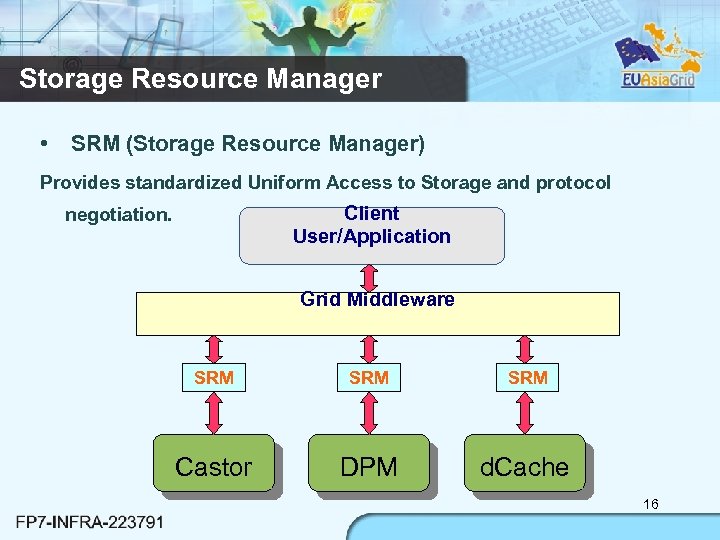 Storage Resource Manager • SRM (Storage Resource Manager) Provides standardized Uniform Access to Storage and protocol Client User/Application negotiation. Grid Middleware SRM SRM Castor DPM d. Cache 16
 Outline • • Introduction g. Lite Middleware g. Lite Security Site Architecture: Deployment Considerations 17
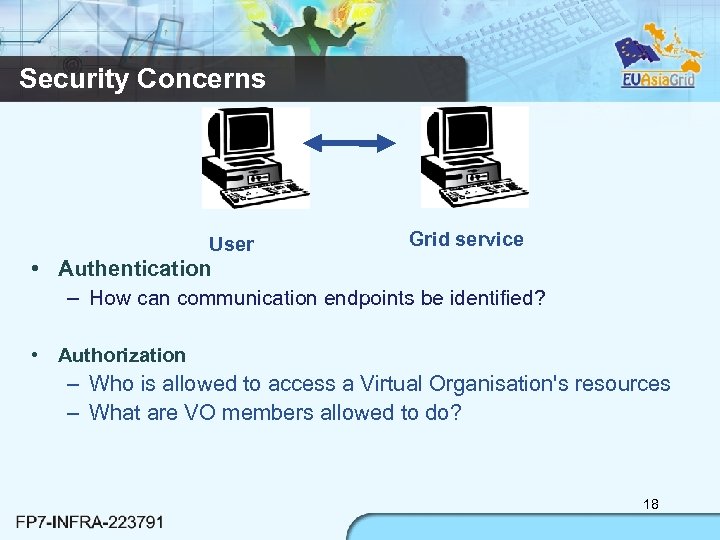 Security Concerns User Grid service • Authentication – How can communication endpoints be identified? • Authorization – Who is allowed to access a Virtual Organisation's resources – What are VO members allowed to do? 18
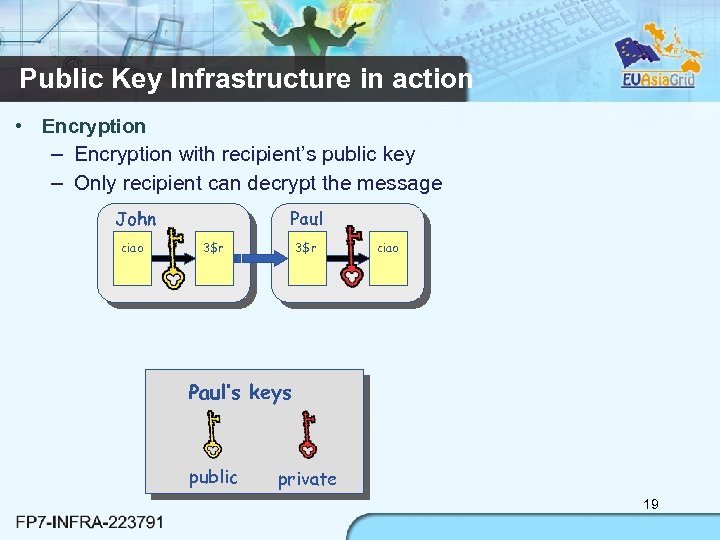 Public Key Infrastructure in action • Encryption – Encryption with recipient’s public key – Only recipient can decrypt the message John ciao Paul 3$r ciao Paul’s keys public private 19
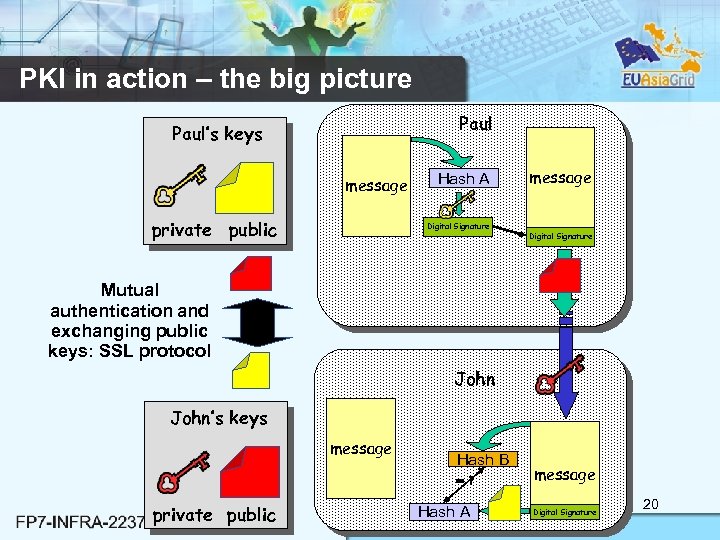 PKI in action – the big picture Paul’s keys message private public Hash A Digital Signature message Digital Signature Mutual authentication and exchanging public keys: SSL protocol John’s keys message Hash B =? private public Hash A message Digital Signature 20
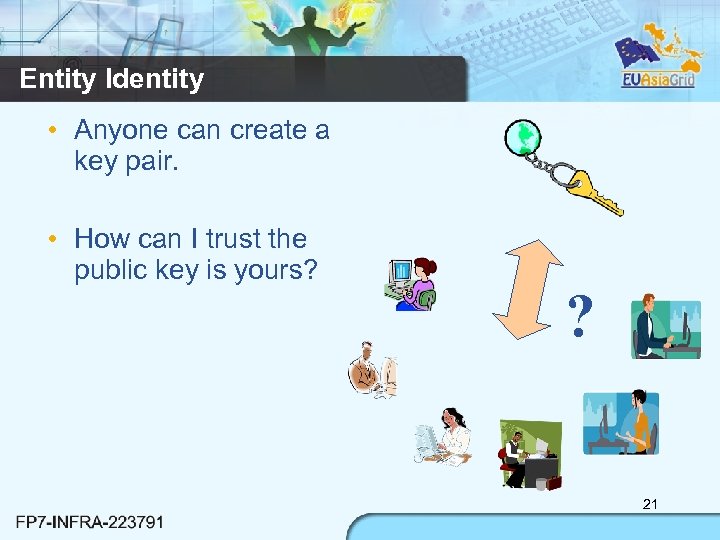 Entity Identity • Anyone can create a key pair. • How can I trust the public key is yours? ? 21
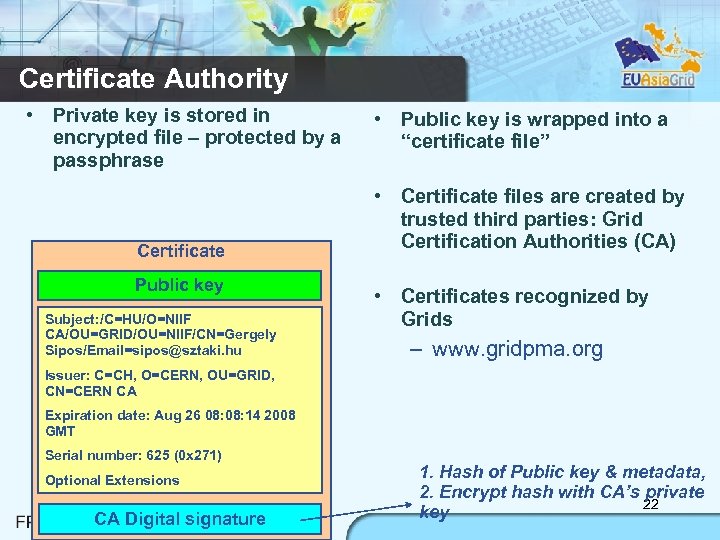 Certificate Authority • Private key is stored in encrypted file – protected by a passphrase Certificate Public key Subject: /C=HU/O=NIIF CA/OU=GRID/OU=NIIF/CN=Gergely Sipos/Email=sipos@sztaki. hu • Public key is wrapped into a “certificate file” • Certificate files are created by trusted third parties: Grid Certification Authorities (CA) • Certificates recognized by Grids – www. gridpma. org Issuer: C=CH, O=CERN, OU=GRID, CN=CERN CA Expiration date: Aug 26 08: 14 2008 GMT Serial number: 625 (0 x 271) Optional Extensions CA Digital signature 1. Hash of Public key & metadata, 2. Encrypt hash with CA’s private 22 key
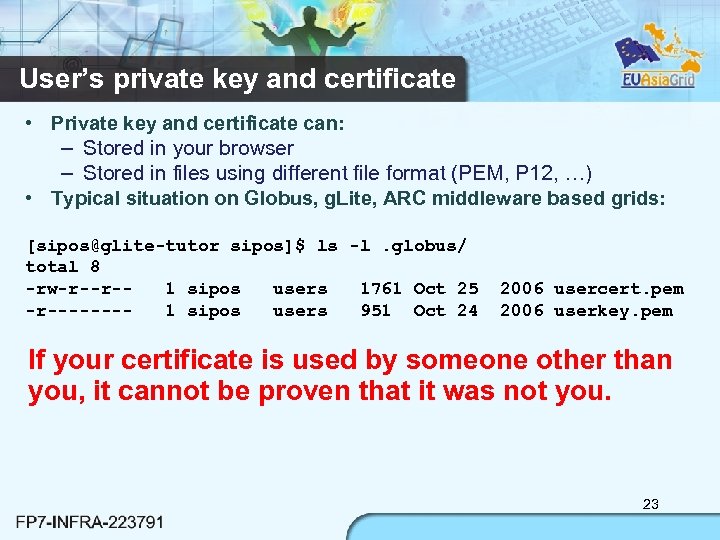 User’s private key and certificate • Private key and certificate can: – Stored in your browser – Stored in files using different file format (PEM, P 12, …) • Typical situation on Globus, g. Lite, ARC middleware based grids: [sipos@glite-tutor sipos]$ ls -l. globus/ total 8 -rw-r--r-1 sipos users 1761 Oct 25 -r-------1 sipos users 951 Oct 24 2006 usercert. pem 2006 userkey. pem If your certificate is used by someone other than you, it cannot be proven that it was not you. 23
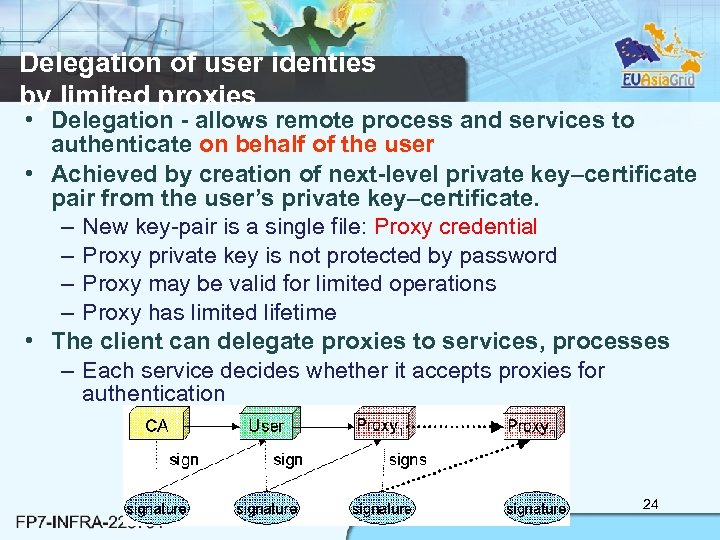 Delegation of user identies by limited proxies • Delegation - allows remote process and services to authenticate on behalf of the user • Achieved by creation of next-level private key–certificate pair from the user’s private key–certificate. – New key-pair is a single file: Proxy credential – Proxy private key is not protected by password – Proxy may be valid for limited operations – Proxy has limited lifetime • The client can delegate proxies to services, processes – Each service decides whether it accepts proxies for authentication 24
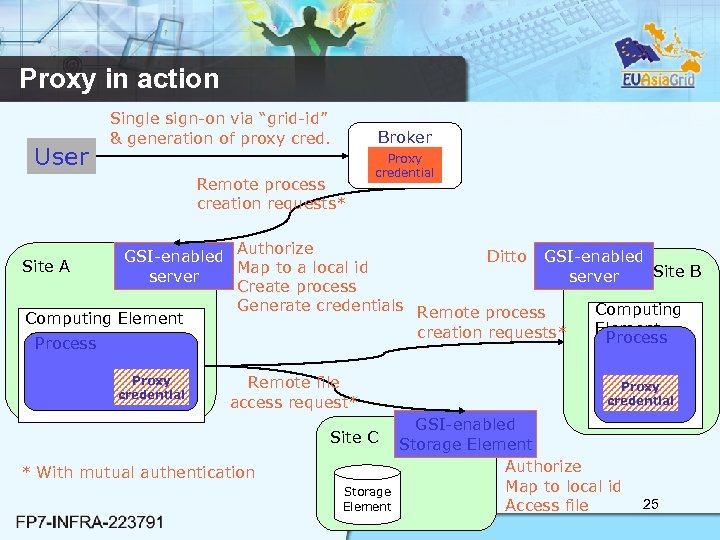 Proxy in action User Single sign-on via “grid-id” & generation of proxy cred. Broker Remote process creation requests* Proxy credential Authorize Ditto GSI-enabled Site A Map to a local id Site B server Create process Generate credentials Remote process Computing Element creation requests* Process Proxy credential Remote file access request* Site C * With mutual authentication Storage Element Proxy credential GSI-enabled Storage Element Authorize Map to local id Access file 25
![Logging into the Grid: Creating a proxy credential [sipos@glite-tutor sipos]$ voms-proxy-init --voms gilda Enter](https://present5.com/presentation/c3dc3b3965ad63e822c2dbb9d9c85d03/image-26.jpg "Logging into the Grid: Creating a proxy credential [sipos@glite-tutor sipos]$ voms-proxy-init --voms gilda Enter") Logging into the Grid: Creating a proxy credential [sipos@glite-tutor sipos]$ voms-proxy-init --voms gilda Enter GRID pass phrase: ****** Your identity: /C=HU/O=NIIF CA/OU=GRID/OU=NIIF/CN=Gergely Sipos/Email=sipos@sztaki. hu Creating temporary proxy. . . . Done Contacting voms. ct. infn. it: 15001 [/C=IT/O=INFN/OU=Host/L=Catania/CN=voms. ct. infn. it] "gilda" Done Creating proxy. . . . Done Your proxy is valid until Sat Jun 23 04: 55: 19 2007 % voms-proxy-init login to the Grid Enter PEM pass phrase: ****** private key is protected by a password – Options for voms-proxy-init: • VO name • -hours
Logging into the Grid: Creating a proxy credential [sipos@glite-tutor sipos]$ voms-proxy-init --voms gilda Enter GRID pass phrase: ****** Your identity: /C=HU/O=NIIF CA/OU=GRID/OU=NIIF/CN=Gergely Sipos/Email=sipos@sztaki. hu Creating temporary proxy. . . . Done Contacting voms. ct. infn. it: 15001 [/C=IT/O=INFN/OU=Host/L=Catania/CN=voms. ct. infn. it] "gilda" Done Creating proxy. . . . Done Your proxy is valid until Sat Jun 23 04: 55: 19 2007 % voms-proxy-init login to the Grid Enter PEM pass phrase: ****** private key is protected by a password – Options for voms-proxy-init: • VO name • -hours
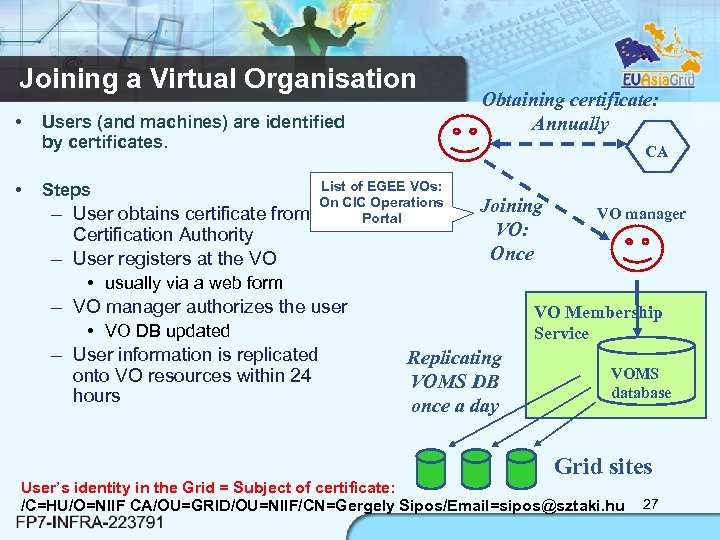 Joining a Virtual Organisation • • Users (and machines) are identified by certificates. Steps – User obtains certificate from Certification Authority – User registers at the VO CA List of EGEE VOs: On CIC Operations Portal • usually via a web form – VO manager authorizes the user • VO DB updated – User information is replicated onto VO resources within 24 hours Obtaining certificate: Annually Joining VO: Once VO manager VO Membership Service Replicating VOMS DB once a day VOMS database Grid sites User’s identity in the Grid = Subject of certificate: /C=HU/O=NIIF CA/OU=GRID/OU=NIIF/CN=Gergely Sipos/Email=sipos@sztaki. hu 27
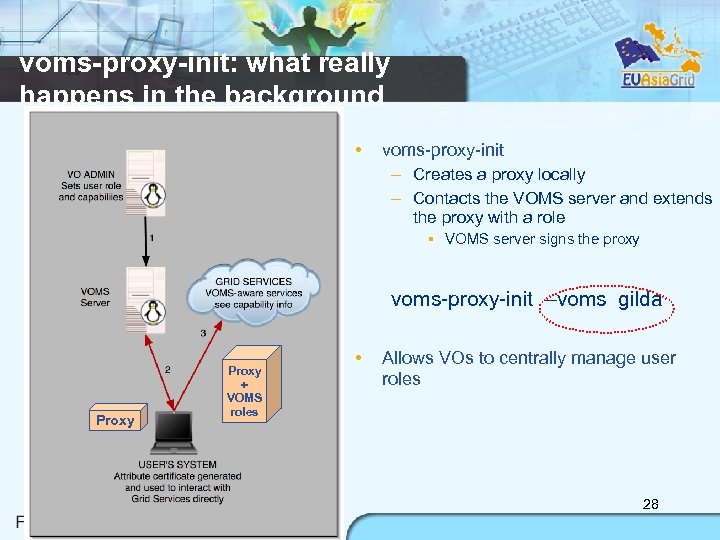 voms-proxy-init: what really happens in the background • voms-proxy-init – Creates a proxy locally – Contacts the VOMS server and extends the proxy with a role VOMS server signs the proxy voms-proxy-init –voms gilda Proxy + VOMS roles • Allows VOs to centrally manage user roles 28
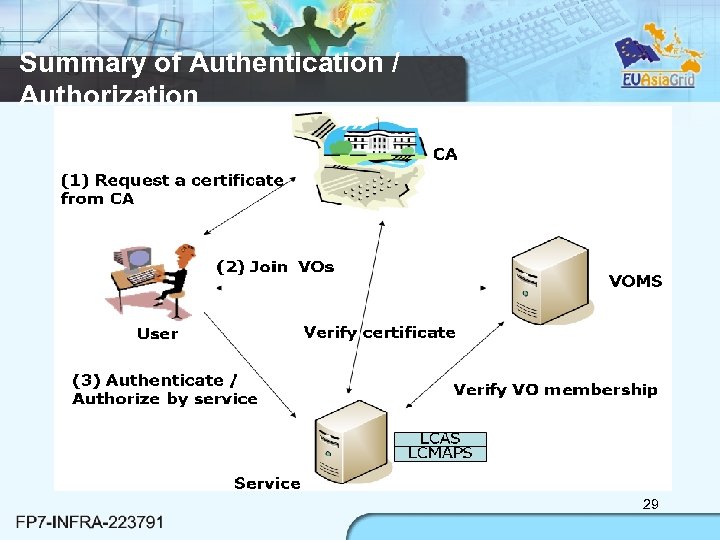 Summary of Authentication / Authorization 29
 Outline • • Introduction g. Lite Middleware g. Lite Security Site Architecture: Deployment Considerations 30
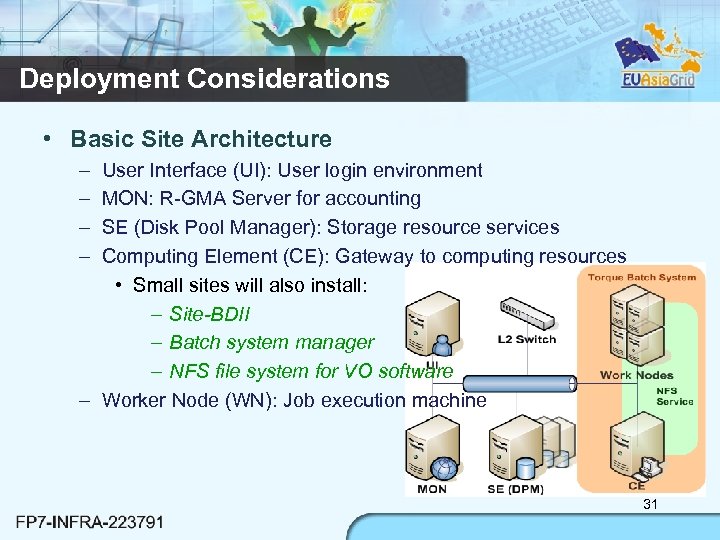 Deployment Considerations • Basic Site Architecture – – User Interface (UI): User login environment MON: R-GMA Server for accounting SE (Disk Pool Manager): Storage resource services Computing Element (CE): Gateway to computing resources • Small sites will also install: – Site-BDII – Batch system manager – NFS file system for VO software – Worker Node (WN): Job execution machine 31
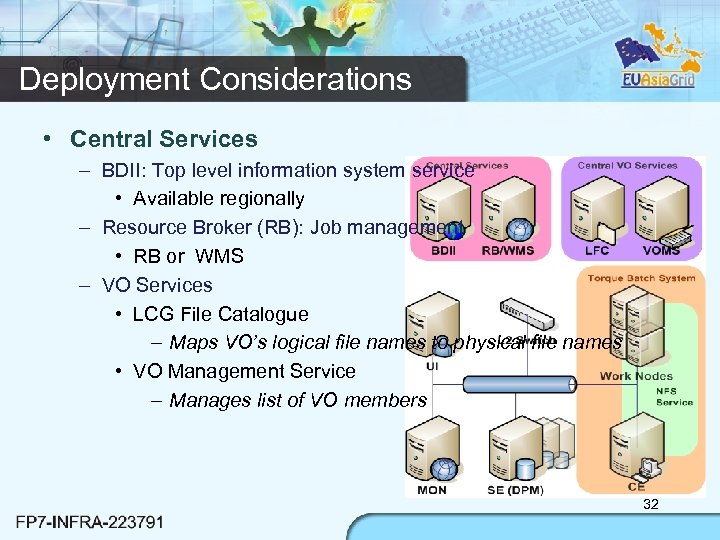 Deployment Considerations • Central Services – BDII: Top level information system service • Available regionally – Resource Broker (RB): Job management • RB or WMS – VO Services • LCG File Catalogue – Maps VO’s logical file names to physical file names • VO Management Service – Manages list of VO members 32
 Network Considerations • Grid Services – Public IP Required by each Grid service – Forward and reverse DNS configuration • Worker Node – Public IP for parallel stream file transfer – Private IP is possible • Single stream transfer for WNs to SE • Storage Elements – Bandwidth to and from Worker Nodes – Bandwidth to WAN Network • Firewall requirements – https: //twiki. cern. ch/twiki/bin/view/LCGPort. Table 33
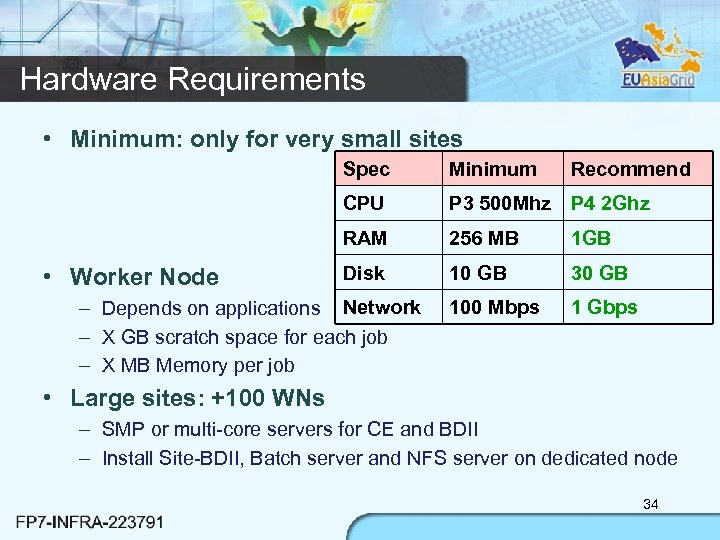 Hardware Requirements • Minimum: only for very small sites Spec CPU P 3 500 Mhz P 4 2 Ghz RAM • Worker Node Minimum 256 MB 1 GB Disk 10 GB 30 GB 100 Mbps 1 Gbps – Depends on applications Network – X GB scratch space for each job – X MB Memory per job Recommend • Large sites: +100 WNs – SMP or multi-core servers for CE and BDII – Install Site-BDII, Batch server and NFS server on dedicated node 34
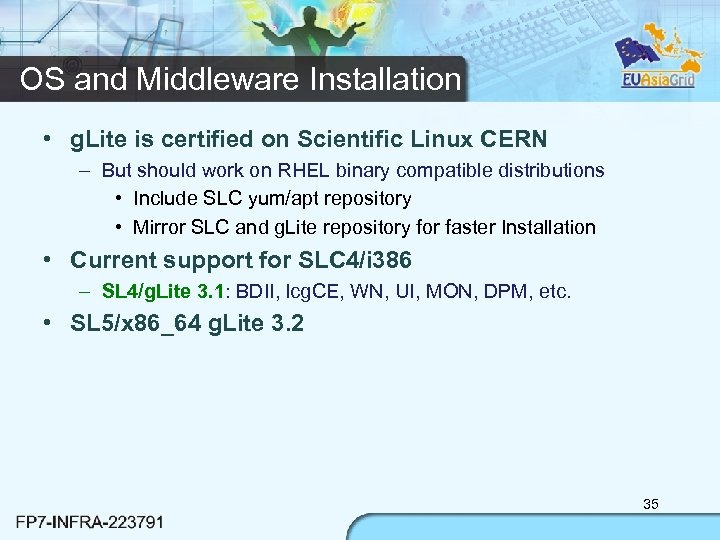 OS and Middleware Installation • g. Lite is certified on Scientific Linux CERN – But should work on RHEL binary compatible distributions • Include SLC yum/apt repository • Mirror SLC and g. Lite repository for faster Installation • Current support for SLC 4/i 386 – SL 4/g. Lite 3. 1: BDII, lcg. CE, WN, UI, MON, DPM, etc. • SL 5/x 86_64 g. Lite 3. 2 35
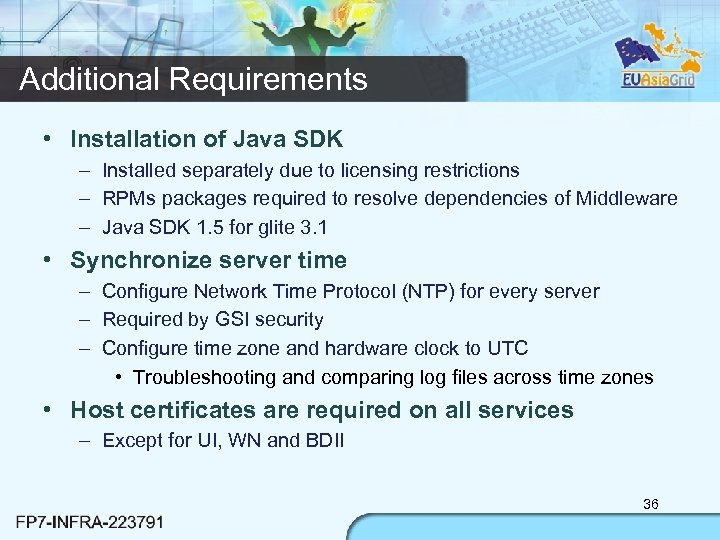 Additional Requirements • Installation of Java SDK – Installed separately due to licensing restrictions – RPMs packages required to resolve dependencies of Middleware – Java SDK 1. 5 for glite 3. 1 • Synchronize server time – Configure Network Time Protocol (NTP) for every server – Required by GSI security – Configure time zone and hardware clock to UTC • Troubleshooting and comparing log files across time zones • Host certificates are required on all services – Except for UI, WN and BDII 36
 37
37
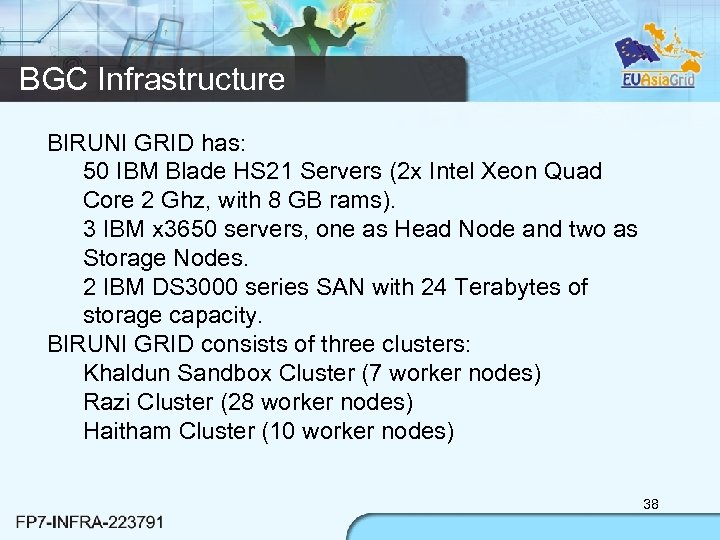 BGC Infrastructure BIRUNI GRID has: 50 IBM Blade HS 21 Servers (2 x Intel Xeon Quad Core 2 Ghz, with 8 GB rams). 3 IBM x 3650 servers, one as Head Node and two as Storage Nodes. 2 IBM DS 3000 series SAN with 24 Terabytes of storage capacity. BIRUNI GRID consists of three clusters: Khaldun Sandbox Cluster (7 worker nodes) Razi Cluster (28 worker nodes) Haitham Cluster (10 worker nodes) 38
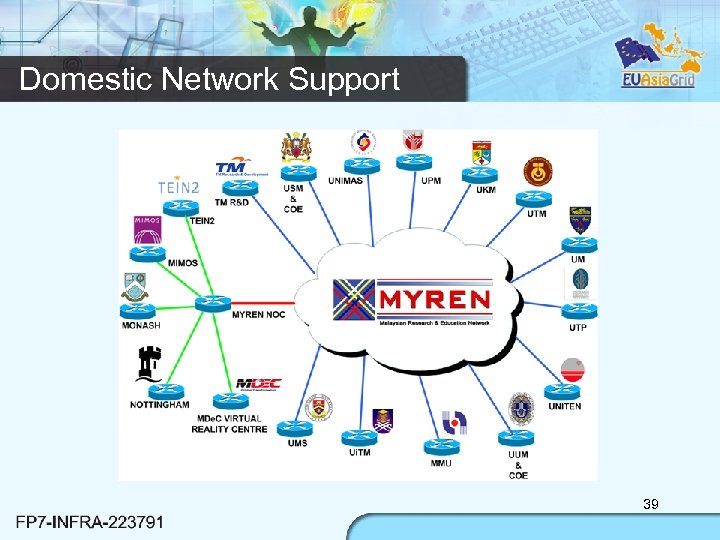 Domestic Network Support 39
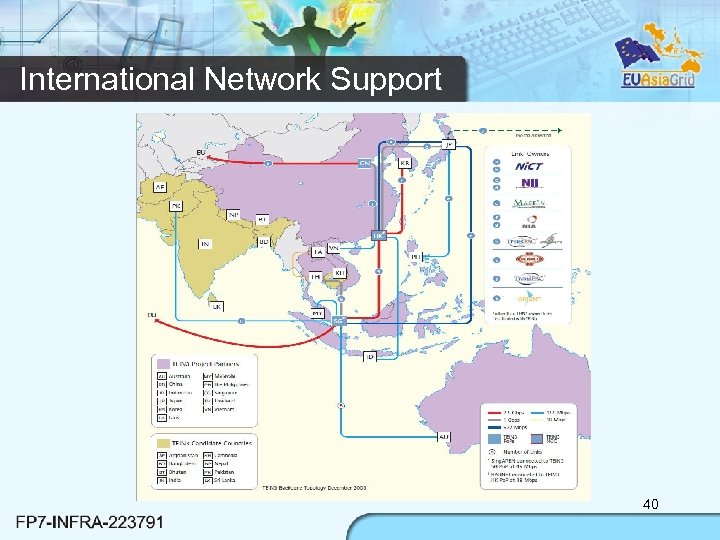 International Network Support 40
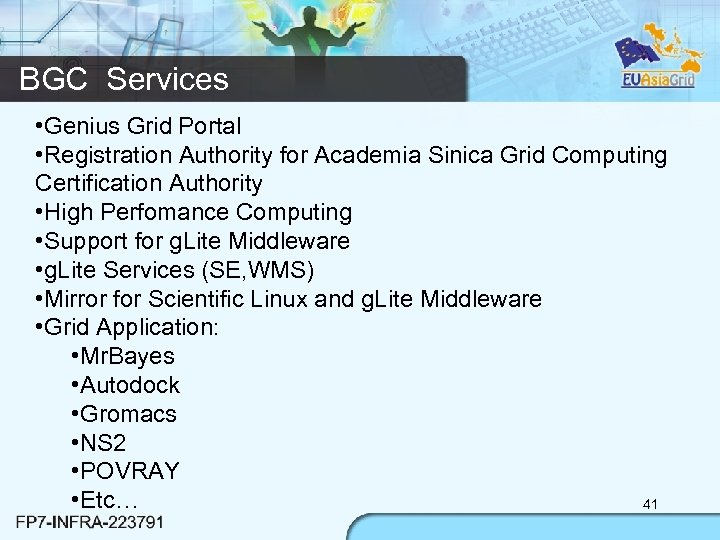 BGC Services • Genius Grid Portal • Registration Authority for Academia Sinica Grid Computing Certification Authority • High Perfomance Computing • Support for g. Lite Middleware • g. Lite Services (SE, WMS) • Mirror for Scientific Linux and g. Lite Middleware • Grid Application: • Mr. Bayes • Autodock • Gromacs • NS 2 • POVRAY • Etc… 41
 Summary • EGEE is running the largest multi-VO grid in the world! – For both industry and science – EGEE III – transition to long term sustainability • EGEE’s middleware consist of: – Information system – Workload management system – Data management system • g. Lite Security – Authentication depends on: • x 509 certificates and Public Key Infrastructure – Authorization 42
 Questions ? 43