


 Скачать презентацию Overview of Grid Computing J Charles Kesler MCNC
0cc5716cf5067e48bf13a2f771590130.ppt
- Количество слайдов: 61
 Overview of Grid Computing J. Charles Kesler MCNC April 2003 1
 Overview v Introduction: Why Grids? v Applications for Grids v Basic Grid Architecture v Grid Platforms n n Market Segments Examples: Globus, OGSA, AVAKI v Building a Grid n n n Project Manager’s View System Administrator’s View Example: The North Carolina Bio. Grid Project v Grid Reference Resources April 2003 2
 Why Grids? From the Viewpoint of Research Computing v Researchers are buying clusters n n A cluster for every researcher in many cases Of course, a cluster comes with a non-trivial amount of storage v Computational power is like commodity Internet bandwidth – all readily available capacity will be consumed n But, there is a lot of capacity sitting idle in these cluster islands across organizations v Maintenance of clusters is often done inefficiently n April 2003 …by someone who would prefer to be doing something other than systems administration 3
 Current State of Research Computing v Researchers are asking IT to… n n n Host and/or administer compute clusters Host applications and datasets Provide update and backup utilities for datasets Optimize and/or port applications Provide a front end for simplified access to resources Provide tools for workflow automation v That is, IT could benefit from a "utility computing" model to deliver services to researchers April 2003 4
 Collaboration in the Research Community v Researchers at multiple universities are often working together on the same grants, so they need to share: n n Hardware resources Applications Data sets Results v This sharing has to happen across multiple, mutually distrustful administrative domains v The buzzword: Virtual Organization (“VO”) April 2003 5
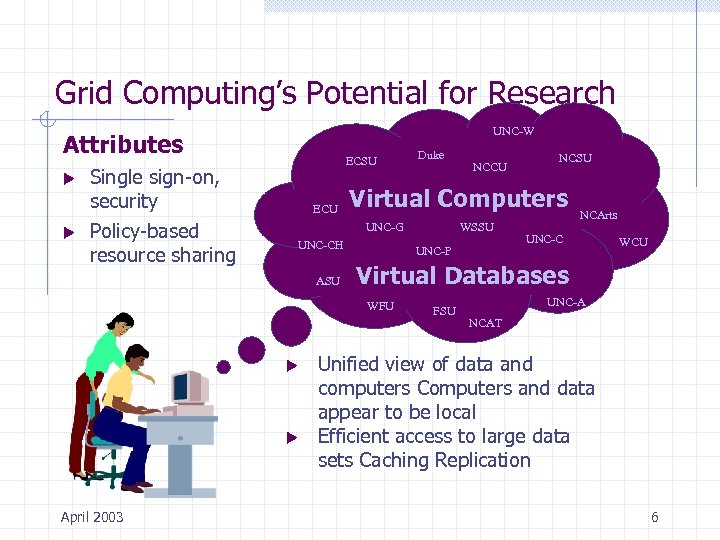 Grid Computing’s Potential for Research UNC-W Attributes u u Single sign-on, security Policy-based resource sharing ECSU ECU UNC-CH u WSSU UNC-P NCSU NCArts UNC-C WCU Virtual Databases WFU u NCCU Virtual Computers UNC-G ASU April 2003 Duke FSU UNC-A NCAT Unified view of data and computers Computers and data appear to be local Efficient access to large data sets Caching Replication 6
 Grids According to the Experts “Flexible, secure, coordinated resource sharing among dynamic collections of individuals, institutions, and resources. ” From The Anatomy of the Grid by Foster, Kesselman and Tuecke “A grid is all about gathering together resources and making them accessible to users and applications. ” Dr. Andrew Grimshaw, CTO Avaki April 2003 7
 Grids Are By Definition Heterogeneous v It’s about legacy resources, infrastructure, applications, policies, and procedures v The grid and its administrators must integrate in stealth mode…with n n n April 2003 Firewalls Filesystems Queuing systems Grumpy systems administrators Tried and true applications 8
 What It Means To… v The end user: n n Can transparently access resources in multiple VO’s Can more easily collaborate with other researchers v The IT administrator: n n Has a secure framework for implementing distributed resource sharing Local resource administrators can control access to their resources v The manager: n n April 2003 Sees better utilization of capital resources Has a tool that helps break down organizational barriers 9
 Challenges in Grid Computing v Reliable performance v Trust relationships between multiple security domains v Deployment and maintenance of grid middleware across hundreds or thousands of nodes v Access to data across WAN’s v Access to state information of remote processes v Workflow / dependency management v Distributed software and license management v Accounting and billing April 2003 10
 Overview v Introduction: Why Grids? v Applications for Grids v Basic Grid Architecture v Grid Platforms n n Market Segments Examples: Globus, OGSA, AVAKI v Building a Grid n n n Project Manager’s View System Administrator’s View Example: The North Carolina Bio. Grid Project v Grid Reference Resources April 2003 11
 Applications for a Grid v Generally, apps that work well on clusters can work well on grids v Non-interactive / batch jobs v Parallel computations with minimal interprocess communication and workflow dependencies v Reasonable data transfer requirements v Sensible economics April 2003 12
 Non-Interactive / Batch Jobs v Difficult to get a real-time UI for jobs running on the grid n A possible interactive application: spreadsheet computation v Want to take advantage of off-peak free cycles n n Jobs run for several days, weeks or months The user might prefer to be sleeping while the job runs! v Running processes might need to be interrupted or re -prioritized based on the current load on a grid compute engine n April 2003 Idle thread / “screensaver” computing 13
 Parallel Computations v Application needs to be able to run as multiple, mostly independent pieces v Good Example: Parameter space study n n n April 2003 Thousands++ of input files Processed independently by the same application Output file generated for each run (corresponding to an input file) Analysis of the results reported in the output files to find the optimal solution Need to build workflow management and results analysis tools around the grid-based components 14
 Minimal Interprocess Communications and Dependencies v Can’t depend on the network’s Qo. S v Can’t rely upon the order of execution and completion v Apps that need these things are better suited for tightly coupled compute platforms (e. g. SMP systems) v Grid can still be useful as a meta-scheduler and data source for such apps n April 2003 e. g. the user submits the job to the grid queue and asks for the best available SMP resource 15
 Reasonable Data Transfer Requirements v It is usually necessary to “stage” files and executables as part of running a grid job n n Data transfer time should be small relative to each component job’s run time Solution: Caching and replication -- but these are not perfect and can be non-trivial to implement v Another solution: schedule the job where the data is (instead of bringing the data to the job) n n April 2003 Might be required if the data is only licensed for some nodes But, if instead the application is only licensed to run on particular nodes, then the data has to be brought to where the application is 16
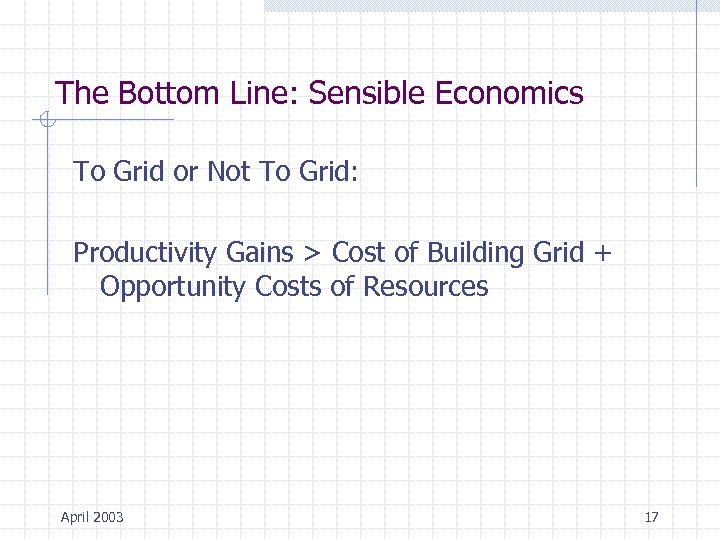 The Bottom Line: Sensible Economics To Grid or Not To Grid: Productivity Gains > Cost of Building Grid + Opportunity Costs of Resources April 2003 17
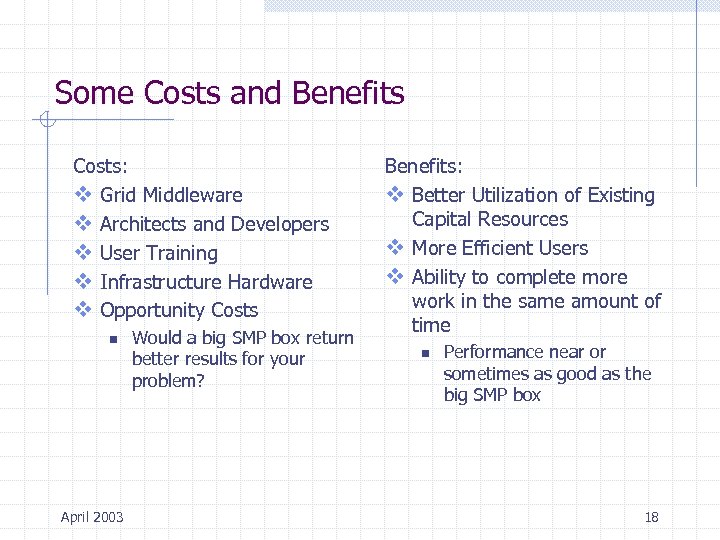 Some Costs and Benefits Costs: v Grid Middleware v Architects and Developers v User Training v Infrastructure Hardware v Opportunity Costs n April 2003 Would a big SMP box return better results for your problem? Benefits: v Better Utilization of Existing Capital Resources v More Efficient Users v Ability to complete more work in the same amount of time n Performance near or sometimes as good as the big SMP box 18
 Overview v Introduction: Why Grids? v Applications for Grids v Basic Grid Architecture v Grid Platforms n n Market Segments Examples: Globus, OGSA, AVAKI v Building a Grid n n n Project Manager’s View System Administrator’s View Example: The North Carolina Bio. Grid Project v Grid Reference Resources April 2003 19
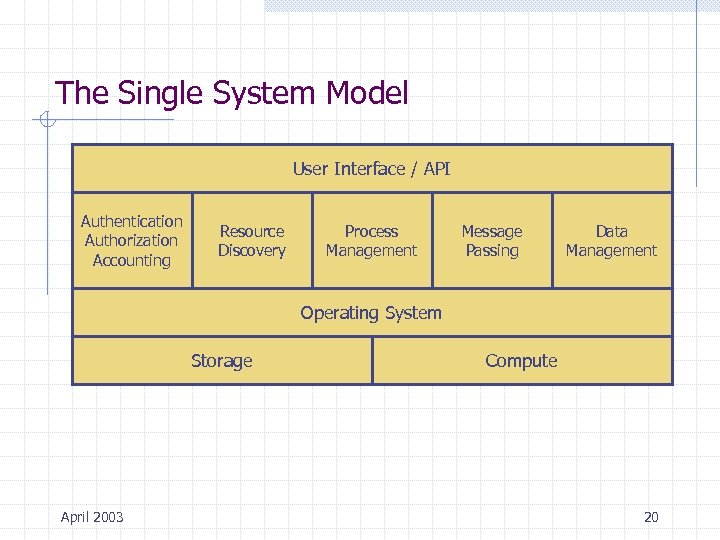 The Single System Model User Interface / API Authentication Authorization Accounting Resource Discovery Process Management Message Passing Data Management Operating System Storage April 2003 Compute 20
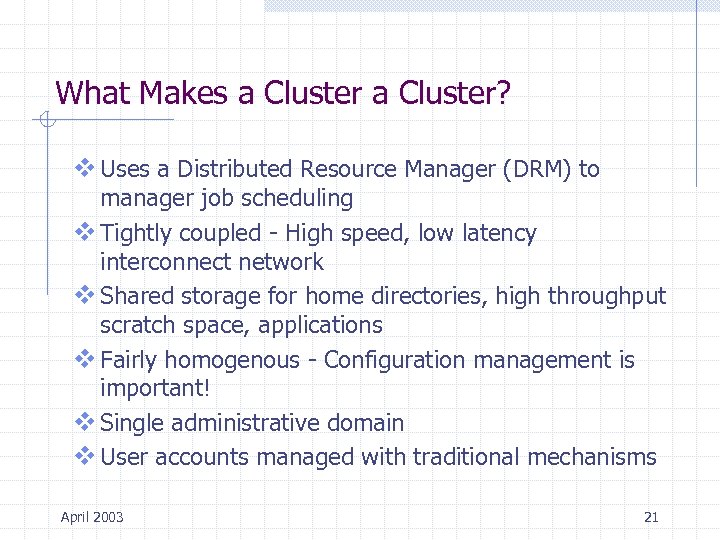 What Makes a Cluster? v Uses a Distributed Resource Manager (DRM) to manager job scheduling v Tightly coupled - High speed, low latency interconnect network v Shared storage for home directories, high throughput scratch space, applications v Fairly homogenous - Configuration management is important! v Single administrative domain v User accounts managed with traditional mechanisms April 2003 21
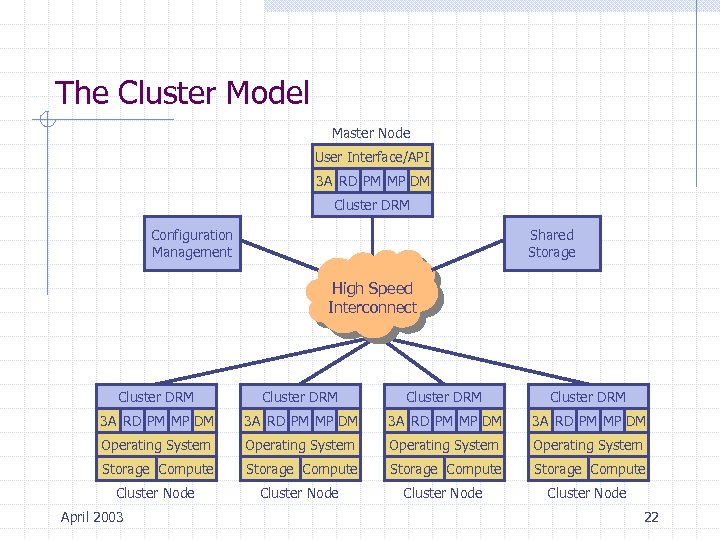 The Cluster Model Master Node User Interface/API 3 A RD PM MP DM Cluster DRM Configuration Management Shared Storage High Speed Interconnect Cluster DRM 3 A RD PM MP DM Operating System Storage Compute Cluster Node April 2003 22
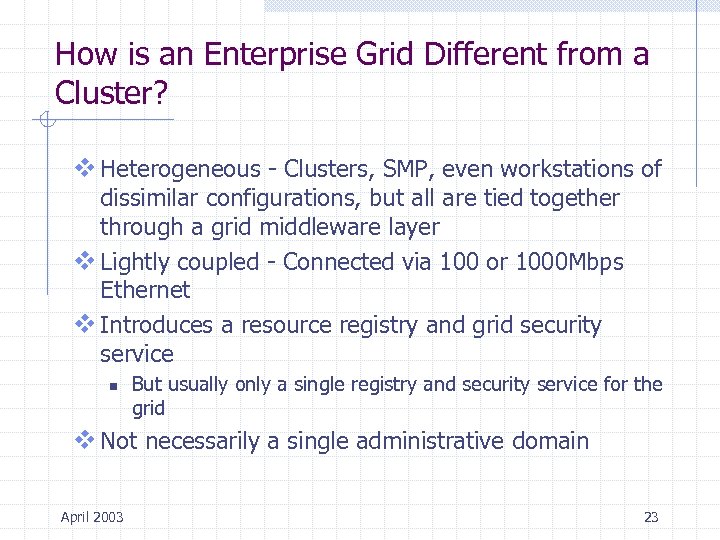 How is an Enterprise Grid Different from a Cluster? v Heterogeneous - Clusters, SMP, even workstations of dissimilar configurations, but all are tied together through a grid middleware layer v Lightly coupled - Connected via 100 or 1000 Mbps Ethernet v Introduces a resource registry and grid security service n But usually only a single registry and security service for the grid v Not necessarily a single administrative domain April 2003 23
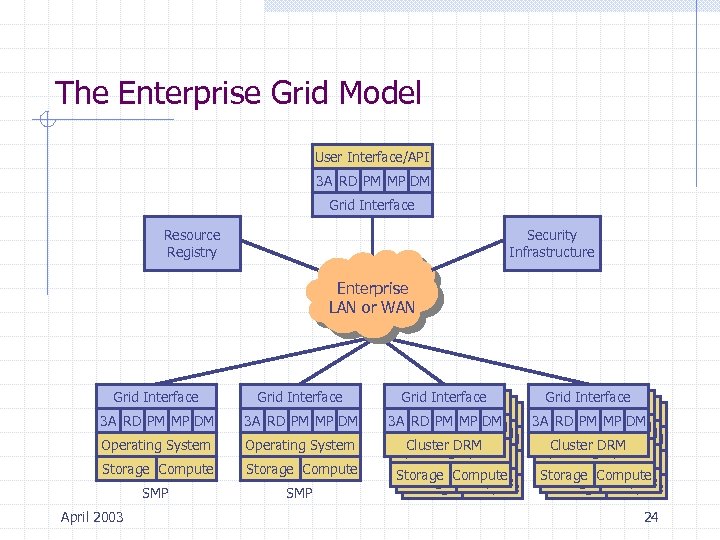 The Enterprise Grid Model User Interface/API 3 A RD PM MP DM Grid Interface Resource Registry Security Infrastructure Enterprise LAN or WAN Grid Interface 3 A RD PM MP DM Operating System Storage Compute SMP April 2003 Grid Interface Cluster Interface 3 A Cluster Interface RD PM MP DM AA RD PM MP DM AA RD PM MP DM RD Cluster DRM Cluster PM MP DM Operating System Operating. DRM Operating System Operating. System Storage Compute Storage Compute 24
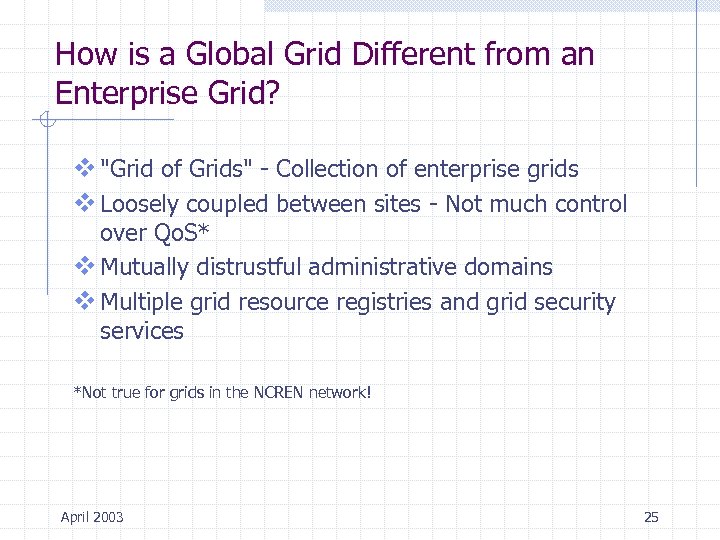 How is a Global Grid Different from an Enterprise Grid? v "Grid of Grids" - Collection of enterprise grids v Loosely coupled between sites - Not much control over Qo. S* v Mutually distrustful administrative domains v Multiple grid resource registries and grid security services *Not true for grids in the NCREN network! April 2003 25
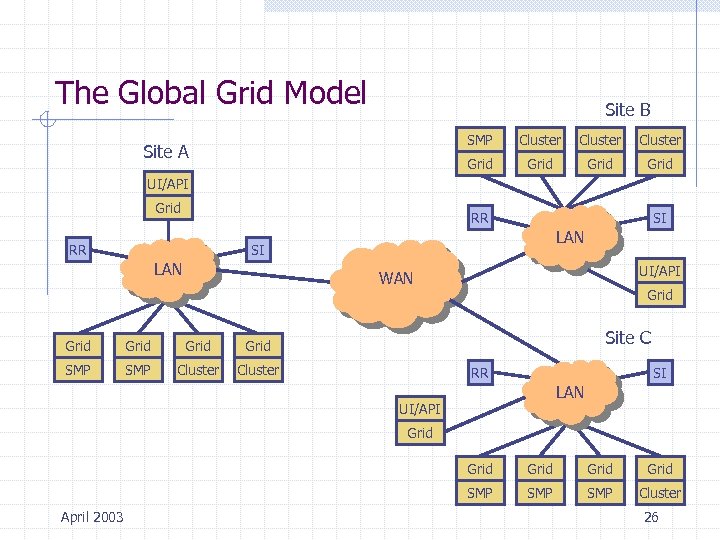 The Global Grid Model Site B SMP Cluster Grid Site A Grid UI/API Grid RR RR SI LAN UI/API WAN Grid SMP Cluster Site C Grid SMP Grid Cluster RR SI LAN UI/API Grid SMP April 2003 Grid SMP Cluster 26
 Overview v Introduction: Why Grids? v Applications for Grids v Basic Grid Architecture v Grid Platforms n n Market Segments Examples: Globus, OGSA, AVAKI v Building a Grid n n n Project Manager’s View System Administrator’s View Example: The North Carolina Bio. Grid Project v Grid Reference Resources April 2003 27
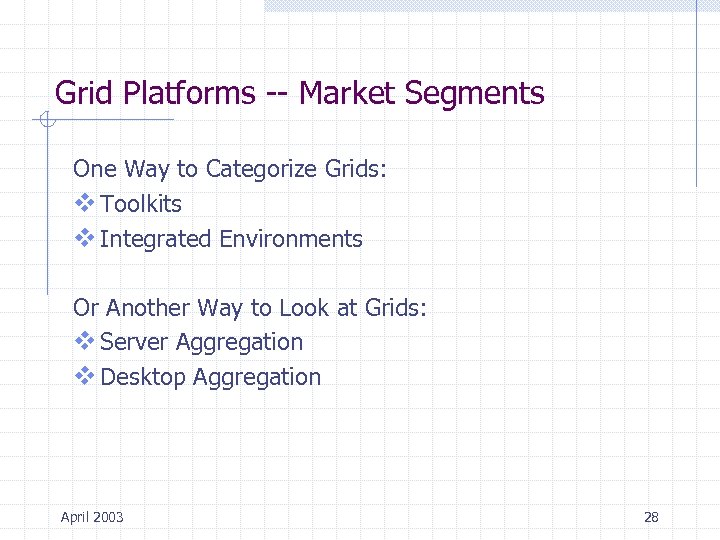 Grid Platforms -- Market Segments One Way to Categorize Grids: v Toolkits v Integrated Environments Or Another Way to Look at Grids: v Server Aggregation v Desktop Aggregation April 2003 28
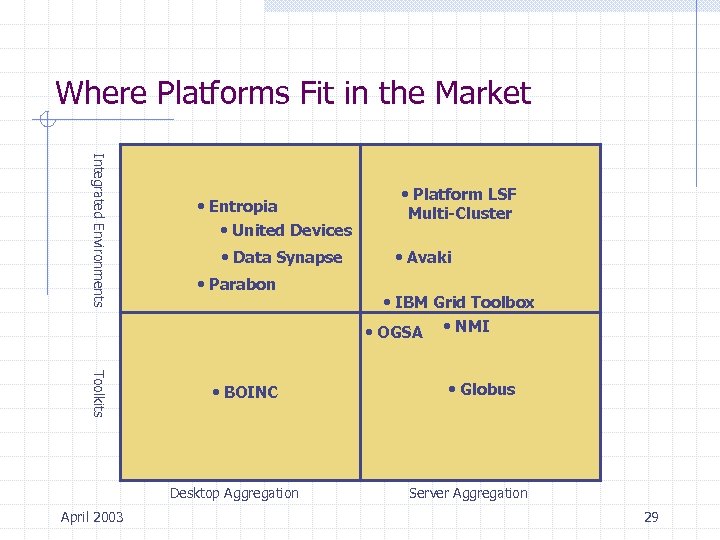 Where Platforms Fit in the Market Integrated Environments • Entropia • United Devices • Data Synapse • Parabon Toolkits • BOINC Desktop Aggregation April 2003 • Platform LSF Multi-Cluster • Avaki • IBM Grid Toolbox • OGSA • NMI • Globus Server Aggregation 29
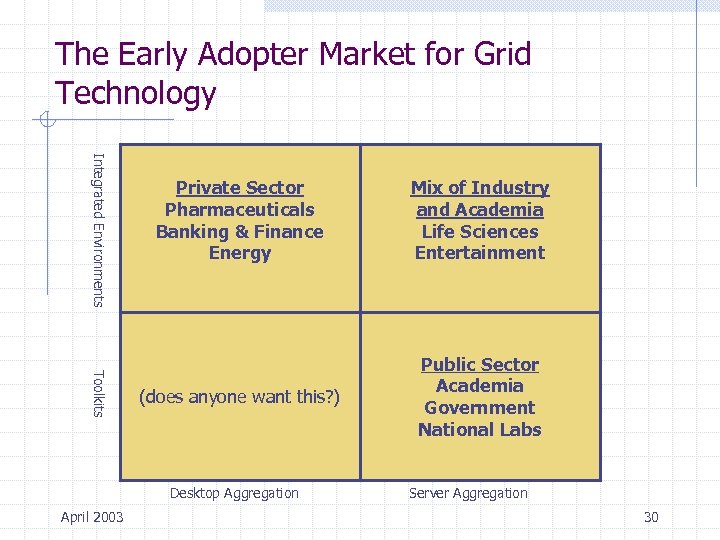 The Early Adopter Market for Grid Technology Integrated Environments Toolkits Private Sector Pharmaceuticals Banking & Finance Energy Mix of Industry and Academia Life Sciences Entertainment (does anyone want this? ) Public Sector Academia Government National Labs Desktop Aggregation April 2003 Server Aggregation 30
 Grid Platform Example: Globus Toolkit V 2 v Primary development occurred at Argonne National Labs n Principals were Ian Foster and Carl Kesselman v Open source n But architecture development was a closed process v Toolkit approach: different “bundles” that can be installed depending upon what functions are desired v API through Co. G (Commodity Grid) kits n April 2003 Java, Python, CORBA, Perl, Matlab, Web services, JSP 31
 Globus Toolkit V 2 v Majority of its use is in university and government research environments v Some vendors offer value-added versions n n IBM Grid Toolbox Platform Globus v NSF Middleware Initiative (NMI) is packaging pre-built Globus with other relevant components n n April 2003 NWS (Network Weather Service) KX. 509/KCA (Kerberos-X. 509 integration) Condor-G as a “metascheduler” GSI-enabled Open. SSH 32
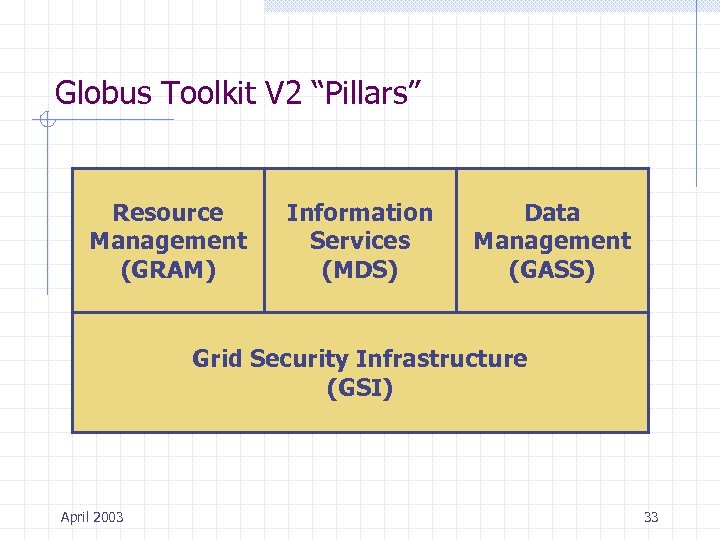 Globus Toolkit V 2 “Pillars” Resource Management (GRAM) Information Services (MDS) Data Management (GASS) Grid Security Infrastructure (GSI) April 2003 33
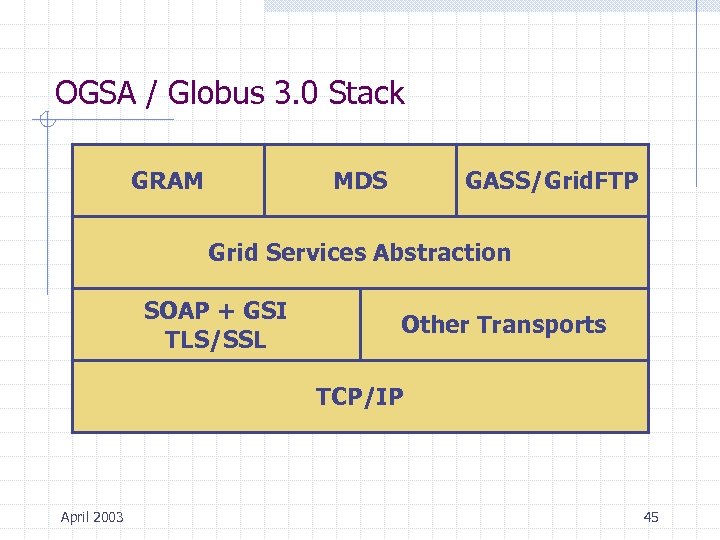
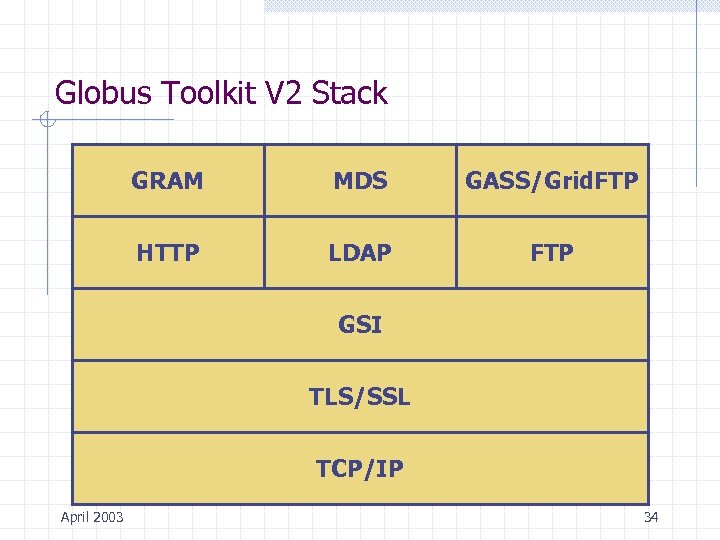 Globus Toolkit V 2 Stack GRAM MDS GASS/Grid. FTP HTTP LDAP FTP GSI TLS/SSL TCP/IP April 2003 34
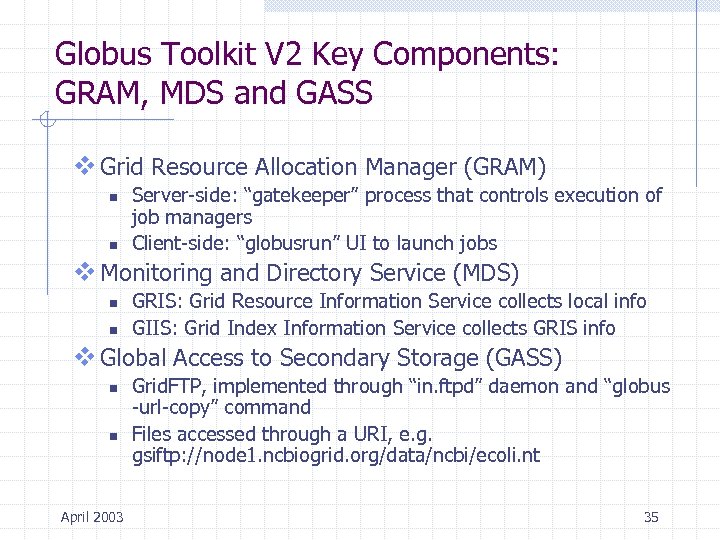 Globus Toolkit V 2 Key Components: GRAM, MDS and GASS v Grid Resource Allocation Manager (GRAM) n n Server-side: “gatekeeper” process that controls execution of job managers Client-side: “globusrun” UI to launch jobs v Monitoring and Directory Service (MDS) n n GRIS: Grid Resource Information Service collects local info GIIS: Grid Index Information Service collects GRIS info v Global Access to Secondary Storage (GASS) n n April 2003 Grid. FTP, implemented through “in. ftpd” daemon and “globus -url-copy” command Files accessed through a URI, e. g. gsiftp: //node 1. ncbiogrid. org/data/ncbi/ecoli. nt 35
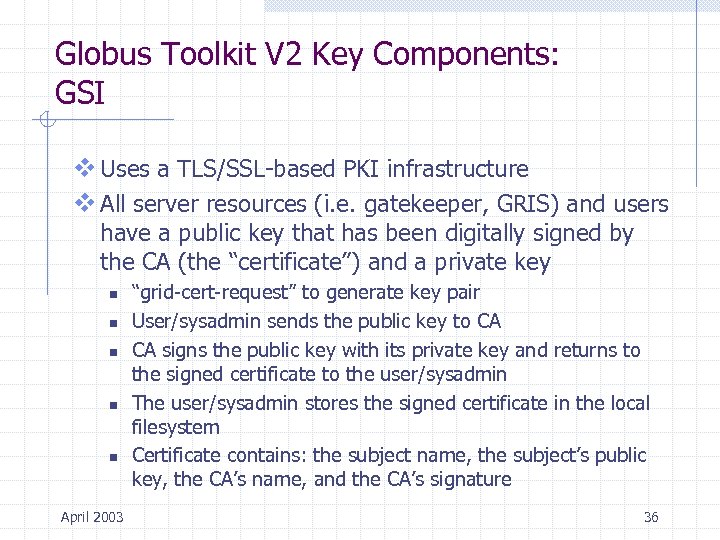 Globus Toolkit V 2 Key Components: GSI v Uses a TLS/SSL-based PKI infrastructure v All server resources (i. e. gatekeeper, GRIS) and users have a public key that has been digitally signed by the CA (the “certificate”) and a private key n n n April 2003 “grid-cert-request” to generate key pair User/sysadmin sends the public key to CA CA signs the public key with its private key and returns to the signed certificate to the user/sysadmin The user/sysadmin stores the signed certificate in the local filesystem Certificate contains: the subject name, the subject’s public key, the CA’s name, and the CA’s signature 36
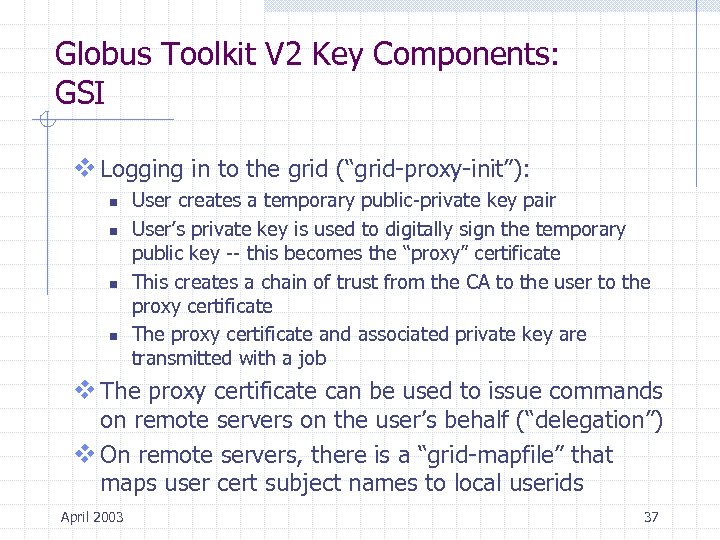 Globus Toolkit V 2 Key Components: GSI v Logging in to the grid (“grid-proxy-init”): n n User creates a temporary public-private key pair User’s private key is used to digitally sign the temporary public key -- this becomes the “proxy” certificate This creates a chain of trust from the CA to the user to the proxy certificate The proxy certificate and associated private key are transmitted with a job v The proxy certificate can be used to issue commands on remote servers on the user’s behalf (“delegation”) v On remote servers, there is a “grid-mapfile” that maps user cert subject names to local userids April 2003 37
 Globus Toolkit V 2 Additional Components v Grid Packaging Tools (GPT) n Used to build (“gpt-build”), install (“gpt-install”) and localize (“gpt-postinstall”) Globus components v MPICH-G 2 n n n April 2003 A Globus V 2 enabled version of MPI (Message Passing Interface) Based on MPICH Utilizes GSI, MDS and GRAM 38
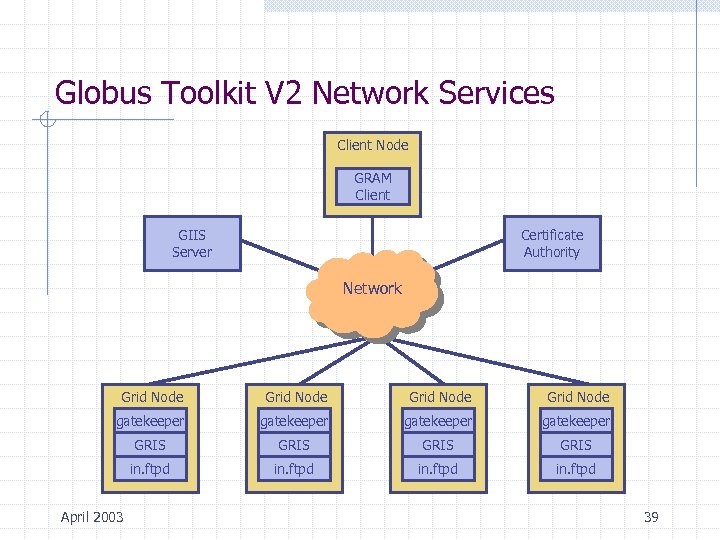 Globus Toolkit V 2 Network Services Client Node GRAM Client GIIS Server Certificate Authority Network Grid Node gatekeeper GRIS in. ftpd April 2003 39
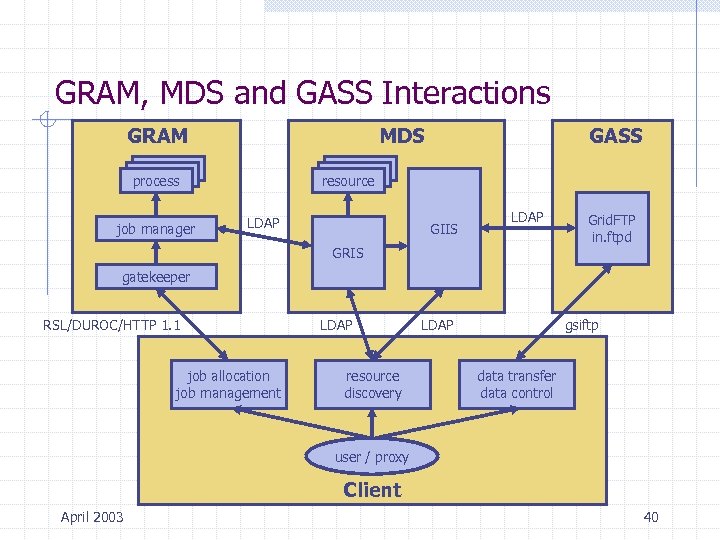 GRAM, MDS and GASS Interactions GRAM MDS process job manager GASS resource LDAP GIIS LDAP GRIS Grid. FTP in. ftpd gatekeeper RSL/DUROC/HTTP 1. 1 job allocation job management LDAP resource discovery LDAP gsiftp data transfer data control user / proxy Client April 2003 40
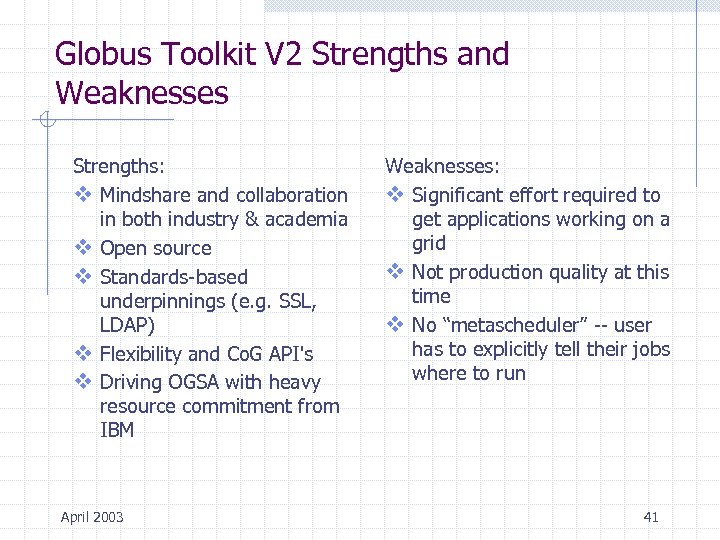 Globus Toolkit V 2 Strengths and Weaknesses Strengths: v Mindshare and collaboration in both industry & academia v Open source v Standards-based underpinnings (e. g. SSL, LDAP) v Flexibility and Co. G API's v Driving OGSA with heavy resource commitment from IBM April 2003 Weaknesses: v Significant effort required to get applications working on a grid v Not production quality at this time v No “metascheduler” -- user has to explicitly tell their jobs where to run 41
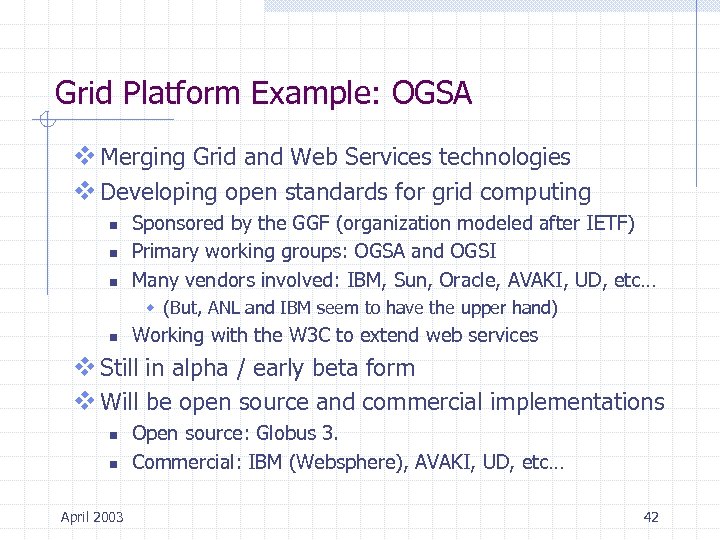 Grid Platform Example: OGSA v Merging Grid and Web Services technologies v Developing open standards for grid computing n n n Sponsored by the GGF (organization modeled after IETF) Primary working groups: OGSA and OGSI Many vendors involved: IBM, Sun, Oracle, AVAKI, UD, etc… w (But, ANL and IBM seem to have the upper hand) n Working with the W 3 C to extend web services v Still in alpha / early beta form v Will be open source and commercial implementations n n April 2003 Open source: Globus 3. Commercial: IBM (Websphere), AVAKI, UD, etc… 42
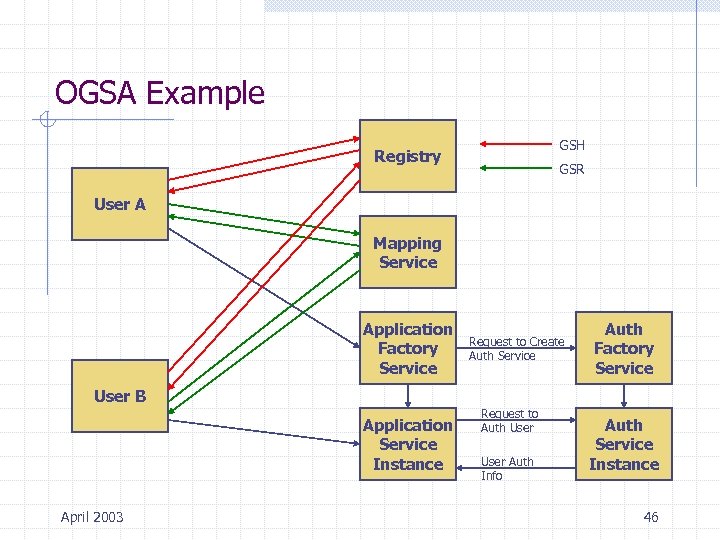
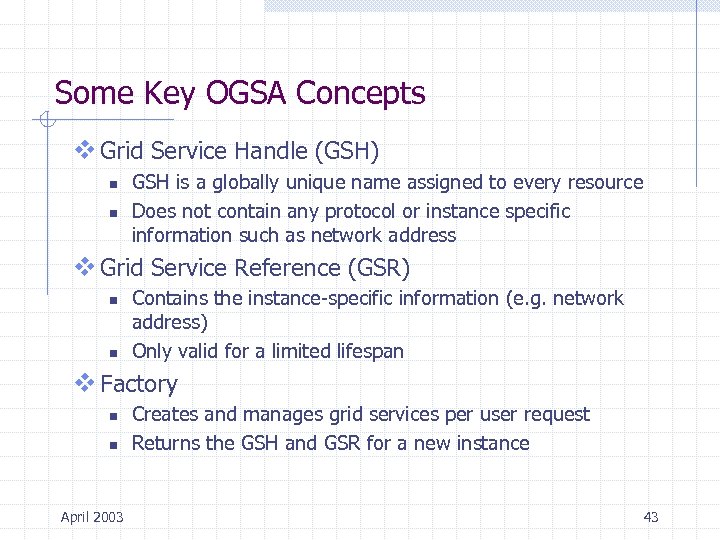 Some Key OGSA Concepts v Grid Service Handle (GSH) n n GSH is a globally unique name assigned to every resource Does not contain any protocol or instance specific information such as network address v Grid Service Reference (GSR) n n Contains the instance-specific information (e. g. network address) Only valid for a limited lifespan v Factory n n April 2003 Creates and manages grid services per user request Returns the GSH and GSR for a new instance 43
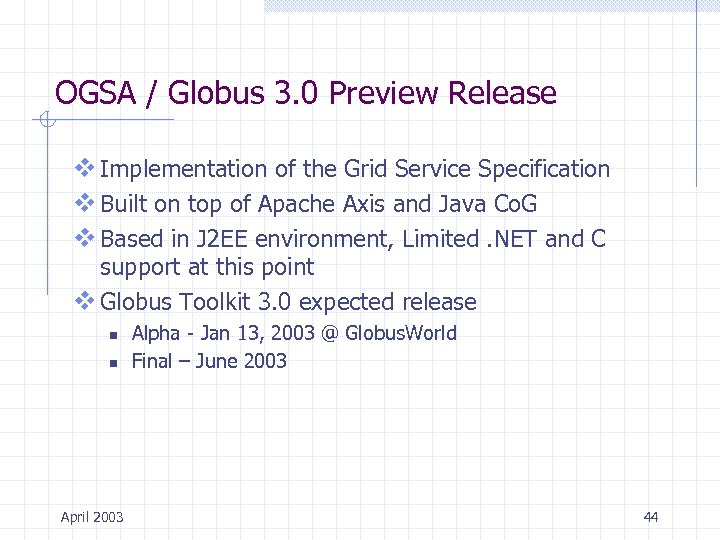 OGSA / Globus 3. 0 Preview Release v Implementation of the Grid Service Specification v Built on top of Apache Axis and Java Co. G v Based in J 2 EE environment, Limited. NET and C support at this point v Globus Toolkit 3. 0 expected release n n April 2003 Alpha - Jan 13, 2003 @ Globus. World Final – June 2003 44
 OGSA / Globus 3. 0 Stack GRAM MDS GASS/Grid. FTP Grid Services Abstraction SOAP + GSI TLS/SSL Other Transports TCP/IP April 2003 45
 OGSA Example GSH Registry GSR User A Mapping Service Application Factory Service User B Application Service Instance April 2003 Request to Create Auth Service Request to Auth User Auth Info Auth Factory Service Auth Service Instance 46
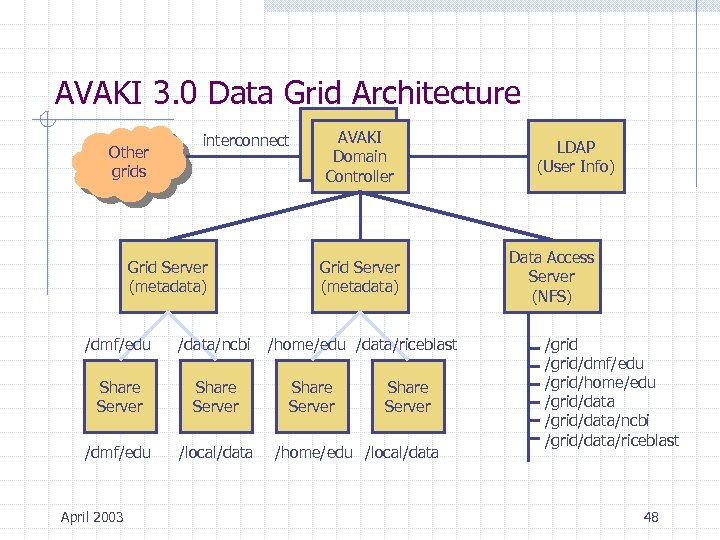
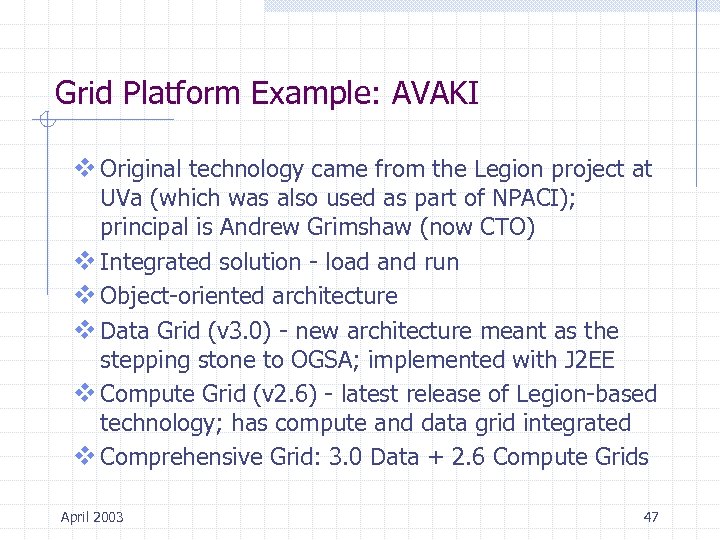 Grid Platform Example: AVAKI v Original technology came from the Legion project at UVa (which was also used as part of NPACI); principal is Andrew Grimshaw (now CTO) v Integrated solution - load and run v Object-oriented architecture v Data Grid (v 3. 0) - new architecture meant as the stepping stone to OGSA; implemented with J 2 EE v Compute Grid (v 2. 6) - latest release of Legion-based technology; has compute and data grid integrated v Comprehensive Grid: 3. 0 Data + 2. 6 Compute Grids April 2003 47
 AVAKI 3. 0 Data Grid Architecture Other grids interconnect Grid Server (metadata) /dmf/edu /data/ncbi Share Server /dmf/edu /local/data April 2003 Avaki AVAKI Domain Controller Grid Server (metadata) /home/edu /data/riceblast Share Server /home/edu /local/data LDAP (User Info) Data Access Server (NFS) /grid/dmf/edu /grid/home/edu /grid/data/ncbi /grid/data/riceblast 48
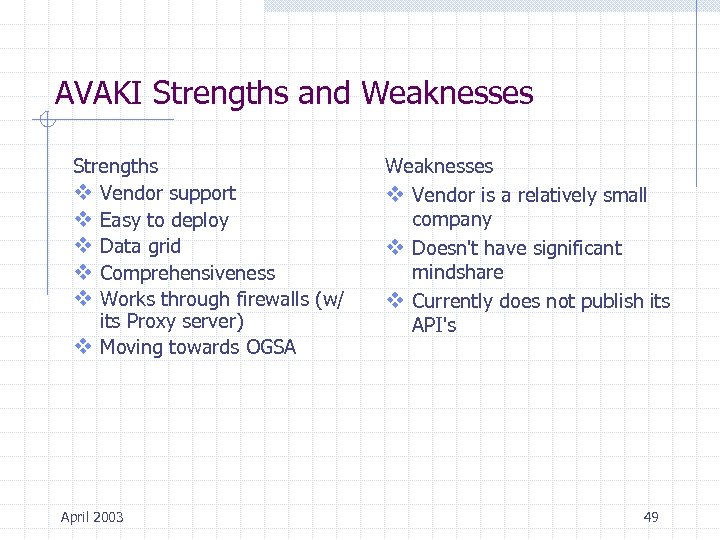 AVAKI Strengths and Weaknesses Strengths v Vendor support v Easy to deploy v Data grid v Comprehensiveness v Works through firewalls (w/ its Proxy server) v Moving towards OGSA April 2003 Weaknesses v Vendor is a relatively small company v Doesn't have significant mindshare v Currently does not publish its API's 49
 Overview v Introduction: Why Grids? v Applications for Grids v Basic Grid Architecture v Grid Platforms n n Market Segments Examples: Globus, OGSA, AVAKI v Building a Grid n n n Project Manager’s View System Administrator’s View Example: The North Carolina Bio. Grid Test. Bed v Grid Reference Resources April 2003 50
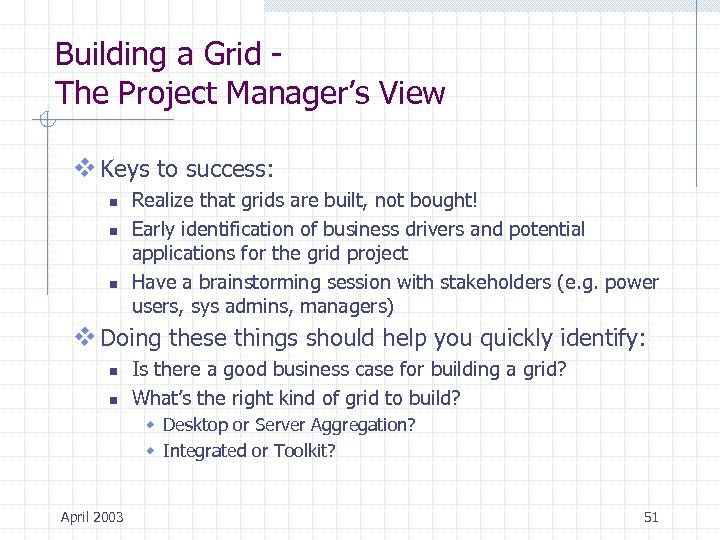 Building a Grid The Project Manager’s View v Keys to success: n n n Realize that grids are built, not bought! Early identification of business drivers and potential applications for the grid project Have a brainstorming session with stakeholders (e. g. power users, sys admins, managers) v Doing these things should help you quickly identify: n n Is there a good business case for building a grid? What’s the right kind of grid to build? w Desktop or Server Aggregation? w Integrated or Toolkit? April 2003 51
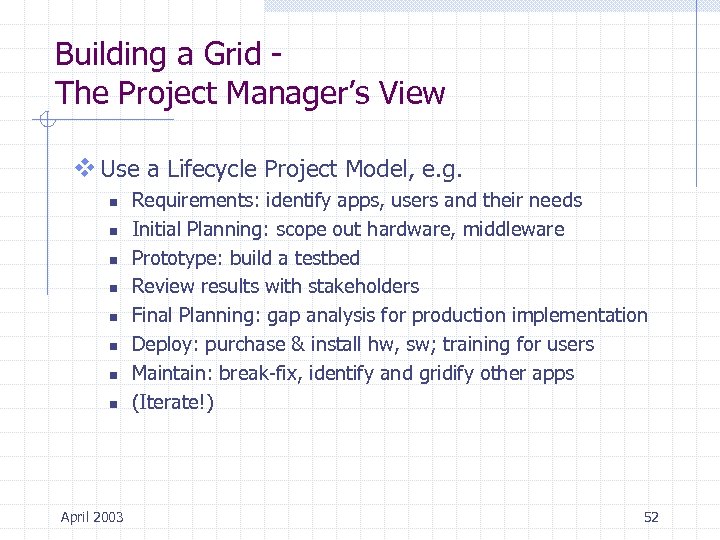 Building a Grid The Project Manager’s View v Use a Lifecycle Project Model, e. g. n n n n April 2003 Requirements: identify apps, users and their needs Initial Planning: scope out hardware, middleware Prototype: build a testbed Review results with stakeholders Final Planning: gap analysis for production implementation Deploy: purchase & install hw, sw; training for users Maintain: break-fix, identify and gridify other apps (Iterate!) 52
 Building a Grid The Systems Administrator’s View v Establish installation and operational standards v Establish security infrastructure to manage grid identities v Establish resource registry infrastructure v Install grid middleware and configure for appropriate services, e. g. n n Compute engines Data sources v Establish grid identities for services and users v Work with users to gridify their applications April 2003 53
 Building a Grid - Example: The North Carolina Bio. Grid Testbed v Objective was to develop testbed environment to serve as: n n n A staging area for the production NC Bio. Grid A research platform for Grid researchers An interoperability testbed for the computing hardware, middleware, and application software vendor community v Testbed representative of production environment n n n Hardware and software platforms User client platforms Location dynamics v Testbed needs to be persistent April 2003 54
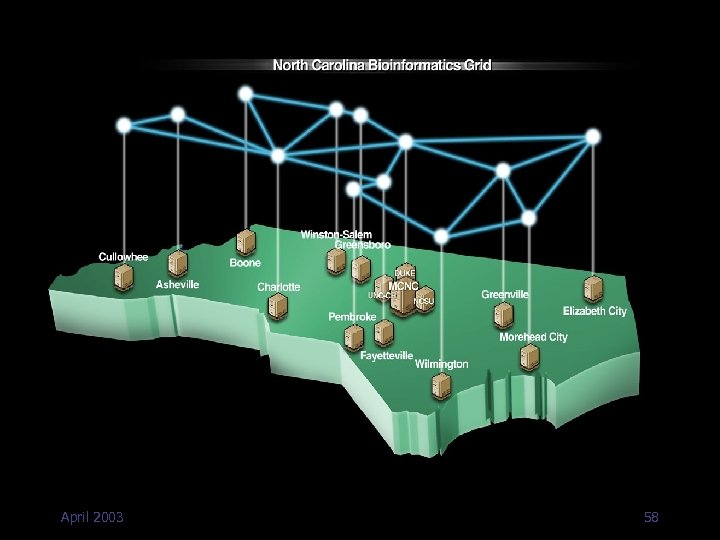
 NC Bio. Grid Key Decisions v Focus on data grid n n The best way to deploy a petabyte of storage for bio applications is to aggregate existing pools of storage (no one has $50 M to $80 M to spend on storage!) But is a data grid useful without a compute grid? Probably not v Focus on server aggregation n Although there a lot of idle UNIX workstations and PC’s on the campus, desktop aggregation is a problem we will look at later v Not picking a horse (yet) on Grid middleware n April 2003 Testing AVAKI and Globus 55
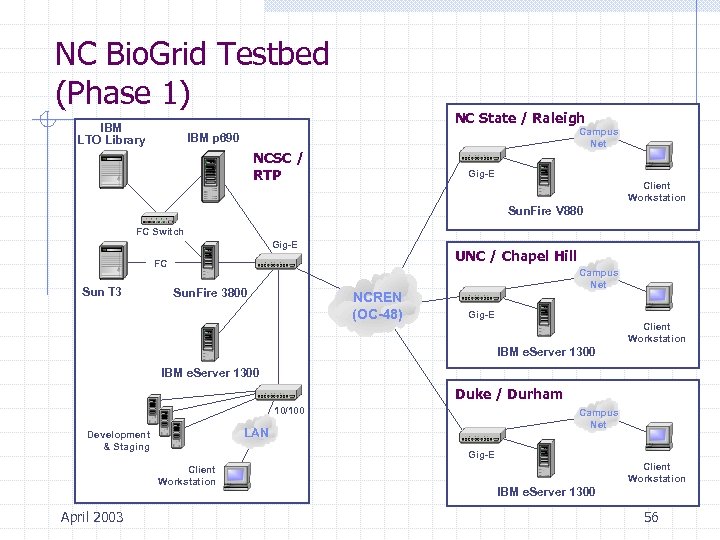 NC Bio. Grid Testbed (Phase 1) IBM LTO Library NC State / Raleigh Campus Net IBM p 690 NCSC / RTP Gig-E Client Workstation Sun. Fire V 880 FC Switch Gig-E UNC / Chapel Hill FC Sun T 3 Sun. Fire 3800 NCREN (OC-48) Campus Net Gig-E Client Workstation IBM e. Server 1300 Duke / Durham 10/100 LAN Development & Staging Gig-E Client Workstation April 2003 Campus Net Client Workstation IBM e. Server 1300 56
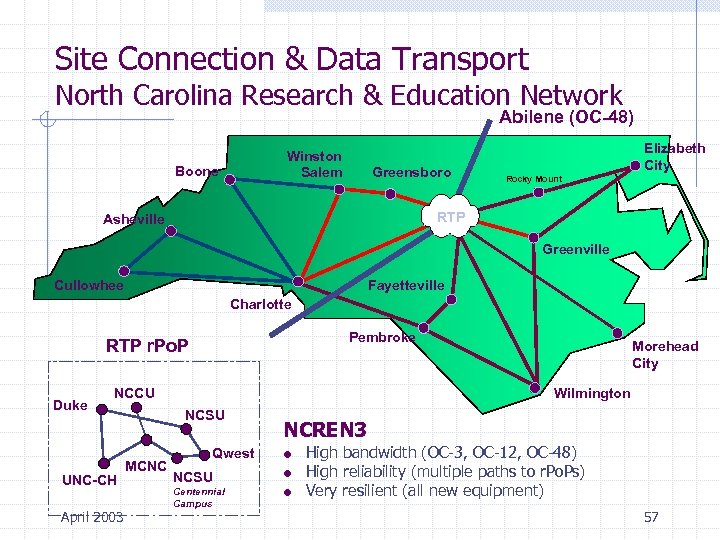 Site Connection & Data Transport North Carolina Research & Education Network Abilene (OC-48) Winston Salem Boone Greensboro Elizabeth City Rocky Mount RTP Asheville Greenville Fayetteville Cullowhee Charlotte Pembroke RTP r. Po. P Duke NCCU UNC-CH April 2003 Wilmington NCSU MCNC Morehead City Qwest NCREN 3 NCSU Centennial Campus High bandwidth (OC-3, OC-12, OC-48) High reliability (multiple paths to r. Po. Ps) Very resilient (all new equipment) 57
 April 2003 58
 Overview v Introduction: Why Grids? v Applications for Grids v Basic Grid Architecture v Grid Platforms n n Market Segments Examples: Globus, OGSA, AVAKI v Building a Grid n n n Project Manager’s View System Administrator’s View Example: The North Carolina Bio. Grid Project v Grid Reference Resources April 2003 59
 Some Selected Grid Reference Resources v NC Bio. Grid: http: //www. ncbiogrid. org/ n Also: http: //www. ncbiogrid. org/resources/grid/index. html v The Global Grid Forum n http: //www. gridforum. org/ v AVAKI n http: //www. avaki. com/ v The Globus Project n http: //www. globus. org/ v IBM Red. Book on Globus Computing n http: //www. redbooks. ibm. com/pubs/pdfs/redbooks/sg 246895. pdf v NSF Middleware Initiative n April 2003 http: //www. nsf-middleware. org/ 60
 Overview of Grid Computing Questions? April 2003 61