


 Скачать презентацию Overview Networks CPS 372 Networking Adapted from Computer
3e6573635c440ca8b5df53219a223666.ppt
- Количество слайдов: 61
 Overview: Networks CPS 372 Networking Adapted from Computer Networking slides Overview: Networks 1
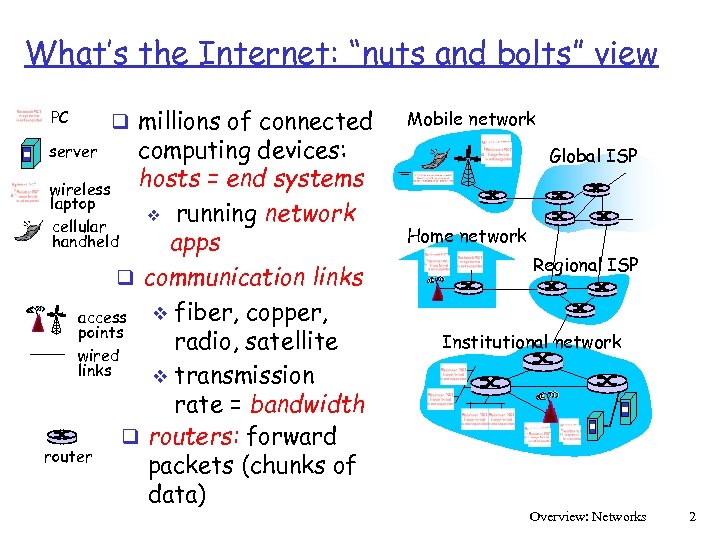 What’s the Internet: “nuts and bolts” view PC q millions of connected computing devices: hosts = end systems wireless laptop v running network cellular handheld apps q communication links v fiber, copper, access points radio, satellite wired links v transmission rate = bandwidth q routers: forward router packets (chunks of data) Mobile network server Global ISP Home network Regional ISP Institutional network Overview: Networks 2
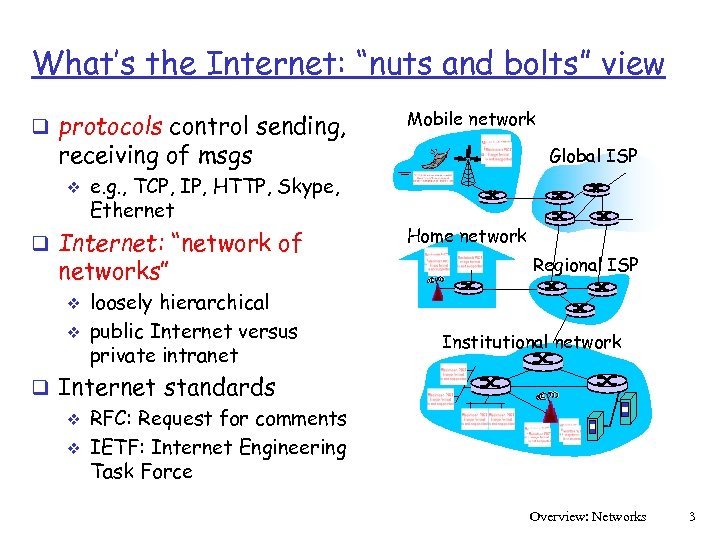 What’s the Internet: “nuts and bolts” view q protocols control sending, Mobile network receiving of msgs v e. g. , TCP, IP, HTTP, Skype, Ethernet q Internet: “network of networks” v v loosely hierarchical public Internet versus private intranet Global ISP Home network Regional ISP Institutional network q Internet standards v RFC: Request for comments v IETF: Internet Engineering Task Force Overview: Networks 3
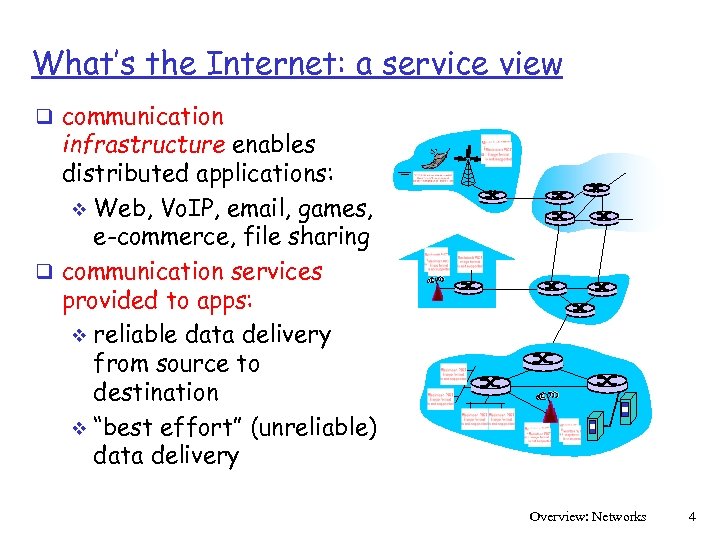 What’s the Internet: a service view q communication infrastructure enables distributed applications: v Web, Vo. IP, email, games, e-commerce, file sharing q communication services provided to apps: v reliable data delivery from source to destination v “best effort” (unreliable) data delivery Overview: Networks 4
 What’s a protocol? network protocols: all communication activity in Internet governed by protocols define format, order of msgs sent and received among network entities, and actions taken on msg transmission, receipt Overview: Networks 5
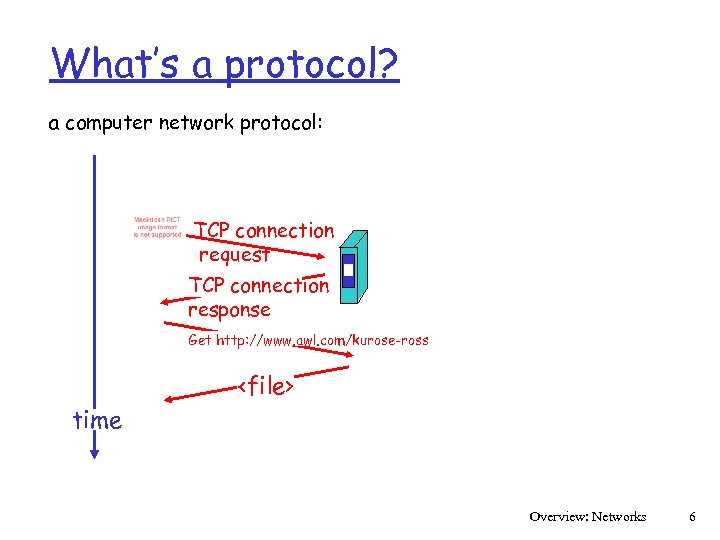 What’s a protocol? a computer network protocol: TCP connection request TCP connection response Get http: //www. awl. com/kurose-ross
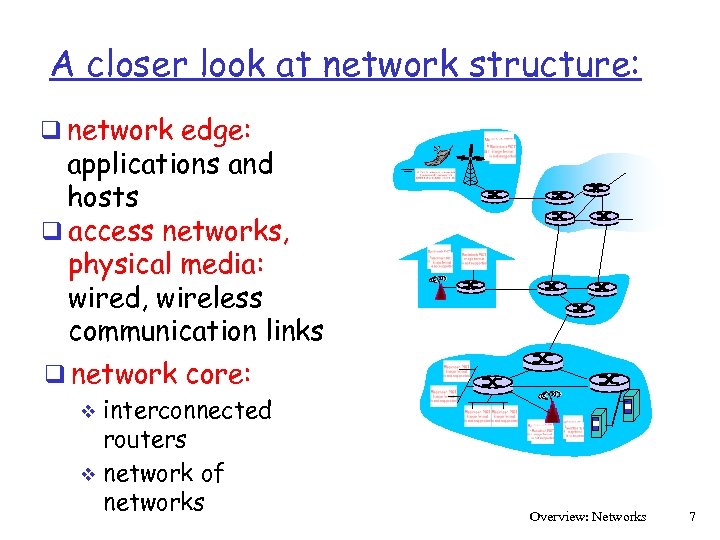 A closer look at network structure: q network edge: applications and hosts q access networks, physical media: wired, wireless communication links q network core: v interconnected routers v network of networks Overview: Networks 7
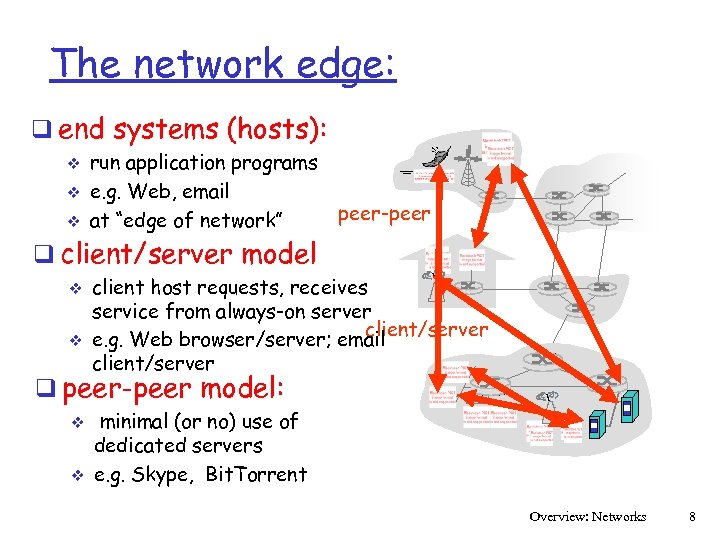 The network edge: q end systems (hosts): v v v run application programs e. g. Web, email at “edge of network” peer-peer q client/server model v v client host requests, receives service from always-on server client/server e. g. Web browser/server; email client/server q peer-peer model: v v minimal (or no) use of dedicated servers e. g. Skype, Bit. Torrent Overview: Networks 8
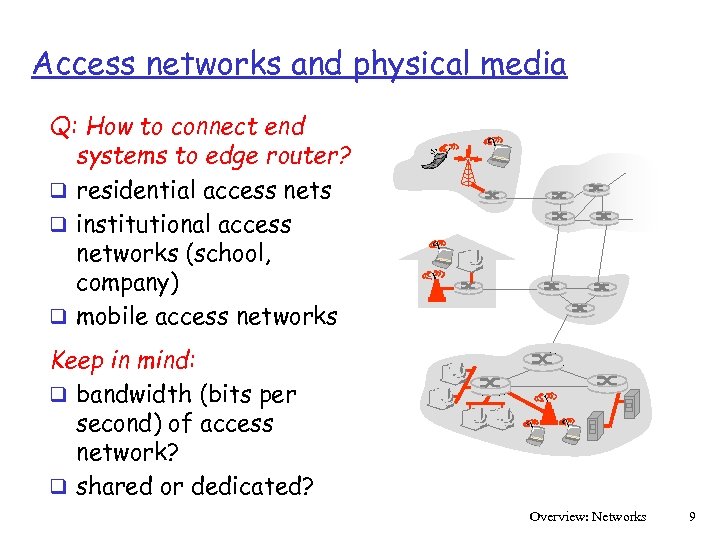 Access networks and physical media Q: How to connect end systems to edge router? q residential access nets q institutional access networks (school, company) q mobile access networks Keep in mind: q bandwidth (bits per second) of access network? q shared or dedicated? Overview: Networks 9
 Residential access: point to point access q Dialup via modem up to 56 Kbps direct access to router (often less) v Can’t surf and phone at same time: can’t be “always on” v q DSL: digital subscriber line deployment: telephone company (typically) v up to 1 Mbps upstream (today typically < 256 kbps) v up to 8 Mbps downstream (today typically < 1 Mbps) v dedicated physical line to telephone central office v Overview: Networks 10
 Residential access: cable modems q HFC: hybrid fiber coax asymmetric: up to 30 Mbps downstream, 2 Mbps upstream q network of cable and fiber attaches homes to ISP router v homes share access to router q deployment: available via cable TV companies v Overview: Networks 11
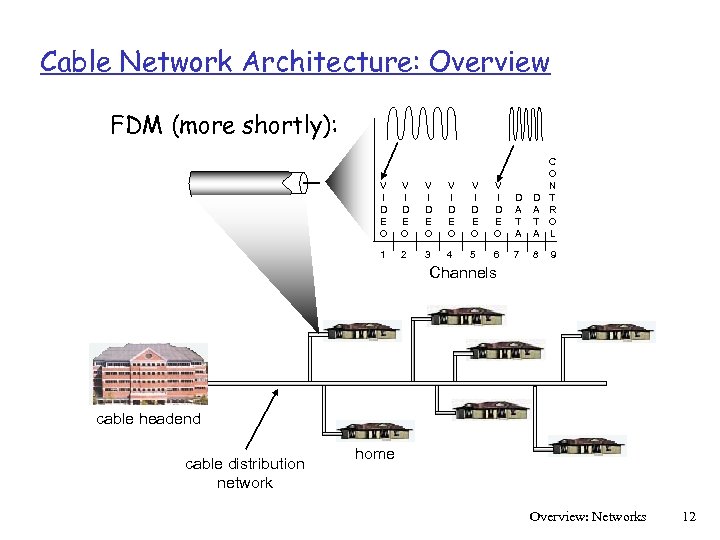 Cable Network Architecture: Overview FDM (more shortly): V I D E O V I D E O D A T A C O N T R O L 1 2 3 4 5 6 7 8 9 Channels cable headend cable distribution network home Overview: Networks 12
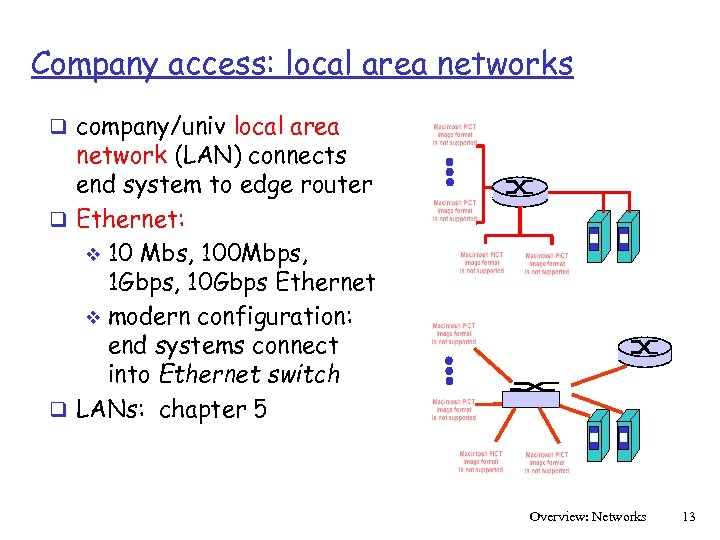 Company access: local area networks q company/univ local area network (LAN) connects end system to edge router q Ethernet: v 10 Mbs, 100 Mbps, 1 Gbps, 10 Gbps Ethernet v modern configuration: end systems connect into Ethernet switch q LANs: chapter 5 Overview: Networks 13
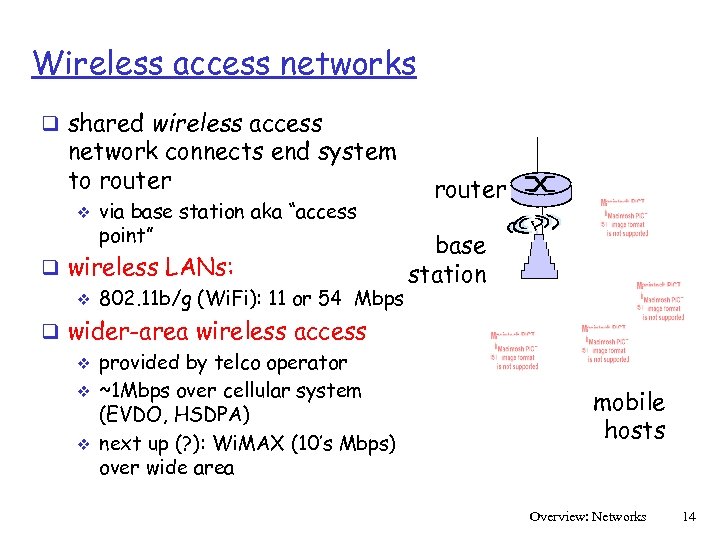 Wireless access networks q shared wireless access network connects end system to router v via base station aka “access point” q wireless LANs: v 802. 11 b/g (Wi. Fi): 11 or 54 Mbps q wider-area wireless access v provided by telco operator v ~1 Mbps over cellular system (EVDO, HSDPA) v next up (? ): Wi. MAX (10’s Mbps) over wide area router base station mobile hosts Overview: Networks 14
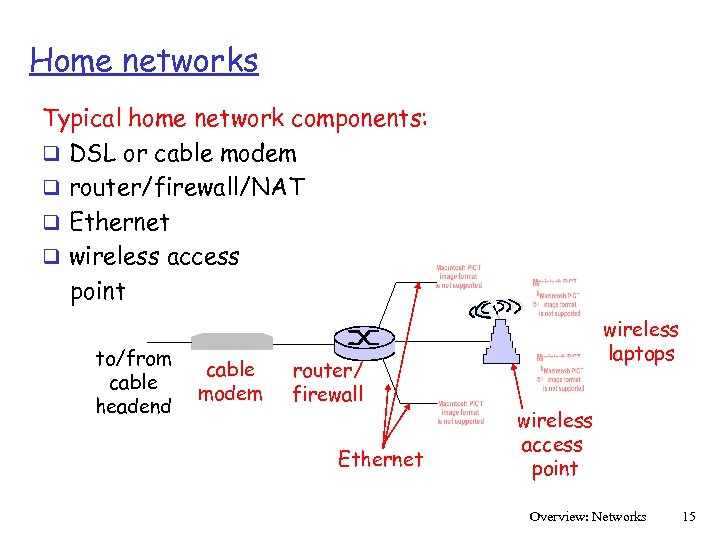 Home networks Typical home network components: q DSL or cable modem q router/firewall/NAT q Ethernet q wireless access point to/from cable headend cable modem router/ firewall Ethernet wireless laptops wireless access point Overview: Networks 15
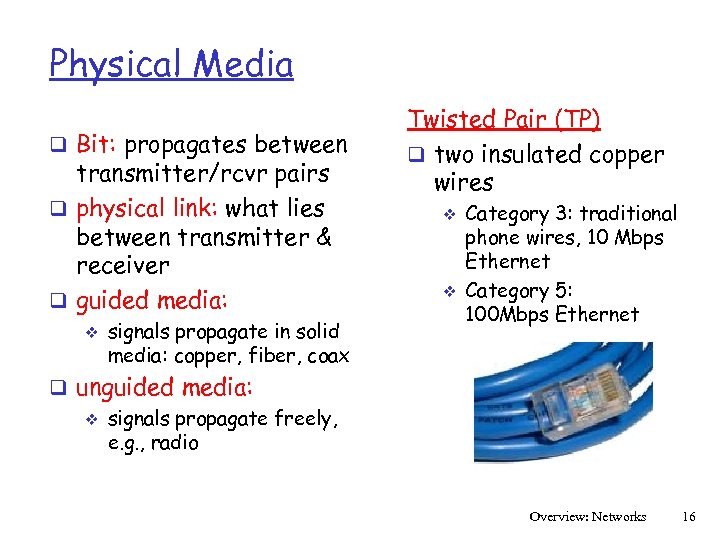 Physical Media q Bit: propagates between transmitter/rcvr pairs q physical link: what lies between transmitter & receiver q guided media: v signals propagate in solid media: copper, fiber, coax Twisted Pair (TP) q two insulated copper wires v v Category 3: traditional phone wires, 10 Mbps Ethernet Category 5: 100 Mbps Ethernet q unguided media: v signals propagate freely, e. g. , radio Overview: Networks 16
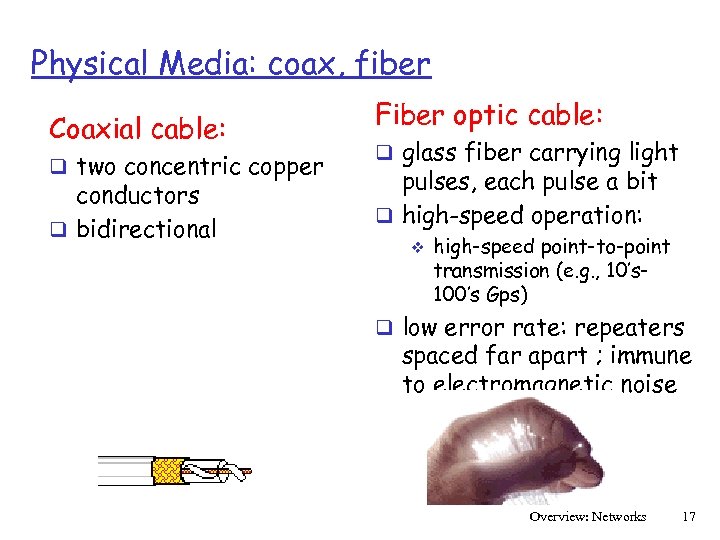 Physical Media: coax, fiber Coaxial cable: q two concentric copper conductors q bidirectional Fiber optic cable: q glass fiber carrying light pulses, each pulse a bit q high-speed operation: v high-speed point-to-point transmission (e. g. , 10’s 100’s Gps) q low error rate: repeaters spaced far apart ; immune to electromagnetic noise Overview: Networks 17
 Physical media: radio q signal carried in electromagnetic spectrum q no physical “wire” q bidirectional q propagation environment effects: v v v reflection obstruction by objects interference Radio link types: q terrestrial microwave v e. g. up to 45 Mbps channels q LAN (e. g. , Wifi) v 11 Mbps, 54 Mbps q wide-area (e. g. , cellular) v 3 G cellular: ~ 1 Mbps q satellite v Kbps to 45 Mbps channel (or multiple smaller channels) v 270 msec end-end delay v geosynchronous versus low altitude Overview: Networks 18
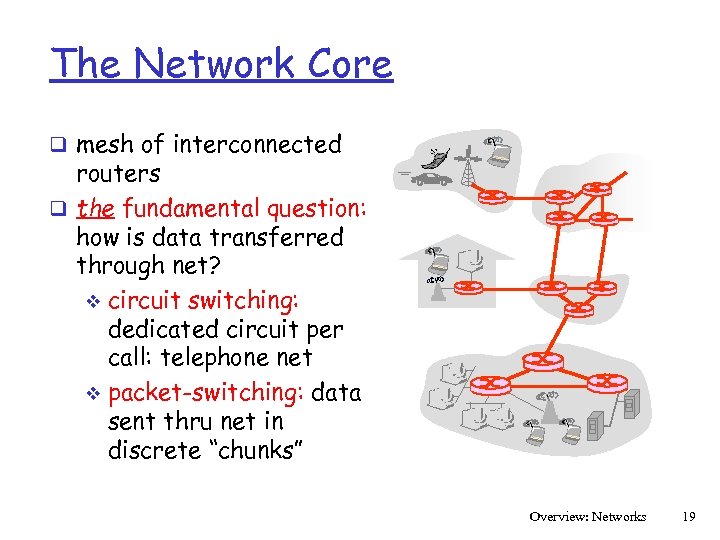 The Network Core q mesh of interconnected routers q the fundamental question: how is data transferred through net? v circuit switching: dedicated circuit per call: telephone net v packet-switching: data sent thru net in discrete “chunks” Overview: Networks 19
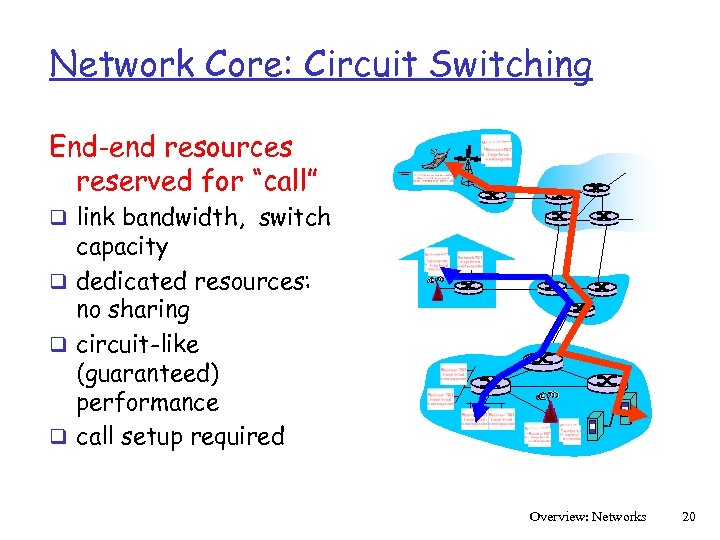 Network Core: Circuit Switching End-end resources reserved for “call” q link bandwidth, switch capacity q dedicated resources: no sharing q circuit-like (guaranteed) performance q call setup required Overview: Networks 20
 Network Core: Circuit Switching network resources (e. g. , bandwidth) divided into “pieces” q pieces allocated to calls q resource piece idle if not used by owning call (no sharing) q dividing link bandwidth into “pieces” v frequency division v time division Overview: Networks 21
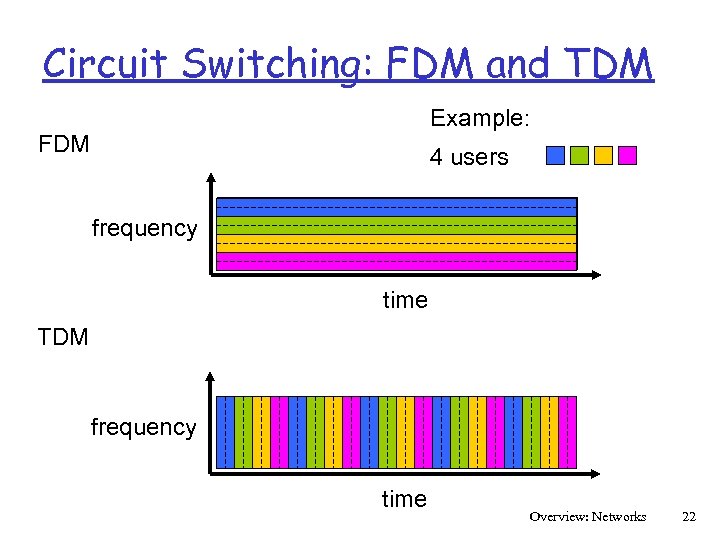 Circuit Switching: FDM and TDM Example: FDM 4 users frequency time TDM frequency time Overview: Networks 22
 Numerical example q How long does it take to send a file of 640, 000 bits from host A to host B over a circuit-switched network? v v v All links are 1. 536 Mbps (1536 kbps) Each link uses TDM with 24 slots/sec 500 msec to establish end-to-end circuit Link transmission rate: (1. 536 Mbps)/24 = 64 kbps 640, 000 b/64, 000 bps = 10 secs + 500 msec = 10. 5 seconds Overview: Networks 23
 Network Core: Packet Switching each end-end data stream divided into packets q user A, B packets share network resources q each packet uses full link bandwidth q resources used as needed resource contention: q aggregate resource demand can exceed amount available q congestion: packets queue, wait for link use q store and forward: packets move one hop at a time v Node receives complete packet before forwarding Overview: Networks 24
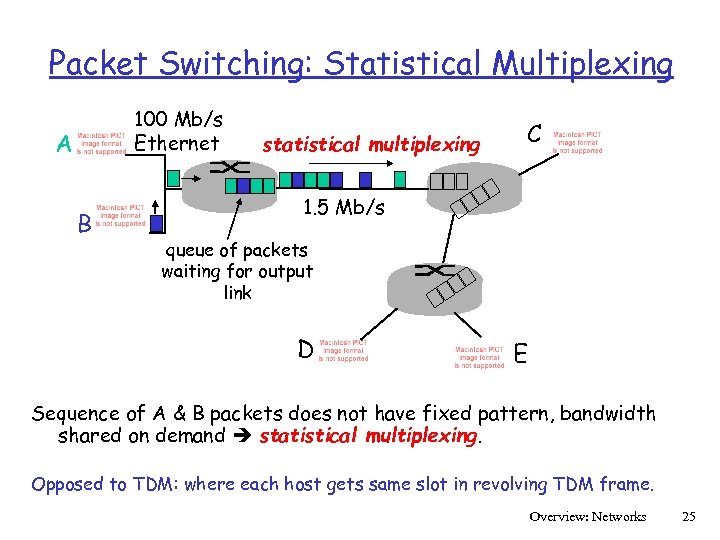 Packet Switching: Statistical Multiplexing 100 Mb/s Ethernet A B statistical multiplexing C 1. 5 Mb/s queue of packets waiting for output link D E Sequence of A & B packets does not have fixed pattern, bandwidth shared on demand statistical multiplexing. Opposed to TDM: where each host gets same slot in revolving TDM frame. Overview: Networks 25
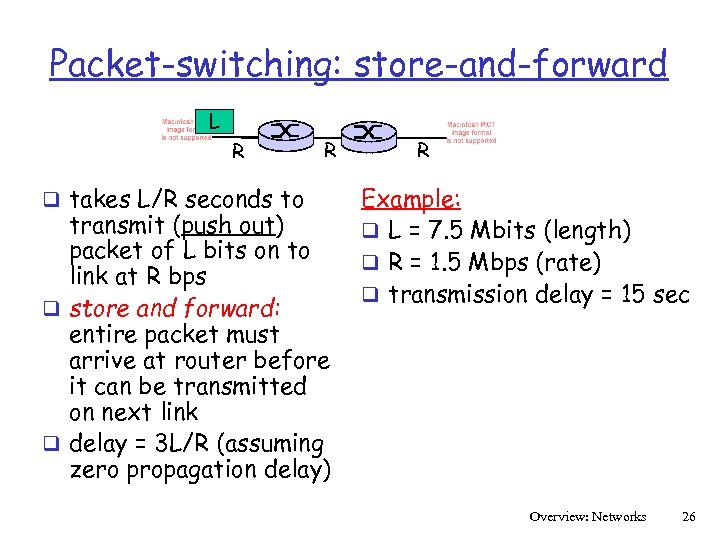 Packet-switching: store-and-forward L R q takes L/R seconds to R transmit (push out) packet of L bits on to link at R bps q store and forward: entire packet must arrive at router before it can be transmitted on next link q delay = 3 L/R (assuming zero propagation delay) R Example: q L = 7. 5 Mbits (length) q R = 1. 5 Mbps (rate) q transmission delay = 15 sec Overview: Networks 26
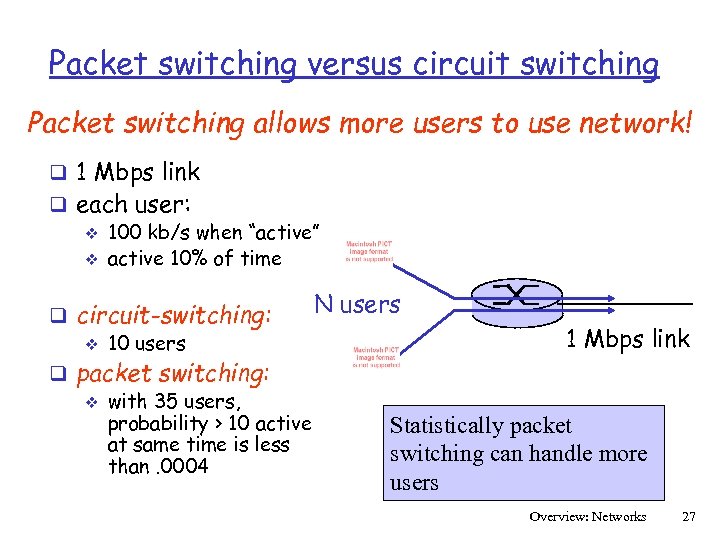 Packet switching versus circuit switching Packet switching allows more users to use network! q 1 Mbps link q each user: v 100 kb/s when “active” v active 10% of time q circuit-switching: v 10 users q packet switching: v with 35 users, probability > 10 active at same time is less than. 0004 N users 1 Mbps link Statistically packet switching can handle more users Overview: Networks 27
 Packet switching versus circuit switching packet switching q great for bursty data resource sharing v simpler, no call setup q excessive congestion: packet delay and loss v protocols needed for reliable data transfer, congestion control q Q: How to provide circuit-like behavior? v bandwidth guarantees needed for audio/video apps v still an unsolved problem v Overview: Networks 28
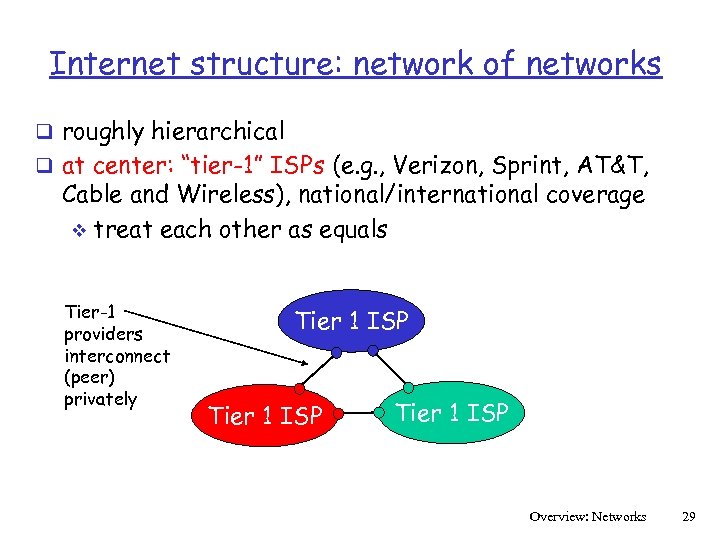 Internet structure: network of networks q roughly hierarchical q at center: “tier-1” ISPs (e. g. , Verizon, Sprint, AT&T, Cable and Wireless), national/international coverage v treat each other as equals Tier-1 providers interconnect (peer) privately Tier 1 ISP Overview: Networks 29
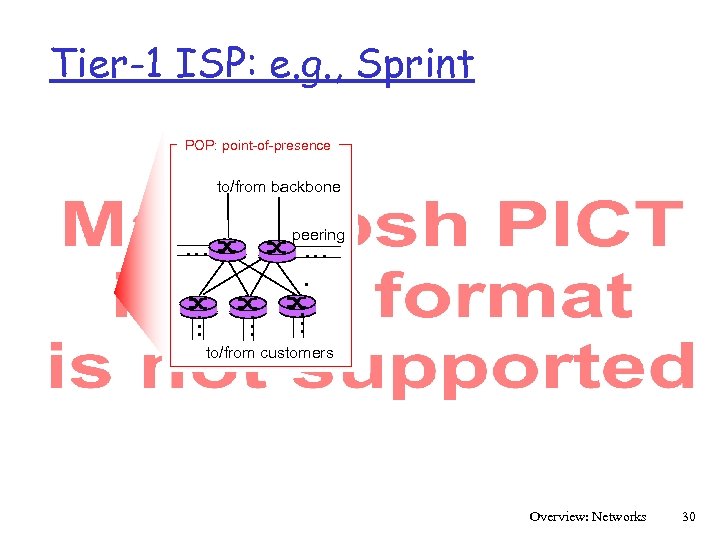 Tier-1 ISP: e. g. , Sprint POP: point-of-presence to/from backbone peering … … … to/from customers Overview: Networks 30
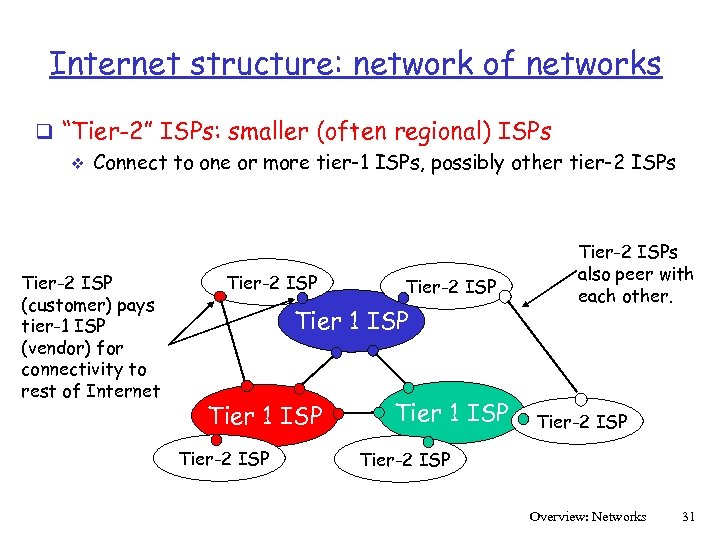 Internet structure: network of networks q “Tier-2” ISPs: smaller (often regional) ISPs v Connect to one or more tier-1 ISPs, possibly other tier-2 ISPs Tier-2 ISP (customer) pays tier-1 ISP (vendor) for connectivity to rest of Internet Tier-2 ISP Tier 1 ISP Tier-2 ISPs also peer with each other. Tier-2 ISP Overview: Networks 31
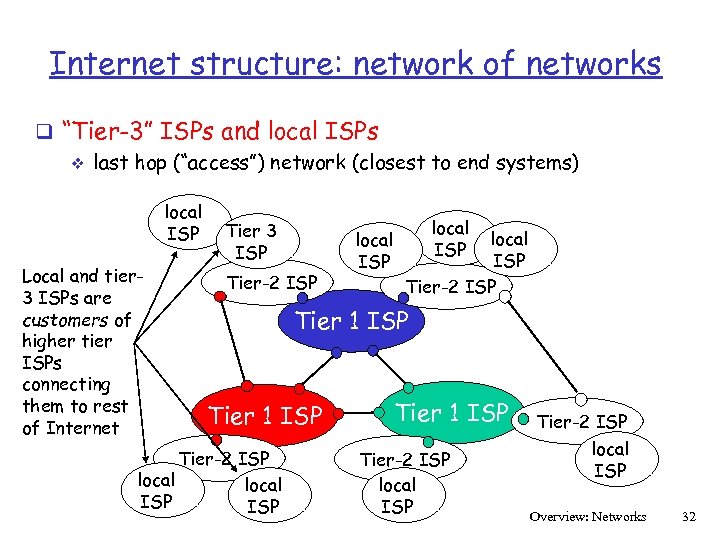 Internet structure: network of networks q “Tier-3” ISPs and local ISPs v last hop (“access”) network (closest to end systems) local ISP Local and tier 3 ISPs are customers of higher tier ISPs connecting them to rest of Internet Tier 3 ISP Tier-2 ISP local ISP Tier-2 ISP Tier 1 ISP Tier-2 ISP local ISP Overview: Networks 32
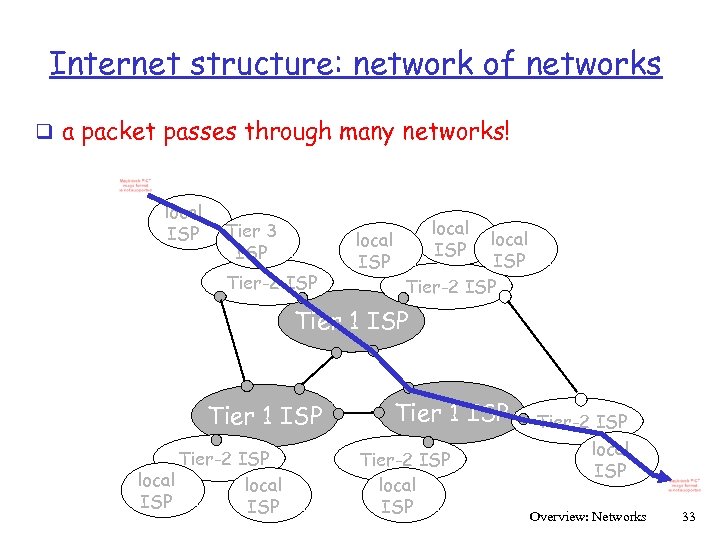 Internet structure: network of networks q a packet passes through many networks! local ISP Tier 3 ISP Tier-2 ISP local ISP Tier-2 ISP Tier 1 ISP Tier-2 ISP local ISP Overview: Networks 33
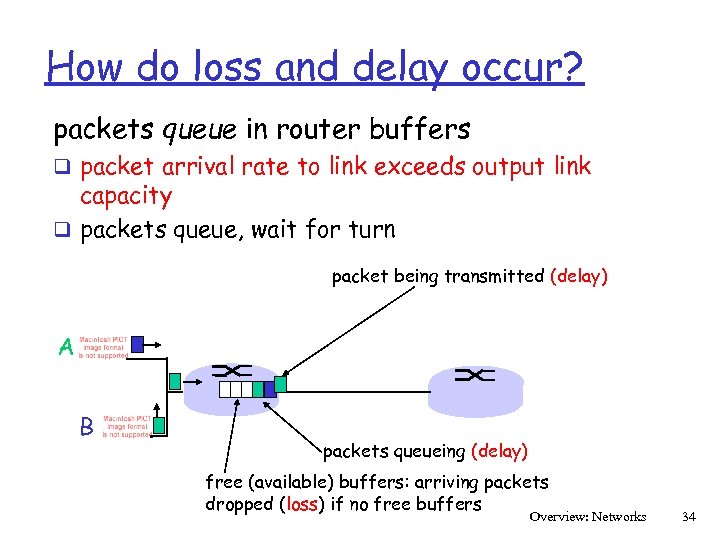 How do loss and delay occur? packets queue in router buffers q packet arrival rate to link exceeds output link capacity q packets queue, wait for turn packet being transmitted (delay) A B packets queueing (delay) free (available) buffers: arriving packets dropped (loss) if no free buffers Overview: Networks 34
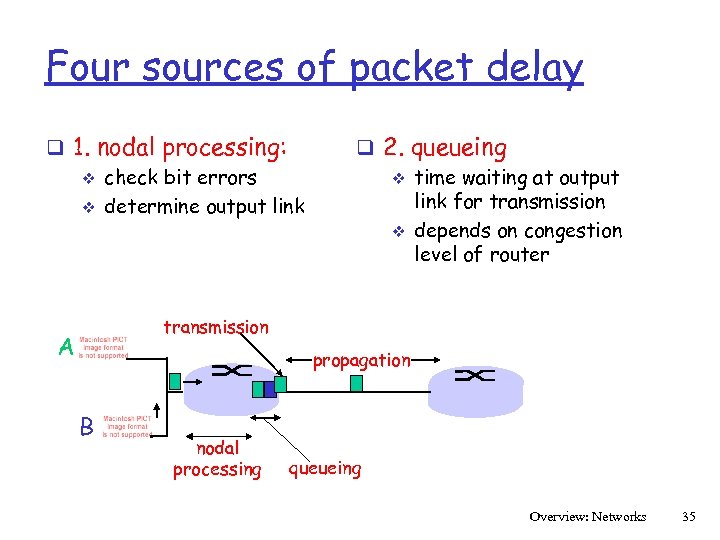 Four sources of packet delay q 1. nodal processing: v check bit errors v determine output link q 2. queueing v time waiting at output link for transmission v depends on congestion level of router transmission A propagation B nodal processing queueing Overview: Networks 35
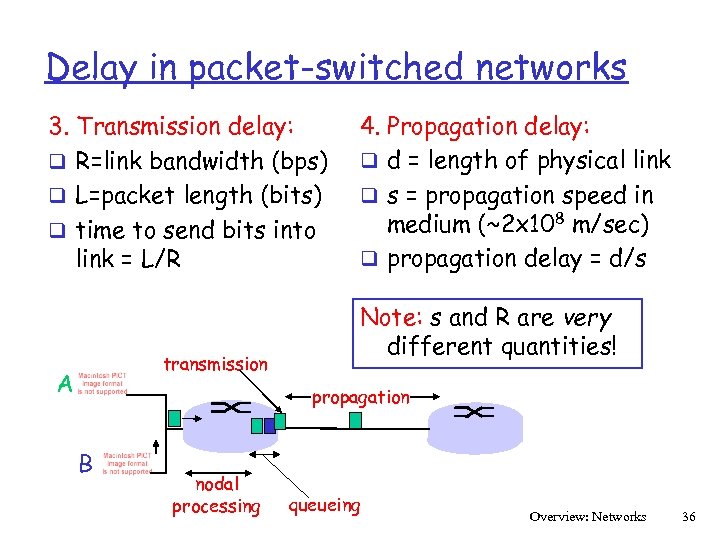 Delay in packet-switched networks 3. Transmission delay: q R=link bandwidth (bps) q L=packet length (bits) q time to send bits into link = L/R transmission A 4. Propagation delay: q d = length of physical link q s = propagation speed in medium (~2 x 10⁸ m/sec) q propagation delay = d/s Note: s and R are very different quantities! propagation B nodal processing queueing Overview: Networks 36
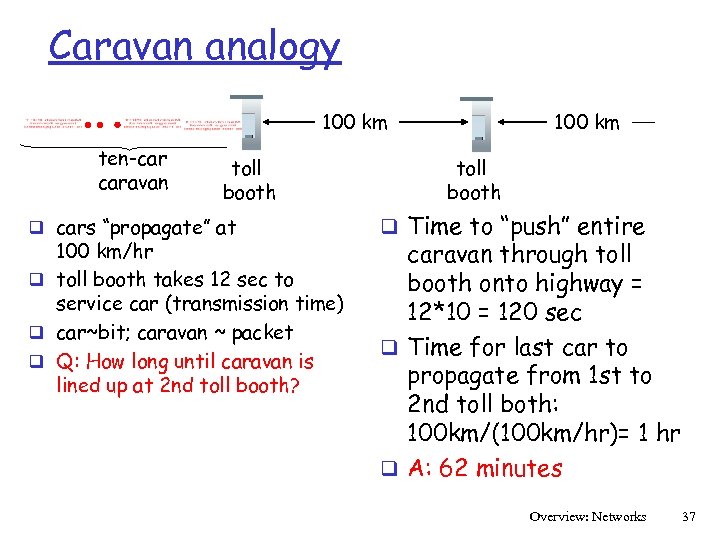 Caravan analogy 100 km ten-car caravan toll booth q cars “propagate” at 100 km/hr q toll booth takes 12 sec to service car (transmission time) q car~bit; caravan ~ packet q Q: How long until caravan is lined up at 2 nd toll booth? 100 km toll booth q Time to “push” entire caravan through toll booth onto highway = 12*10 = 120 sec q Time for last car to propagate from 1 st to 2 nd toll both: 100 km/(100 km/hr)= 1 hr q A: 62 minutes Overview: Networks 37
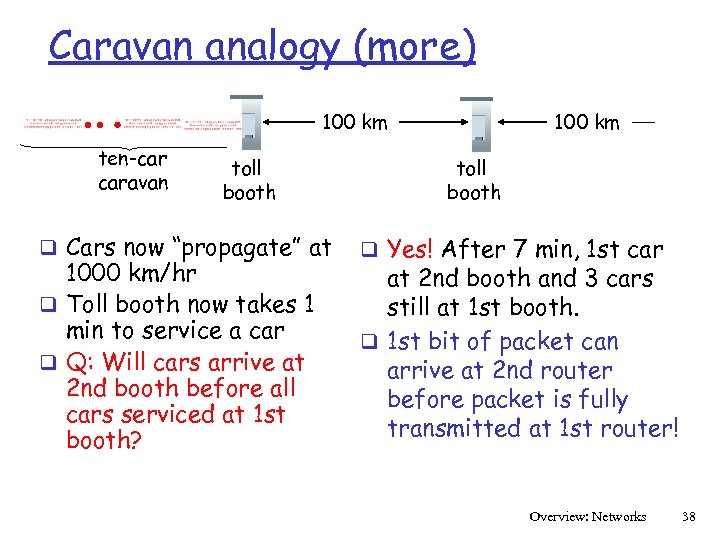 Caravan analogy (more) 100 km ten-car caravan toll booth q Cars now “propagate” at 1000 km/hr q Toll booth now takes 1 min to service a car q Q: Will cars arrive at 2 nd booth before all cars serviced at 1 st booth? 100 km toll booth q Yes! After 7 min, 1 st car at 2 nd booth and 3 cars still at 1 st booth. q 1 st bit of packet can arrive at 2 nd router before packet is fully transmitted at 1 st router! Overview: Networks 38
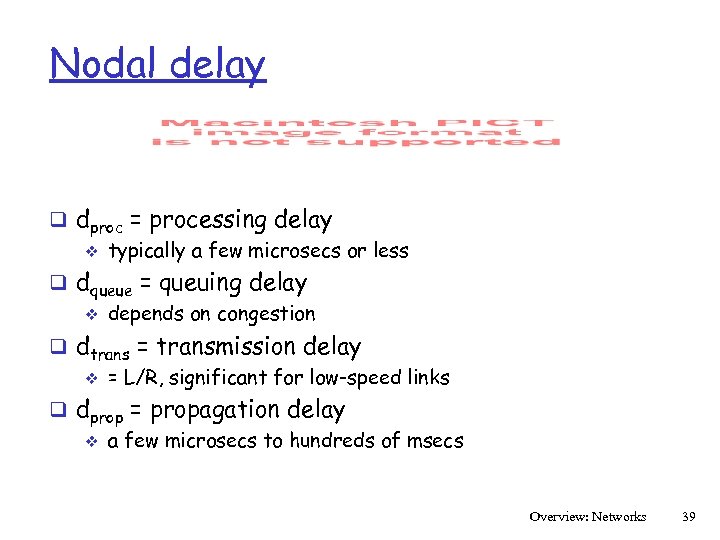 Nodal delay q dproc = processing delay v typically a few microsecs or less q dqueue = queuing delay v depends on congestion q dtrans = transmission delay v = L/R, significant for low-speed links q dprop = propagation delay v a few microsecs to hundreds of msecs Overview: Networks 39
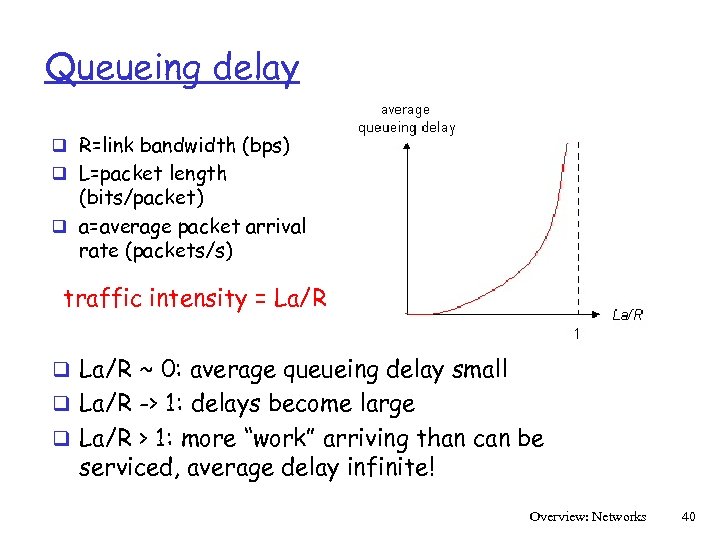 Queueing delay q R=link bandwidth (bps) q L=packet length (bits/packet) q a=average packet arrival rate (packets/s) traffic intensity = La/R q La/R ~ 0: average queueing delay small q La/R -> 1: delays become large q La/R > 1: more “work” arriving than can be serviced, average delay infinite! Overview: Networks 40
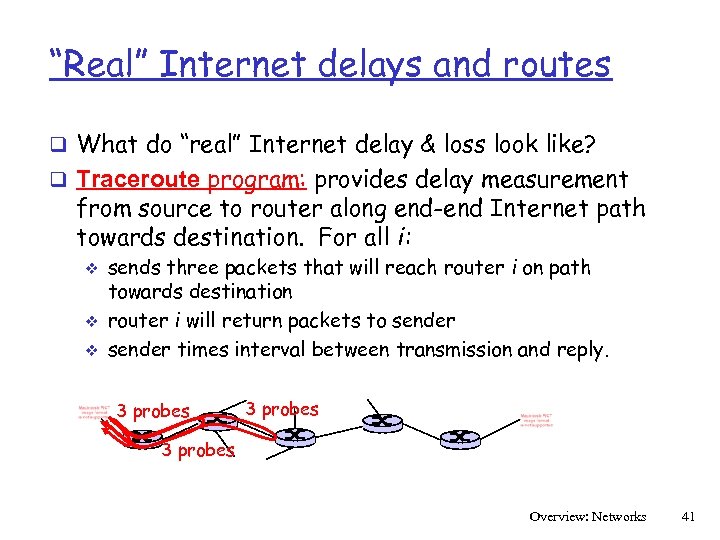 “Real” Internet delays and routes q What do “real” Internet delay & loss look like? q Traceroute program: provides delay measurement from source to router along end-end Internet path towards destination. For all i: v v v sends three packets that will reach router i on path towards destination router i will return packets to sender times interval between transmission and reply. 3 probes Overview: Networks 41
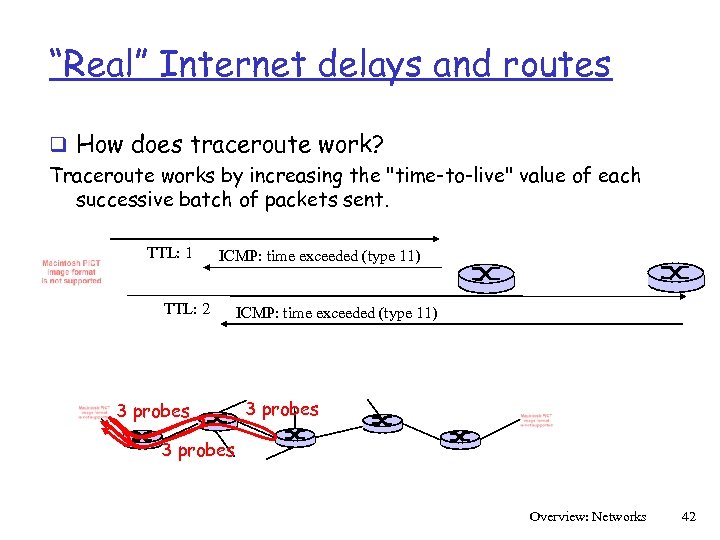 “Real” Internet delays and routes q How does traceroute work? Traceroute works by increasing the "time-to-live" value of each successive batch of packets sent. TTL: 1 ICMP: time exceeded (type 11) TTL: 2 3 probes ICMP: time exceeded (type 11) 3 probes Overview: Networks 42
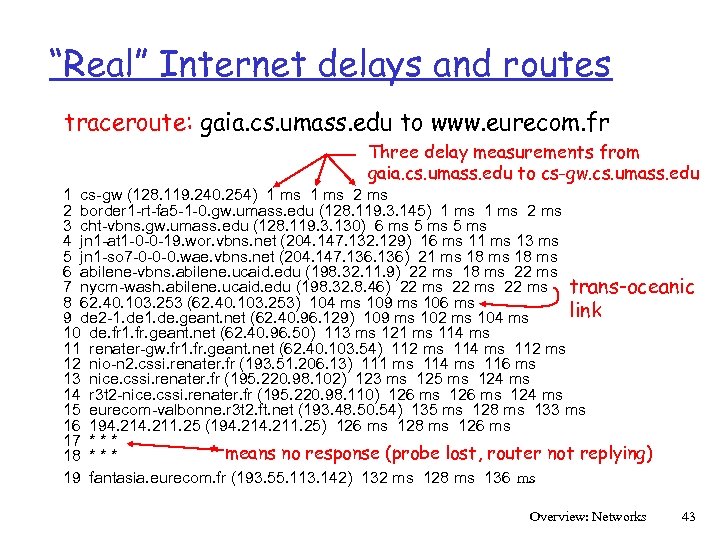 “Real” Internet delays and routes traceroute: gaia. cs. umass. edu to www. eurecom. fr Three delay measurements from gaia. cs. umass. edu to cs-gw. cs. umass. edu 1 cs-gw (128. 119. 240. 254) 1 ms 2 border 1 -rt-fa 5 -1 -0. gw. umass. edu (128. 119. 3. 145) 1 ms 2 ms 3 cht-vbns. gw. umass. edu (128. 119. 3. 130) 6 ms 5 ms 4 jn 1 -at 1 -0 -0 -19. wor. vbns. net (204. 147. 132. 129) 16 ms 11 ms 13 ms 5 jn 1 -so 7 -0 -0 -0. wae. vbns. net (204. 147. 136) 21 ms 18 ms 6 abilene-vbns. abilene. ucaid. edu (198. 32. 11. 9) 22 ms 18 ms 22 ms 7 nycm-wash. abilene. ucaid. edu (198. 32. 8. 46) 22 ms trans-oceanic 8 62. 40. 103. 253 (62. 40. 103. 253) 104 ms 109 ms 106 ms link 9 de 2 -1. de. geant. net (62. 40. 96. 129) 109 ms 102 ms 104 ms 10 de. fr 1. fr. geant. net (62. 40. 96. 50) 113 ms 121 ms 114 ms 11 renater-gw. fr 1. fr. geant. net (62. 40. 103. 54) 112 ms 114 ms 112 ms 12 nio-n 2. cssi. renater. fr (193. 51. 206. 13) 111 ms 114 ms 116 ms 13 nice. cssi. renater. fr (195. 220. 98. 102) 123 ms 125 ms 124 ms 14 r 3 t 2 -nice. cssi. renater. fr (195. 220. 98. 110) 126 ms 124 ms 15 eurecom-valbonne. r 3 t 2. ft. net (193. 48. 50. 54) 135 ms 128 ms 133 ms 16 194. 211. 25 (194. 211. 25) 126 ms 128 ms 126 ms 17 * * means no response (probe lost, router not replying) 18 * * * 19 fantasia. eurecom. fr (193. 55. 113. 142) 132 ms 128 ms 136 ms Overview: Networks 43
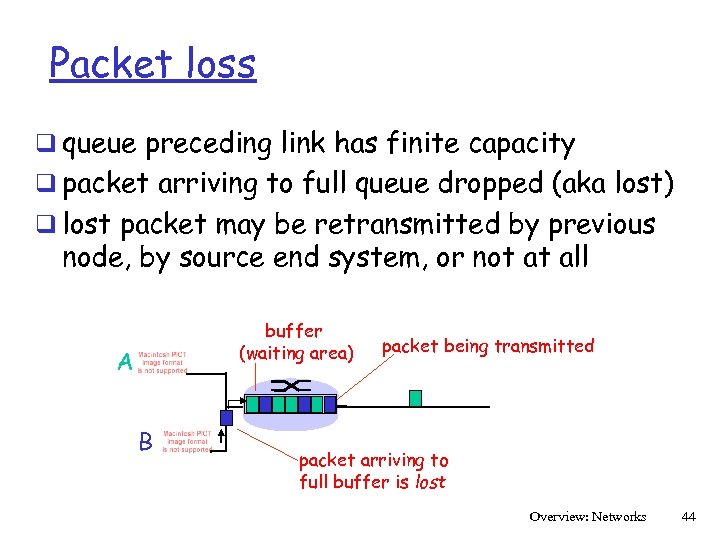 Packet loss q queue preceding link has finite capacity q packet arriving to full queue dropped (aka lost) q lost packet may be retransmitted by previous node, by source end system, or not at all buffer (waiting area) A B packet being transmitted packet arriving to full buffer is lost Overview: Networks 44
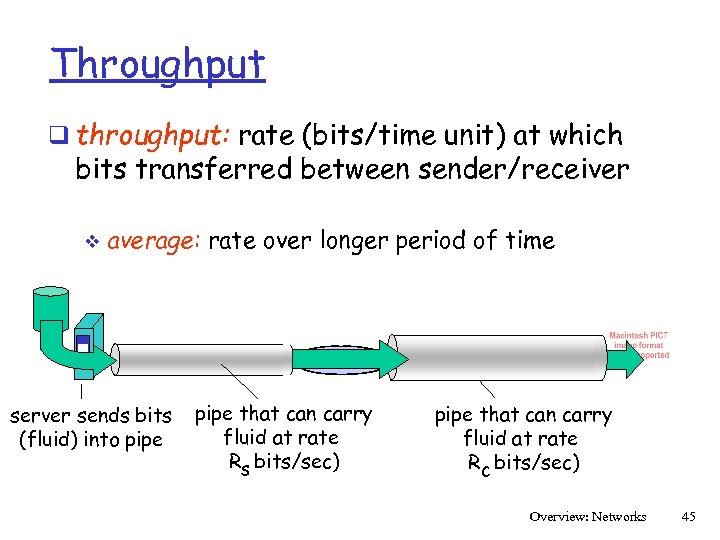 Throughput q throughput: rate (bits/time unit) at which bits transferred between sender/receiver v average: rate over longer period of time link capacity server, with server sends bits pipe that can carry Rs bits/sec fluid at rate file into pipe (fluid) of F bits Rs bits/sec) to send to client link capacity pipe that can carry Rfluid at rate c bits/sec Rc bits/sec) Overview: Networks 45
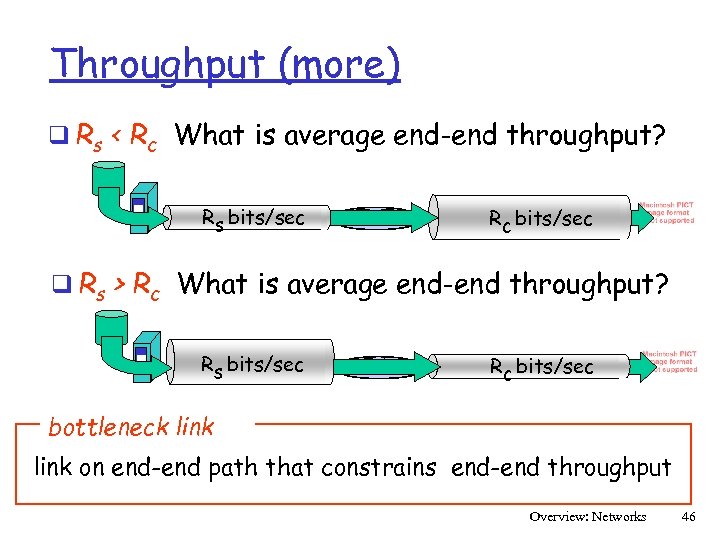 Throughput (more) q Rs < Rc What is average end-end throughput? Rs bits/sec Rc bits/sec q Rs > Rc What is average end-end throughput? Rs bits/sec Rc bits/sec bottleneck link on end-end path that constrains end-end throughput Overview: Networks 46
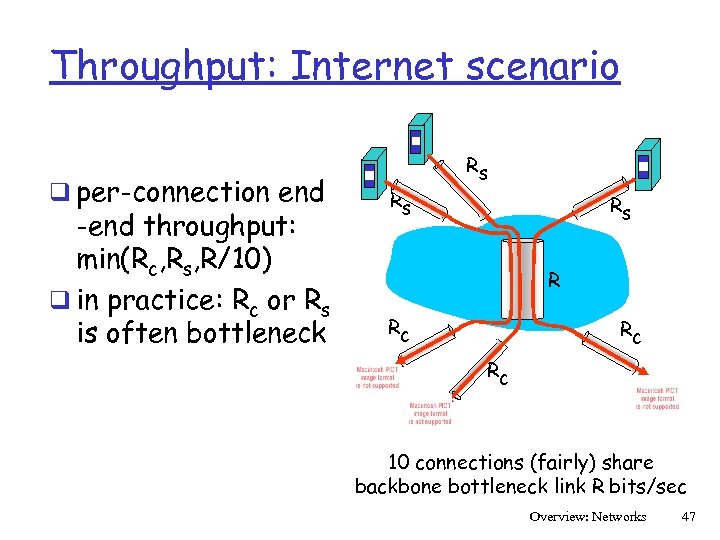 Throughput: Internet scenario q per-connection end -end throughput: min(Rc, Rs, R/10) q in practice: Rc or Rs is often bottleneck Rs Rs Rs R Rc Rc Rc 10 connections (fairly) share backbone bottleneck link R bits/sec Overview: Networks 47
 Protocol “Layers” Networks are complex! q many “pieces”: v hosts v routers v links of various media v applications v protocols v hardware, software Question: Is there any hope of organizing structure of network? Or at least our discussion of networks? Overview: Networks 48
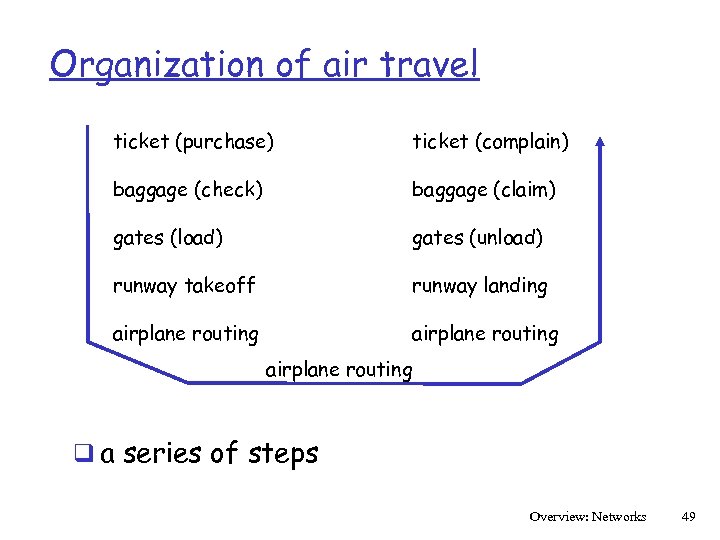 Organization of air travel ticket (purchase) ticket (complain) baggage (check) baggage (claim) gates (load) gates (unload) runway takeoff runway landing airplane routing q a series of steps Overview: Networks 49
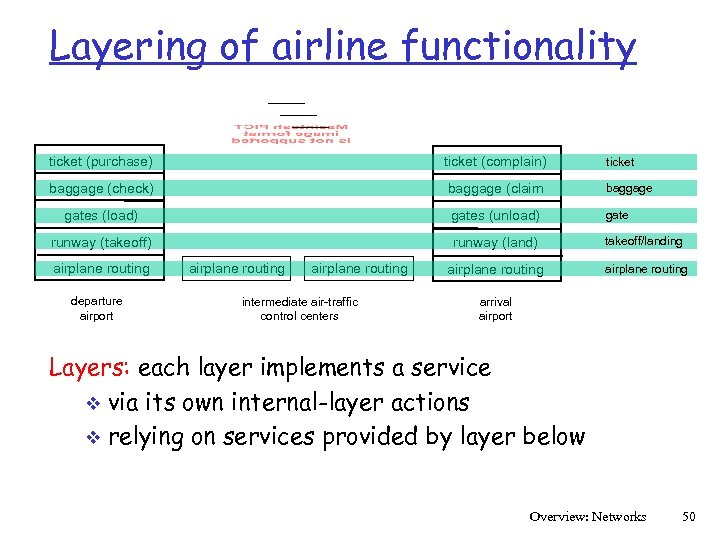 Layering of airline functionality ticket (purchase) ticket (complain) ticket baggage (check) baggage (claim baggage gates (load) gates (unload) gate runway (takeoff) runway (land) takeoff/landing airplane routing departure airport airplane routing intermediate air-traffic control centers arrival airport Layers: each layer implements a service v via its own internal-layer actions v relying on services provided by layer below Overview: Networks 50
 Why layering? Dealing with complex systems: q explicit structure allows identification, relationship of complex system’s pieces v layered reference model for discussion q modularization eases maintenance, updating of system v change of implementation of layer’s service transparent to rest of system v e. g. , change in gate procedure doesn’t affect rest of system q layering considered harmful? Overview: Networks 51
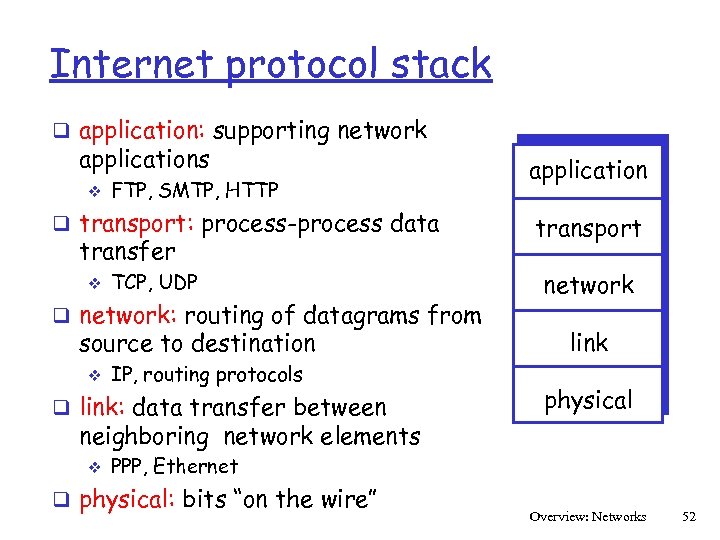 Internet protocol stack q application: supporting network applications v FTP, SMTP, HTTP q transport: process-process data transfer v TCP, UDP q network: routing of datagrams from source to destination v IP, routing protocols q link: data transfer between application transport network link physical neighboring network elements v PPP, Ethernet q physical: bits “on the wire” Overview: Networks 52
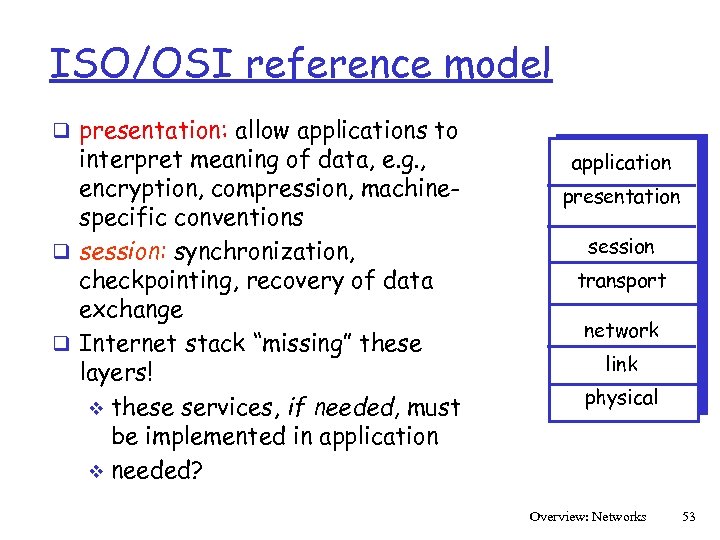 ISO/OSI reference model q presentation: allow applications to interpret meaning of data, e. g. , encryption, compression, machinespecific conventions q session: synchronization, checkpointing, recovery of data exchange q Internet stack “missing” these layers! v these services, if needed, must be implemented in application v needed? application presentation session transport network link physical Overview: Networks 53
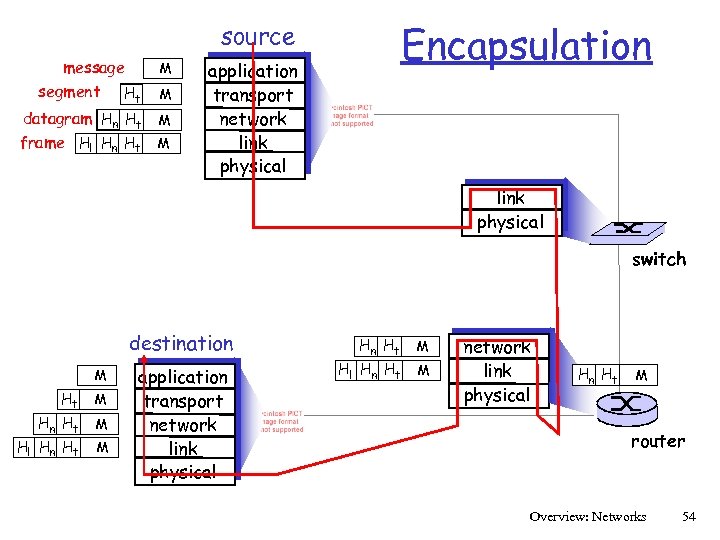 Encapsulation source message segment Ht M datagram Hn Ht M frame Hl Hn Ht M M application transport network link physical switch destination M Ht M Hn Ht Hl Hn Ht M M application transport network link physical Hn Ht Hl Hn Ht M M network link physical Hn Ht M router Overview: Networks 54
 Network Security q The field of network security is about: v how bad guys can attack computer networks v how we can defend networks against attacks v how to design architectures that are immune to attacks q Internet not originally designed with (much) security in mind original vision: “a group of mutually trusting users attached to a transparent network” v Internet protocol designers playing “catch-up” v Security considerations in all layers! v Overview: Networks 55
 Bad guys can put malware into hosts via Internet q Malware can get in host from a virus, worm, or trojan horse. q Spyware malware can record keystrokes, web sites visited, upload info to collection site. q Infected host can be enrolled in a botnet, used for spam and DDo. S attacks. q Malware is often self-replicating: from an infected host, seeks entry into other hosts Overview: Networks 56
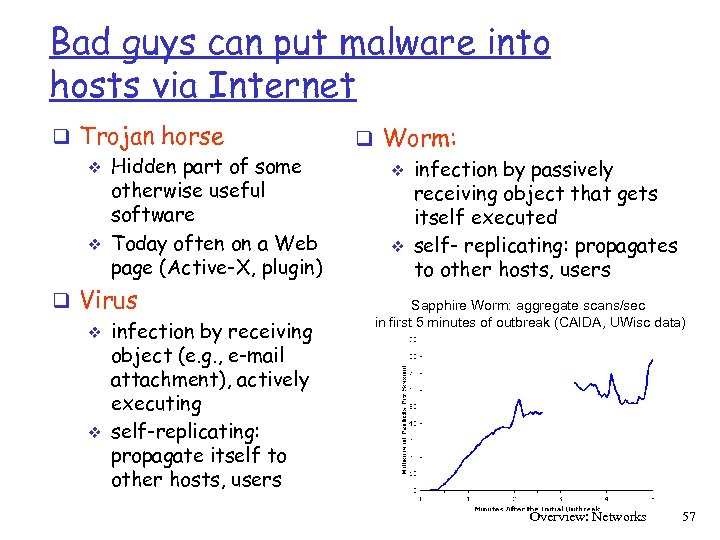 Bad guys can put malware into hosts via Internet q Trojan horse v Hidden part of some otherwise useful software v Today often on a Web page (Active-X, plugin) q Virus v infection by receiving object (e. g. , e-mail attachment), actively executing v self-replicating: propagate itself to other hosts, users q Worm: v infection by passively receiving object that gets itself executed v self- replicating: propagates to other hosts, users Sapphire Worm: aggregate scans/sec in first 5 minutes of outbreak (CAIDA, UWisc data) Overview: Networks 57
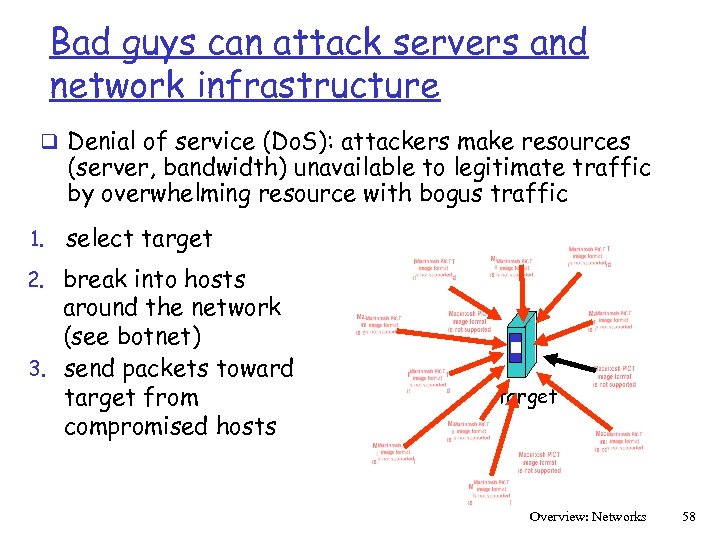 Bad guys can attack servers and network infrastructure q Denial of service (Do. S): attackers make resources (server, bandwidth) unavailable to legitimate traffic by overwhelming resource with bogus traffic 1. select target 2. break into hosts around the network (see botnet) 3. send packets toward target from compromised hosts target Overview: Networks 58
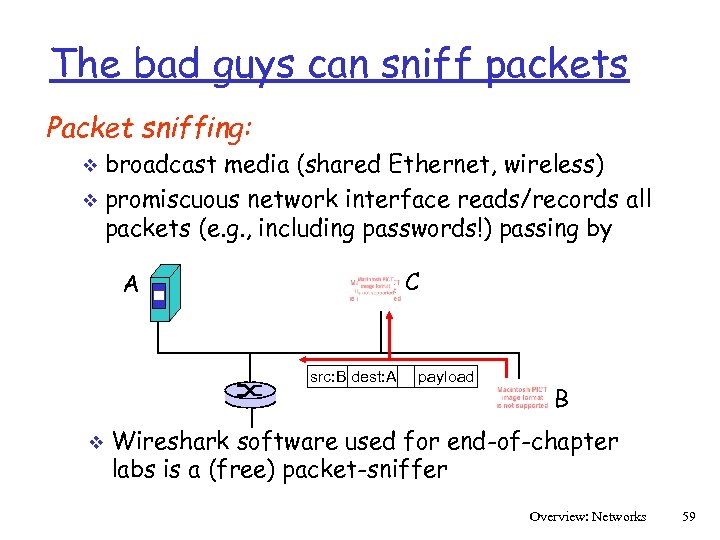 The bad guys can sniff packets Packet sniffing: broadcast media (shared Ethernet, wireless) v promiscuous network interface reads/records all packets (e. g. , including passwords!) passing by v C A src: B dest: A v payload B Wireshark software used for end-of-chapter labs is a (free) packet-sniffer Overview: Networks 59
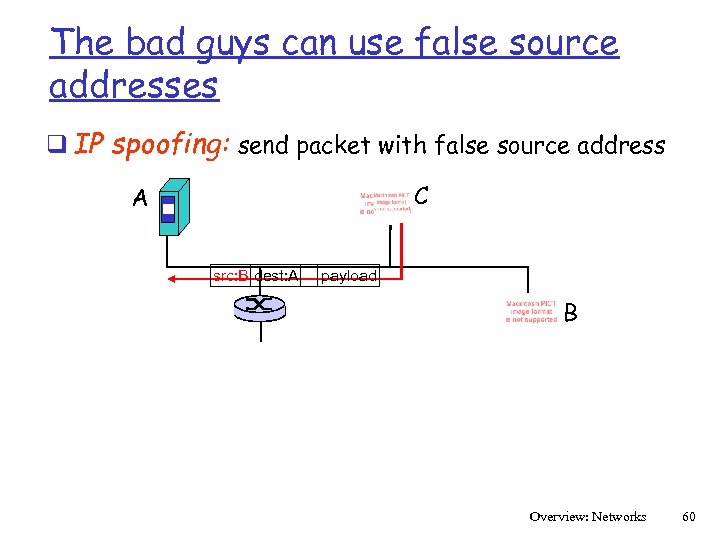 The bad guys can use false source addresses q IP spoofing: send packet with false source address C A src: B dest: A payload B Overview: Networks 60
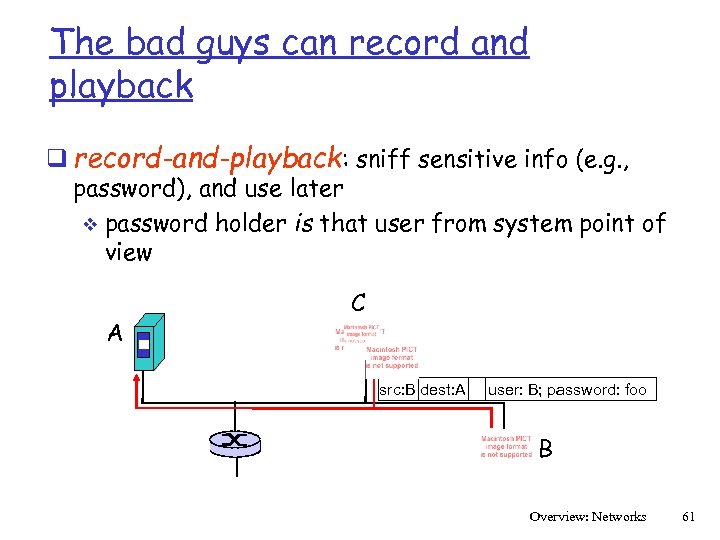 The bad guys can record and playback q record-and-playback: sniff sensitive info (e. g. , password), and use later v password holder is that user from system point of view A C src: B dest: A user: B; password: foo B Overview: Networks 61