


 Скачать презентацию Overview Employee or Contact logs into Randstad
71424732da7615d7bbd554c8e761ce67.ppt
- Количество слайдов: 25
 Overview
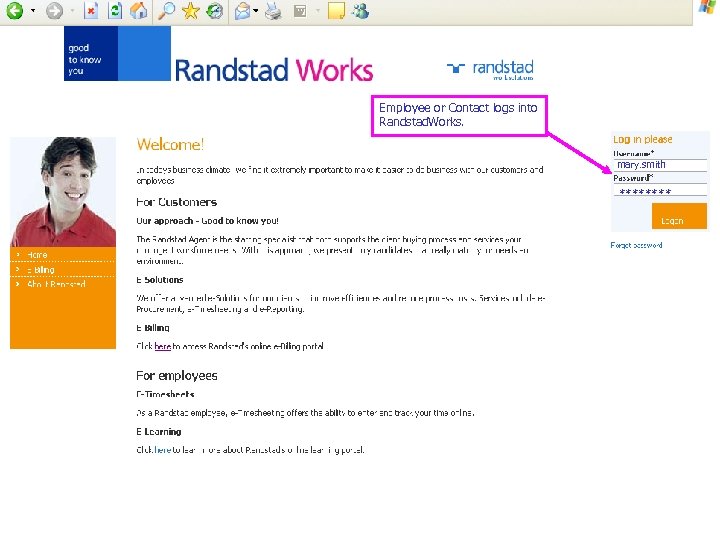 Employee or Contact logs into Randstad. Works. mary. smith **** 2
 Value of e-Solutions via the Randstad. Works Platform • • Secure – SSL encryption protects sensitive data that is transferred from our system to yours • Role-based permissions – allow users to access only relevant system functionality based on their role. • Configurable – customer specific configuration settings allow for maximum ease of use and implementation • 3 Modular – get desired solutions without cumbersome extras Minimal IT Requirements – computer connected to the Internet with IE browser 4. 5 or higher • e-Convenience – Access to all of Randstad’s web services
 Randstad. Works Timesheets Module 4
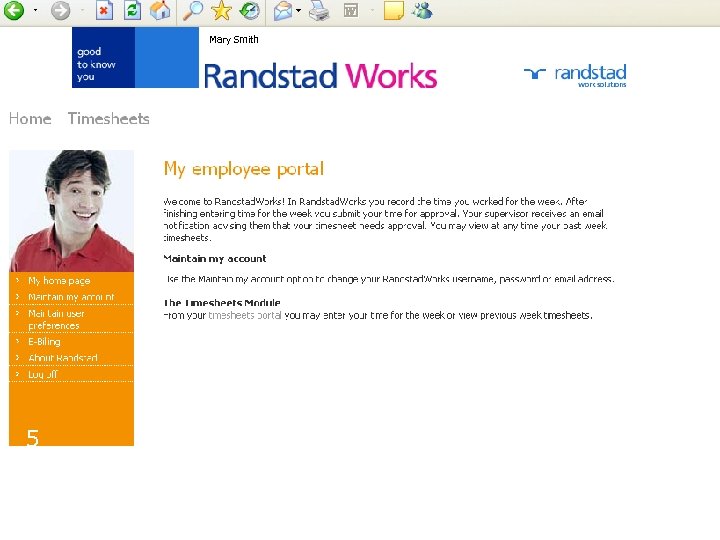 Mary Smith Employee clicks on the Timesheets module to access timesheets. 5
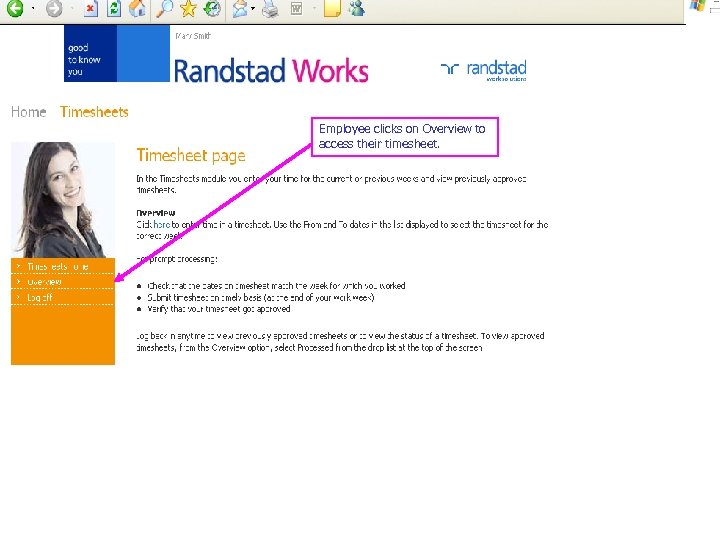 Employee clicks on Overview to access their timesheet. 6
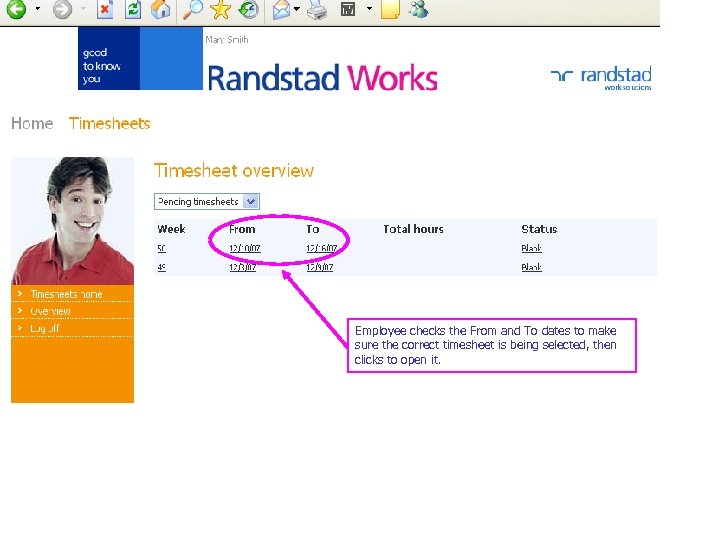 Employee checks the From and To dates to make sure the correct timesheet is being selected, then clicks to open it. 7
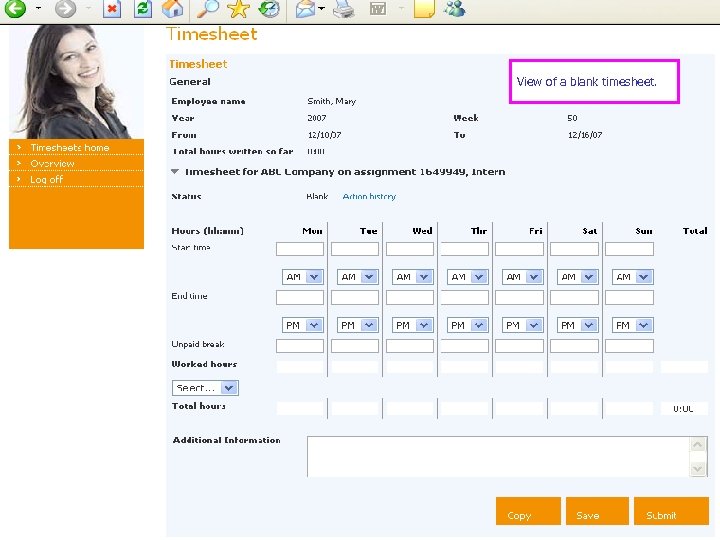 View of a blank timesheet. 8
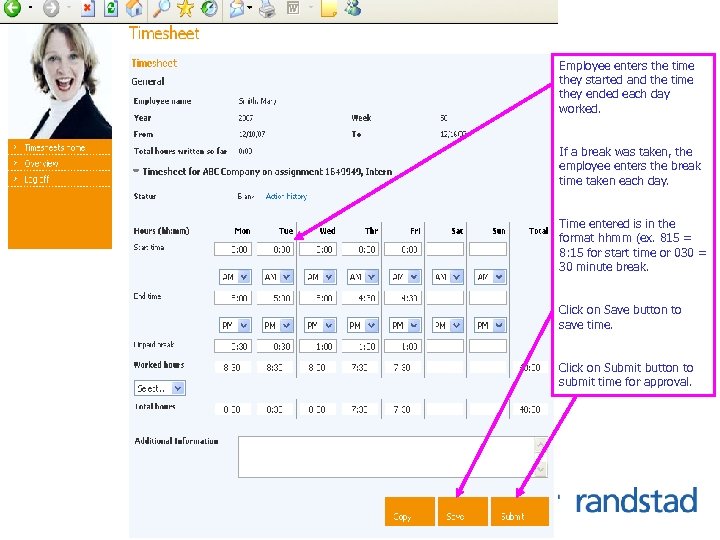 Employee enters the time they started and the time they ended each day worked. If a break was taken, the employee enters the break time taken each day. Time entered is in the format hhmm (ex. 815 = 8: 15 for start time or 030 = 30 minute break. Click on Save button to save time. Click on Submit button to submit time for approval. 9
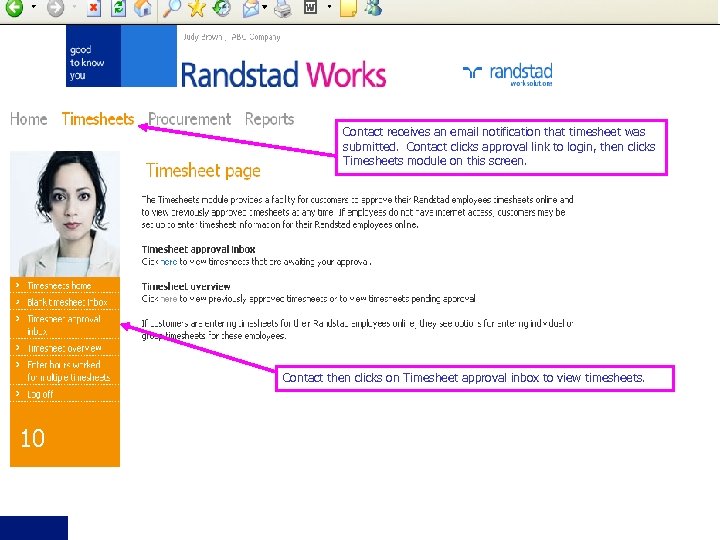 Contact receives an email notification that timesheet was submitted. Contact clicks approval link to login, then clicks Timesheets module on this screen. Contact then clicks on Timesheet approval inbox to view timesheets. 10
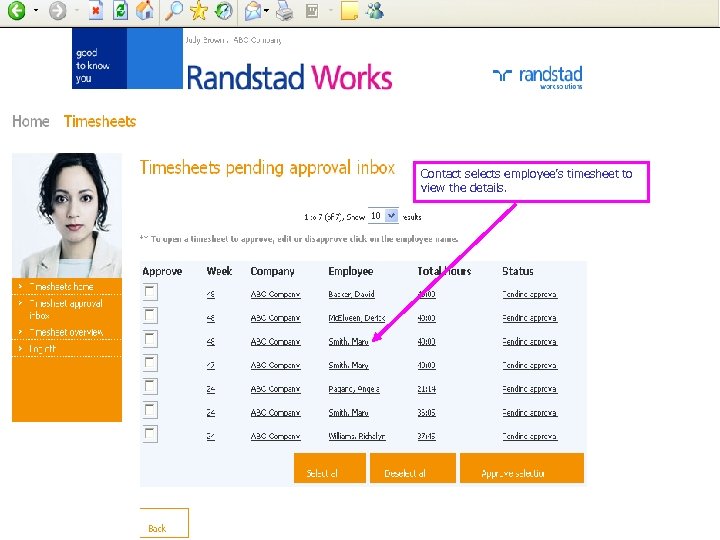 Contact selects employee’s timesheet to view the details. 11
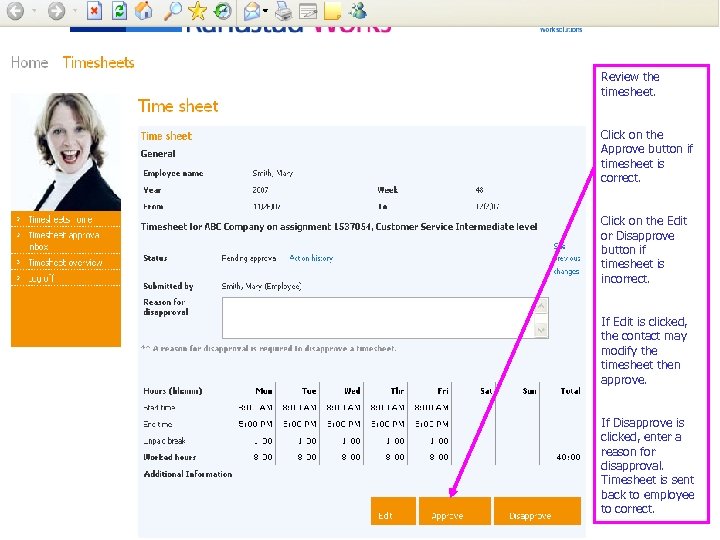 Review the timesheet. Click on the Approve button if timesheet is correct. Click on the Edit or Disapprove button if timesheet is incorrect. If Edit is clicked, the contact may modify the timesheet then approve. 12 If Disapprove is clicked, enter a reason for disapproval. Timesheet is sent back to employee to correct.
 Value of e-Timesheeting • • Access to current and historical timesheets any time via the Internet • Visibility throughout the whole time sheet process • Eliminate unnecessary expenses related to paper, printing, mailing and storage • Reduced errors associated with manual time entry • 13 Real-time access to information Automated email notifications throughout timesheet process • Very user friendly email notifications
 Randstad. Works Procurement Module 14
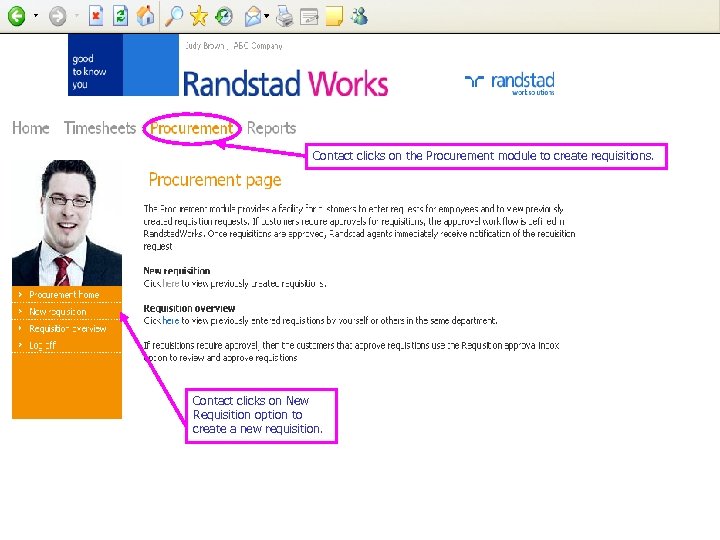 Contact clicks on the Procurement module to create requisitions. 15 Contact clicks on New Requisition option to create a new requisition.
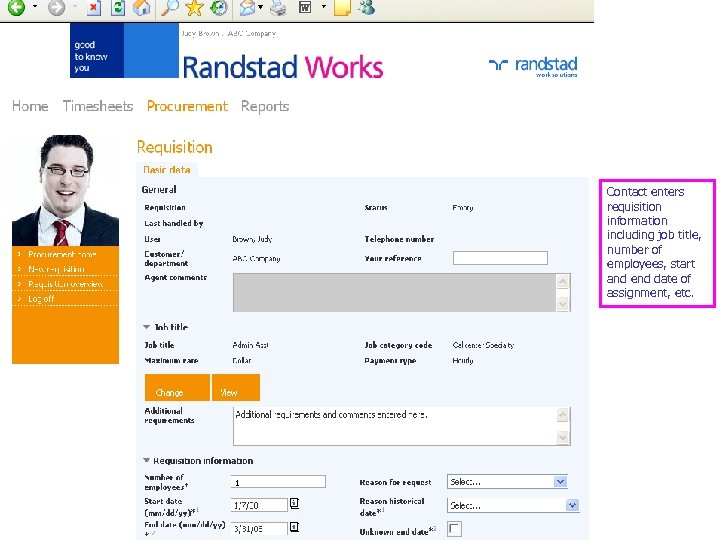 Contact enters requisition information including job title, number of employees, start and end date of assignment, etc. 16 1
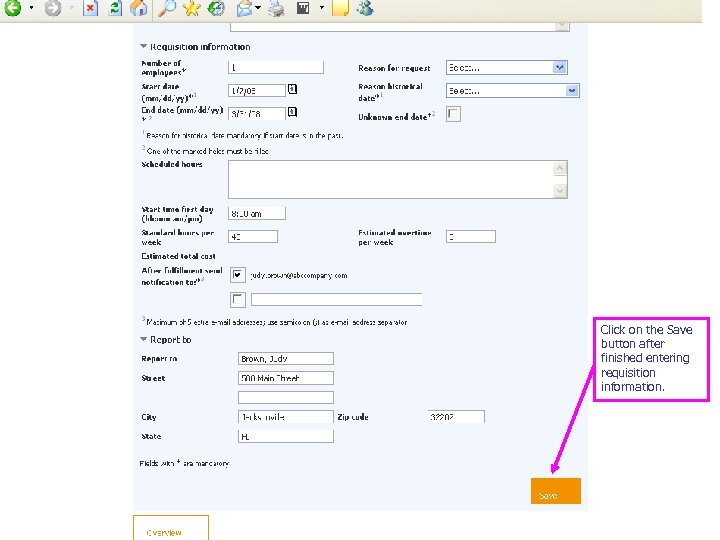 Click on the Save button after finished entering requisition information. 17
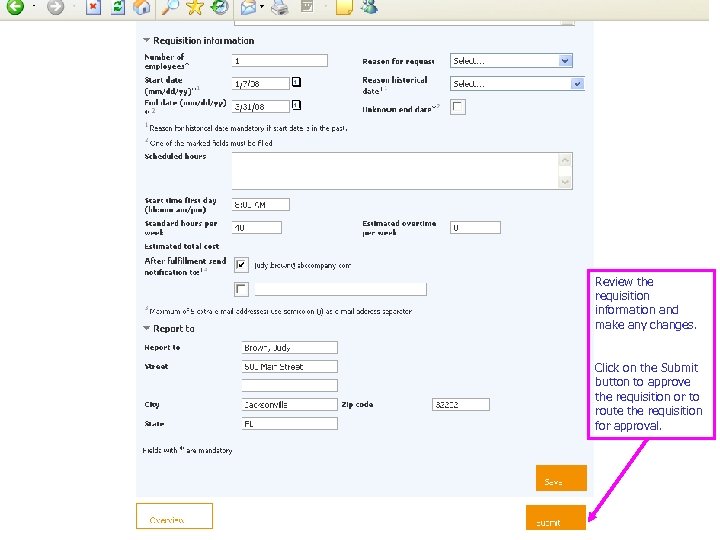 Review the requisition information and make any changes. Click on the Submit button to approve the requisition or to route the requisition for approval.
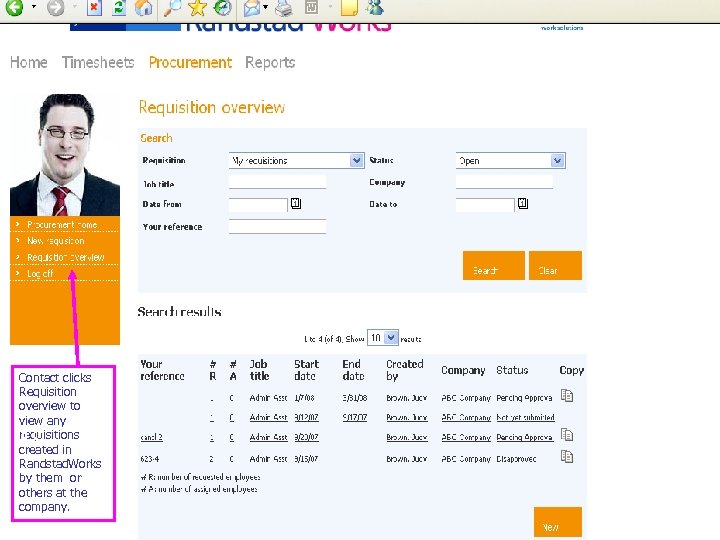 Contact clicks Requisition overview to view any requisitions created in Randstad. Works by them or others at the company. 19
 Value of e-Procurement • A standardized process that is automated • A system that is very easy to use and configurable to each customer • Approved requisitions automatically routed to Randstad branch • Cost savings through process efficiency • Customer job titles managed by local agent team • Visibility of requisitions created by other users in department 20 • Access to historical requisitions
 Randstad. Works Reports Module 21
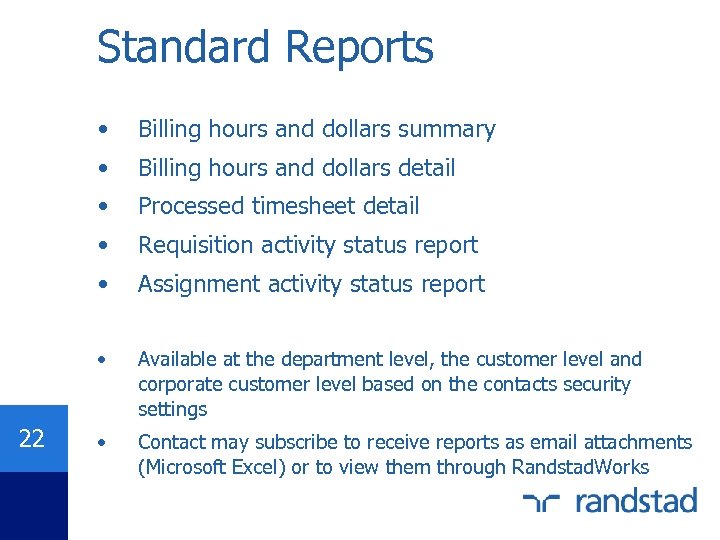 Standard Reports • • Billing hours and dollars detail • Processed timesheet detail • Requisition activity status report • Assignment activity status report • 22 Billing hours and dollars summary Available at the department level, the customer level and corporate customer level based on the contacts security settings • Contact may subscribe to receive reports as email attachments (Microsoft Excel) or to view them through Randstad. Works
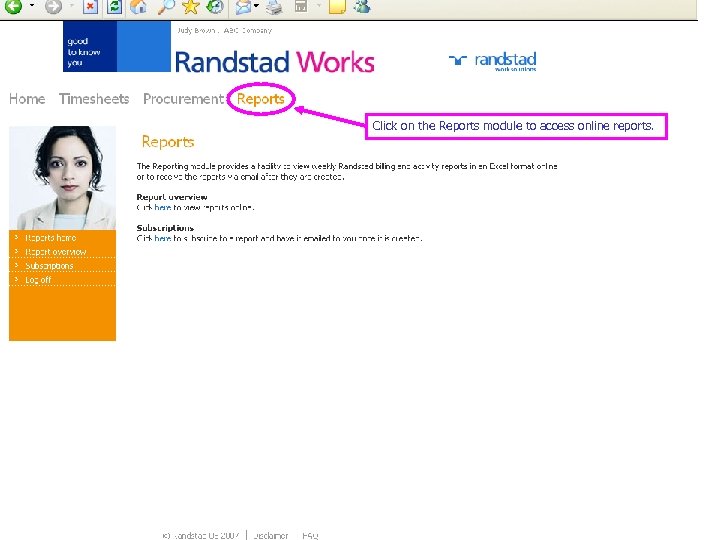 Click on the Reports module to access online reports.
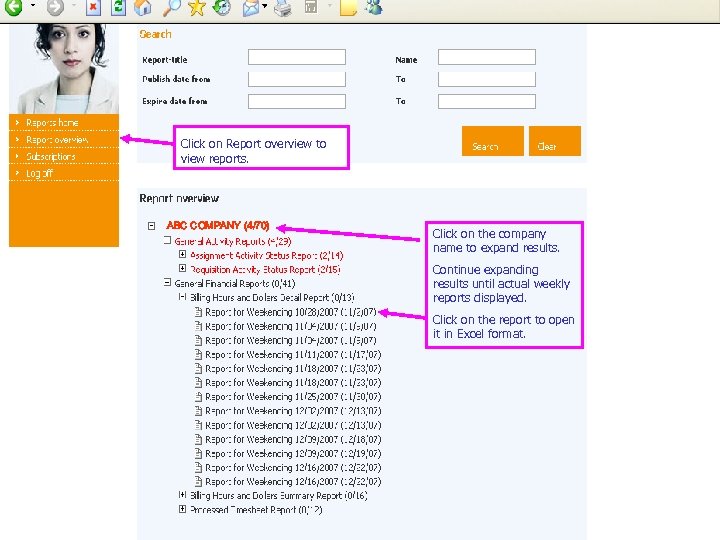 Click on Report overview to view reports. ABC COMPANY (4/70) Click on the company name to expand results. Continue expanding results until actual weekly reports displayed. Click on the report to open it in Excel format. 24
 Value of e-Reporting • • Improved data quality (integrity) via interfaces with Randstad’s operational systems • Cost savings by eliminating redundant processing and unnecessary paper-related expenses • Ability to schedule report for delivery via email • 25 Improved service and posted weekly access to activity and cost information Information displayed in spreadsheet format that may be saved by contact for future reference