


 Скачать презентацию OSI Model OSI MODEL OSI Model Layer
075db6ec08f96db2e0774eb03428a24f.ppt
- Количество слайдов: 66
 OSI Model OSI MODEL
 OSI Model Layer Architecture Layer architecture simplifies the network design. It is easy to debug network applications in a layered architecture network. The network management is easier due to the layered architecture. Network layers follow a set of rules, called protocol. The protocol defines the format of the data being exchanged, and the control and timing for the handshake between layers.
 OSI Model Open Systems Interconnection (OSI) Model International standard organization (ISO) established a committee in 1977 to develop an architecture for computer communication. Open Systems Interconnection (OSI) reference model is the result of this effort. In 1984, the Open Systems Interconnection (OSI) reference model was approved as an international standard for communications architecture. Term “open” denotes the ability to connect any two systems which conform to the reference model and associated standards.
 OSI Model OSI Reference Model The OSI model is now considered the primary Architectural model for inter-computer communications. The OSI model describes how information or data makes its way from application programmes (such as spreadsheets) through a network medium (such as wire) to another application programme located on another network. The OSI reference model divides the problem of moving information between computers over a network medium into SEVEN smaller and more manageable problems. This separation into smaller more manageable functions is known as layering.
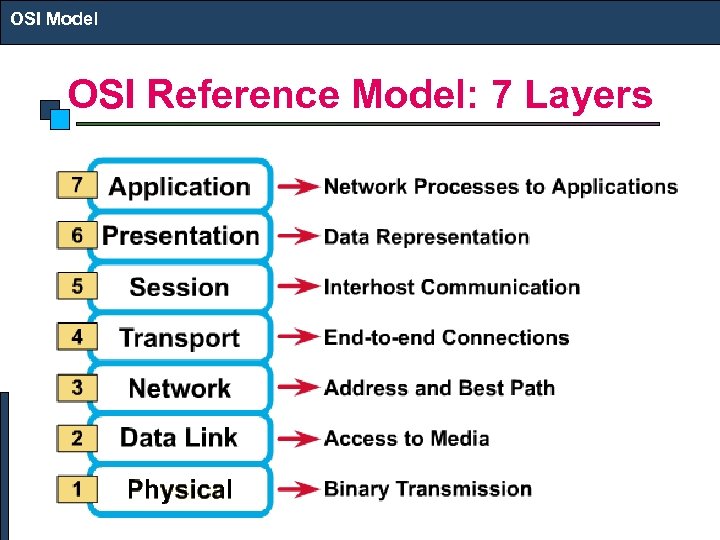 OSI Model OSI Reference Model: 7 Layers
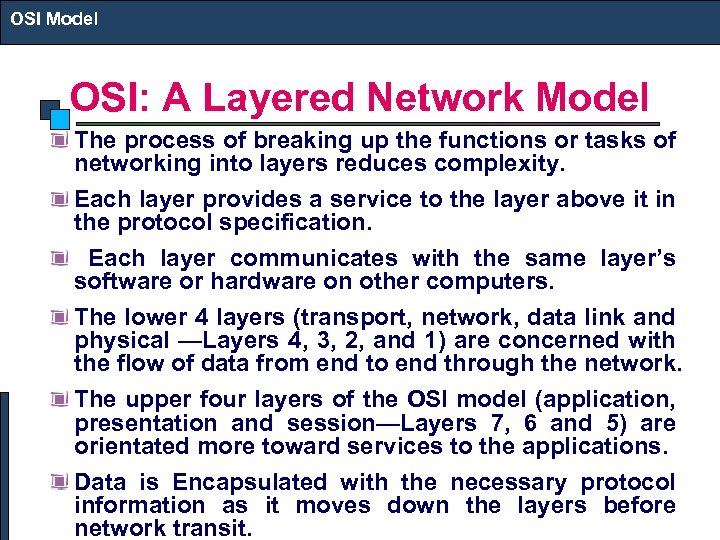 OSI Model OSI: A Layered Network Model The process of breaking up the functions or tasks of networking into layers reduces complexity. Each layer provides a service to the layer above it in the protocol specification. Each layer communicates with the same layer’s software or hardware on other computers. The lower 4 layers (transport, network, data link and physical —Layers 4, 3, 2, and 1) are concerned with the flow of data from end to end through the network. The upper four layers of the OSI model (application, presentation and session—Layers 7, 6 and 5) are orientated more toward services to the applications. Data is Encapsulated with the necessary protocol information as it moves down the layers before network transit.
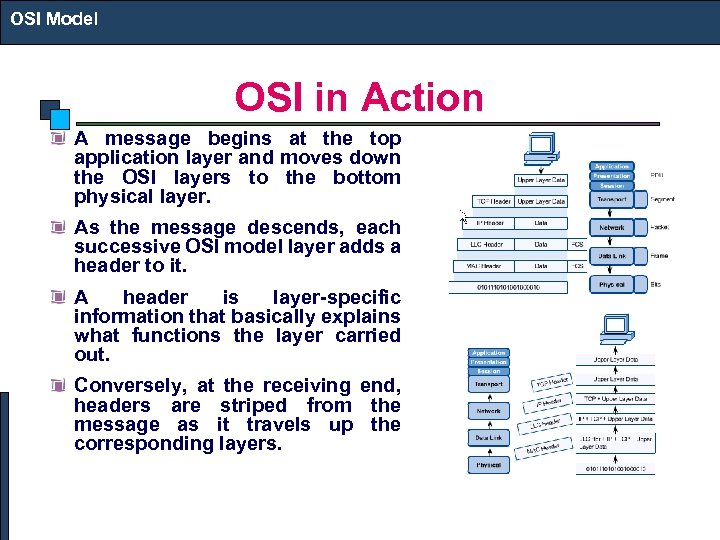 OSI Model OSI in Action A message begins at the top application layer and moves down the OSI layers to the bottom physical layer. As the message descends, each successive OSI model layer adds a header to it. A header is layer-specific information that basically explains what functions the layer carried out. Conversely, at the receiving end, headers are striped from the message as it travels up the corresponding layers.
 TCP/IP Model TCP/IP MODEL
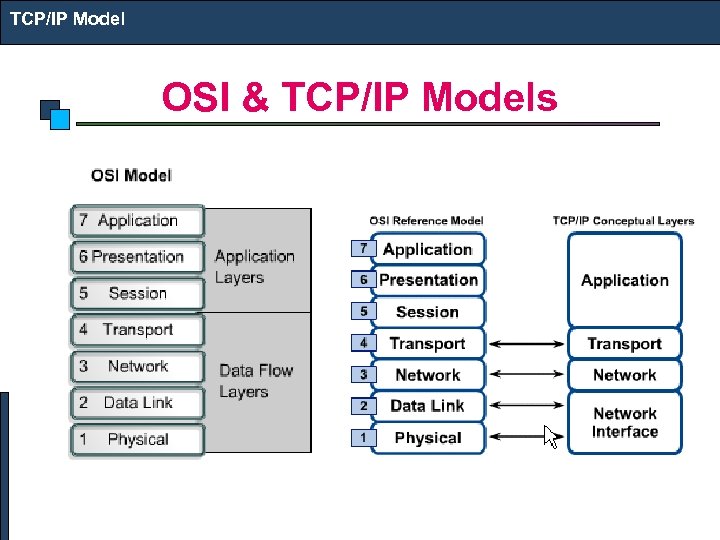 TCP/IP Model OSI & TCP/IP Models
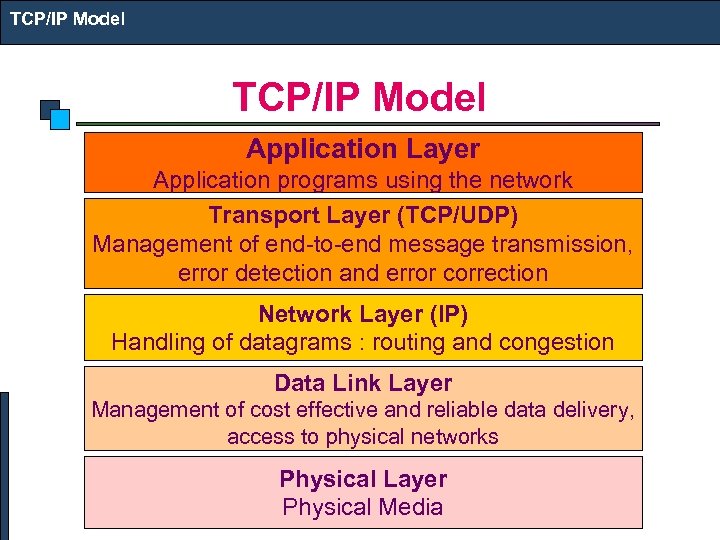 TCP/IP Model Application Layer Application programs using the network Transport Layer (TCP/UDP) Management of end-to-end message transmission, error detection and error correction Network Layer (IP) Handling of datagrams : routing and congestion Data Link Layer Management of cost effective and reliable data delivery, access to physical networks Physical Layer Physical Media
 Basic Concept of IP
 Basic Principal • End-to-End communication • Simple routing mechanism • Everything will be done by end node – except routing
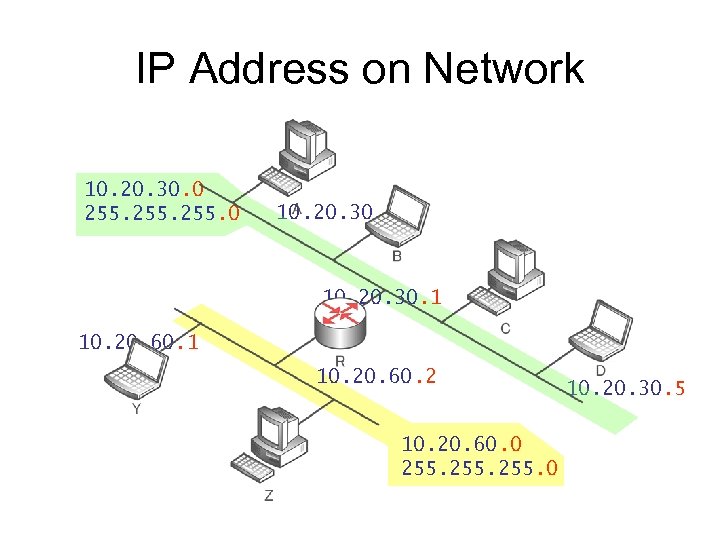 IP Address on Network 10. 20. 30. 0 255. 0 10. 20. 30. 2 10. 20. 30. 1 10. 20. 60. 2 10. 20. 60. 0 255. 0 10. 20. 30. 5
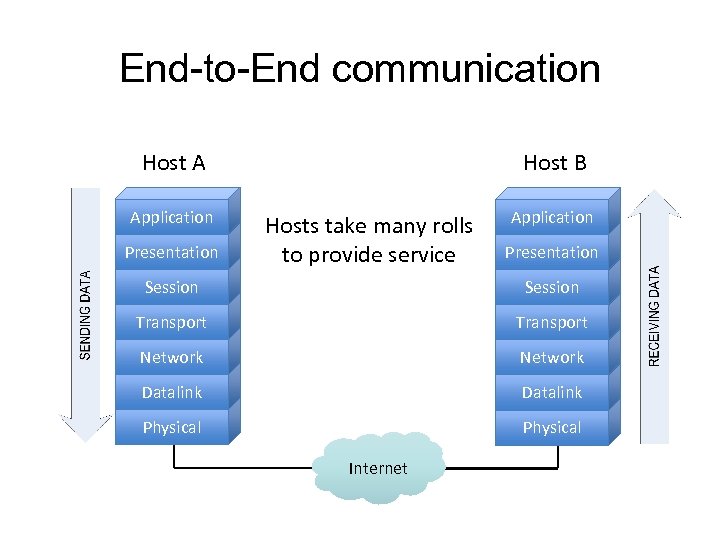 End-to-End communication Host A Application Presentation Host B Hosts take many rolls to provide service Application Presentation Session Transport Network Datalink Physical Internet
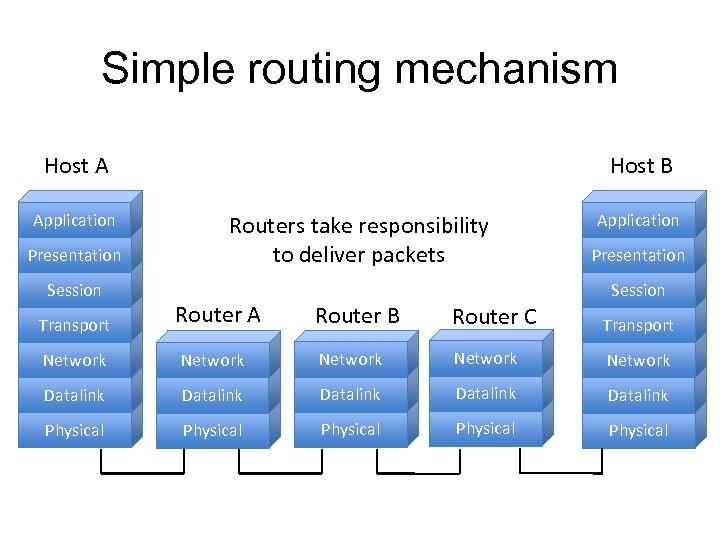 Simple routing mechanism Host A Application Presentation Session Host B Routers take responsibility to deliver packets Application Presentation Session Transport Router A Router B Router C Transport Network Network Datalink Datalink Physical Physical
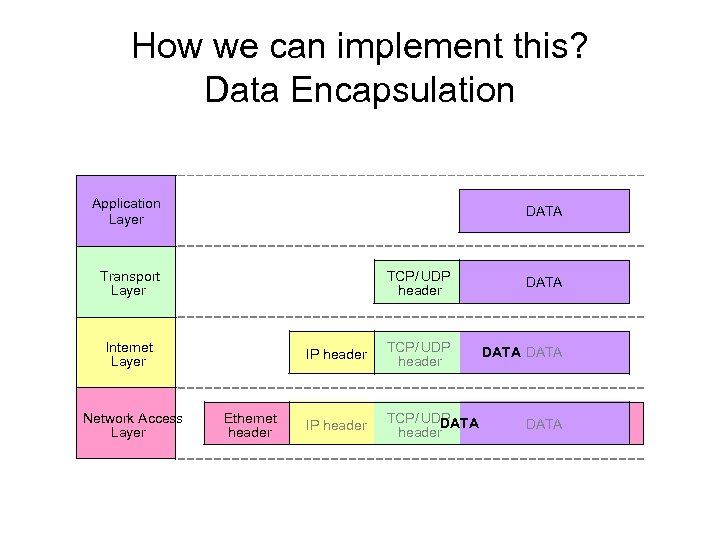 How we can implement this? Data Encapsulation Application Layer DATA Transport Layer TCP/ UDP header Internet Layer Network Access Layer Ethernet header DATA TCP/ UDP header DATA IP header TCP/ UDP DATA header DATA
 Application Layer • Many application protocols – Standard – Proprietary • Client-server communication model – Server application runs on a host – Accepting connections from clients • Peer-to-Peer communication model – All nodes join/provide service in the same manner • Use TCP, or UDP, or both
 Transport Layer • Provide transparent transfer of data between end users • Use ports to pass data to the correct application in a host • TCP – Connection oriented – Reliable – Error correction • UDP – Connectionless – Best effort
 Internet Layer • • Provide addressing and routing Best effort delivery Two protocols: IPv 4 and IPv 6 IPv 4 – Developed in 1970 s – First standardized in 1981 • IPv 6 – First proposed in 1994
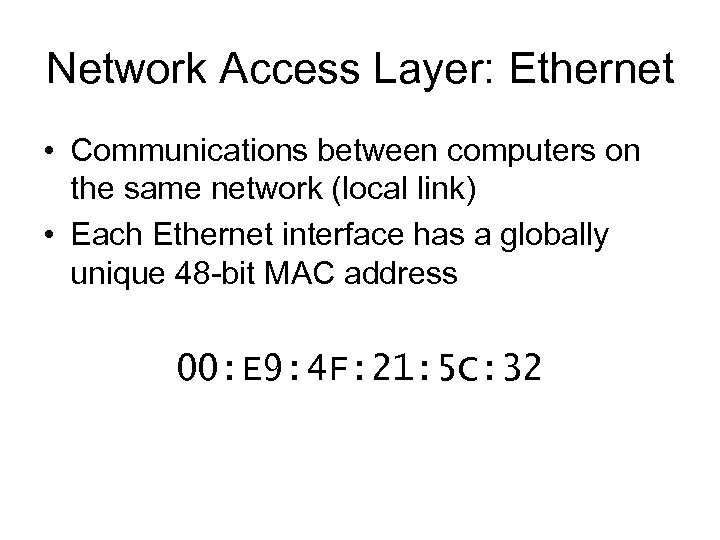 Network Access Layer: Ethernet • Communications between computers on the same network (local link) • Each Ethernet interface has a globally unique 48 -bit MAC address 00: E 9: 4 F: 21: 5 C: 32
 IPv 4
IPv 4
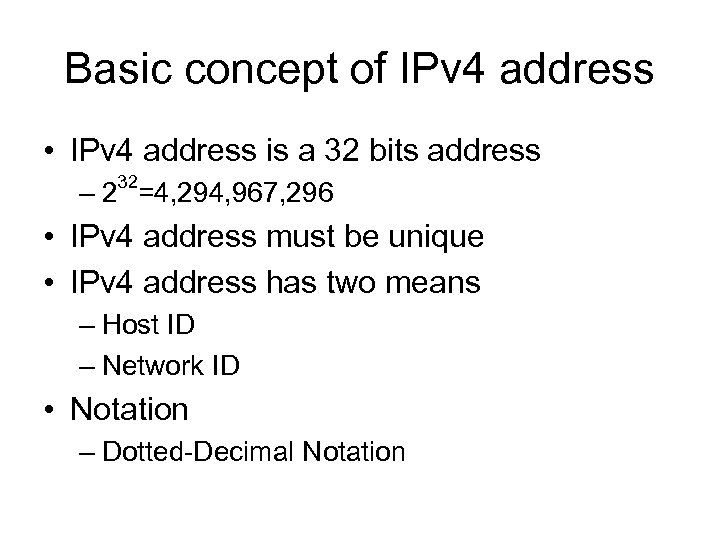 Basic concept of IPv 4 address • IPv 4 address is a 32 bits address 32 – 2 =4, 294, 967, 296 • IPv 4 address must be unique • IPv 4 address has two means – Host ID – Network ID • Notation – Dotted-Decimal Notation
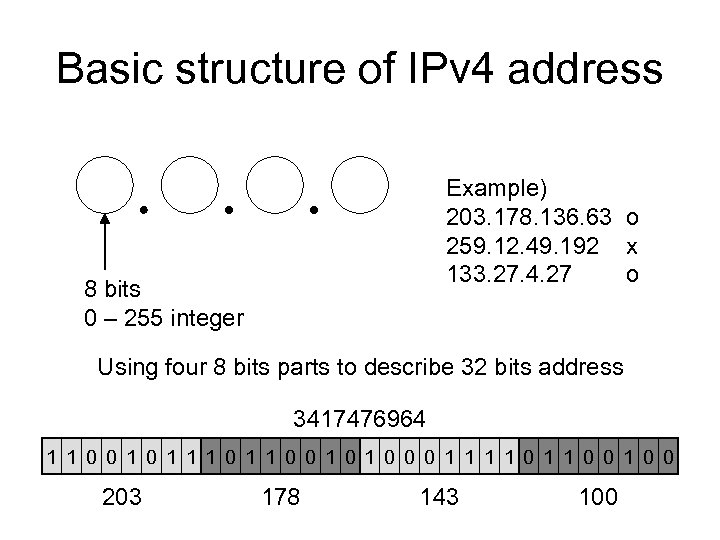 Basic structure of IPv 4 address Example) 203. 178. 136. 63 o 259. 12. 49. 192 x 133. 27. 4. 27 o 8 bits 0 – 255 integer Using four 8 bits parts to describe 32 bits address 3417476964 1 1 0 0 1 0 0 0 1 1 0 0 203 178 143 100
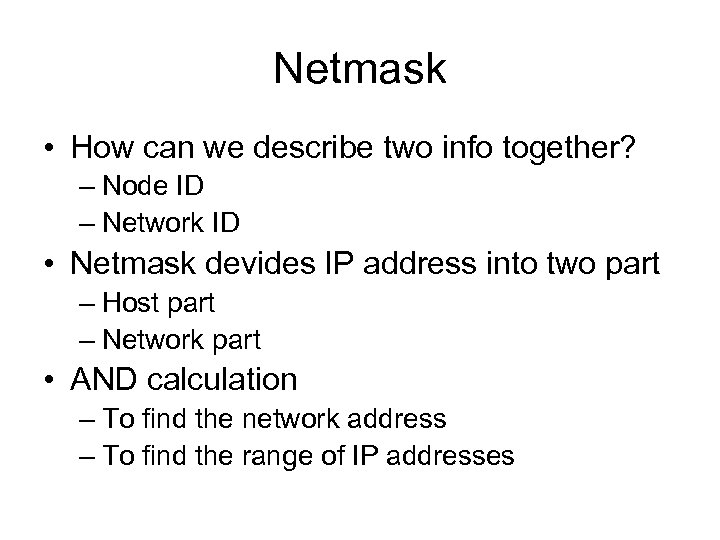 Netmask • How can we describe two info together? – Node ID – Network ID • Netmask devides IP address into two part – Host part – Network part • AND calculation – To find the network address – To find the range of IP addresses
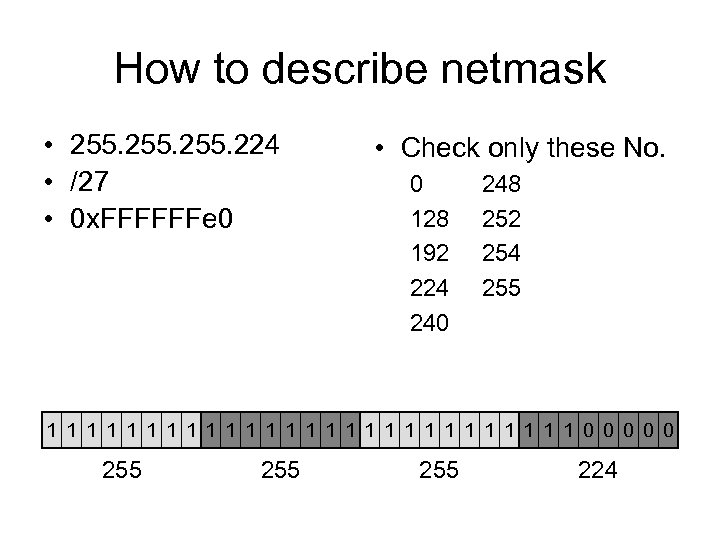 How to describe netmask • 255. 224 • /27 • 0 x. FFFFFFe 0 • Check only these No. 0 128 192 224 240 248 252 254 255 1 1 1 1 1 1 1 0 0 0 255 255 224
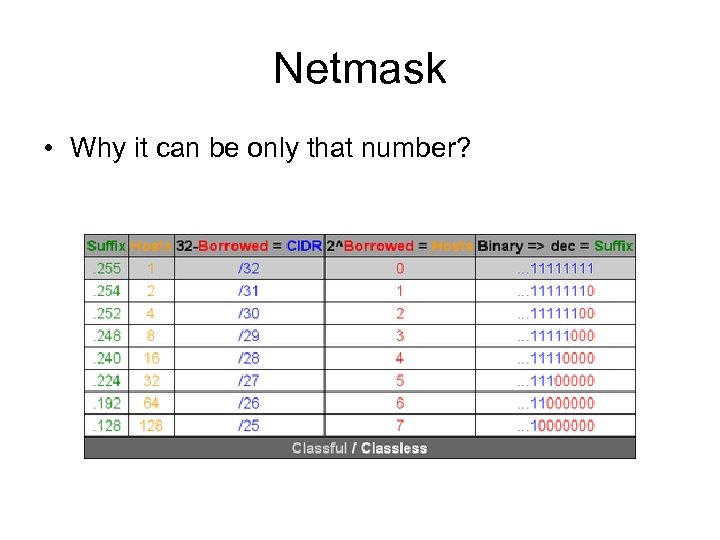 Netmask • Why it can be only that number?
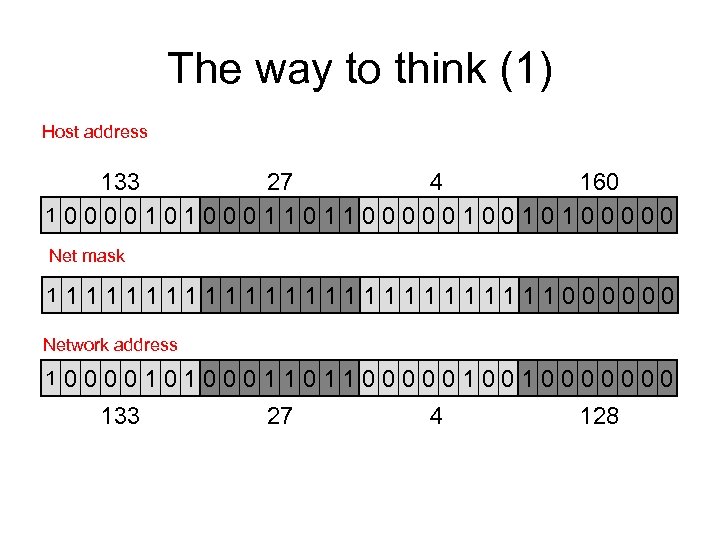 The way to think (1) Host address 133 27 4 160 10000101000110110000010010100000 Net mask 1 1111111111111000000 Network address 1 0000101000110110000010010000000 133 27 4 128
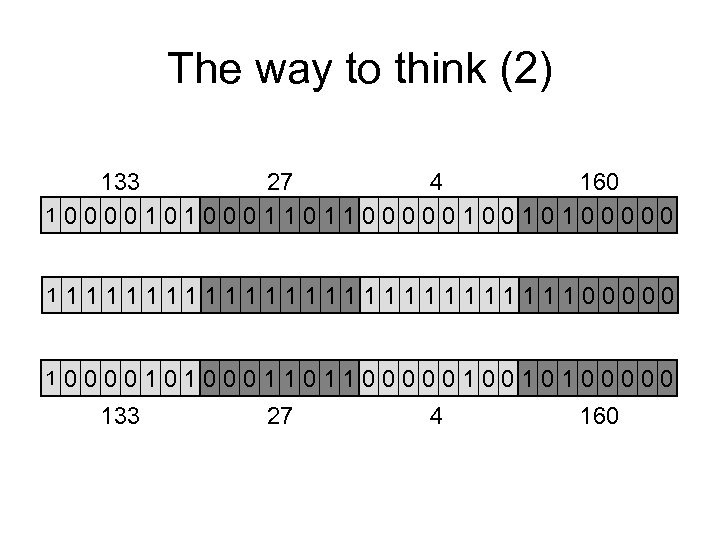 The way to think (2) 133 27 4 160 10000101000110110000010010100000 1 111111111111100000 1 0000101000110110000010010100000 133 27 4 160
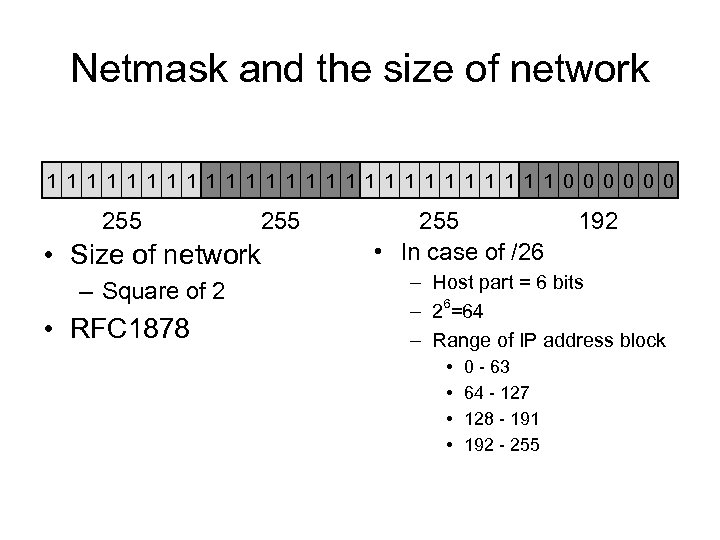 Netmask and the size of network 1 1 1 1 1 1 1 0 0 0 255 • Size of network – Square of 2 • RFC 1878 255 • In case of /26 192 – Host part = 6 bits – 26=64 – Range of IP address block • • 0 - 63 64 - 127 128 - 191 192 - 255
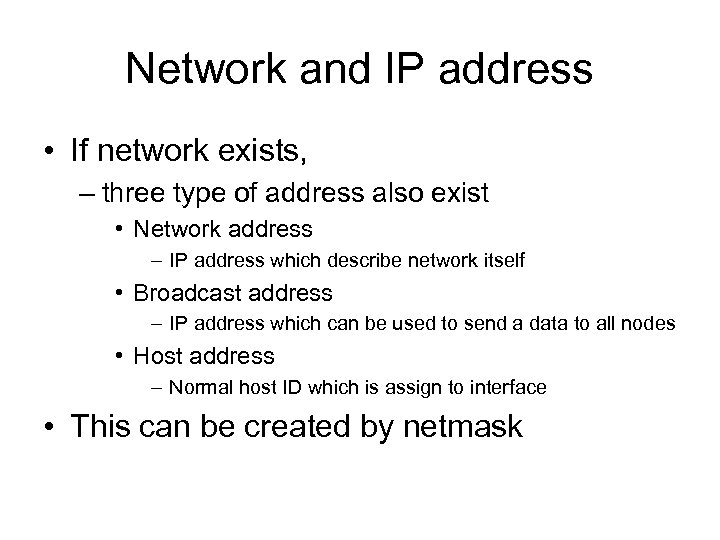 Network and IP address • If network exists, – three type of address also exist • Network address – IP address which describe network itself • Broadcast address – IP address which can be used to send a data to all nodes • Host address – Normal host ID which is assign to interface • This can be created by netmask
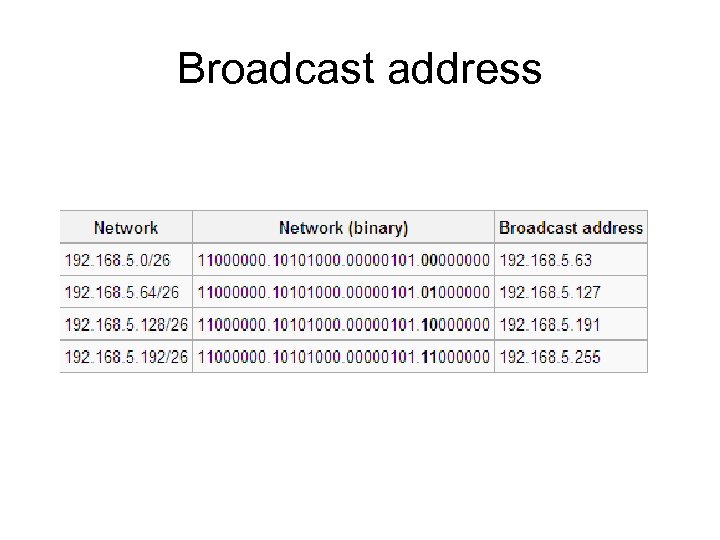 Broadcast address
 Subnet • Subnet is sub-network of assigned network – ISP usually assigned one address block – Several subnets can be create from one block • How to create small subnet – Use longer netmask
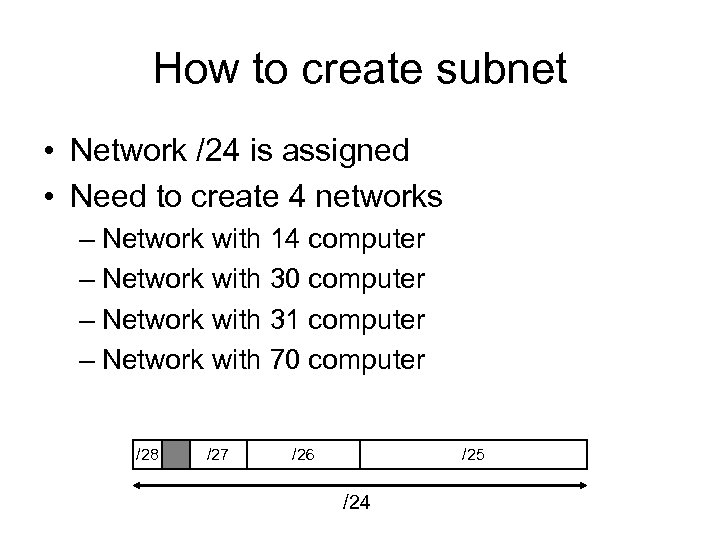 How to create subnet • Network /24 is assigned • Need to create 4 networks – Network with 14 computer – Network with 30 computer – Network with 31 computer – Network with 70 computer /28 /27 /26 /25 /24
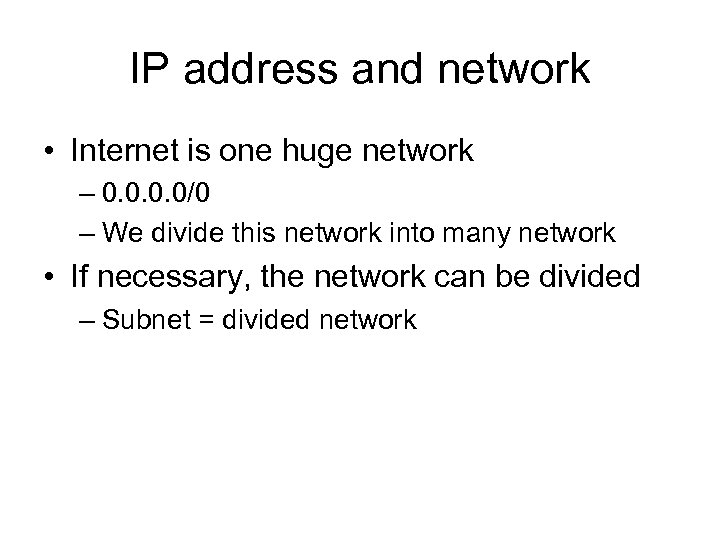 IP address and network • Internet is one huge network – 0. 0/0 – We divide this network into many network • If necessary, the network can be divided – Subnet = divided network
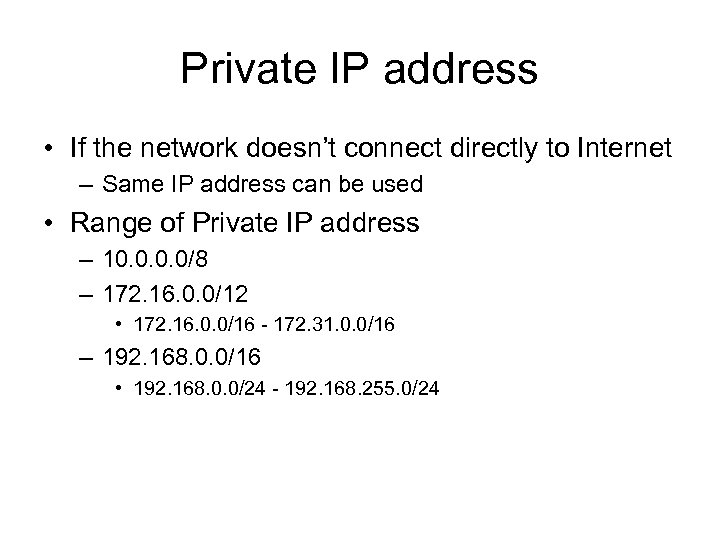 Private IP address • If the network doesn’t connect directly to Internet – Same IP address can be used • Range of Private IP address – 10. 0/8 – 172. 16. 0. 0/12 • 172. 16. 0. 0/16 - 172. 31. 0. 0/16 – 192. 168. 0. 0/16 • 192. 168. 0. 0/24 - 192. 168. 255. 0/24
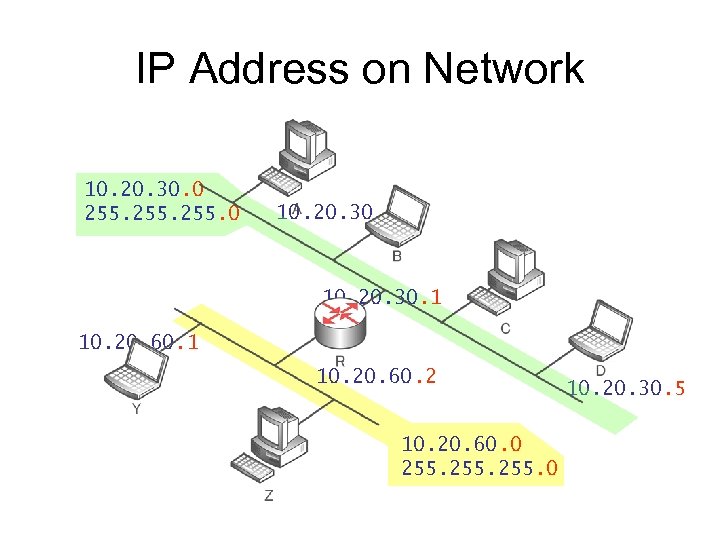 IP Address on Network 10. 20. 30. 0 255. 0 10. 20. 30. 2 10. 20. 30. 1 10. 20. 60. 2 10. 20. 60. 0 255. 0 10. 20. 30. 5
 Address resolution
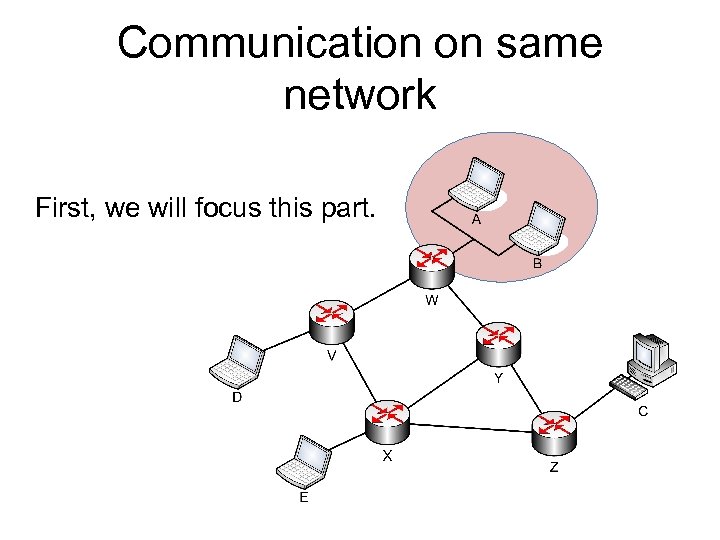 Communication on same network First, we will focus this part.
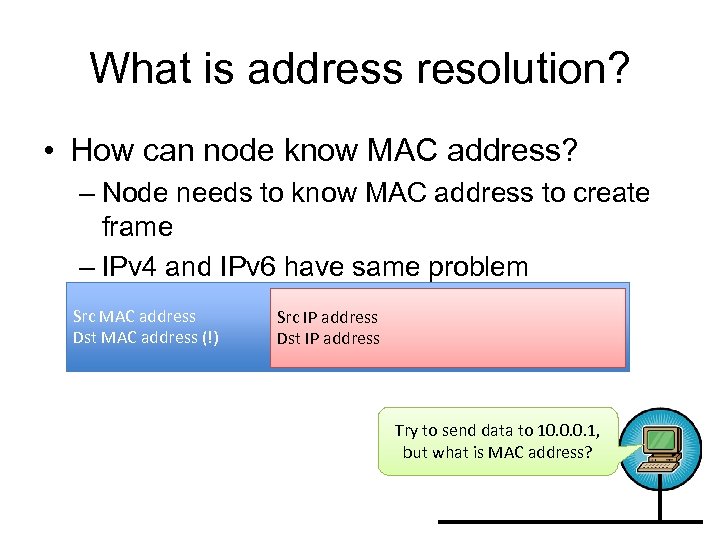 What is address resolution? • How can node know MAC address? – Node needs to know MAC address to create frame – IPv 4 and IPv 6 have same problem Src MAC address Dst MAC address (!) Src IP address Dst IP address Try to send data to 10. 0. 0. 1, but what is MAC address?
 IPv 4: ARP • Address Resolution Protocol • ARP request – L 2 Broadcast to find a node with certain IP address • ARP reply – L 2 Unicast to tell MAC address to request machine
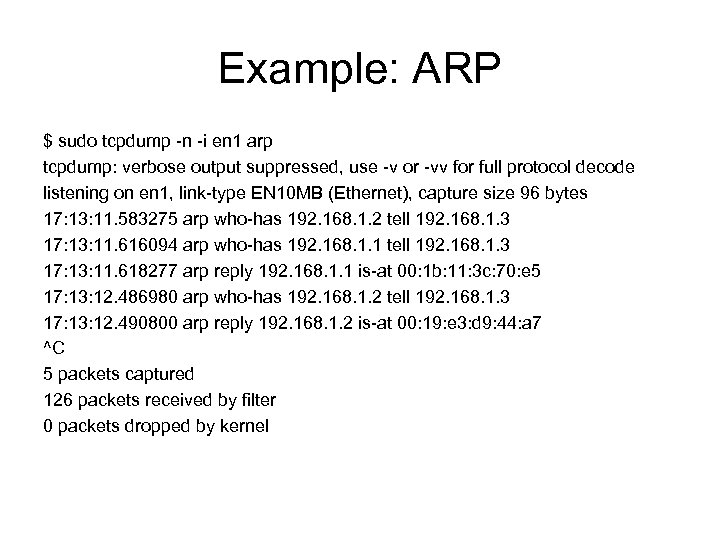 Example: ARP $ sudo tcpdump -n -i en 1 arp tcpdump: verbose output suppressed, use -v or -vv for full protocol decode listening on en 1, link-type EN 10 MB (Ethernet), capture size 96 bytes 17: 13: 11. 583275 arp who-has 192. 168. 1. 2 tell 192. 168. 1. 3 17: 13: 11. 616094 arp who-has 192. 168. 1. 1 tell 192. 168. 1. 3 17: 13: 11. 618277 arp reply 192. 168. 1. 1 is-at 00: 1 b: 11: 3 c: 70: e 5 17: 13: 12. 486980 arp who-has 192. 168. 1. 2 tell 192. 168. 1. 3 17: 13: 12. 490800 arp reply 192. 168. 1. 2 is-at 00: 19: e 3: d 9: 44: a 7 ^C 5 packets captured 126 packets received by filter 0 packets dropped by kernel
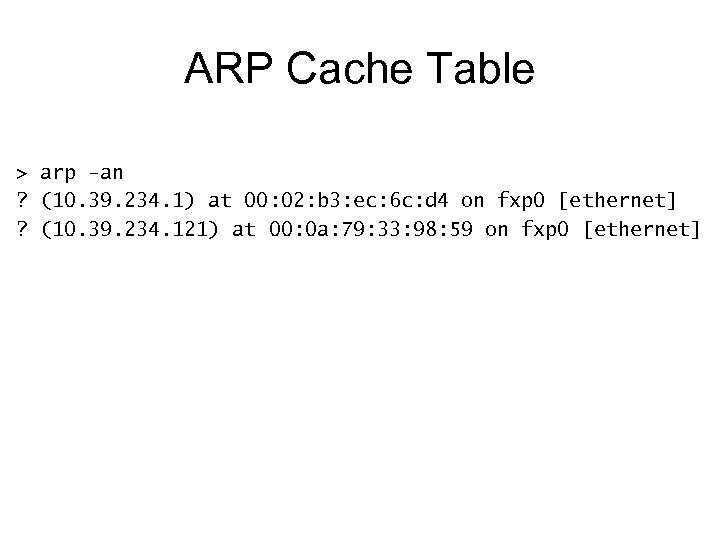 ARP Cache Table > arp -an ? (10. 39. 234. 1) at 00: 02: b 3: ec: 6 c: d 4 on fxp 0 [ethernet] ? (10. 39. 234. 121) at 00: 0 a: 79: 33: 98: 59 on fxp 0 [ethernet]
 Routing
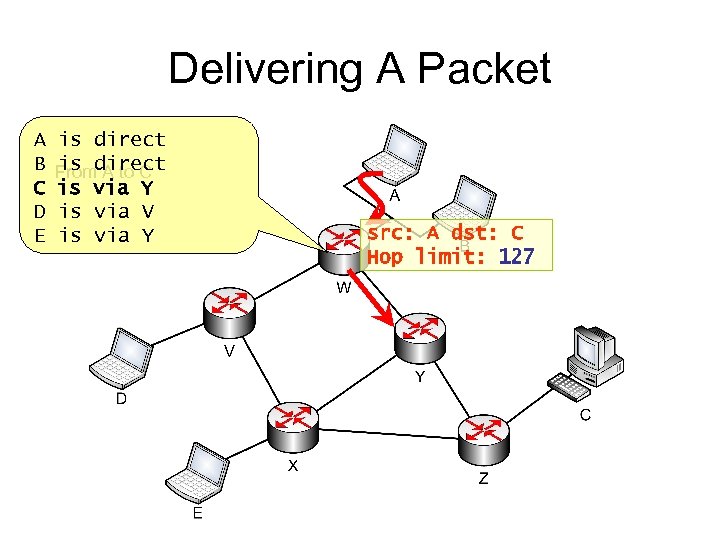
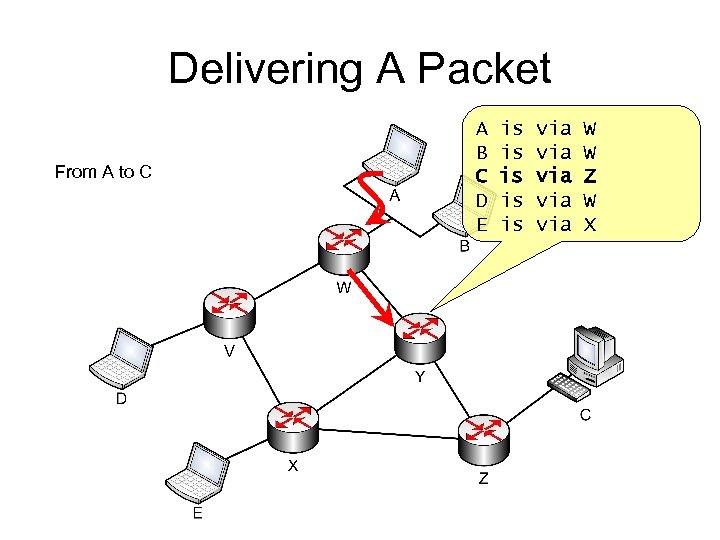
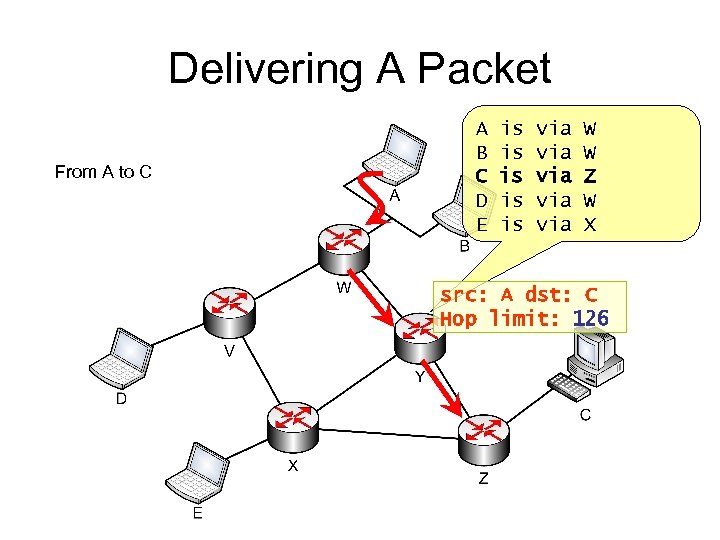
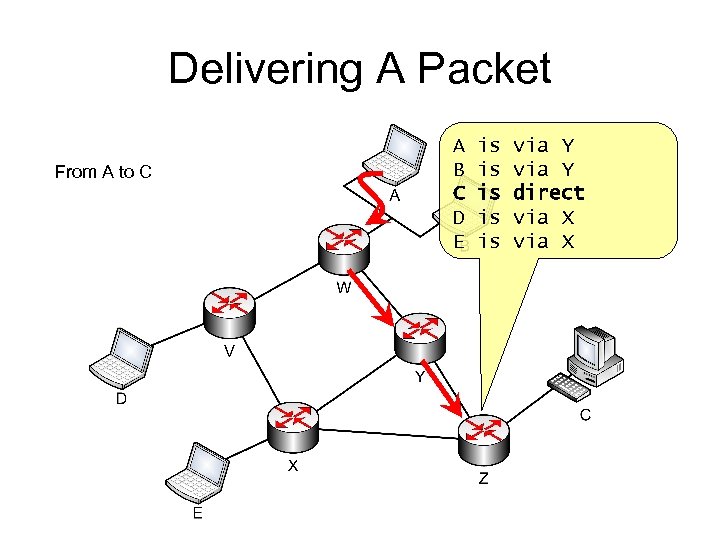
 How can a computer send data to destination? • Destination is usually located on other network – Node has to pass data to router – Router forward packets to certain destination • How does router forward packets? – Let’s check this mechanism with figure
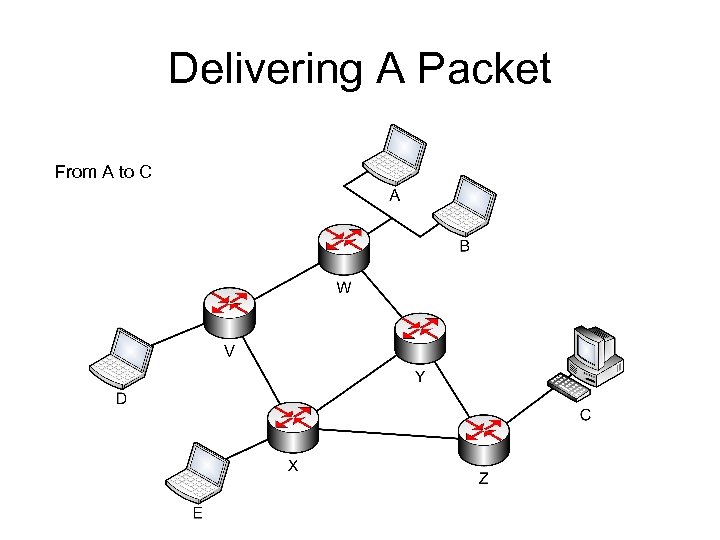 Delivering A Packet From A to C
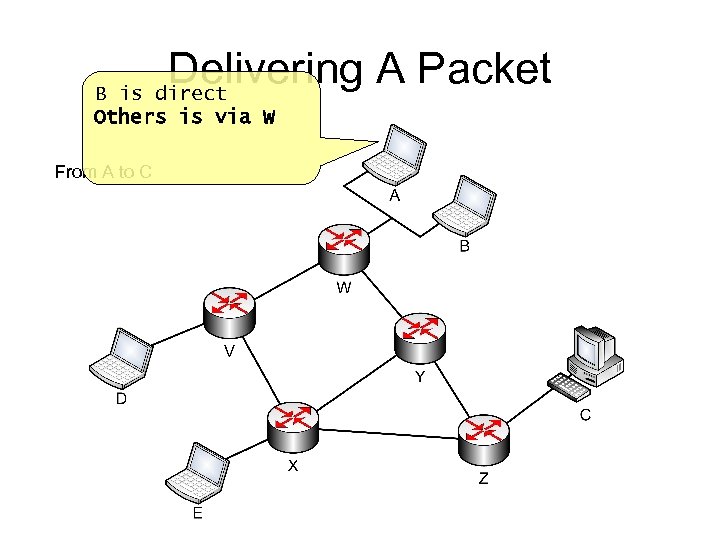 Delivering A Packet B is direct Others is via W From A to C
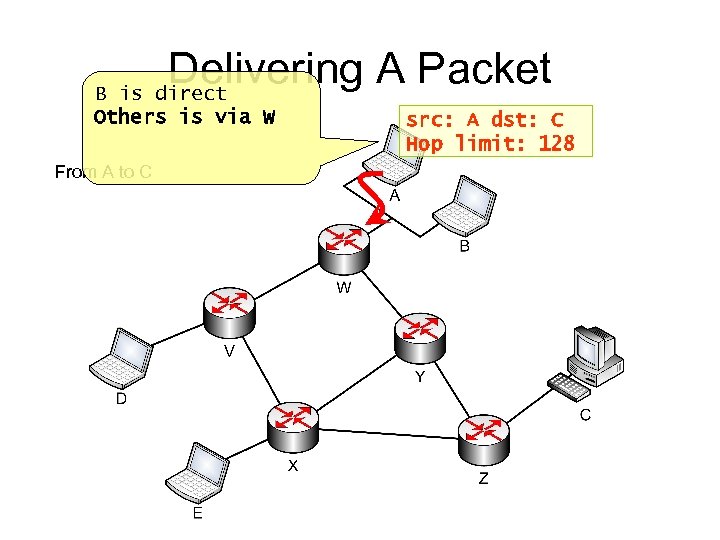 Delivering A Packet B is direct Others is via W From A to C src: A dst: C Hop limit: 128
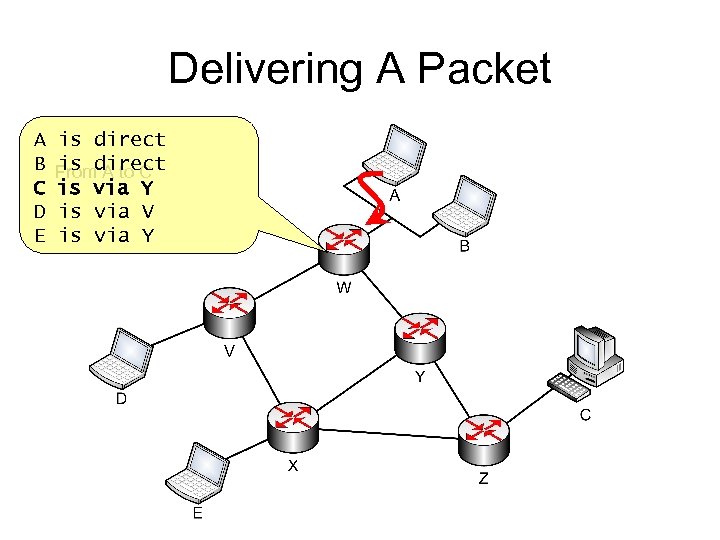 Delivering A Packet A B C D E is direct is A to C Fromdirect is via Y is via V is via Y
 Delivering A Packet A B C D E is direct is A to C Fromdirect is via Y is via V is via Y src: A dst: C Hop limit: 127
 Delivering A Packet From A to C A B C D E is is is via via via W W Z W X
 Delivering A Packet From A to C A B C D E is is is via via via W W Z W X src: A dst: C Hop limit: 126
 Delivering A Packet From A to C A B C D E is is is via Y direct via X
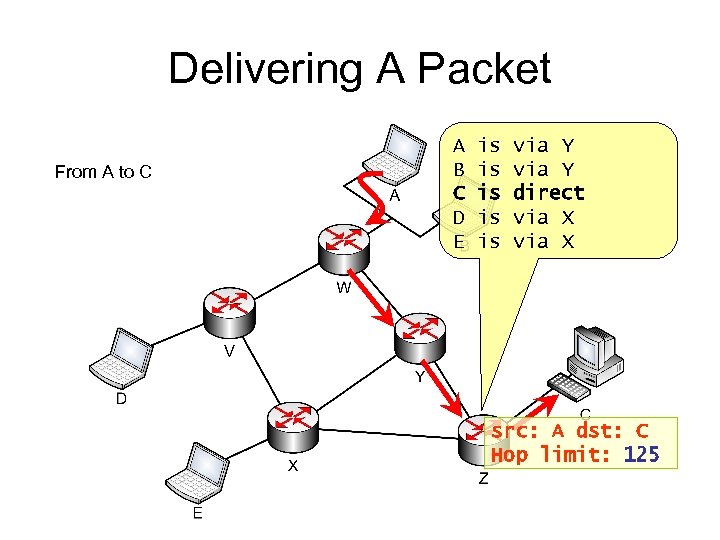 Delivering A Packet From A to C A B C D E is is is via Y direct via X src: A dst: C Hop limit: 125
 IP Forwarding • Mechanism to deliver IP packets across local networks • Use Routing Table whether a packet is for local or non-local network destination • Decrement Hop Limit (TTL in IPv 4) of packet – Hop Limit: a field in IP header to determine the number of hops an IP packet can travel • Issue ICMP to packet’s source address if errors: – Hop Limit (TTL) is decremented to zero – Packet is larger than the Maximum Transmission Unit (MTU) of the outgoing interface
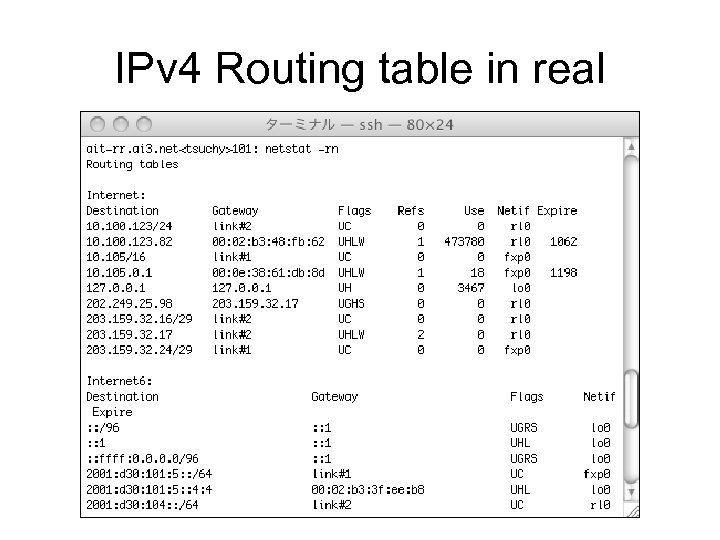 IPv 4 Routing table in real
 How to manage routing table? • Static Routing – Routing information is set up by operator – route command • Dynamic Routing – Routing information is calculated by program – Routing daemon • Routed, zebra, xorp, quagga
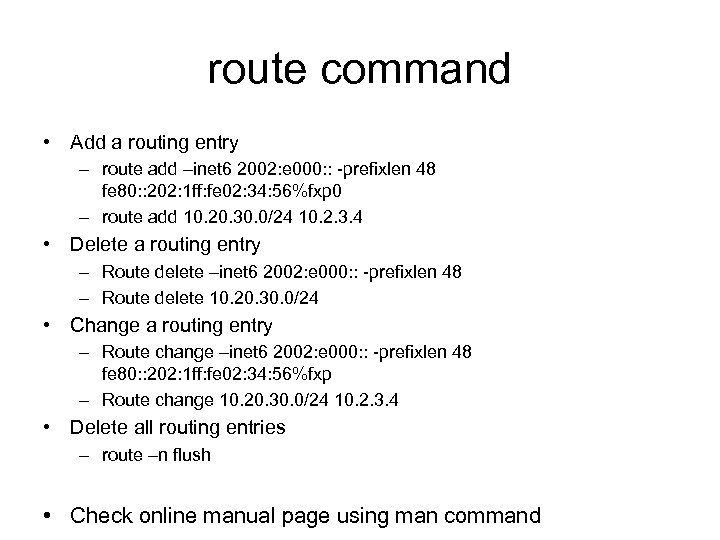 route command • Add a routing entry – route add –inet 6 2002: e 000: : -prefixlen 48 fe 80: : 202: 1 ff: fe 02: 34: 56%fxp 0 – route add 10. 20. 30. 0/24 10. 2. 3. 4 • Delete a routing entry – Route delete –inet 6 2002: e 000: : -prefixlen 48 – Route delete 10. 20. 30. 0/24 • Change a routing entry – Route change –inet 6 2002: e 000: : -prefixlen 48 fe 80: : 202: 1 ff: fe 02: 34: 56%fxp – Route change 10. 20. 30. 0/24 10. 2. 3. 4 • Delete all routing entries – route –n flush • Check online manual page using man command
 ICMP
ICMP
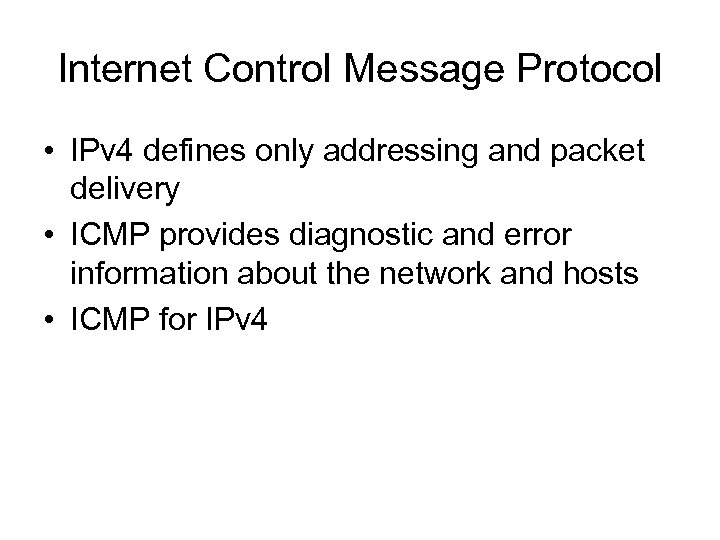 Internet Control Message Protocol • IPv 4 defines only addressing and packet delivery • ICMP provides diagnostic and error information about the network and hosts • ICMP for IPv 4
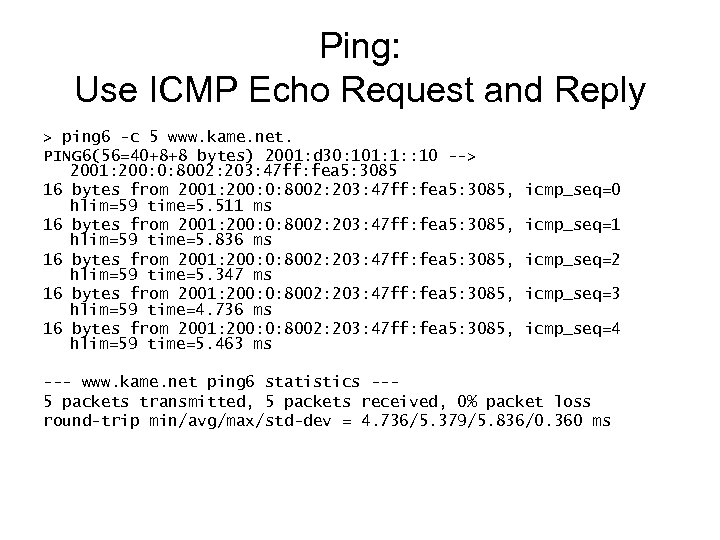 Ping: Use ICMP Echo Request and Reply > ping 6 -c 5 www. kame. net. PING 6(56=40+8+8 bytes) 2001: d 30: 101: 1: : 10 --> 2001: 200: 0: 8002: 203: 47 ff: fea 5: 3085 16 bytes from 2001: 200: 0: 8002: 203: 47 ff: fea 5: 3085, hlim=59 time=5. 511 ms 16 bytes from 2001: 200: 0: 8002: 203: 47 ff: fea 5: 3085, hlim=59 time=5. 836 ms 16 bytes from 2001: 200: 0: 8002: 203: 47 ff: fea 5: 3085, hlim=59 time=5. 347 ms 16 bytes from 2001: 200: 0: 8002: 203: 47 ff: fea 5: 3085, hlim=59 time=4. 736 ms 16 bytes from 2001: 200: 0: 8002: 203: 47 ff: fea 5: 3085, hlim=59 time=5. 463 ms icmp_seq=0 icmp_seq=1 icmp_seq=2 icmp_seq=3 icmp_seq=4 --- www. kame. net ping 6 statistics --5 packets transmitted, 5 packets received, 0% packet loss round-trip min/avg/max/std-dev = 4. 736/5. 379/5. 836/0. 360 ms
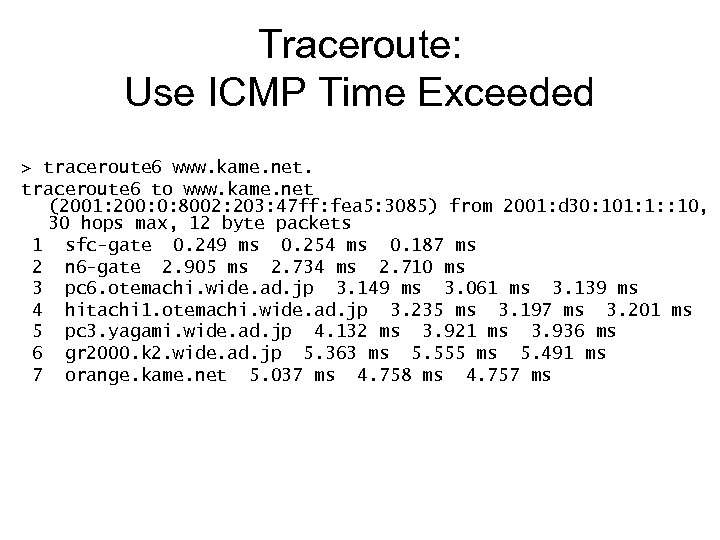 Traceroute: Use ICMP Time Exceeded > traceroute 6 www. kame. net. traceroute 6 to www. kame. net (2001: 200: 0: 8002: 203: 47 ff: fea 5: 3085) from 2001: d 30: 101: 1: : 10, 30 hops max, 12 byte packets 1 sfc-gate 0. 249 ms 0. 254 ms 0. 187 ms 2 n 6 -gate 2. 905 ms 2. 734 ms 2. 710 ms 3 pc 6. otemachi. wide. ad. jp 3. 149 ms 3. 061 ms 3. 139 ms 4 hitachi 1. otemachi. wide. ad. jp 3. 235 ms 3. 197 ms 3. 201 ms 5 pc 3. yagami. wide. ad. jp 4. 132 ms 3. 921 ms 3. 936 ms 6 gr 2000. k 2. wide. ad. jp 5. 363 ms 5. 555 ms 5. 491 ms 7 orange. kame. net 5. 037 ms 4. 758 ms 4. 757 ms
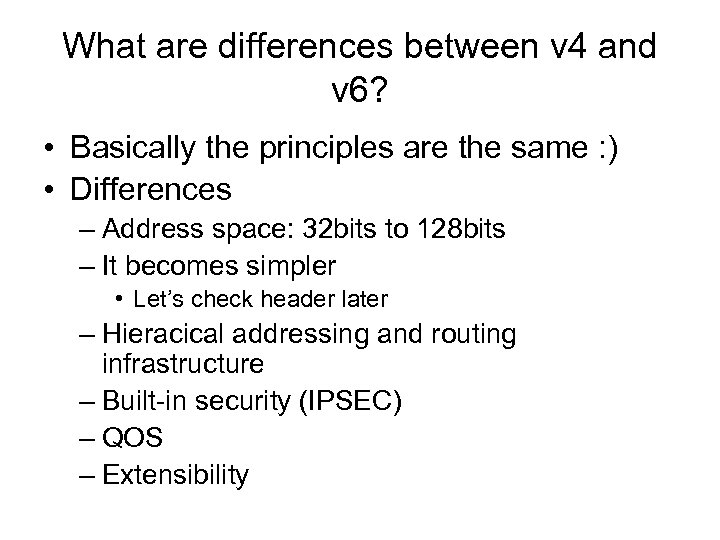 What are differences between v 4 and v 6? • Basically the principles are the same : ) • Differences – Address space: 32 bits to 128 bits – It becomes simpler • Let’s check header later – Hieracical addressing and routing infrastructure – Built-in security (IPSEC) – QOS – Extensibility
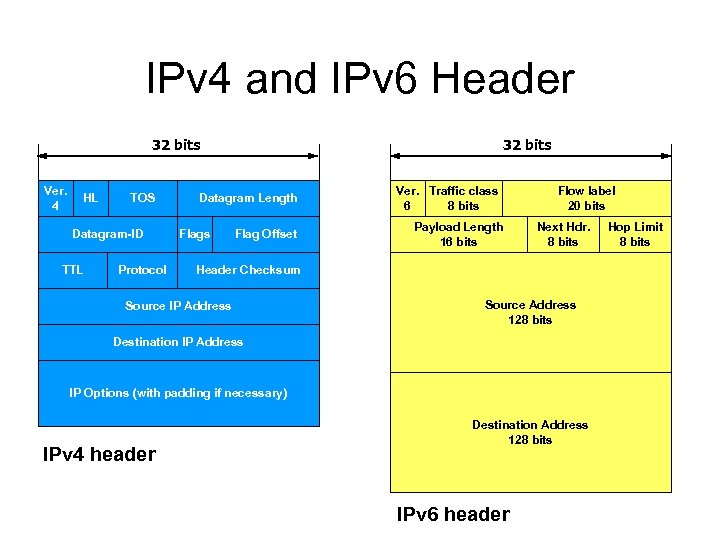 IPv 4 and IPv 6 Header 32 bits Ver. 4 HL TOS Datagram-ID TTL Protocol 32 bits Datagram Length Flags Flag Offset Ver. Traffic class 6 8 bits Payload Length 16 bits Flow label 20 bits Next Hdr. 8 bits Header Checksum Source IP Address Source Address 128 bits Destination IP Address IP Options (with padding if necessary) IPv 4 header Destination Address 128 bits IPv 6 header Hop Limit 8 bits
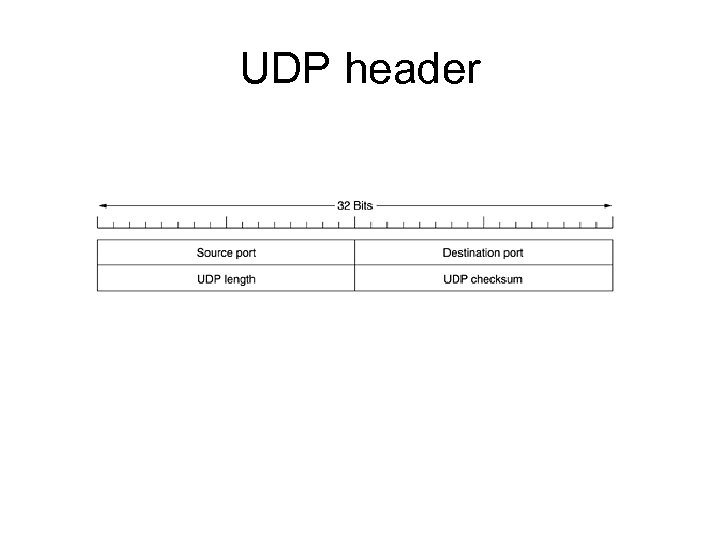 UDP header
 Why IPv 6? • Because we are running out of IPv 4 address! – Expected to be exhausted by year 2011 • Can you have IP address in your country? • We can’t provide service without IP address!
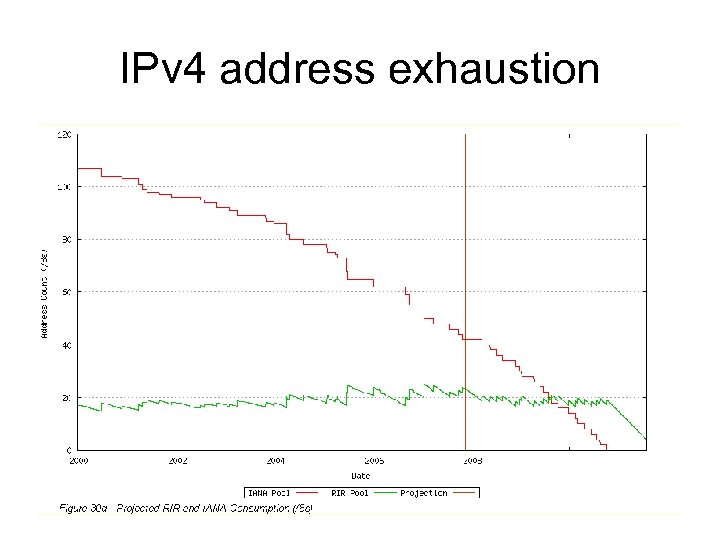 IPv 4 address exhaustion