


 Скачать презентацию OS and Hardware Tuning Tuning Considerations n
f885097873eced8b22f158b6e497cfe8.ppt
- Количество слайдов: 21
 OS and Hardware Tuning
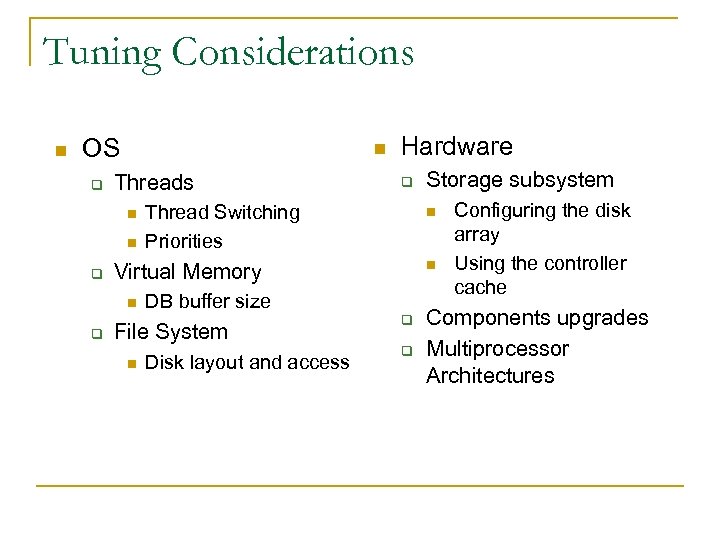
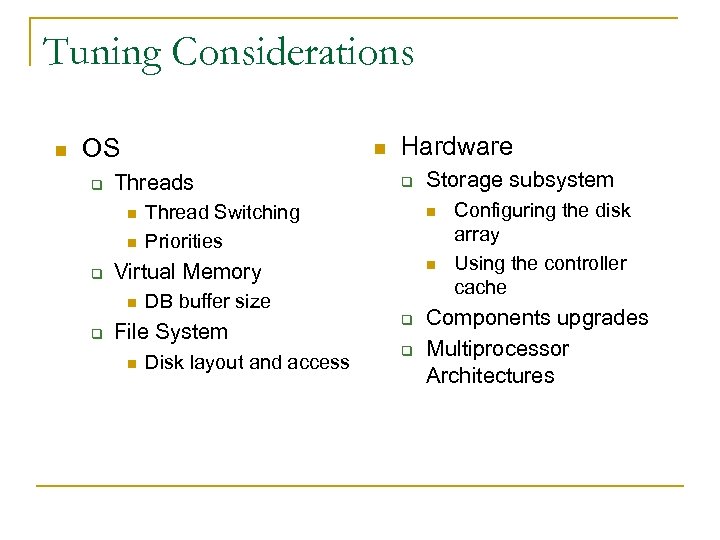 Tuning Considerations n OS q n Threads n n q q Thread Switching Priorities DB buffer size File System n Disk layout and access Storage subsystem n n Virtual Memory n q Hardware q q Configuring the disk array Using the controller cache Components upgrades Multiprocessor Architectures
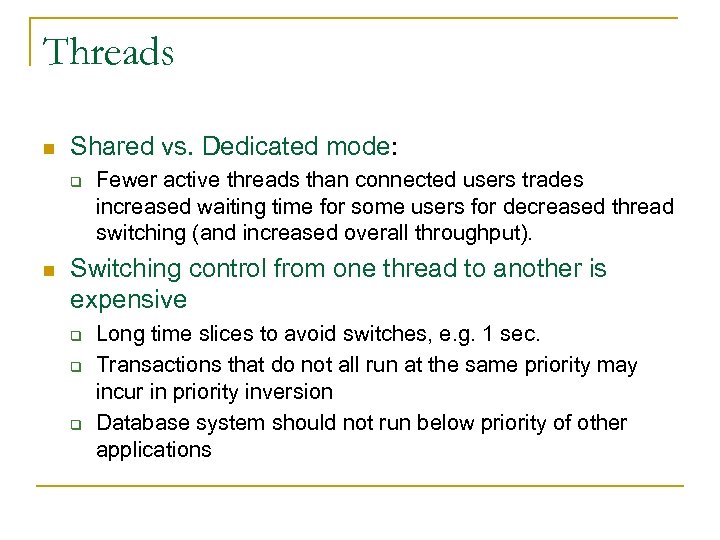 Threads n Shared vs. Dedicated mode: q n Fewer active threads than connected users trades increased waiting time for some users for decreased thread switching (and increased overall throughput). Switching control from one thread to another is expensive q q q Long time slices to avoid switches, e. g. 1 sec. Transactions that do not all run at the same priority may incur in priority inversion Database system should not run below priority of other applications
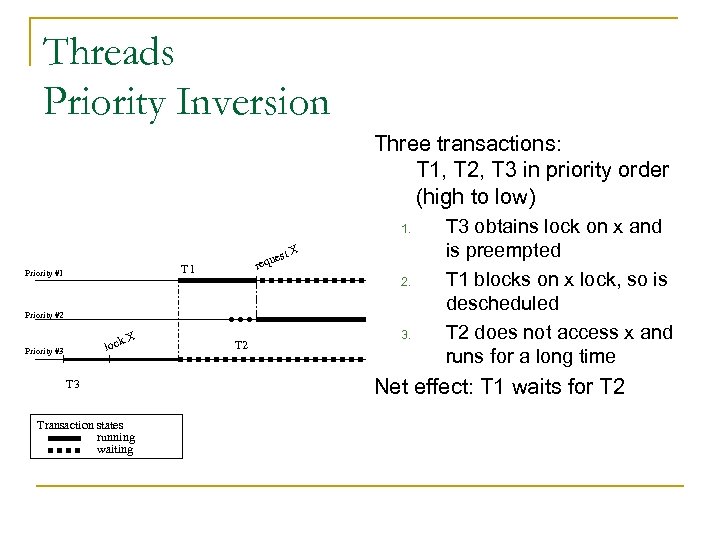 Threads Priority Inversion Three transactions: T 1, T 2, T 3 in priority order (high to low) 1. st X e requ T 1 Priority #1 2. Priority #2 lock Priority #3 X T 3 Transaction states running waiting T 2 3. T 3 obtains lock on x and is preempted T 1 blocks on x lock, so is descheduled T 2 does not access x and runs for a long time Net effect: T 1 waits for T 2
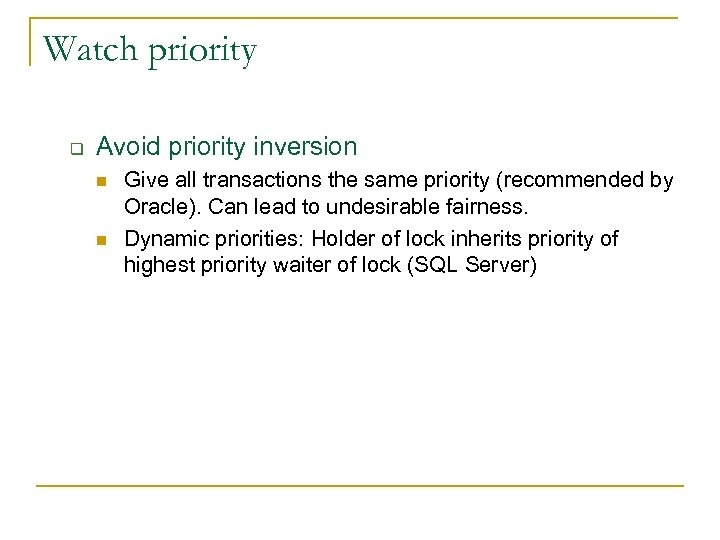 Watch priority q Avoid priority inversion n n Give all transactions the same priority (recommended by Oracle). Can lead to undesirable fairness. Dynamic priorities: Holder of lock inherits priority of highest priority waiter of lock (SQL Server)
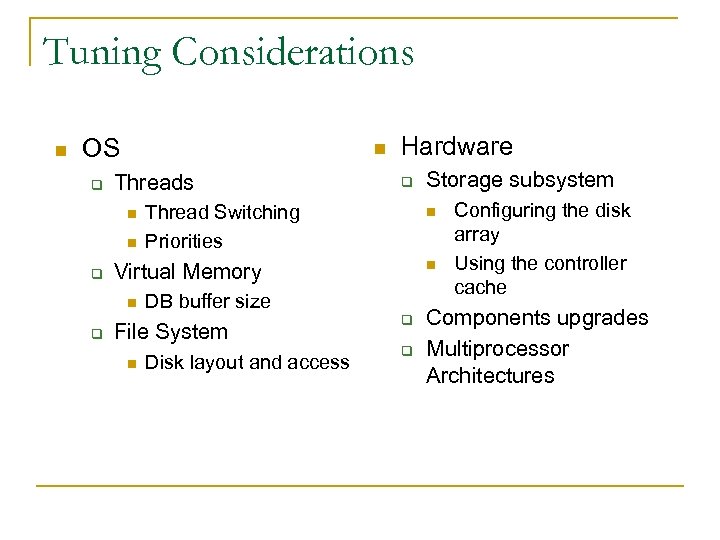 Tuning Considerations n OS q n Threads n n q q Thread Switching Priorities DB buffer size File System n Disk layout and access Storage subsystem n n Virtual Memory n q Hardware q q Configuring the disk array Using the controller cache Components upgrades Multiprocessor Architectures
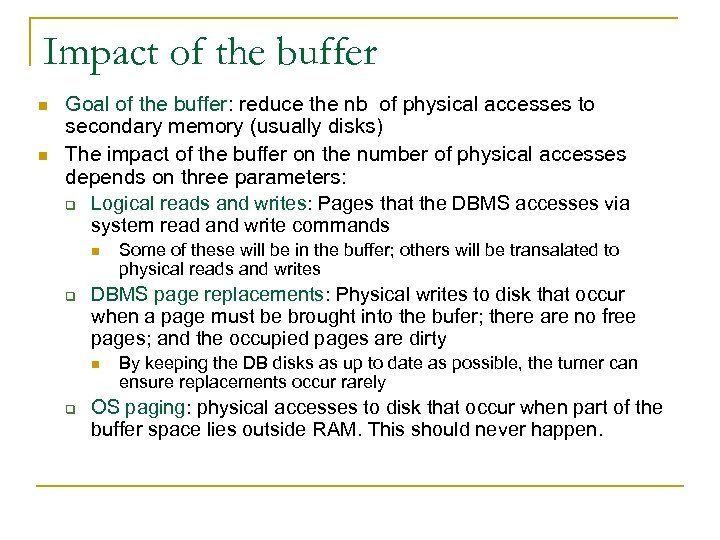 Impact of the buffer n n Goal of the buffer: reduce the nb of physical accesses to secondary memory (usually disks) The impact of the buffer on the number of physical accesses depends on three parameters: q Logical reads and writes: Pages that the DBMS accesses via system read and write commands n q DBMS page replacements: Physical writes to disk that occur when a page must be brought into the bufer; there are no free pages; and the occupied pages are dirty n q Some of these will be in the buffer; others will be transalated to physical reads and writes By keeping the DB disks as up to date as possible, the tumer can ensure replacements occur rarely OS paging: physical accesses to disk that occur when part of the buffer space lies outside RAM. This should never happen.
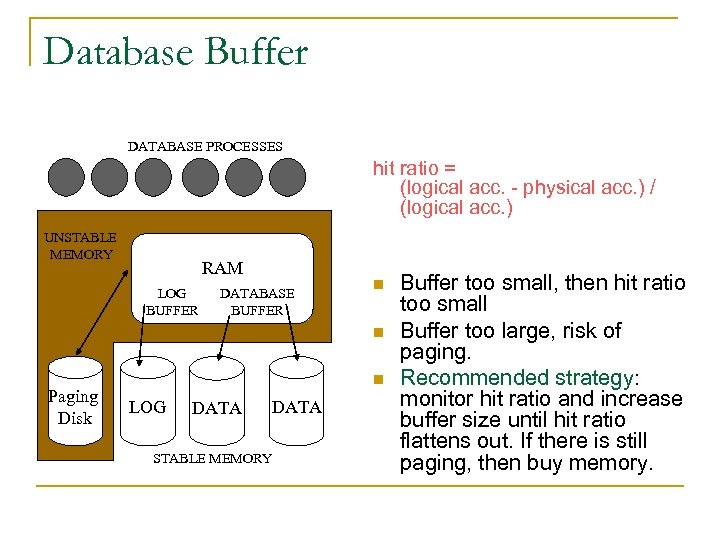 Database Buffer DATABASE PROCESSES hit ratio = (logical acc. - physical acc. ) / (logical acc. ) UNSTABLE MEMORY RAM LOG BUFFER DATABASE BUFFER n n Paging Disk n LOG DATA STABLE MEMORY Buffer too small, then hit ratio too small Buffer too large, risk of paging. Recommended strategy: monitor hit ratio and increase buffer size until hit ratio flattens out. If there is still paging, then buy memory.
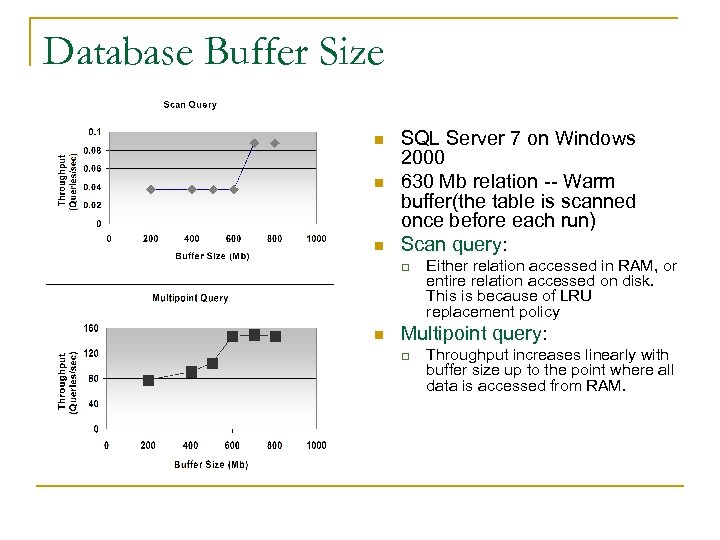 Database Buffer Size n n n SQL Server 7 on Windows 2000 630 Mb relation -- Warm buffer(the table is scanned once before each run) Scan query: q n Either relation accessed in RAM, or entire relation accessed on disk. This is because of LRU replacement policy Multipoint query: q Throughput increases linearly with buffer size up to the point where all data is accessed from RAM.
 Tuning Considerations n OS q n Threads n n q q Thread Switching Priorities DB buffer size File System n Disk layout and access Storage subsystem n n Virtual Memory n q Hardware q q Configuring the disk array Using the controller cache Components upgrades Multiprocessor Architectures
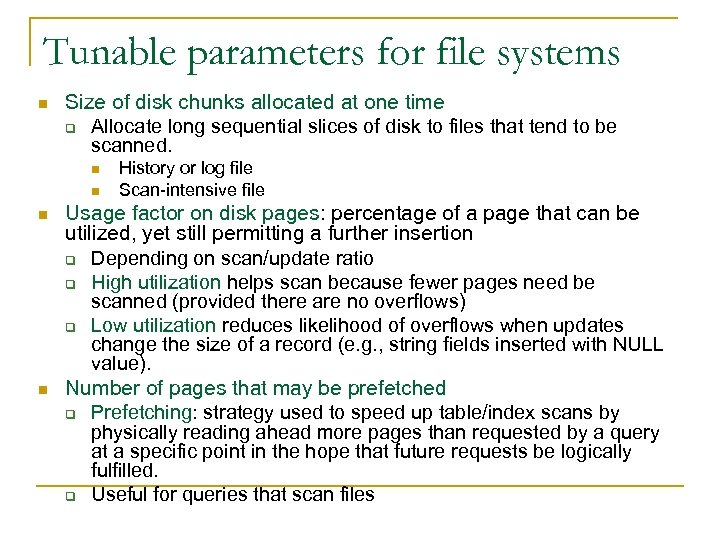 Tunable parameters for file systems n Size of disk chunks allocated at one time q Allocate long sequential slices of disk to files that tend to be scanned. n n History or log file Scan-intensive file Usage factor on disk pages: percentage of a page that can be utilized, yet still permitting a further insertion q Depending on scan/update ratio q High utilization helps scan because fewer pages need be scanned (provided there are no overflows) q Low utilization reduces likelihood of overflows when updates change the size of a record (e. g. , string fields inserted with NULL value). Number of pages that may be prefetched q Prefetching: strategy used to speed up table/index scans by physically reading ahead more pages than requested by a query at a specific point in the hope that future requests be logically fulfilled. q Useful for queries that scan files
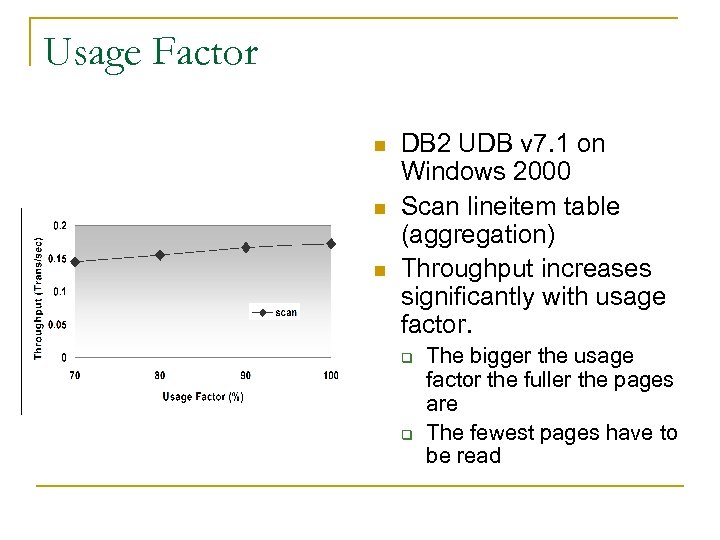 Usage Factor n n n DB 2 UDB v 7. 1 on Windows 2000 Scan lineitem table (aggregation) Throughput increases significantly with usage factor. q q The bigger the usage factor the fuller the pages are The fewest pages have to be read
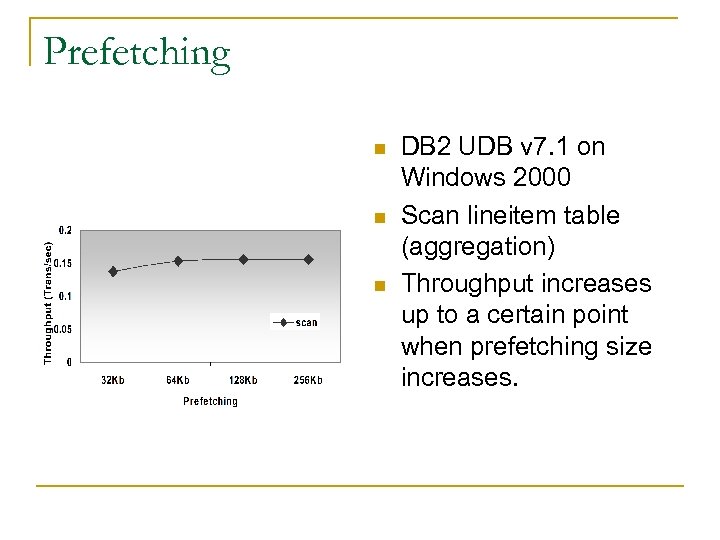 Prefetching n n n DB 2 UDB v 7. 1 on Windows 2000 Scan lineitem table (aggregation) Throughput increases up to a certain point when prefetching size increases.
 Tuning Considerations n OS q Threads n n q Hardware q Thread Switching Priorities n n DB buffer size File System Disk layout and access Storage subsystem n Virtual Memory n q q Configuring the disk array Using the controller cache Components upgrades Multiprocessor Architectures
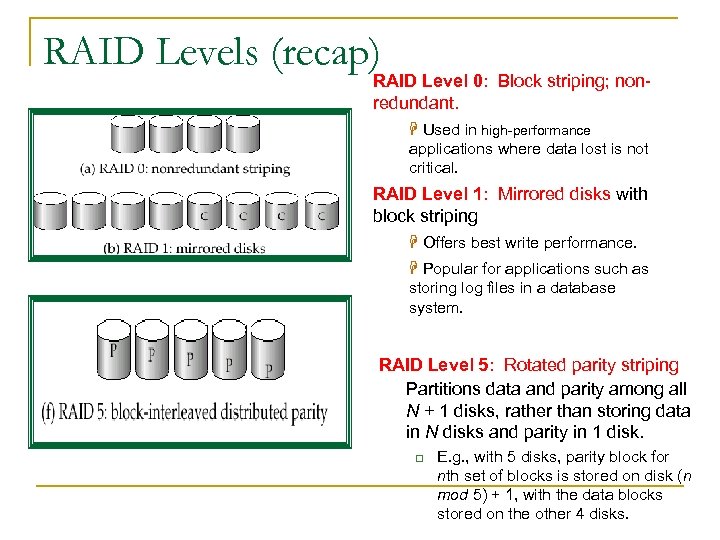 RAID Levels (recap) RAID Level 0: Block striping; nonredundant. H Used in high-performance applications where data lost is not critical. RAID Level 1: Mirrored disks with block striping H Offers best write performance. H Popular for applications such as storing log files in a database system. RAID Level 5: Rotated parity striping Partitions data and parity among all N + 1 disks, rather than storing data in N disks and parity in 1 disk. q E. g. , with 5 disks, parity block for nth set of blocks is stored on disk (n mod 5) + 1, with the data blocks stored on the other 4 disks.
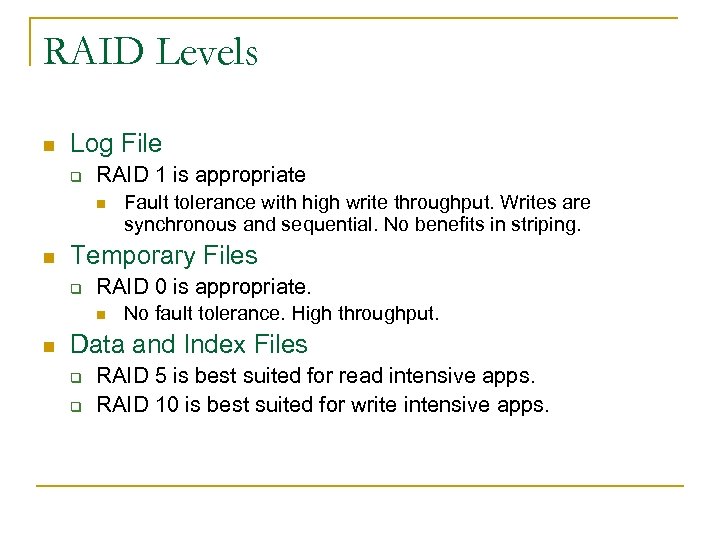 RAID Levels n Log File q RAID 1 is appropriate n n Temporary Files q RAID 0 is appropriate. n n Fault tolerance with high write throughput. Writes are synchronous and sequential. No benefits in striping. No fault tolerance. High throughput. Data and Index Files q q RAID 5 is best suited for read intensive apps. RAID 10 is best suited for write intensive apps.
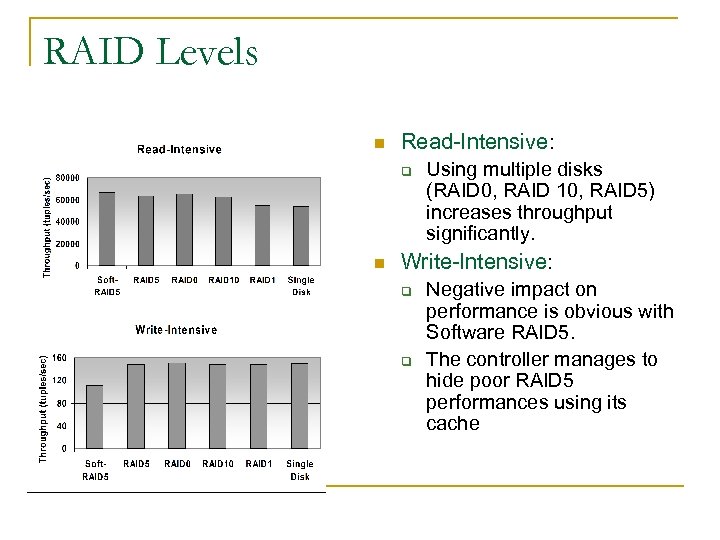 RAID Levels n Read-Intensive: q n Using multiple disks (RAID 0, RAID 10, RAID 5) increases throughput significantly. Write-Intensive: q q Negative impact on performance is obvious with Software RAID 5. The controller manages to hide poor RAID 5 performances using its cache
 Controller Cache n Read-ahead: q q q n Prefetching at the disk controller level. No information on access pattern. Not recommended. Write-back vs. write through: q Write back: transfer terminated as soon as data is written to cache. n n q Batteries to guarantee write back in case of power failure Fast cache flushing is a priority Write through: transfer terminated as soon as data is written to disk.
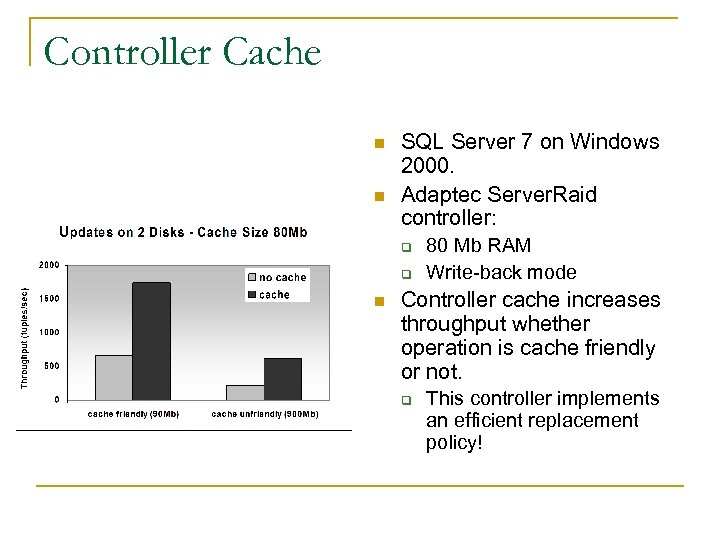 Controller Cache n n SQL Server 7 on Windows 2000. Adaptec Server. Raid controller: q q n 80 Mb RAM Write-back mode Controller cache increases throughput whether operation is cache friendly or not. q This controller implements an efficient replacement policy!
 Hardware Configuration n Add Memory q n Add Disks q q q n Increase buffer size without increasing paging Log on separate disk Mirror frequently read file Partition large files Add Processors q q q Off-load non-database applications onto other CPUs Off-load data mining applications to old database copy Increase throughput to shared data n Shared memory or shared disk architecture
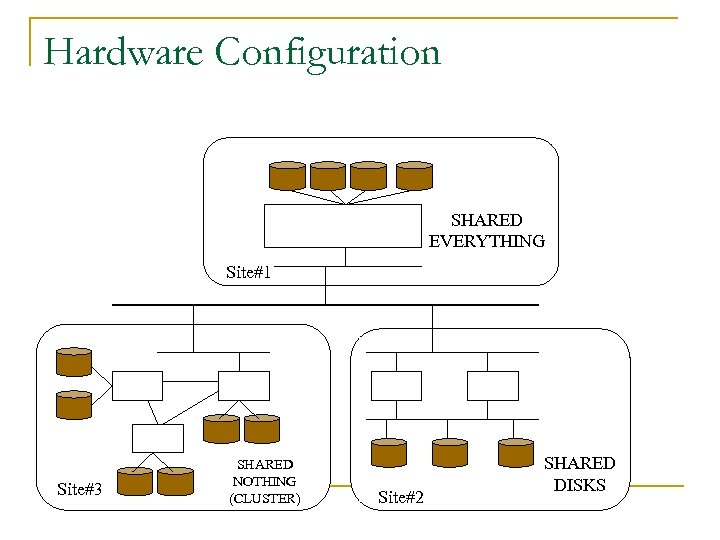 Hardware Configuration SHARED EVERYTHING Site#1 Site#3 SHARED NOTHING (CLUSTER) Site#2 SHARED DISKS