 Скачать презентацию Orientation Presented By Dr Laura W Simmons Special
b9c1a2a23c6c2345ac0f3ea07ee1f859.ppt
- Количество слайдов: 95



Orientation Presented By: Dr. Laura W. Simmons Special Population Coordinator
Part I--What is AIMSweb? AIMSweb is a progress monitoring system based on direct, frequent and continuous student assessment. • The results are reported to students, parents, teachers and administrators via a web-based data management and reporting system to determine response to intervention.
AIMSweb • Part I—What is AIMSweb? • Part II-What Does AIMSweb have to Offer? • Part III—Administration of the AIMSweb Program • Part IV—Now You are On Your Way!
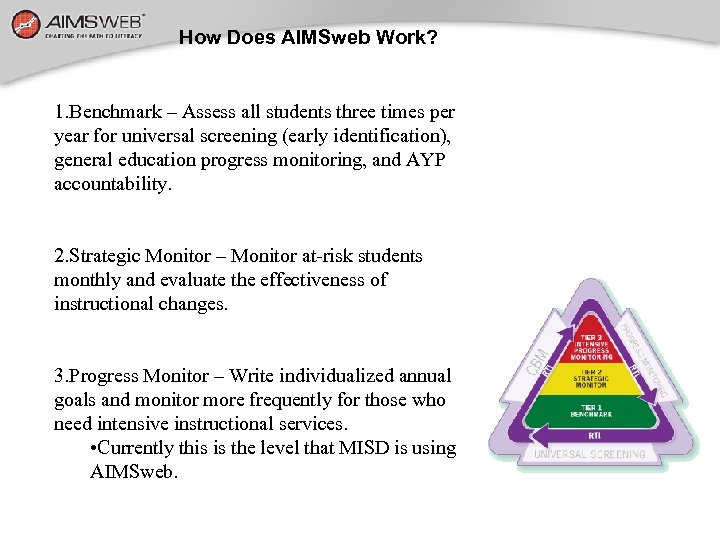
How Does AIMSweb Work? 1. Benchmark – Assess all students three times per year for universal screening (early identification), general education progress monitoring, and AYP accountability. 2. Strategic Monitor – Monitor at-risk students monthly and evaluate the effectiveness of instructional changes. 3. Progress Monitor – Write individualized annual goals and monitor more frequently for those who need intensive instructional services. • Currently this is the level that MISD is using AIMSweb.
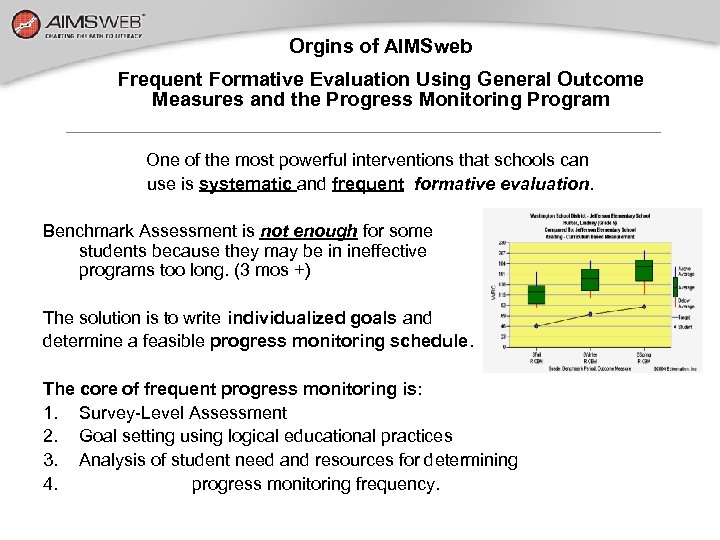
Orgins of AIMSweb Frequent Formative Evaluation Using General Outcome Measures and the Progress Monitoring Program One of the most powerful interventions that schools can use is systematic and frequent formative evaluation. Benchmark Assessment is not enough for some students because they may be in ineffective programs too long. (3 mos +) The solution is to write individualized goals and determine a feasible progress monitoring schedule. The core of frequent progress monitoring is: 1. Survey-Level Assessment 2. Goal setting using logical educational practices 3. Analysis of student need and resources for determining 4. progress monitoring frequency.
General Outcome Measurements from Other Fields • Medicine measures height, weight, temperature, and/or blood pressure. • Federal Reserve Board measures the Consumer Price Index. • Wall Street measures the Dow-Jones Industrial Average. • Companies report earnings per share. • Mc. Donald’s measures how many hamburgers they sell. Workbook p. 3 6
Common Characteristics of General Outcome Measures (GOMS) • Simple, accurate, and reasonably inexpensive in terms of time and materials. • Considered so important to doing business well that they are routine. • Are collected on an ongoing and frequent basis. • Shape/inform a variety of important decisions.
CBM is Designed to Provide Educators With… The same kind of evaluation technology as other professions! Powerful measures that are: • Simple • Accurate • Efficient indicators of student achievement that guide/inform a variety of decisions
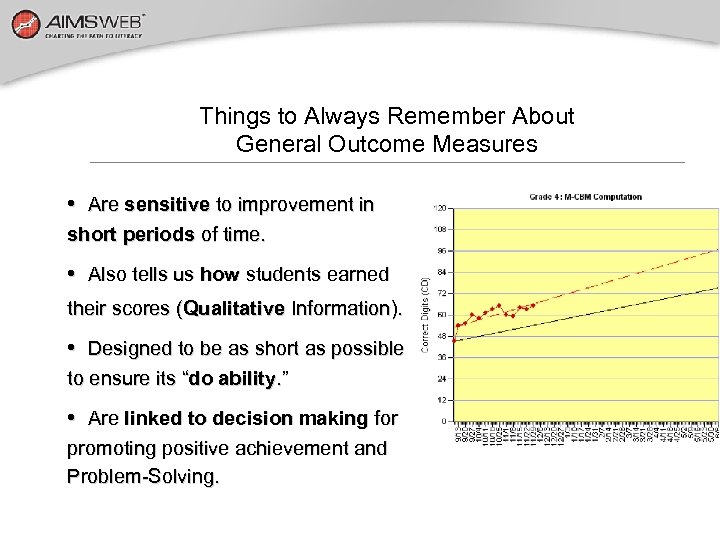
Things to Always Remember About General Outcome Measures • Are sensitive to improvement in short periods of time. • Also tells us how students earned their scores (Qualitative Information). • Designed to be as short as possible to ensure its “do ability. ” • Are linked to decision making for promoting positive achievement and Problem-Solving.
Benefits of Using AIMSweb Probes Are written to represent general curriculum or be “curriculum independent. ” Allow decision making about early numeracy growth, regardless of between-school, between-district, and betweenteacher differences in math curriculum. Are graded to be of equal difficulty. Have numerous alternate forms for testing over time without practice effects.
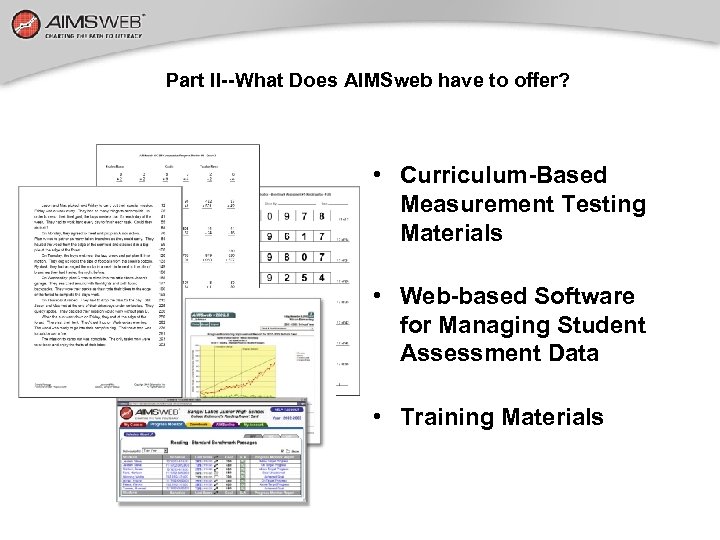
Part II--What Does AIMSweb have to offer? • Curriculum-Based Measurement Testing Materials • Web-based Software for Managing Student Assessment Data • Training Materials
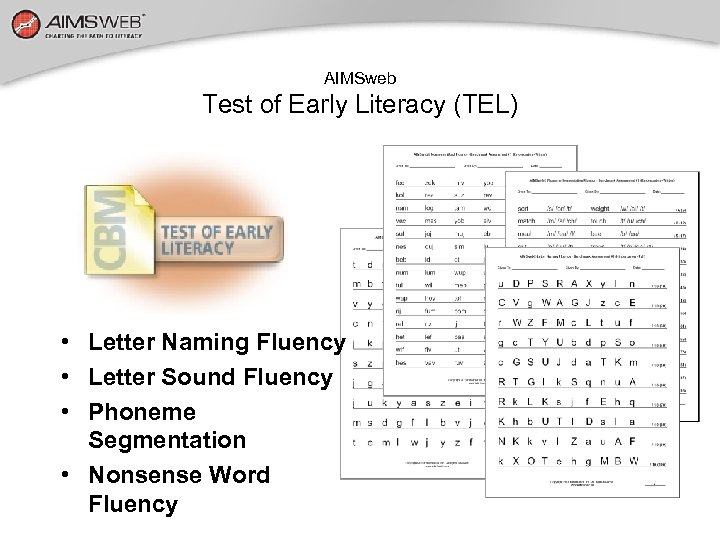
AIMSweb Test of Early Literacy (TEL) • Letter Naming Fluency • Letter Sound Fluency • Phoneme Segmentation • Nonsense Word Fluency
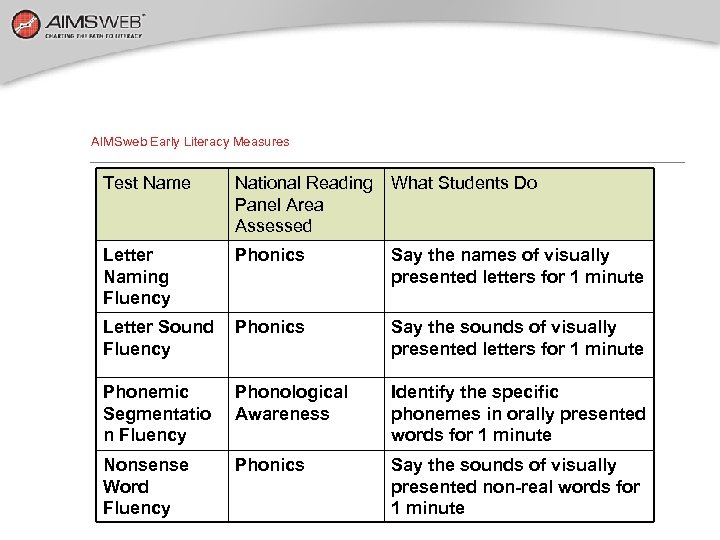
AIMSweb Early Literacy Measures Test Name National Reading What Students Do Panel Area Assessed Letter Naming Fluency Phonics Say the names of visually presented letters for 1 minute Letter Sound Fluency Phonics Say the sounds of visually presented letters for 1 minute Phonemic Segmentatio n Fluency Phonological Awareness Identify the specific phonemes in orally presented words for 1 minute Nonsense Word Fluency Phonics Say the sounds of visually presented non-real words for 1 minute
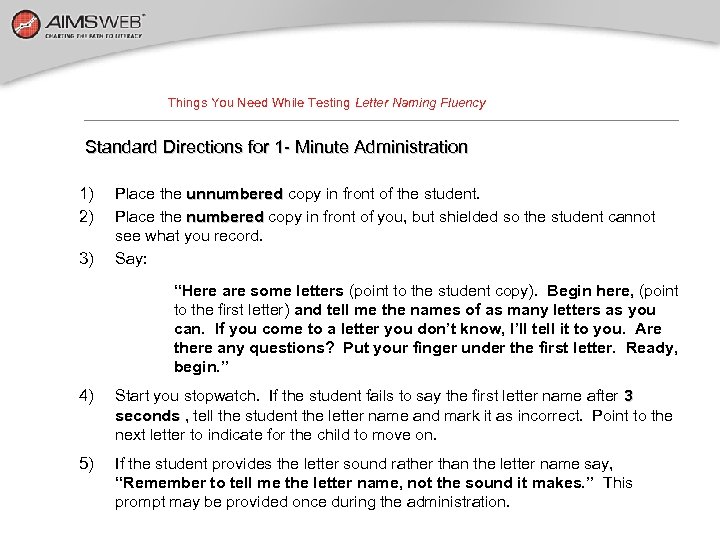
Things You Need While Testing Letter Naming Fluency Standard Directions for 1 - Minute Administration 1) 2) 3) Place the unnumbered copy in front of the student. Place the numbered copy in front of you, but shielded so the student cannot see what you record. Say: “Here are some letters (point to the student copy). Begin here, (point to the first letter) and tell me the names of as many letters as you can. If you come to a letter you don’t know, I’ll tell it to you. Are there any questions? Put your finger under the first letter. Ready, begin. ” 4) Start you stopwatch. If the student fails to say the first letter name after 3 seconds , tell the student the letter name and mark it as incorrect. Point to the next letter to indicate for the child to move on. 5) If the student provides the letter sound rather than the letter name say, “Remember to tell me the letter name, not the sound it makes. ” This prompt may be provided once during the administration.
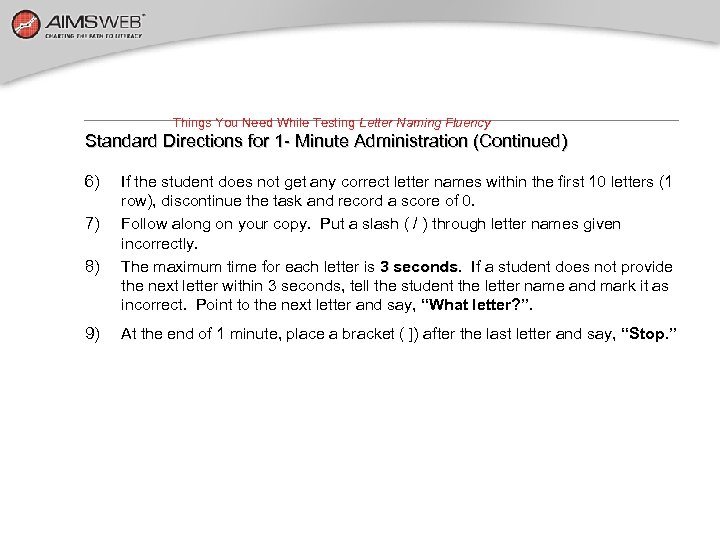
Things You Need While Testing Letter Naming Fluency Standard Directions for 1 - Minute Administration (Continued) 6) 7) 8) 9) If the student does not get any correct letter names within the first 10 letters (1 row), discontinue the task and record a score of 0. Follow along on your copy. Put a slash ( / ) through letter names given incorrectly. The maximum time for each letter is 3 seconds. If a student does not provide seconds the next letter within 3 seconds, tell the student the letter name and mark it as incorrect. Point to the next letter and say, “What letter? ”. At the end of 1 minute, place a bracket ( ]) after the last letter and say, “Stop. ”
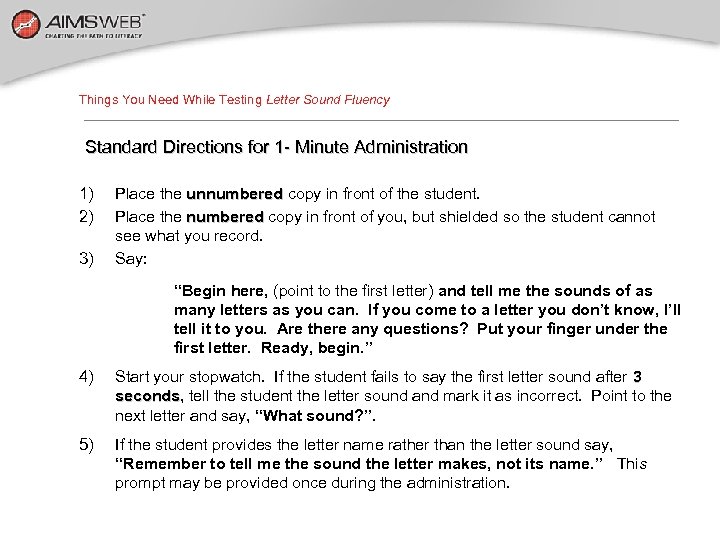
Things You Need While Testing Letter Sound Fluency Standard Directions for 1 - Minute Administration 1) 2) 3) Place the unnumbered copy in front of the student. Place the numbered copy in front of you, but shielded so the student cannot see what you record. Say: “Begin here, (point to the first letter) and tell me the sounds of as many letters as you can. If you come to a letter you don’t know, I’ll tell it to you. Are there any questions? Put your finger under the first letter. Ready, begin. ” 4) Start your stopwatch. If the student fails to say the first letter sound after 3 seconds, tell the student the letter sound and mark it as incorrect. Point to the seconds next letter and say, “What sound? ”. 5) If the student provides the letter name rather than the letter sound say, “Remember to tell me the sound the letter makes, not its name. ” This prompt may be provided once during the administration.
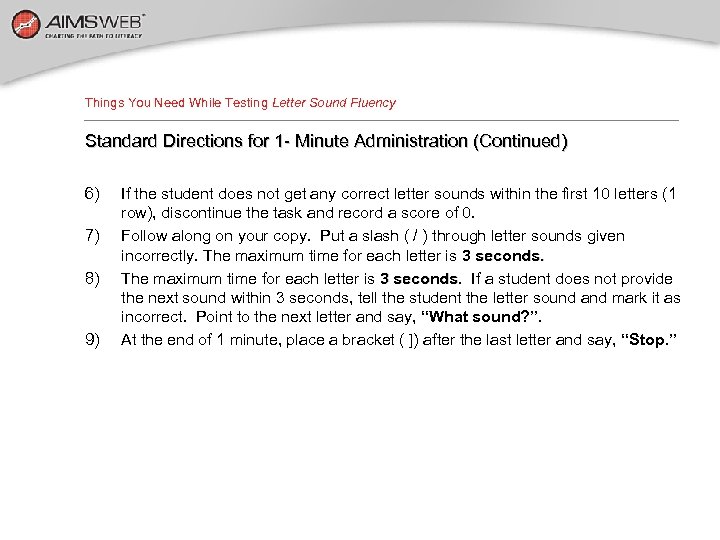
Things You Need While Testing Letter Sound Fluency Standard Directions for 1 - Minute Administration (Continued) 6) 7) 8) 9) If the student does not get any correct letter sounds within the first 10 letters (1 row), discontinue the task and record a score of 0. Follow along on your copy. Put a slash ( / ) through letter sounds given incorrectly. The maximum time for each letter is 3 seconds. If a student does not provide seconds the next sound within 3 seconds, tell the student the letter sound and mark it as incorrect. Point to the next letter and say, “What sound? ”. At the end of 1 minute, place a bracket ( ]) after the last letter and say, “Stop. ”
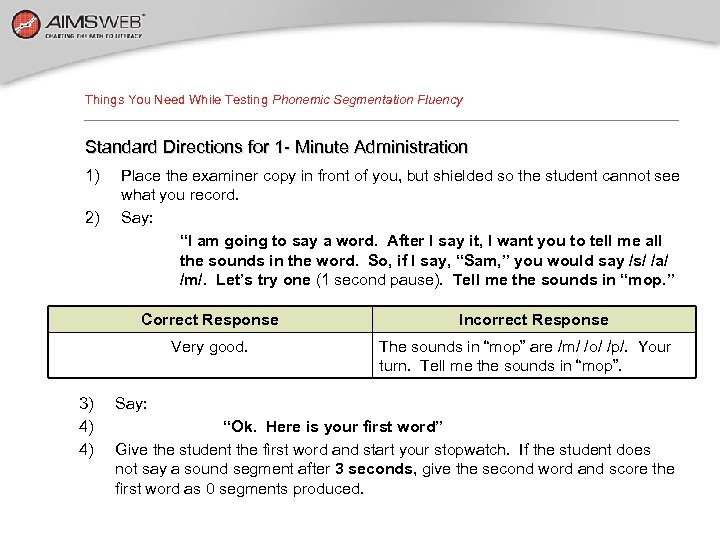
Things You Need While Testing Phonemic Segmentation Fluency Standard Directions for 1 - Minute Administration 1) 2) Place the examiner copy in front of you, but shielded so the student cannot see what you record. Say: “I am going to say a word. After I say it, I want you to tell me all the sounds in the word. So, if I say, “Sam, ” you would say /s/ /a/ /m/. Let’s try one (1 second pause). Tell me the sounds in “mop. ” Correct Response Very good. 3) 4) 4) Incorrect Response The sounds in “mop” are /m/ /o/ /p/. Your turn. Tell me the sounds in “mop”. Say: “Ok. Here is your first word” Give the student the first word and start your stopwatch. If the student does not say a sound segment after 3 seconds, give the second word and score the first word as 0 segments produced.
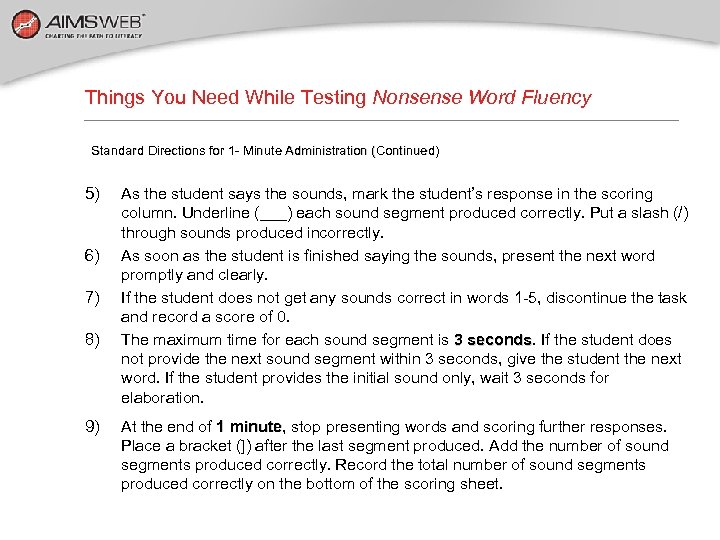
Things You Need While Testing Nonsense Word Fluency Standard Directions for 1 - Minute Administration (Continued) 5) 6) 7) 8) 9) As the student says the sounds, mark the student’s response in the scoring column. Underline (___) each sound segment produced correctly. Put a slash (/) through sounds produced incorrectly. As soon as the student is finished saying the sounds, present the next word promptly and clearly. If the student does not get any sounds correct in words 1 -5, discontinue the task and record a score of 0. The maximum time for each sound segment is 3 seconds. If the student does seconds not provide the next sound segment within 3 seconds, give the student the next word. If the student provides the initial sound only, wait 3 seconds for elaboration. At the end of 1 minute, stop presenting words and scoring further responses. minute Place a bracket (]) after the last segment produced. Add the number of sound segments produced correctly. Record the total number of sound segments produced correctly on the bottom of the scoring sheet.
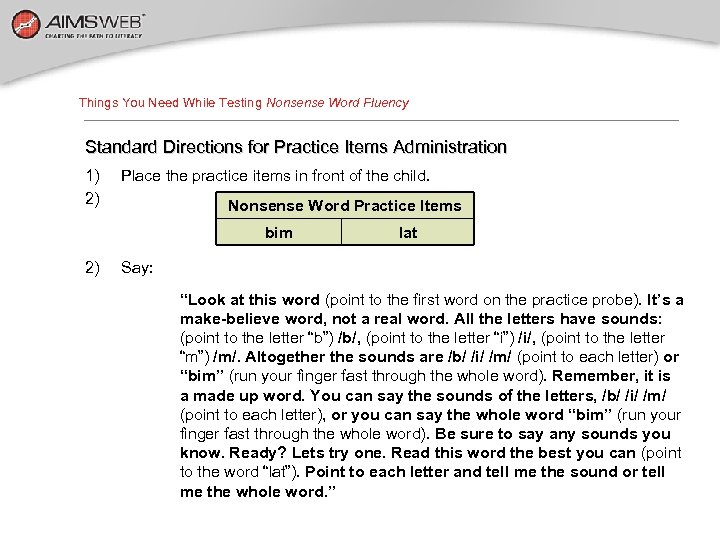
Things You Need While Testing Nonsense Word Fluency Standard Directions for Practice Items Administration 1) 2) Place the practice items in front of the child. Nonsense Word Practice Items bim 2) lat Say: “Look at this word (point to the first word on the practice probe). It’s a make-believe word, not a real word. All the letters have sounds: (point to the letter “b”) /b/, (point to the letter “i”) /i/, (point to the letter “m”) /m/. Altogether the sounds are /b/ /i/ /m/ (point to each letter) or “bim” (run your finger fast through the whole word). Remember, it is a made up word. You can say the sounds of the letters, /b/ /i/ /m/ (point to each letter), or you can say the whole word “bim” (run your finger fast through the whole word). Be sure to say any sounds you know. Ready? Lets try one. Read this word the best you can (point to the word “lat”). Point to each letter and tell me the sound or tell me the whole word. ”
Things You Need While Testing Nonsense Word Fluency Standard Directions for 1 - Minute Administration 1) 2) 3) Place the unnumbered copy in front of the student. Place the numbered copy in front of you, but shielded so the student cannot see what you record. Say: 4) “Here are some more make-believe words (point to the student probe). When I say “begin”, start here (point to the first word), go across the page (point across the page), and read the words the best you can. Remember, you can tell me the sound of the letter or read the whole word. Put your finger under the first word. Ready, begin. ” Start your stopwatch. If the student does not respond with a sound after 3 seconds, tell the student the sound and say, “next sound? ” seconds
Things You Need While Testing Nonsense Word Fluency Standard Directions for 1 - Minute Administration (Continued) 5) 6) 7) If the student does not get any sounds correct in words 1 -5, discontinue the task and record a score of 0. Follow along on the examiner copy of the probe and underline each phoneme the student provides correctly. Put a slash (/) over each phoneme read incorrectly or omitted. At the end of 1 minute, place a bracket ( ]) after the last letter and say, “Stop. ”
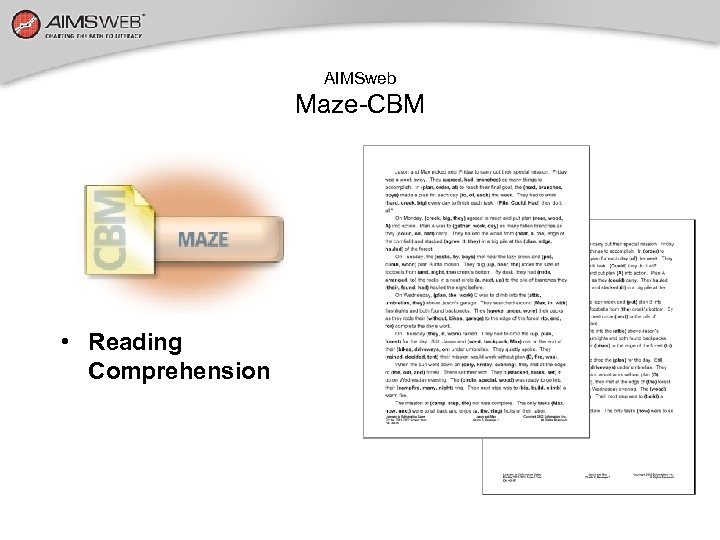
AIMSweb Maze-CBM • Reading Comprehension
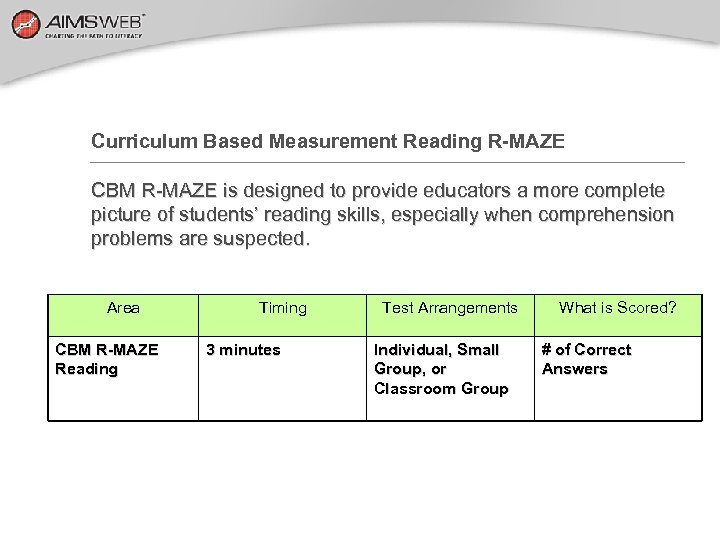
Curriculum Based Measurement Reading R-MAZE CBM R-MAZE is designed to provide educators a more complete picture of students’ reading skills, especially when comprehension problems are suspected. Area CBM R-MAZE Reading Timing 3 minutes Test Arrangements Individual, Small Group, or Classroom Group What is Scored? # of Correct Answers
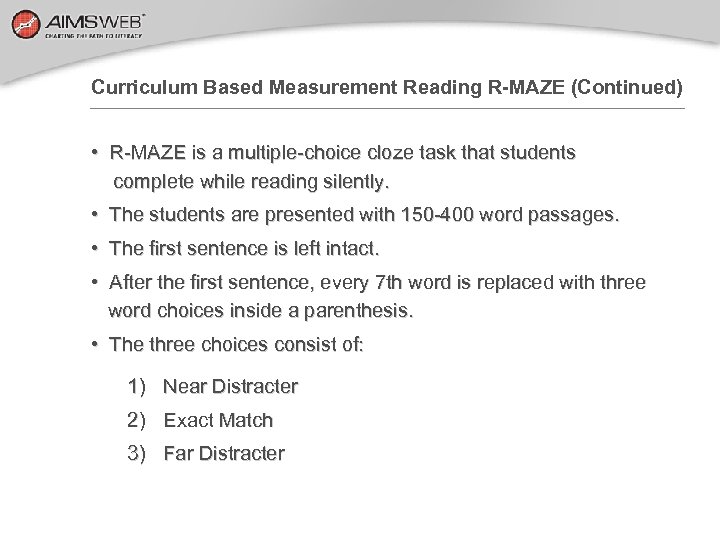
Curriculum Based Measurement Reading R-MAZE (Continued) • R-MAZE is a multiple-choice cloze task that students complete while reading silently. • The students are presented with 150 -400 word passages. • The first sentence is left intact. • After the first sentence, every 7 th word is replaced with three word choices inside a parenthesis. • The three choices consist of: 1) Near Distracter 2) Exact Match 3) Far Distracter
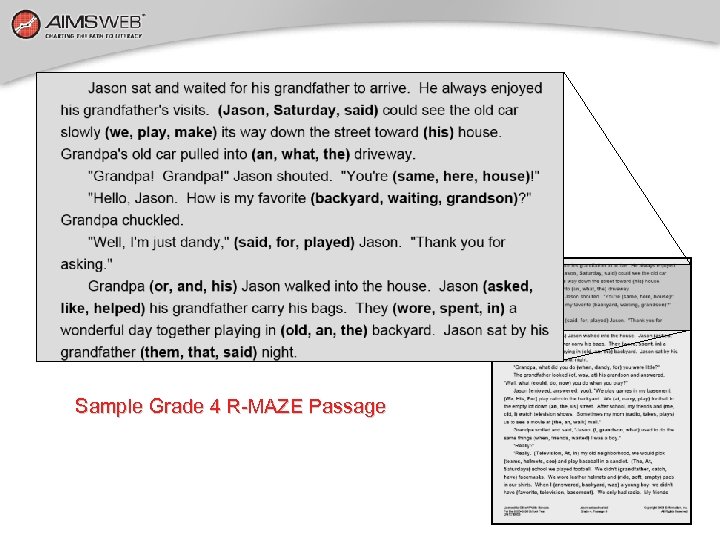
Sample Grade 4 R-MAZE Passage
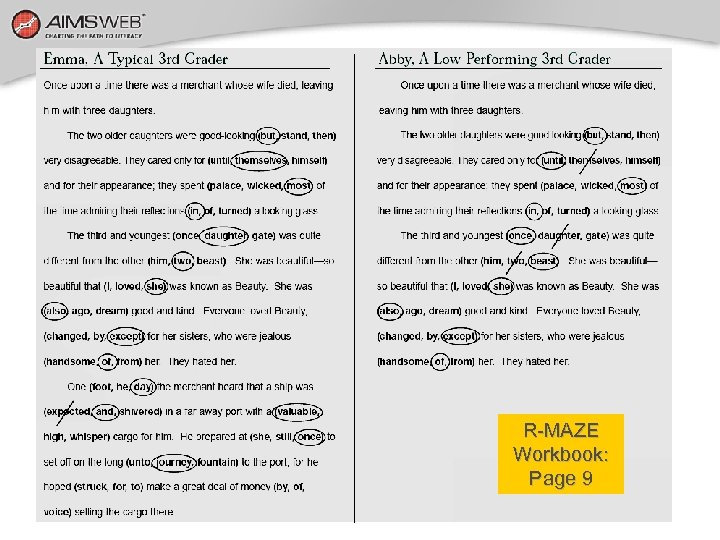
Examples of R-MAZE Workbook: Page 9
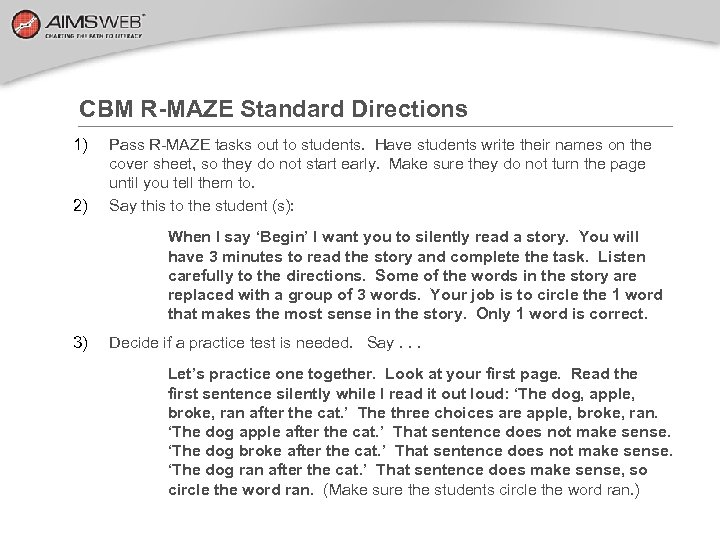
CBM R-MAZE Standard Directions 1) 2) Pass R-MAZE tasks out to students. Have students write their names on the cover sheet, so they do not start early. Make sure they do not turn the page until you tell them to. Say this to the student (s): When I say ‘Begin’ I want you to silently read a story. You will have 3 minutes to read the story and complete the task. Listen carefully to the directions. Some of the words in the story are replaced with a group of 3 words. Your job is to circle the 1 word that makes the most sense in the story. Only 1 word is correct. 3) Decide if a practice test is needed. Say. . . Let’s practice one together. Look at your first page. Read the first sentence silently while I read it out loud: ‘The dog, apple, broke, ran after the cat. ’ The three choices are apple, broke, ran. ‘The dog apple after the cat. ’ That sentence does not make sense. ‘The dog broke after the cat. ’ That sentence does not make sense. ‘The dog ran after the cat. ’ That sentence does make sense, so circle the word ran. (Make sure the students circle the word ran. )
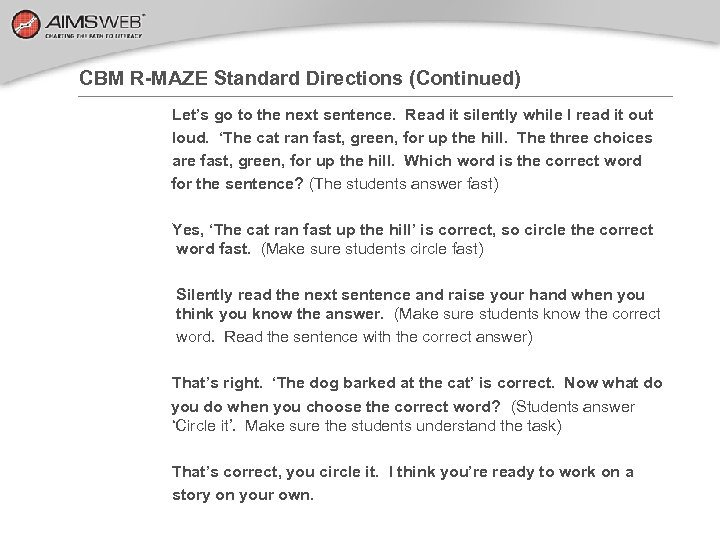
CBM R-MAZE Standard Directions (Continued) Let’s go to the next sentence. Read it silently while I read it out loud. ‘The cat ran fast, green, for up the hill. The three choices are fast, green, for up the hill. Which word is the correct word for the sentence? (The students answer fast) Yes, ‘The cat ran fast up the hill’ is correct, so circle the correct word fast. (Make sure students circle fast) Silently read the next sentence and raise your hand when you think you know the answer. (Make sure students know the correct word. Read the sentence with the correct answer) That’s right. ‘The dog barked at the cat’ is correct. Now what do you do when you choose the correct word? (Students answer ‘Circle it’. Make sure the students understand the task) That’s correct, you circle it. I think you’re ready to work on a story on your own.
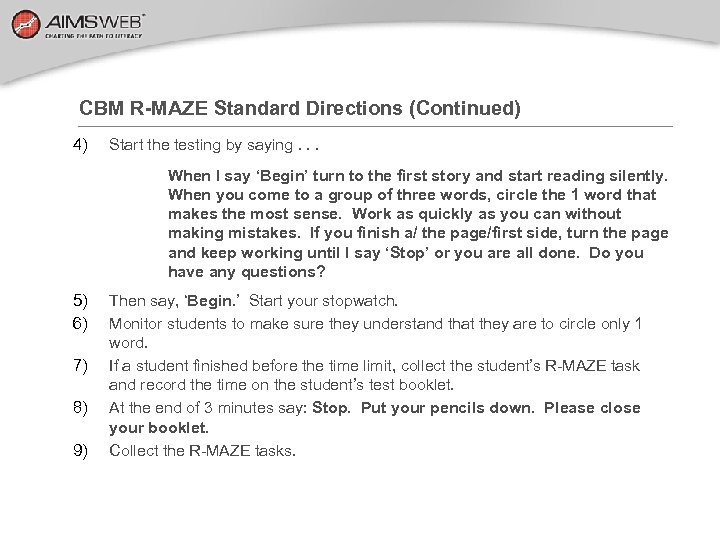
CBM R-MAZE Standard Directions (Continued) 4) Start the testing by saying. . . When I say ‘Begin’ turn to the first story and start reading silently. When you come to a group of three words, circle the 1 word that makes the most sense. Work as quickly as you can without making mistakes. If you finish a/ the page/first side, turn the page and keep working until I say ‘Stop’ or you are all done. Do you have any questions? 5) 6) 7) 8) 9) Then say, ‘Begin. ’ Start your stopwatch. Monitor students to make sure they understand that they are to circle only 1 word. If a student finished before the time limit, collect the student’s R-MAZE task and record the time on the student’s test booklet. At the end of 3 minutes say: Stop. Put your pencils down. Please close your booklet. Collect the R-MAZE tasks.
AIMSweb Reading-CBM • Oral Reading
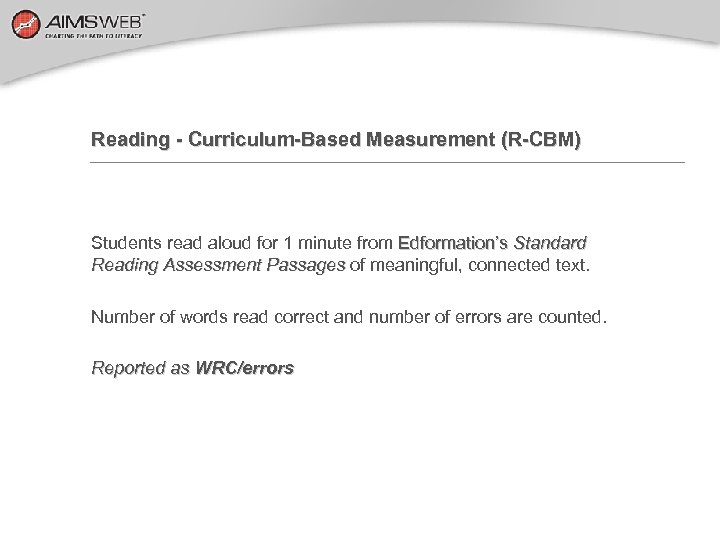
Reading - Curriculum-Based Measurement (R-CBM) Students read aloud for 1 minute from Edformation’s Standard Reading Assessment Passages of meaningful, connected text. Number of words read correct and number of errors are counted. Reported as WRC/errors
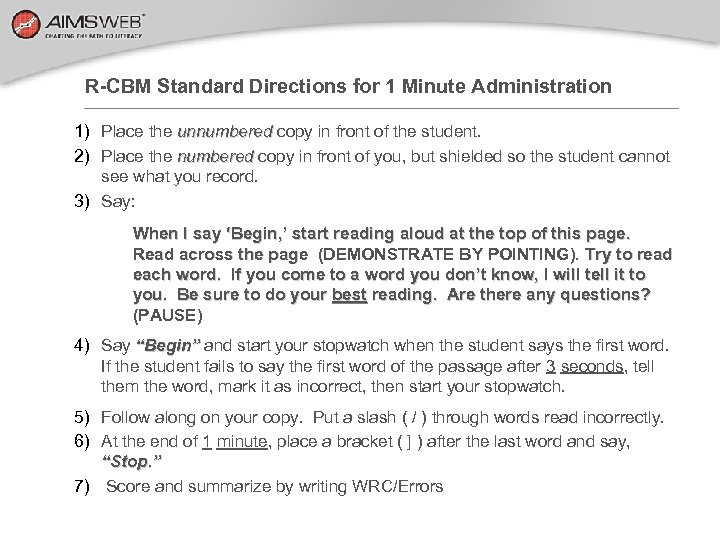
R-CBM Standard Directions for 1 Minute Administration 1) Place the unnumbered copy in front of the student. 2) Place the numbered copy in front of you, but shielded so the student cannot see what you record. 3) Say: When I say ‘Begin, ’ start reading aloud at the top of this page. Read across the page (DEMONSTRATE BY POINTING). Try to read each word. If you come to a word you don’t know, I will tell it to you. Be sure to do your best reading. Are there any questions? (PAUSE) 4) Say “Begin” and start your stopwatch when the student says the first word. If the student fails to say the first word of the passage after 3 seconds, tell them the word, mark it as incorrect, then start your stopwatch. 5) Follow along on your copy. Put a slash ( / ) through words read incorrectly. 6) At the end of 1 minute, place a bracket ( ] ) after the last word and say, “Stop. ” 7) Score and summarize by writing WRC/Errors
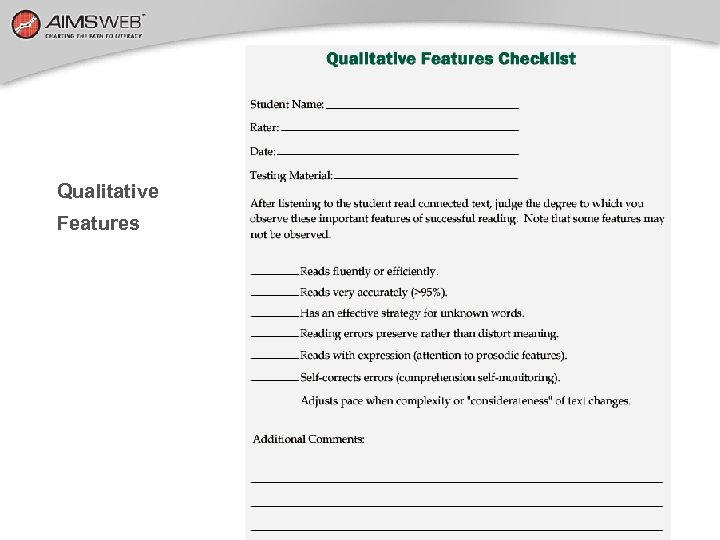
Qualitative Features
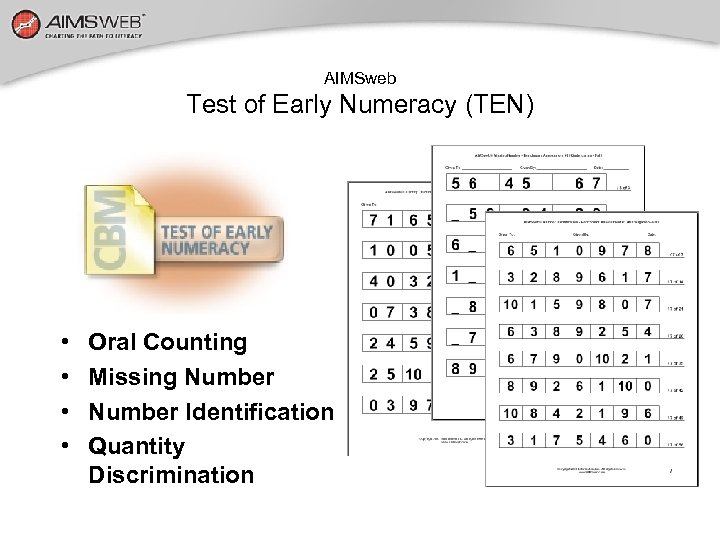
AIMSweb Test of Early Numeracy (TEN) • • Oral Counting Missing Number Identification Quantity Discrimination
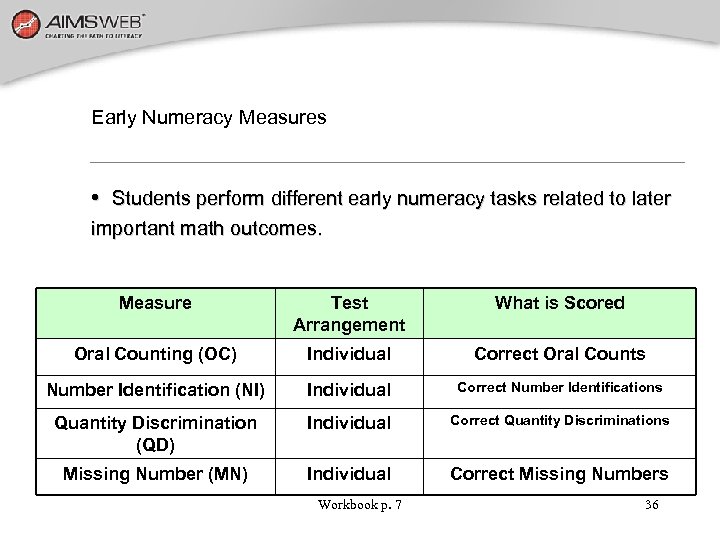
Early Numeracy Measures • Students perform different early numeracy tasks related to later important math outcomes. Measure Test Arrangement What is Scored Oral Counting (OC) Individual Correct Oral Counts Number Identification (NI) Individual Correct Number Identifications Quantity Discrimination (QD) Individual Correct Quantity Discriminations Missing Number (MN) Individual Correct Missing Numbers Workbook p. 7 36
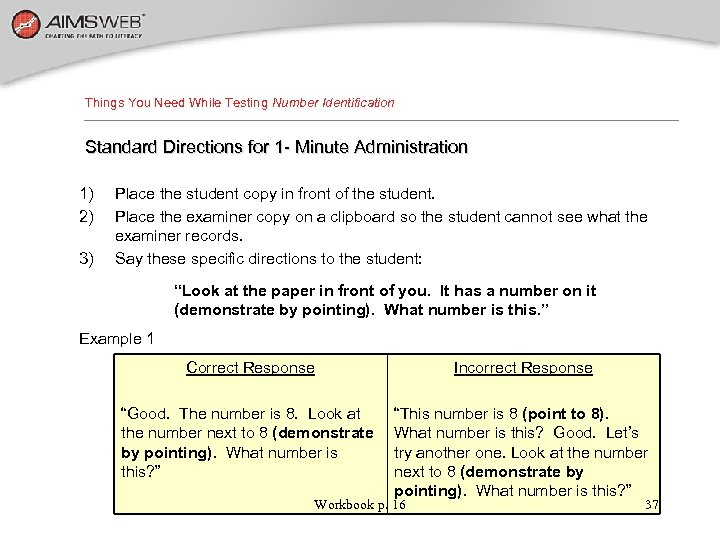
Things You Need While Testing Number Identification Standard Directions for 1 - Minute Administration 1) 2) 3) Place the student copy in front of the student. Place the examiner copy on a clipboard so the student cannot see what the examiner records. Say these specific directions to the student: “Look at the paper in front of you. It has a number on it (demonstrate by pointing). What number is this. ” Example 1 Correct Response Incorrect Response “Good. The number is 8. Look at the number next to 8 (demonstrate by pointing). What number is this? ” “This number is 8 (point to 8). What number is this? Good. Let’s try another one. Look at the number next to 8 (demonstrate by pointing). What number is this? ” Workbook p. 16 37
Things You Need While Testing Number Identification (Continued) 4) 5) 6) 7) 8) Start your stopwatch. If the student fails to answer the first problem after 3 seconds, tell the student to “try the next one. ” If the student does not get any correct within the first 5 items, discontinue the task and record a score of zero. Follow along on the examiner copy. Put a slash (/) through any incorrects. The maximum time for each item is 3 seconds. If a student does not provide an answer within 3 seconds, tell the student to “try the next one. ” At the end of 1 minute, place a bracket (]) around the last item completed and say “Stop. ” Workbook p. 16 38
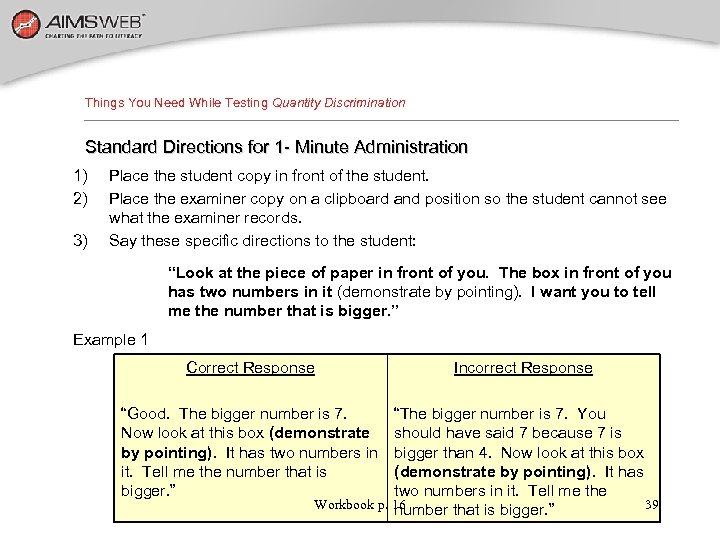
Things You Need While Testing Quantity Discrimination Standard Directions for 1 - Minute Administration 1) 2) 3) Place the student copy in front of the student. Place the examiner copy on a clipboard and position so the student cannot see what the examiner records. Say these specific directions to the student: “Look at the piece of paper in front of you. The box in front of you has two numbers in it (demonstrate by pointing). I want you to tell me the number that is bigger. ” Example 1 Correct Response “Good. The bigger number is 7. Now look at this box (demonstrate by pointing). It has two numbers in it. Tell me the number that is bigger. ” Incorrect Response “The bigger number is 7. You should have said 7 because 7 is bigger than 4. Now look at this box (demonstrate by pointing). It has two numbers in it. Tell me the Workbook p. 16 39 number that is bigger. ”
Things You Need While Testing Quantity Discrimination (Continued) 4) 5) 6) 7) 8) Start your stopwatch. If the student fails to answer the first problem after 3 seconds, tell the student to “try the next one. ” If the student does not get any correct within the first 5 items, discontinue the task and record a score of zero. Follow along on the examiner copy. Put a slash (/) through any incorrects. The maximum time for each item is 3 seconds. If a student does not provide an answer within 3 seconds, tell the student to “try the next one. ” At the end of 1 minute, place a bracket (]) around the last item completed and say “Stop. ” Workbook p. 16 40
Things to Do After Testing Quantity Discrimination (DQ) • Score immediately to ensure accurate results • Students receive 1 point for every item correctly completed in 1 minute • If doing multiple samples, organize your impressions of qualitative features Workbook p. 17 41
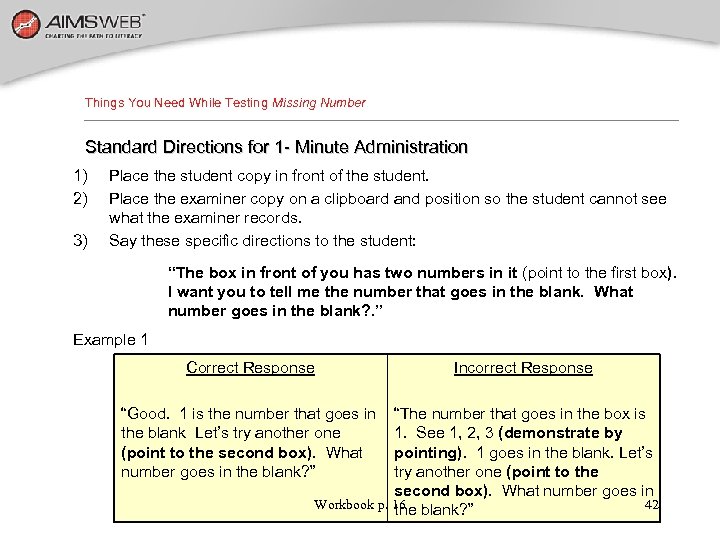
Things You Need While Testing Missing Number Standard Directions for 1 - Minute Administration 1) 2) 3) Place the student copy in front of the student. Place the examiner copy on a clipboard and position so the student cannot see what the examiner records. Say these specific directions to the student: “The box in front of you has two numbers in it (point to the first box). I want you to tell me the number that goes in the blank. What number goes in the blank? . ” Example 1 Correct Response “Good. 1 is the number that goes in the blank Let’s try another one (point to the second box). What number goes in the blank? ” Incorrect Response “The number that goes in the box is 1. See 1, 2, 3 (demonstrate by pointing). 1 goes in the blank. Let’s try another one (point to the second box). What number goes in Workbook p. 16 blank? ” 42 the
Things You Need While Testing Missing Number (Continued) 4) 5) 6) 7) 8) Start your stopwatch. If the student fails to answer the first problem after 3 seconds, tell the student to “try the next one. ” If the student does not get any correct within the first 5 items, discontinue the task and record a score of zero. Follow along on the examiner copy. Put a slash (/) through any incorrects. The maximum time for each item is 3 seconds. If a student does not provide an answer within 3 seconds, tell the student to “try the next one. ” At the end of 1 minute, place a bracket (]) around the last item completed and say “Stop. ” Workbook p. 16 43
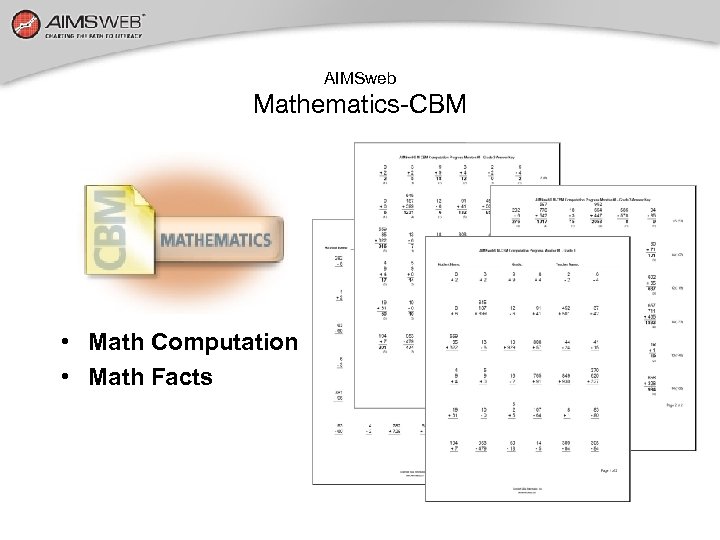
AIMSweb Mathematics-CBM • Math Computation • Math Facts
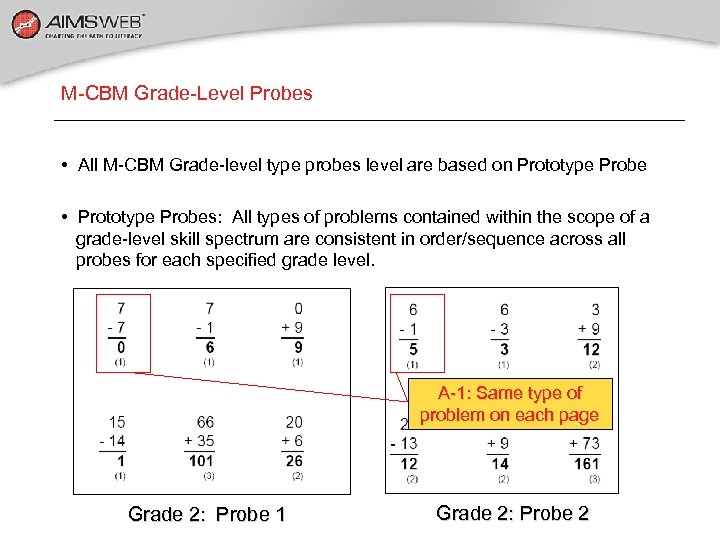
M-CBM Grade-Level Probes • All M-CBM Grade-level type probes level are based on Prototype Probe • Prototype Probes: All types of problems contained within the scope of a grade-level skill spectrum are consistent in order/sequence across all probes for each specified grade level. A-1: Same type of problem on each page Grade 2: Probe 1 Grade 2: Probe 2
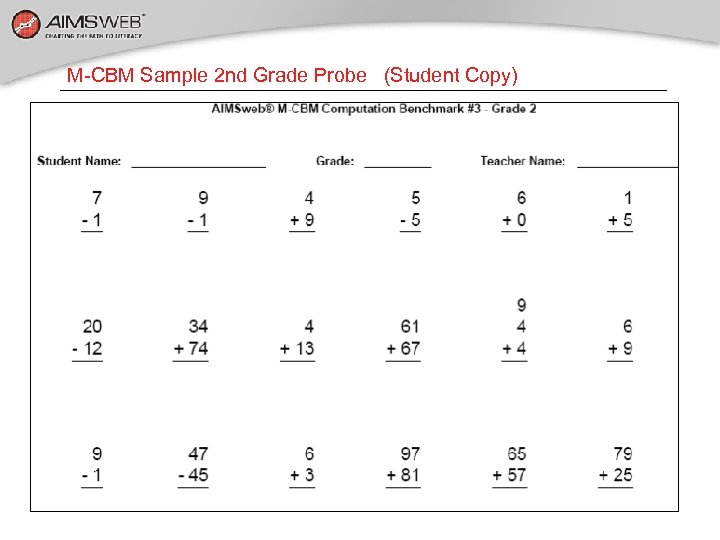
M-CBM Sample 2 nd Grade Probe (Student Copy)
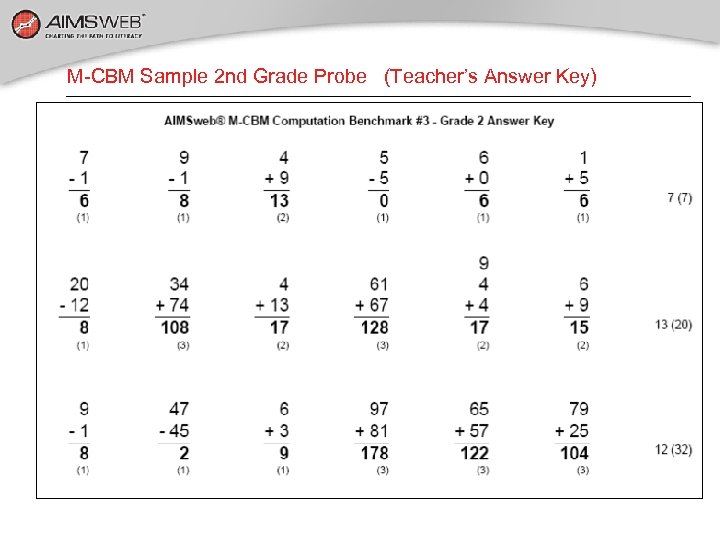
M-CBM Sample 2 nd Grade Probe (Teacher’s Answer Key) Scoring based on number of DIGITS CORRECT (DS)
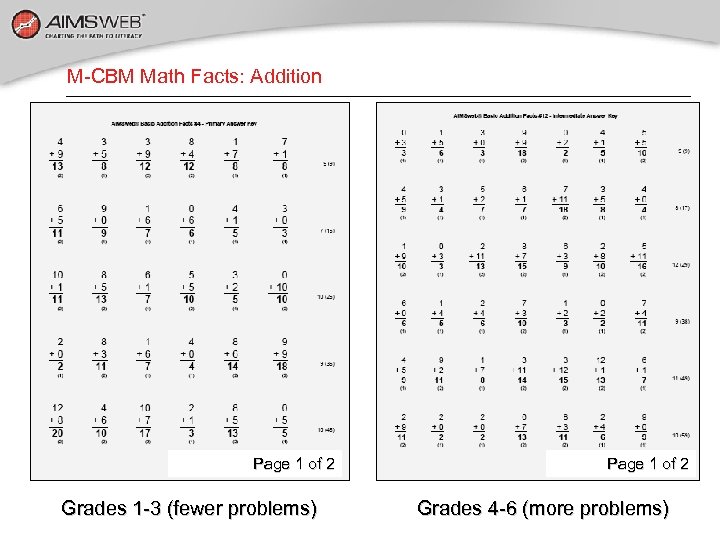
M-CBM Math Facts: Addition Page 1 of 2 Grades 1 -3 (fewer problems) Page 1 of 2 Grades 4 -6 (more problems)
M-CBM Math Facts: Probe options • Addition (+) facts • Subtraction (-) facts • Addition/Subtraction (+ / -) mixed facts • Multiplication facts (x) • Division facts (÷) • Multiplication/Division mixed facts (x / ÷) • Addition/Subtraction/Multiplication/Division mixed facts (+, -, x, ÷)
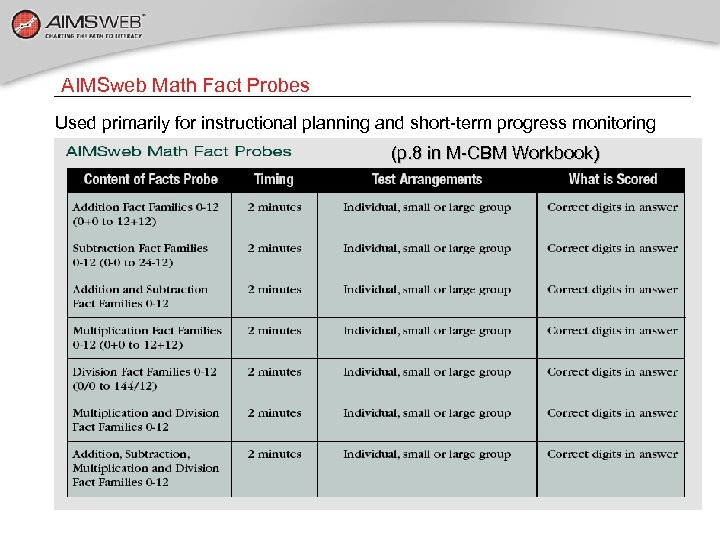
AIMSweb Math Fact Probes Used primarily for instructional planning and short-term progress monitoring (p. 8 in M-CBM Workbook)
M-CBM Administration Setup Things you will need: 1. Appropriate M-CBM or Math Facts Probes 2. Students need pencils. 3. Stopwatch or timers Setting up the testing room: 1. Large group: Monitor carefully to ensure students are not skipping and X-ing out items 2. Small group/individual: Monitor similarly. 3. If students are off task, cue with statements such as: “Try to do EACH problem. ” or “You can do this kind of problem so don’t skip. ”
M-CBM Directions for Administration Different M-CBM’s require different instructions (4 versions): Standard Math-Curriculum Based Measurement Probe instructions: • Grades 1 -3: Page 13 of workbook • Grades 4 -6: Page 14 of workbook Single-Skill Math Fact Probes—Standard Directions: • Grades 1 -6 probes: Page 15 of workbook Multiple Skill Math Fact Probes—Standard Directions: • Grades 1 -6 probes: Page 16 of workbook
Math Concepts and Applications (M-CAP) • Based on the National Council of Teachers of Mathematics (NCTM) Principles and Standards • Contains 33 probes per grade: three for benchmarking all students, and an additional 30 for monitoring the effectiveness of interventions • Assesses a broad set of math domains, including number sense, measurement, operations, patterns and relationships, data • Features easy, innovative scoring that enhances the sensitivity of each probe, maximizes the technical adequacy and scientific properties that support the scoring process, minimizes the impact of “skipping, ” and simplifies the scoring process for teachers
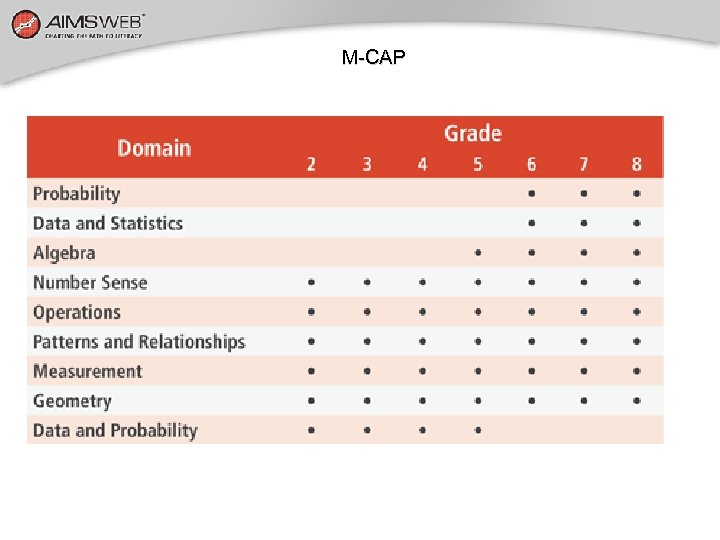
M-CAP Domains Assessed by Grade
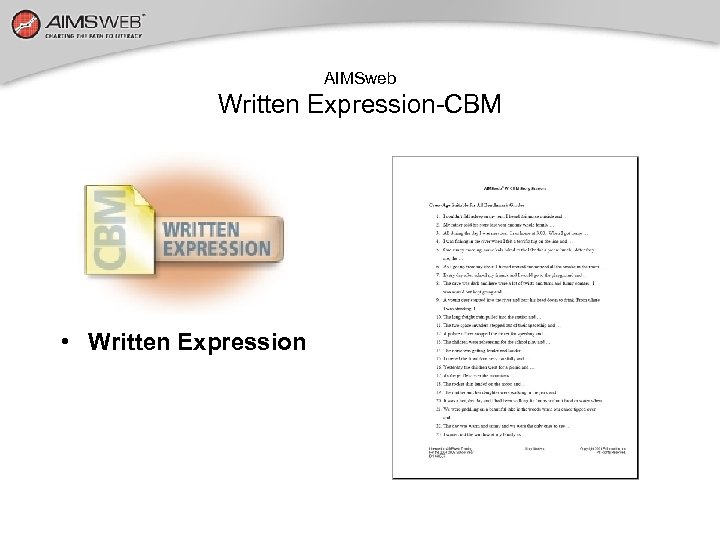
AIMSweb Written Expression-CBM • Written Expression
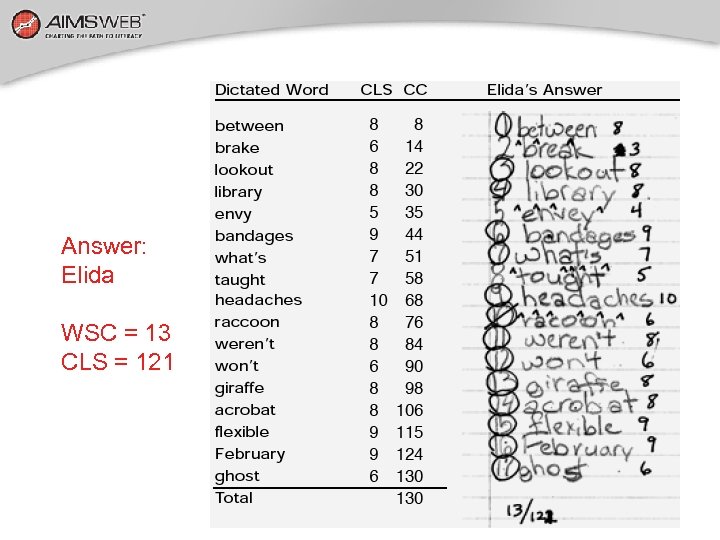
Written Expression - Curriculum Based Measurement (WE-CBM) • Students write in response to a story starter for 3 minutes • Number of Total Words Written (TWW), Correct Writing Sequence (CWS), and/or Words Spelled Correctly (WSC) are counted • Reported as TWW, CWS, and WSC
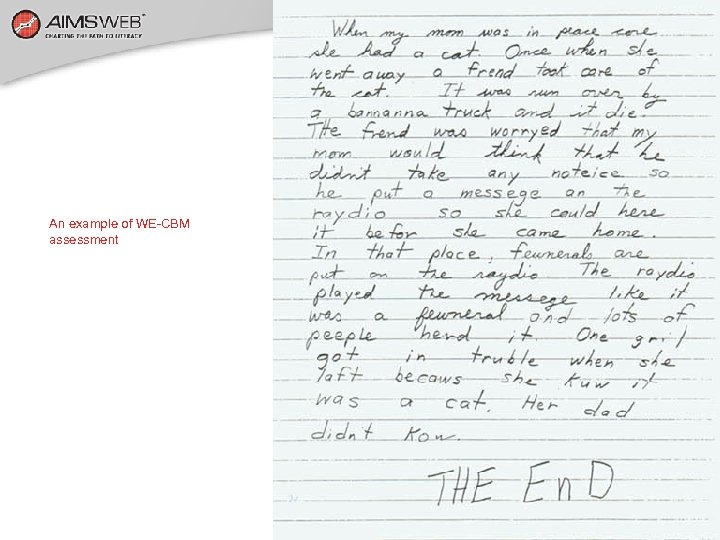
An example of WE-CBM assessment
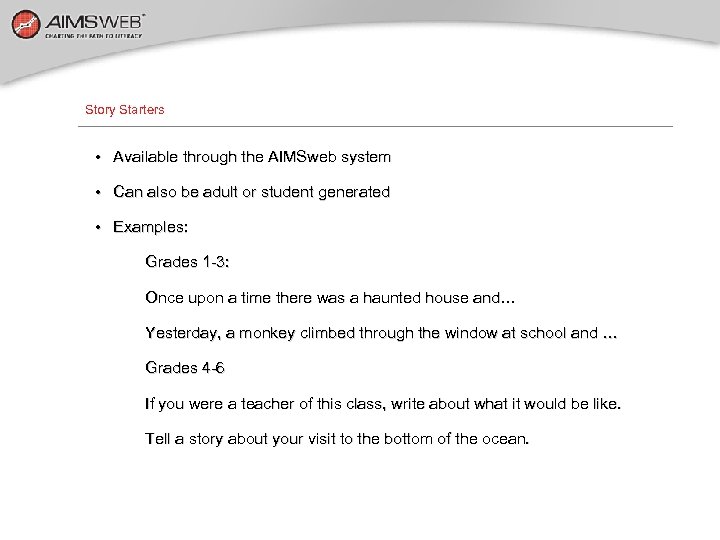
Story Starters • Available through the AIMSweb system • Can also be adult or student generated • Examples: Grades 1 -3: Once upon a time there was a haunted house and… Yesterday, a monkey climbed through the window at school and … Grades 4 -6 If you were a teacher of this class, write about what it would be like. Tell a story about your visit to the bottom of the ocean.
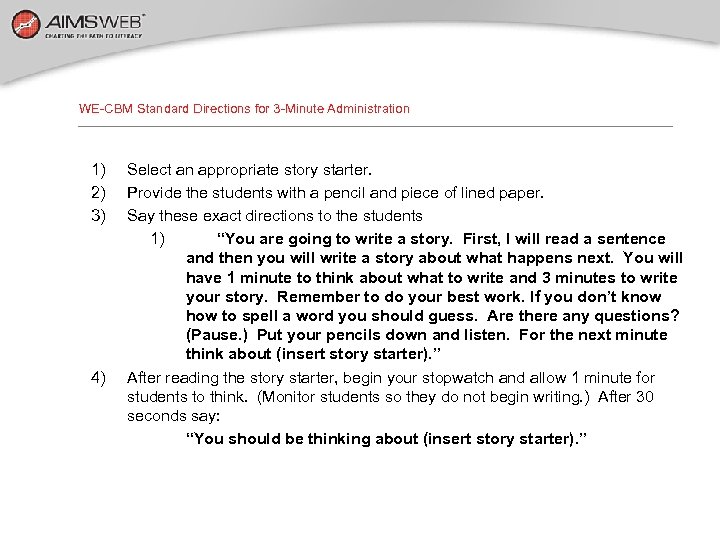
WE-CBM Standard Directions for 3 -Minute Administration 1) 2) 3) 4) Select an appropriate story starter. Provide the students with a pencil and piece of lined paper. Say these exact directions to the students 1) “You are going to write a story. First, I will read a sentence and then you will write a story about what happens next. You will have 1 minute to think about what to write and 3 minutes to write your story. Remember to do your best work. If you don’t know how to spell a word you should guess. Are there any questions? (Pause. ) Put your pencils down and listen. For the next minute think about (insert story starter). ” After reading the story starter, begin your stopwatch and allow 1 minute for students to think. (Monitor students so they do not begin writing. ) After 30 seconds say: “You should be thinking about (insert story starter). ”
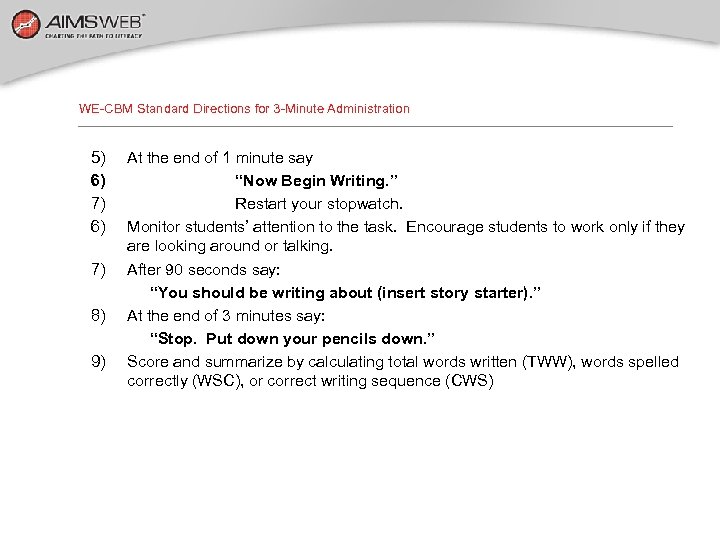
WE-CBM Standard Directions for 3 -Minute Administration 5) 6) 7) 8) 9) At the end of 1 minute say “Now Begin Writing. ” Restart your stopwatch. Monitor students’ attention to the task. Encourage students to work only if they are looking around or talking. After 90 seconds say: “You should be writing about (insert story starter). ” At the end of 3 minutes say: “Stop. Put down your pencils down. ” Score and summarize by calculating total words written (TWW), words spelled correctly (WSC), or correct writing sequence (CWS)
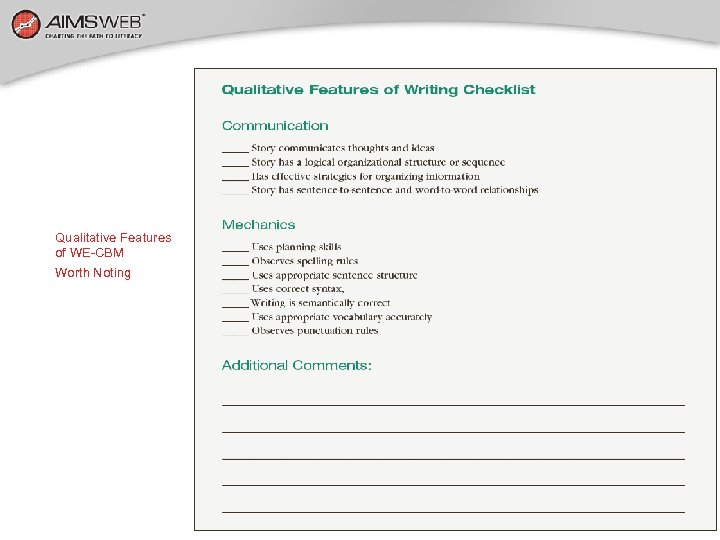
Qualitative Features of WE-CBM Worth Noting
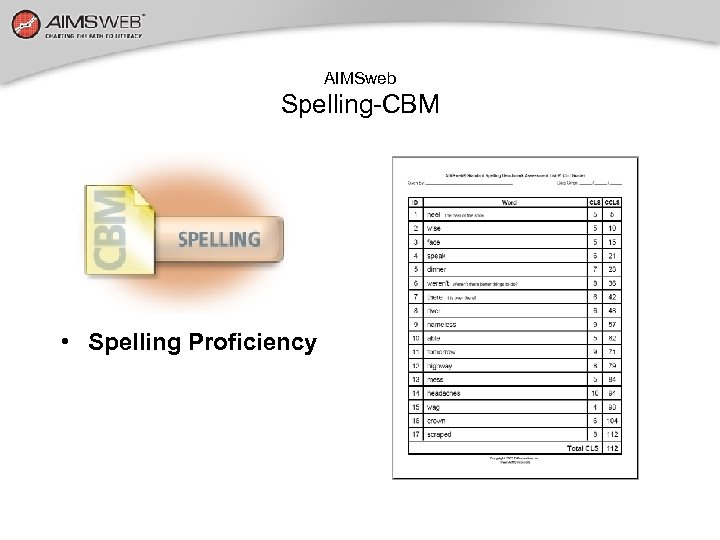
AIMSweb Spelling-CBM • Spelling Proficiency
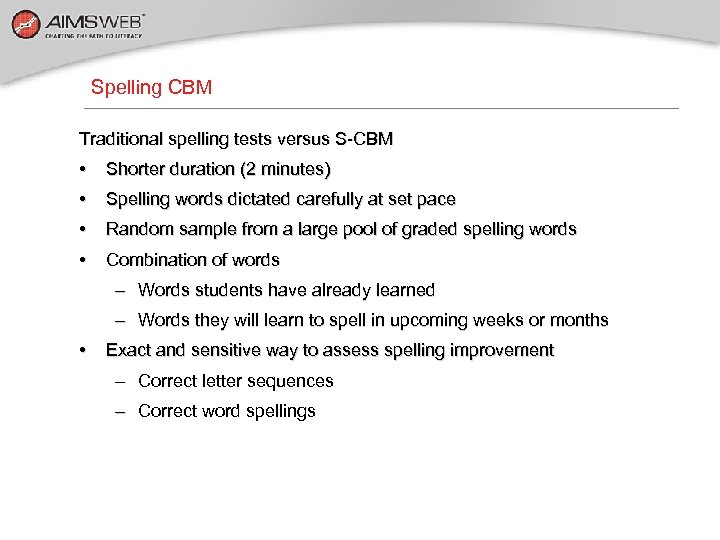
Spelling CBM Traditional spelling tests versus S-CBM • Shorter duration (2 minutes) • Spelling words dictated carefully at set pace • Random sample from a large pool of graded spelling words • Combination of words – Words students have already learned – Words they will learn to spell in upcoming weeks or months • Exact and sensitive way to assess spelling improvement – Correct letter sequences – Correct word spellings
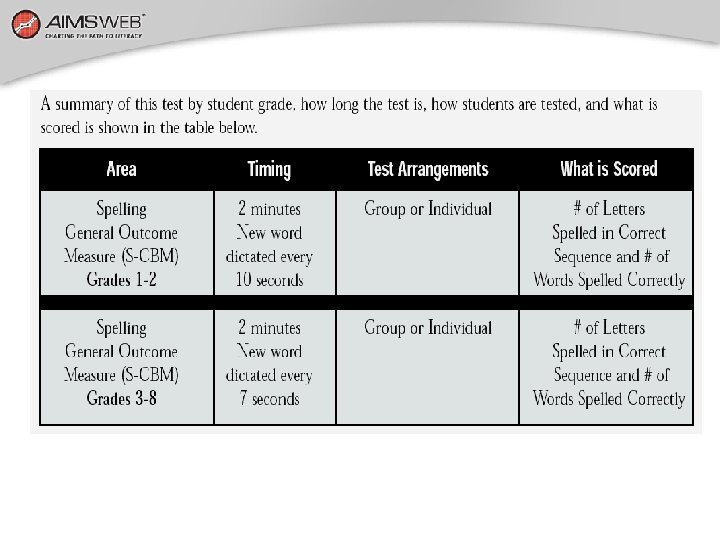
Summary of Spelling Conditions Timing – 2 minutes – New word dictated every 7 seconds (every 10 seconds: grades 1 & 2) Arrangements – Group – Individual What is scored – Number of letters spelled in correct sequence – Number of words spelled correctly
Standard Directions 1. Students have lined paper numbered 1– 12 (Grades 1 & 2) or 1– 17 (Grade 3 -8)and a pencil. 2. Say, “We’re going to take a 2 -minute spelling test. I am going to say some words that I want you to spell on the sheet of paper in front of you. Write the first word on the first line, the second word on the second line and so on. I’ll give you [10] [7] seconds to spell each word. When I say the next word, write it down, even if you haven’t finished the last one. You will receive credit for each correct letter written. Are there any questions? [Pause] Let’s begin. ” 3. Say the first word and start your stopwatch (or tape recorder)
Standard Directions 4. Say each word twice. Use homonyms in a sentence (provided) 5. Say a new word every 10 or 7 seconds 6. Say, “You should be on the fifth word which is…” 7. Monitor students to ensure they are writing on the correct line 8. Do not respond to student questions during the test 9. After two minutes, say, “Stop. Put your pencils down. ” Good to begin with short practice test to reduce novelty. Shortened directions available for well-experienced students.
Standard Assessment Spelling Lists Benchmark: 3 standards lists for each grade (1– 8) • Screen and identify students who are at risk • Monitor progress and improvement in fall, winter, and spring • Guide program evaluation decisions & improve accountability Progress Monitor: 30 standard lists for each grade • Provide practical way to write individualized progress goals • Monitor progress and determine rate of improvements • Provide accountability data
Answer: Elida WSC = 13 CLS = 121
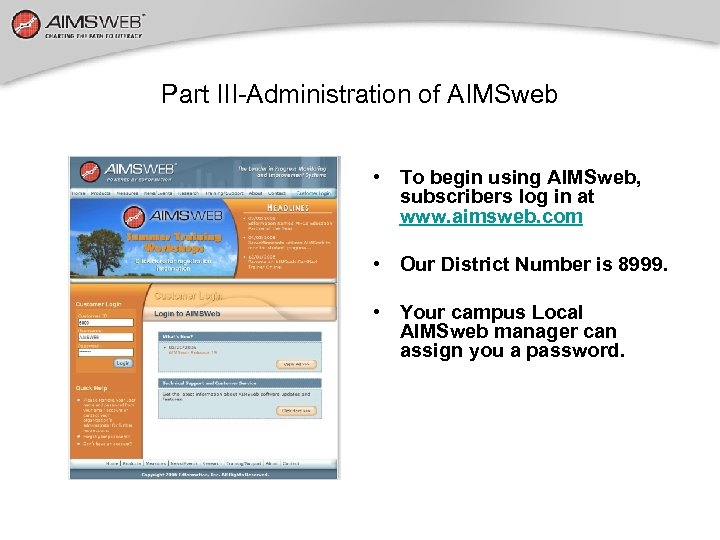
Part III-Administration of AIMSweb • To begin using AIMSweb, subscribers log in at www. aimsweb. com • Our District Number is 8999. • Your campus Local AIMSweb manager can assign you a password.
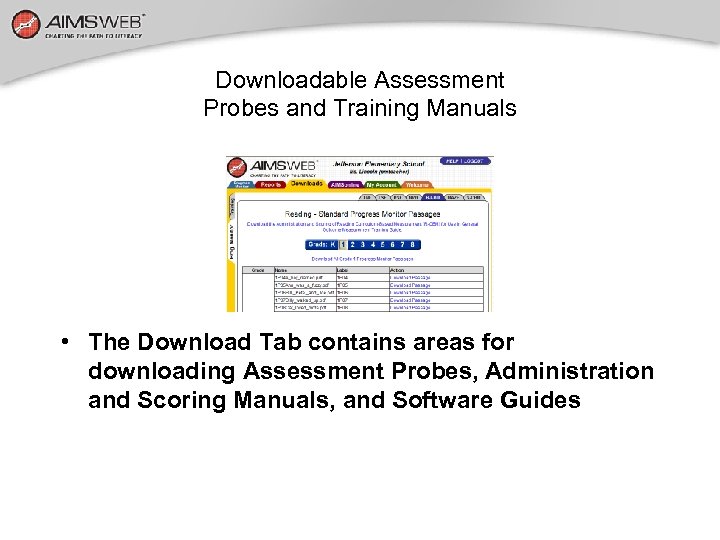
Downloadable Assessment Probes and Training Manuals • The Download Tab contains areas for downloading Assessment Probes, Administration and Scoring Manuals, and Software Guides
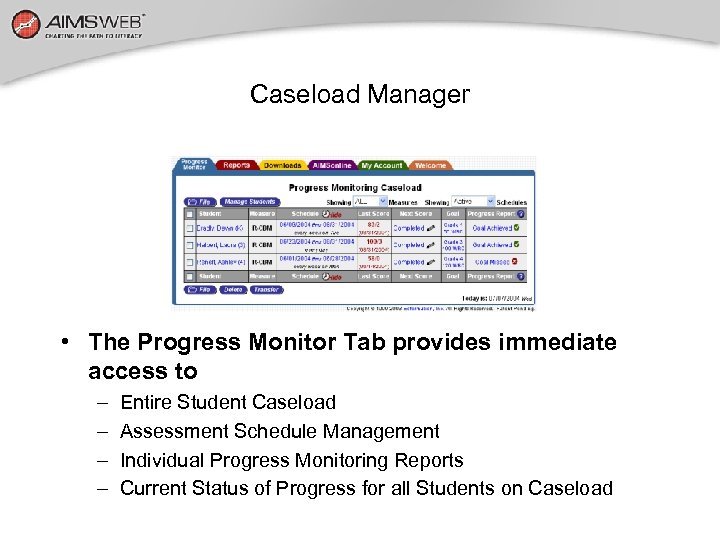
Caseload Manager • The Progress Monitor Tab provides immediate access to – – Entire Student Caseload Assessment Schedule Management Individual Progress Monitoring Reports Current Status of Progress for all Students on Caseload
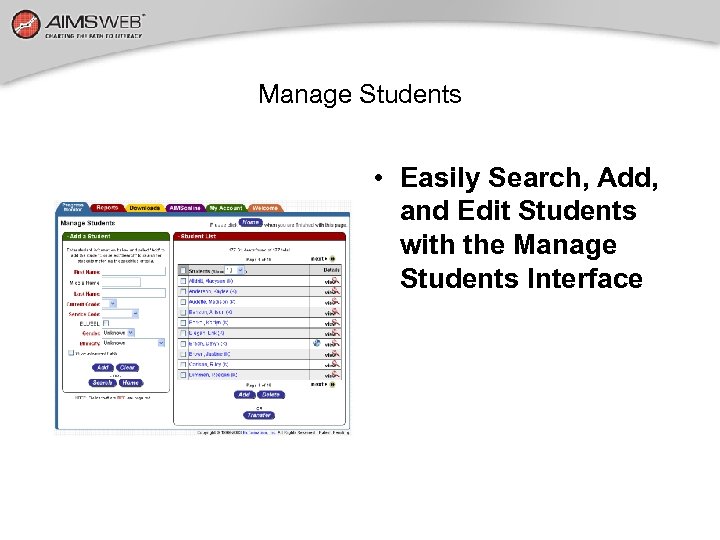
Manage Students • Easily Search, Add, and Edit Students with the Manage Students Interface
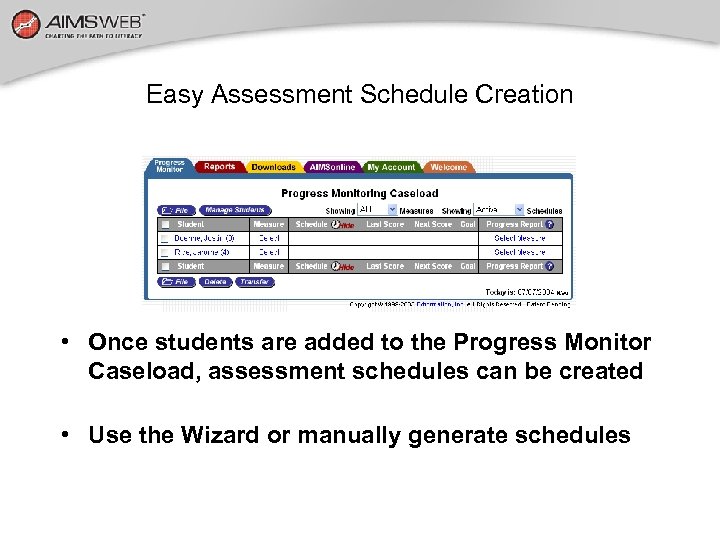
Easy Assessment Schedule Creation • Once students are added to the Progress Monitor Caseload, assessment schedules can be created • Use the Wizard or manually generate schedules
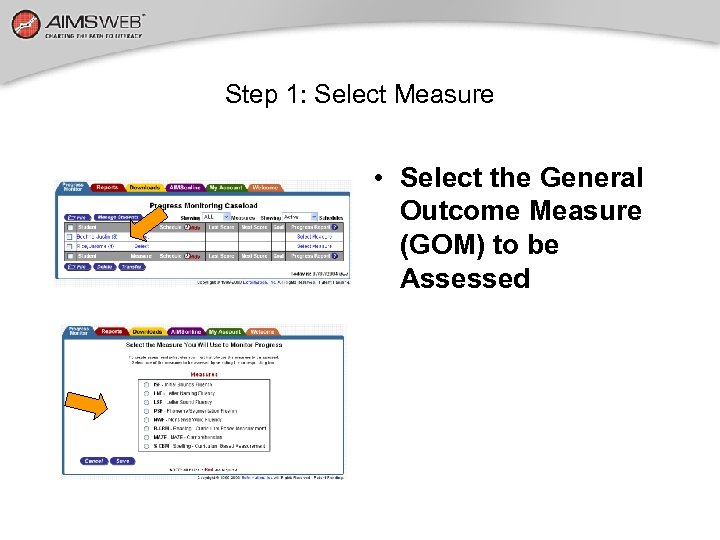
Step 1: Select Measure • Select the General Outcome Measure (GOM) to be Assessed
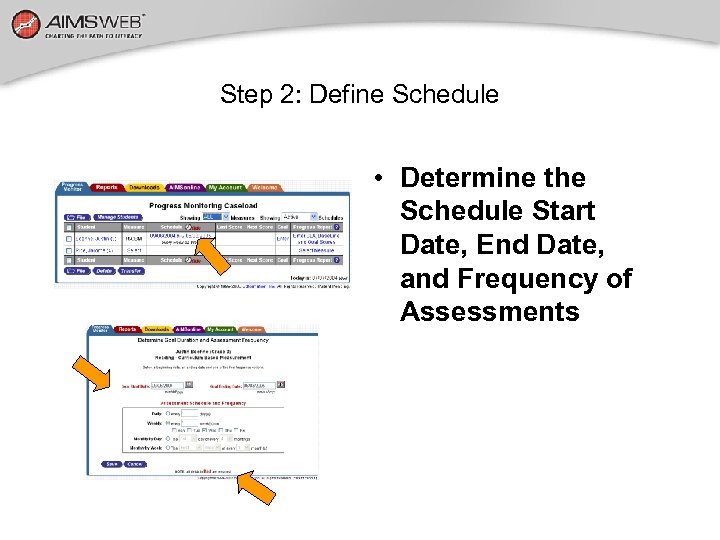
Step 2: Define Schedule • Determine the Schedule Start Date, End Date, and Frequency of Assessments
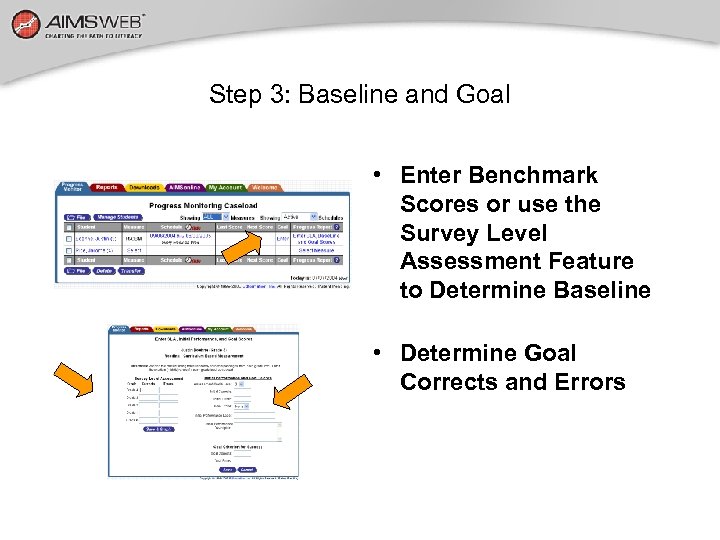
Step 3: Baseline and Goal • Enter Benchmark Scores or use the Survey Level Assessment Feature to Determine Baseline • Determine Goal Corrects and Errors
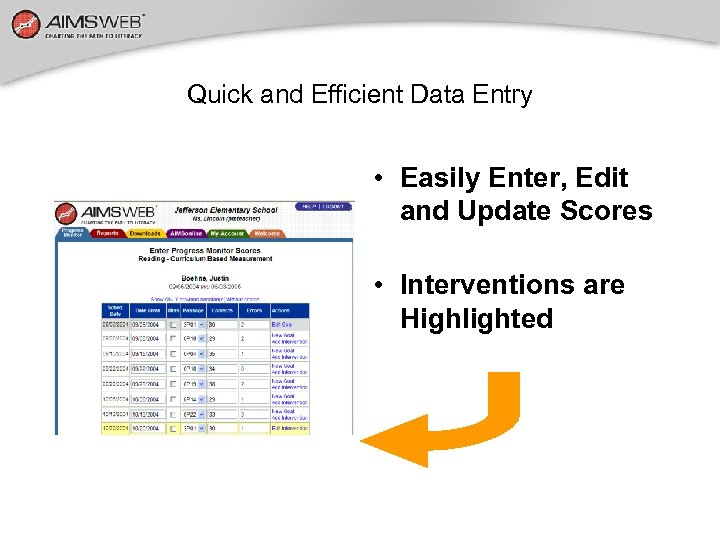
Quick and Efficient Data Entry • Easily Enter, Edit and Update Scores • Interventions are Highlighted
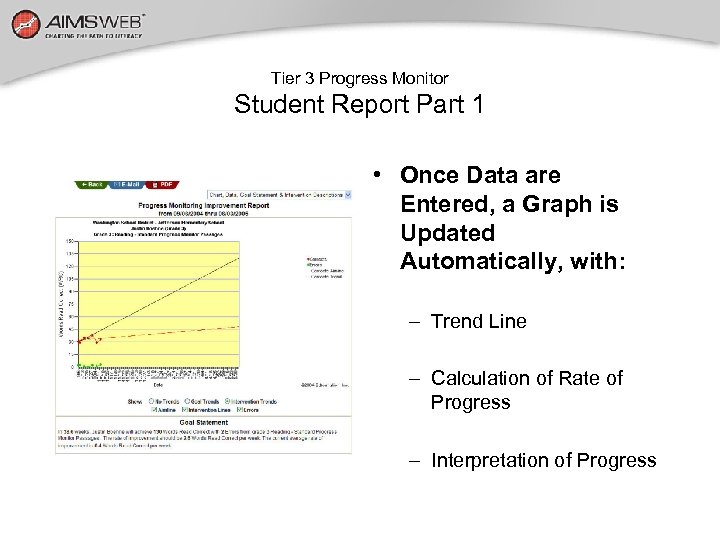
Tier 3 Progress Monitor Student Report Part 1 • Once Data are Entered, a Graph is Updated Automatically, with: – Trend Line – Calculation of Rate of Progress – Interpretation of Progress
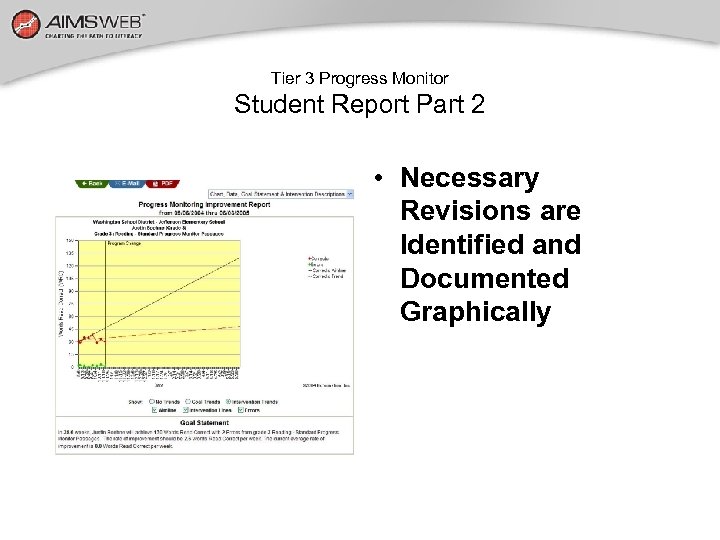
Tier 3 Progress Monitor Student Report Part 2 • Necessary Revisions are Identified and Documented Graphically
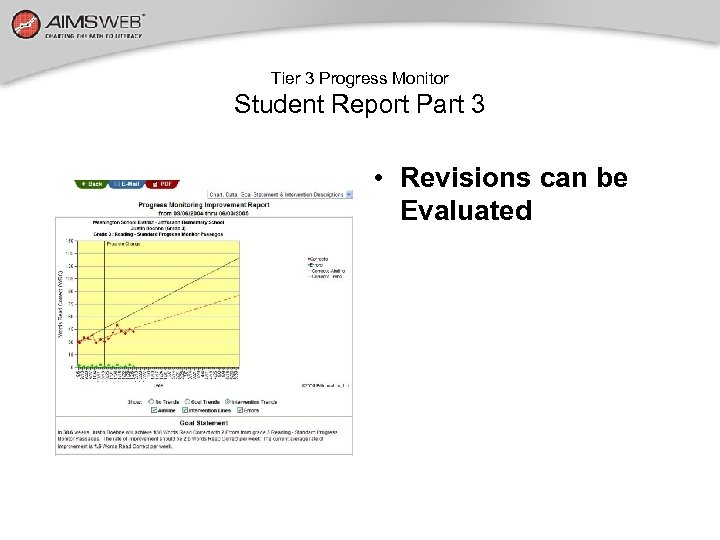
Tier 3 Progress Monitor Student Report Part 3 • Revisions can be Evaluated
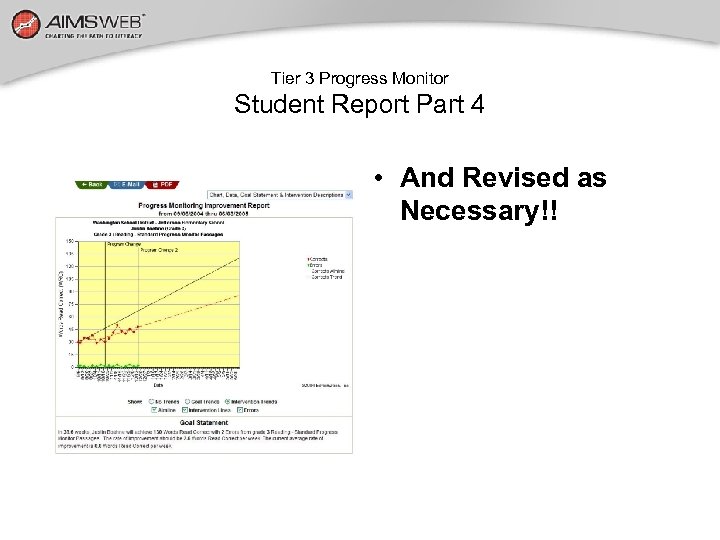
Tier 3 Progress Monitor Student Report Part 4 • And Revised as Necessary!!
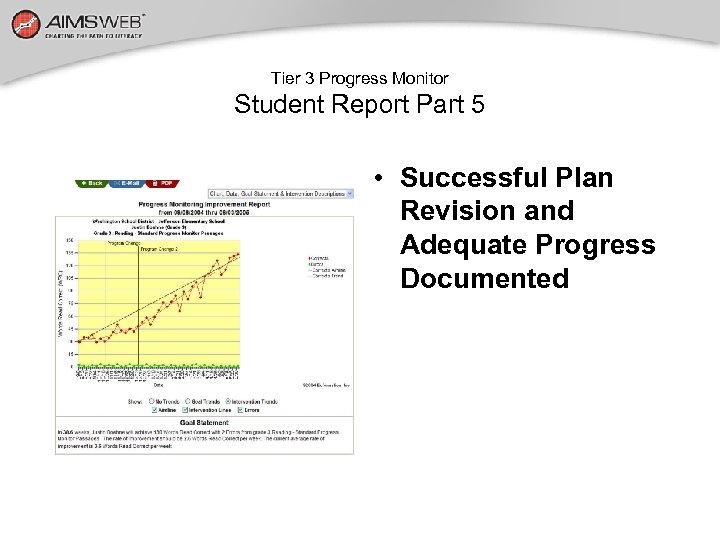
Tier 3 Progress Monitor Student Report Part 5 • Successful Plan Revision and Adequate Progress Documented
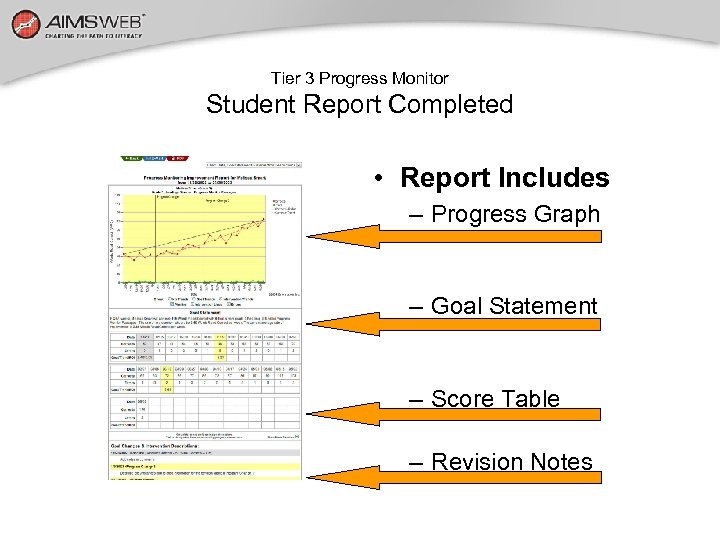
Tier 3 Progress Monitor Student Report Completed • Report Includes – Progress Graph – Goal Statement – Score Table – Revision Notes
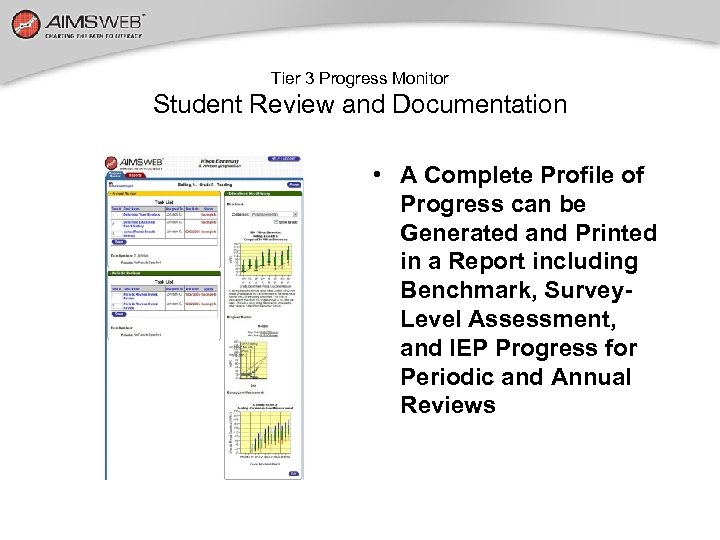
Tier 3 Progress Monitor Student Review and Documentation • A Complete Profile of Progress can be Generated and Printed in a Report including Benchmark, Survey. Level Assessment, and IEP Progress for Periodic and Annual Reviews
Part IV—Now You are On Your Way! First, you need to set goals related to EIT status of the student • Set a few, but important goals. • Ensure goals are measurable and linked to validated formative evaluation practices. • Base goal setting on logical educational practices.
Reduce the Number of Goals to a Few Critical Indicators Reading In (#) weeks (Student name) will read (#) Words Correctly in 1 minute from randomly selected Grade (#) passages. Math Computation In (#) weeks (Student name) will write (#) Correct Digits in 2 minutes from randomly selected Grade (#) math problems.
Now am I ready to Administer Probes? First, start with Conducting a Survey Level Assessment • Students are tested in successive levels • of general curriculum. • Begin with their current expected grade placement and administer PM Probes until a level at • which they are successful is determined.
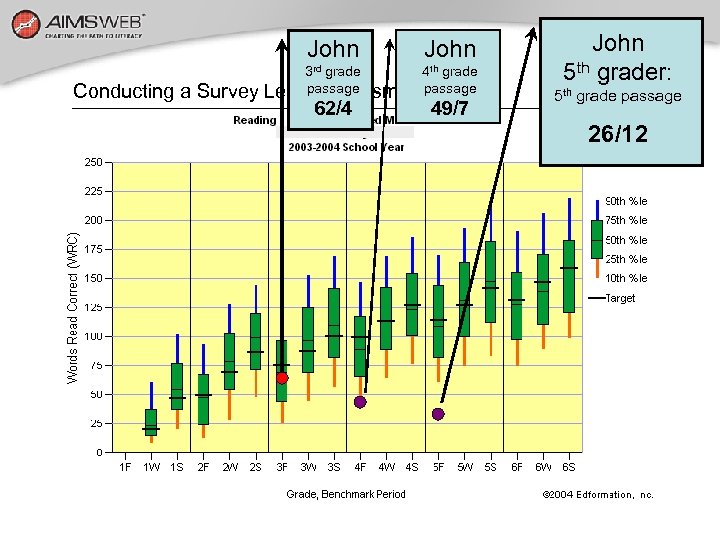
John Conducting a Survey John 3 rd grade 4 th grade passage Level Assessmentpassage 62/4 49/7 John 5 th grader: 5 th grade passage 26/12
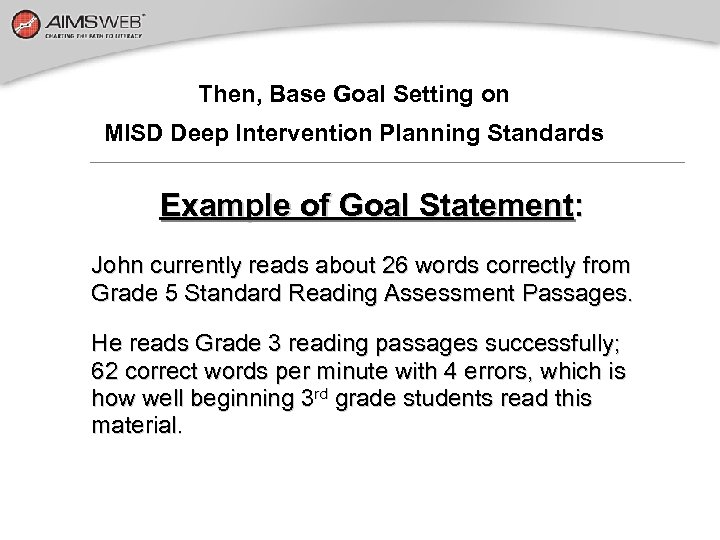
Then, Base Goal Setting on MISD Deep Intervention Planning Standards Example of Goal Statement: John currently reads about 26 words correctly from Grade 5 Standard Reading Assessment Passages. He reads Grade 3 reading passages successfully; 62 correct words per minute with 4 errors, which is how well beginning 3 rd grade students read this material.
Goal Setting Strategies Determine Current Performance Information based on Survey-Level Assessment (SLA). Know the Time Frame for the Goal. Determine a Future Performance Level (and tools to use such as Multi-Year Aggregate Chart and Normative Growth Rates. )
Making Data-Based Decisions With Progress Monitor « Need at LEAST 4 -7 data points before making programming decision— …and you may sometimes want to collect more if you are uncertain. « on the side of caution Err Criteria To Consider: Trendline meets Aimline for ultimate goal: Consider return to LRE. Trendline and AIMline will intersect in relatively near future? Keep with current intervention until goal is reached. Trendline exceeds AIMline? Consider increasing goal or difficulty level. Trendline not going to intersect AIMline—moves in opposite direction: Consider adding additional intervention, changing variable, and/or insensifying program changes (LRE).
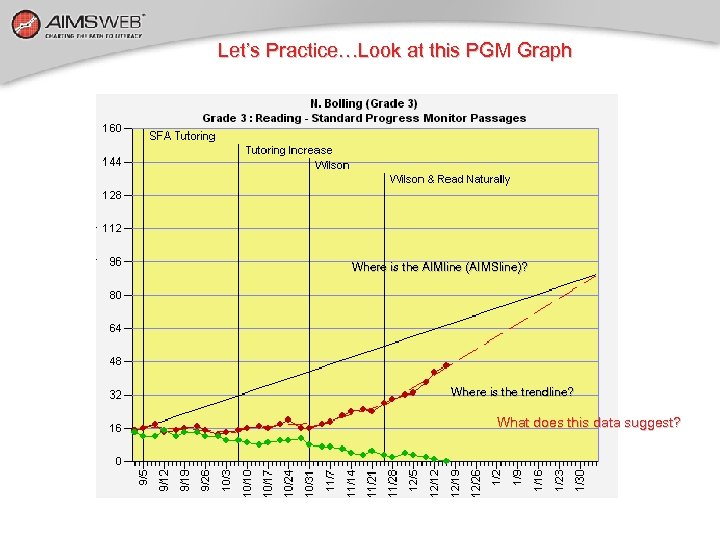
Let’s Practice…Look at this PGM Graph Where is the AIMline (AIMSline)? Where is the trendline? What does this data suggest?
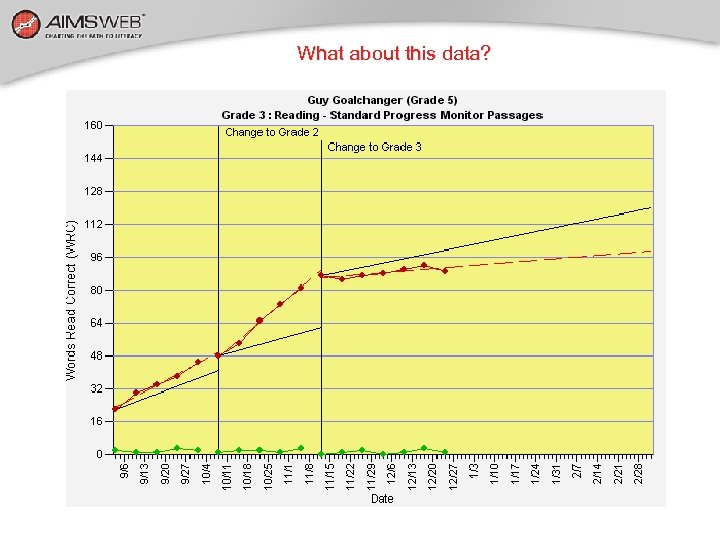
What about this data?
Additional Information • An on-line tutorial can be accessed at the following: • http: //langell. org/LAMtrain User id: aimsweb Password: train
Скачать презентацию Orientation Presented By Dr Laura W Simmons Special
b9c1a2a23c6c2345ac0f3ea07ee1f859.ppt