


 Скачать презентацию Orientation for New Directors of Special Education Nick
facc37c57f6021623f9ae3df6592eaf7.ppt
- Количество слайдов: 70
 Orientation for New Directors of Special Education Nick Easter Christel Hockensmith Susan Farra Denise Bailey November 2012
 Infinite Campus for New Directors of Special Education
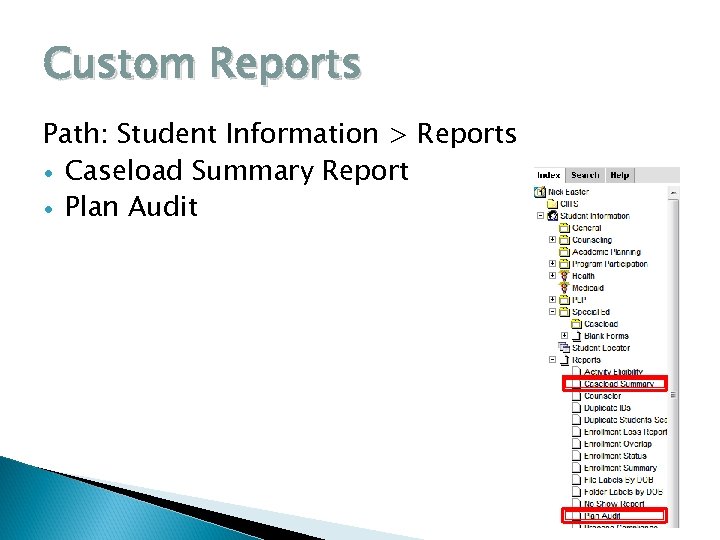 Custom Reports Path: Student Information > Reports Caseload Summary Report Plan Audit
 Caseload Summary Report Path: Student Information > Reports > Caseload Summary This report lists detail information about each student in your caseload. If you enter the effective date, it will filter the list of students to only those where your team membership is active, and their IEP and enrollment is active. The report generates the following information: Student Name, SSID, Disability, Special Ed Status, Special Ed Setting, Re-Evaluation Date and IEP start and end dates. This report will also show you if the student is missing information in the afore mentioned fields or if the student has overlapping IEPs
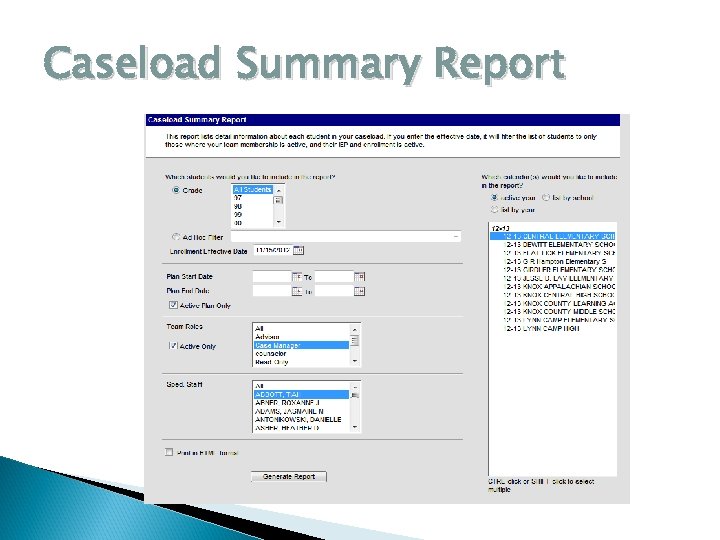 Caseload Summary Report
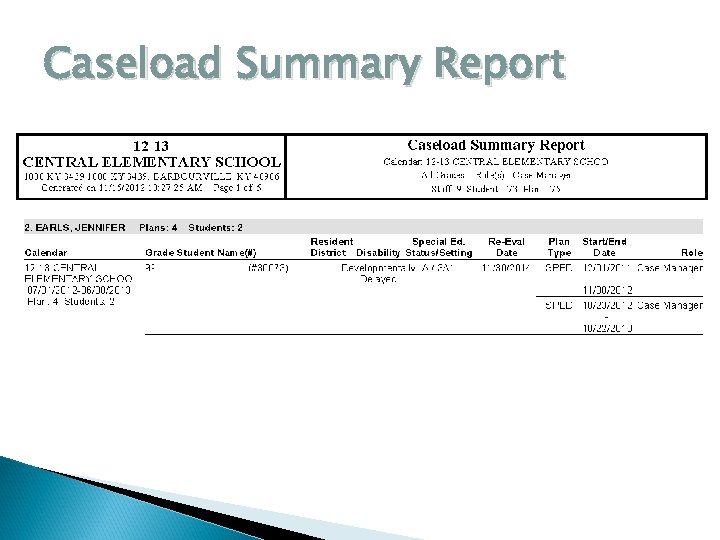 Caseload Summary Report
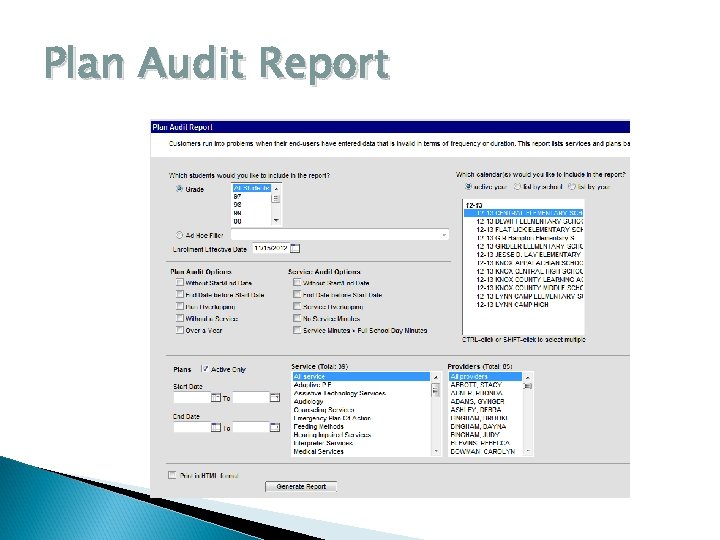
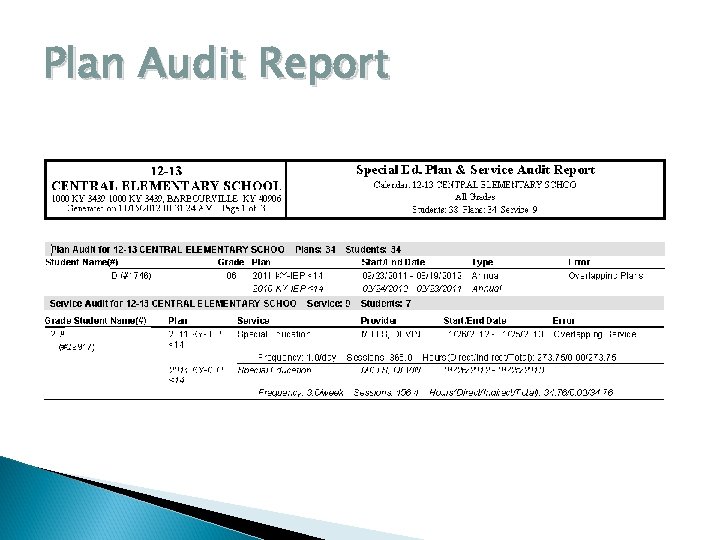
 Plan Audit Report Path: Student Information > Reports > Plan Audit This report is for users that have entered data that is invalid in terms of frequency or duration. This report lists services and plans based on the auditing types to help clean up these possible data errors. This report can also be used to look for IEP information such as: No Start/End Date, End Date before Start Date, Plan Overlapping, Without a service, or Over a year old.
 Plan Audit Report
 Plan Audit Report
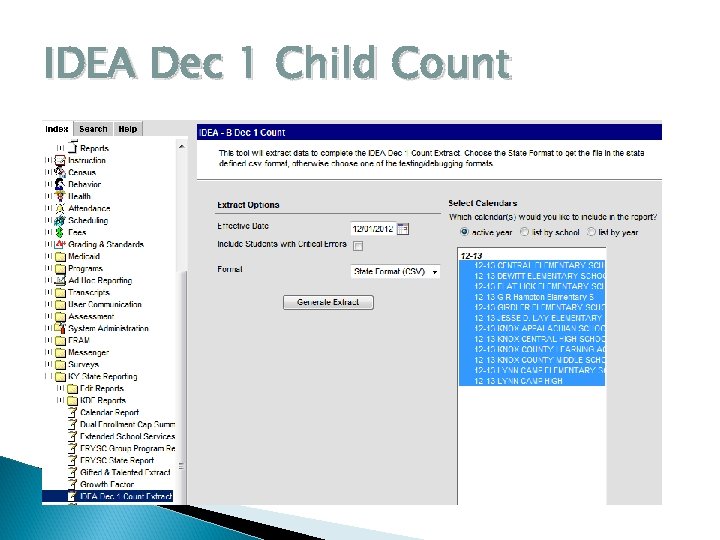
 IDEA Dec 1 Child Count Districts provide this information to KDE, which in turn provides an application to the US Department of Education’s Office of Special Education Programs (OSEP) for Federal funding under Part B of the Individuals with Disabilities Act (IDEA). Districts provide their December 1 Child Count to the KDE as required under Part B of the Individuals with Disabilities Education Act (IDEA-B), as amended. This count is also used to determine the amount of the ‘Exceptional Child Add-on’ to the Supporting Education Excellence in Kentucky (SEEK) funding formula for local districts.
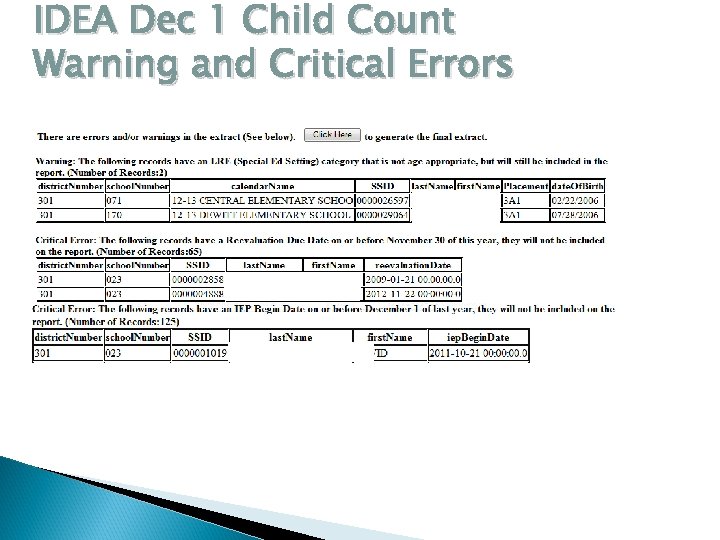
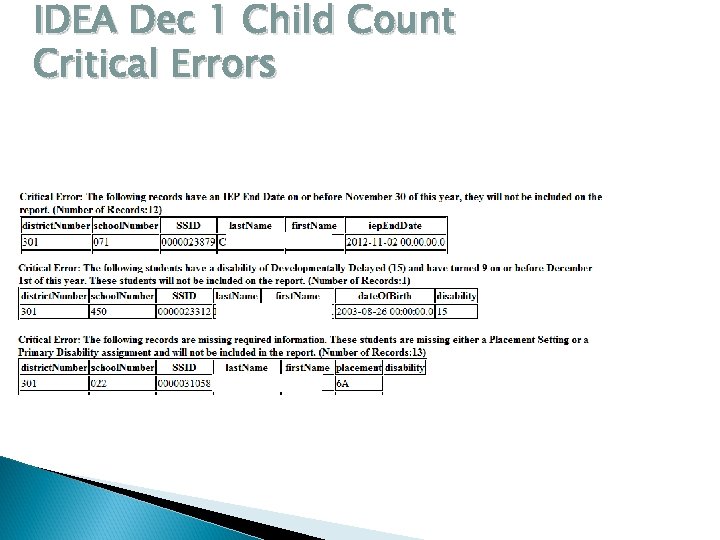
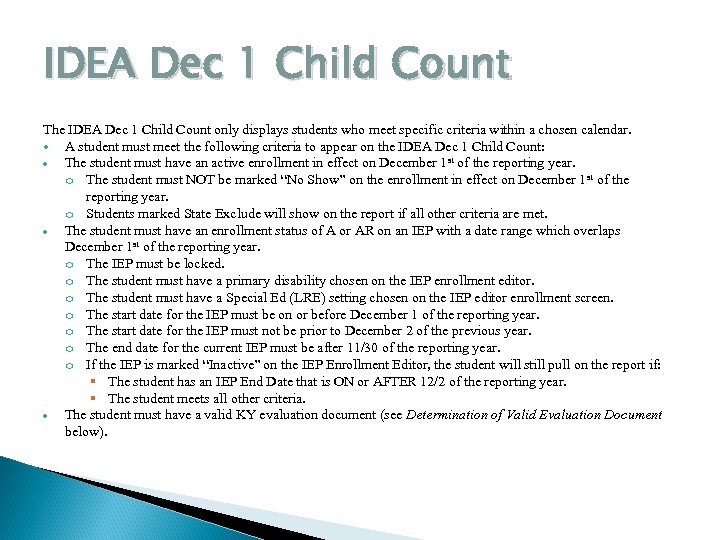 IDEA Dec 1 Child Count The IDEA Dec 1 Child Count only displays students who meet specific criteria within a chosen calendar. A student must meet the following criteria to appear on the IDEA Dec 1 Child Count: The student must have an active enrollment in effect on December 1 st of the reporting year. o The student must NOT be marked “No Show” on the enrollment in effect on December 1 st of the reporting year. o Students marked State Exclude will show on the report if all other criteria are met. The student must have an enrollment status of A or AR on an IEP with a date range which overlaps December 1 st of the reporting year. o The IEP must be locked. o The student must have a primary disability chosen on the IEP enrollment editor. o The student must have a Special Ed (LRE) setting chosen on the IEP editor enrollment screen. o The start date for the IEP must be on or before December 1 of the reporting year. o The start date for the IEP must not be prior to December 2 of the previous year. o The end date for the current IEP must be after 11/30 of the reporting year. o If the IEP is marked “Inactive” on the IEP Enrollment Editor, the student will still pull on the report if: The student has an IEP End Date that is ON or AFTER 12/2 of the reporting year. The student meets all other criteria. The student must have a valid KY evaluation document (see Determination of Valid Evaluation Document below).
 IDEA Dec 1 Child Count
 IDEA Dec 1 Child Count Warning and Critical Errors
 IDEA Dec 1 Child Count Critical Errors
 CEIS Data Collection and Reporting For districts that were required to set aside 15% of its IDEA allocation (calculated from the total amount of both the Basic and Preschool IDEA funds) awarded July 1, 2011 to implement Coordinated Early Intervening Services (CEIS). As a result throughout the course of this year Districts were to track the number of non-disabled special education students who were provided CEIS. If your District was required to preform CEIS Data Collection and Reporting you were notified via email from Chris Thacker.
 CEIS Data Collection and Reporting Data Standards document on KDE webpage Create a program flag Applying flag to a group of students Searching for and creating a ad hoc for CEIS Students
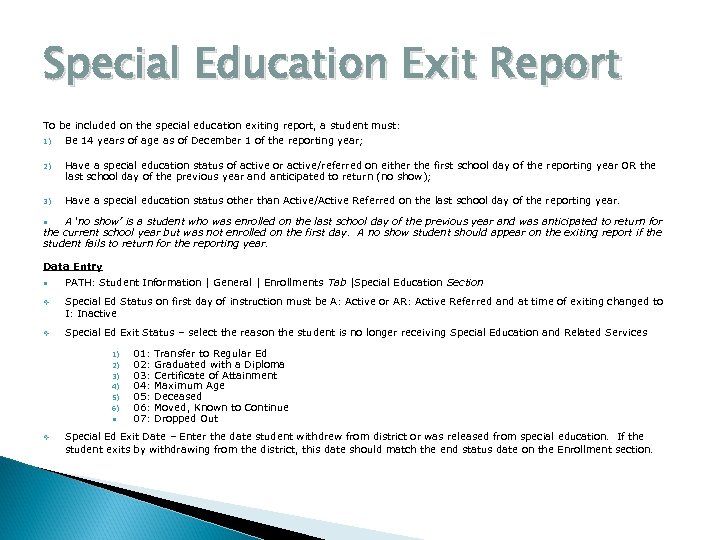 Special Education Exit Report To be included on the special education exiting report, a student must: 1) Be 14 years of age as of December 1 of the reporting year; 2) Have a special education status of active or active/referred on either the first school day of the reporting year OR the last school day of the previous year and anticipated to return (no show); 3) Have a special education status other than Active/Active Referred on the last school day of the reporting year. A ‘no show’ is a student who was enrolled on the last school day of the previous year and was anticipated to return for the current school year but was not enrolled on the first day. A no show student should appear on the exiting report if the student fails to return for the reporting year. Data Entry PATH: Student Information | General | Enrollments Tab |Special Education Section Special Ed Status on first day of instruction must be A: Active or AR: Active Referred and at time of exiting changed to I: Inactive Special Ed Exit Status – select the reason the student is no longer receiving Special Education and Related Services 1) 2) 3) 4) 5) 6) 01: 02: 03: 04: 05: 06: 07: Transfer to Regular Ed Graduated with a Diploma Certificate of Attainment Maximum Age Deceased Moved, Known to Continue Dropped Out Special Ed Exit Date – Enter the date student withdrew from district or was released from special education. If the student exits by withdrawing from the district, this date should match the end status date on the Enrollment section.
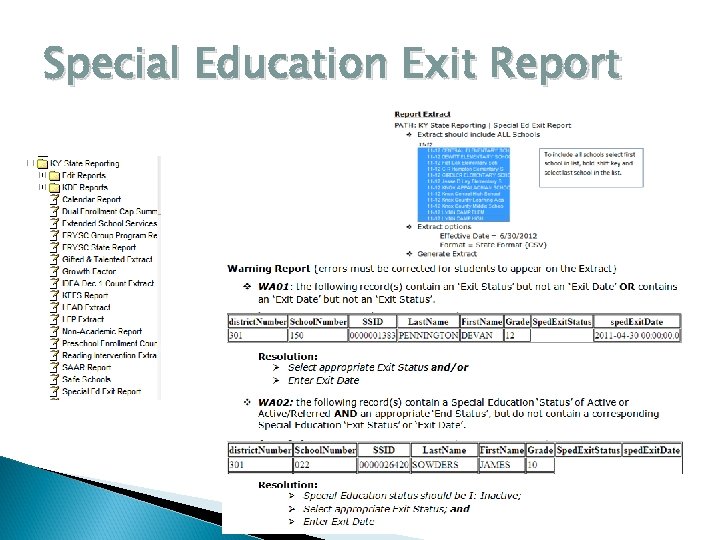 Special Education Exit Report
 Sp. Ed EOY Behavior Reports IAES – Unilateral Removals This data cannot be gathered from Infinite Campus; therefore, an excel spreadsheet will be sent to district Director of Special Education after trainings are complete. Interim Alternative Educational Setting (IAES): An appropriate setting determined by the child’s ARC (IEP team) in which the child is placed for no more than 45 school days. This setting enables the child to continue to receive educational services and participate in the general education curriculum (although in another setting) and to progress toward meeting the goals set out in the IEP. As appropriate, the setting includes a functional behavioral assessment and behavioral intervention services and modifications to address the behavior violation so that it does not recur. Data will be entered on the EOY IAES Reporting. xls Spreadsheet and submitted to Chris Thacker
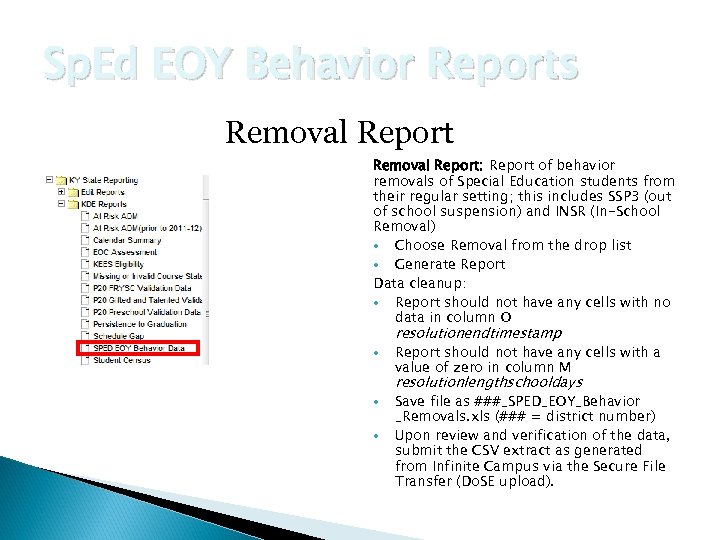 Sp. Ed EOY Behavior Reports Removal Report: Report of behavior removals of Special Education students from their regular setting; this includes SSP 3 (out of school suspension) and INSR (In-School Removal) Choose Removal from the drop list Generate Report Data cleanup: Report should not have any cells with no data in column O resolutionendtimestamp Report should not have any cells with a value of zero in column M resolutionlengthschooldays Save file as ###_SPED_EOY_Behavior _Removals. xls (### = district number) Upon review and verification of the data, submit the CSV extract as generated from Infinite Campus via the Secure File Transfer (Do. SE upload).
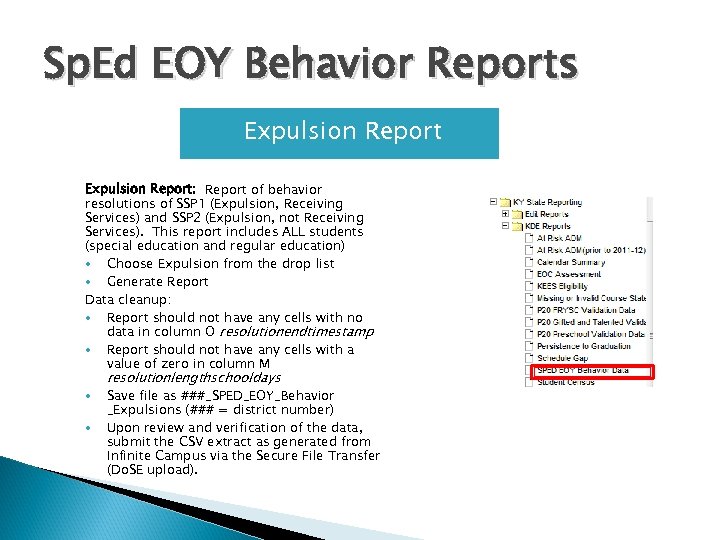 Sp. Ed EOY Behavior Reports Expulsion Report: Report of behavior resolutions of SSP 1 (Expulsion, Receiving Services) and SSP 2 (Expulsion, not Receiving Services). This report includes ALL students (special education and regular education) Choose Expulsion from the drop list Generate Report Data cleanup: Report should not have any cells with no data in column O resolutionendtimestamp Report should not have any cells with a value of zero in column M resolutionlengthschooldays Save file as ###_SPED_EOY_Behavior _Expulsions (### = district number) Upon review and verification of the data, submit the CSV extract as generated from Infinite Campus via the Secure File Transfer (Do. SE upload).
 IAES EOY Reporting IAES – Unilateral Removals This data cannot be gathered from Infinite Campus; therefore, an excel spreadsheet will be sent to district Director of Special Education after trainings are complete. Interim Alternative Educational Setting (IAES): An appropriate setting determined by the child’s ARC (IEP team) in which the child is placed for no more than 45 school days. This setting enables the child to continue to receive educational services and participate in the general education curriculum (although in another setting) and to progress toward meeting the goals set out in the IEP. As appropriate, the setting includes a functional behavioral assessment and behavioral intervention services and modifications to address the behavior violation so that it does not recur. Data will be entered on the EOY IAES Reporting. xls Spreadsheet and submitted to Chris Thacker
 Resources Documents and Resources for Special Education in Infinite Campus can be found here: http: //education. ky. gov/specialed/excep/Pages /Student-Information-System-Special. Education. aspx
 IDEA Monitoring: The Basics
 KDE’s System of General Supervision
 IDEA requires each state department of education to have a system of general supervision in place to ensure that Local Education Agencies (LEAs) are both in compliance with the requirements of the act, as well as to ensure improved outcomes for students with disabilities. General Supervision
 707 KAR 1: 380. Monitoring and recovery of funds The Kentucky Department of Education shall conduct monitoring of LEAs and other agencies that provide educational services to children with disabilities on a regular basis to determine compliance with federal and state requirements.
 KDE implements its general supervision responsibilities through a variety of methods including, but not limited to: • implementation of statute and regulations • policies and procedures • on-site and off-site monitoring • data collection and analysis • dispute resolution procedures (i. e. Mediation, Formal Complaints and Due Process Hearings)
 technical assistance activities • interagency agreements or Memorandums of Understanding (MOUs) • by the dissemination of promising practices through the Special Education Cooperatives. •
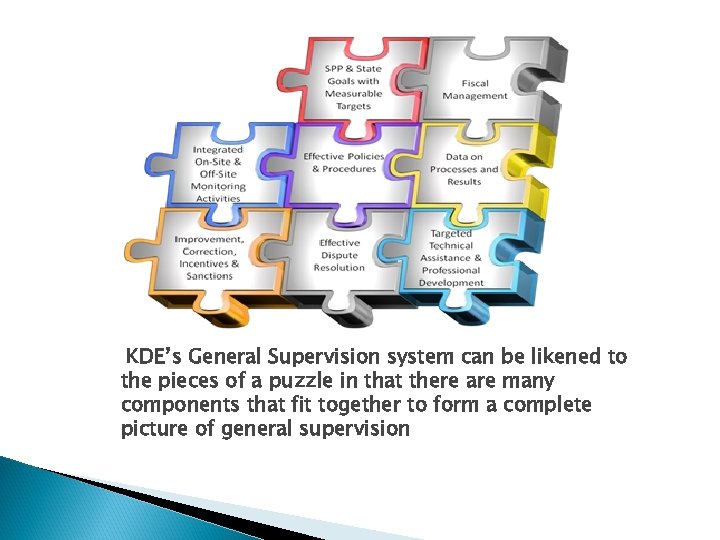 KDE’s General Supervision system can be likened to the pieces of a puzzle in that there are many components that fit together to form a complete picture of general supervision
 How and What Does KDE Typically Monitor?
 In an effort to meet district requests to reduce time and services dedicated to the monitoring of federal and state programs, the Kentucky Department of Education developed the process of coordinating monitoring of its state and federal programs. Consolidated Monitoring of State and Federal Programs
 Consolidated Monitoring of State and Federal Programs Several of the state and federal programs requiring a monitoring visit the designated districts and provide a report including feedback and support to ensure compliance and effectiveness. These composite reports will be available to the public via the KDE website.
 In addition, Kentucky continues to implement its State Performance Plan (SPP) as required by IDEA. The state’s progress on the twenty SPP indicators is reported annually to the U. S. Department of Education’s Office of Special Education Programs (OSEP) through the Annual Performance Report (APR).
 Monitoring of SPP/APR Indicators is determined in one of two ways:
 Compliance indicators (4 b, 9 a, 9 b, 11, 12, 13) in which districts must maintain 100% rate of compliance and therefore are monitored annually. Districts are issued citations of noncompliance consistent with protocol. Data verification of these indicators may be required in addition to the established priority areas. Compliance Indicators
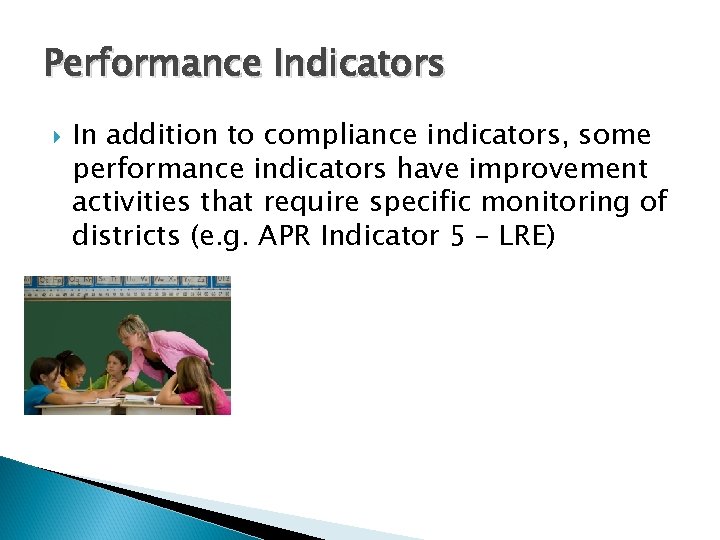 Performance Indicators In addition to compliance indicators, some performance indicators have improvement activities that require specific monitoring of districts (e. g. APR Indicator 5 – LRE)
 Monitoring of APR indicators may be accomplished either through desk audits or onsite visits as determined by leadership.
 Corrective Action Plans (CAPs) Correction of Noncompliance
 A CAP approved by the KDE shall be monitored and shall be an official document requiring the LEA to meet the specified activities. The KDE shall not initiate further sanctions during the time period specified in the CAP unless requested by the LEA. 707 KAR 1: 380. Monitoring and recovery of funds
 707 KAR 1: 380. Monitoring and recovery of funds Any noncompliance verified by monitoring shall be corrected within twelve (12) months from the date of the notification to the LEA of the noncompliance.
 Regardless of the specific level of noncompliance, if a State finds noncompliance in an LEA, the State must notify the LEA in writing of the noncompliance, and of the requirement that the noncompliance be corrected as soon as possible, but in no case more than one year from identification.
 In determining the steps that the LEA must take to correct the noncompliance and to document such correction, KDE may consider a variety of factors, including whether the noncompliance:
 • • • was extensive or found in only a small percentage of files; resulted in the denial of a basic right under the IDEA (e. g. , an extended delay in an initial evaluation with a corresponding delay in the child’s receipt of a FAPE or early intervention services); and represents an isolated incident in the LEA or reflects a long-standing failure to meet the IDEA requirements.
 What Does A CAP Typically Consist of? Systemic Noncompliances: • Training • Record Reviews by the district • Follow-up and capacity building within the district • Quarterly updates to KDE • Student-Specific: ARCs must reconvene to correction student-specific noncompliance
 In ensuring that each individual case of noncompliance has been corrected, the State does not need to review each child’s record in the LEAs where the noncompliance occurred, but rather may review a reasonable sample of the previously noncompliant files to verify that the noncompliance was corrected. - OSEP Memorandum 09 -02
 Important Monitoring Resources • • • Federal and State Regulations 2012 -2013 Compliance Record Review Document Guidance Document for IEP Development (May 21, 2012) KDE Eligibility Policy Letter (August 30, 2010) Policy Letter Eligibility Q and A (April 3, 2012)
 Common Pitfalls
 PITFALL #1: STATEMENT OF REJECTION OF REGULAR CLASSROOM AS LEAST RESTRICTIVE ENVIRONMENT 707 KAR 1: 350(1) “An LEA shall ensure that special classes, separate schooling, or removal of children with disabilities from the regular classroom environment occurs only if education in the regular classroom environment with the use of supplementary aids and services cannot be satisfactorily achieved due to the nature or severity of the disability. ”
 PITFALL #1: STATEMENT OF REJECTION OF REGULAR CLASSROOM AS LEAST RESTRICTIVE ENVIRONMENT RECORD REVIEW DOCUMENT SAYS: “If after first considering provision of services within the regular educational environmental setting, a more restrictive setting is selected, there must be a statement given for the reason services cannot be provided in the regular educational environment. ” 50
 COMPLIANT STATEMENT RECORD REVIEW DOCUMENT EXAMPLE: “Even with supplementary aids and services, John cannot be successful in a regular education setting due to his need for intensive direct instruction and need for frequent repetition of content. ” 51
 NON-COMPLIANT STATEMENT “ Even with supplementary aids and services, John is unsuccessful in the regular education setting. Therefore, he requires specially designed instruction in the resource room. ” 52
 COMPLIANT STATEMENT “Sarah has substantial difficulty with focusing on tasks, completing tasks, and interacting in a verbally appropriate manner with other students and adults. She is also performing significantly behind peers in reading and math. Sarah will need intense, individualized small group instruction in these academic areas as well as in social skill development in order for her to make progress on her goals in these areas. ” 53
 SMALL GROUP ACTIVITY Draft a compliant LRE statement for a student who has educational needs that cannot be served in the general classroom setting.
 PITFALL # 2: LACK OF PROGRESS MONITORING DATA IEP progress monitoring data must be reviewed and considered by the ARC team when planning a student’s 3 year reevaluation AND if reviewing the student’s record to determine if more data is needed prior to re-determining students’ eligibility. 55
 RECORD REVIEW DOCUMENT SAYS: “For reevaluation purposes, there must be evidence of progress data collection and analysis. ” “Documentation of results and analysis may be a) described within the conference summary notes; or b) attached as a summary of data and analysis. ” 56
 PITFALL # 3: Lack of Research-Based Intervention Data for Students Prior to Initial Evaluation and Prior to Re-Identifying Student under a Different Disability Category 57
 707 KAR 1: 300 Section 3(a) “Prior to, or as a part of the referral process, the child is provided appropriate, relevant research-based instruction and intervention services in regular education settings, with the instruction provided by qualified personnel. ” 58
 707 KAR 1: 310 Section 2 (8)SPECIFIC LEARNING DISABILITIES “An ARC shall develop documentation of a specific learning disability. This documentation shall contain a statement of (i) the instructional strategies used and the student –centered data collected based on the child’s response to scientific, research-based intervention. ” 59
 PROGRESS DATA FROM RESEACHED BASED INTERVENTIONS ARE ALSO REQUIRED WHEN…. . . . a student is being considered by the ARC for eligibility under a new or different disability category. 60
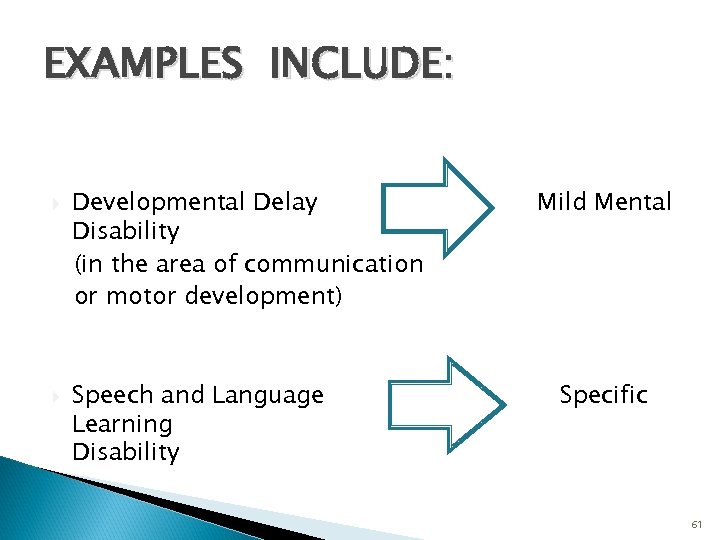 EXAMPLES INCLUDE: Developmental Delay Disability (in the area of communication or motor development) Speech and Language Learning Disability Mild Mental Specific 61
 FOR MORE INFORMATION ON RESEARCH-BASED INTERVENTIONS VIEW KDE WEBINAR ON ELIGIBILITY- August 31, 2010 http: //education. ky. gov/curriculum/docs/Pages/KDE-Webex. Iand. R. aspx
 Teacher Professional Growth & Effectiveness System (TPGES)
 Learning Targets I can. . • articulate the multiple measures of the TPGES process • articulate KYs timeline for the TPGES • communicate charge of the TPGES subcommittee
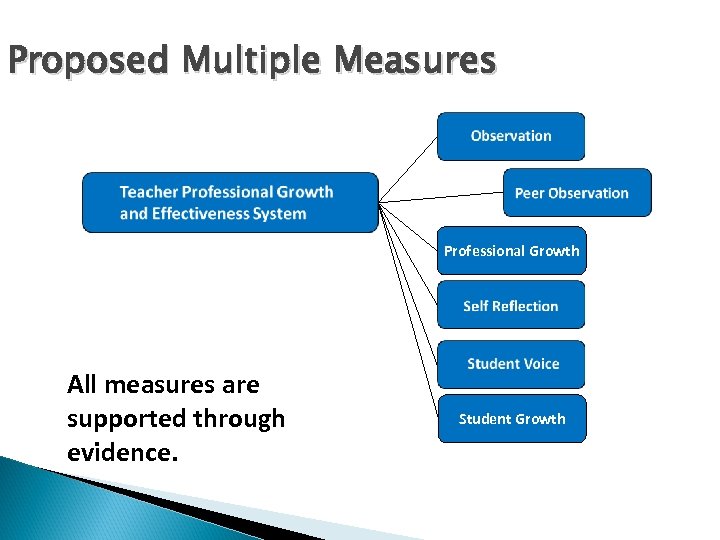 Proposed Multiple Measures Professional Growth All measures are supported through evidence. Student Growth
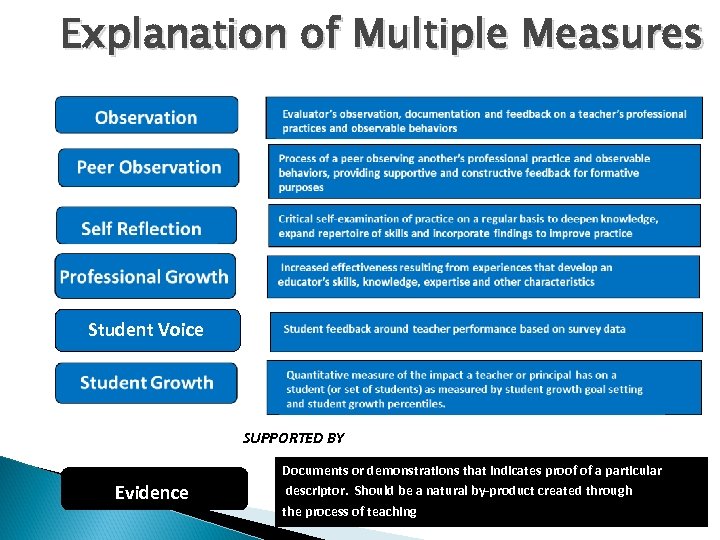 Explanation of Multiple Measures Student Voice SUPPORTED BY Evidence Documents or demonstrations that indicates proof of a particular descriptor. Should be a natural by-product created through the process of teaching
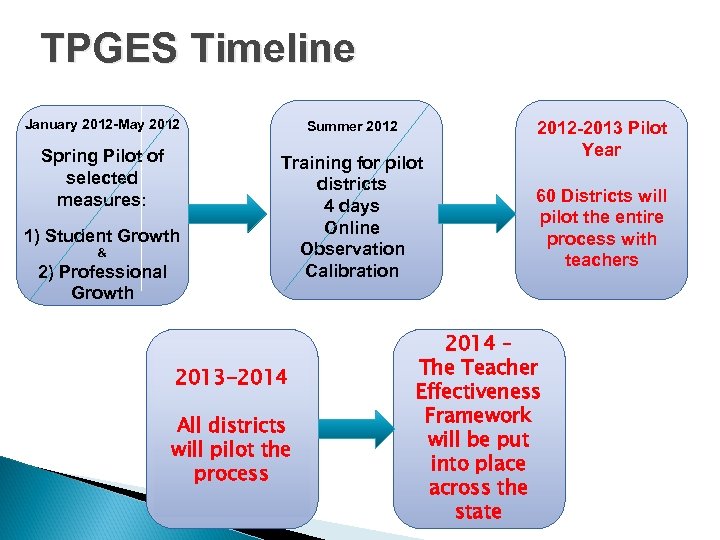 TPGES Timeline January 2012 -May 2012 Summer 2012 Spring Pilot of selected measures: Training for pilot districts 4 days Online Observation Calibration 1) Student Growth & 2) Professional Growth 2013 -2014 All districts will pilot the process 2012 -2013 Pilot Year 60 Districts will pilot the entire process with teachers 2014 – The Teacher Effectiveness Framework will be put into place across the state
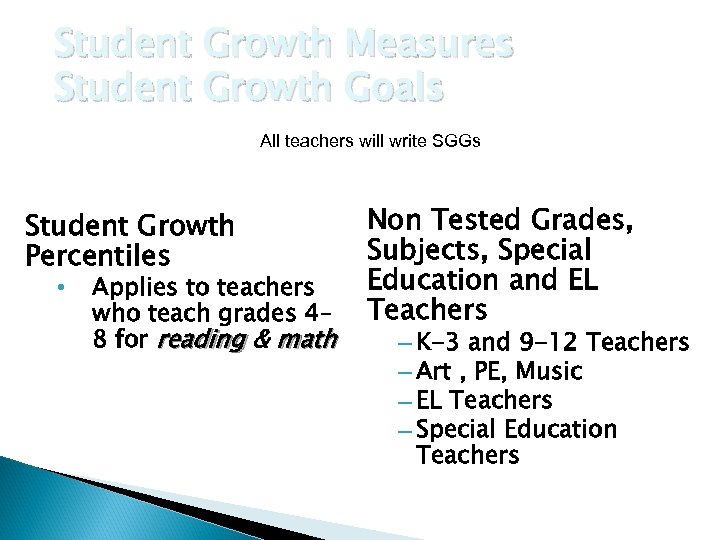 Student Growth Measures Student Growth Goals All teachers will write SGGs Student Growth Percentiles • Applies to teachers who teach grades 4– 8 for reading & math Non Tested Grades, Subjects, Special Education and EL Teachers – K-3 and 9 -12 Teachers – Art , PE, Music – EL Teachers – Special Education Teachers
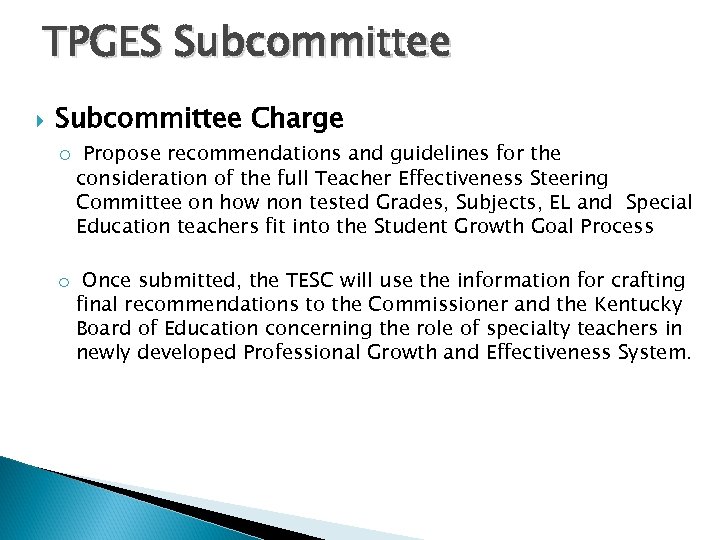 TPGES Subcommittee Charge o Propose recommendations and guidelines for the consideration of the full Teacher Effectiveness Steering Committee on how non tested Grades, Subjects, EL and Special Education teachers fit into the Student Growth Goal Process o Once submitted, the TESC will use the information for crafting final recommendations to the Commissioner and the Kentucky Board of Education concerning the role of specialty teachers in newly developed Professional Growth and Effectiveness System.
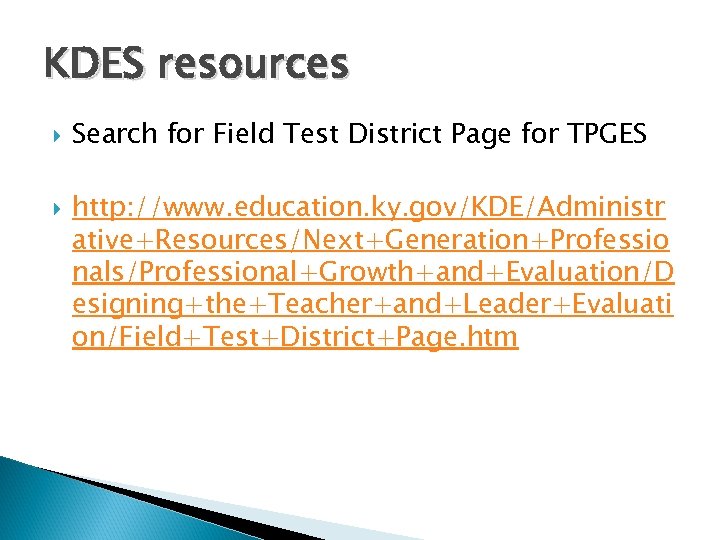 KDES resources Search for Field Test District Page for TPGES http: //www. education. ky. gov/KDE/Administr ative+Resources/Next+Generation+Professio nals/Professional+Growth+and+Evaluation/D esigning+the+Teacher+and+Leader+Evaluati on/Field+Test+District+Page. htm