


 Скачать презентацию Oracle World 2002 Catapult to the Next Version
36a6beec615fd1aa071ba1fff14aa045.ppt
- Количество слайдов: 86
 Oracle. World 2002 Catapult to the Next Version: Oracle 9 i New Features Overview Joe Trezzo The Ultimate Software Consultants (TUSC) A TUSC Presentation. A TUSC 32176 Abstract Number. Presentation
 Audience Knowledge • • • Oracle Experience Developer Experience DBA Experience Oracle 8 i Experience Oracle 9 i Experience A TUSC Presentation 2
 Presentation Goals/Non-Goals • Goals – Highlight New Oracle 9 i Features – Add to your Arsenal of Knowledge • Non-Goals – Detail Every New Oracle 9 i Feature A TUSC Presentation 3
 Presentation Outline · · · · · Oracle 9 i Overview Oracle 9 i Data Dictionary Oracle 9 i V$ Views New Data Types New Built-In Functions New SQL Commands Expanded Oracle Supplied Packages Suspending the Database Additional Oracle 9 i New Features A TUSC Presentation 4
 Oracle 9 i Overview A TUSC Presentation 5
 Oracle 9 i Overview • Oracle 9 i Databases – Oracle 9 i Standard Edition – Oracle 9 i Enterprise Edition – Oracle 9 i Personal Edition • Oracle 9 i Documentation – Over 100 Manuals – Oracle 9 i Database New Features – Interspersed Throughout Oracle 9 i Documentation – $ORACLE_HOME/rdbms/doc/README_rdbms. htm A TUSC Presentation 6
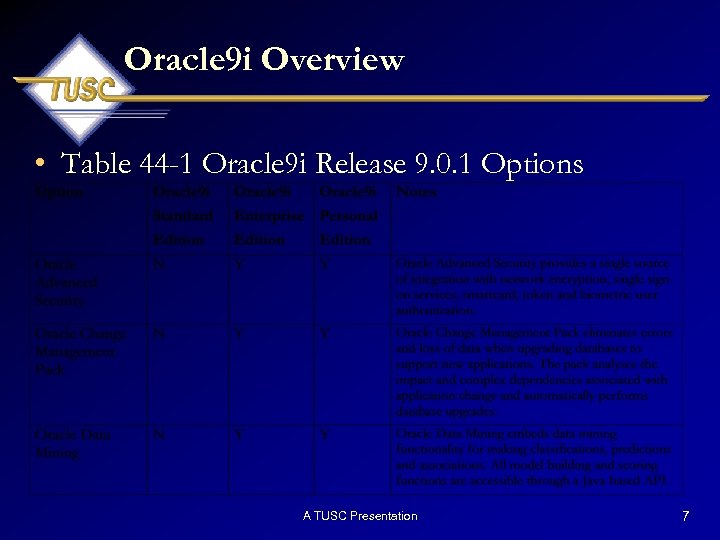 Oracle 9 i Overview • Table 44 -1 Oracle 9 i Release 9. 0. 1 Options A TUSC Presentation 7
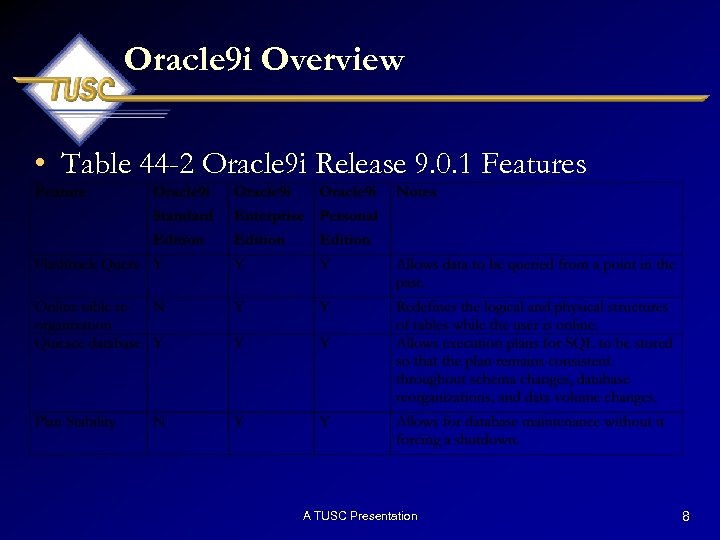 Oracle 9 i Overview • Table 44 -2 Oracle 9 i Release 9. 0. 1 Features A TUSC Presentation 8
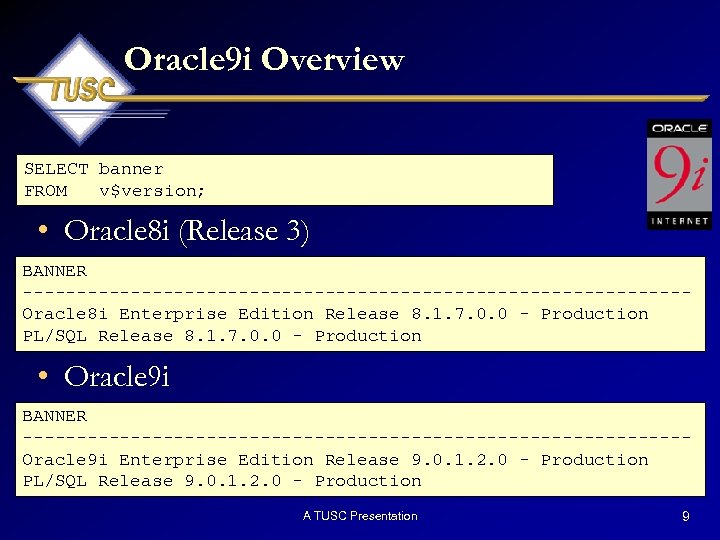 Oracle 9 i Overview SELECT banner FROM v$version; • Oracle 8 i (Release 3) BANNER -------------------------------Oracle 8 i Enterprise Edition Release 8. 1. 7. 0. 0 - Production PL/SQL Release 8. 1. 7. 0. 0 - Production • Oracle 9 i BANNER -------------------------------Oracle 9 i Enterprise Edition Release 9. 0. 1. 2. 0 - Production PL/SQL Release 9. 0. 1. 2. 0 - Production A TUSC Presentation 9
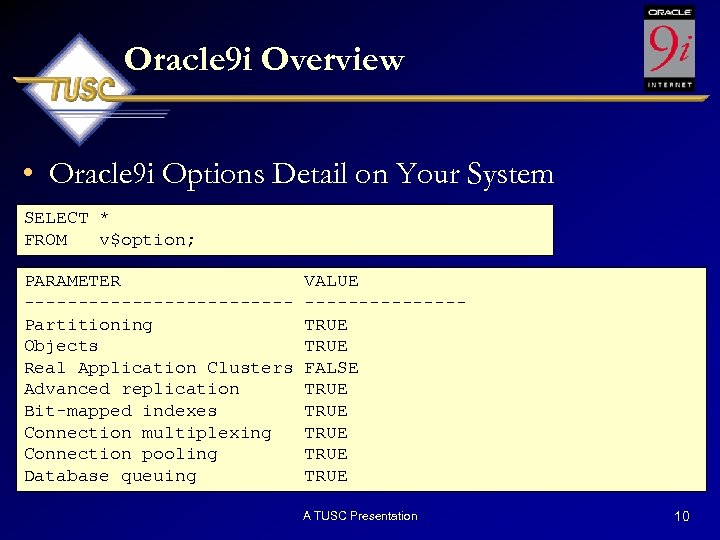 Oracle 9 i Overview • Oracle 9 i Options Detail on Your System SELECT * FROM v$option; PARAMETER ------------Partitioning Objects Real Application Clusters Advanced replication Bit-mapped indexes Connection multiplexing Connection pooling Database queuing VALUE -------TRUE FALSE TRUE TRUE A TUSC Presentation 10
 Oracle 9 i Data Dictionary A TUSC Presentation 11
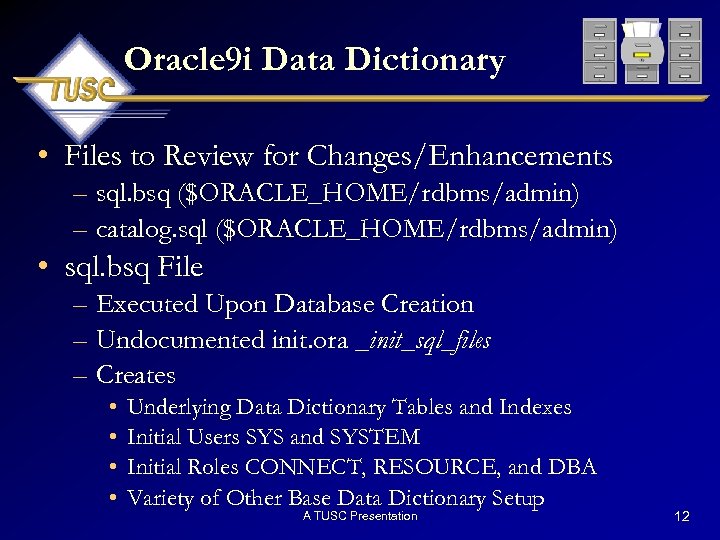 Oracle 9 i Data Dictionary • Files to Review for Changes/Enhancements – sql. bsq ($ORACLE_HOME/rdbms/admin) – catalog. sql ($ORACLE_HOME/rdbms/admin) • sql. bsq File – Executed Upon Database Creation – Undocumented init. ora _init_sql_files – Creates • • Underlying Data Dictionary Tables and Indexes Initial Users SYS and SYSTEM Initial Roles CONNECT, RESOURCE, and DBA Variety of Other Base Data Dictionary Setup A TUSC Presentation 12
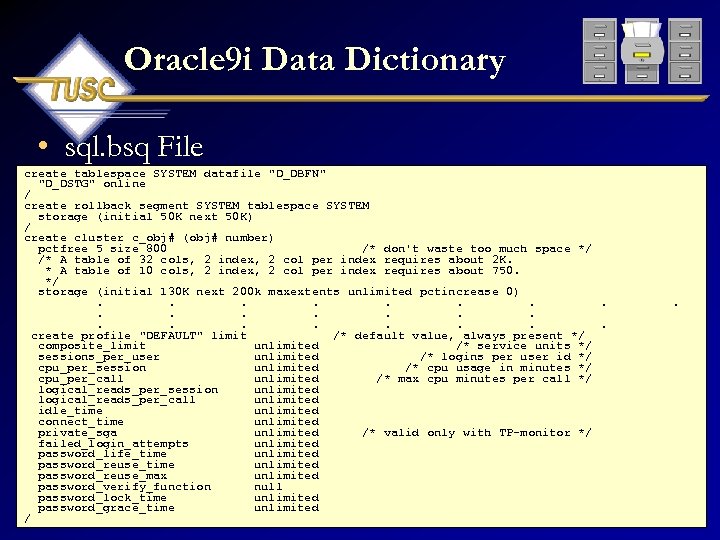 Oracle 9 i Data Dictionary • sql. bsq File create tablespace SYSTEM datafile "D_DBFN" "D_DSTG" online / create rollback segment SYSTEM tablespace SYSTEM storage (initial 50 K next 50 K) / create cluster c_obj# (obj# number) pctfree 5 size 800 /* don't waste too much space */ /* A table of 32 cols, 2 index, 2 col per index requires about 2 K. * A table of 10 cols, 2 index, 2 col per index requires about 750. */ storage (initial 130 K next 200 k maxextents unlimited pctincrease 0). . . create profile "DEFAULT" limit /* default value, always present */ composite_limit unlimited /* service units */ sessions_per_user unlimited /* logins per user id */ cpu_per_session unlimited /* cpu usage in minutes */ cpu_per_call unlimited /* max cpu minutes per call */ logical_reads_per_session unlimited logical_reads_per_call unlimited idle_time unlimited connect_time unlimited private_sga unlimited /* valid only with TP-monitor */ failed_login_attempts unlimited password_life_time unlimited password_reuse_max unlimited password_verify_function null password_lock_time unlimited password_grace_time unlimited A TUSC Presentation / . 13
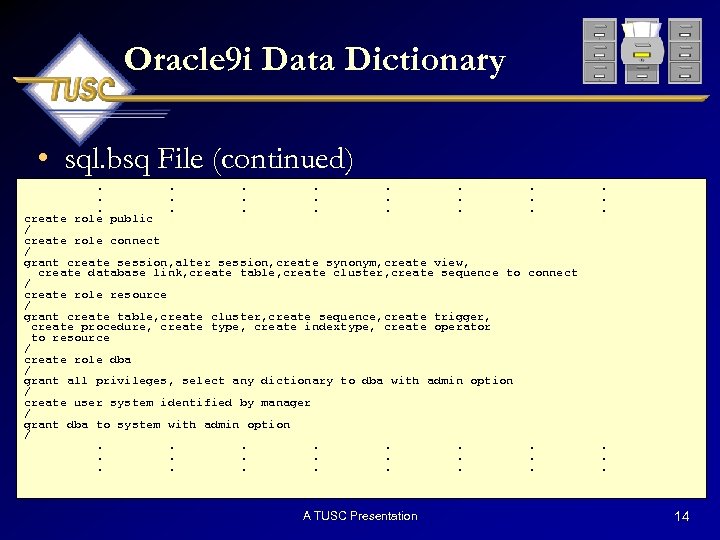 Oracle 9 i Data Dictionary • sql. bsq File (continued). . . . create role public / create role connect / grant create session, alter session, create synonym, create view, create database link, create table, create cluster, create sequence to / create role resource / grant create table, create cluster, create sequence, create trigger, create procedure, create type, create indextype, create operator to resource / create role dba / grant all privileges, select any dictionary to dba with admin option / create user system identified by manager / grant dba to system with admin option /. . . . A TUSC Presentation . . . connect . . . 14
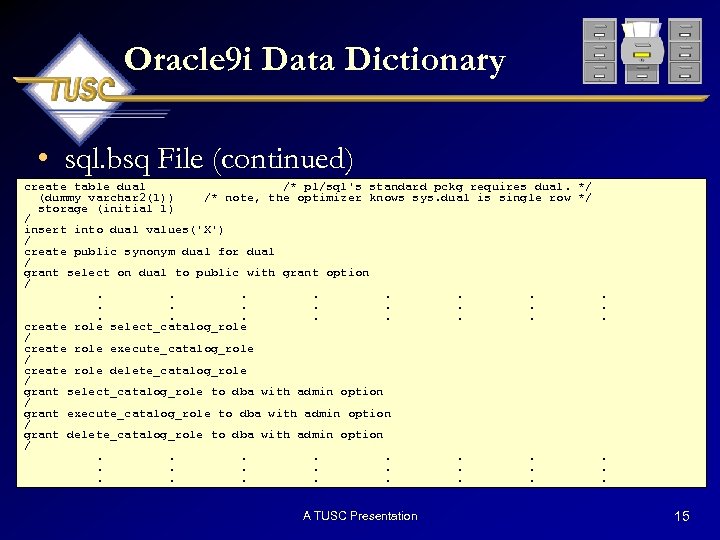 Oracle 9 i Data Dictionary • sql. bsq File (continued) create table dual /* pl/sql's standard pckg requires dual. */ (dummy varchar 2(1)) /* note, the optimizer knows sys. dual is single row */ storage (initial 1) / insert into dual values('X') / create public synonym dual for dual / grant select on dual to public with grant option /. . . create role select_catalog_role / create role execute_catalog_role / create role delete_catalog_role / grant select_catalog_role to dba with admin option / grant execute_catalog_role to dba with admin option / grant delete_catalog_role to dba with admin option /. . . A TUSC Presentation 15
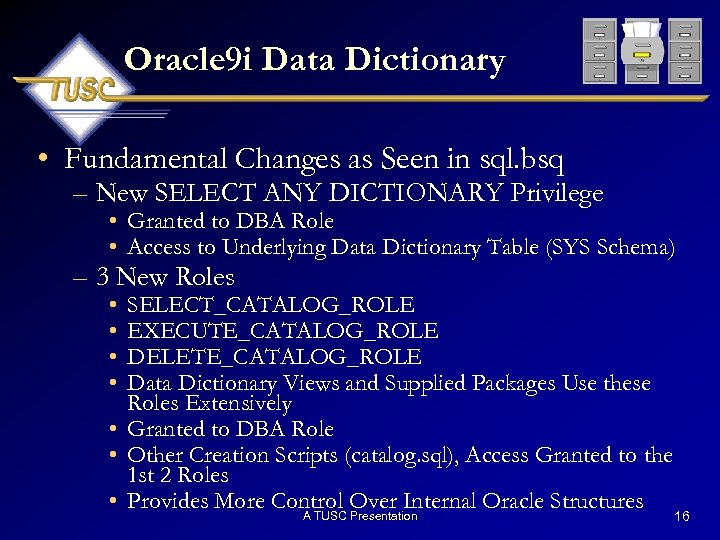 Oracle 9 i Data Dictionary • Fundamental Changes as Seen in sql. bsq – New SELECT ANY DICTIONARY Privilege • Granted to DBA Role • Access to Underlying Data Dictionary Table (SYS Schema) – 3 New Roles • • SELECT_CATALOG_ROLE EXECUTE_CATALOG_ROLE DELETE_CATALOG_ROLE Data Dictionary Views and Supplied Packages Use these Roles Extensively • Granted to DBA Role • Other Creation Scripts (catalog. sql), Access Granted to the 1 st 2 Roles • Provides More Control Over Internal Oracle Structures A TUSC Presentation 16
 Oracle 9 i Data Dictionary • catalog. sql File – Executed Upon Initial Database Creation – If Manually Created, Need to Execute – Creates • Underlying Data Dictionary Views and Grants • Executes Several Dependent Catalog Scripts • V$ Views on V$ Views, Public Synonyms and Grants A TUSC Presentation 17
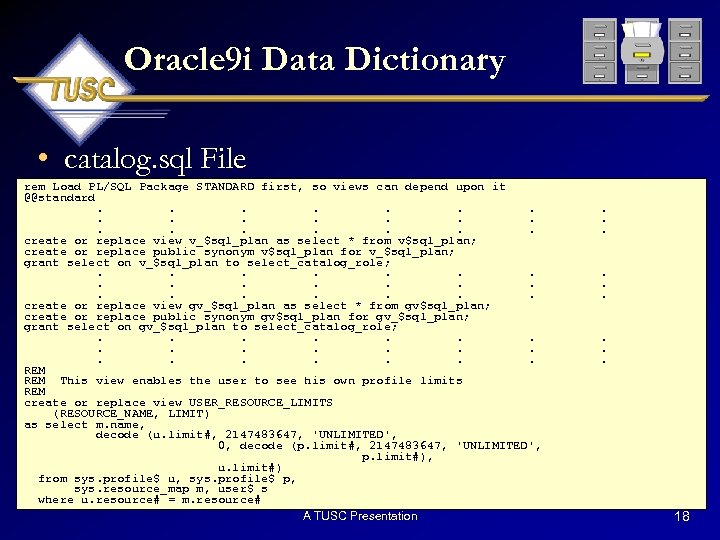 Oracle 9 i Data Dictionary • catalog. sql File rem Load PL/SQL Package STANDARD first, so views can depend upon it @@standard. . . . . create or replace view v_$sql_plan as select * from v$sql_plan; create or replace public synonym v$sql_plan for v_$sql_plan; grant select on v_$sql_plan to select_catalog_role; . . create or replace view gv_$sql_plan as select * from gv$sql_plan; create or replace public synonym gv$sql_plan for gv_$sql_plan; grant select on gv_$sql_plan to select_catalog_role; . . REM This view enables the user to see his own profile limits REM create or replace view USER_RESOURCE_LIMITS (RESOURCE_NAME, LIMIT) as select m. name, decode (u. limit#, 2147483647, 'UNLIMITED', 0, decode (p. limit#, 2147483647, 'UNLIMITED', p. limit#), u. limit#) from sys. profile$ u, sys. profile$ p, sys. resource_map m, user$ s where u. resource# = m. resource# A TUSC Presentation . . 18
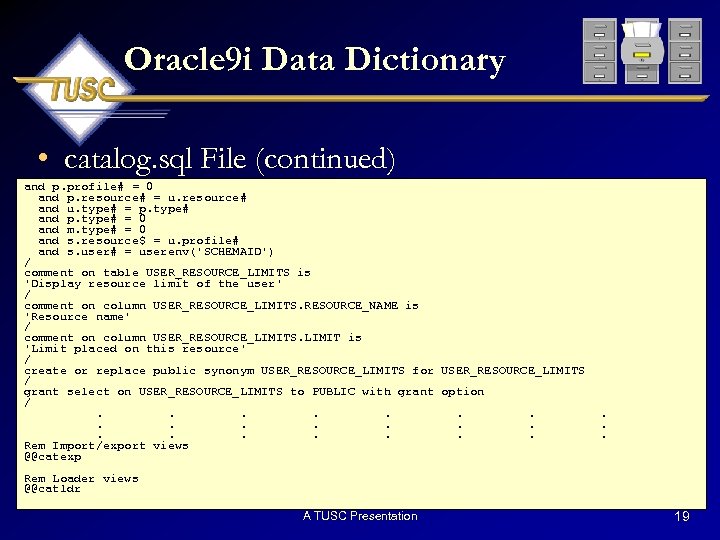 Oracle 9 i Data Dictionary • catalog. sql File (continued) and p. profile# = 0 and p. resource# = u. resource# and u. type# = p. type# and p. type# = 0 and m. type# = 0 and s. resource$ = u. profile# and s. user# = userenv('SCHEMAID') / comment on table USER_RESOURCE_LIMITS is 'Display resource limit of the user' / comment on column USER_RESOURCE_LIMITS. RESOURCE_NAME is 'Resource name' / comment on column USER_RESOURCE_LIMITS. LIMIT is 'Limit placed on this resource' / create or replace public synonym USER_RESOURCE_LIMITS for USER_RESOURCE_LIMITS / grant select on USER_RESOURCE_LIMITS to PUBLIC with grant option /. . . . . Rem Import/export views @@catexp . . . Rem Loader views @@catldr A TUSC Presentation 19
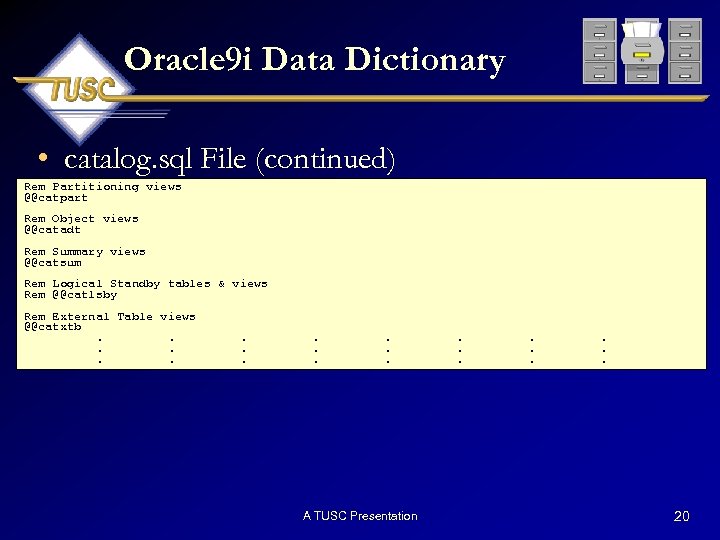 Oracle 9 i Data Dictionary • catalog. sql File (continued) Rem Partitioning views @@catpart Rem Object views @@catadt Rem Summary views @@catsum Rem Logical Standby tables & views Rem @@catlsby Rem External Table views @@catxtb. . . . A TUSC Presentation . . 20
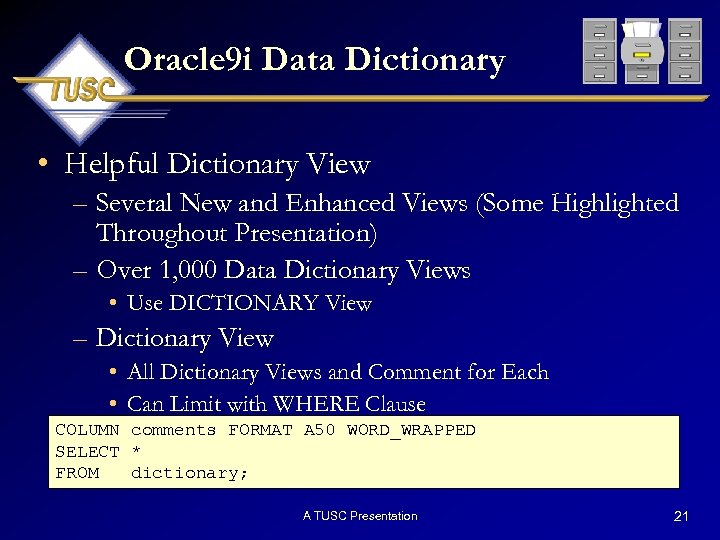 Oracle 9 i Data Dictionary • Helpful Dictionary View – Several New and Enhanced Views (Some Highlighted Throughout Presentation) – Over 1, 000 Data Dictionary Views • Use DICTIONARY View – Dictionary View • All Dictionary Views and Comment for Each • Can Limit with WHERE Clause COLUMN comments FORMAT A 50 WORD_WRAPPED SELECT * FROM dictionary; A TUSC Presentation 21
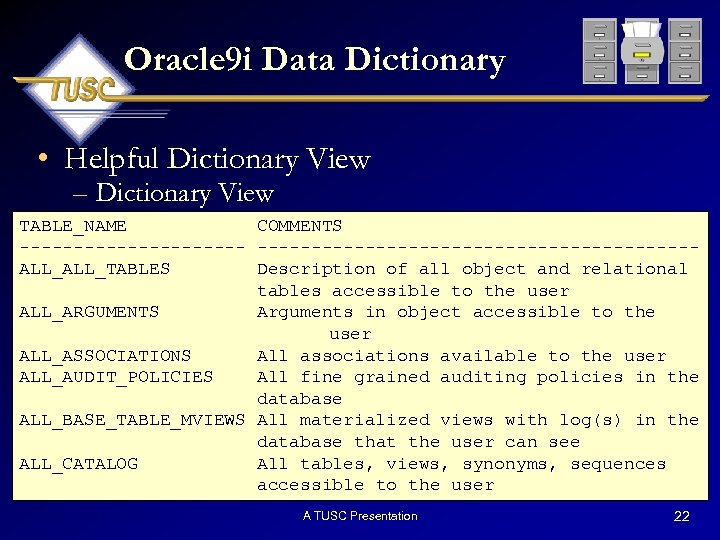 Oracle 9 i Data Dictionary • Helpful Dictionary View – Dictionary View TABLE_NAME COMMENTS -------------------------------ALL_TABLES Description of all object and relational tables accessible to the user ALL_ARGUMENTS Arguments in object accessible to the user ALL_ASSOCIATIONS All associations available to the user ALL_AUDIT_POLICIES All fine grained auditing policies in the database ALL_BASE_TABLE_MVIEWS All materialized views with log(s) in the database that the user can see ALL_CATALOG All tables, views, synonyms, sequences accessible to the user A TUSC Presentation 22
 Oracle 9 i V$ Views A TUSC Presentation 23
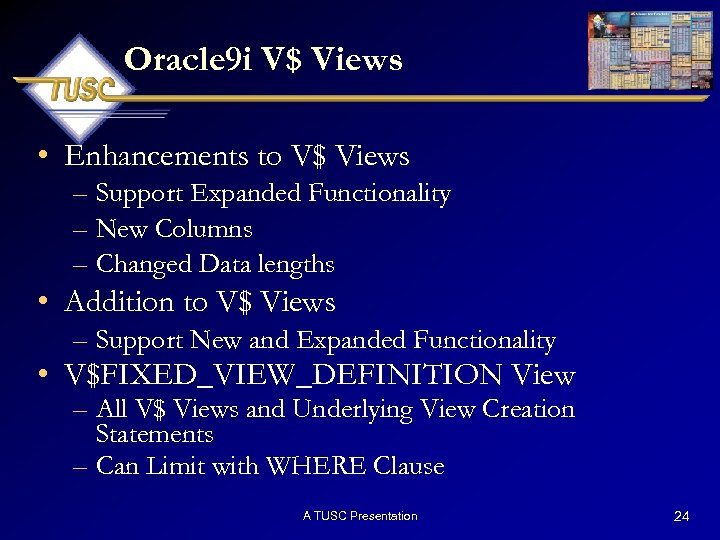 Oracle 9 i V$ Views • Enhancements to V$ Views – Support Expanded Functionality – New Columns – Changed Data lengths • Addition to V$ Views – Support New and Expanded Functionality • V$FIXED_VIEW_DEFINITION View – All V$ Views and Underlying View Creation Statements – Can Limit with WHERE Clause A TUSC Presentation 24
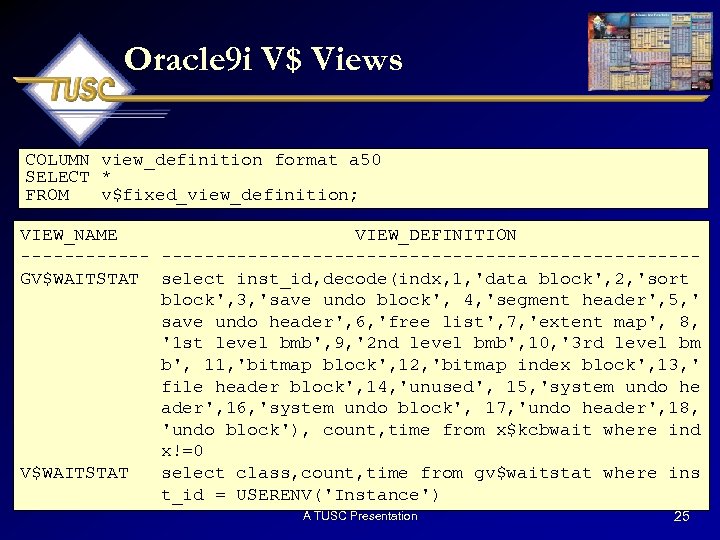 Oracle 9 i V$ Views COLUMN view_definition format a 50 SELECT * FROM v$fixed_view_definition; VIEW_NAME VIEW_DEFINITION -------------------------------GV$WAITSTAT select inst_id, decode(indx, 1, 'data block', 2, 'sort block', 3, 'save undo block', 4, 'segment header', 5, ' save undo header', 6, 'free list', 7, 'extent map', 8, '1 st level bmb', 9, '2 nd level bmb', 10, '3 rd level bm b', 11, 'bitmap block', 12, 'bitmap index block', 13, ' file header block', 14, 'unused', 15, 'system undo he ader', 16, 'system undo block', 17, 'undo header', 18, 'undo block'), count, time from x$kcbwait where ind x!=0 V$WAITSTAT select class, count, time from gv$waitstat where ins t_id = USERENV('Instance') A TUSC Presentation 25
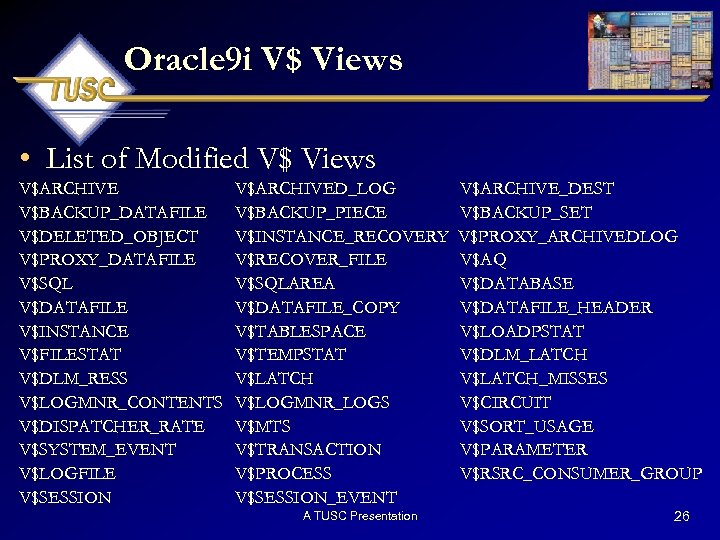 Oracle 9 i V$ Views • List of Modified V$ Views V$ARCHIVE V$BACKUP_DATAFILE V$DELETED_OBJECT V$PROXY_DATAFILE V$SQL V$DATAFILE V$INSTANCE V$FILESTAT V$DLM_RESS V$LOGMNR_CONTENTS V$DISPATCHER_RATE V$SYSTEM_EVENT V$LOGFILE V$SESSION V$ARCHIVED_LOG V$BACKUP_PIECE V$INSTANCE_RECOVERY V$RECOVER_FILE V$SQLAREA V$DATAFILE_COPY V$TABLESPACE V$TEMPSTAT V$LATCH V$LOGMNR_LOGS V$MTS V$TRANSACTION V$PROCESS V$SESSION_EVENT A TUSC Presentation V$ARCHIVE_DEST V$BACKUP_SET V$PROXY_ARCHIVEDLOG V$AQ V$DATABASE V$DATAFILE_HEADER V$LOADPSTAT V$DLM_LATCH V$LATCH_MISSES V$CIRCUIT V$SORT_USAGE V$PARAMETER V$RSRC_CONSUMER_GROUP 26
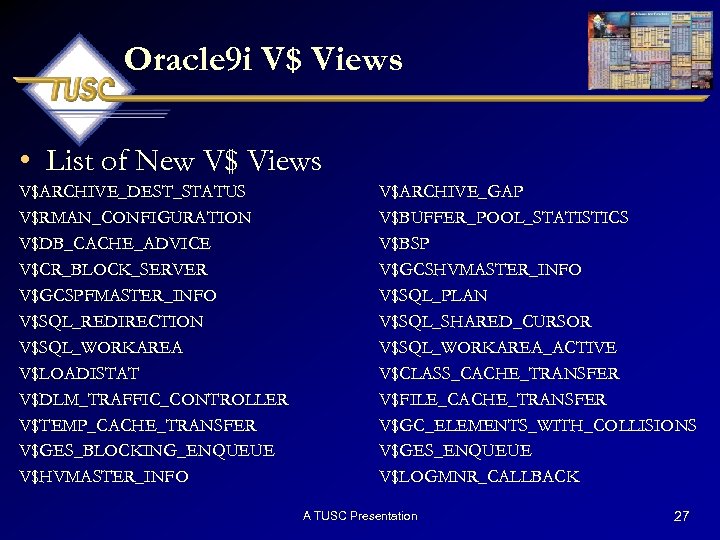 Oracle 9 i V$ Views • List of New V$ Views V$ARCHIVE_DEST_STATUS V$RMAN_CONFIGURATION V$DB_CACHE_ADVICE V$CR_BLOCK_SERVER V$GCSPFMASTER_INFO V$SQL_REDIRECTION V$SQL_WORKAREA V$LOADISTAT V$DLM_TRAFFIC_CONTROLLER V$TEMP_CACHE_TRANSFER V$GES_BLOCKING_ENQUEUE V$HVMASTER_INFO V$ARCHIVE_GAP V$BUFFER_POOL_STATISTICS V$BSP V$GCSHVMASTER_INFO V$SQL_PLAN V$SQL_SHARED_CURSOR V$SQL_WORKAREA_ACTIVE V$CLASS_CACHE_TRANSFER V$FILE_CACHE_TRANSFER V$GC_ELEMENTS_WITH_COLLISIONS V$GES_ENQUEUE V$LOGMNR_CALLBACK A TUSC Presentation 27
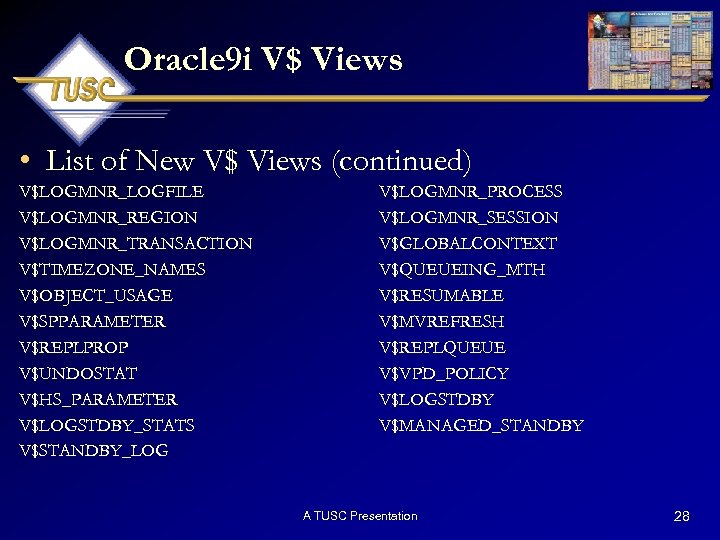 Oracle 9 i V$ Views • List of New V$ Views (continued) V$LOGMNR_LOGFILE V$LOGMNR_REGION V$LOGMNR_TRANSACTION V$TIMEZONE_NAMES V$OBJECT_USAGE V$SPPARAMETER V$REPLPROP V$UNDOSTAT V$HS_PARAMETER V$LOGSTDBY_STATS V$STANDBY_LOG V$LOGMNR_PROCESS V$LOGMNR_SESSION V$GLOBALCONTEXT V$QUEUEING_MTH V$RESUMABLE V$MVREFRESH V$REPLQUEUE V$VPD_POLICY V$LOGSTDBY V$MANAGED_STANDBY A TUSC Presentation 28
 New Data Types A TUSC Presentation 29
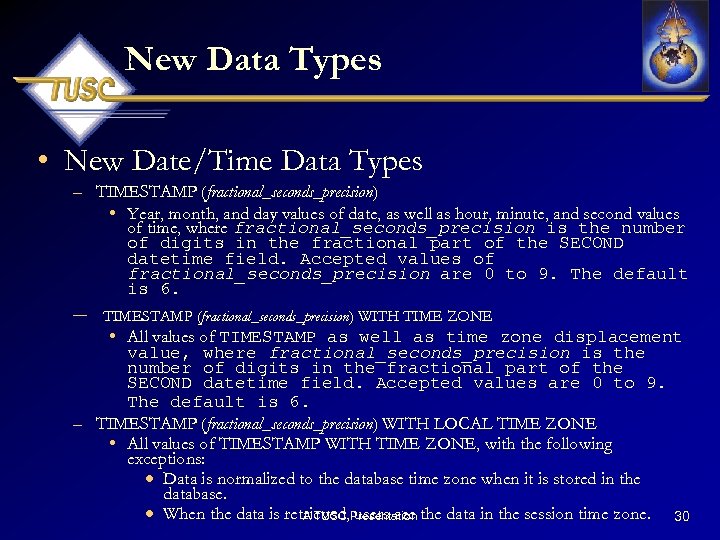 New Data Types • New Date/Time Data Types – TIMESTAMP (fractional_seconds_precision) • Year, month, and day values of date, as well as hour, minute, and second values of time, where fractional_seconds_precision is the number of digits in the fractional part of the SECOND datetime field. Accepted values of fractional_seconds_precision are 0 to 9. The default is 6. – TIMESTAMP (fractional_seconds_precision) WITH TIME ZONE • All values of TIMESTAMP as well as time zone displacement value, where fractional_seconds_precision is the number of digits in the fractional part of the SECOND datetime field. Accepted values are 0 to 9. The default is 6. – TIMESTAMP (fractional_seconds_precision) WITH LOCAL TIME ZONE • All values of TIMESTAMP WITH TIME ZONE, with the following exceptions: · Data is normalized to the database time zone when it is stored in the database. · When the data is retrieved, Presentation the data in the session time zone. 30 A TUSC users see
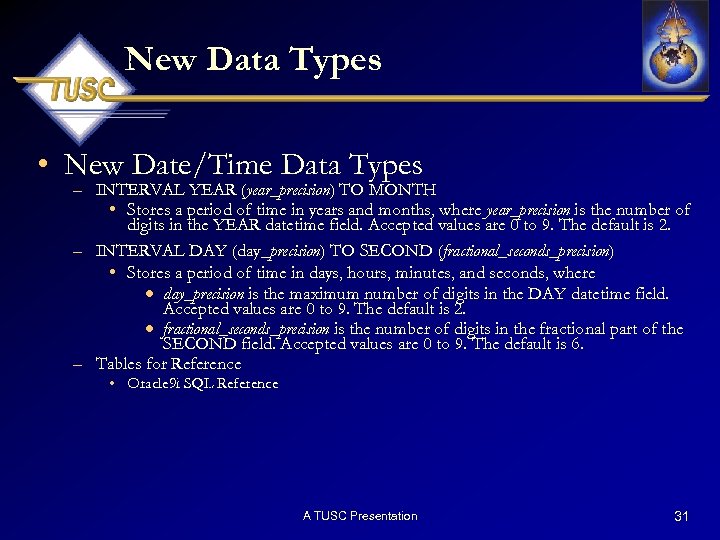 New Data Types • New Date/Time Data Types – INTERVAL YEAR (year_precision) TO MONTH • Stores a period of time in years and months, where year_precision is the number of digits in the YEAR datetime field. Accepted values are 0 to 9. The default is 2. – INTERVAL DAY (day_precision) TO SECOND (fractional_seconds_precision) • Stores a period of time in days, hours, minutes, and seconds, where · day_precision is the maximum number of digits in the DAY datetime field. Accepted values are 0 to 9. The default is 2. · fractional_seconds_precision is the number of digits in the fractional part of the SECOND field. Accepted values are 0 to 9. The default is 6. – Tables for Reference • Oracle 9 i SQL Reference A TUSC Presentation 31
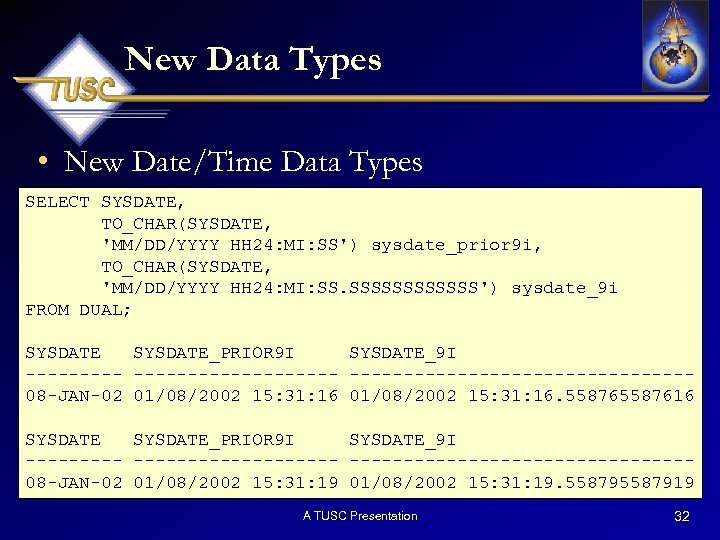 New Data Types • New Date/Time Data Types SELECT SYSDATE, TO_CHAR(SYSDATE, 'MM/DD/YYYY HH 24: MI: SS') sysdate_prior 9 i, TO_CHAR(SYSDATE, 'MM/DD/YYYY HH 24: MI: SS. SSSSSS') sysdate_9 i FROM DUAL; SYSDATE_PRIOR 9 I SYSDATE_9 I ----------------08 -JAN-02 01/08/2002 15: 31: 16. 5587616 SYSDATE_PRIOR 9 I SYSDATE_9 I ----------------08 -JAN-02 01/08/2002 15: 31: 19. 5587919 A TUSC Presentation 32
 New Built-in Functions A TUSC Presentation 33
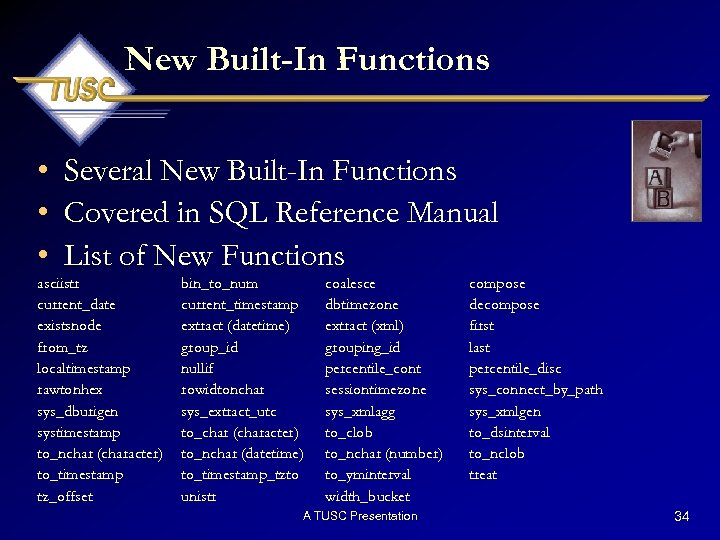 New Built-In Functions • Several New Built-In Functions • Covered in SQL Reference Manual • List of New Functions asciistr current_date existsnode from_tz localtimestamp rawtonhex sys_dburigen systimestamp to_nchar (character) to_timestamp tz_offset bin_to_num current_timestamp extract (datetime) group_id nullif rowidtonchar sys_extract_utc to_char (character) to_nchar (datetime) to_timestamp_tzto unistr coalesce dbtimezone extract (xml) grouping_id percentile_cont sessiontimezone sys_xmlagg to_clob to_nchar (number) to_yminterval width_bucket A TUSC Presentation compose decompose first last percentile_disc sys_connect_by_path sys_xmlgen to_dsinterval to_nclob treat 34
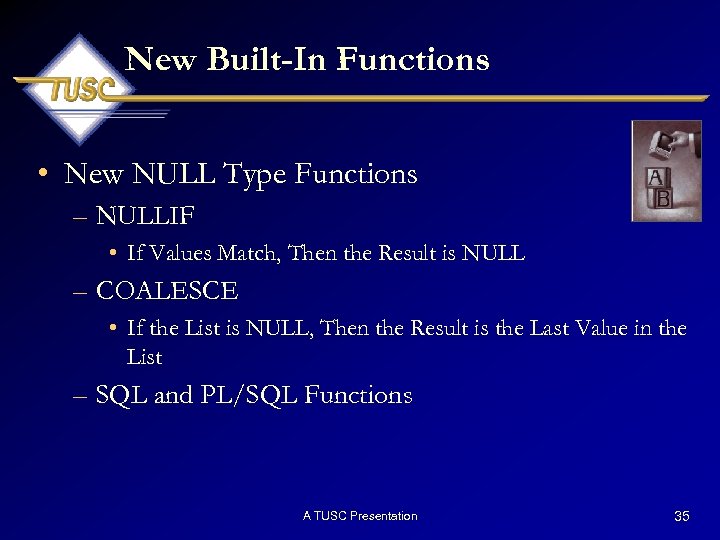 New Built-In Functions • New NULL Type Functions – NULLIF • If Values Match, Then the Result is NULL – COALESCE • If the List is NULL, Then the Result is the Last Value in the List – SQL and PL/SQL Functions A TUSC Presentation 35
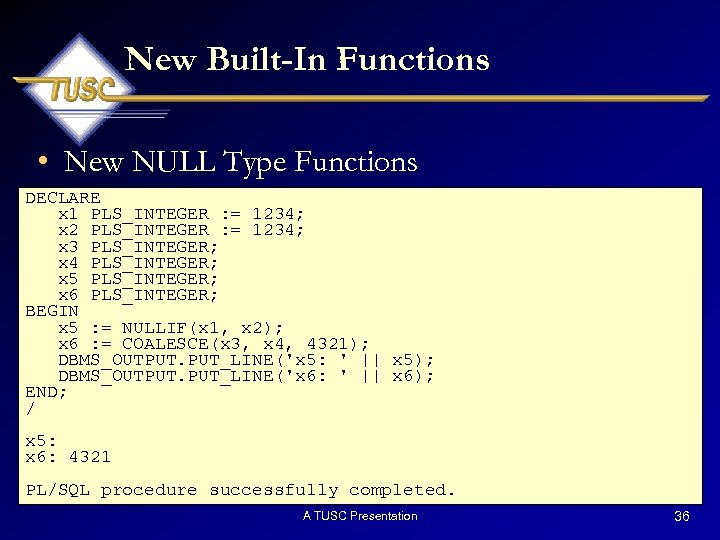 New Built-In Functions • New NULL Type Functions DECLARE x 1 PLS_INTEGER : = 1234; x 2 PLS_INTEGER : = 1234; x 3 PLS_INTEGER; x 4 PLS_INTEGER; x 5 PLS_INTEGER; x 6 PLS_INTEGER; BEGIN x 5 : = NULLIF(x 1, x 2); x 6 : = COALESCE(x 3, x 4, 4321); DBMS_OUTPUT. PUT_LINE('x 5: ' || x 5); DBMS_OUTPUT. PUT_LINE('x 6: ' || x 6); END; / x 5: x 6: 4321 PL/SQL procedure successfully completed. A TUSC Presentation 36
 New Built-In Functions • New CASE Expression – Similar to IF Statement – Multiple Methods of Writing Statements • Selector Option • Search Option – Boolean Evaluation: If TRUE, CASE Terminated – Recommendation: Order CASE Conditions Based on Most Highly Evaluated to TRUE First – Sets a Variable: Treated as Function – If No Match, Returns a NULL A TUSC Presentation 37
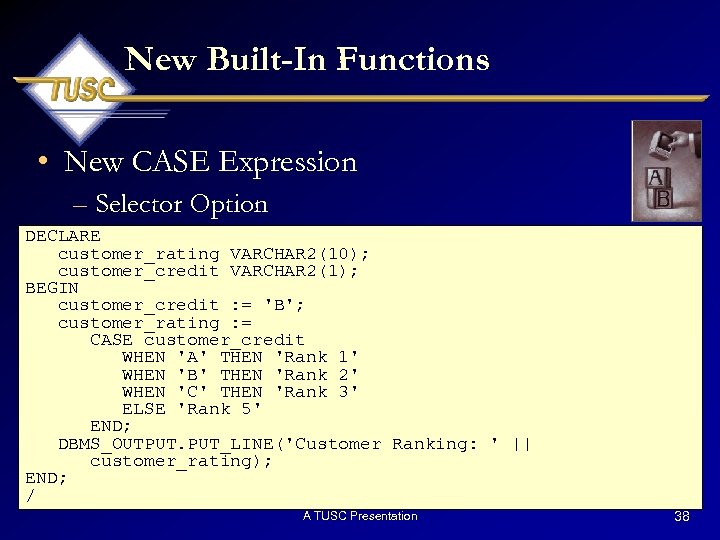 New Built-In Functions • New CASE Expression – Selector Option DECLARE customer_rating VARCHAR 2(10); customer_credit VARCHAR 2(1); BEGIN customer_credit : = 'B'; customer_rating : = CASE customer_credit WHEN 'A' THEN 'Rank 1' WHEN 'B' THEN 'Rank 2' WHEN 'C' THEN 'Rank 3' ELSE 'Rank 5' END; DBMS_OUTPUT. PUT_LINE('Customer Ranking: ' || customer_rating); END; / A TUSC Presentation 38
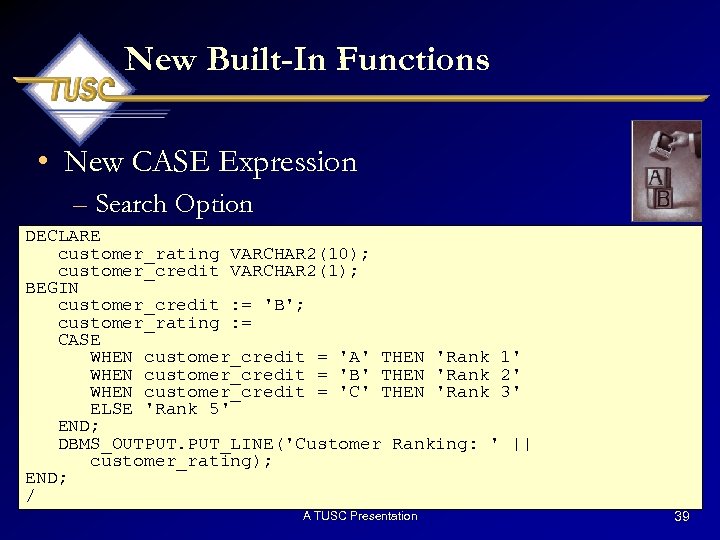 New Built-In Functions • New CASE Expression – Search Option DECLARE customer_rating VARCHAR 2(10); customer_credit VARCHAR 2(1); BEGIN customer_credit : = 'B'; customer_rating : = CASE WHEN customer_credit = 'A' THEN 'Rank 1' WHEN customer_credit = 'B' THEN 'Rank 2' WHEN customer_credit = 'C' THEN 'Rank 3' ELSE 'Rank 5' END; DBMS_OUTPUT. PUT_LINE('Customer Ranking: ' || customer_rating); END; / A TUSC Presentation 39
 New Built-In Functions • New CASE Statement – Similar to CASE Expression, but Each Condition Contains a PL/SQL Command – Not Treated as a Function – If No Match, Raises a CASE_NOT_FOUND Exception A TUSC Presentation 40
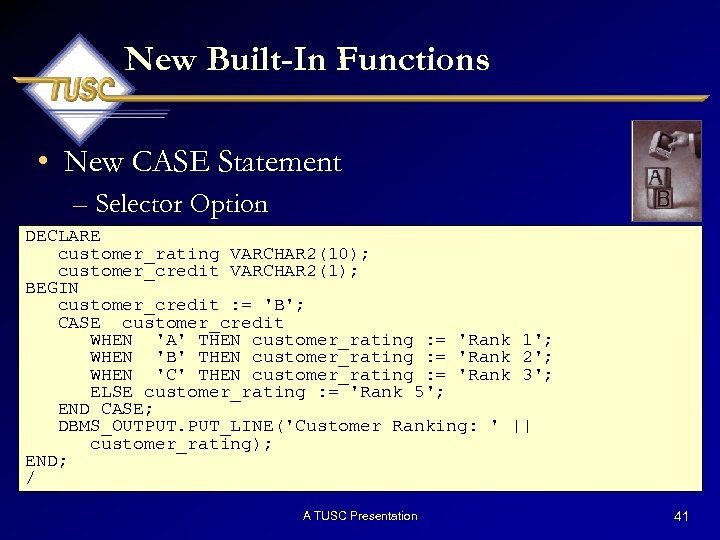 New Built-In Functions • New CASE Statement – Selector Option DECLARE customer_rating VARCHAR 2(10); customer_credit VARCHAR 2(1); BEGIN customer_credit : = 'B'; CASE customer_credit WHEN 'A' THEN customer_rating : = 'Rank 1'; WHEN 'B' THEN customer_rating : = 'Rank 2'; WHEN 'C' THEN customer_rating : = 'Rank 3'; ELSE customer_rating : = 'Rank 5'; END CASE; DBMS_OUTPUT. PUT_LINE('Customer Ranking: ' || customer_rating); END; / A TUSC Presentation 41
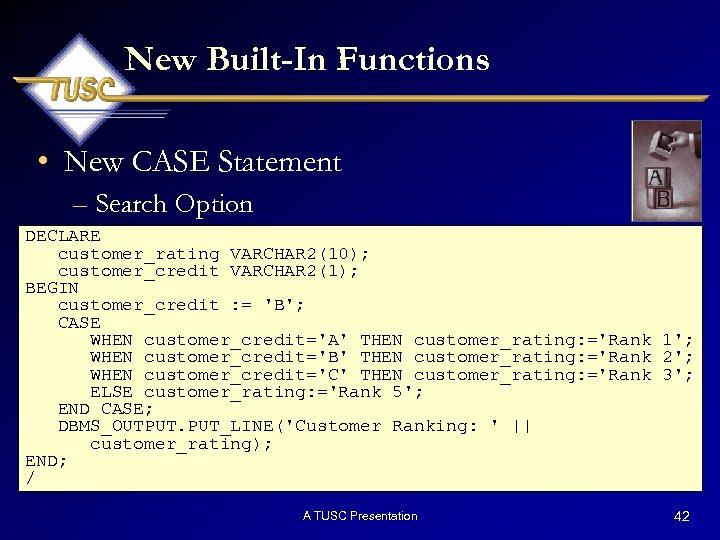 New Built-In Functions • New CASE Statement – Search Option DECLARE customer_rating VARCHAR 2(10); customer_credit VARCHAR 2(1); BEGIN customer_credit : = 'B'; CASE WHEN customer_credit='A' THEN customer_rating: ='Rank 1'; WHEN customer_credit='B' THEN customer_rating: ='Rank 2'; WHEN customer_credit='C' THEN customer_rating: ='Rank 3'; ELSE customer_rating: ='Rank 5'; END CASE; DBMS_OUTPUT. PUT_LINE('Customer Ranking: ' || customer_rating); END; / A TUSC Presentation 42
 New SQL Commands A TUSC Presentation 43
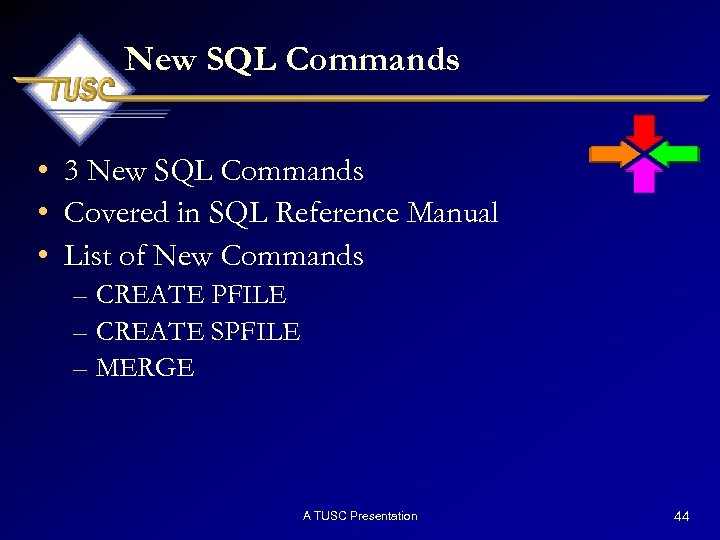 New SQL Commands • 3 New SQL Commands • Covered in SQL Reference Manual • List of New Commands – CREATE PFILE – CREATE SPFILE – MERGE A TUSC Presentation 44
 New SQL Commands • Merge Statement – Insert or Update Operation in One Statement • If record exists, update the record • If record does not exist, insert the record – Example Scenario • System 1: – Internal ADP Payroll Processing – ADP is the Single Point of New/Updates of Employees – Cannot Update Database Structures • System 2: – Time and Expense (T&E) Entry System – Replicate the Master Employee Table A TUSC Presentation 45
 New SQL Commands • Merge Statement – Example Scenario • Prior to Oracle 9 i – – – Execute a Scheduled Routine to Update System 2 Master Emps ADP Employee Information Updates T&E Employee Information Select Each ADP Employee If Exists in T&E, then Update If Not Exists in T&E, then Insert • Oracle 9 i – Superceded with the Merge Statement A TUSC Presentation 46
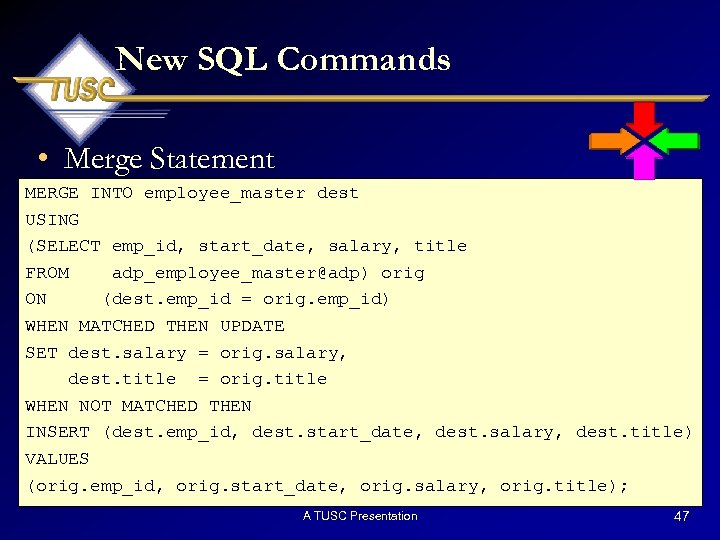 New SQL Commands • Merge Statement MERGE INTO employee_master dest USING (SELECT emp_id, start_date, salary, title FROM adp_employee_master@adp) orig ON (dest. emp_id = orig. emp_id) WHEN MATCHED THEN UPDATE SET dest. salary = orig. salary, dest. title = orig. title WHEN NOT MATCHED THEN INSERT (dest. emp_id, dest. start_date, dest. salary, dest. title) VALUES (orig. emp_id, orig. start_date, orig. salary, orig. title); A TUSC Presentation 47
 Expanded Oracle Supplied Packages A TUSC Presentation 48
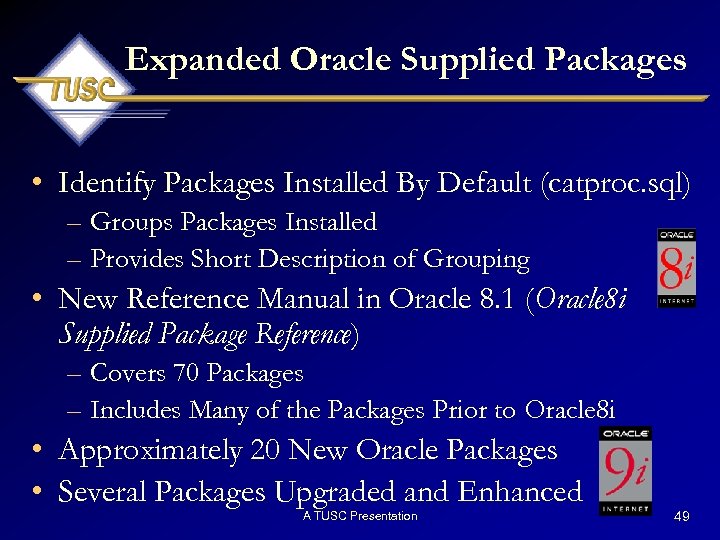 Expanded Oracle Supplied Packages • Identify Packages Installed By Default (catproc. sql) – Groups Packages Installed – Provides Short Description of Grouping • New Reference Manual in Oracle 8. 1 (Oracle 8 i Supplied Package Reference) – Covers 70 Packages – Includes Many of the Packages Prior to Oracle 8 i • Approximately 20 New Oracle Packages • Several Packages Upgraded and Enhanced A TUSC Presentation 49
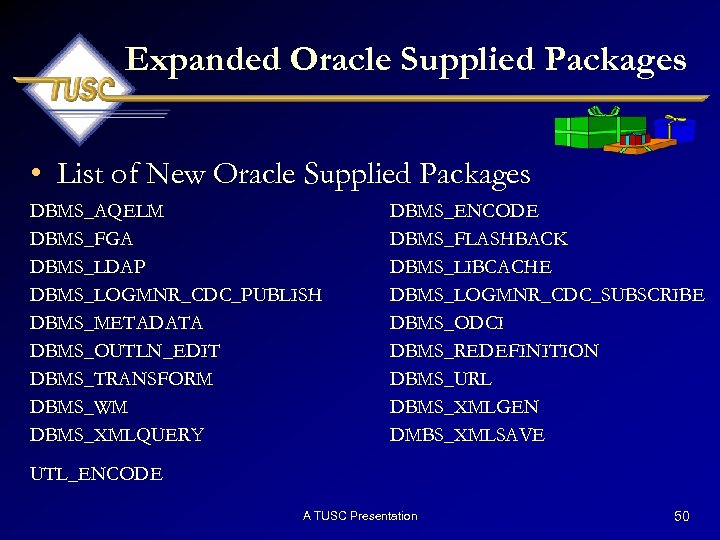 Expanded Oracle Supplied Packages • List of New Oracle Supplied Packages DBMS_AQELM DBMS_FGA DBMS_LDAP DBMS_LOGMNR_CDC_PUBLISH DBMS_METADATA DBMS_OUTLN_EDIT DBMS_TRANSFORM DBMS_WM DBMS_XMLQUERY DBMS_ENCODE DBMS_FLASHBACK DBMS_LIBCACHE DBMS_LOGMNR_CDC_SUBSCRIBE DBMS_ODCI DBMS_REDEFINITION DBMS_URL DBMS_XMLGEN DMBS_XMLSAVE UTL_ENCODE A TUSC Presentation 50
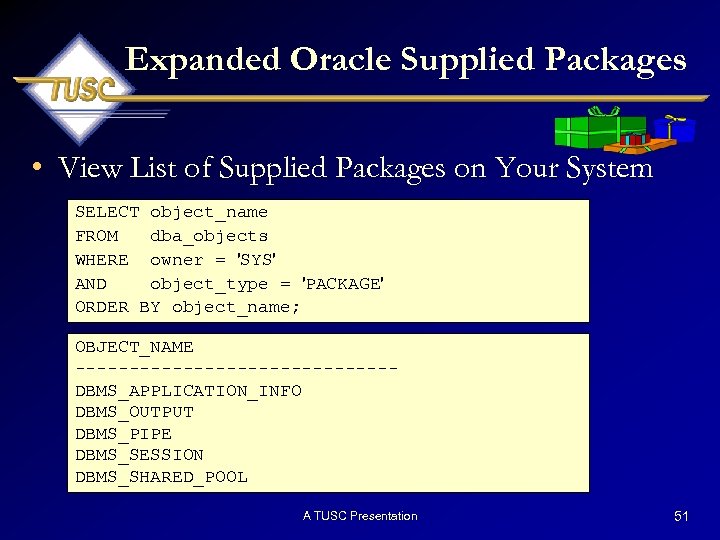 Expanded Oracle Supplied Packages • View List of Supplied Packages on Your System SELECT object_name FROM dba_objects WHERE owner = 'SYS' AND object_type = 'PACKAGE' ORDER BY object_name; OBJECT_NAME ---------------DBMS_APPLICATION_INFO DBMS_OUTPUT DBMS_PIPE DBMS_SESSION DBMS_SHARED_POOL A TUSC Presentation 51
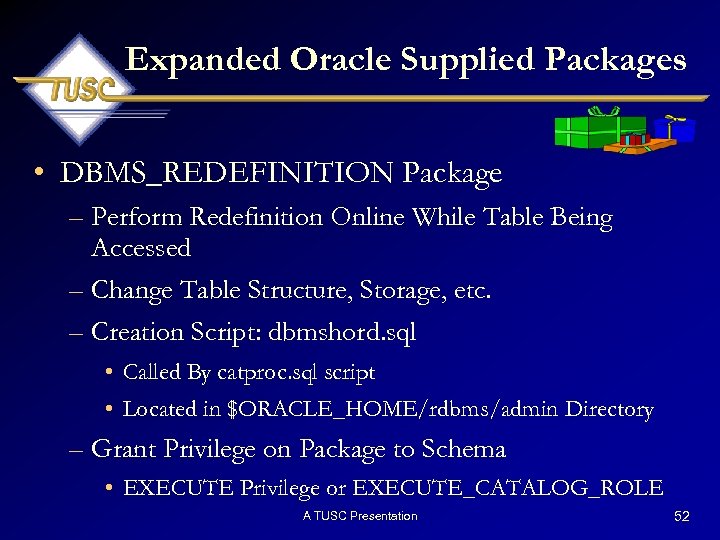 Expanded Oracle Supplied Packages • DBMS_REDEFINITION Package – Perform Redefinition Online While Table Being Accessed – Change Table Structure, Storage, etc. – Creation Script: dbmshord. sql • Called By catproc. sql script • Located in $ORACLE_HOME/rdbms/admin Directory – Grant Privilege on Package to Schema • EXECUTE Privilege or EXECUTE_CATALOG_ROLE A TUSC Presentation 52
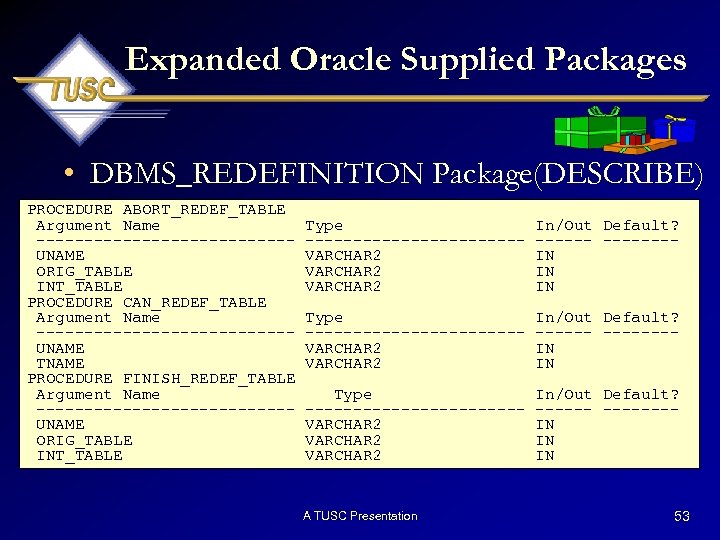 Expanded Oracle Supplied Packages • DBMS_REDEFINITION Package(DESCRIBE) PROCEDURE ABORT_REDEF_TABLE Argument Name -------------UNAME ORIG_TABLE INT_TABLE PROCEDURE CAN_REDEF_TABLE Argument Name -------------UNAME TNAME PROCEDURE FINISH_REDEF_TABLE Argument Name -------------UNAME ORIG_TABLE INT_TABLE Type -----------VARCHAR 2 In/Out Default? -------IN IN IN Type -----------VARCHAR 2 In/Out Default? -------IN IN Type -----------VARCHAR 2 In/Out Default? -------IN IN IN A TUSC Presentation 53
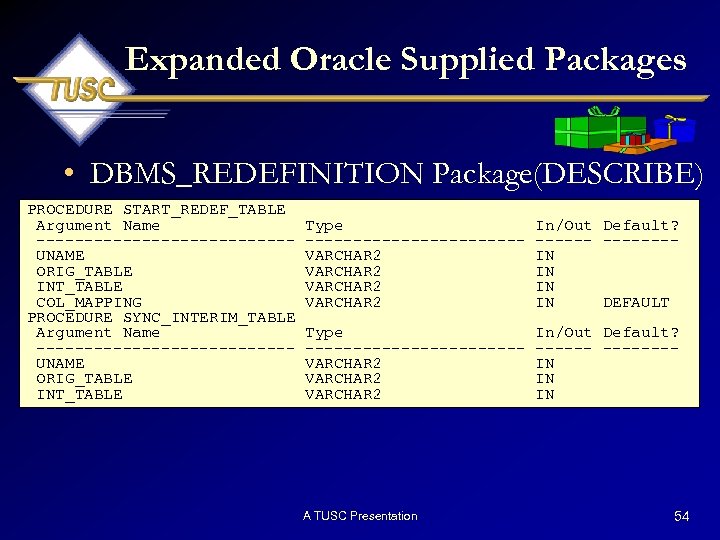 Expanded Oracle Supplied Packages • DBMS_REDEFINITION Package(DESCRIBE) PROCEDURE START_REDEF_TABLE Argument Name -------------UNAME ORIG_TABLE INT_TABLE COL_MAPPING PROCEDURE SYNC_INTERIM_TABLE Argument Name -------------UNAME ORIG_TABLE INT_TABLE Type -----------VARCHAR 2 In/Out Default? -------IN IN DEFAULT Type -----------VARCHAR 2 In/Out Default? -------IN IN IN A TUSC Presentation 54
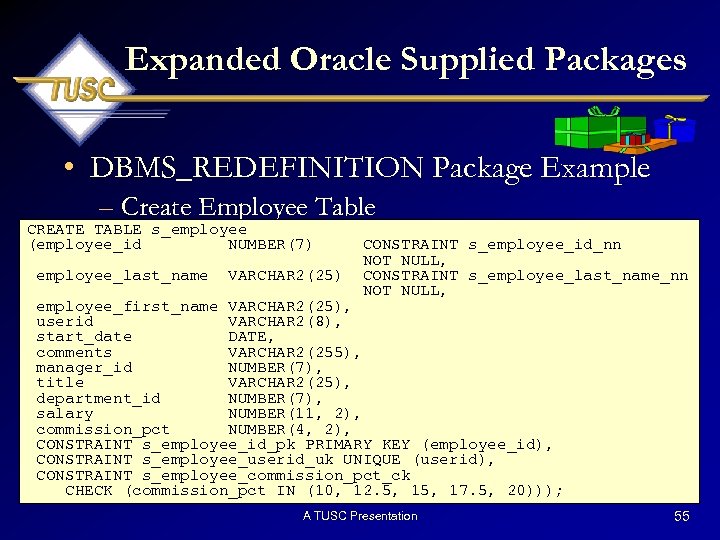 Expanded Oracle Supplied Packages • DBMS_REDEFINITION Package Example – Create Employee Table CREATE TABLE s_employee (employee_id NUMBER(7) employee_last_name VARCHAR 2(25) CONSTRAINT s_employee_id_nn NOT NULL, CONSTRAINT s_employee_last_name_nn NOT NULL, employee_first_name VARCHAR 2(25), userid VARCHAR 2(8), start_date DATE, comments VARCHAR 2(255), manager_id NUMBER(7), title VARCHAR 2(25), department_id NUMBER(7), salary NUMBER(11, 2), commission_pct NUMBER(4, 2), CONSTRAINT s_employee_id_pk PRIMARY KEY (employee_id), CONSTRAINT s_employee_userid_uk UNIQUE (userid), CONSTRAINT s_employee_commission_pct_ck CHECK (commission_pct IN (10, 12. 5, 17. 5, 20))); A TUSC Presentation 55
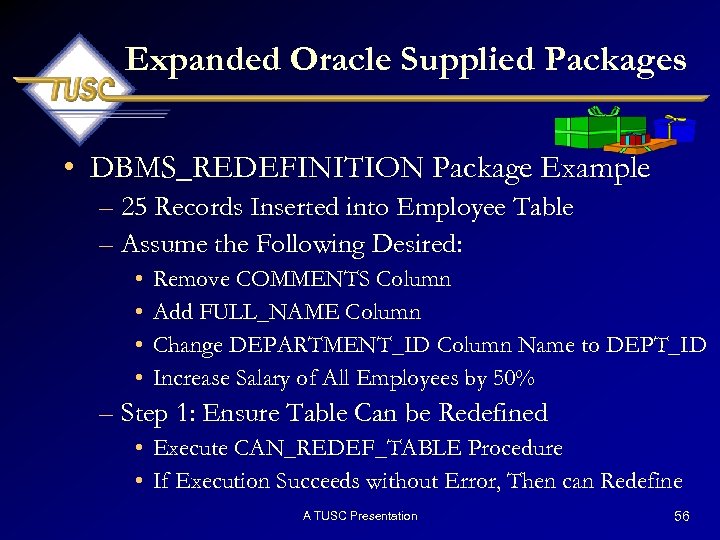 Expanded Oracle Supplied Packages • DBMS_REDEFINITION Package Example – 25 Records Inserted into Employee Table – Assume the Following Desired: • • Remove COMMENTS Column Add FULL_NAME Column Change DEPARTMENT_ID Column Name to DEPT_ID Increase Salary of All Employees by 50% – Step 1: Ensure Table Can be Redefined • Execute CAN_REDEF_TABLE Procedure • If Execution Succeeds without Error, Then can Redefine A TUSC Presentation 56
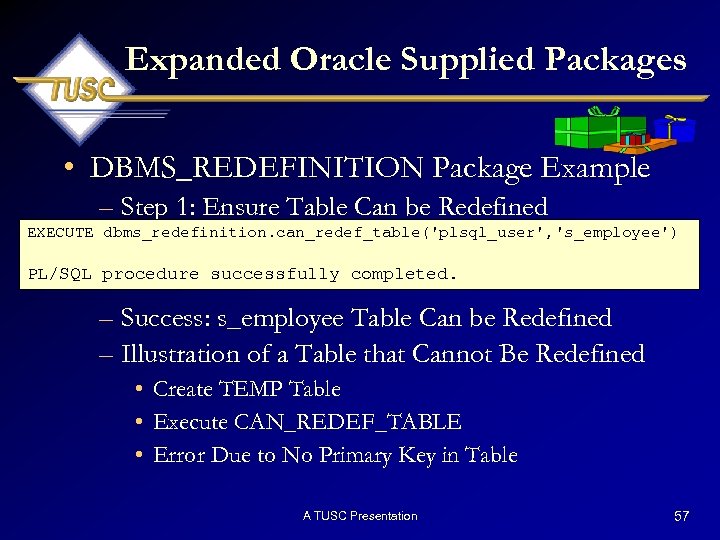 Expanded Oracle Supplied Packages • DBMS_REDEFINITION Package Example – Step 1: Ensure Table Can be Redefined EXECUTE dbms_redefinition. can_redef_table('plsql_user', 's_employee') PL/SQL procedure successfully completed. – Success: s_employee Table Can be Redefined – Illustration of a Table that Cannot Be Redefined • Create TEMP Table • Execute CAN_REDEF_TABLE • Error Due to No Primary Key in Table A TUSC Presentation 57
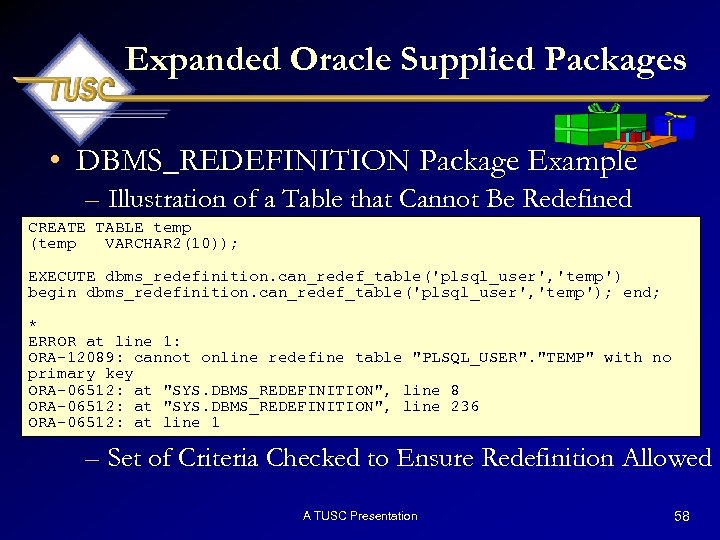 Expanded Oracle Supplied Packages • DBMS_REDEFINITION Package Example – Illustration of a Table that Cannot Be Redefined CREATE TABLE temp (temp VARCHAR 2(10)); EXECUTE dbms_redefinition. can_redef_table('plsql_user', 'temp') begin dbms_redefinition. can_redef_table('plsql_user', 'temp'); end; * ERROR at line 1: ORA-12089: cannot online redefine table "PLSQL_USER". "TEMP" with no primary key ORA-06512: at "SYS. DBMS_REDEFINITION", line 8 ORA-06512: at "SYS. DBMS_REDEFINITION", line 236 ORA-06512: at line 1 – Set of Criteria Checked to Ensure Redefinition Allowed A TUSC Presentation 58
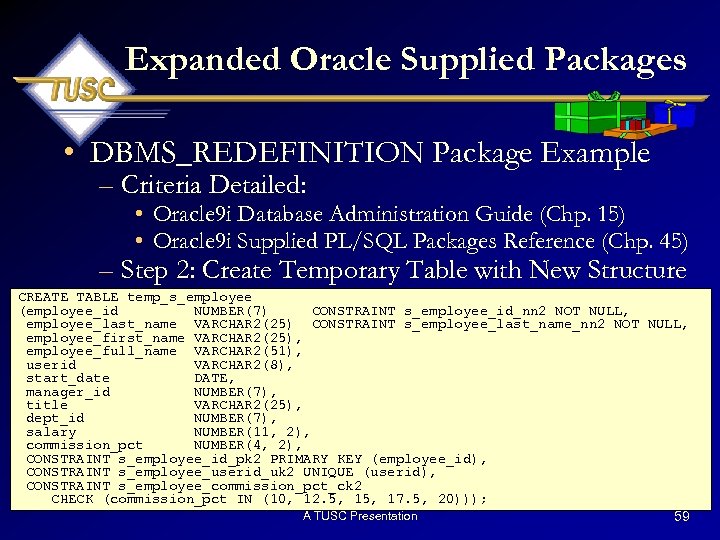 Expanded Oracle Supplied Packages • DBMS_REDEFINITION Package Example – Criteria Detailed: • Oracle 9 i Database Administration Guide (Chp. 15) • Oracle 9 i Supplied PL/SQL Packages Reference (Chp. 45) – Step 2: Create Temporary Table with New Structure CREATE TABLE temp_s_employee (employee_id NUMBER(7) CONSTRAINT s_employee_id_nn 2 NOT NULL, employee_last_name VARCHAR 2(25) CONSTRAINT s_employee_last_name_nn 2 NOT NULL, employee_first_name VARCHAR 2(25), employee_full_name VARCHAR 2(51), userid VARCHAR 2(8), start_date DATE, manager_id NUMBER(7), title VARCHAR 2(25), dept_id NUMBER(7), salary NUMBER(11, 2), commission_pct NUMBER(4, 2), CONSTRAINT s_employee_id_pk 2 PRIMARY KEY (employee_id), CONSTRAINT s_employee_userid_uk 2 UNIQUE (userid), CONSTRAINT s_employee_commission_pct_ck 2 CHECK (commission_pct IN (10, 12. 5, 17. 5, 20))); A TUSC Presentation 59
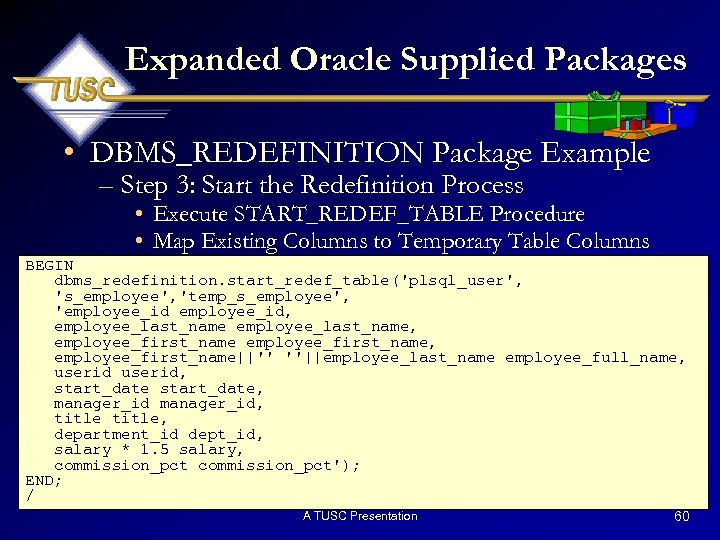 Expanded Oracle Supplied Packages • DBMS_REDEFINITION Package Example – Step 3: Start the Redefinition Process • Execute START_REDEF_TABLE Procedure • Map Existing Columns to Temporary Table Columns BEGIN dbms_redefinition. start_redef_table('plsql_user', 's_employee', 'temp_s_employee', 'employee_id, employee_last_name, employee_first_name, employee_first_name||'' ''||employee_last_name employee_full_name, userid, start_date, manager_id, title, department_id dept_id, salary * 1. 5 salary, commission_pct'); END; / A TUSC Presentation 60
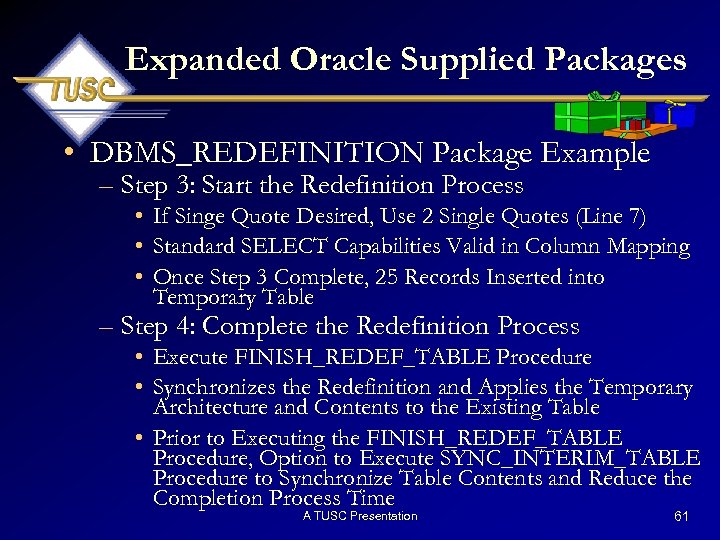 Expanded Oracle Supplied Packages • DBMS_REDEFINITION Package Example – Step 3: Start the Redefinition Process • If Singe Quote Desired, Use 2 Single Quotes (Line 7) • Standard SELECT Capabilities Valid in Column Mapping • Once Step 3 Complete, 25 Records Inserted into Temporary Table – Step 4: Complete the Redefinition Process • Execute FINISH_REDEF_TABLE Procedure • Synchronizes the Redefinition and Applies the Temporary Architecture and Contents to the Existing Table • Prior to Executing the FINISH_REDEF_TABLE Procedure, Option to Execute SYNC_INTERIM_TABLE Procedure to Synchronize Table Contents and Reduce the Completion Process Time A TUSC Presentation 61
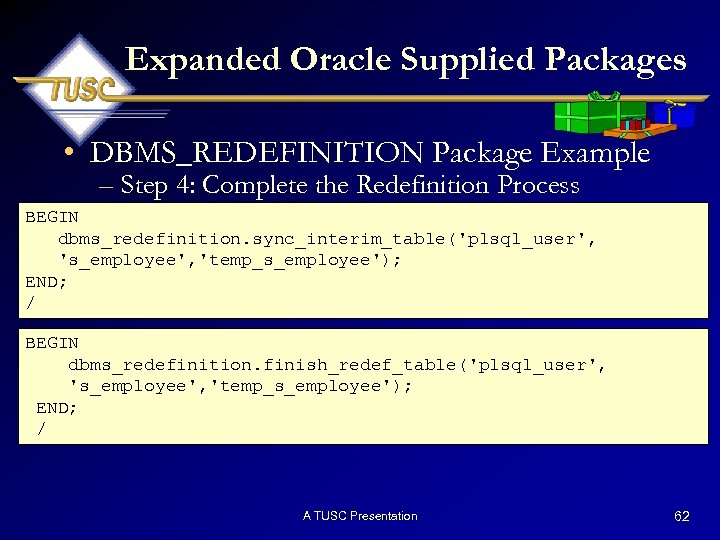 Expanded Oracle Supplied Packages • DBMS_REDEFINITION Package Example – Step 4: Complete the Redefinition Process BEGIN dbms_redefinition. sync_interim_table('plsql_user', 's_employee', 'temp_s_employee'); END; / BEGIN dbms_redefinition. finish_redef_table('plsql_user', 's_employee', 'temp_s_employee'); END; / A TUSC Presentation 62
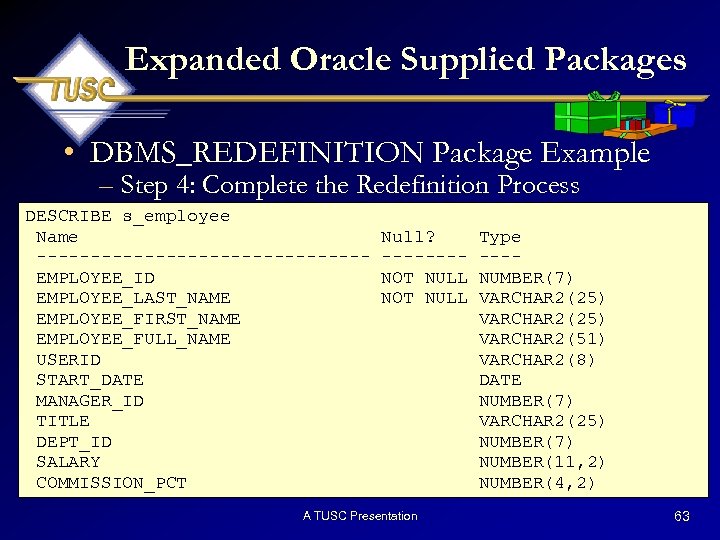 Expanded Oracle Supplied Packages • DBMS_REDEFINITION Package Example – Step 4: Complete the Redefinition Process DESCRIBE s_employee Name ---------------EMPLOYEE_ID EMPLOYEE_LAST_NAME EMPLOYEE_FIRST_NAME EMPLOYEE_FULL_NAME USERID START_DATE MANAGER_ID TITLE DEPT_ID SALARY COMMISSION_PCT Null? -------NOT NULL A TUSC Presentation Type ---NUMBER(7) VARCHAR 2(25) VARCHAR 2(51) VARCHAR 2(8) DATE NUMBER(7) VARCHAR 2(25) NUMBER(7) NUMBER(11, 2) NUMBER(4, 2) 63
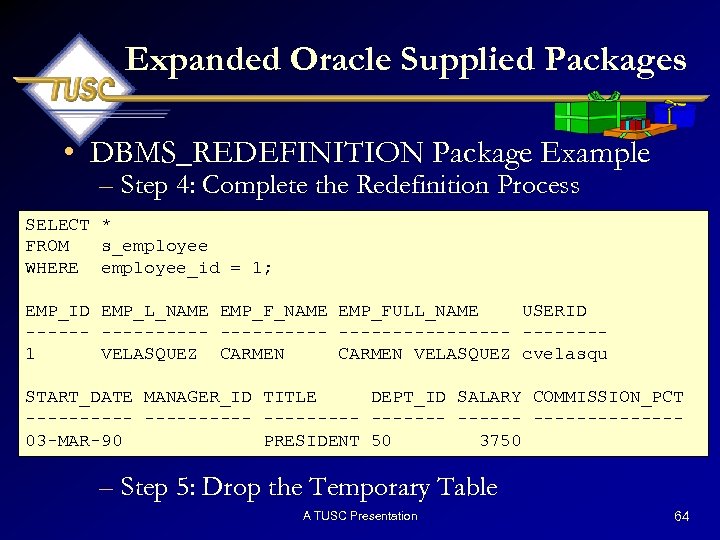 Expanded Oracle Supplied Packages • DBMS_REDEFINITION Package Example – Step 4: Complete the Redefinition Process SELECT * FROM s_employee WHERE employee_id = 1; EMP_ID EMP_L_NAME EMP_FULL_NAME USERID ----------- -------1 VELASQUEZ CARMEN VELASQUEZ cvelasqu START_DATE MANAGER_ID TITLE DEPT_ID SALARY COMMISSION_PCT ---------- -------03 -MAR-90 PRESIDENT 50 3750 – Step 5: Drop the Temporary Table A TUSC Presentation 64
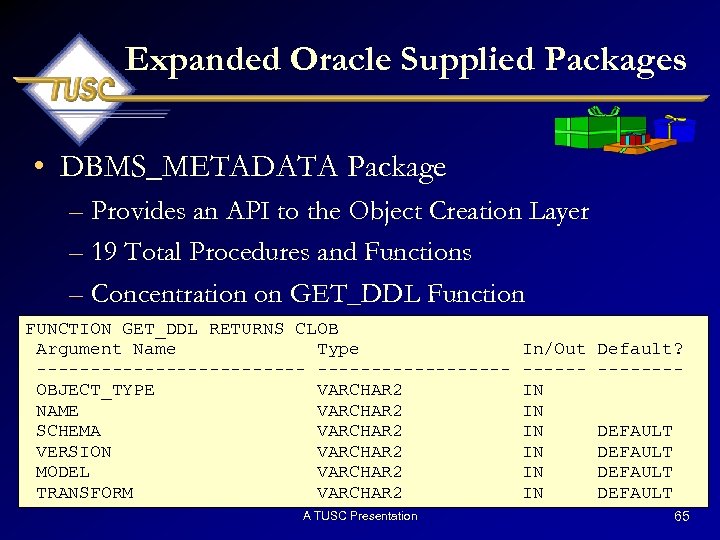 Expanded Oracle Supplied Packages • DBMS_METADATA Package – Provides an API to the Object Creation Layer – 19 Total Procedures and Functions – Concentration on GET_DDL Function FUNCTION GET_DDL RETURNS CLOB Argument Name Type -------------OBJECT_TYPE VARCHAR 2 NAME VARCHAR 2 SCHEMA VARCHAR 2 VERSION VARCHAR 2 MODEL VARCHAR 2 TRANSFORM VARCHAR 2 A TUSC Presentation In/Out -----IN IN IN Default? -------DEFAULT 65
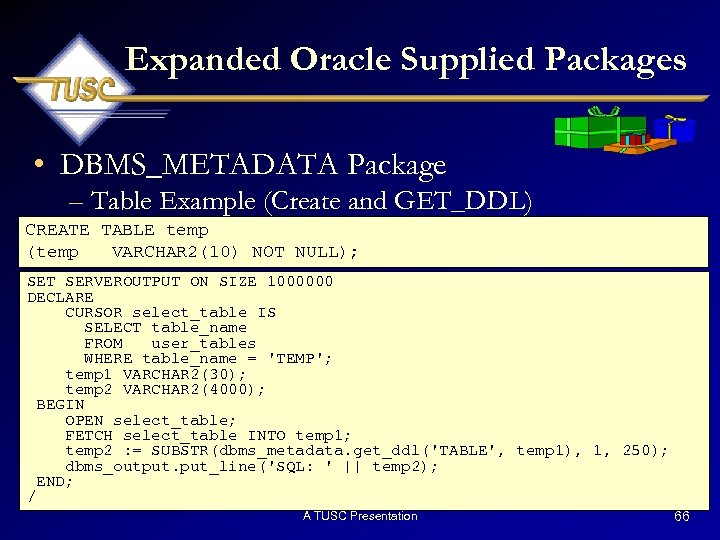 Expanded Oracle Supplied Packages • DBMS_METADATA Package – Table Example (Create and GET_DDL) CREATE TABLE temp (temp VARCHAR 2(10) NOT NULL); SET SERVEROUTPUT ON SIZE 1000000 DECLARE CURSOR select_table IS SELECT table_name FROM user_tables WHERE table_name = 'TEMP'; temp 1 VARCHAR 2(30); temp 2 VARCHAR 2(4000); BEGIN OPEN select_table; FETCH select_table INTO temp 1; temp 2 : = SUBSTR(dbms_metadata. get_ddl('TABLE', temp 1), 1, 250); dbms_output. put_line('SQL: ' || temp 2); END; / A TUSC Presentation 66
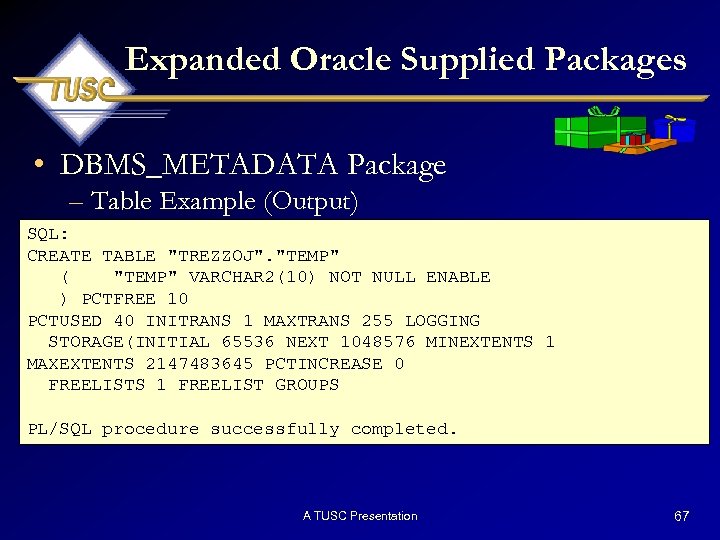 Expanded Oracle Supplied Packages • DBMS_METADATA Package – Table Example (Output) SQL: CREATE TABLE "TREZZOJ". "TEMP" ( "TEMP" VARCHAR 2(10) NOT NULL ENABLE ) PCTFREE 10 PCTUSED 40 INITRANS 1 MAXTRANS 255 LOGGING STORAGE(INITIAL 65536 NEXT 1048576 MINEXTENTS 1 MAXEXTENTS 2147483645 PCTINCREASE 0 FREELISTS 1 FREELIST GROUPS PL/SQL procedure successfully completed. A TUSC Presentation 67
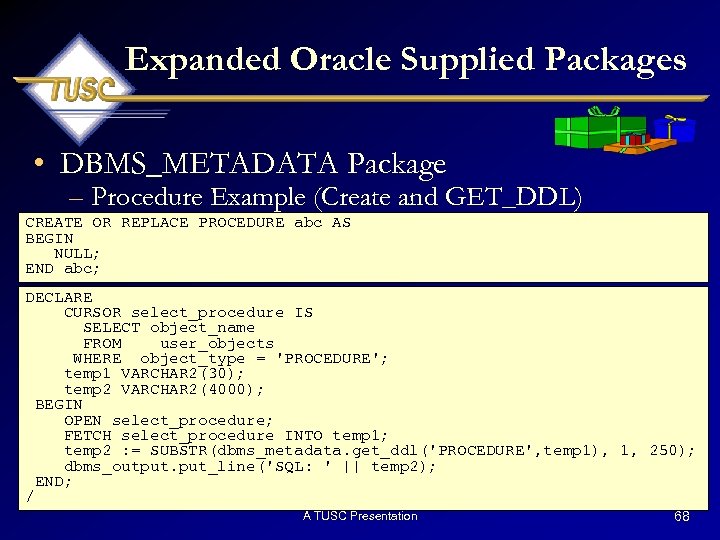 Expanded Oracle Supplied Packages • DBMS_METADATA Package – Procedure Example (Create and GET_DDL) CREATE OR REPLACE PROCEDURE abc AS BEGIN NULL; END abc; DECLARE CURSOR select_procedure IS SELECT object_name FROM user_objects WHERE object_type = 'PROCEDURE'; temp 1 VARCHAR 2(30); temp 2 VARCHAR 2(4000); BEGIN OPEN select_procedure; FETCH select_procedure INTO temp 1; temp 2 : = SUBSTR(dbms_metadata. get_ddl('PROCEDURE', temp 1), 1, 250); dbms_output. put_line('SQL: ' || temp 2); END; / A TUSC Presentation 68
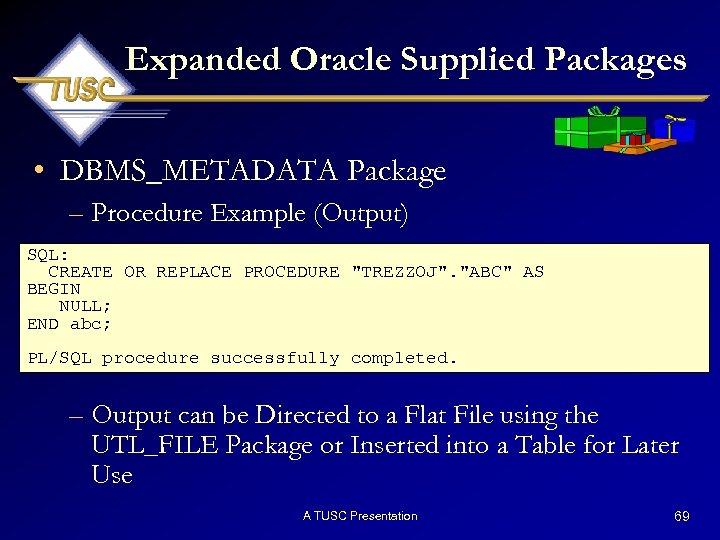 Expanded Oracle Supplied Packages • DBMS_METADATA Package – Procedure Example (Output) SQL: CREATE OR REPLACE PROCEDURE "TREZZOJ". "ABC" AS BEGIN NULL; END abc; PL/SQL procedure successfully completed. – Output can be Directed to a Flat File using the UTL_FILE Package or Inserted into a Table for Later Use A TUSC Presentation 69
 Suspending the Database A TUSC Presentation 70
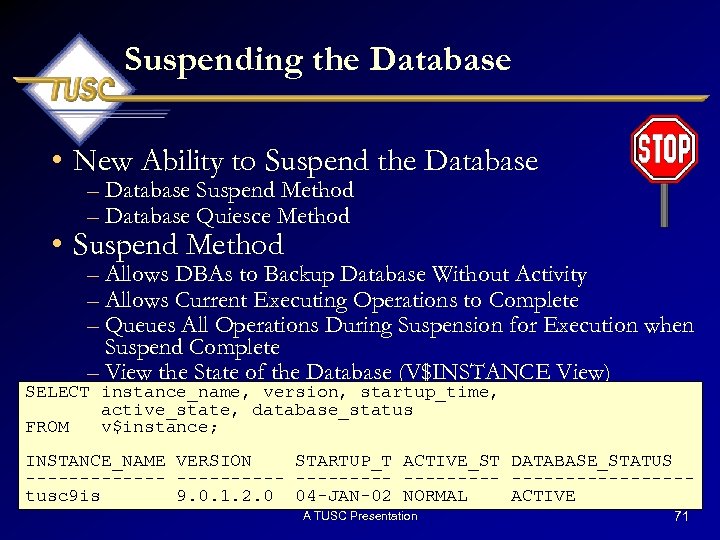 Suspending the Database • New Ability to Suspend the Database – Database Suspend Method – Database Quiesce Method • Suspend Method – Allows DBAs to Backup Database Without Activity – Allows Current Executing Operations to Complete – Queues All Operations During Suspension for Execution when Suspend Complete – View the State of the Database (V$INSTANCE View) SELECT instance_name, version, startup_time, active_state, database_status FROM v$instance; INSTANCE_NAME VERSION STARTUP_T ACTIVE_ST DATABASE_STATUS --------- ----------------tusc 9 is 9. 0. 1. 2. 0 04 -JAN-02 NORMAL ACTIVE A TUSC Presentation 71
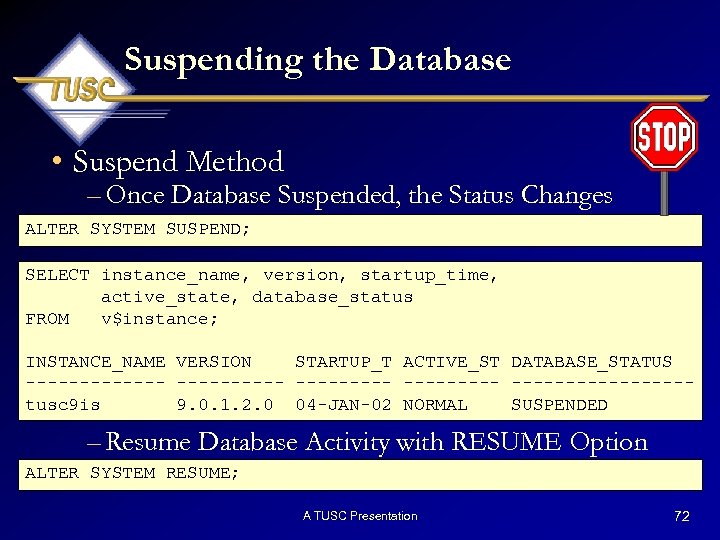 Suspending the Database • Suspend Method – Once Database Suspended, the Status Changes ALTER SYSTEM SUSPEND; SELECT instance_name, version, startup_time, active_state, database_status FROM v$instance; INSTANCE_NAME VERSION STARTUP_T ACTIVE_ST DATABASE_STATUS --------- ----------------tusc 9 is 9. 0. 1. 2. 0 04 -JAN-02 NORMAL SUSPENDED – Resume Database Activity with RESUME Option ALTER SYSTEM RESUME; A TUSC Presentation 72
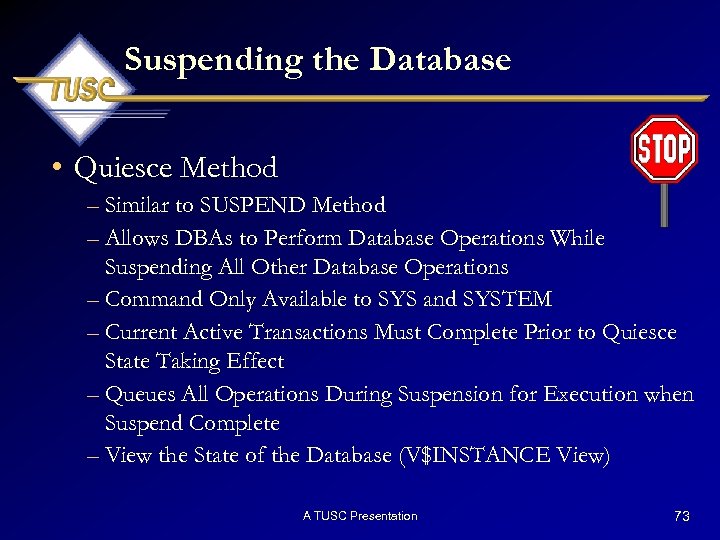 Suspending the Database • Quiesce Method – Similar to SUSPEND Method – Allows DBAs to Perform Database Operations While Suspending All Other Database Operations – Command Only Available to SYS and SYSTEM – Current Active Transactions Must Complete Prior to Quiesce State Taking Effect – Queues All Operations During Suspension for Execution when Suspend Complete – View the State of the Database (V$INSTANCE View) A TUSC Presentation 73
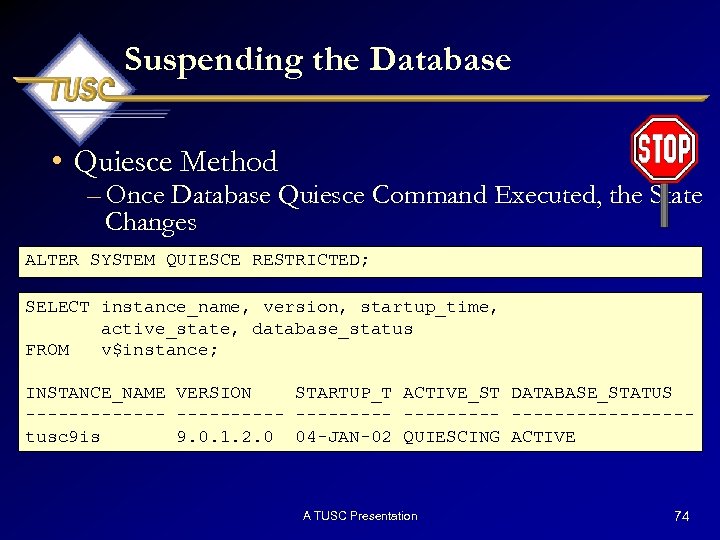 Suspending the Database • Quiesce Method – Once Database Quiesce Command Executed, the State Changes ALTER SYSTEM QUIESCE RESTRICTED; SELECT instance_name, version, startup_time, active_state, database_status FROM v$instance; INSTANCE_NAME VERSION STARTUP_T ACTIVE_ST DATABASE_STATUS --------- ----------------tusc 9 is 9. 0. 1. 2. 0 04 -JAN-02 QUIESCING ACTIVE A TUSC Presentation 74
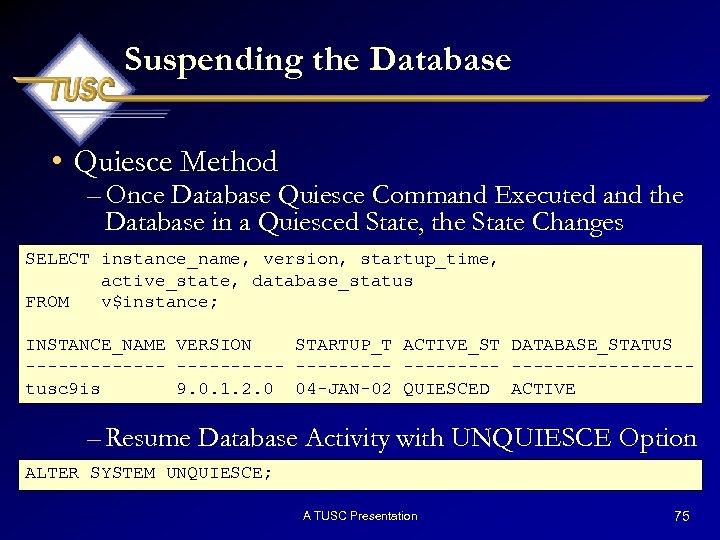 Suspending the Database • Quiesce Method – Once Database Quiesce Command Executed and the Database in a Quiesced State, the State Changes SELECT instance_name, version, startup_time, active_state, database_status FROM v$instance; INSTANCE_NAME VERSION STARTUP_T ACTIVE_ST DATABASE_STATUS --------- ----------------tusc 9 is 9. 0. 1. 2. 0 04 -JAN-02 QUIESCED ACTIVE – Resume Database Activity with UNQUIESCE Option ALTER SYSTEM UNQUIESCE; A TUSC Presentation 75
 Additional Oracle 9 i New Features A TUSC Presentation 76
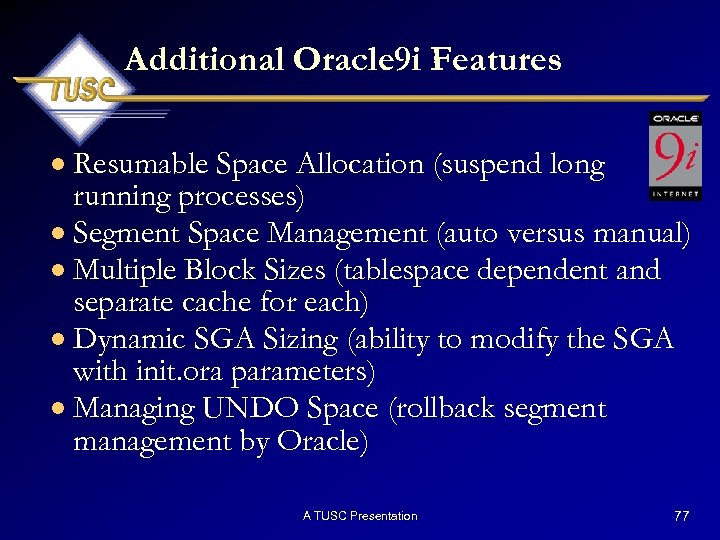 Additional Oracle 9 i Features · Resumable Space Allocation (suspend long running processes) · Segment Space Management (auto versus manual) · Multiple Block Sizes (tablespace dependent and separate cache for each) · Dynamic SGA Sizing (ability to modify the SGA with init. ora parameters) · Managing UNDO Space (rollback segment management by Oracle) A TUSC Presentation 77
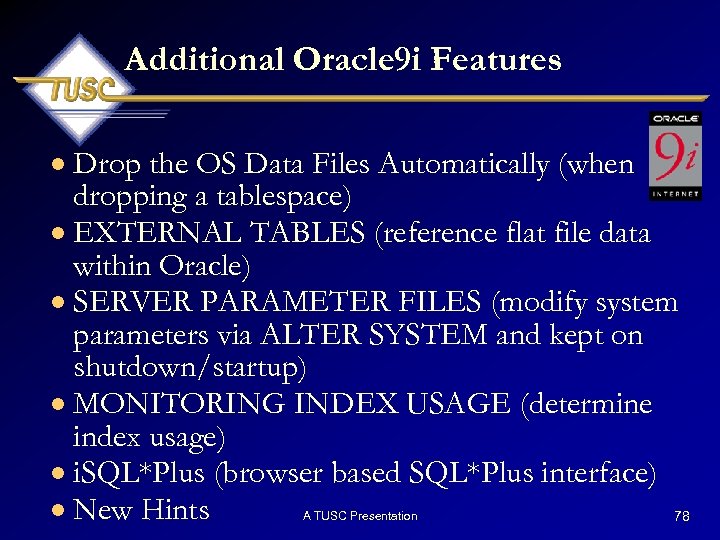 Additional Oracle 9 i Features · Drop the OS Data Files Automatically (when dropping a tablespace) · EXTERNAL TABLES (reference flat file data within Oracle) · SERVER PARAMETER FILES (modify system parameters via ALTER SYSTEM and kept on shutdown/startup) · MONITORING INDEX USAGE (determine index usage) · i. SQL*Plus (browser based SQL*Plus interface) · New Hints 78 A TUSC Presentation
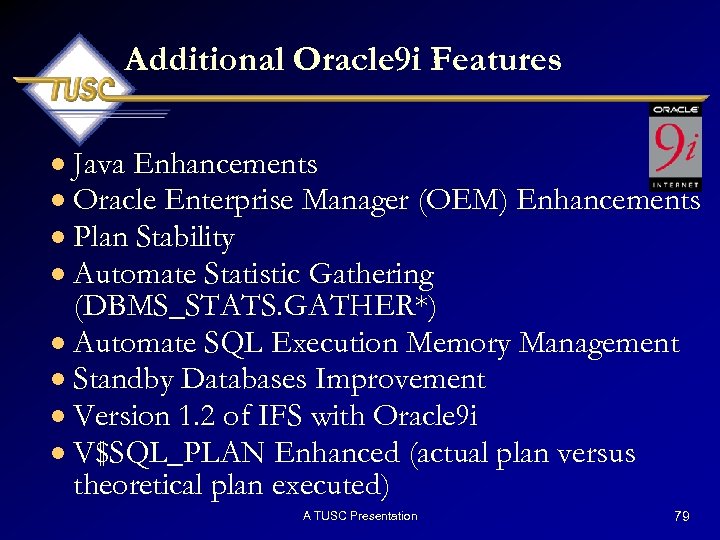 Additional Oracle 9 i Features · Java Enhancements · Oracle Enterprise Manager (OEM) Enhancements · Plan Stability · Automate Statistic Gathering (DBMS_STATS. GATHER*) · Automate SQL Execution Memory Management · Standby Databases Improvement · Version 1. 2 of IFS with Oracle 9 i · V$SQL_PLAN Enhanced (actual plan versus theoretical plan executed) A TUSC Presentation 79
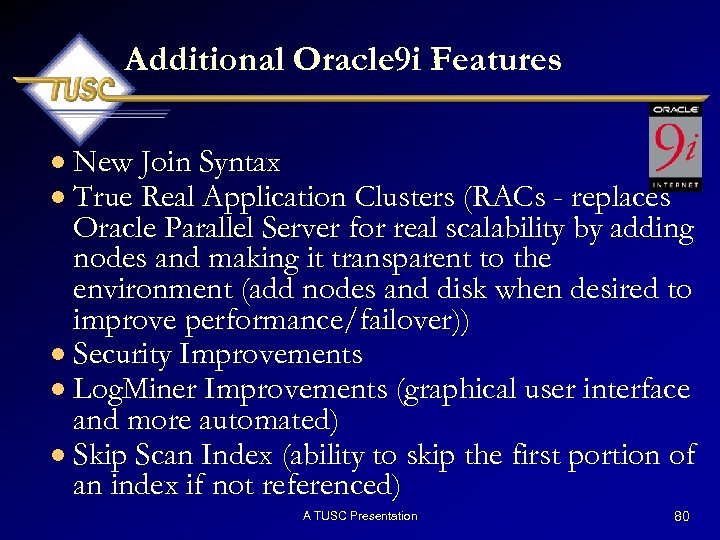 Additional Oracle 9 i Features · New Join Syntax · True Real Application Clusters (RACs - replaces Oracle Parallel Server for real scalability by adding nodes and making it transparent to the environment (add nodes and disk when desired to improve performance/failover)) · Security Improvements · Log. Miner Improvements (graphical user interface and more automated) · Skip Scan Index (ability to skip the first portion of an index if not referenced) A TUSC Presentation 80
 Additional Oracle 9 i Features · Flashback Queries · Better Integration and More Flexibility on LOBs · Increased Support for XML · Enhanced Bulk Operation Support · List Partitioning · Modifications in Storing Execution Plans · cursor_sharing Enhancements (similar) A TUSC Presentation 81
 Presentation Coverage · · · · · Oracle 9 i Overview Oracle 9 i Data Dictionary Oracle 9 i V$ Views New Data Types New Built-In Functions New SQL Commands Expanded Oracle Supplied Packages Suspending the Database Additional Oracle 9 i New Features A TUSC Presentation 82
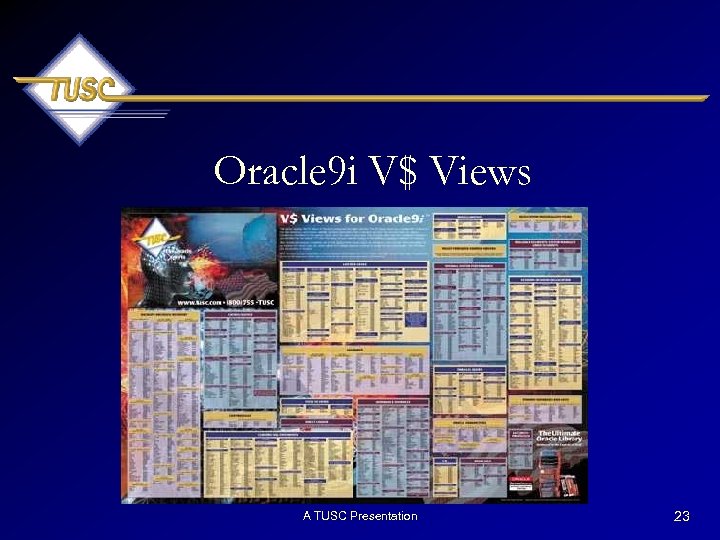
 For More Information • The V$ Views for Oracle 9 i Poster This poster displays the V$ views of Oracle 9 i categorized by major function. The V$ (fixed) views are a supplement of views to the data dictionary and contain valuable real-time information that is stored in the SGA. • Oracle PL/SQL Tips & Techniques Expand your PL/SQL knowledge to the next level by using hundreds of PL/SQL tips and techniques provided in this one-of-a-kind reference, designed for every Oracle developer and database administrator. This book highlights many solutions that are either hidden, undocumented, or can only be discovered through many years of experience or through laborious trial and error. (Released: September, 1999; 942 pages) A TUSC Presentation 83
 Summary • Oracle 9 i Introduces Many New/Enhanced Features that Increase the Flexibility and Functionality of Oracle • This Growth Includes a Wide Range of Both DBA and Developer Enhancements • Learn These New Features and Make Sure You Thoroughly Understand the New Features Prior to Deploying in Your Environment • Expand Your Arsenal and Utilize These New Features that Oracle Has Provided A TUSC Presentation 84
 Thank You for Coming Joe Trezzo Contact Information Phone: 630 -960 -2909 Email: trezzoj@tusc. com This presentation will be available on the TUSC Web Site www. tusc. com A TUSC Presentation
 References • • • • Oracle PL/SQL Tips & Techniques (Oracle Press), Joseph C. Trezzo Oracle 9 I Instant PL/SQL Scripts (Oracle Press), Kevin Loney Oracle 9 I DBA Handbook (Oracle Press), Kevin Loney Oracle 9 i The Complete Reference (Oracle Press), Kevin Loney PL/SQL User's Guide and Reference(Release 9. 0. 1) Supplied PL/SQL Packages and Types Reference (Release 9. 0. 1) Application Developer’s Guide - Fundamentals (Release 9. 0. 1) Oracle 9 i Database New Features (Release 9. 0. 1) Oracle 9 i Database Administrators Guide (Release 9. 0. 1) Oracle 9 I SQL Reference (Release 9. 0. 1) Concepts (Release 9. 0. 1) $ORACLE_HOME/rdbms/doc/README_rdbms. htm www. tusc. com All companies and product names are trademarks or registered trademarks of the respective owners. Please report errors in this article to TUSC. Neither TUSC nor the author warrant that this document is error-free. Please provide comments/questions to trezzoj@tusc. com. TUSC copyright 2002. This document cannot be reproduced without expressed written consent from an officer of TUSC A TUSC Presentation 86