


 Скачать презентацию Operator Course Explosives Drugs PN TM 001016
3e7a7f1daf9a5f2ffcebc9aa60e505f0.ppt
- Количество слайдов: 39
 Operator Course Explosives & Drugs PN: TM 001016 rev: 2
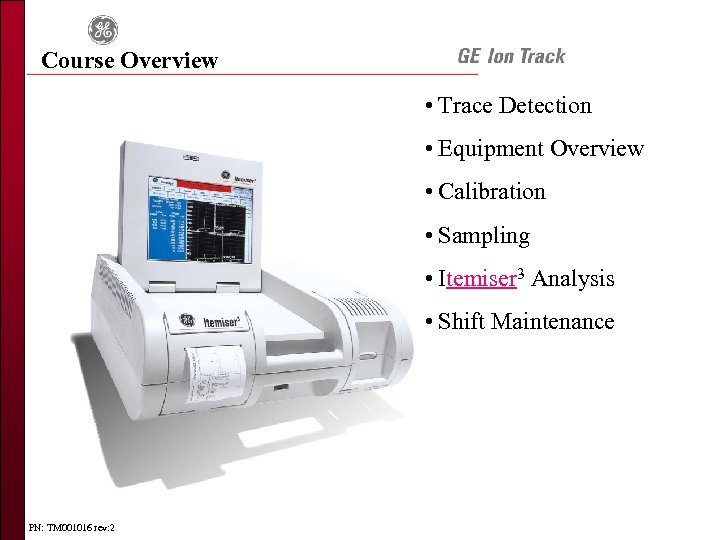 Course Overview • Trace Detection • Equipment Overview • Calibration • Sampling • Itemiser 3 Analysis • Shift Maintenance PN: TM 001016 rev: 2
 Trace Detection PN: TM 001016 rev: 2
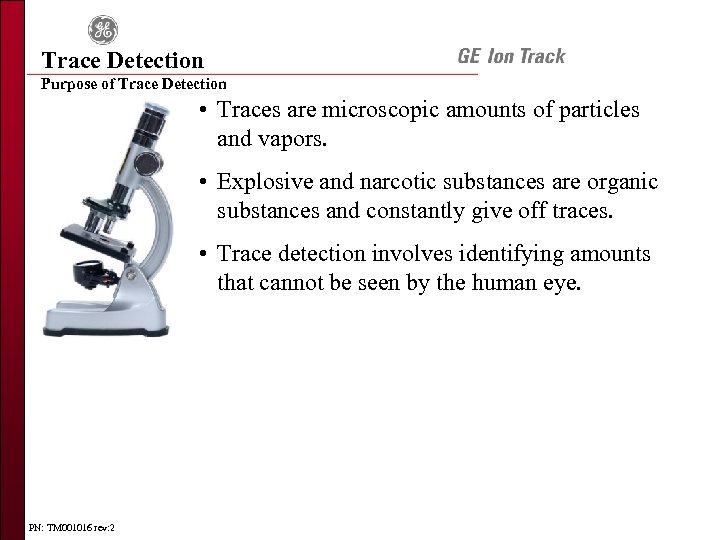 Trace Detection Purpose of Trace Detection • Traces are microscopic amounts of particles and vapors. • Explosive and narcotic substances are organic substances and constantly give off traces. • Trace detection involves identifying amounts that cannot be seen by the human eye. PN: TM 001016 rev: 2
 Trace Detection Purpose of Trace Detection An IED (Improvised Explosive Device) can look like anything limited only by the imagination and resources of the bomb-maker PN: TM 001016 rev: 2
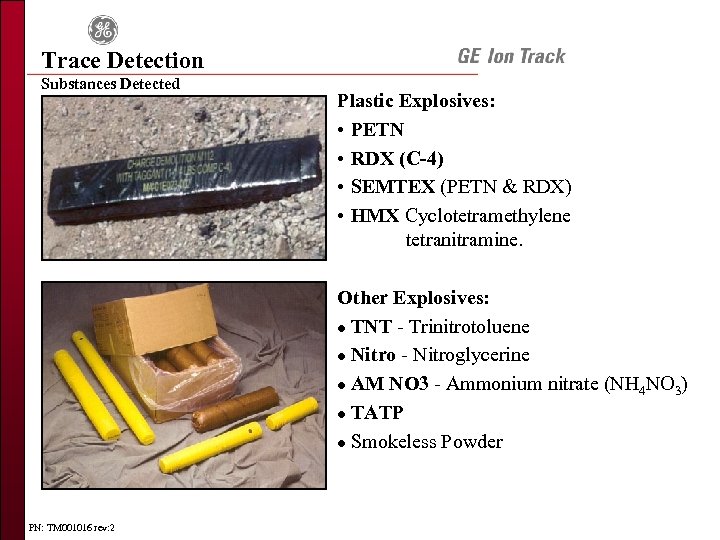 Trace Detection Substances Detected Plastic Explosives: • PETN • RDX (C-4) • SEMTEX (PETN & RDX) • HMX Cyclotetramethylene tetranitramine. Other Explosives: l TNT - Trinitrotoluene l Nitro - Nitroglycerine l AM NO 3 - Ammonium nitrate (NH 4 NO 3) l TATP l Smokeless Powder PN: TM 001016 rev: 2
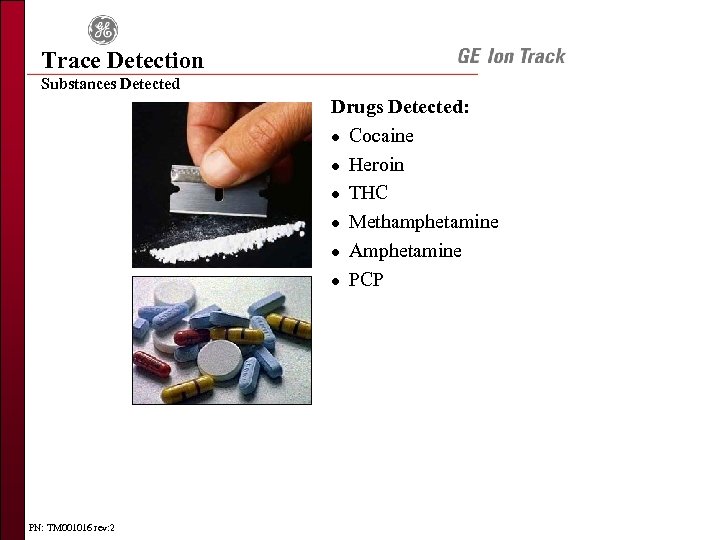 Trace Detection Substances Detected Drugs Detected: l Cocaine l Heroin l THC l Methamphetamine l Amphetamine l PCP PN: TM 001016 rev: 2
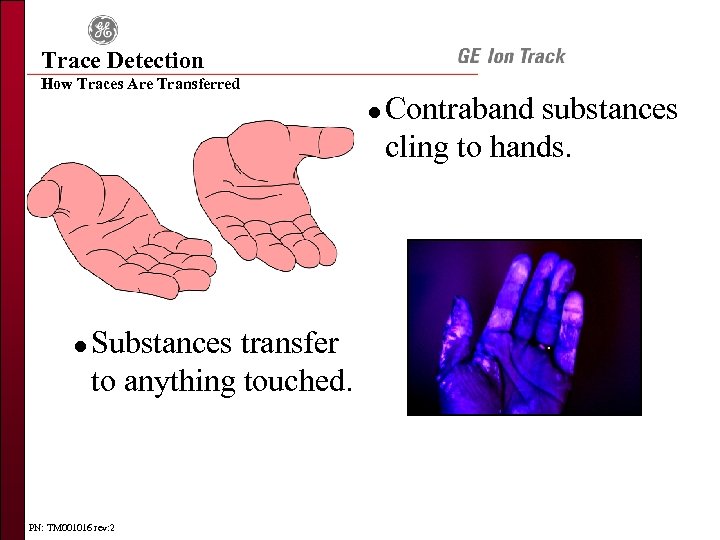 Trace Detection How Traces Are Transferred l l Substances transfer to anything touched. PN: TM 001016 rev: 2 Contraband substances cling to hands.
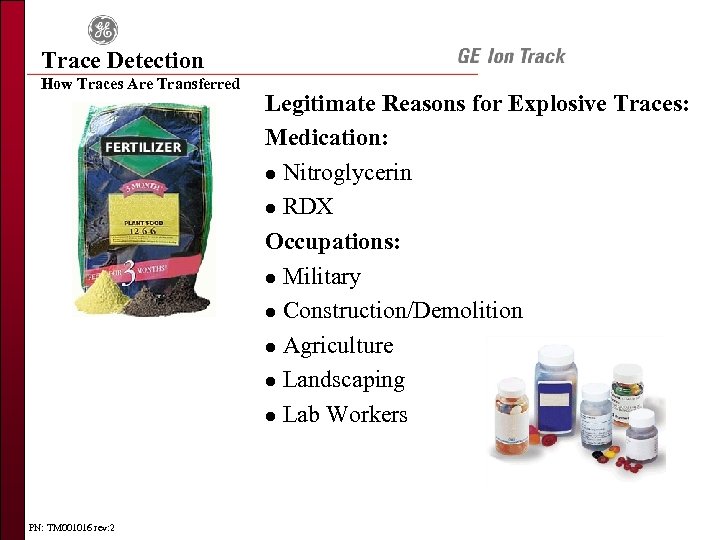 Trace Detection How Traces Are Transferred PN: TM 001016 rev: 2 Legitimate Reasons for Explosive Traces: Medication: l Nitroglycerin l RDX Occupations: l Military l Construction/Demolition l Agriculture l Landscaping l Lab Workers
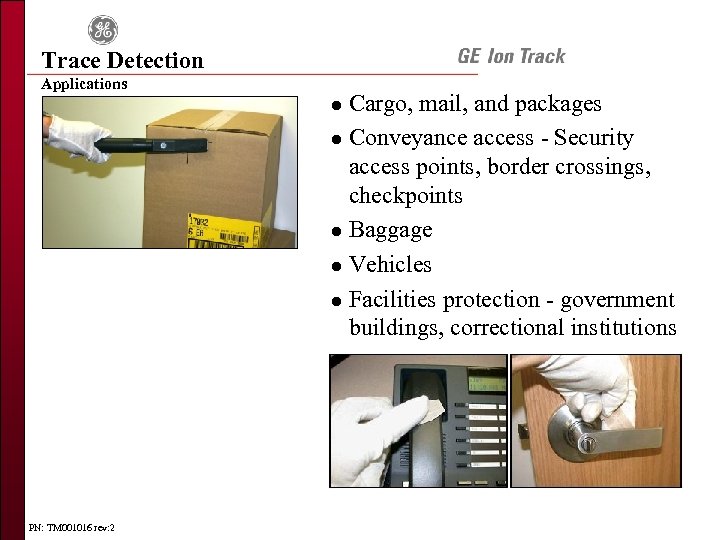 Trace Detection Applications Cargo, mail, and packages l Conveyance access - Security access points, border crossings, checkpoints l Baggage l Vehicles l Facilities protection - government buildings, correctional institutions l PN: TM 001016 rev: 2
 Trace Detection Review Questions 1. 2. 3. 4. 5. What is the purpose of Trace Detection? Name some of the substances that can or cannot be identified. How are traces transferred? Where can trace detection be used? Discuss how the following might or might not be detected with the Itemiser 3? • Firearm • Laptop or radio lined with plastic explosive • Heart medication • Pepper spray • Stun gun • Explosive traces on package or suitcase • Cocaine PN: TM 001016 rev: 2
 Equipment Overview PN: TM 001016 rev: 2
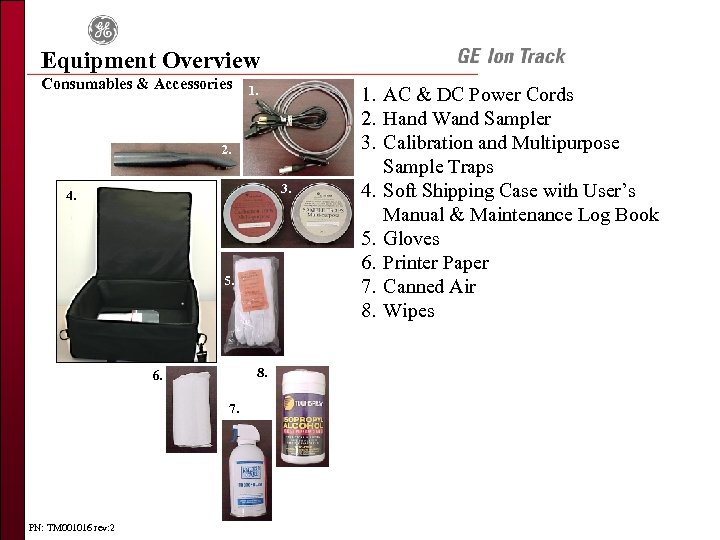 Equipment Overview Consumables & Accessories 1. 2. 3. 4. 5. 8. 6. 7. PN: TM 001016 rev: 2 1. AC & DC Power Cords 2. Hand Wand Sampler 3. Calibration and Multipurpose Sample Traps 4. Soft Shipping Case with User’s Manual & Maintenance Log Book 5. Gloves 6. Printer Paper 7. Canned Air 8. Wipes
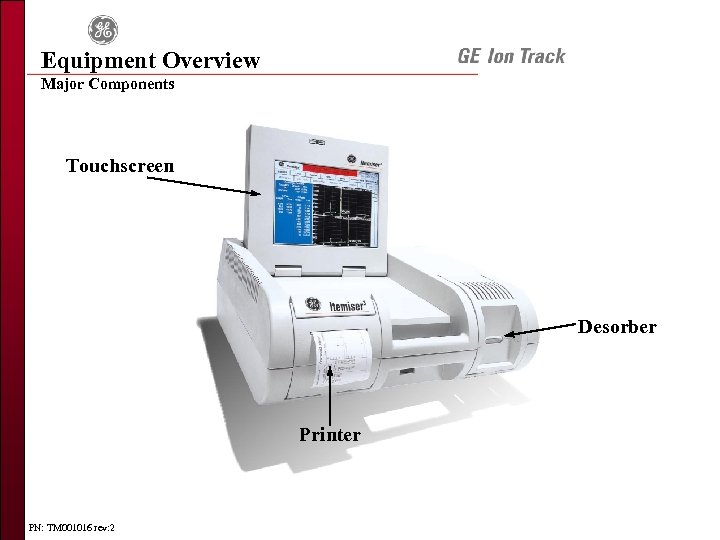 Equipment Overview Major Components Touchscreen Desorber Printer PN: TM 001016 rev: 2
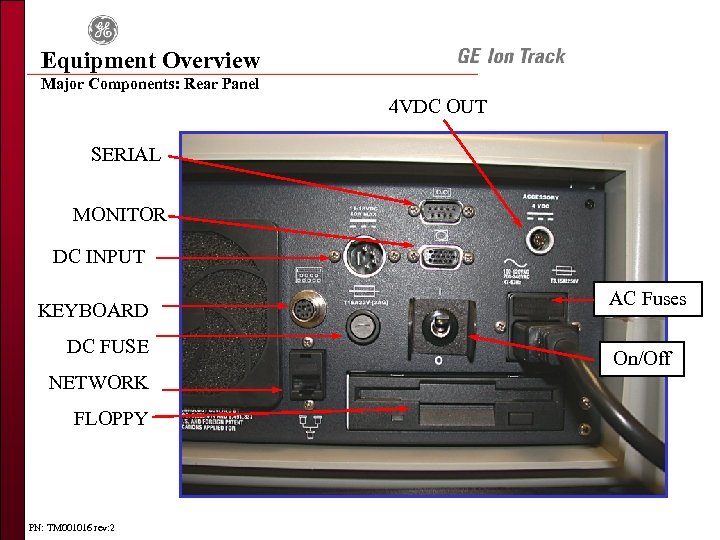 Equipment Overview Major Components: Rear Panel 4 VDC OUT SERIAL MONITOR DC INPUT KEYBOARD DC FUSE NETWORK FLOPPY PN: TM 001016 rev: 2 AC Fuses On/Off
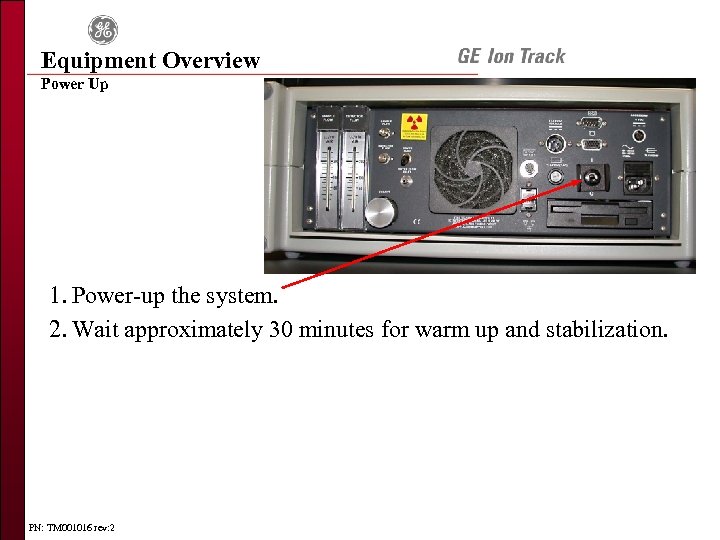 Equipment Overview Power Up 1. Power-up the system. 2. Wait approximately 30 minutes for warm up and stabilization. PN: TM 001016 rev: 2
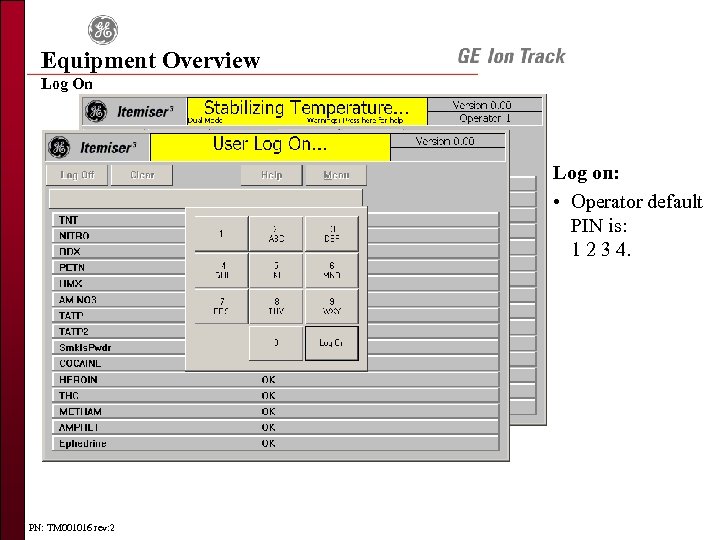 Equipment Overview Log On Log on: • Operator default PIN is: 1 2 3 4. PN: TM 001016 rev: 2
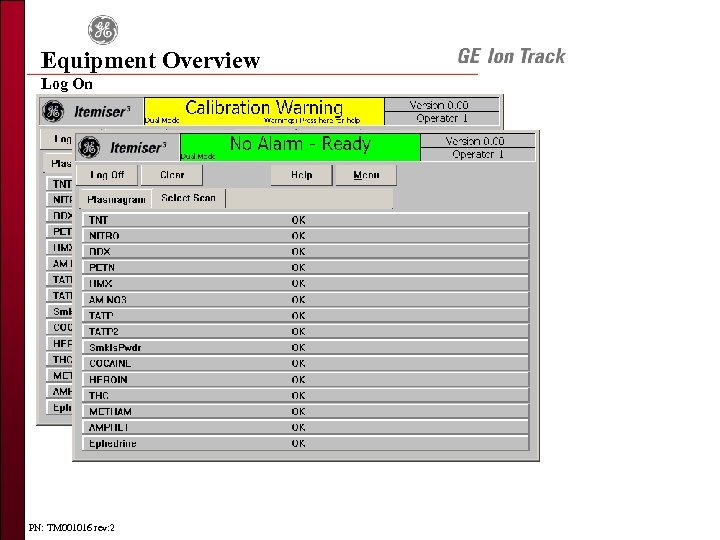 Equipment Overview Log On PN: TM 001016 rev: 2
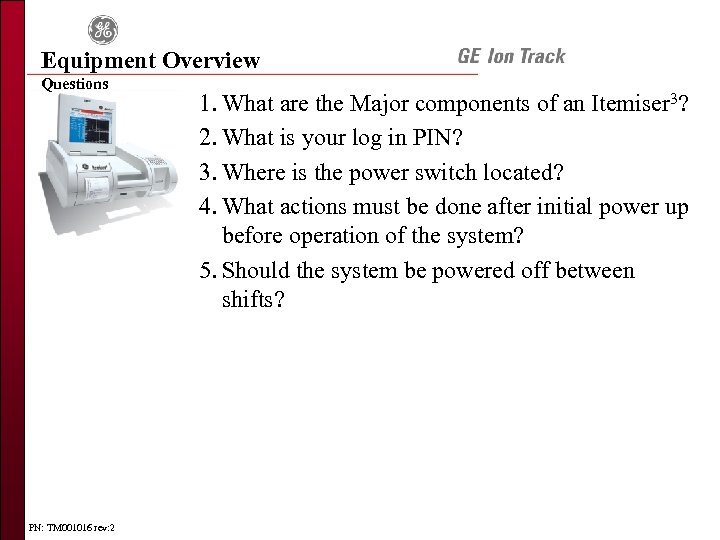 Equipment Overview Questions PN: TM 001016 rev: 2 1. What are the Major components of an Itemiser 3? 2. What is your log in PIN? 3. Where is the power switch located? 4. What actions must be done after initial power up before operation of the system? 5. Should the system be powered off between shifts?
 Calibration PN: TM 001016 rev: 2
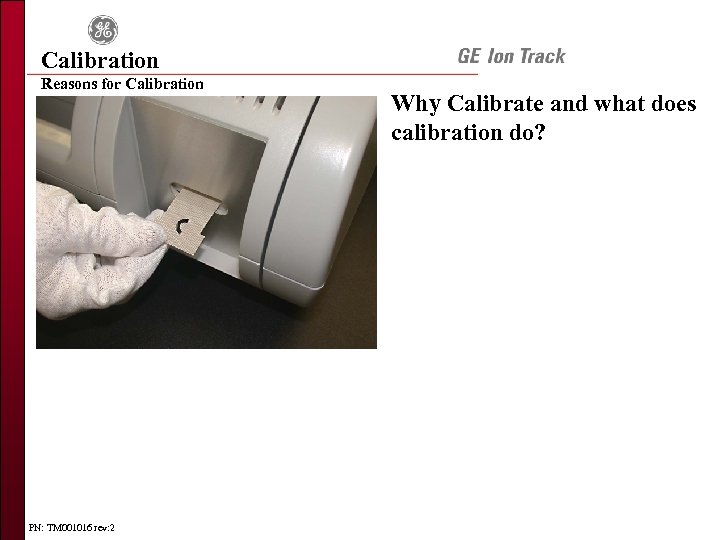 Calibration Reasons for Calibration PN: TM 001016 rev: 2 Why Calibrate and what does calibration do?
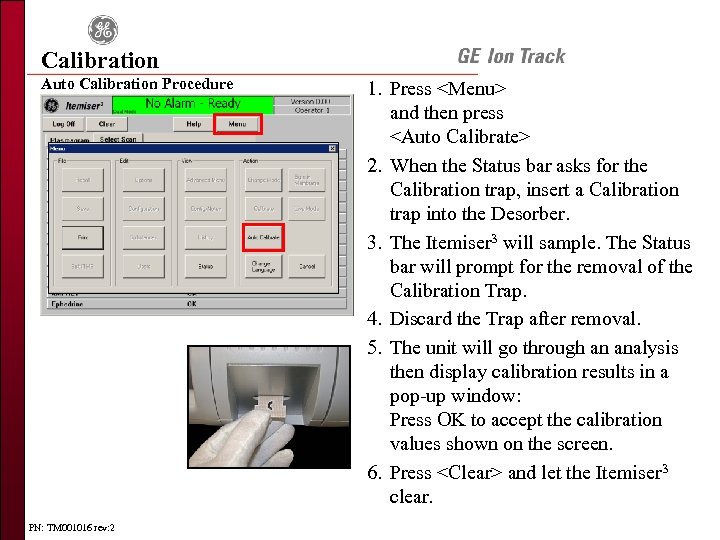 Calibration Auto Calibration Procedure PN: TM 001016 rev: 2 1. Press
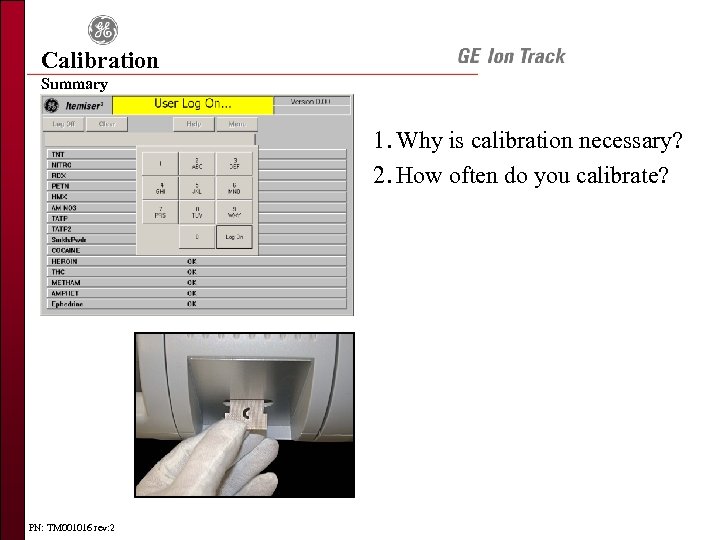 Calibration Summary 1. Why is calibration necessary? 2. How often do you calibrate? PN: TM 001016 rev: 2
 Sampling PN: TM 001016 rev: 2
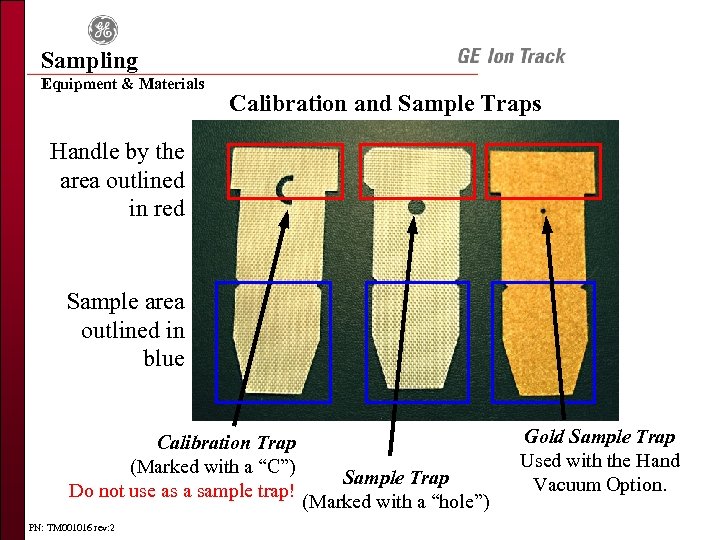 Sampling Equipment & Materials Calibration and Sample Traps Handle by the area outlined in red Sample area outlined in blue Calibration Trap (Marked with a “C”) Do not use as a sample trap! PN: TM 001016 rev: 2 Sample Trap (Marked with a “hole”) Gold Sample Trap Used with the Hand Vacuum Option.
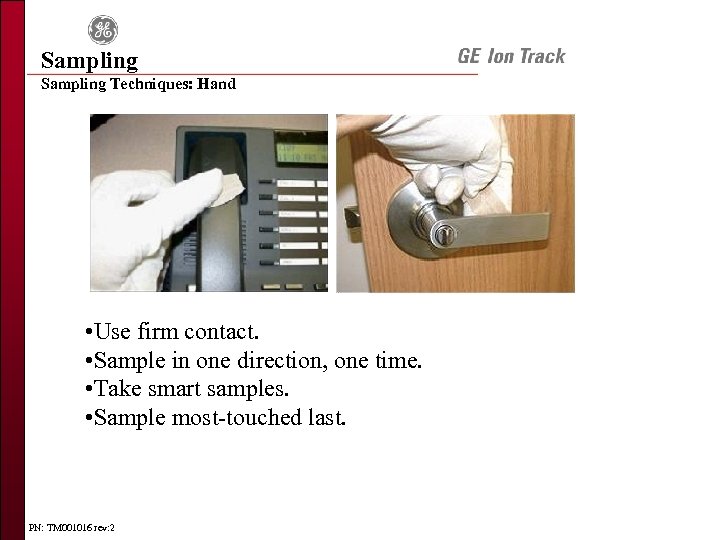 Sampling Techniques: Hand • Use firm contact. • Sample in one direction, one time. • Take smart samples. • Sample most-touched last. PN: TM 001016 rev: 2
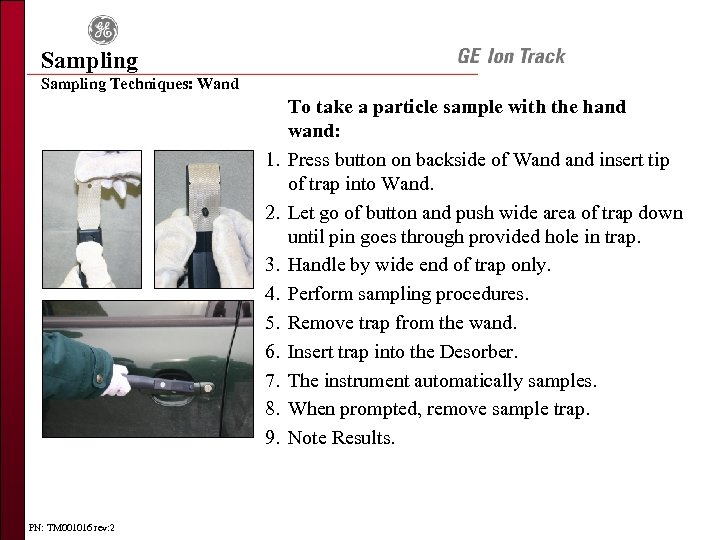 Sampling Techniques: Wand 1. 2. 3. 4. 5. 6. 7. 8. 9. PN: TM 001016 rev: 2 To take a particle sample with the hand wand: Press button on backside of Wand insert tip of trap into Wand. Let go of button and push wide area of trap down until pin goes through provided hole in trap. Handle by wide end of trap only. Perform sampling procedures. Remove trap from the wand. Insert trap into the Desorber. The instrument automatically samples. When prompted, remove sample trap. Note Results.
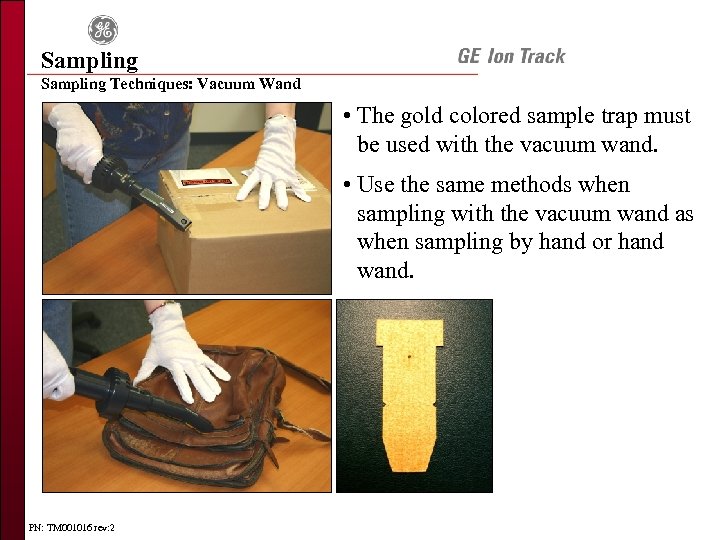 Sampling Techniques: Vacuum Wand • The gold colored sample trap must be used with the vacuum wand. • Use the same methods when sampling with the vacuum wand as when sampling by hand or hand wand. PN: TM 001016 rev: 2
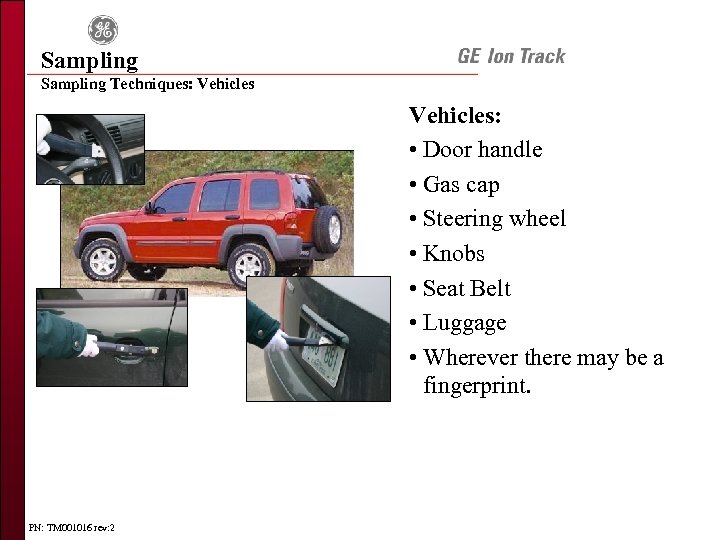 Sampling Techniques: Vehicles: • Door handle • Gas cap • Steering wheel • Knobs • Seat Belt • Luggage • Wherever there may be a fingerprint. PN: TM 001016 rev: 2
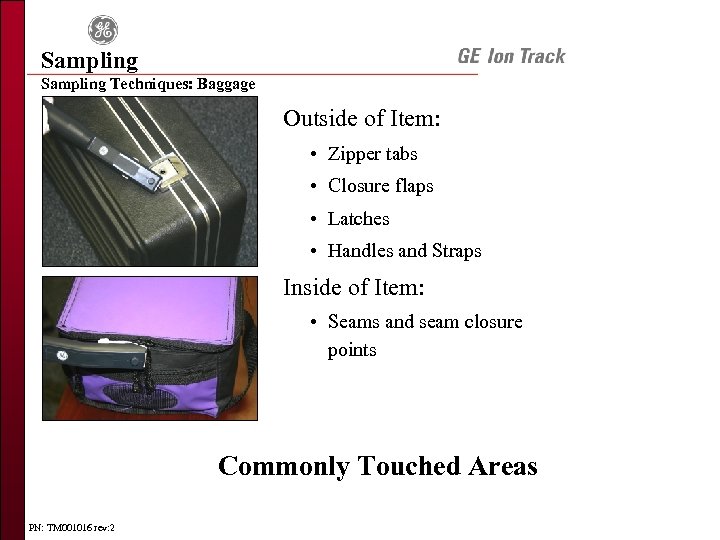 Sampling Techniques: Baggage Outside of Item: • Zipper tabs • Closure flaps • Latches • Handles and Straps Inside of Item: • Seams and seam closure points Commonly Touched Areas PN: TM 001016 rev: 2
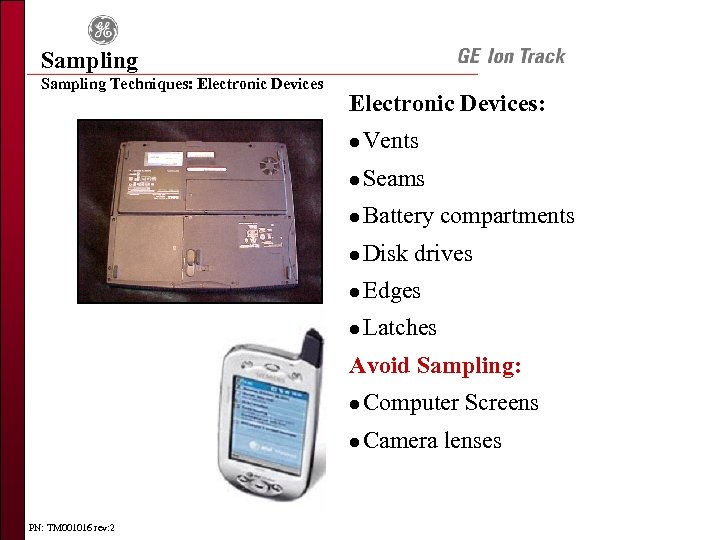 Sampling Techniques: Electronic Devices: l Vents l Seams l Battery compartments l Disk drives l Edges l Latches Avoid Sampling: l l PN: TM 001016 rev: 2 Computer Screens Camera lenses
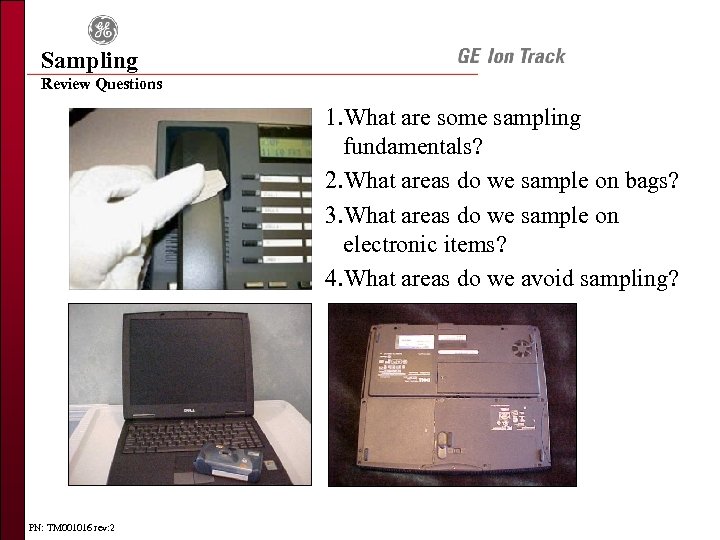 Sampling Review Questions 1. What are some sampling fundamentals? 2. What areas do we sample on bags? 3. What areas do we sample on electronic items? 4. What areas do we avoid sampling? PN: TM 001016 rev: 2
 Analysis PN: TM 001016 rev: 2
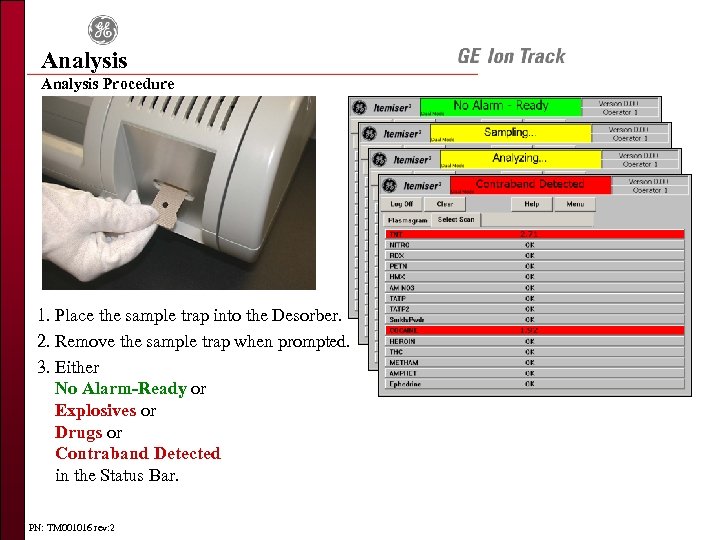 Analysis Procedure 1. Place the sample trap into the Desorber. 2. Remove the sample trap when prompted. 3. Either No Alarm-Ready or Explosives or Drugs or Contraband Detected in the Status Bar. PN: TM 001016 rev: 2
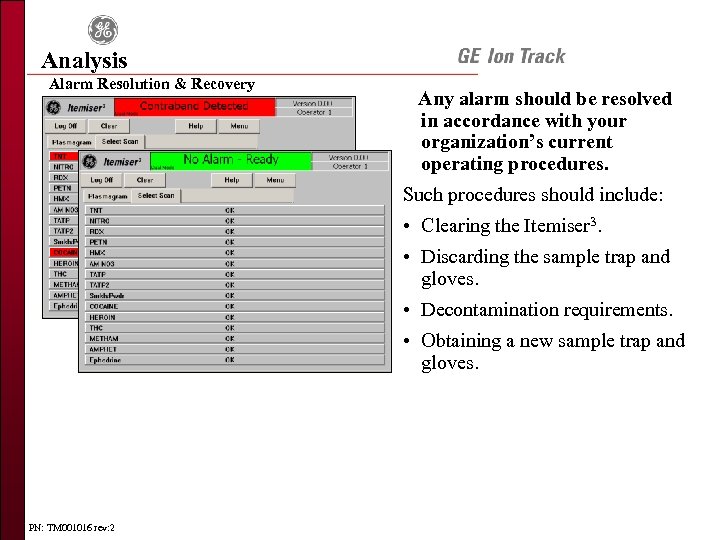 Analysis Alarm Resolution & Recovery Any alarm should be resolved in accordance with your organization’s current operating procedures. Such procedures should include: • Clearing the Itemiser 3. • Discarding the sample trap and gloves. • Decontamination requirements. • Obtaining a new sample trap and gloves. PN: TM 001016 rev: 2
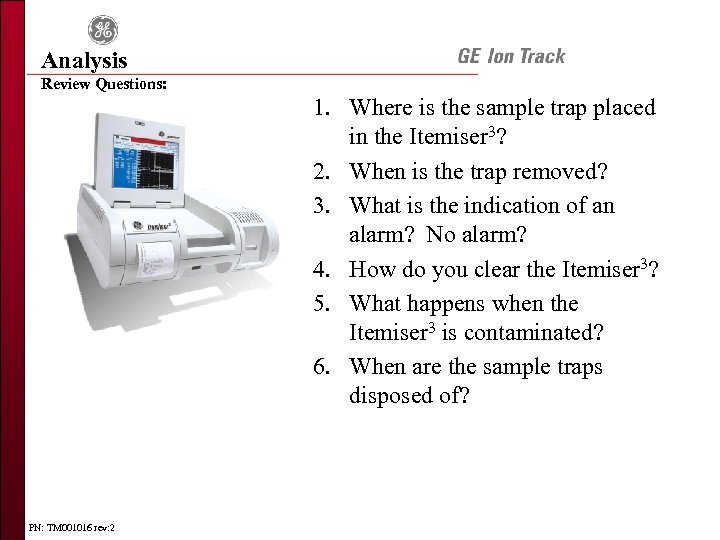 Analysis Review Questions: 1. Where is the sample trap placed in the Itemiser 3? 2. When is the trap removed? 3. What is the indication of an alarm? No alarm? 4. How do you clear the Itemiser 3? 5. What happens when the Itemiser 3 is contaminated? 6. When are the sample traps disposed of? PN: TM 001016 rev: 2
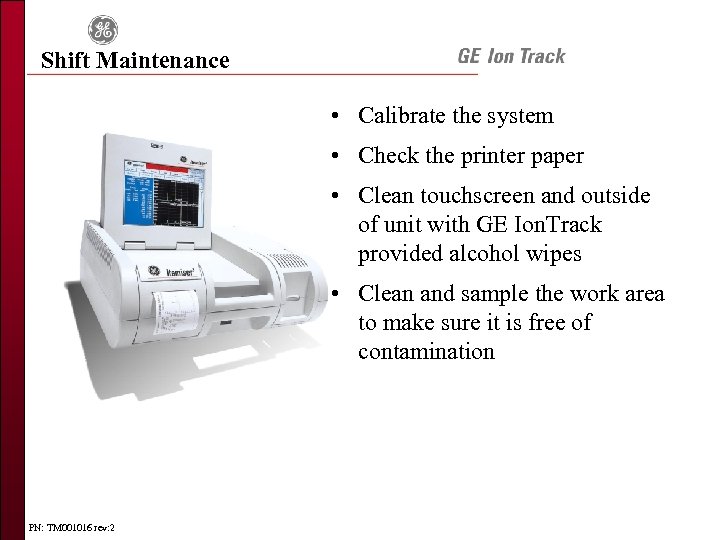 Shift Maintenance • Calibrate the system • Check the printer paper • Clean touchscreen and outside of unit with GE Ion. Track provided alcohol wipes • Clean and sample the work area to make sure it is free of contamination PN: TM 001016 rev: 2
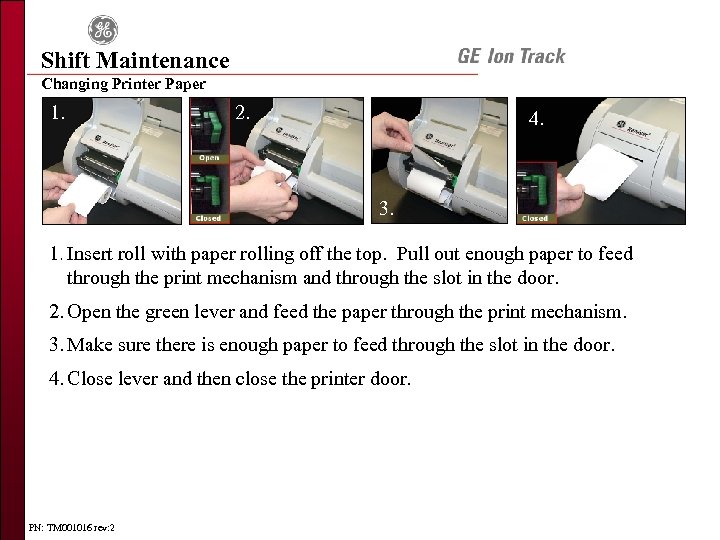 Shift Maintenance Changing Printer Paper 1. 2. 4. 3. 1. Insert roll with paper rolling off the top. Pull out enough paper to feed 5. through the print mechanism and through the slot in the door. 2. Open the green lever and feed the paper through the print mechanism. 3. Make sure there is enough paper to feed through the slot in the door. 4. Close lever and then close the printer door. PN: TM 001016 rev: 2
 Course Review • Trace Detection • Equipment Overview • Calibration • Sampling • Itemiser 3 Analysis • Shift Maintenance • Questions PN: TM 001016 rev: 2