 Скачать презентацию Operating systems Made by Rabayev Nartay Checked by
Operating.pptx
- Количество слайдов: 13



Operating systems Made by: Rabayev Nartay Checked by: Piriyev Elbrus
IOS & ANDROID
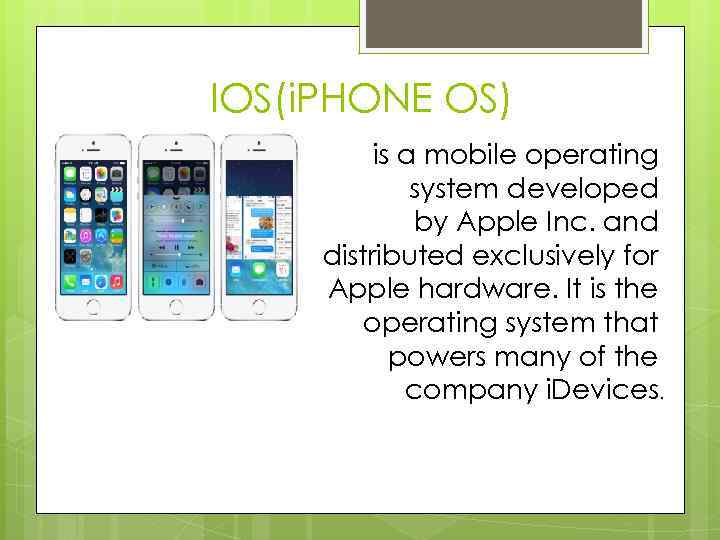
IOS(i. PHONE OS) is a mobile operating system developed by Apple Inc. and distributed exclusively for Apple hardware. It is the operating system that powers many of the company i. Devices.
ANDROID is a mobile operating system (OS) based on the Linux kernel and currently developed by Google. With a user interface based on direct manipulation, Android is designed primarily for touchscreen mobile devices such as smartphones and tablet computers, with specialized user interfaces for televisions (Android TV), cars (Android Auto), and wrist watches (Android Wear).
DIFFERENCES 1: Dimensions Apple boasted that the i. Phone 5 has increased from 3. 5 inches to 4 and Android 4, 3 -inch Droid RAZR M is considered as a "compact" phone, 4. 8 inch Galaxy S III - normal, and only 5, 5 inch Galaxy Note II large.
2: Attachments "Apple" doesn’t hurry to enter the controversial technology, which only develop. The company has just now included this "new-fangled thing" called "e -mail attachment" on your i. Phone 5. Android allows you to attach any files that you want to send by e-mail.
3: Mobile Payments If you have an i. Phone 5, you can just forget about using mobile payment systems that allow you to simply touch the reader to carry out the purchase. Latest on Android phones with support for NFC, can not only send payments, but also to share photos, contacts, videos and much more, simply by touching the phone to the other.
5: Copy files Try to connect your phone with Android to the computer and install it as a storage device. Did it work? You can have access to all files and folders in the same way as you browse a normal USB flash drive. So if you want to copy MP 3 or a Power. Point presentation on the phone with Android, you can simply drag and drop them. And what happens if you connect the i. Phone 5 to the computer? You get access to a digital camera folder (DCIM). And all you can do is drag and drop the photos. Yes, you can also throw the media files using the program ITunes, but you still can not see the rest of the files.
6: Keyboard The i. Phone 5, you can only use the virtual keyboard built into the IOS 6. If you are using Android, and you do not like the default keyboard, you can install a thirdparty virtual keyboard that you do nravyatsya. Nekotorye of the best keyboards Android technology include Swype, which You can print just one touch. Or application Swift. Key, which anticipates the next word in a sentence. Yes, you can generally pick up the phone, which has a real keyboard. For example, as in the Motorola Droid 4.
7 Tactile feedback Most Android phones offer additional tactile feedback that lets you get a noticeable vibration when you type while pressing or holding the buttons on the screen. Although some people do not like haptic feedback, vibration will give you a strong confirmation that your touch recognized, so you do not have to click twice. Unfortunately, with the i. Phone 5 you have no choice: a flat screen, which does not provide feedback.
8 Connectors If you love gadgets, surely you have a box, covered with all kinds of cables, USB. And if you can not pick up some - you can buy the right in almost any electronics store. If you are upgrading your old phone to the new, you can still use the same old wires and charging, because the micro-USB is already standard. In fact, the European Union requires that phone manufacturers have used a micro-USB connector for zaryadki. K Unfortunately, i. Phone 5 uses its own proprietary connector instead of the standard micro-USB, offering adapters for USB. But why not just use the micro-USB, as well as any other company?
9 Applications On Android, you can share your photos by simply clicking on the button Share. When you press you to choose from an extensive list of available services through which you can share with your friends. And the list rastet. Vmesto order to provide you with a choice, i. Phone 5 allows each application developer to create their own menu, which has a limited range of services. By default, Safari browser and Gallery IOS can "share the" only in Facebook, Twitter, email or through the exchange of messages. Google, Flickr, Pinterest, Google Talk and any of the 100 other services can not be used.
10 Stylus "If you see a stylus - throw it. " Something like Steve Jobs said when represented one of the first i. Phone. On the i. Phone 5 has not changed - it does not support pen input. Yes, you can buy third-party capacitive stylus that will work on the i. Phone 5, but they are still just sticks which only thinner your finger. Normally want to write notes as you do it on paper? On Android can. For example, Samsung Galaxy Note and LG Intuition. Both devices have large screens, active stylus pen and the deep integration of the operating system.
Скачать презентацию Operating systems Made by Rabayev Nartay Checked by
Operating.pptx