


 Скачать презентацию Operating Systems Certificate Program in Software Development CSE-TC
852d3480b926324026a89b476276a780.ppt
- Количество слайдов: 32
 Operating Systems Certificate Program in Software Development CSE-TC and CSIM, AIT September -- November, 2003 1. Introduction (Chapter 1, S&G) v Objectives – introduce Operating System (OS) principles OSes: 1. Intro 1
 Contents 1. What is an OS? 2. Some History – early systems, batch systems, multiprogramming, time-sharing, desktop systems 3. Recent Trends – multiprocessor systems, distributed, clustered, real-time, handheld, etc. OSes: 1. Intro 2
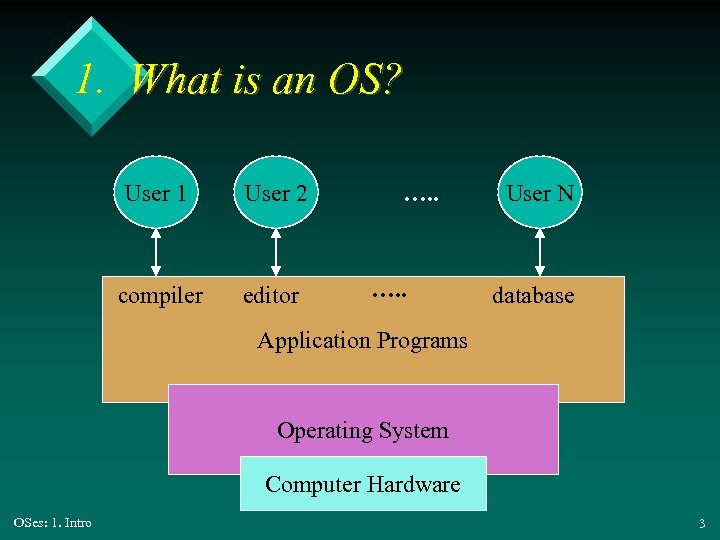 1. What is an OS? User 1 User 2 compiler editor …. . User N database Application Programs Operating System Computer Hardware OSes: 1. Intro 3
 Features v An OS is a program that acts as an intermediary between users and hardware – supports a high-level work environment – makes hardware convenient to use – makes efficient use of hardware v OS design goals are often contradictory OSes: 1. Intro continued 4
 v The OS manages resources – e. g. CPU time, memory, files, I/O devices – avoid bottlenecks – keeps the hardware busy v The OS controls – prevents users/programs adversely affecting the hardware or other users – the system should never crash OSes: 1. Intro 5
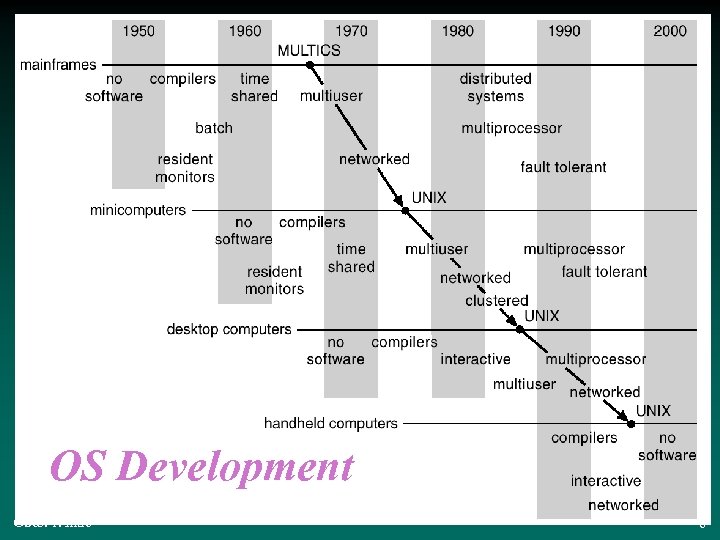 OS Development OSes: 1. Intro 6
 2. Some History v 2. 1. v 2. 2. v 2. 3. v 2. 4. v 2. 5. OSes: 1. Intro Early Systems Batch Systems Multiprogramming Batch Systems Time-Sharing Desktop Systems 7
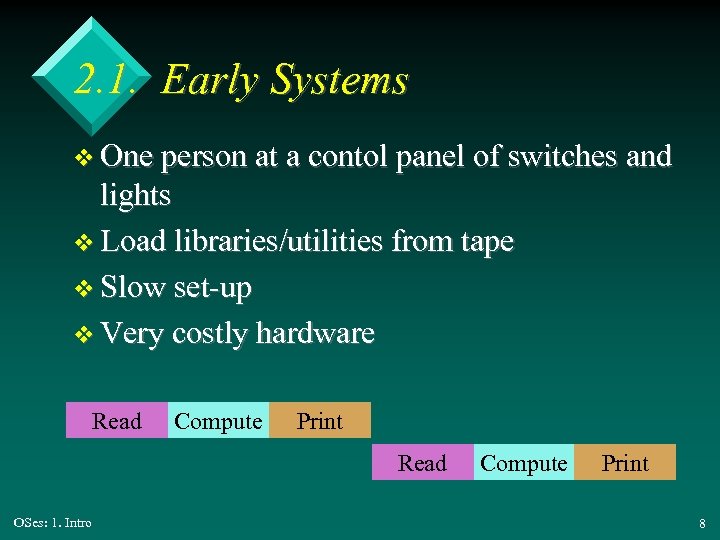 2. 1. Early Systems v One person at a contol panel of switches and lights v Load libraries/utilities from tape v Slow set-up v Very costly hardware Read Compute Print Read OSes: 1. Intro Compute Print 8
 2. 2. Batch Systems v Motivation: highly utilise the hardware – dedicated computer operator – card/tapes handed to the operator v Similar jobs were run in sequence (batched) – no machine/user interaction – errors were recorded as a printed core dump – very slow turnaround time (for users) OSes: 1. Intro 9
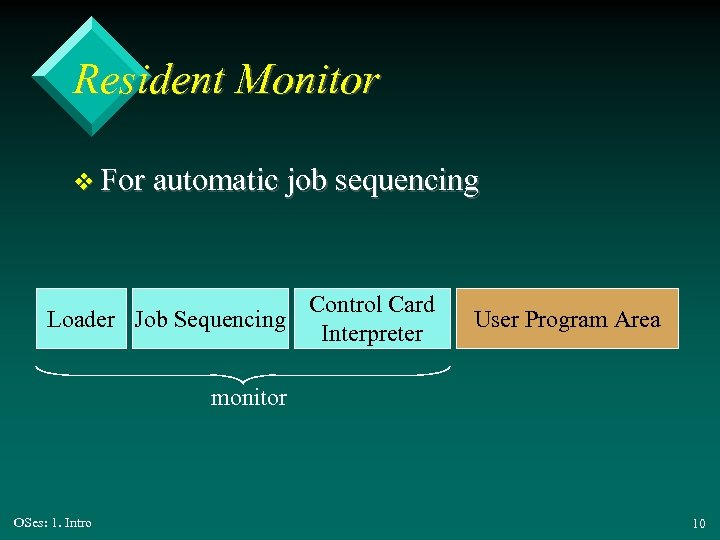 Resident Monitor v For automatic job sequencing Loader Job Sequencing Control Card Interpreter User Program Area monitor OSes: 1. Intro 10
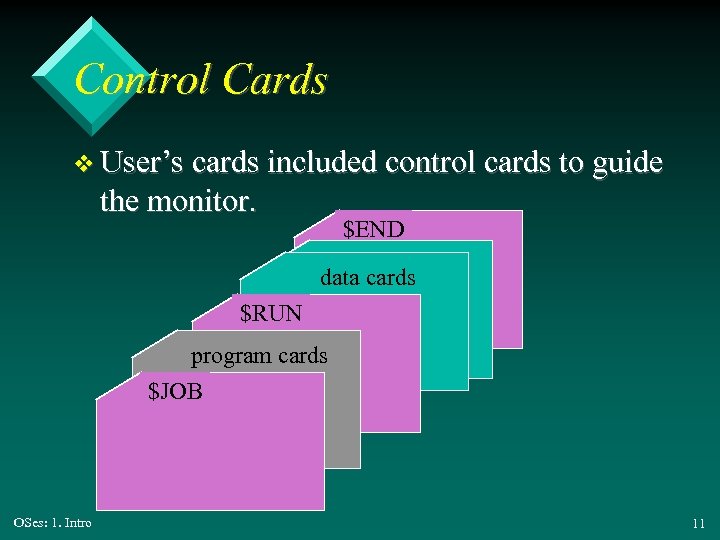 Control Cards v User’s cards included control cards to guide the monitor. $END data cards $RUN program cards $JOB OSes: 1. Intro 11
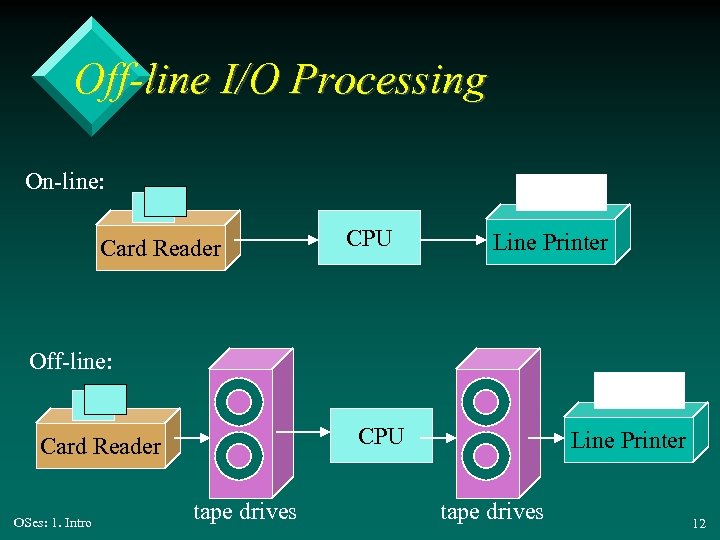 Off-line I/O Processing On-line: Card Reader CPU Line Printer Off-line: CPU Card Reader OSes: 1. Intro tape drives Line Printer tape drives 12
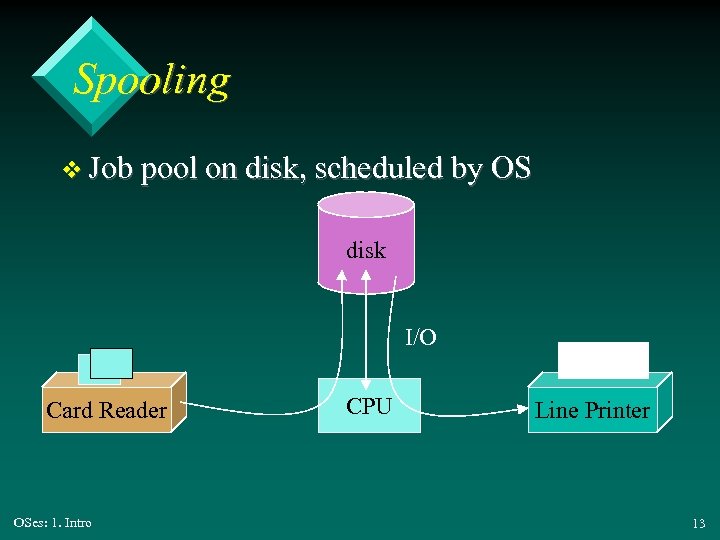 Spooling v Job pool on disk, scheduled by OS disk I/O Card Reader OSes: 1. Intro CPU Line Printer 13
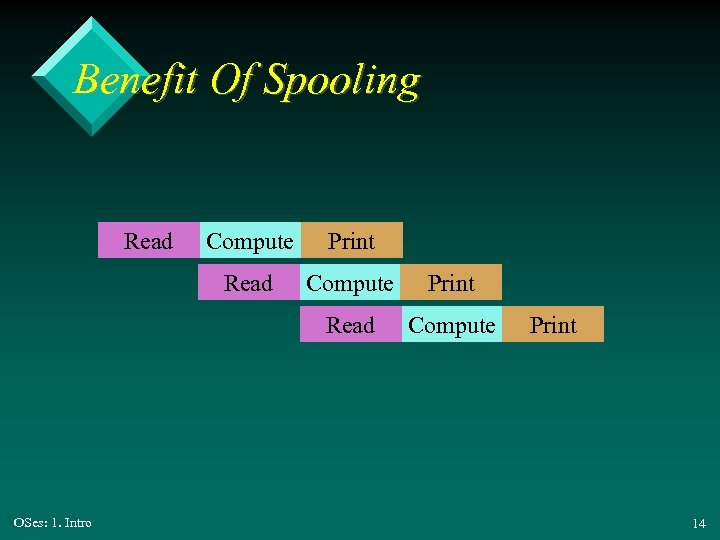 Benefit Of Spooling Read Print Read Compute Print Read OSes: 1. Intro Compute Print 14
 2. 3. Multiprogrammed Batch Systems v Have several jobs in memory at a time. v Multiprogramming allows the OS to switch to executing another job when the current one is suspended (e. g. waiting for user input). v The OS may also swap jobs to/from disk. v Requires CPU scheduling OSes: 1. Intro 15
 2. 4. Time-Sharing v Multiple jobs are executed by the CPU switching between them – as in multiprogramming v Difference is speed; the switching is so fast that users feel that their programs are always running. v Executing program is called a process. OSes: 1. Intro continued 16
 v Virtual memory – hides the distinction between memory and disk v Disk management v Concurrent execution requires fancy scheduling schemes v Job synchronisation, communication, deadlock avoidance OSes: 1. Intro 17
 2. 5. Desktop Systems v Personal computers – computer system dedicated to a single user v I/O devices – keyboards, mice, display screens, small printers v User convenience and responsiveness OSes: 1. Intro continued 18
 v Can adopt technology developed for larger operating system – sole use means less need for protection features v May run several different types of operating systems – e. g. Windows, Mac. OS, UNIX, Linux OSes: 1. Intro 19
 3. Recent Trends 3. 1. 3. 2. 3. 3. 3. 4. 3. 5. 3. 6. OSes: 1. Intro Multiprocessor Systems Distributed Systems Clustered Systems Real-time Systems Handheld Systems Computing Environments 20
 3. 1. Multiprocessor Systems v A system with more than 1 processor, but perhaps sharing computer bus, clock, memory and devices – tightly coupled systems v n processes = n times speed-up OSes: 1. Intro continued 21
 v Benefits: – save money on hardware – increased reliability (graceful degradation) v Two main types: – symmetric multiprocessing systems – asymmetric multiprocessing systems OSes: 1. Intro 22
 3. 1. 1. Symmetric Multiprocessing v Each processor runs an identical copy of the OS v Often in a master-slave configuration v Jobs/resources are shared dynamically for better load balancing OSes: 1. Intro 23
 3. 1. 2. Asymmetric Multiprocessing v Have dedicated processors for specific tasks – e. g. OSes: 1. Intro remote job entry (RJE), I/O terminal buffering 24
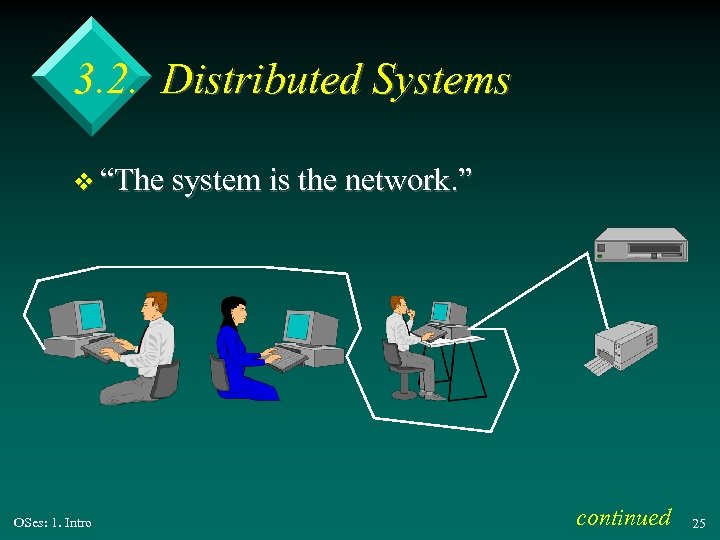 3. 2. Distributed Systems v “The system is the network. ” OSes: 1. Intro continued 25
 v Multiprocessors, but not sharing memory, clock, etc. – may be geographically separated – loosely coupled systems v Benefits: – resource sharing, speed-up, reliability – matches modern business practise OSes: 1. Intro 26
 3. 3. Clustered Systems v Clustering allows two or more systems to share storage. – provides high reliability v Asymmetric clustering – one host runs the application while others standby v Symmetric clustering – all hosts run the application OSes: 1. Intro 27
 3. 4. Real-time Systems v There are time constraints placed on operations/data flows which must be met. v Uses: – scientific experiments, medicine, industrial control systems, home appliances, weapons v Two types: OSes: 1. Intro – hard real-time systems – soft real-time systems 28
 3. 4. 1. Hard Real-time Systems v Critical tasks are guaranteed to be done on time. v Many useful hardware/OS features are missing since they make the time constraints too hard to satisfy – e. g. no secondary storage OSes: 1. Intro 29
 3. 4. 2. Soft Real-time Systems v Critical tasks are given priority, but their time constraints may not be met. v Weaker, but can be used alongside typical OS features v Applications: VR, multimedia OSes: 1. Intro 30
 3. 5. Handheld Systems v Personal Digital Assistants (PDAs) v Cellular telephones v Issues: – limited memory – slow processors – small display screens OSes: 1. Intro 31
 3. 6. Computing Environments v Changing environments are leading to changes in OS requirements – traditional – hand-held, mobile – Web-based – embedded, dedicated processors OSes: 1. Intro 32