


 Скачать презентацию Open standards in use in localisation — an
74798a53f1d10801822fe1e0a78d0524.ppt
- Количество слайдов: 25
 Open standards in use in localisation - an engineering approach Andrés Vega, LRC XIII Localisation 4 All, Dublin, Ireland 2 nd October 2008
 About the Author - Andrés Vega 8+ years of experience as a Localisation Engineer with Tek Translation International. Specializing in complex project engineering with special focus on CMS, encodings and complex scripts. Previous work as a programming languages teacher: OO programming, C and Java. Background in Chemistry and Healthcare.
 Agenda · Why Standards? · Unicode · Open. Type Fonts · XML · CMS · TMX · XLIFF · TBX and SRX · Final thoughts and Q&A
 Why Standards? · Allow faster technology development · Assembling standard components · Concentrating effort on specialisation · Increase competence, focused on features (not compatibility) · Facilitate inter-operability · Open standards allow information to be shared (Not locked on proprietary standards) · Complementary tools may be developed · Choose tool/resource for each job · Guarantee future compatibility · Provide conformance validation mechanisms · Standard verification serves as QA procedure
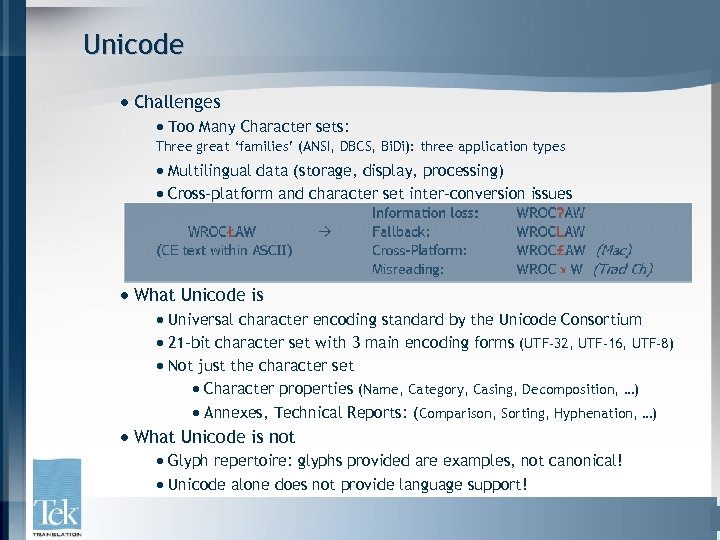 Unicode · Challenges · Too Many Character sets: Three great ‘families’ (ANSI, DBCS, Bi. Di): three application types · Multilingual data (storage, display, processing) · Cross-platform and character set inter-conversion issues · What Unicode is · Universal character encoding standard by the Unicode Consortium · 21 -bit character set with 3 main encoding forms (UTF-32, UTF-16, UTF-8) · Not just the character set · Character properties (Name, Category, Casing, Decomposition, …) · Annexes, Technical Reports: (Comparison, Sorting, Hyphenation, …) · What Unicode is not · Glyph repertoire: glyphs provided are examples, not canonical! · Unicode alone does not provide language support!
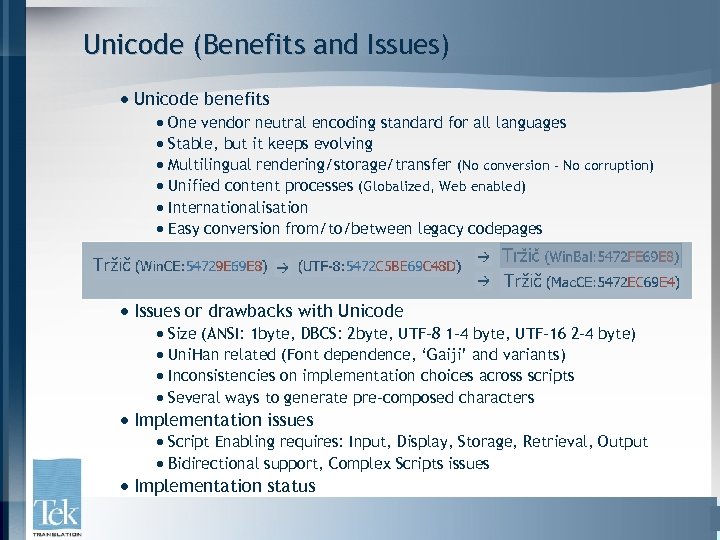 Unicode (Benefits and Issues) · Unicode benefits · One vendor neutral encoding standard for all languages · Stable, but it keeps evolving · Multilingual rendering/storage/transfer (No conversion - No corruption) · Unified content processes (Globalized, Web enabled) · Internationalisation · Easy conversion from/to/between legacy codepages · Issues or drawbacks with Unicode · Size (ANSI: 1 byte, DBCS: 2 byte, UTF-8 1 -4 byte, UTF-16 2 -4 byte) · Uni. Han related (Font dependence, ‘Gaiji’ and variants) · Inconsistencies on implementation choices across scripts · Several ways to generate pre-composed characters · Implementation issues · Script Enabling requires: Input, Display, Storage, Retrieval, Output · Bidirectional support, Complex Scripts issues · Implementation status
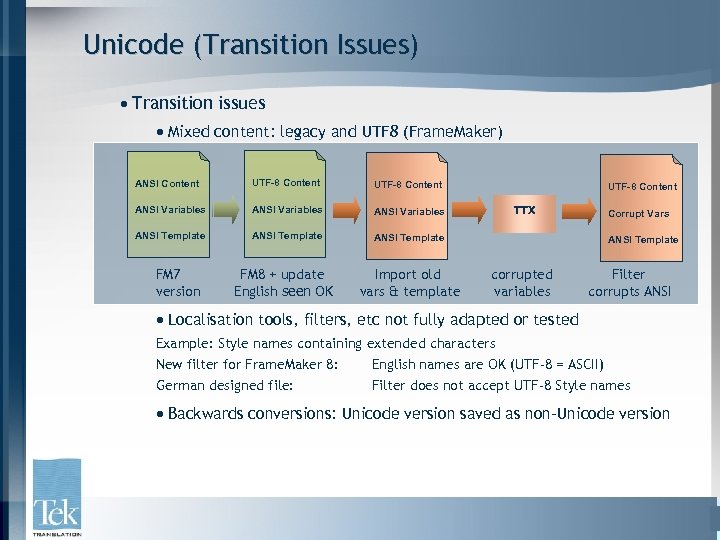 Unicode (Transition Issues) · Transition issues · Mixed content: legacy and UTF 8 (Frame. Maker) ANSI Content UTF-8 Content ANSI Variables ANSI Template FM 7 version FM 8 + update English seen OK Import old vars & template UTF-8 Content TTX Corrupt Vars ANSI Template corrupted variables Filter corrupts ANSI · Localisation tools, filters, etc not fully adapted or tested Example: Style names containing extended characters New filter for Frame. Maker 8: English names are OK (UTF-8 = ASCII) German designed file: Filter does not accept UTF-8 Style names · Backwards conversions: Unicode version saved as non-Unicode version
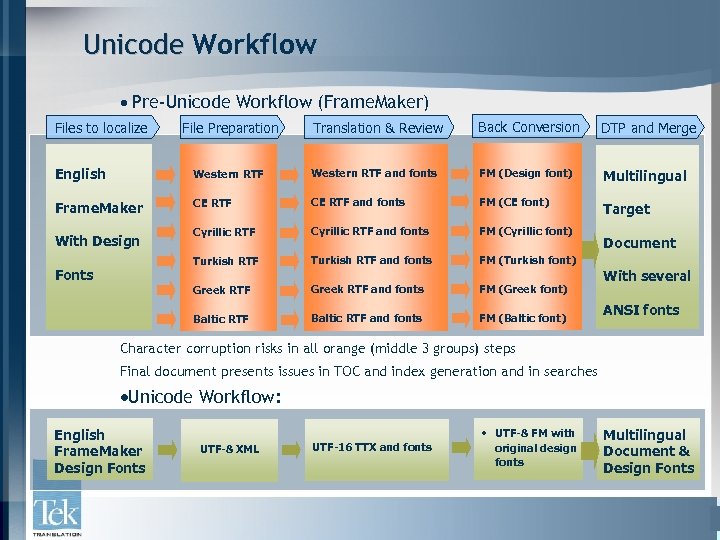 Unicode Workflow · Pre-Unicode Workflow (Frame. Maker) Files to localize File Preparation Translation & Review Back Conversion DTP and Merge English Western RTF and fonts FM (Design font) Multilingual Frame. Maker CE RTF and fonts FM (CE font) Target Cyrillic RTF and fonts FM (Cyrillic font) Turkish RTF and fonts FM (Turkish font) Greek RTF and fonts FM (Greek font) Baltic RTF and fonts FM (Baltic font) With Design Fonts Document With several ANSI fonts Character corruption risks in all orange (middle 3 groups) steps Final document presents issues in TOC and index generation and in searches ·Unicode Workflow: English Frame. Maker Design Fonts UTF-8 XML UTF-16 TTX and fonts • UTF-8 FM with original design fonts Multilingual Document & Design Fonts
 Open. Type fonts · Challenges · Two font families (True. Type and Post. Script), two font technologies · Inter-platform issues · Benefits of Open Type · Support large character sets (Unicode, multiscript) · Glyph variants supported: Solves Unicode Uni. Han ambiguities · Supports advanced typography · Font embedding control · Features · Contain both True. Type and Post. Script outline data · Glyph substitution · Glyph positioning · Script and language information
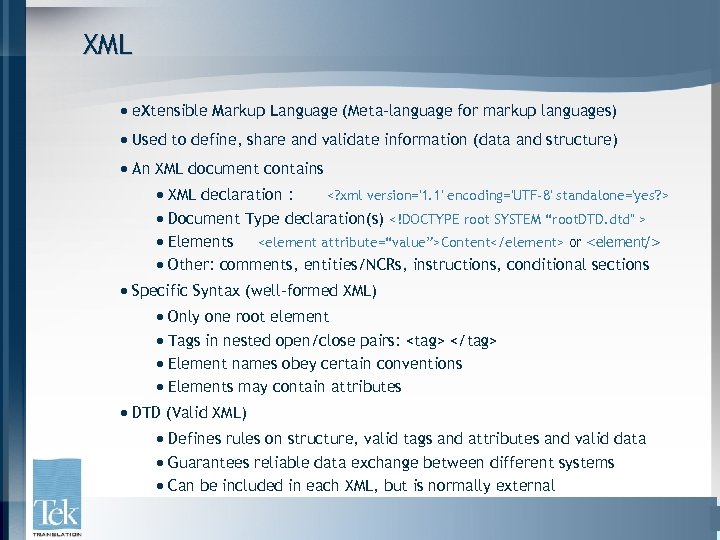 XML · e. Xtensible Markup Language (Meta-language for markup languages) · Used to define, share and validate information (data and structure) · An XML document contains · XML declaration : · Document Type declaration(s) · Elements
 XML (Benefits) · Benefits · Simple (XML is plain text) but can embed any content type · Platform independent, Unicode encoded · Content is easily validated cross-platform: data transfer is safer · Structured (defines structural relationships within data) · Open and Extensible well supported standard · Metadata and version control capable · Format independent · Powerful data transformation tools (XSL): Multiple outputs
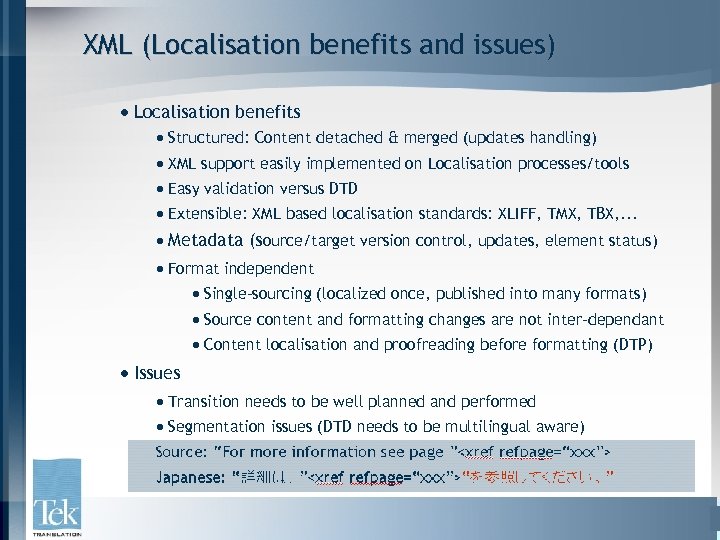 XML (Localisation benefits and issues) · Localisation benefits · Structured: Content detached & merged (updates handling) · XML support easily implemented on Localisation processes/tools · Easy validation versus DTD · Extensible: XML based localisation standards: XLIFF, TMX, TBX, . . . · Metadata (source/target version control, updates, element status) · Format independent · Single-sourcing (localized once, published into many formats) · Source content and formatting changes are not inter-dependant · Content localisation and proofreading before formatting (DTP) · Issues · Transition needs to be well planned and performed · Segmentation issues (DTD needs to be multilingual aware)
 CMS · What are Content Management Systems? · Set of tools configured around a data repository (database) · Designed to manage information in small meaningful bits · Information is isolated from format · Have workflow capabilities, version control and change tracking · Store localized content layers (as other alternative content layers) · General benefits · Granularity (no redundancy) · Reuse (content reuse and multi output) · Improved Quality and Consistency · Single-source and multi-publishing · Easy rebranding/reformatting · Metadata info and version control · Workflow and Automation · Localisation benefits · Workflow status control features · Localisation of updates via content deltas: improved time-to-market · Localisation independent from output format (better matching)
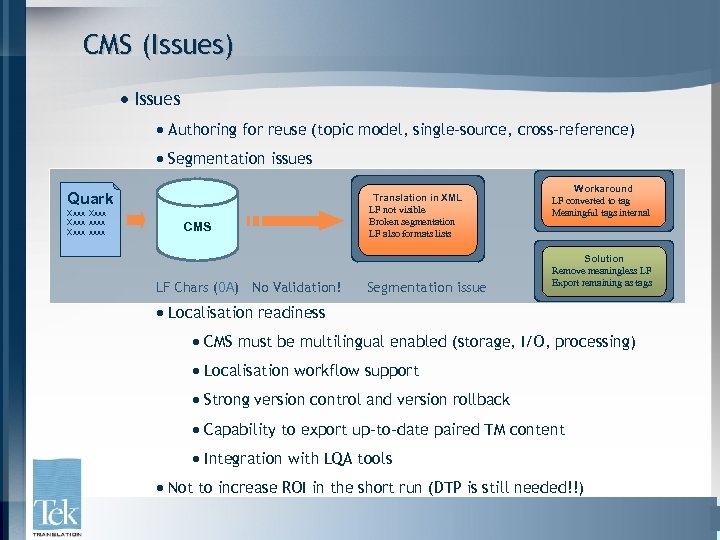 CMS (Issues) · Issues · Authoring for reuse (topic model, single-source, cross-reference) · Segmentation issues Quark Xxxx xxxx CMS LF Chars (0 A) No Validation! Translation in XML LF not visible Broken segmentation LF also formats lists Segmentation issue Workaround LF converted to tag Meaningful tags internal Solution Remove meaningless LF Export remaining as tags · Localisation readiness · CMS must be multilingual enabled (storage, I/O, processing) · Localisation workflow support · Strong version control and version rollback · Capability to export up-to-date paired TM content · Integration with LQA tools · Not to increase ROI in the short run (DTP is still needed!!)
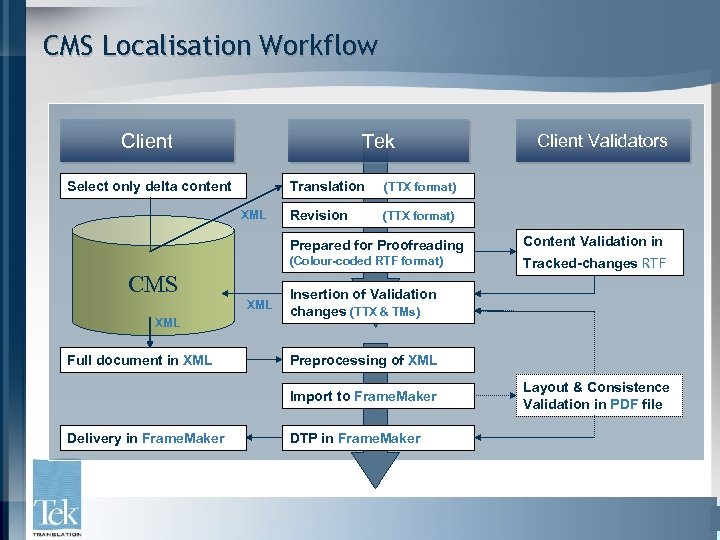 CMS Localisation Workflow Tek Client Select only delta content Translation XML (TTX format) Revision Client Validators (TTX format) Prepared for Proofreading (Colour-coded RTF format) CMS XML Full document in XML Content Validation in Tracked-changes RTF Insertion of Validation changes (TTX & TMs) Preprocessing of XML Import to Frame. Maker Delivery in Frame. Maker DTP in Frame. Maker Layout & Consistence Validation in PDF file
 TMX · What is TMX? · Translation Memory e. Xchange · Standard by LISA (Localisation Standards Industry Association) · Provides a standard method for TM data description · XML-compliant (validated against its TMX DTD) · Uses other ISO standards for date, time, lang, country · Consists of · Container format specification · Translation unit elements
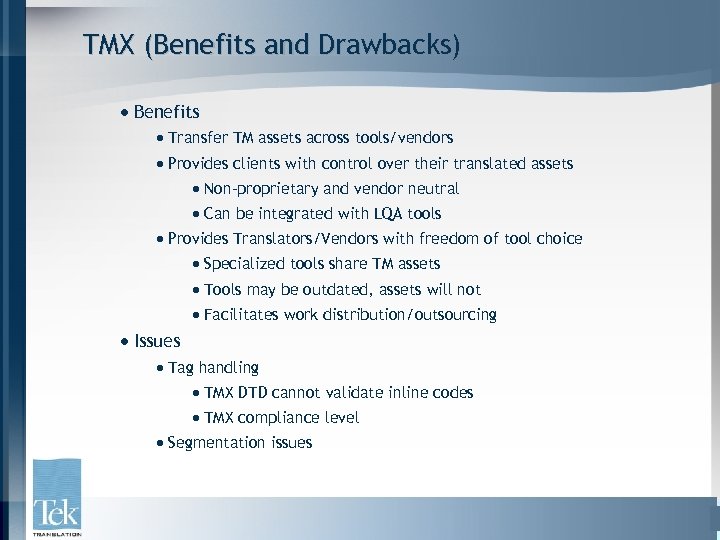 TMX (Benefits and Drawbacks) · Benefits · Transfer TM assets across tools/vendors · Provides clients with control over their translated assets · Non-proprietary and vendor neutral · Can be integrated with LQA tools · Provides Translators/Vendors with freedom of tool choice · Specialized tools share TM assets · Tools may be outdated, assets will not · Facilitates work distribution/outsourcing · Issues · Tag handling · TMX DTD cannot validate inline codes · TMX compliance level · Segmentation issues
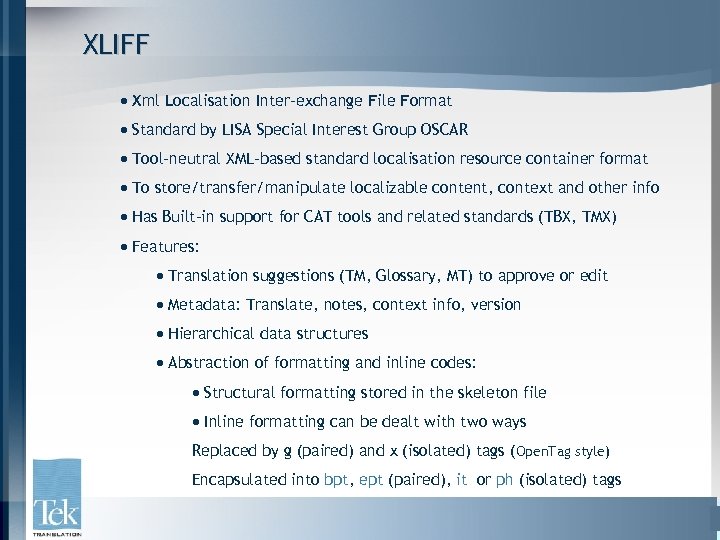 XLIFF · Xml Localisation Inter-exchange File Format · Standard by LISA Special Interest Group OSCAR · Tool-neutral XML-based standard localisation resource container format · To store/transfer/manipulate localizable content, context and other info · Has Built-in support for CAT tools and related standards (TBX, TMX) · Features: · Translation suggestions (TM, Glossary, MT) to approve or edit · Metadata: Translate, notes, context info, version · Hierarchical data structures · Abstraction of formatting and inline codes: · Structural formatting stored in the skeleton file · Inline formatting can be dealt with two ways Replaced by g (paired) and x (isolated) tags (Open. Tag style) Encapsulated into bpt, ept (paired), it or ph (isolated) tags
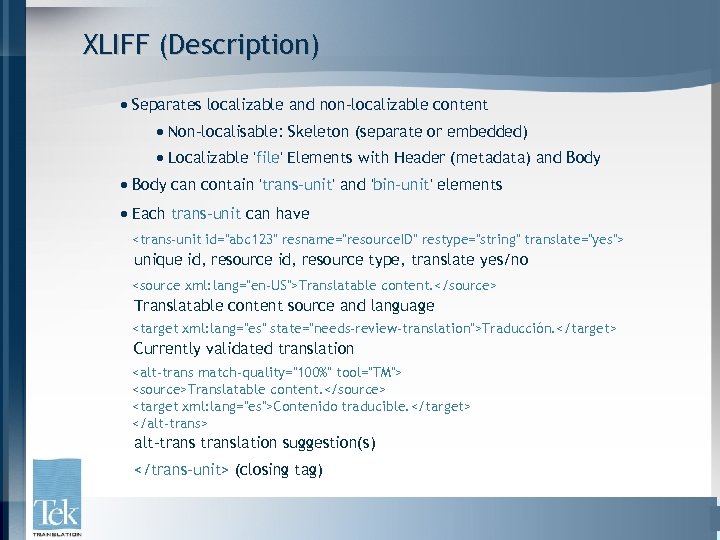 XLIFF (Description) · Separates localizable and non-localizable content · Non-localisable: Skeleton (separate or embedded) · Localizable 'file' Elements with Header (metadata) and Body · Body can contain 'trans-unit' and 'bin-unit' elements · Each trans-unit can have
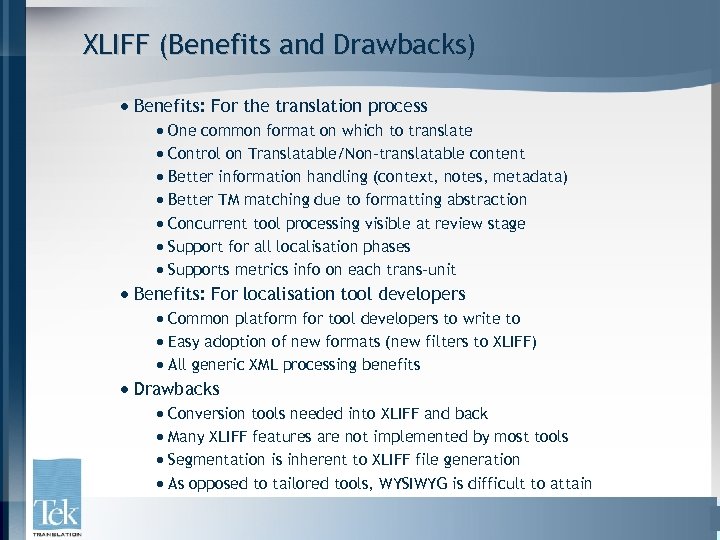 XLIFF (Benefits and Drawbacks) · Benefits: For the translation process · One common format on which to translate · Control on Translatable/Non-translatable content · Better information handling (context, notes, metadata) · Better TM matching due to formatting abstraction · Concurrent tool processing visible at review stage · Support for all localisation phases · Supports metrics info on each trans-unit · Benefits: For localisation tool developers · Common platform for tool developers to write to · Easy adoption of new formats (new filters to XLIFF) · All generic XML processing benefits · Drawbacks · Conversion tools needed into XLIFF and back · Many XLIFF features are not implemented by most tools · Segmentation is inherent to XLIFF file generation · As opposed to tailored tools, WYSIWYG is difficult to attain
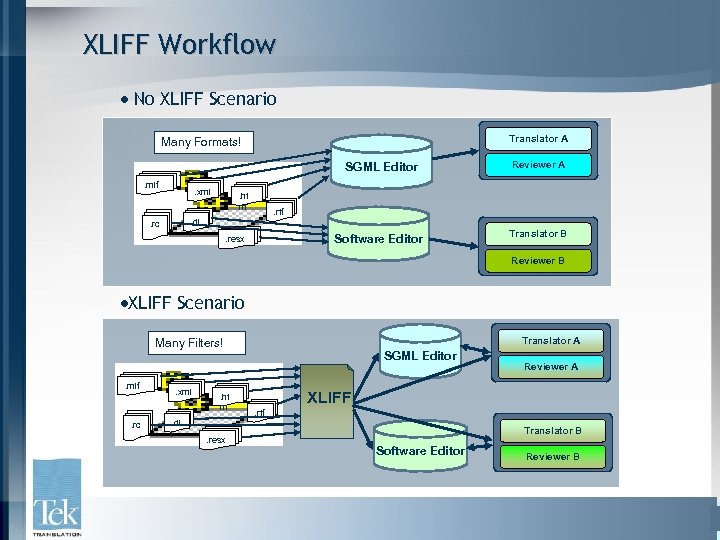 XLIFF Workflow · No XLIFF Scenario Translator A Many Formats! SGML Editor. mif . xml. dl l . rc Software Editor . ht m Reviewer A Translator B . rtf . resx Reviewer B ·XLIFF Scenario Translator A Many Filters! SGML Editor. mif . rc . xml. dl l . ht m . resx Reviewer A XLIFF. rtf Translator B Software Editor Reviewer B
 Other LISA standards: TBX, SRX TBX · What is TBX? · Term Base e. Xchange standard by LISA · XML based, vendor-neutral, open standard · Benefits · Better control of terminology (source consistency) · Reduced glossarisation effort (localisation phase) · Platform and tool independent glossaries (global consistency) ·Current status · TBX Basic (Lighter approach) · TBX Checker SRX · What is SRX? · Segmentation Rules e. Xchange format · Describes how localisation tools segment text for processing · Benefits · Standardises segmentation process (avoid segmentation issues)
 Final Thoughts Unicode · Use Always: If tool does not support it, convert at end stage XML · Powerful for single-source, multi-output requirements CMS · Costly. Depends on volume. First consider XML model, then migrate TMX · Use for safe TM tool to tool transfer, specially software into doc XLIFF · Not fully implemented. Good alternative for Java or Web content. · Use it to unify side processes (LQA) TBX · Use to exchange glossary info. Good for clients SRX · Very much need but lacks implementation.
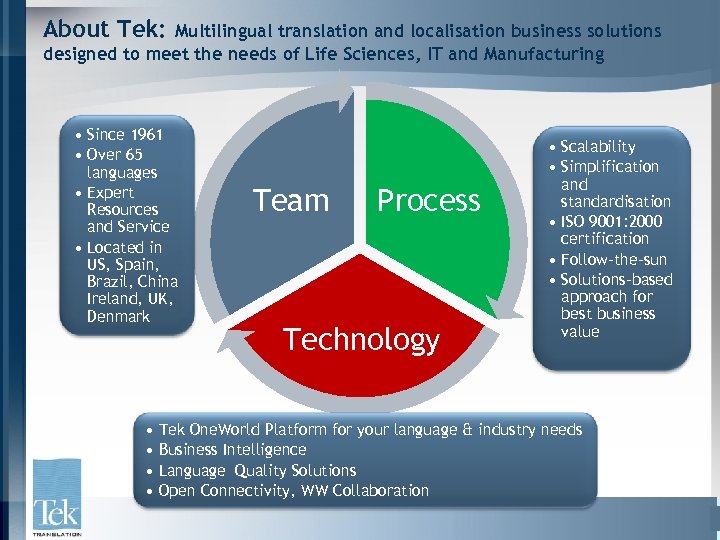 About Tek: Multilingual translation and localisation business solutions designed to meet the needs of Life Sciences, IT and Manufacturing • Since 1961 • Over 65 languages • Expert Resources and Service • Located in US, Spain, Brazil, China Ireland, UK, Denmark Team Process Technology • Scalability • Simplification and standardisation • ISO 9001: 2000 certification • Follow-the-sun • Solutions-based approach for best business value • Tek One. World Platform for your language & industry needs • Business Intelligence • Language Quality Solutions • Open Connectivity, WW Collaboration
 Thank You Q&A Andrés Vega Muñoz Localisation Engineer Tek Translation International Email: av@tektrans. com www. tektrans. com