


 Скачать презентацию Open-source Single Sign-On with CAS Central Authentication Service
b9525a4736943abb6e0ae579ded4f1a8.ppt
- Количество слайдов: 37
 Open-source Single Sign-On with CAS (Central Authentication Service) Pascal Aubry, Vincent Mathieu & Julien Marchal Copyright © 2004 -2005 – ESUP-Portail consortium
 Open-source Single Sign-On with CAS • Single Sign-On – Why SSO? – The main principles of web SSO – The choice of CAS • CAS (Central Authentication Service) – How does it work? – How to CAS-ify applications • Web applications • Non-web applications • Limits • The effort of the ESUP-Portail consortium around CAS • Perspectives
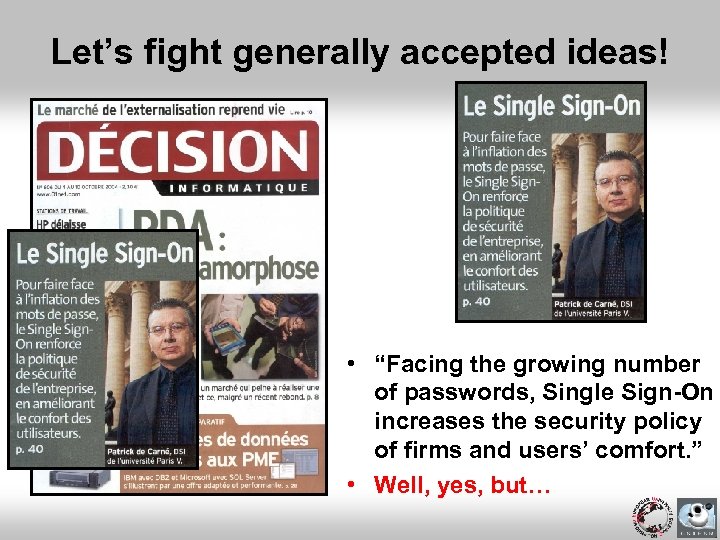 Let’s fight generally accepted ideas! • “Facing the growing number of passwords, Single Sign-On increases the security policy of firms and users’ comfort. ” • Well, yes, but…
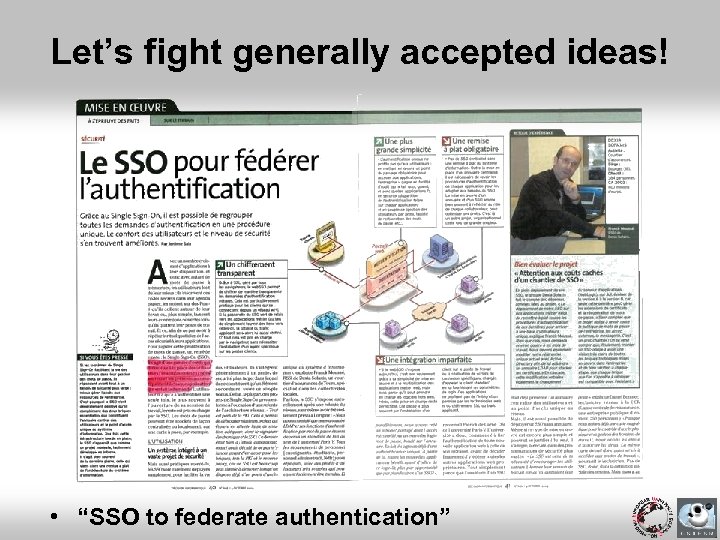 Let’s fight generally accepted ideas! • “SSO to federate authentication”
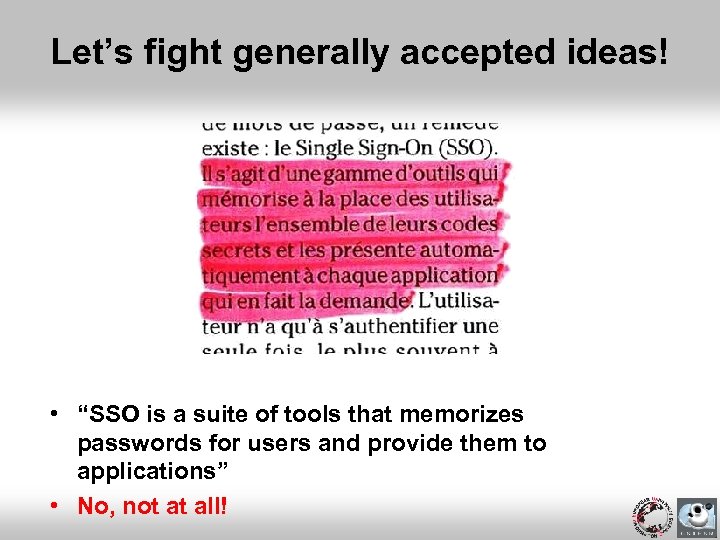 Let’s fight generally accepted ideas! • “SSO is a suite of tools that memorizes passwords for users and provide them to applications” • No, not at all!
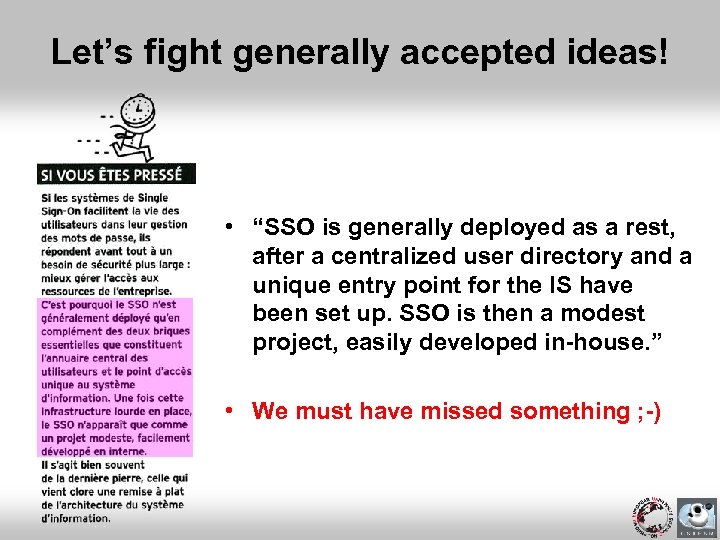 Let’s fight generally accepted ideas! • “SSO is generally deployed as a rest, after a centralized user directory and a unique entry point for the IS have been set up. SSO is then a modest project, easily developed in-house. ” • We must have missed something ; -)
 Why Single Sign-On? • Unique accounts but several authentications – Each time users access an application • Security (password stealing) – Protect password transmission – Do not transmit passwords to applications • Simplify applications • Delegate developments without delegating authentication • Abstract authentication – LDAP, NIS, database, NT, Active Directory, X 509 certificates, …
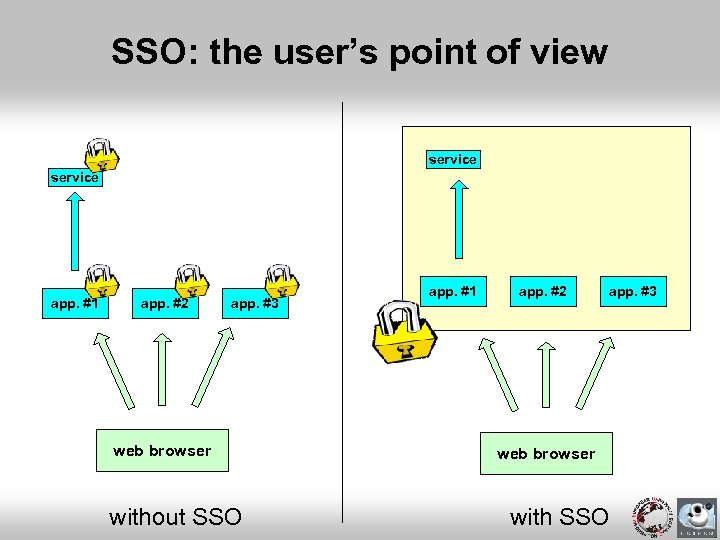 SSO: the user’s point of view service app. #1 app. #2 app. #3 web browser without SSO app. #1 app. #2 app. #3 web browser with SSO
 SSO: principles on the web • Authentication is centralized – One (redundant) authentication server • Transparent HTTP redirections – From applications to the authentication server (when not authenticated) – From the authentication server to applications (when authenticated) • Tokens propagate identities – Cookies, CGI parameters
 CAS: why did we choose it? • Security – Password is never transmitted to applications – Opaque tickets are used • N-tier installations – Without transmitting any password! • Portability (client libraries) – Java, Perl, JSP, ASP, PHP, PL/SQL, Apache and PAM modules • Permanence – Developed by Yale University – World-wide used (mainly Universities) – Adopted by all the French educational community • J 2 EE platform – Very light code (about 1000 lines) • Open source • Integrated into u. Portal
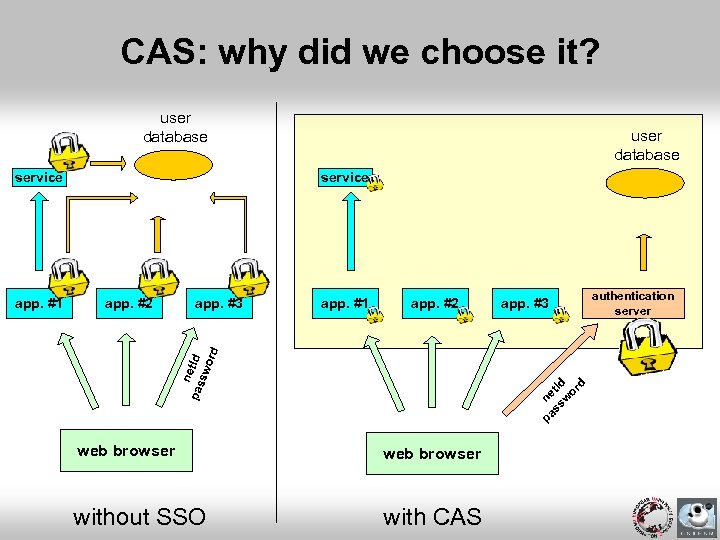 CAS: why did we choose it? user database service app. #2 app. #3 app. #1 app. #2 app. #3 pa ne ss t. Id w or d n pas et. Id sw ord app. #1 user database web browser without SSO with CAS authentication server
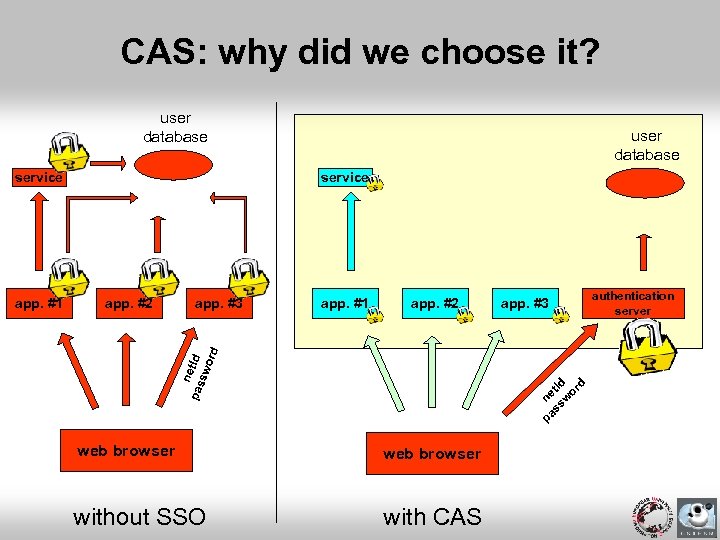 CAS: why did we choose it? user database service app. #2 app. #3 app. #1 app. #2 app. #3 pa ne ss t. Id w or d n pas et. Id sw ord app. #1 user database web browser without SSO with CAS authentication server
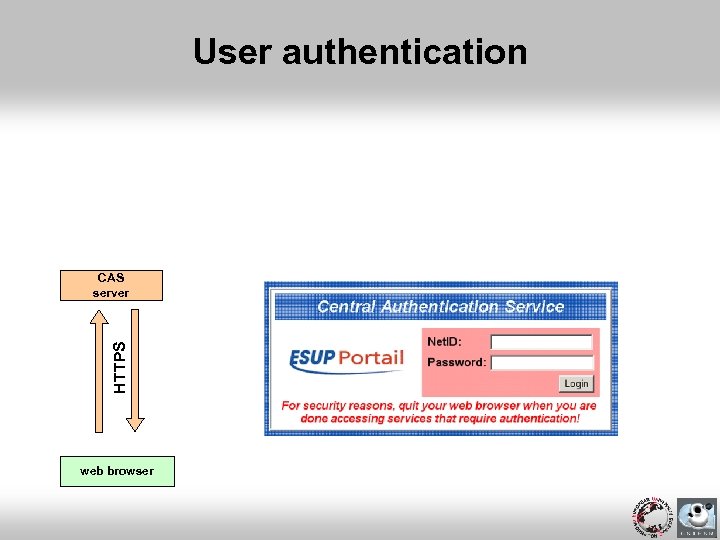 User authentication HTTPS CAS server web browser
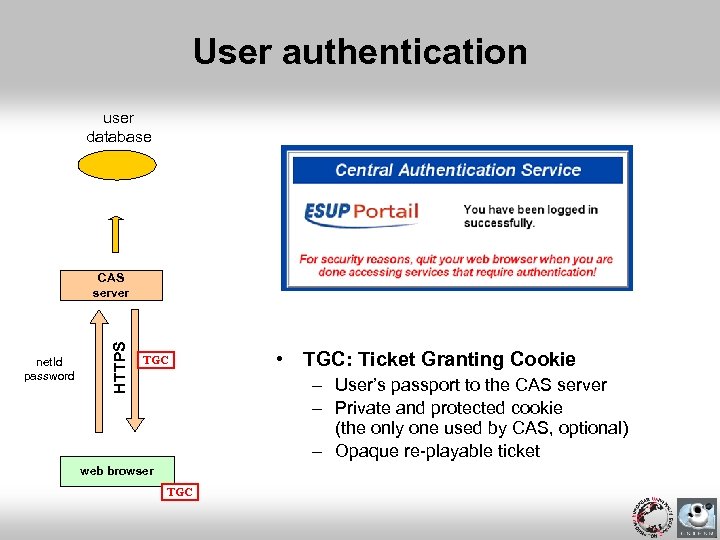 User authentication user database net. Id password HTTPS CAS server TGC • TGC: Ticket Granting Cookie – User’s passport to the CAS server – Private and protected cookie (the only one used by CAS, optional) – Opaque re-playable ticket web browser TGC
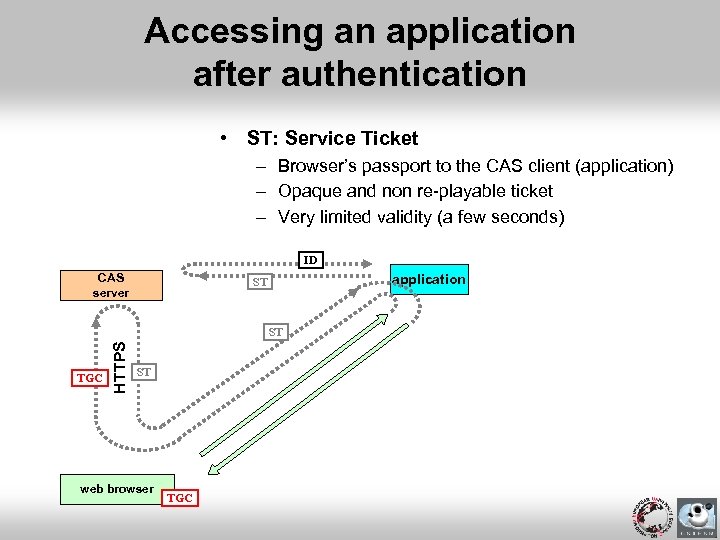 Accessing an application after authentication • ST: Service Ticket – Browser’s passport to the CAS client (application) – Opaque and non re-playable ticket – Very limited validity (a few seconds) ID CAS server application ST TGC HTTPS ST ST web browser TGC
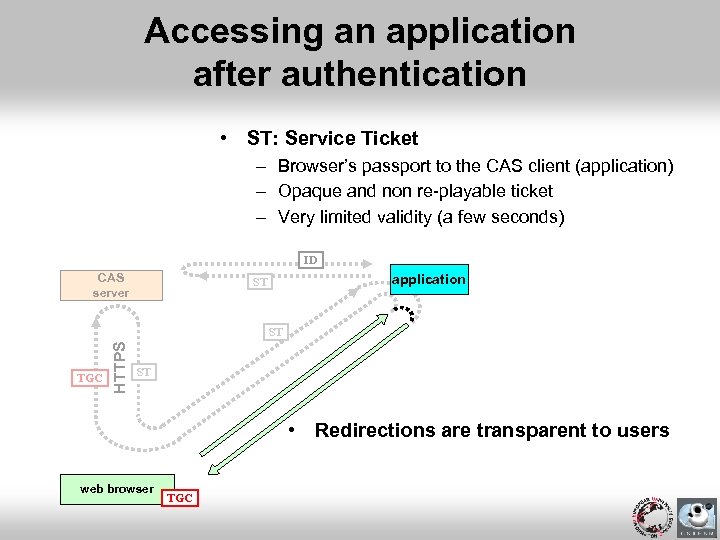 Accessing an application after authentication • ST: Service Ticket – Browser’s passport to the CAS client (application) – Opaque and non re-playable ticket – Very limited validity (a few seconds) ID CAS server application ST TGC HTTPS ST ST • Redirections are transparent to users web browser TGC
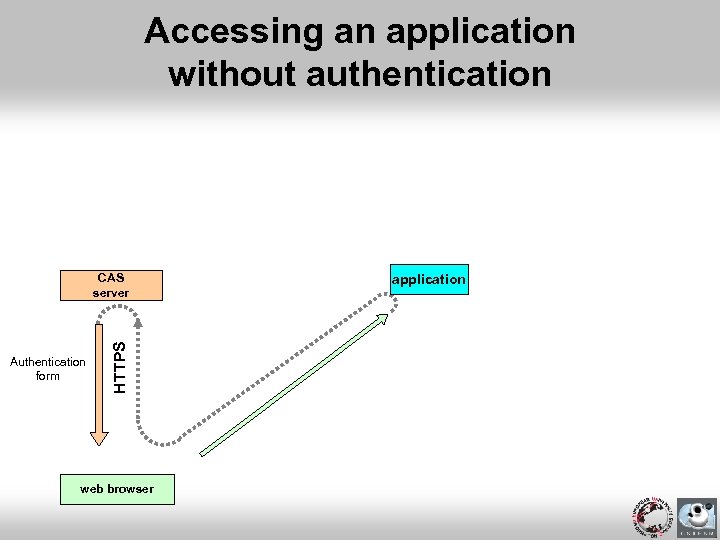 Accessing an application without authentication Authentication form HTTPS CAS server web browser application
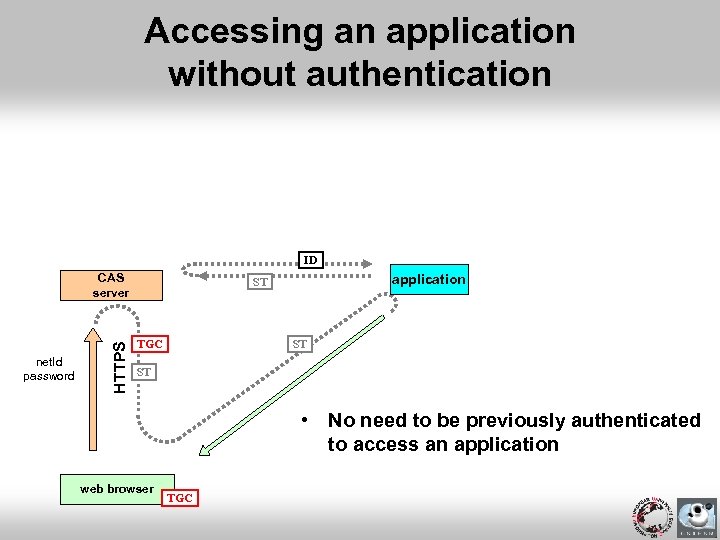 Accessing an application without authentication ID net. Id password HTTPS CAS server application ST TGC ST ST • No need to be previously authenticated to access an application web browser TGC
 Remarks • Once a TGC acquired, authentication is transparent for the access to any CAS-ified application of the workspace • Once authenticated by an application, a session should be used between the browser and the application
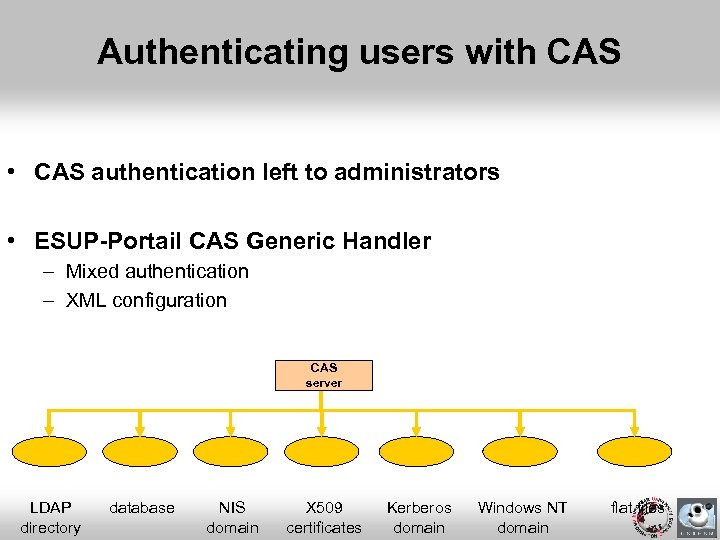 Authenticating users with CAS • CAS authentication left to administrators • ESUP-Portail CAS Generic Handler – Mixed authentication – XML configuration CAS server LDAP directory database NIS domain X 509 certificates Kerberos domain Windows NT domain flat files
 CAS-ifying a web application • Use provided libraries • Add a few lines of code • Note: you can also protect static resources – With mod_cas, an Apache module
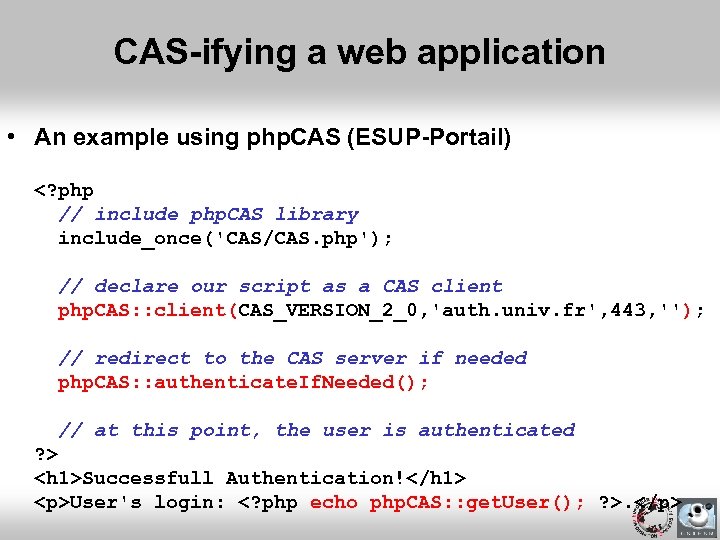 CAS-ifying a web application • An example using php. CAS (ESUP-Portail)
User's login: .
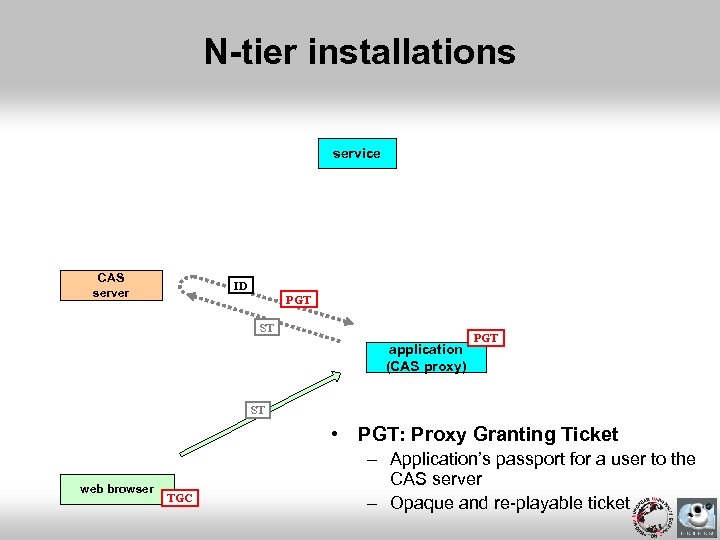 N-tier installations service CAS server ID PGT ST application (CAS proxy) PGT ST • PGT: Proxy Granting Ticket web browser TGC – Application’s passport for a user to the CAS server – Opaque and re-playable ticket
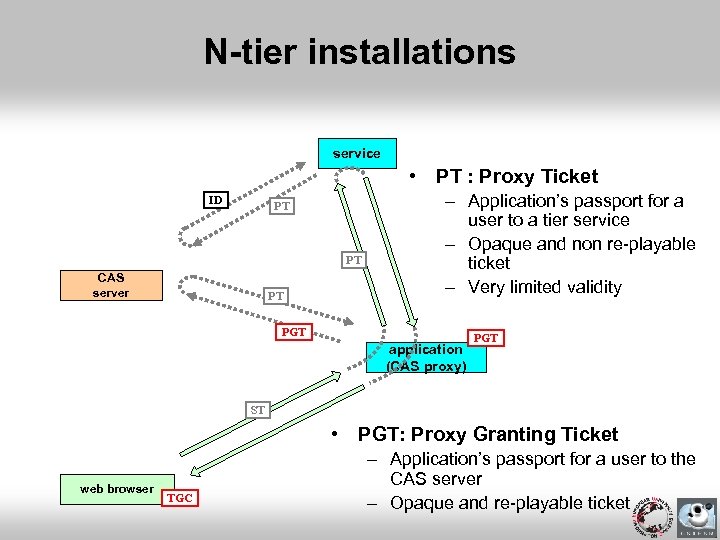 N-tier installations service • PT : Proxy Ticket ID PT PT CAS server PT – Application’s passport for a user to a tier service – Opaque and non re-playable ticket – Very limited validity PGT application (CAS proxy) PGT ST • PGT: Proxy Granting Ticket web browser TGC – Application’s passport for a user to the CAS server – Opaque and re-playable ticket
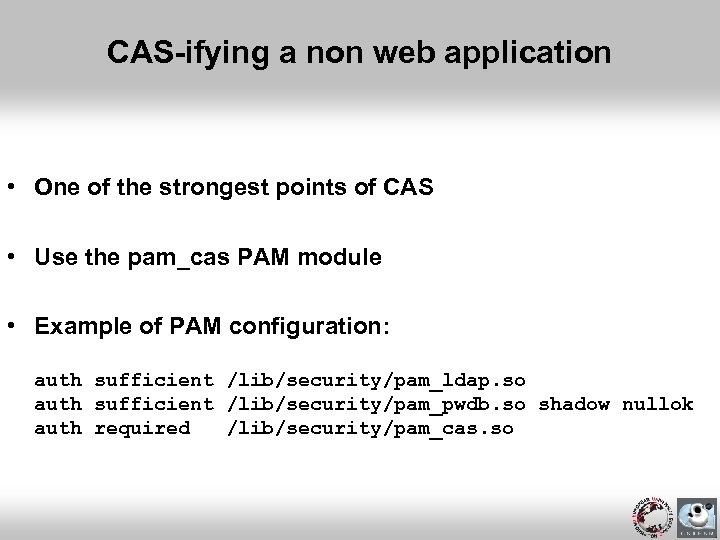 CAS-ifying a non web application • One of the strongest points of CAS • Use the pam_cas PAM module • Example of PAM configuration: auth sufficient /lib/security/pam_ldap. so auth sufficient /lib/security/pam_pwdb. so shadow nullok auth required /lib/security/pam_cas. so
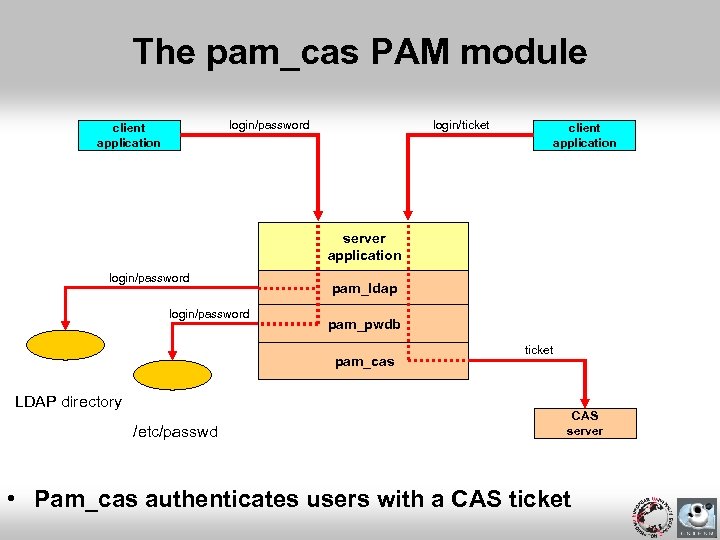 The pam_cas PAM module login/ticket login/password client application server application login/password pam_ldap pam_pwdb pam_cas LDAP directory /etc/passwd ticket CAS server • Pam_cas authenticates users with a CAS ticket
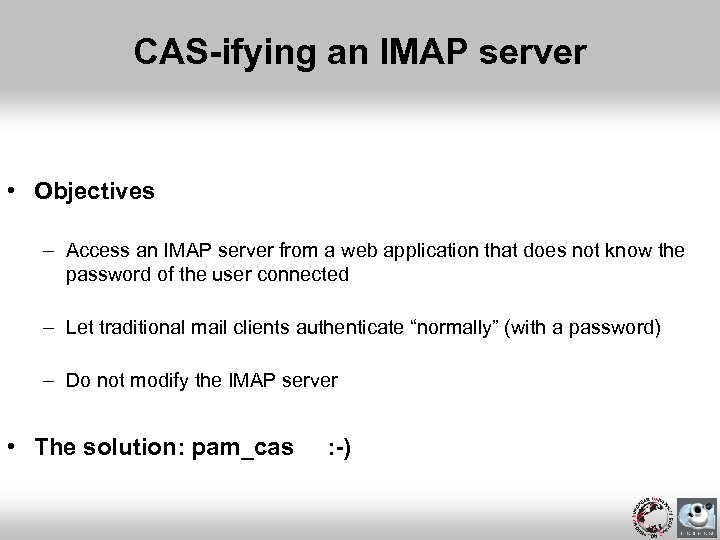 CAS-ifying an IMAP server • Objectives – Access an IMAP server from a web application that does not know the password of the user connected – Let traditional mail clients authenticate “normally” (with a password) – Do not modify the IMAP server • The solution: pam_cas : -)
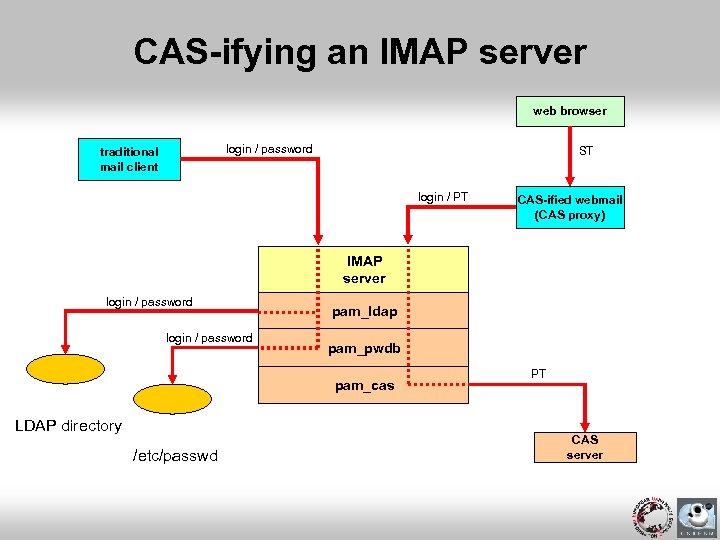 CAS-ifying an IMAP server web browser login / password traditional mail client ST login / PT CAS-ified webmail (CAS proxy) IMAP server login / password pam_ldap pam_pwdb pam_cas LDAP directory /etc/passwd PT CAS server
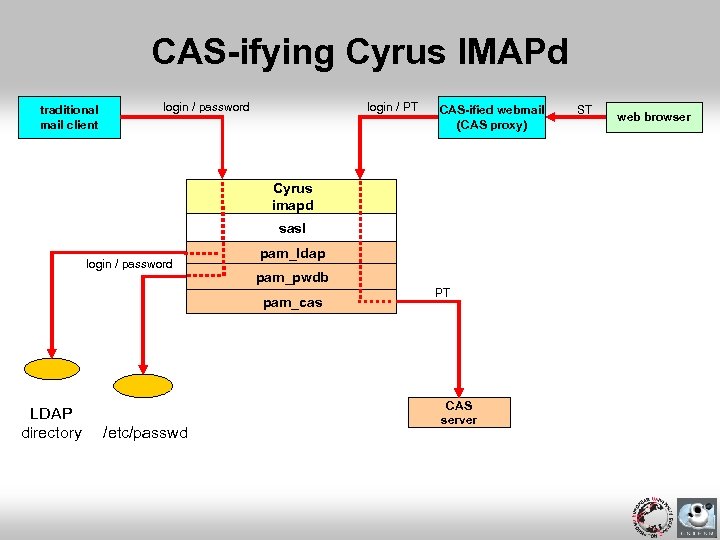 CAS-ifying Cyrus IMAPd traditional mail client login / password login / PT CAS-ified webmail (CAS proxy) Cyrus imapd sasl login / password pam_ldap pam_pwdb pam_cas LDAP directory /etc/passwd PT CAS server ST web browser
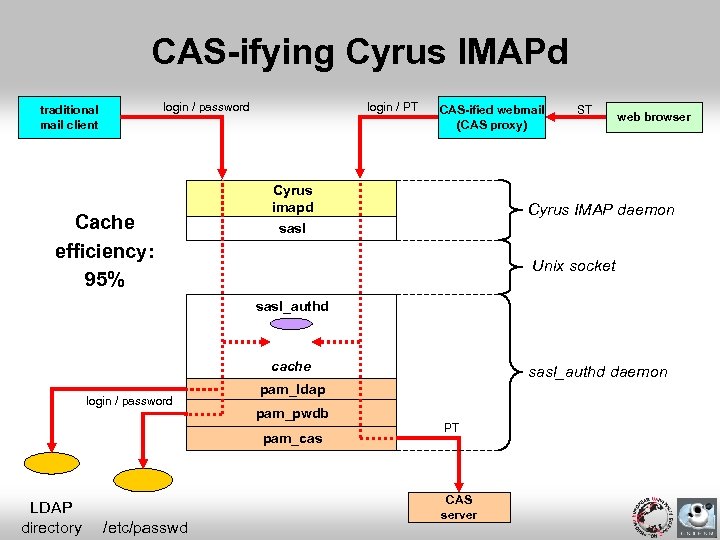 CAS-ifying Cyrus IMAPd login / password traditional mail client Cache efficiency: 95% login / PT CAS-ified webmail (CAS proxy) Cyrus imapd ST web browser Cyrus IMAP daemon sasl Unix socket sasl_authd cache login / password pam_ldap pam_pwdb pam_cas LDAP directory /etc/passwd sasl_authd daemon PT CAS server
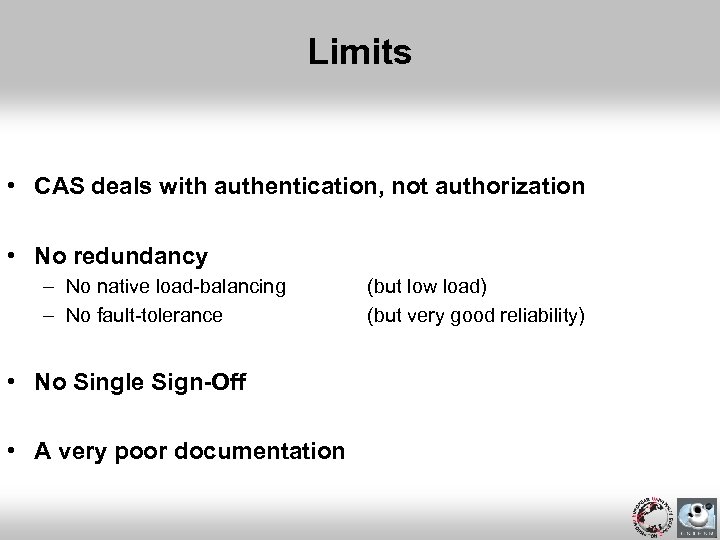 Limits • CAS deals with authentication, not authorization • No redundancy – No native load-balancing – No fault-tolerance • No Single Sign-Off • A very poor documentation (but low load) (but very good reliability)
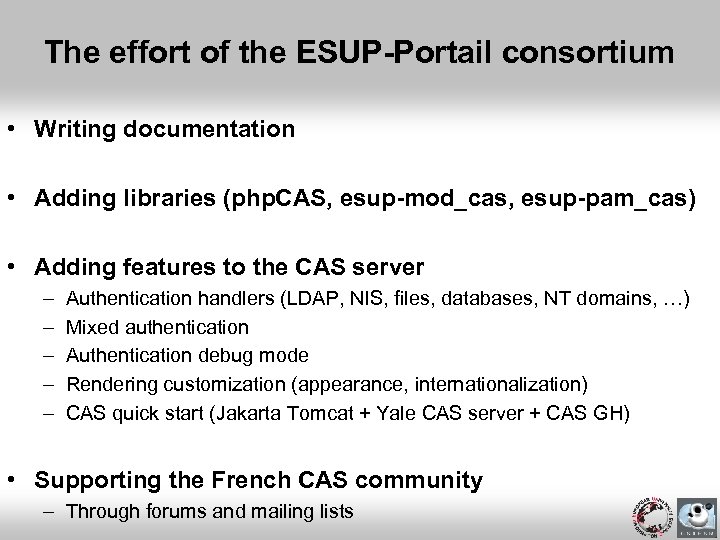 The effort of the ESUP-Portail consortium • Writing documentation • Adding libraries (php. CAS, esup-mod_cas, esup-pam_cas) • Adding features to the CAS server – – – Authentication handlers (LDAP, NIS, files, databases, NT domains, …) Mixed authentication Authentication debug mode Rendering customization (appearance, internationalization) CAS quick start (Jakarta Tomcat + Yale CAS server + CAS GH) • Supporting the French CAS community – Through forums and mailing lists
 Now, what to do first (requirements)? • Data organization – The Information System should be well-formed – Small technical problems, big political issues • Data storage – A standard way to store users (an Excel sheet is no standard ; -) • Competences – Web technologies – PKI (CRU) • Voluntary policy – Is security a real concern?
 So, what next? • Add new authentication modes • Make establishments cooperate – Propagate user attributes (namely or anonymously) – Shibboleth, Liberty Alliance • CAS is now a JASIG project • Share your experience!
 Note this! • CRU is starting a circle of trust (federation project) among the French educational community – Comité Réseau des Universités (http: //www. cru. fr) – Authenticate at university level – Authorize at resource level by relying on propagated attributes • Many questions, a few answers only at this time – – – Compare Shibboleth and Liberty Alliance Test existing solutions Study if CAS can be used with Shibboleth, and how Can LASSO implement a WAYF service? Would LASSO replace CAS? • A goal – Show it is possible for establishments to cooperate securely
 Enjoy CAS!