


 Скачать презентацию Online Peer Evaluation System Team Green Apple Team
3a67d8e5b72950ba05d3933f8ca03c26.ppt
- Количество слайдов: 21
 Online Peer Evaluation System Team Green Apple Team Members Ada Tse Amber Bahl Tom Nichols Matt Anderson Faculty Mentor Prof. M Lutz Project Sponsor Richard Fasse RIT Online Learning
 Agenda • • • Project Overview Current System Solution Process Risk Mitigation Revision Control Metrics Requirements Process High-Level System Diagram Challenges Status & Future Goals
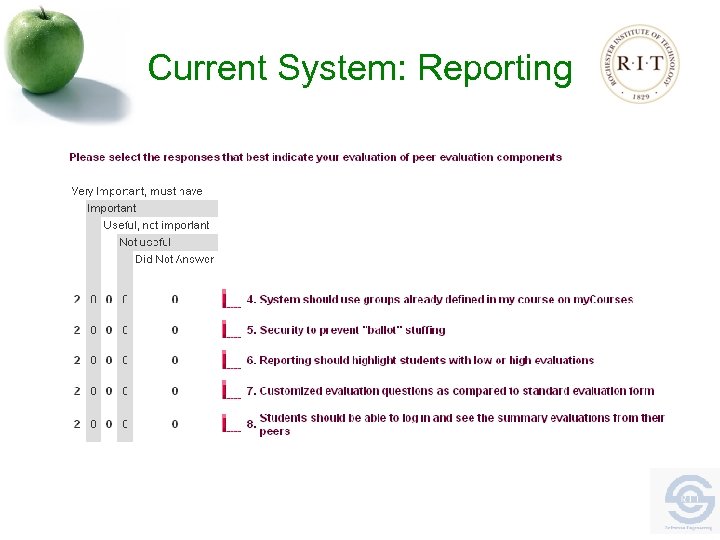
 Project Overview • The RIT Online Learning department is in need of an online peer evaluation system that can enhance the collaborative learning experience. Currently, peer evaluation is supported by the use of online surveys provided by the RIT Clipboard system, which is difficult to setup and lacks good reporting functionality.
 Current System • • Clipboard (http: //clipboard. rit. edu) Survey System Hard to setup Can’t deploy evaluations per group Reporting does not show group weaknesses Not integrated with my. Courses No control over who takes the survey
 Current System: Reporting
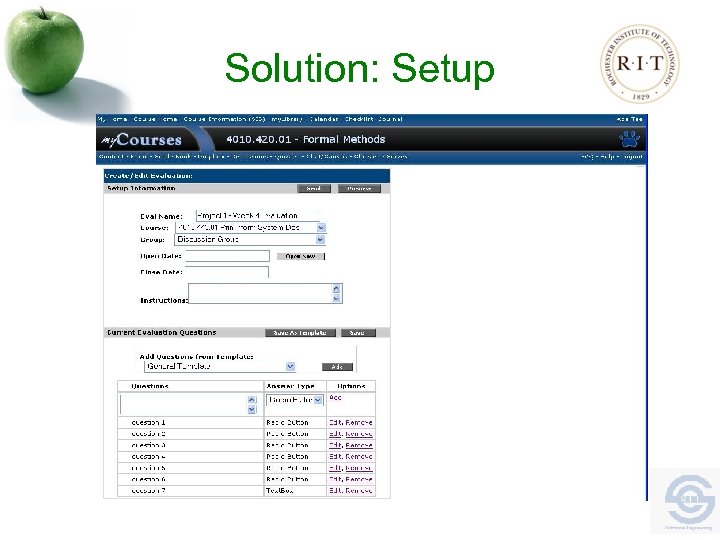
 Solution • Integrated with my. Courses – Login Pass-through – Course and Group Data Imported directly from my. Courses • Setup Workflow – Tailored for peer evaluations • Question Templates – Reusable – Shared between Instructors
 Solution: Setup
 Solution • Reporting – Multiple levels of detail – Sorted by groups or individuals – Quickly identify problem groups
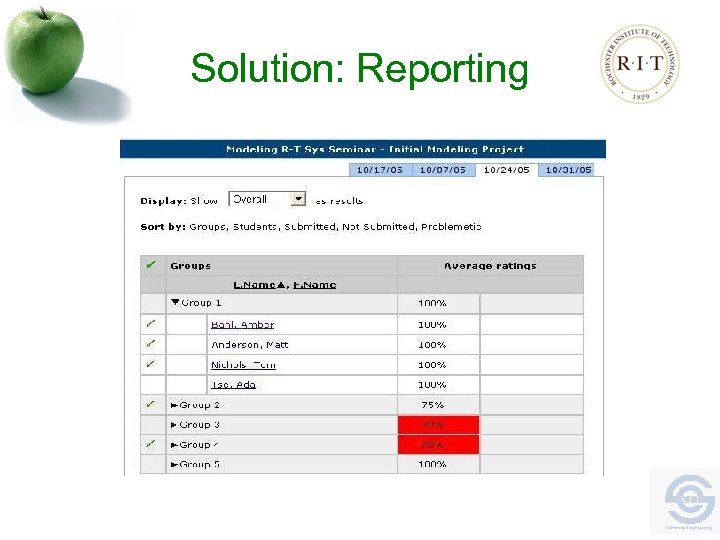 Solution: Reporting
 Process: Scrum • Scrum Methodology: – The whole project will be delivered in chunks depending on the requirements prioritization. Development team will split the whole project into sprints. On an average the team would deliver each sprint within 2 to 3 weeks. • Scrum Team: – Cross-functional comprised of Scrum Master, Developers, QA-Tester, UI Designers etc.
 Risk Mitigation Plan • Use of Scrum • • – Sprint Planning • • • *User Feedback (Allows for midcourse corrections) Deployable Deliverable (At the end of each Sprint) Increased Product Visibility Increased Progress Visibility Through many sprints the requirements will be revised many times to ensure that clarity is achieved. Throughout every sprint, each decision will be evaluated to make sure that it aligns with the overall goals of the project. The team will undergo many team building events as deemed necessary by the team.
 Revision Control • Subversion for revision control – • Include all project documents Trac provides web based management – View files and Changesets • Automated synchronization of project documents to web site • Provides an integrated bug tracking system
 Metrics • Backlogs – – Product Sprint *Capture the hours required to develop and test a given feature. *Total numbers of hours per sprint • • • Number of tasks completed for a particular sprit (Work effort distributed for each sprint) Number of open bugs Total effort (man hours) for all phases
 Requirements Process • Mainly elicited by: – In Person Interviews • Project Sponsors • Subject Matter Experts • Online Learning Technical Staff – UI Mockups – Evaluating • RIT Clipboard • Peer Evaluation Templates
 Requirements Analysis • Use Case Analysis • Workflow Diagrams – Workflow Steps
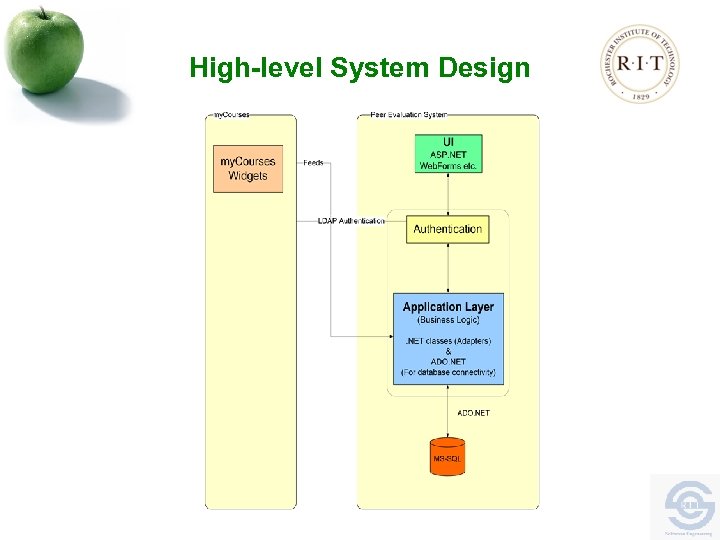 High-level System Design
 Challenges • Uniformity – Rating System – Question System • Faculty View • Different User Types • Synchronization with my. Courses
 Technical Constraints • Database Access • Authentication • . NET (Platform and Programming Language)
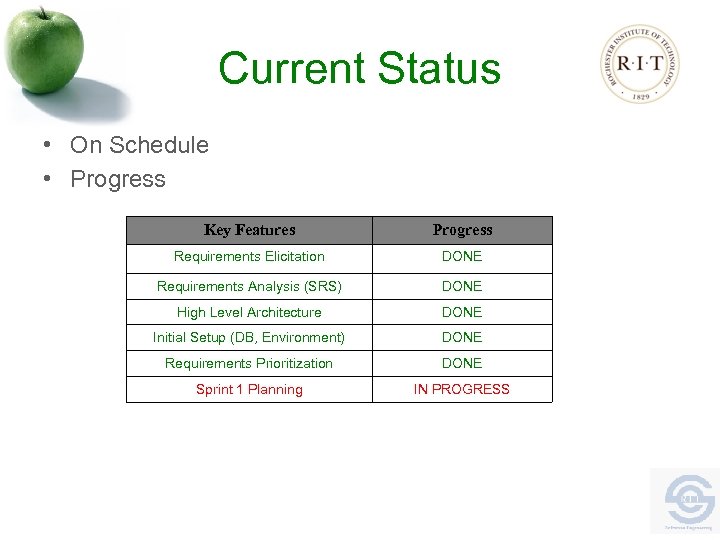 Current Status • On Schedule • Progress Key Features Progress Requirements Elicitation DONE Requirements Analysis (SRS) DONE High Level Architecture DONE Initial Setup (DB, Environment) DONE Requirements Prioritization DONE Sprint 1 Planning IN PROGRESS
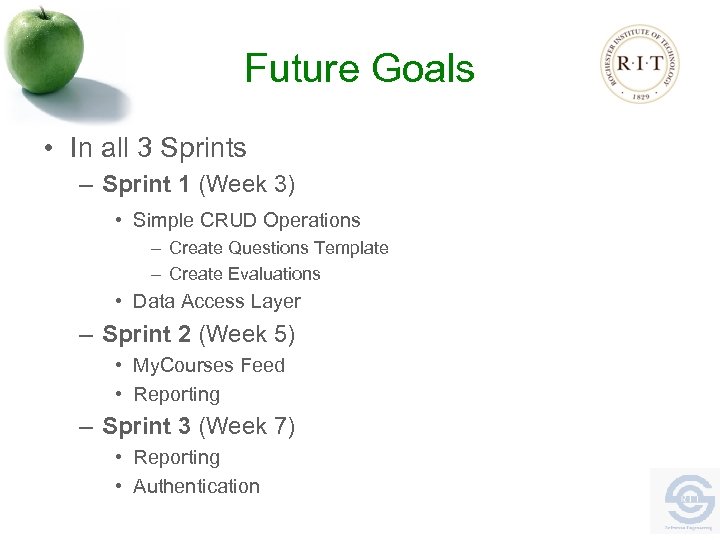 Future Goals • In all 3 Sprints – Sprint 1 (Week 3) • Simple CRUD Operations – Create Questions Template – Create Evaluations • Data Access Layer – Sprint 2 (Week 5) • My. Courses Feed • Reporting – Sprint 3 (Week 7) • Reporting • Authentication
 Questions • Thank you!