 Скачать презентацию OMS Web a web based application at American
f6163f06c98effb6f64df6e398d857a5.ppt
- Количество слайдов: 59



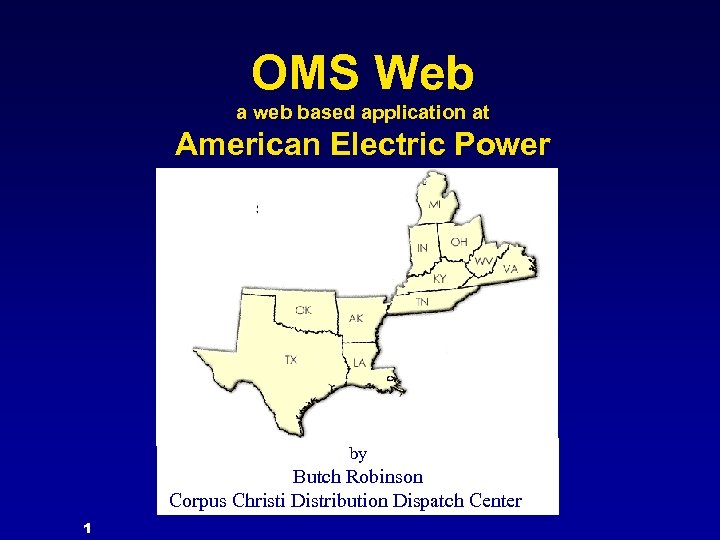
OMS Web a web based application at American Electric Power by Butch Robinson Corpus Christi Distribution Dispatch Center 1
Contents • Introduction – – – Definition Reporting Regions Application Interfaces – – Current Outages Historical Outages – – – Weather Outage Notification System (ONS) DDC Website • OMS Web • Other Links • Power. On Remote Dispatch (PORD) 2
OMS Web • A web-based application within the AEP • Outage Management System Provides: – – Real-time view of initial outage conditions and predictions across the AEP System Online access to historical outage information • Links to other sites both internal & external. 3
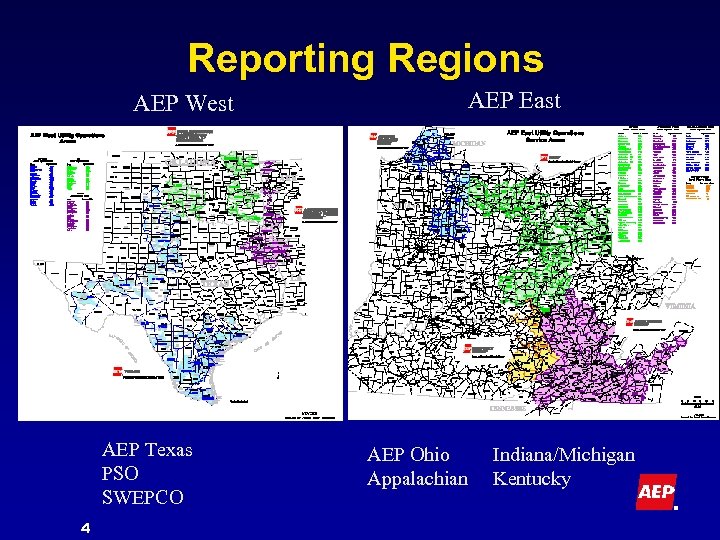
Reporting Regions AEP West AEP Texas PSO SWEPCO 4 AEP East AEP Ohio Appalachian Indiana/Michigan Kentucky
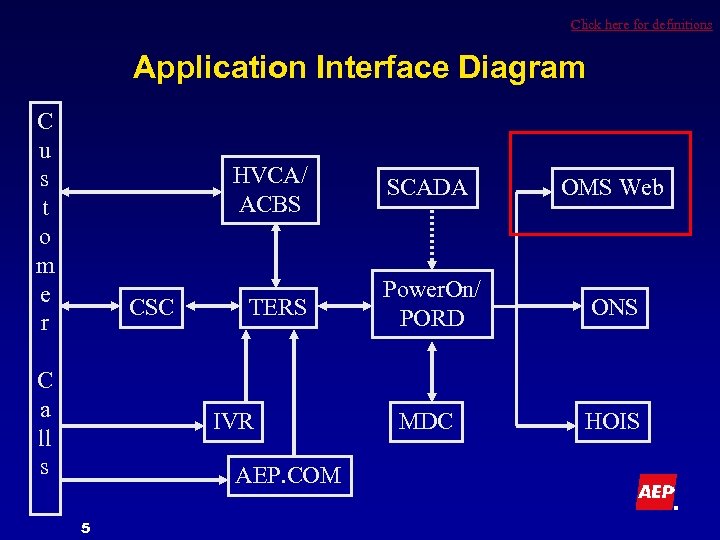
Click here for definitions Application Interface Diagram C u s t o m e r HVCA/ ACBS CSC C a ll s TERS IVR AEP. COM 5 SCADA OMS Web Power. On/ PORD ONS MDC HOIS
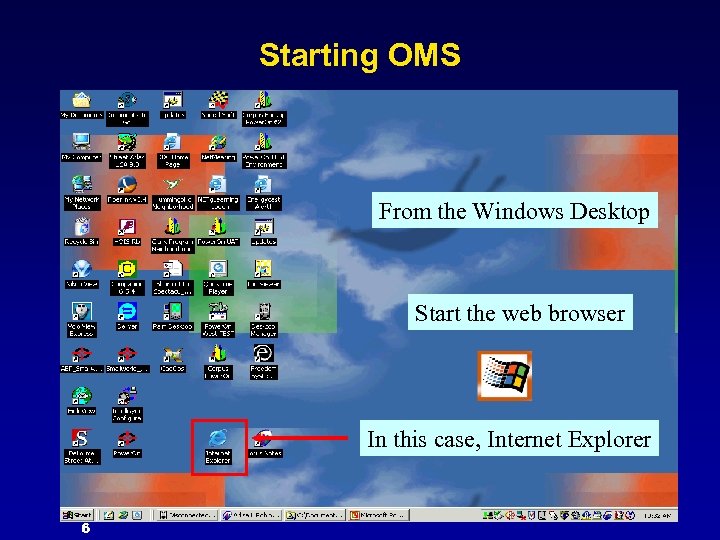
Starting OMS From the Windows Desktop Start the web browser In this case, Internet Explorer 6
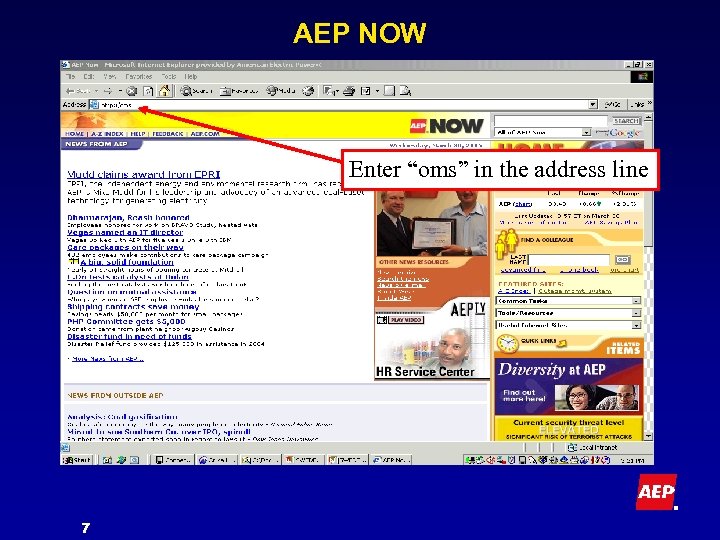
AEP NOW Enter “oms” in the address line 7
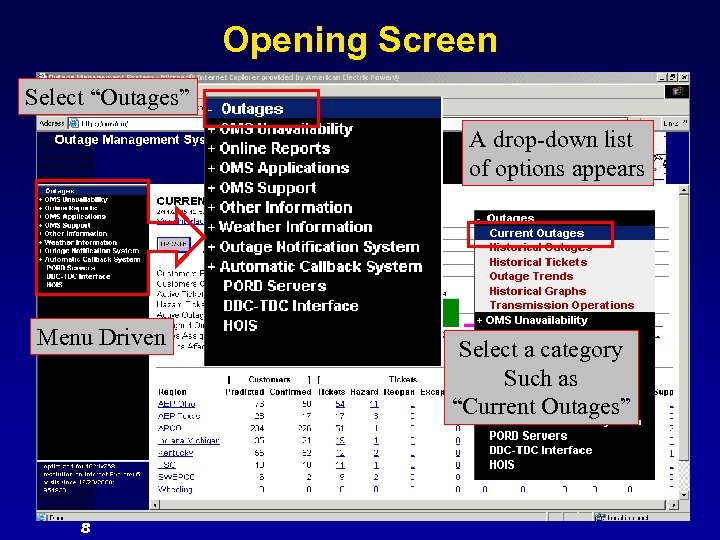
Opening Screen Select “Outages” A drop-down list of options appears Menu Driven 8 Select a category Such as “Current Outages”
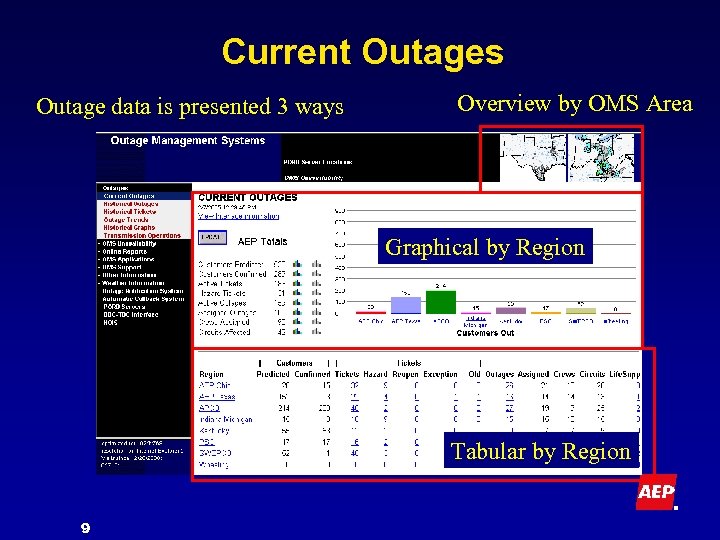
Current Outages Outage data is presented 3 ways Overview by OMS Area Graphical by Region Tabular by Region 9
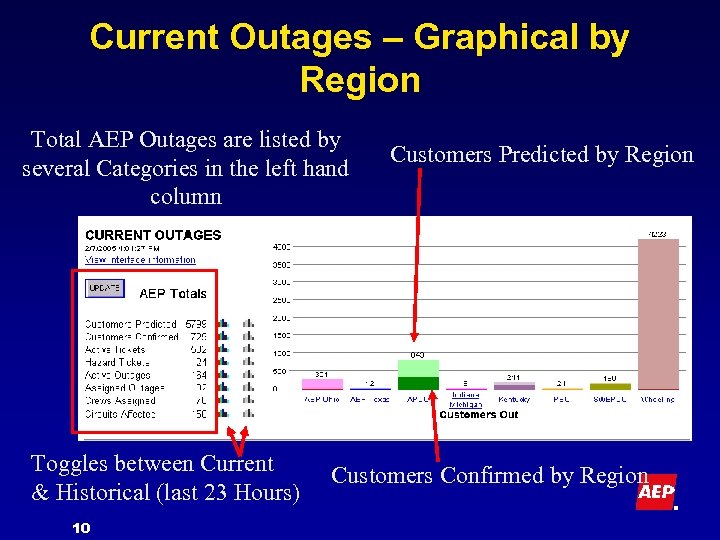
Current Outages – Graphical by Region Total AEP Outages are listed by several Categories in the left hand column Toggles between Current & Historical (last 23 Hours) 10 Customers Predicted by Region Customers Confirmed by Region
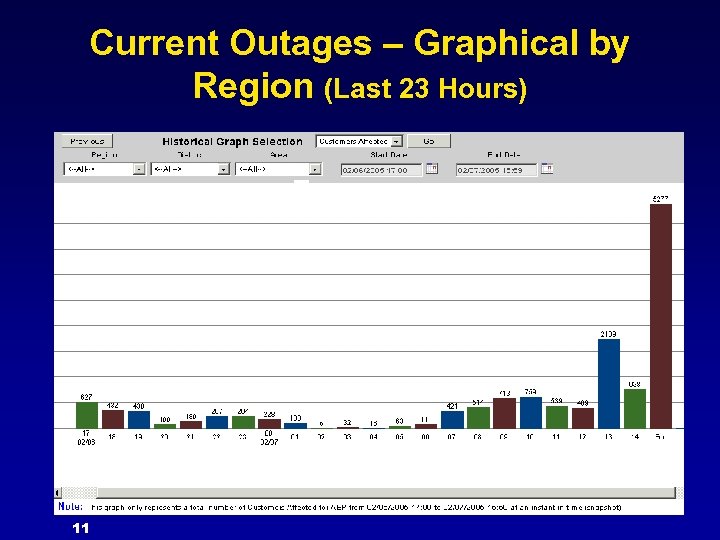
Current Outages – Graphical by Region (Last 23 Hours) 11
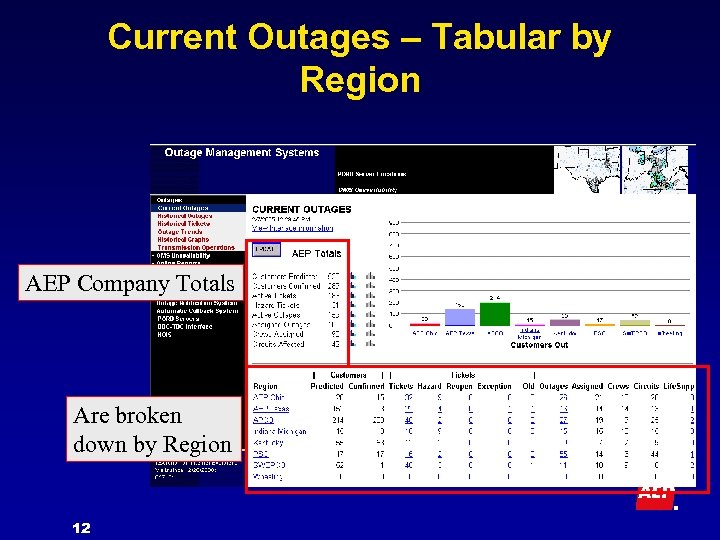
Current Outages – Tabular by Region AEP Company Totals Are broken down by Region 12
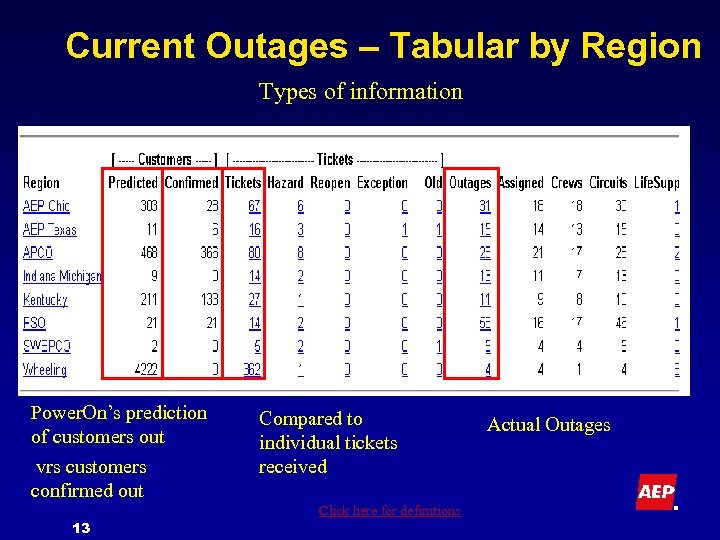
Current Outages – Tabular by Region Types of information Power. On’s prediction of customers out vrs customers confirmed out 13 Compared to individual tickets received Click here for definitions Actual Outages
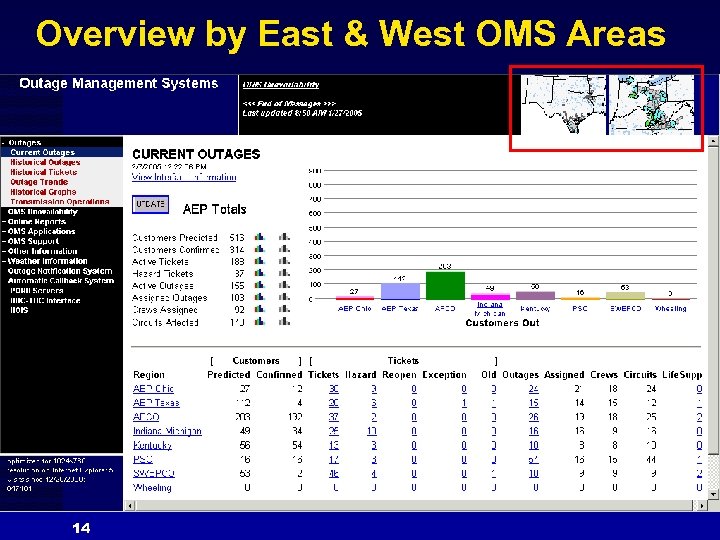
Overview by East & West OMS Areas 14
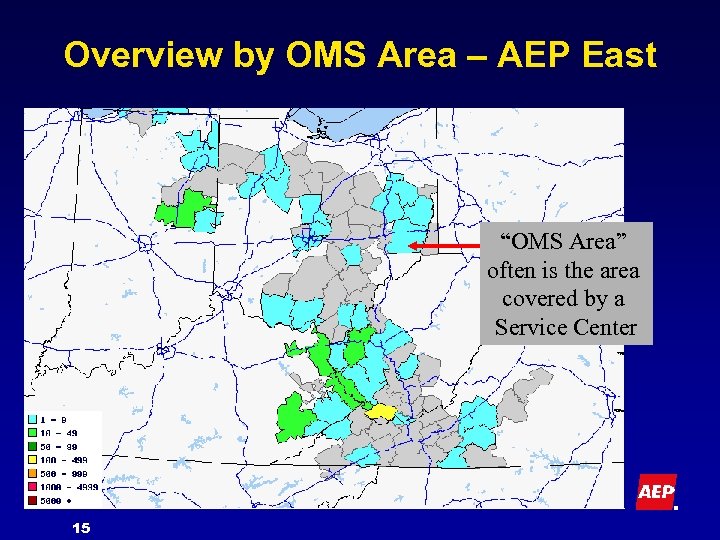
Overview by OMS Area – AEP East “OMS Area” often is the area covered by a Service Center 15
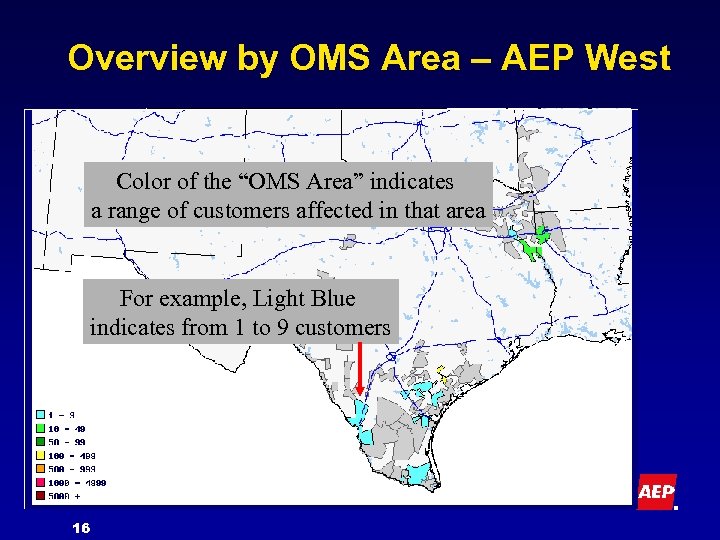
Overview by OMS Area – AEP West Color of the “OMS Area” indicates a range of customers affected in that area For example, Light Blue indicates from 1 to 9 customers 16
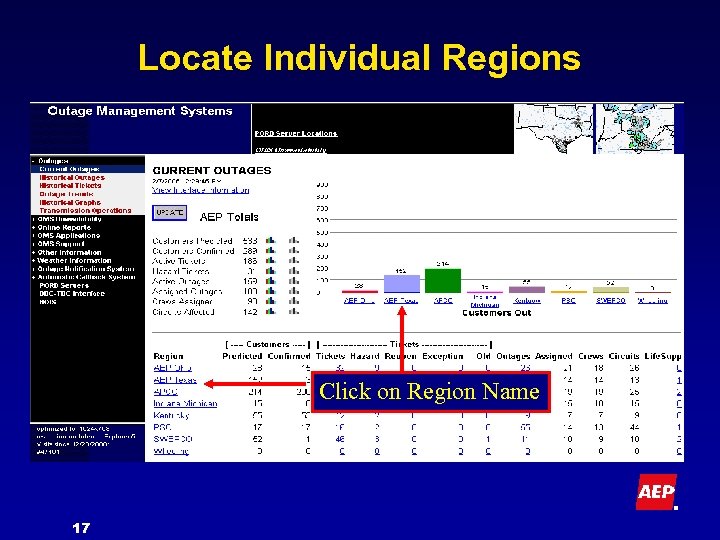
Locate Individual Regions Click on Region Name 17
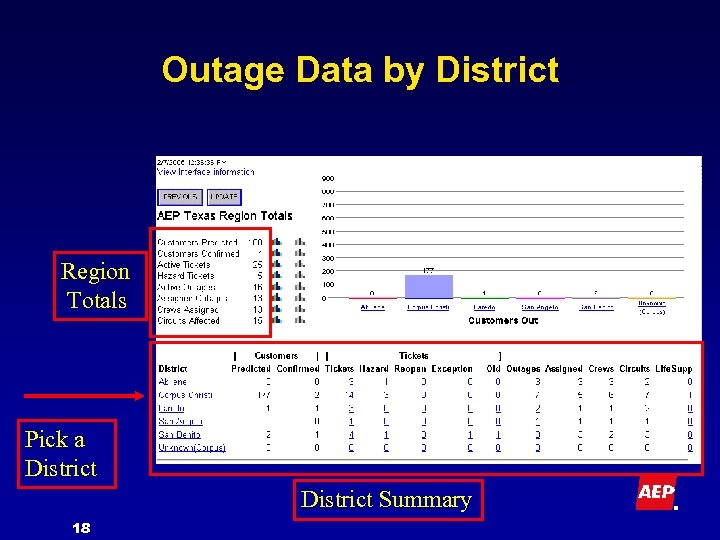
Outage Data by District Region Totals Pick a District Summary 18
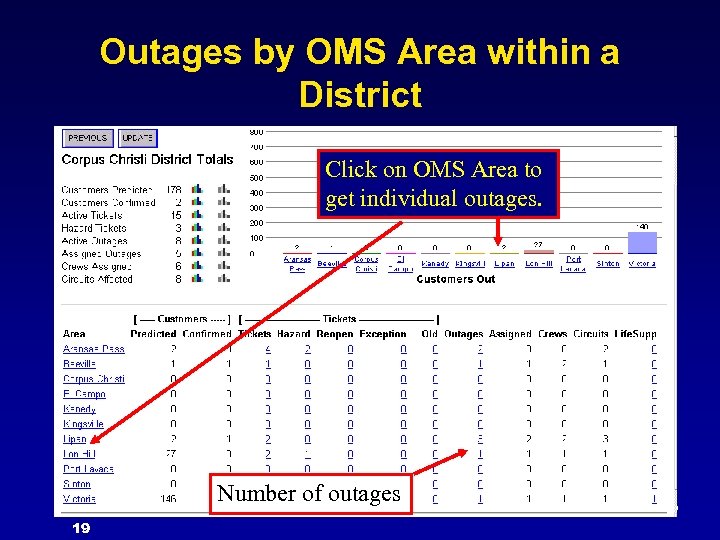
Outages by OMS Area within a District Click on OMS Area to get individual outages. Number of outages 19
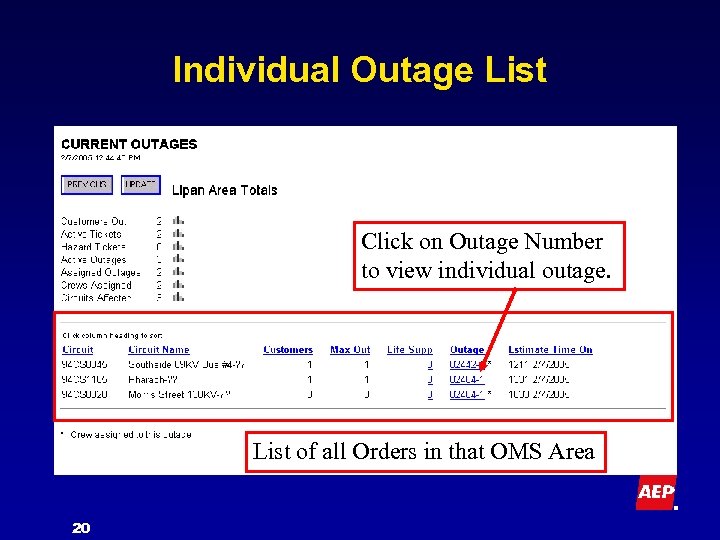
Individual Outage List Click on Outage Number to view individual outage. List of all Orders in that OMS Area 20
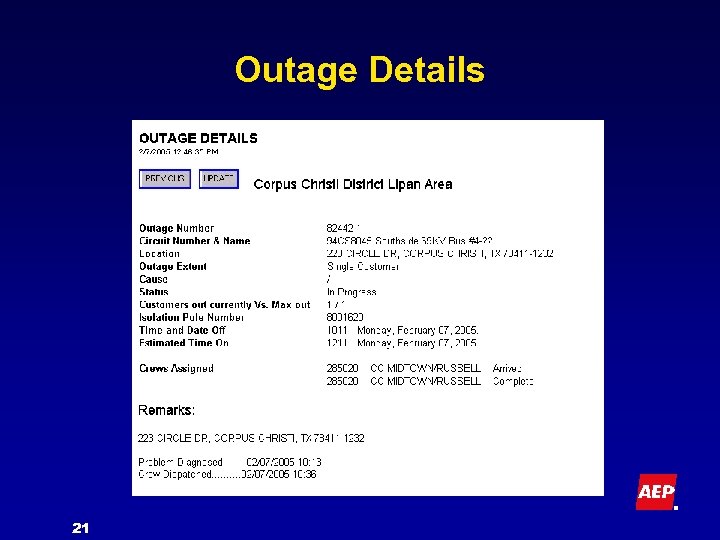
Outage Details 21
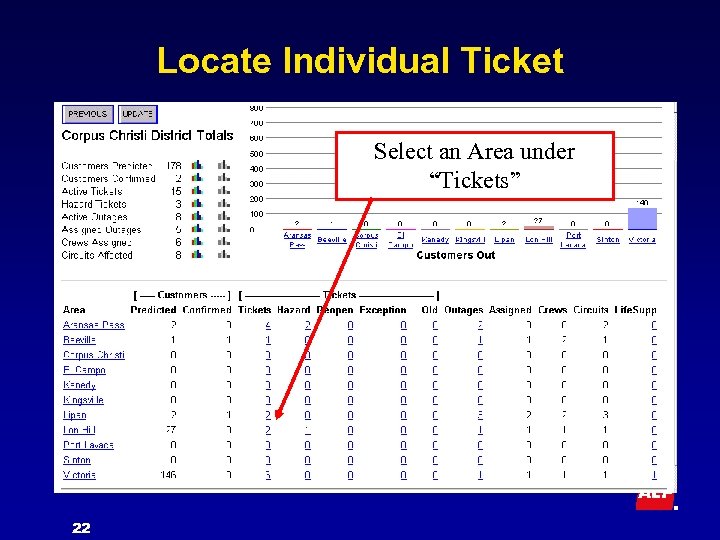
Locate Individual Ticket Select an Area under “Tickets” 22
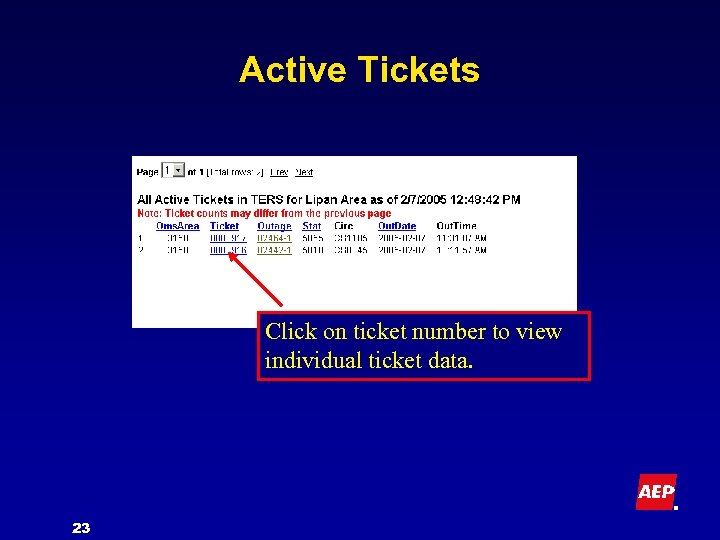
Active Tickets Click on ticket number to view individual ticket data. 23
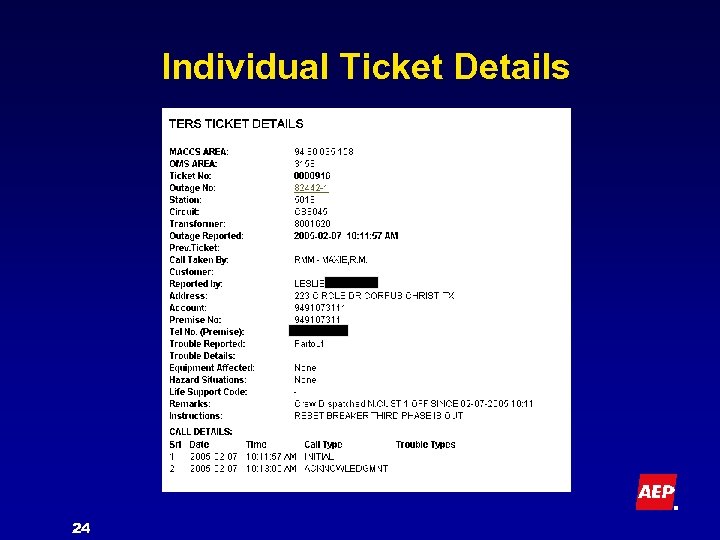
Individual Ticket Details 24
Historical Outages 25
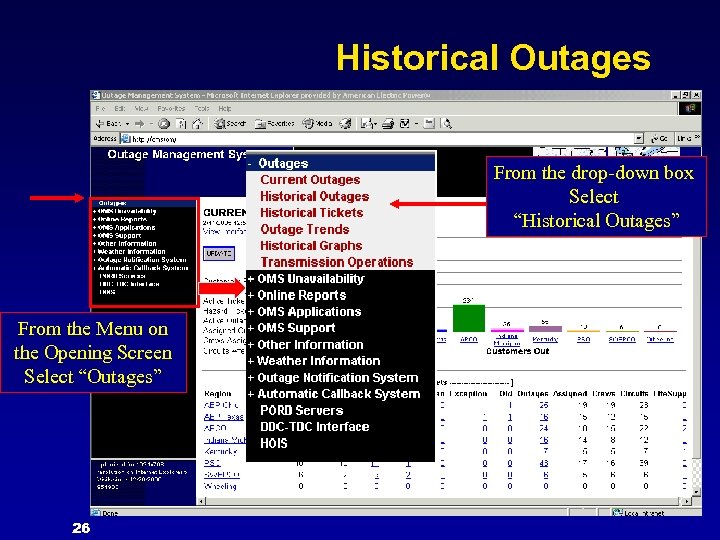
Historical Outages From the drop-down box Select “Historical Outages” From the Menu on the Opening Screen Select “Outages” 26
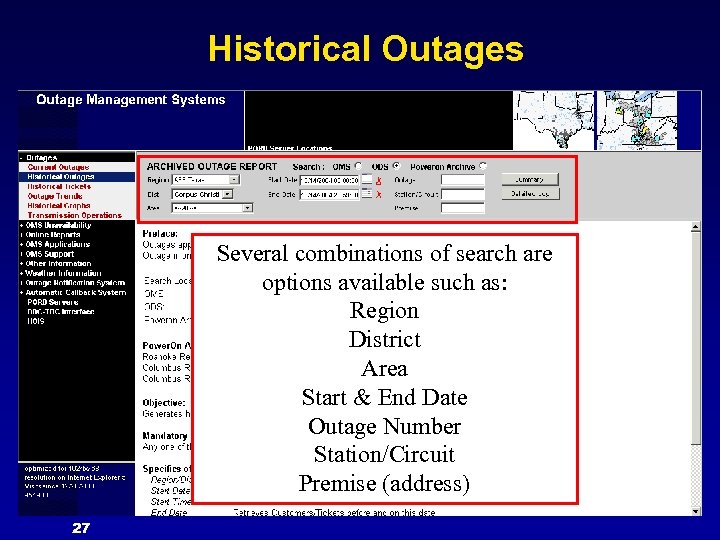
Historical Outages Several combinations of search are options available such as: Region District Area Start & End Date Outage Number Station/Circuit Premise (address) 27
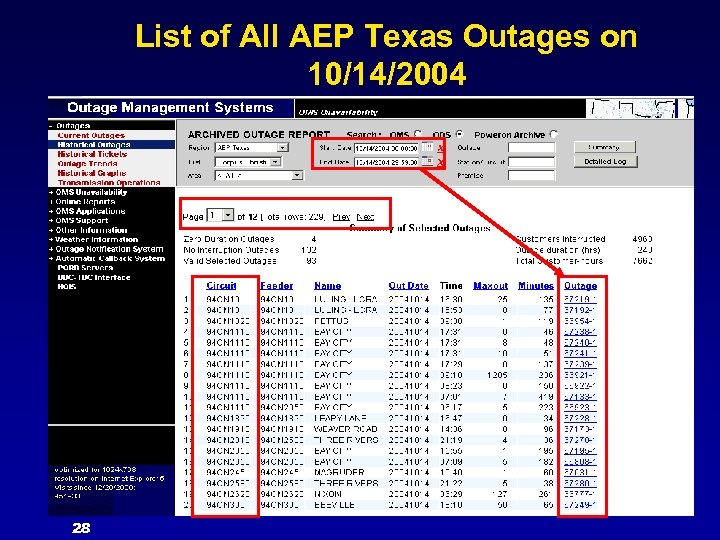
List of All AEP Texas Outages on 10/14/2004 28
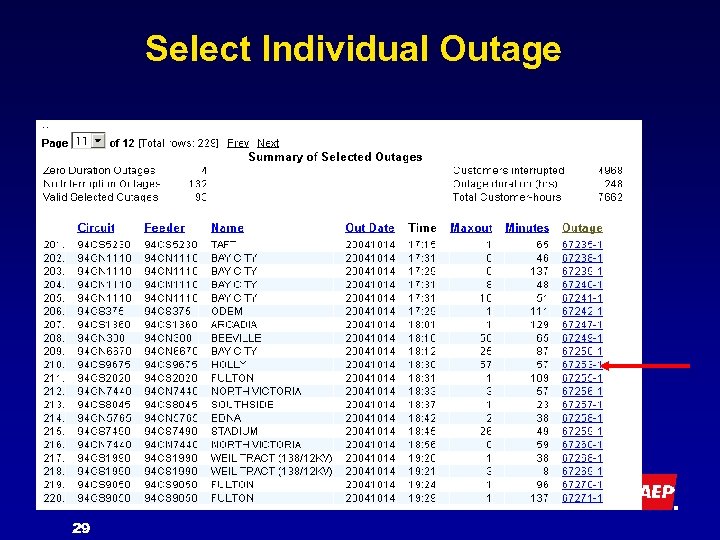
Select Individual Outage 29
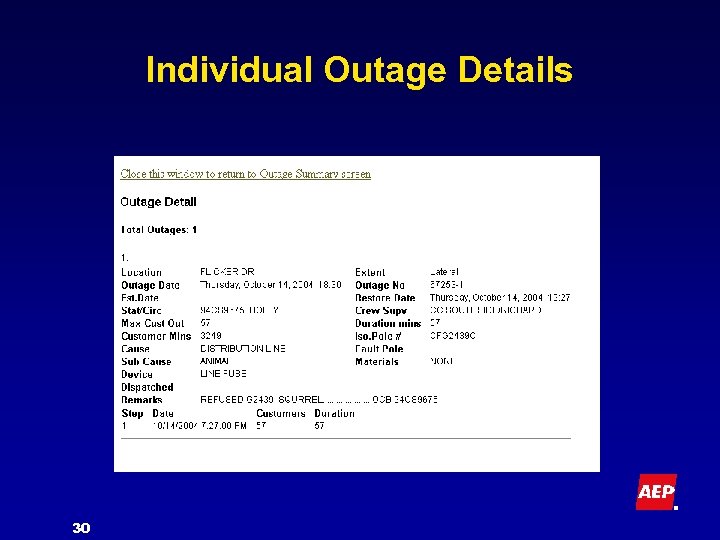
Individual Outage Details 30
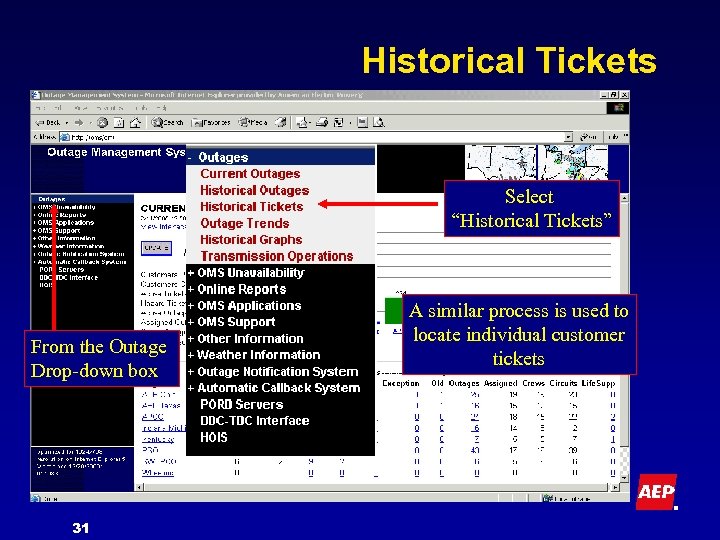
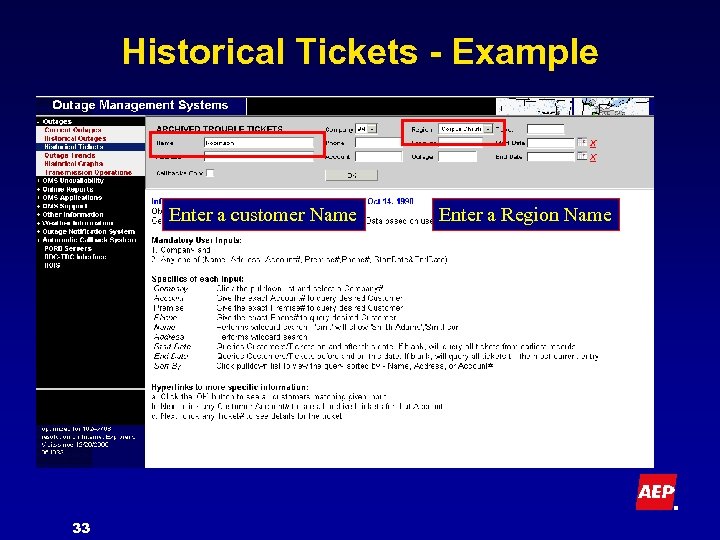
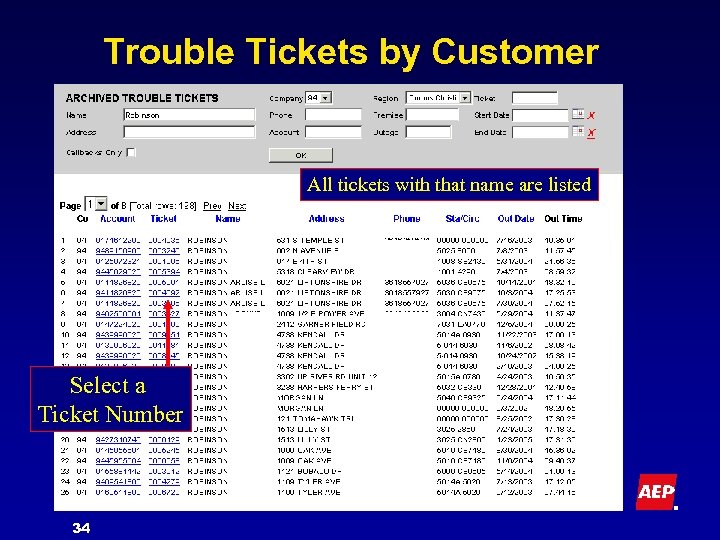
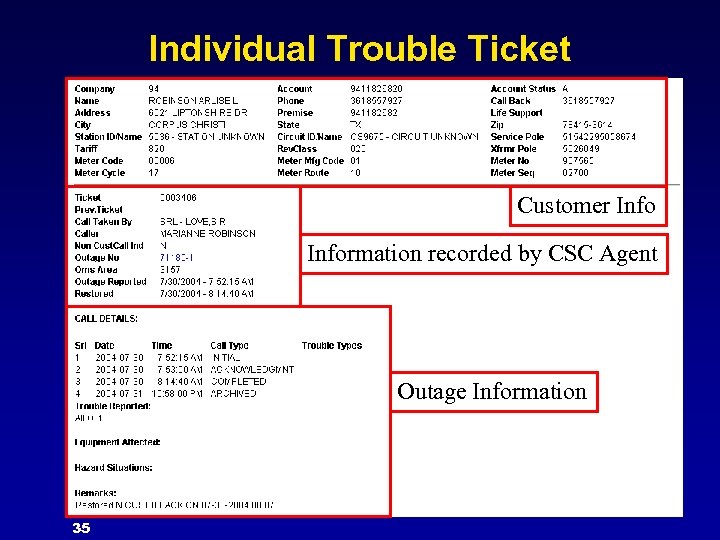
Historical Tickets Select “Historical Tickets” From the Outage Drop-down box 31 A similar process is used to locate individual customer tickets
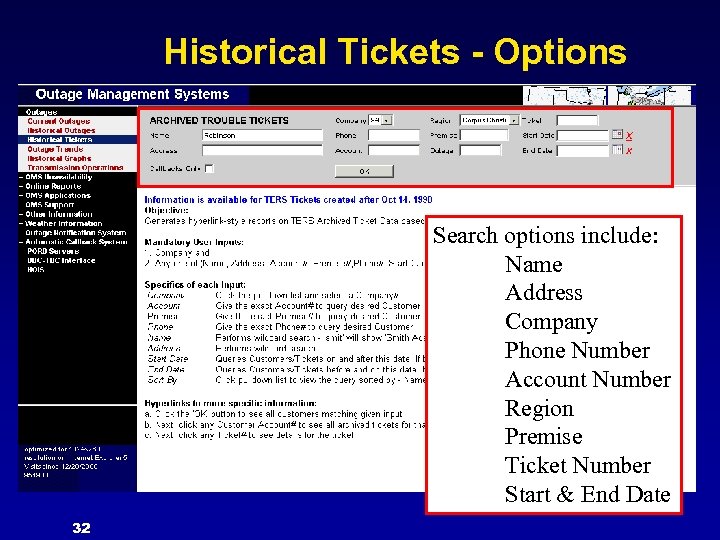
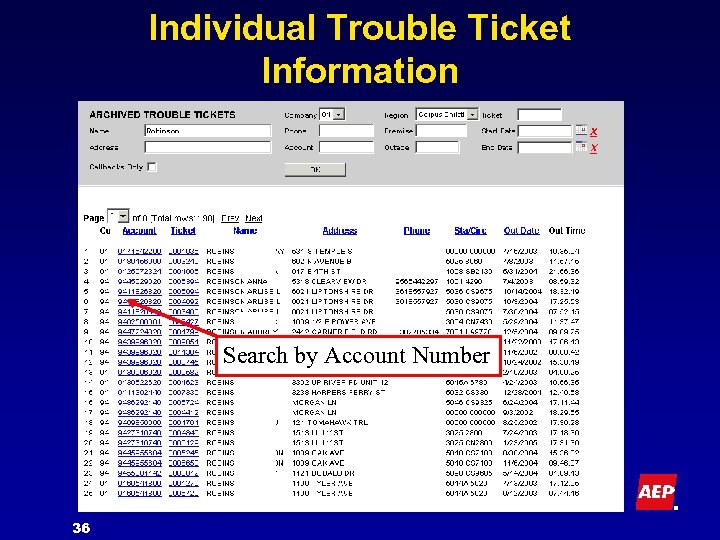
Historical Tickets - Options Search options include: Name Address Company Phone Number Account Number Region Premise Ticket Number Start & End Date 32
Historical Tickets - Example Enter a customer Name 33 Enter a Region Name
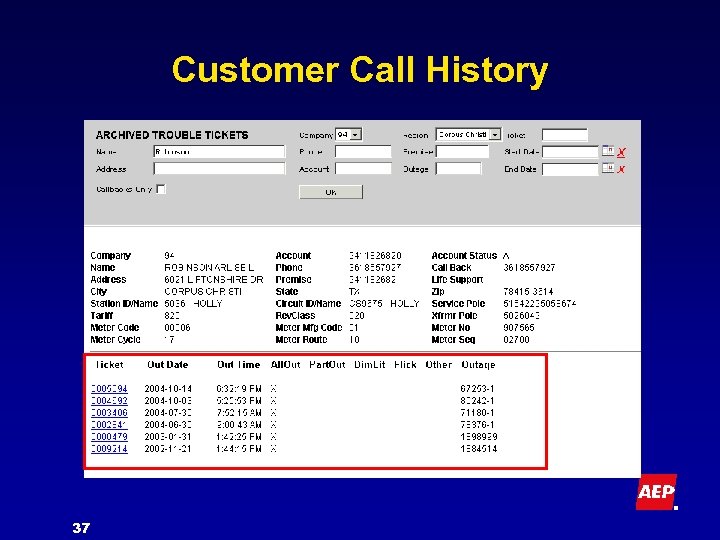
Trouble Tickets by Customer All tickets with that name are listed Select a Ticket Number 34
Individual Trouble Ticket Information Customer Information recorded by CSC Agent Outage Information 35
Individual Trouble Ticket Information Search by Account Number 36
Customer Call History 37
Other Information From The OMS Web 38
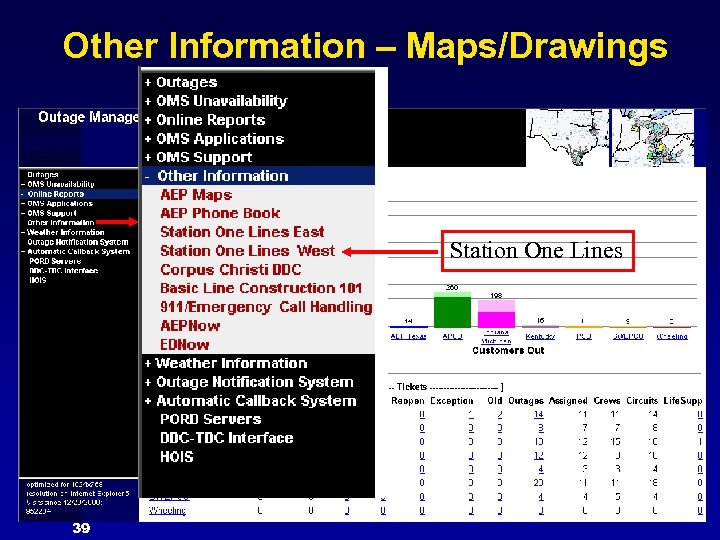
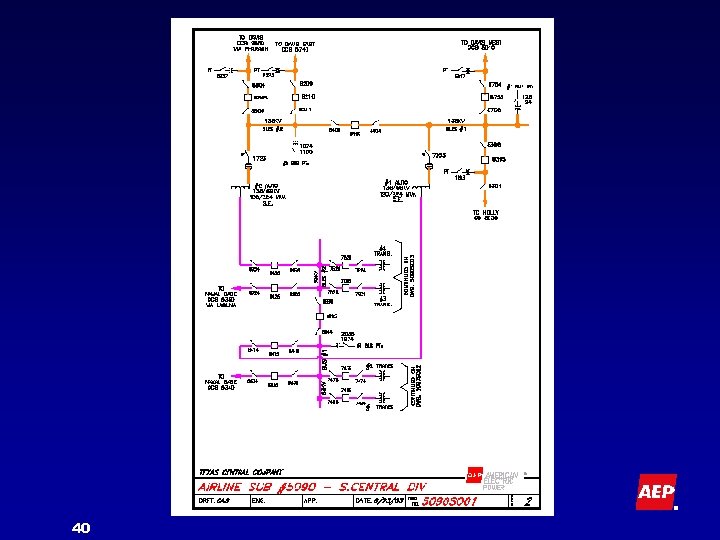
Other Information – Maps/Drawings Station One Lines 39
40
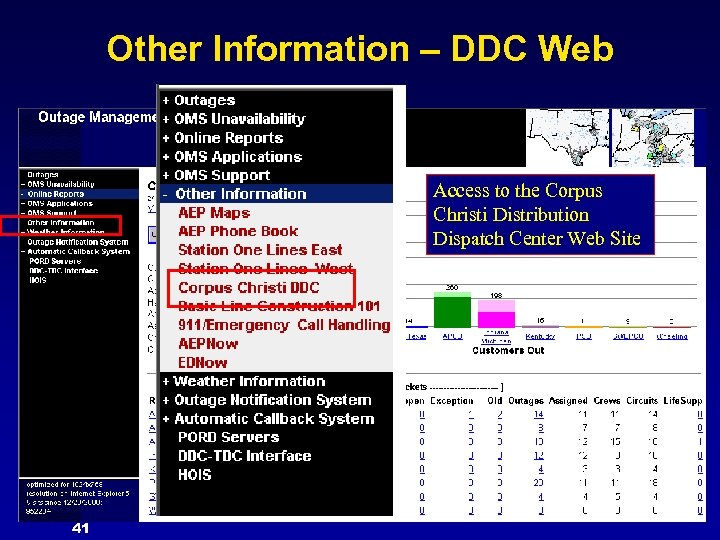
Other Information – DDC Web Access to the Corpus Christi Distribution Dispatch Center Web Site 41
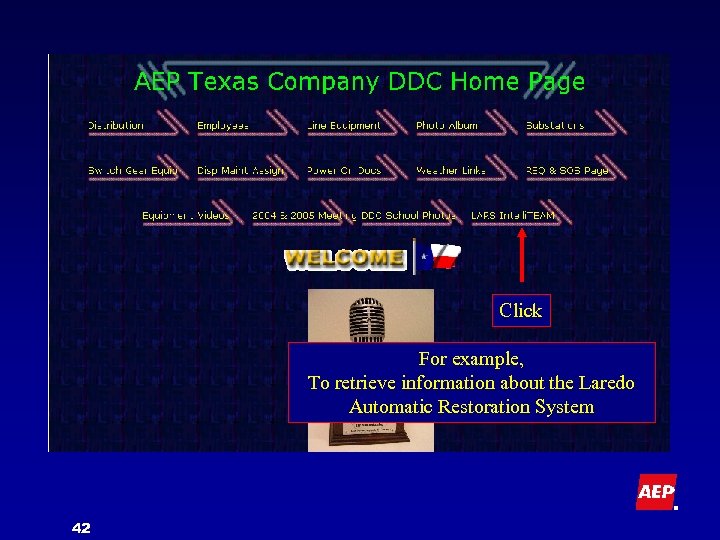
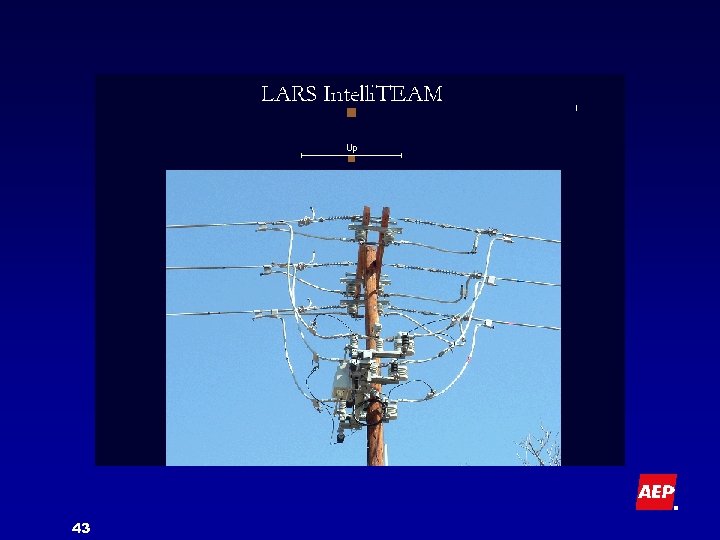
Click For example, To retrieve information about the Laredo Automatic Restoration System 42
43
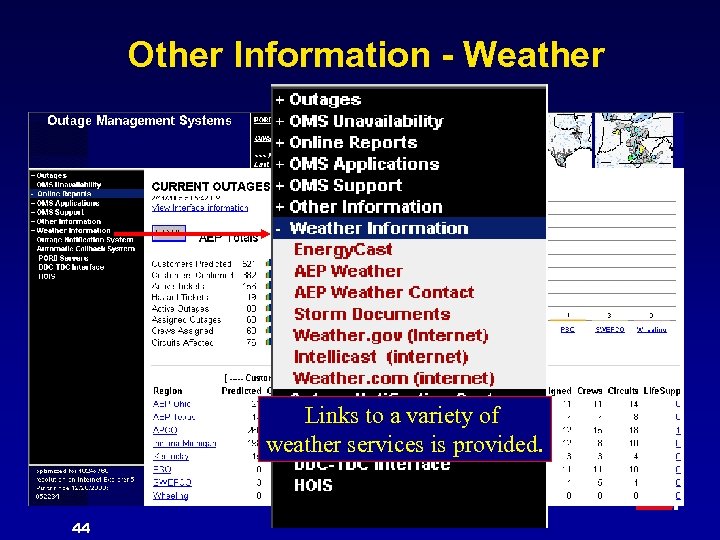
Other Information - Weather Links to a variety of weather services is provided. 44
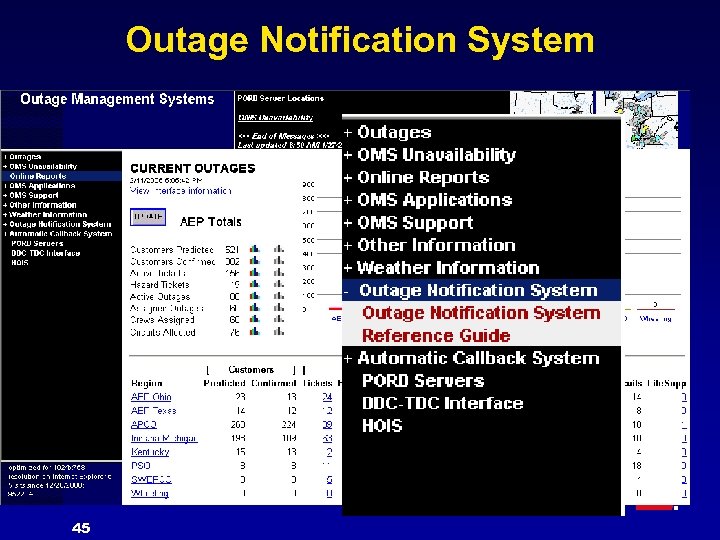
Outage Notification System 45
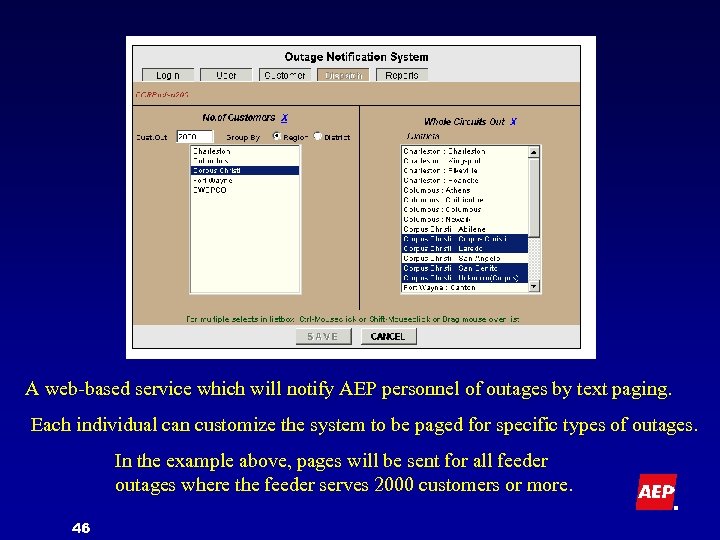
A web-based service which will notify AEP personnel of outages by text paging. Each individual can customize the system to be paged for specific types of outages. In the example above, pages will be sent for all feeder outages where the feeder serves 2000 customers or more. 46
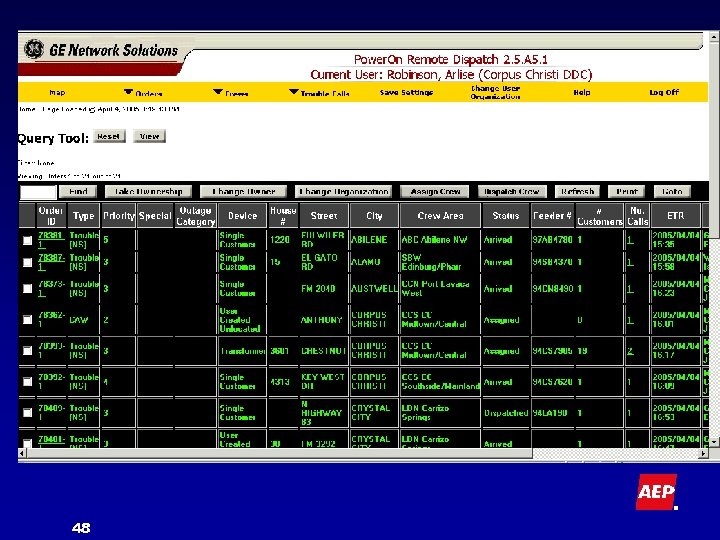
PORD • Power. On Remote Dispatch • Web-based application • Allows limited dispatching functions • from remote locations such as a service center. Intended for use during major storms. 47
48
Conclusion • Easy to use – No special training required. – The user can access databases with no possibility of accidental damage. • No risk • Reduces the need to contact Dispatch • 49 directly for outage information. Evolving as new uses are found.
For More Information Arlise (Butch) Robinson – Supervisor, Corpus Christi Distribution Dispatch Center – Telephone: (361) 289 -4001 – E-mail: alrobinson@aep. com 50

? 51
Appendix • The following slides contain definitions of terms and acronyms used in this presentation. 52
Acronyms - Application Interfaces Slide 1 of 4 • • ACBS – Automatic Call Back System – Will call a customer following outage restoration. If power has not been restored, a new trouble order will be initiated. AEP. COM – Customer outages can be entered on the public accessible web site. CSC – Customer Solution Center – The central point of contact for customers. There are six CSCs in the AEP System (Columbus, OH; Corpus Christi, TX; Hurricane, WV; Ft. Wayne, IN Tulsa, OK; Shreveport, LA) HOIS – Historical Outage Information System 53 – An outage review & edit tool used to verify & validate outage information. Return to Program
Acronyms – Application Interfaces Slide 2 of 4 • • HVCA – High Volume Call Answering – An automated system that allows the CSCs to transfer calls to a third party during high volume call situations. IVR – Interactive Voice Response Unit MDC – Mobile Data Computer OMS Web – Outage Management System Website – Real-time view of initial outage conditions and predictions across the AEP System. Also provides online access to historical outage information (not to be confused with “OMS Area”) Return to Program 54
Acronyms – Application Interfaces Slide 3 of 4 • • • ONS – Outage Notification System – A web-based subscription service for designated AEP personnel to receive notification of key customer outages, or specific circuit outages and situations. Power. ON – A graphical map-based outage management system that predicts the location of distribution outages based on customer calls. PORD – Power On Remote Dispatch – A web-based application that allows limited dispatching functions from remote locations such as a service center. Return to Program 55
Acronyms – Application Interfaces Slide 4 of 4 • SCADA – Supervisory Control And Data Acquisition – • The SCADA to Power. On link is dotted line since circuit interruptions must be manually entered into Power. On by a dispatcher. TERS – Trouble Entry & Reporting System – The backbone of AEP’s outage management system. It is the vehicle used to gather, organize and report distribution outages. TERS provides information to other AEP applications such as Power. On. Return to Presentation 56
Definitions – OMS Slide 1 of 3 • • Assigned – A crew has been chosen to work the outage case. This status can be used to preassign (plan) work. Circuits – Distribution feeder (substation to customer. ) Confirmed – Outage has been confirmed by dispatch as the true isolating point of the outage. Crews – A work unit. Could be a 1 -person First Responder or a multi-person construction crew. 57 Return to Presentation
Definitions – OMS Slide 2 of 3 • • • Exception – TERS has sent a ticket to Power. On but has not received an Order Number back from Power. On. These must be checked since the outage call may have been lost in the system. Hazard – Report of a hazardous condition that may endanger public or personnel safety. It does not always mean there is an associated outage. Life Support – Customers who have reported the use of life support equipment in their home. Old – An Order that has been open for more than 24 hours. OMS Area – A geographical area of customers & facilities identified for the purposes of outage management. This is typically a service center. Outages are routed to OMS Areas. Outages – One or more Tickets grouped together 58 Return to Presentation
Definitions – OMS Slide 3 of 3 • • • Predicted – Outage location determined by customer calls. It has not yet been confirmed by the field or SCADA. Reopen – A ticket came back from ACBS as not restored although the Order it had been part of was restored. Tickets – Report of abnormal service conditions for a single premise ( electrical service point). Return to Presentation 59
Скачать презентацию OMS Web a web based application at American
f6163f06c98effb6f64df6e398d857a5.ppt