


 Скачать презентацию OFC 320 Infrastructure Topics in Share Point Products
b5f3d454d3496c464b4a73436e3f6343.ppt
- Количество слайдов: 50

 OFC 320 Infrastructure Topics in Share. Point Products and Technologies: Administrative Architecture and Planning for Deployment John Nisi Lead Architect – East Region IW Co. E Microsoft Corporation Joel Oleson Senior Product Manager – Office Servers Microsoft Corporation
 Session Objectives OFC 320 – Part 1 Detailed understanding of product architecture Understand admin components & their uses Understand admin security Understanding your deployment options Determine topology 4 Servings of of Pudding! OFC 417 – Part 2 Introduction to advanced deployments Practical examples for deploying and administering an installation (MSIT) Demonstrate key concepts and UI 3 Servings of Pudding!
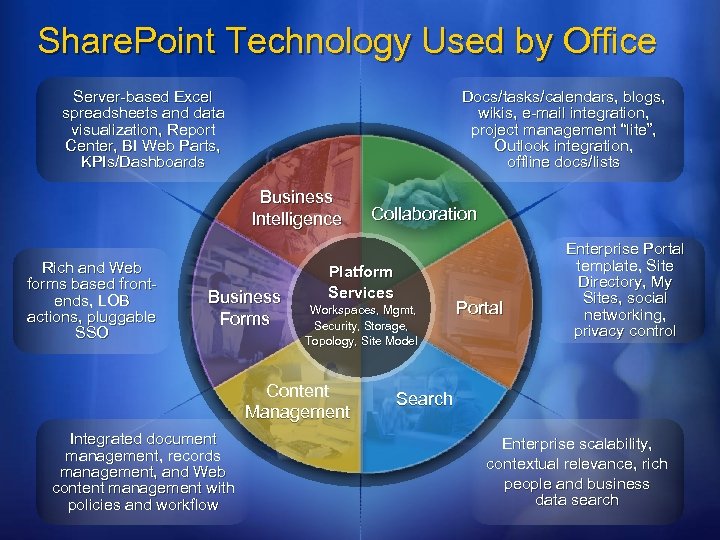 Share. Point Technology Used by Office Server-based Excel spreadsheets and data visualization, Report Center, BI Web Parts, KPIs/Dashboards Docs/tasks/calendars, blogs, wikis, e-mail integration, project management “lite”, Outlook integration, offline docs/lists Business Intelligence Rich and Web forms based frontends, LOB actions, pluggable SSO Business Forms Platform Services Workspaces, Mgmt, Security, Storage, Topology, Site Model Content Management Integrated document management, records management, and Web content management with policies and workflow Collaboration Portal Enterprise Portal template, Site Directory, My Sites, social networking, privacy control Search Enterprise scalability, contextual relevance, rich people and business data search
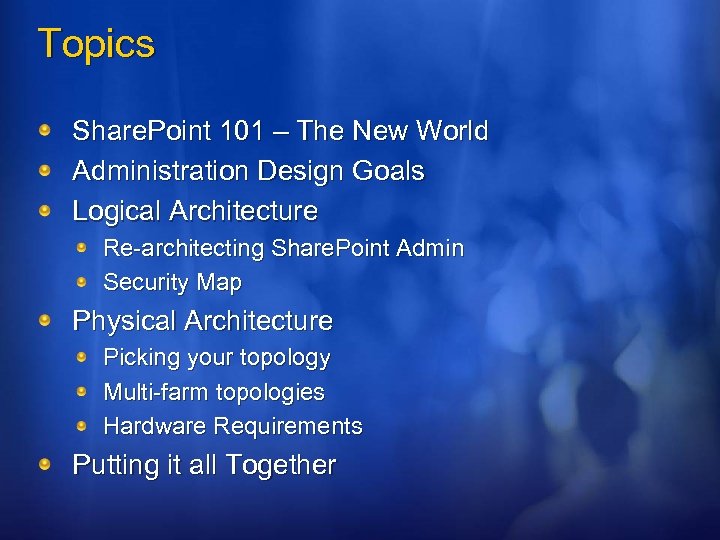 Topics Share. Point 101 – The New World Administration Design Goals Logical Architecture Re-architecting Share. Point Admin Security Map Physical Architecture Picking your topology Multi-farm topologies Hardware Requirements Putting it all Together
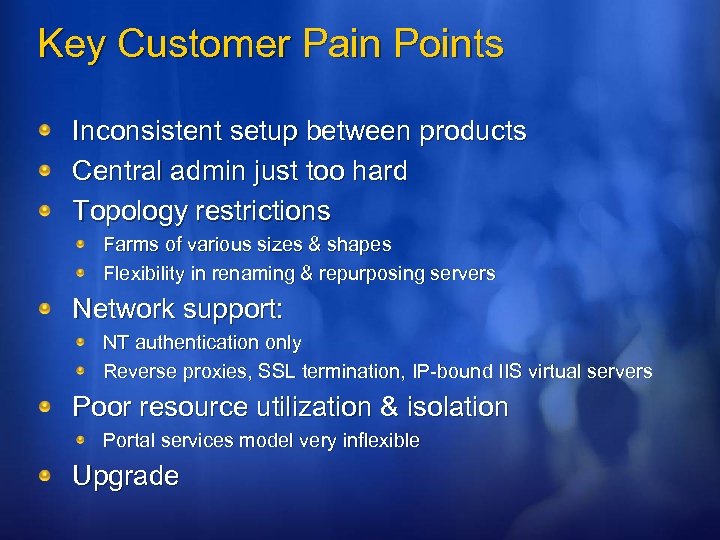 Key Customer Pain Points Inconsistent setup between products Central admin just too hard Topology restrictions Farms of various sizes & shapes Flexibility in renaming & repurposing servers Network support: NT authentication only Reverse proxies, SSL termination, IP-bound IIS virtual servers Poor resource utilization & isolation Portal services model very inflexible Upgrade
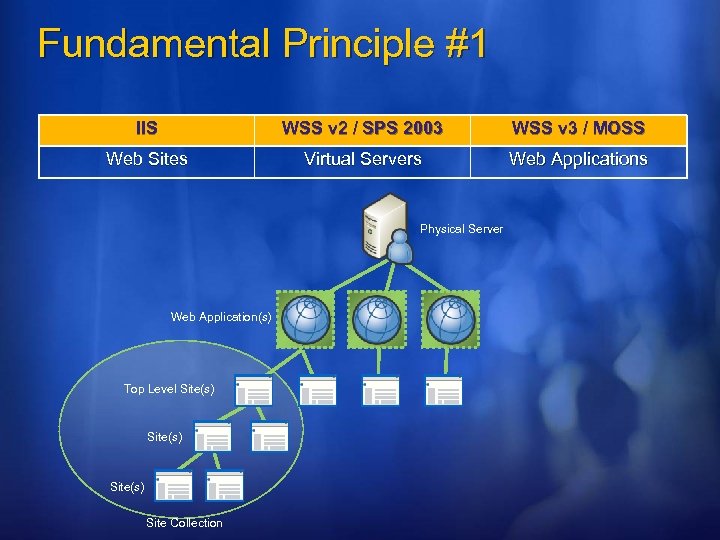 Fundamental Principle #1 IIS WSS v 2 / SPS 2003 WSS v 3 / MOSS Web Sites Virtual Servers Web Applications Physical Server Web Application(s) Top Level Site(s) Site Collection
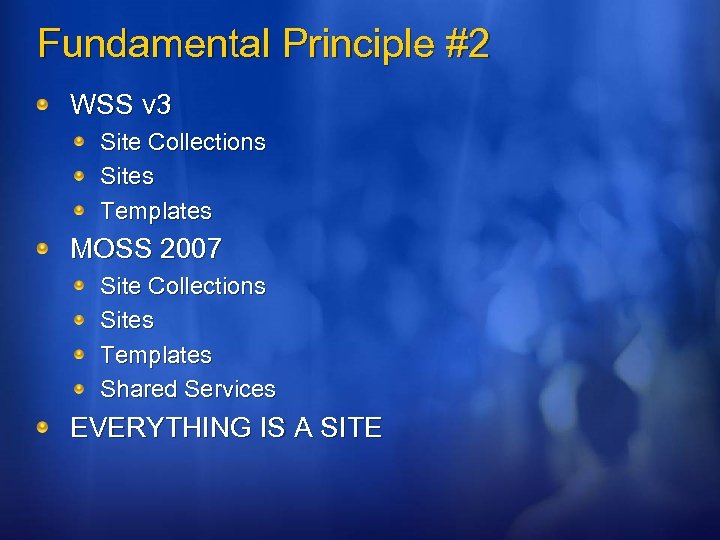 Fundamental Principle #2 WSS v 3 Site Collections Sites Templates MOSS 2007 Site Collections Sites Templates Shared Services EVERYTHING IS A SITE
 Fundamental Principle #3 Shared services Grouped, high-value, resource intensive services One to many per farm Inter-farm capable Shared Services must: expect to be used by multiple Web applications from multiple farms make themselves able to be surfaced in and managed via Share. Point Central Administration allow themselves to be managed by delegated administrators Windows Share. Point Services doesn’t ship with shared services, but Microsoft Office Share. Point Server provides many SSP = Shared Service Provider = A Site that Provides MOSS Shared Services
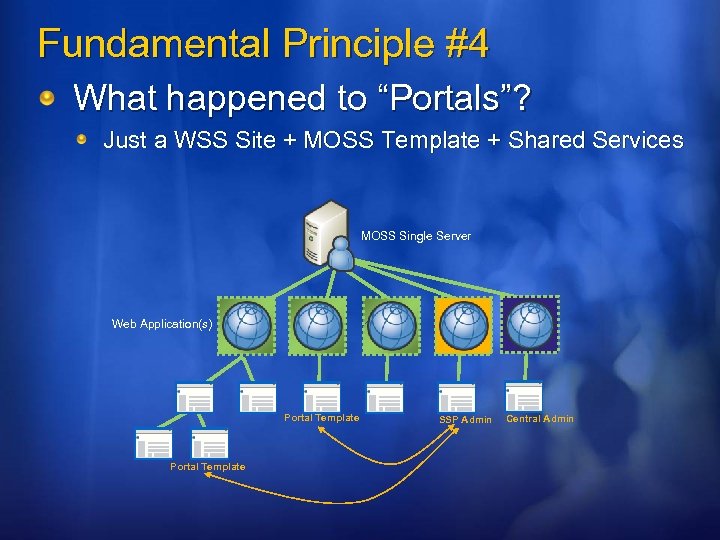 Fundamental Principle #4 What happened to “Portals”? Just a WSS Site + MOSS Template + Shared Services MOSS Single Server Web Application(s) Portal Template SSP Admin Central Admin
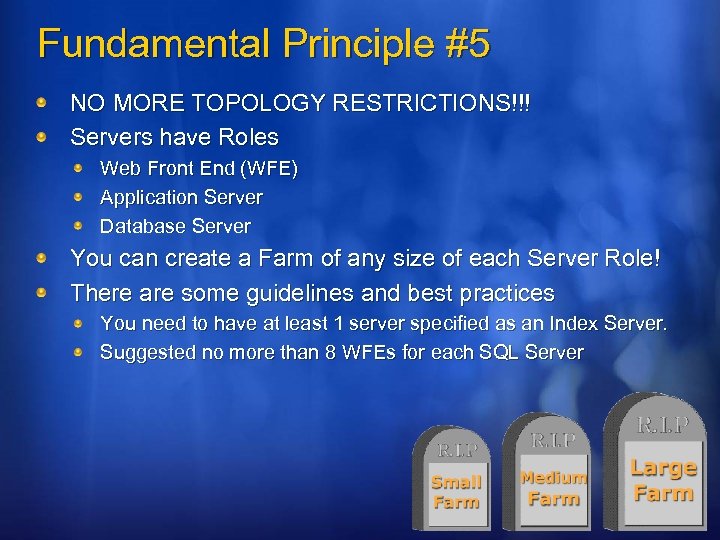 Fundamental Principle #5 NO MORE TOPOLOGY RESTRICTIONS!!! Servers have Roles Web Front End (WFE) Application Server Database Server You can create a Farm of any size of each Server Role! There are some guidelines and best practices You need to have at least 1 server specified as an Index Server. Suggested no more than 8 WFEs for each SQL Server
 The MOSS Portal Template & Creating a New Site
 POP QUIZ!!!! What is the new name for a Share. Point Virtual Server? Web Application! What does the acronym SSP stand for? Shared Service Provider! Are there topology restrictions in WSSv 3/MOSS? NO WAY! How much wood could a woodchuck if a woodchuck could chuck wood? Please see the Performance Planning & Scaling Session on Mammals (MAML 302)
 You Pass Share. Point 101 – The New World
 Topics Share. Point 101 – The New World Logical Architecture Re-architecting Share. Point Admin Security Map Physical Architecture Picking your topology Multi-farm topologies Hardware Requirements Putting it all Together
 Administration Design Goals Windows Share. Point Services Simplicity Consistency Extensibility Microsoft Office Share. Point Server – Windows Share. Point Services goals + Resource Optimization Delegation
 Re-Architecting Admin Key concepts Share. Point farm Servers App servers have all services installed WFEs are always mirrors Config DB: Heart & soul of the farm Takes place of registry 1 per farm SPTimer Service: Heartbeat of farm Share. Point Administration Service Used to propagate config changes across farm - as box admin Shared Services A grouping of Services for Sites to use. Admin sites Central administration: 1 per farm Shared services administration: “special” content site
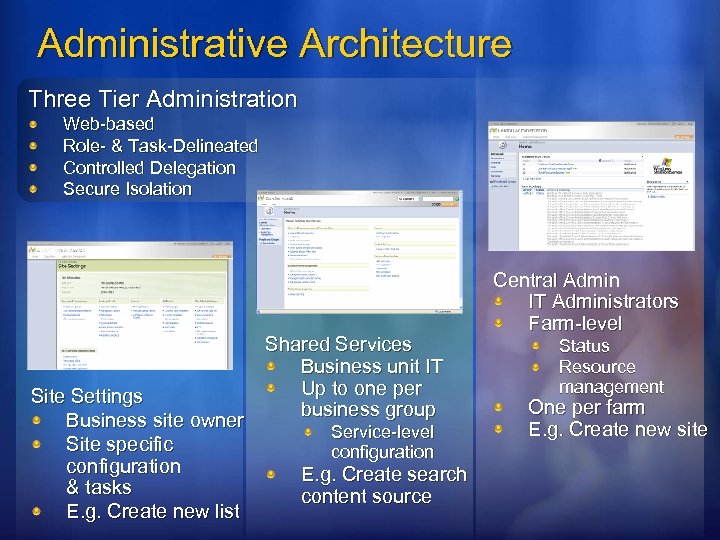 Administrative Architecture Three Tier Administration Web-based Role- & Task-Delineated Controlled Delegation Secure Isolation Site Settings Business site owner Site specific configuration & tasks E. g. Create new list Shared Services Business unit IT Up to one per business group Service-level configuration E. g. Create search content source Central Admin IT Administrators Farm-level Status Resource management One per farm E. g. Create new site
 Tier 1: Central Administration Goals Reduce administrator time Quickly identify what must be done Rapidly locate UI to do what’s needed Single point administration Manage the application Single change updates all servers in farm Extensible platform for Share. Point admin Consistent UI experience for all products
 Central Administration Major elements Administrative task list Informs operators what must be done Explains action needed, and provides link to UI Home page topology view Quick view of farm servers & what is running on them Services on Server page Manage the components running on a single server Flat menu structure Operations: tasks affecting farm resource usage App Management: tasks specific to a single application or service within the farm Security trimming reduces UI clutter Remote administration Web-based administration UI Timer-based system updates
 A Stroll through Central Administration
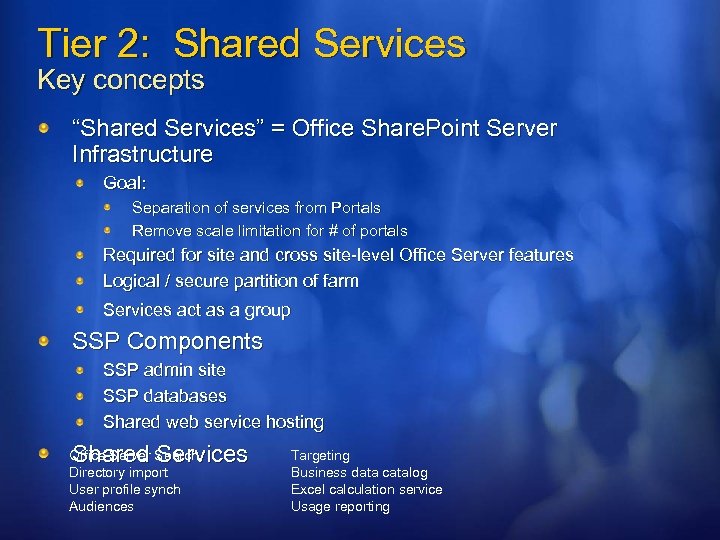 Tier 2: Shared Services Key concepts “Shared Services” = Office Share. Point Server Infrastructure Goal: Separation of services from Portals Remove scale limitation for # of portals Required for site and cross site-level Office Server features Logical / secure partition of farm Services act as a group SSP Components SSP admin site SSP databases Shared web service hosting Shared Services Office Server Search Directory import User profile synch Audiences Targeting Business data catalog Excel calculation service Usage reporting
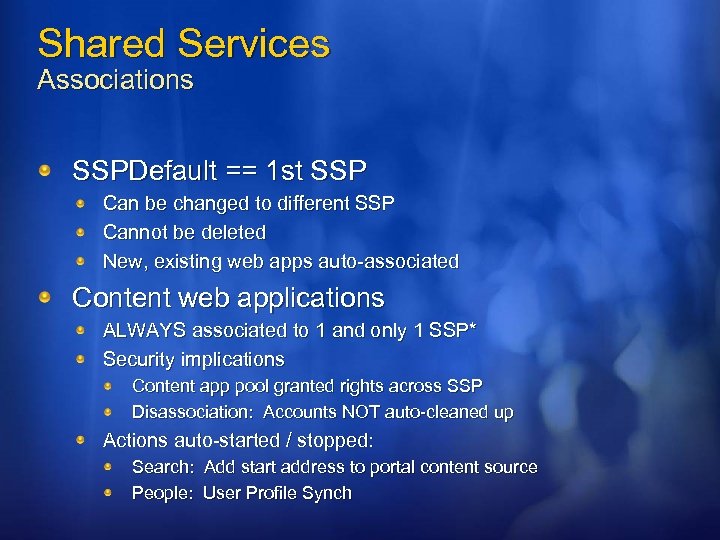 Shared Services Associations SSPDefault == 1 st SSP Can be changed to different SSP Cannot be deleted New, existing web apps auto-associated Content web applications ALWAYS associated to 1 and only 1 SSP* Security implications Content app pool granted rights across SSP Disassociation: Accounts NOT auto-cleaned up Actions auto-started / stopped: Search: Add start address to portal content source People: User Profile Synch
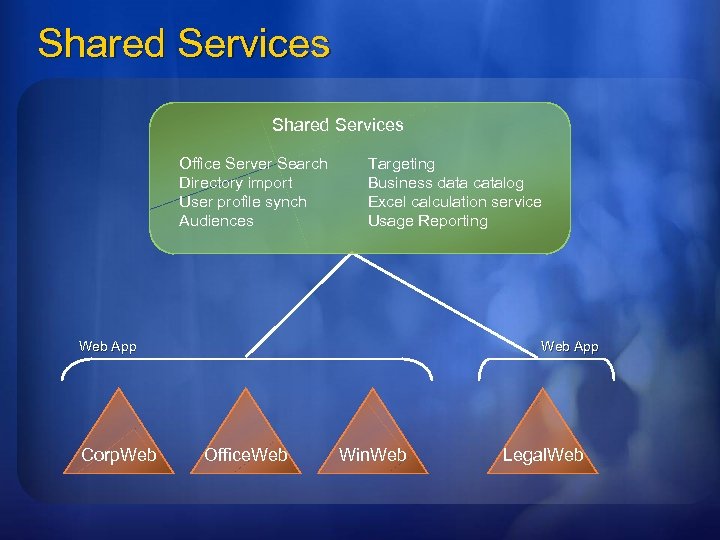 Shared Services Office Server Search Directory import User profile synch Audiences Targeting Business data catalog Excel calculation service Usage Reporting Web App Corp. Web App Office. Web Win. Web Legal. Web
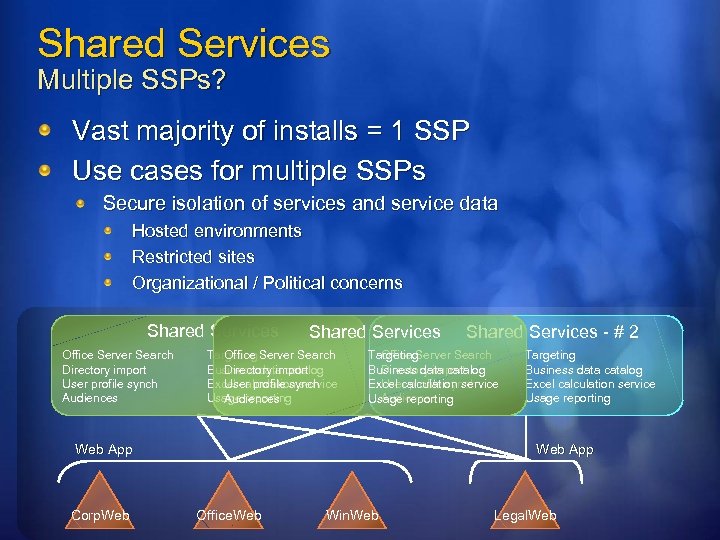 Shared Services Multiple SSPs? Vast majority of installs = 1 SSP Use cases for multiple SSPs Secure isolation of services and service data Hosted environments Restricted sites Organizational / Political concerns Shared Services Office Server Search Directory import User profile synch Audiences Shared Services Targeting Server Search Office Business data catalog Directory import Excel calculation service User profile synch Usage reporting Audiences Office Server Search Targeting Directory import Business data catalog User profile synch Excel calculation service Audiences Usage reporting Web App Corp. Web Shared Services - # 2 Targeting Business data catalog Excel calculation service Usage reporting Web App Office. Web Win. Web Legal. Web
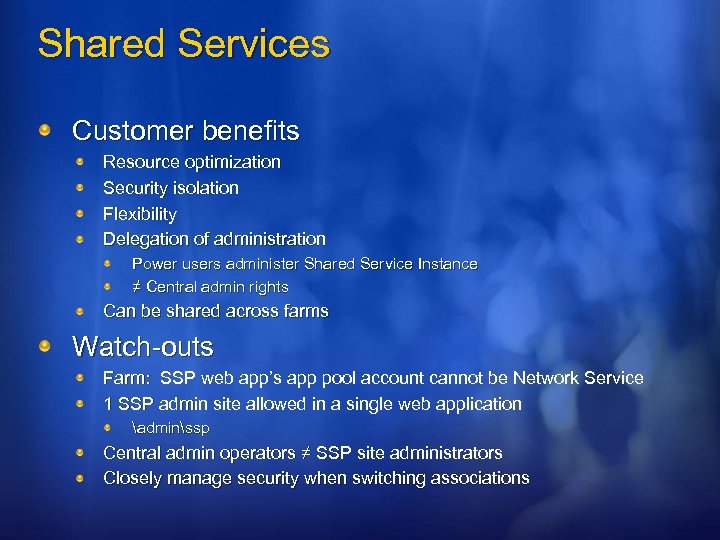 Shared Services Customer benefits Resource optimization Security isolation Flexibility Delegation of administration Power users administer Shared Service Instance ≠ Central admin rights Can be shared across farms Watch-outs Farm: SSP web app’s app pool account cannot be Network Service 1 SSP admin site allowed in a single web application adminssp Central admin operators ≠ SSP site administrators Closely manage security when switching associations
 A Stroll through SSP Administration
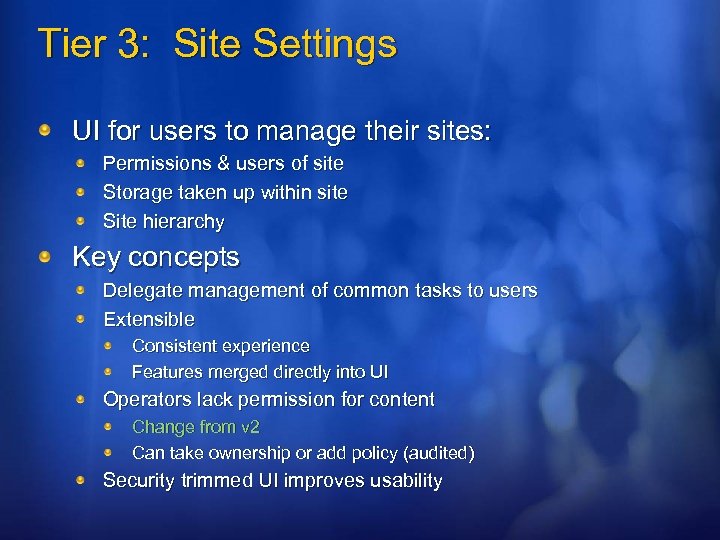 Tier 3: Site Settings UI for users to manage their sites: Permissions & users of site Storage taken up within site Site hierarchy Key concepts Delegate management of common tasks to users Extensible Consistent experience Features merged directly into UI Operators lack permission for content Change from v 2 Can take ownership or add policy (audited) Security trimmed UI improves usability
 A Stroll through Site Settings
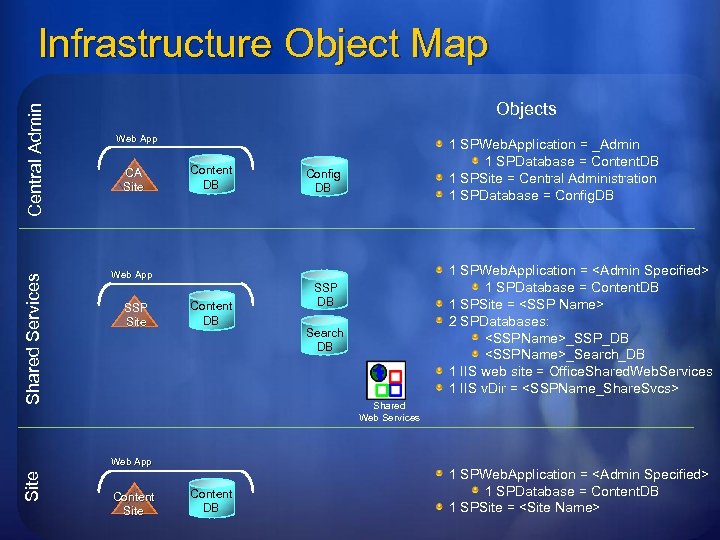 Shared Services Central Admin Infrastructure Object Map Objects Web App CA Site Content DB Config DB 1 SPWeb. Application =
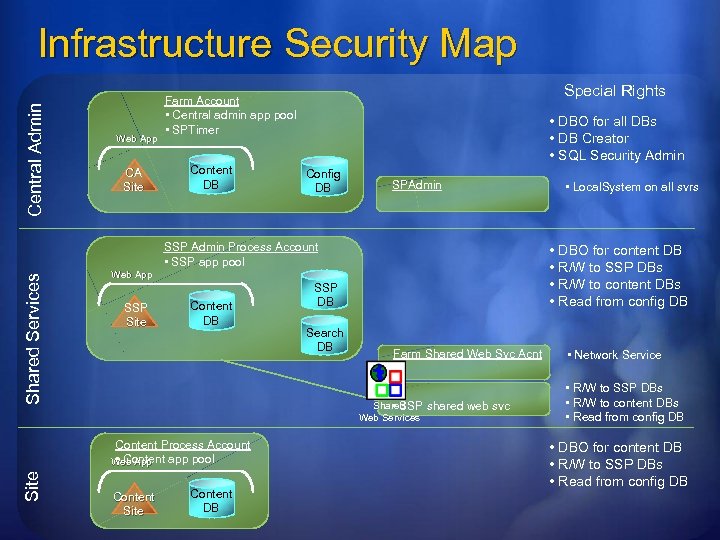 Central Admin Infrastructure Security Map Web App CA Site Special Rights Farm Account • Central admin app pool • SPTimer Content DB • DBO for all DBs • DB Creator • SQL Security Admin Config DB SPAdmin Shared Services SSP Admin Process Account • SSP app pool Content DB SSP DB Search DB Farm Shared Web Svc Acnt Shared • SSP Web Services Content Process Account • Content app pool Web App Site • DBO for content DB • R/W to SSP DBs • R/W to content DBs • Read from config DB Web App SSP Site Content DB • Local. System on all svrs shared web svc • Network Service • R/W to SSP DBs • R/W to content DBs • Read from config DB • DBO for content DB • R/W to SSP DBs • Read from config DB
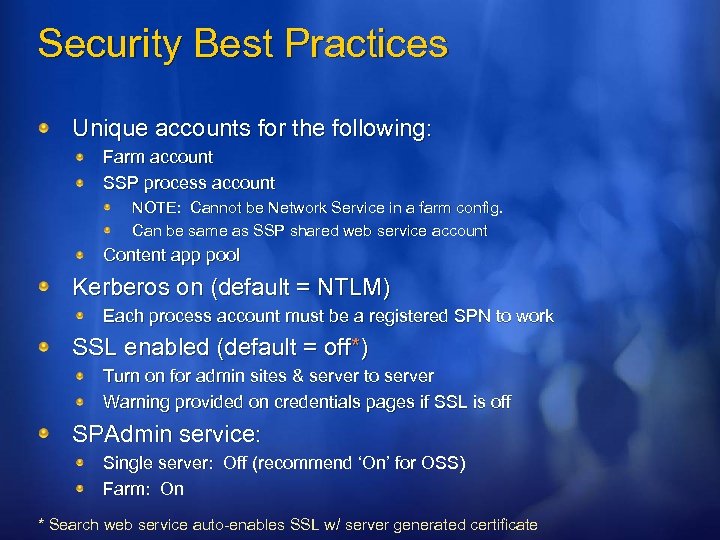 Security Best Practices Unique accounts for the following: Farm account SSP process account NOTE: Cannot be Network Service in a farm config. Can be same as SSP shared web service account Content app pool Kerberos on (default = NTLM) Each process account must be a registered SPN to work SSL enabled (default = off*) Turn on for admin sites & server to server Warning provided on credentials pages if SSL is off SPAdmin service: Single server: Off (recommend ‘On’ for OSS) Farm: On * Search web service auto-enables SSL w/ server generated certificate
 Topics Share. Point 101 – The New World Logical Architecture Re-architecting Share. Point Admin Security Map Physical Architecture Picking your topology Multi-farm topologies Hardware Requirements Putting it all Together
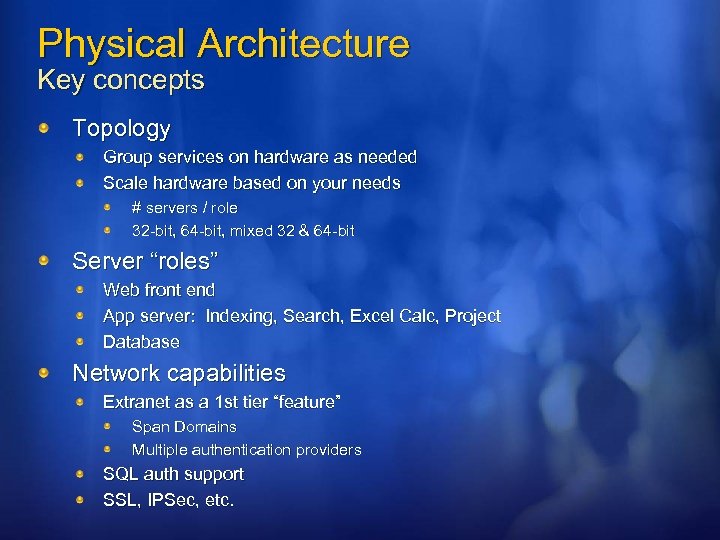 Physical Architecture Key concepts Topology Group services on hardware as needed Scale hardware based on your needs # servers / role 32 -bit, 64 -bit, mixed 32 & 64 -bit Server “roles” Web front end App server: Indexing, Search, Excel Calc, Project Database Network capabilities Extranet as a 1 st tier “feature” Span Domains Multiple authentication providers SQL auth support SSL, IPSec, etc.
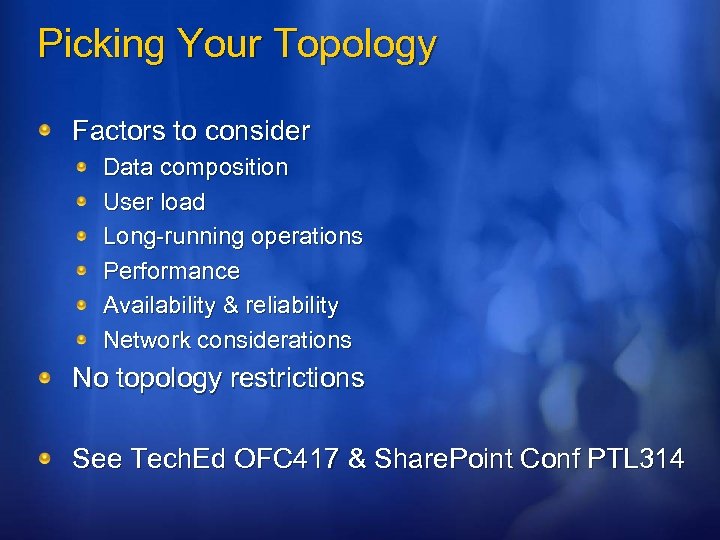 Picking Your Topology Factors to consider Data composition User load Long-running operations Performance Availability & reliability Network considerations No topology restrictions See Tech. Ed OFC 417 & Share. Point Conf PTL 314
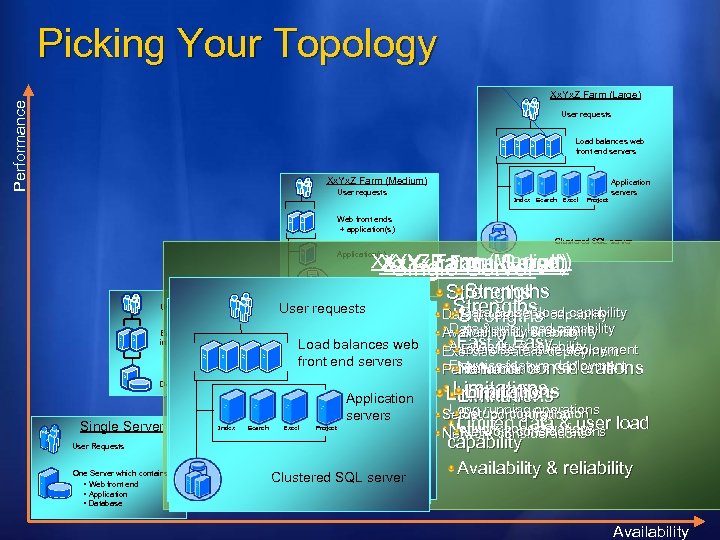 Picking Your Topology Performance Xx. Yx. Z Farm (Large) User requests Load balances web front end servers Xx. Yx. Z Farm (Medium) User requests Application servers Index Search Excel Project Web front ends + application(s) Clustered SQL server Xx. Yx. ZFarm (Medium) Xx. Yx. Z Farm (Large) Xx. Y Farm (Small) Single Server Strengths User requests Strengthsload capability Data & user load capability Strengths User requests Application(s) Clustered SQL server Xx. Y Farm (Small) User requests User Requests Load balances web front end servers Web front ends Each load-balanced server One Server which + application(s) includes: Application contains: • Web front end servers • Excel Web front end Search Applications Application(s) • Project Each load-balanced server includes: • Web front end • Applications Dedicated SQL server Single Server User Requests One Server which contains: • Web front end • Application • Database Index • Application Dedicated SQL server Clustered SQL server • Database Clustered SQL server Data & user load capability Availability & reliability Fast & Easy deployment Availability feature Exercise & reliability Exercise feature deployment Performance Network Performance considerations Limitations Long configuration Setup /running operations Limited considerations data & user Network considerations load capability Availability & reliability Availability
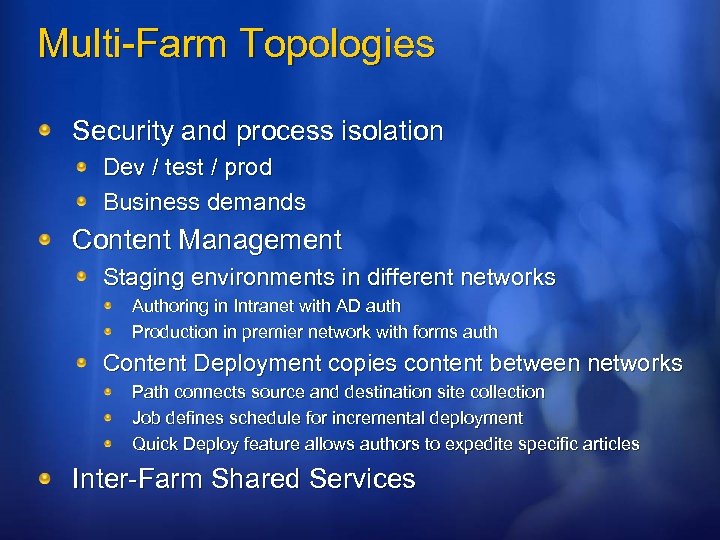 Multi-Farm Topologies Security and process isolation Dev / test / prod Business demands Content Management Staging environments in different networks Authoring in Intranet with AD auth Production in premier network with forms auth Content Deployment copies content between networks Path connects source and destination site collection Job defines schedule for incremental deployment Quick Deploy feature allows authors to expedite specific articles Inter-Farm Shared Services
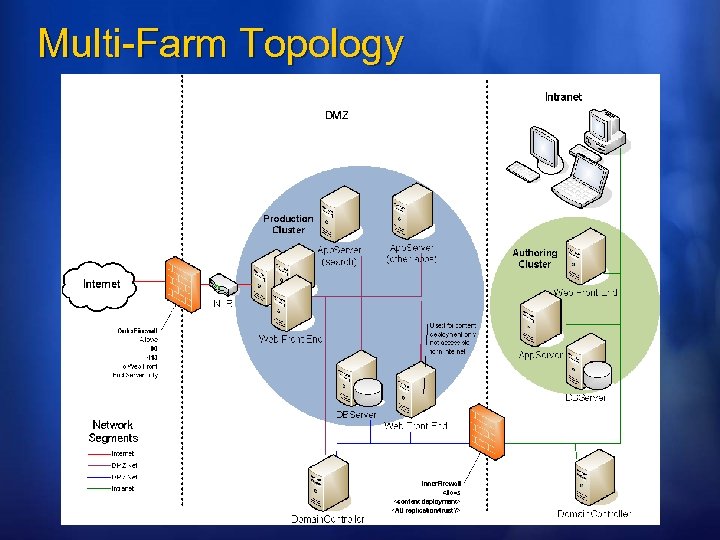 Multi-Farm Topology
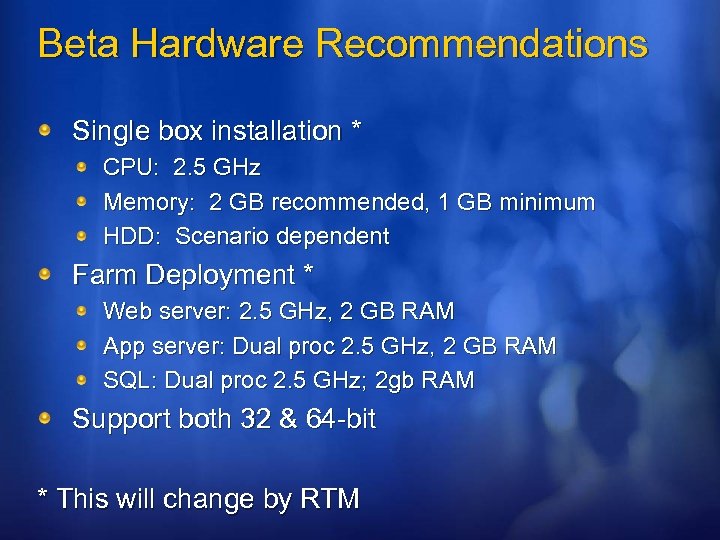 Beta Hardware Recommendations Single box installation * CPU: 2. 5 GHz Memory: 2 GB recommended, 1 GB minimum HDD: Scenario dependent Farm Deployment * Web server: 2. 5 GHz, 2 GB RAM App server: Dual proc 2. 5 GHz, 2 GB RAM SQL: Dual proc 2. 5 GHz; 2 gb RAM Support both 32 & 64 -bit * This will change by RTM
 Topics Share. Point 101 – The New World Logical Architecture Re-architecting Share. Point Admin Security Map Physical Architecture Picking your topology Multi-farm topologies Hardware Requirements Putting it all Together
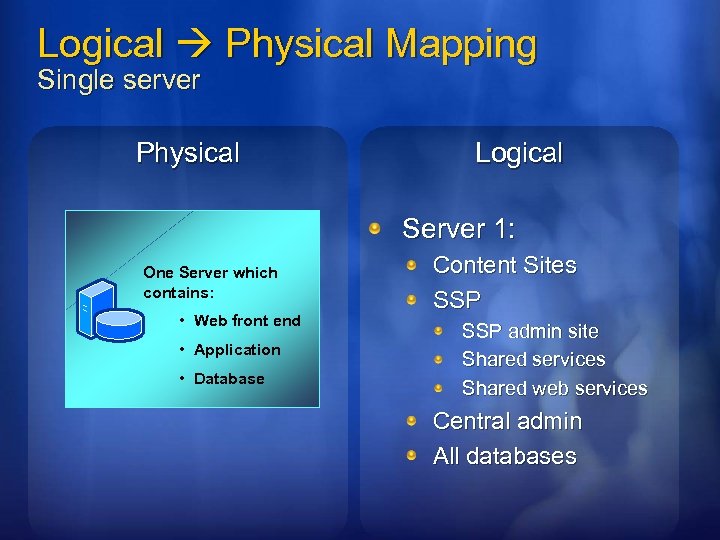 Logical Physical Mapping Single server Physical Logical Server 1: One Server which contains: • Web front end • Application • Database Content Sites SSP admin site Shared services Shared web services Central admin All databases
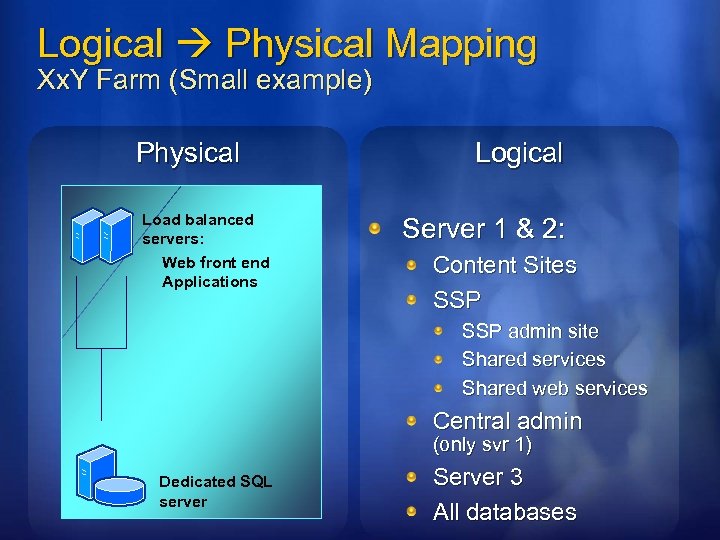 Logical Physical Mapping Xx. Y Farm (Small example) Physical Load balanced servers: Web front end Applications Logical Server 1 & 2: Content Sites SSP admin site Shared services Shared web services Central admin (only svr 1) Dedicated SQL server Server 3 All databases
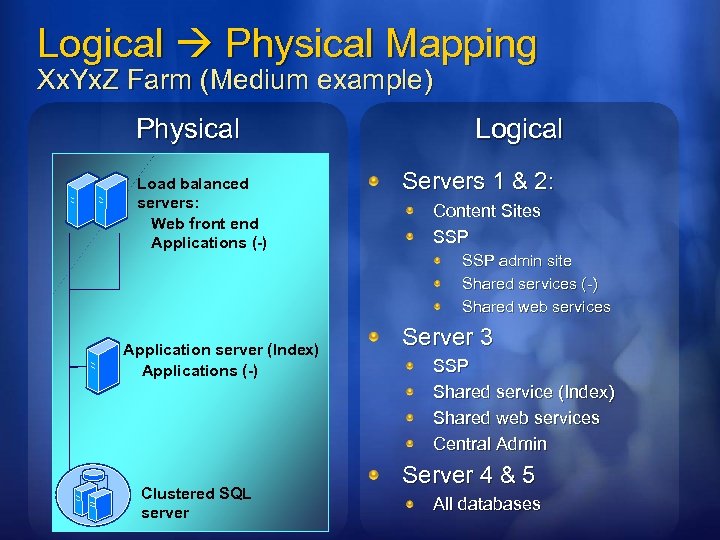 Logical Physical Mapping Xx. Yx. Z Farm (Medium example) Physical Load balanced servers: Web front end Applications (-) Application server (Index) Applications (-) Clustered SQL server Logical Servers 1 & 2: Content Sites SSP admin site Shared services (-) Shared web services Server 3 SSP Shared service (Index) Shared web services Central Admin Server 4 & 5 All databases
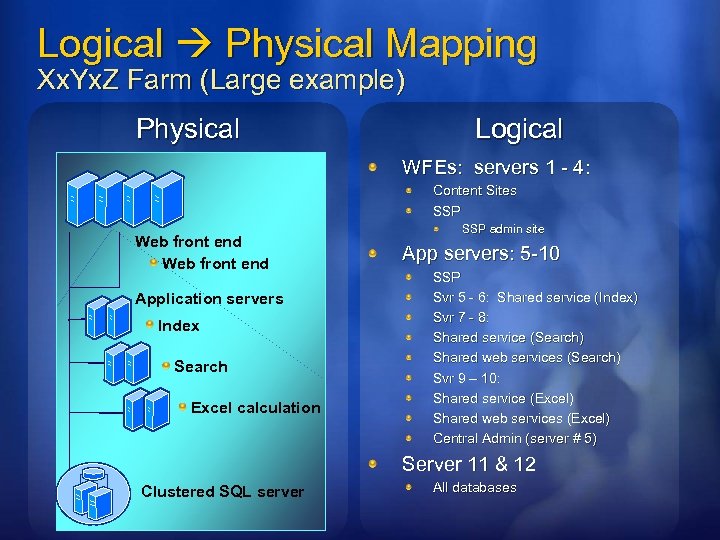 Logical Physical Mapping Xx. Yx. Z Farm (Large example) Physical Logical WFEs: servers 1 - 4: Content Sites SSP Web front end Application servers Index Search Excel calculation SSP admin site App servers: 5 -10 SSP Svr 5 - 6: Shared service (Index) Svr 7 - 8: Shared service (Search) Shared web services (Search) Svr 9 – 10: Shared service (Excel) Shared web services (Excel) Central Admin (server # 5) Server 11 & 12 Clustered SQL server All databases
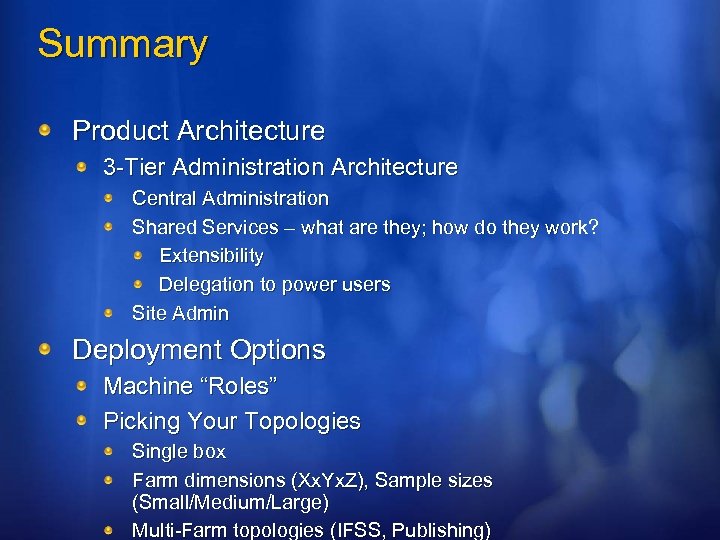 Summary Product Architecture 3 -Tier Administration Architecture Central Administration Shared Services – what are they; how do they work? Extensibility Delegation to power users Site Admin Deployment Options Machine “Roles” Picking Your Topologies Single box Farm dimensions (Xx. Yx. Z), Sample sizes (Small/Medium/Large) Multi-Farm topologies (IFSS, Publishing)
 Resources Technical Chats and Webcasts http: //www. microsoft. com/communities/chats/default. mspx http: //www. microsoft. com/usa/webcasts/default. asp Microsoft Learning and Certification http: //www. microsoft. com/learning/default. mspx MSDN & Tech. Net http: //microsoft. com/msdn http: //microsoft. com/technet Virtual Labs http: //www. microsoft. com/technet/traincert/virtuallab/rms. mspx VD urce D eso nical R ech T Newsgroups http: //communities 2. microsoft. com/communities/newsgroups/en-us/default. aspx Technical Community Sites http: //www. microsoft. com/communities/default. mspx User Groups http: //www. microsoft. com/communities/usergroups/default. mspx !
 The 2007 Microsoft Office System Clients. Servers. Solutions. Install Beta 2 today! It’s in your attendee bag Talk Lab Demo Learn more at the Office System TLC Demo Stations / Hands-on-Labs / Chalk-talks Get more information http: //www. microsoft. com/office/preview/default. mspx http: //msdn. microsoft. com/office/
 Fill out a session evaluation on Comm. Net and Win an XBOX 360!
 © 2006 Microsoft Corporation. All rights reserved. Microsoft, Windows Vista and other product names are or may be registered trademarks and/or trademarks in the U. S. and/or other countries. The information herein is for informational purposes only and represents the current view of Microsoft Corporation as of the date of this presentation. Because Microsoft must respond to changing market conditions, it should not be interpreted to be a commitment on the part of Microsoft, and Microsoft cannot guarantee the accuracy of any information provided after the date of this presentation. MICROSOFT MAKES NO WARRANTIES, EXPRESS, IMPLIED OR STATUTORY, AS TO THE INFORMATION IN THIS PRESENTATION.