 Скачать презентацию ODBC Unplugged What s New in the Data Flex
ef35eedee9f8f7e6319478a5caa8dd29.ppt
- Количество слайдов: 33



ODBC Unplugged: What’s New in the Data. Flex Connectivity Kit for ODBC? John Kramel Senior Consultant Data Access Corporation
What is ODBC? u Microsoft Open Data. Base Connectivity interface u A component of Microsoft’s Windows Open Services Architecture (WOSA) u Enables applications to access data from various DBMSs u Uses SQL as a standard
ODBC Supported DBMSs u AS/400 (SQL/400) u ASCII u DB 2/2 u d. Base II, IV, Fox. Pro, Clipper u Microsoft Access u Faircom C-tree plus
ODBC Supported DBMSs u Informix u Oracle u Paradox u SQL Server (Microsoft) u Sybase u And More!
What is the Data. Flex Connectivity Kit for ODBC? u Open Client/Server solution for Data. Flex and Visual Data. Flex u Converts Data. Flex data files to target tables u Connects Data. Flex to existing database tables
Flashback to 1996 u 1996 Conference ODBC Talk u ODBC Kit still represents great business opportunities for Data. Flex developers u At the 1996 and 1997 conferences, the OBCD driver was still in beta u Revision 1. 1, along with all the other products shown at this conference, is delivering now
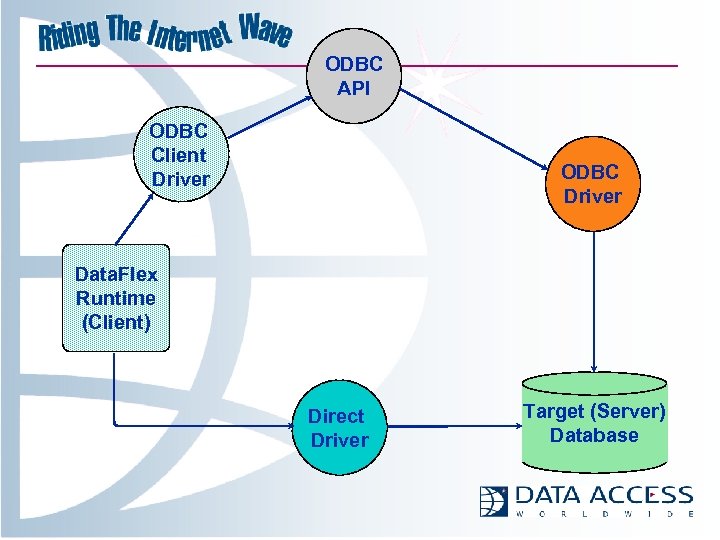
ODBC API ODBC Client Driver ODBC Driver Data. Flex Runtime (Client) Direct Driver Target (Server) Database
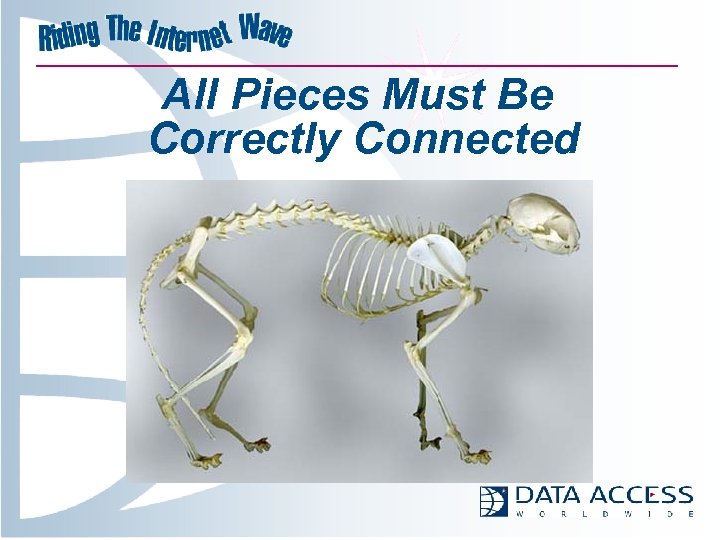
All Pieces Must Be Correctly Connected
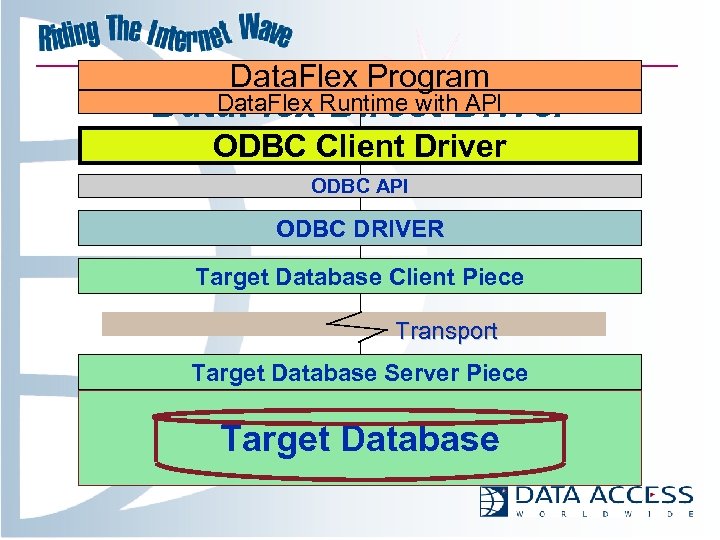
Data. Flex Program Data. Flex Direct API Data. Flex Runtime with. Driver ODBC Client Driver Architecture ODBC API ODBC DRIVER Target Database Client Piece Transport Target Database Server Piece Target Database
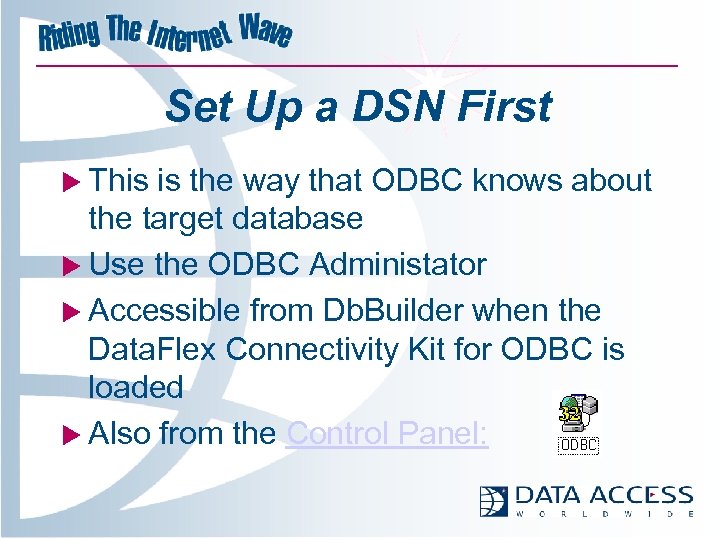
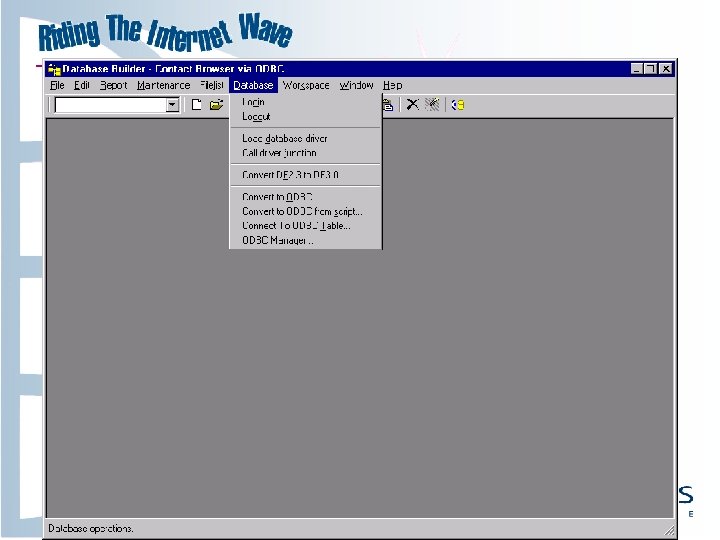
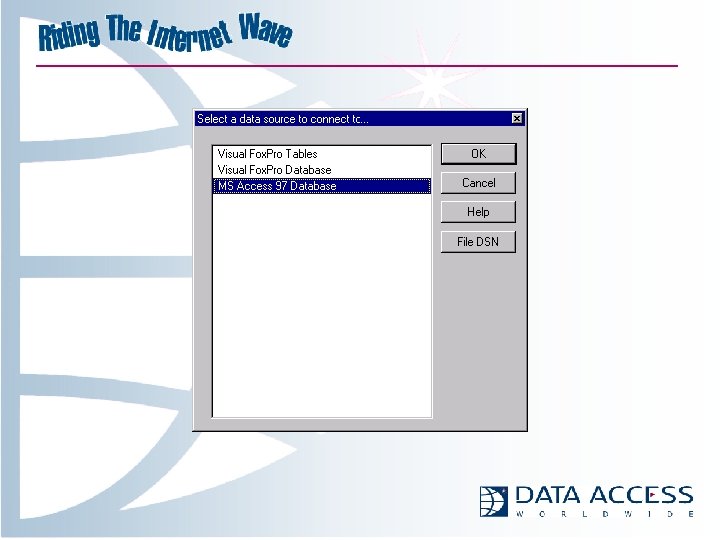
Set Up a DSN First u This is the way that ODBC knows about the target database u Use the ODBC Administator u Accessible from Db. Builder when the Data. Flex Connectivity Kit for ODBC is loaded u Also from the Control Panel:
The Intermediate File u Created automatically by VDFFile or Db. Builder u Data table specific u Driver name u Field information u Index information
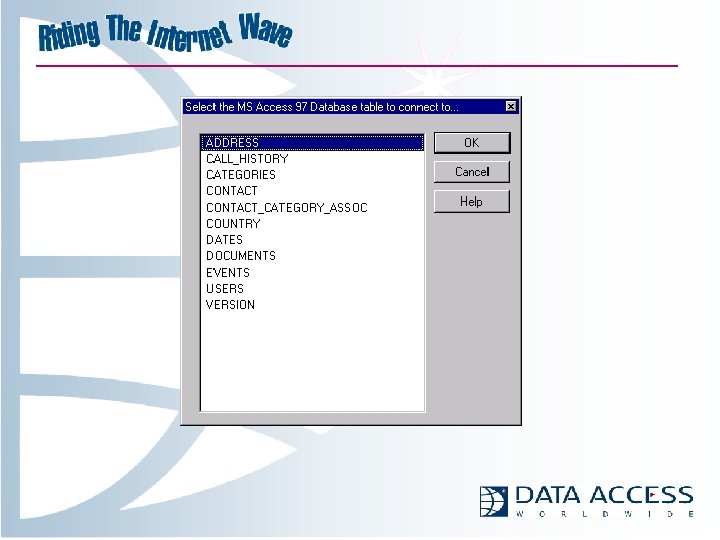
Flashback to 1997 u 1997 Conference ODBC Talk u With revision 1. 1 of the driver, the tasks of connecting to an existing database has become much easier (easier to look at, too!) u The Intermediate File is created automatically
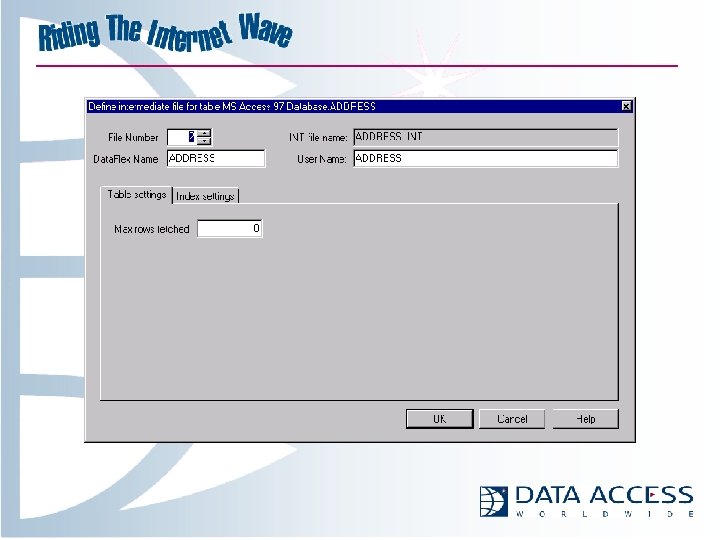
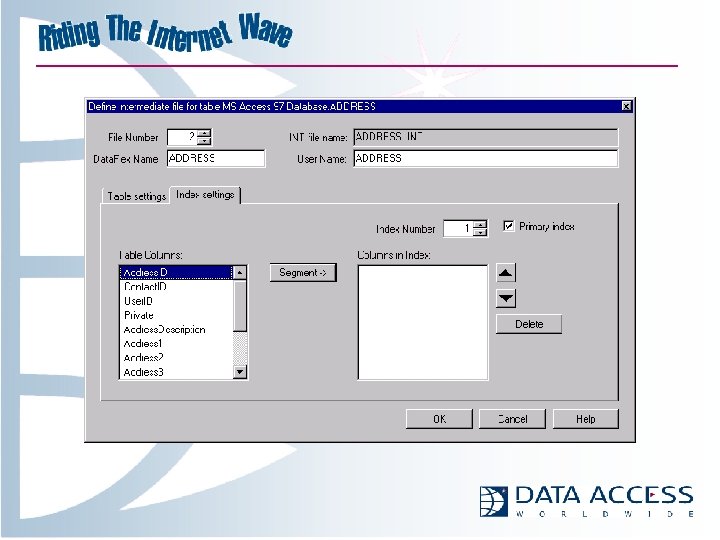
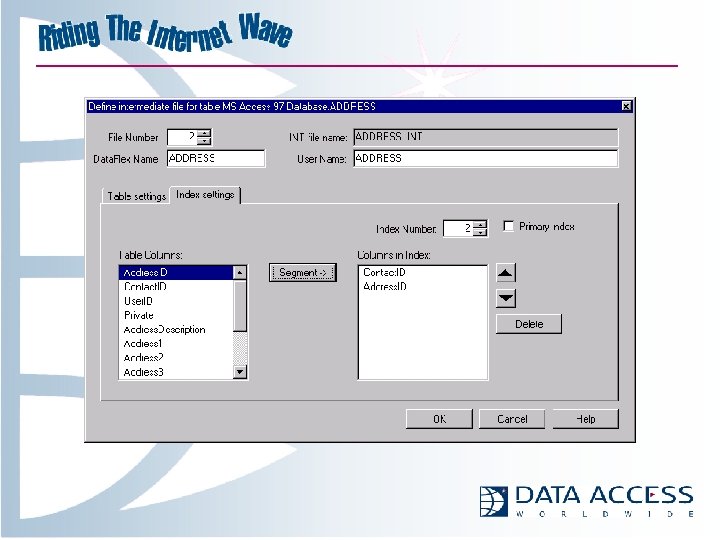
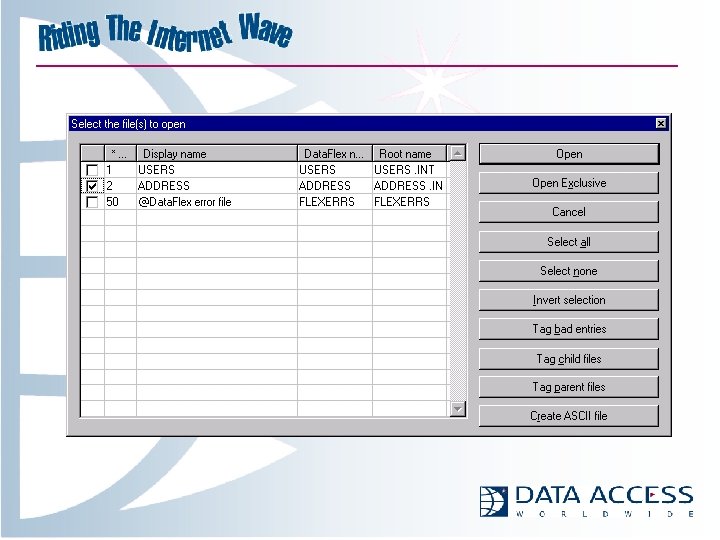
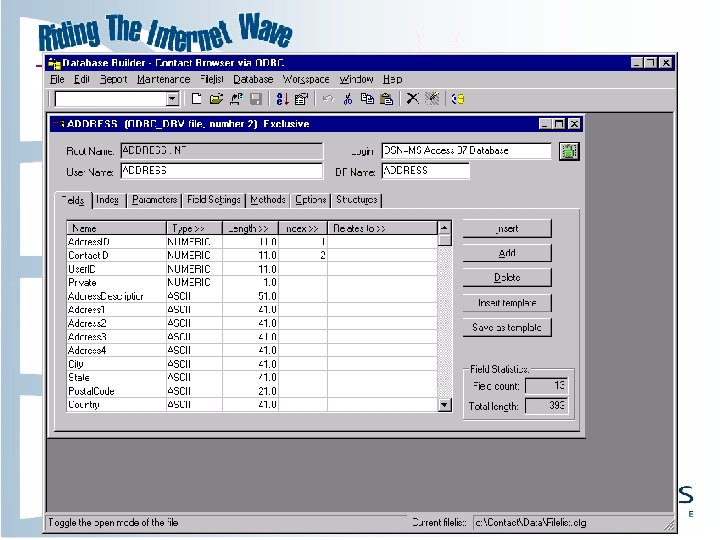
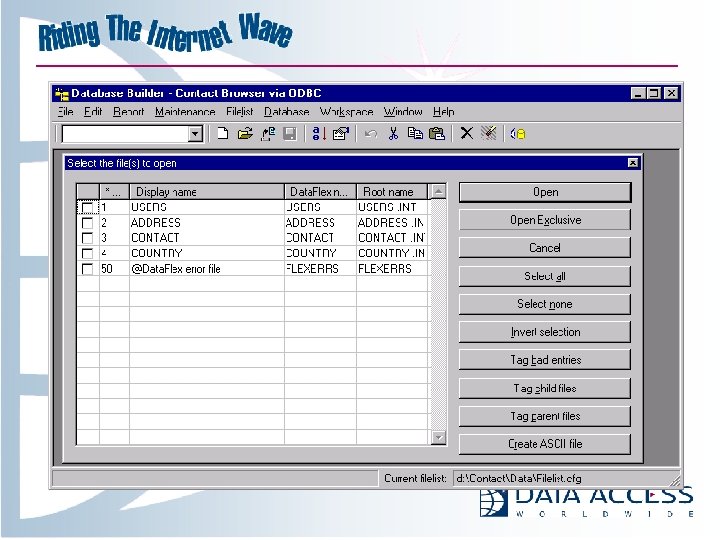
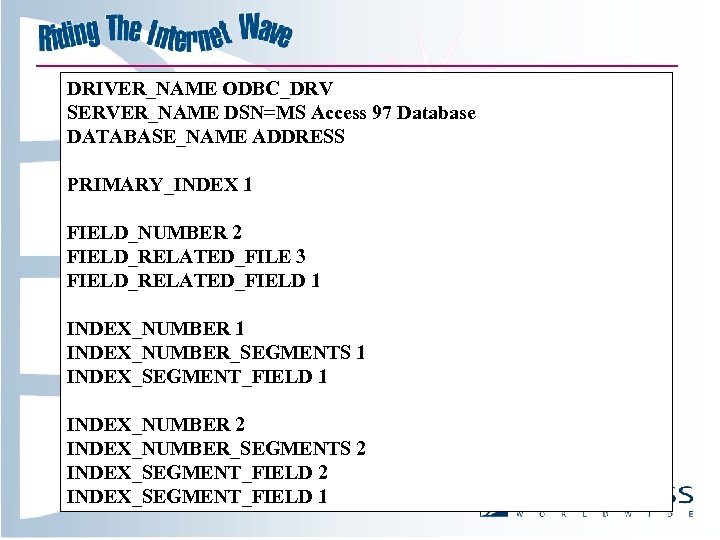
DRIVER_NAME ODBC_DRV SERVER_NAME DSN=MS Access 97 Database DATABASE_NAME ADDRESS PRIMARY_INDEX 1 FIELD_NUMBER 2 FIELD_RELATED_FILE 3 FIELD_RELATED_FIELD 1 INDEX_NUMBER_SEGMENTS 1 INDEX_SEGMENT_FIELD 1 INDEX_NUMBER 2 INDEX_NUMBER_SEGMENTS 2 INDEX_SEGMENT_FIELD 1
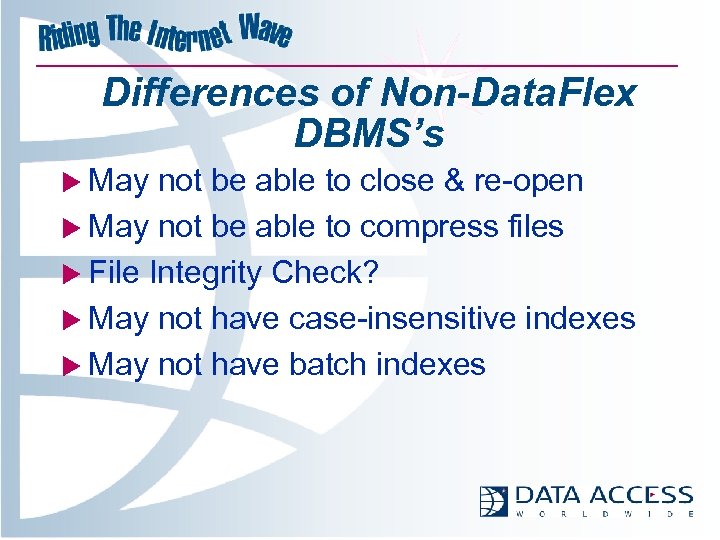
Differences of Non-Data. Flex DBMS’s u May not be able to close & re-open u May not be able to compress files u File Integrity Check? u May not have case-insensitive indexes u May not have batch indexes
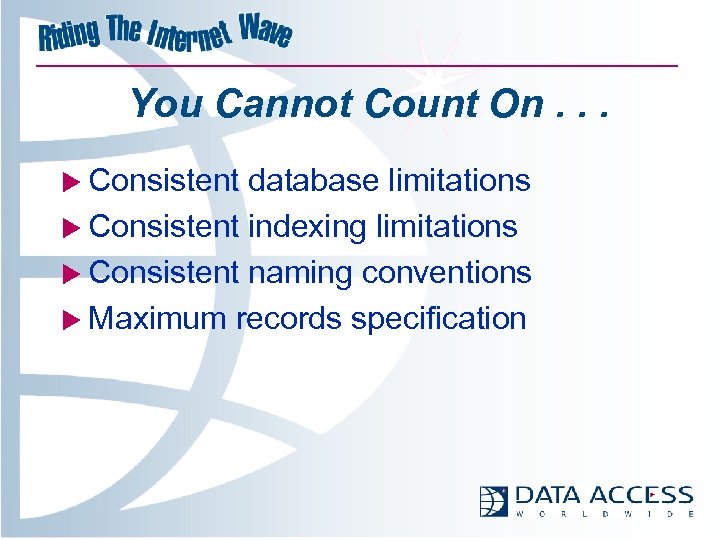
You Cannot Count On. . . u Consistent database limitations u Consistent indexing limitations u Consistent naming conventions u Maximum records specification
“Recnum” u Must assign a unique identifier u May be automatically maintained by database or manually by all programs used for access u If maintained by database, may not be able to be accessed within transaction
“Recnum” u Must be Numeric (This may change) u Must be only segment in an index u Don’t think it’ll be faster than other indexes u Db. Builder can automatically create “DFRecnum” field when converting!
Date / Time Fields u Time stored with date in field u Can’t be handled elegantly by Data. Flex u Limited support added u Use Intermediate File keyword FIELD_STORE_TIME to set the time portion u Set to either server system time, client system time, or constant value
Things to Watch Out For u Reserved Words can prevent conversion or pose difficulty later on u E. g. : u ORDER u PRIMARY u TABLE
Things to Watch Out For u Target database and/or driver may or may not have limitations on “blobs” or index segment rules u May have to reorganize data structure, e. g. , breaking Text or Binary fields out to separate tables u Also, remember that Data. Flex r/t limit is 15 K
Things to Watch Out For u These kinds of issues will occur with each DBMS encountered u Data Access cannot provide you with all the compatabilities issues for all the databases u Know your target DBMS
Getting Started u When you buy the VDF Professional Bundle, you have everything you need: u VDF tools and runtime u Data. Flex Connectivity Kit for ODBC (unlimited deployment) u Plus DB 2 and Pervasive. SQL developer servers, drivers, Flex. OLE, Win. QL and more
Getting Started - Character Mode u Data. Flex 3. 1 d Console Mode u Suggestion: Buy VDF, too! u You get the Pervasive and DB 2 kits u You get a head start on VDF as well u You can mix and match your application u Character u Visual u Web Mode
Welcome to the World of Open Client/Server Development!
Скачать презентацию ODBC Unplugged What s New in the Data Flex
ef35eedee9f8f7e6319478a5caa8dd29.ppt