


 Скачать презентацию Ocs Inc Mississauga Ont Ithaca NY
90e9a1116ff31912095e6a7ea2cec8fd.ppt
- Количество слайдов: 11
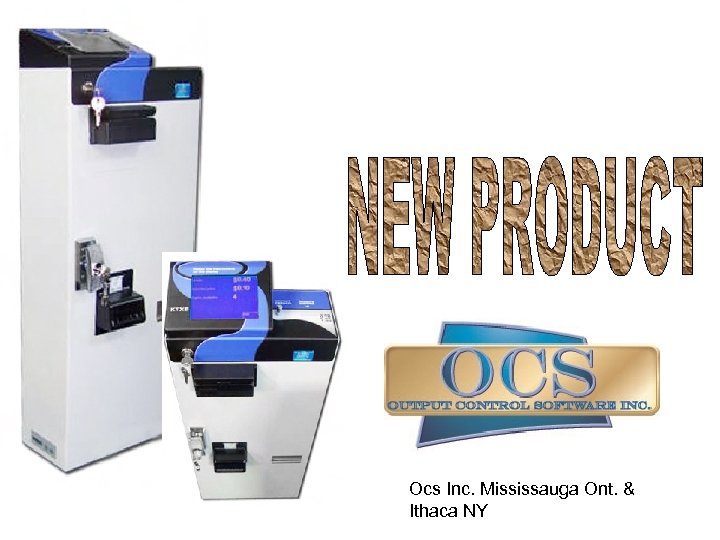 Ocs Inc. Mississauga Ont. & Ithaca NY
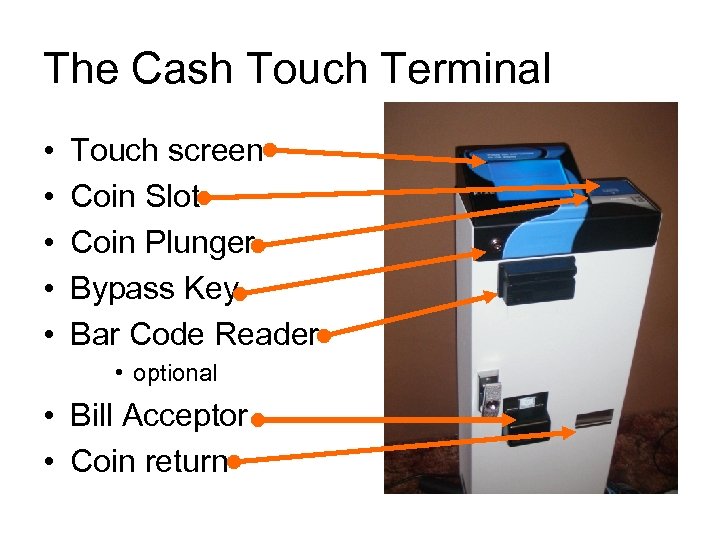 The Cash Touch Terminal • • • Touch screen Coin Slot Coin Plunger Bypass Key Bar Code Reader • optional • Bill Acceptor • Coin return
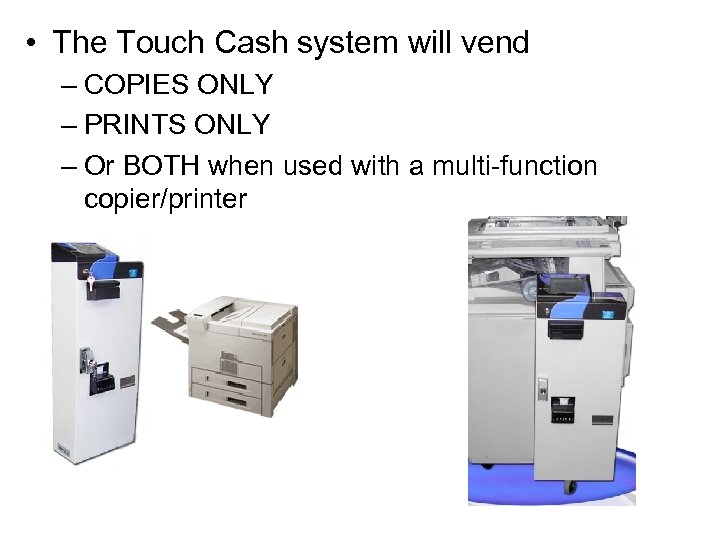 • The Touch Cash system will vend – COPIES ONLY – PRINTS ONLY – Or BOTH when used with a multi-function copier/printer
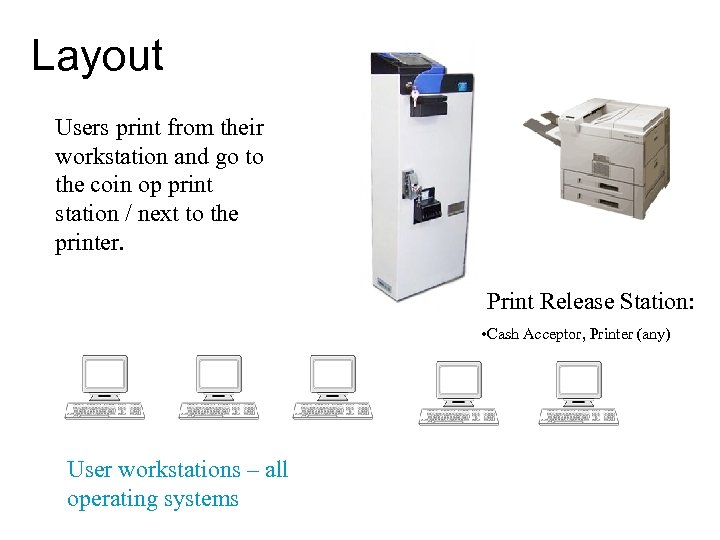 Layout Users print from their workstation and go to the coin op print station / next to the printer. Print Release Station: • Cash Acceptor, Printer (any) User workstations – all operating systems
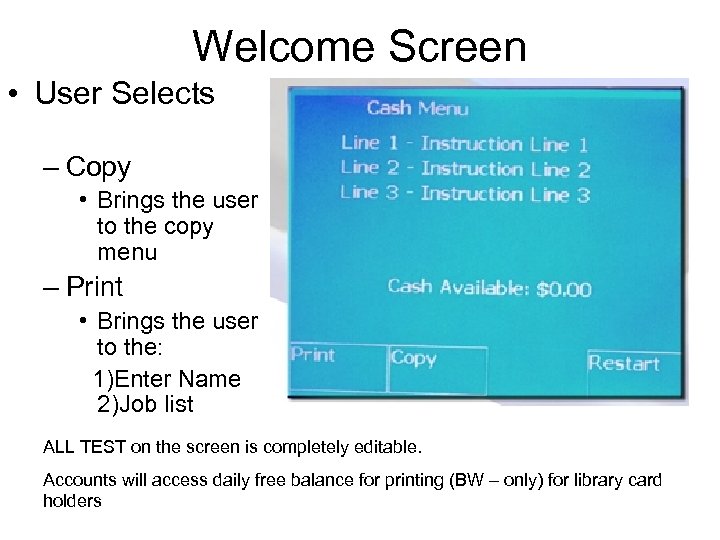 Welcome Screen • User Selects – Copy • Brings the user to the copy menu – Print • Brings the user to the: 1)Enter Name 2)Job list ALL TEST on the screen is completely editable. Accounts will access daily free balance for printing (BW – only) for library card holders
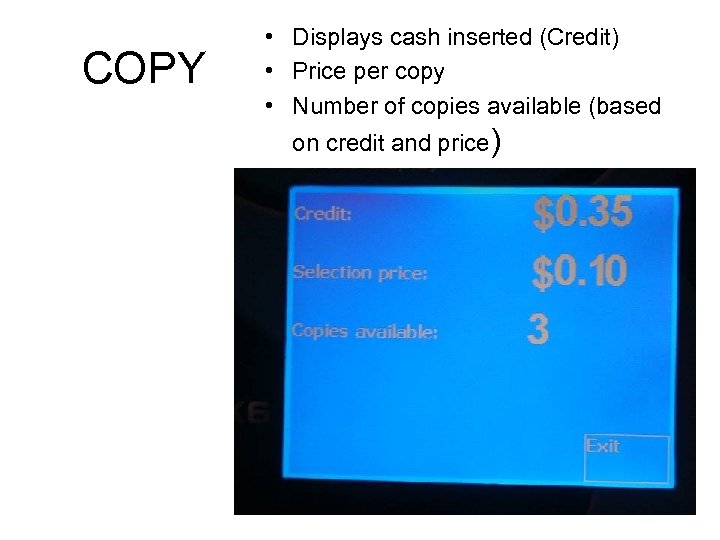 COPY • Displays cash inserted (Credit) • Price per copy • Number of copies available (based on credit and price)
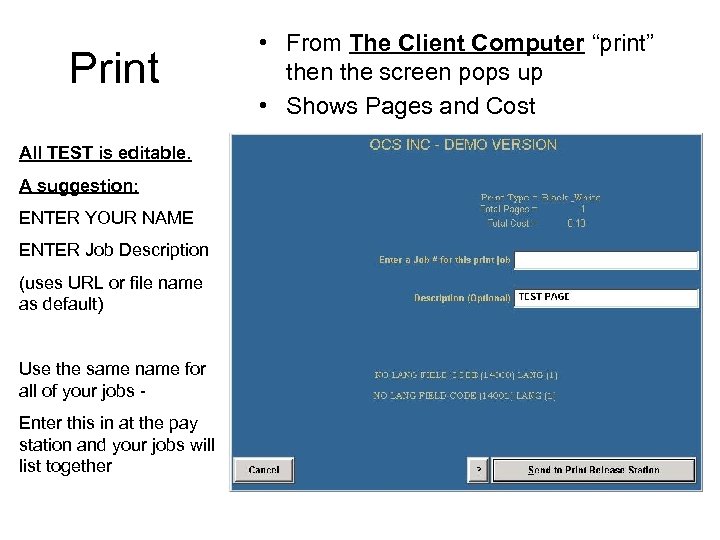 Print All TEST is editable. A suggestion: ENTER YOUR NAME ENTER Job Description (uses URL or file name as default) Use the same name for all of your jobs - Enter this in at the pay station and your jobs will list together • From The Client Computer “print” then the screen pops up • Shows Pages and Cost
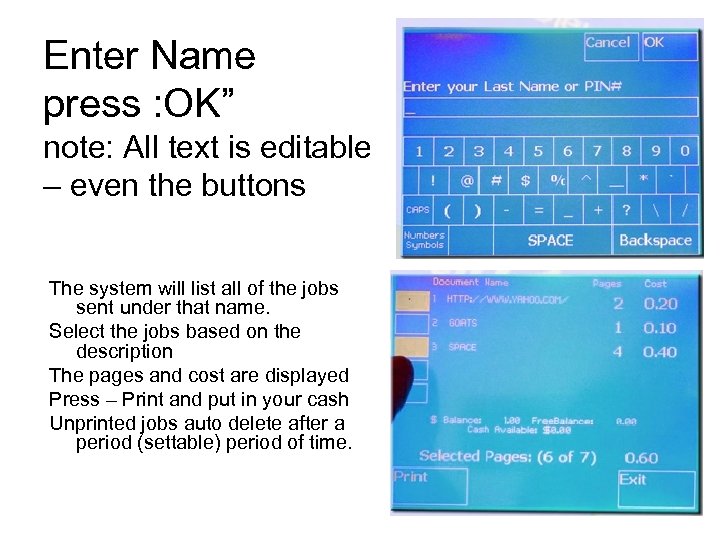 Enter Name press : OK” note: All text is editable – even the buttons The system will list all of the jobs sent under that name. Select the jobs based on the description The pages and cost are displayed Press – Print and put in your cash Unprinted jobs auto delete after a period (settable) period of time.
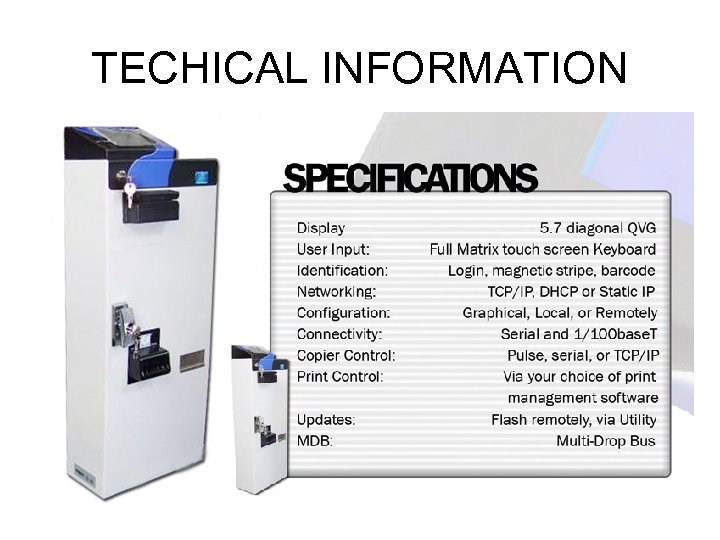 TECHICAL INFORMATION
 OCS Software • OCS Software requires a windows server 2003 (or XP for very small sites) • OCS runs as a service on the server • Uses MS (free of full) SQL for transactions and reports (and user database if we are running accounts) • Client install for PC and MAC (very easy – one. exe and the client is installed.
 OCS CONTACT INFORMATION US Sales n USSALES@OUTPUT-CONTROLSOFTWARE. COM n 607 -539 -7434 International Sales n SALES@OUTPUT-CONTORLSOFTWARE. COM n 905 -828 -9706