 Скачать презентацию Object-Oriented Design and Programming Java Topics Covered
c80bfd8a8c96451d2ead927044d1dd1e.ppt
- Количество слайдов: 98



Object-Oriented Design and Programming (Java)
Topics Covered Today • 3. 2 Graphical User Interface – 3. 2. 1 Swing Components and Containers – 3. 2. 2 Swing Event Handling 2
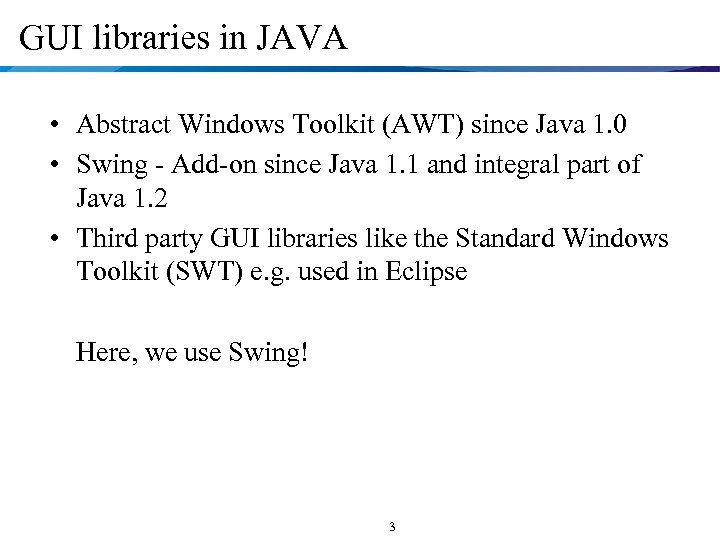
GUI libraries in JAVA • Abstract Windows Toolkit (AWT) since Java 1. 0 • Swing - Add-on since Java 1. 1 and integral part of Java 1. 2 • Third party GUI libraries like the Standard Windows Toolkit (SWT) e. g. used in Eclipse Here, we use Swing! 3
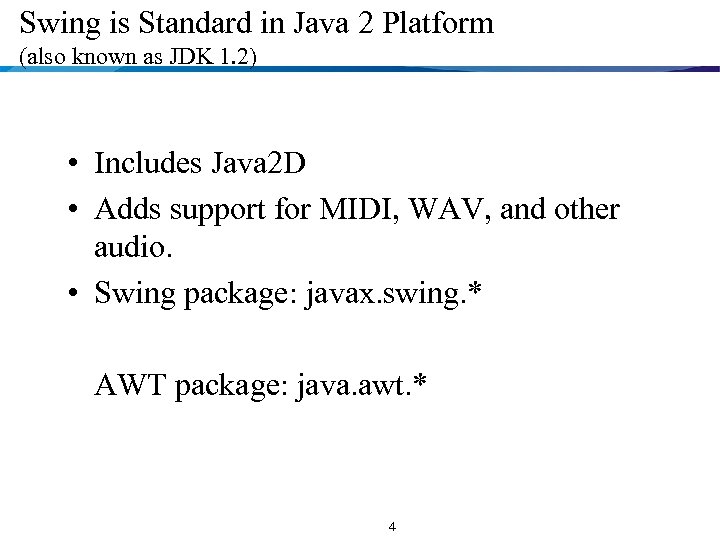
Swing is Standard in Java 2 Platform (also known as JDK 1. 2) • Includes Java 2 D • Adds support for MIDI, WAV, and other audio. • Swing package: javax. swing. * AWT package: java. awt. * 4
Reference Book • Thinking in Java (2 nd Edition), Bruce Eckel, Prentice Hall Chapter 13 Creating Windows & Applets • Getting Started with Swing http: //java. sun. com/docs/books/tutorial/uiswing/ 5
New Features in Swing • Lightweight. Not built on native window-system windows. • Much bigger set of built-in controls. Trees, image buttons, tabbed panes, sliders, toolbars, color choosers, tables, etc. • Much more customizable(可定制). Can change border, text alignment, or add image to almost any control. 6
New Features in Swing • Pluggable" look and feel. Can change look and feel at runtime, or design own look and feel. • Many miscellaneous new features. Doublebuffering built in, tool tips, keyboard accelerators, custom cursors, etc. 7
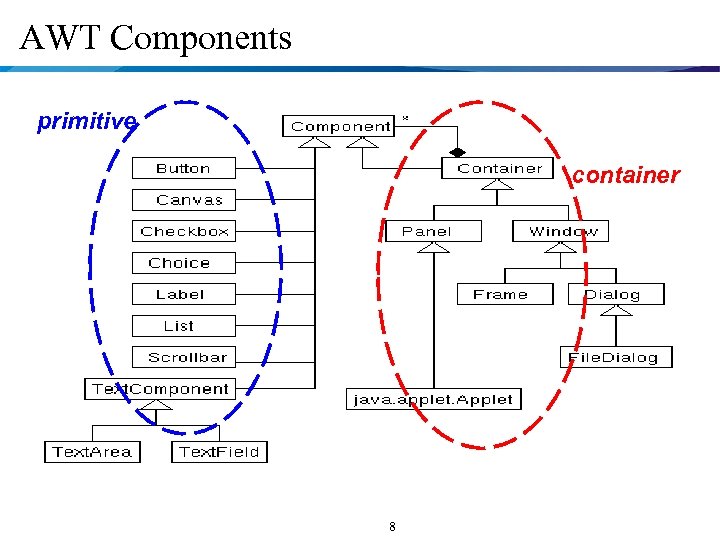
AWT Components primitive container 8
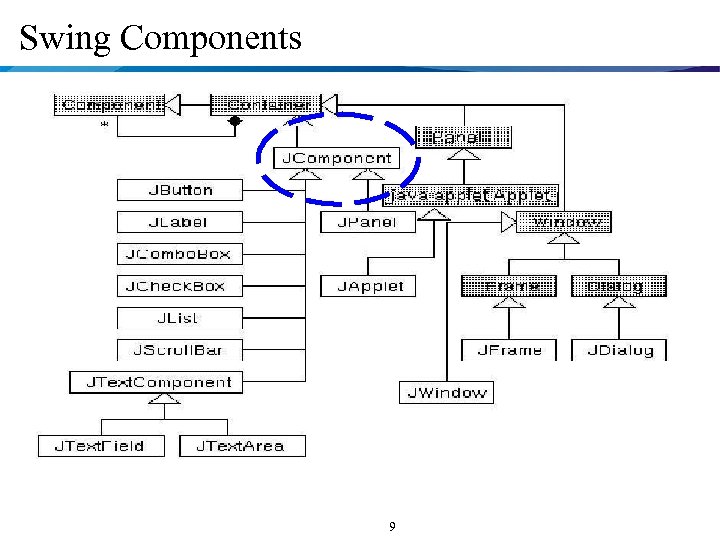
Swing Components 9
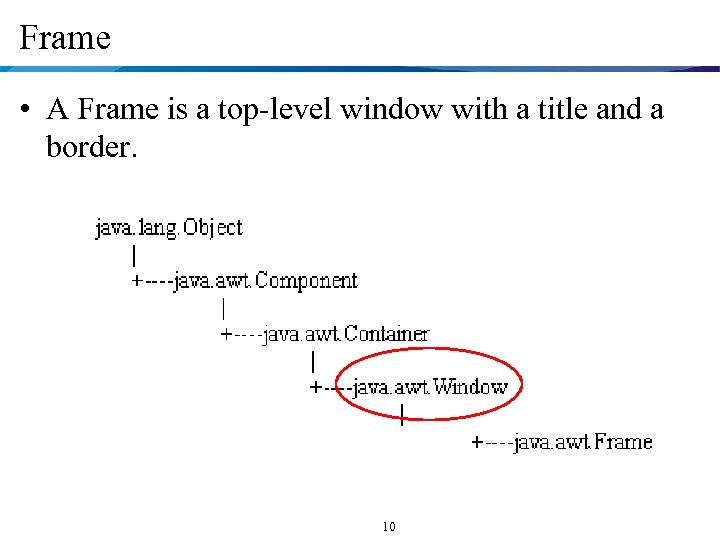
Frame • A Frame is a top-level window with a title and a border. 10
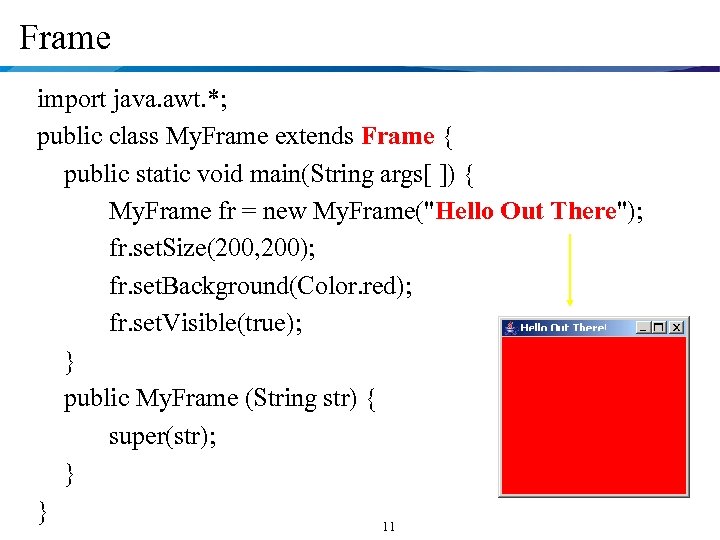
Frame import java. awt. *; public class My. Frame extends Frame { public static void main(String args[ ]) { My. Frame fr = new My. Frame("Hello Out There"); fr. set. Size(200, 200); fr. set. Background(Color. red); fr. set. Visible(true); } public My. Frame (String str) { super(str); } } 11
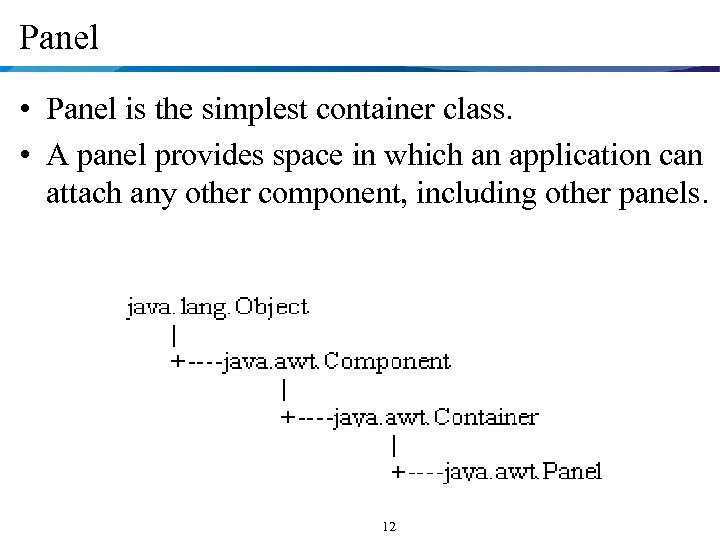
Panel • Panel is the simplest container class. • A panel provides space in which an application can attach any other component, including other panels. 12
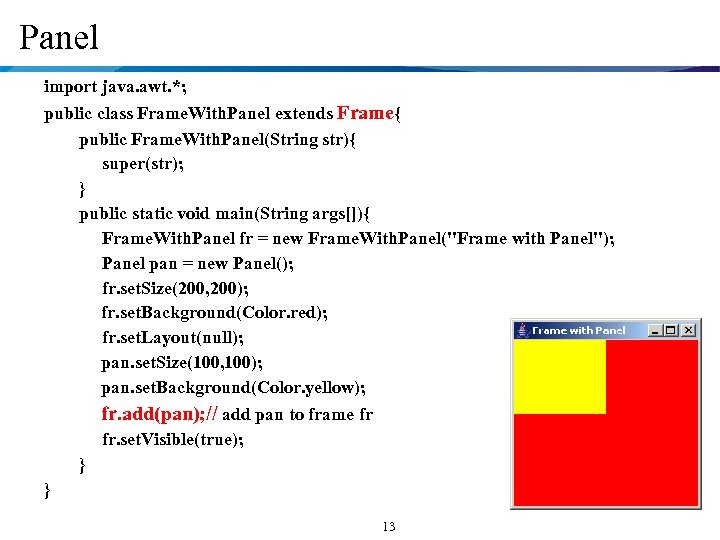
Panel import java. awt. *; public class Frame. With. Panel extends Frame{ public Frame. With. Panel(String str){ super(str); } public static void main(String args[]){ Frame. With. Panel fr = new Frame. With. Panel("Frame with Panel"); Panel pan = new Panel(); fr. set. Size(200, 200); fr. set. Background(Color. red); fr. set. Layout(null); pan. set. Size(100, 100); pan. set. Background(Color. yellow); fr. add(pan); // add pan to frame fr fr. set. Visible(true); } } 13
Layout Managers • Associated with containers • Automate the layout of elements – When elements are added to the container – When the window is resized • automatically adjust the positions and sizes of the elements. 14
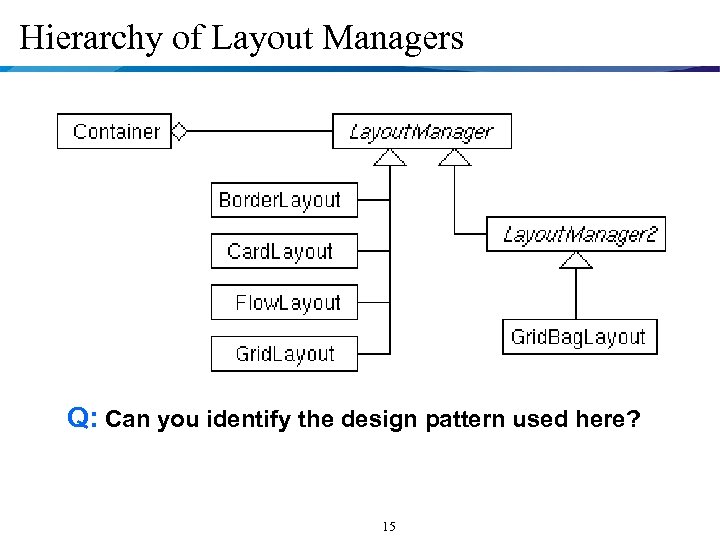
Hierarchy of Layout Managers Q: Can you identify the design pattern used here? 15
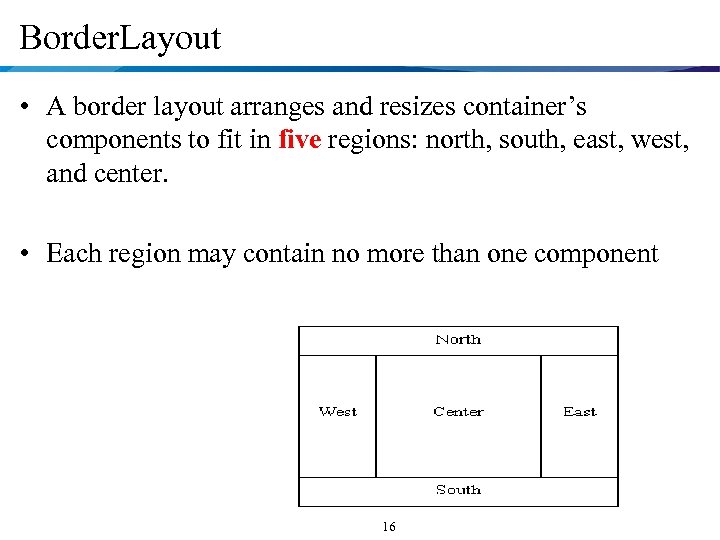
Border. Layout • A border layout arranges and resizes container’s components to fit in five regions: north, south, east, west, and center. • Each region may contain no more than one component 16
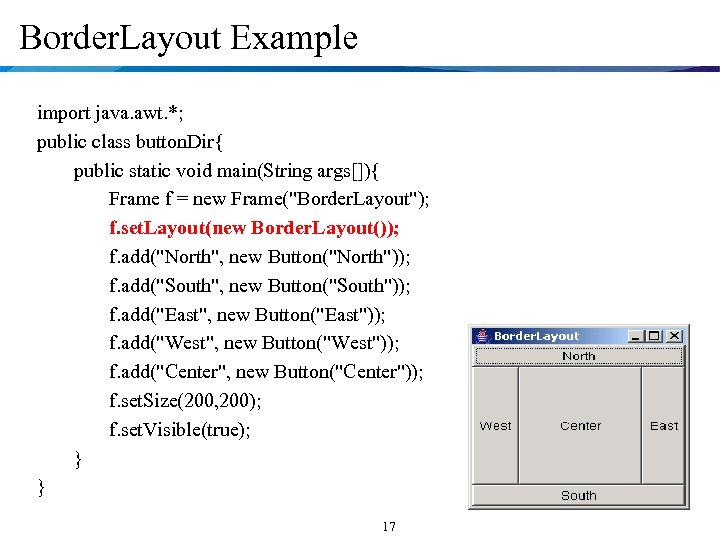
Border. Layout Example import java. awt. *; public class button. Dir{ public static void main(String args[]){ Frame f = new Frame("Border. Layout"); f. set. Layout(new Border. Layout()); f. add("North", new Button("North")); f. add("South", new Button("South")); f. add("East", new Button("East")); f. add("West", new Button("West")); f. add("Center", new Button("Center")); f. set. Size(200, 200); f. set. Visible(true); } } 17
Grid. Layout • The Grid. Layout class is a layout manager that lays out a container's components in a rectangular grid. 18
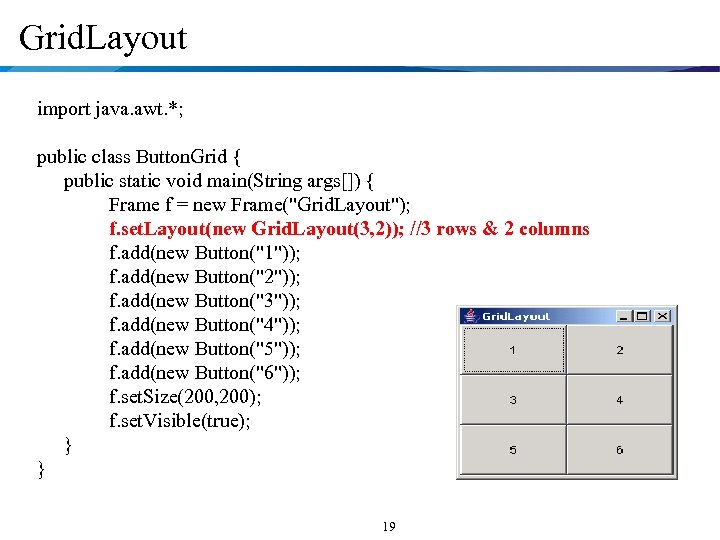
Grid. Layout import java. awt. *; public class Button. Grid { public static void main(String args[]) { Frame f = new Frame("Grid. Layout"); f. set. Layout(new Grid. Layout(3, 2)); //3 rows & 2 columns f. add(new Button("1")); f. add(new Button("2")); f. add(new Button("3")); f. add(new Button("4")); f. add(new Button("5")); f. add(new Button("6")); f. set. Size(200, 200); f. set. Visible(true); } } 19
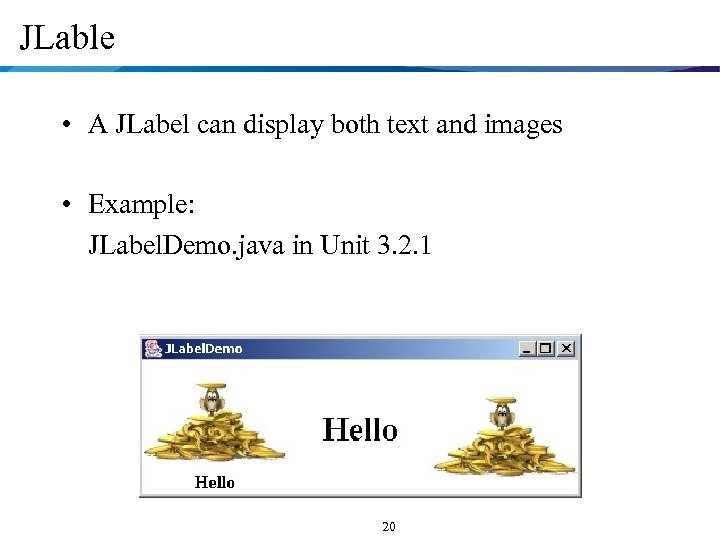
JLable • A JLabel can display both text and images • Example: JLabel. Demo. java in Unit 3. 2. 1 20
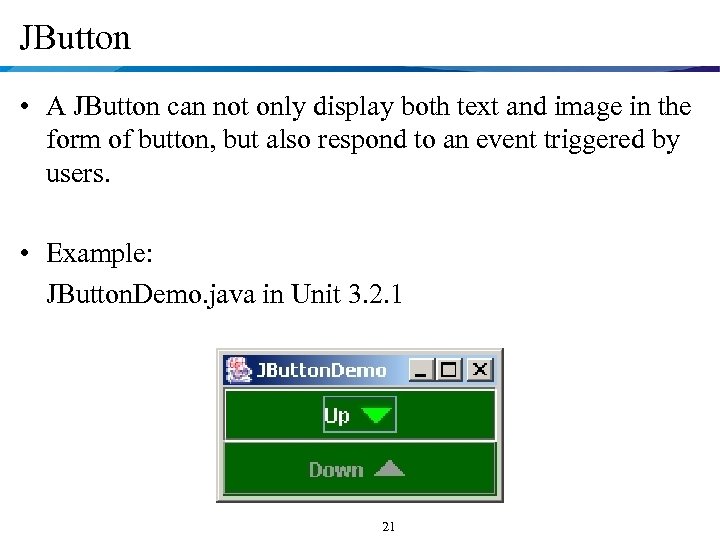
JButton • A JButton can not only display both text and image in the form of button, but also respond to an event triggered by users. • Example: JButton. Demo. java in Unit 3. 2. 1 21
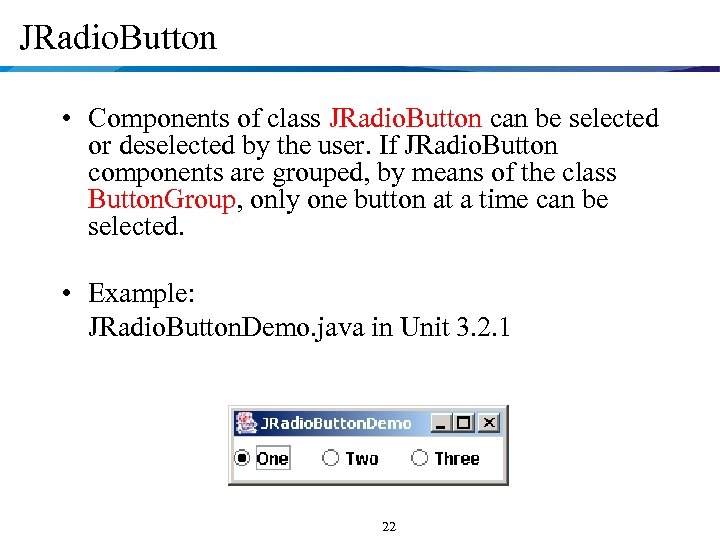
JRadio. Button • Components of class JRadio. Button can be selected or deselected by the user. If JRadio. Button components are grouped, by means of the class Button. Group, only one button at a time can be selected. • Example: JRadio. Button. Demo. java in Unit 3. 2. 1 22
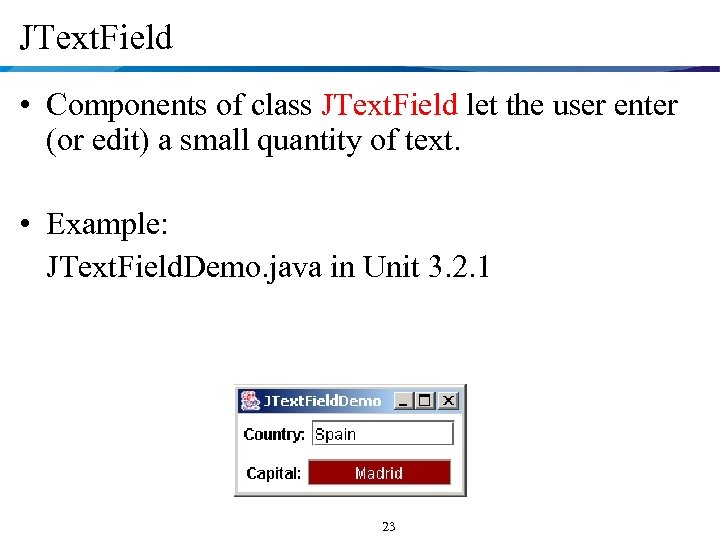
JText. Field • Components of class JText. Field let the user enter (or edit) a small quantity of text. • Example: JText. Field. Demo. java in Unit 3. 2. 1 23
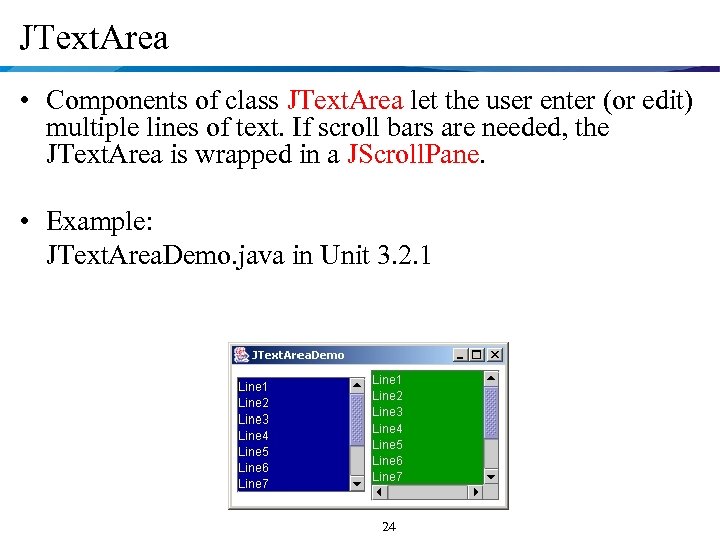
JText. Area • Components of class JText. Area let the user enter (or edit) multiple lines of text. If scroll bars are needed, the JText. Area is wrapped in a JScroll. Pane. • Example: JText. Area. Demo. java in Unit 3. 2. 1 24
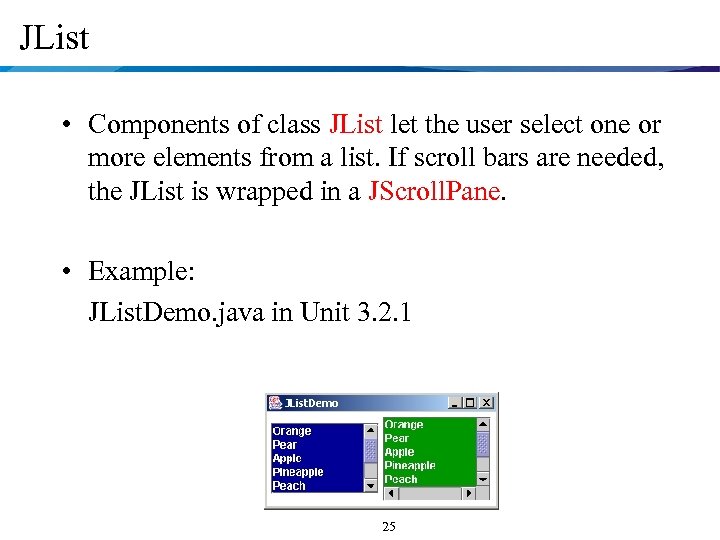
JList • Components of class JList let the user select one or more elements from a list. If scroll bars are needed, the JList is wrapped in a JScroll. Pane. • Example: JList. Demo. java in Unit 3. 2. 1 25
Back to the Buttons • You click buttons and they don’t do anything! • Well, what should they do? Java doesn’t know! • Capture the event that a button has been clicked, and write code to carry out the reaction. • Any Swing component (like JButton) can report any or all the things that happen to it. 26
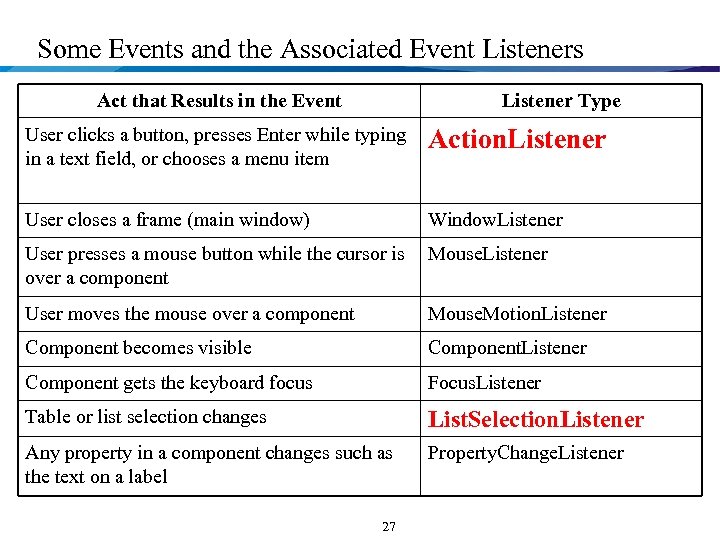
Some Events and the Associated Event Listeners Act that Results in the Event Listener Type User clicks a button, presses Enter while typing in a text field, or chooses a menu item Action. Listener User closes a frame (main window) Window. Listener User presses a mouse button while the cursor is Mouse. Listener over a component User moves the mouse over a component Mouse. Motion. Listener Component becomes visible Component. Listener Component gets the keyboard focus Focus. Listener Table or list selection changes List. Selection. Listener Any property in a component changes such as the text on a label Property. Change. Listener 27
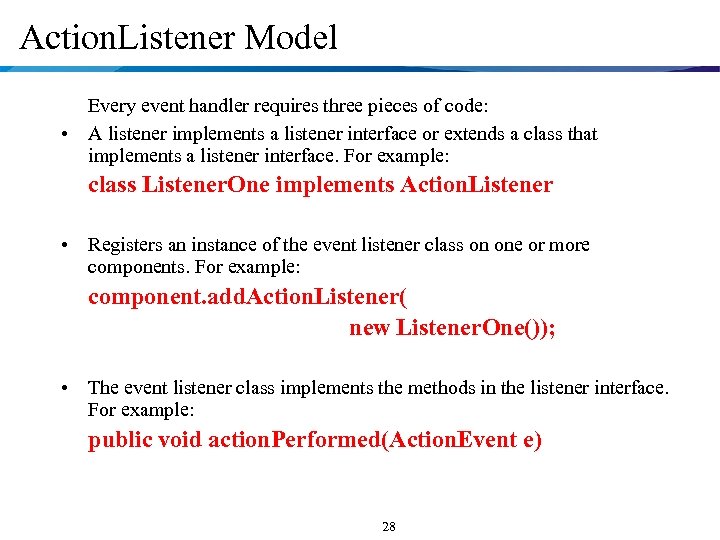
Action. Listener Model Every event handler requires three pieces of code: • A listener implements a listener interface or extends a class that implements a listener interface. For example: class Listener. One implements Action. Listener • Registers an instance of the event listener class on one or more components. For example: component. add. Action. Listener( new Listener. One()); • The event listener class implements the methods in the listener interface. For example: public void action. Performed(Action. Event e) 28
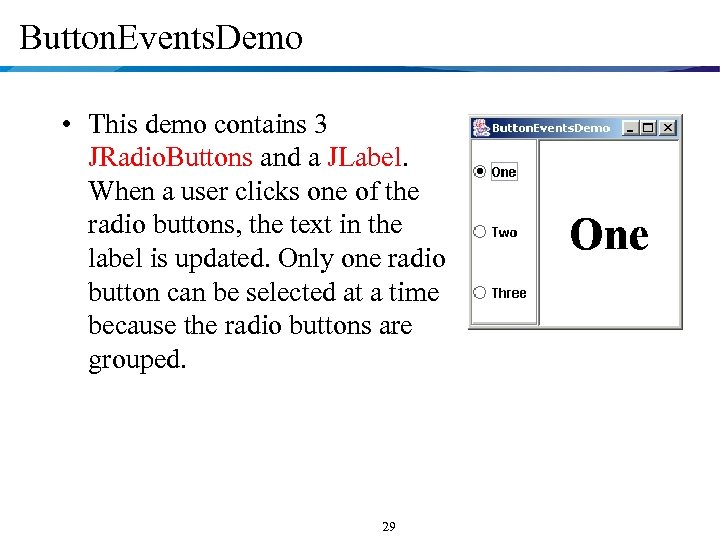
Button. Events. Demo • This demo contains 3 JRadio. Buttons and a JLabel. When a user clicks one of the radio buttons, the text in the label is updated. Only one radio button can be selected at a time because the radio buttons are grouped. 29
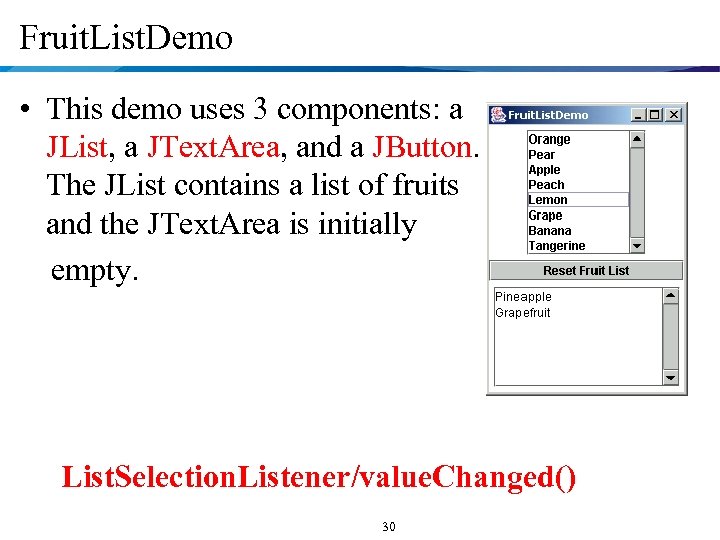
Fruit. List. Demo • This demo uses 3 components: a JList, a JText. Area, and a JButton. The JList contains a list of fruits and the JText. Area is initially empty. List. Selection. Listener/value. Changed() 30
GUI principles Basic interacting objects supporting GUI • Components: GUI building blocks. buttons, menus, labels, etc. • Events: reacting to user input. button clicks, menu selections, etc. • Layout: arranging components to form a usable GUI. layout managers. 31
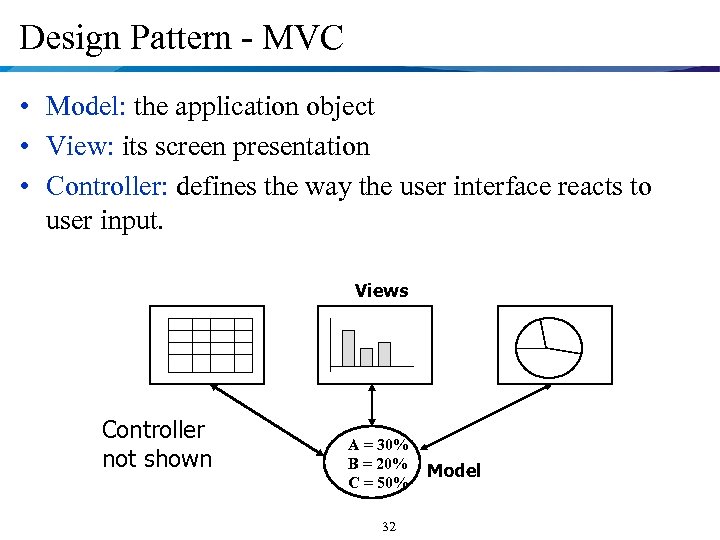
Design Pattern - MVC • Model: the application object • View: its screen presentation • Controller: defines the way the user interface reacts to user input. Views Controller not shown A = 30% B = 20% C = 50% 32 Model
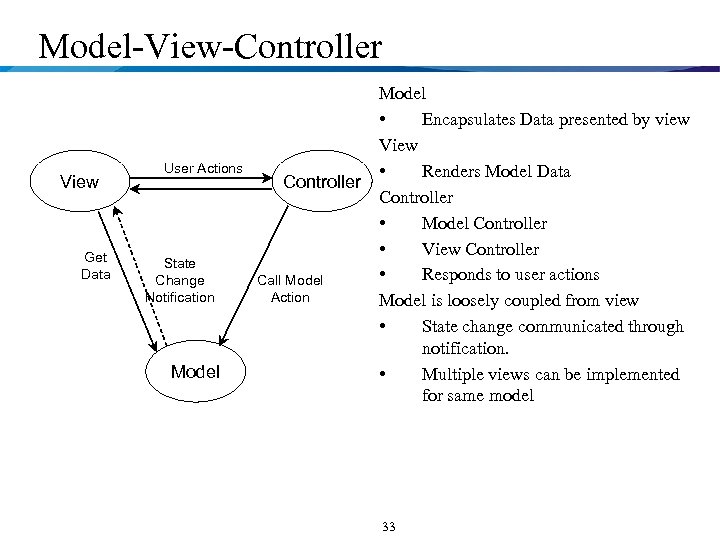
Model-View-Controller View Get Data User Actions State Change Notification Model Controller Call Model Action Model • Encapsulates Data presented by view View • Renders Model Data Controller • Model Controller • View Controller • Responds to user actions Model is loosely coupled from view • State change communicated through notification. • Multiple views can be implemented for same model 33
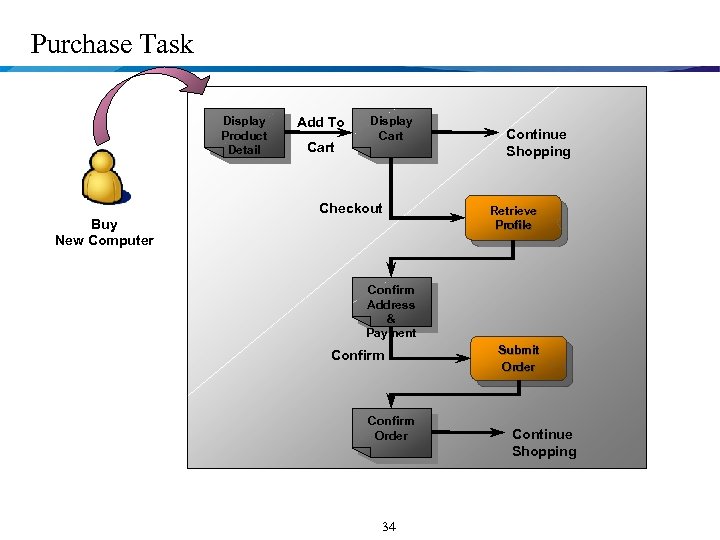
Purchase Task Display Product Detail Add To Cart Display Cart Checkout Buy New Computer Continue Shopping Retrieve Profile Confirm Address & Payment Confirm Order 34 Submit Order Continue Shopping
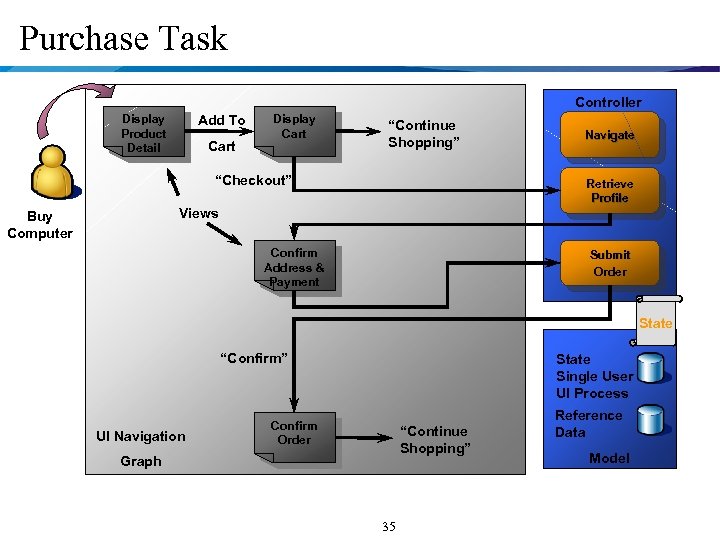
Purchase Task Controller Display Product Detail Add To Cart Display Cart “Continue Shopping” “Checkout” Navigate Retrieve Profile Views Buy Computer Confirm Address & Payment Submit Order State “Confirm” UI Navigation State Single User UI Process Confirm Order “Continue Shopping” Graph 35 Reference Data Model
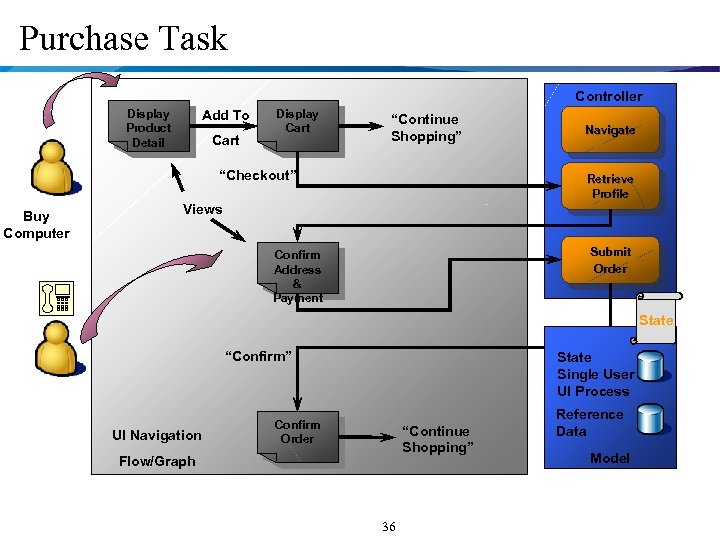
Purchase Task Controller Display Product Detail Add To Cart Display Cart “Continue Shopping” “Checkout” Buy Computer Navigate Retrieve Profile Views Submit Order Confirm Address & Payment State “Confirm” UI Navigation State Single User UI Process Confirm Order “Continue Shopping” Flow/Graph 36 Reference Data Model
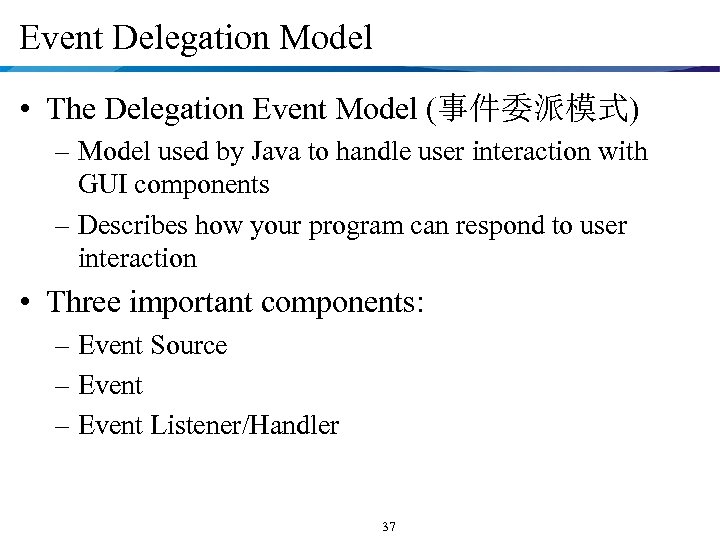
Event Delegation Model • The Delegation Event Model (事件委派模式) – Model used by Java to handle user interaction with GUI components – Describes how your program can respond to user interaction • Three important components: – Event Source – Event Listener/Handler 37
Event Source • GUI component that generates the event – Example: button, mouse, keyboard, etc 38
Event Listener/Handler • Receives news of events and processes user's interaction – Example: displaying an information useful to the user, computing for a value 39
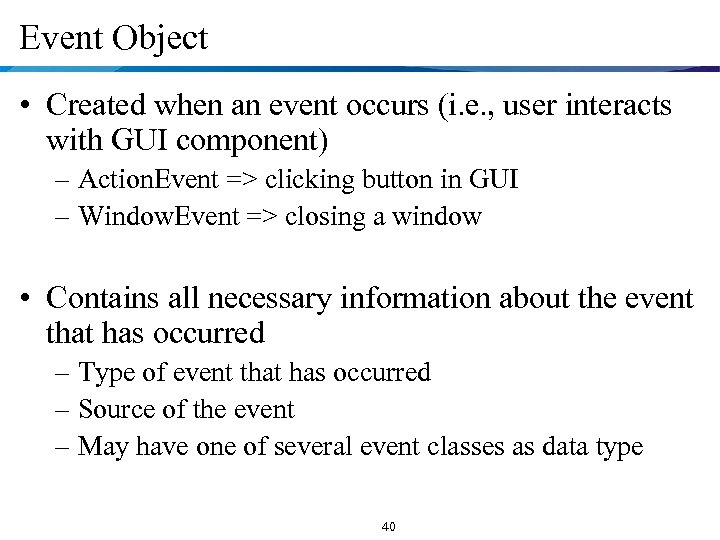
Event Object • Created when an event occurs (i. e. , user interacts with GUI component) – Action. Event => clicking button in GUI – Window. Event => closing a window • Contains all necessary information about the event that has occurred – Type of event that has occurred – Source of the event – May have one of several event classes as data type 40
The Delegation Event Model • A listener should be registered with a source • Once registered, listener waits until an event occurs • When an event occurs – An event object created – Event object is fired by the source to the registered listeners • Once the listener receives an event object from the source – Deciphers the notification – Processes the event that occurred. 41
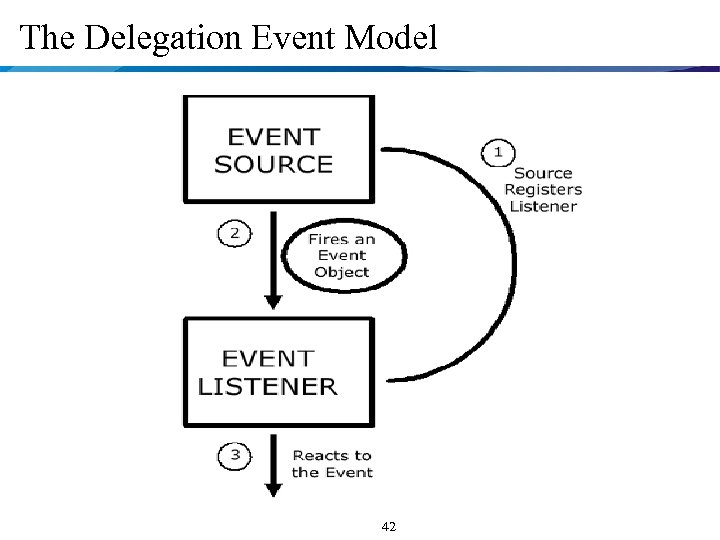
The Delegation Event Model 42
Registration of Listeners • Event source registering a listener: void add<Type>Listener(<Type>Listener listener. Obj) where, – <Type> depends on the type of event source • Can be Key, Mouse, Focus, Component, Action and others – One event source can register several listeners • Registered listener being unregistered: void remove<Type>Listener(<Type>Listener listener. Obj) 43
Design Pattern Used in Java Event Handling • Observer Pattern – Aliases :Dependents, Publish-Subscribe – Category: behavioral • General Purpose – When one object changes state, all the dependent objects are notified and updated. – Allows for consistency between related objects without tightly coupling classes • e. g. “reduces coupling between objects” • “publish and subscription” services • e. Bay 44
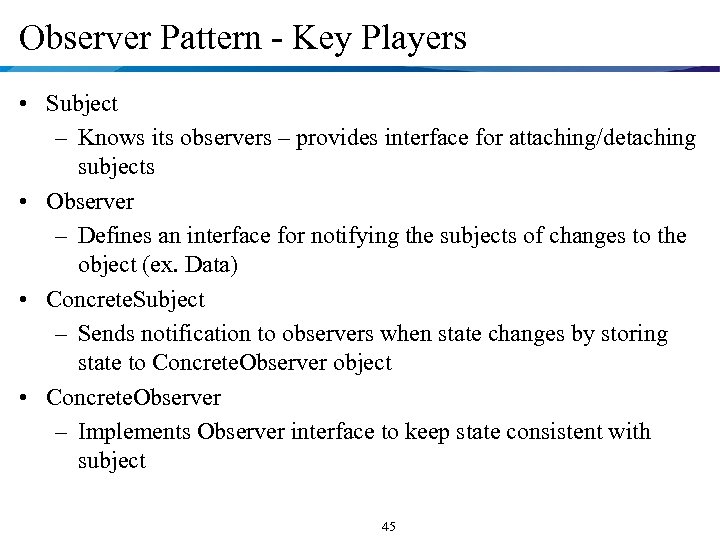
Observer Pattern - Key Players • Subject – Knows its observers – provides interface for attaching/detaching subjects • Observer – Defines an interface for notifying the subjects of changes to the object (ex. Data) • Concrete. Subject – Sends notification to observers when state changes by storing state to Concrete. Observer object • Concrete. Observer – Implements Observer interface to keep state consistent with subject 45
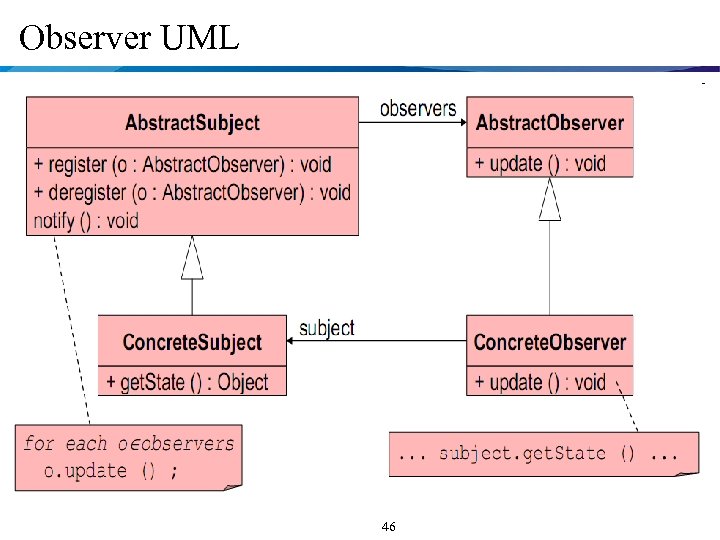
Observer UML 46
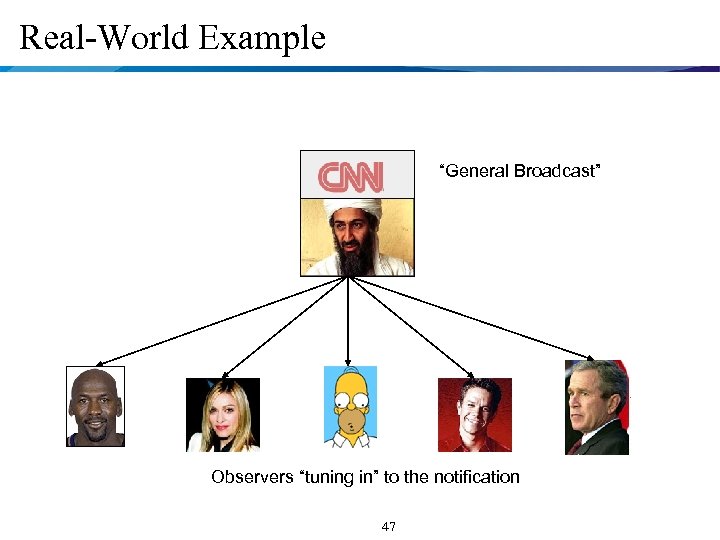
Real-World Example “General Broadcast” Observers “tuning in” to the notification 47
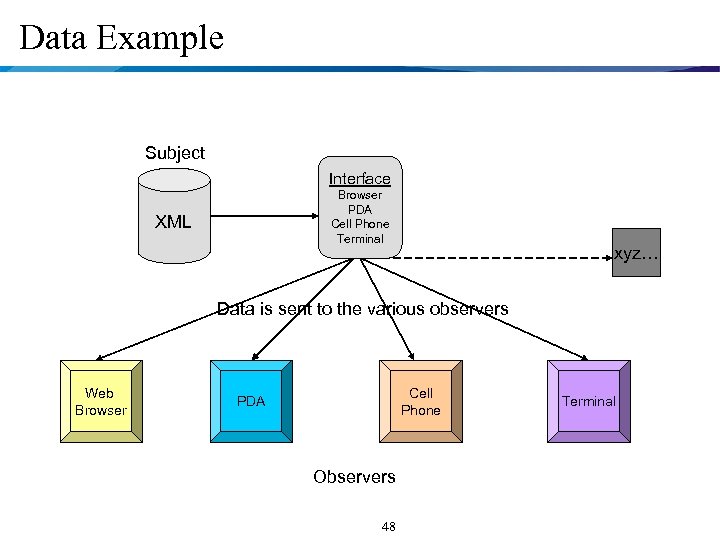
Data Example Subject Interface Browser PDA Cell Phone Terminal XML xyz… Data is sent to the various observers Web Browser Cell Phone PDA Observers 48 Terminal
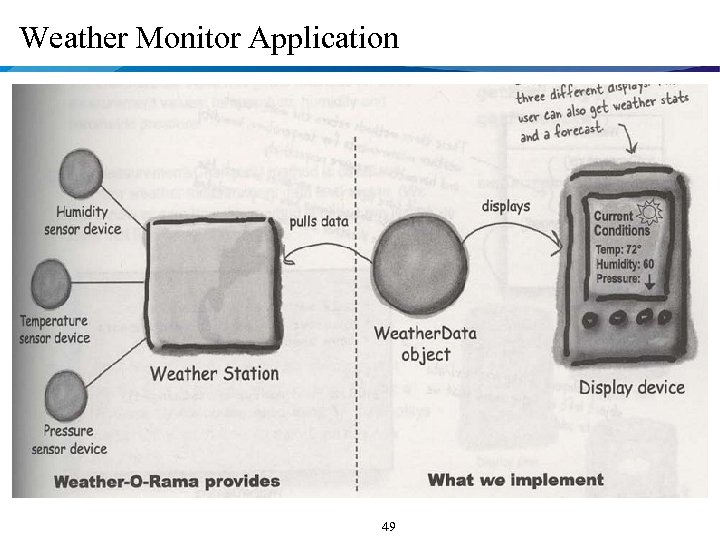
Weather Monitor Application 49
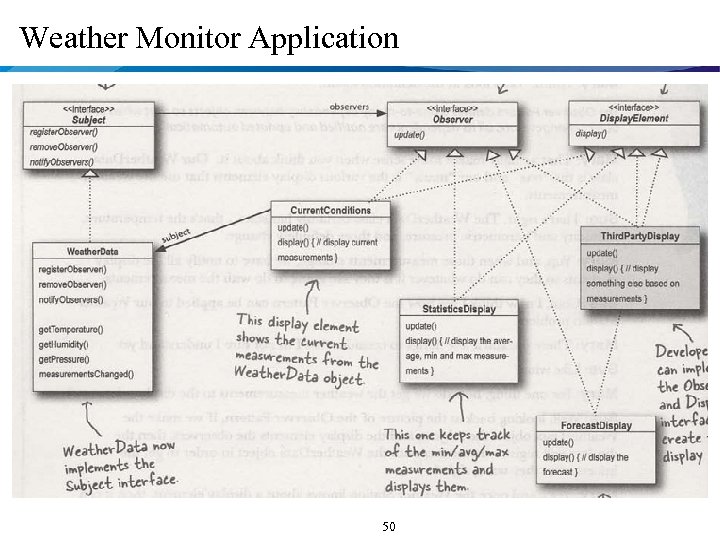
Weather Monitor Application 50
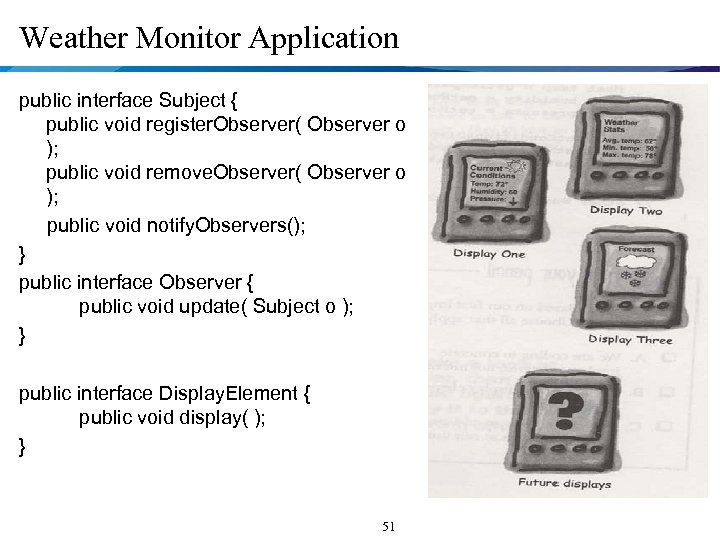
Weather Monitor Application public interface Subject { public void register. Observer( Observer o ); public void remove. Observer( Observer o ); public void notify. Observers(); } public interface Observer { public void update( Subject o ); } public interface Display. Element { public void display( ); } 51
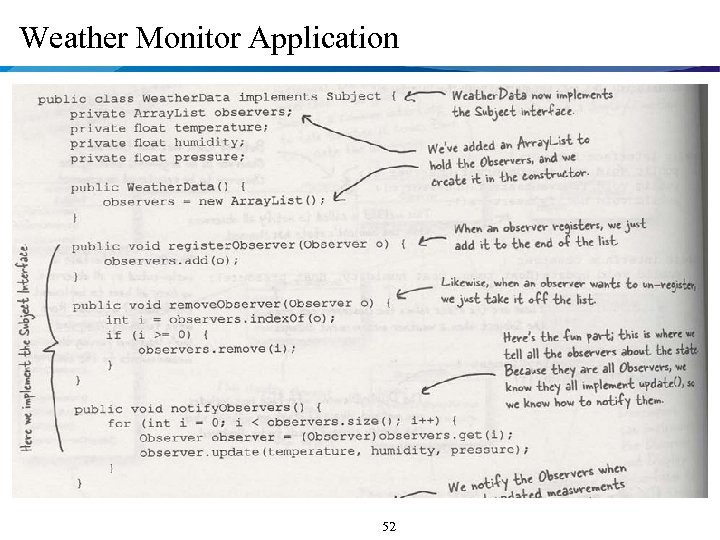
Weather Monitor Application 52
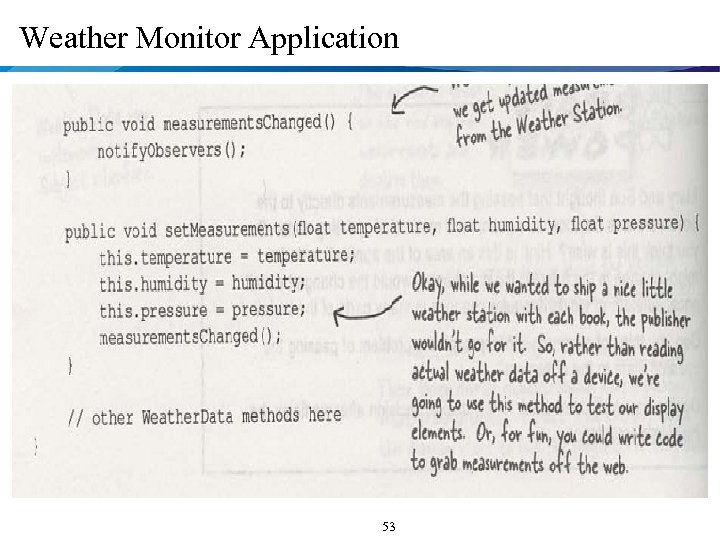
Weather Monitor Application 53
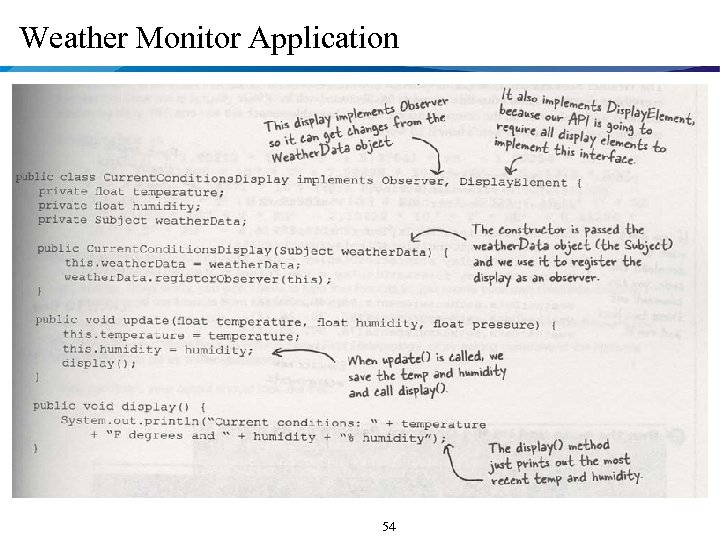
Weather Monitor Application 54
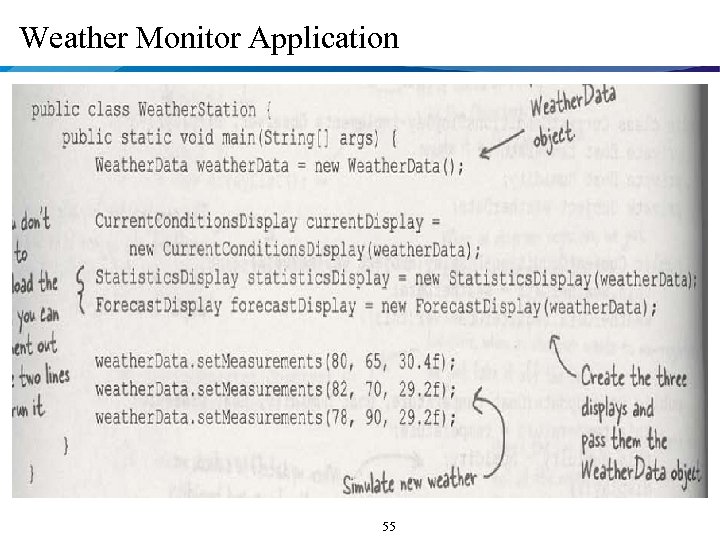
Weather Monitor Application 55
java. util Class Observable • Java Built-in Observer 56
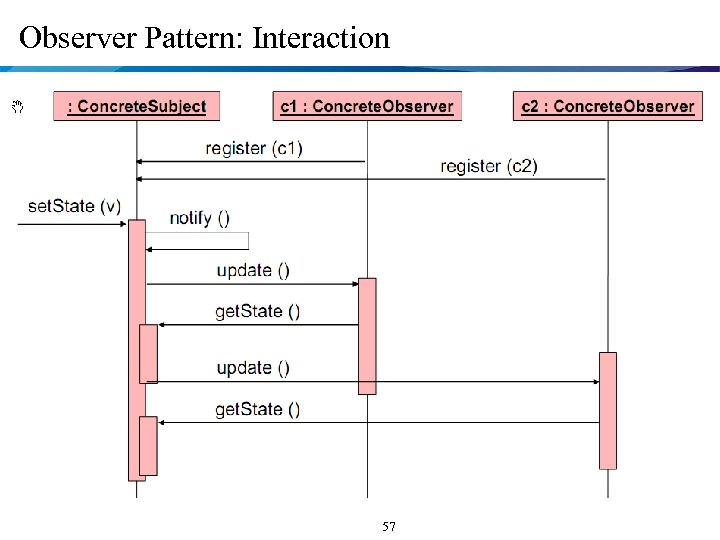
Observer Pattern: Interaction 57
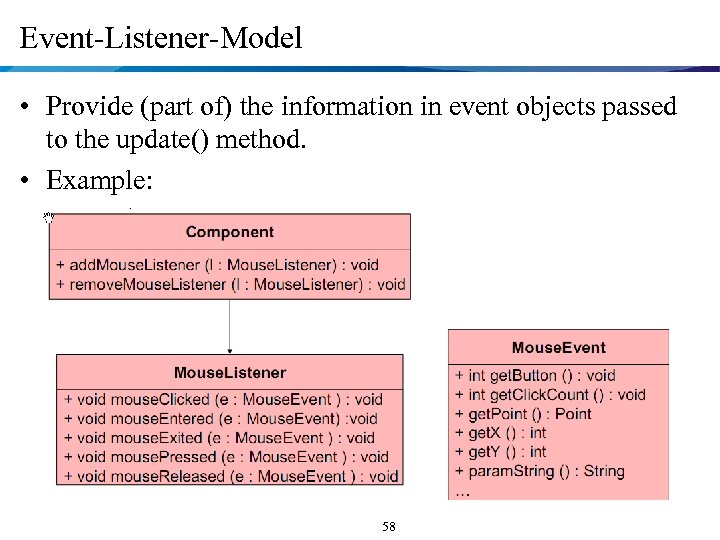
Event-Listener-Model • Provide (part of) the information in event objects passed to the update() method. • Example: 58
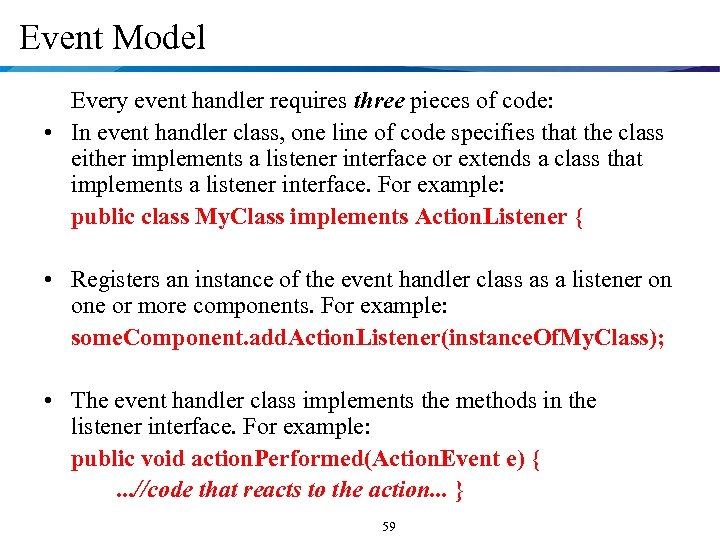
Event Model Every event handler requires three pieces of code: • In event handler class, one line of code specifies that the class either implements a listener interface or extends a class that implements a listener interface. For example: public class My. Class implements Action. Listener { • Registers an instance of the event handler class as a listener on one or more components. For example: some. Component. add. Action. Listener(instance. Of. My. Class); • The event handler class implements the methods in the listener interface. For example: public void action. Performed(Action. Event e) {. . . //code that reacts to the action. . . } 59
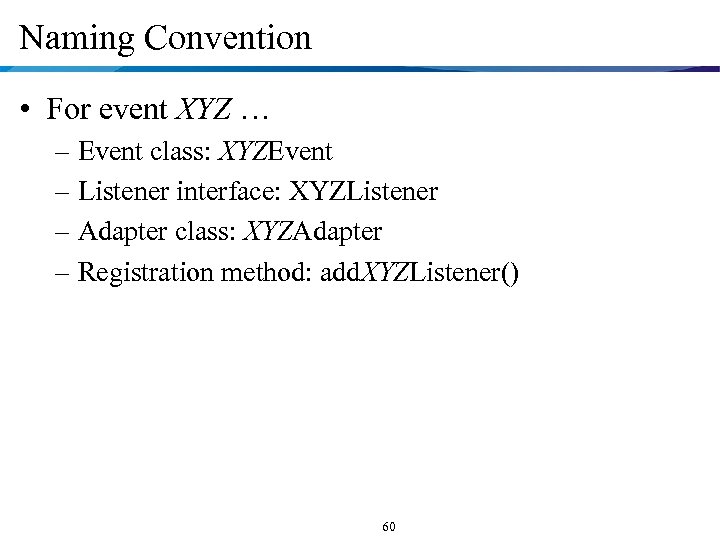
Naming Convention • For event XYZ … – Event class: XYZEvent – Listener interface: XYZListener – Adapter class: XYZAdapter – Registration method: add. XYZListener() 60
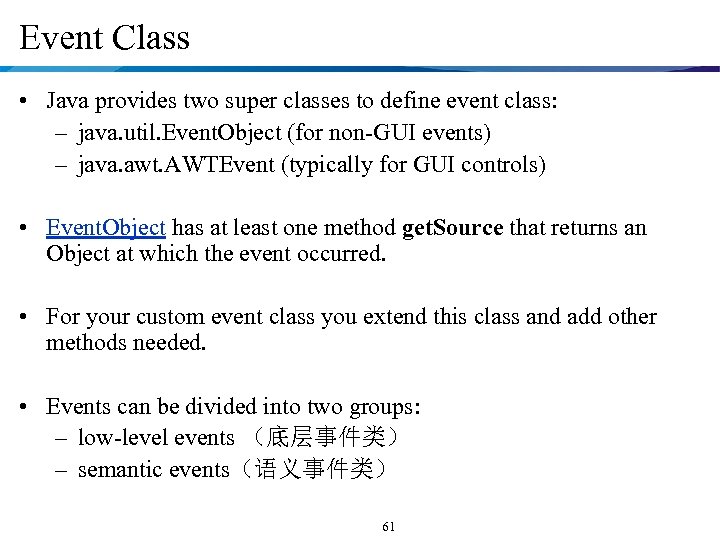
Event Class • Java provides two super classes to define event class: – java. util. Event. Object (for non-GUI events) – java. awt. AWTEvent (typically for GUI controls) • Event. Object has at least one method get. Source that returns an Object at which the event occurred. • For your custom event class you extend this class and add other methods needed. • Events can be divided into two groups: – low-level events (底层事件类) – semantic events(语义事件类) 61
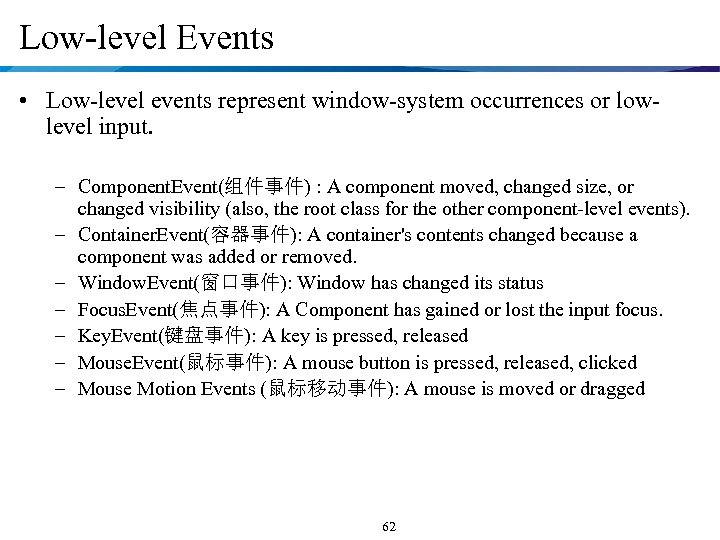
Low-level Events • Low-level events represent window-system occurrences or lowlevel input. – Component. Event(组件事件) : A component moved, changed size, or changed visibility (also, the root class for the other component-level events). – Container. Event(容器事件): A container's contents changed because a component was added or removed. – Window. Event(窗口事件): Window has changed its status – Focus. Event(焦点事件): A Component has gained or lost the input focus. – Key. Event(键盘事件): A key is pressed, released – Mouse. Event(鼠标事件): A mouse button is pressed, released, clicked – Mouse Motion Events (鼠标移动事件): A mouse is moved or dragged 62
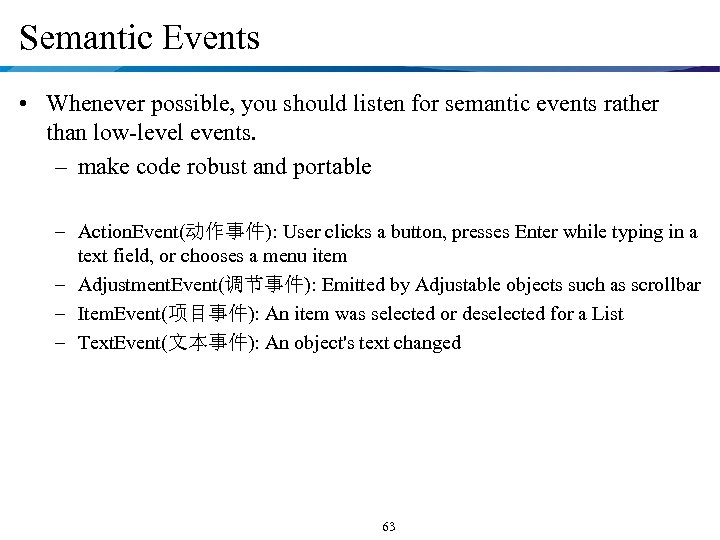
Semantic Events • Whenever possible, you should listen for semantic events rather than low-level events. – make code robust and portable – Action. Event(动作事件): User clicks a button, presses Enter while typing in a text field, or chooses a menu item – Adjustment. Event(调节事件): Emitted by Adjustable objects such as scrollbar – Item. Event(项目事件): An item was selected or deselected for a List – Text. Event(文本事件): An object's text changed 63
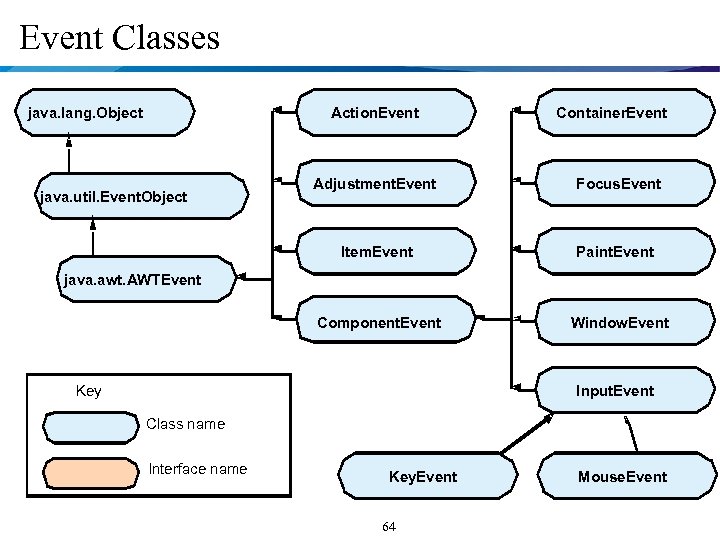
Event Classes java. lang. Object Action. Event Container. Event Adjustment. Event Focus. Event Item. Event Paint. Event Component. Event java. util. Event. Object Window. Event java. awt. AWTEvent Key Input. Event Class name Interface name Key. Event 64 Mouse. Event
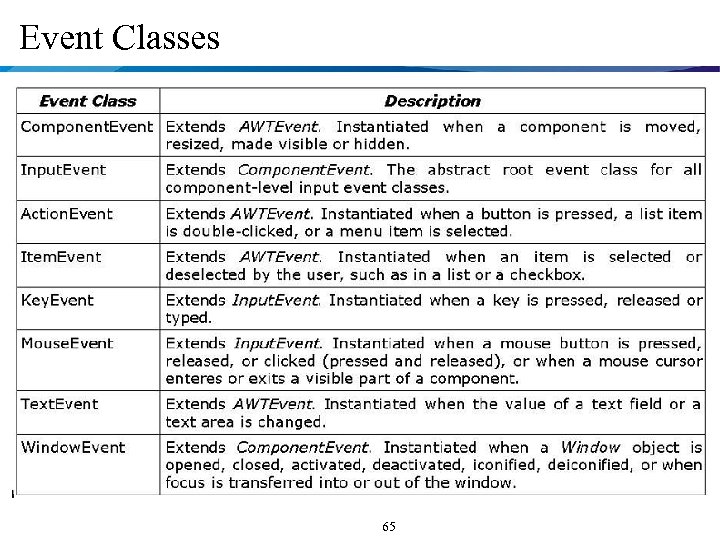
Event Classes 65
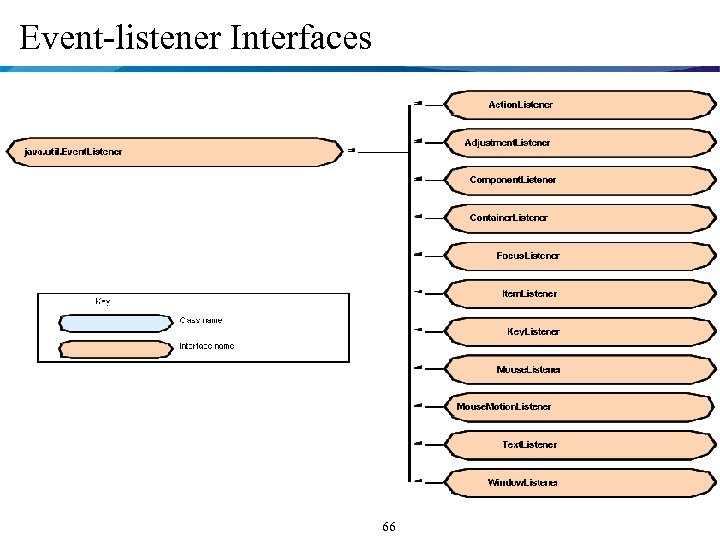
Event-listener Interfaces 66
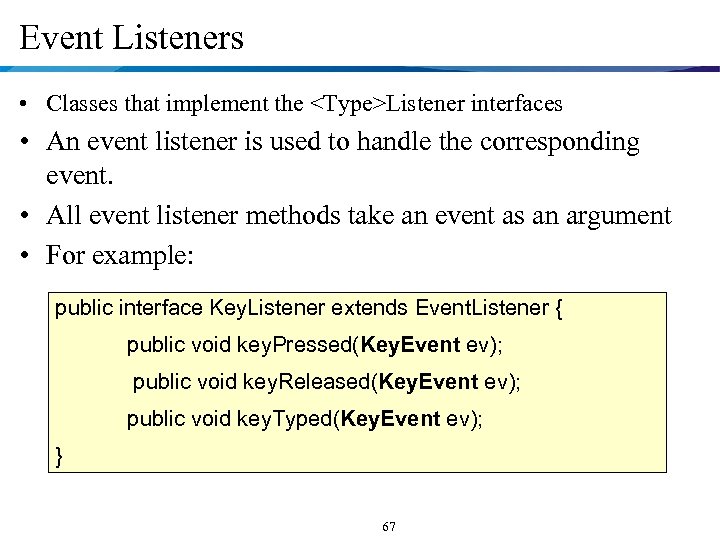
Event Listeners • Classes that implement the <Type>Listener interfaces • An event listener is used to handle the corresponding event. • All event listener methods take an event as an argument • For example: public interface Key. Listener extends Event. Listener { public void key. Pressed(Key. Event ev); public void key. Released(Key. Event ev); public void key. Typed(Key. Event ev); } 67
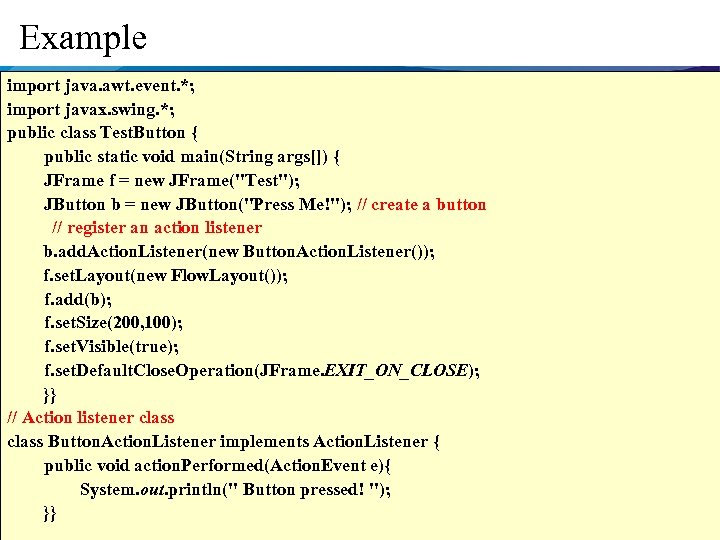
Example import java. awt. event. *; import javax. swing. *; public class Test. Button { public static void main(String args[]) { JFrame f = new JFrame("Test"); JButton b = new JButton("Press Me!"); // create a button // register an action listener b. add. Action. Listener(new Button. Action. Listener()); f. set. Layout(new Flow. Layout()); f. add(b); f. set. Size(200, 100); f. set. Visible(true); f. set. Default. Close. Operation(JFrame. EXIT_ON_CLOSE); }} // Action listener class Button. Action. Listener implements Action. Listener { public void action. Performed(Action. Event e){ System. out. println(" Button pressed! "); }} 68
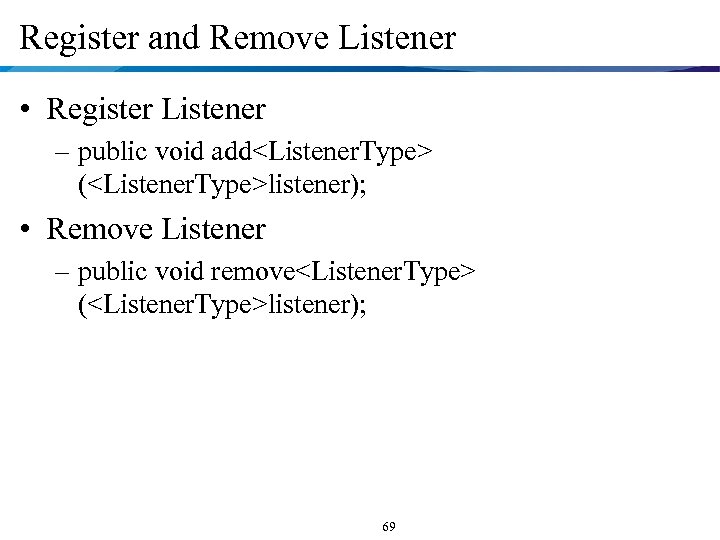
Register and Remove Listener • Register Listener – public void add<Listener. Type> (<Listener. Type>listener); • Remove Listener – public void remove<Listener. Type> (<Listener. Type>listener); 69
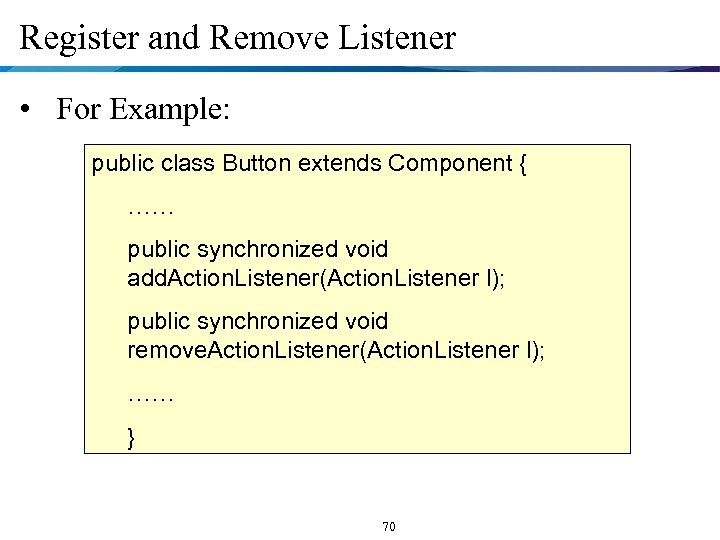
Register and Remove Listener • For Example: public class Button extends Component { …… public synchronized void add. Action. Listener(Action. Listener l); public synchronized void remove. Action. Listener(Action. Listener l); …… } 70
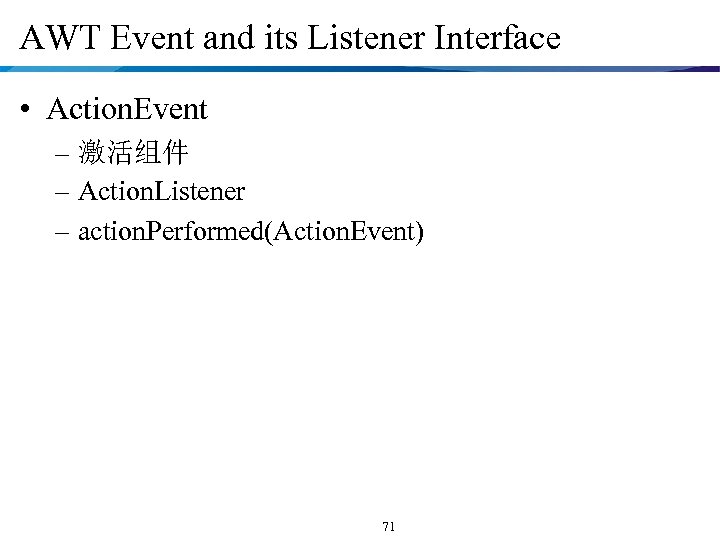
AWT Event and its Listener Interface • Action. Event – 激活组件 – Action. Listener – action. Performed(Action. Event) 71
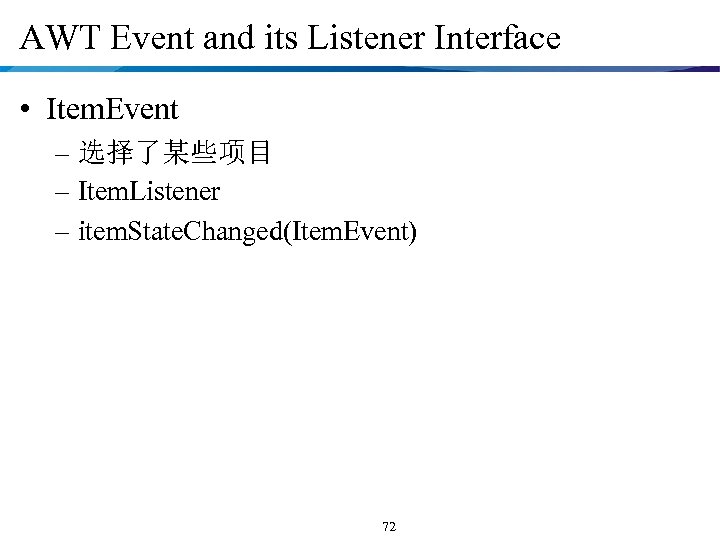
AWT Event and its Listener Interface • Item. Event – 选择了某些项目 – Item. Listener – item. State. Changed(Item. Event) 72
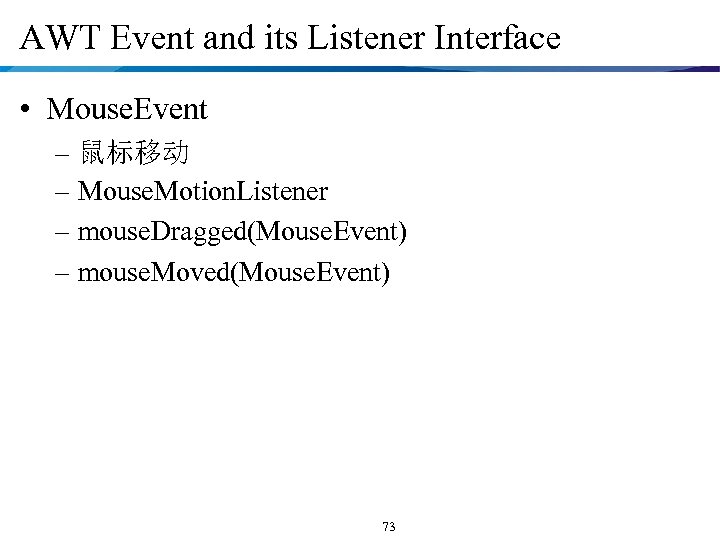
AWT Event and its Listener Interface • Mouse. Event – 鼠标移动 – Mouse. Motion. Listener – mouse. Dragged(Mouse. Event) – mouse. Moved(Mouse. Event) 73
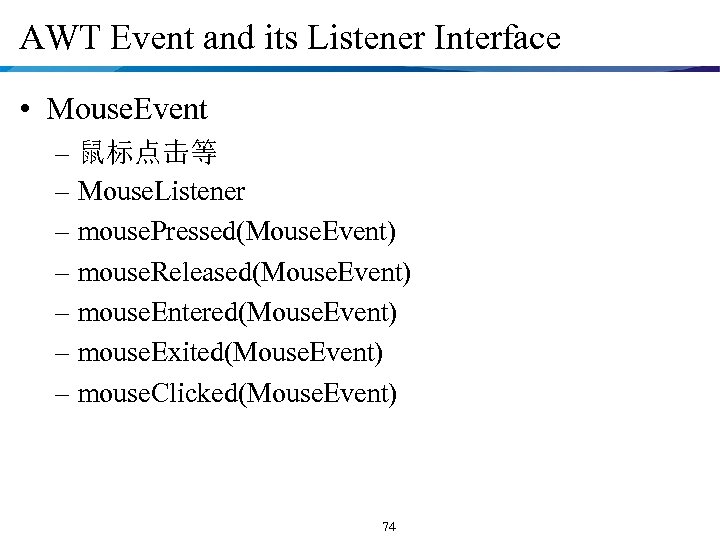
AWT Event and its Listener Interface • Mouse. Event – 鼠标点击等 – Mouse. Listener – mouse. Pressed(Mouse. Event) – mouse. Released(Mouse. Event) – mouse. Entered(Mouse. Event) – mouse. Exited(Mouse. Event) – mouse. Clicked(Mouse. Event) 74
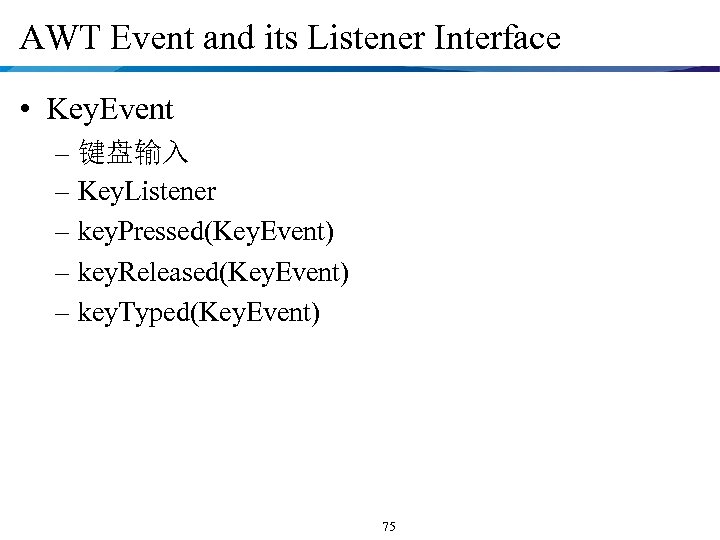
AWT Event and its Listener Interface • Key. Event – 键盘输入 – Key. Listener – key. Pressed(Key. Event) – key. Released(Key. Event) – key. Typed(Key. Event) 75
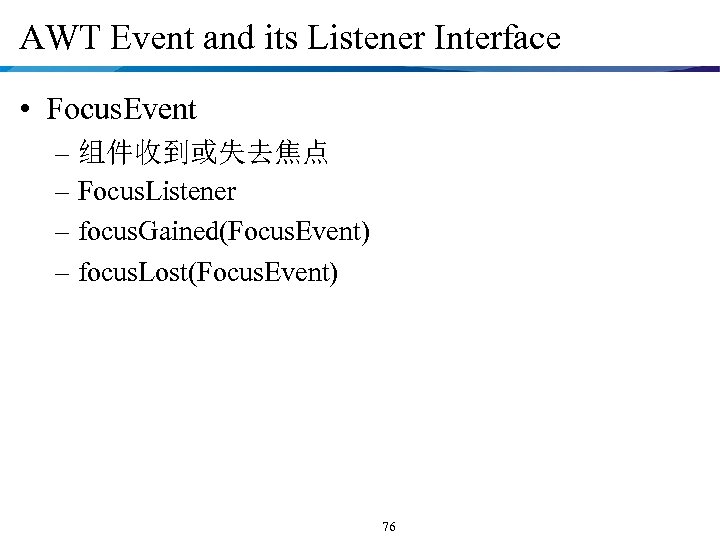
AWT Event and its Listener Interface • Focus. Event – 组件收到或失去焦点 – Focus. Listener – focus. Gained(Focus. Event) – focus. Lost(Focus. Event) 76
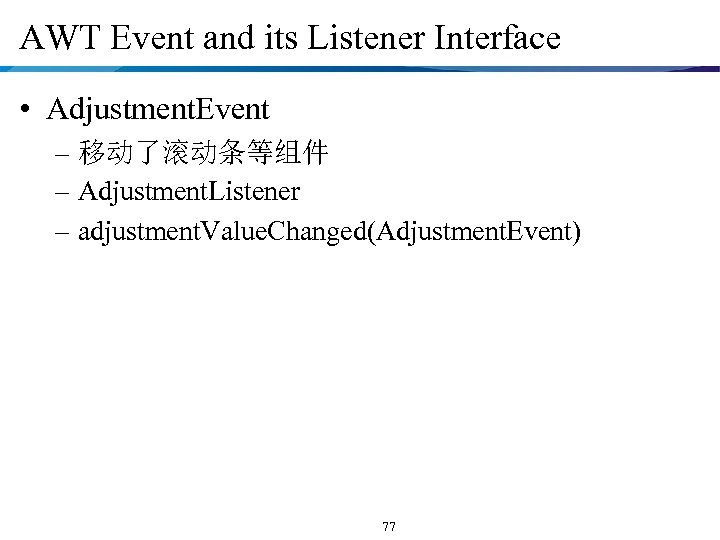
AWT Event and its Listener Interface • Adjustment. Event – 移动了滚动条等组件 – Adjustment. Listener – adjustment. Value. Changed(Adjustment. Event) 77
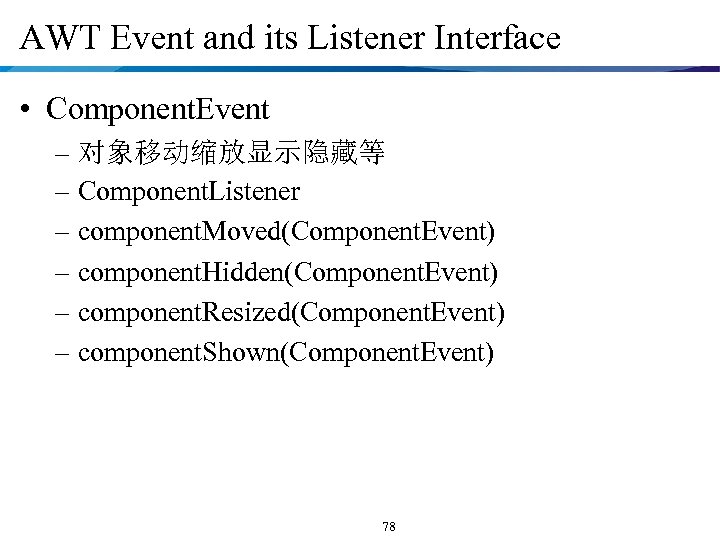
AWT Event and its Listener Interface • Component. Event – 对象移动缩放显示隐藏等 – Component. Listener – component. Moved(Component. Event) – component. Hidden(Component. Event) – component. Resized(Component. Event) – component. Shown(Component. Event) 78
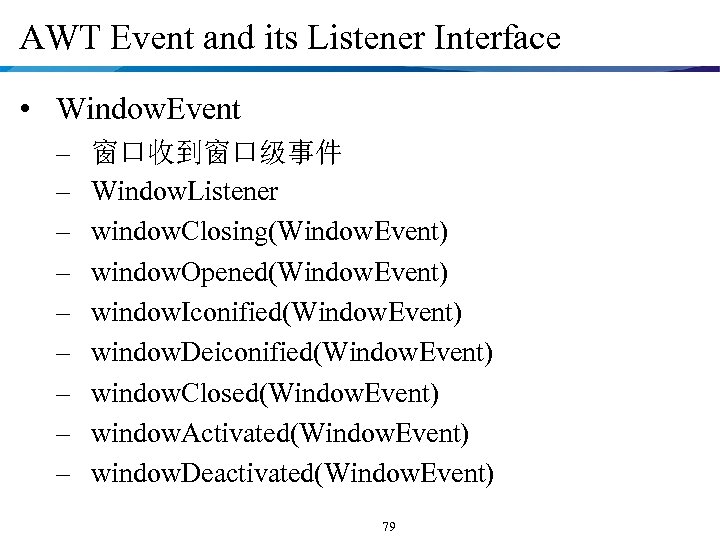
AWT Event and its Listener Interface • Window. Event – – – – – 窗口收到窗口级事件 Window. Listener window. Closing(Window. Event) window. Opened(Window. Event) window. Iconified(Window. Event) window. Deiconified(Window. Event) window. Closed(Window. Event) window. Activated(Window. Event) window. Deactivated(Window. Event) 79
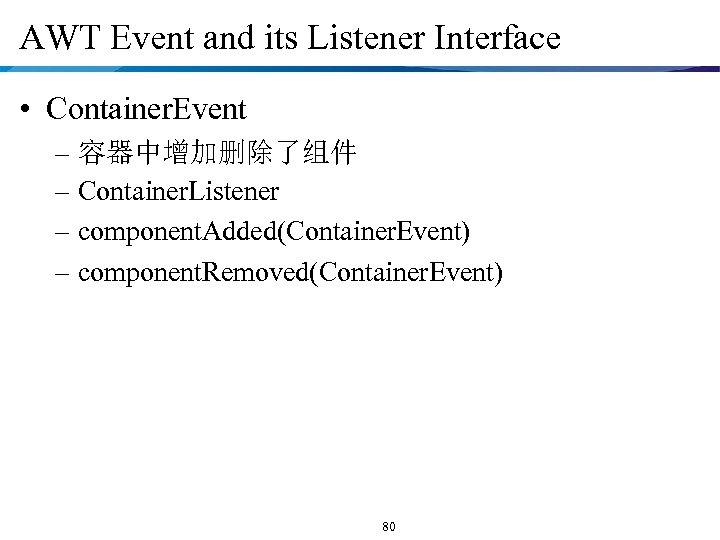
AWT Event and its Listener Interface • Container. Event – 容器中增加删除了组件 – Container. Listener – component. Added(Container. Event) – component. Removed(Container. Event) 80
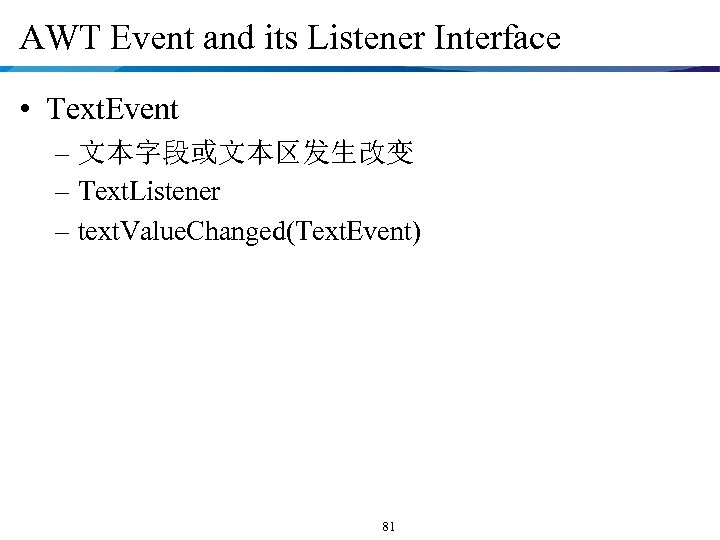
AWT Event and its Listener Interface • Text. Event – 文本字段或文本区发生改变 – Text. Listener – text. Value. Changed(Text. Event) 81
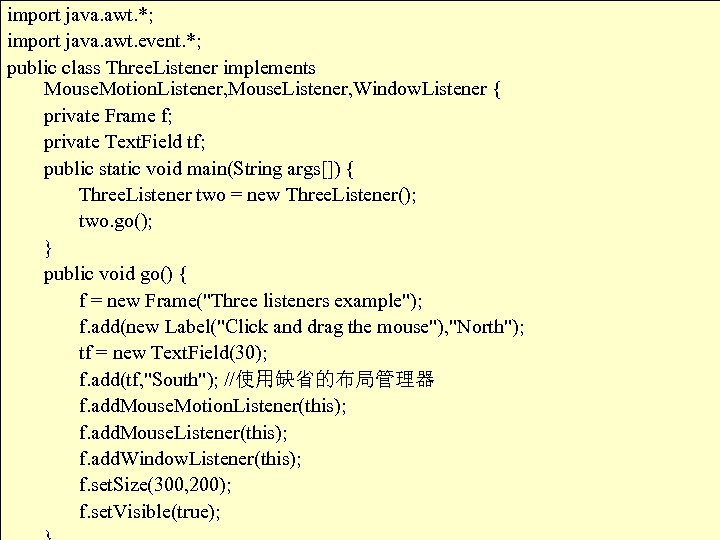
import java. awt. *; import java. awt. event. *; public class Three. Listener implements Mouse. Motion. Listener, Mouse. Listener, Window. Listener { private Frame f; private Text. Field tf; public static void main(String args[]) { Three. Listener two = new Three. Listener(); two. go(); } public void go() { f = new Frame("Three listeners example"); f. add(new Label("Click and drag the mouse"), "North"); tf = new Text. Field(30); f. add(tf, "South"); //使用缺省的布局管理器 f. add. Mouse. Motion. Listener(this); f. add. Mouse. Listener(this); f. add. Window. Listener(this); f. set. Size(300, 200); f. set. Visible(true); Example-Implement a listener interface 82
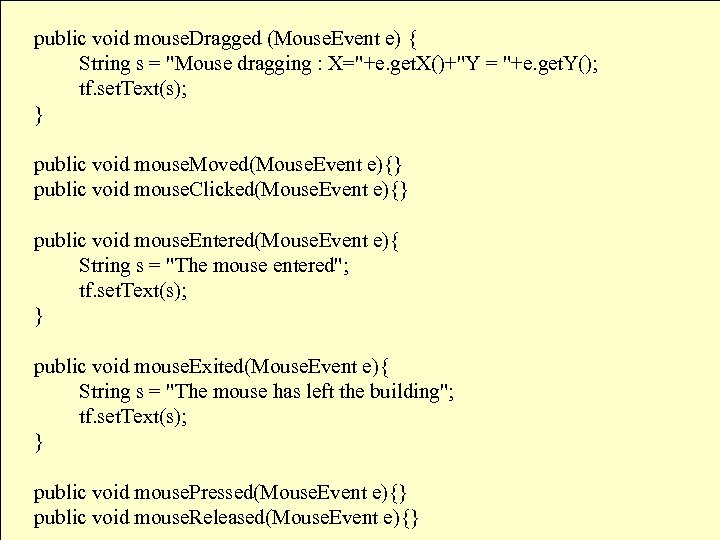
public void mouse. Dragged (Mouse. Event e) { Example(Cont. ) String s = "Mouse dragging : X="+e. get. X()+"Y = "+e. get. Y(); tf. set. Text(s); } public void mouse. Moved(Mouse. Event e){} public void mouse. Clicked(Mouse. Event e){} public void mouse. Entered(Mouse. Event e){ String s = "The mouse entered"; tf. set. Text(s); } public void mouse. Exited(Mouse. Event e){ String s = "The mouse has left the building"; tf. set. Text(s); } public void mouse. Pressed(Mouse. Event e){} public void mouse. Released(Mouse. Event e){} 83
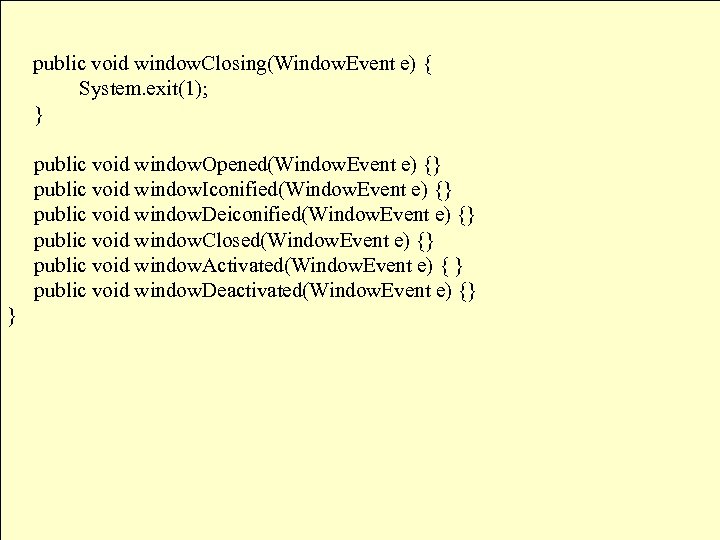
Example(Cont. ) public void window. Closing(Window. Event e) { System. exit(1); } public void window. Opened(Window. Event e) {} public void window. Iconified(Window. Event e) {} public void window. Deiconified(Window. Event e) {} public void window. Closed(Window. Event e) {} public void window. Activated(Window. Event e) { } public void window. Deactivated(Window. Event e) {} } 84
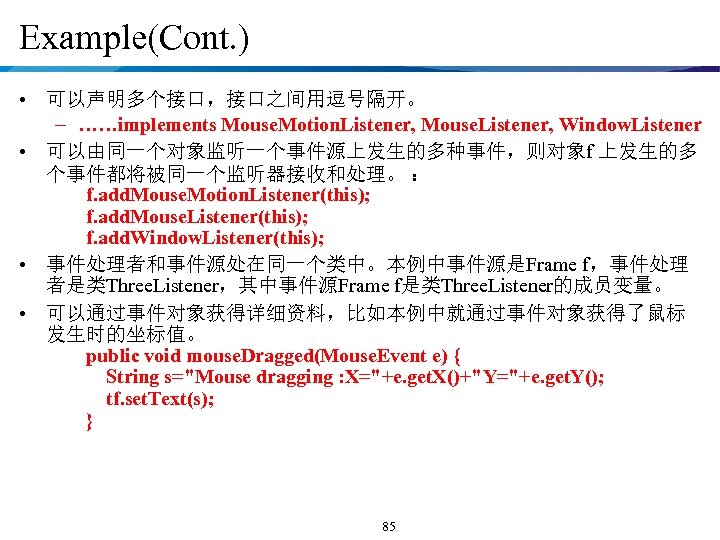
Example(Cont. ) • 可以声明多个接口,接口之间用逗号隔开。 – ……implements Mouse. Motion. Listener, Mouse. Listener, Window. Listener • 可以由同一个对象监听一个事件源上发生的多种事件,则对象f 上发生的多 个事件都将被同一个监听器接收和处理。 : f. add. Mouse. Motion. Listener(this); f. add. Mouse. Listener(this); f. add. Window. Listener(this); • 事件处理者和事件源处在同一个类中。本例中事件源是Frame f,事件处理 者是类Three. Listener,其中事件源Frame f是类Three. Listener的成员变量。 • 可以通过事件对象获得详细资料,比如本例中就通过事件对象获得了鼠标 发生时的坐标值。 public void mouse. Dragged(Mouse. Event e) { String s="Mouse dragging : X="+e. get. X()+"Y="+e. get. Y(); tf. set. Text(s); } 85
Event Adapter Classes • An alternate technique for creating listener classes – Event Adapter • Built-in in Java • Why use Adapter classes? – Implementing all methods of an interface takes a lot of work – Interested in implementing some methods of the interface only 86
Event Adapter Classes • Each adapter class implements the corresponding listener and provides empty method definitions • When you derive a listener class from an adapter class, you only need to override the event methods that pertain to the program • Empty definitions for unused event methods do not need to be defined because they are provided via inheritance 87
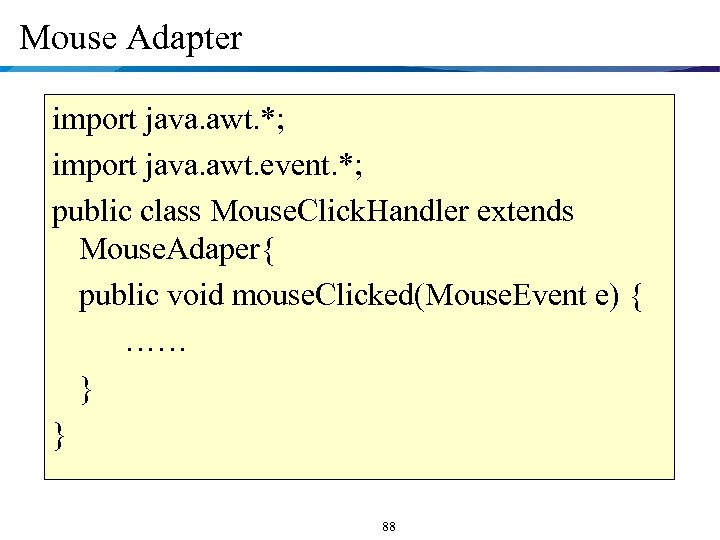
Mouse Adapter import java. awt. *; import java. awt. event. *; public class Mouse. Click. Handler extends Mouse. Adaper{ public void mouse. Clicked(Mouse. Event e) { …… } } 88
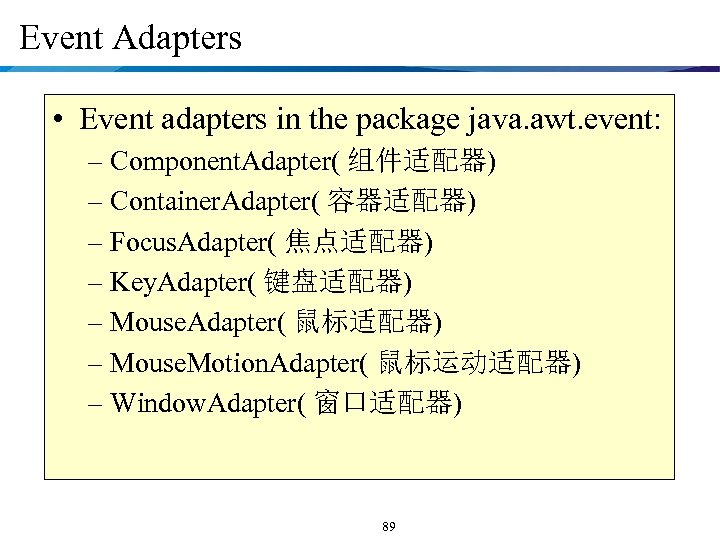
Event Adapters • Event adapters in the package java. awt. event: – Component. Adapter( 组件适配器) – Container. Adapter( 容器适配器) – Focus. Adapter( 焦点适配器) – Key. Adapter( 键盘适配器) – Mouse. Adapter( 鼠标适配器) – Mouse. Motion. Adapter( 鼠标运动适配器) – Window. Adapter( 窗口适配器) 89
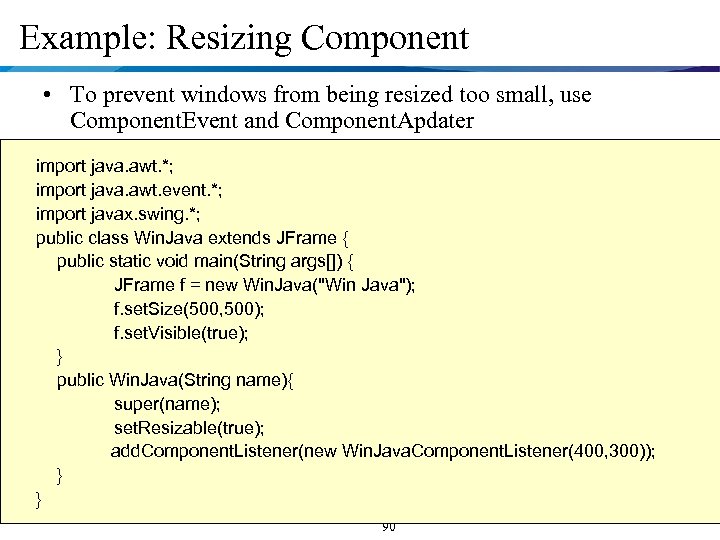
Example: Resizing Component • To prevent windows from being resized too small, use Component. Event and Component. Apdater import java. awt. *; import java. awt. event. *; import javax. swing. *; public class Win. Java extends JFrame { public static void main(String args[]) { JFrame f = new Win. Java("Win Java"); f. set. Size(500, 500); f. set. Visible(true); } public Win. Java(String name){ super(name); set. Resizable(true); add. Component. Listener(new Win. Java. Component. Listener(400, 300)); } } 90
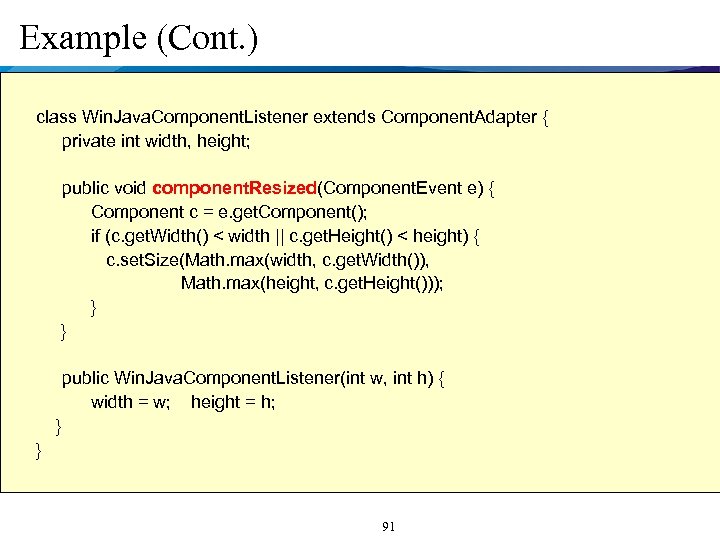
Example (Cont. ) class Win. Java. Component. Listener extends Component. Adapter { private int width, height; public void component. Resized(Component. Event e) { Component c = e. get. Component(); if (c. get. Width() < width || c. get. Height() < height) { c. set. Size(Math. max(width, c. get. Width()), Math. max(height, c. get. Height())); } } public Win. Java. Component. Listener(int w, int h) { width = w; height = h; } } 91
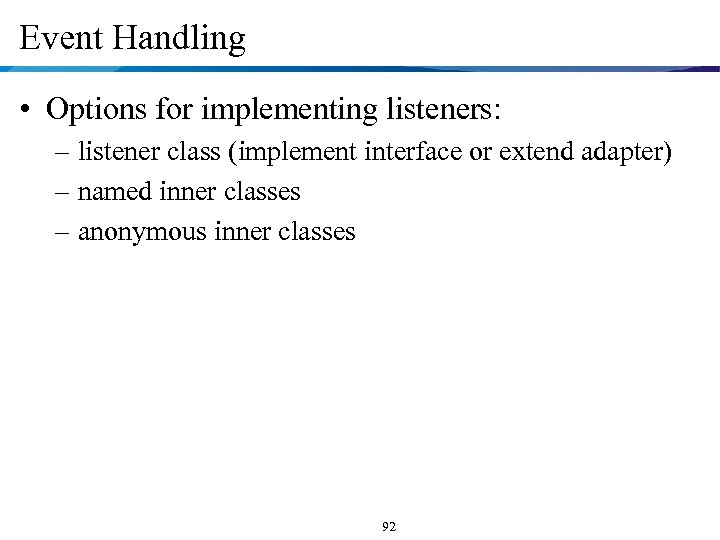
Event Handling • Options for implementing listeners: – listener class (implement interface or extend adapter) – named inner classes – anonymous inner classes 92
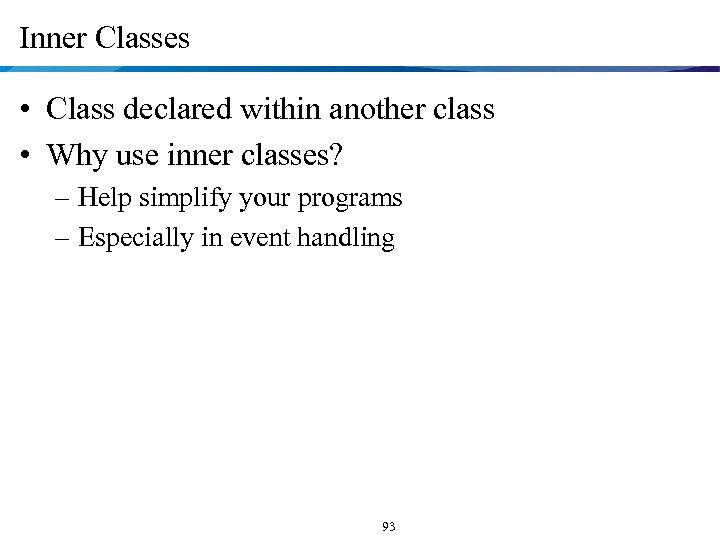
Inner Classes • Class declared within another class • Why use inner classes? – Help simplify your programs – Especially in event handling 93
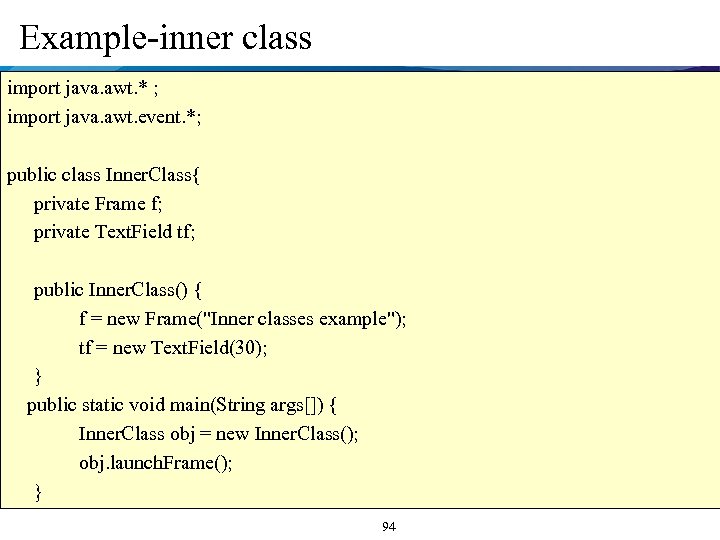
Example-inner class import java. awt. * ; import java. awt. event. *; public class Inner. Class{ private Frame f; private Text. Field tf; public Inner. Class() { f = new Frame("Inner classes example"); tf = new Text. Field(30); } public static void main(String args[]) { Inner. Class obj = new Inner. Class(); obj. launch. Frame(); } 94
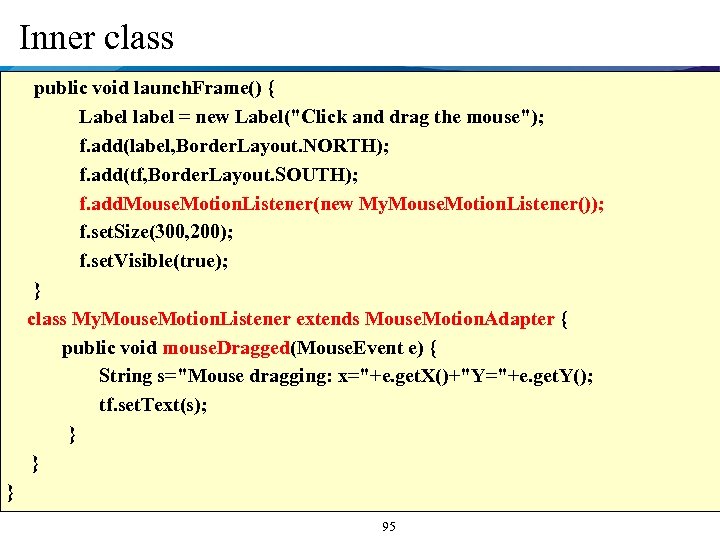
Inner class public void launch. Frame() { Label label = new Label("Click and drag the mouse"); f. add(label, Border. Layout. NORTH); f. add(tf, Border. Layout. SOUTH); f. add. Mouse. Motion. Listener(new My. Mouse. Motion. Listener()); f. set. Size(300, 200); f. set. Visible(true); } class My. Mouse. Motion. Listener extends Mouse. Motion. Adapter { public void mouse. Dragged(Mouse. Event e) { String s="Mouse dragging: x="+e. get. X()+"Y="+e. get. Y(); tf. set. Text(s); } } } 95
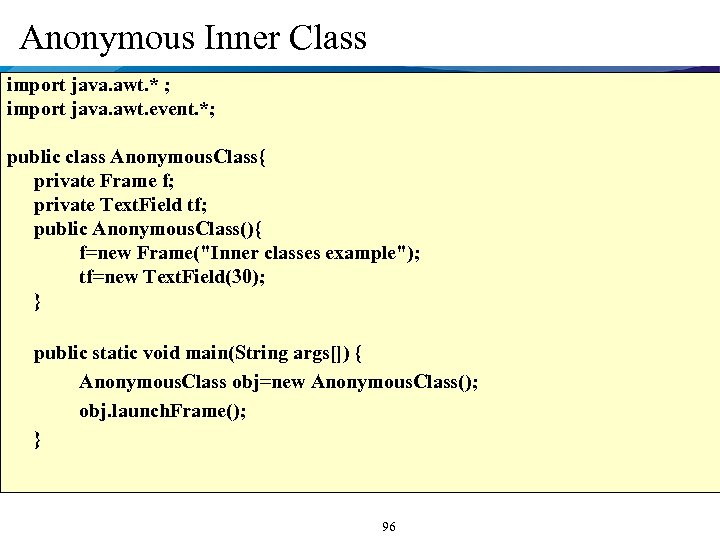
Anonymous Inner Class import java. awt. * ; import java. awt. event. *; public class Anonymous. Class{ private Frame f; private Text. Field tf; public Anonymous. Class(){ f=new Frame("Inner classes example"); tf=new Text. Field(30); } public static void main(String args[]) { Anonymous. Class obj=new Anonymous. Class(); obj. launch. Frame(); } 96
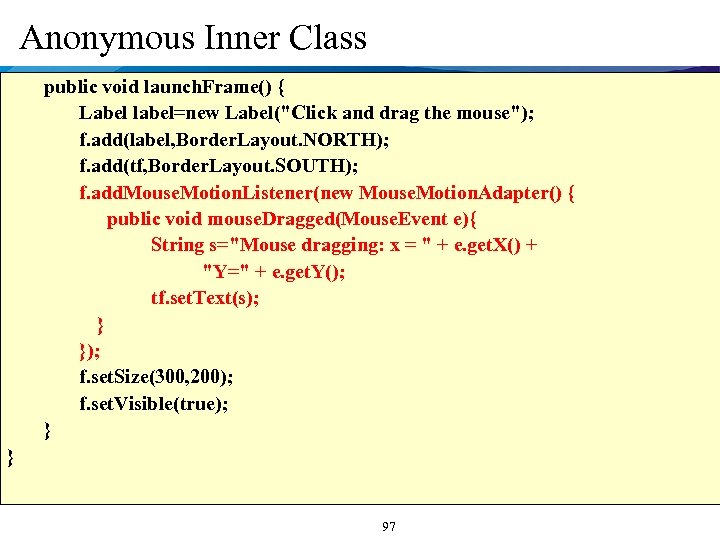
Anonymous Inner Class public void launch. Frame() { Label label=new Label("Click and drag the mouse"); f. add(label, Border. Layout. NORTH); f. add(tf, Border. Layout. SOUTH); f. add. Mouse. Motion. Listener(new Mouse. Motion. Adapter() { public void mouse. Dragged(Mouse. Event e){ String s="Mouse dragging: x = " + e. get. X() + "Y=" + e. get. Y(); tf. set. Text(s); } }); f. set. Size(300, 200); f. set. Visible(true); } } 97
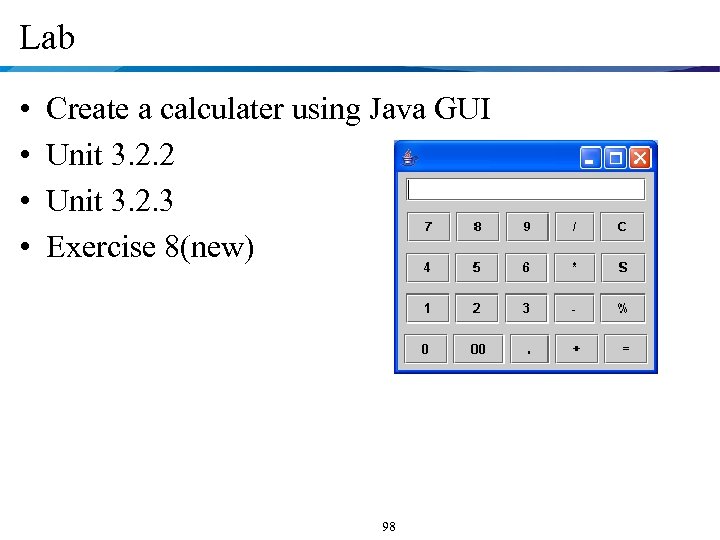
Lab • • Create a calculater using Java GUI Unit 3. 2. 2 Unit 3. 2. 3 Exercise 8(new) 98
Скачать презентацию Object-Oriented Design and Programming Java Topics Covered
c80bfd8a8c96451d2ead927044d1dd1e.ppt