


 Скачать презентацию OAI-PMH harvester for agricultural knowledge gathering Development testing
3f0a68c6b1f3914b73a399a3927542ec.ppt
- Количество слайдов: 38
 OAI-PMH harvester for agricultural knowledge gathering (Development, testing and implementation) Francesco Castellani and Stefka Kaloyanova 4 February 2009 1
 Overview n Introduction n The main requirements for OAI-PMH harvester n Selection and rational n Requirements for Data Providers n OAI frameworkflow and the six verbs n AGRIS Network and OAI-PMH n Setup of a harvester n Installation n Technical details n Main functions n Management and trouble shooting n Results, summary and conclusions n Next steps 2
 Introduction Main role of a harvester: n To set up a mechanism for automatic gathering of metadata and saving it in a common place (central repository) as a file system or database 3
 The main requirements for OAIPMH harvester n To retrieve and define remote OAI data providers for harvesting , n To collect data from them according to the rules and requirements of OAI-PMH protocol (usually it is done automatically) n To ensure saving of this data at the central file system or database repository for further indexing and search at the service provider (portal) 4
 Many harvesters available as OSS n Selection (Pro and cons) u u n PKP harvester OCLC harvester Evaluation and testing u u n PKP harvester OCLC harvester Selection of OCLC harvester and its adaptation to the existing AGRIS flow 5
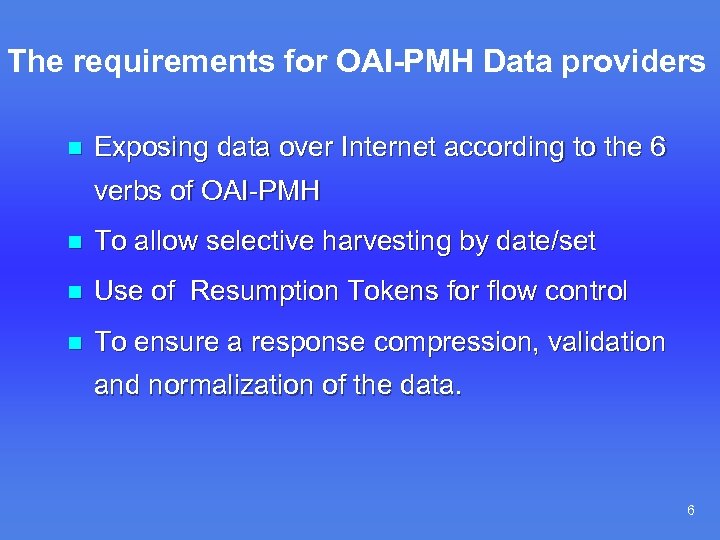 The requirements for OAI-PMH Data providers n Exposing data over Internet according to the 6 verbs of OAI-PMH n To allow selective harvesting by date/set n Use of Resumption Tokens for flow control n To ensure a response compression, validation and normalization of the data. 6
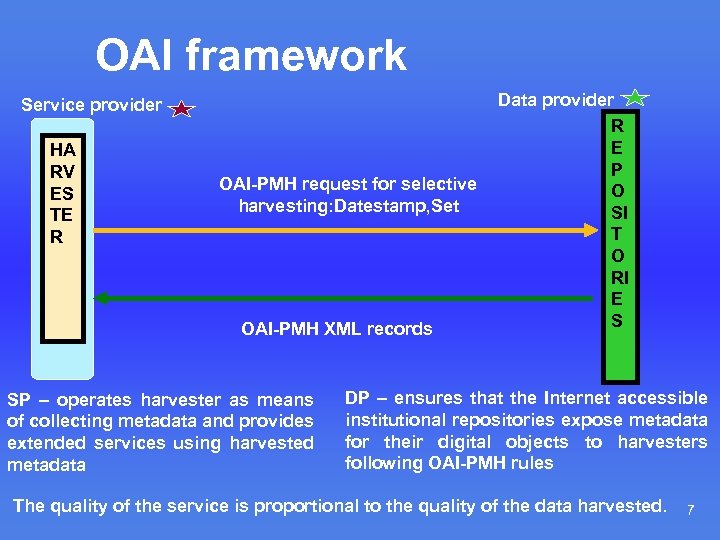 OAI framework Service provider HA RV ES TE R OAI-PMH request for selective harvesting: Datestamp, Set OAI-PMH XML records SP – operates harvester as means of collecting metadata and provides extended services using harvested metadata Data provider R E P O SI T O RI E S DP – ensures that the Internet accessible institutional repositories expose metadata for their digital objects to harvesters following OAI-PMH rules The quality of the service is proportional to the quality of the data harvested. 7
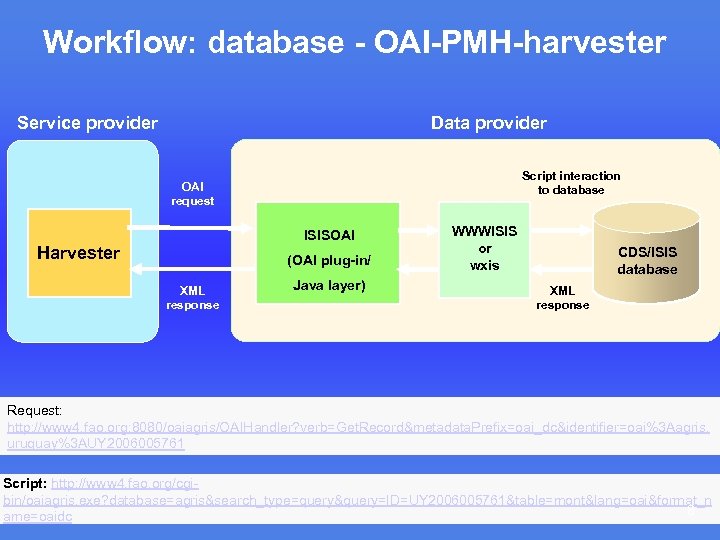 Workflow: database - OAI-PMH-harvester Service provider Data provider Script interaction to database OAI request ISISOAI Harvester (OAI plug-in/ XML response Java layer) WWWISIS or wxis CDS/ISIS database XML response Request: http: //www 4. fao. org: 8080/oaiagris/OAIHandler? verb=Get. Record&metadata. Prefix=oai_dc&identifier=oai%3 Aagris. uruguay%3 AUY 2006005761 Script: http: //www 4. fao. org/cgibin/oaiagris. exe? database=agris&search_type=query&query=ID=UY 2006005761&table=mont&lang=oai&format_n 8 ame=oaidc
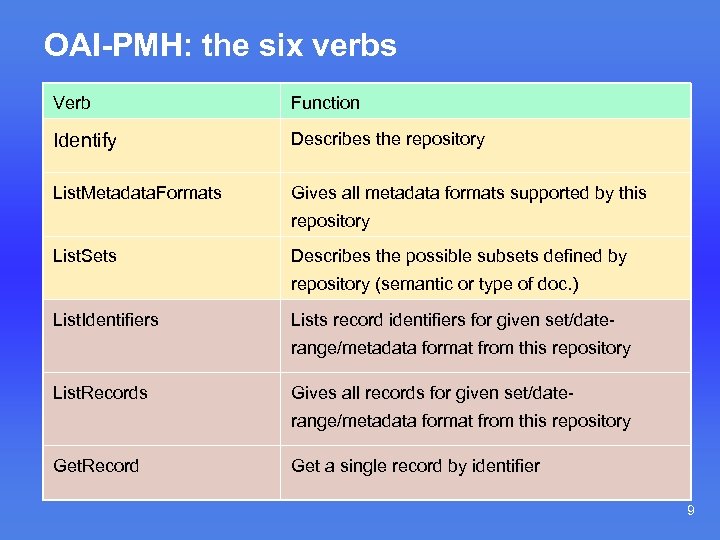 OAI-PMH: the six verbs Verb Function Identify Describes the repository List. Metadata. Formats Gives all metadata formats supported by this repository List. Sets Describes the possible subsets defined by repository (semantic or type of doc. ) List. Identifiers Lists record identifiers for given set/daterange/metadata format from this repository List. Records Gives all records for given set/daterange/metadata format from this repository Get. Record Get a single record by identifier 9
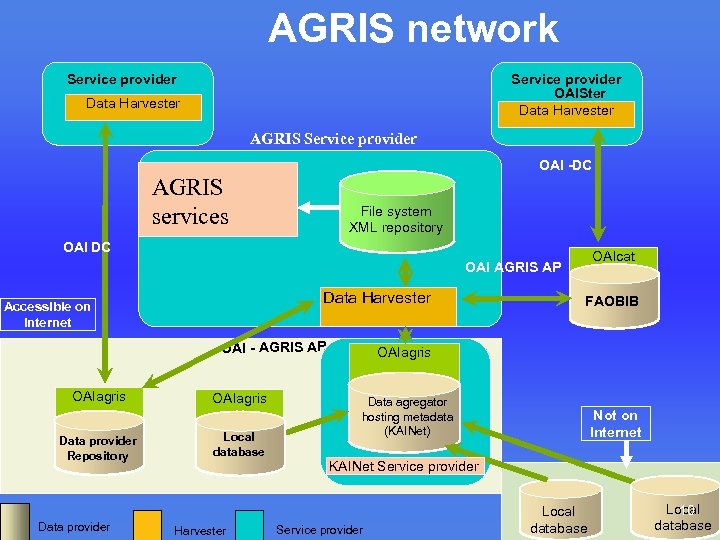 AGRIS network Service provider OAISter Data Harvester AGRIS Service provider OAI -DC AGRIS services File system XML repository OAI DC OAIcat OAI AGRIS AP Data Harvester Accessible on Internet OAI - AGRIS AP OAIagris Data provider Repository Data provider OAIagris Local database Harvester FAOBIB OAIagris Data agregator hosting metadata (KAINet) Not on Internet KAINet Service provider Local database Local 10 database
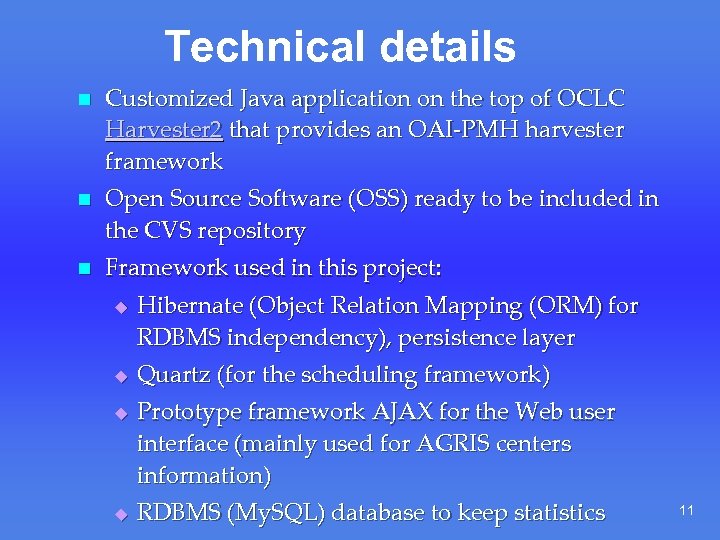 Technical details n Customized Java application on the top of OCLC Harvester 2 that provides an OAI-PMH harvester framework n Open Source Software (OSS) ready to be included in the CVS repository n Framework used in this project: u u Hibernate (Object Relation Mapping (ORM) for RDBMS independency), persistence layer Quartz (for the scheduling framework) Prototype framework AJAX for the Web user interface (mainly used for AGRIS centers information) RDBMS (My. SQL) database to keep statistics 11
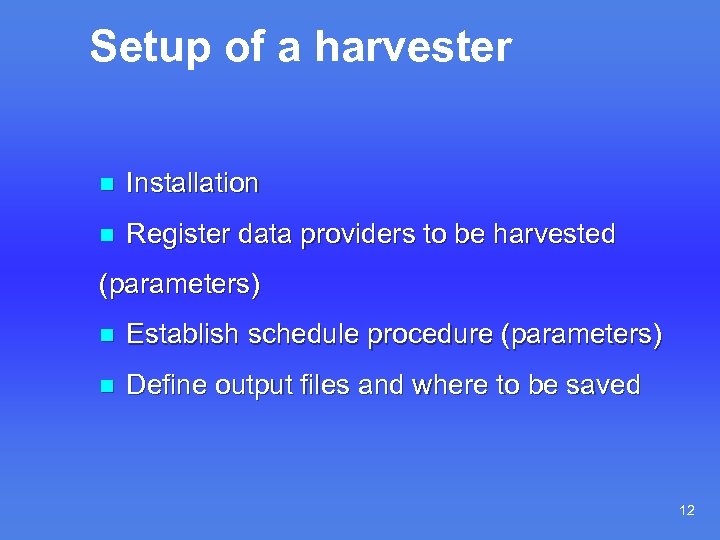 Setup of a harvester n Installation n Register data providers to be harvested (parameters) n Establish schedule procedure (parameters) n Define output files and where to be saved 12
 Installation: n Installation of Tomcat n Installation of Java n Installation of My. SQL n Installation of harvester 13
 Functionalities: n Scheduler n Data Provider u u n Add new List/ Modify/ Delete Statistics u List Data Providers u Trace Log 14
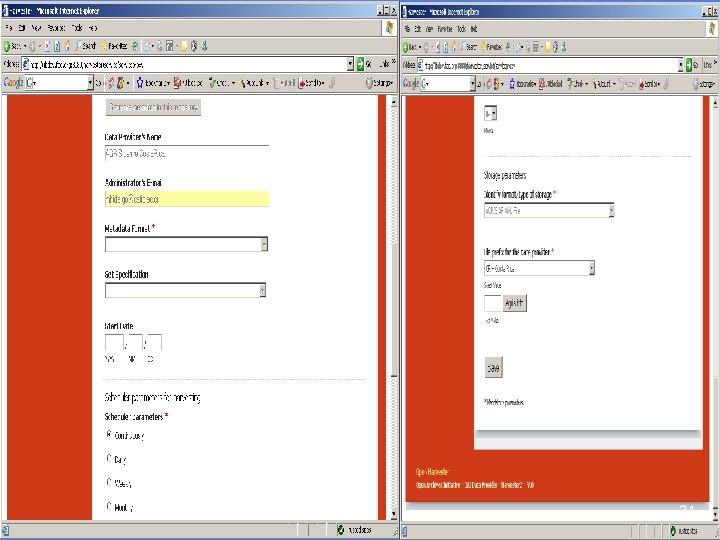
 Define parameters for each Data Provider • • • Activate or Deactivate data provider Title * Description URL * Data Provider's Name Administrator's E-mail Metadata Format * Set Specification Start Date / YYYY / MM DD 15
 Define data providers (DP) n Requires Title and URL to identify DP n Dynamic recognition of the data provider’s parameters using OAI-PMH verb (Identify, Listset, metadata. Prefix) n Additional information taken from the AGRIS data providers (mdb file) u center code (CC), name and acronym u description of the participating center u search in AGRIS portal etc. 16
 Parameters for metadata format and subset selection Available subsets as defined in List. Sets OAIPMH and selection of the one suitable for AGRIS (if not selected the whole database will be harvested) Available formats for storage from List. Metadata. Formats: u AGRIS AP u DC u others 17
 Defining schedule for each data provider n Continuous (runs every N minutes) n Daily (runs every day at a given time) n Weekly (runs every week at a given day and time) n Monthly (runs every month at a given day and time) 18
 Data storage parameters * Identify format/type of storage * n File prefix for the data provider * n 19
 List of defined data providers n List/Delete or Modify the parameters for a data provider n Trace log for each data provider 20
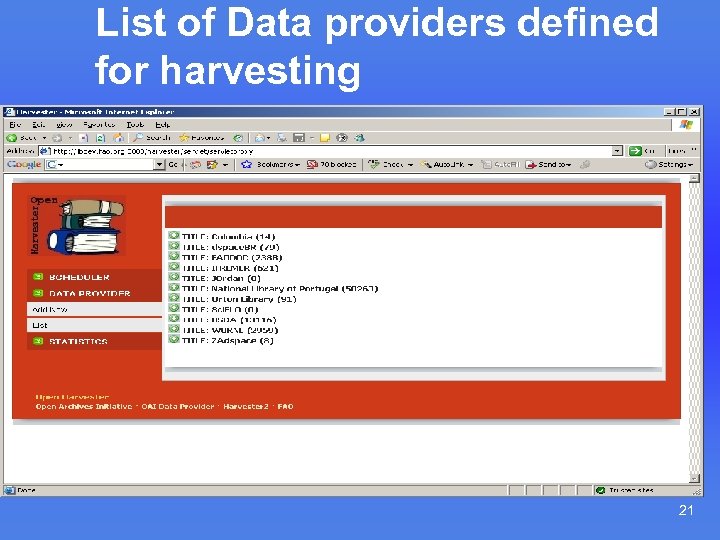 List of Data providers defined for harvesting 21
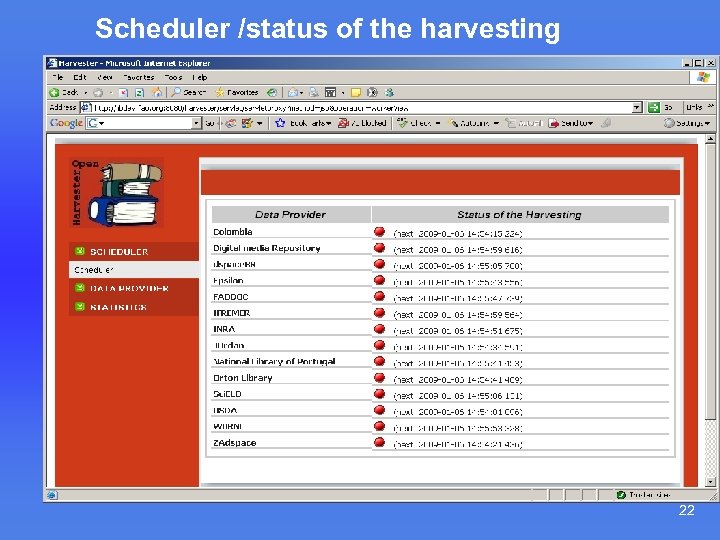 Scheduler /status of the harvesting n As for topic Two 22
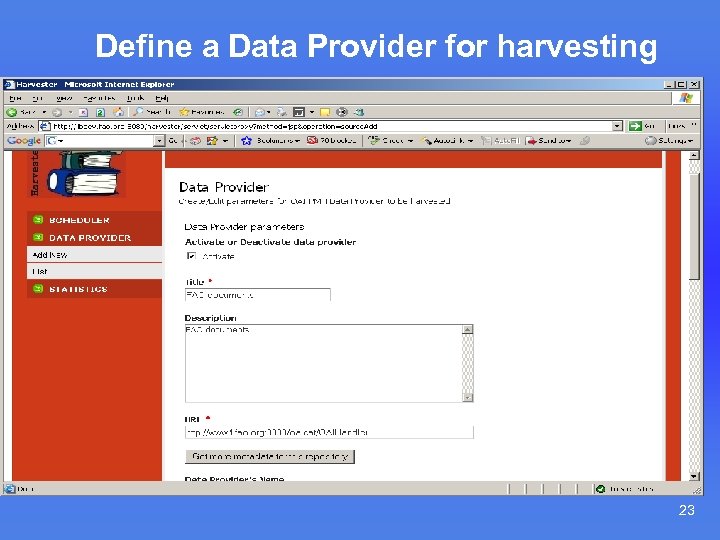 Define a Data Provider for harvesting 23
 24
24
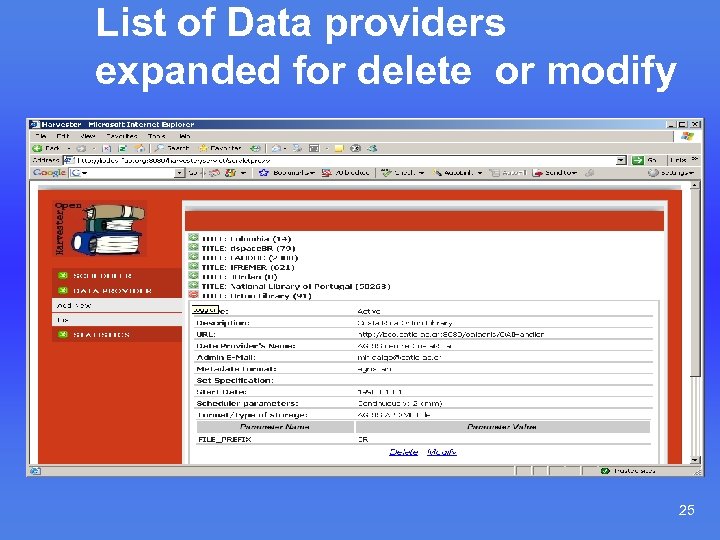 List of Data providers expanded for delete or modify 25
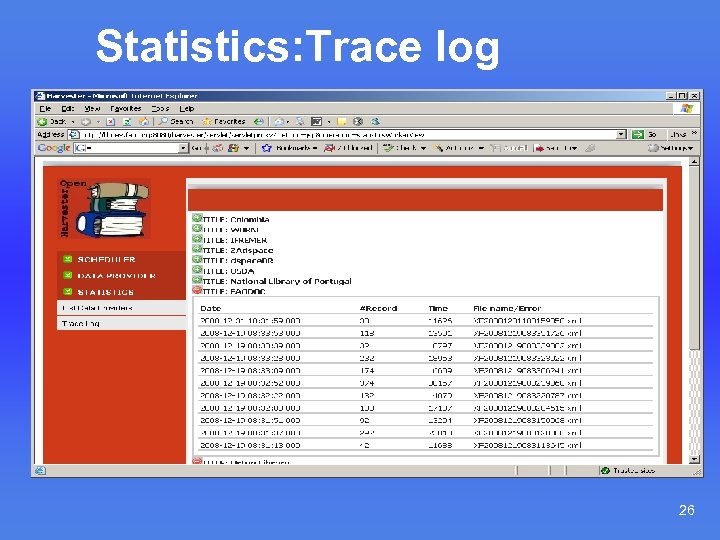 Statistics: Trace log 26
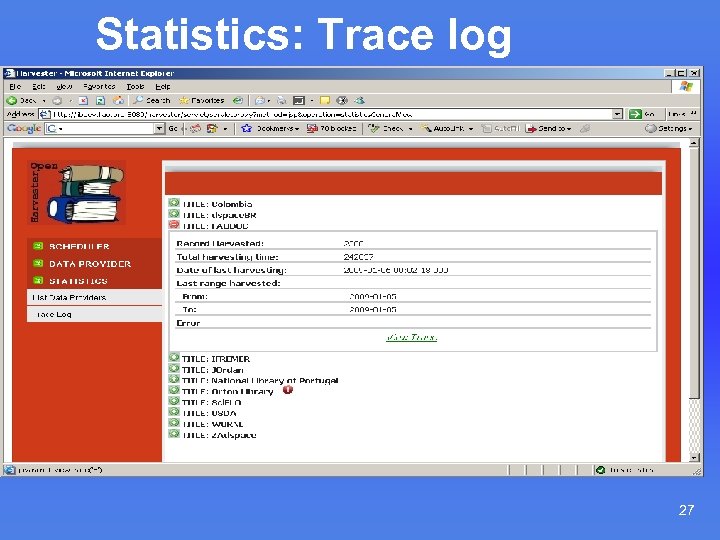 Statistics: Trace log 27
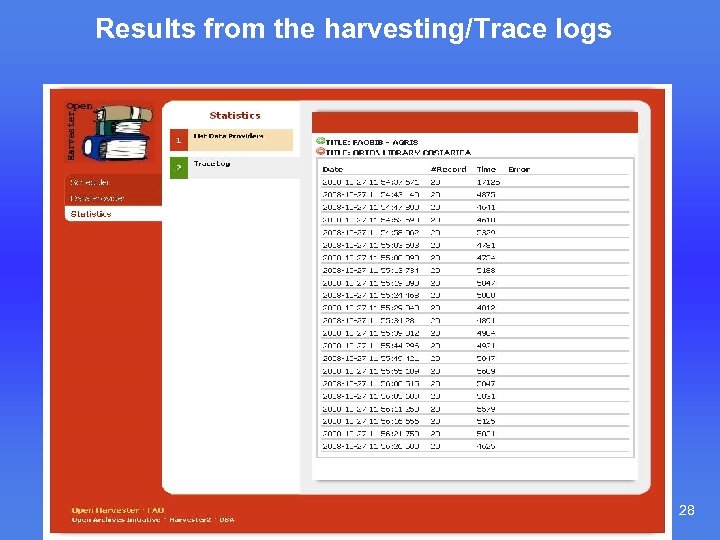 Results from the harvesting/Trace logs 28
 Structure of the result XML files Ordered by Data provider by format by subset 29
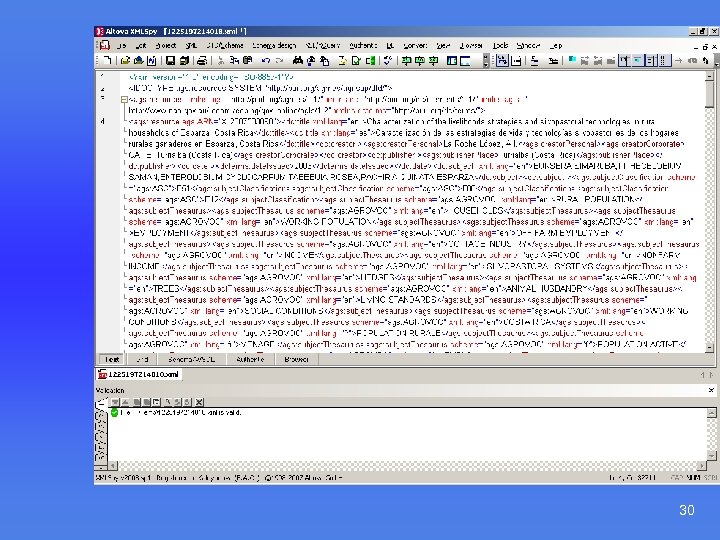 Result file from FAOBIB harvesting 30
 Management of the harvesting n Status (active/not active) n Management of errors n Statistics kept in the My. SQL database including: u the last range harvested; u the date of last harvesting done for starting the next harvesting u u n number of records harvested; name of the XML files generated Administration 31
 What was done until now: n Harvester developed (shown to the group) n Testing with more than 15 different repositories (Sci. ELO, Orton Library, FAOBIB, BIBSYS, National Library of Portugal, hosted WEBAGRIS databases (Uruguay, Peru) n Fixing of bugs and a lot of new FAO requirements (or changes) n Full documentation and installation package available 32
 List of additional works done: n n n Error handling: in case of bad AGRIS AP xml the process should stop after 3 rd trial that produces empty xml adding “monthly” as period for harvesting in the scheduler as possible parameter Changing RDBMS keeping statistics to My. SQL Introducing login and password Enable changing of the path for the XML files Adding number of records harvested on the initial display of DP Additional modifications of the menus Adding of additional parameters (CC, Name, acronym etc. ) for data provider taken from mdb for AGRIS data providers Changing the naming of the produced output files and including the center code Cleaning of OAI part and the wrong namespaces in the XML result Adding of activate/ deactivate function Improvement of the statistics 33
 Testing and implementation n Testing. Installation in FAO (under common accessible server GILS 09) for further testing n Creation of distribution package and documentation n Presenting to the management and other colleagues in FAO n Installation to another server or just redirecting of the output to the existing directory for AGRIS production n Mechanism for including in the AGRIS production cycle n Trouble shooting for OAI-PMH repositories 34
 Summary / Conclusions n The goal of the harvester n Benefits for AGRIS n Possibility to use it with other FAO OA project n Future implementation and use in house and by our partners 35
 What next n Help AGRIS centres to install OAI-PMH plug-in and expose outside firewall. n Facilitating host services for some Data Providers n Installing harvester to other aggregators n from AGRIS harvesting to AGRIS portal n Follow up actions 36
 Close n New way of organization of AGRIS harvesting n It is not an user interface but a scheduler. n Not a search interface n Its success depend on the OAI-PMH plug-in exported data quality. 37
 Thank you 38