


 Скачать презентацию NX 6 Modeling Derek England NX Product Manager
bb0325bbd73ceed00ef2c7135670f5c8.ppt
- Количество слайдов: 33
 NX 6 Modeling Derek England NX Product Manager – Design © 2007. Siemens Product Lifecycle Management Software Inc. All rights reserved © 2007 Siemens Product Lifecycle Management Software Inc. All Rights Reserved Siemens PLM Software
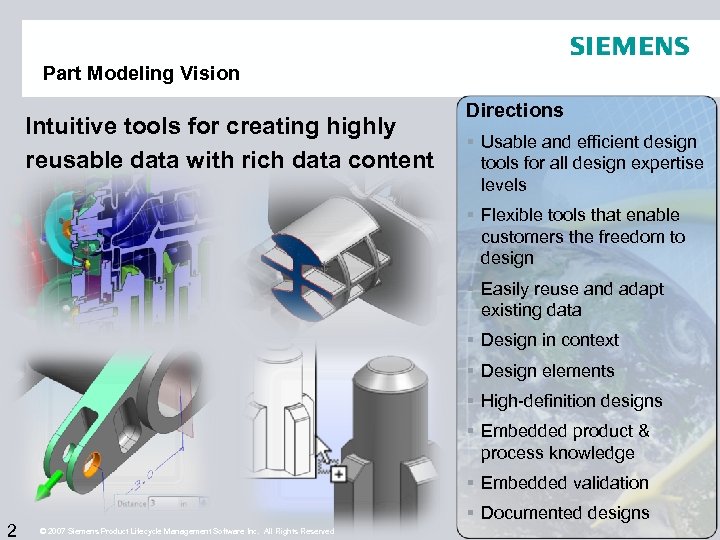 Part Modeling Vision Intuitive tools for creating highly reusable data with rich data content Directions § Usable and efficient design tools for all design expertise levels § Flexible tools that enable customers the freedom to design § Easily reuse and adapt existing data § Design in context § Design elements § High-definition designs § Embedded product & process knowledge § Embedded validation 2 § Documented designs © 2007 Siemens Product Lifecycle Management Software Inc. All Rights Reserved
 DESIGN USABILITY © 2007 Siemens Product Lifecycle Management Software Inc. All Rights Reserved
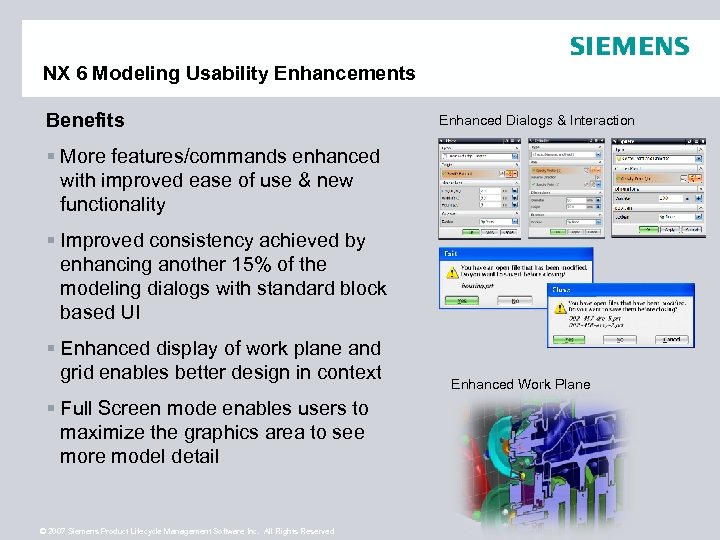 NX 6 Modeling Usability Enhancements Benefits Enhanced Dialogs & Interaction § More features/commands enhanced with improved ease of use & new functionality § Improved consistency achieved by enhancing another 15% of the modeling dialogs with standard block based UI § Enhanced display of work plane and grid enables better design in context § Full Screen mode enables users to maximize the graphics area to see more model detail © 2007 Siemens Product Lifecycle Management Software Inc. All Rights Reserved Enhanced Work Plane
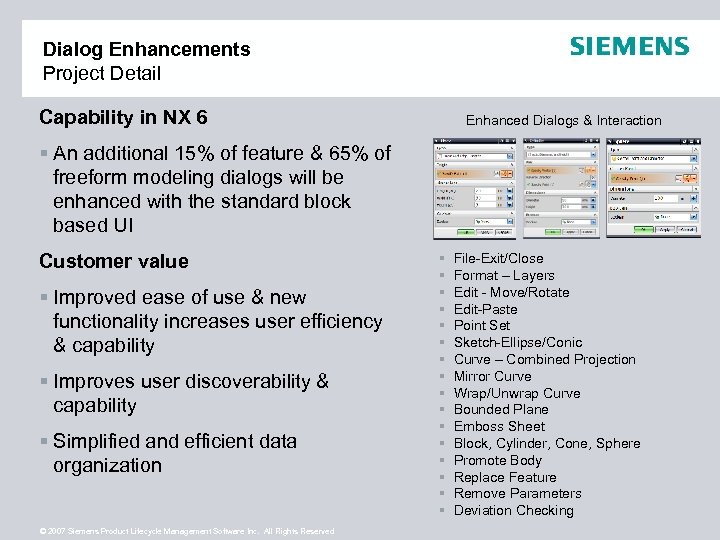 Dialog Enhancements Project Detail Capability in NX 6 Enhanced Dialogs & Interaction § An additional 15% of feature & 65% of freeform modeling dialogs will be enhanced with the standard block based UI Customer value § Improved ease of use & new functionality increases user efficiency & capability § Improves user discoverability & capability § Simplified and efficient data organization © 2007 Siemens Product Lifecycle Management Software Inc. All Rights Reserved § § § § File-Exit/Close Format – Layers Edit - Move/Rotate Edit-Paste Point Set Sketch-Ellipse/Conic Curve – Combined Projection Mirror Curve Wrap/Unwrap Curve Bounded Plane Emboss Sheet Block, Cylinder, Cone, Sphere Promote Body Replace Feature Remove Parameters Deviation Checking
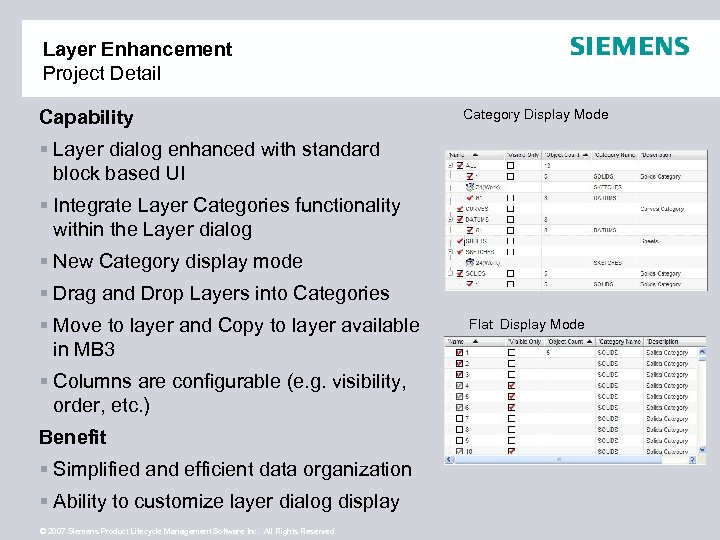 Layer Enhancement Project Detail Capability Category Display Mode § Layer dialog enhanced with standard block based UI § Integrate Layer Categories functionality within the Layer dialog § New Category display mode § Drag and Drop Layers into Categories § Move to layer and Copy to layer available in MB 3 § Columns are configurable (e. g. visibility, order, etc. ) Benefit § Simplified and efficient data organization § Ability to customize layer dialog display © 2007 Siemens Product Lifecycle Management Software Inc. All Rights Reserved Flat Display Mode
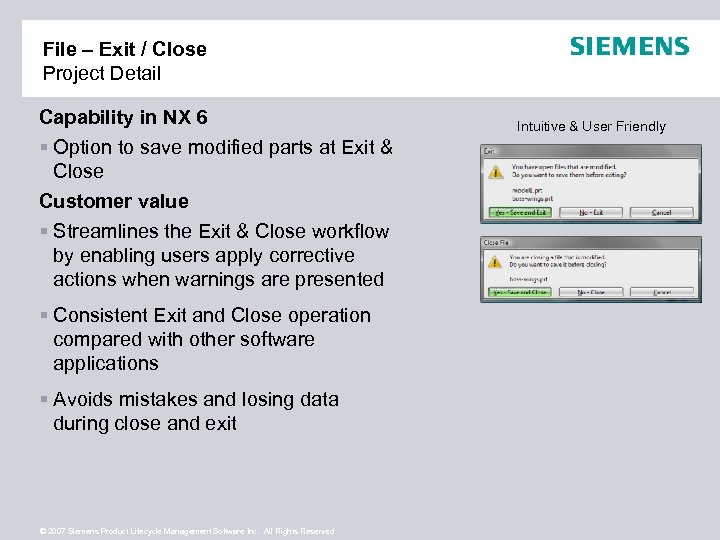 File – Exit / Close Project Detail Capability in NX 6 § Option to save modified parts at Exit & Close Customer value § Streamlines the Exit & Close workflow by enabling users apply corrective actions when warnings are presented § Consistent Exit and Close operation compared with other software applications § Avoids mistakes and losing data during close and exit © 2007 Siemens Product Lifecycle Management Software Inc. All Rights Reserved Intuitive & User Friendly
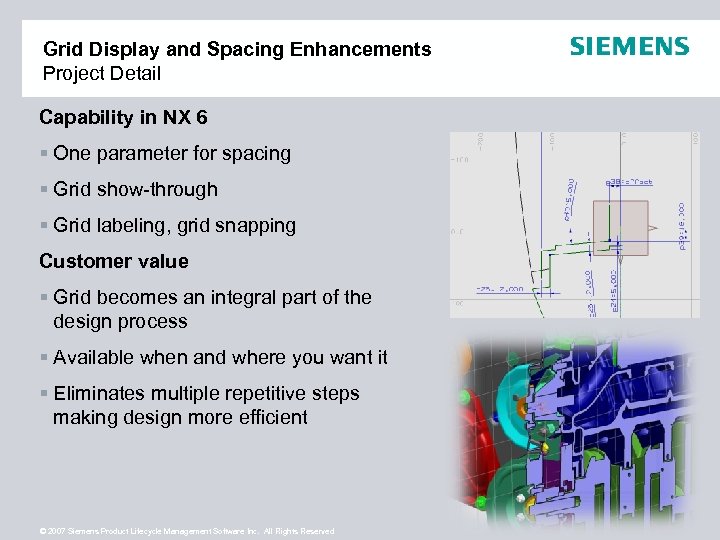 Grid Display and Spacing Enhancements Project Detail Capability in NX 6 § One parameter for spacing § Grid show-through § Grid labeling, grid snapping Customer value § Grid becomes an integral part of the design process § Available when and where you want it § Eliminates multiple repetitive steps making design more efficient © 2007 Siemens Product Lifecycle Management Software Inc. All Rights Reserved
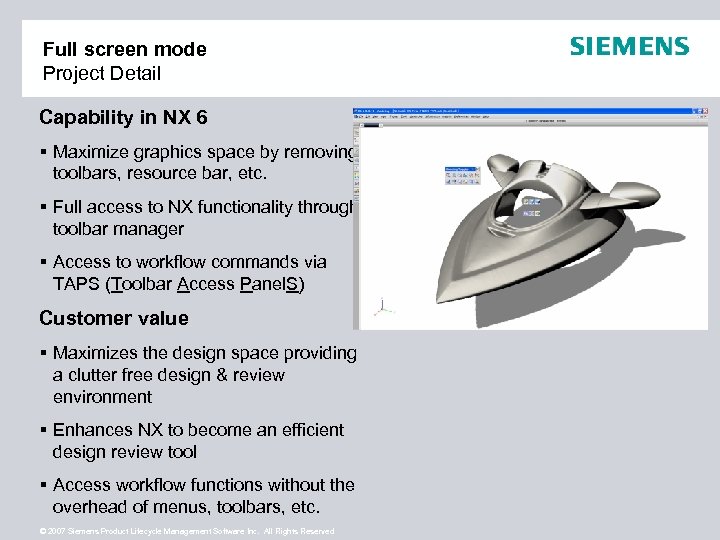 Full screen mode Project Detail Capability in NX 6 § Maximize graphics space by removing toolbars, resource bar, etc. § Full access to NX functionality through toolbar manager § Access to workflow commands via TAPS (Toolbar Access Panel. S) Customer value § Maximizes the design space providing a clutter free design & review environment § Enhances NX to become an efficient design review tool § Access workflow functions without the overhead of menus, toolbars, etc. © 2007 Siemens Product Lifecycle Management Software Inc. All Rights Reserved
 DESIGN EFFICIENCY © 2007 Siemens Product Lifecycle Management Software Inc. All Rights Reserved
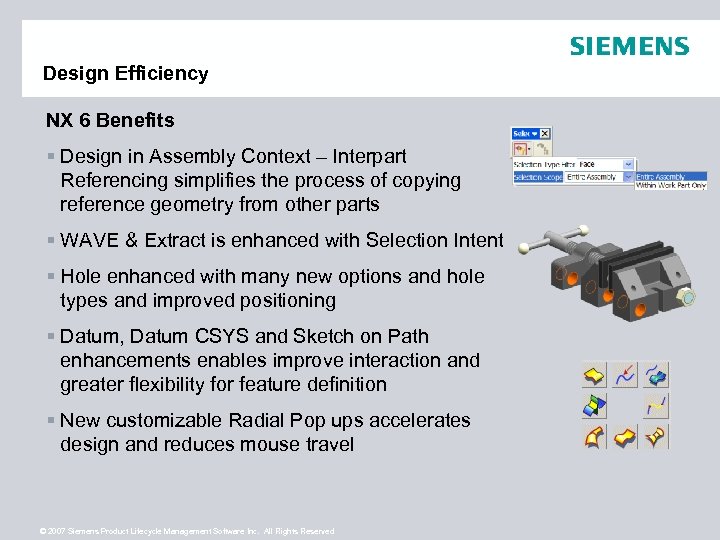 Design Efficiency NX 6 Benefits § Design in Assembly Context – Interpart Referencing simplifies the process of copying reference geometry from other parts § WAVE & Extract is enhanced with Selection Intent § Hole enhanced with many new options and hole types and improved positioning § Datum, Datum CSYS and Sketch on Path enhancements enables improve interaction and greater flexibility for feature definition § New customizable Radial Pop ups accelerates design and reduces mouse travel © 2007 Siemens Product Lifecycle Management Software Inc. All Rights Reserved
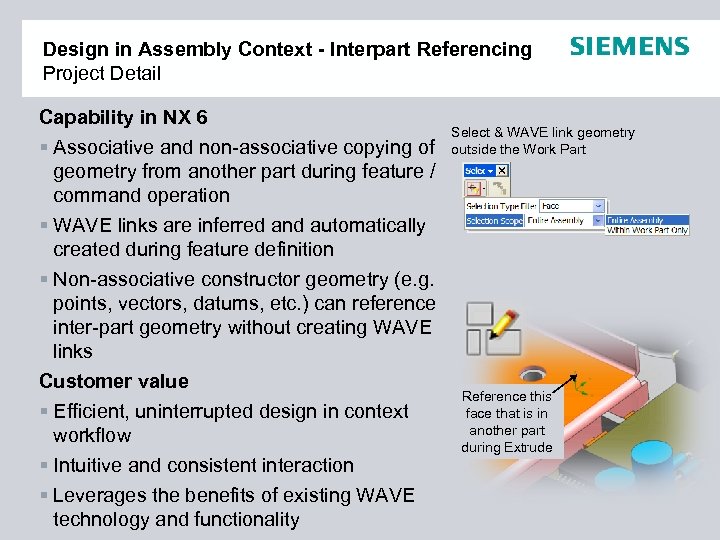 Design in Assembly Context - Interpart Referencing Project Detail Capability in NX 6 § Associative and non-associative copying of geometry from another part during feature / command operation § WAVE links are inferred and automatically created during feature definition § Non-associative constructor geometry (e. g. points, vectors, datums, etc. ) can reference inter-part geometry without creating WAVE links Customer value § Efficient, uninterrupted design in context workflow § Intuitive and consistent interaction § Leverages the benefits of existing WAVE technology and functionality © 2007 Siemens Product Lifecycle Management Software Inc. All Rights Reserved Select & WAVE link geometry outside the Work Part Reference this face that is in another part during Extrude
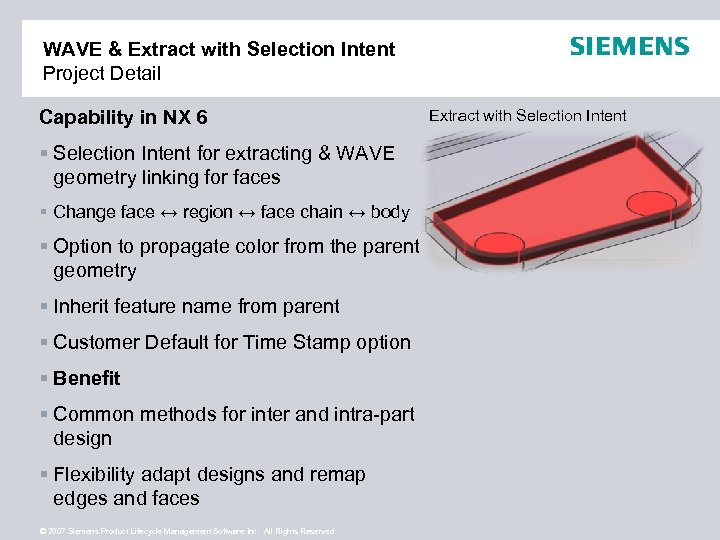 WAVE & Extract with Selection Intent Project Detail Capability in NX 6 § Selection Intent for extracting & WAVE geometry linking for faces § Change face ↔ region ↔ face chain ↔ body § Option to propagate color from the parent geometry § Inherit feature name from parent § Customer Default for Time Stamp option § Benefit § Common methods for inter and intra-part design § Flexibility adapt designs and remap edges and faces © 2007 Siemens Product Lifecycle Management Software Inc. All Rights Reserved Extract with Selection Intent
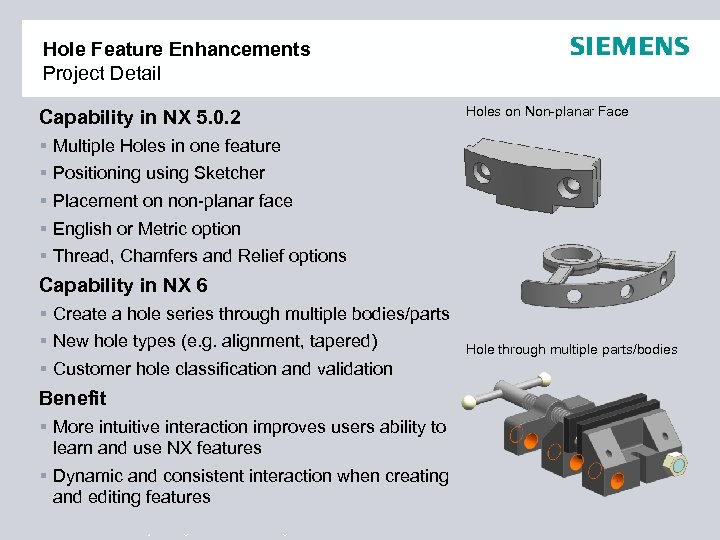 Hole Feature Enhancements Project Detail Capability in NX 5. 0. 2 § § § Holes on Non-planar Face Multiple Holes in one feature Positioning using Sketcher Placement on non-planar face English or Metric option Thread, Chamfers and Relief options Capability in NX 6 § Create a hole series through multiple bodies/parts § New hole types (e. g. alignment, tapered) § Customer hole classification and validation Benefit § More intuitive interaction improves users ability to learn and use NX features § Dynamic and consistent interaction when creating and editing features © 2007 Siemens Product Lifecycle Management Software Inc. All Rights Reserved Hole through multiple parts/bodies
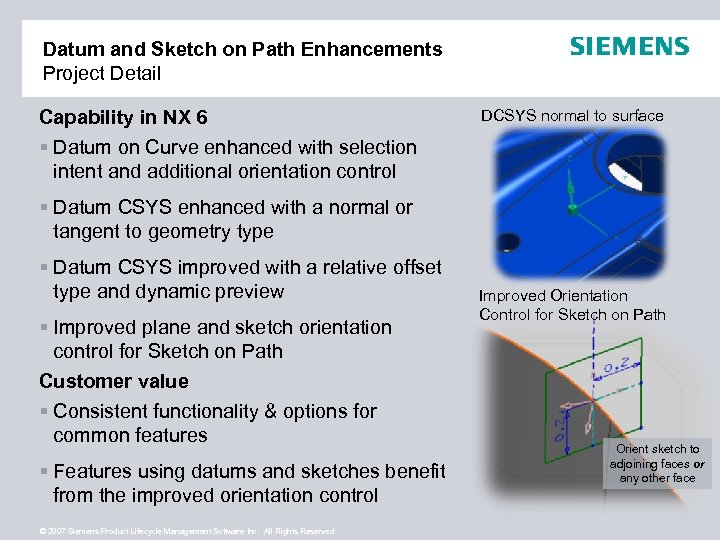 Datum and Sketch on Path Enhancements Project Detail Capability in NX 6 § Datum on Curve enhanced with selection intent and additional orientation control DCSYS normal to surface § Datum CSYS enhanced with a normal or tangent to geometry type § Datum CSYS improved with a relative offset type and dynamic preview § Improved plane and sketch orientation control for Sketch on Path Customer value § Consistent functionality & options for common features § Features using datums and sketches benefit from the improved orientation control © 2007 Siemens Product Lifecycle Management Software Inc. All Rights Reserved Improved Orientation Control for Sketch on Path Orient sketch to adjoining faces or any other face
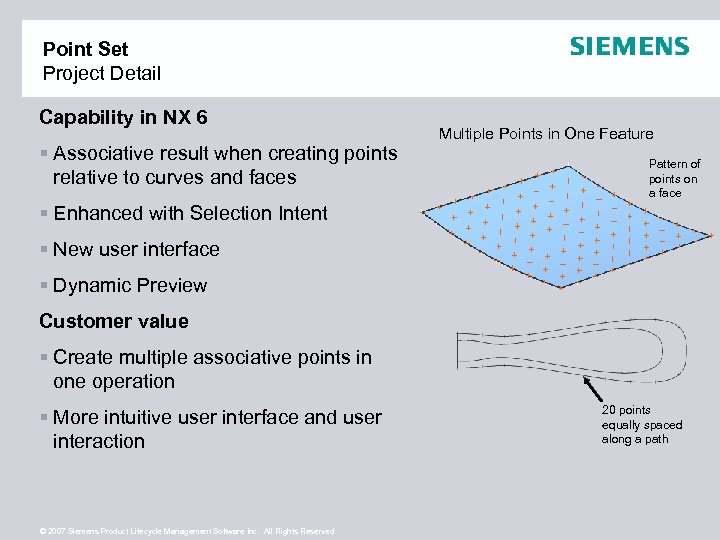 Point Set Project Detail Capability in NX 6 § Associative result when creating points relative to curves and faces Multiple Points in One Feature Pattern of points on a face § Enhanced with Selection Intent § New user interface § Dynamic Preview Customer value § Create multiple associative points in one operation § More intuitive user interface and user interaction © 2007 Siemens Product Lifecycle Management Software Inc. All Rights Reserved 20 points equally spaced along a path
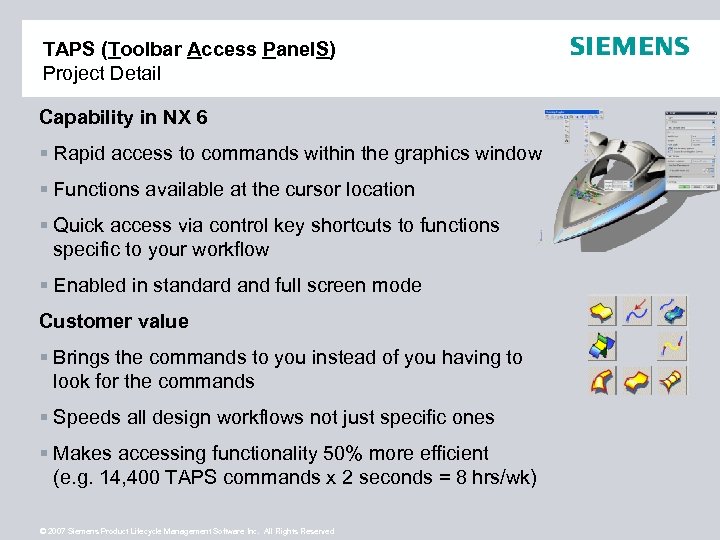 TAPS (Toolbar Access Panel. S) Project Detail Capability in NX 6 § Rapid access to commands within the graphics window § Functions available at the cursor location § Quick access via control key shortcuts to functions specific to your workflow § Enabled in standard and full screen mode Customer value § Brings the commands to you instead of you having to look for the commands § Speeds all design workflows not just specific ones § Makes accessing functionality 50% more efficient (e. g. 14, 400 TAPS commands x 2 seconds = 8 hrs/wk) © 2007 Siemens Product Lifecycle Management Software Inc. All Rights Reserved
 DESIGN CHANGE © 2007 Siemens Product Lifecycle Management Software Inc. All Rights Reserved
 Design Change NX 6 Benefits Organized Data § Replacement Assistant’s and Replace Feature have been enhanced to better automate and simplify the process of remapping downstream dependencies § Associative Trimming of Projected Curves enables clear & concise definition of intent § Feature Update Performance § Synchronous Design innovation enables dramatic change of model geometry regardless of feature history © 2007 Siemens Product Lifecycle Management Software Inc. All Rights Reserved Move/Rotate
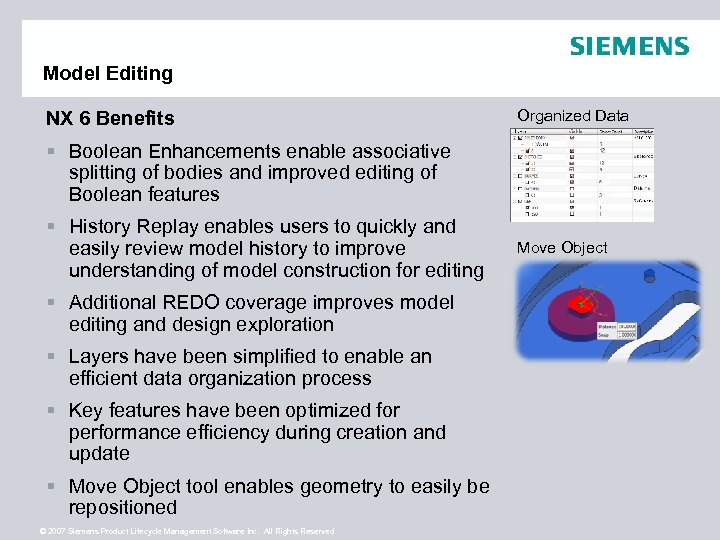 Model Editing NX 6 Benefits Organized Data § Boolean Enhancements enable associative splitting of bodies and improved editing of Boolean features § History Replay enables users to quickly and easily review model history to improve understanding of model construction for editing § Additional REDO coverage improves model editing and design exploration § Layers have been simplified to enable an efficient data organization process § Key features have been optimized for performance efficiency during creation and update § Move Object tool enables geometry to easily be repositioned © 2007 Siemens Product Lifecycle Management Software Inc. All Rights Reserved Move Object
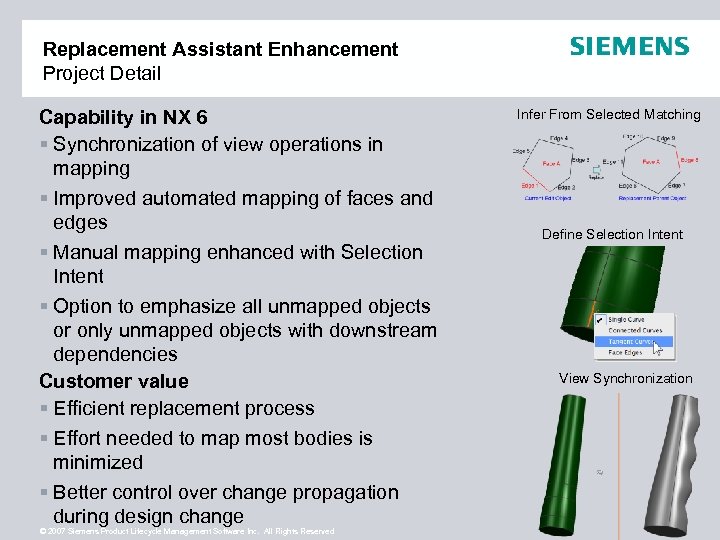 Replacement Assistant Enhancement Project Detail Capability in NX 6 § Synchronization of view operations in mapping § Improved automated mapping of faces and edges § Manual mapping enhanced with Selection Intent § Option to emphasize all unmapped objects or only unmapped objects with downstream dependencies Customer value § Efficient replacement process § Effort needed to map most bodies is minimized § Better control over change propagation during design change © 2007 Siemens Product Lifecycle Management Software Inc. All Rights Reserved Infer From Selected Matching Define Selection Intent View Synchronization
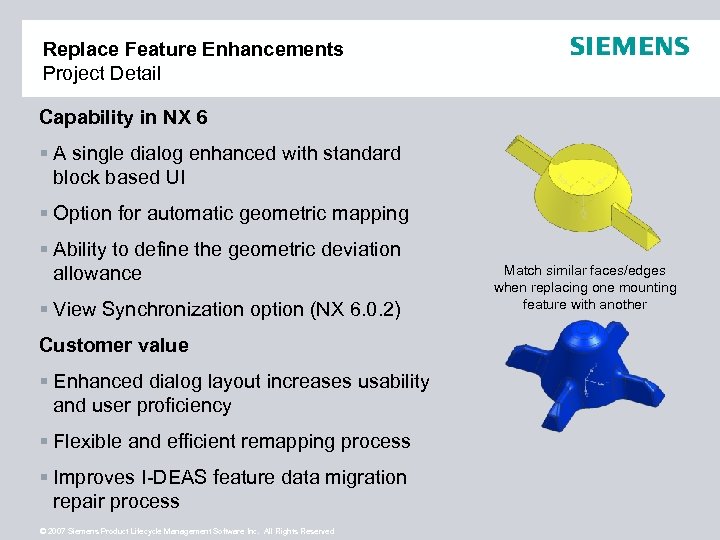 Replace Feature Enhancements Project Detail Capability in NX 6 § A single dialog enhanced with standard block based UI § Option for automatic geometric mapping § Ability to define the geometric deviation allowance § View Synchronization option (NX 6. 0. 2) Customer value § Enhanced dialog layout increases usability and user proficiency § Flexible and efficient remapping process § Improves I-DEAS feature data migration repair process © 2007 Siemens Product Lifecycle Management Software Inc. All Rights Reserved Match similar faces/edges when replacing one mounting feature with another
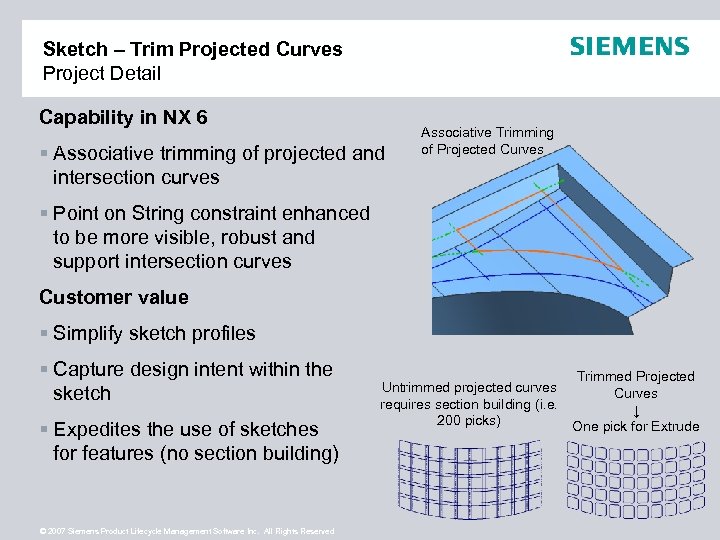 Sketch – Trim Projected Curves Project Detail Capability in NX 6 § Associative trimming of projected and intersection curves Associative Trimming of Projected Curves § Point on String constraint enhanced to be more visible, robust and support intersection curves Customer value § Simplify sketch profiles § Capture design intent within the sketch § Expedites the use of sketches for features (no section building) © 2007 Siemens Product Lifecycle Management Software Inc. All Rights Reserved Trimmed Projected Untrimmed projected curves Curves requires section building (i. e. ↓ 200 picks) One pick for Extrude
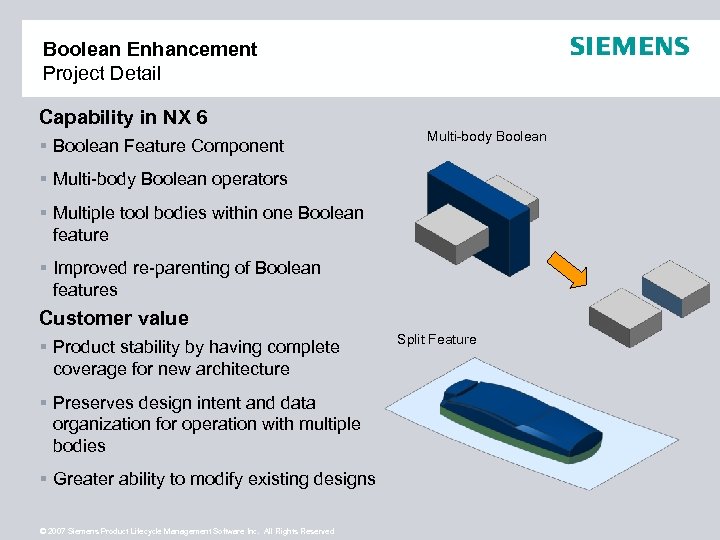 Boolean Enhancement Project Detail Capability in NX 6 § Boolean Feature Component Multi-body Boolean § Multi-body Boolean operators § Multiple tool bodies within one Boolean feature § Improved re-parenting of Boolean features Customer value § Product stability by having complete coverage for new architecture § Preserves design intent and data organization for operation with multiple bodies § Greater ability to modify existing designs © 2007 Siemens Product Lifecycle Management Software Inc. All Rights Reserved Split Feature
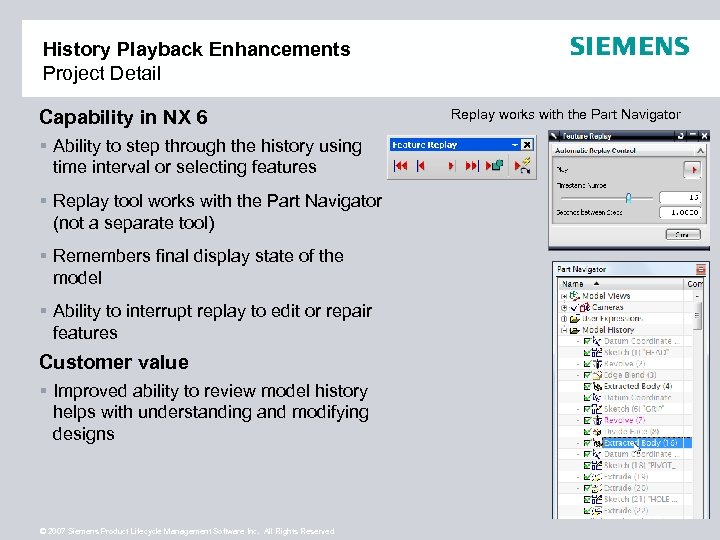 History Playback Enhancements Project Detail Capability in NX 6 § Ability to step through the history using time interval or selecting features § Replay tool works with the Part Navigator (not a separate tool) § Remembers final display state of the model § Ability to interrupt replay to edit or repair features Customer value § Improved ability to review model history helps with understanding and modifying designs © 2007 Siemens Product Lifecycle Management Software Inc. All Rights Reserved Replay works with the Part Navigator
 Redo / Journaling Coverage Project Detail Capability in NX 6 § An additional 15% of modeling commands will support Redo § Part Navigator operations (e. g. editing through details window, Hide/Show, reordering features, etc. ) will be enhanced with journaling and Redo Customer value § Improved Journaling coverage = greater Redo coverage and automation opportunities § Additional REDO coverage improves model editing and design exploration © 2007 Siemens Product Lifecycle Management Software Inc. All Rights Reserved Undo and Redo
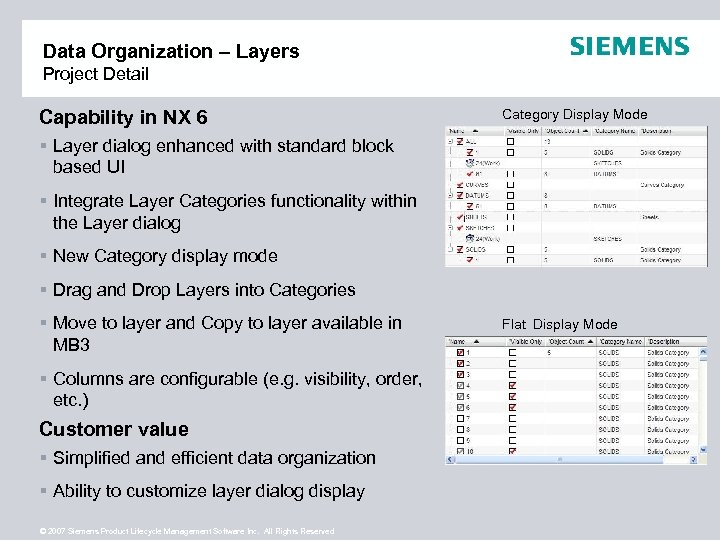 Data Organization – Layers Project Detail Capability in NX 6 Category Display Mode § Layer dialog enhanced with standard block based UI § Integrate Layer Categories functionality within the Layer dialog § New Category display mode § Drag and Drop Layers into Categories § Move to layer and Copy to layer available in MB 3 § Columns are configurable (e. g. visibility, order, etc. ) Customer value § Simplified and efficient data organization § Ability to customize layer dialog display © 2007 Siemens Product Lifecycle Management Software Inc. All Rights Reserved Flat Display Mode
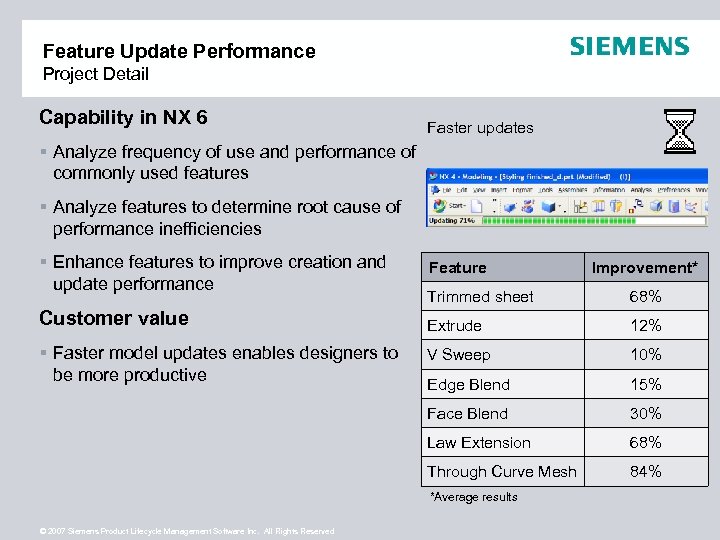 Feature Update Performance Project Detail Capability in NX 6 Faster updates § Analyze frequency of use and performance of commonly used features § Analyze features to determine root cause of performance inefficiencies § Enhance features to improve creation and update performance Feature Improvement* Extrude 12% V Sweep 10% Edge Blend 15% 30% Law Extension 68% Through Curve Mesh § Faster model updates enables designers to be more productive 68% Face Blend Customer value Trimmed sheet 84% *Average results © 2007 Siemens Product Lifecycle Management Software Inc. All Rights Reserved
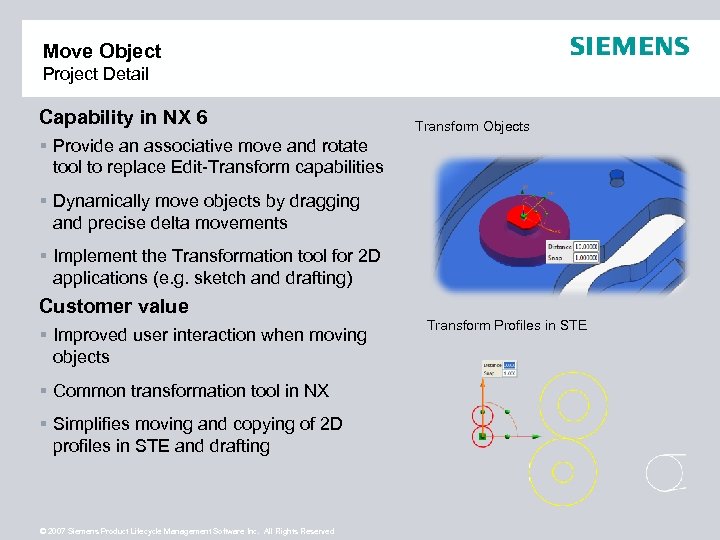 Move Object Project Detail Capability in NX 6 Transform Objects § Provide an associative move and rotate tool to replace Edit-Transform capabilities § Dynamically move objects by dragging and precise delta movements § Implement the Transformation tool for 2 D applications (e. g. sketch and drafting) Customer value § Improved user interaction when moving objects § Common transformation tool in NX § Simplifies moving and copying of 2 D profiles in STE and drafting © 2007 Siemens Product Lifecycle Management Software Inc. All Rights Reserved Transform Profiles in STE
 Synchronous Design © 2007 Siemens Product Lifecycle Management Software Inc. All Rights Reserved
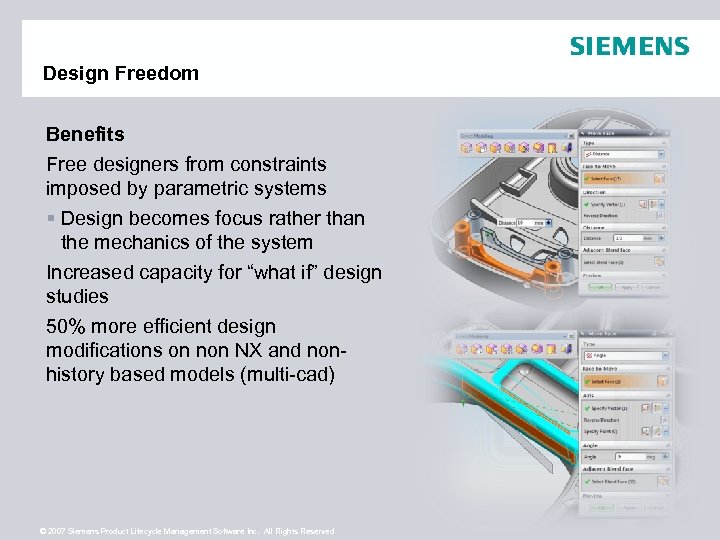 Design Freedom Benefits Free designers from constraints imposed by parametric systems § Design becomes focus rather than the mechanics of the system Increased capacity for “what if” design studies 50% more efficient design modifications on non NX and nonhistory based models (multi-cad) © 2007 Siemens Product Lifecycle Management Software Inc. All Rights Reserved
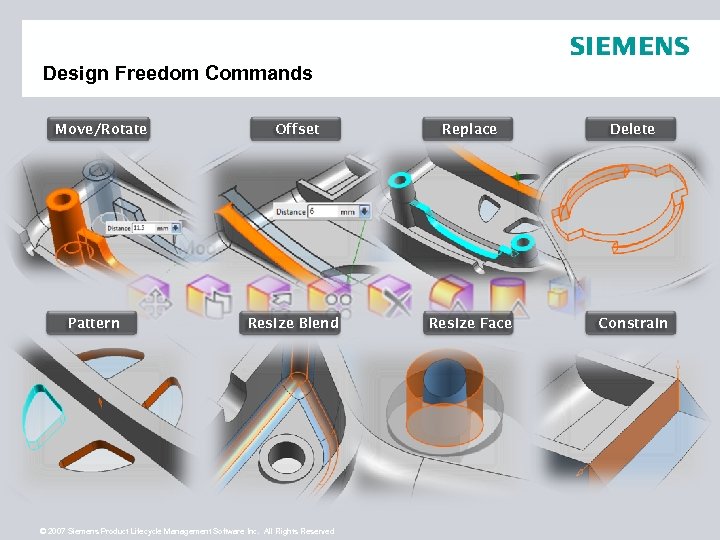 Design Freedom Commands Move/Rotate Pattern Offset Replace Delete Resize Blend Resize Face Constrain © 2007 Siemens Product Lifecycle Management Software Inc. All Rights Reserved
 Thank You Derek England Product Manager – NX Modeling © 2007. Siemens Product Lifecycle Management Software Inc. All rights reserved © 2007 Siemens Product Lifecycle Management Software Inc. All Rights Reserved Siemens PLM Software