 Скачать презентацию NSA DISA NIST Security Content Automation Program Vulnerability Compliance
a2bbc879100c43a425e06dbdcfda1e51.ppt
- Количество слайдов: 48



NSA/DISA/NIST Security Content Automation Program Vulnerability Compliance & Measurement Stephen Quinn & Peter Mell Computer Security Division NIST
Introductory Benefits § COTS Tool Vendors – § Provision of an enhanced IT security data repository § No cost and license free § CVE/OVAL/XCCDF/CVSS/CCE § Cover both patches and configuration issues § Elimination of duplication of effort § Cost reduction through standardization § Federal Agencies § Automation of technical control compliance (FISMA) § Ability of agencies to specify how systems are to be secured
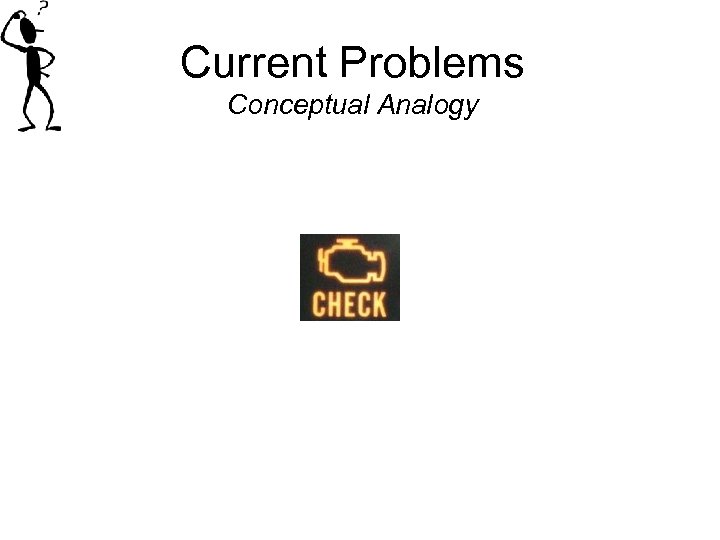
Current Problems Conceptual Analogy
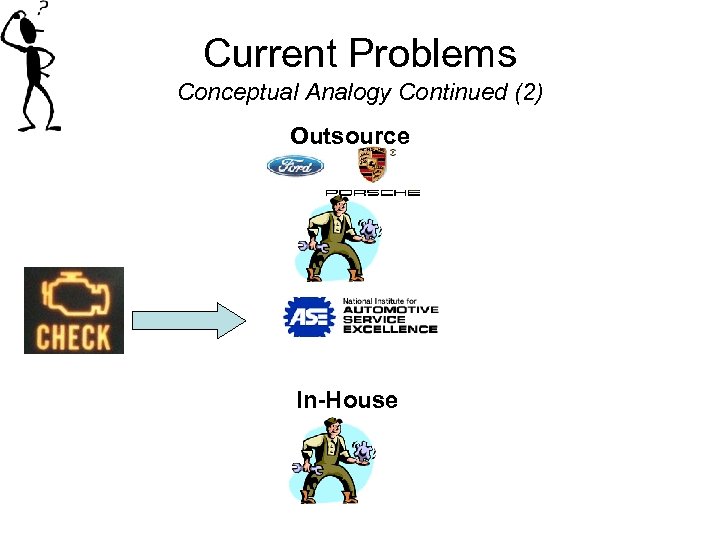
Current Problems Conceptual Analogy Continued (2) Outsource In-House
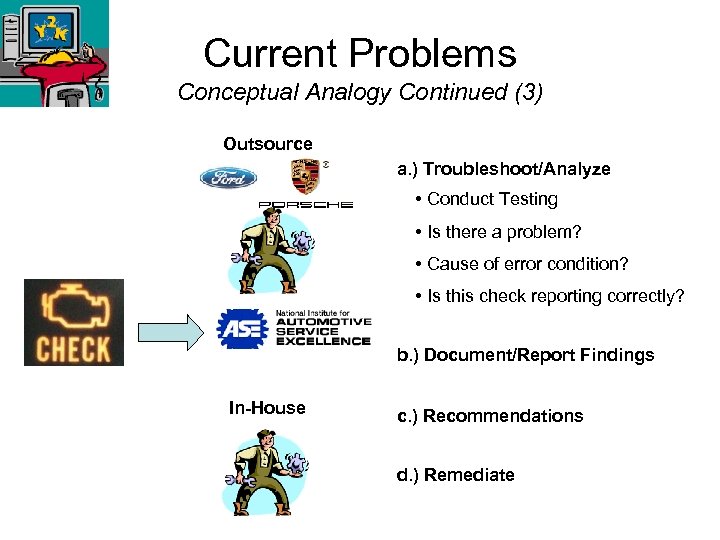
Current Problems Conceptual Analogy Continued (3) Outsource a. ) Troubleshoot/Analyze • Conduct Testing • Is there a problem? • Cause of error condition? • Is this check reporting correctly? b. ) Document/Report Findings In-House c. ) Recommendations d. ) Remediate
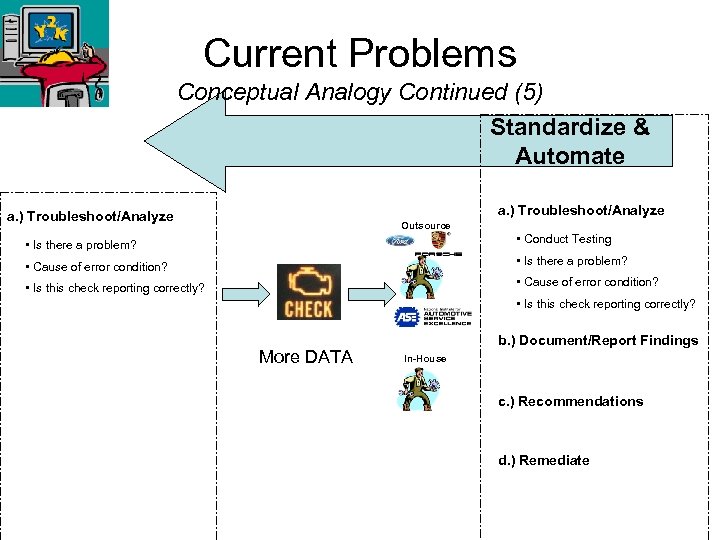
Current Problems Conceptual Analogy Continued (5) Standardize & Automate a. ) Troubleshoot/Analyze Outsource • Is there a problem? • Conduct Testing • Cause of error condition? • Is there a problem? • Is this check reporting correctly? • Cause of error condition? • Is this check reporting correctly? More DATA b. ) Document/Report Findings In-House c. ) Recommendations d. ) Remediate
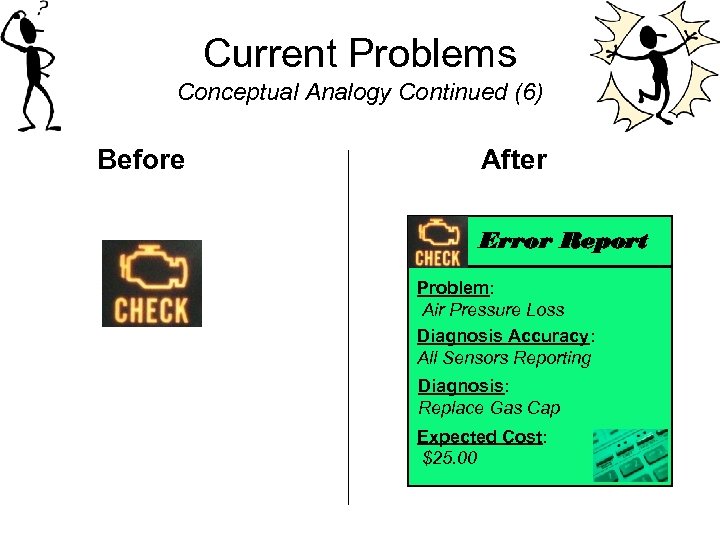
Current Problems Conceptual Analogy Continued (6) Before After Error Report Problem: Air Pressure Loss Diagnosis Accuracy: All Sensors Reporting Diagnosis: Replace Gas Cap Expected Cost: $25. 00
Compliance & Security § Problem – Comply with policy. § How – Follow recommended guidelines – So many to choose from. § Customize to your environment – So many to address. § Document your exceptions – I’ve mixed and matched, now what? § Ensure someone reads your exceptions – Standardized reporting format. § Should be basic: § One coin, different sides. § If I configure my system to compliance regulation does is mean its secure and vice versa?
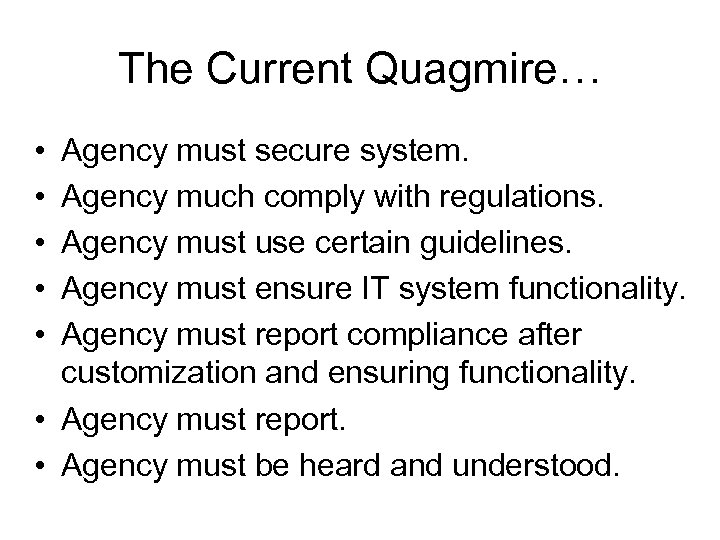
The Current Quagmire… • • • Agency must secure system. Agency much comply with regulations. Agency must use certain guidelines. Agency must ensure IT system functionality. Agency must report compliance after customization and ensuring functionality. • Agency must report. • Agency must be heard and understood.
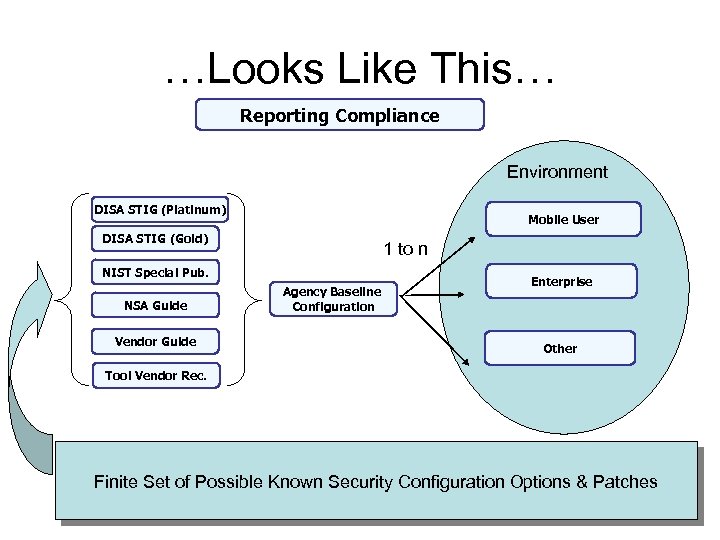
…Looks Like This… Reporting Compliance Environment DISA STIG (Platinum) Mobile User DISA STIG (Gold) 1 to n NIST Special Pub. NSA Guide Vendor Guide Agency Baseline Configuration Enterprise Other Tool Vendor Rec. Finite Set of Possible Known Security Configuration Options & Patches
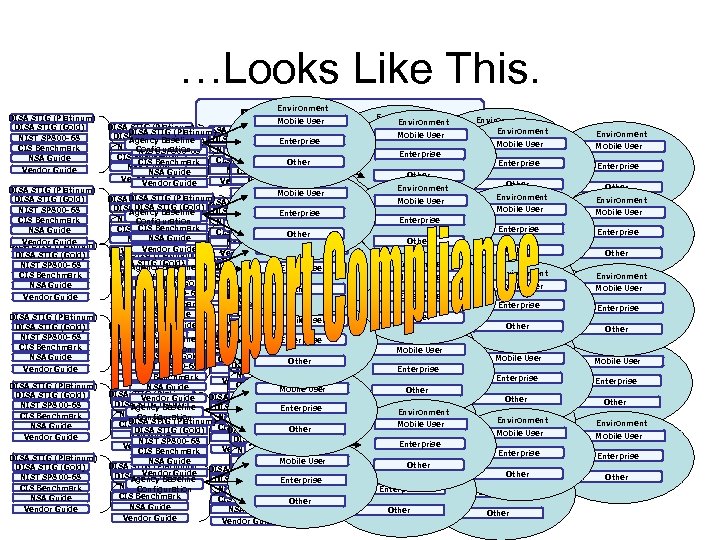
…Looks Like This. DISA STIG (Platinum) DISA STIG (Gold) NIST SP 800 -68 CIS Benchmark NSA Guide Vendor Guide DISA STIG (Platinum) DISA STIG (Gold) NIST SP 800 -68 CIS Benchmark NSA Guide Vendor Guide Environment Reporting Compliance Mobile User Environment DISA STIG (Platinum) Mobile User DISA STIG (Gold) Agency. STIG (Gold) DISA STIG (Platinum) Enterprise DISA Baseline Mobile User NIST SP 800 -68 Agency. STIG Configuration Enterprise NIST SP 800 -68(Gold) DISA Baseline NIST SP 800 -68 Agency. STIG (Gold) Enterprise DISA Baseline Enterprise Agency Baseline CIS Benchmark Configuration CIS Benchmark Other NIST SP 800 -68 Configuration CIS Benchmark Agency Baseline Configuration Enterprise NIST SP 800 -68 Agency Baseline NSA Guide CIS Benchmark Other NSA Guide Configuration CIS Benchmark Other Configuration Vendor Guide NSA Guide Vendor Guide Environment Vendor Guide NSA Guide Other Environment Vendor Guide User Environment Mobile Vendor Guide Environment DISA STIG (Platinum) Mobile User DISA STIG (Platinum) DISA STIG (Gold) STIG Baseline Mobile User Agency(Gold) Enterprise DISA STIG (Gold) NIST SP 800 -68 Agency Baseline Configuration Enterprise NIST SP 800 -68 Baseline Agency Baseline Enterprise NIST SP 800 -68 CIS Benchmark Agency Baseline CIS Benchmark Configuration Enterprise NIST SP 800 -68 Configuration Agency Baseline CIS Benchmark Environment Configuration Other CIS Benchmark NSA Guide Configuration NSA Guide CIS Benchmark Other Configuration NSA Guide Other Environment Other NSA Guide Environment Mobile User Vendor Guide NSA Guide Other Vendor (Platinum) DISA STIG Guide Mobile User Vendor Guide Environment DISA STIG (Gold) Agency Baseline Enterprise Environment DISA STIG (Platinum) NIST SP 800 -68 Agency Baseline Configuration Enterprise Agency Baseline Mobile User Enterprise DISA STIG (Platinum) CIS DISA STIG (Gold) Benchmark Configuration Mobile User CIS Benchmark Other Configuration DISA STIG (Gold) NIST SP 800 -68 NSA Guide DISA STIG (Gold) Agency Enterprise NSA Guide Baseline Other NIST SP 800 -68 CIS Benchmark Agency Baseline Configuration Enterprise Vendor Guide Agency Baseline Vendor Guide Environment NIST SP 800 -68 CIS Benchmark NSA Guide Configuration CIS Benchmark Other Environment Configuration Environment Mobile User NSA Guide Vendor Guide NSA Guide DISA STIG (Platinum) Other Mobile User Vendor Guide DISA STIG (Gold) Vendor Guide Environment DISA STIG (Gold) Agency Baseline Enterprise Environment NIST SP 800 -68 DISA STIG (Platinum) NIST SP 800 -68 Agency Baseline Configuration Enterprise Agency Baseline Mobile User Enterprise DISA STIG (Platinum) CISDISA STIG (Gold) Benchmark Configuration Mobile User CIS Benchmark Other Configuration DISA STIG (Gold) NSA Guide NIST SP 800 -68 DISA STIG (Gold) Agency Enterprise NSA Guide Baseline Other NIST SP 800 -68 Environment NIST SP 800 -68 CIS Benchmark Agency Baseline Vendor Guide Configuration Enterprise Agency Baseline Vendor Guide Environment CIS Benchmark User CIS Benchmark NSA Guide Configuration Environment Mobile Configuration Other DISA STIG (Platinum) NSA Guide Mobile User Vendor Guide NSA Guide Mobile Other User DISA STIG (Gold) Vendor Guide Agency Baseline Enterprise Vendor Guide Environment NIST SP 800 -68 Agency Baseline Configuration Enterprise NIST SP 800 -68 Agency Baseline Enterprise Environment DISA STIG (Platinum) Mobile User CIS Benchmark Configuration CIS Benchmark Other Configuration DISA STIG (Platinum) DISA STIG (Gold) Mobile User NSA Guide (Gold) Other DISA STIG Baseline NIST SP 800 -68 Other DISA STIG (Gold) Agency Enterprise Vendor Guide Environment NIST SP 800 -68 CIS Benchmark Agency Baseline Configuration Enterprise Agency Baseline Environment CIS Benchmark User CIS Benchmark Mobile NSA Guide Configuration Other DISA STIG (Platinum) Mobile User NSA Guide Mobile User Vendor Guide NSA Guide Other DISA STIG (Gold) Agency Baseline Enterprise Vendor Guide NIST SP 800 -68 Agency Baseline Configuration Enterprise NIST SP 800 -68 Agency Baseline Enterprise CIS Benchmark Configuration CIS Benchmark Other Configuration NSA Guide Other Vendor Guide Environment Mobile User Enterprise Other Environment Mobile User Enterprise Other
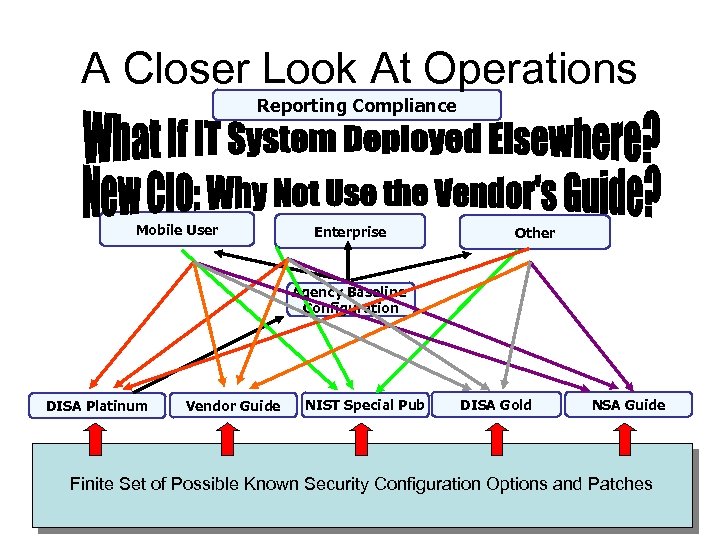
A Closer Look At Operations Reporting Compliance Mobile User Enterprise Other Agency Baseline Configuration DISA Platinum Vendor Guide NIST Special Pub DISA Gold NSA Guide Finite Set of Possible Known Security Configuration Options and Patches
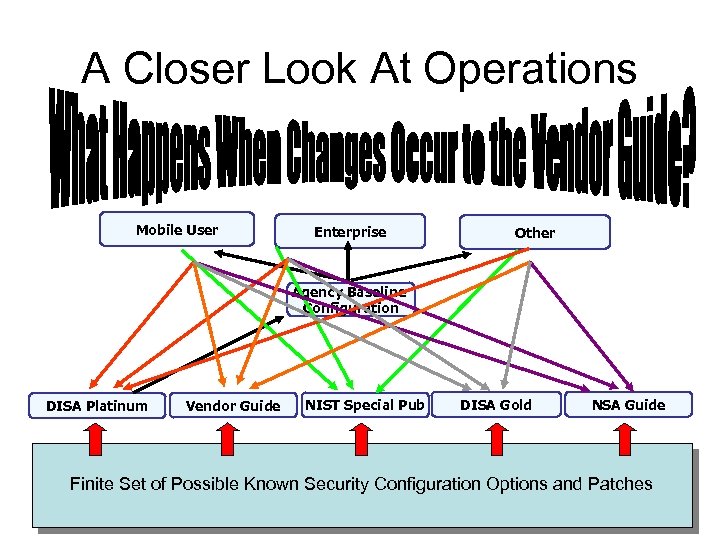
A Closer Look At Operations Mobile User Enterprise Other Agency Baseline Configuration DISA Platinum Vendor Guide NIST Special Pub DISA Gold NSA Guide Finite Set of Possible Known Security Configuration Options and Patches
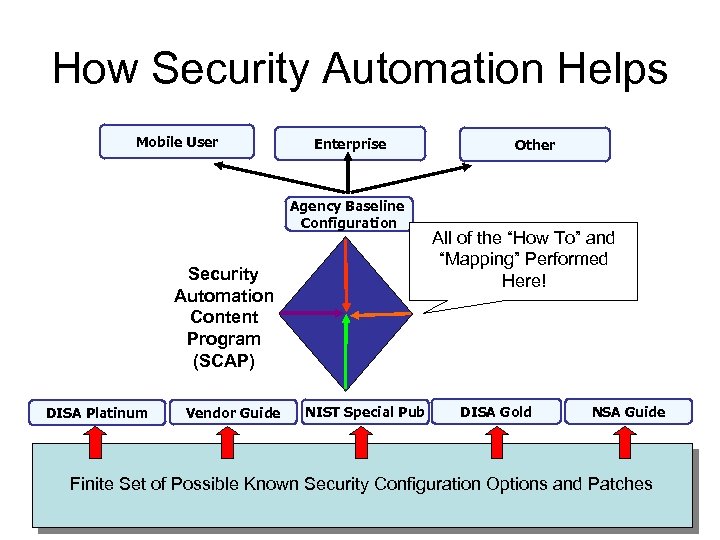
How Security Automation Helps Mobile User Enterprise Agency Baseline Configuration Security Automation Content Program (SCAP) DISA Platinum Vendor Guide NIST Special Pub Other All of the “How To” and “Mapping” Performed Here! DISA Gold NSA Guide Finite Set of Possible Known Security Configuration Options and Patches
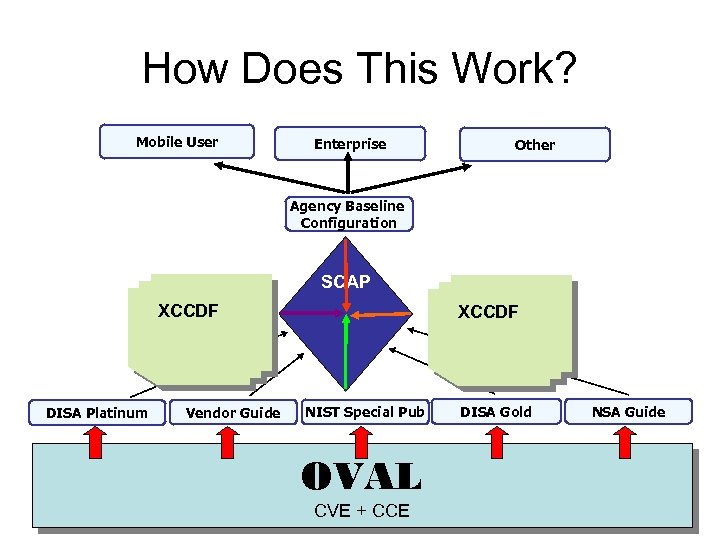
How Does This Work? Mobile User Enterprise Other Agency Baseline Configuration SCAP XCCDF DISA Platinum Vendor Guide XCCDF NIST Special Pub OVAL CVE + CCE DISA Gold NSA Guide
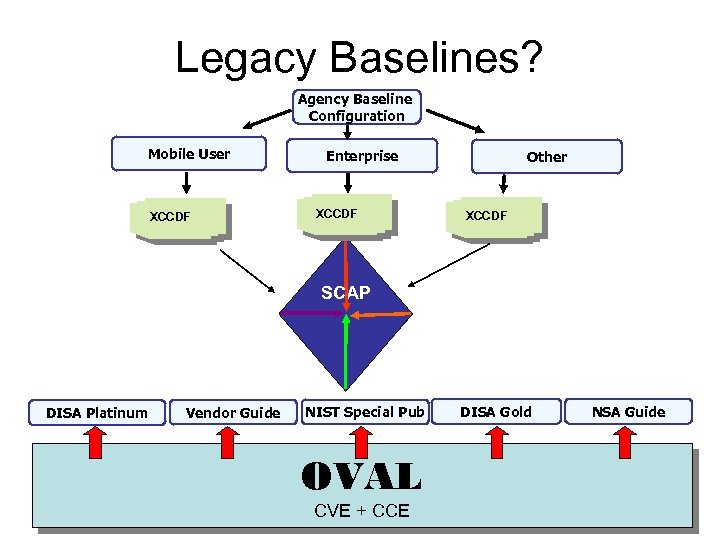
Legacy Baselines? Agency Baseline Configuration Mobile User XCCDF Enterprise XCCDF Other XCCDF SCAP DISA Platinum Vendor Guide NIST Special Pub OVAL CVE + CCE DISA Gold NSA Guide
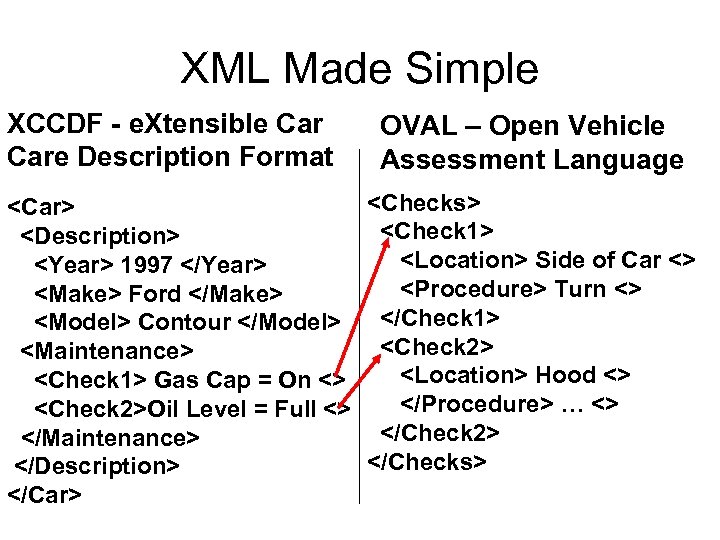
XML Made Simple XCCDF - e. Xtensible Care Description Format <Car> <Description> <Year> 1997 </Year> <Make> Ford </Make> <Model> Contour </Model> <Maintenance> <Check 1> Gas Cap = On <> <Check 2>Oil Level = Full <> </Maintenance> </Description> </Car> OVAL – Open Vehicle Assessment Language <Checks> <Check 1> <Location> Side of Car <> <Procedure> Turn <> </Check 1> <Check 2> <Location> Hood <> </Procedure> … <> </Check 2> </Checks>
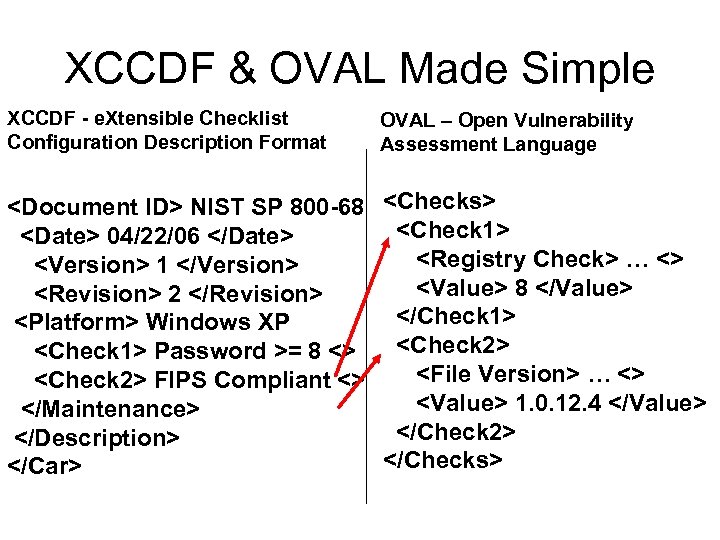
XCCDF & OVAL Made Simple XCCDF - e. Xtensible Checklist Configuration Description Format OVAL – Open Vulnerability Assessment Language <Document ID> NIST SP 800 -68 <Date> 04/22/06 </Date> <Version> 1 </Version> <Revision> 2 </Revision> <Platform> Windows XP <Check 1> Password >= 8 <> <Check 2> FIPS Compliant <> </Maintenance> </Description> </Car> <Checks> <Check 1> <Registry Check> … <> <Value> 8 </Value> </Check 1> <Check 2> <File Version> … <> <Value> 1. 0. 12. 4 </Value> </Check 2> </Checks>
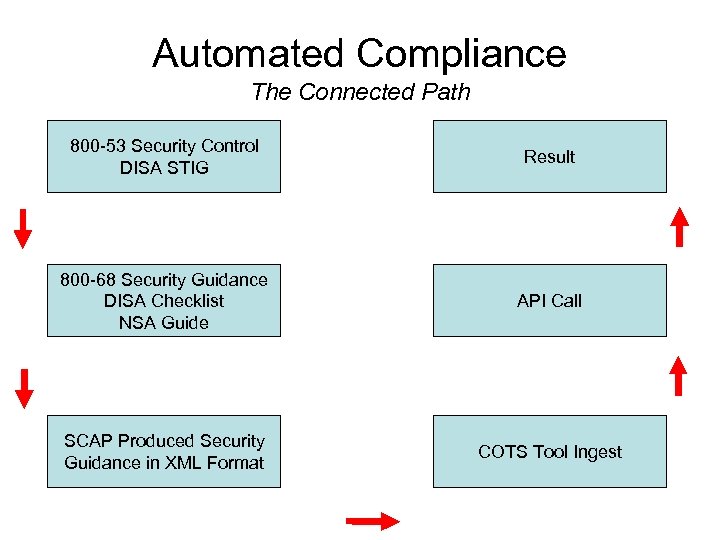
Automated Compliance The Connected Path 800 -53 Security Control DISA STIG Result 800 -68 Security Guidance DISA Checklist NSA Guide API Call SCAP Produced Security Guidance in XML Format COTS Tool Ingest
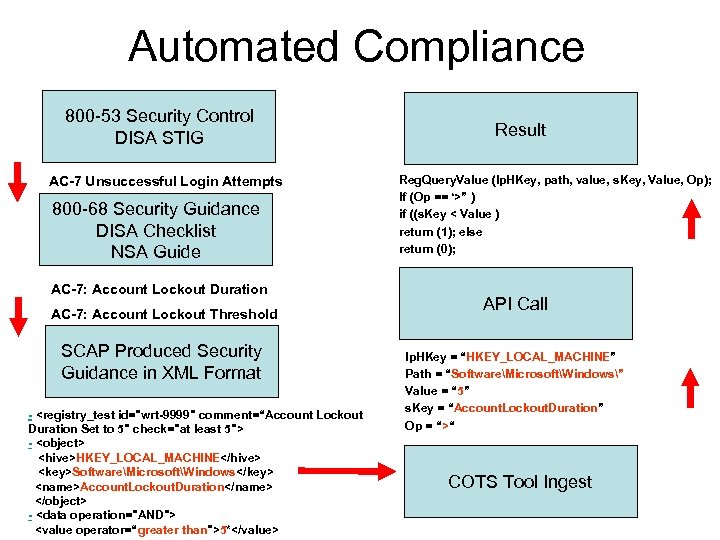
Automated Compliance 800 -53 Security Control DISA STIG AC-7 Unsuccessful Login Attempts 800 -68 Security Guidance DISA Checklist NSA Guide AC-7: Account Lockout Duration AC-7: Account Lockout Threshold SCAP Produced Security Guidance in XML Format - <registry_test id="wrt-9999" comment=“Account Lockout Duration Set to 5" check="at least 5"> - <object> <hive>HKEY_LOCAL_MACHINE</hive> <key>SoftwareMicrosoftWindows</key> <name>Account. Lockout. Duration</name> </object> - <data operation="AND"> <value operator=“greater than">5*</value> Result Reg. Query. Value (lp. HKey, path, value, s. Key, Value, Op); If (Op == ‘>” ) if ((s. Key < Value ) return (1); else return (0); API Call lp. HKey = “HKEY_LOCAL_MACHINE” Path = “SoftwareMicrosoftWindows” Value = “ 5” s. Key = “Account. Lockout. Duration” Op = “>“ COTS Tool Ingest
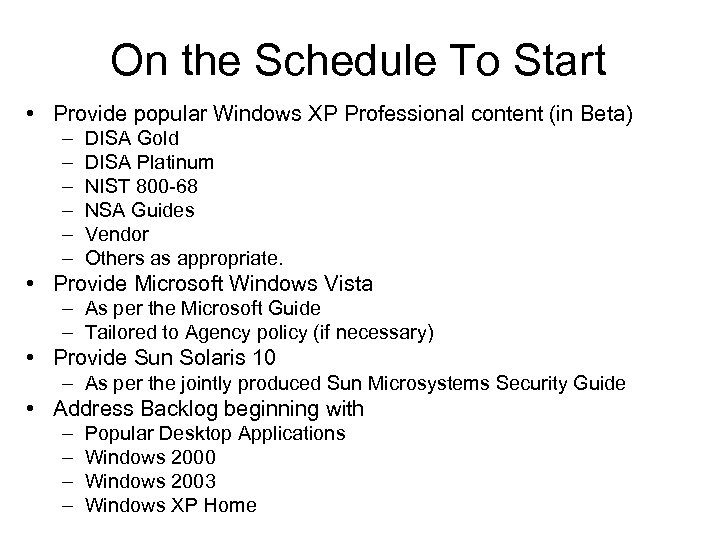
On the Schedule To Start • Provide popular Windows XP Professional content (in Beta) – – – DISA Gold DISA Platinum NIST 800 -68 NSA Guides Vendor Others as appropriate. • Provide Microsoft Windows Vista – As per the Microsoft Guide – Tailored to Agency policy (if necessary) • Provide Sun Solaris 10 – As per the jointly produced Sun Microsystems Security Guide • Address Backlog beginning with – – Popular Desktop Applications Windows 2000 Windows 2003 Windows XP Home
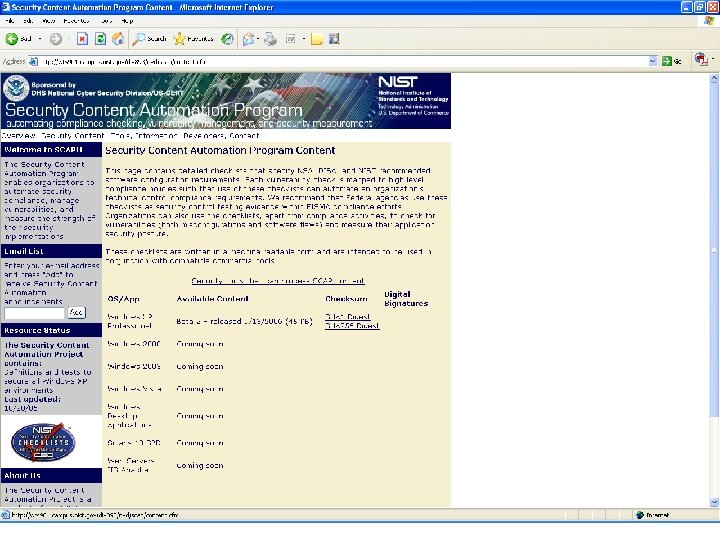
On The Web at: • Security Content Automation Program: – nvd. nist. gov/scap. cfm • NIST Checklist Website: – checklists. nist. gov • National Vulnerability Database: – nvd. nist. gov
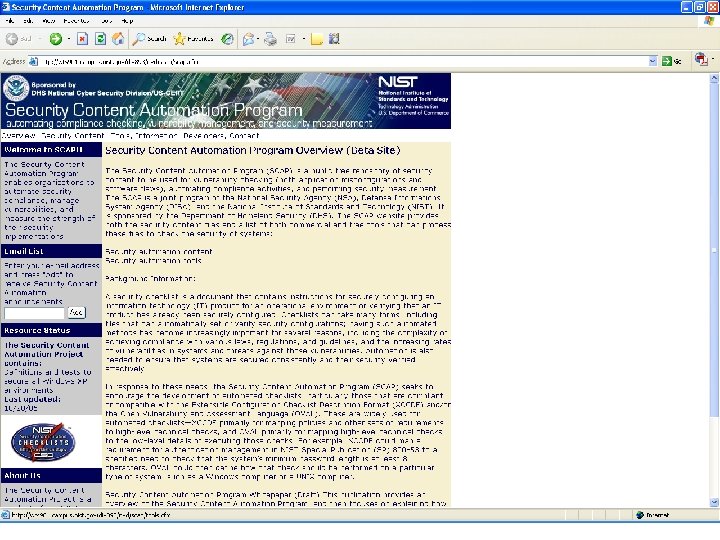
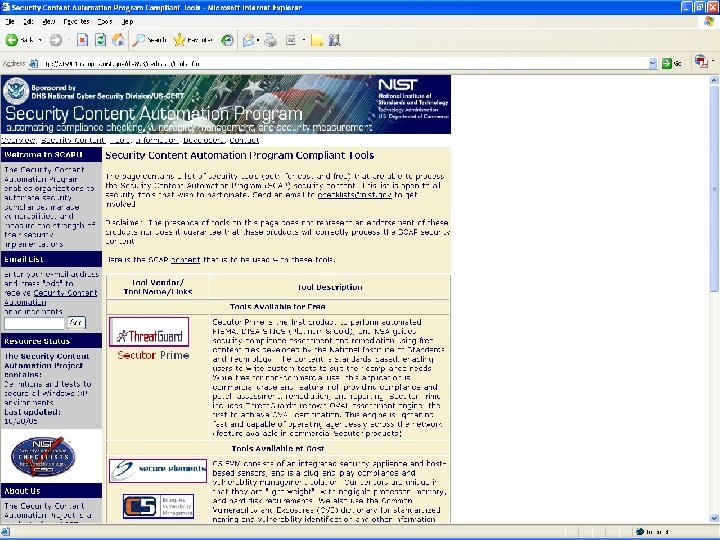
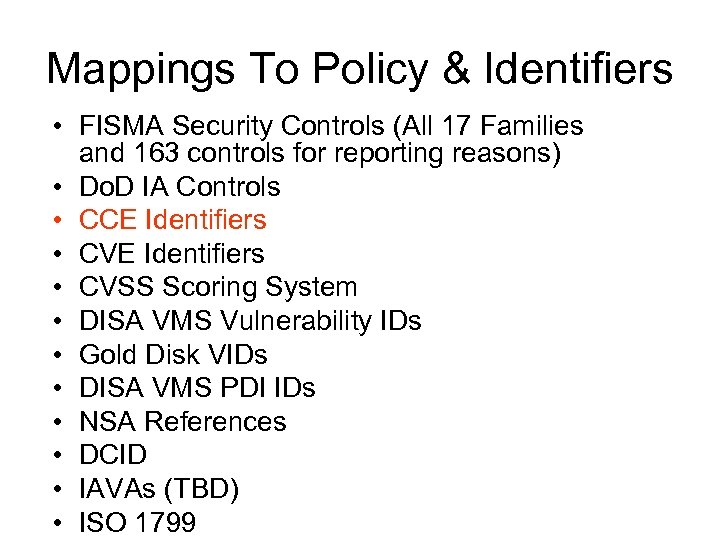
Mappings To Policy & Identifiers • FISMA Security Controls (All 17 Families and 163 controls for reporting reasons) • Do. D IA Controls • CCE Identifiers • CVSS Scoring System • DISA VMS Vulnerability IDs • Gold Disk VIDs • DISA VMS PDI IDs • NSA References • DCID • IAVAs (TBD) • ISO 1799
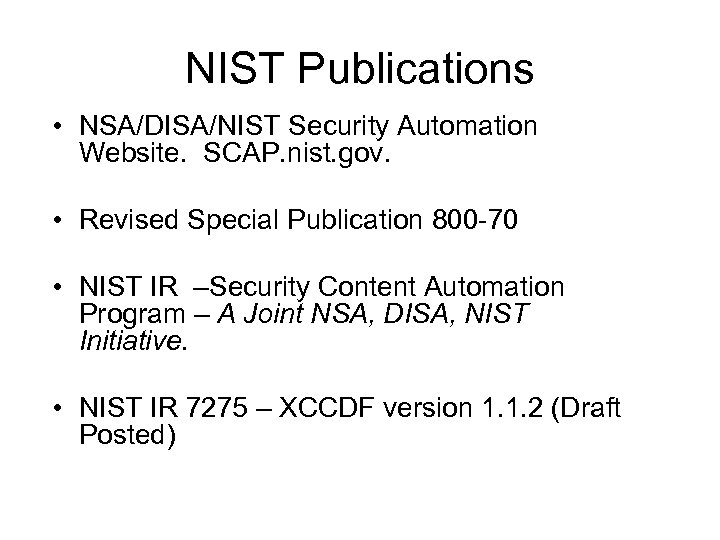
NIST Publications • NSA/DISA/NIST Security Automation Website. SCAP. nist. gov. • Revised Special Publication 800 -70 • NIST IR –Security Content Automation Program – A Joint NSA, DISA, NIST Initiative. • NIST IR 7275 – XCCDF version 1. 1. 2 (Draft Posted)
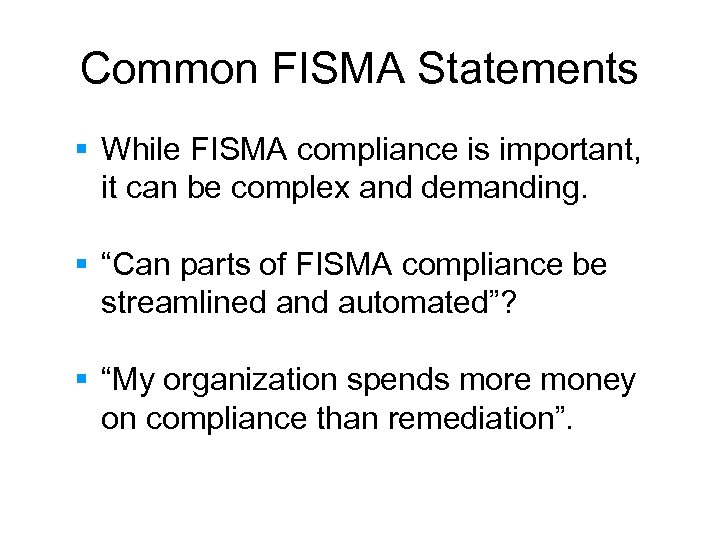
Common FISMA Statements § While FISMA compliance is important, it can be complex and demanding. § “Can parts of FISMA compliance be streamlined and automated”? § “My organization spends more money on compliance than remediation”.
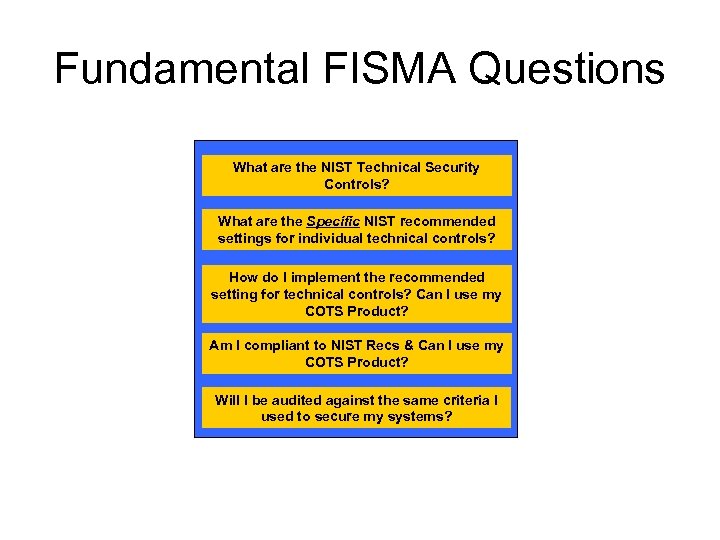
Fundamental FISMA Questions What are the NIST Technical Security Controls? What are the Specific NIST recommended settings for individual technical controls? How do I implement the recommended setting for technical controls? Can I use my COTS Product? Am I compliant to NIST Recs & Can I use my COTS Product? Will I be audited against the same criteria I used to secure my systems?
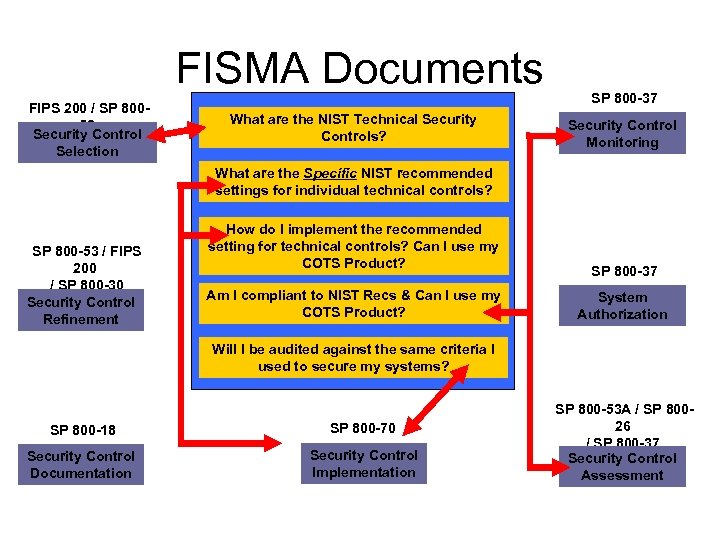
FISMA Documents FIPS 200 / SP 80053 Security Control Selection What are the NIST Technical Security Controls? SP 800 -37 Security Control Monitoring What are the Specific NIST recommended settings for individual technical controls? SP 800 -53 / FIPS 200 / SP 800 -30 Security Control Refinement How do I implement the recommended setting for technical controls? Can I use my COTS Product? Am I compliant to NIST Recs & Can I use my COTS Product? SP 800 -37 System Authorization Will I be audited against the same criteria I used to secure my systems? SP 800 -18 Security Control Documentation SP 800 -70 Security Control Implementation SP 800 -53 A / SP 80026 / SP 800 -37 Security Control Assessment
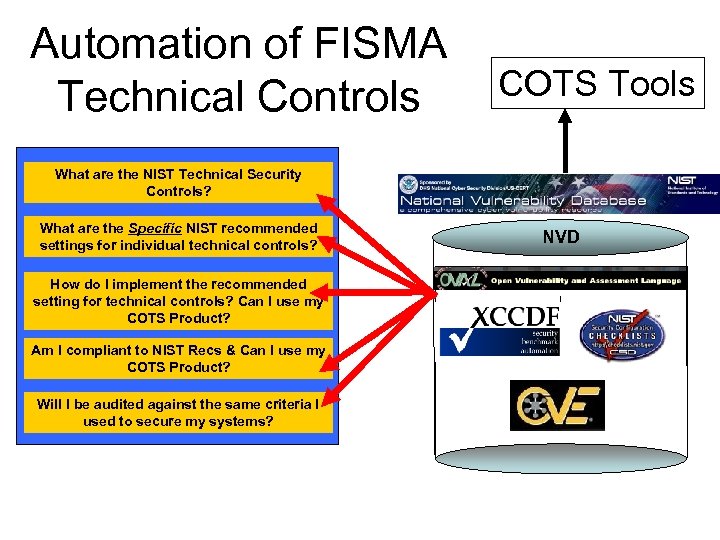
Automation of FISMA Technical Controls COTS Tools What are the NIST Technical Security Controls? What are the Specific NIST recommended settings for individual technical controls? How do I implement the recommended setting for technical controls? Can I use my COTS Product? Am I compliant to NIST Recs & Can I use my COTS Product? Will I be audited against the same criteria I used to secure my systems? NVD
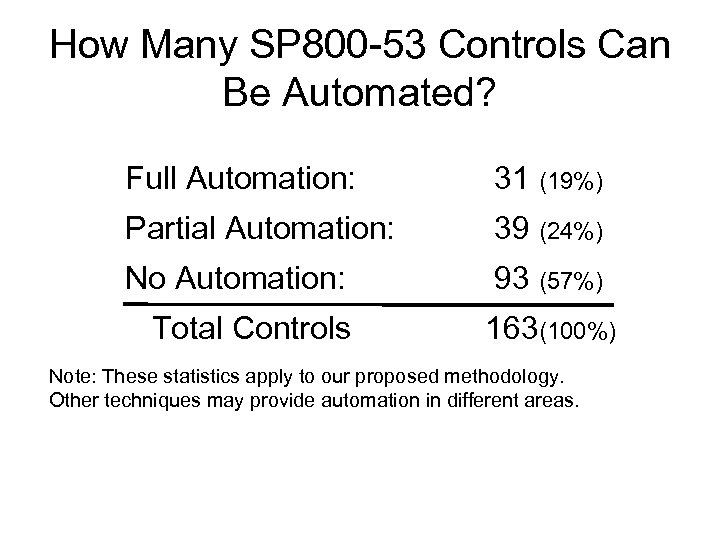
How Many SP 800 -53 Controls Can Be Automated? Full Automation: 31 (19%) Partial Automation: 39 (24%) No Automation: 93 (57%) Total Controls 163(100%) Note: These statistics apply to our proposed methodology. Other techniques may provide automation in different areas.
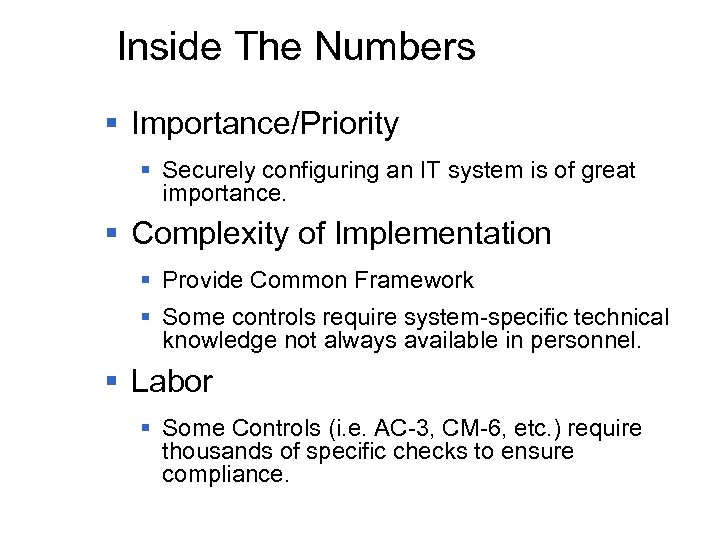
Inside The Numbers § Importance/Priority § Securely configuring an IT system is of great importance. § Complexity of Implementation § Provide Common Framework § Some controls require system-specific technical knowledge not always available in personnel. § Labor § Some Controls (i. e. AC-3, CM-6, etc. ) require thousands of specific checks to ensure compliance.
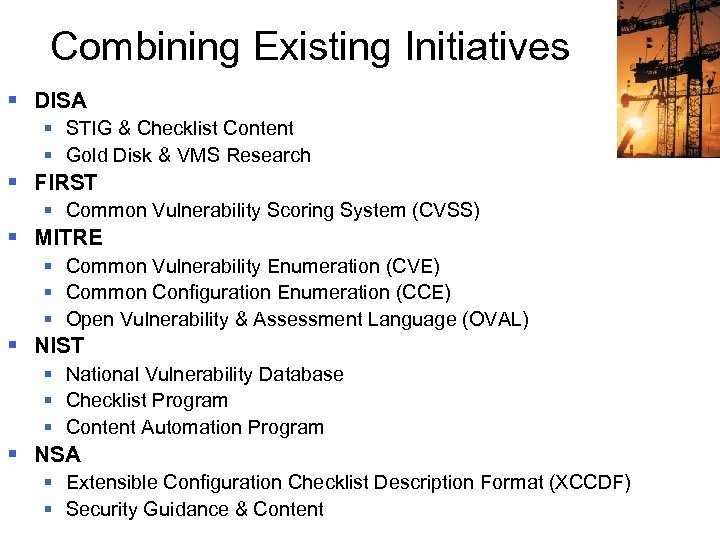
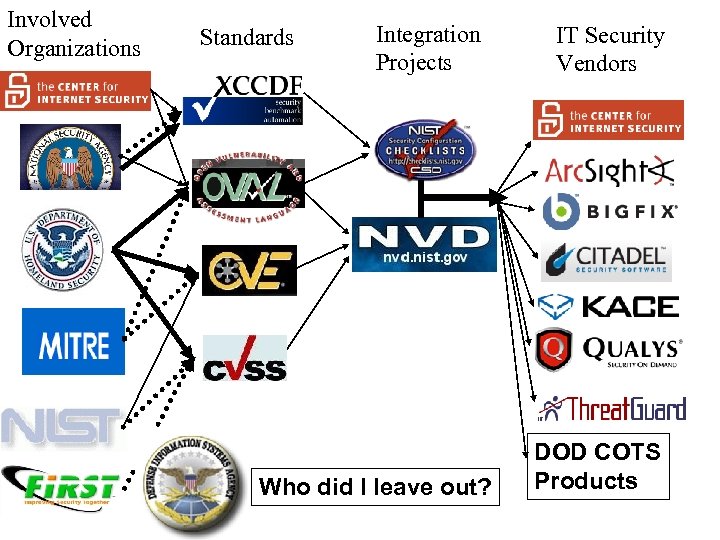
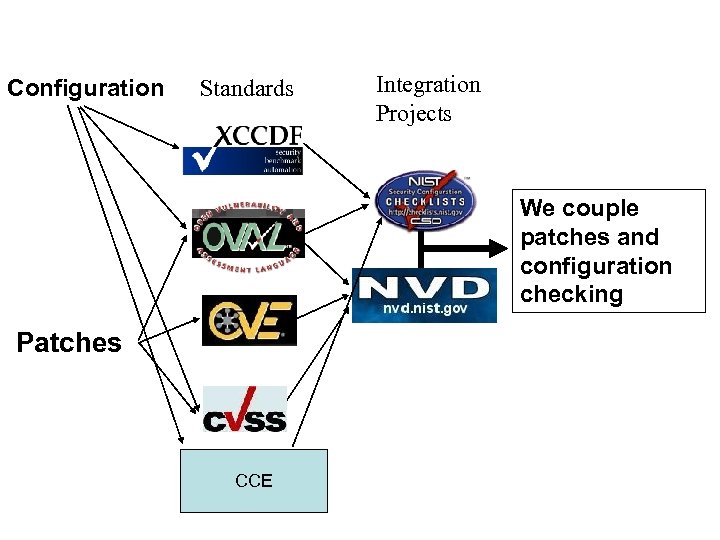
Combining Existing Initiatives § DISA § STIG & Checklist Content § Gold Disk & VMS Research § FIRST § Common Vulnerability Scoring System (CVSS) § MITRE § Common Vulnerability Enumeration (CVE) § Common Configuration Enumeration (CCE) § Open Vulnerability & Assessment Language (OVAL) § NIST § National Vulnerability Database § Checklist Program § Content Automation Program § NSA § Extensible Configuration Checklist Description Format (XCCDF) § Security Guidance & Content
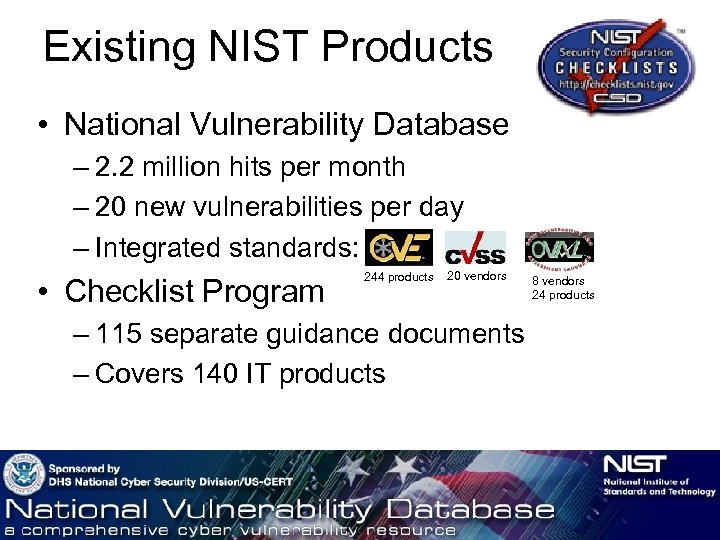
Existing NIST Products • National Vulnerability Database – 2. 2 million hits per month – 20 new vulnerabilities per day – Integrated standards: • Checklist Program 244 products 20 vendors – 115 separate guidance documents – Covers 140 IT products 8 vendors 24 products
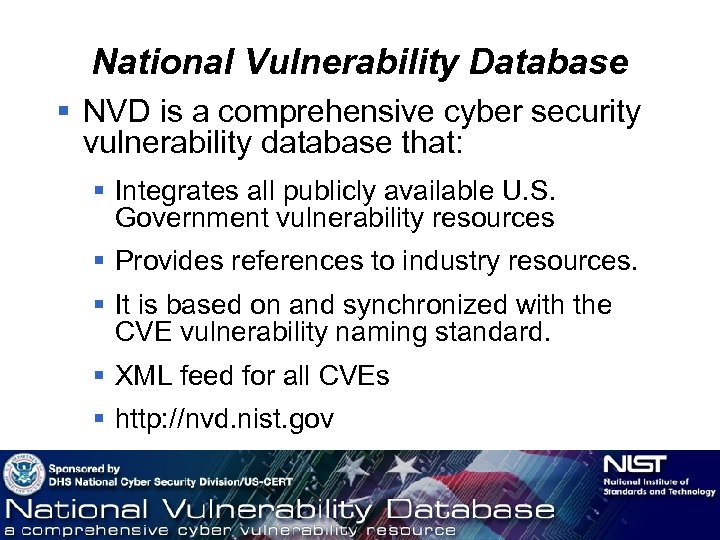
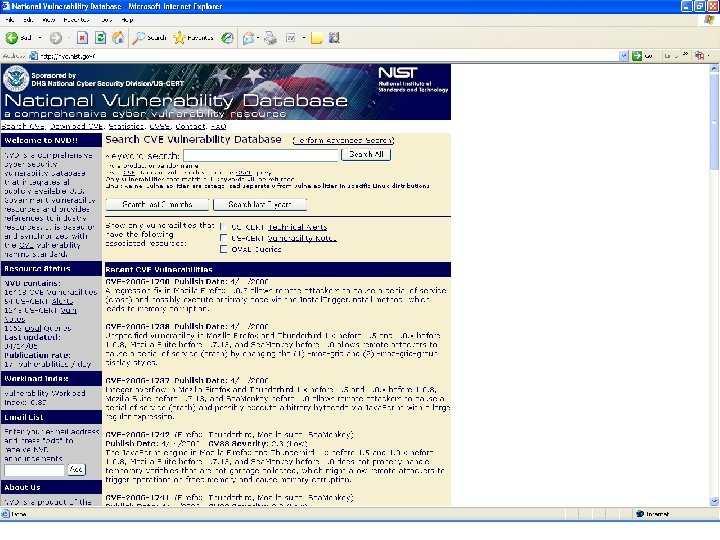
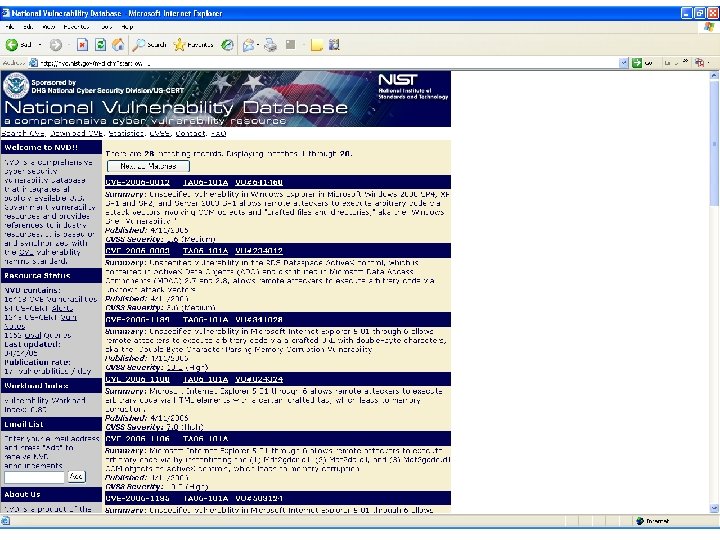
National Vulnerability Database § NVD is a comprehensive cyber security vulnerability database that: § Integrates all publicly available U. S. Government vulnerability resources § Provides references to industry resources. § It is based on and synchronized with the CVE vulnerability naming standard. § XML feed for all CVEs § http: //nvd. nist. gov
NIST Checklist Program § In response to NIST being named in the Cyber Security R&D Act of 2002. § Encourage Vendor Development and Maintenance of Security Guidance. § Currently Hosts 115 separate guidance documents for over 140 IT products. § In English Prose and automation-enabling formats (i. e. . inf files, scripts, etc. ) § Need to provide configuration data in standard, consumable format. § http: //checklists. nist. gov
e. Xtensible Configuration Checklist Description Format § Designed to support: § Information Interchange § Document Generation § Organizational and Situational Tailoring § Automated Compliance Testing § Compliance Scoring § Published as NIST IR 7275 § Foster more widespread application of good security practices
Involved Organizations Standards Integration Projects IT Security Vendors Who did I leave out? DOD COTS Products
Configuration Standards Integration Projects We couple patches and configuration checking Patches CCE
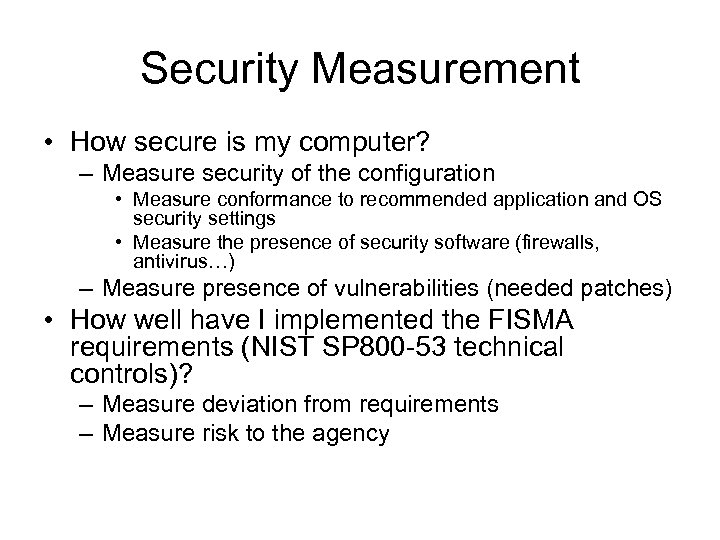
Security Measurement • How secure is my computer? – Measure security of the configuration • Measure conformance to recommended application and OS security settings • Measure the presence of security software (firewalls, antivirus…) – Measure presence of vulnerabilities (needed patches) • How well have I implemented the FISMA requirements (NIST SP 800 -53 technical controls)? – Measure deviation from requirements – Measure risk to the agency
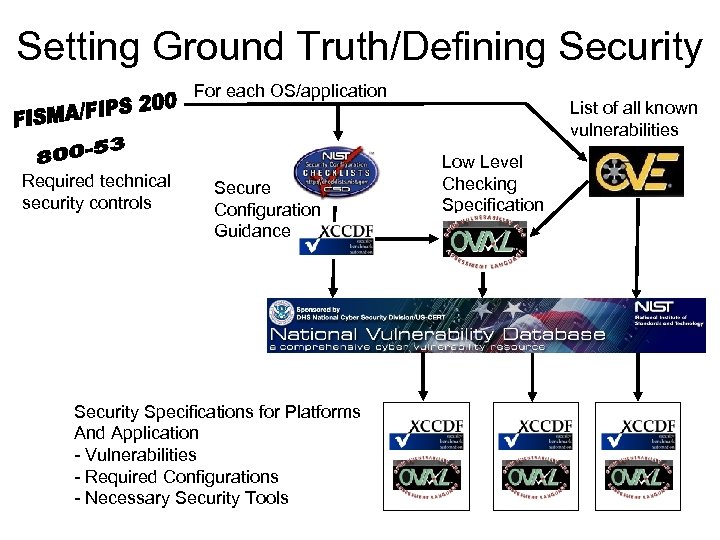
Setting Ground Truth/Defining Security For each OS/application Required technical security controls Secure Configuration Guidance Security Specifications for Platforms And Application - Vulnerabilities - Required Configurations - Necessary Security Tools List of all known vulnerabilities Low Level Checking Specification
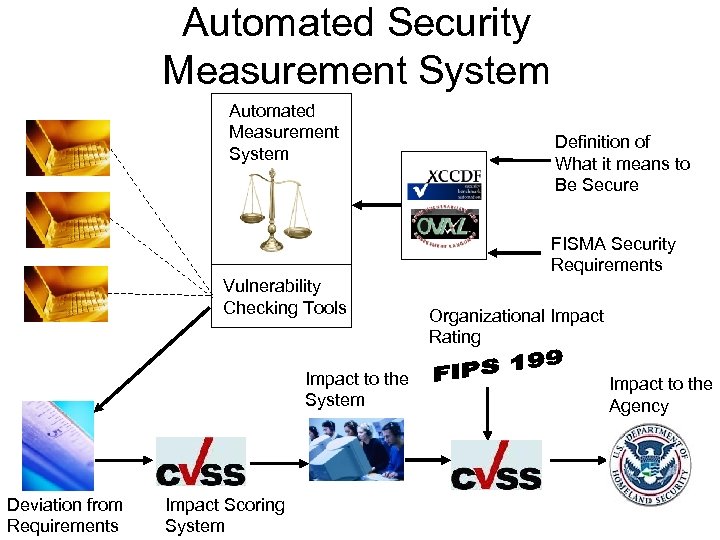
Automated Security Measurement System Automated Measurement System Definition of What it means to Be Secure FISMA Security Requirements Vulnerability Checking Tools Impact to the System Deviation from Requirements Impact Scoring System Organizational Impact Rating Impact to the Agency
Today’s Status • • • NIST Windows XP Configuration Guide (SP 800 -68) http: //csrc. nist. gov/itsec/download_Win. XP. html Policy statements represented in XCCDF Configuration checks represented in OVAL Currently Beta-3 version Covers: registry settings, file permission checks, password policies, account lockout policies, audit policies, etc. • Download at: http: //checklists. nist. gov/NIST-800 -68 -WXPPro-XML-Beta-rev 3. zip • Content will be updated periodically; however, format will remain constant.
NIST 800 -68 in Context of 800 -53 • 800 -53, Appendix D specifies security control applicability according to High, Moderate, and Low impact rating of an IT System. • 800 -68 provides specific configuration information according to environment (Standalone, Enterprise, SSLF, and Legacy) • The NIST XML specifies the applicable 800 -68 security settings according to the 800 -53 guidelines. EXAMPLE: • AC-12 (session termination) is applicable for IT systems with either moderate or high impact rating, but not for system rated at a low. • The XCCDF profile for High and Moderate systems enables the group for AC-12 rule execution, but disables the group for low system. • The XCCDF rules ‘refer’ to the appropriate OVAL definitions in the companion OVAL file (named: Windows. XP-SP 800 -68. xml)
Questions? Stephen Quinn (NIST Checklist Program) Peter Mell (National Vulnerability Database) Computer Security Division NIST, Information Technology Laboratory stquinn@nist. gov, mell@nist. gov
Скачать презентацию NSA DISA NIST Security Content Automation Program Vulnerability Compliance
a2bbc879100c43a425e06dbdcfda1e51.ppt