 Скачать презентацию Notes c 2004 IBM Corp All rights reserved
8ab71327426f3acce426fd7ffcd60a9e.ppt
- Количество слайдов: 47



Notes: (c) 2004 IBM Corp. All rights reserved. Visit www. ibm. com/pc/safecomputing periodically for the latest information on safe and effective computing. Warranty Information: For a copy of applicable product warranties, write to: Warranty Information, P. O. Box 12195, RTP, NC 27709, Attn: Dept. JDJA/B 203. IBM makes no representation or warranty regarding third-party products or services including those designated as Server. Proven or Cluster. Proven. All offers subject to availability. IBM reserves the right to alter product offerings and specifications at any time without notice. IBM is not responsible for photographic or typographic errors. This publication was developed for products and services offered in the United States. IBM may not offer the products, services or features discussed in this document in other countries. Information is subject to change without notice. Consult your local IBM representative for information on offerings available in your area. All statements regarding IBM's future direction and intent are subject to change or withdrawal without notice, and represent goals and objectives only. Contact your local IBM office or IBM authorized reseller for the full text of a specific Statement of General Direction. The examples given in this paper are hypothetical examples of how a customer can use the products described herein and examples of potential cost or efficiency savings are not based on any actual case study. There is no guarantee of comparable results. Many factors determine the sizing requirements and performance of a systems architecture. IBM assumes no liability for the methodology used for determining the configurations recommended in this document nor for the results it provides. Any performance data contained in this presentation was determined in a controlled environment, therefore the results obtained in other operating environments may vary significantly. Some measurements quoted in this presentation may have been made on development-level systems - there is no guarantee these measurements will be the same on generally-available systems. Some measurements quoted in this presentation may have been estimated through extrapolation. Actual results may vary. Users of this presentation should verify the applicable data for their specific environment. © 2008 IBM Corporation
IBM Systems & Technology Group System x and Blade. Center® IBM Blade. Center in Today’s Data Center. Blade Symposium Bedfont 11 th/12 th November 2008 System x Brand Manager UKI Nick Slater OUT WITH COMPLEXITY. OUT WITH INEFFICIENCY. OUT WITH CABLES. © 2006 IBM Corporation
Agenda § System x Portfolio § Customer Challenges § Blade. Center Strategy § i. Dataplex © 2008 IBM Corporation
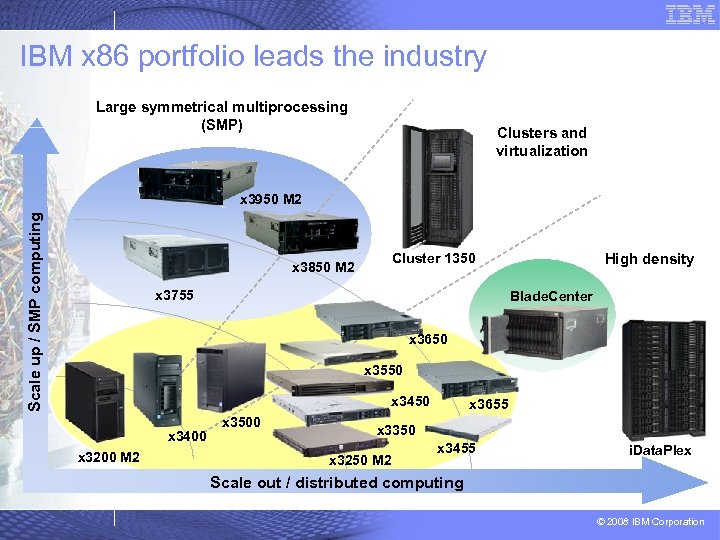
IBM x 86 portfolio leads the industry Large symmetrical multiprocessing (SMP) Clusters and virtualization Scale up / SMP computing x 3950 M 2 Cluster 1350 x 3850 M 2 x 3755 High density Blade. Center x 3650 x 3550 x 3400 x 3200 M 2 x 3500 x 3655 x 3350 x 3250 M 2 x 3455 i. Data. Plex Scale out / distributed computing © 2008 IBM Corporation
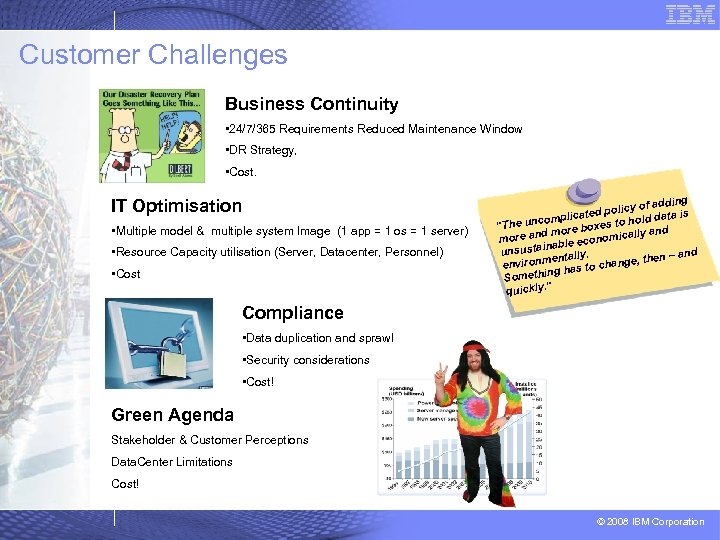
Customer Challenges Business Continuity • 24/7/365 Requirements Reduced Maintenance Window • DR Strategy, • Cost. IT Optimisation • Multiple model & multiple system Image (1 app = 1 os = 1 server) • Resource Capacity utilisation (Server, Datacenter, Personnel) • Cost dding licy of a a is cated po compli hold dat "The un boxes to y and d more icall more an econom tainable unsus. and mentally change, then – environ to ing has Someth quickly. " Compliance • Data duplication and sprawl • Security considerations • Cost! Green Agenda Stakeholder & Customer Perceptions Data. Center Limitations Cost! © 2008 IBM Corporation
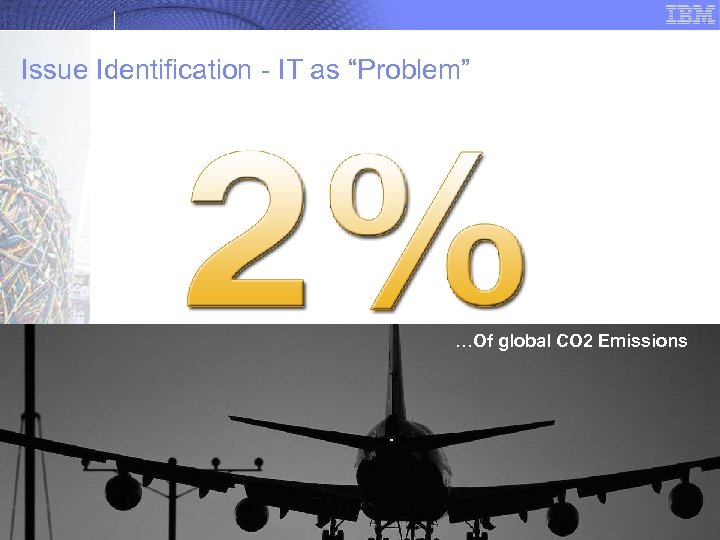
Issue Identification - IT as “Problem” …Of global CO 2 Emissions © 2008 IBM Corporation
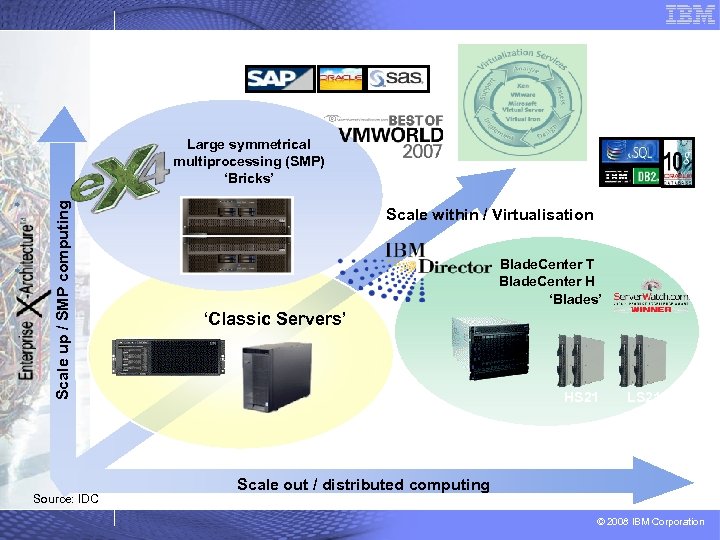
Scale up / SMP computing Large symmetrical multiprocessing (SMP) ‘Bricks’ Source: IDC Scale within / Virtualisation Blade. Center T Blade. Center H ‘Blades’ ‘Classic Servers’ x 3755 HS 21 LS 21 Scale out / distributed computing © 2008 IBM Corporation
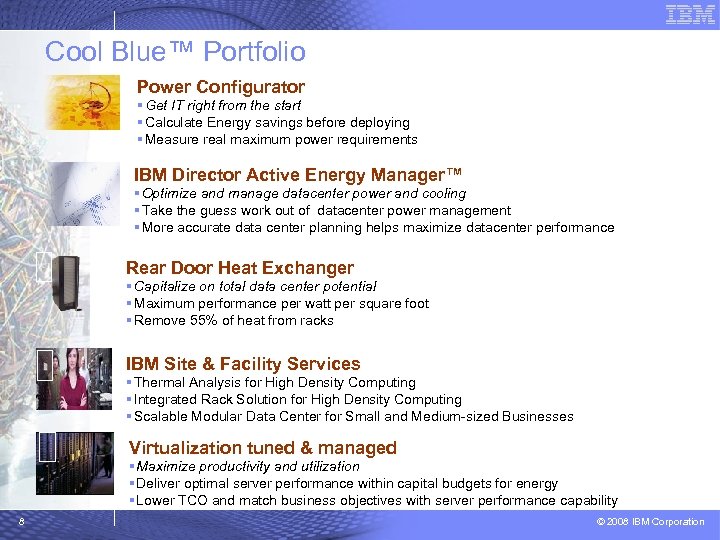
Cool Blue™ Portfolio Power Configurator § Get IT right from the start § Calculate Energy savings before deploying § Measure real maximum power requirements IBM Director Active Energy Manager™ § Optimize and manage datacenter power and cooling § Take the guess work out of datacenter power management § More accurate data center planning helps maximize datacenter performance Rear Door Heat Exchanger § Capitalize on total data center potential § Maximum performance per watt per square foot § Remove 55% of heat from racks IBM Site & Facility Services § Thermal Analysis for High Density Computing § Integrated Rack Solution for High Density Computing § Scalable Modular Data Center for Small and Medium-sized Businesses Virtualization tuned & managed § Maximize productivity and utilization § Deliver optimal server performance within capital budgets for energy § Lower TCO and match business objectives with server performance capability 8 © 2008 IBM Corporation
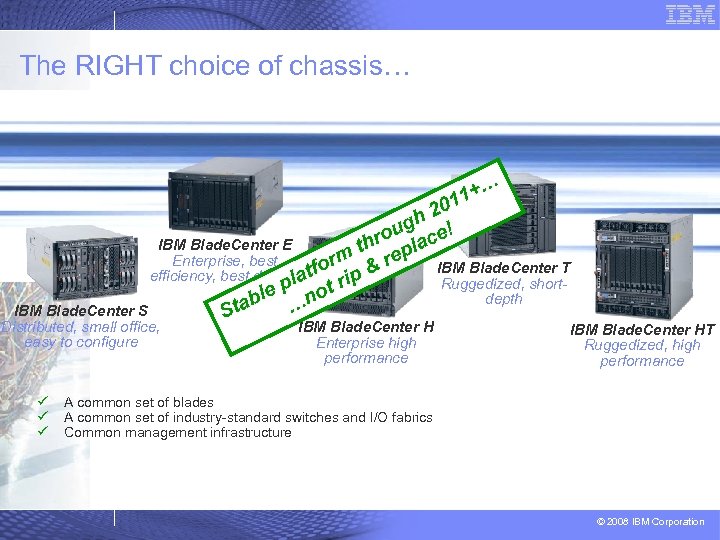
The RIGHT choice of chassis… … 11+ 0 h 2 g ou ace! IBM Blade. Center E thr epl m Enterprise, best IBM Blade. Center T for p & r efficiency, best densityat l i Ruggedized, shortr le p not depth tab … IBM Blade. Center S S Distributed, small office, easy to configure ü ü ü IBM Blade. Center H Enterprise high performance IBM Blade. Center HT Ruggedized, high performance A common set of blades A common set of industry-standard switches and I/O fabrics Common management infrastructure © 2008 IBM Corporation
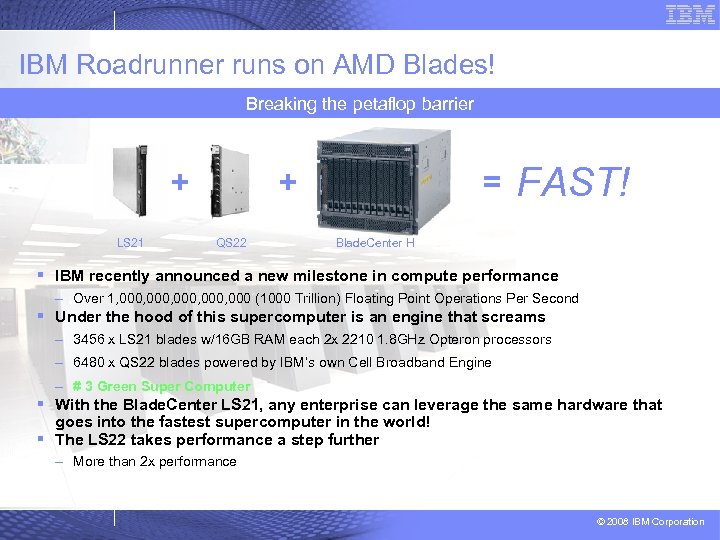
IBM Roadrunner runs on AMD Blades! Breaking the petaflop barrier + LS 21 + QS 22 = FAST! Blade. Center H § IBM recently announced a new milestone in compute performance – Over 1, 000, 000 (1000 Trillion) Floating Point Operations Per Second § Under the hood of this supercomputer is an engine that screams – 3456 x LS 21 blades w/16 GB RAM each 2 x 2210 1. 8 GHz Opteron processors – 6480 x QS 22 blades powered by IBM’s own Cell Broadband Engine – # 3 Green Super Computer § With the Blade. Center LS 21, any enterprise can leverage the same hardware that goes into the fastest supercomputer in the world! § The LS 22 takes performance a step further – More than 2 x performance © 2008 IBM Corporation
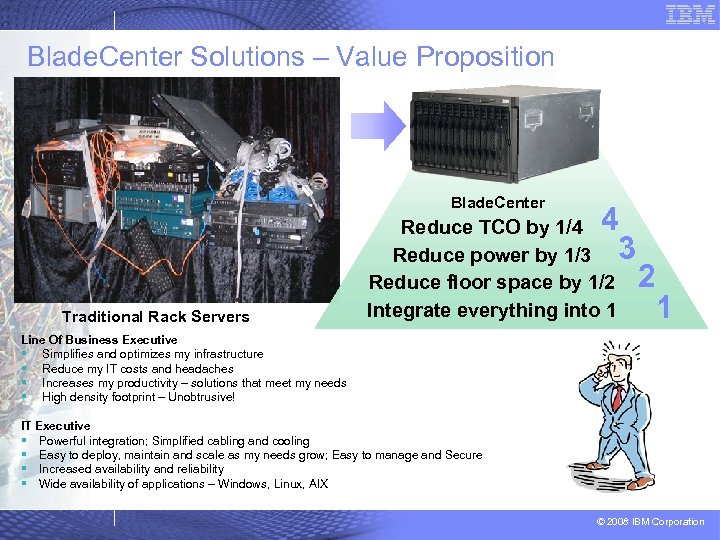
Blade. Center Solutions – Value Proposition Blade. Center Traditional Rack Servers 4 3 Reduce TCO by 1/4 Reduce power by 1/3 Reduce floor space by 1/2 Integrate everything into 1 2 1 Line Of Business Executive § Simplifies and optimizes my infrastructure § Reduce my IT costs and headaches § Increases my productivity – solutions that meet my needs § High density footprint – Unobtrusive! IT Executive § Powerful integration; Simplified cabling and cooling § Easy to deploy, maintain and scale as my needs grow; Easy to manage and Secure § Increased availability and reliability § Wide availability of applications – Windows, Linux, AIX © 2008 IBM Corporation
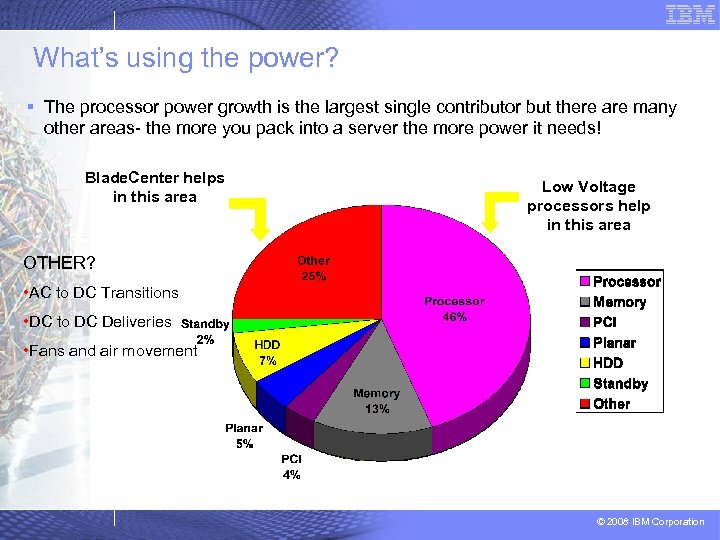
What’s using the power? § The processor power growth is the largest single contributor but there are many other areas- the more you pack into a server the more power it needs! Blade. Center helps in this area Low Voltage processors help in this area OTHER? • AC to DC Transitions • DC to DC Deliveries • Fans and air movement © 2008 IBM Corporation
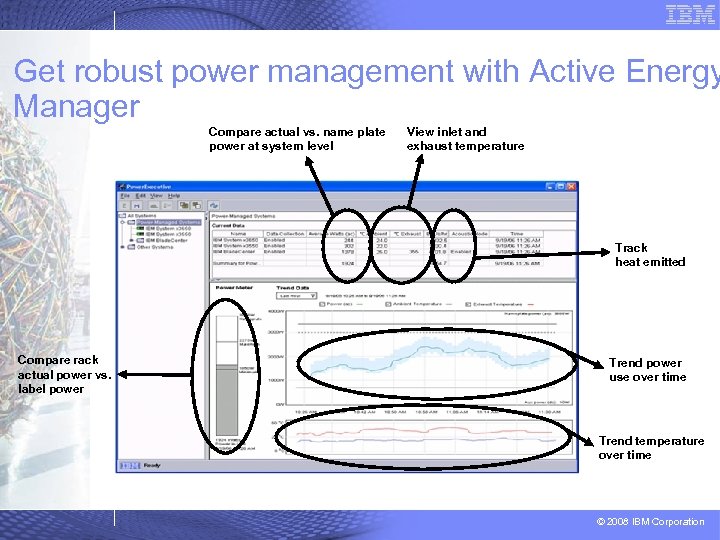
Get robust power management with Active Energy Manager Compare actual vs. name plate power at system level View inlet and exhaust temperature Track heat emitted Compare rack actual power vs. label power Trend power use over time Trend temperature over time © 2008 IBM Corporation
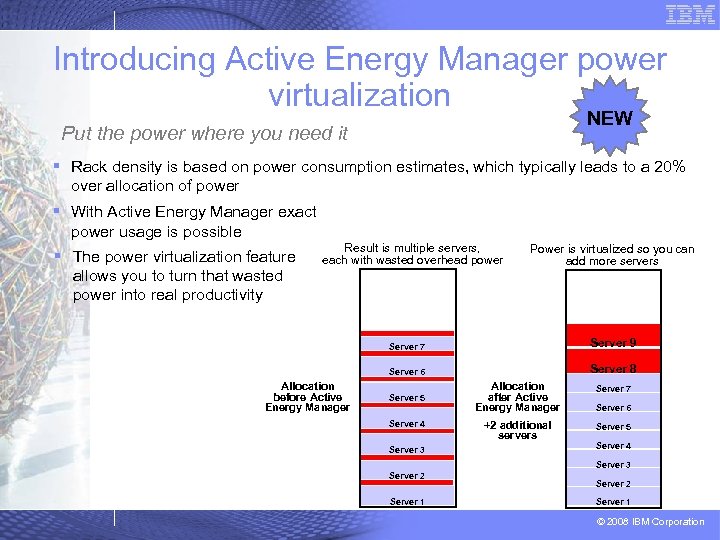
Introducing Active Energy Manager power virtualization NEW Put the power where you need it § Rack density is based on power consumption estimates, which typically leads to a 20% over allocation of power § With Active Energy Manager exact power usage is possible § The power virtualization feature allows you to turn that wasted power into real productivity Result is multiple servers, each with wasted overhead power Power is virtualized so you can add more servers Server 7 Server 6 Allocation before Active Energy Manager Server 9 Server 8 Server 5 Server 4 Server 3 Allocation after Active Energy Manager Server 7 +2 additional servers Server 5 Server 6 Server 4 Server 3 Server 2 Server 1 © 2008 IBM Corporation
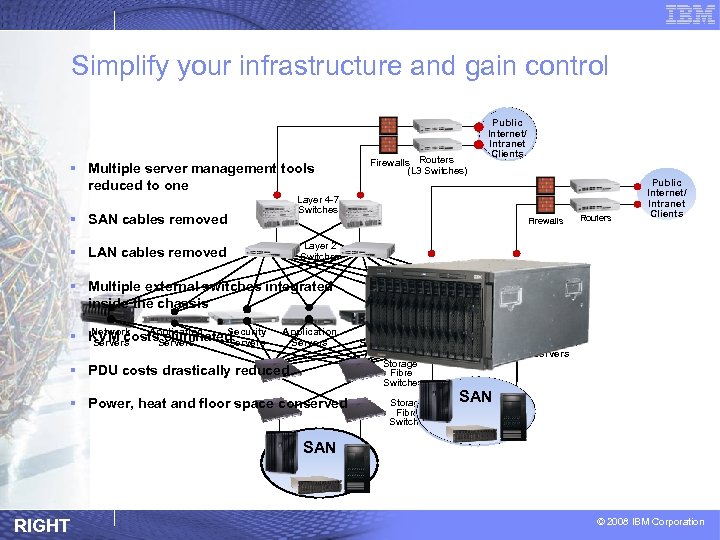
Simplify your infrastructure and gain control § Multiple server management tools reduced to one Firewalls Routers (L 3 Switches) Public Internet/ Intranet Clients Layer 4 -7 Switches § SAN cables removed Firewalls Routers Public Internet/ Intranet Clients Layer 2 Switches § LAN cables removed § Multiple external switches integrated inside the chassis Network Application Security § KVM costs. Servers eliminated Servers Application Servers Web Servers Security Gateway Storage Fibre Switches § PDU costs drastically reduced § Power, heat and floor space conserved Storage Fibre Switches File Web. Sphere Servers Application Servers SAN RIGHT © 2008 IBM Corporation
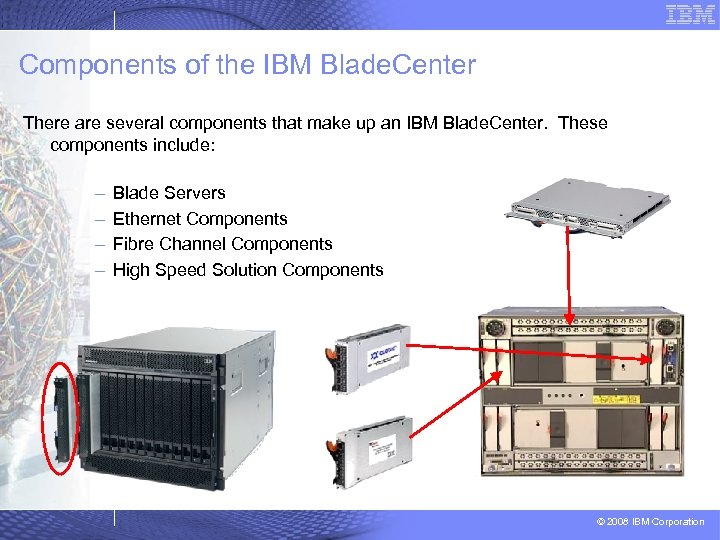
Components of the IBM Blade. Center There are several components that make up an IBM Blade. Center. These components include: – – Blade Servers Ethernet Components Fibre Channel Components High Speed Solution Components © 2008 IBM Corporation
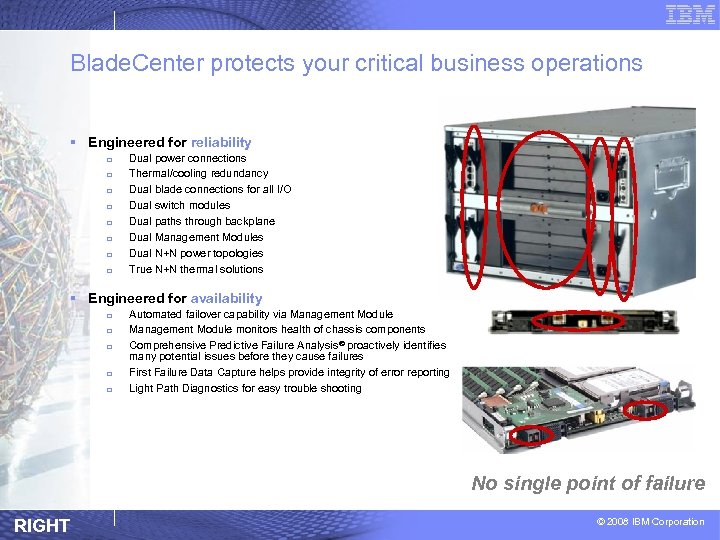
Blade. Center protects your critical business operations § Engineered for reliability q q q q Dual power connections Thermal/cooling redundancy Dual blade connections for all I/O Dual switch modules Dual paths through backplane Dual Management Modules Dual N+N power topologies True N+N thermal solutions § Engineered for availability q q q Automated failover capability via Management Module monitors health of chassis components Comprehensive Predictive Failure Analysis ® proactively identifies many potential issues before they cause failures First Failure Data Capture helps provide integrity of error reporting Light Path Diagnostics for easy trouble shooting No single point of failure RIGHT © 2008 IBM Corporation
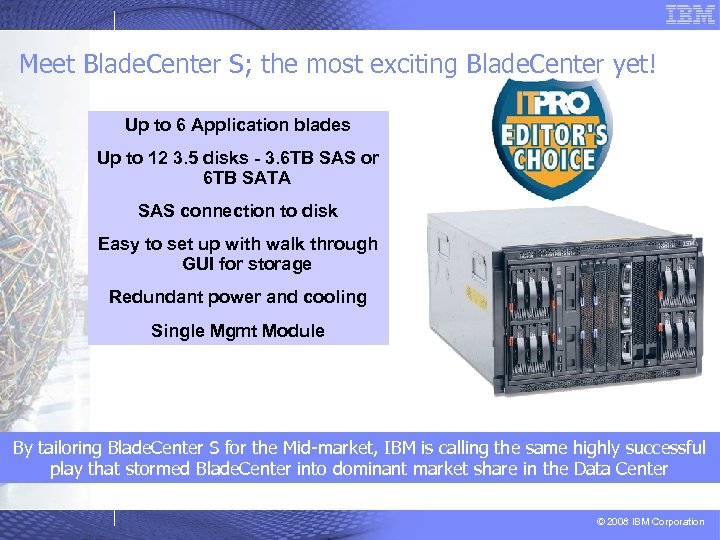
Meet Blade. Center S; the most exciting Blade. Center yet! Up to 6 Application blades Up to 12 3. 5 disks - 3. 6 TB SAS or 6 TB SATA SAS connection to disk Easy to set up with walk through GUI for storage Redundant power and cooling Single Mgmt Module By tailoring Blade. Center S for the Mid-market, IBM is calling the same highly successful play that stormed Blade. Center into dominant market share in the Data Center © 2008 IBM Corporation
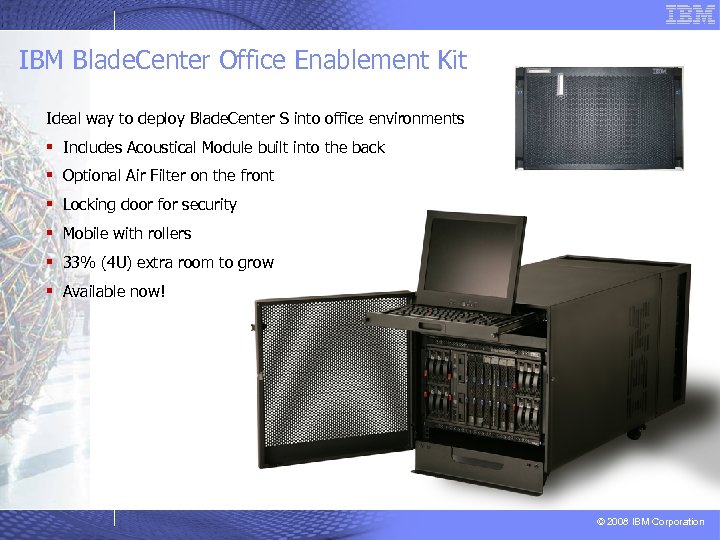
IBM Blade. Center Office Enablement Kit Ideal way to deploy Blade. Center S into office environments § Includes Acoustical Module built into the back § Optional Air Filter on the front § Locking door for security § Mobile with rollers § 33% (4 U) extra room to grow § Available now! © 2008 IBM Corporation
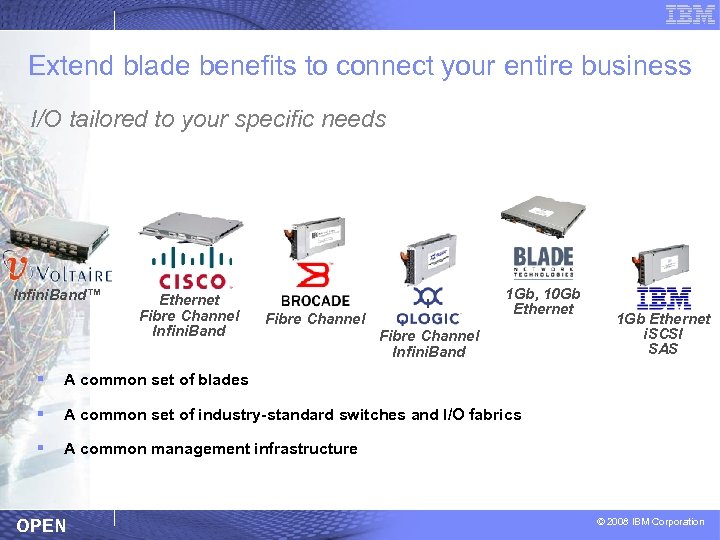
Extend blade benefits to connect your entire business I/O tailored to your specific needs Infini. Band™ Ethernet Fibre Channel Infini. Band 1 Gb, 10 Gb Ethernet Fibre Channel Infini. Band § A common set of blades § A common set of industry-standard switches and I/O fabrics § 1 Gb Ethernet i. SCSI SAS A common management infrastructure OPEN © 2008 IBM Corporation
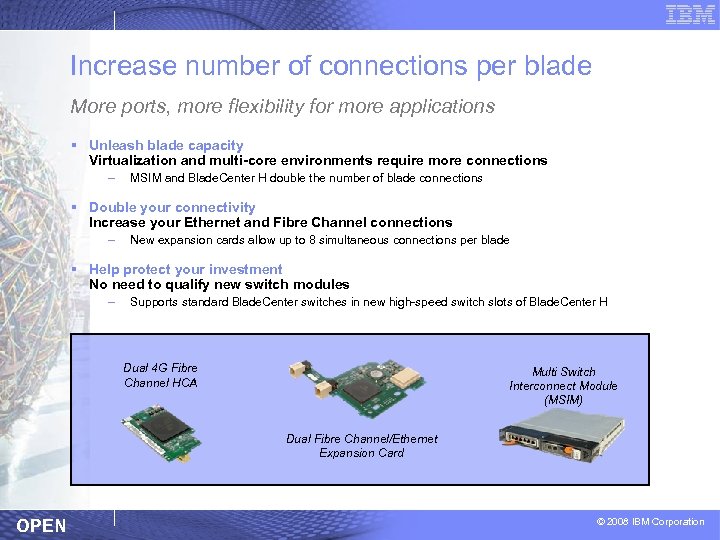
Increase number of connections per blade More ports, more flexibility for more applications § Unleash blade capacity Virtualization and multi-core environments require more connections – MSIM and Blade. Center H double the number of blade connections § Double your connectivity Increase your Ethernet and Fibre Channel connections – New expansion cards allow up to 8 simultaneous connections per blade § Help protect your investment No need to qualify new switch modules – Supports standard Blade. Center switches in new high-speed switch slots of Blade. Center H Dual 4 G Fibre Channel HCA Multi Switch Interconnect Module (MSIM) Dual Fibre Channel/Ethernet Expansion Card OPEN © 2008 IBM Corporation
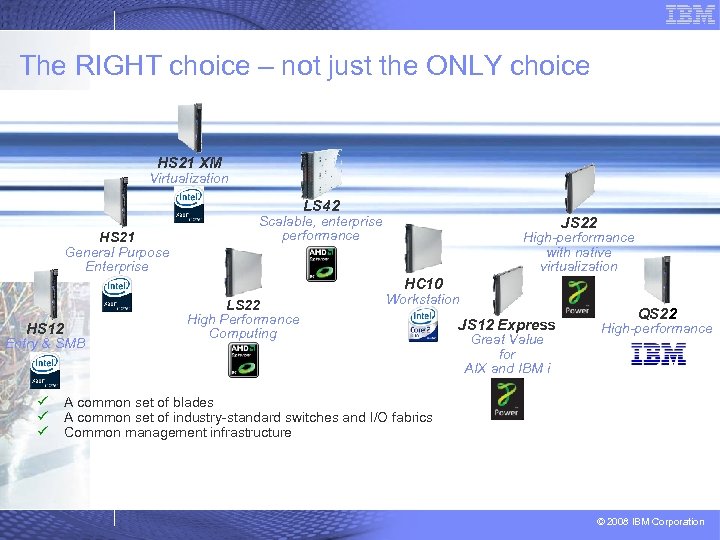
The RIGHT choice – not just the ONLY choice HS 21 XM Virtualization LS 42 HS 21 General Purpose Enterprise Scalable, enterprise performance JS 22 High-performance with native virtualization HC 10 HS 12 Entry & SMB ü ü ü LS 22 High Performance Computing Workstation JS 12 Express Great Value for AIX and IBM i QS 22 High-performance A common set of blades A common set of industry-standard switches and I/O fabrics Common management infrastructure © 2008 IBM Corporation
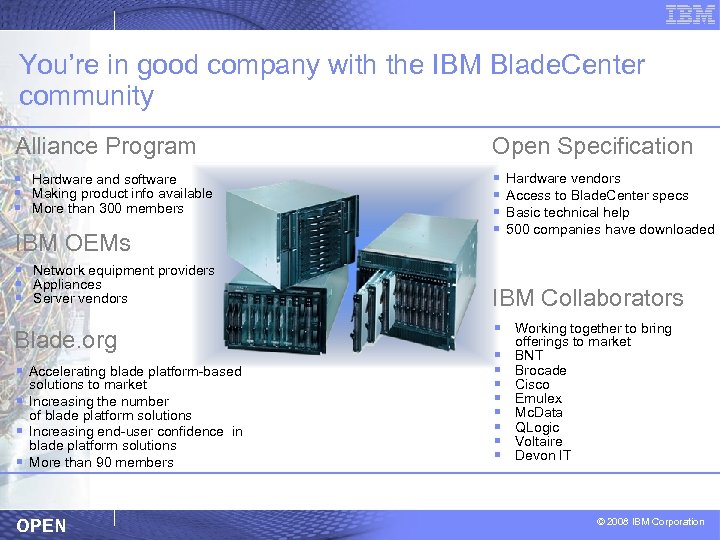
You’re in good company with the IBM Blade. Center community Alliance Program Open Specification § Hardware and software § Making product info available § More than 300 members § § IBM OEMs § Network equipment providers § Appliances § Server vendors Blade. org § Accelerating blade platform-based solutions to market § Increasing the number of blade platform solutions § Increasing end-user confidence in blade platform solutions § More than 90 members OPEN Hardware vendors Access to Blade. Center specs Basic technical help 500 companies have downloaded IBM Collaborators § Working together to bring § § § § offerings to market BNT Brocade Cisco Emulex Mc. Data QLogic Voltaire Devon IT © 2008 IBM Corporation
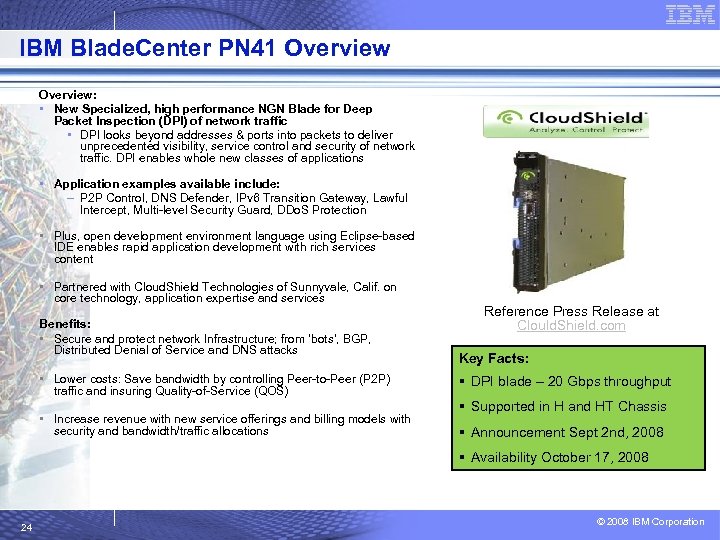
IBM Blade. Center PN 41 Overview: • New Specialized, high performance NGN Blade for Deep Packet Inspection (DPI) of network traffic • DPI looks beyond addresses & ports into packets to deliver unprecedented visibility, service control and security of network traffic. DPI enables whole new classes of applications • Application examples available include: – P 2 P Control, DNS Defender, IPv 6 Transition Gateway, Lawful Intercept, Multi-level Security Guard, DDo. S Protection • Plus, open development environment language using Eclipse-based IDE enables rapid application development with rich services content • Partnered with Cloud. Shield Technologies of Sunnyvale, Calif. on core technology, application expertise and services Benefits: • Secure and protect network Infrastructure; from ‘bots’, BGP, Distributed Denial of Service and DNS attacks • Lower costs: Save bandwidth by controlling Peer-to-Peer (P 2 P) traffic and insuring Quality-of-Service (QOS) • Increase revenue with new service offerings and billing models with security and bandwidth/traffic allocations Reference Press Release at Clould. Shield. com Key Facts: § DPI blade – 20 Gbps throughput § Supported in H and HT Chassis § Announcement Sept 2 nd, 2008 § Availability October 17, 2008 24 © 2008 IBM Corporation
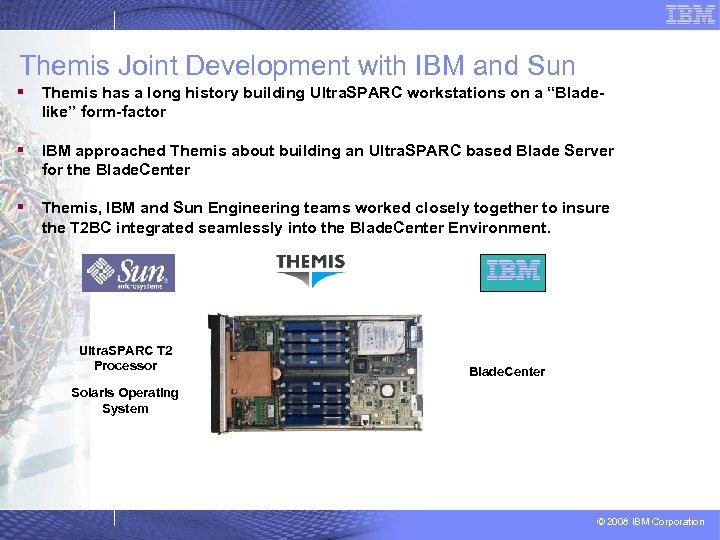
Themis Joint Development with IBM and Sun § Themis has a long history building Ultra. SPARC workstations on a “Bladelike” form-factor § IBM approached Themis about building an Ultra. SPARC based Blade Server for the Blade. Center § Themis, IBM and Sun Engineering teams worked closely together to insure the T 2 BC integrated seamlessly into the Blade. Center Environment. Ultra. SPARC T 2 Processor Blade. Center Solaris Operating System © 2008 IBM Corporation
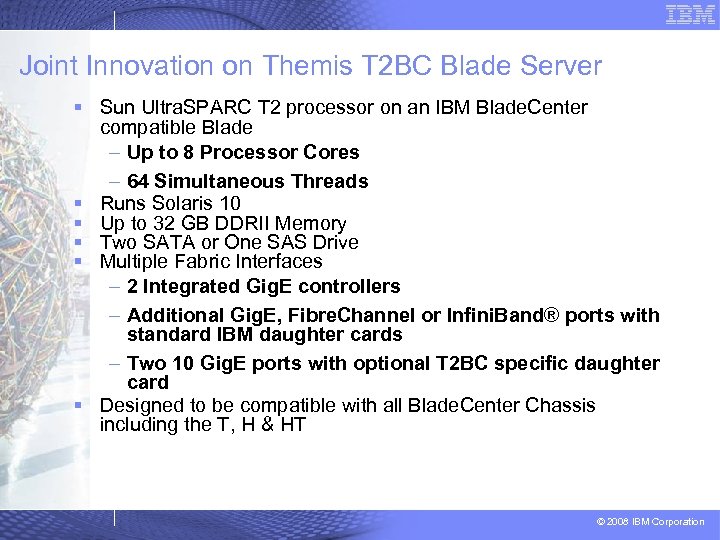
Joint Innovation on Themis T 2 BC Blade Server § Sun Ultra. SPARC T 2 processor on an IBM Blade. Center compatible Blade – Up to 8 Processor Cores – 64 Simultaneous Threads § Runs Solaris 10 § Up to 32 GB DDRII Memory § Two SATA or One SAS Drive § Multiple Fabric Interfaces – 2 Integrated Gig. E controllers – Additional Gig. E, Fibre. Channel or Infini. Band® ports with standard IBM daughter cards – Two 10 Gig. E ports with optional T 2 BC specific daughter card § Designed to be compatible with all Blade. Center Chassis including the T, H & HT © 2008 IBM Corporation
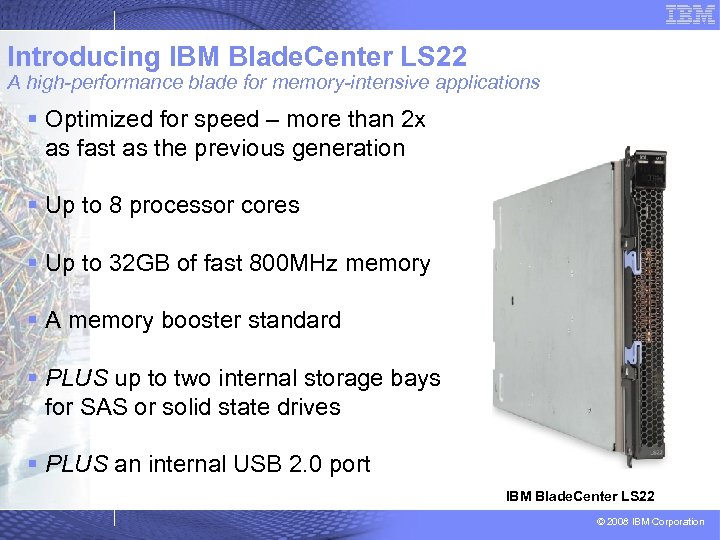
Introducing IBM Blade. Center LS 22 A high-performance blade for memory-intensive applications § Optimized for speed – more than 2 x as fast as the previous generation § Up to 8 processor cores § Up to 32 GB of fast 800 MHz memory § A memory booster standard § PLUS up to two internal storage bays for SAS or solid state drives § PLUS an internal USB 2. 0 port IBM Blade. Center LS 22 © 2008 IBM Corporation
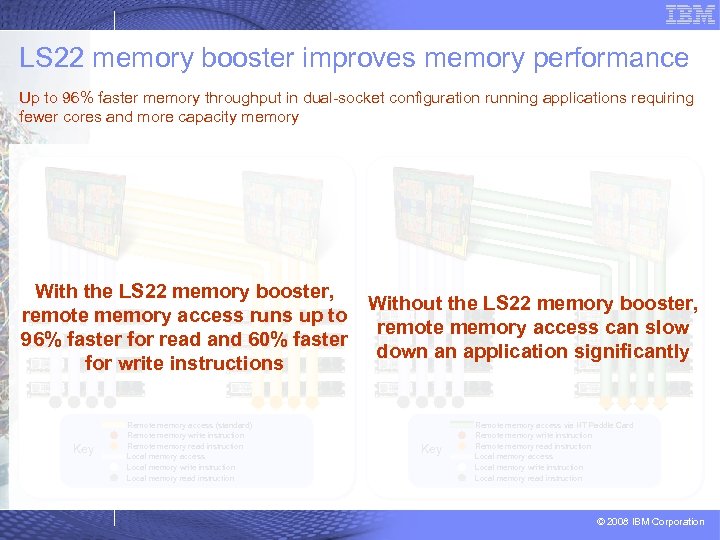
LS 22 memory booster improves memory performance Up to 96% faster memory throughput in dual-socket configuration running applications requiring fewer cores and more capacity memory With the LS 22 memory booster, remote memory access runs up to 96% faster for read and 60% faster for write instructions Key Remote memory access (standard) Remote memory write instruction Remote memory read instruction Local memory access Local memory write instruction Local memory read instruction Without the LS 22 memory booster, remote memory access can slow down an application significantly Key Remote memory access via HT Paddle Card Remote memory write instruction Remote memory read instruction Local memory access Local memory write instruction Local memory read instruction © 2008 IBM Corporation
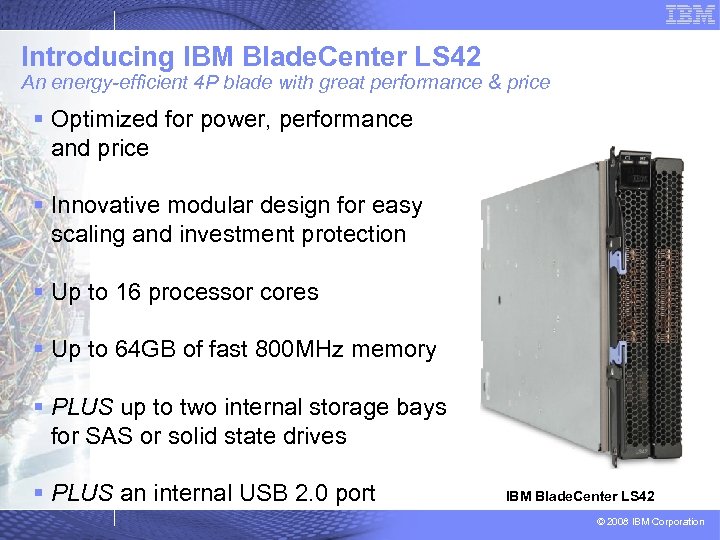
Introducing IBM Blade. Center LS 42 An energy-efficient 4 P blade with great performance & price § Optimized for power, performance and price § Innovative modular design for easy scaling and investment protection § Up to 16 processor cores § Up to 64 GB of fast 800 MHz memory § PLUS up to two internal storage bays for SAS or solid state drives § PLUS an internal USB 2. 0 port IBM Blade. Center LS 42 © 2008 IBM Corporation
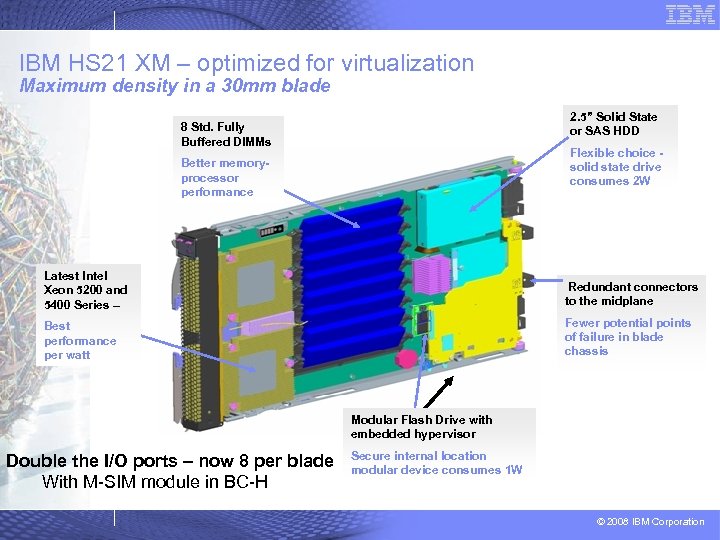
IBM HS 21 XM – optimized for virtualization Maximum density in a 30 mm blade 2. 5” Solid State or SAS HDD 8 Std. Fully Buffered DIMMs Flexible choice solid state drive consumes 2 W Better memoryprocessor performance Latest Intel Xeon 5200 and 5400 Series – Redundant connectors to the midplane Best performance per watt Fewer potential points of failure in blade chassis Modular Flash Drive with embedded hypervisor Double the I/O ports – now 8 per blade With M-SIM module in BC-H Secure internal location modular device consumes 1 W © 2008 IBM Corporation
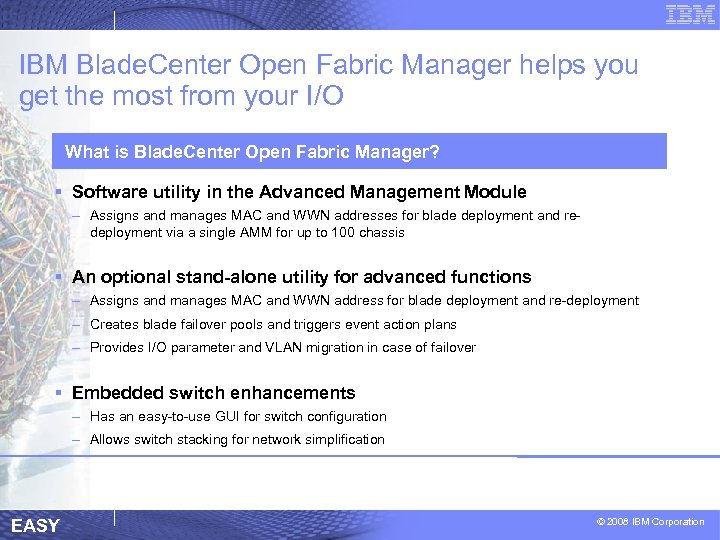
IBM Blade. Center Open Fabric Manager helps you get the most from your I/O What is Blade. Center Open Fabric Manager? § Software utility in the Advanced Management Module – Assigns and manages MAC and WWN addresses for blade deployment and redeployment via a single AMM for up to 100 chassis § An optional stand-alone utility for advanced functions – Assigns and manages MAC and WWN address for blade deployment and re-deployment – Creates blade failover pools and triggers event action plans – Provides I/O parameter and VLAN migration in case of failover § Embedded switch enhancements – Has an easy-to-use GUI for switch configuration – Allows switch stacking for network simplification EASY © 2008 IBM Corporation
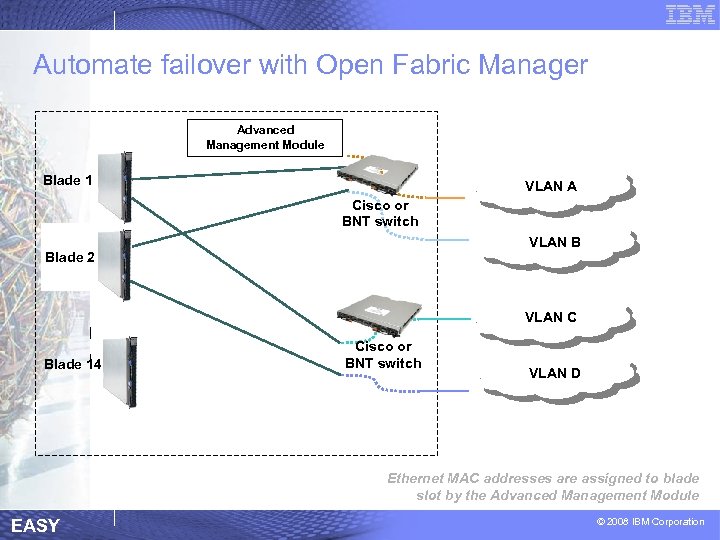
Automate failover with Open Fabric Manager MAC 1 MAC 4 3 MAC 2 Advanced Management Module Blade 1 VLAN A Cisco or BNT switch VLAN B Blade 2 VLAN C Blade 14 Cisco or BNT switch VLAN D Ethernet MAC addresses are assigned to blade slot by the Advanced Management Module EASY © 2008 IBM Corporation
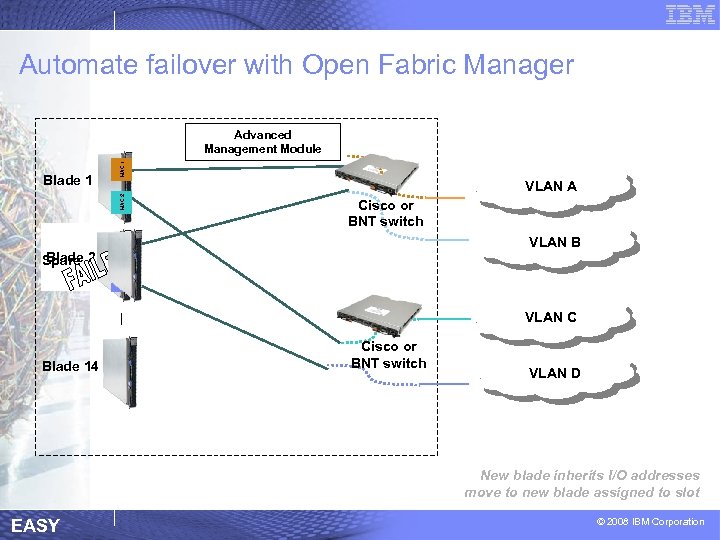
Automate failover with Open Fabric Manager MAC 1 VLAN A VLAN B MAC 4 Blade Spare 2 Cisco or BNT switch MAC 3 MAC 2 Blade 1 MAC 4 MAC 343 MAC MAC 2 Advanced Management Module VLAN C Blade 14 Cisco or BNT switch VLAN D New blade inherits I/O addresses move to new blade assigned to slot EASY © 2008 IBM Corporation
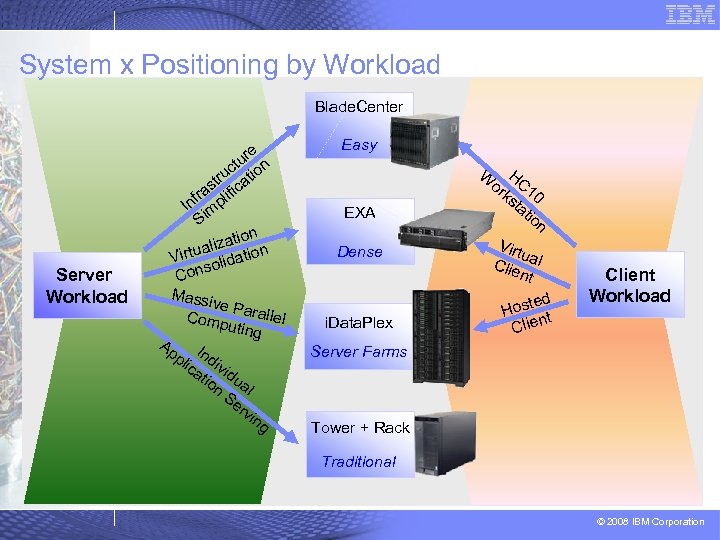
System x Positioning by Workload Blade. Center Server Workload re tu n c o tru cati s fra plifi In im S ion lizat on a Virtu olidati s Con Mass ive Pa ralle Comp uting l Ap I pli ndi ca vid tio ua n Se l rv ing Easy H or C 1 ks 0 ta tio n W EXA Dense i. Data. Plex Virt u Clie al nt ted Hos t n Client Workload Server Farms Tower + Rack Traditional © 2008 IBM Corporation
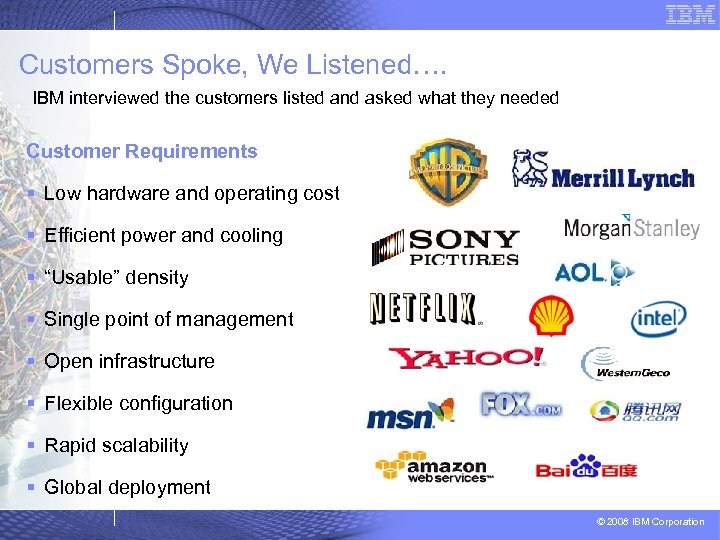
Customers Spoke, We Listened…. IBM interviewed the customers listed and asked what they needed Customer Requirements § Low hardware and operating cost § Efficient power and cooling § “Usable” density § Single point of management § Open infrastructure § Flexible configuration § Rapid scalability § Global deployment © 2008 IBM Corporation
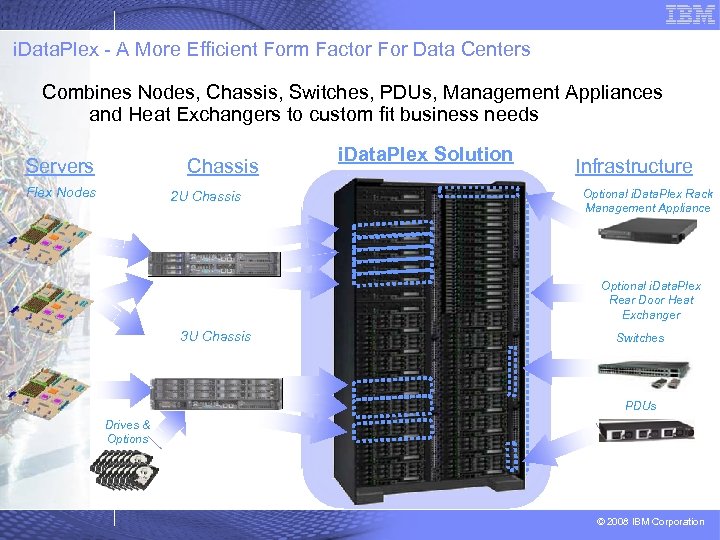
i. Data. Plex - A More Efficient Form Factor For Data Centers Combines Nodes, Chassis, Switches, PDUs, Management Appliances and Heat Exchangers to custom fit business needs Chassis Servers Flex Nodes 2 U Chassis i. Data. Plex Solution 100 U i. Data. Plex Rack Infrastructure Optional i. Data. Plex Rack Management Appliance Optional i. Data. Plex Rear Door Heat Exchanger 3 U Chassis Switches PDUs Drives & Options © 2008 IBM Corporation
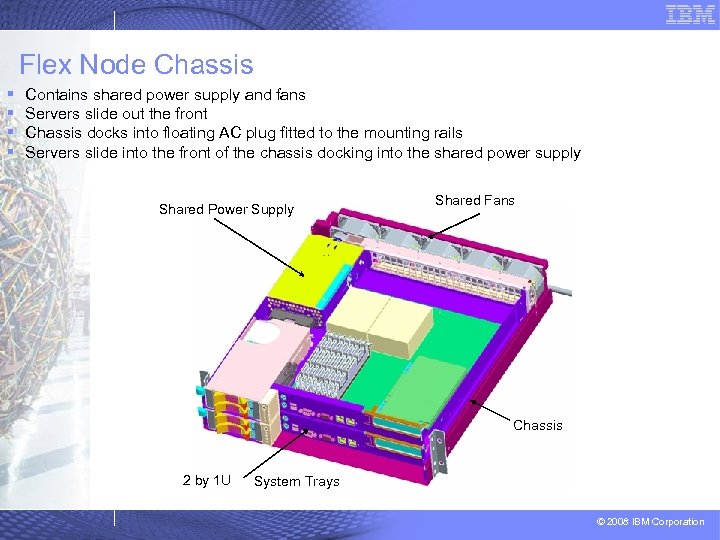
Flex Node Chassis § § Contains shared power supply and fans Servers slide out the front Chassis docks into floating AC plug fitted to the mounting rails Servers slide into the front of the chassis docking into the shared power supply Shared Power Supply Shared Fans Chassis 2 by 1 U System Trays © 2008 IBM Corporation
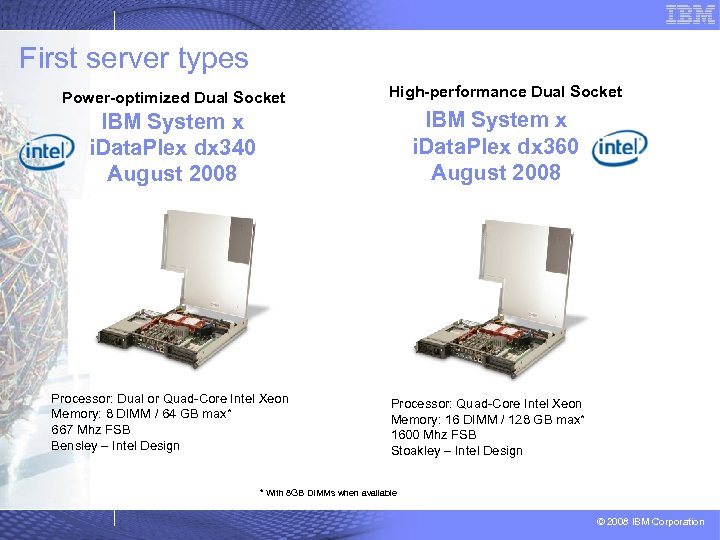
First server types Power-optimized Dual Socket High-performance Dual Socket IBM System x i. Data. Plex dx 360 August 2008 IBM System x i. Data. Plex dx 340 August 2008 Processor: Dual or Quad-Core Intel Xeon Memory: 8 DIMM / 64 GB max* 667 Mhz FSB Bensley – Intel Design Processor: Quad-Core Intel Xeon Memory: 16 DIMM / 128 GB max* 1600 Mhz FSB Stoakley – Intel Design * With 8 GB DIMMs when available © 2008 IBM Corporation
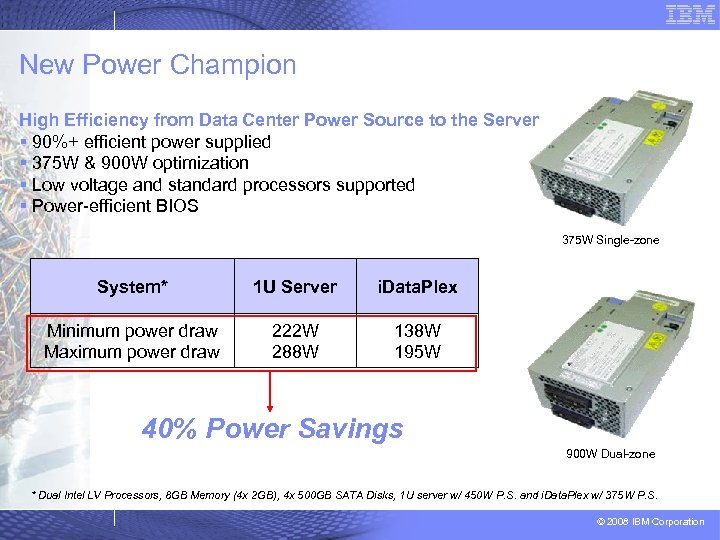
New Power Champion High Efficiency from Data Center Power Source to the Server § 90%+ efficient power supplied § 375 W & 900 W optimization § Low voltage and standard processors supported § Power-efficient BIOS 375 W Single-zone System* 1 U Server i. Data. Plex Minimum power draw Maximum power draw 222 W 288 W 138 W 195 W 40% Power Savings 900 W Dual-zone * Dual Intel LV Processors, 8 GB Memory (4 x 2 GB), 4 x 500 GB SATA Disks, 1 U server w/ 450 W P. S. and i. Data. Plex w/ 375 W P. S. © 2008 IBM Corporation
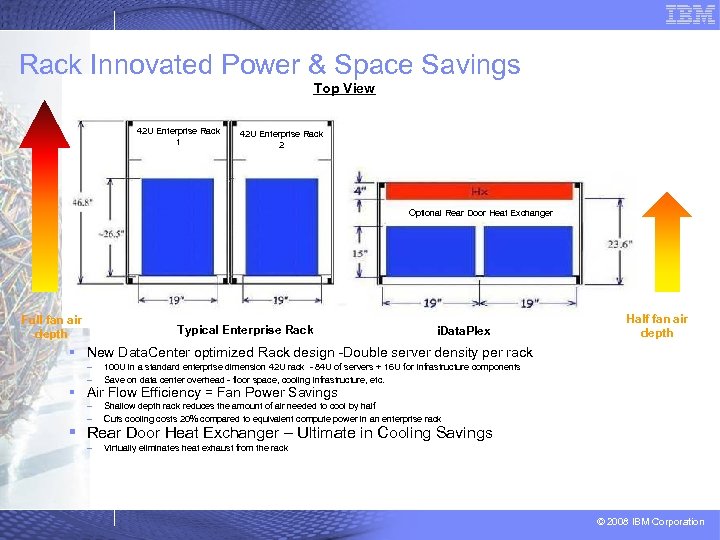
Rack Innovated Power & Space Savings Top View 42 U Enterprise Rack 1 42 U Enterprise Rack 2 Optional Rear Door Heat Exchanger Full fan air depth Typical Enterprise Rack i. Data. Plex Half fan air depth § New Data. Center optimized Rack design -Double server density per rack – – 100 U in a standard enterprise dimension 42 U rack - 84 U of servers + 16 U for Infrastructure components Save on data center overhead - floor space, cooling infrastructure, etc. – – Shallow depth rack reduces the amount of air needed to cool by half Cuts cooling costs 20% compared to equivalent compute power in an enterprise rack – Virtually eliminates heat exhaust from the rack § Air Flow Efficiency = Fan Power Savings § Rear Door Heat Exchanger – Ultimate in Cooling Savings © 2008 IBM Corporation
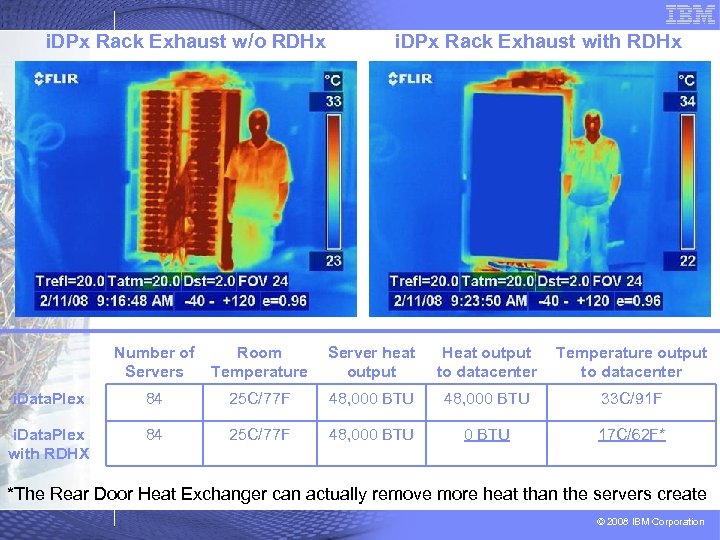
i. DPx Rack Exhaust w/o RDHx i. DPx Rack Exhaust with RDHx Number of Servers Room Temperature Server heat output Heat output to datacenter Temperature output to datacenter i. Data. Plex 84 25 C/77 F 48, 000 BTU 33 C/91 F i. Data. Plex with RDHX 84 25 C/77 F 48, 000 BTU 17 C/62 F* *The Rear Door Heat Exchanger can actually remove more heat than the servers create © 2008 IBM Corporation
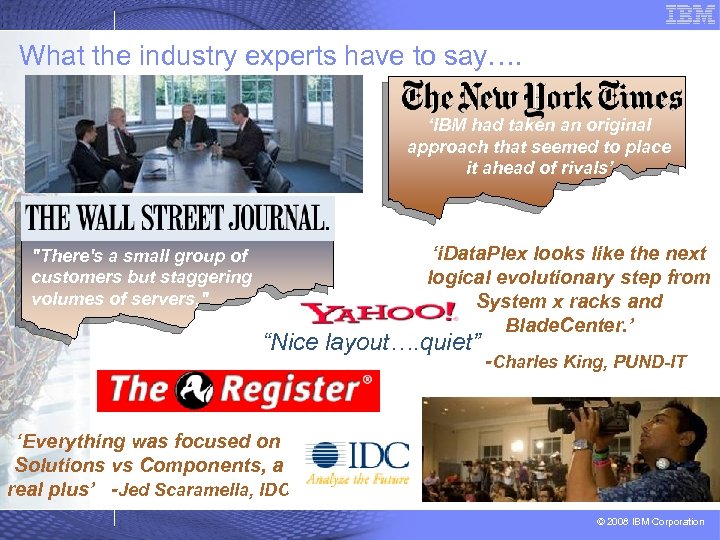
What the industry experts have to say…. ‘IBM had taken an original approach that seemed to place it ahead of rivals’ "There's a small group of customers but staggering volumes of servers, " ‘i. Data. Plex looks like the next logical evolutionary step from System x racks and Blade. Center. ’ “Nice layout…. quiet” -Charles King, PUND-IT ‘Everything was focused on Solutions vs Components, a real plus’ -Jed Scaramella, IDC © 2008 IBM Corporation
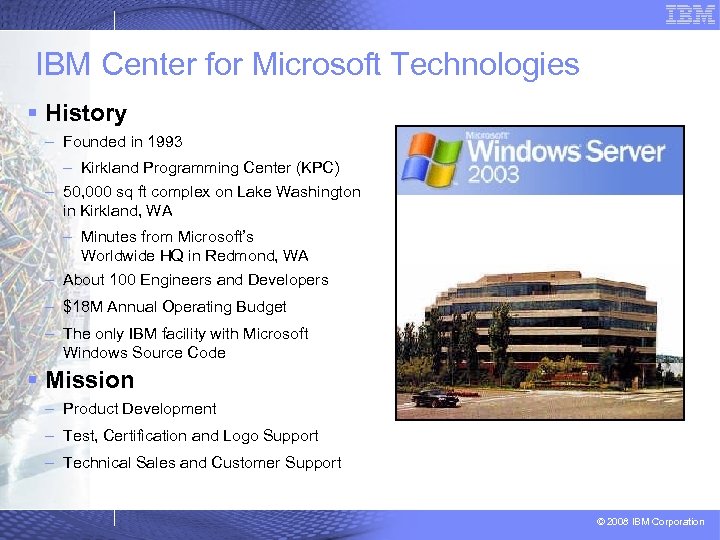
IBM Center for Microsoft Technologies § History – Founded in 1993 – Kirkland Programming Center (KPC) – 50, 000 sq ft complex on Lake Washington in Kirkland, WA – Minutes from Microsoft’s Worldwide HQ in Redmond, WA – About 100 Engineers and Developers – $18 M Annual Operating Budget – The only IBM facility with Microsoft Windows Source Code § Mission – Product Development – Test, Certification and Logo Support – Technical Sales and Customer Support © 2008 IBM Corporation
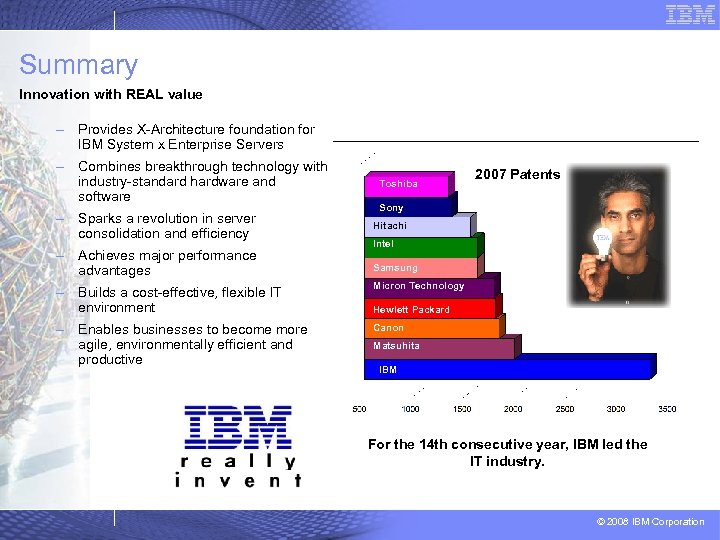
Summary Innovation with REAL value – Provides X-Architecture foundation for IBM System x Enterprise Servers – Combines breakthrough technology with industry-standard hardware and software – Sparks a revolution in server consolidation and efficiency – Achieves major performance advantages Toshiba 2007 Patents Sony Hitachi Intel Samsung – Builds a cost-effective, flexible IT environment Micron Technology – Enables businesses to become more agile, environmentally efficient and productive Canon Hewlett Packard Matsuhita IBM For the 14 th consecutive year, IBM led the IT industry. © 2008 IBM Corporation
IBM Systems & Technology Group System x and Blade. Center® Thank you very much OUT WITH COMPLEXITY. OUT WITH INEFFICIENCY. OUT WITH CABLES. © 2006 IBM Corporation
Footnotes (c) 2004 IBM Corp. All rights reserved. Visit www. ibm. com/pc/safecomputing periodically for the latest information on safe and effective computing. Warranty Information: For a copy of applicable product warranties, write to: Warranty Information, P. O. Box 12195, RTP, NC 27709, Attn: Dept. JDJA/B 203. IBM makes no representation or warranty regarding third-party products or services including those designated as Server. Proven or Cluster. Proven. All offers subject to availability. IBM reserves the right to alter product offerings and specifications at any time without notice. IBM is not responsible for photographic or typographic errors. This publication was developed for products and services offered in the United States. IBM may not offer the products, services or features discussed in this document in other countries. Information is subject to change without notice. Consult your local IBM representative for information on offerings available in your area. All statements regarding IBM's future direction and intent are subject to change or withdrawal without notice, and representgoals and objectives only. Contact your local IBM office or IBM authorized reseller for the full text of a specific Statement of General Direction. The examples given in this paper are hypothetical examples of how a customer can use the products described herein and examples of potential cost or efficiency savings are not based on any actual case study. There is no guarantee of comparable results. Many factors determine the sizing requirements and performance of a systems architecture. IBM assumes no liability for the methodology used for determining the configurations recommended in this document nor for the results it provides. Any performance data contained in this presentation was determined in a controlled environment. Therefore, the results obtained in other operating environments may vary significantly. Some measurements quoted in this presentation may have been made on development-level systems. There is no guarantee these measurements will be the same on generally-available systems. Some measurements quoted in this presentation may have been estimated through extrapolation. Actual results may vary. Users of this presentation should verify the applicable data for their specific environment. © 2008 IBM Corporation
Information in this presentation concerning non-IBM products was obtained from the suppliers of these products, published announcement material or other publicly available sources. IBM has not tested these products and cannot confirm the accuracy of performance, compatibility or any other claims related to non-IBM products. Questions on the capabilities of non. IBM products should be addressed to the suppliers of those products. Prices do not include tax or shipping and are subject to change without notice. [Price includes applicable discounts. ] Reseller prices may vary. Unless otherwise specified, pricing informationis current as of original publication of this document. MB, GB, and TB = 1, 000, 000 and 1, 000, 000 bytes, respectively, when referring to storage capacity. Accessible capacity is less. ; up to 3 GB is used in service partition. Actual storage capacity will vary based upon many factors and may be less than stated. Some numbers given for storage capacities give capacity in native mode followed by capacity using data compression technology. Maximum internal hard disk and memory capacities may require the replacement of any standard hard drives and/or memory and the population of all hard disk bays and memory slots with the largest currently supported drives available. Telephone support may be subject to additional charges. For onsite labor, IBM will attempt to diagnose and resolve the problem remotely before sending a technician. IBM, the eight bar logo, e. Server, x. Series, Blade. Center, Server. Proven, Cluster. Proven, and Serve. RAID are registered trademarks of International Business Machines Corporation in the U. S. and other countries. Intel, Intel Inside, the Intel Inside logo, Pentium, Celeron and Intel Speed. Step are trademarks or registered trademarks of Intel Corporation or its subsidiaries in the United States and other countries. Microsoft and Windows are trademarks or registered trademarks of Microsoft Corporation. Other company, product and service names may be trademarks or service marks of others. © 2008 IBM Corporation
Скачать презентацию Notes c 2004 IBM Corp All rights reserved
8ab71327426f3acce426fd7ffcd60a9e.ppt