 Скачать презентацию NGN Lecture 3 Introduction to Ubiquitous Computing
33cf3f69e1ba8af6eafba2ec9da7d1a7.ppt
- Количество слайдов: 59



NGN –Lecture 3: Introduction to Ubiquitous Computing
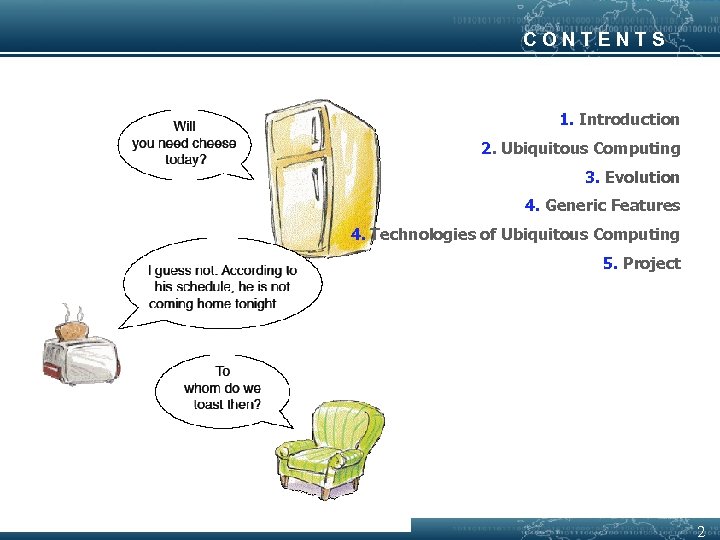
CONTENTS 1. Introduction 2. Ubiquitous Computing 3. Evolution 4. Generic Features 4. Technologies of Ubiquitous Computing 5. Project 2
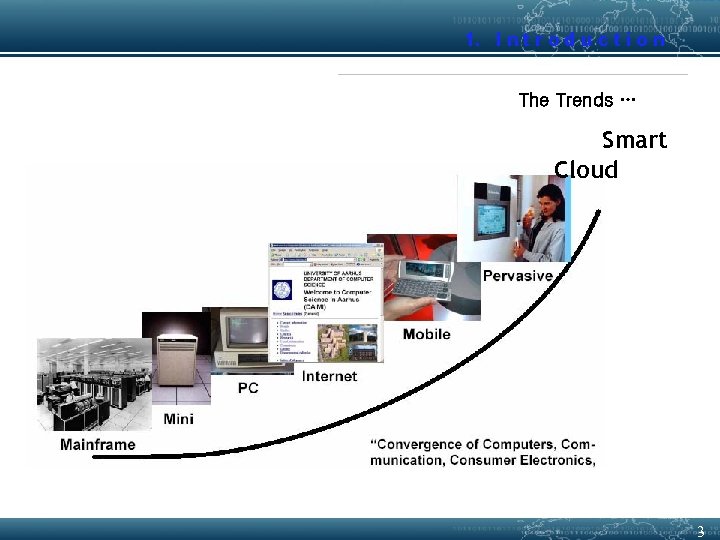
1. I n t r o d u c t i o n The Trends … Smart Cloud The computer for the 21 st Century (1991, Scientific American) 3
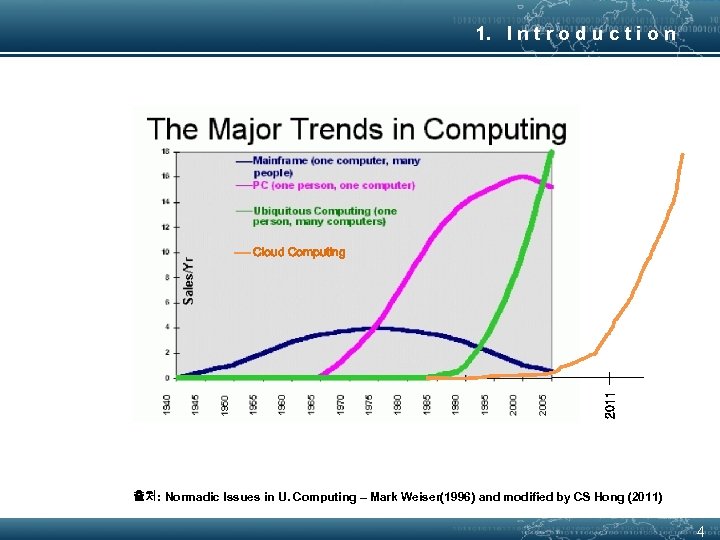
1. I n t r o d u c t i o n 2011 Cloud Computing 출처: Normadic Issues in U. Computing – Mark Weiser(1996) and modified by CS Hong (2011) 4
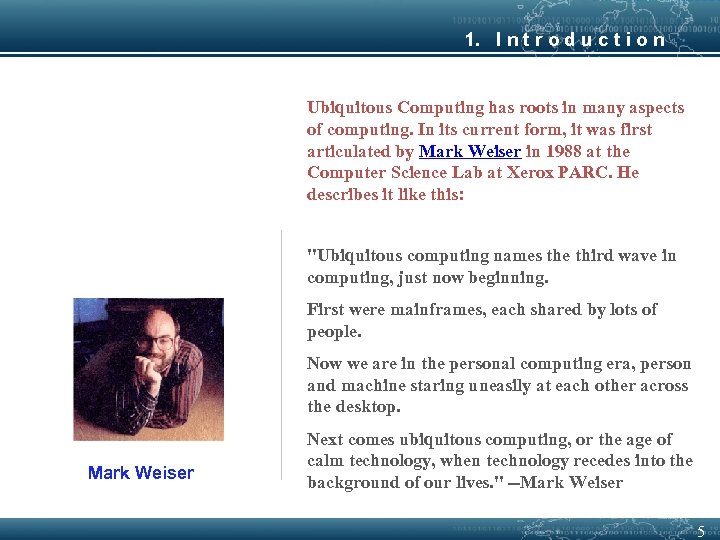
1. I n t r o d u c t i o n Ubiquitous Computing has roots in many aspects of computing. In its current form, it was first articulated by Mark Weiser in 1988 at the Computer Science Lab at Xerox PARC. He describes it like this: "Ubiquitous computing names the third wave in computing, just now beginning. First were mainframes, each shared by lots of people. Now we are in the personal computing era, person and machine staring uneasily at each other across the desktop. Mark Weiser Next comes ubiquitous computing, or the age of calm technology, when technology recedes into the background of our lives. " --Mark Weiser 5
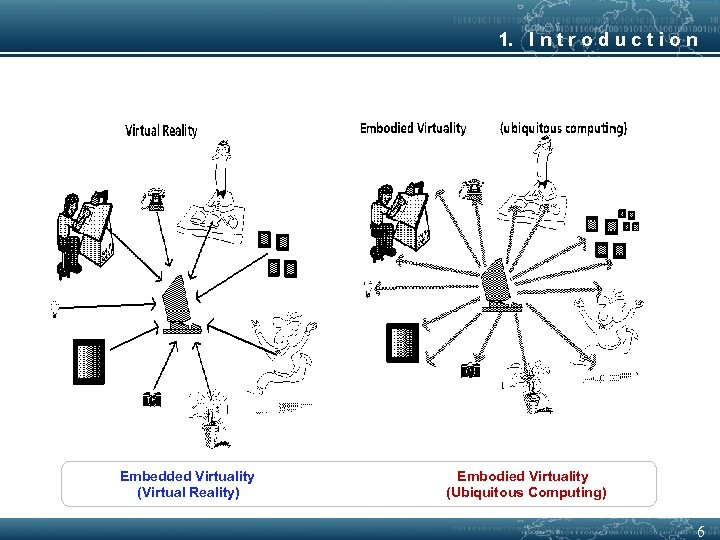
1. I n t r o d u c t i o n Embedded Virtuality (Virtual Reality) Embodied Virtuality (Ubiquitous Computing) 6
1. I n t r o d u c t i o n Writing: The First IT § Capture symbolic information of spoken language for long-term storage § (Almost) No need to depend on human memory § This technology is now ubiquitous - It is everywhere - we don’t notice it - don’t need to be an expert in ‘literacy technology’ to access it 7
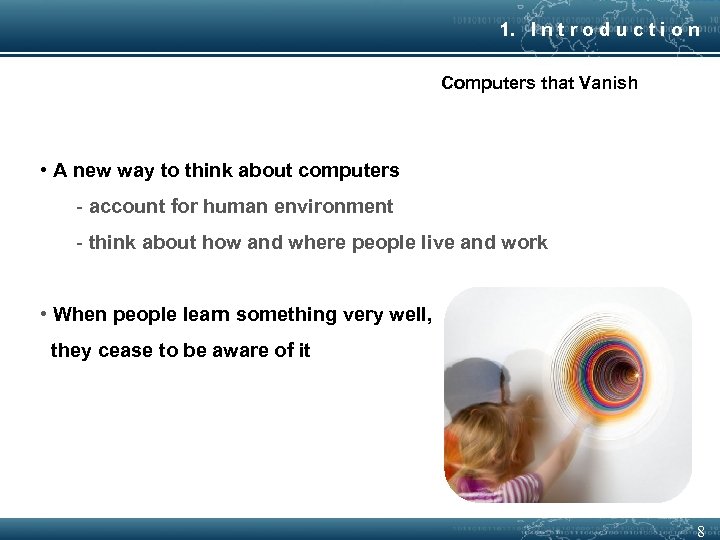
1. I n t r o d u c t i o n Computers that Vanish • A new way to think about computers - account for human environment - think about how and where people live and work • When people learn something very well, they cease to be aware of it 8
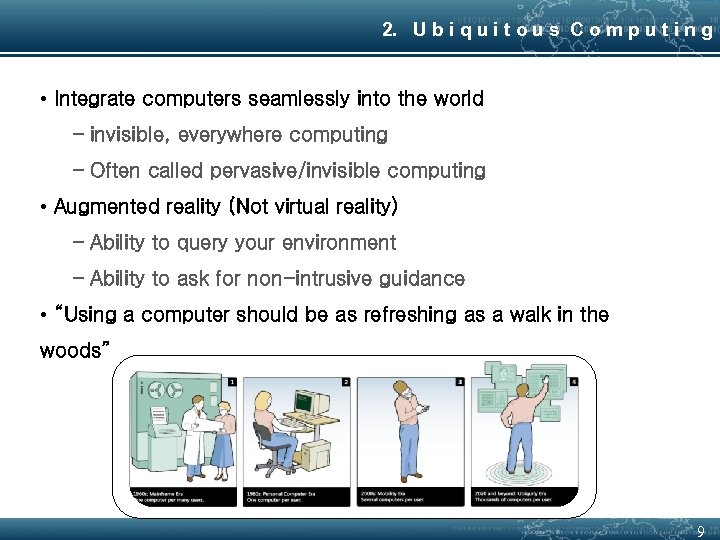
2. U b i q u i t o u s C o m p u t i n g • Integrate computers seamlessly into the world – invisible, everywhere computing – Often called pervasive/invisible computing • Augmented reality (Not virtual reality) – Ability to query your environment – Ability to ask for non-intrusive guidance • “Using a computer should be as refreshing as a walk in the woods” 9
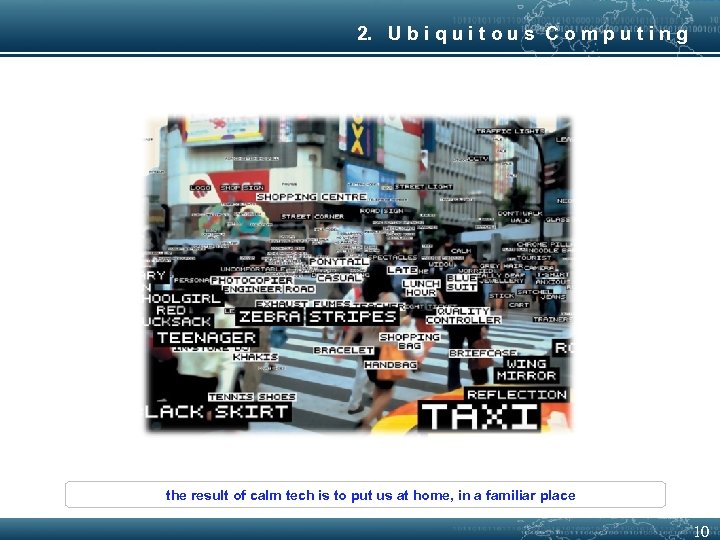
2. U b i q u i t o u s C o m p u t i n g the result of calm tech is to put us at home, in a familiar place 10
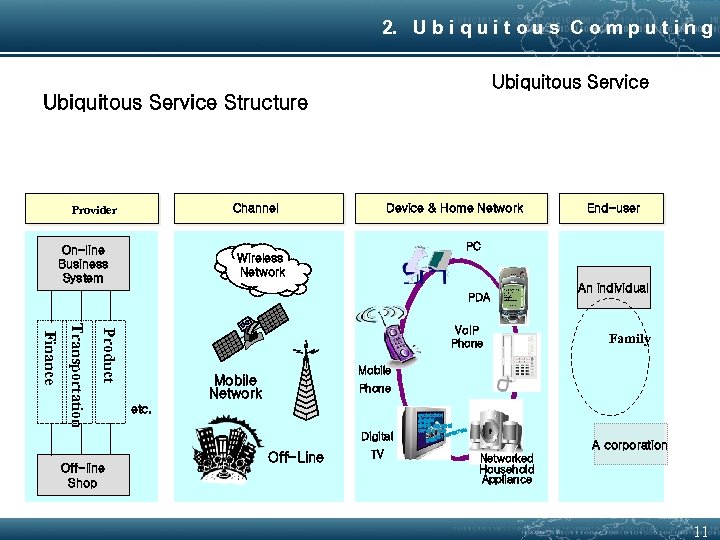
2. U b i q u i t o u s C o m p u t i n g Ubiquitous Service Structure Channel Provider Device & Home Network PC On-line Business System Wireless Network PDA Product Transportation Finance Vo. IP Phone An individual Family Mobile Network Phone etc. Digital Off-line Shop End-user Off-Line TV VR이미지보기 상세정보 판매가: 450, 000원 OKPoint : 4000 7000 8901 : 49 번호 상품 A corporation Networked Household Appliance 11
2. U b i q u i t o u s C o m p u t i n g Example: A Responsive Environment • Office-light brightness will be adjusted automatically according to the daylight • Your active ID-badge indicates your identity (and your preferences) • System knows your current location • Light turns on as you enter a room • The seat is adjusted to your size 12
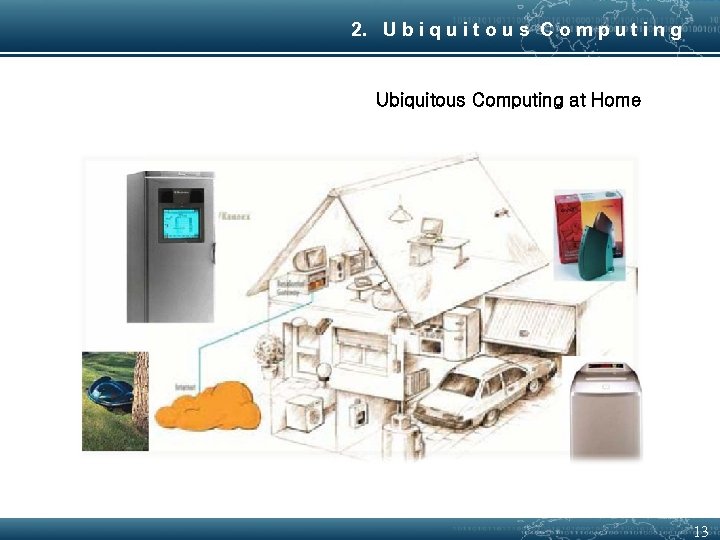
2. U b i q u i t o u s C o m p u t i n g Ubiquitous Computing at Home 13
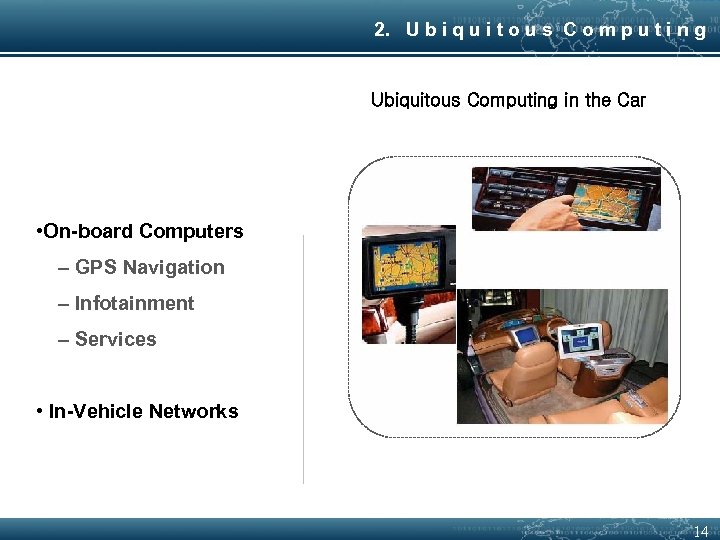
2. U b i q u i t o u s C o m p u t i n g Ubiquitous Computing in the Car • On-board Computers – GPS Navigation – Infotainment – Services • In-Vehicle Networks 14
3. E v o l u t i o n • Constraint: – best way to serve the user community is not clear. • Approach: – Prototype the solution – Acquire feedback from users. – Modify the application(with least possible downtime) 15
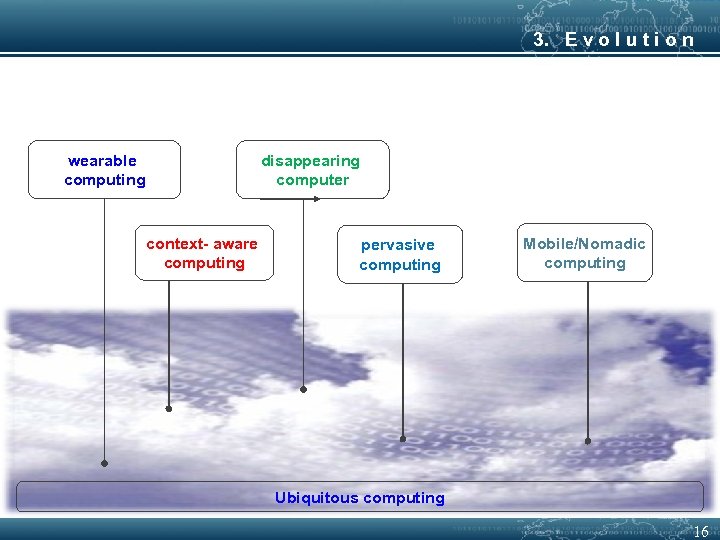
3. E v o l u t i o n wearable computing disappearing computer context- aware computing pervasive computing Mobile/Nomadic computing Ubiquitous computing 16
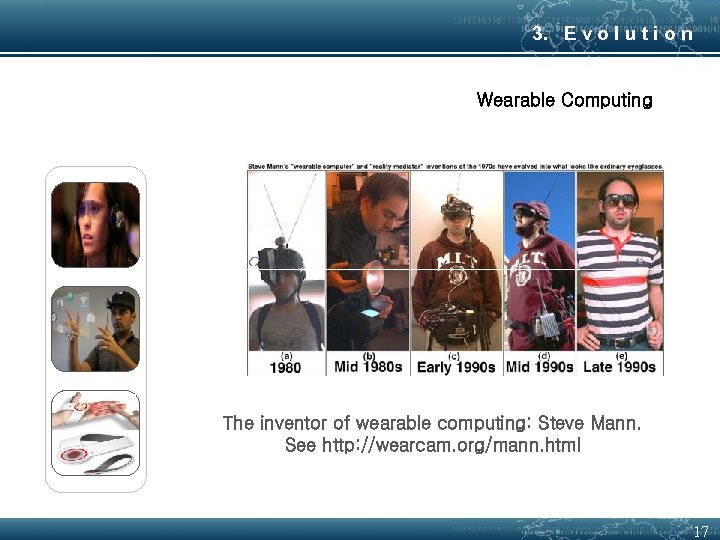
3. E v o l u t i o n Wearable Computing The inventor of wearable computing: Steve Mann. See http: //wearcam. org/mann. html 17
3. E v o l u t i o n Context-Aware Computing – Context • Powerful, longstanding concept in human-computer interaction – Act is explicit. But context is implicit – Notion of context is much more widely appreciated • It’s a key to enter computation into our lives – One goal of context-aware computing • To acquire and utilize information about the context of a device • People, place, time, event, etc… • Example : Cell phone and concert 18
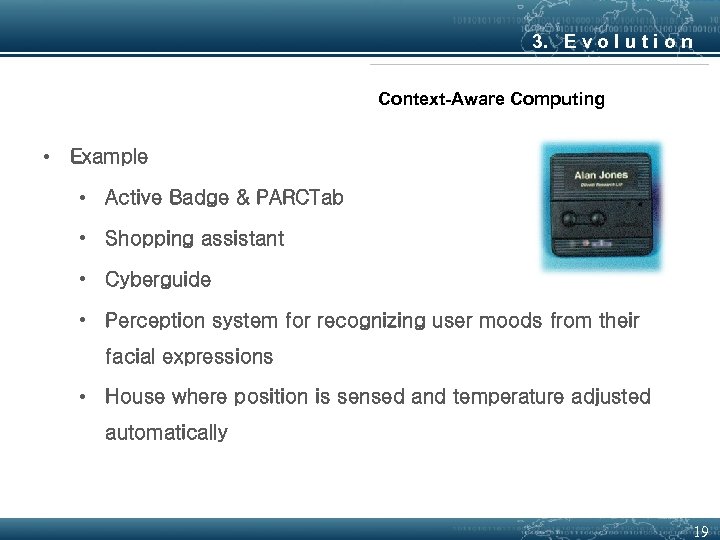
3. E v o l u t i o n Context-Aware Computing • Example • Active Badge & PARCTab • Shopping assistant • Cyberguide • Perception system for recognizing user moods from their facial expressions • House where position is sensed and temperature adjusted automatically 19
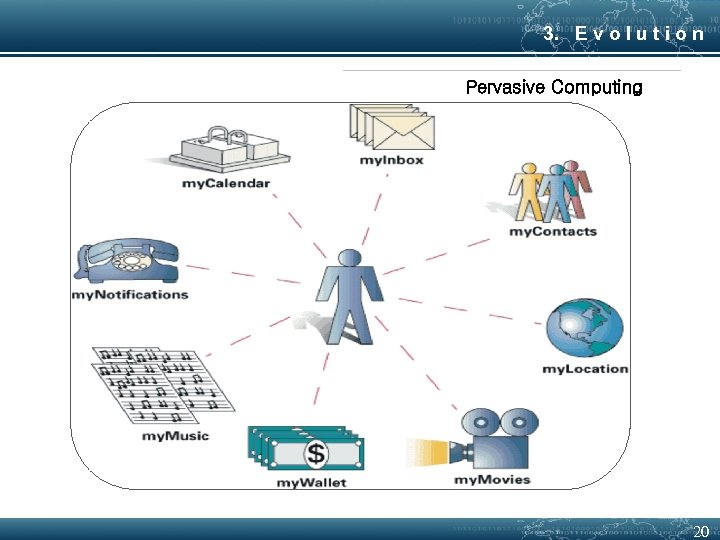
3. E v o l u t i o n Pervasive Computing 20
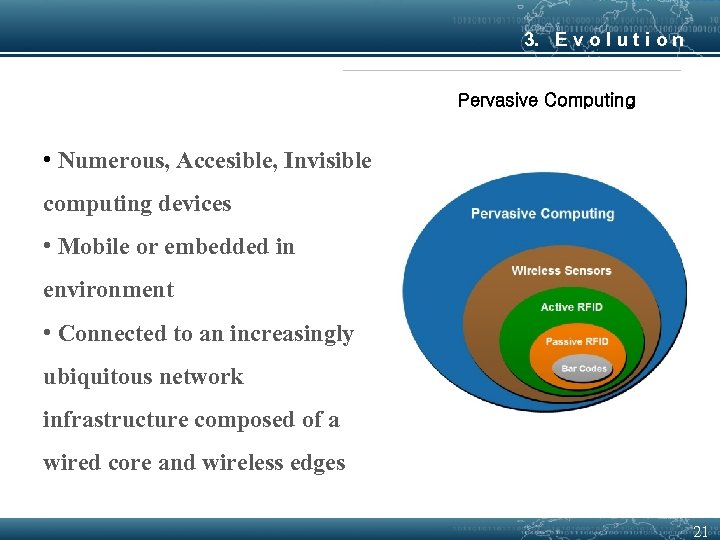
3. E v o l u t i o n Pervasive Computing • Numerous, Accesible, Invisible computing devices • Mobile or embedded in environment • Connected to an increasingly ubiquitous network infrastructure composed of a wired core and wireless edges 21
3. E v o l u t i o n Mobile / Nomadic Computing • Some implications for Normadicity - Each person uses many devices : Total nomadic devices >> number of people - Large number of fixed devices : Many computers imbeded in environment : Normadic devices must interact with fixed infrastructure - Many normadic devices are essentially “PC Peripherals” 22
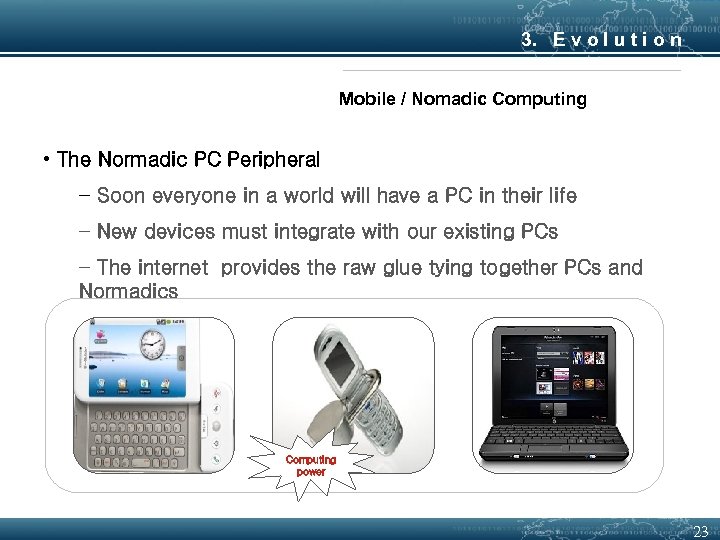
3. E v o l u t i o n Mobile / Nomadic Computing • The Normadic PC Peripheral − Soon everyone in a world will have a PC in their life − New devices must integrate with our existing PCs − The internet provides the raw glue tying together PCs and Normadics Computing power 23
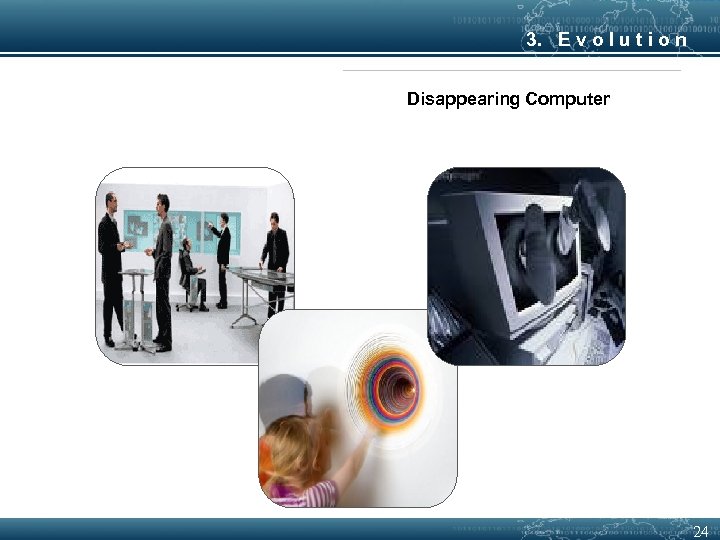
3. E v o l u t i o n Disappearing Computer 24
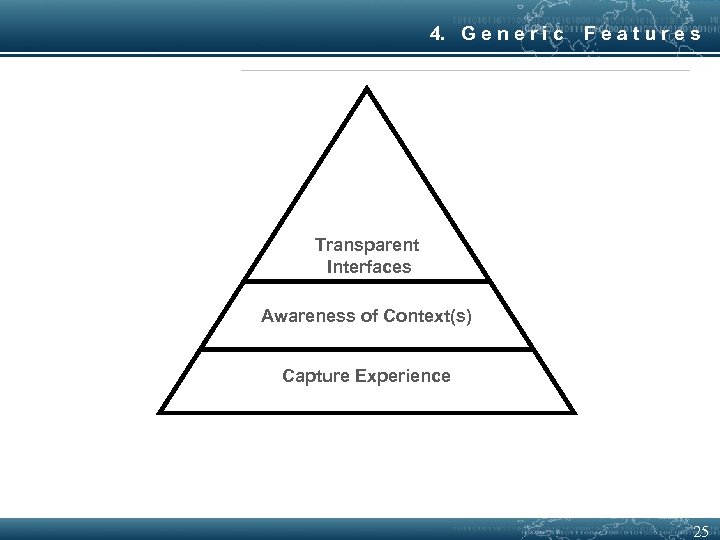
4. G e n e r i c Features Transparent Interfaces Awareness of Context(s) Capture Experience 25
4. G e n e r i c Features Transparent Interface Hide their presence from user Provide interaction between user and application Examples: Gesture recognition, speech recognition, free form pen interaction etc. Keyboard and mouse are still the most commonly used interfaces !! Need: - flexible interfaces - Varied interfaces that can provide similar functionality 26
4. G e n e r i c Features Context Awareness Context – information about the environment with which the application is associated. LOCATION and TIME are simple examples of context ! Context aware application: - is one which can capture the context - assign meaning to it - change behavior accordingly Need: - Applications that are context aware and allow rapid personalization of their services. 27
4. G e n e r i c Features Automated Capture To capture our day-to-day experience and make it available for future use. Constraints: - Multiple streams of information - Their time synchronization - Their correlation and integration Need: - Automated tools that support capture, integration and future access of info. 28
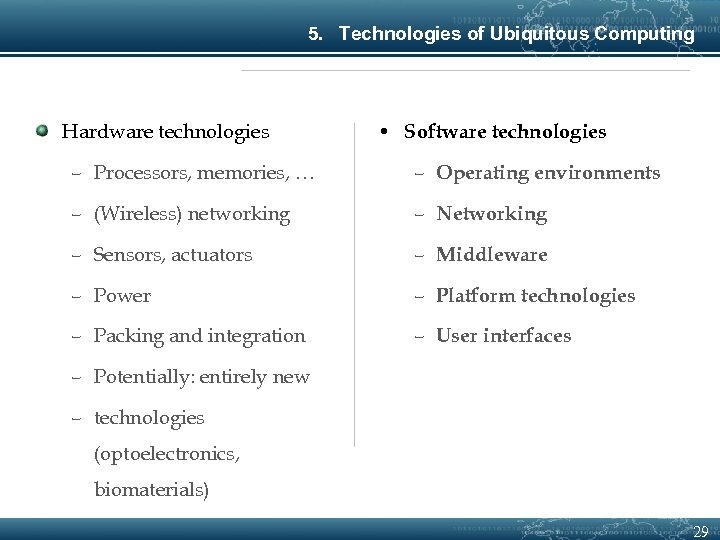
5. Technologies of Ubiquitous Computing Hardware technologies • Software technologies – Processors, memories, … – Operating environments – (Wireless) networking – Networking – Sensors, actuators – Middleware – Power – Platform technologies – Packing and integration – User interfaces – Potentially: entirely new – technologies (optoelectronics, biomaterials) 29
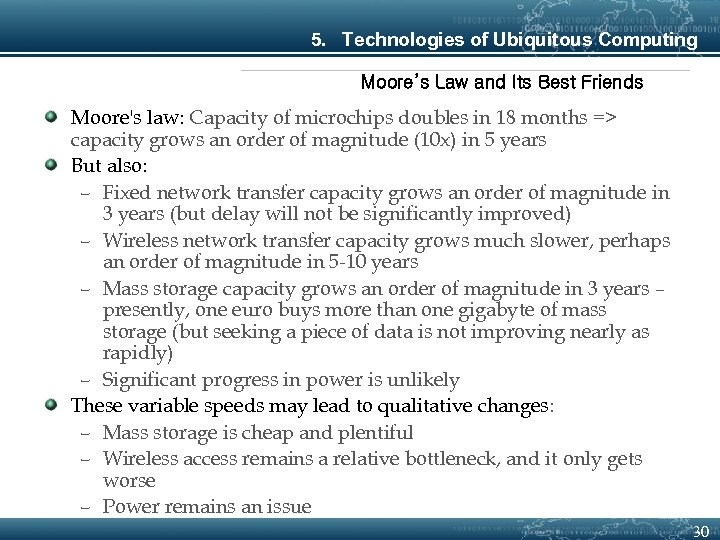
5. Technologies of Ubiquitous Computing Moore’s Law and Its Best Friends Moore's law: Capacity of microchips doubles in 18 months => capacity grows an order of magnitude (10 x) in 5 years But also: – Fixed network transfer capacity grows an order of magnitude in 3 years (but delay will not be significantly improved) – Wireless network transfer capacity grows much slower, perhaps an order of magnitude in 5 -10 years – Mass storage capacity grows an order of magnitude in 3 years – presently, one euro buys more than one gigabyte of mass storage (but seeking a piece of data is not improving nearly as rapidly) – Significant progress in power is unlikely These variable speeds may lead to qualitative changes: – Mass storage is cheap and plentiful – Wireless access remains a relative bottleneck, and it only gets worse – Power remains an issue 30
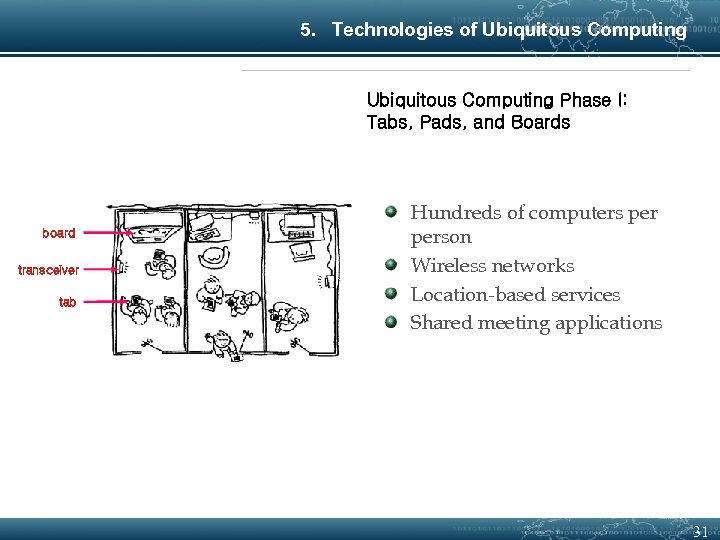
5. Technologies of Ubiquitous Computing Phase I: Tabs, Pads, and Boards board transceiver tab Hundreds of computers person Wireless networks Location-based services Shared meeting applications 31
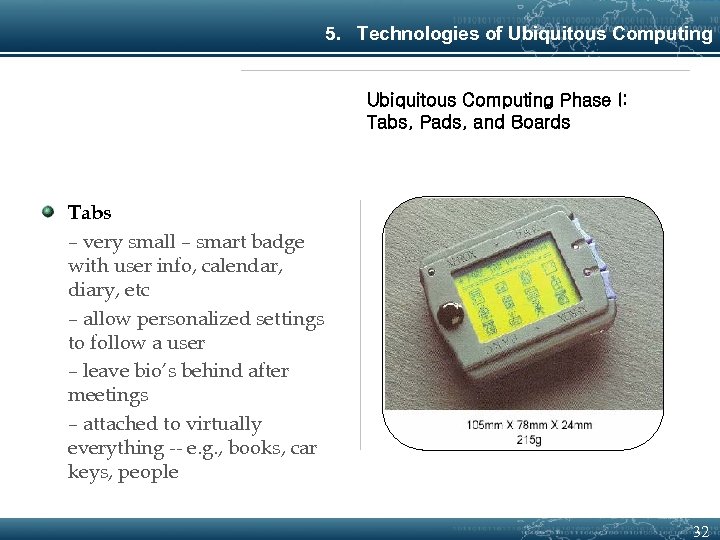
5. Technologies of Ubiquitous Computing Phase I: Tabs, Pads, and Boards Tabs – very small – smart badge with user info, calendar, diary, etc – allow personalized settings to follow a user – leave bio’s behind after meetings – attached to virtually everything -- e. g. , books, car keys, people 32
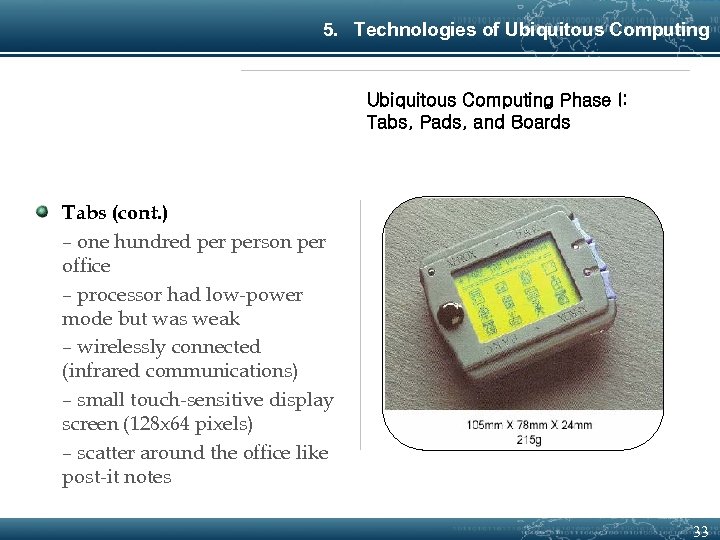
5. Technologies of Ubiquitous Computing Phase I: Tabs, Pads, and Boards Tabs (cont. ) – one hundred person per office – processor had low-power mode but was weak – wirelessly connected (infrared communications) – small touch-sensitive display screen (128 x 64 pixels) – scatter around the office like post-it notes 33
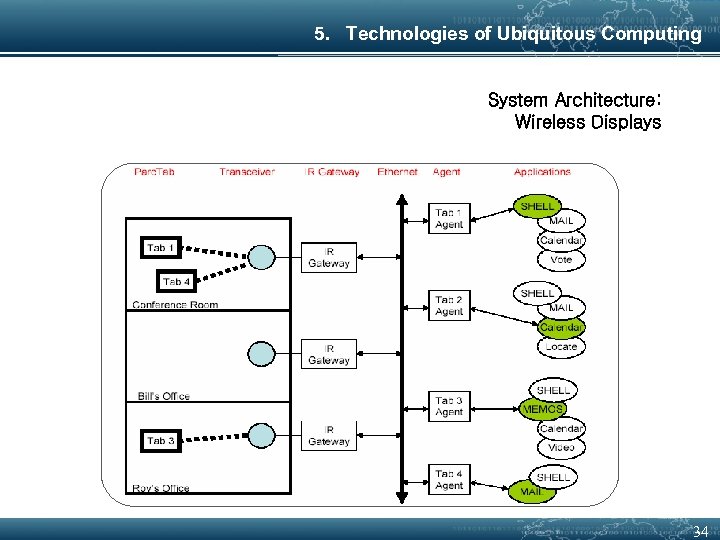
5. Technologies of Ubiquitous Computing System Architecture: Wireless Displays 34
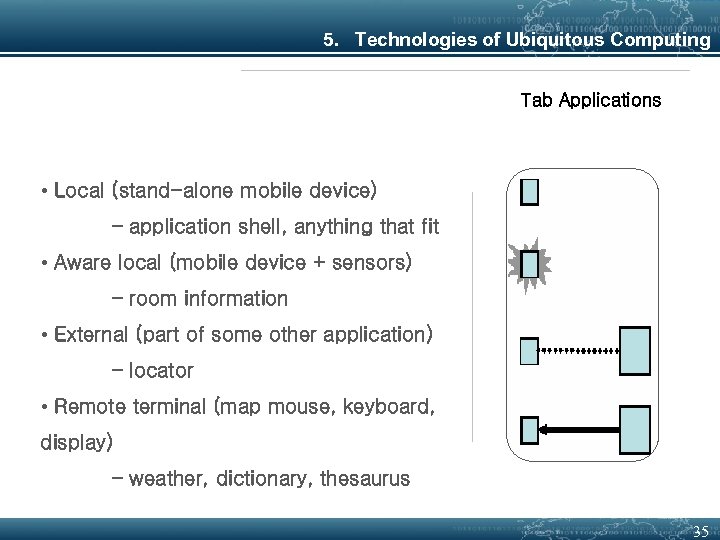
5. Technologies of Ubiquitous Computing Tab Applications • Local (stand-alone mobile device) – application shell, anything that fit • Aware local (mobile device + sensors) – room information • External (part of some other application) – locator • Remote terminal (map mouse, keyboard, display) – weather, dictionary, thesaurus 35
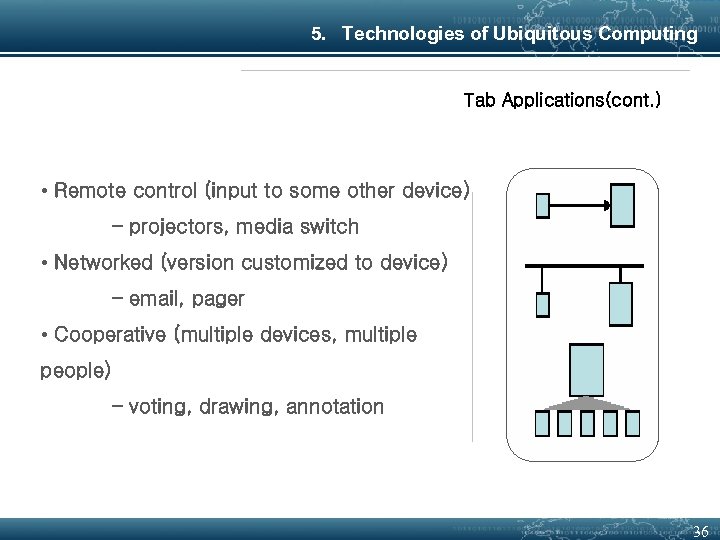
5. Technologies of Ubiquitous Computing Tab Applications(cont. ) • Remote control (input to some other device) – projectors, media switch • Networked (version customized to device) – email, pager • Cooperative (multiple devices, multiple people) – voting, drawing, annotation 36
5. Technologies of Ubiquitous Computing Phase I: Tabs, Pads, and Boards(cont. ) Pads – paper size – portable computers but not laptop metaphor – scrap computers - grab and use, no identity or importance – ten person per office – near megabit wireless communication bandwidth – antidote to windows (use a real desk) – can project onto larger computers with a wave of your hand 37
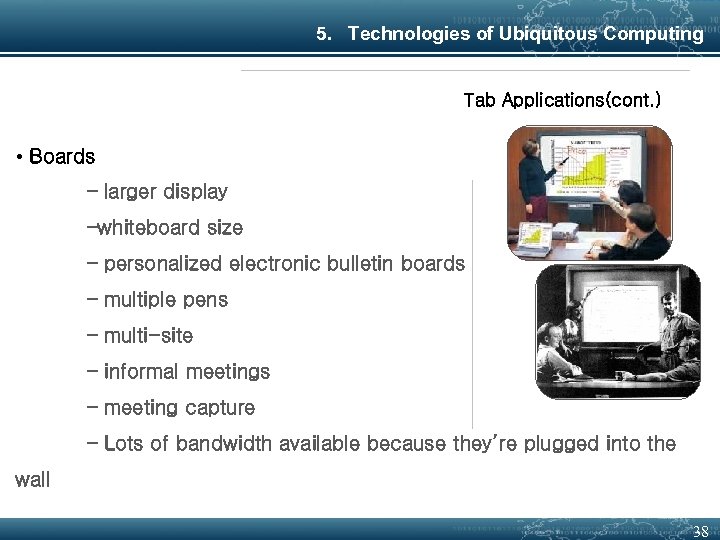
5. Technologies of Ubiquitous Computing Tab Applications(cont. ) • Boards – larger display –whiteboard size – personalized electronic bulletin boards – multiple pens – multi-site – informal meetings – meeting capture – Lots of bandwidth available because they’re plugged into the wall 38
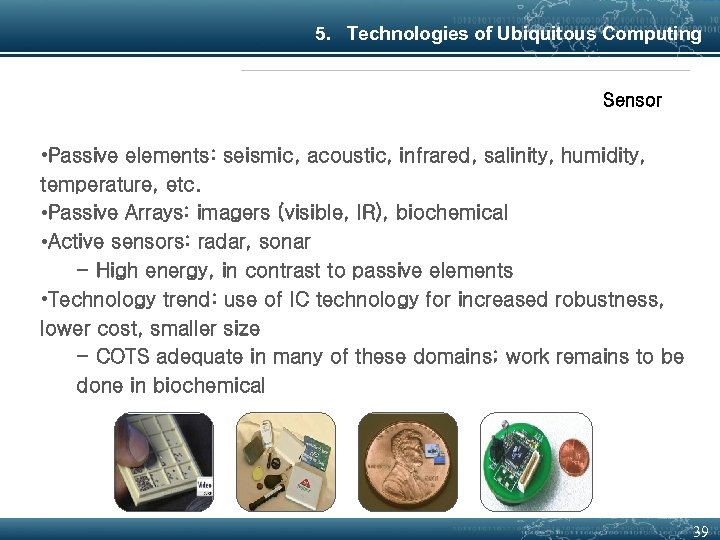
5. Technologies of Ubiquitous Computing Sensor • Passive elements: seismic, acoustic, infrared, salinity, humidity, temperature, etc. • Passive Arrays: imagers (visible, IR), biochemical • Active sensors: radar, sonar - High energy, in contrast to passive elements • Technology trend: use of IC technology for increased robustness, lower cost, smaller size - COTS adequate in many of these domains; work remains to be done in biochemical 39
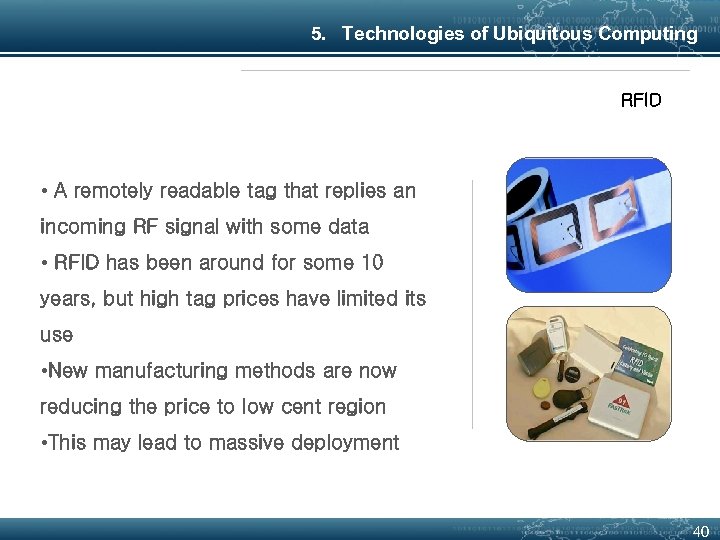
5. Technologies of Ubiquitous Computing RFID • A remotely readable tag that replies an incoming RF signal with some data • RFID has been around for some 10 years, but high tag prices have limited its use • New manufacturing methods are now reducing the price to low cent region • This may lead to massive deployment 40
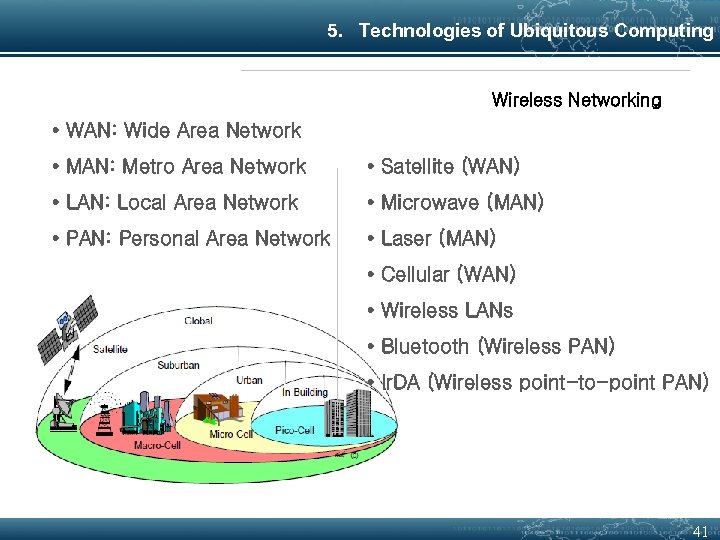
5. Technologies of Ubiquitous Computing Wireless Networking • WAN: Wide Area Network • MAN: Metro Area Network • Satellite (WAN) • LAN: Local Area Network • Microwave (MAN) • PAN: Personal Area Network • Laser (MAN) • Cellular (WAN) • Wireless LANs • Bluetooth (Wireless PAN) • Ir. DA (Wireless point-to-point PAN) 41
5. Technologies of Ubiquitous Computing Satellite • GEO (Geosynchronous/Geostationary) – Remains "stationary" relative to equator – Deployed @ 36, 000 km—requires a big rocket! – Need only 3 to cover earth – High latency (1/4 sec or so round trip) – Need high-power transmitter to reach satellite • XM Satellite radio uses GEOs (only 2, though) 42
5. Technologies of Ubiquitous Computing Satellite • LEO (Low Earth Orbit) – Much lower orbits—less than 1000 km – Must have handoff mechanism—don't appear stationary to earthbound base stations – Lower power transmitter than GEO – Lower latency, but handoff delay… – Space junk! • MEO (Middle Earth Orbit) – ~10, 000 km 43
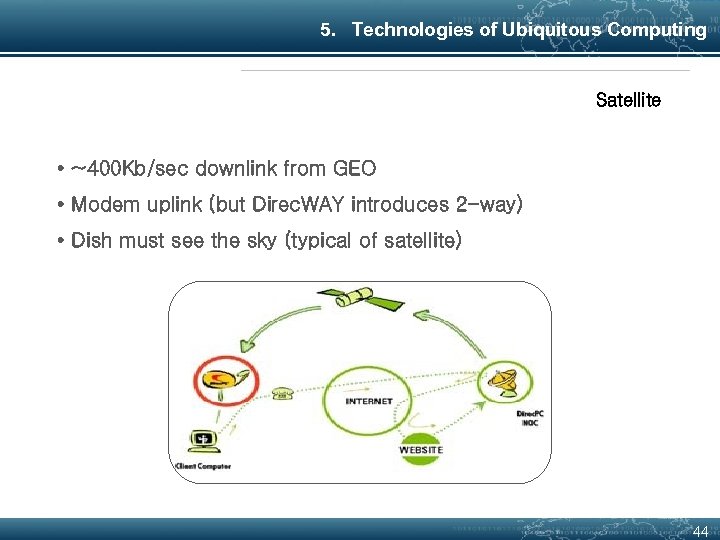
5. Technologies of Ubiquitous Computing Satellite • ~400 Kb/sec downlink from GEO • Modem uplink (but Direc. WAY introduces 2 -way) • Dish must see the sky (typical of satellite) 44
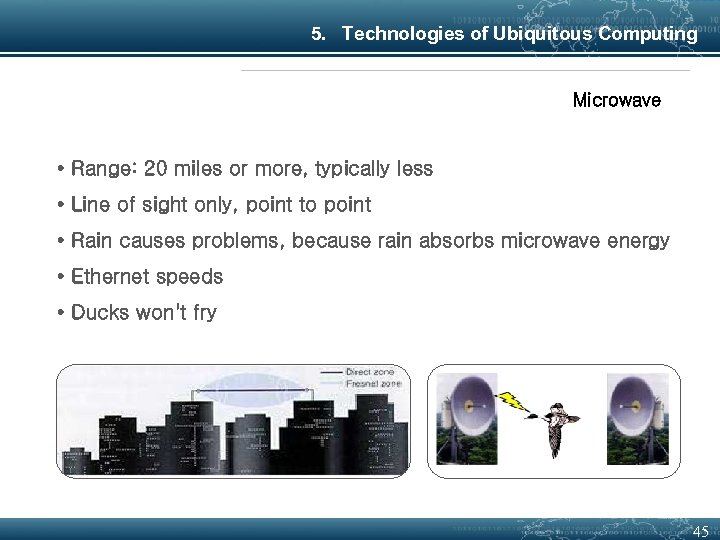
5. Technologies of Ubiquitous Computing Microwave • Range: 20 miles or more, typically less • Line of sight only, point to point • Rain causes problems, because rain absorbs microwave energy • Ethernet speeds • Ducks won't fry 45
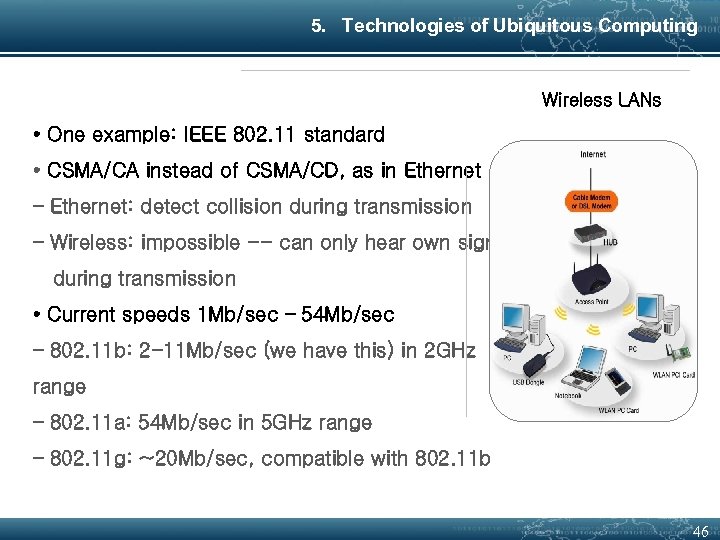
5. Technologies of Ubiquitous Computing Wireless LANs • One example: IEEE 802. 11 standard • CSMA/CA instead of CSMA/CD, as in Ethernet – Ethernet: detect collision during transmission – Wireless: impossible -- can only hear own signal during transmission • Current speeds 1 Mb/sec – 54 Mb/sec – 802. 11 b: 2 -11 Mb/sec (we have this) in 2 GHz range – 802. 11 a: 54 Mb/sec in 5 GHz range – 802. 11 g: ~20 Mb/sec, compatible with 802. 11 b 46
5. Technologies of Ubiquitous Computing Bluetooth • Provide small, inexpensive • Power-conscious radio system • Personal (short-range) ad-hoc networks – Not really intended as a wireless LAN technology • Device communication and cooperation 47
5. Technologies of Ubiquitous Computing Bluetooth • Predicted long term cost: < $5/unit • Low-cost radio operates in the 2. 4 GHz band • Bluetooth ~1 Mb/sec over several meters • Range can be extended with an external power amplifier • Up to 7 simultaneous links • ~75 hours voice – 3 months standby w/ 600 m. Ah batter 48
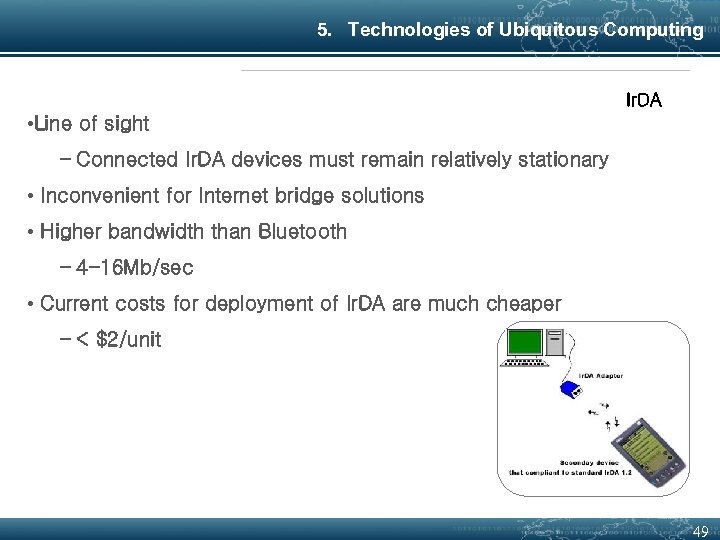
5. Technologies of Ubiquitous Computing Ir. DA • Line of sight – Connected Ir. DA devices must remain relatively stationary • Inconvenient for Internet bridge solutions • Higher bandwidth than Bluetooth – 4 -16 Mb/sec • Current costs for deployment of Ir. DA are much cheaper – < $2/unit 49
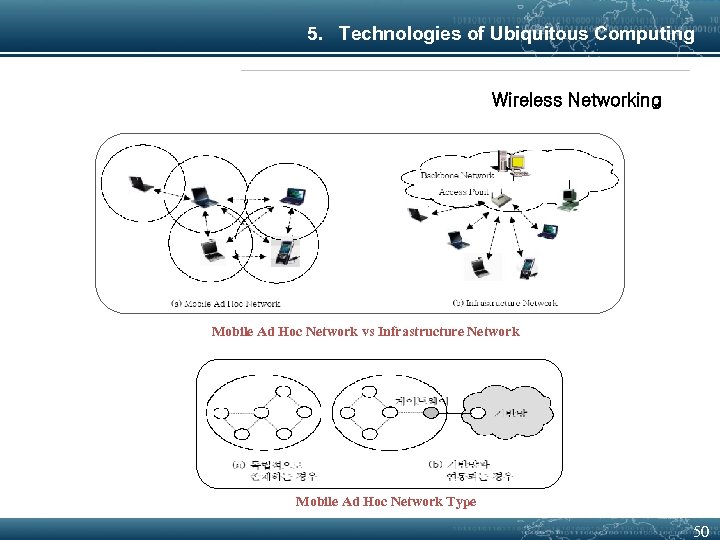
5. Technologies of Ubiquitous Computing Wireless Networking Mobile Ad Hoc Network vs Infrastructure Network Mobile Ad Hoc Network Type 50
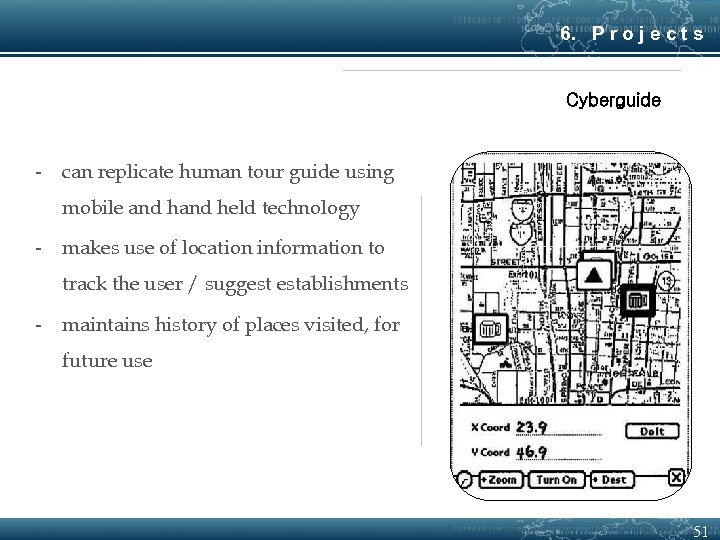
6. P r o j e c t s Cyberguide - can replicate human tour guide using mobile and held technology - makes use of location information to track the user / suggest establishments - maintains history of places visited, for future use 51
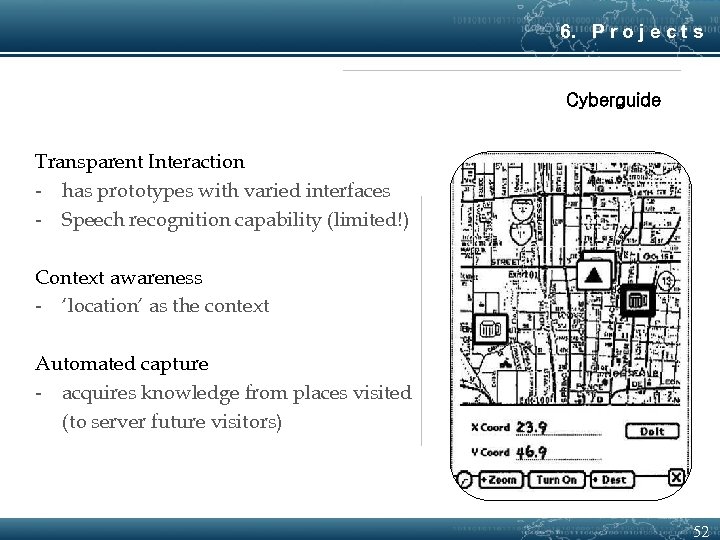
6. P r o j e c t s Cyberguide Transparent Interaction - has prototypes with varied interfaces - Speech recognition capability (limited!) Context awareness - ‘location’ as the context Automated capture - acquires knowledge from places visited (to server future visitors) 52
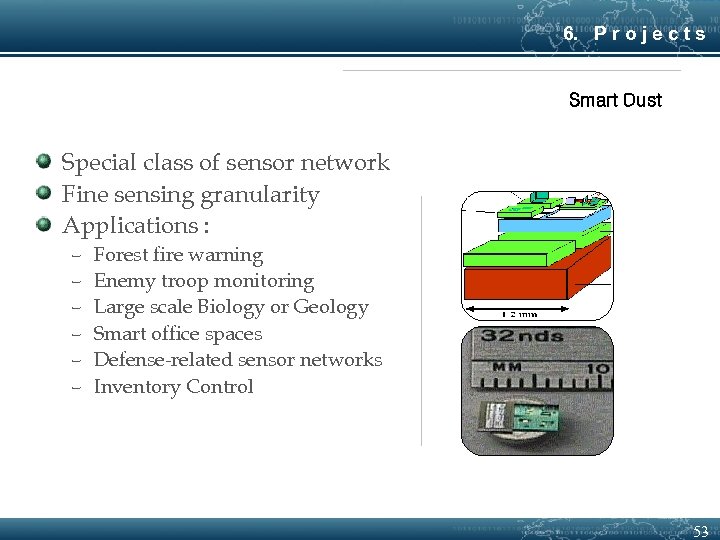
6. P r o j e c t s Smart Dust Special class of sensor network Fine sensing granularity Applications : – – – Forest fire warning Enemy troop monitoring Large scale Biology or Geology Smart office spaces Defense-related sensor networks Inventory Control 53
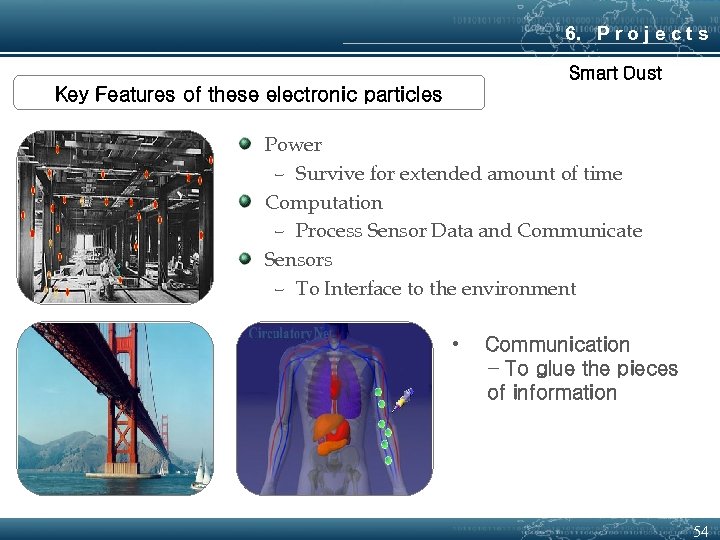
6. P r o j e c t s Smart Dust Key Features of these electronic particles Power – Survive for extended amount of time Computation – Process Sensor Data and Communicate Sensors – To Interface to the environment • Communication − To glue the pieces of information 54
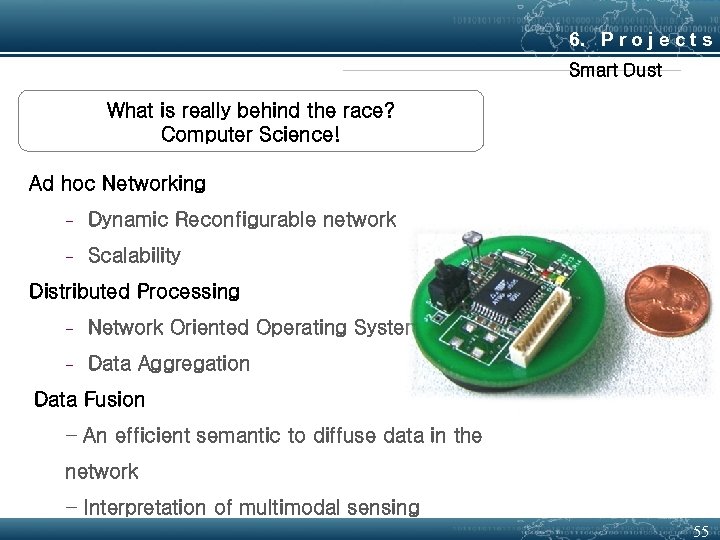
6. P r o j e c t s Smart Dust What is really behind the race? Computer Science! Ad hoc Networking − Dynamic Reconfigurable network − Scalability Distributed Processing − Network Oriented Operating Systems − Data Aggregation Data Fusion − An efficient semantic to diffuse data in the network − Interpretation of multimodal sensing 55
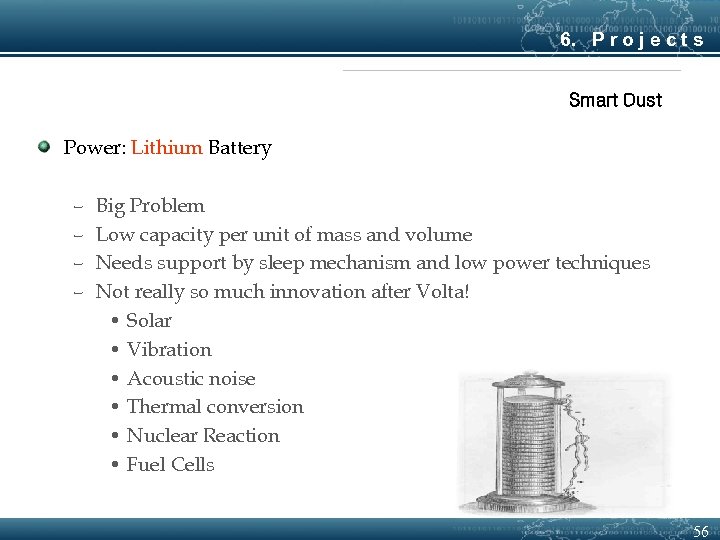
6. P r o j e c t s Smart Dust Power: Lithium Battery – – Big Problem Low capacity per unit of mass and volume Needs support by sleep mechanism and low power techniques Not really so much innovation after Volta! • Solar • Vibration • Acoustic noise • Thermal conversion • Nuclear Reaction • Fuel Cells 56 56
6. P r o j e c t s Smart Dust Sensors § Motion Sensing ü Magnetometer • Study 3 Element of Earth Magnetic field (Compass) ü Accelerometer • To measure Local vertical (tilt switch) or measure motion vectors § Environmental Sensing(Weather Monitoring) ü Pressure • Barometer ü Temperature ü Light ü Humidity 57 57
58
Thank you ! Q&A
Скачать презентацию NGN Lecture 3 Introduction to Ubiquitous Computing
33cf3f69e1ba8af6eafba2ec9da7d1a7.ppt