 Скачать презентацию NFS Maestro 10 Slides Database Forewords
4cb3eb1a507eee6092d7dbbe71874add.ppt
- Количество слайдов: 63



NFS Maestro 10 Slides Database

Forewords
How to use this presentation? n What is this presentation? This document is not a presentation per se. Instead, it is a collection of slides, all of which are related to NFS Maestro 10. n So how do I use it? The marketing department has created a master presentation template that can be used regardless of the product presented. When preparing a NFS Maestro presentation for a customer, pick up the master presentation template. Depending on your audience, topic and business case, complete the master presentation with slides taken from this databank. n Does that mean I’m supposed to make my own presentations? Look, you are the expert when it comes to knowing your customers and understanding what they want. This is why we are providing you with all the pieces to assemble your own presentation. Think about it as dressing your sandwich.

How do I use this presentation? (continued) n OK, but how will I know which slide to pick? This databank contains a huge number of slides all related to NFS Maestro. For ease-of-use, the slides have been grouped into sections. Pay special attention to the color blocks on some of the slides. Each color block represents one of the products in the NFS Maestro family. Certain new features are applicable to certain NFS Maestro products. By looking at the color blocks, you easily gather the slides that matter to the your customers Before picking up any slide, make sure you are able to answer questions such as “What is the point of this presentation? ”, “What am I trying to demonstrate? ” or “What’s my customer business problem? ”. Keep in mind that putting out a lot of content into a presentation is not the best way to communicate your message to your audience. Be selective in your choices and stay focused on the goal of the presentation. Don’t put context before content. n What if I can’t find the slide I’m looking for? If you can’t find the appropriate slide, talk to Product Marketing or Product Management.
NFS Maestro Overview
What is NFS Maestro? (word description) n n n PC NFS solution that provides file and printer accessibility between PC’s and NFS enabled hosts The most advanced and complete PC NFS solution in market Fulfill all enterprise Network File System and many other connectivity needs: NFS client, NFS server, NFS gateway, terminal emulation and full breadth of TCP/IP utilities Supports multiple deployment scenario (traditional, SMS, TSE, Citrix, web server / browser, MSI packager) Advanced security features: Secure Shell, SSL, Kerberos
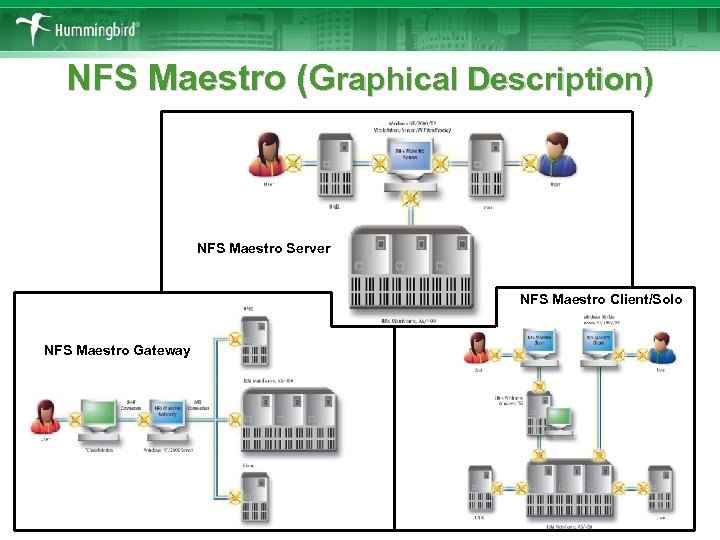
NFS Maestro (Graphical Description) NFS Maestro Server NFS Maestro Client/Solo NFS Maestro Gateway
The NFS Maestro Family n NFS Maestro Family includes: § NFS Maestro Client™ –The ultimate PC NFS solution with the § § § richest NFS feature set plus the advanced terminal emulation suite and extensive TCP/IP utilities such as FTP, Inet. D and SOCKS NFS Maestro Solo™ – Provides the basic NFS functionalities: file and printer accessibility between Windows PC and NFS enabled hosts, without the additional TCP/IP applications NFS Maestro Gateway™ – Proxy between UNIX/NFS and SMB networks providing controlled access for occasional NFS users while offering centralized control for the administrators. NFS Maestro Server™ – Permits NFS-enabled hosts to access Windows XP/2000/NT resources across the network. NFS Maestro Server supports all standard NFS protocols including NFSv 4.
NFS Maestro Benefits n n n NFS Maestro is developed based on the NFS protocol, which is supported by most major business operating systems NFS breaches the gaps between heterogeneous file systems NFS Maestro is a Windows based software without the needs to temper with the mission critical servers NFS Maestro product family provides the most complete NFS solution that can satisfy all network file system needs NFS Maestro is the first in the industry to support NFS Version 4 standard NFS Maestro is the only PC NFS vendor to have the full capability to communicate with the most enterprise directory services
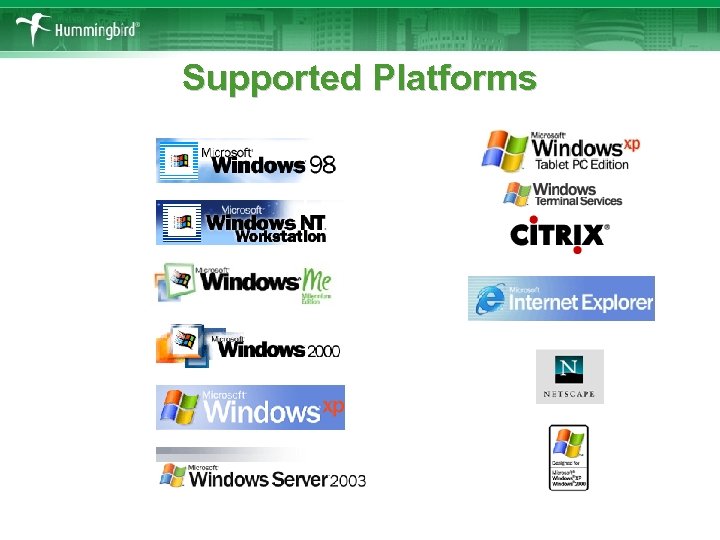
Supported Platforms

What’s New in version 10 ?

Hummingbird Connectivity 10
Consolidation The world most advanced and secured PC NFS solution n Designed to work with the most current NFS servers and clients in the market n Satisfies most corporate connectivity needs by providing n § TN 3270, TN 5250, VT § NFS Client § FTP n Supports any Microsoft 32 -bit and 64 -bit operating system and Citrix Metaframe
Security First in the industry to have integral support for the latest Kerberos clients n Full ACL support and SASL authentication method n
Migration n Migration path from: § Attachmate Extra § Netmanage Rumba § IBM Personal Communication WRQ Reflection § n Macro conversion (Extra, Rumba and PCOM) n HLLAPI compatibility layers (Extra, Rumba, PCOM, Reflection) n Theme Manager to recreate previous environment
Productivity Both NFS Maestro Server and Gateway are Microsoft Cluster-aware n Remote administration through Microsoft Management Console Plug-ins § Reduce administrative n § n overhead Improve management efficiency Extensive NFSv 4 support § Improve Windows and UNIX interoperability

Features Overview
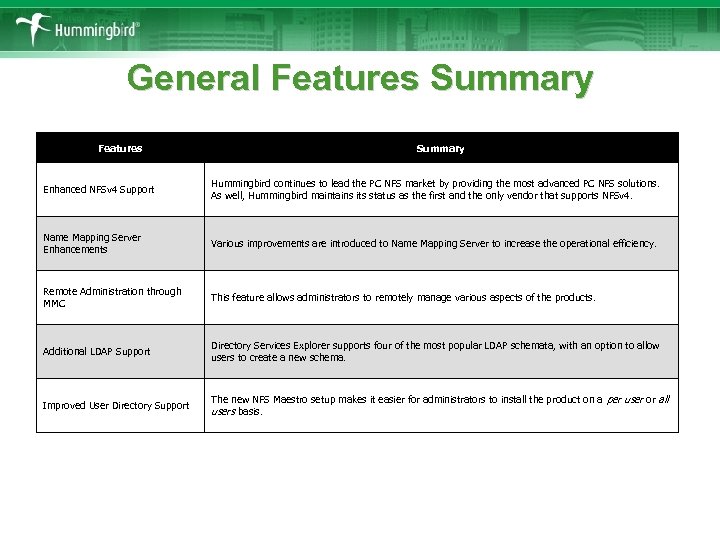
General Features Summary Enhanced NFSv 4 Support Hummingbird continues to lead the PC NFS market by providing the most advanced PC NFS solutions. As well, Hummingbird maintains its status as the first and the only vendor that supports NFSv 4. Name Mapping Server Enhancements Various improvements are introduced to Name Mapping Server to increase the operational efficiency. Remote Administration through MMC This feature allows administrators to remotely manage various aspects of the products. Additional LDAP Support Directory Services Explorer supports four of the most popular LDAP schemata, with an option to allow users to create a new schema. Improved User Directory Support The new NFS Maestro setup makes it easier for administrators to install the product on a per user or all users basis.
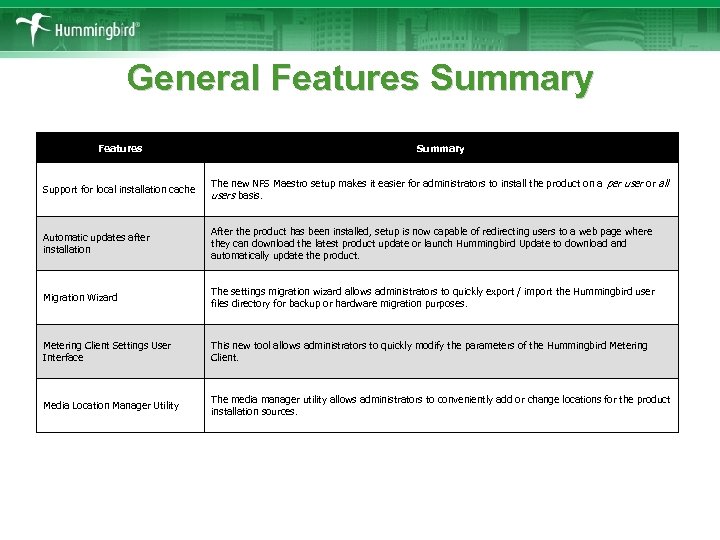
General Features Summary Support for local installation cache The new NFS Maestro setup makes it easier for administrators to install the product on a per user or all users basis. Automatic updates after installation After the product has been installed, setup is now capable of redirecting users to a web page where they can download the latest product update or launch Hummingbird Update to download and automatically update the product. Migration Wizard The settings migration wizard allows administrators to quickly export / import the Hummingbird user files directory for backup or hardware migration purposes. Metering Client Settings User Interface This new tool allows administrators to quickly modify the parameters of the Hummingbird Metering Client. Media Location Manager Utility The media manager utility allows administrators to conveniently add or change locations for the product installation sources.
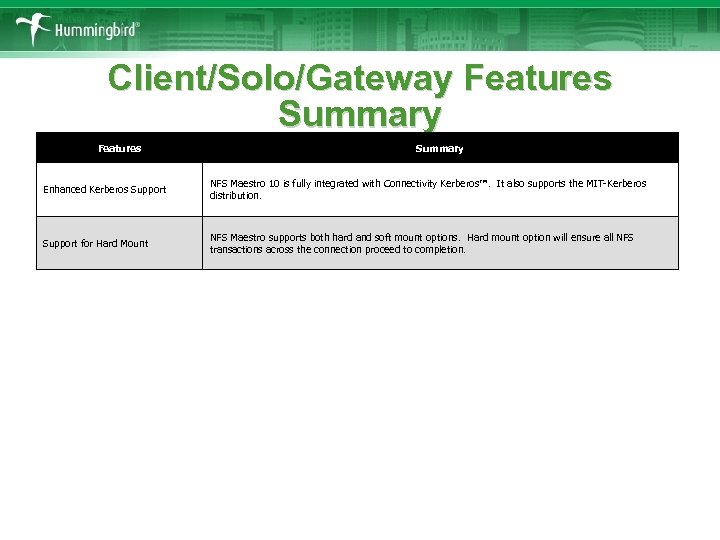
Client/Solo/Gateway Features Summary Enhanced Kerberos Support NFS Maestro 10 is fully integrated with Connectivity Kerberos™. It also supports the MIT-Kerberos distribution. Support for Hard Mount NFS Maestro supports both hard and soft mount options. Hard mount option will ensure all NFS transactions across the connection proceed to completion.
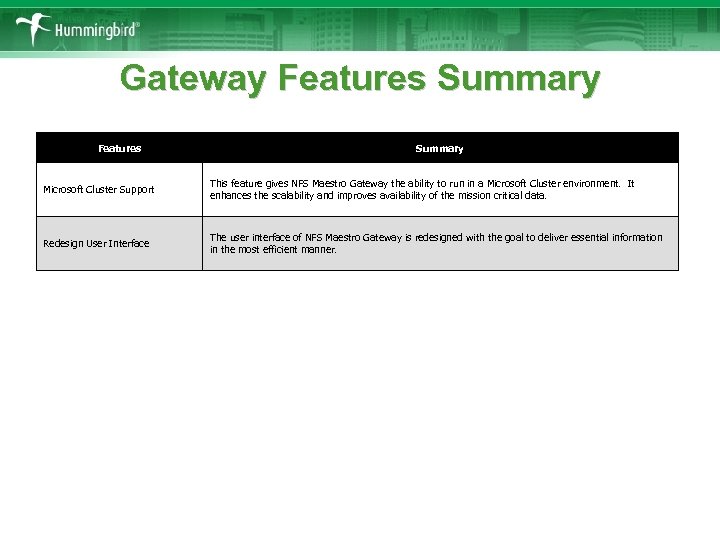
Gateway Features Summary Microsoft Cluster Support This feature gives NFS Maestro Gateway the ability to run in a Microsoft Cluster environment. It enhances the scalability and improves availability of the mission critical data. Redesign User Interface The user interface of NFS Maestro Gateway is redesigned with the goal to deliver essential information in the most efficient manner.
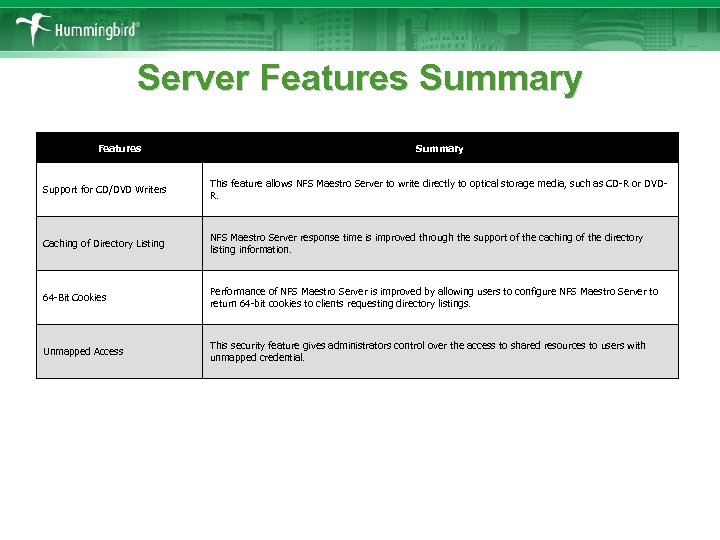
Server Features Summary Support for CD/DVD Writers This feature allows NFS Maestro Server to write directly to optical storage media, such as CD-R or DVDR. Caching of Directory Listing NFS Maestro Server response time is improved through the support of the caching of the directory listing information. 64 -Bit Cookies Performance of NFS Maestro Server is improved by allowing users to configure NFS Maestro Server to return 64 -bit cookies to clients requesting directory listings. Unmapped Access This security feature gives administrators control over the access to shared resources to users with unmapped credential.

General Features
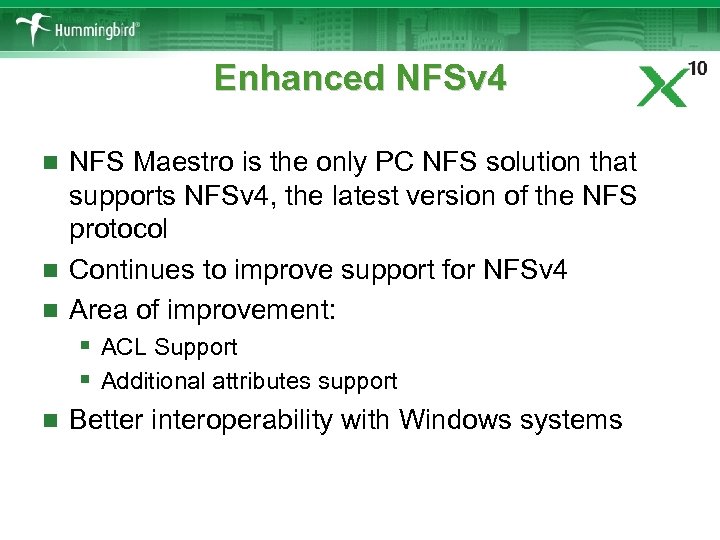
Enhanced NFSv 4 NFS Maestro is the only PC NFS solution that supports NFSv 4, the latest version of the NFS protocol n Continues to improve support for NFSv 4 n Area of improvement: § ACL Support § Additional attributes support n Better interoperability with Windows systems n
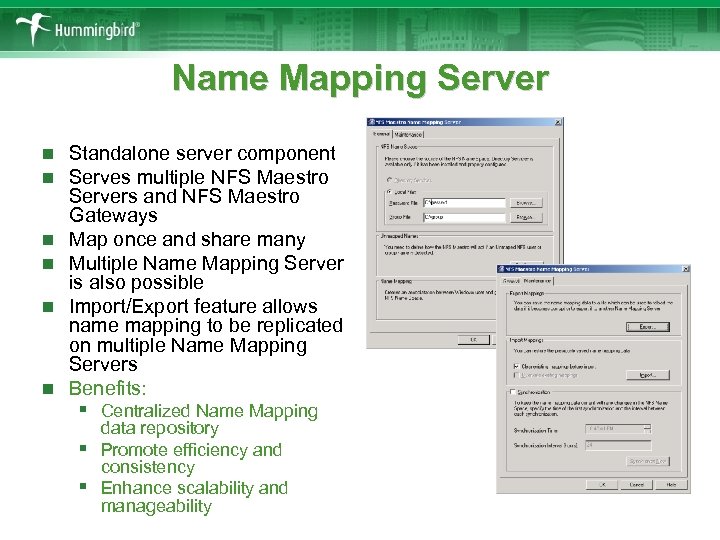
Name Mapping Server n n n Standalone server component Serves multiple NFS Maestro Servers and NFS Maestro Gateways Map once and share many Multiple Name Mapping Server is also possible Import/Export feature allows name mapping to be replicated on multiple Name Mapping Servers Benefits: § Centralized Name Mapping § § data repository Promote efficiency and consistency Enhance scalability and manageability
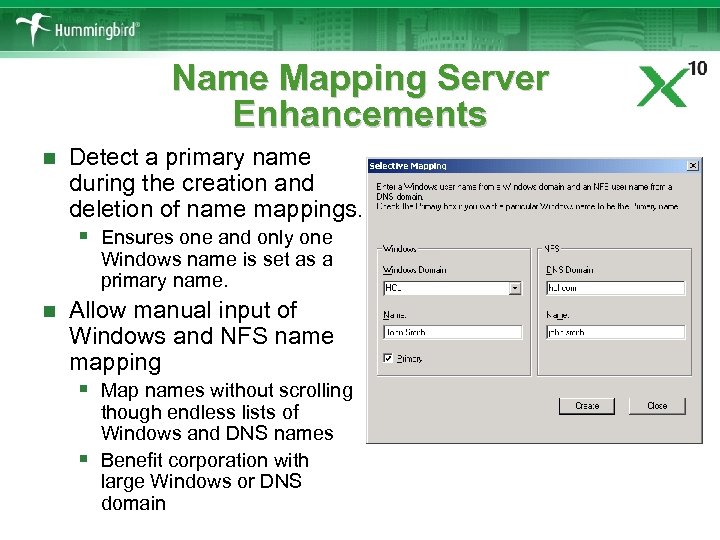
Name Mapping Server Enhancements n Detect a primary name during the creation and deletion of name mappings. § Ensures one and only one Windows name is set as a primary name. n Allow manual input of Windows and NFS name mapping § Map names without scrolling § though endless lists of Windows and DNS names Benefit corporation with large Windows or DNS domain
Remote Administration through MMC Remote software management is a top issue for IT managers n Microsoft Management Console is widely used by vendors n A new line-up of Microsoft Management Console snap-ins for administrators to manage § Client § Gateway § Server § Directory Server § Name Mapping Server n
Dynamic Configuration of Directory Server Retrieves server configuration information from a DHCP server n Does not have to rely of network broadcast method n DHCP server is readily available in most network environments n Benefits: § Removes subnet barrier § Boosts performance § Improves efficiency and flexibility in corporate with n numerous NFS servers locating in multiple subnets
Additional LDAP Support Numerous directory servers in the market, such as § Sun One Directory § IBM Tivoli Secureway Directory § Microsoft Active Directory § Netscape Directory § Apple Open Directory n Vendors often modify or create schema definitions to accommodate their native environment n Directory Services Explorer supports § RFC 2307 AIX § AD 4 UNIX § VAS (Vintela Authentication Services) § Users can also create new schema definition n
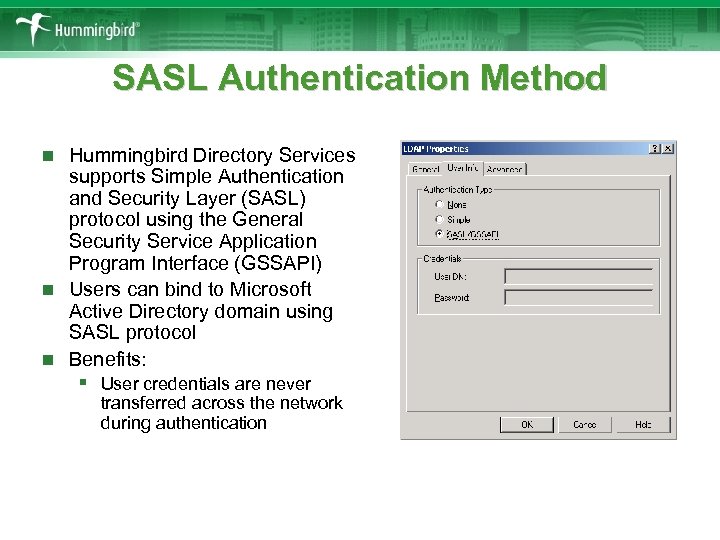
SASL Authentication Method Hummingbird Directory Services supports Simple Authentication and Security Layer (SASL) protocol using the General Security Service Application Program Interface (GSSAPI) n Users can bind to Microsoft Active Directory domain using SASL protocol n Benefits: n § User credentials are never transferred across the network during authentication
Deployment Scenario Regular desktop installation: § Wizard driven § 100% built with Windows Installer technology n Administrative Installation § Shared installation repository on the network § Minimal per user installation (Settings only) n Windows Terminal Services or Citrix Metaframe n Microsoft SMS or 3 rd party deployment framework n
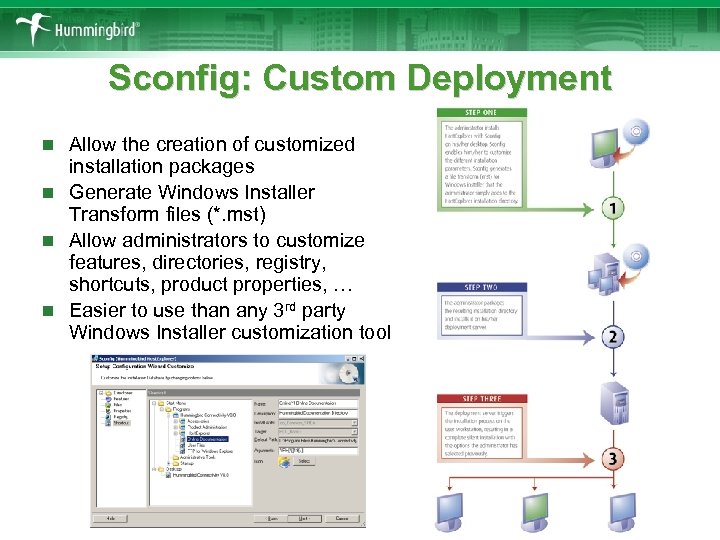
Sconfig: Custom Deployment Allow the creation of customized installation packages n Generate Windows Installer Transform files (*. mst) n Allow administrators to customize features, directories, registry, shortcuts, product properties, … n Easier to use than any 3 rd party Windows Installer customization tool n
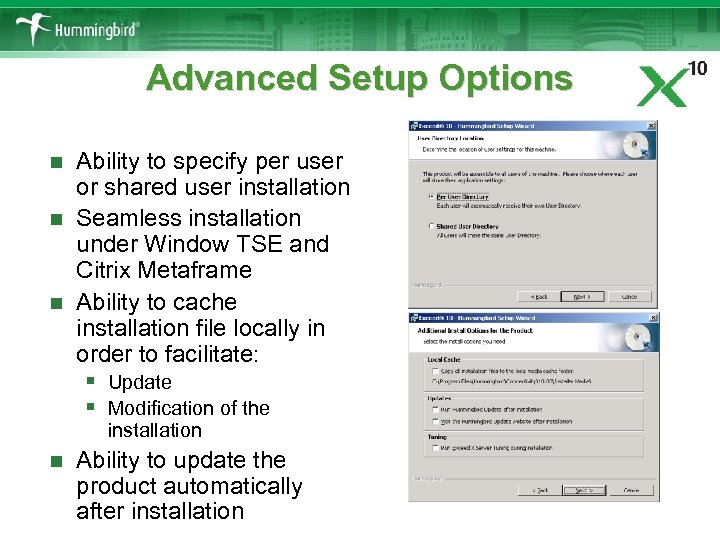
Advanced Setup Options Ability to specify per user or shared user installation n Seamless installation under Window TSE and Citrix Metaframe n Ability to cache installation file locally in order to facilitate: § Update § Modification of the n installation n Ability to update the product automatically after installation
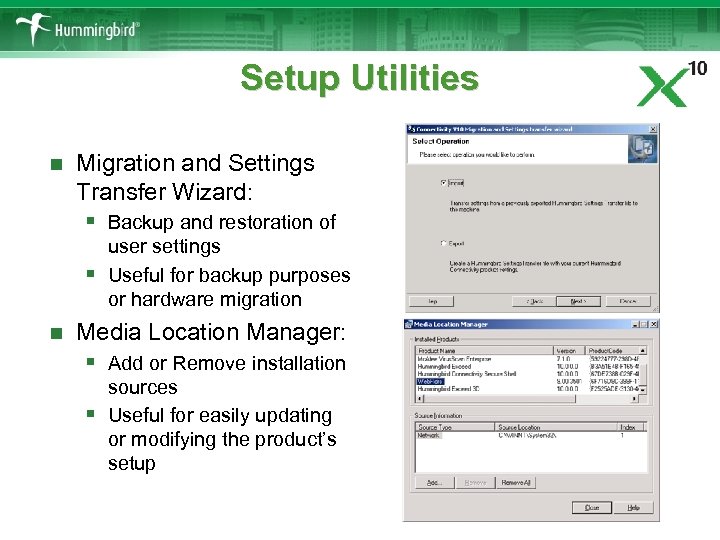
Setup Utilities n Migration and Settings Transfer Wizard: § Backup and restoration of § n user settings Useful for backup purposes or hardware migration Media Location Manager: § Add or Remove installation § sources Useful for easily updating or modifying the product’s setup
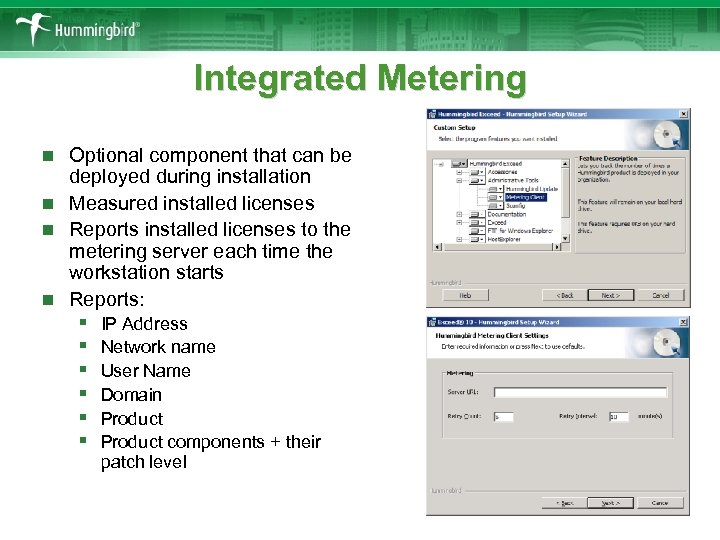
Integrated Metering Optional component that can be deployed during installation n Measured installed licenses n Reports installed licenses to the metering server each time the workstation starts n Reports: n § § § IP Address Network name User Name Domain Product components + their patch level
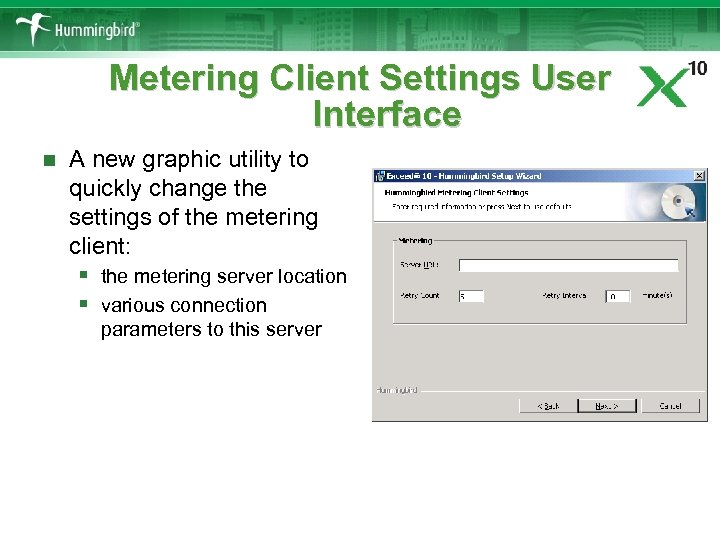
Metering Client Settings User Interface n A new graphic utility to quickly change the settings of the metering client: § the metering server location § various connection parameters to this server
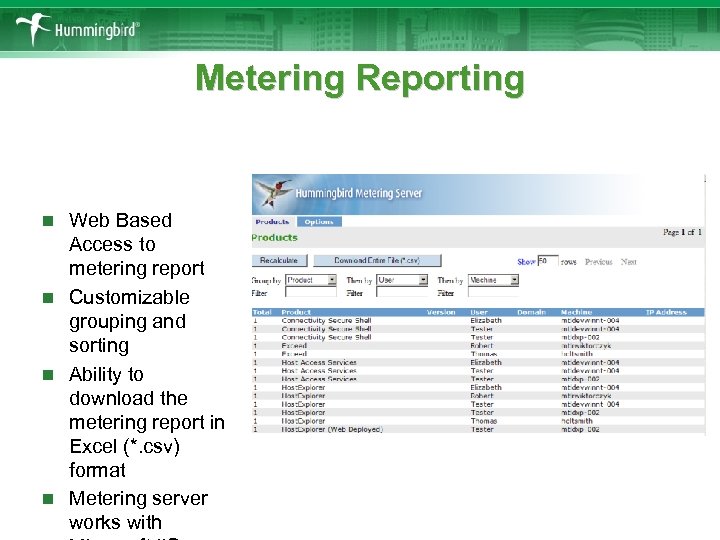
Metering Reporting Web Based Access to metering report n Customizable grouping and sorting n Ability to download the metering report in Excel (*. csv) format n Metering server works with n
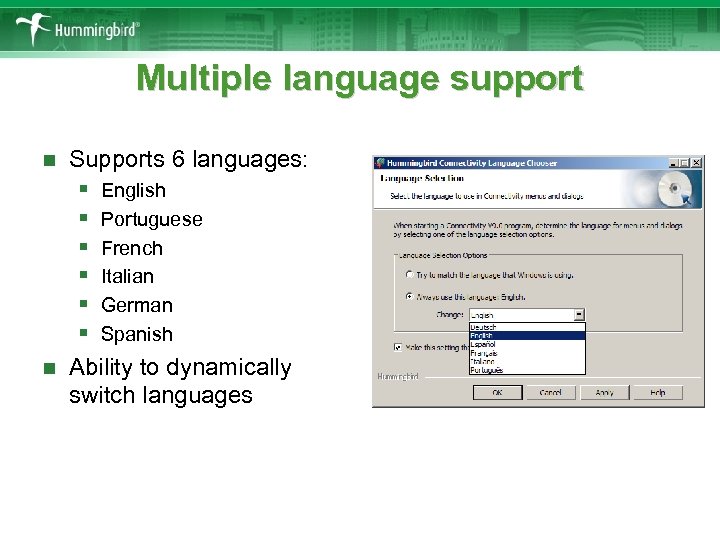
Multiple language support Supports 6 languages: § English § Portuguese § French § Italian § German § Spanish n Ability to dynamically switch languages n
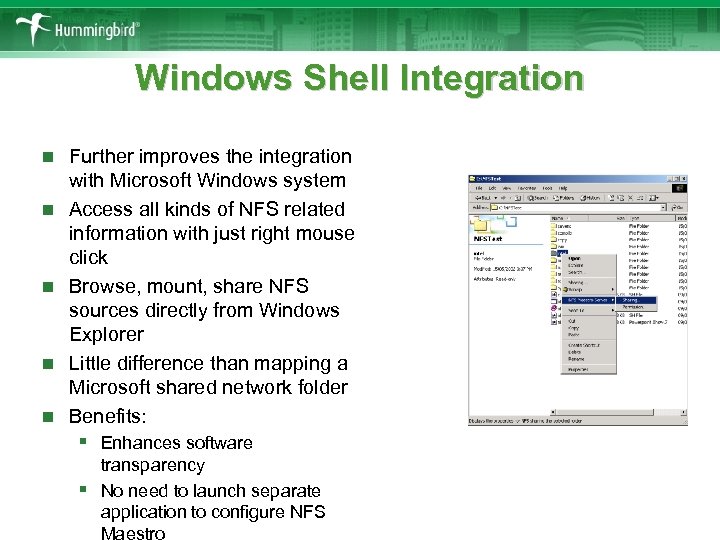
Windows Shell Integration n n Further improves the integration with Microsoft Windows system Access all kinds of NFS related information with just right mouse click Browse, mount, share NFS sources directly from Windows Explorer Little difference than mapping a Microsoft shared network folder Benefits: § Enhances software § transparency No need to launch separate application to configure NFS Maestro
Performance Improvements Performance improvements in all aspect of NFS Maestro products n Improvements such as: § Increased upper limit of the read and write buffer to 64 k § Better cache consistency § Reduced network traffic between client and server through the n support for post-op attributes Well-tuned filename matching process § n Benefits: § Removes performance bottlenecks § Speed up directory browsing

Client/Solo/Gateway Features
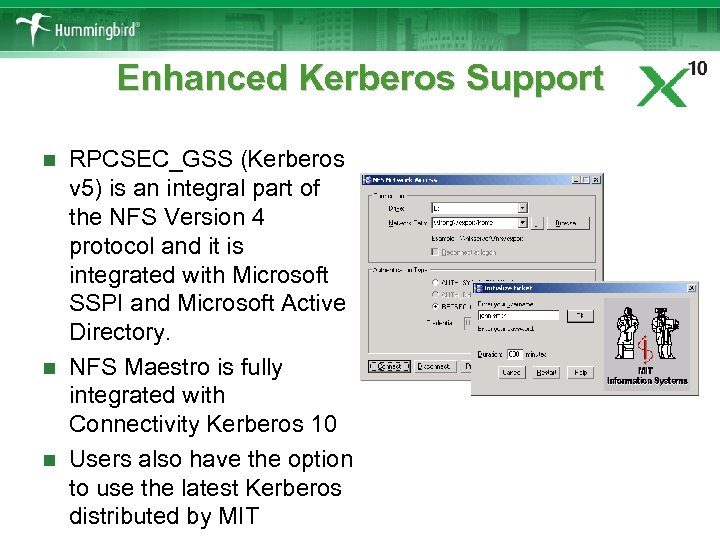
Enhanced Kerberos Support RPCSEC_GSS (Kerberos v 5) is an integral part of the NFS Version 4 protocol and it is integrated with Microsoft SSPI and Microsoft Active Directory. n NFS Maestro is fully integrated with Connectivity Kerberos 10 n Users also have the option to use the latest Kerberos distributed by MIT n
Support for Hard Mount Allows infinite timeout periods n NFS client will continuously repeat the failed calls until a response is received n Ensures all NFS transactions proceed to completion n Guarantee complete and successful file transfers n
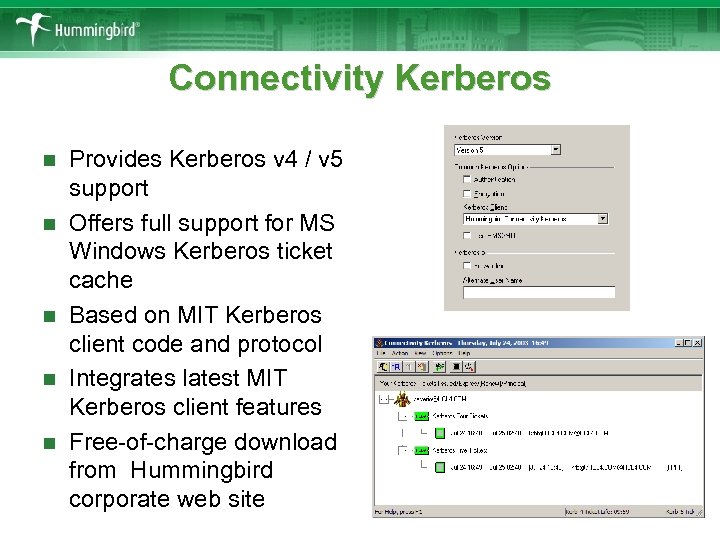
Connectivity Kerberos n n n Provides Kerberos v 4 / v 5 support Offers full support for MS Windows Kerberos ticket cache Based on MIT Kerberos client code and protocol Integrates latest MIT Kerberos client features Free-of-charge download from Hummingbird corporate web site
Solaris ACL Support n n n Access Control List (ACL) is a powerful administrative and security tool Provides finer control over file and directory permissions Most useful in modern business environment with multidimensional user and group structure NFS Maestro acknowledges Solaris ACL Benefits: § Ensure NFS Maestro abides to ACL when accessing UNIX § resources Ensure security and integrity of the UNIX file system at the highest possible level
NETGROUP Support This feature is unique to NFS Maestro File and printer resources access permissions can be stored in the directory services n Stored as a standard table n NFS Maestro Client and NFS Maestro Solo can query table for access permission n Benefits: § Single table contain all access permissions § Able can be easily accessed by Hummingbird Directory Services n n § § Explorer Low administrative overhead High accuracy when dealing with multiple NFS servers and large number of end users
Strengthen Password Encryption All passwords are encrypted using RC 5 n RC 5 is designed by Ronald Rivest for RSA Data Security (now RSA Security) n RC 5 is a widely accepted data encryption algorithm n Encrypted passwords are then committed to storage. n

Gateway Features
Microsoft Cluster Support n n n Supports Microsoft Clustering Service Tightly integrated with Microsoft Cluster Administrator console Users can export local or cluster resources Rely on Microsoft Cluster infrastructure to provide high availability Benefits: § NFS shares are always available § Highly scalable § Resistant to system failure
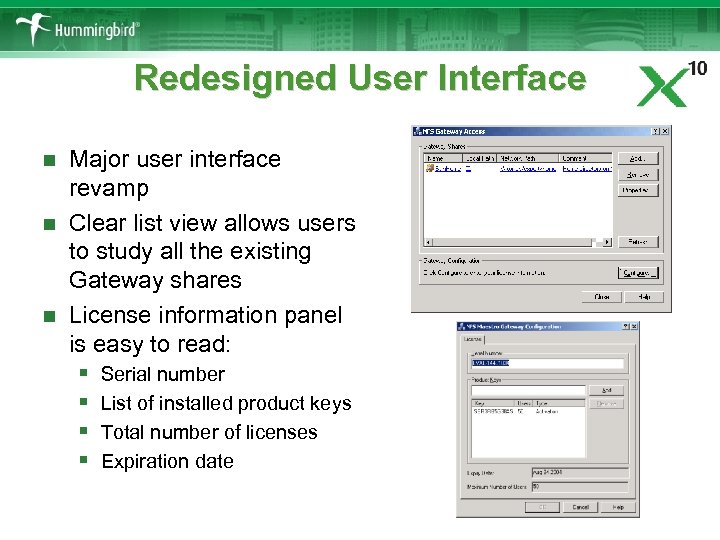
Redesigned User Interface Major user interface revamp n Clear list view allows users to study all the existing Gateway shares n License information panel is easy to read: § Serial number § List of installed product keys § Total number of licenses § Expiration date n

Server Features
Support for CD/DVD Writers Packet Writing allows users record data onto an optical storage media, such as CD-R, CD-RW or DVD-R disc directly from Windows Explorer n Users can treat the optical storage media as an enormous floppy disc. n Allows NFS client to directly write data to an optical media n A very convenient feature for data backup, where information can immediately be stored on an archival media n
Caching of Directory Listing NFS client sometimes re-requests part of the directory listing that was sent previously n Out-of-order requests can hamper the NFS Maestro Server performance n Users can configure NFS Maestro Server to cache directory listing information n Limited cache of the directory listing will be able to speed up the response time n
64 -bit Cookies A cookie is a unique pointer to a file in a directory n Cookies are 64 -bit in a native Windows environment n Some UNIX applications expect 32 -bit cookie § Conversion between 32 - and 64 -bit formats can cause n performance degradation Some UNIX applications are designed to work with 64 -bit cookies, conversion is not required n NFS Maestro Server can return 64 -bit cookies to clients § Response time and performance can be improved. n
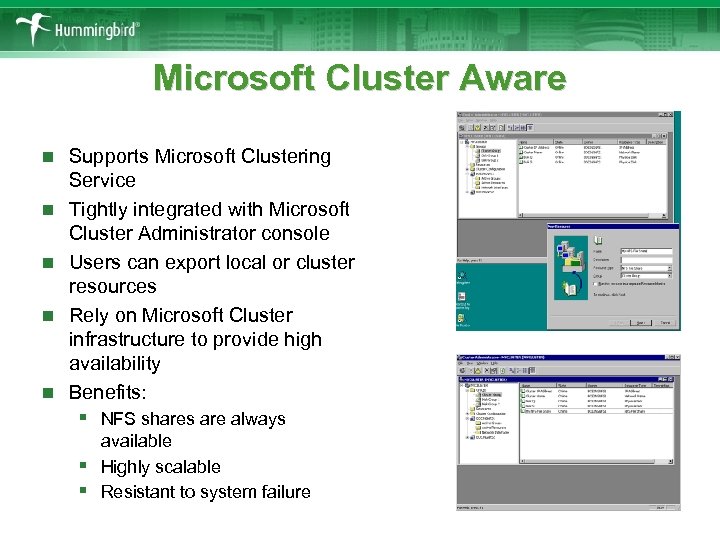
Microsoft Cluster Aware n n n Supports Microsoft Clustering Service Tightly integrated with Microsoft Cluster Administrator console Users can export local or cluster resources Rely on Microsoft Cluster infrastructure to provide high availability Benefits: § NFS shares are always § § available Highly scalable Resistant to system failure
NFS Maestro Server Lite New component offered in NFS Maestro Client and NFS Maestro Solo n Similar to NFS Maestro Server n Add NFS server functionality to PC n Benefits § Allow bi-directional NFS connections § Transforms a regular PC into an integral part of the NFS network n structure n Limitation § Share to max 10 NFS clients § Share local file resources only § Cannot share external disks in the Microsoft Cluster environment
Creating File Sharing Scheme in Your Enterprise
How to choose the file system n Common enterprise business systems include § § § n UNIX (HP, SUN, IBM etc. ) Linux Microsoft Windows IBM z. Series (Mainframe) IBM i. Series (Midrange) An ideal file sharing scheme should meet the following requirements: § Perfect track record of working with all the business systems § Readily available for all the business systems § Provide strong secure features to protect corporate information
Why choose NFS? n NFS is supported by all UNIX, Linux and other major business systems n NFS is part of the OS distribution n NFS is non-intrusive to the mission critical production servers n The latest NFSv 4 provides strong security implementation

Why choose Hummingbird NFS Maestro™? “NFS Maestro… is feature rich, it performs well, it is reliable and Hummingbird has a reputation as being the best in its class. ” - B. Ganesh, Technical consultant Ramoji Film City
The uniqueness of NFS Maestro n First in the industry to support NFS Version 4 standard § Hummingbird is actively involved in the design and the § development of the NFS protocol. One of the first vendors to embrace the new standard § NFS Version 4 provide us with: ü Strong security ü Smooth integration with the Microsoft Windows architecture ü High performance over LAN and WAN
The uniqueness of NFS Maestro n The only PC NFS vendor to have the full capability to communicate with the most enterprise directory services § Directory Services are widely used by companies to store and disclose network information § NFS Maestro allows users to access the directory services for ü host name resolution ü user password and security key lookup ü password synchronization ü AUTOMOUNT information lookup.
The uniqueness of NFS Maestro n The only PC NFS vender in the industry to support RPCGSS_SEC security flavor. § NFSV 2 and 3 are insecure § New security protocols and frameworks were created § NFS Version 4 mandated strong security
Скачать презентацию NFS Maestro 10 Slides Database Forewords
4cb3eb1a507eee6092d7dbbe71874add.ppt