


 Скачать презентацию Networks II Course Outline What this course
d0d7db0115e29be76b26506b8c602351.ppt
- Количество слайдов: 27
 Networks II (Course Outline) § What this course covers § Internet Basics: § The ISO layers model. The TCP/IP Protocol Stack. § Basic Queuing Theory: § Notation: Poisson, Deterministic and General queues. § Little’s Theorem, Markov Chains, Birth Death Processes, Generating Functions. § Routing: § Network Structures, Dijsktra, Bellman-Ford and Frank-Wolfe Algorithms. § Statistics in Networks § Traffic Assumptions (Poisson, Heavy-Tail Distributions, Long-Range Dependence)
 Networks II (Course Aim) § By the end of this course you should: § Have a working knowledge of how things find their way about the internet. § Be able to understand the mathematics of queuing systems and routing. § Understand research in the area of Network Engineering. § Know some handy ways to investigate networks. § This course will not teach you: § The practicalities of wiring networks or administrating networked computers. § How to program networked applications.
 Networks II: Recommended Texts § Data Networks – Bertsekas/Gallager § Becoming out of date but a good introduction to networking with a mathematical bent. (Course recommended text). § Computer Networks – Tanenbaum § Well known introductory text, more up to date but without the mathematical depth of the previous. § Queueing Systems (I and II) – Kleinrock § A classic text introducing the heavy duty mathematics of Queuing Theory. § TCP/IP Illustrated (I and II) – Stephens § The classic text if you actually need to understand program using internet based protocols.
 This Lecture – Internet Basics § Basic terms we need to understand. § The OSI/ISO (Open Systems Internconnection/International Standards Office) “layers model” of computer networks. § The standard model to describe how computer networks should work. § The TCP/IP (Transmission Control Protocol/Internet Protocol) Protocol Stack § The standard model which is how computer networks actually work.
 Where to go for more information on this lecture’s subjects § RFCs: (Requests for Comments): The protocols which define the internet: § http: //www. rfc-editor. org/ § RFCs define how things work (but some are spurious, some are out of date and some are just jokes). § IETF: (Internet Engineering Task Force) § http: //www. ietf. org/ § Course texts: § Bertsekas/Gallager: Layers Model: Section 1. 3 IP: Section 2. 8+ 2. 9 § Tanenbaum: Layers Model: Section 1. 4 IP: Section 5. 5
 Basic Definitions: Protocol § § Protocol: A formal specification of how things should communicate. In networking a protocol defines an interface usually (though not necessarily) between one computer and another. A simple example of a protocol “Knock and Enter”: 1. Knock on the door. 2. Wait for someone to say “Come in. ” 3. If someone says “Come in. ” then open the door and enter. 4. If you wait for five minutes then give up. We might want to combine this with a protocol for saying “Come in” when you hear a knock. Two computers need to use the same protocol to talk to one another. The definition of protocols is critical to networking.
 Basic Definitions: Bit, Byte, Octet, Packet, Header, Bandwidth § Bit: A 0 or a 1 – the basic unit of digital data. § Byte: A short collection of bits (usually assumed to be 8 bits – but may, rarely, be 7, 16 or 32). § Octet: A collection of 8 bits. § Packet: A collection of bits in order assembled for transmission. § Header: Part of packet with info about contents. § Bandwidth: The amount of data which can be sent on a channel. Usually bits per second – sometimes in bytes (octets) per second. (Yes this is confusing. ) § KB = kilobytes. Kb = kilobits.
 Basic Definitions: Host, Router, Switch, Source, Destination § Host: A machine which is a point on a network which packets travel through – a node in a graph. § Router: A host which finds a route for packets to travel down – an intermediate point in a journey. § Switch: Often used interchangeably with router but implies that the routes are “fixed”. § Source: Where data is coming from. § Destination: (or sink) Where data is going to.
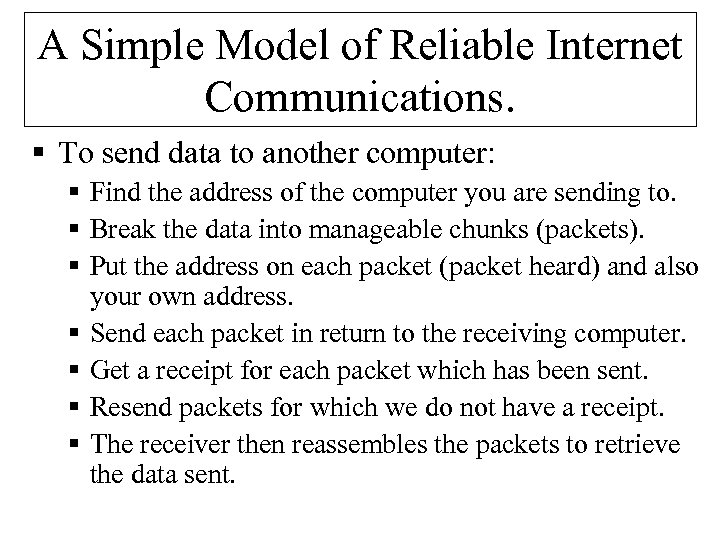 A Simple Model of Reliable Internet Communications. § To send data to another computer: § Find the address of the computer you are sending to. § Break the data into manageable chunks (packets). § Put the address on each packet (packet heard) and also your own address. § Send each packet in return to the receiving computer. § Get a receipt for each packet which has been sent. § Resend packets for which we do not have a receipt. § The receiver then reassembles the packets to retrieve the data sent.
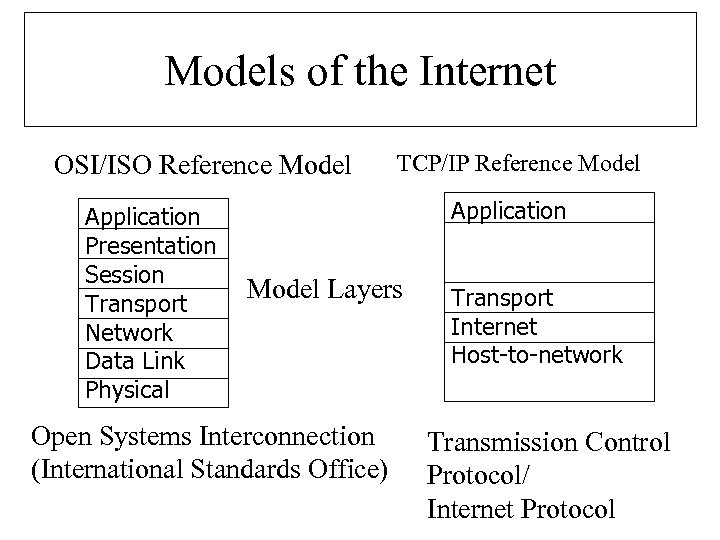 Models of the Internet OSI/ISO Reference Model Application Presentation Session Transport Network Data Link Physical TCP/IP Reference Model Application Model Layers Open Systems Interconnection (International Standards Office) Transport Internet Host-to-network Transmission Control Protocol/ Internet Protocol
 1) Physical layer § Purpose: Necessary infrastructure. § Think "wires in the ground and switches connecting them". § This is the physical hardware of the internet. § Wires/optical cables/wireless links and other technologies provide a way for transmission of raw bits (0 s and 1 s). § Routers and switches connect these cables and direct the traffic.
 2) Data link layer § Purpose: Provides basic connection between two logically connected machines. § Think: “I stuff packets down a wire to my neighbour” § Send raw packets between hosts. § Basic error checking for lost data. § In TCP/IP the "Physical layer" and the "Data Link" layer are grouped together and called the host-to-network layer.
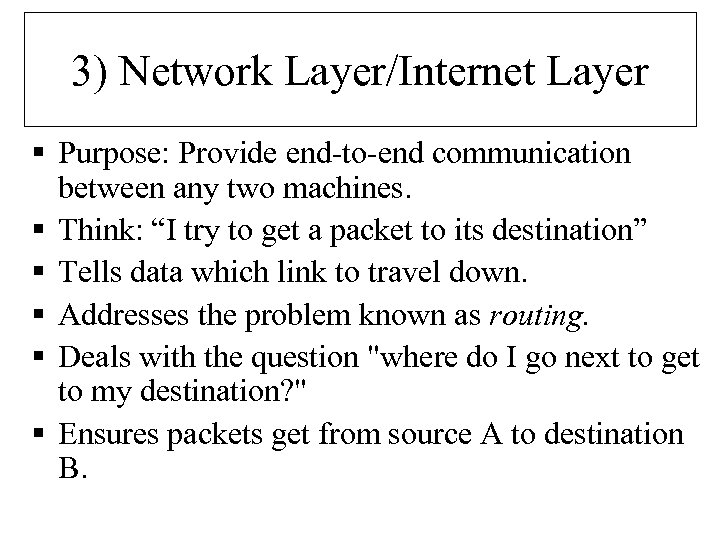 3) Network Layer/Internet Layer § Purpose: Provide end-to-end communication between any two machines. § Think: “I try to get a packet to its destination” § Tells data which link to travel down. § Addresses the problem known as routing. § Deals with the question "where do I go next to get to my destination? " § Ensures packets get from source A to destination B.
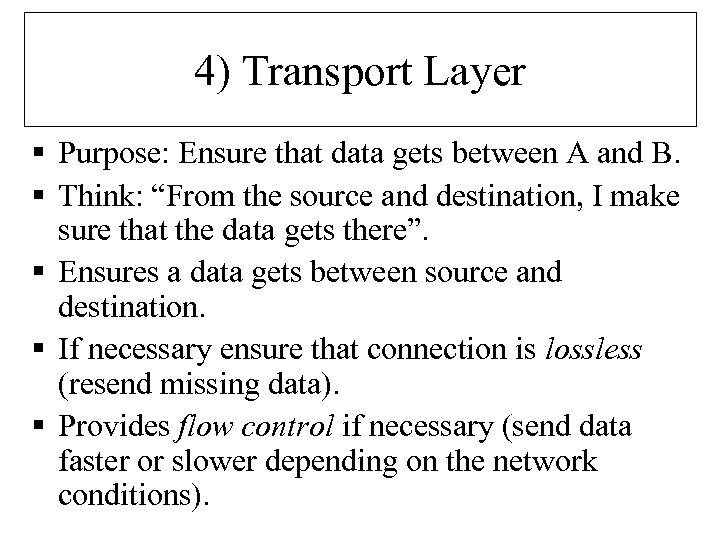 4) Transport Layer § Purpose: Ensure that data gets between A and B. § Think: “From the source and destination, I make sure that the data gets there”. § Ensures a data gets between source and destination. § If necessary ensure that connection is lossless (resend missing data). § Provides flow control if necessary (send data faster or slower depending on the network conditions).
 5) Session Layer (not TCP/IP) § Purpose: Provides a single connection for one application. § Think: “I am in charge of the entire message. ” § This connection may be two way or may be synchronised. § Not discussed much as it is never implemented.
 6) Presentation Layer (Not TCP/IP) § Purpose: Provides commonly used functions for applications. § Think: “I meet internationalisation standards”. § The main job of the presentation layer is to ensure that character sets match – e. g. that Chinese characters are correctly received by the sends. § Again not discussed much as it is never implemented.
 7) Application layer § Purpose: The computer programs which actually do things with the network. § Think: “I deliver the mail, browse the web etc. ” § For example, your email client program which will talk to the email server at the other end. § At this layer, we have many protocols (http, snmp, smtp, ftp, telnet) which different bits of software use. § We often talk in terms of client and server architecture for the software.
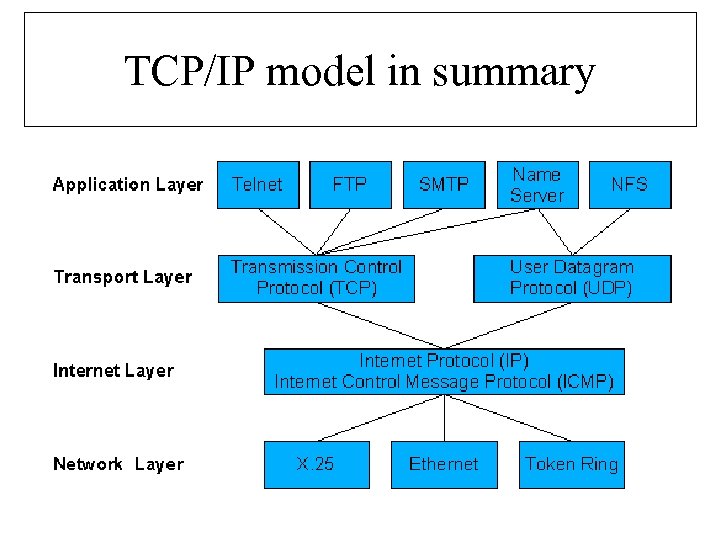 TCP/IP model in summary
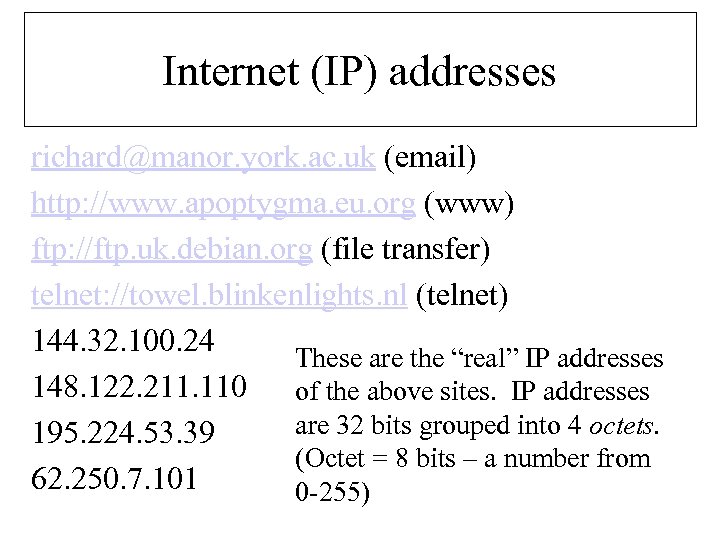 Internet (IP) addresses richard@manor. york. ac. uk (email) http: //www. apoptygma. eu. org (www) ftp: //ftp. uk. debian. org (file transfer) telnet: //towel. blinkenlights. nl (telnet) 144. 32. 100. 24 These are the “real” IP addresses 148. 122. 211. 110 of the above sites. IP addresses are 32 bits grouped into 4 octets. 195. 224. 53. 39 (Octet = 8 bits – a number from 62. 250. 7. 101 0 -255)
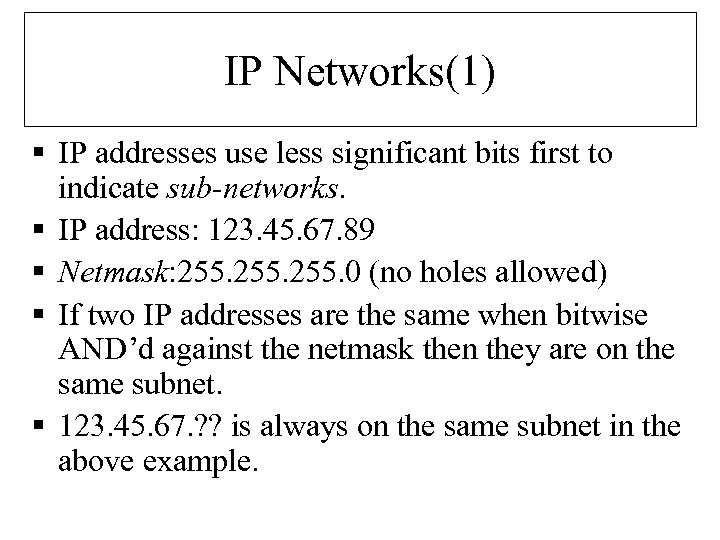 IP Networks(1) § IP addresses use less significant bits first to indicate sub-networks. § IP address: 123. 45. 67. 89 § Netmask: 255. 0 (no holes allowed) § If two IP addresses are the same when bitwise AND’d against the netmask then they are on the same subnet. § 123. 45. 67. ? ? is always on the same subnet in the above example.
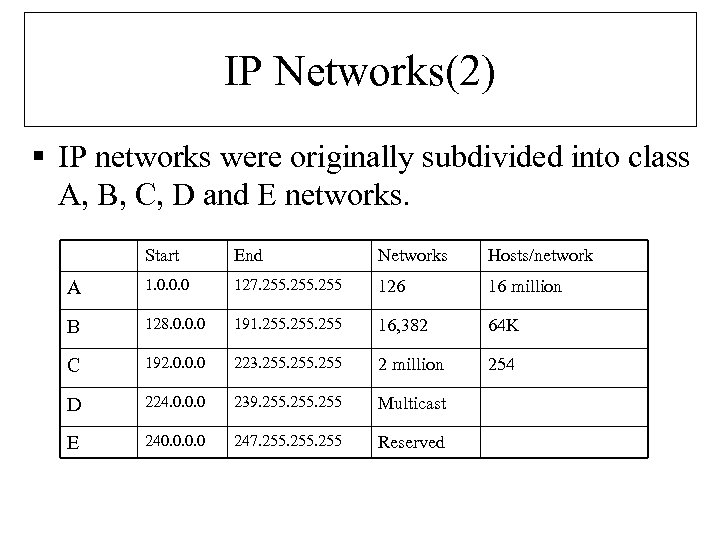 IP Networks(2) § IP networks were originally subdivided into class A, B, C, D and E networks. Start End Networks Hosts/network A 1. 0. 0. 0 127. 255 126 16 million B 128. 0. 0. 0 191. 255 16, 382 64 K C 192. 0. 0. 0 223. 255 2 million 254 D 224. 0. 0. 0 239. 255 Multicast E 240. 0 247. 255 Reserved
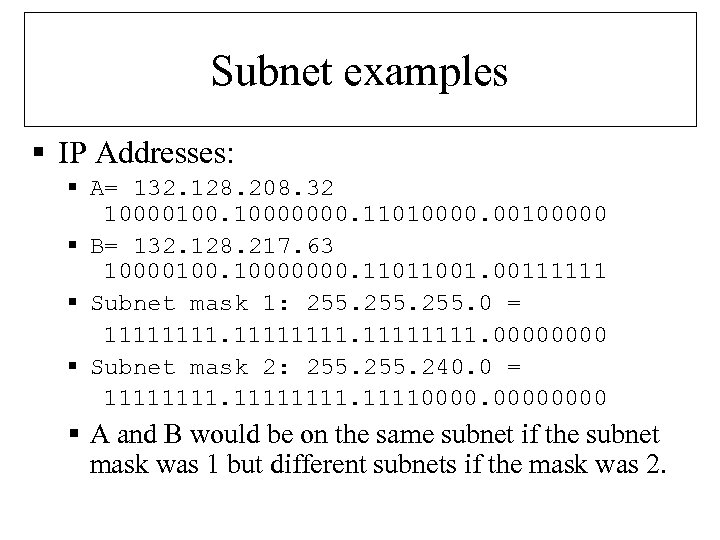 Subnet examples § IP Addresses: § A= 132. 128. 208. 32 10000100. 10000000. 11010000. 00100000 § B= 132. 128. 217. 63 10000100. 10000000. 11011001. 00111111 § Subnet mask 1: 255. 0 = 11111111. 0000 § Subnet mask 2: 255. 240. 0 = 111111110000 § A and B would be on the same subnet if the subnet mask was 1 but different subnets if the mask was 2.
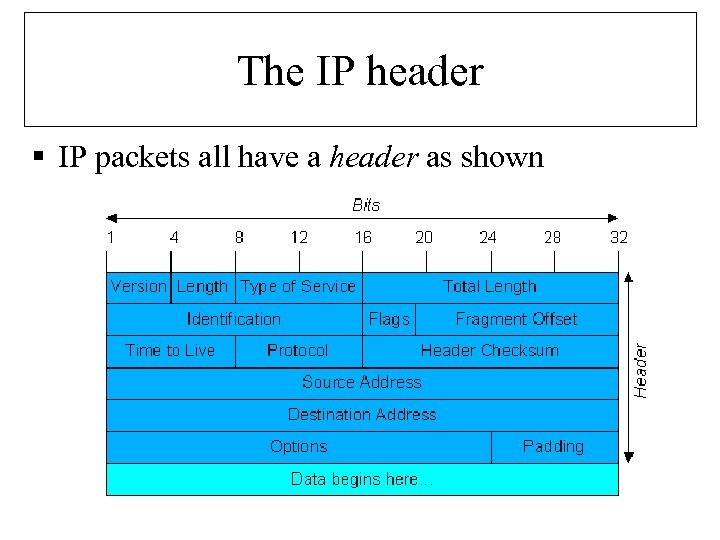 The IP header § IP packets all have a header as shown
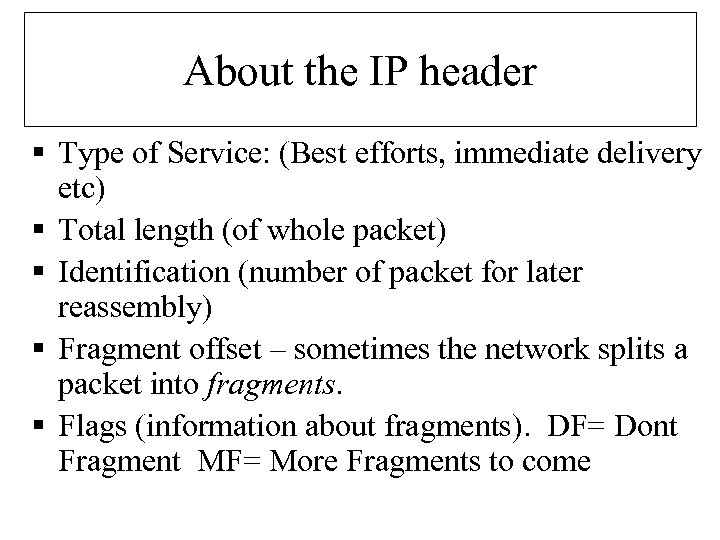 About the IP header § Type of Service: (Best efforts, immediate delivery etc) § Total length (of whole packet) § Identification (number of packet for later reassembly) § Fragment offset – sometimes the network splits a packet into fragments. § Flags (information about fragments). DF= Dont Fragment MF= More Fragments to come
 About the IP header (2) § Time To Live (TTL) – reduced by one every hop. When it reaches zero packet is killed. (This is to ensure that the network doesn’t fill up with lost packets). § Protocol – identified by a number (usually TCP or UDP). § Checksum – to ensure that the packet is not corrupted.
 IPv 6 § IPv 4 allows over 4 billion computers (but not really) – inefficient subnetting is using these up. § IPv 6 allows 16 octet addresses (4 octets in IPv 4). § 3 x 1038 addresses (> Avogadro’s number). 7 x 10²³ IP addresses per square meter of the earth’s surface. § Why so many? Electrical devices may want IP addresses – your house could be its own subnetwork. Why NOT? § Better security than current IP(v 4). § Allow “roaming hosts”. § Pay more attention to type of service (for real time data).
 Next Lecture § IP tells us how to get a message from A to B. § However, the IP protocol is lossy (it doesn’t guarantee that anything will actually “get there”). § In the next lecture we will look at TCP/IP and UDP/IP which sit on top of IP and deal with the sending of the messages.