 Скачать презентацию Network Visualization Presented by Shahed Introduction
9e64a857c273bff76270822398dd8e63.ppt
- Количество слайдов: 53



Network Visualization Presented by Shahed
Introduction
Introduction • Basic building blocks – Node – Links (relationship between nodes) – Spatial information – Network data 3
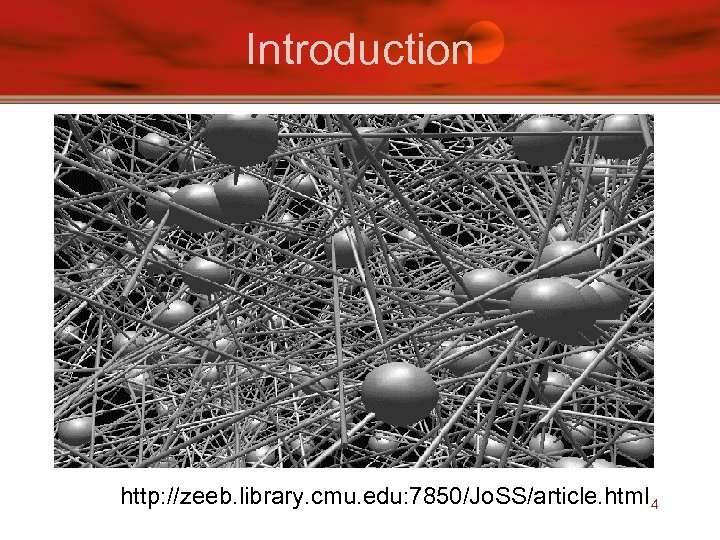
Introduction http: //zeeb. library. cmu. edu: 7850/Jo. SS/article. html 4
Paper List • Visualizing Network Data – Richard A. Becker, Stephen G. Eick, Allan R. Wilks. • 3 D Geographic Network Displays – Kenneth C. Cox, Stephen G. Eick, Taosong He. • Cyber. Net: A framework for managing networks using 3 D metaphoric worlds – P. Abel and P. Gros and D. Loisel and C. Russo Dos Santos 5
Paper List • Visualizing Network Data – Richard A. Becker, Stephen G. Eick, Allan R. Wilks. • 3 D Geographic Network Displays – Kenneth C. Cox, Stephen G. Eick, Taosong He. • Cyber. Net: A framework for managing networks using 3 D metaphoric worlds – P. Abel and P. Gros and D. Loisel and C. Russo Dos Santos 6
Goal • Visualize the data associated with a network – Understand data, not network themselves • Coping with large data volumes – Hundreds of nodes – Thousands of links – Data from time periods • Overcome the map clutter problem 7
Traditional Approach • To reduce cluttering of data (traditional) – Aggregation: for large numbers of links or nodes – Averaging: for large numbers of time periods – Thresholding: for detecting changes 8
Solution • See. Net – Static Displays • Link Map • Node Map • Matrix – Interactive Controls • Parameter focusing • Data filtering – Animation • Smooth zoom 9
Dataset • • Telecommunication traffic 110 switches in the AT&T network 12, 000 links Oct. 17, 1989, (San Francisco earthquake) • FOCUS: – Traffic flow between switches (nodes) 10
Static Displays
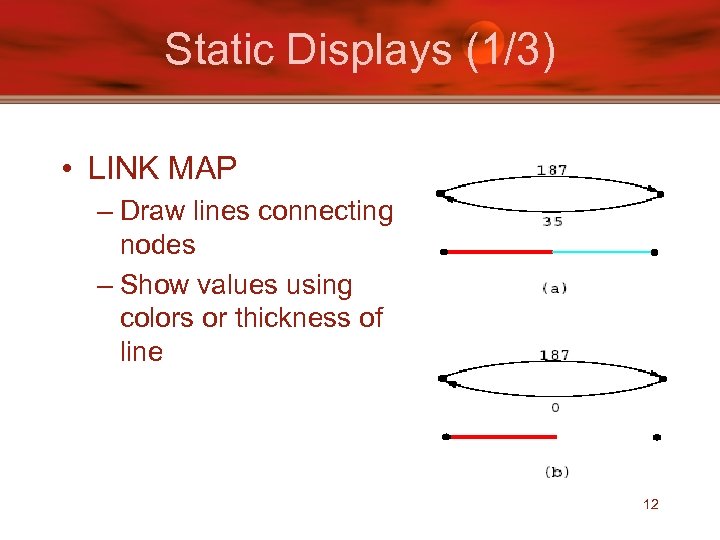
Static Displays (1/3) • LINK MAP – Draw lines connecting nodes – Show values using colors or thickness of line 12
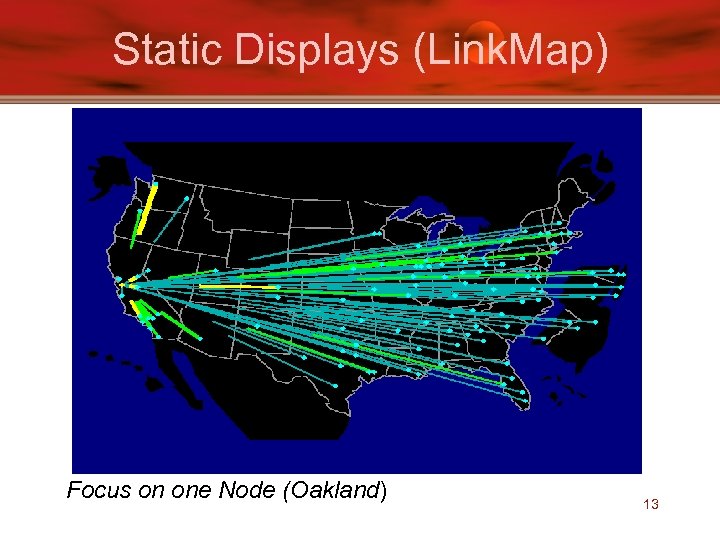
Static Displays (Link. Map) Focus on one Node (Oakland) 13
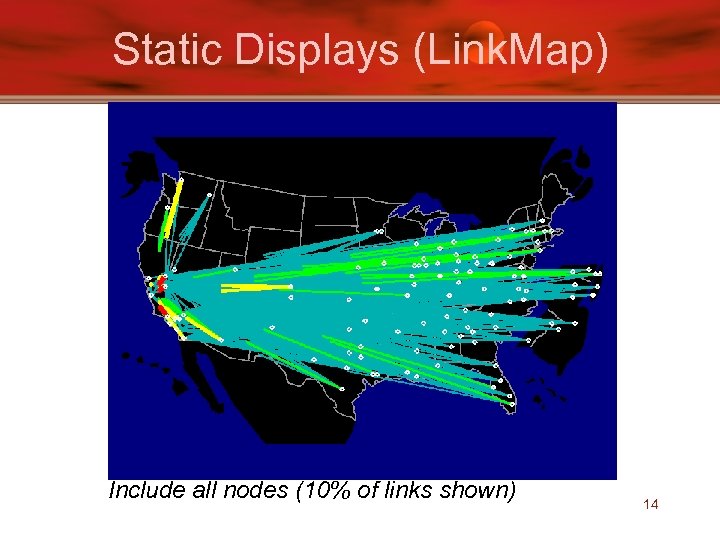
Static Displays (Link. Map) Include all nodes (10% of links shown) 14
Disadvantage • Disadvantage of Link Map – Too many links cause map cluttering – Use Node Maps !!! 15
Static Displays (2/3) • NODE MAP – Aggregation of information at each node – Use Glyphs • Vary Size, shape, color for statistics 16
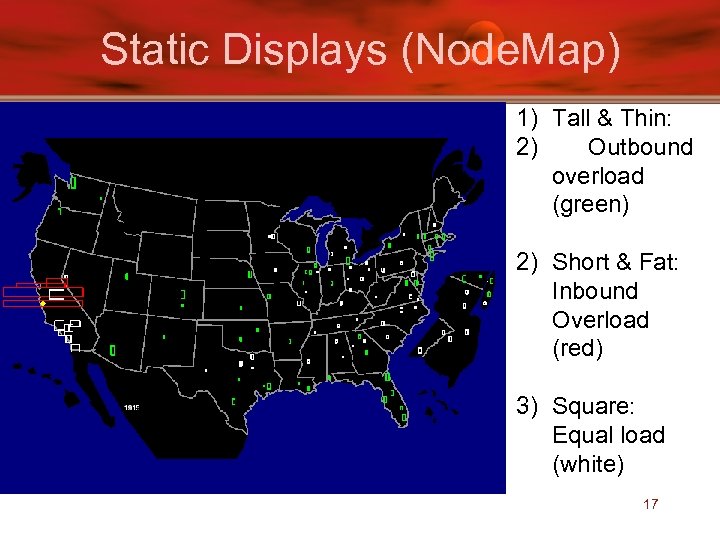
Static Displays (Node. Map) 1) Tall & Thin: 2) Outbound overload (green) 2) Short & Fat: Inbound Overload (red) 3) Square: Equal load (white) 17
Disadvantage • Disadvantage of Node Maps – Detailed Information about particular links lost – Solution: • Do away with geography • Try Matrix display 18
http: //funwavs. com/movie/pictures/the-matrix/ 19
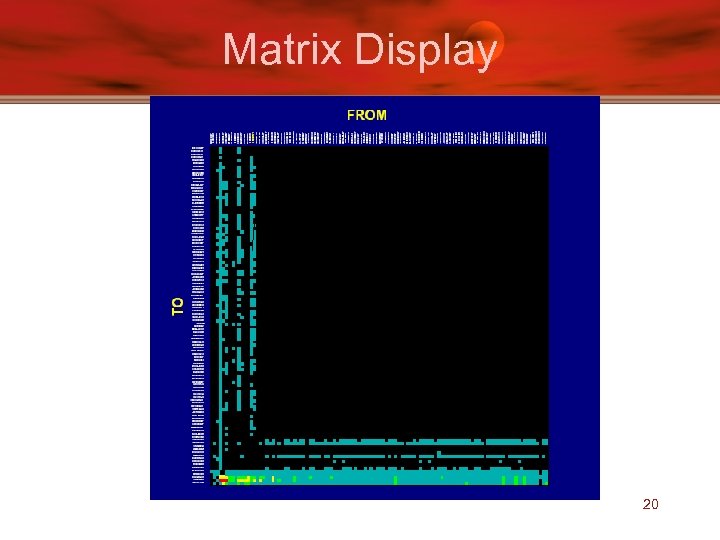
Matrix Display 20
Static Displays (3/3) • MATRIX – Concentrates on links of a network (like Linkmap) – Color of square designates traffic – Does not have problems of geographic displays: • Visual prominence of long lines • Long lines (transcontinental) over plots others 21
Disadvantage • Disadvantage of Matrix Display – Information about geography lost • Tries to fix problem with nodes ordered from west coast to east coast along axis 22
Parameter Focusing
Parameter Focusing • Parameters determine network display • Parameter values (range) control what is displayed – Example: – Glyph size in node maps – Coloring of nodes & links • Dynamic parameter adjustments helpful 24
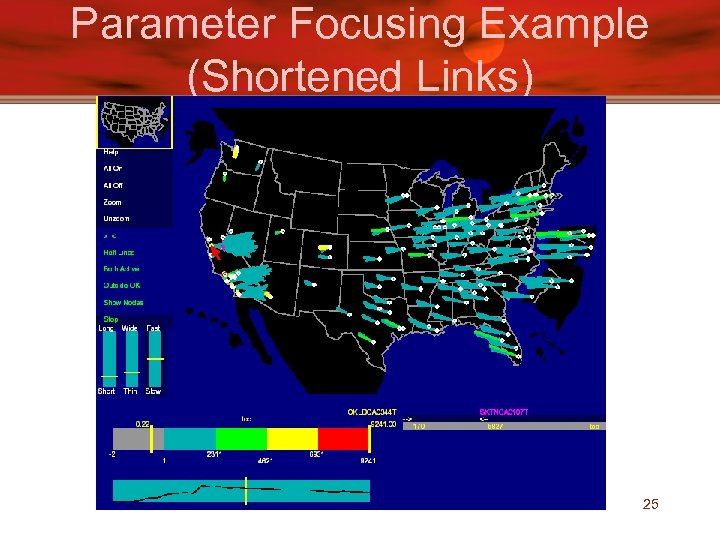
Parameter Focusing Example (Shortened Links) 25
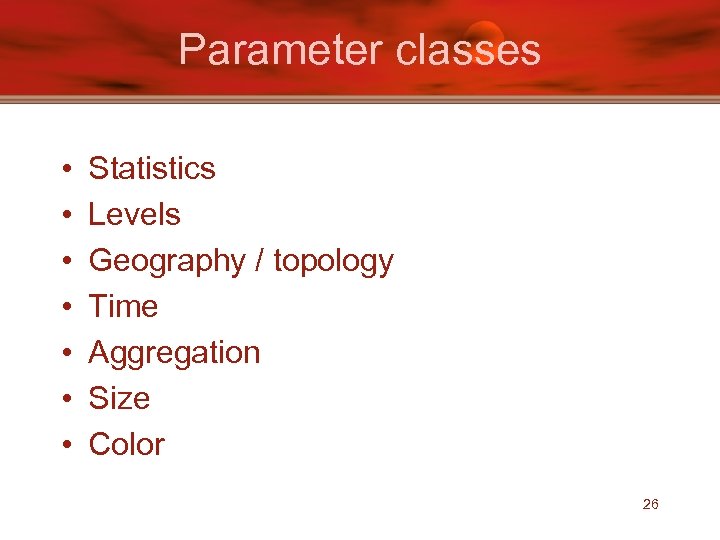
Parameter classes • • Statistics Levels Geography / topology Time Aggregation Size Color 26
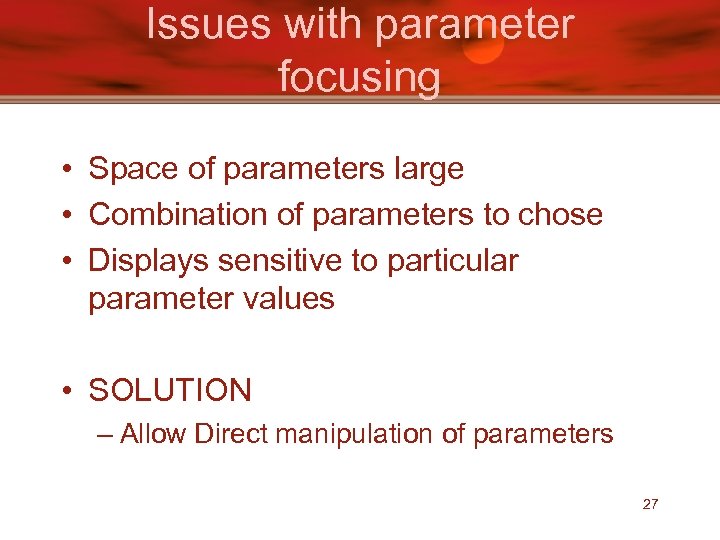
Issues with parameter focusing • Space of parameters large • Combination of parameters to chose • Displays sensitive to particular parameter values • SOLUTION – Allow Direct manipulation of parameters 27
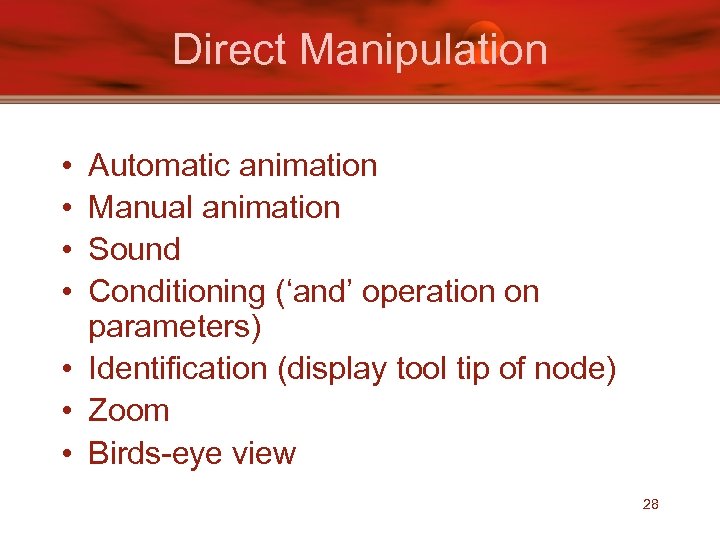
Direct Manipulation • • Automatic animation Manual animation Sound Conditioning (‘and’ operation on parameters) • Identification (display tool tip of node) • Zoom • Birds-eye view 28
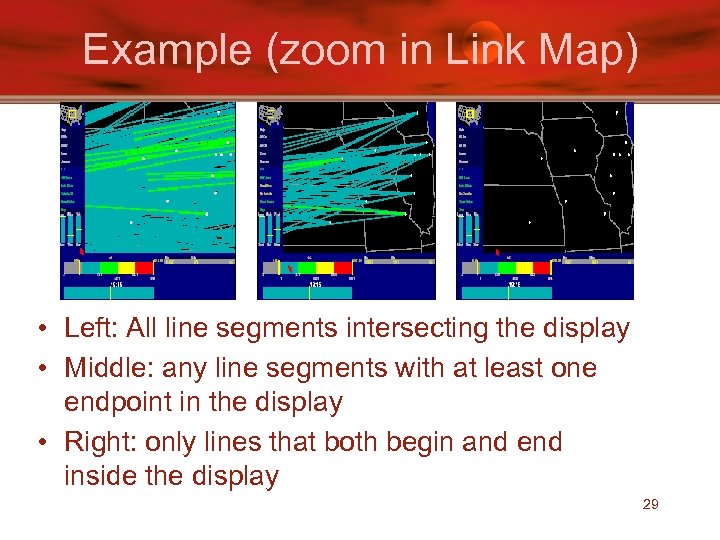
Example (zoom in Link Map) • Left: All line segments intersecting the display • Middle: any line segments with at least one endpoint in the display • Right: only lines that both begin and end inside the display 29
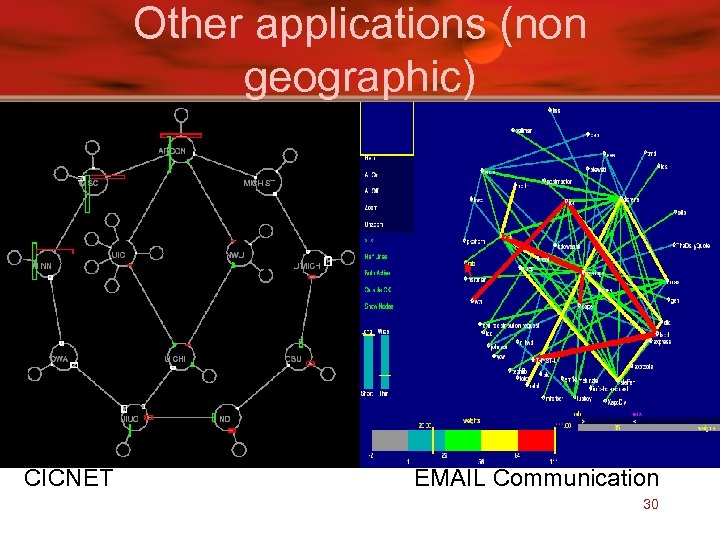
Other applications (non geographic) CICNET EMAIL Communication 30
Critique • The Good – Clear graphs with interpretation – Presented motivation and challenge papers – Tested on different data sets – Provides implementation details (C++ & Vz) • The Evil – Self evaluation (no user studies) – Redundant information (parameters and direct manipulation) 31
Paper List • Visualizing Network Data – Richard A. Becker, Stephen G. Eick, Allan R. Wilks. • 3 D Geographic Network Displays – Kenneth C. Cox, Stephen G. Eick, Taosong He. • Cyber. Net: A framework for managing networks using 3 D metaphoric worlds – P. Abel and P. Gros and D. Loisel and C. Russo Dos Santos 32
Introduction • Presents “ See. Net 3 D” – 5 network views • 2 views are geography related • 3 views concentrate on portion of a large network • See. Net 3 D follow-up of – See. Net – Niche. Works 33
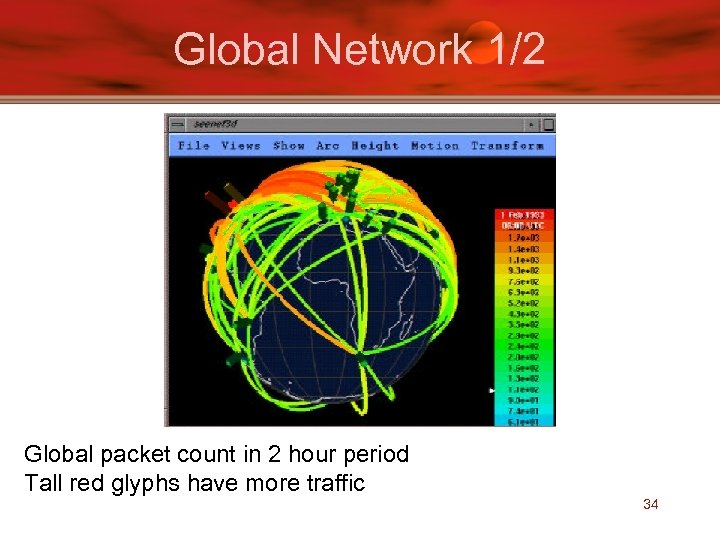
Global Network 1/2 Global packet count in 2 hour period Tall red glyphs have more traffic 34
Disadvantage • Only Front side of map viewable – Occludes arc ends • Solution – Make globe partially translucent (does not work with too many arcs) – Allow user to route arcs (through globe if needed) – Filtering 35
Global Network (2/2) - Arc Maps • Draw arcs on flat 2 D map in 3 D space – 2 D map can be oriented as desired – Eliminates line crossing to a certain extent (vary arc height) 36
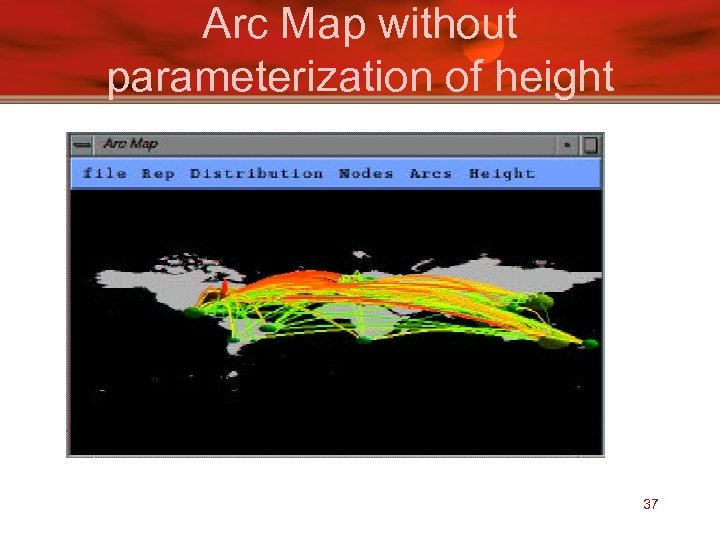
Arc Map without parameterization of height 37
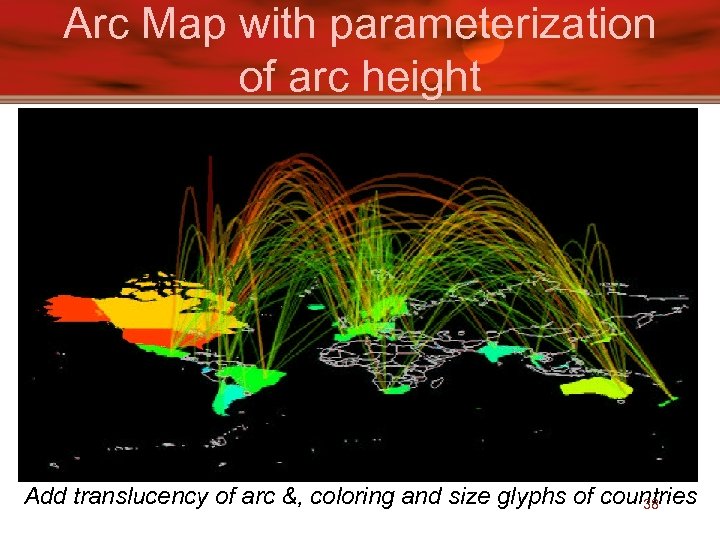
Arc Map with parameterization of arc height Add translucency of arc &, coloring and size glyphs of countries 38
Drill Down network views • Three types of views: – Spokes on a wheel – Helix – Pin Cushion 39
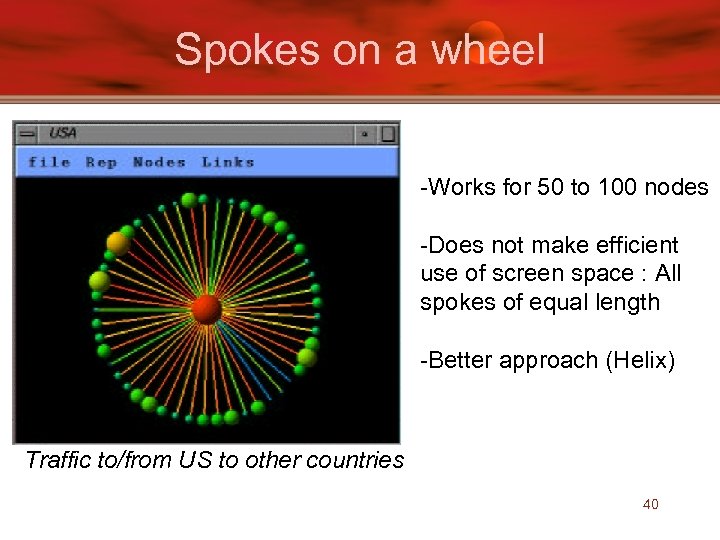
Spokes on a wheel -Works for 50 to 100 nodes -Does not make efficient use of screen space : All spokes of equal length -Better approach (Helix) Traffic to/from US to other countries 40
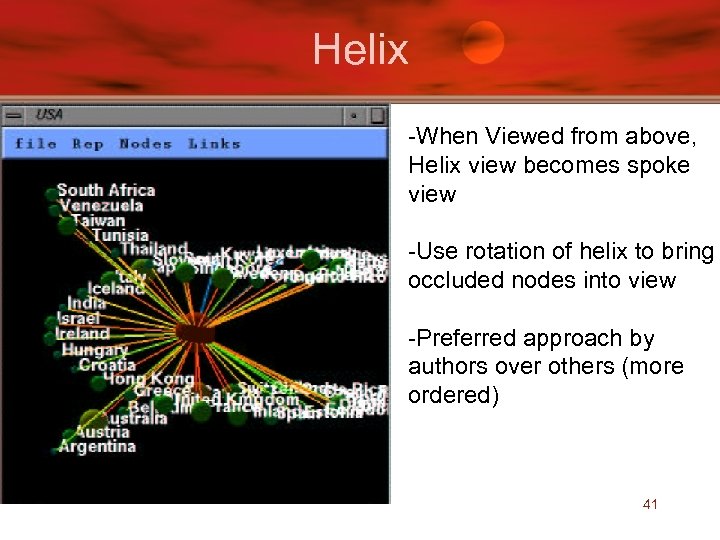
Helix -When Viewed from above, Helix view becomes spoke view -Use rotation of helix to bring occluded nodes into view -Preferred approach by authors over others (more ordered) 41
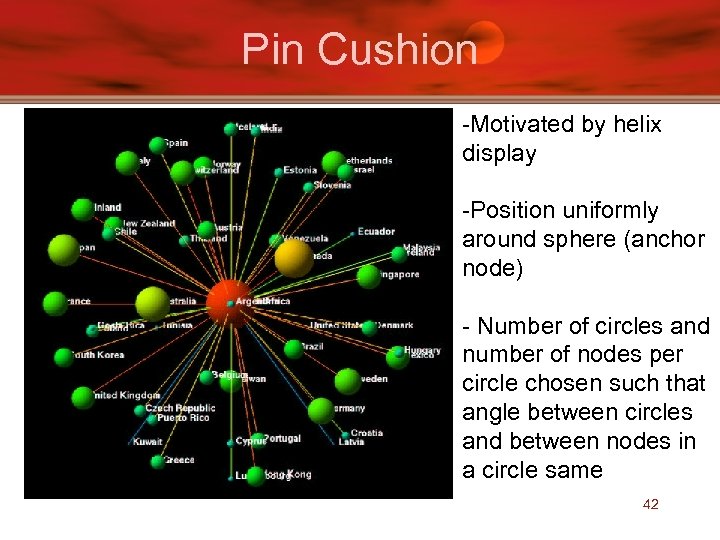
Pin Cushion -Motivated by helix display -Position uniformly around sphere (anchor node) - Number of circles and number of nodes per circle chosen such that angle between circles and between nodes in a circle same 42
Critique • The Good – Shows more in less space (5 vs 3) – Provides implementation details • The Evil – No user studies (as usual) – Some displays have limited information – Does not give scalability constraints for most 43
Paper List • Visualizing Network Data – Richard A. Becker, Stephen G. Eick, Allan R. Wilks. • 3 D Geographic Network Displays – Kenneth C. Cox, Stephen G. Eick, Taosong He. • Cyber. Net: A framework for managing networks using 3 D metaphoric worlds – P. Abel and P. Gros and D. Loisel and C. Russo Dos Santos 44
Introduction • • Network administration in 3 D Provides 5 metaphors Dynamically builds & updates 3 D world Captures information – Topology, Connectivity, Routing, Mailing, NFS • Each 3 D tool solves specific problems – chose metaphor that best suites a task 45
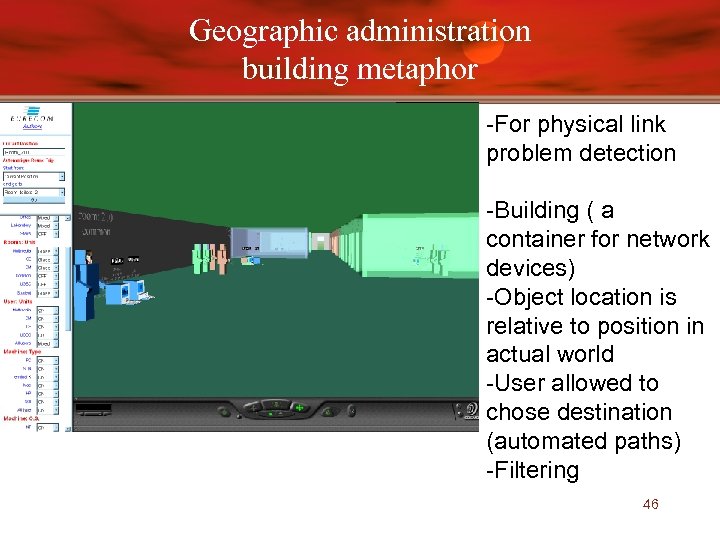
Geographic administration building metaphor -For physical link problem detection -Building ( a container for network devices) -Object location is relative to position in actual world -User allowed to chose destination (automated paths) -Filtering 46
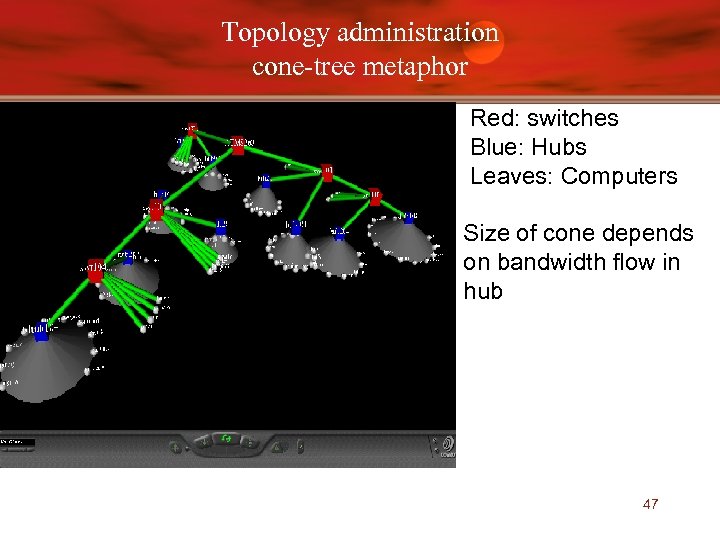
Topology administration cone-tree metaphor Red: switches Blue: Hubs Leaves: Computers Size of cone depends on bandwidth flow in hub 47
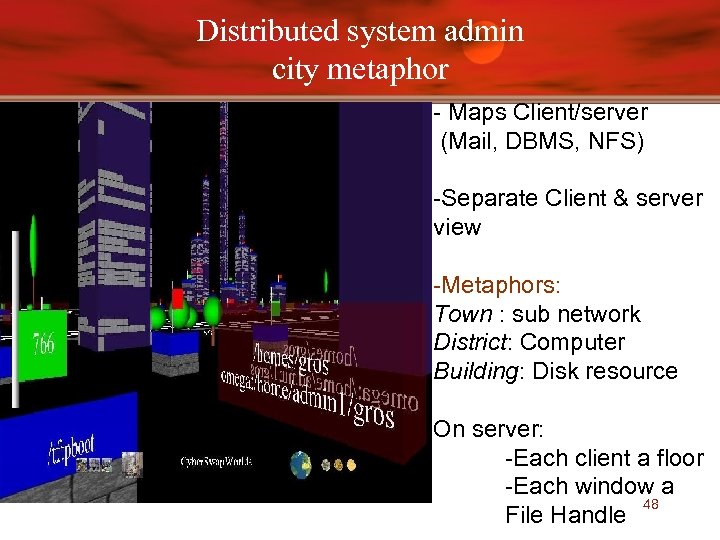
Distributed system admin city metaphor - Maps Client/server (Mail, DBMS, NFS) -Separate Client & server view -Metaphors: Town : sub network District: Computer Building: Disk resource On server: -Each client a floor -Each window a 48 File Handle
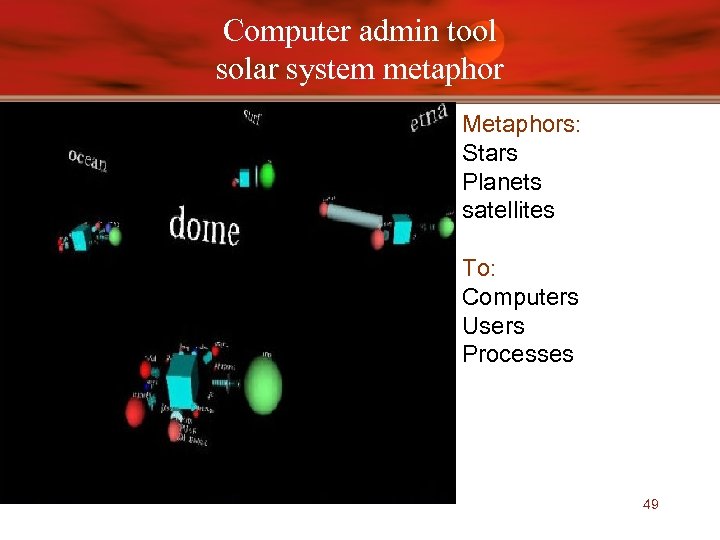
Computer admin tool solar system metaphor Metaphors: Stars Planets satellites To: Computers Users Processes 49
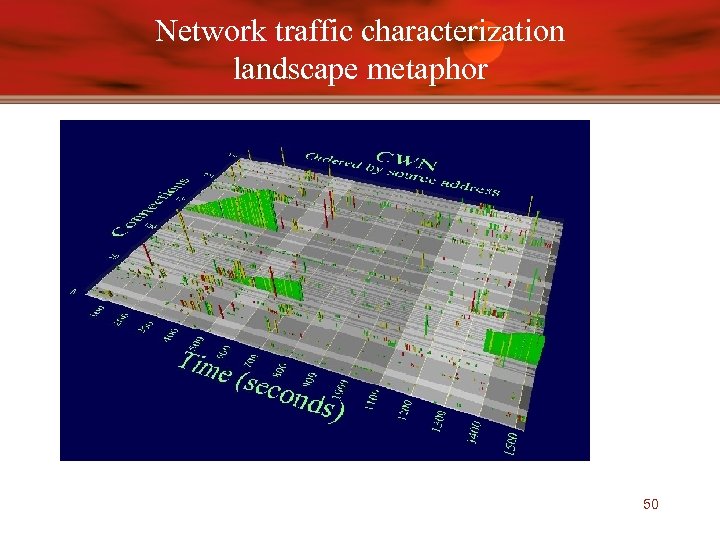
Network traffic characterization landscape metaphor 50
More on Cyber. Net • Users can toggle between various 3 D structures • Technical Stages – Collecting Layer (subscribe/notify, agents) – Structuring Layer (build service model tree) – Visualization Layer (generate 3 D form) 51
Critique • The Good – design architecture explained – Implementation language for each stage (VRML, corba, Java, perl) – Screen Shots helpful • The Evil – Some concepts unclear (city metaphor) – No user studies • Mentions users found metaphors helpful – No scalability discussion – Dead Site !! 52
? QUESTIONS ?
Скачать презентацию Network Visualization Presented by Shahed Introduction
9e64a857c273bff76270822398dd8e63.ppt