


 Скачать презентацию Network Security WANG Yong cla uestc edu cn CCSE
9bdab86ffc1b3dd8dad311570d81a9cc.ppt
- Количество слайдов: 56
 Network Security WANG Yong cla@uestc. edu. cn CCSE UESTC 05/2011
 Chapter 5 Electronic mail security
 Outline Ø Pretty good privacy Ø S/MIME Ø Recommended web sites
 What is PGP Encryption Ø PGP Encryption (Pretty Good Privacy) is a computer program that provides cryptographic privacy and authentication.
 PGP History -Early History Phil Zimmermann created the first version of PGP encryption in 1991. Ø No license was required for non-commercial use. Ø PGP encryption found its way onto Usenet and from there onto the Internet, and it rapidly acquired a considerable following around the world. Ø
 PGP History -Criminal investigation Ø Shortly after its release, PGP encryption found its way outside the US, and in February 1993 Zimmermann became the formal target of a criminal investigation by the US Government for "munitions export without a license".
 PGP History -Criminal investigation Ø Cryptosystems using keys larger than 40 bits were then considered munitions within the definition of the US export regulations; PGP has never used keys smaller than 128 bits so it qualified at that time.
 PGP History - PGP 3 Ø This new version was to have considerable security improvements, including a new certificate structure which fixed small security flaws in the PGP 2. x certificates as well as permitting a certificate to include separate keys for signing and encryption.
 PGP History - PGP 3 Ø PGP 3 introduced use of the CAST-128 (a. k. a. CAST 5) symmetric key algorithm, and the DSA and El. Gamal asymmetric key algorithms.
 PGP History-Open. PGP Ø In July 1997, PGP Inc. proposed to the IETF that there be a standard called Open. PGP. They gave the IETF permission to use the name Open. PGP to describe this new standard as well as any program that supported the standard.
 PGP History-Network Associates acquisition Ø In December, 1997 PGP Inc. was acquired by Network Associates, Inc. Zimmermann and the PGP team became NAI employees
 PGP History-Network Associates acquisition Ø NAI continued to pioneer export through software publishing, being the first company to have a legal export strategy by publishing source code. Under its aegis, the PGP team added disk encryption, desktop firewalls, intrusion detection, and IPsec VPNs to the PGP family
 PGP History-Current situation Ø In August 2002, several ex-PGP team members formed a new company, PGP Corporation, and bought the PGP assets from NAI. Ø In 2003 PGP Corporation created a new server-based product offering called PGP Universal.
 PGP History-Current situation Ø In mid-2004, PGP Corporation shipped its own command line version called PGP Command Line, which integrates with the other PGP Encryption Platform applications.
 PGP History-Current situation Ø In 2005 PGP Corporation made its first acquisition - the German software company Glueck and Kanja Technology AG which is now the German headquarters in Frankfurt
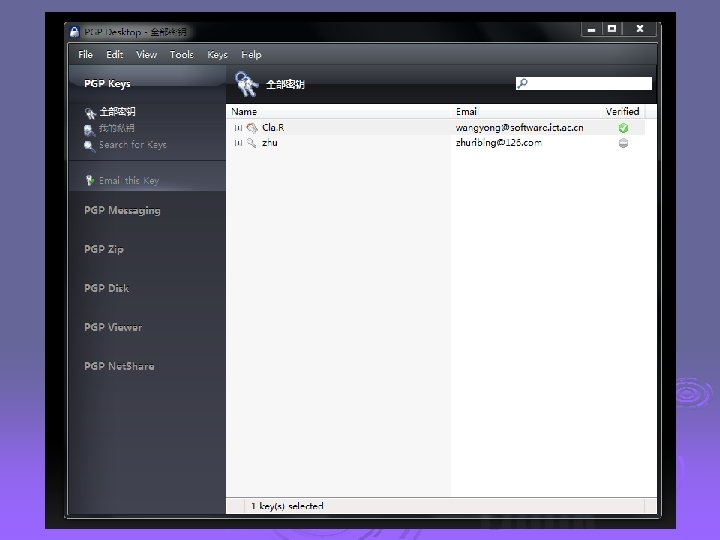
 How PGP encryption works Ø PGP encryption uses public-key cryptography and includes a system which binds the public keys to user identities. Ø Current versions of PGP encryption include both alternatives through an automated management server.
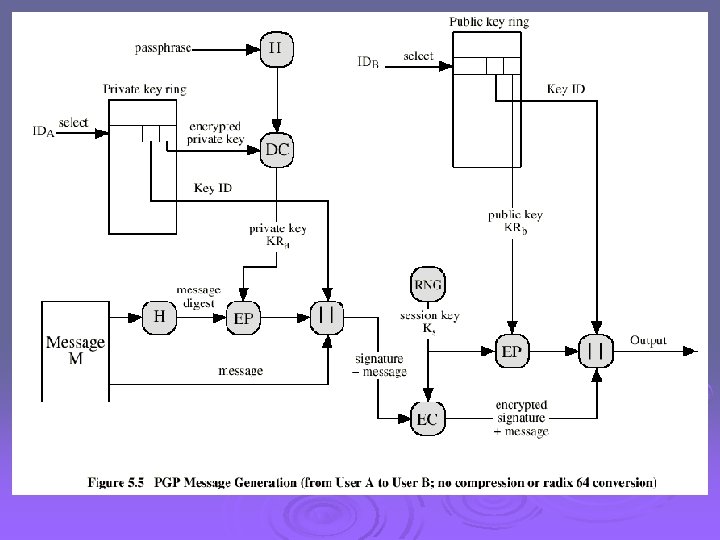
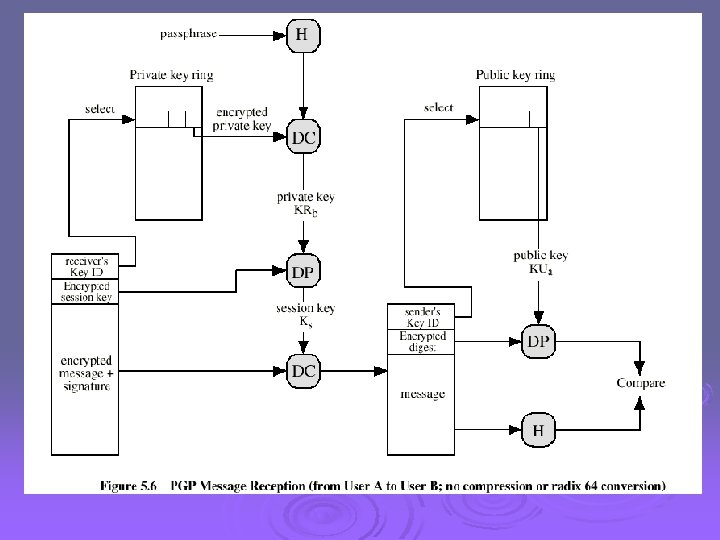
 How PGP encryption works Encryption/decryption Ø PGP message encryption uses both asymmetric key encryption and symmetric key encryption algorithms
 How PGP encryption works Digital signatures Ø A similar strategy is used to detect whether a message has been altered since it was completed, and whether it was actually sent by the person/entity claimed to be the sender.
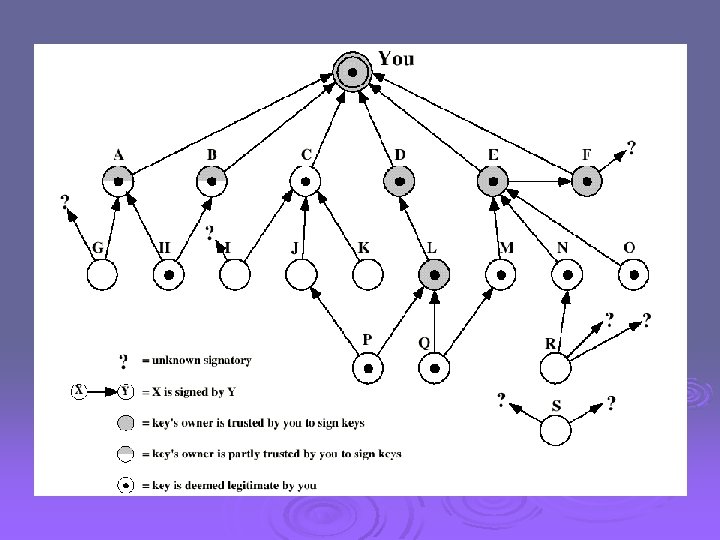
 How PGP encryption works Web of Trust Ø A given public key may be digitally signed by a third party to attest the association between the person and the key.
 How PGP encryption works. Certificates Ø Trust signatures can be used to support creation of certificate authorities. A trust signature indicates both that the key belongs to its claimed owner and that the owner of the key is trustworthy to sign other keys at one level below their own.
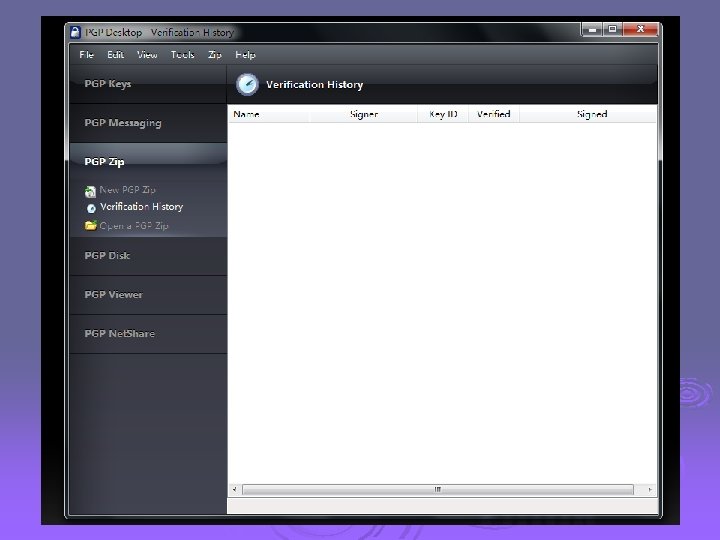
 PGP encryption applications Ø PGP products have been diversified since 2002 into a set of encryption applications which can be managed by an optional central policy server. The applications include email and attachments, digital signatures, laptop full disk encryption, file and folder security, protection for IM sessions, batch file transfer encryption, and protection for files and folders stored on network servers.
 PGP encryption- Security quality Ø To the best of publicly available information, there is no known method for any entity to break PGP encryption by cryptographic, computational means regardless of the version being employed.
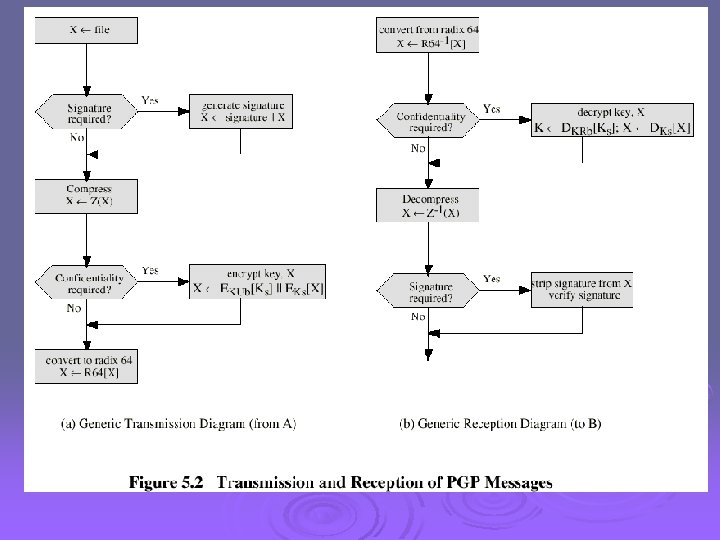
 Operational Description Ø Consist of five services: l l l Authentication Confidentiality Compression E-mail compatibility Segmentation
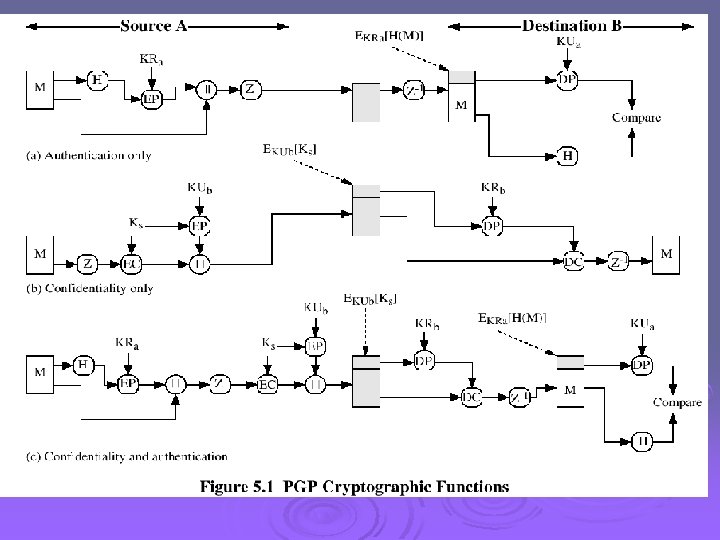
 Compression Ø PGP compresses the message after applying the signature but before encryption Ø The placement of the compression algorithm is critical. Ø The compression algorithm used is ZIP (described in appendix 5 A)
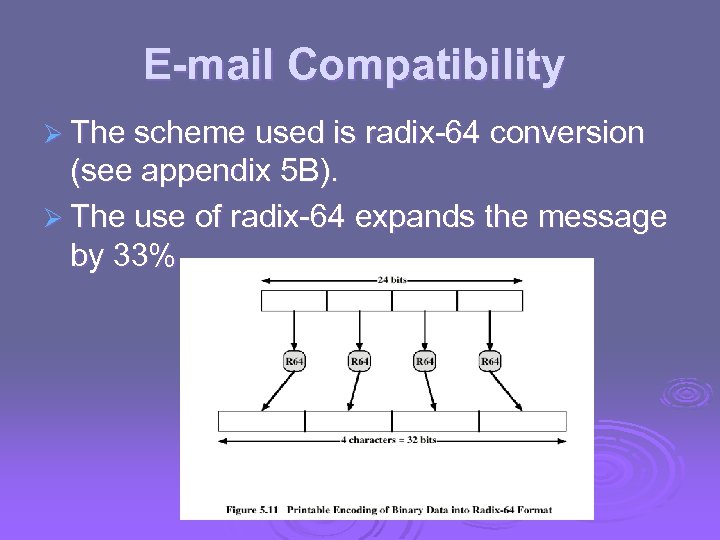 E-mail Compatibility Ø The scheme used is radix-64 conversion (see appendix 5 B). Ø The use of radix-64 expands the message by 33%.
 Segmentation and Reassembly Ø Often restricted to a maximum message length of 50, 000 octets. Ø Longer messages must be broken up into segments. Ø PGP automatically subdivides a message that is to large. Ø The receiver strip of all e-mail headers and reassemble the block.
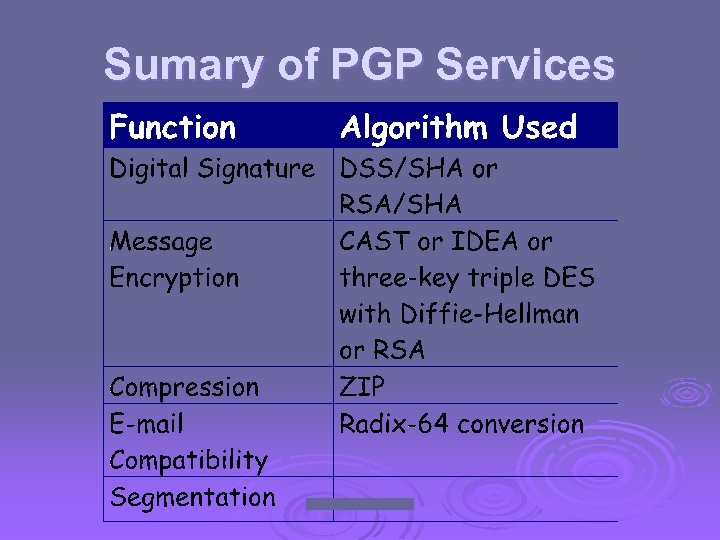 Sumary of PGP Services
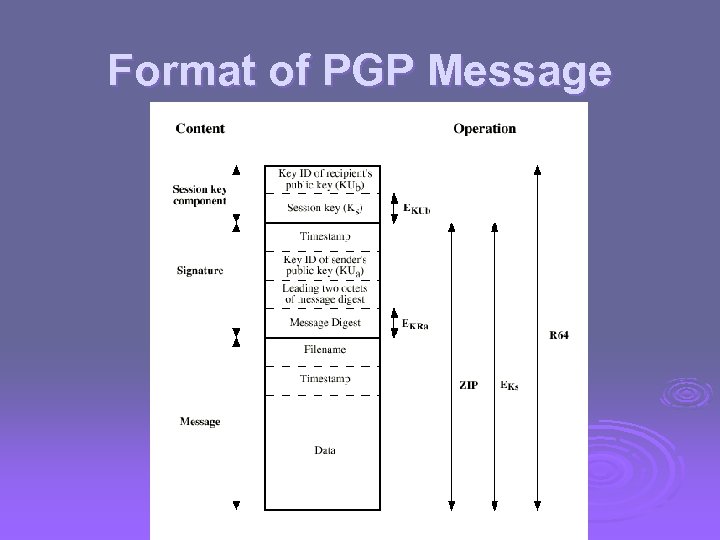 Format of PGP Message
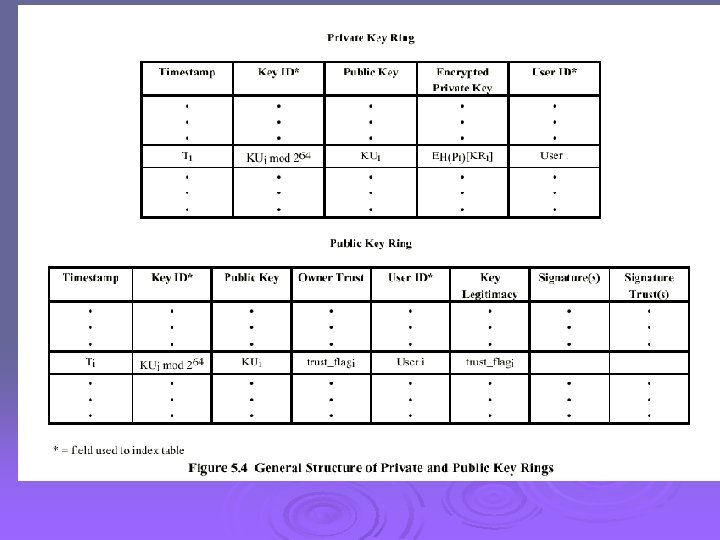
 The Use of Trust Ø Key legitimacy field Ø Signature trust field Ø Owner trust field See Table 5. 2 (W. Stallings)
 Revoking Public Keys Ø The owner issue a key revocation certificate. Ø Normal signature certificate with a revote indicator. Ø Corresponding private key is used to sign the certificate.
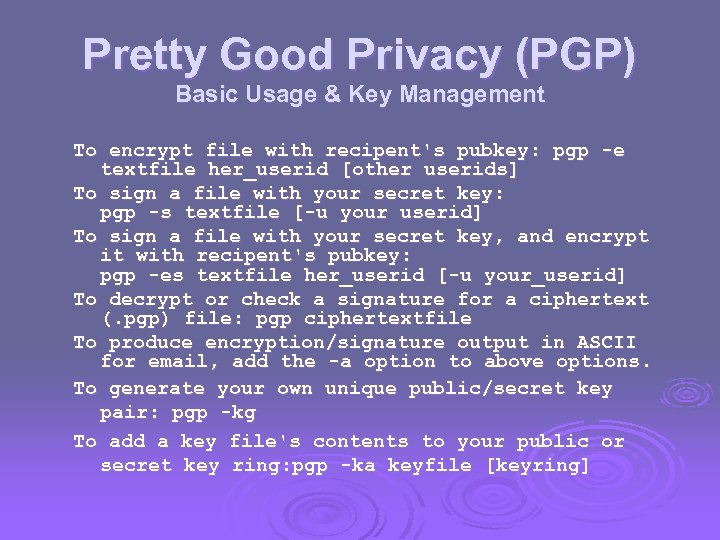 Pretty Good Privacy (PGP) Basic Usage & Key Management To encrypt file with recipent's pubkey: pgp -e textfile her_userid [other userids] To sign a file with your secret key: pgp -s textfile [-u your userid] To sign a file with your secret key, and encrypt it with recipent's pubkey: pgp -es textfile her_userid [-u your_userid] To decrypt or check a signature for a ciphertext (. pgp) file: pgp ciphertextfile To produce encryption/signature output in ASCII for email, add the -a option to above options. To generate your own unique public/secret key pair: pgp -kg To add a key file's contents to your public or secret key ring: pgp -ka keyfile [keyring]
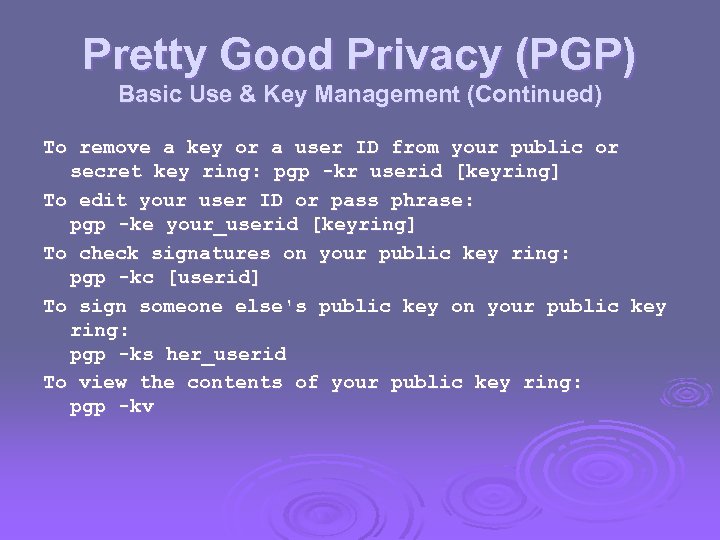 Pretty Good Privacy (PGP) Basic Use & Key Management (Continued) To remove a key or a user ID from your public or secret key ring: pgp -kr userid [keyring] To edit your user ID or pass phrase: pgp -ke your_userid [keyring] To check signatures on your public key ring: pgp -kc [userid] To sign someone else's public key on your public key ring: pgp -ks her_userid To view the contents of your public key ring: pgp -kv
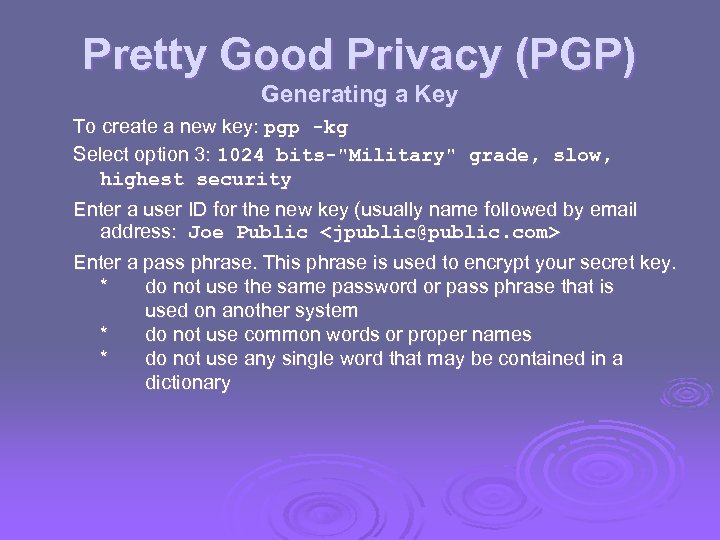 Pretty Good Privacy (PGP) Generating a Key To create a new key: pgp -kg Select option 3: 1024 bits-"Military" grade, slow, highest security Enter a user ID for the new key (usually name followed by email address: Joe Public
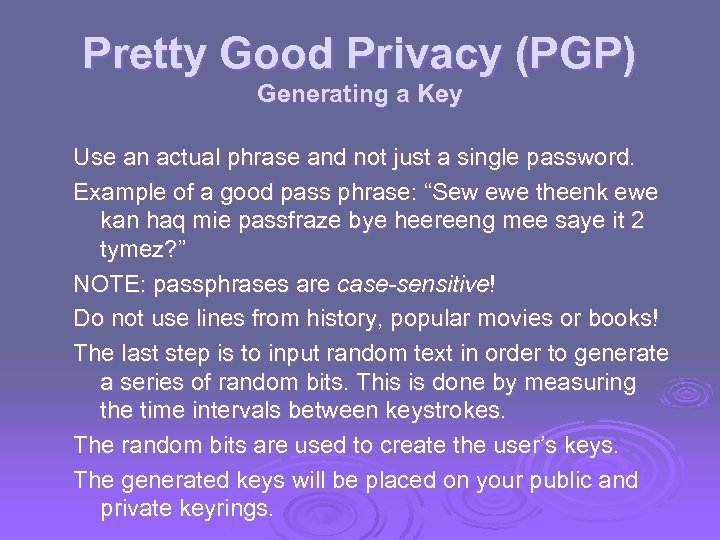 Pretty Good Privacy (PGP) Generating a Key Use an actual phrase and not just a single password. Example of a good pass phrase: “Sew ewe theenk ewe kan haq mie passfraze bye heereeng mee saye it 2 tymez? ” NOTE: passphrases are case-sensitive! Do not use lines from history, popular movies or books! The last step is to input random text in order to generate a series of random bits. This is done by measuring the time intervals between keystrokes. The random bits are used to create the user’s keys. The generated keys will be placed on your public and private keyrings.
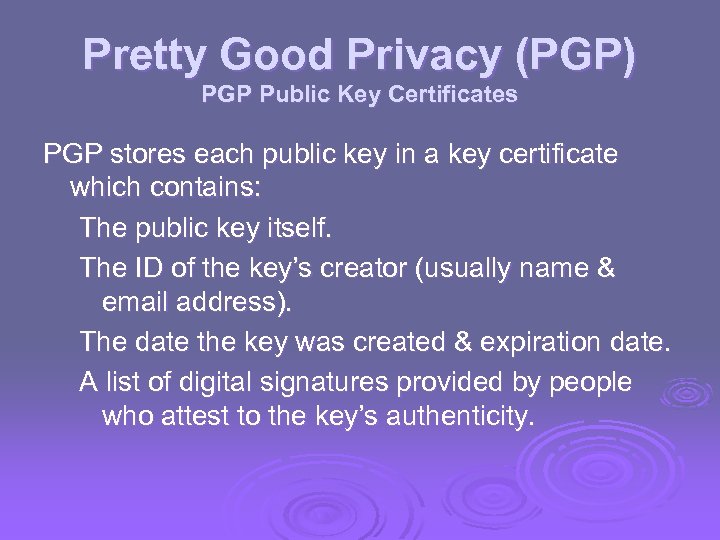 Pretty Good Privacy (PGP) PGP Public Key Certificates PGP stores each public key in a key certificate which contains: The public key itself. The ID of the key’s creator (usually name & email address). The date the key was created & expiration date. A list of digital signatures provided by people who attest to the key’s authenticity.
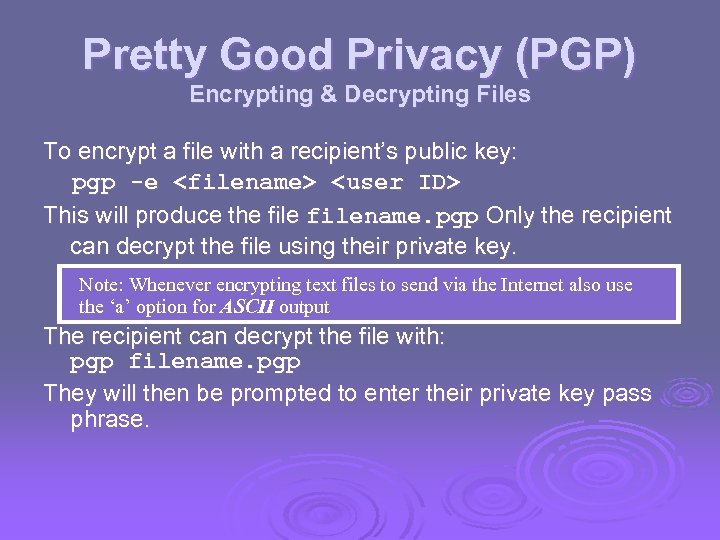 Pretty Good Privacy (PGP) Encrypting & Decrypting Files To encrypt a file with a recipient’s public key: pgp -e
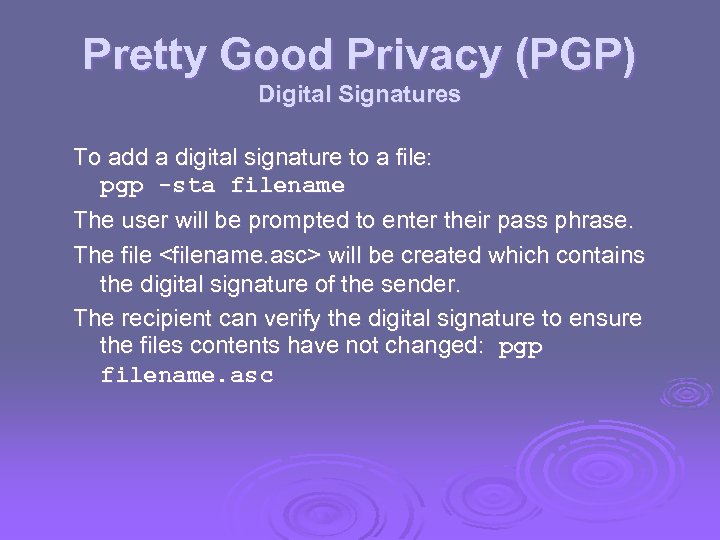 Pretty Good Privacy (PGP) Digital Signatures To add a digital signature to a file: pgp -sta filename The user will be prompted to enter their pass phrase. The file
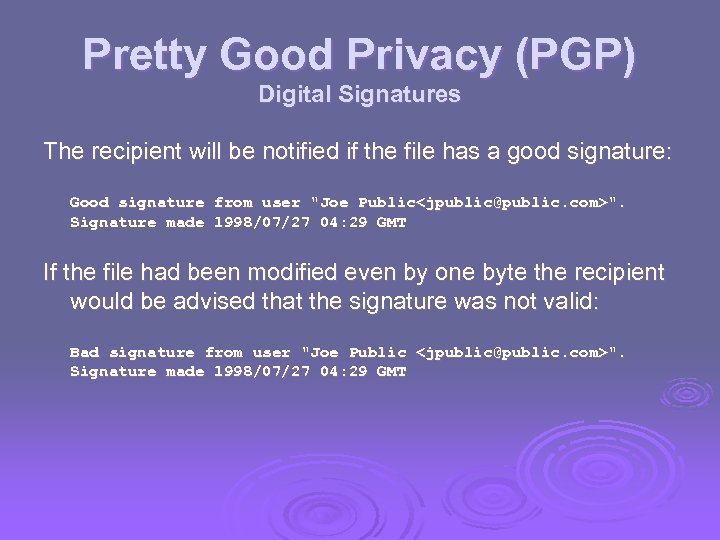 Pretty Good Privacy (PGP) Digital Signatures The recipient will be notified if the file has a good signature: Good signature from user "Joe Public
 PGP Enhancements General Notes Utilities and filters are available that make PGP easier to use for the end-user. (Please see http: //techreports/~jdyson/pgp 4 pine/index. html) NAI PGP functions as a plug-in to Eudora and other popular Mail User Agents (MUAs). NAI PGP also has a number of disk utilities for digital signatures and encryption. There is also PGPfone for voice communications, but that’s another story altogether. . .
 Public Key Crypto & PGP Suggested Reading Applied Cryptography (Bruce Schneier) John Wiley & Sons, 1996 - ISBN: 0 -47111 -709 -9 Attrition. Org Cryptography Archives http: //www. attrition. org/~wrlwnd/crypto/ International PGP Home Page http: //www. pgpi. org/ MIT PGP Home Page http: //web. mit. edu/network/pgp. html NAI PGP Home Page http: //www. pgp. com/ PGP - Pretty Good Privacy (Simson Garfinkel) O’Reilly & Associates, 1995 - ISBN: 1 -56592 -098 -8 PGP RSA vs. PGP DH/DSS FAQ http: //www. scramdisk. clara. net/pgpfaq. html
 S/MIME Ø Secure/Multipurpose Internet Mail Extension Ø S/MIME will probably emerge as the industry standard. Ø PGP for personal e-mail security
 Simple Mail Transfer Protocol (SMTP, RFC 822) Ø SMTP Limitations - Can not transmit, or has a problem with: l executable files, or other binary files (jpeg image) l “national language” characters (non-ASCII) l messages over a certain size l ASCII to EBCDIC translation problems l lines longer than a certain length (72 to 254 characters)
 Header fields in MIME Ø MIME-Version: Must be “ 1. 0” -> RFC 2045, RFC 2046 Ø Content-Type: More types being added by developers (application/word) Ø Content-Transfer-Encoding: How message has been encoded (radix-64) Ø Content-ID: Unique identifying character string. Ø Content Description: Needed when content is not readable text (e. g. , mpeg)
 S/MIME Functions Ø Enveloped Data: Encrypted content and encrypted session keys for recipients. Ø Signed Data: Message Digest encrypted with private key of “signer. ” Ø Clear-Signed Data: Signed but not encrypted. Ø Signed and Enveloped Data: Various orderings for encrypting and signing.
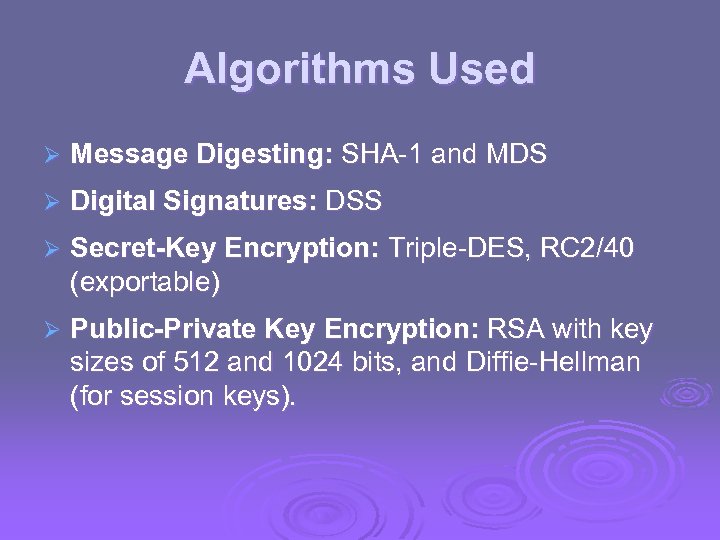 Algorithms Used Ø Message Digesting: SHA-1 and MDS Ø Digital Signatures: DSS Ø Secret-Key Encryption: Triple-DES, RC 2/40 (exportable) Ø Public-Private Key Encryption: RSA with key sizes of 512 and 1024 bits, and Diffie-Hellman (for session keys).
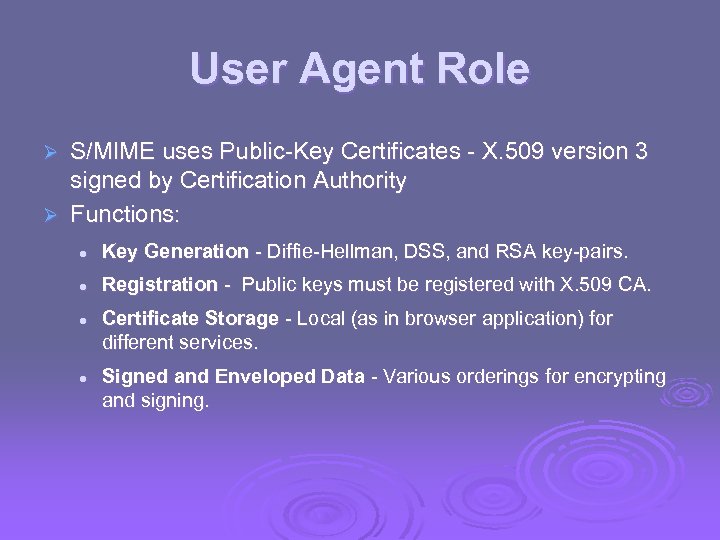 User Agent Role S/MIME uses Public-Key Certificates - X. 509 version 3 signed by Certification Authority Ø Functions: Ø l Key Generation - Diffie-Hellman, DSS, and RSA key-pairs. l Registration - Public keys must be registered with X. 509 CA. l l Certificate Storage - Local (as in browser application) for different services. Signed and Enveloped Data - Various orderings for encrypting and signing.
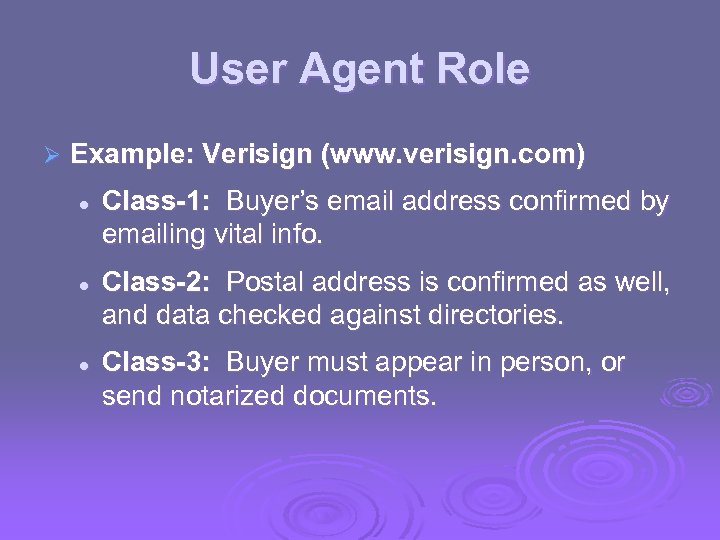 User Agent Role Ø Example: Verisign (www. verisign. com) l l l Class-1: Buyer’s email address confirmed by emailing vital info. Class-2: Postal address is confirmed as well, and data checked against directories. Class-3: Buyer must appear in person, or send notarized documents.
 Recommended Web Sites Ø PGP home page: www. pgp. com Ø MIT distribution site for PGP Ø S/MIME Charter Ø S/MIME Central: RSA Inc. ’s Web Site