


 Скачать презентацию Network of Hemispheric Legal Cooperation in the Area
7ac2aa2e77a28909de71048a3558d5cb.ppt
- Количество слайдов: 31
 Network of Hemispheric Legal Cooperation in the Area of Family and Child Law Introduction to the Secure Component November 10, 2010 Washington, D. C.
 Agenda Secure Component tool Contacts and Messaging Workspaces Hypothetical Case
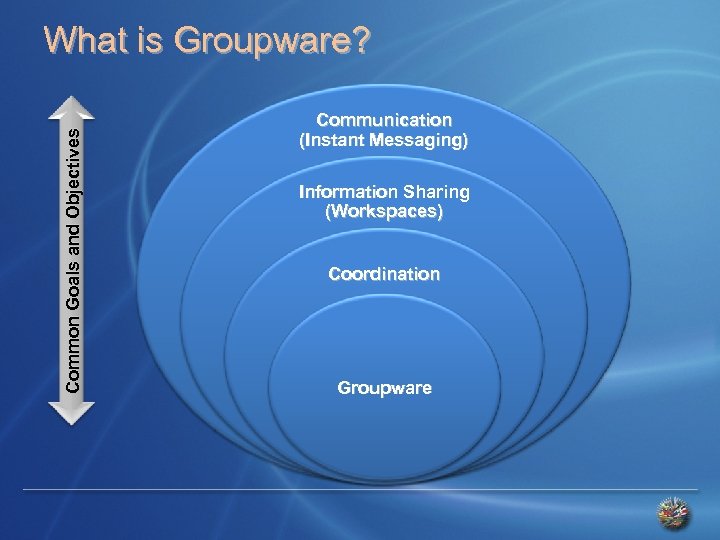 C o m m o n G o a l s a n d O b j e c ti v e s What is Groupware? Communication (Instant Messaging) Information Sharing (Workspaces) Coordination Groupware
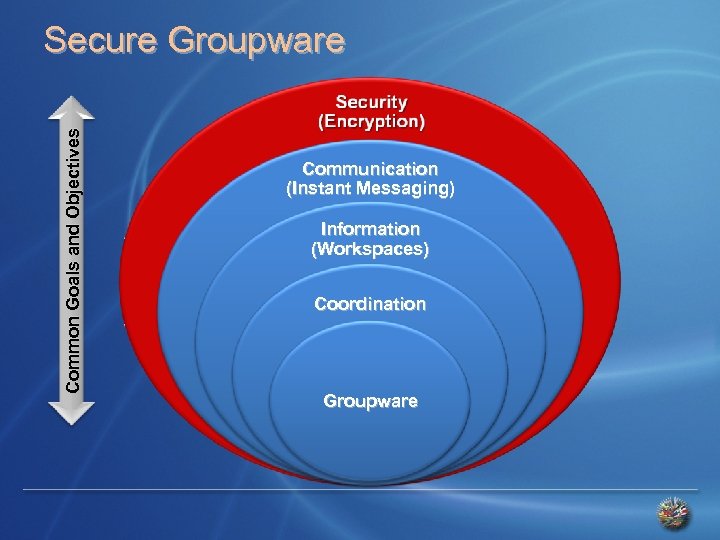 C o m m o n G o a l s a n d O b j e c ti v e s Secure Groupware Communication (Instant Messaging) Information (Workspaces) Coordination Groupware
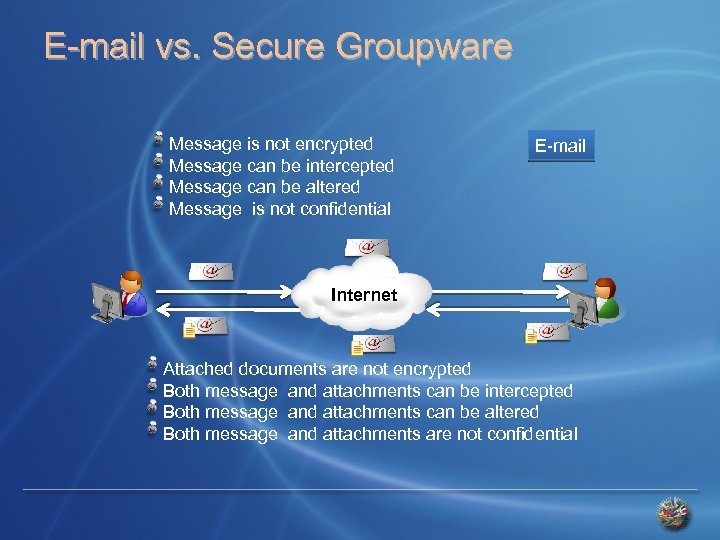 E-mail vs. Secure Groupware Message is not encrypted Message can be intercepted Message can be altered Message is not confidential E-mail Internet Attached documents are not encrypted Both message and attachments can be intercepted Both message and attachments can be altered Both message and attachments are not confidential
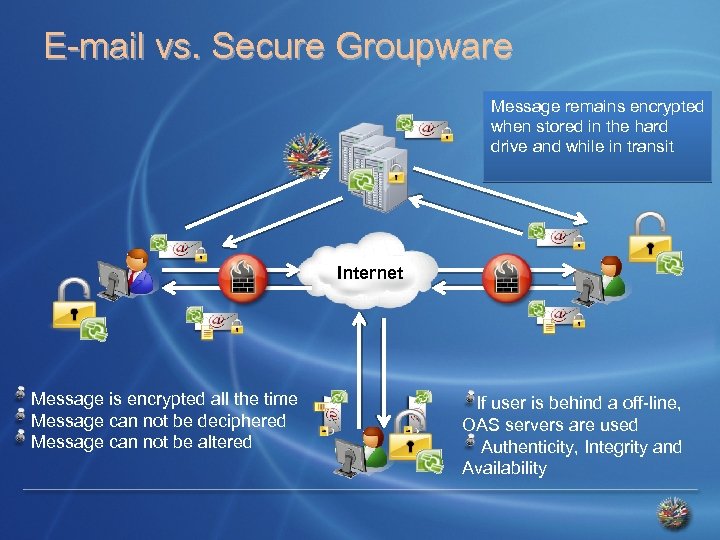 E-mail vs. Secure Groupware Message remains encrypted when stored in the hard drive and while in transit Internet Message is encrypted all the time Message can not be deciphered Message can not be altered If user is behind a off-line, OAS servers are used Authenticity, Integrity and Availability
 Initial Considerations Facilitate communications among points of contact on Mutual Legal Assistance. Confidentiality of the information: No central database No OAS Member State has control over the application SG/OAS has no access to the information shared by the participants Decision in 2003: Groove Networks
 Evolution of the Plataform 2003 – Implementation of Groove Networks 2005 – Microsoft acquires Groove Networks 2007 – Microsoft integrates Groove to Office 2007 2010 – Microsoft Share. Point Workspace 2010 Integration with content management platform
 Evolution of the Plataform 2007 - OAS/Microsoft agreement 2007 version available in: English Spanish French Portuguese Technology upgrade:
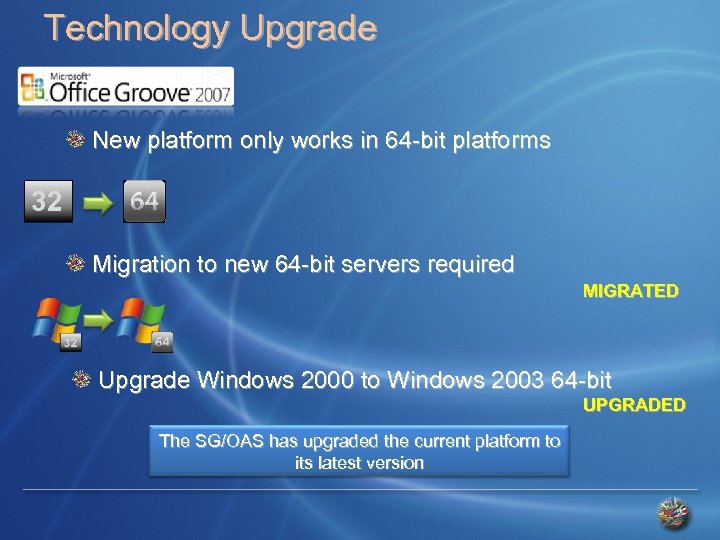 Technology Upgrade New platform only works in 64 -bit platforms 32 Migration to new 64 -bit servers required MIGRATED Upgrade Windows 2000 to Windows 2003 64 -bit UPGRADED The SG/OAS has upgraded the current platform to its latest version
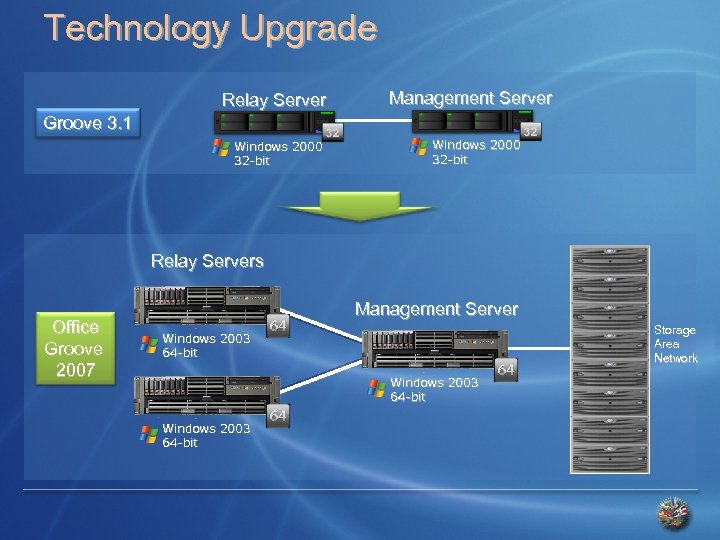 Technology Upgrade Relay Server Management Server Groove 3. 1 Windows 2000 32 -bit Relay Servers Office Groove 2007 Management Server Storage Area Network Windows 2003 64 -bit
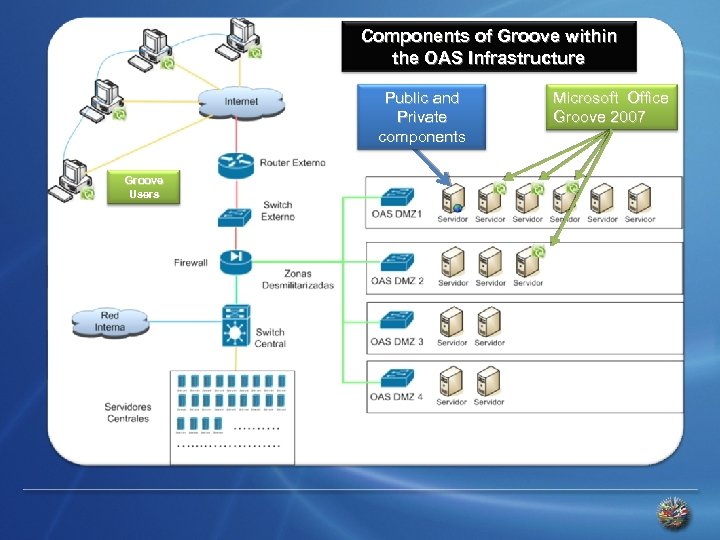 Components of Groove within the OAS Infrastructure Public and Private components Groove Users Microsoft Office Groove 2007
 Security Authenticity, Integrity and availability of the information contained in the local hard drive and while in transit Authenticity: information is only available to the intended recipient Integrity: information is never altered or modified Availability: information is always available and ready to be used when desired Use of Certificate Authority (CA) and Public Key Infrastructure (PKI) High encryption standards used
 Secure Communications System Definition: It is a software that allows groups of geographically separated individuals to work together securely over public networks such as the Internet. Security is always enabled and it is not optional.
 Secure Communications System Features Efficient use of the Network – Bandwidth optimization Synchronization – can be used off-line Security is always enabled Data encryption – local and while in transit Compatibility with MS Office applications User awareness Alerts Users decide who they share information with Easy to use
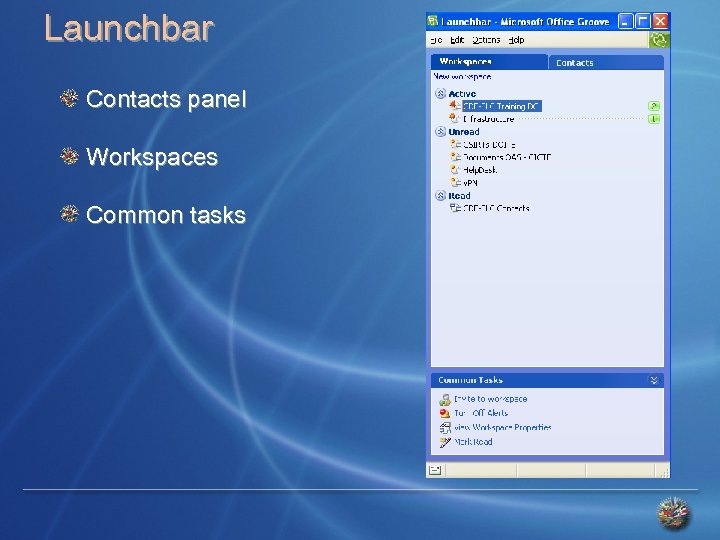 Launchbar Contacts panel Workspaces Common tasks
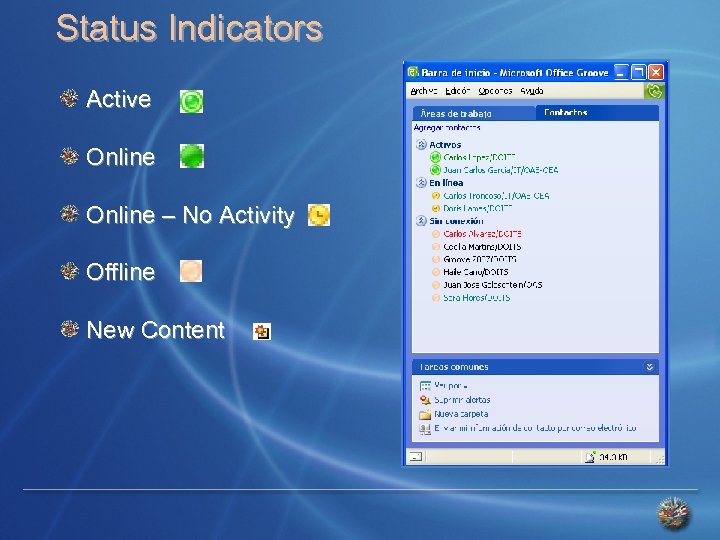 Status Indicators Active Online – No Activity Offline New Content
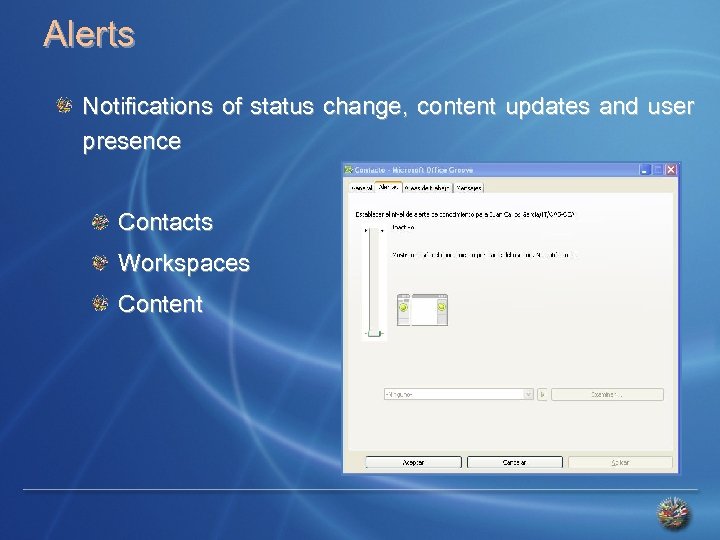 Alerts Notifications of status change, content updates and user presence Contacts Workspaces Content
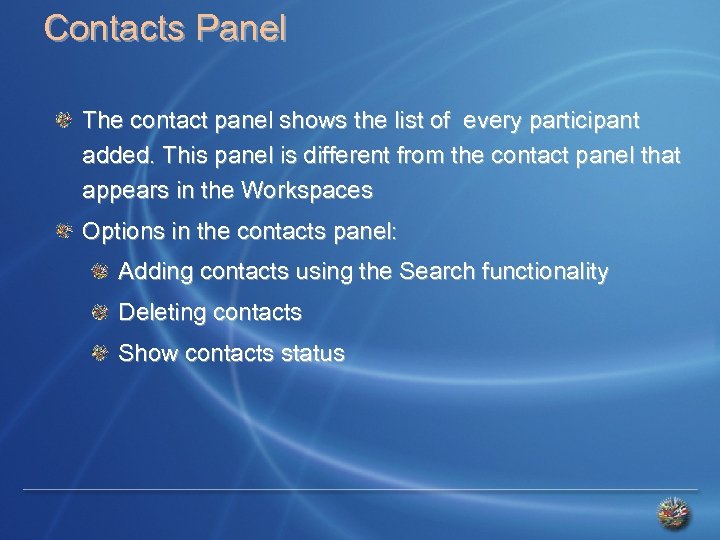 Contacts Panel The contact panel shows the list of every participant added. This panel is different from the contact panel that appears in the Workspaces Options in the contacts panel: Adding contacts using the Search functionality Deleting contacts Show contacts status
 Messaging Messages can be sent to an individual or a group Messages can contain text, pictures, documents or audio Messages are sent immediately if the receiver is online. If the receiver is offline, the message is held until he/she reconnects Large files should be shared creating a Workspace Message History
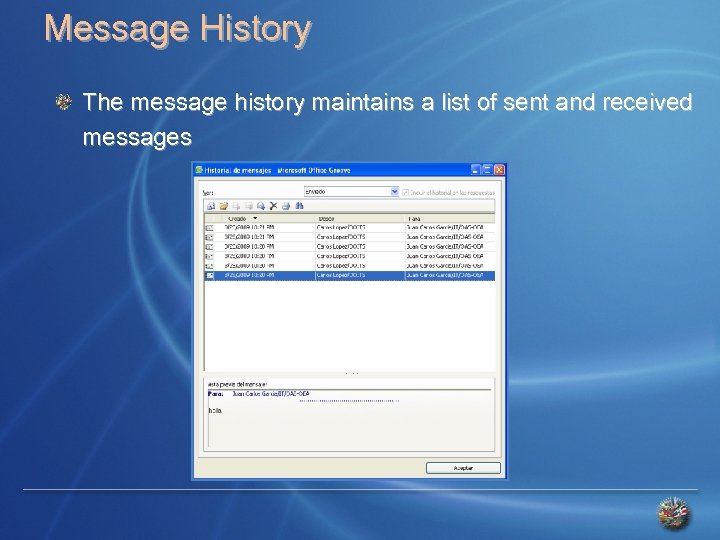 Message History The message history maintains a list of sent and received messages
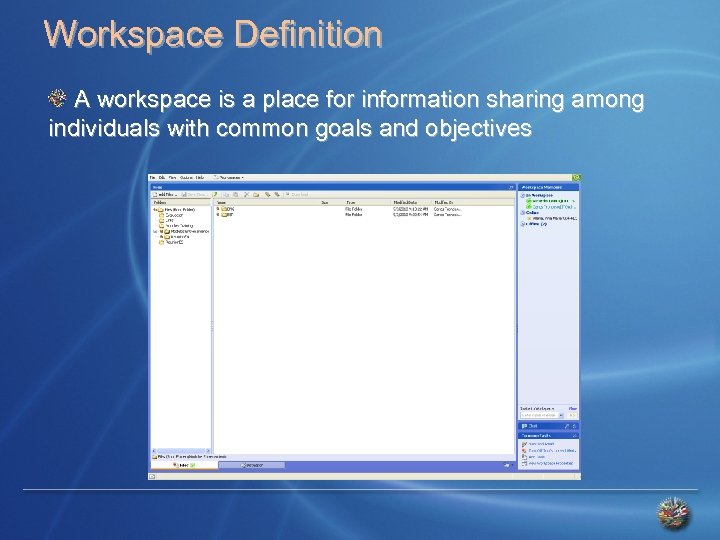 Workspace Definition A workspace is a place for information sharing among individuals with common goals and objectives
 Workspace Definition The information within a Workspace is highly dynamic The information is synchronized instantaneously with the online members of the Workspace Any change in the Workspace is synchronized with offline users as soon as they reconnect Only Workspace members can access the information shared in that Workspace
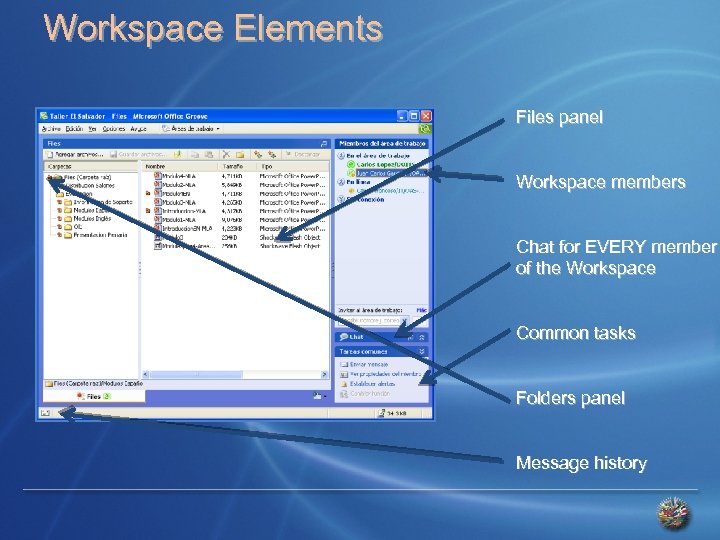 Workspace Elements Files panel Workspace members Chat for EVERY member of the Workspace Common tasks Folders panel Message history
 Workspace Contacts Allows to choose who to share the information with Allows sending messages to Workspace members Allows to Chat with EVERY member of the Workspace Allows sharing Word documents, presentations, pictures or any other file type
 Features in a Workspace User Roles Manager – changes roles and rights Participant – adds documents and invites contacts Guest – read only Folder permissions configuration
 QUESTIONS?
 Hypothetical Case
 Network of Hemispheric Legal Cooperation in the Area of Family and Child Law Introduction to the Secure Component November 10, 2010 Washington, D. C.
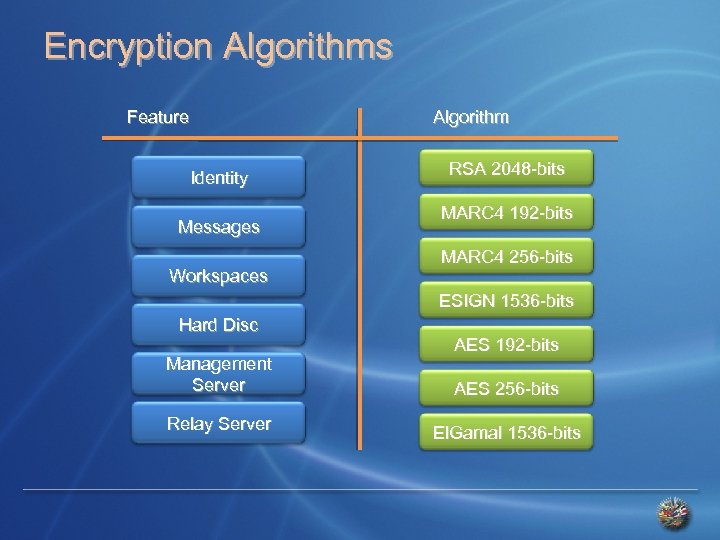 Encryption Algorithms Feature Algorithm Identity Messages Workspaces RSA 2048 -bits MARC 4 192 -bits MARC 4 256 -bits ESIGN 1536 -bits Hard Disc Management Server Relay Server AES 192 -bits AES 256 -bits El. Gamal 1536 -bits
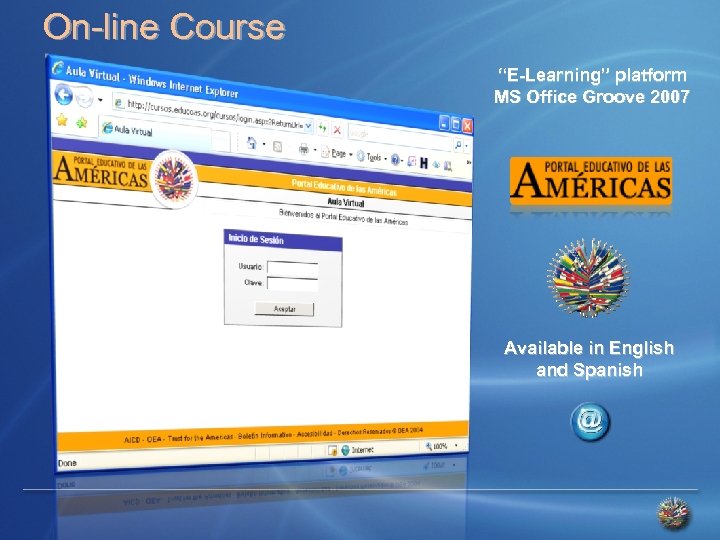 On-line Course “E-Learning” platform MS Office Groove 2007 Available in English and Spanish