


 Скачать презентацию Network Guide to Networks 5 th Edition Chapter
c828ea925451e5f5c1f180411e4cc7a0.ppt
- Количество слайдов: 53
 Network+ Guide to Networks 5 th Edition Chapter 2 Networking Standards and the OSI Model
 Objectives • Identify organizations that set standards for networking • Describe the purpose of the OSI model and each of its layers • Explain specific functions belonging to each OSI model layer
 Objectives (cont’d. ) • Understand how two network nodes communicate through the OSI model • Discuss the structure and purpose of data packets and frames • Describe the two types of addressing covered by the OSI model
 Networking Standards Organizations • Standard – Documented agreement – Technical specifications/precise criteria – Stipulates design or performance of particular product or service • Standards are essential in the networking world – Wide variety of hardware and software • Ensures network design compatibility • Standards define minimum acceptable performance – Not ideal performance
 Networking Standards Organizations (cont’d. ) • Many different organizations oversee computer industry standards – Organizations may overlap responsibilities • Example: ANSI and IEEE set wireless standards • Network professional’s responsibility – Be familiar with groups setting networking standards – Understand critical aspects of standards required by own networks
 ANSI • ANSI (American National Standards Institute) – 1000+ representatives from industry and government – Determines standards for electronics industry and other fields • Requests voluntarily compliance with standards • Obtaining ANSI approval requires rigorous testing • ANSI standards documents available online
 EIA and TIA • EIA (Electronic Industries Alliance) – Trade organization • Representatives from United States electronics manufacturing firms – Sets standards for its members – Helps write ANSI standards – Lobbies for favorable computer and electronics industries legislation
 EIA and TIA (cont’d. ) • TIA (Telecommunications Industry Association) – Formed in 1988 • EIA subgroup merged with former United States Telecommunications Suppliers Association (USTSA) – Focus of TIA • Standards for information technology, wireless, satellite, fiber optics, and telephone equipment • TIA/EIA 568 -B Series – Guidelines for installing network cable in commercial buildings
 IEEE • IEEE (Institute of Electrical and Electronics Engineers) – International engineering professionals society • Goal of IEEE – Promote development and education in electrical engineering and computer science fields • Hosts symposia, conferences, and chapter meetings • Maintains a standards board • IEEE technical papers and standards – Highly respected
 IEEE Student Chapter at CCSF • Last semester, the chapter arranged a tour of a data center • I'll let you know what's coming up this semester
 ISO • ISO (International Organization for Standardization) – Headquartered in Geneva, Switzerland – Collection of standards organizations • Representing 57 countries • Goal of ISO – Establish international technological standards to facilitate global exchange of information and barrier free trade • Widespread authority
 ITU • ITU (International Telecommunication Union) – Specialized United Nations agency – Regulates international telecommunications – Provides developing countries with technical expertise and equipment – Founded in 1865 • Joined United Nations in 1947 – Members from 191 countries • Focus of ITU – Global telecommunications issues – Worldwide Internet services implementation
 ISOC • ISOC (Internet Society) – Founded in 1992 – Professional membership society – Establishes technical Internet standards • Current ISOC concerns – – – Rapid Internet growth Keeping Internet accessible Information security Stable Internet addressing services Open standards
 ISOC (cont’d. ) • ISOC oversees groups with specific missions – IAB (Internet Architecture Board) • Technical advisory group • Overseeing Internet’s design and management – IETF (Internet Engineering Task Force) • • Sets Internet system communication standards Particularly protocol operation and interaction Anyone may submit standard proposal Elaborate review, testing, and approval processes
 IANA and ICANN • IP (Internet Protocol) address – Address identifying computers in TCP/IP based (Internet) networks – Reliance on centralized management authorities • IP address management history – Initially: IANA (Internet Assigned Numbers Authority) – 1997: Three RIRs (Regional Internet Registries) • ARIN (American Registry for Internet Numbers) • APNIC (Asia Pacific Network Information Centre) • RIPE (Réseaux IP Européens)
 IANA and ICANN (cont’d. ) • IP address management history (cont’d. ) – Late 1990 s: ICANN (Internet Corporation for Assigned Names and Numbers) • Private nonprofit corporation • Remains responsible for IP addressing and domain name management • IANA performs system administration • Users and business obtain IP addresses from ISP (Internet service provider)
 ICANN's Stormy History • 2002: ICANN was sued by one of their own board members to force them to disclose financial documents • 2003: ICANN sued Verisign to make them shut down their "Site Finder" service, which captured all mistyped URLs and showed them Verisign ads • 2004 Verisign sued ICANN saying they had overstepped their authority • 2008 Ten worst spam offenders notified by ICANN – Links Ch 2 a, 2 b, 2 c
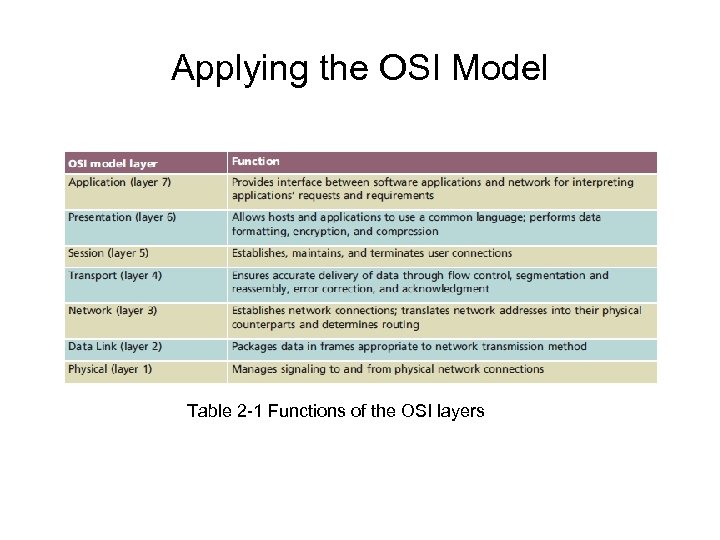
 The OSI Model • Model for understanding and developing network computer-to-computer communications • Developed by ISO (1980 s) • Divides network communications into seven layers – Physical, Data Link, Network, Transport, Session, Presentation, Application
 The OSI Model (cont’d. ) • Protocol interaction – Layer directly above and below • Application layer protocols – Interact with software • Physical layer protocols – Act on cables and connectors
 The OSI Model (cont’d. ) • Theoretical representation describing network communication between two nodes • Hardware and software independent • Every network communication process represented • PDUs (protocol data units) – Discrete amount of data – Application layer function – Flow through layers 6, 5, 4, 3, 2, and 1 • Generalized model and sometime imperfect
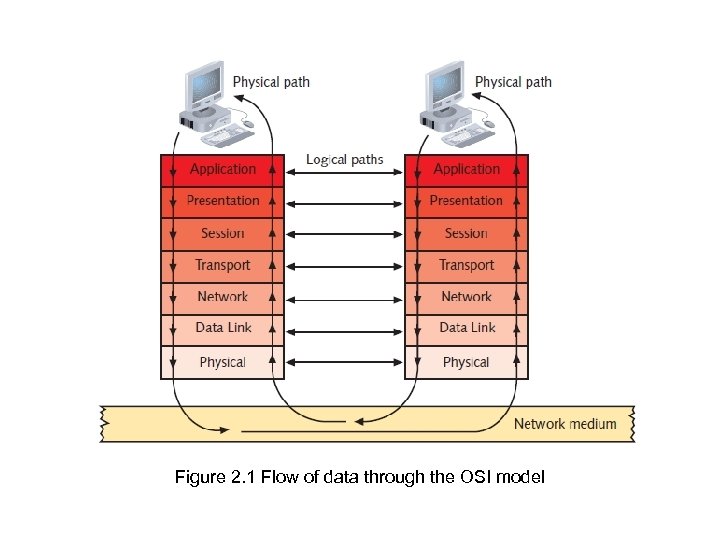 Figure 2. 1 Flow of data through the OSI model
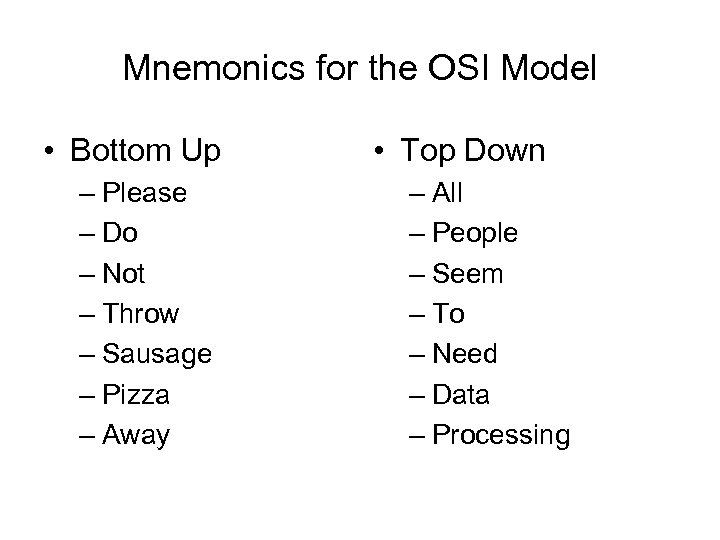 Mnemonics for the OSI Model • Bottom Up – Please – Do – Not – Throw – Sausage – Pizza – Away • Top Down – All – People – Seem – To – Need – Data – Processing
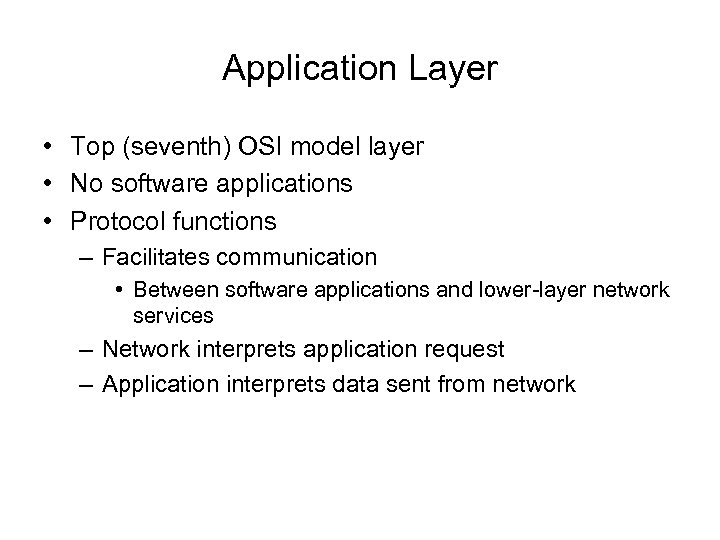 Application Layer • Top (seventh) OSI model layer • No software applications • Protocol functions – Facilitates communication • Between software applications and lower-layer network services – Network interprets application request – Application interprets data sent from network
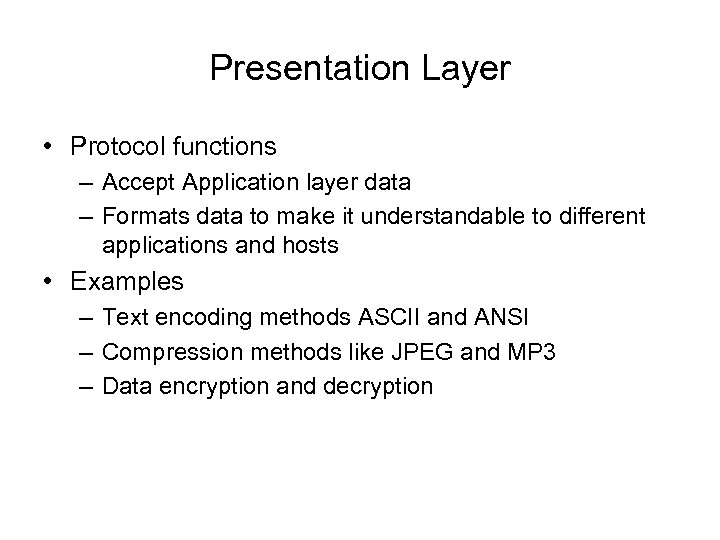 Presentation Layer • Protocol functions – Accept Application layer data – Formats data to make it understandable to different applications and hosts • Examples – Text encoding methods ASCII and ANSI – Compression methods like JPEG and MP 3 – Data encryption and decryption
 Session Layer • Protocol functions – Coordinate and maintain communications between two nodes • Session – Connection for ongoing data exchange between two parties • Example: between Web browser client and Web server • Functions – Establishing and keeping alive communications link • For session duration – Determining if communications ended • Determining where to restart transmission – Terminating communications
 Transport Layer • Protocol functions – Accept data from Session layer – Provides flow control, segmentation, and error control • Primary Transport Layer Protocols: TCP and UDP
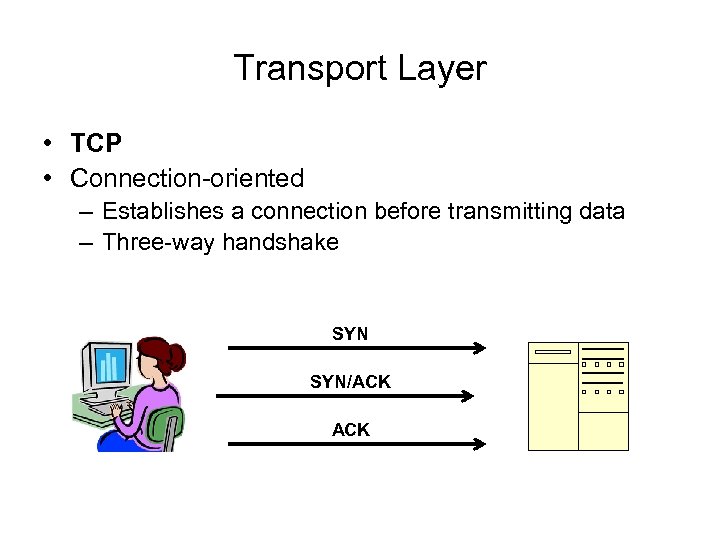 Transport Layer • TCP • Connection-oriented – Establishes a connection before transmitting data – Three-way handshake SYN/ACK
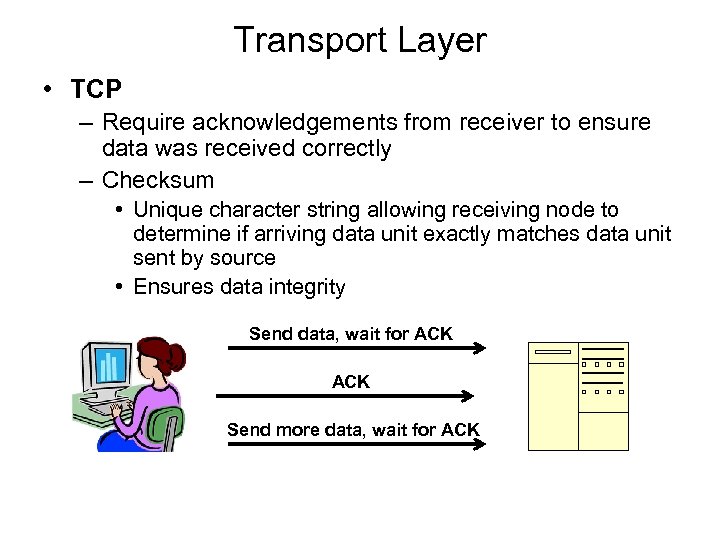 Transport Layer • TCP – Require acknowledgements from receiver to ensure data was received correctly – Checksum • Unique character string allowing receiving node to determine if arriving data unit exactly matches data unit sent by source • Ensures data integrity Send data, wait for ACK Send more data, wait for ACK
 Transport Layer • UDP: A connectionless protocol – Do not establish connection with another node before transmitting data—no handshake – Make no effort to ensure data is delivered free of errors – Faster than connection-oriented protocol – Useful when data must be transferred quickly, such as streaming music or video
 Transport Layer • Segmentation – Breaking large data units received from Session layer into multiple smaller units called segments – Increases data transmission efficiency • MTU (maximum transmission unit) – Largest data unit network will carry – Ethernet default: 1500 bytes – Discovery routine used to determine MTU
 Transport Layer (cont’d. ) • Reassembly – Process of reconstructing segmented data units • Sequencing – Method of identifying segments belonging to the same group of subdivided data
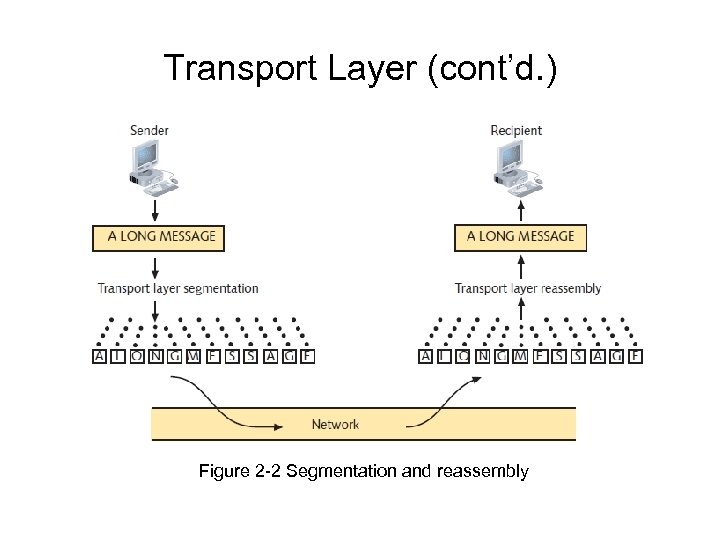 Transport Layer (cont’d. ) Figure 2 -2 Segmentation and reassembly
 Error in Textbook • On page 50, the textbook says that the Network layer translates IP addresses like 147. 144. 51. 121 into MAC addresses like 00 -30 -48 -82 -11 -BD • That is false. MAC addresses are used at layers 2 and 1 only. Layer 3 works with IP packets which have had the MAC addresses removed from them.
 Network Layer • Packet formation – Transport layer segment is encapsulated by a Network layer packet • Network layer adds logical addressing information—IP address • Routing – Determine path from point A on one network to point B on another network • Routing considerations – Delivery priorities, network congestion, quality of service, cost of alternative routes
 Network Layer • Common Network layer protocol – IP (Internet Protocol) • Fragmentation – Network layer protocol (IP) subdivides Transport layer segments received into smaller packets – This is usually avoided by adjusting the Maximum Segment Size in the Transport layer, because it makes data transfer inefficient • Link Ch 2 e
 Data Link Layer • Function of protocols – Divide data received into distinct frames for transmission in Physical layer – Add Physical address to the frame: MAC addresses like 00 -30 -48 -82 -11 -BD • Frame – Structured package for moving data • Includes raw data (payload), sender’s and receiver’s physical addresses, error checking and control information
 Data Link Layer (cont’d. ) • Frames may be damaged as they pass through the Physical layer, so the Data Link layer has errorchecking – Error checking • Frame check sequence • CRC (cyclic redundancy check) • Possible glut of communication requests – Data Link layer controls flow of information • Allows NIC to process data without error
 Data Link Layer (cont’d. ) • Two Data Link layer sublayers – LLC (Logical Link Control) sublayer – MAC (Media Access Control) sublayer • MAC address components – Block ID • Six-character sequence unique to each vendor – Device ID • Six-character number added at vendor’s factory • MAC addresses frequently depicted in hexadecimal format
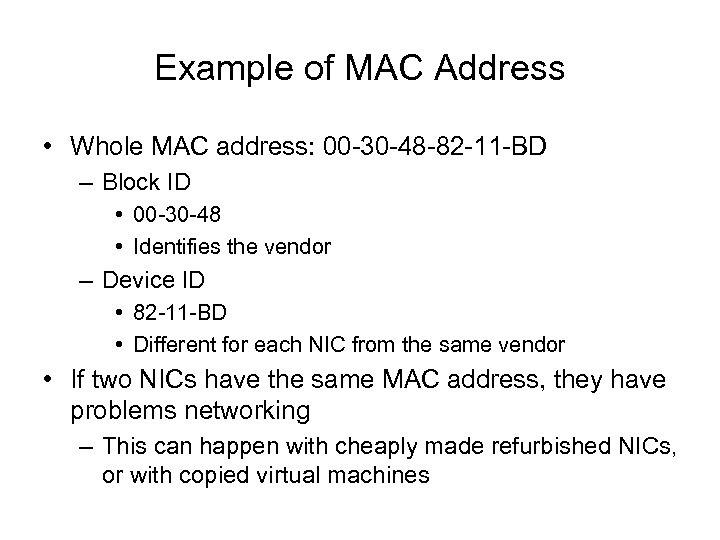 Example of MAC Address • Whole MAC address: 00 -30 -48 -82 -11 -BD – Block ID • 00 -30 -48 • Identifies the vendor – Device ID • 82 -11 -BD • Different for each NIC from the same vendor • If two NICs have the same MAC address, they have problems networking – This can happen with cheaply made refurbished NICs, or with copied virtual machines
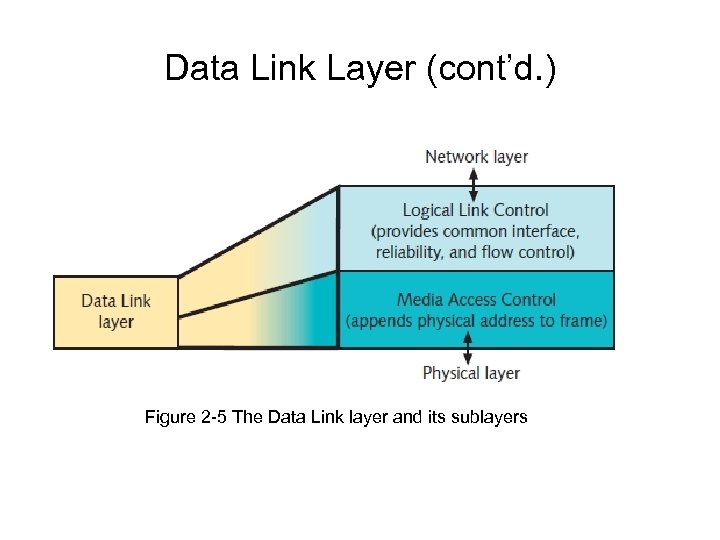 Data Link Layer (cont’d. ) Figure 2 -5 The Data Link layer and its sublayers
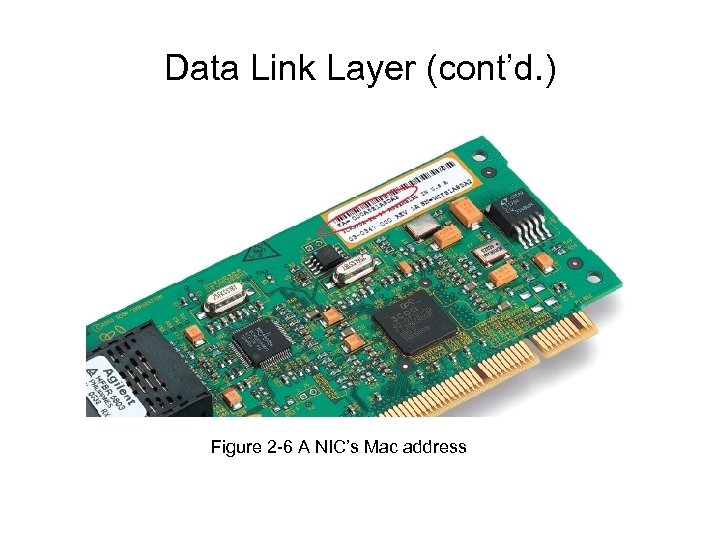 Data Link Layer (cont’d. ) Figure 2 -6 A NIC’s Mac address
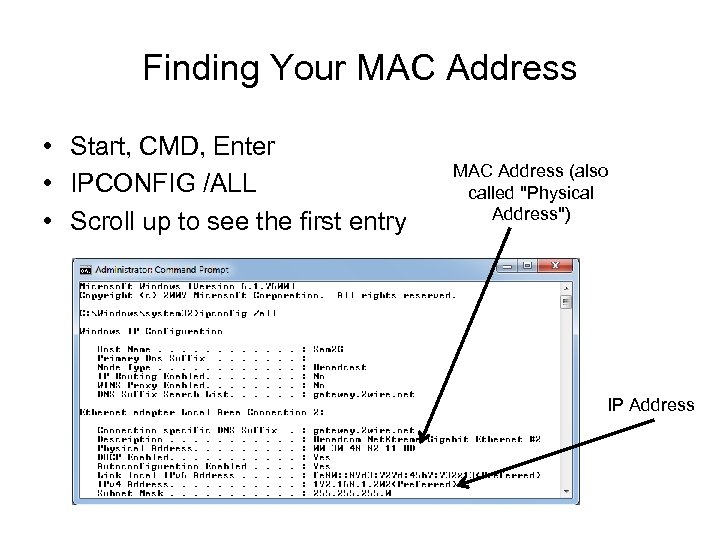 Finding Your MAC Address • Start, CMD, Enter • IPCONFIG /ALL • Scroll up to see the first entry MAC Address (also called "Physical Address") IP Address
 Physical Layer • Functions of protocols – Accept frames from Data Link layer – Generate signals as changes in voltage at the NIC • Copper transmission medium – Signals issued as voltage • Fiber-optic cable transmission medium – Signals issued as light pulses • Wireless transmission medium – Signals issued as electromagnetic waves
 Physical Layer (cont’d. ) • Physical layer protocols responsibility when receiving data – – – Detect and accept signals Pass on to Data Link layer Set data transmission rate Monitor data error rates No error checking • Devices operating at Physical layer – Hubs and repeaters • NICs operate at both Physical layer and Data Link layers
 Applying the OSI Model Table 2 -1 Functions of the OSI layers
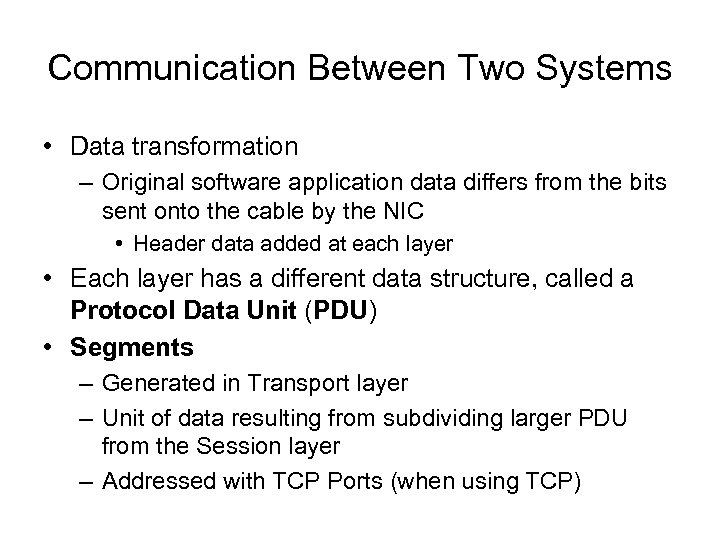 Communication Between Two Systems • Data transformation – Original software application data differs from the bits sent onto the cable by the NIC • Header data added at each layer • Each layer has a different data structure, called a Protocol Data Unit (PDU) • Segments – Generated in Transport layer – Unit of data resulting from subdividing larger PDU from the Session layer – Addressed with TCP Ports (when using TCP)
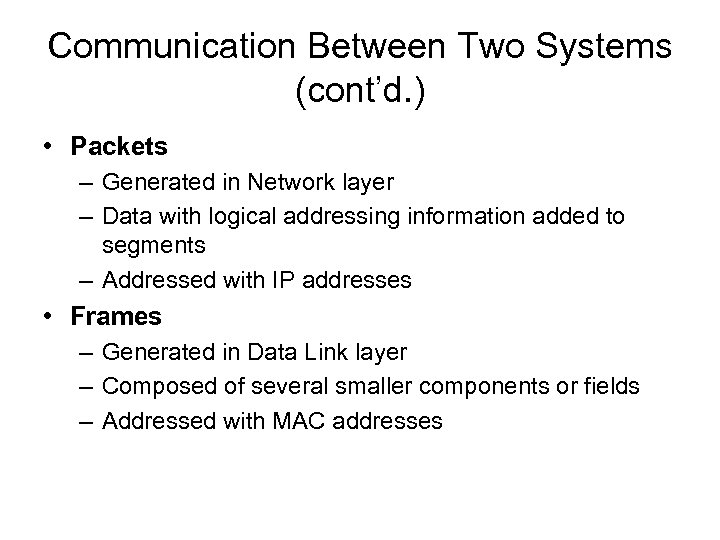 Communication Between Two Systems (cont’d. ) • Packets – Generated in Network layer – Data with logical addressing information added to segments – Addressed with IP addresses • Frames – Generated in Data Link layer – Composed of several smaller components or fields – Addressed with MAC addresses
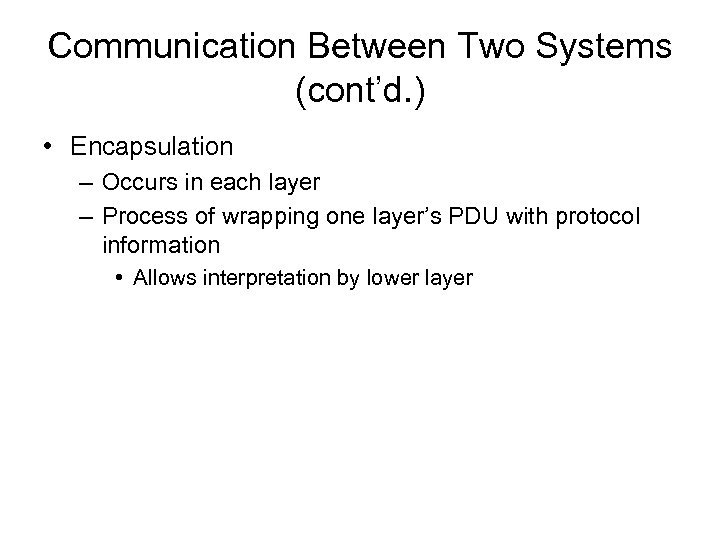 Communication Between Two Systems (cont’d. ) • Encapsulation – Occurs in each layer – Process of wrapping one layer’s PDU with protocol information • Allows interpretation by lower layer
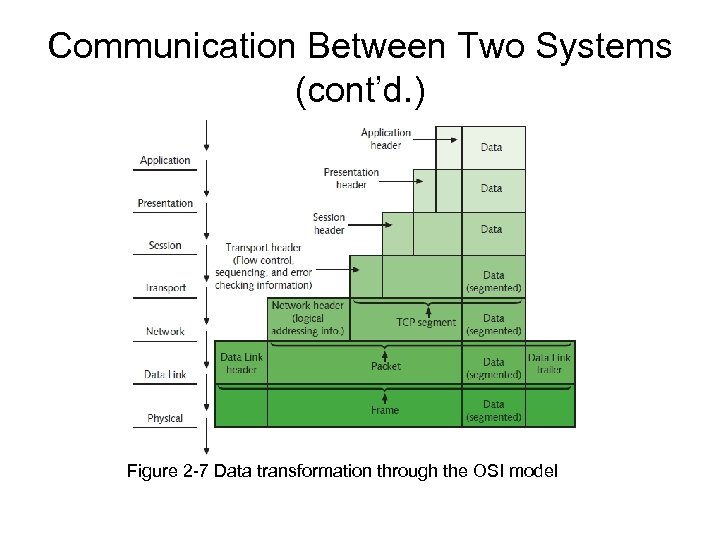 Communication Between Two Systems (cont’d. ) Figure 2 -7 Data transformation through the OSI model
 Frame Specifications • Frames – Composed of several smaller components or fields • Frame characteristic dependencies – Network type where frames run – Standards frames must follow • Ethernet – Developed by Xerox – Four different types of Ethernet frames – Most popular: IEEE 802. 3 standard
 Frame Specifications (cont’d. ) • Token ring – Developed by IBM – Relies upon direct links between nodes and ring topology – Nearly obsolete – Defined by IEEE 802. 5 standard • Ethernet frames and token ring frames differ – Will not interact with each other – Devices cannot support more than one frame type per physical interface or NIC
 IEEE Networking Specifications • IEEE’s Project 802 – Effort to standardize physical and logical network elements • • • Frame types and addressing Connectivity Networking media Error-checking algorithms Encryption Emerging technologies • 802. 3: Ethernet • 802. 11: Wireless
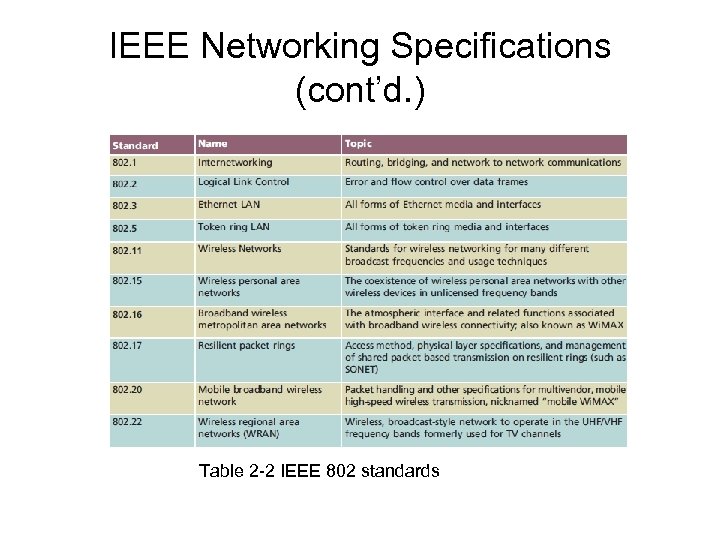 IEEE Networking Specifications (cont’d. ) Table 2 -2 IEEE 802 standards