


 Скачать презентацию Network Guide to Networks 5 th Edition Chapter
06e5072f97f638ba970f7e6fe9d382cc.ppt
- Количество слайдов: 75
 Network+ Guide to Networks 5 th Edition Chapter 2 Networking Standards and the OSI Model
 Objectives • Identify organizations that set standards for networking • Describe the purpose of the OSI model and each of its layers • Explain specific functions belonging to each OSI model layer
 Objectives (cont’d. ) • Understand how two network nodes communicate through the OSI model • Discuss the structure and purpose of data packets and frames • Describe the two types of addressing covered by the OSI model
 Networking Standards Organizations • Standard – Documented agreement – Technical specifications/precise criteria – Stipulates design or performance of particular product or service • Standards are essential in the networking world – Wide variety of hardware and software • Ensures network design compatibility • Standards define minimum acceptable performance – Not ideal performance
 Networking Standards Organizations (cont’d. ) • Many different organizations oversee computer industry standards – Organizations may overlap responsibilities • Example: ANSI and IEEE set wireless standards • Network professional’s responsibility – Be familiar with groups setting networking standards – Understand critical aspects of standards required by own networks
 ANSI • ANSI (American National Standards Institute) – 1000+ representatives from industry and government – Determines standards for electronics industry and other fields • Requests voluntarily compliance with standards • Obtaining ANSI approval requires rigorous testing • ANSI standards documents available online
 EIA and TIA • EIA (Electronic Industries Alliance) – Trade organization • Representatives from United States electronics manufacturing firms – Sets standards for its members – Helps write ANSI standards – Lobbies for favorable computer and electronics industries legislation
 EIA and TIA (cont’d. ) • TIA (Telecommunications Industry Association) – Formed in 1988 • EIA subgroup merged with former United States Telecommunications Suppliers Association (USTSA) – Focus of TIA • Standards for information technology, wireless, satellite, fiber optics, and telephone equipment • TIA/EIA 568 -B Series – Guidelines for installing network cable in commercial buildings
 IEEE • IEEE (Institute of Electrical and Electronics Engineers) – International engineering professionals society • Goal of IEEE – Promote development and education in electrical engineering and computer science fields • Hosts symposia, conferences, and chapter meetings • Maintains a standards board • IEEE technical papers and standards – Highly respected
 IEEE Student Chapter at CCSF • Last semester, the chapter arranged a tour of a data center • I'll let you know what's coming up this semester
 ISO • ISO (International Organization for Standardization) – Headquartered in Geneva, Switzerland – Collection of standards organizations • Representing 57 countries • Goal of ISO – Establish international technological standards to facilitate global exchange of information and barrier free trade • Widespread authority
 ITU • ITU (International Telecommunication Union) – Specialized United Nations agency – Regulates international telecommunications – Provides developing countries with technical expertise and equipment – Founded in 1865 • Joined United Nations in 1947 – Members from 191 countries • Focus of ITU – Global telecommunications issues – Worldwide Internet services implementation
 ISOC • ISOC (Internet Society) – Founded in 1992 – Professional membership society – Establishes technical Internet standards • Current ISOC concerns – – – Rapid Internet growth Keeping Internet accessible Information security Stable Internet addressing services Open standards
 ISOC (cont’d. ) • ISOC oversees groups with specific missions – IAB (Internet Architecture Board) • Technical advisory group • Overseeing Internet’s design and management – IETF (Internet Engineering Task Force) • • Sets Internet system communication standards Particularly protocol operation and interaction Anyone may submit standard proposal Elaborate review, testing, and approval processes
 IANA and ICANN • IP (Internet Protocol) address – Address identifying computers in TCP/IP based (Internet) networks – Reliance on centralized management authorities • IP address management history – Initially: IANA (Internet Assigned Numbers Authority) – 1997: Three RIRs (Regional Internet Registries) • ARIN (American Registry for Internet Numbers) • APNIC (Asia Pacific Network Information Centre) • RIPE (Réseaux IP Européens)
 IANA and ICANN (cont’d. ) • IP address management history (cont’d. ) – Late 1990 s: ICANN (Internet Corporation for Assigned Names and Numbers) • Private nonprofit corporation • Remains responsible for IP addressing and domain name management • IANA performs system administration • Users and business obtain IP addresses from ISP (Internet service provider)
 ICANN's Stormy History • 2002: ICANN was sued by one of their own board members to force them to disclose financial documents • 2003: ICANN sued Verisign to make them shut down their "Site Finder" service, which captured all mistyped URLs and showed them Verisign ads • 2004 Verisign sued ICANN saying they had overstepped their authority • 2008 Ten worst spam offenders notified by ICANN – Links Ch 2 a, 2 b, 2 c
 The OSI Model • Model for understanding and developing network computer-to-computer communications • Developed by ISO (1980 s) • Divides network communications into seven layers – Physical, Data Link, Network, Transport, Session, Presentation, Application
 The OSI Model (cont’d. ) • Protocol interaction – Layer directly above and below • Application layer protocols – Interact with software • Physical layer protocols – Act on cables and connectors
 The OSI Model (cont’d. ) • Theoretical representation describing network communication between two nodes • Hardware and software independent • Every network communication process represented • PDUs (protocol data units) – Discrete amount of data – Application layer function – Flow through layers 6, 5, 4, 3, 2, and 1 • Generalized model and sometime imperfect
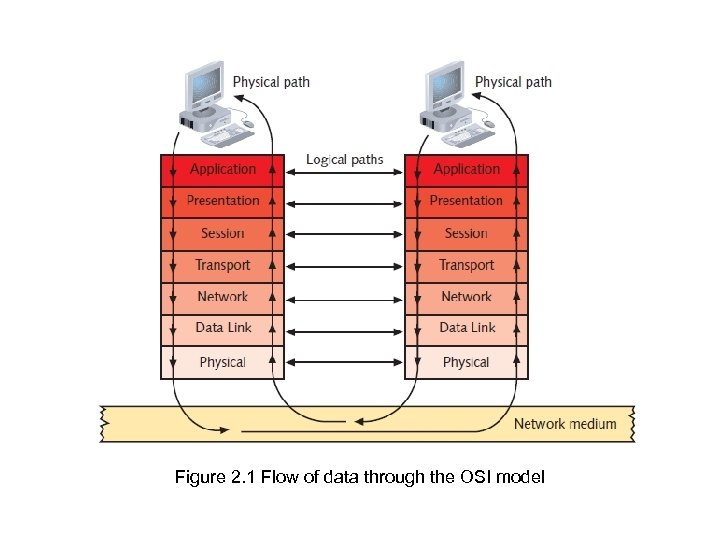 Figure 2. 1 Flow of data through the OSI model
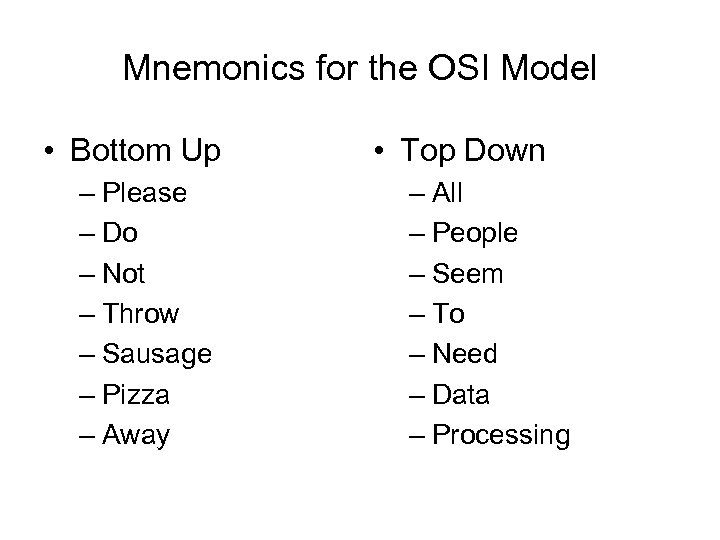 Mnemonics for the OSI Model • Bottom Up – Please – Do – Not – Throw – Sausage – Pizza – Away • Top Down – All – People – Seem – To – Need – Data – Processing
 i. Clicker Questions
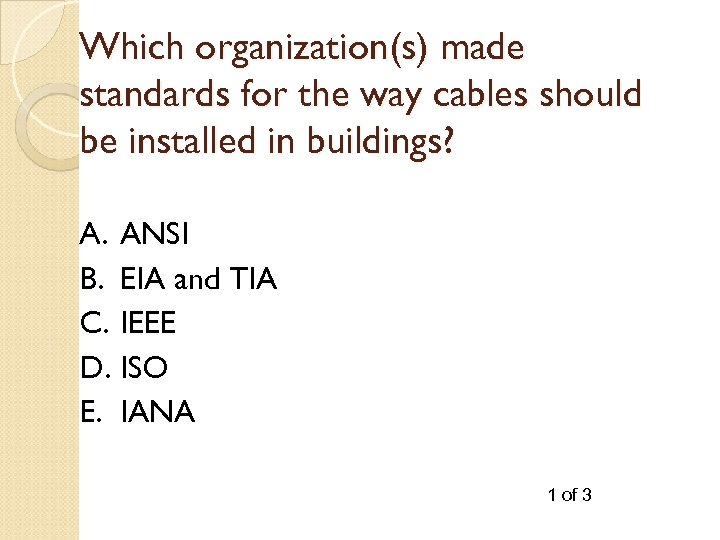 Which organization(s) made standards for the way cables should be installed in buildings? A. ANSI B. EIA and TIA C. IEEE D. ISO E. IANA 1 of 3
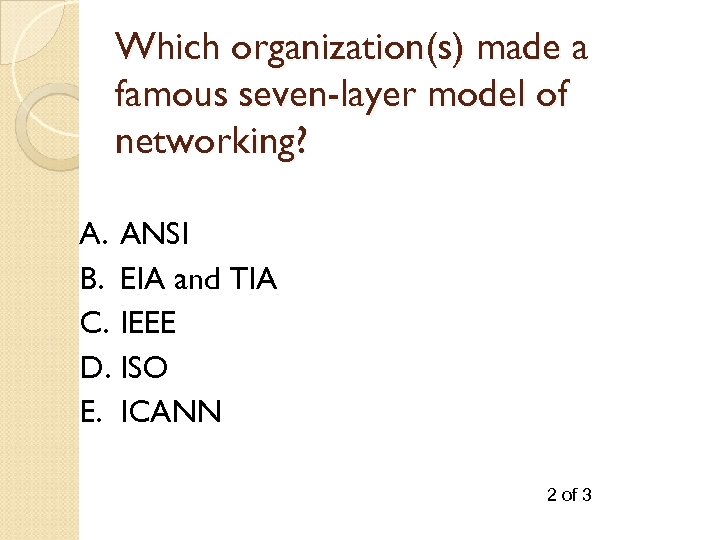 Which organization(s) made a famous seven-layer model of networking? A. ANSI B. EIA and TIA C. IEEE D. ISO E. ICANN 2 of 3
 Which organization was sued by one of its own board members in 2002? A. RIR B. IEEE C. ISO D. IANA E. ICANN 3 of 3
 Application Layer • Top (seventh) OSI model layer • No software applications • Protocol functions – Facilitates communication • Between software applications and lower-layer network services – Network interprets application request – Application interprets data sent from network
 Presentation Layer • Protocol functions – Accept Application layer data – Formats data to make it understandable to different applications and hosts • Examples – Text encoding methods ASCII and ANSI – Compression methods like JPEG and MP 3 – Data encryption and decryption
 Session Layer • Protocol functions – Coordinate and maintain communications between two nodes • Session – Connection for ongoing data exchange between two parties • Example: between Web browser client and Web server • Functions – Establishing and keeping alive communications link • For session duration – Determining if communications ended • Determining where to restart transmission – Terminating communications
 Transport Layer • Protocol functions – Accept data from Session layer – Provides flow control, segmentation, and error control • Primary Transport Layer Protocols: TCP and UDP
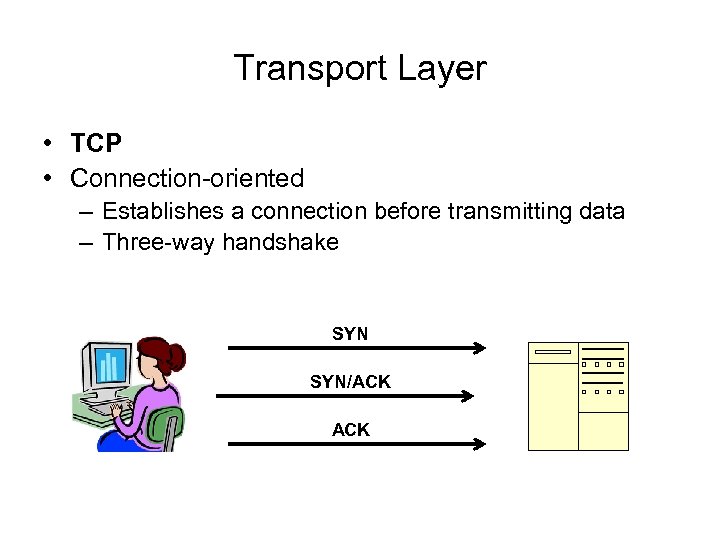 Transport Layer • TCP • Connection-oriented – Establishes a connection before transmitting data – Three-way handshake SYN/ACK
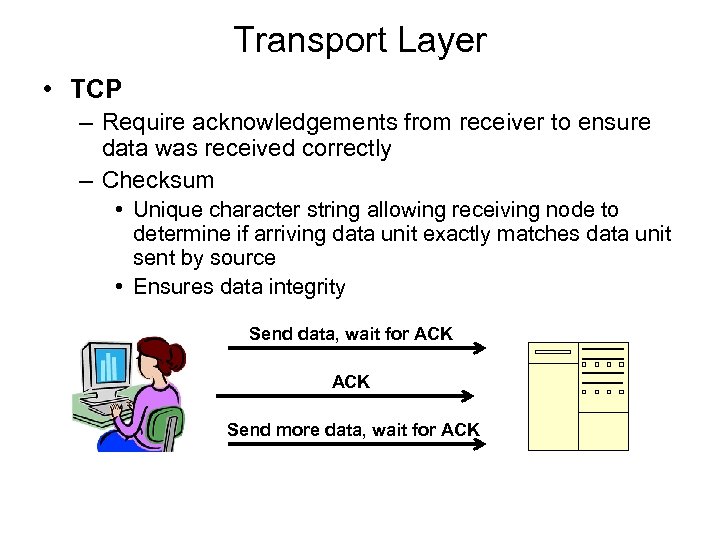 Transport Layer • TCP – Require acknowledgements from receiver to ensure data was received correctly – Checksum • Unique character string allowing receiving node to determine if arriving data unit exactly matches data unit sent by source • Ensures data integrity Send data, wait for ACK Send more data, wait for ACK
 Transport Layer • UDP: A connectionless protocol – Do not establish connection with another node before transmitting data—no handshake – Make no effort to ensure data is delivered free of errors – Faster than connection-oriented protocol – Useful when data must be transferred quickly, such as streaming music or video
 Transport Layer • Segmentation – Breaking large data units received from Session layer into multiple smaller units called segments – Increases data transmission efficiency • MTU (maximum transmission unit) – Largest data unit network will carry – Ethernet default: 1500 bytes – Discovery routine used to determine MTU
 Transport Layer (cont’d. ) • Reassembly – Process of reconstructing segmented data units • Sequencing – Method of identifying segments belonging to the same group of subdivided data
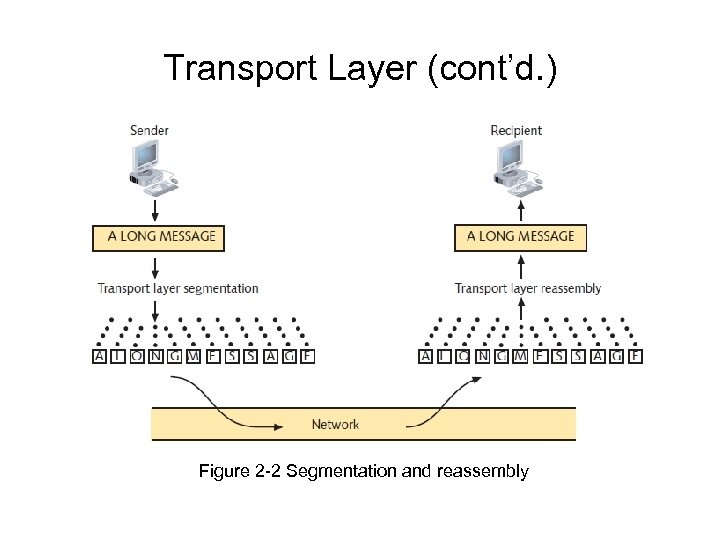 Transport Layer (cont’d. ) Figure 2 -2 Segmentation and reassembly
 Error in Textbook • On page 50, the textbook says that the Network layer translates IP addresses like 147. 144. 51. 121 into MAC addresses like 00 -30 -48 -82 -11 -BD • That is false. MAC addresses are used at layers 2 and 1 only. Layer 3 works with IP packets which have had the MAC addresses removed from them.
 Network Layer • Packet formation – Transport layer segment is encapsulated by a Network layer packet • Network layer adds logical addressing information—IP address • Routing – Determine path from point A on one network to point B on another network • Routing considerations – Delivery priorities, network congestion, quality of service, cost of alternative routes
 Network Layer • Common Network layer protocol – IP (Internet Protocol) • Fragmentation – Network layer protocol (IP) subdivides Transport layer segments received into smaller packets – This is usually avoided by adjusting the Maximum Segment Size in the Transport layer, because it makes data transfer inefficient • Link Ch 2 e
 Data Link Layer • Function of protocols – Divide data received into distinct frames for transmission in Physical layer – Add Physical address to the frame: MAC addresses like 00 -30 -48 -82 -11 -BD • Frame – Structured package for moving data • Includes raw data (payload), sender’s and receiver’s physical addresses, error checking and control information
 Data Link Layer (cont’d. ) • Frames may be damaged as they pass through the Physical layer, so the Data Link layer has errorchecking – Error checking • Frame check sequence • CRC (cyclic redundancy check) • Possible glut of communication requests – Data Link layer controls flow of information • Allows NIC to process data without error
 Data Link Layer (cont’d. ) • Two Data Link layer sublayers – LLC (Logical Link Control) sublayer – MAC (Media Access Control) sublayer • MAC address components – Block ID • Six-character sequence unique to each vendor – Device ID • Six-character number added at vendor’s factory • MAC addresses frequently depicted in hexadecimal format
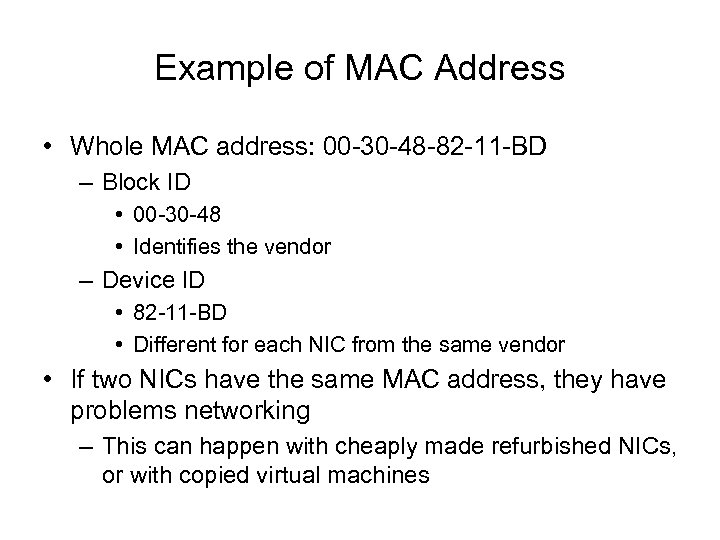 Example of MAC Address • Whole MAC address: 00 -30 -48 -82 -11 -BD – Block ID • 00 -30 -48 • Identifies the vendor – Device ID • 82 -11 -BD • Different for each NIC from the same vendor • If two NICs have the same MAC address, they have problems networking – This can happen with cheaply made refurbished NICs, or with copied virtual machines
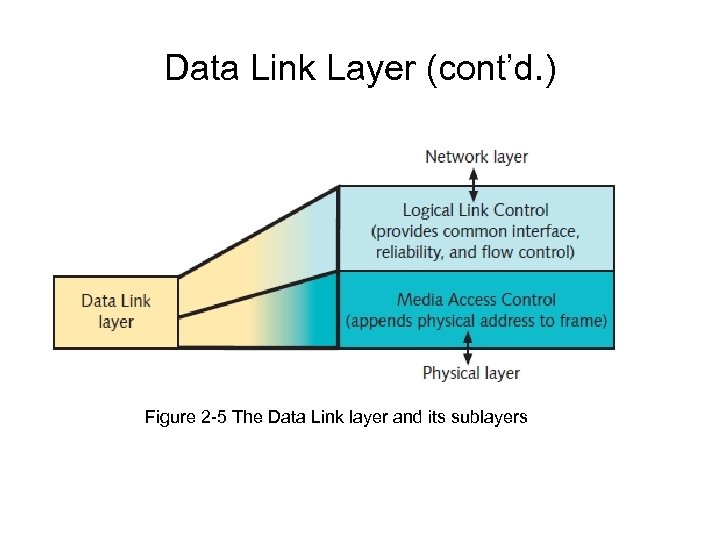 Data Link Layer (cont’d. ) Figure 2 -5 The Data Link layer and its sublayers
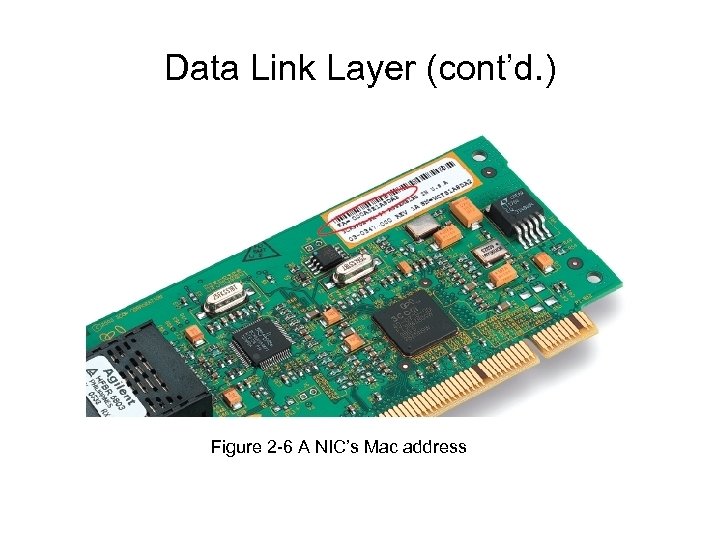 Data Link Layer (cont’d. ) Figure 2 -6 A NIC’s Mac address
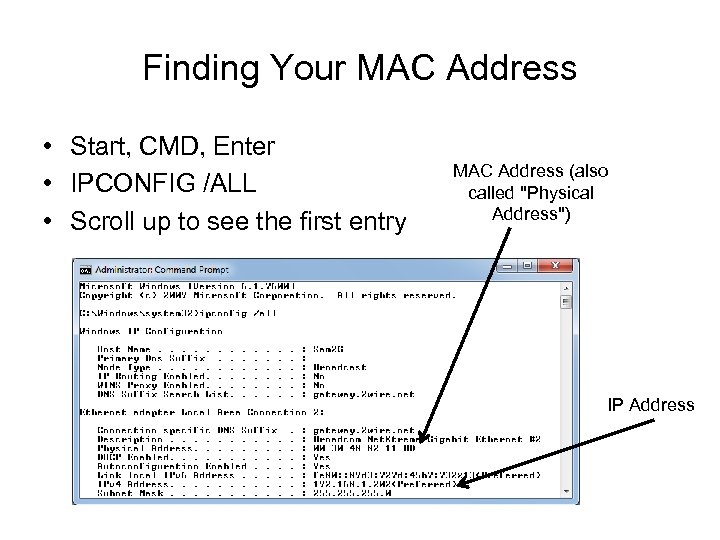 Finding Your MAC Address • Start, CMD, Enter • IPCONFIG /ALL • Scroll up to see the first entry MAC Address (also called "Physical Address") IP Address
 Physical Layer • Functions of protocols – Accept frames from Data Link layer – Generate signals as changes in voltage at the NIC • Copper transmission medium – Signals issued as voltage • Fiber-optic cable transmission medium – Signals issued as light pulses • Wireless transmission medium – Signals issued as electromagnetic waves
 Physical Layer (cont’d. ) • Physical layer protocols responsibility when receiving data – Detect and accept signals – Pass on to Data Link layer – Set data transmission rate • Devices operating at Physical layer – Hubs and repeaters • NICs operate at both Physical layer and Data Link layers
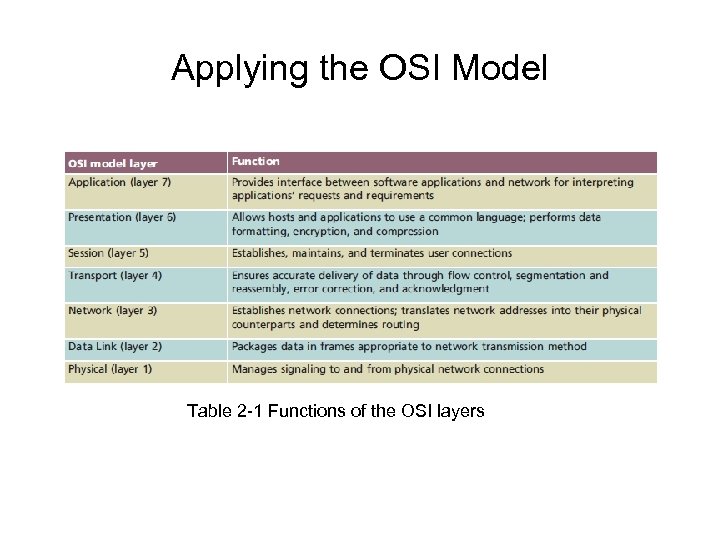 Applying the OSI Model Table 2 -1 Functions of the OSI layers
 i. Clicker Questions
 Which OSI layer creates electrical signals which travel along an Ethernet cable? A. Session, Presentation, or Application B. Transport C. Network D. Data Link E. Physical 1 of 5
 Which OSI layer tears down a connection after a period of inactivity? A. Application B. Presentation C. Session D. Transport E. Network, Data Link, or Physical 2 of 5
 Which OSI layer encrypts and decrypts data sent with secure protocols like HTTPS? A. Session, Presentation, or Application B. Transport C. Network D. Data Link E. Physical 3 of 5
 Which OSI layer assigns addresses like 00 -50 -56 -C 0 -00 -01 to the data? A. Session, Presentation, or Application B. Transport C. Network D. Data Link E. Physical 4 of 5
 Which OSI layer assigns addresses like 147. 144. 51. 101 to the data? A. Session, Presentation, or Application B. Transport C. Network D. Data Link E. Physical 5 of 5
 i. Clicker Questions Review
 Which item below is a MAC address? A. 147. 144. 1. 2 B. 94112 C. 1005 HA D. 00 -12 -11 -XY-9 Q-01 E. 00 -11 -15 -A 3 -B 2 -2 E 1 of 5
 Which OSI layer is also called Layer 2? A. Session, Presentation, or Application B. Physical C. Network D. Data Link E. Transport 2 of 5
 Which OSI layer routes packets across the Internet? A. Layer 5, 6 or 7 B. Layer 4 C. Layer 3 D. Layer 2 E. Layer 1 3 of 5
 Which OSI layer maintains a list of remote servers that your computer is currently connected to? A. Layer 5, 6 or 7 B. Layer 4 C. Layer 3 D. Layer 2 E. Layer 1 4 of 5
 Which OSI layer sends radio signals out your Wi-Fi Interface? A. Session, Presentation, or Application B. Transport C. Network D. Data Link E. Physical 5 of 5
 Communication Between Two Systems • Data transformation – Original software application data differs from the bits sent onto the cable by the NIC • Header data added at each layer • Each layer has a different data structure, called a Protocol Data Unit (PDU) • Segments – Generated in Transport layer – Unit of data resulting from subdividing larger PDU from the Session layer – Addressed with TCP Ports (when using TCP)
 Communication Between Two Systems (cont’d. ) • Packets – Generated in Network layer – Data with logical addressing information added to segments – Addressed with IP addresses • Frames – Generated in Data Link layer – Composed of several smaller components or fields – Addressed with MAC addresses
 Communication Between Two Systems (cont’d. ) • Encapsulation – Occurs in each layer – Process of wrapping one layer’s PDU with protocol information • Allows interpretation by lower layer
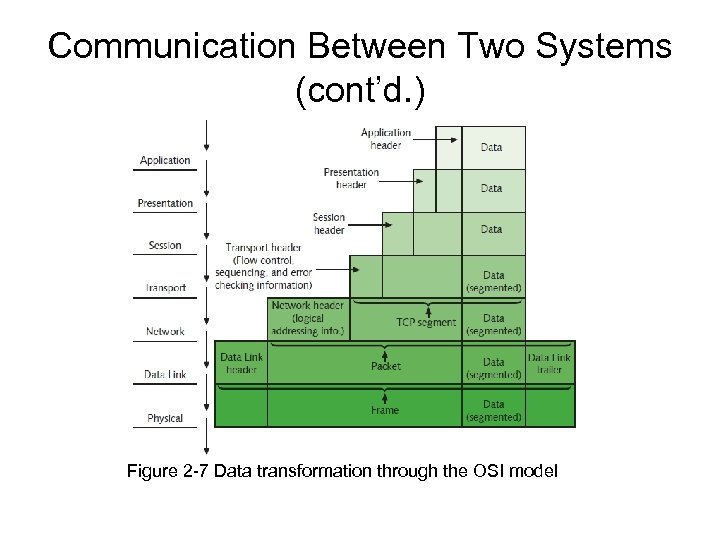 Communication Between Two Systems (cont’d. ) Figure 2 -7 Data transformation through the OSI model
 Frame Specifications • Frames – Composed of several smaller components or fields • Frame characteristic dependencies – Network type where frames run – Standards frames must follow • Ethernet – Developed by Xerox – Four different types of Ethernet frames – Most popular: IEEE 802. 3 standard
 Frame Specifications (cont’d. ) • Token ring – Developed by IBM – Relies upon direct links between nodes and ring topology – Nearly obsolete – Defined by IEEE 802. 5 standard • Ethernet frames and token ring frames differ – Will not interact with each other – Devices cannot support more than one frame type per physical interface or NIC
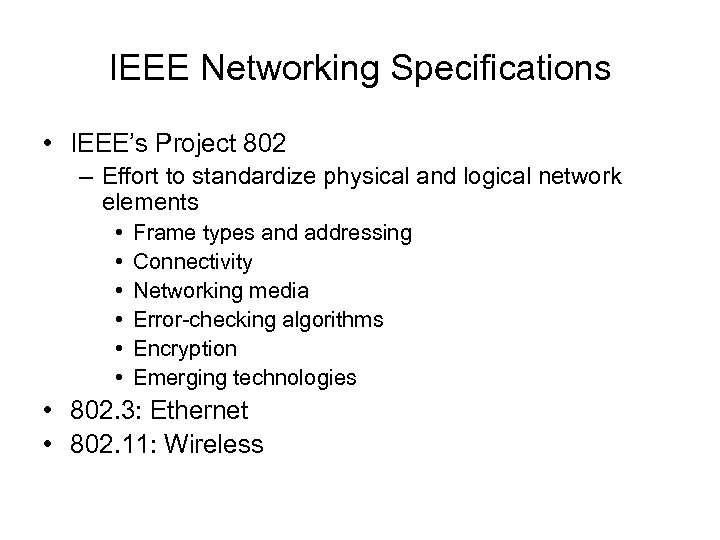 IEEE Networking Specifications • IEEE’s Project 802 – Effort to standardize physical and logical network elements • • • Frame types and addressing Connectivity Networking media Error-checking algorithms Encryption Emerging technologies • 802. 3: Ethernet • 802. 11: Wireless
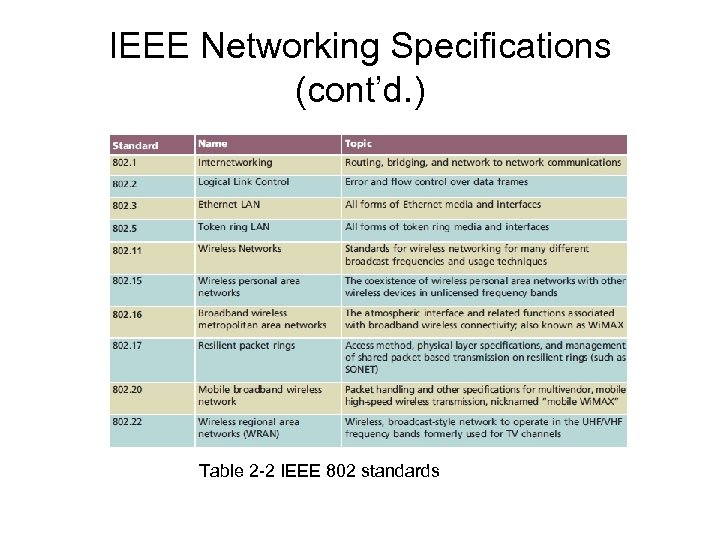 IEEE Networking Specifications (cont’d. ) Table 2 -2 IEEE 802 standards
 i. Clicker Questions
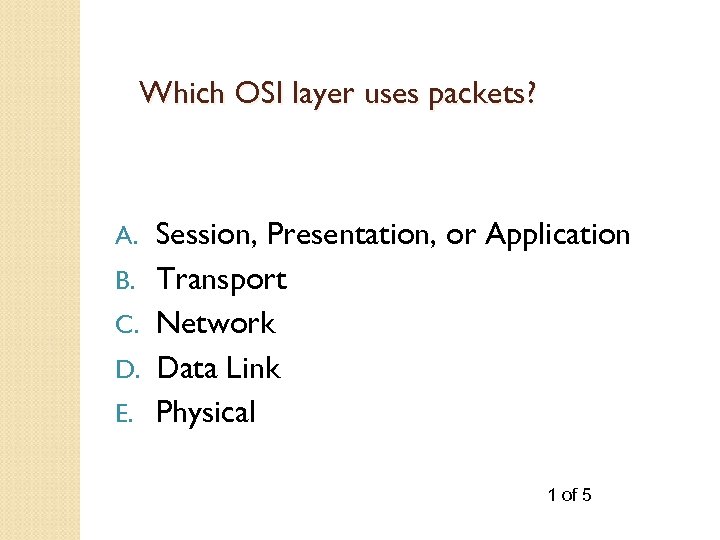 Which OSI layer uses packets? A. B. C. D. E. Session, Presentation, or Application Transport Network Data Link Physical 1 of 5
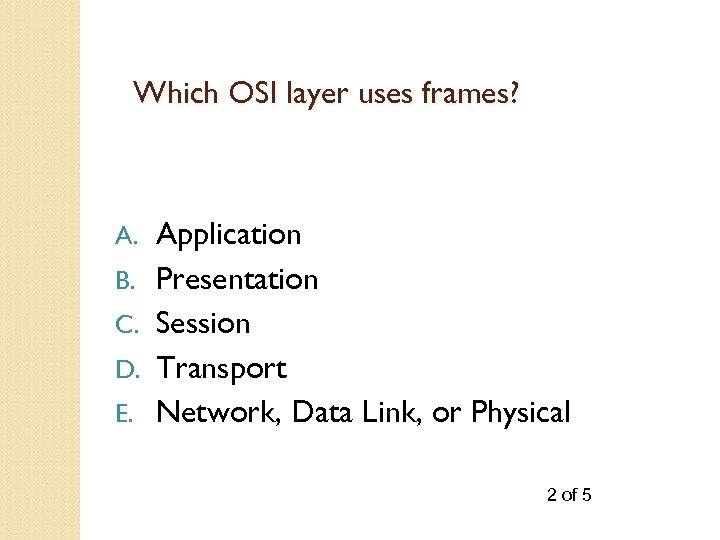 Which OSI layer uses frames? A. B. C. D. E. Application Presentation Session Transport Network, Data Link, or Physical 2 of 5
 Which OSI layer uses IP addresses like 147. 144. 1. 2? A. B. C. D. E. Session, Presentation, or Application Transport Network Data Link Physical 3 of 5
 Which IEEE standard defines Wi-Fi networking, as used by laptops in coffehouses? A. B. C. D. E. 802. 3 802. 11 802. 15 802. 16 802. 20 4 of 5
 Which IEEE standard defines normal wired Ethernet? A. B. C. D. E. 802. 3 802. 11 802. 15 802. 16 802. 20 5 of 5