


 Скачать презентацию Network Applications typically CLIENT-SERVER Examples of the
514999efe11badd44888d9ed9fe28c7c.ppt
- Количество слайдов: 24
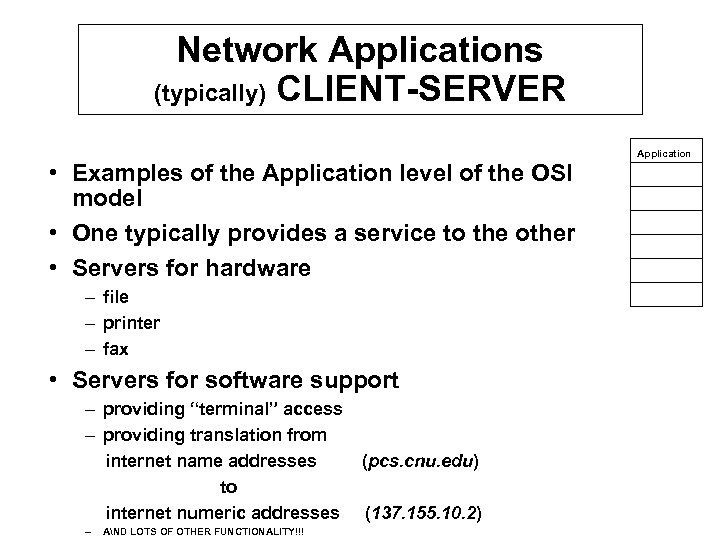 Network Applications (typically) CLIENT-SERVER • Examples of the Application level of the OSI model • One typically provides a service to the other • Servers for hardware – file – printer – fax • Servers for software support – providing “terminal” access – providing translation from internet name addresses to internet numeric addresses – AND LOTS OF OTHER FUNCTIONALITY!!! (pcs. cnu. edu) (137. 155. 10. 2) Application
 Common CLIENT-SERVERs • FTP for transferring files from one machine to another WITHOUT having an account at both machines. • TELNET for providing remote command- line (shell) access when you have an account on both machines. TELNET also will provide other functionality as we will see later. • Info services from ARCHIE, WAIS (Wide Area Information Servers), GOPHER, etc. • MAIL transfer agents • WWW (World. Wide. Web) servers/browsers
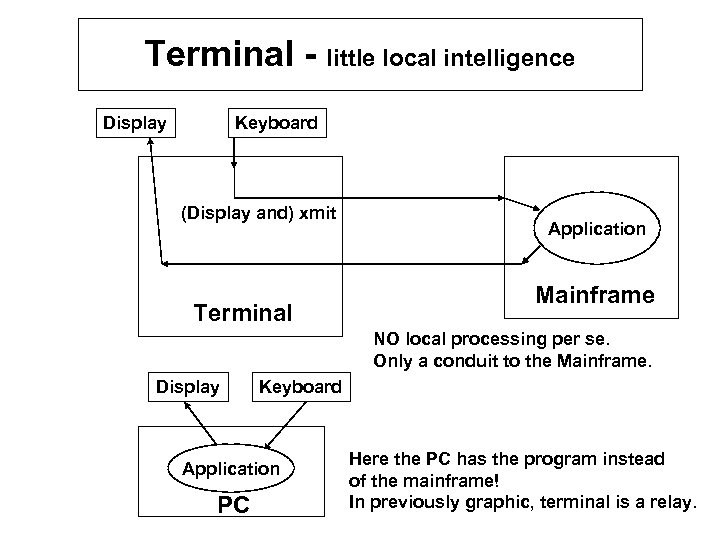 Terminal - little local intelligence Keyboard Display (Display and) xmit Terminal Application Mainframe NO local processing per se. Only a conduit to the Mainframe. Display Keyboard Application PC Here the PC has the program instead of the mainframe! In previously graphic, terminal is a relay.
 Remote terminal • Run program remotely • Like a long cable to a keyboard at your house • Hyperterminal on Windows 95/98 • Typically requires a modem • Only run command shell, not windows apps. • What if you want a terminal access through the internet? • Telnet is your answer
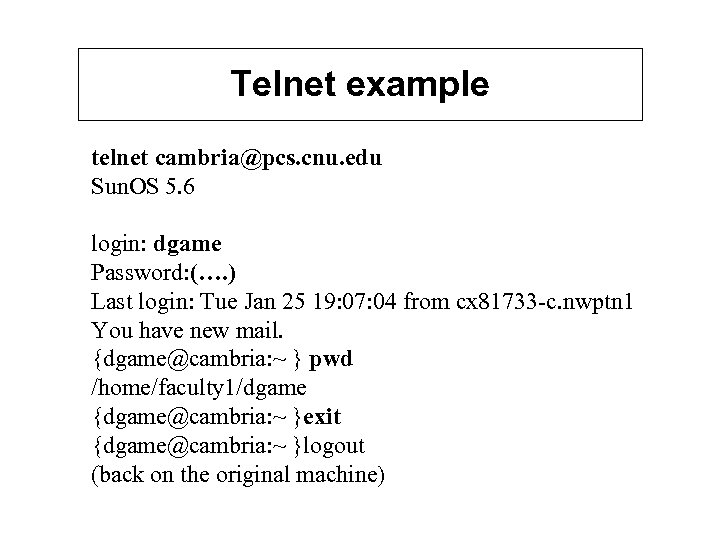 Telnet example telnet cambria@pcs. cnu. edu Sun. OS 5. 6 login: dgame Password: (…. ) Last login: Tue Jan 25 19: 07: 04 from cx 81733 -c. nwptn 1 You have new mail. {dgame@cambria: ~ } pwd /home/faculty 1/dgame {dgame@cambria: ~ }exit {dgame@cambria: ~ }logout (back on the original machine)
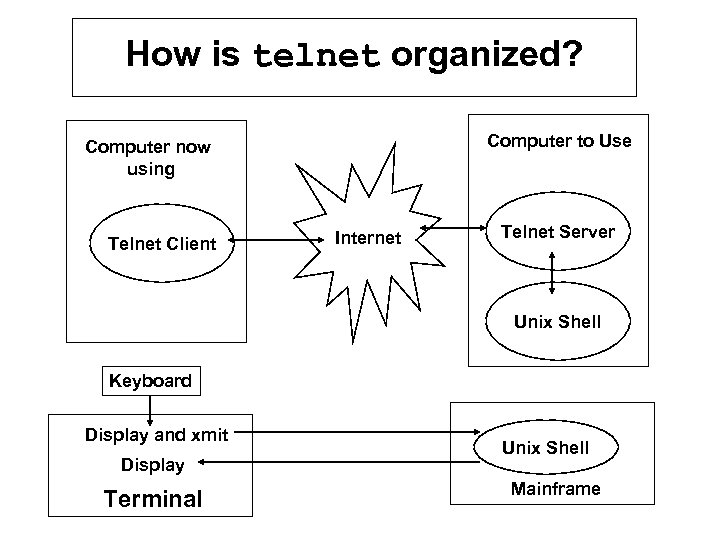 How is telnet organized? Computer to Use Computer now using Telnet Client Internet Telnet Server Unix Shell Keyboard Display and xmit Display Terminal Unix Shell Mainframe
 Let’s Probe a Little Deeper!
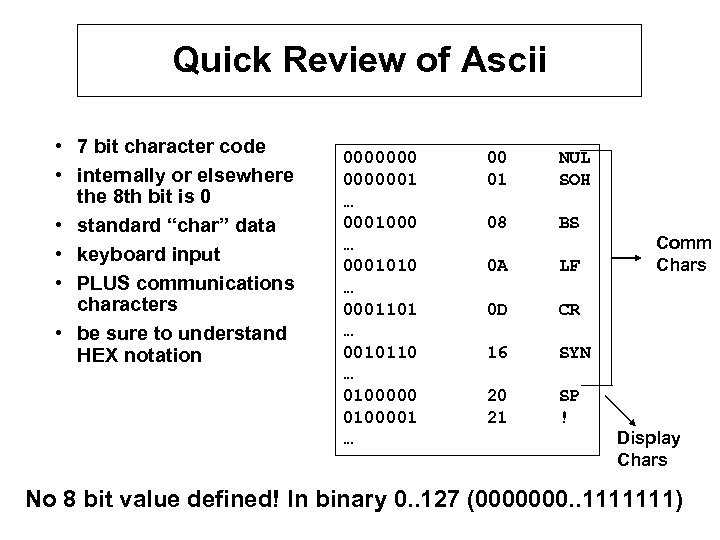 Quick Review of Ascii • 7 bit character code • internally or elsewhere the 8 th bit is 0 • standard “char” data • keyboard input • PLUS communications characters • be sure to understand HEX notation 00000001 … 0001000 … 0001010 … 0001101 … 0010110 … 0100000 0100001 … 00 01 NUL SOH 08 BS 0 A LF 0 D CR 16 SYN 20 21 SP ! Comm Chars Display Chars No 8 bit value defined! In binary 0. . 127 (0000000. . 1111111)
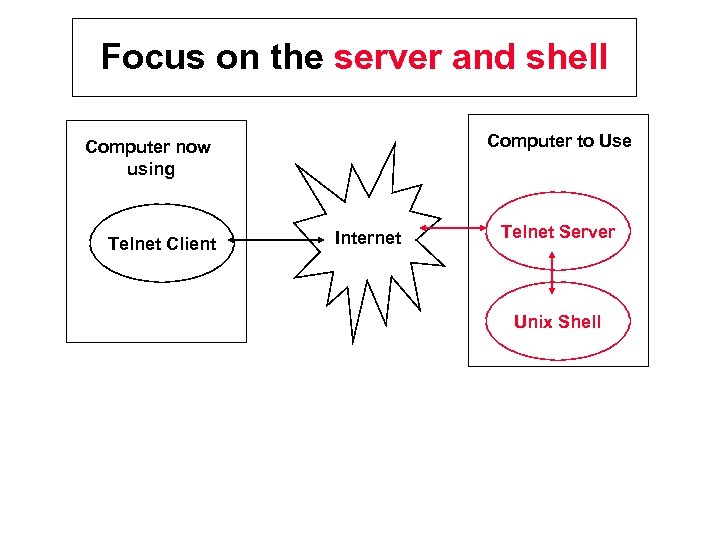 Focus on the server and shell Computer to Use Computer now using Telnet Client Internet Telnet Server Unix Shell
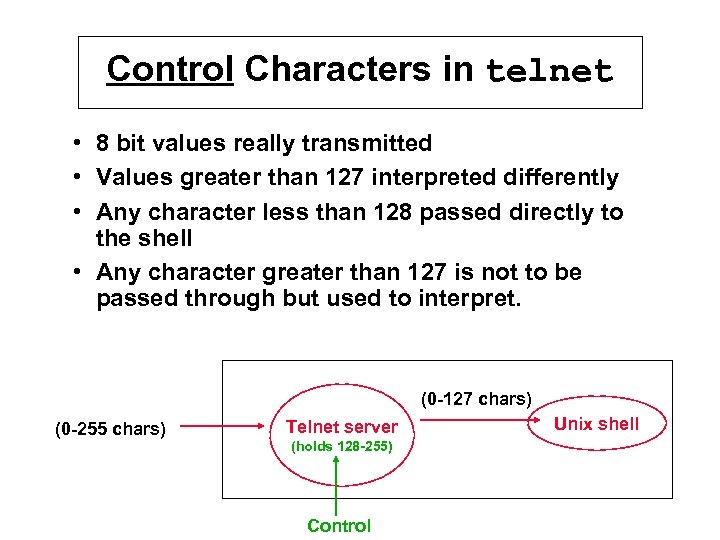 Control Characters in telnet • 8 bit values really transmitted • Values greater than 127 interpreted differently • Any character less than 128 passed directly to the shell • Any character greater than 127 is not to be passed through but used to interpret. (0 -127 chars) (0 -255 chars) Telnet server (holds 128 -255) Control Unix shell
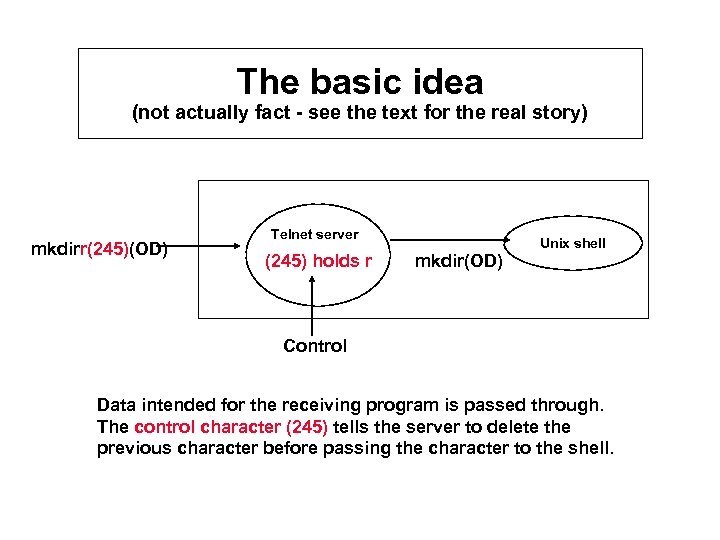 The basic idea (not actually fact - see the text for the real story) mkdirr(245)(OD) Telnet server (245) holds r mkdir(OD) Unix shell Control Data intended for the receiving program is passed through. The control character (245) tells the server to delete the previous character before passing the character to the shell.
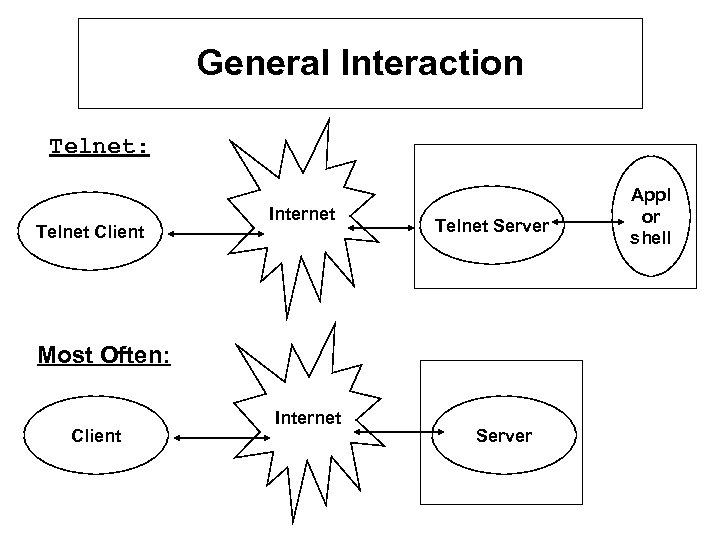 General Interaction Telnet: Telnet Client Internet Telnet Server Most Often: Client Internet Server Appl or shell
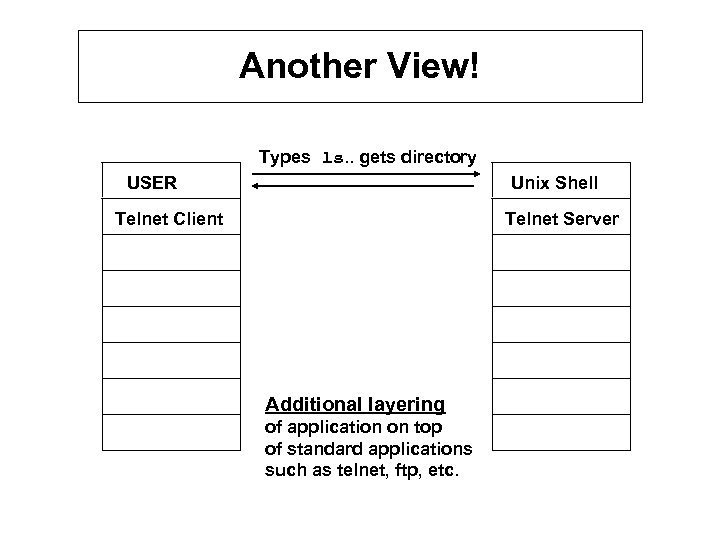 Another View! Types ls. . gets directory USER Unix Shell Telnet Client Telnet Server Additional layering of application on top of standard applications such as telnet, ftp, etc.
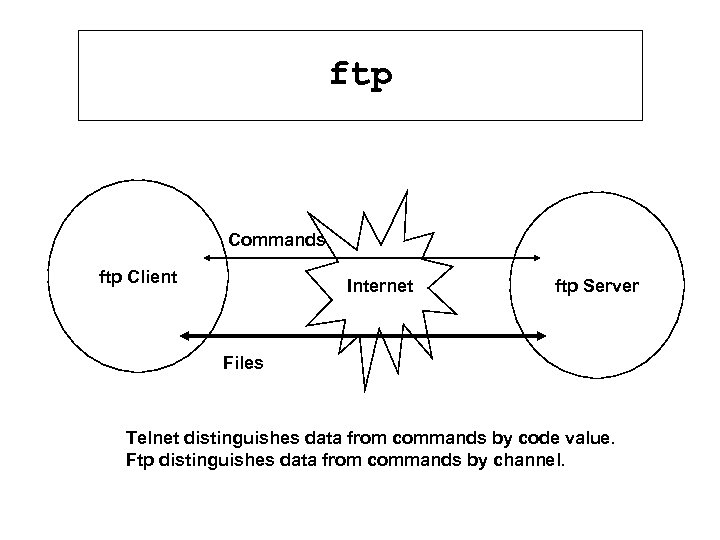 ftp Commands ftp Client Internet ftp Server Files Telnet distinguishes data from commands by code value. Ftp distinguishes data from commands by channel.
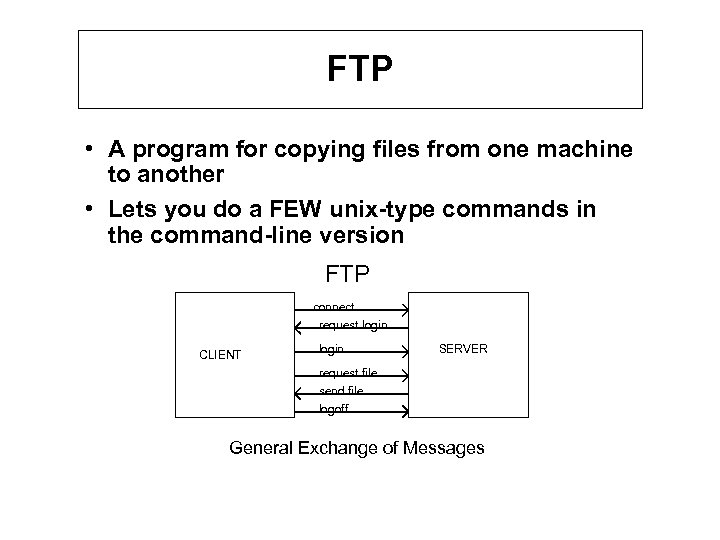 FTP • A program for copying files from one machine to another • Lets you do a FEW unix-type commands in the command-line version FTP connect request login CLIENT login SERVER request file send file logoff General Exchange of Messages
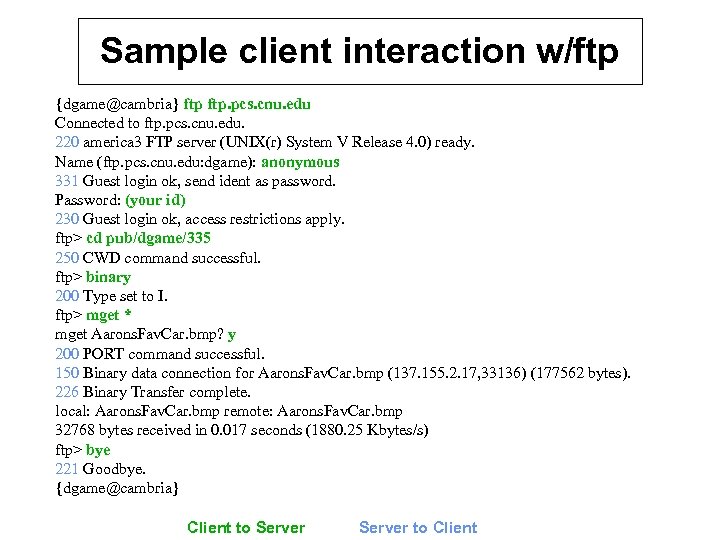 Sample client interaction w/ftp {dgame@cambria} ftp. pcs. cnu. edu Connected to ftp. pcs. cnu. edu. 220 america 3 FTP server (UNIX(r) System V Release 4. 0) ready. Name (ftp. pcs. cnu. edu: dgame): anonymous 331 Guest login ok, send ident as password. Password: (your id) 230 Guest login ok, access restrictions apply. ftp> cd pub/dgame/335 250 CWD command successful. ftp> binary 200 Type set to I. ftp> mget * mget Aarons. Fav. Car. bmp? y 200 PORT command successful. 150 Binary data connection for Aarons. Fav. Car. bmp (137. 155. 2. 17, 33136) (177562 bytes). 226 Binary Transfer complete. local: Aarons. Fav. Car. bmp remote: Aarons. Fav. Car. bmp 32768 bytes received in 0. 017 seconds (1880. 25 Kbytes/s) ftp> bye 221 Goodbye. {dgame@cambria} Client to Server to Client
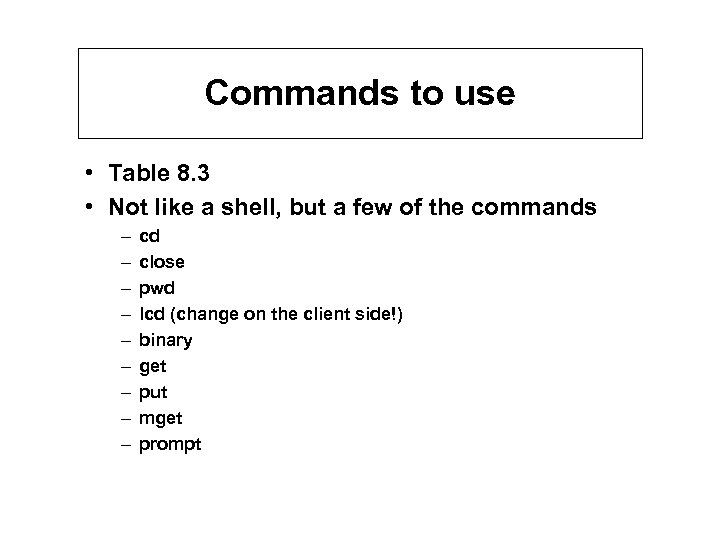 Commands to use • Table 8. 3 • Not like a shell, but a few of the commands – – – – – cd close pwd lcd (change on the client side!) binary get put mget prompt
 Archie • FTP provides a unix-look directory which you navigate, “ls”, and copy/send files • If you have trouble managing your own account, how much trouble do you have locating information when the entire FTP world is your directory? • Database server containing information on the contents of FTP sites around the world • Being replaced with good WWW search engines which envelope ftp sites.
 Other Client Servers • SMTP (Simple Mail Transfer Protocol) – More than meets the eye – Server can also be a client (same process) • WWW (World-Wide Web) – (more to come)
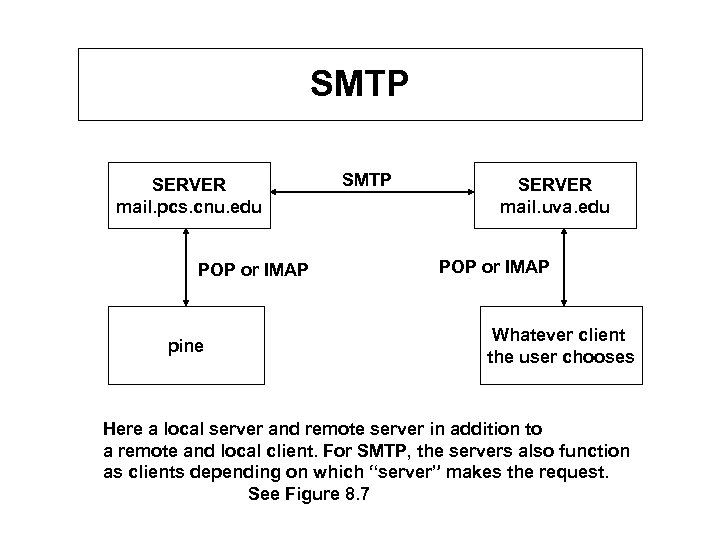 SMTP SERVER mail. pcs. cnu. edu POP or IMAP pine SMTP SERVER mail. uva. edu POP or IMAP Whatever client the user chooses Here a local server and remote server in addition to a remote and local client. For SMTP, the servers also function as clients depending on which “server” makes the request. See Figure 8. 7
 General Issues at Application Layer • Timing of interaction (Time Sequence Diagrams) • Types of problems encountered • How does one approach programming one of them?
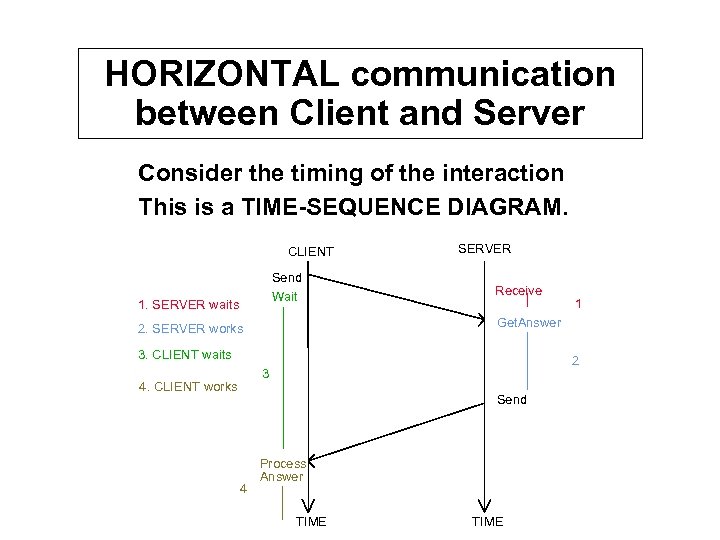 HORIZONTAL communication between Client and Server Consider the timing of the interaction This is a TIME-SEQUENCE DIAGRAM. CLIENT Send Wait 1. SERVER waits SERVER Receive Get. Answer 2. SERVER works 3. CLIENT waits 2 3 4. CLIENT works Send 4 1 Process Answer TIME
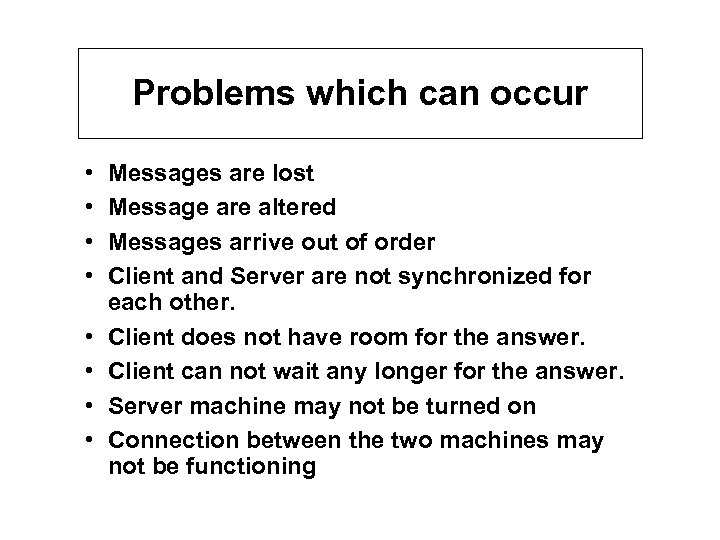 Problems which can occur • • Messages are lost Message are altered Messages arrive out of order Client and Server are not synchronized for each other. Client does not have room for the answer. Client can not wait any longer for the answer. Server machine may not be turned on Connection between the two machines may not be functioning
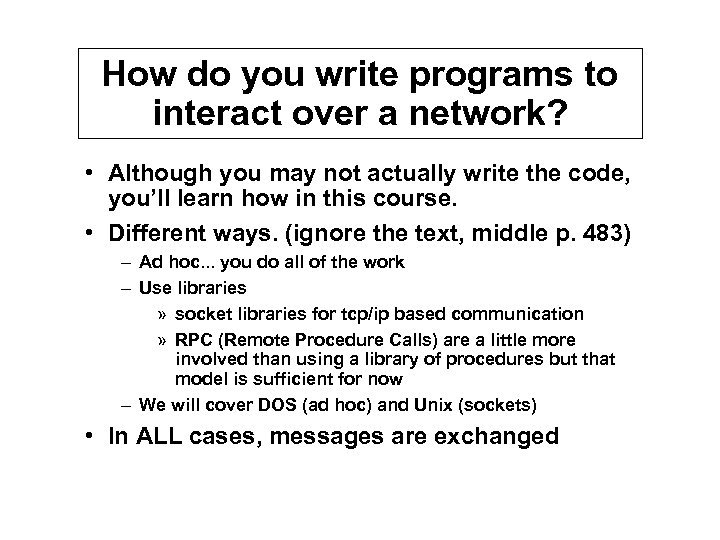 How do you write programs to interact over a network? • Although you may not actually write the code, you’ll learn how in this course. • Different ways. (ignore the text, middle p. 483) – Ad hoc. . . you do all of the work – Use libraries » socket libraries for tcp/ip based communication » RPC (Remote Procedure Calls) are a little more involved than using a library of procedures but that model is sufficient for now – We will cover DOS (ad hoc) and Unix (sockets) • In ALL cases, messages are exchanged