


 Скачать презентацию Net Versant Service Offering 4 Messaging Division 4
2ffa88cb4898c4bae141b8aa2ea23005.ppt
- Количество слайдов: 19
 Net. Versant Service Offering 4 Messaging Division 4 All employees with 15+ years in voicemail 4 Ex-Octel applications specialist, technicians, trainers, database 4 PBX Division 4 Nortel Elite Partner 4 Avaya Platinum Partner 4 Nationwide 4 Cabling, Wireless and Security
 California State University East Bay 4 4 48 Ports Call. Xpress Intecom Integration Intense Call Processing Reasons for Procurement 4 Net. Versant Responsiveness 4 VOIP Integration Options 4 Unified Messaging Options
 Market Insight 4 Three key technology decisions: 4 How and when should enterprise deploy IP telephony? 4 How and when should enterprise replace legacy applications? 4 How and when should enterprise deploy UC applications? 4 Consider these decisions separately to avoid ending up with great infrastructure and inadequate applications in the long term
 Higher Education Profile 4 PBX 4 Significant TDM deployment / Partial IP deployment 4 Mixed vendor environment 4 Voice Messaging / Call Processing 4 4 4 10 -year+ technology TDM only Not data friendly, limited upgrade path Extensive call processing applications Call processing varies by department / school 4 Groupware 4 4 Multiple email environments Disparate clients Blend of PC’s and MAC’s Increasing importance
 Critical Factors for Messaging Migration 4 Extensive legacy call processing requirements 4 Automated attendant menus 4 Day, hour, departments, tenants, levels, etc. 4 4 4 Voice forms, questionnaires Personal menus Speech recognition Find me / follow me Interactive voice response Fax library
 Critical Factors for Messaging Migration 4 PBX/switching infrastructure 4 4 Support for different switch types Support for multiple, simultaneous switch integration 4 IP and TDM 4 Transitional IP deployment strategy
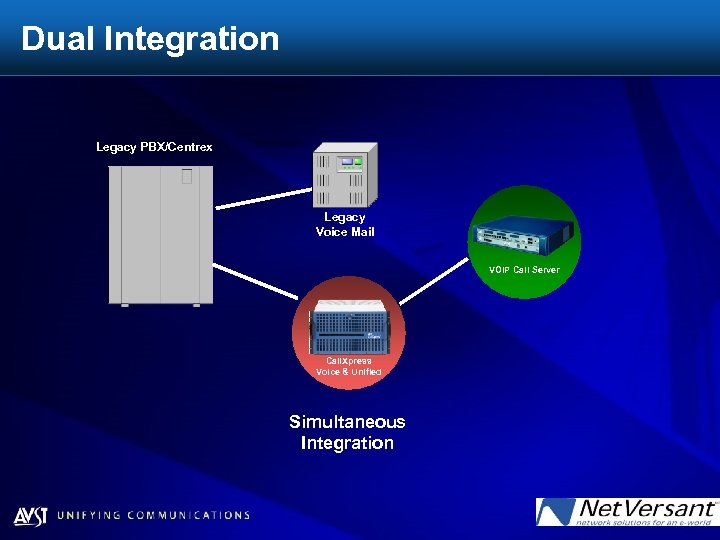 Dual Integration Legacy PBX/Centrex Legacy Voice Mail VOIP Call Server Call. Xpress Voice & Unified Simultaneous Integration
 Critical Factors for Messaging Migration 4 Unified Messaging architecture 4 UM message retention issues: storage, compliance and confidentiality 4 Multiple, disparate and evolving email clients and stores 4 Ala carte feature delivery for different segments of workforce & student population 4 Virtual desktop to maximize mobility 4 Functionality when email fails
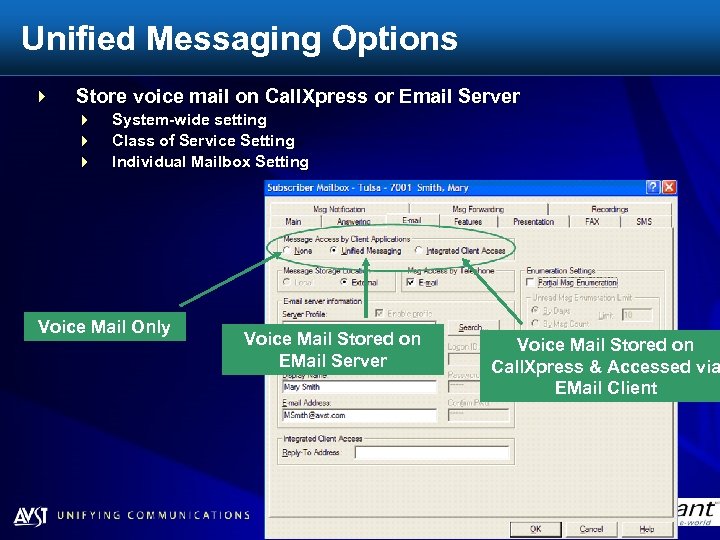 Unified Messaging Options 4 Store voice mail on Call. Xpress or Email Server 4 4 4 System-wide setting Class of Service Setting Individual Mailbox Setting Voice Mail Only Voice Mail Stored on EMail Server Voice Mail Stored on Call. Xpress & Accessed via EMail Client
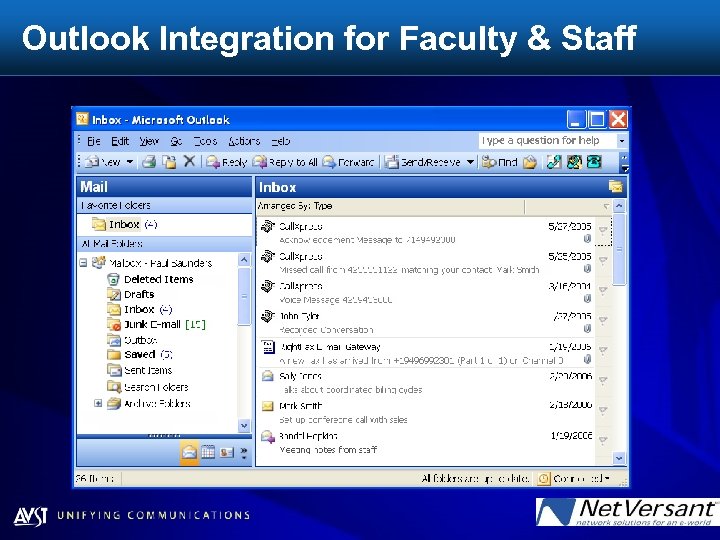 Outlook Integration for Faculty & Staff
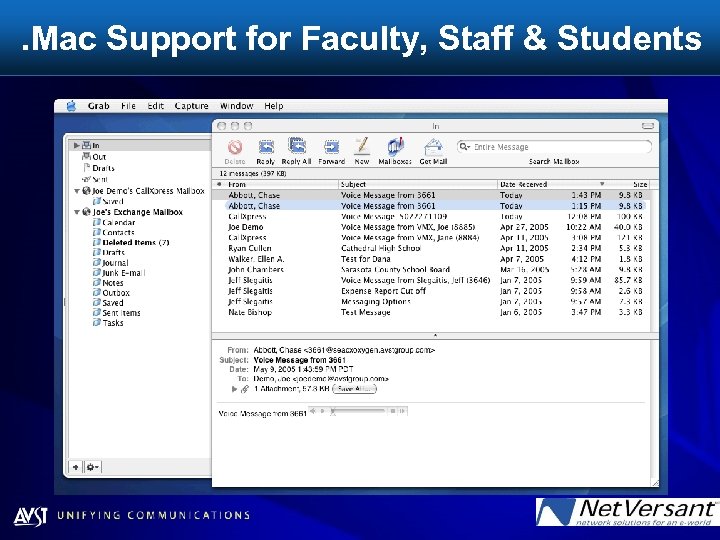 . Mac Support for Faculty, Staff & Students
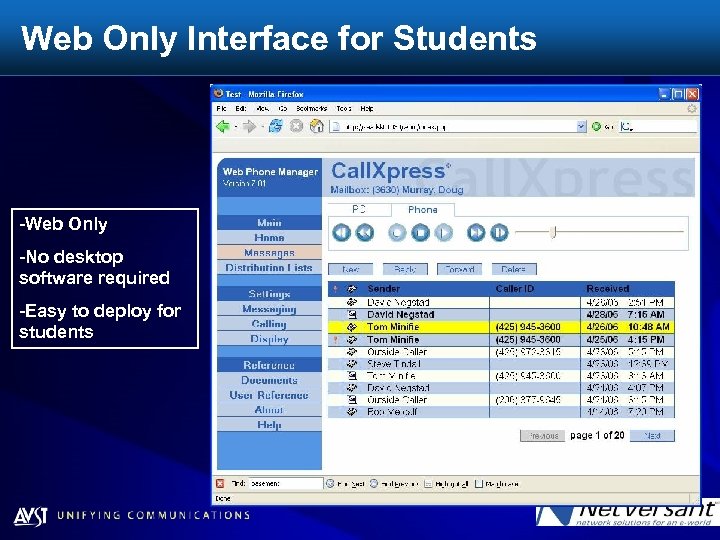 Web Only Interface for Students -Web Only -No desktop software required -Easy to deploy for students
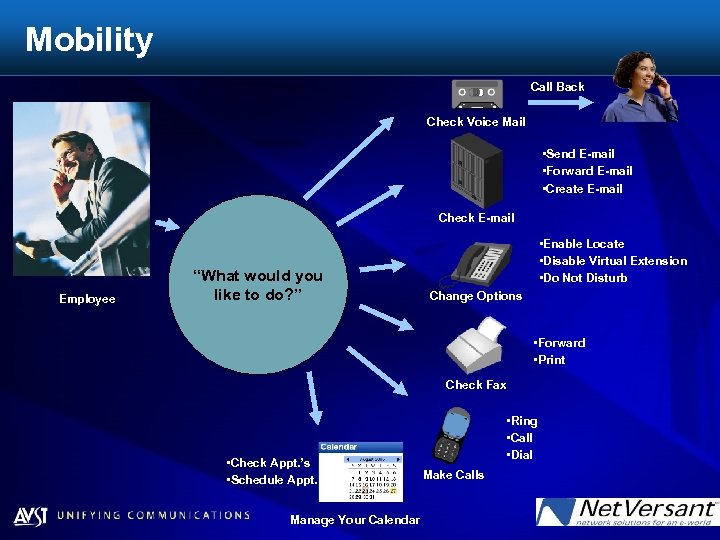 Mobility Call Back Check Voice Mail • Send E-mail • Forward E-mail • Create E-mail Check E-mail Employee “What would you like to do? ” • Enable Locate • Disable Virtual Extension • Do Not Disturb Change Options • Forward • Print Check Fax • Check Appt. ’s • Schedule Appt. ’s Manage Your Calendar • Ring • Call • Dial Make Calls
 Critical Factors for Messaging Migration 4 IT Flexibility 4 User retraining 4 Commands 4 Dial plan 4 Single point of administration 4 Centralized administration 4 Data network initiatives compatibility 4 4 Single or multiple domains Directory schema - extensions Security Backup and archive initiatives
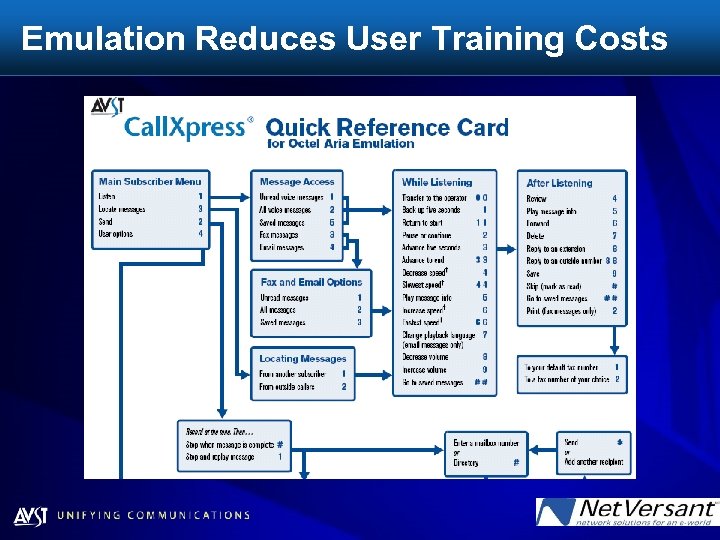 Emulation Reduces User Training Costs
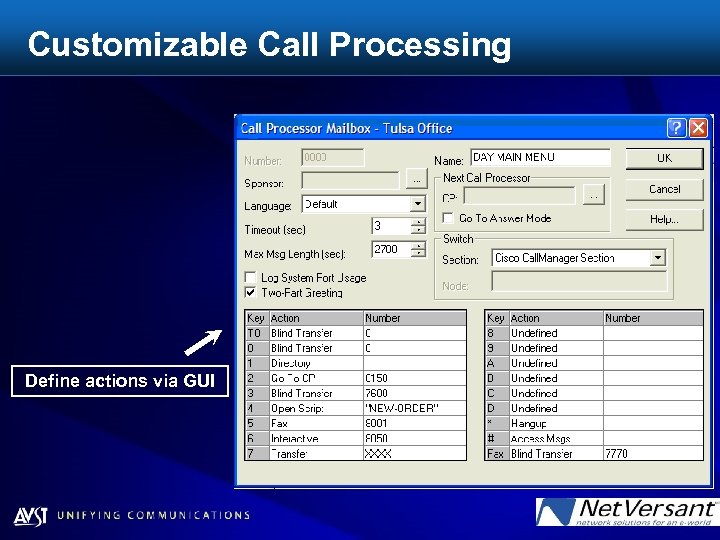 Customizable Call Processing Define actions via GUI
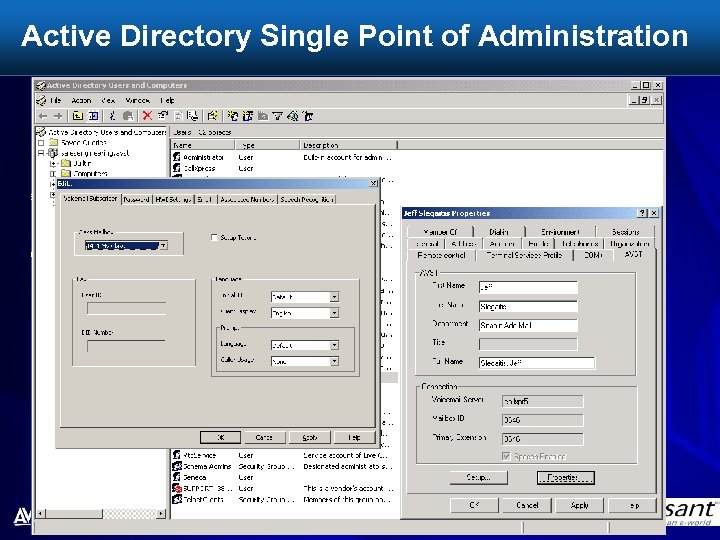 Active Directory Single Point of Administration 4.
 4 Thank You